Blog ComparisonsZendesk vs HubSpot Service Hub: The 2026 Comparison
Zendesk vs HubSpot Service Hub: The 2026 Comparison
Stuck between Zendesk and HubSpot for customer support? They may seem similar on the surface, but they serve very different goals and come with complex pricing and bloated features. In this post, we’ll break down the key differences and help you find the better fit.


✨ Looking for a modern & affordable alternative to Zendesk and Hubspot? Check out Featurebase →
On the face of it, Zendesk and HubSpot are two very different tools. One is a help desk software/ticketing system for offering exceptional customer service. The other is a full-fledged CRM tool that fits into overall sales/marketing operations.
If you're choosing between the two, you're probably looking to improve your customer service operations, centralize customer data, and make it easy for your support team to do their jobs well.
We're going to help you out with that. Today, we're comparing HubSpot Service Hub to Zendesk, examining their pros and cons, pricing, and other key details. 👇
Quick overview
| Zendesk | HubSpot | |
|---|---|---|
| Core focus | Customer support platform with advanced ticketing, automation, and AI-powered tools | CRM-first platform with integrated sales, marketing, and service hubs |
| CRM capabilities | Light CRM through Zendesk Sell, but secondary to ticketing and support | Full CRM at its core, with service features layered onto contact, sales, and marketing data |
| Customer support | Strong in ticketing, multichannel support, SLAs, self-service portals, and advanced AI features | Service Hub offers ticketing, live chat, knowledge base, surveys, and bots, but not as deep as Zendesk |
| Integrations | Large app marketplace focused on support workflows | Broad ecosystem spanning sales, marketing, and service, often acting as the central hub for customer data |
| Pricing | Support plans: Team $19/agent (annual), Professional $55, Enterprise $115. Suite plans: Team $55, Growth $89, Professional $115. Add-ons: Advanced AI $50/agent, Workforce Management $25, Quality Assurance $35+ | Service Hub: Starter $20–$45/month (1–2 seats, annual), Professional about $100/seat/month, Enterprise about $150/seat/month. Credits model: Starter 500 credits, Professional 3,000 credits, Enterprise 5,000 credits for advanced features |
| Best fit | Companies with high support volumes that need powerful ticketing and automation | Businesses that want an all-in-one CRM with service features tied directly to sales and marketing data |
All in all, both can get very expensive and feel outdated for fast-growing startups.
If you're after a more powerful alternative, check out Featurebase (👋 that's us). We're a modern & affordable alternative to Zendesk and HubSpot - but we’ll stay unbiased in this comparison, promise.
Key differences
There's no getting around the fact that the two tools solve different problems, albeit for similar audiences. Here are the most important differences you should be aware of.
1. Core focus
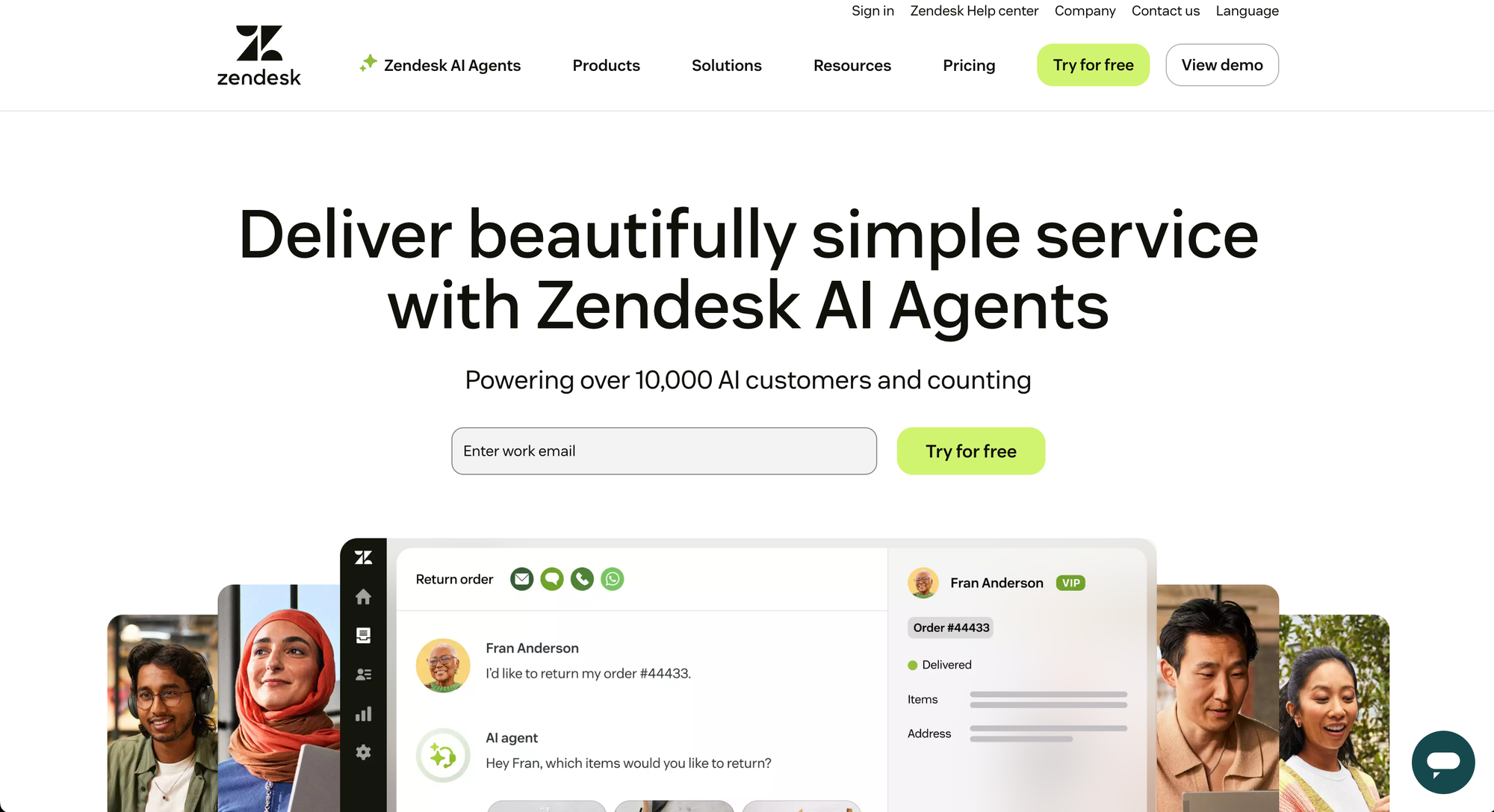
Zendesk is primarily a customer support and help desk tool. It's often dubbed the best customer service platform in the industry, with strong features such as:
- Ticketing
- Live chat
- Knowledge bases
- Multichannel customer service tools
It has some CRM features, but they are very basic and minuscule compared to their customer service software offering.
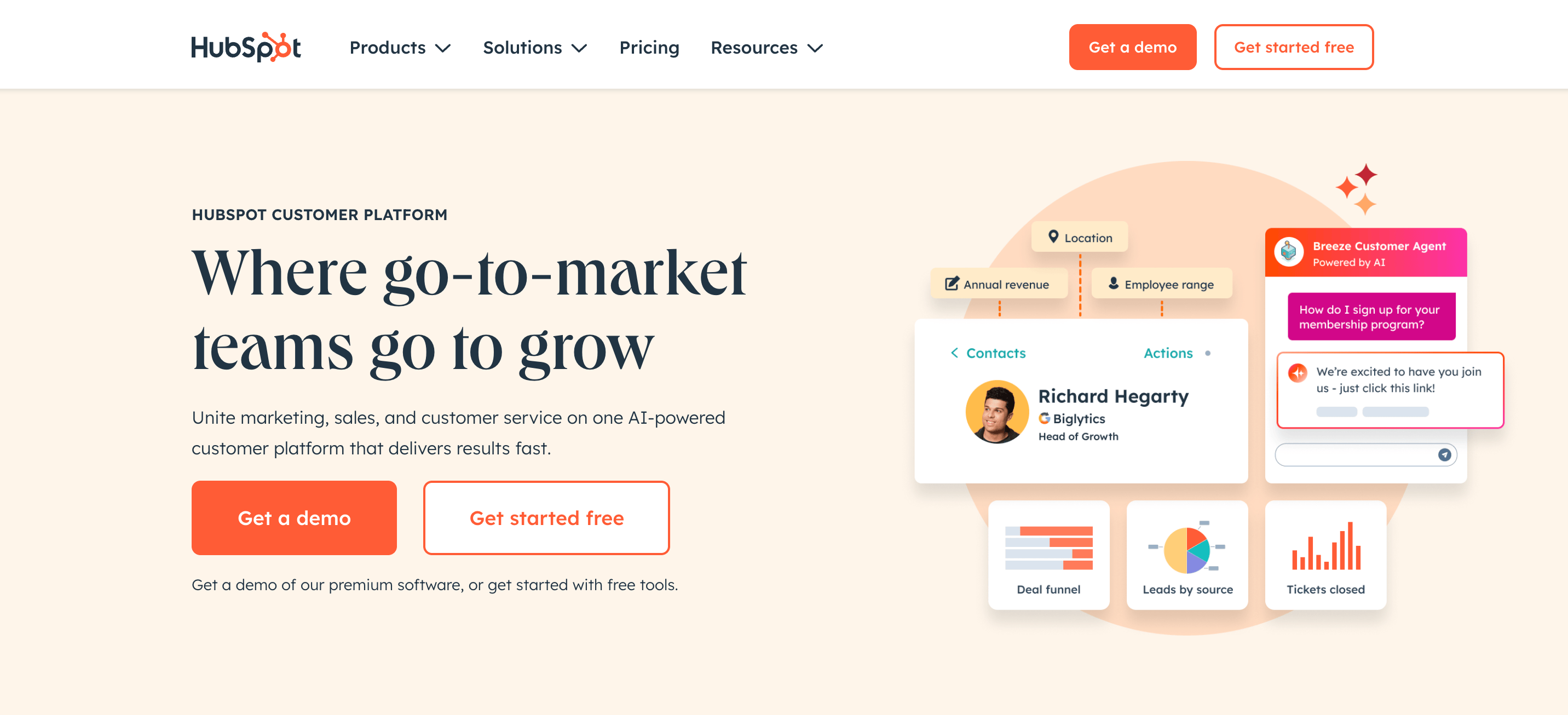
On the other hand, HubSpot is a CRM platform at its core. As their customer base grew, HubSpot started adding more features for sales and marketing, as well as the HubSpot Service Hub, the only portion of their product that is comparable to Zendesk.
In other words, you'll shop for Zendesk if you need help with customer support operations, and you'll shop for HubSpot if you want to better manage sales and marketing.
2. CRM capabilities
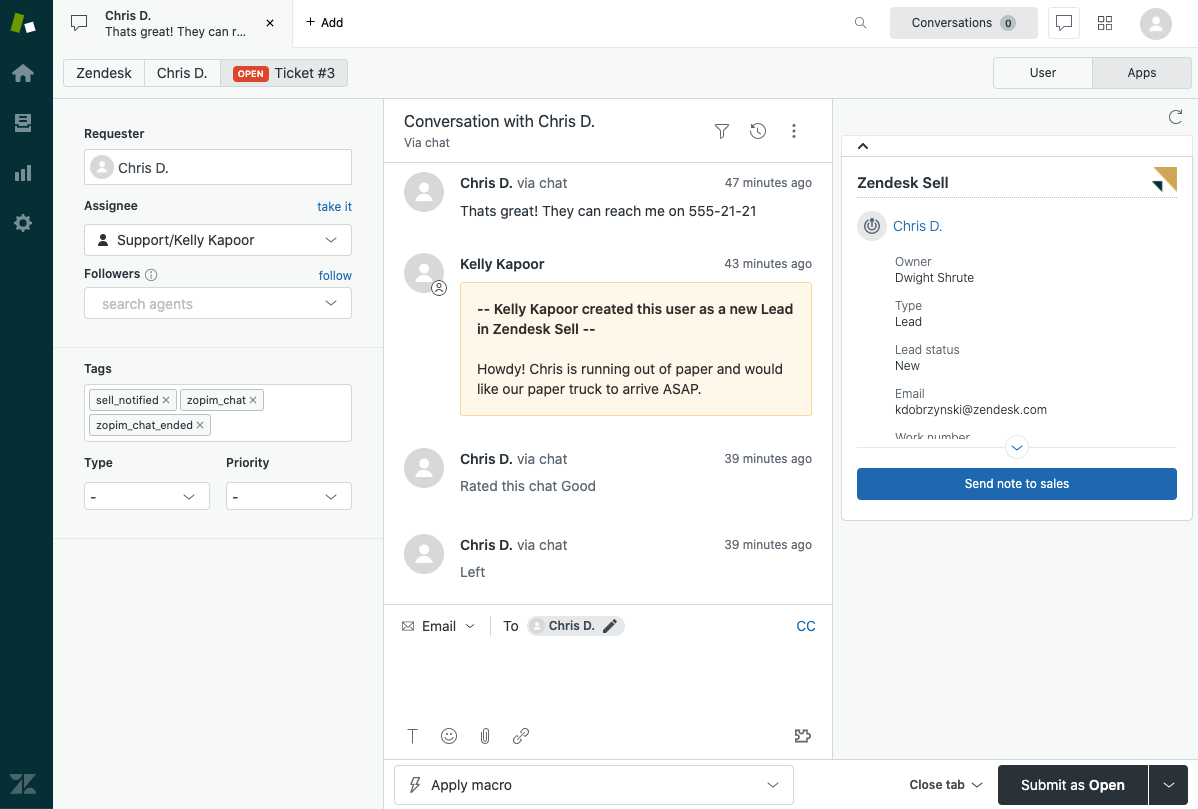
As mentioned, Zendesk has a tool called Zendesk Sell, which offers basic CRM features. Some of these include:
- Contact and lead management
- Deal and pipeline tracking
- Built-in calls and emails
- Sales automation features
- Reporting and analytics
- And more
If you're already using Zendesk for handling customer inquiries and you don't have a CRM just yet, it's a superb choice. However, if you're shopping for a standalone CRM platform, the feature set and integration capabilities may be subpar.
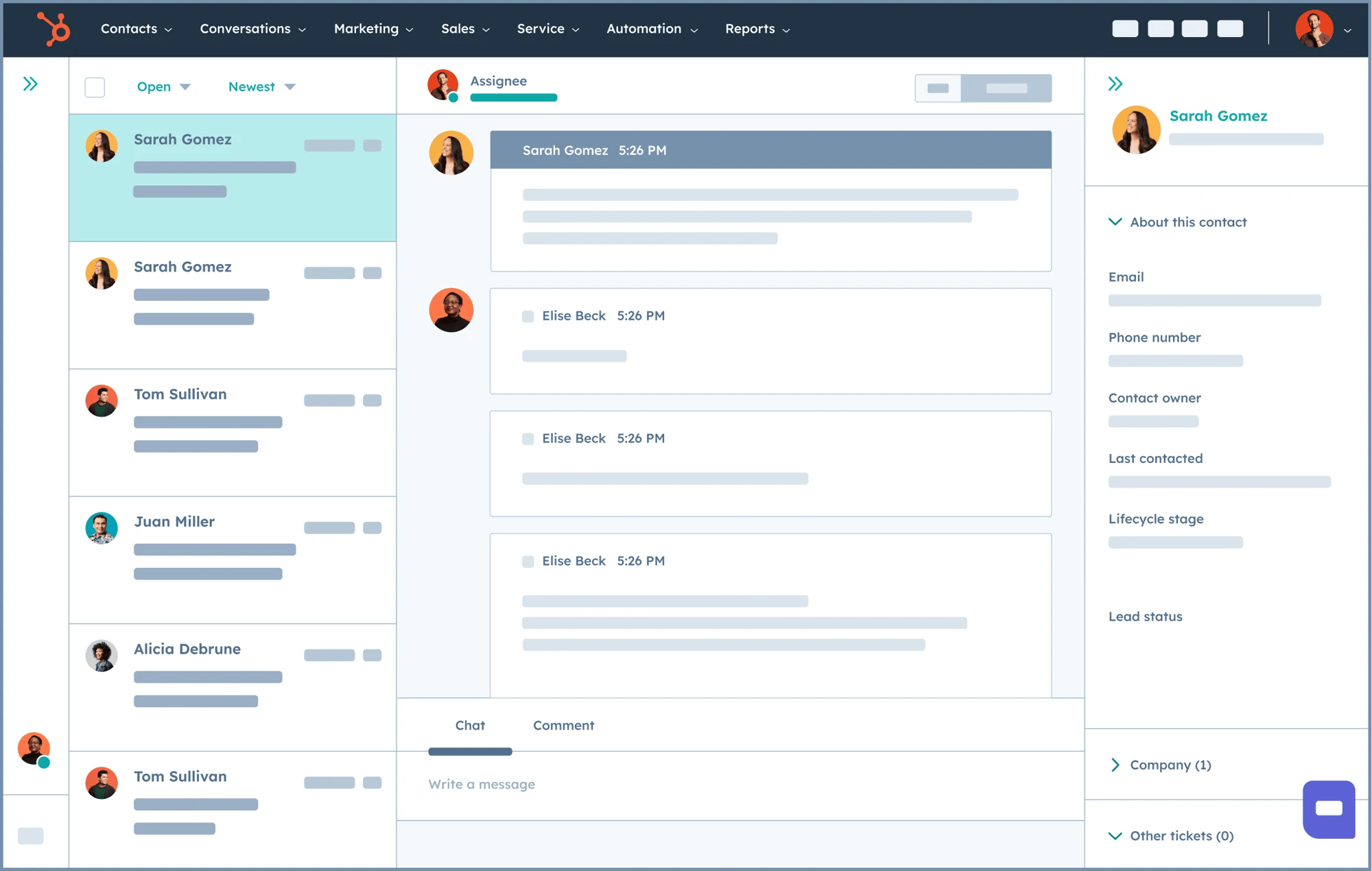
On the other hand, HubSpot has one of the best CRMs in the market and a range of free tools to help you get started. Customer data is centralized, which makes it easy to do sales, marketing and customer support all from one platform.
If you're already using HubSpot as your central CRM and need something to handle support tickets, it will do just fine. However, if you're shopping for customer service software and don't need the rest of the HubSpot offer, it doesn't make much sense.
Speaking of which...
3. Customer support features

This is an area where Zendesk really shines. It offers strong core features such as:
- Ticketing
- Automation around customer interactions
- SLAs
- AI-powered routing
- Customer feedback surveys
- Self-service portals
Businesses that are heavy on customer support rely on Zendesk to simplify and automate work for their customer service teams.
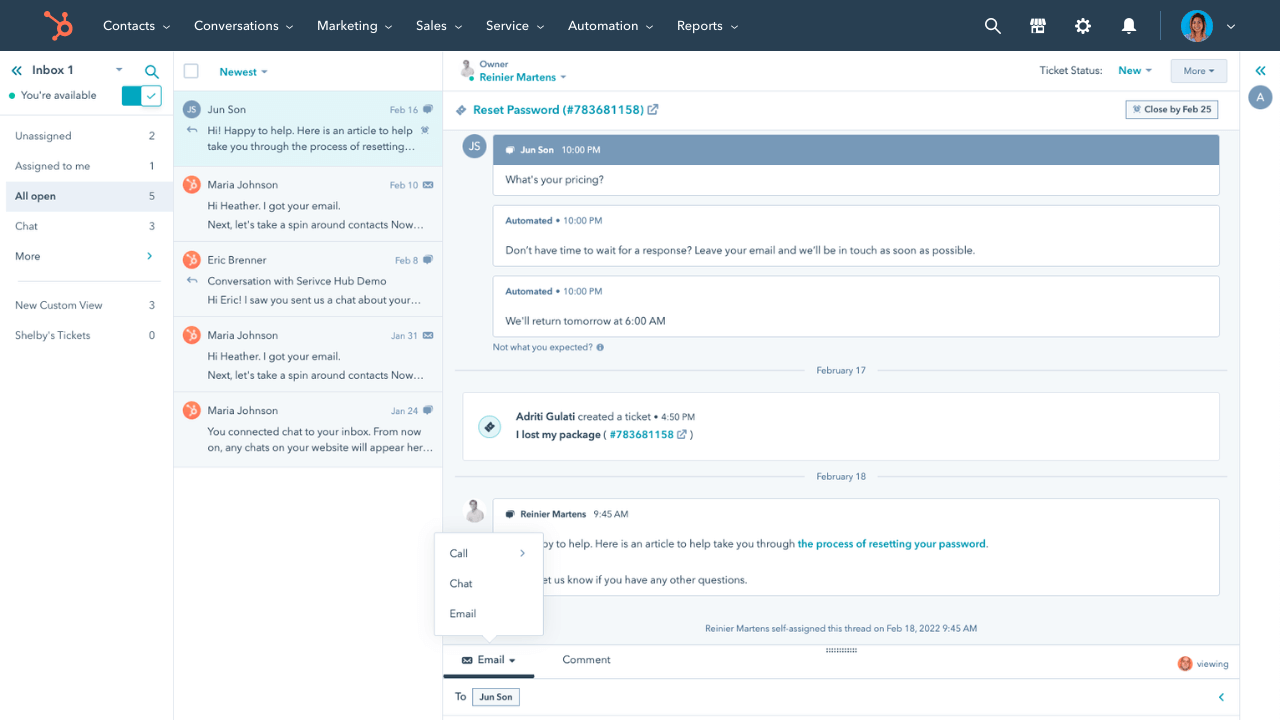
On the flip side, HubSpot Service Hub offers some CS tools, such as ticketing, knowledge management tools, chatbots, and NPS surveys. However, the customer engagement and support tools are not as developed as Zendesk's.
4. Integrations & ecosystem
Both tools come with thousands of integrations with different apps and platforms.
The main difference is that for Zendesk, those integrations are oriented towards support workflows and channels. On the other hand, HubSpot covers all types of tools, ranging from sales, marketing, support, and more.
5. Pricing model
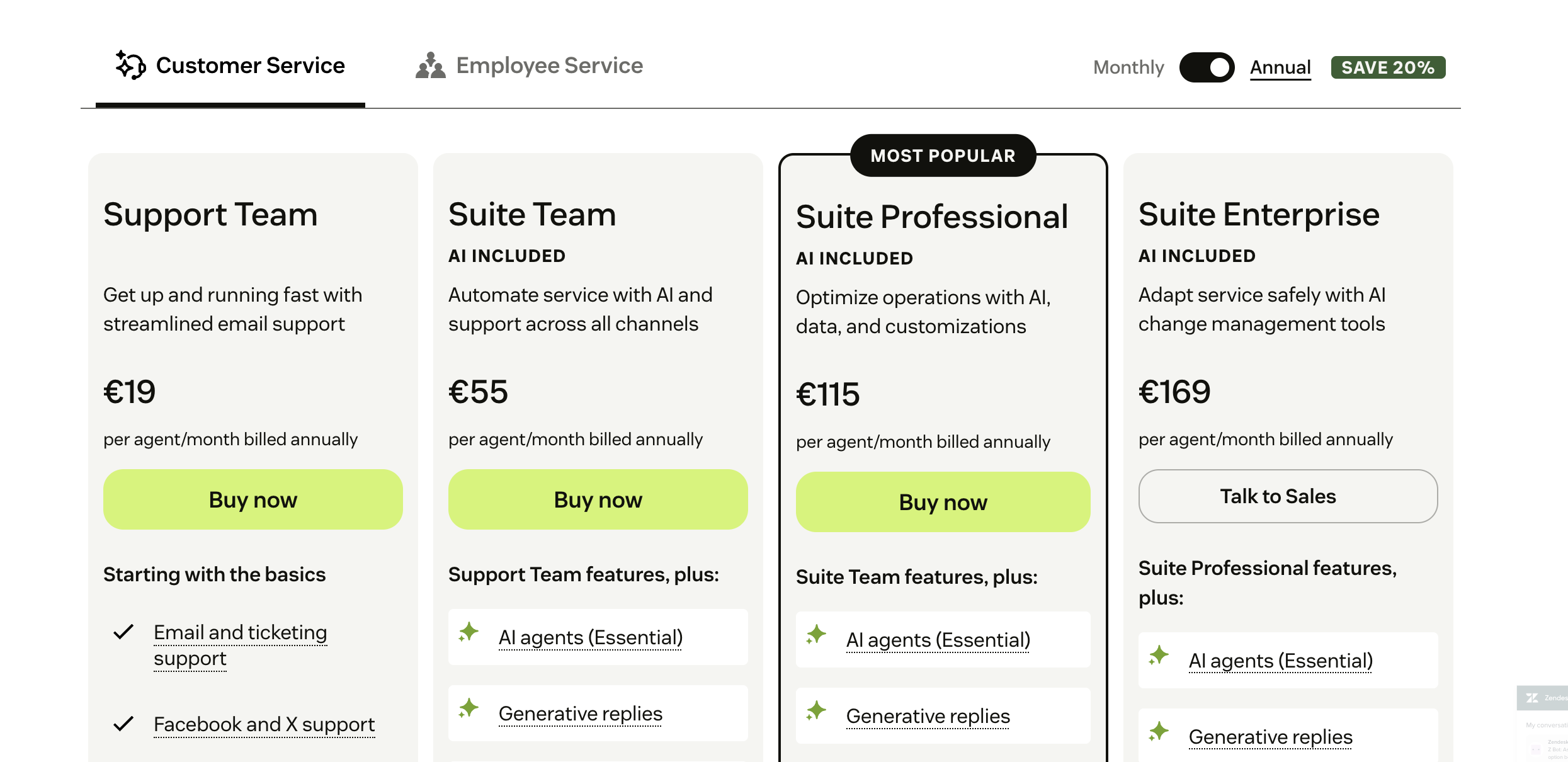
Zendesk's pricing model is based on support agent seats and features. As you add more agents and advanced features such as AI chatbots or analytics, your costs go up.
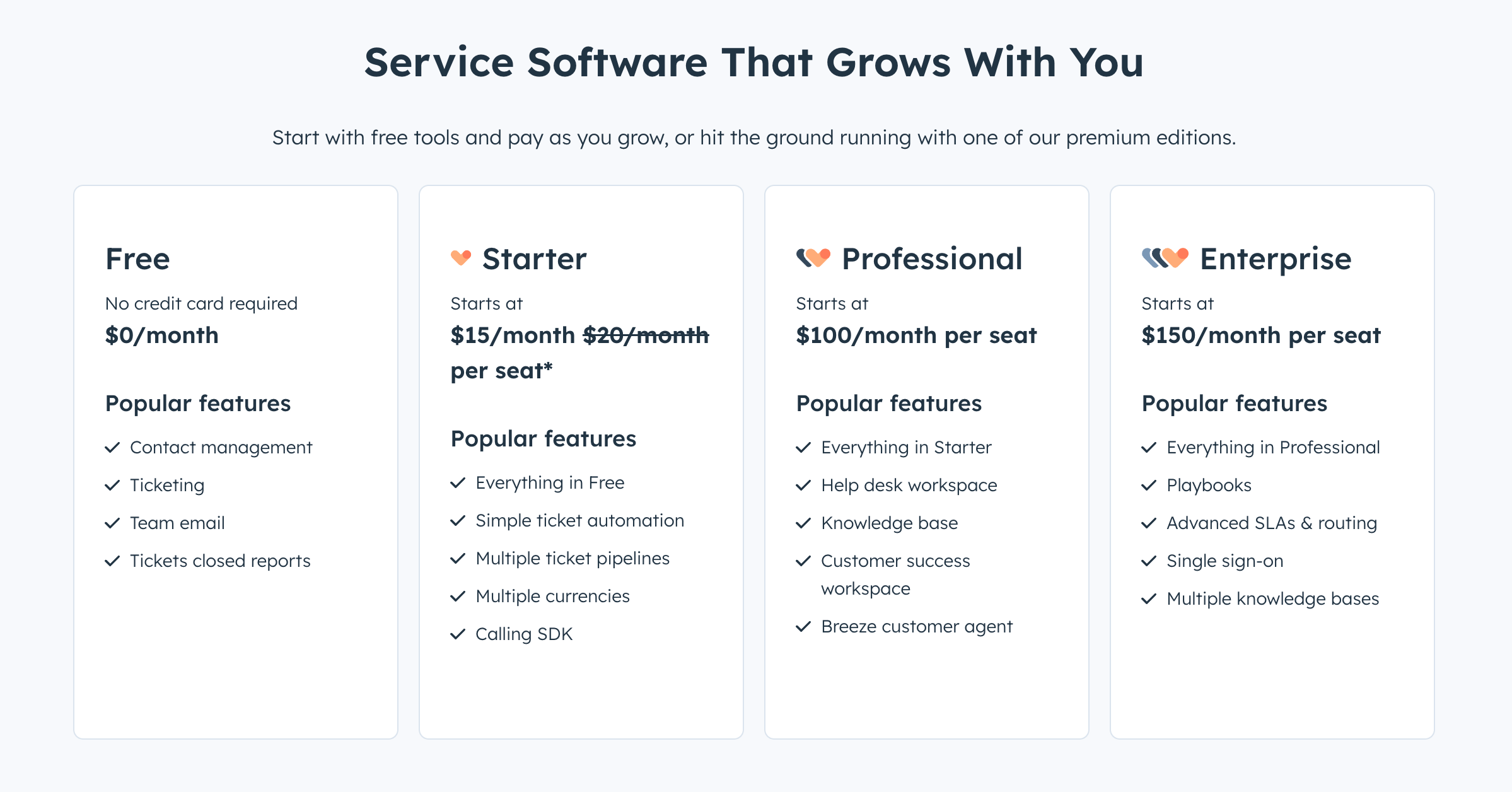
HubSpot's CRM tool is free, which is great if you actually need the CRM portion of the platform. HubSpot Service Hub is priced similarly to Zendesk: per seat and based on features.
Core features
To make things even, we're going to compare Zendesk against the HubSpot Service Hub rather than the broader CRM package.
Key features of Zendesk
Zendesk is built around customer support and ticketing, with a pinch of customer relationship management features.
- Omnichannel support – Bring in requests from email, chat, phone, and social into one inbox so agents never miss a conversation.
- Ticketing and workflows – Advanced ticketing with custom rules, automation, and SLAs helps teams stay on top of high volumes.
- Self-service options – Build knowledge bases and help centers so customers can find answers without waiting for an agent.
- AI and automation – Tools like automated routing, suggested replies, and AI-powered bots cut down on repetitive work.
- Analytics and reporting – Pre-built and customizable dashboards give managers a view of agent performance, response times, and customer satisfaction.
Zendesk’s features make it a strong fit for businesses that need reliable, large-scale customer support with a high degree of automation.
Key features of HubSpot
HubSpot’s Service Hub ties directly into its CRM, giving teams more visibility across the customer journey. It's not built to be a dedicated customer success workspace. Albeit a powerful one, it's still an add-on to the CRM.
- Unified CRM database – All customer interactions live in one place, connecting support tickets with sales and marketing data.
- Ticketing system – Manage requests through a simple ticketing tool that fits neatly into HubSpot’s broader CRM ecosystem.
- Live chat and bots – Engage with customers in real time or use bots to handle FAQs and collect details before passing tickets to agents.
- Customer feedback tools – Run CSAT, NPS, and custom surveys to measure how customers feel about your product or service.
- Knowledge base – Create searchable articles that reduce support load and improve self-service.
HubSpot’s features are best for teams that want customer service to live inside the same platform as their sales and marketing, instead of investing in a separate support system.
So, which one is better?
Both tools can help you provide a consistent customer experience across multiple communication channels, but they're inherently built for different audiences.
Zendesk
Best for customer support-heavy organizations. If high customer satisfaction is a priority for your business, Zendesk is a better option than HubSpot Service Hub. You'll get value faster and be able to resolve customer requests more efficiently.
These are the types of companies that Zendesk is best suited for:
- Customer service teams in mid-size and enterprise companies
Zendesk centralizes tickets across email, chat, phone, and social channels, helping agents handle large volumes of support requests. - E-commerce businesses
Retailers use Zendesk to manage customer inquiries about orders, shipping, and returns with fast response times and self-service options. - SaaS companies
Product-focused companies rely on Zendesk’s ticketing, automation, and knowledge base to provide scalable support to a growing customer base. - Enterprises with global operations
Zendesk offers multilingual support, advanced routing, and workforce management for distributed support teams.
HubSpot
Best for businesses needing an all-in-one CRM with service features.
If you need a capable CRM with a user-friendly interface that can be used by your marketing, customer success, and sales teams, the HubSpot CRM platform is a stellar choice. If you don't already have a CRM and you don't need advanced customer support and ticket management tools
- Small to mid-size businesses
HubSpot provides a free CRM core, making it accessible for teams that want sales, marketing, and service in a single platform. - Marketing-driven organizations
Companies that invest heavily in inbound marketing benefit from HubSpot’s ability to connect support interactions with marketing and sales funnels. - Growing B2B companies
HubSpot’s integrated CRM helps align sales and support teams, ensuring account managers and service reps share a full view of the customer journey. - Customer-focused startups
Startups use HubSpot Service Hub for lightweight ticketing and feedback collection without the overhead of a dedicated support platform like Zendesk.
However, both have drawbacks, including very high and complex pricing, as well as outdated and unintuitive interfaces. If neither feels quite right, we've got just what you need! 👇
Try Featurebase, the better alternative to Zendesk and HubSpot! ✨
If Zendesk and HubSpot feel old or get expensive and bloated, check out Featurebase, a modern support & feedback platform that blends the best of both worlds.
It’s loved by thousands of fast-growing support, marketing, and product teams from companies like Lovabale, Polymarket, and Instantly.
With pricing starting from just $49 per month flat (meaning no seat-based pricing), it costs a fraction of Zendesk, HubSpot, and most other support platforms.
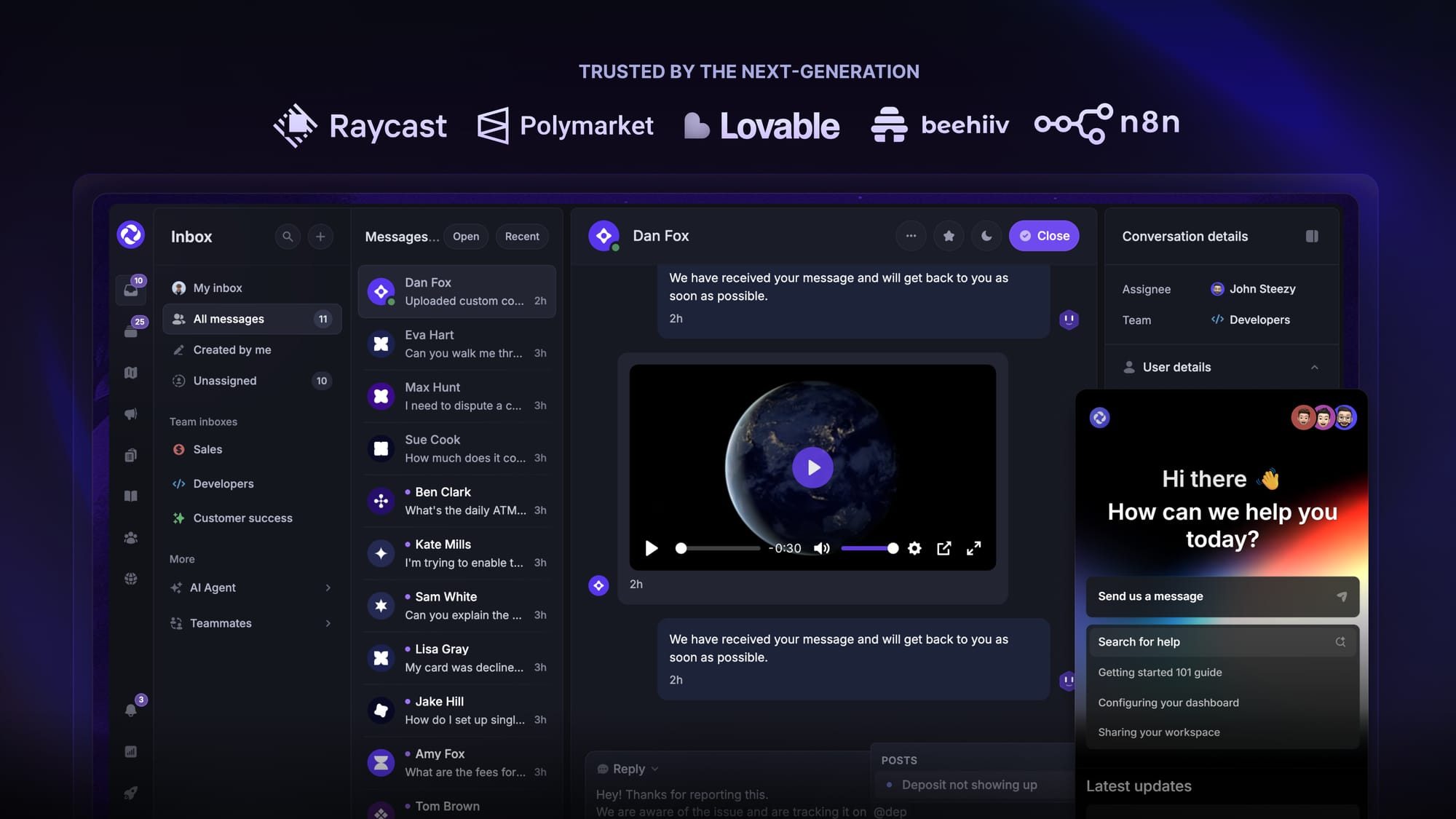
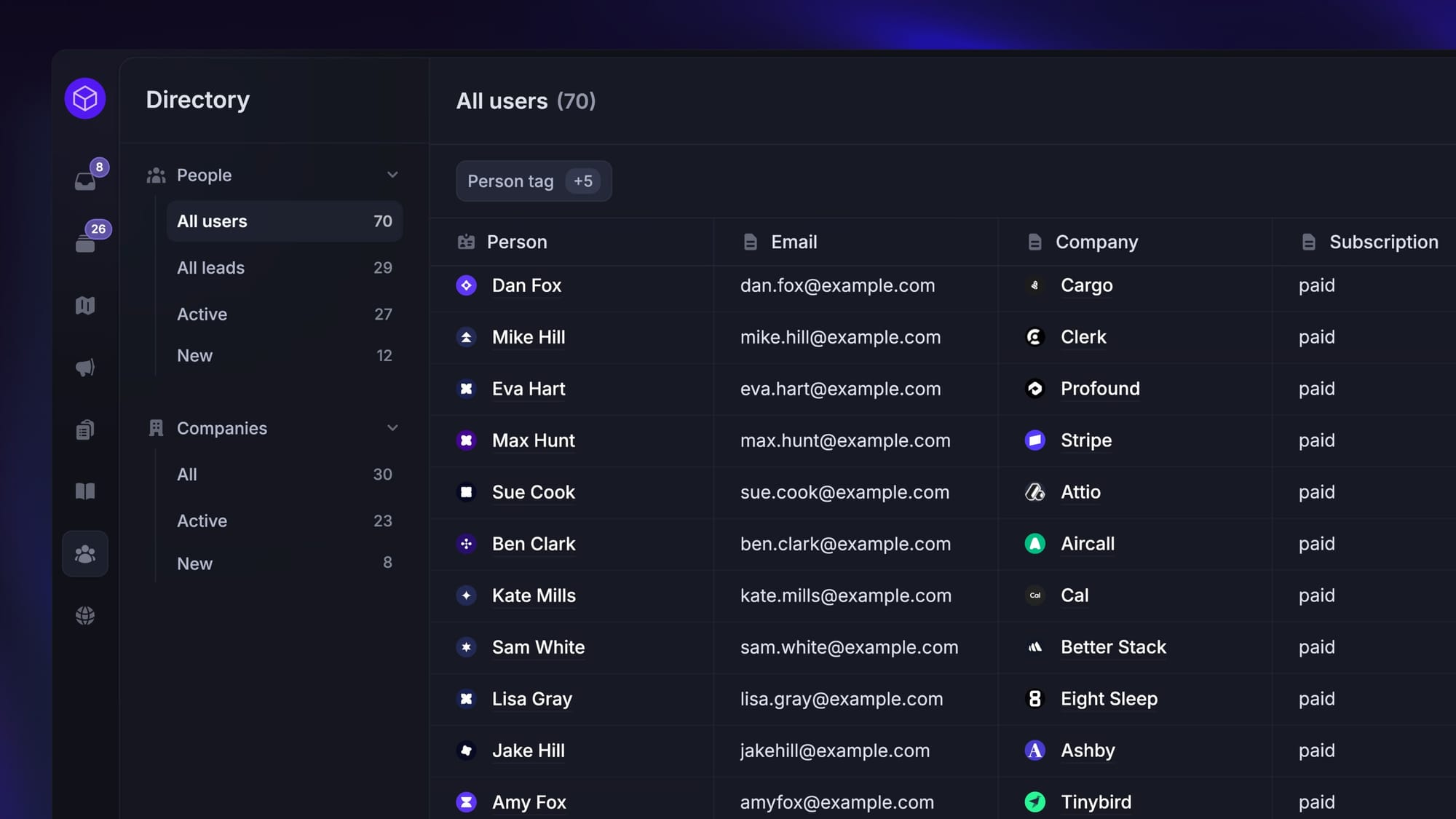
Featurebase is a modern support & feedback platform designed to help SaaS businesses reduce churn and increase retention. Instead of having 5+ different tools, Featurebase offers everything in one place to help you build products your users love:
- Support platform – Support your customers from anywhere with an omnichannel inbox and automate support with powerful AI agents.
- Help Center – Provide self-serve support with a beautiful AI-powered knowledge base & bring help articles inside your product with a widget.
- Feedback collection & roadmaps – Centralize feedback with integrations, feedback widgets, AI, and a public feedback forum. Let users vote on each other's ideas, see their total revenue, and focus on the most impactful features. All upvoters will automatically be notified when you complete their request.
- Changelogs – Announce product updates and increase feature adoption with neat in-app popups, notification emails, and a dedicated updates page.
- Surveys (NPS, CSAT, etc.) – Create targeted surveys to ask users anything and measure customer satisfaction.
Plus, it integrates with many popular tools that you likely already use, such as Linear, Jira, Slack, and many more.
Pricing: Featurebase offers a free plan, with paid plans starting at $29 per user per month. The onboarding is super fast, plus you can automatically import your Zendesk knowledge base with one click - so there’s zero risk involved. 👇
✨ Automate your support with the fastest AI-enhanced Inbox today →
More comparisons:
- Zendesk Review
- Best Zendesk alternatives
- Zendesk vs Featurebase
- Zendesk vs Intercom
- Zendesk vs Help Scout
- Zendesk vs Jira
- Zendesk vs Crisp
- Zendesk vs Freshdesk
- Zendesk vs Salesforce
- Zendesk vs Zoho
- Zendesk vs Kayako
- Zendesk vs Tidio
- Zendesk vs Happyfox
- Zendesk vs Freshdesk vs Zoho
- Best HubSpot alternatives
- HubSpot vs Featurebase