Blog Customer ServiceBest Helply Alternatives for AI Customer Support
Best Helply Alternatives for AI Customer Support
Looking for a Helply alternative? Here are the 7 best AI customer support tools, from all-in-one platforms to AI-first agents, compared on price, fit, and what users actually say.



✨Automate your support with the fastest AI-enhanced Inbox today →
Helply makes a bold promise: an AI agent that resolves support tickets and takes real actions like refunds and plan changes, on top of the help desk you already run. It's a slick pitch.
But it's still young, and its pricing now bills you $1 for every customer conversation on an annual contract - even the ones your own team handles. It's also a narrower tool than a full customer platform. If you'd rather pay only when AI actually resolves something, want a longer track record, or need a tool that does more than close tickets, you have better options.
Here are the 7 best Helply alternatives for AI customer support, compared on price, fit, and real user feedback. 👇
Key takeaways:
| Tool | Best for | Starting price | Free plan | Main trade-off |
|---|---|---|---|---|
| Featurebase✨ | Modern SaaS teams wanting support + feedback in one | $29/seat/mo | Yes | AI resolutions billed separately ($0.49 each) |
| Intercom | Larger teams wanting an established all-in-one | $19/seat/mo billed annually + $0.99 per Fin outcome | No | Costs climb fast as you scale |
| Zendesk | Enterprises needing a mature ticketing suite | $55/agent/mo | No | Expensive, features locked behind tiers |
| eesel AI | Teams keeping their current help desk | ~$0.40 per ticket (usage-based) | No (free $50 credit) | Short track record, slow support |
| Tidio | Small teams wanting live chat plus AI | $29/mo | Yes | Conversation caps, steep jump to Plus |
| Crisp | Startups on a tight budget | $45/mo (flat) | Yes | Notification gaps, strains past 50 agents |
| Chatbase | Spinning up a custom AI chatbot fast | $40/mo | Yes | Message limits get pricey, narrow scope |
What is Helply?
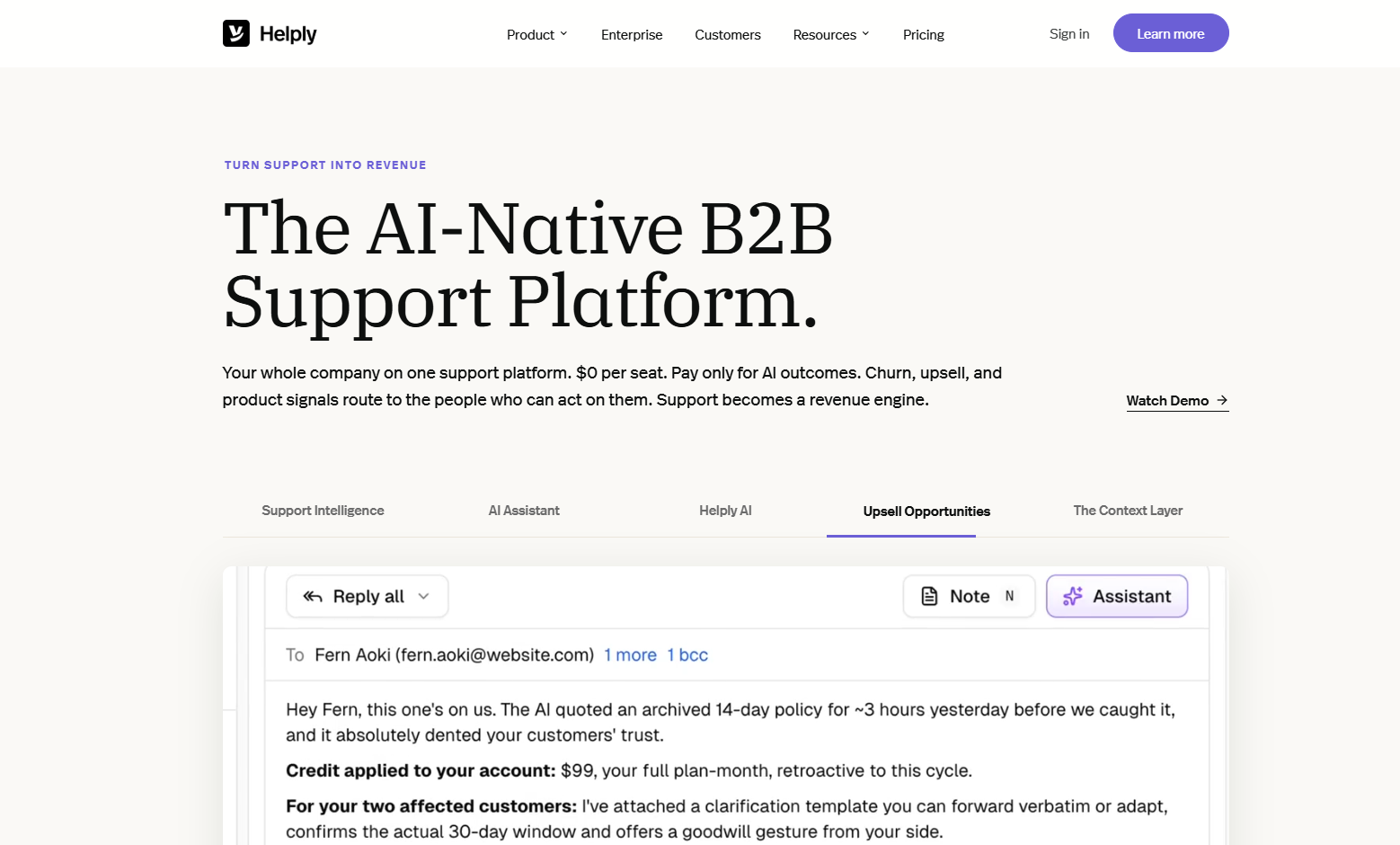
Helply is the rebrand of Groove, the long-running customer support tool founded by Alex Turnbull. In 2026 the company relaunched as Helply, an AI-native customer support platform for B2B SaaS, and the original product now lives on as "Groove Classic" underneath the new master brand.
Helply's headline feature is an AI agent that does more than answer questions - it takes real actions like issuing refunds, changing plans, provisioning seats, and resetting access by connecting to tools like Stripe, your CRM, and your auth provider.
Helply now runs two ways: as its own free support platform with a shared inbox, omnichannel support, and a knowledge base, or as an AI agent that layers on top of a help desk you already run, syncing articles and tickets from Zendesk, Front, Freshdesk, Help Scout, and Groove. The support platform itself is free with unlimited seats. What you pay for is tickets: as of July 2026, Helply charges a flat $1 per ticket on an annual contract, with a 250-ticket-per-month minimum and a $3,000 annual minimum, and unlimited AI included on every ticket.
That model is refreshingly simple, and genuinely interesting for teams drowning in repetitive tickets. But $1 per ticket applies to every customer conversation, including the ones your own agents resolve, so the bill can add up in ways a per-resolution or per-seat tool wouldn't.
Why look for a Helply alternative?
Helply is well-built, but there are 3 honest reasons teams shop around before committing.
The AI agent product is still new
The company behind Helply isn't new - Groove has been around for over a decade - but the Helply AI agent is a fresh bet that launched in 2026. There's almost no independent review history specific to its AI resolutions, and most of the social proof lives on its own site and a single Product Hunt launch. For a tool that touches billing, account access, and refunds, a thin third-party track record on the new product is a real reason to compare more established AI options before you hand it the keys.
You pay for every ticket, on an annual commitment
Helply's price is public now - a flat $1 per ticket - but the unit is the ticket, not the resolution. You pay that dollar on every customer conversation, including the ones your own agents handle, and it comes as an annual contract with a 250-ticket-per-month floor and a $3,000 minimum. If your volume is spiky, or a big share of tickets still needs a human, that math is worth running before you commit for a year.
Some alternatives only charge you when AI actually does the work. Featurebase, for example, has a real free plan, paid plans from $29/seat/month, and charges $0.29 only when its AI resolves a ticket - not for every conversation that comes in.
It covers support, but not the feedback loop
Helply now offers its own help desk, but it stays focused on support: resolving tickets and surfacing revenue signals. There's no feedback portal, roadmap, or changelog to close the loop with customers - the places where users tell you what to build next and see that you shipped it. If you want your support tool and your product-feedback loop in one workspace rather than two subscriptions, a broader platform is a better fit.
The 7 best Helply alternatives
Here are the tools worth comparing, grouped loosely into modern all-in-one platforms, established incumbents, and lighter AI-first agents.
1. Featurebase✨

Featurebase is a modern AI customer support platform for product-led SaaS. It combines AI-powered support, help center, and feedback management into a single platform for startups that want all their customer-facing tools in one place. Featurebase is loved by thousands of support teams from companies like Lovable, Raycast, and n8n. 💫
Where Helply bolts an AI agent onto a help desk you already pay for, Featurebase is the full platform - inbox, help center, AI agent, and feedback tools - with pricing you can read off the page.
Top features:
- Omnichannel inbox – Manage live chat, email, and Slack conversations from one AI-powered view
- Fibi AI Agent - Resolve customer issues on autopilot & run custom actions like trial extensions and refunds
- Help center with AI search – Provide instant, multilingual self-serve answers
- Workflows & automations – Auto-assign tickets, route conversations, collect customer data, and more
- AI Copilot – Help your agents answer customers faster with AI Copilot that uses your internal knowledge
- Multi-brand support – Manage multiple Help Centers and Live chats from a single workspace
- Automatic AI translations – Automatically translate all messages and help articles to your customers native language
- Service Level Agreements – Track SLAs to make sure your team responds to customers on time, every time
- Mobile app – Respond to customers, receive notifications, and unblock users on the go
- Feedback & roadmap tools – Collect feature requests and close the loop with updates
- Product updates – Publish release notes with a changelog page, in-app widget, and emails
- Integrations – Connects with Slack, Linear, Jira, HubSpot, and more
Pricing: Free plan available with unlimited conversations. Paid plans start at $29/seat/month with $0.49 per AI resolution.
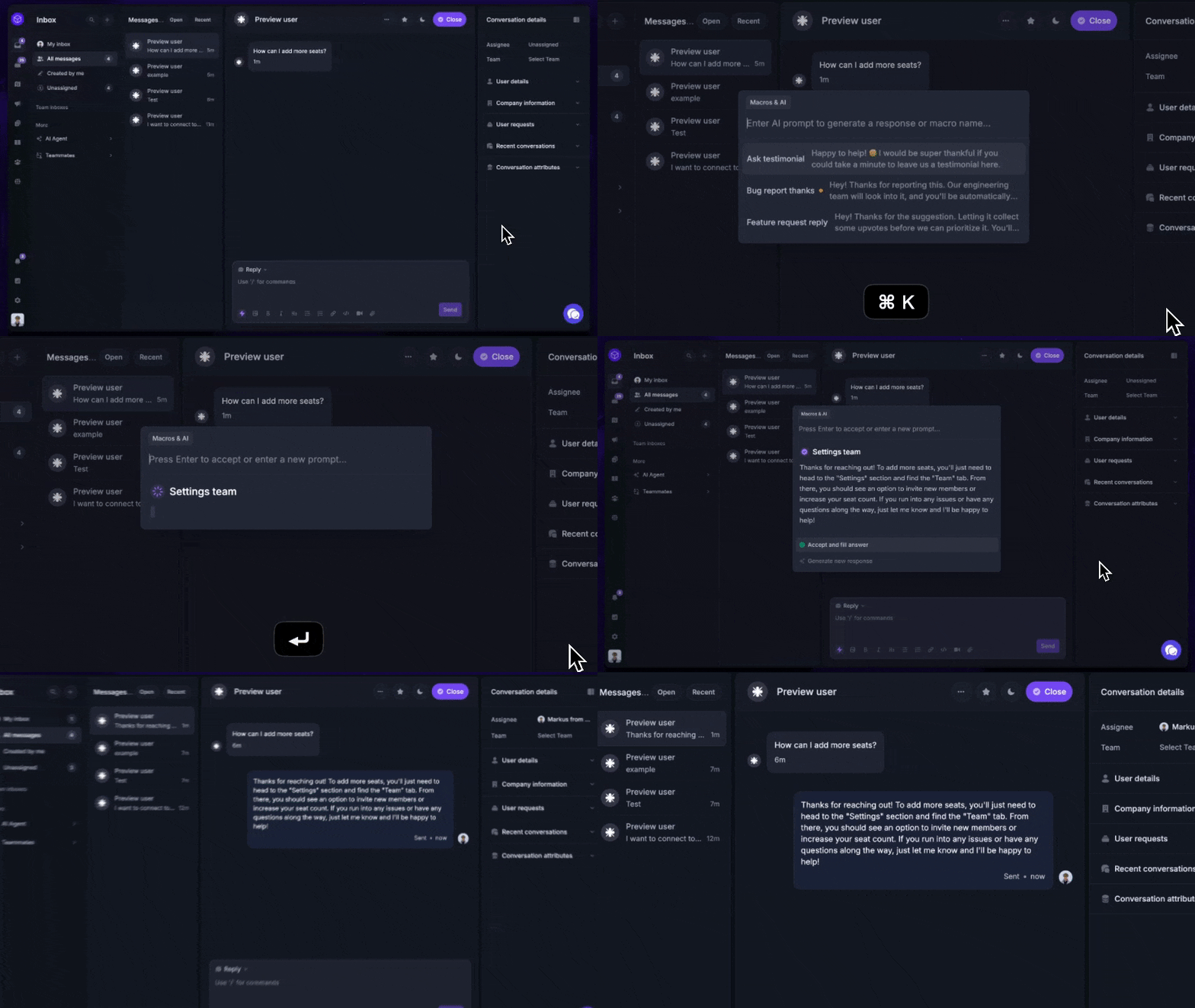
Featurebase covers all the basic support features that legacy platforms do, but with a much more modern approach. It comes with AI automations, a mobile app, and multiple channels (email, live chat, Slack, etc.).
✨ Automate your support with the fastest AI-enhanced Inbox today →
2. Intercom
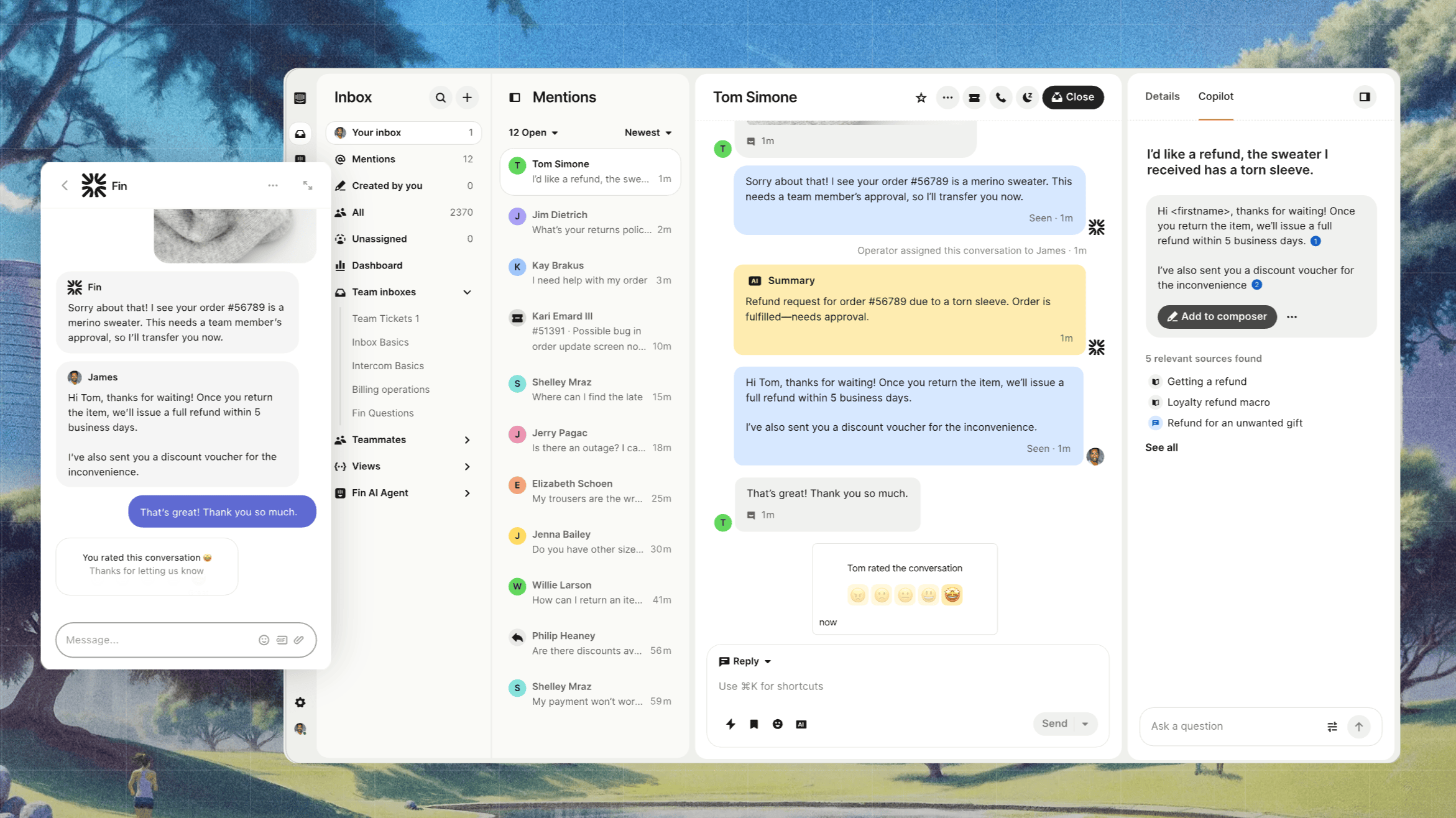
Intercom is the best-known name in modern customer messaging, and its Fin AI agent is the most direct, mature alternative to what Helply is trying to do. It resolves questions from your knowledge base, hands off to human agents, and plugs into a deep support suite with reporting and automation.
The catch is cost and complexity. G2 reviewers consistently praise Fin's resolution quality but flag a steep learning curve, occasional trouble with technical or uncommon questions, and pricing that gets expensive fast - especially the per-resolution model once volume picks up.
Key features
- Fin AI agent that resolves queries from your help content
- Shared inbox, tickets, and workflow automation
- Reporting and analytics across channels
- Large integration marketplace
Pricing: Intercom's pricing starts at $19/seat/month on Essential billed annually ($29 billed monthly). Advanced costs $85/seat/month and Expert costs $132/seat/month, billed annually. Fin is billed separately at $0.99 per outcome. There's no free plan.
Best for larger teams that want a proven all-in-one and can absorb the cost. The weakest point is predictability - per-outcome fees stack on top of per-seat plans.
3. Zendesk

Zendesk is the incumbent enterprise help desk, and a safe choice for teams that need a mature, heavily customizable ticketing suite. It handles high volumes reliably and integrates with almost everything.
But it's a different philosophy from Helply's AI-first pitch. G2 feedback points to expensive, layered pricing where expected features sit behind higher tiers or add-ons, a setup that can feel clunky, and a UI that gets heavy when you're pushing a lot of tickets. Its AI resolution layer is an add-on, not the core.
Key features
- Full ticketing suite with omnichannel support
- AI agents and Copilot (add-on)
- Self-service help center and SLAs
- Deep reporting and a huge app marketplace
Pricing: Zendesk's pricing starts at $55/agent/month (Suite Team), rising to $89 (Growth) and $115 (Professional) billed annually, with the Copilot AI add-on at $50/agent/month. No free plan.
Best for enterprises that need depth and don't mind the price. The trade-off is cost and a heavier, slower experience than newer tools.
4. eesel AI
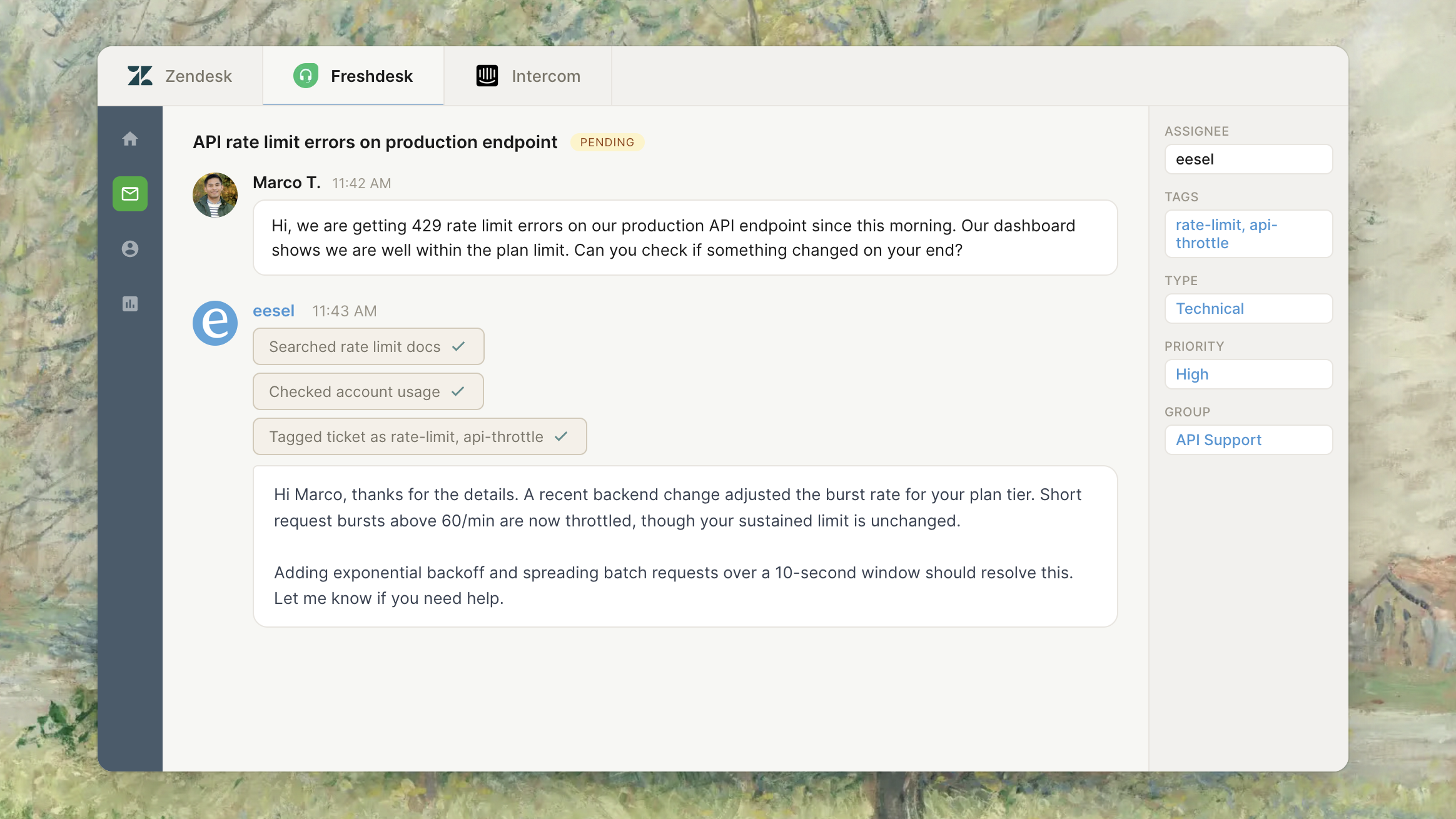
eesel AI is the closest match to Helply's core model: an AI agent that layers onto your existing help desk and resolves tickets, billed by usage rather than per seat. It's fast to set up and connects to tools like Zendesk, Freshdesk, Slack, and Notion.
It's also young. G2 reviewers like the quick setup and the usage-based pricing that scales with volume, but note slow support response times, a thin pool of independent reviews, and some gaps in visibility and control. If you're weighing Helply specifically for the "runs on your help desk" angle, eesel is the obvious head-to-head.
Key features
- AI agent that resolves tickets and chats on your existing help desk
- Usage-based pricing with no per-seat fees
- Connects to Zendesk, Freshdesk, Slack, Notion, and more
- Spending caps and usage alerts
Pricing: eesel's pricing is usage-based at about $0.40 per ticket or chat handled, with no platform fee or monthly minimum. There's no permanent free plan, but you get $50 in free usage to start. An Enterprise tier adds a $1,000/month platform fee.
Best for teams that want to keep their current help desk and only pay for what the AI does. The trade-off is a short track record and slower support.
5. Tidio
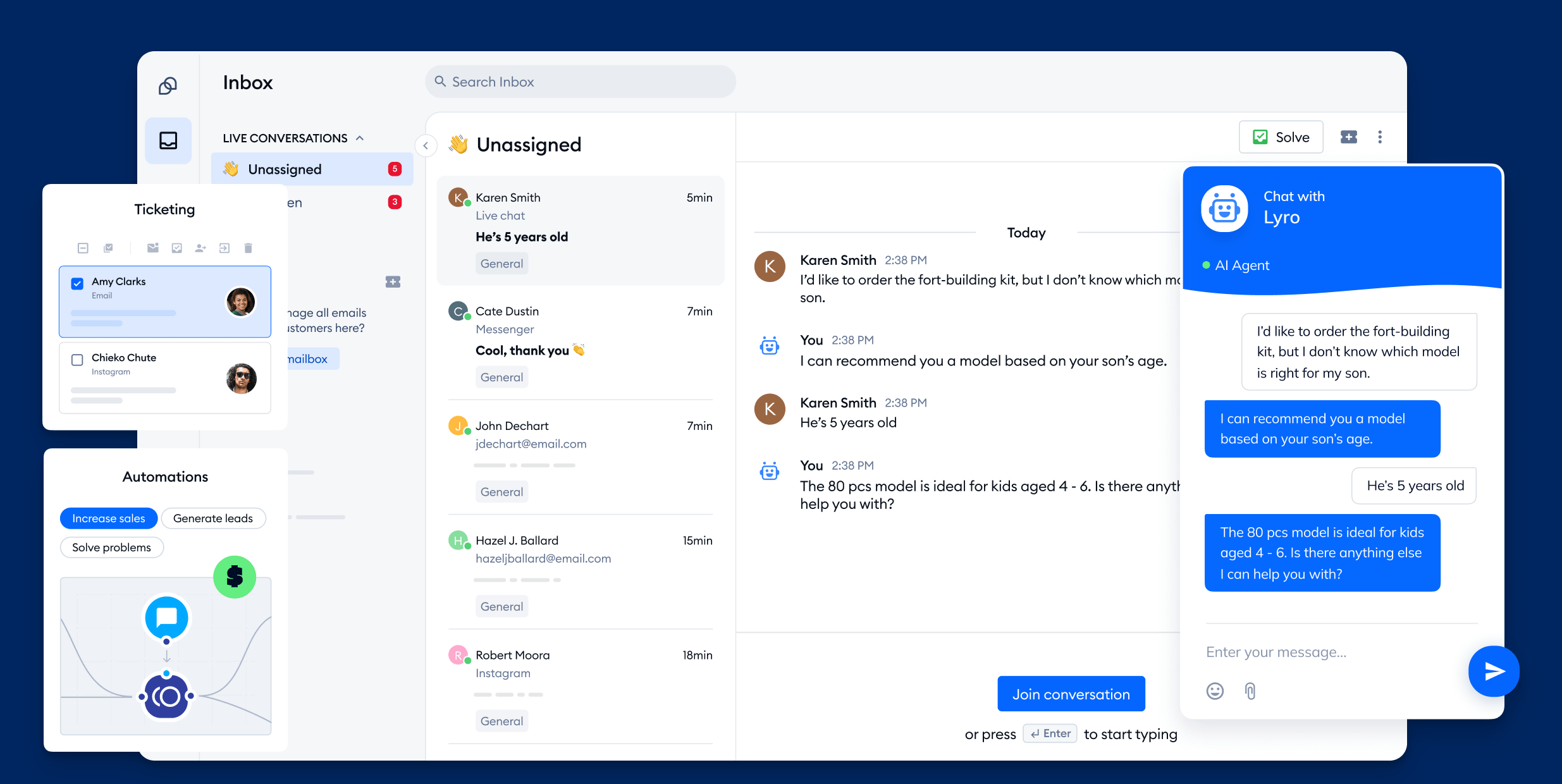
Tidio is a popular live chat and AI chatbot platform aimed at small businesses and online stores. Its Lyro AI agent resolves common questions, and it pairs neatly with a built-in live chat inbox that's quick to deploy.
G2 reviewers rate it highly for ease of use and fast setup, but the recurring complaints are about pricing: confusing add-ons, a steep jump from the mid tiers to Plus, and conversation caps that stop Lyro once you hit the limit. Analytics are also on the lighter side.
Key features
- Lyro AI agent for automated resolutions
- Built-in live chat and shared inbox
- Visual chatbot flow builder
- Ecommerce and website integrations
Pricing: Tidio's pricing includes a free plan (with limited conversations), then Starter at $29/month and Growth at $59/month, with Lyro AI sold as an add-on from $39/month. The Plus tier jumps sharply to $749/month.
Best for small teams and stores that want simple live chat with an AI layer on top. The trade-off is conversation limits and a big price cliff as you scale.
6. Crisp
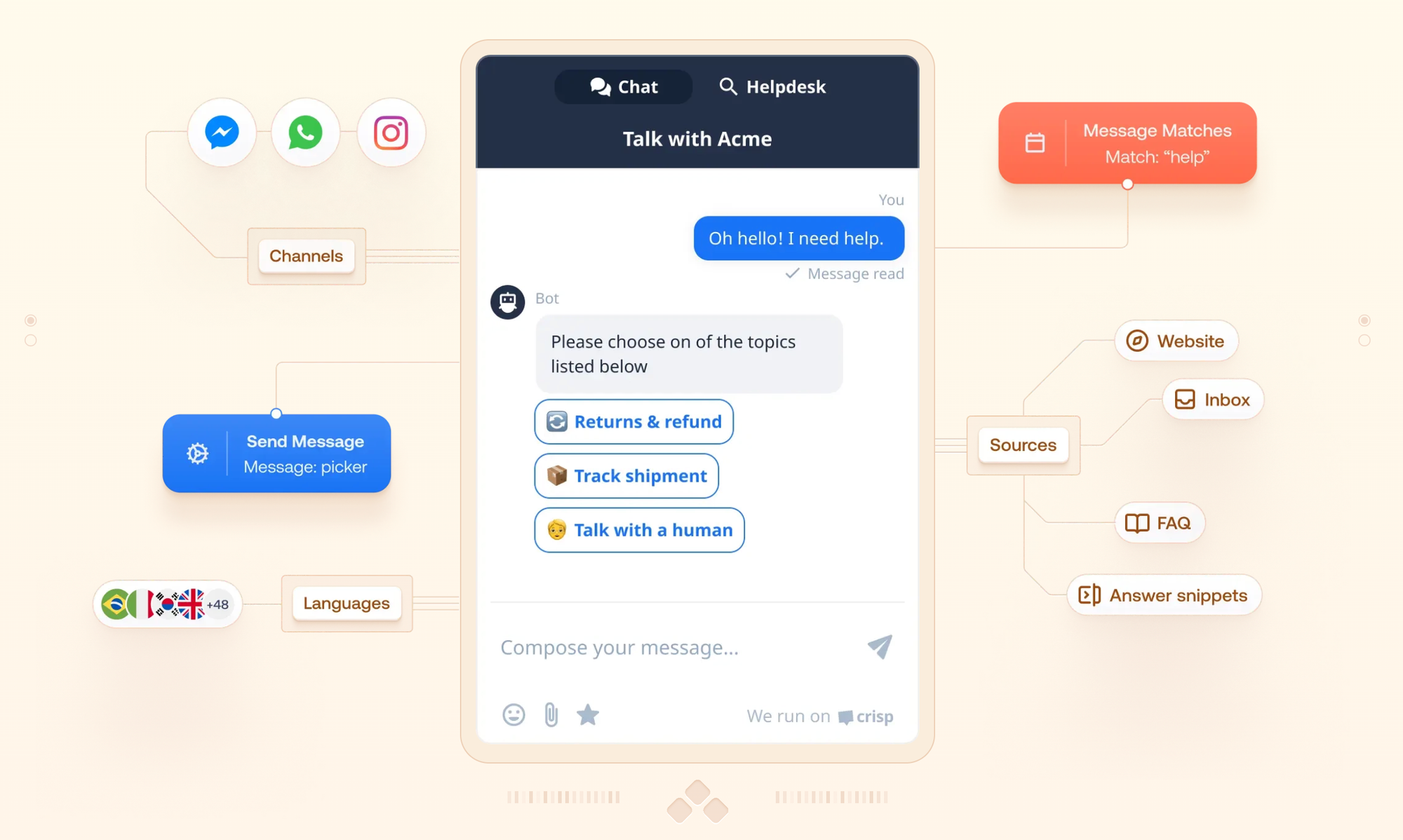
Crisp is an affordable, all-in-one customer messaging suite that's popular with startups and small teams. It bundles live chat, a shared inbox, a chatbot builder, and an AI agent at a price point that's friendly for smaller budgets.
The reviews skew positive on value and responsive support, but G2 and other platforms flag unreliable notifications that cause missed messages, surprise pricing escalations, and AI that leans on manual flow setup rather than self-training. Users also report it strains once a team grows past 50 people.
Key features
- Live chat, shared inbox, and chatbot builder
- AI agent (Hugo) for automated answers
- Automated triggers and campaigns
- Affordable flat-rate plans
Pricing: Crisp's pricing offers a free plan, then Mini at $45/month, Essentials at $95/month, and Plus at $295/month - charged as flat plans with operator limits rather than per seat.
Best for startups that want a low, predictable monthly cost. The trade-off is reliability quirks and feature gaps as you scale.
7. Chatbase
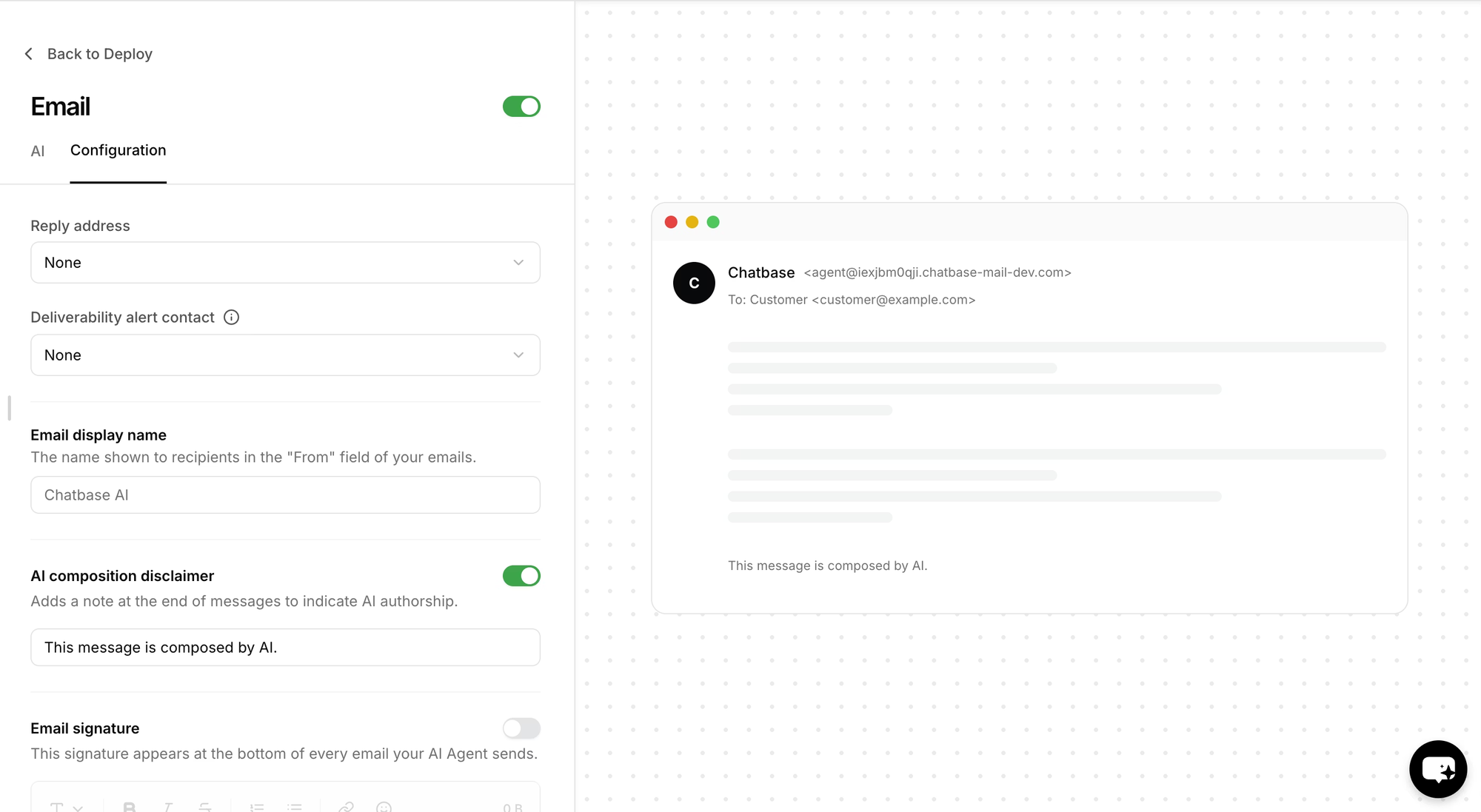
Chatbase is a fast way to build a custom AI chatbot trained on your own data, and it's used widely across support and other use cases. If your main goal is a knowledge-base bot you can deploy quickly, it's one of the simplest tools to start with.
It's less of a full support platform, though. G2 reviewers love the easy build and analytics but point to message limits that get expensive as traffic grows, limited customization, occasional hallucinations, and weak handling of multi-step workflows or routing - exactly the action-taking that Helply emphasizes.
Key features
- Custom AI chatbot trained on your content
- AI Actions and a help desk layer on higher tiers
- Analytics and broad integrations
- Quick, no-code setup
Pricing: Chatbase's pricing starts with a free plan (50 message credits), then Hobby at $40/month, Standard at $150/month, and Pro at $500/month, with message-credit limits on each tier.
Best for teams that want to stand up a custom AI chatbot fast. The trade-off is a narrower scope and costs that rise with message volume.
How to choose the right Helply alternative
The right pick depends on what you're actually trying to fix. Most teams evaluating Helply fall into one of 3 buckets:
- You want to consolidate tools: pick a full platform like Featurebase that gives you support, help center, and feedback in one subscription, so you're not stacking an AI layer on top of a separate help desk.
- You want a proven incumbent: Intercom and Zendesk have the longest track records and the deepest feature sets, if you can absorb the cost and setup.
- You want a lightweight AI agent: eesel, Tidio, Crisp, and Chatbase each get you an AI resolution layer quickly, with usage-based or low flat pricing.
2 questions cut through most of the noise. First, do you want to pay per seat, per resolution, or by usage - and can you predict that bill? Second, do you need an AI agent that only answers, or one that takes actions like refunds and plan changes?
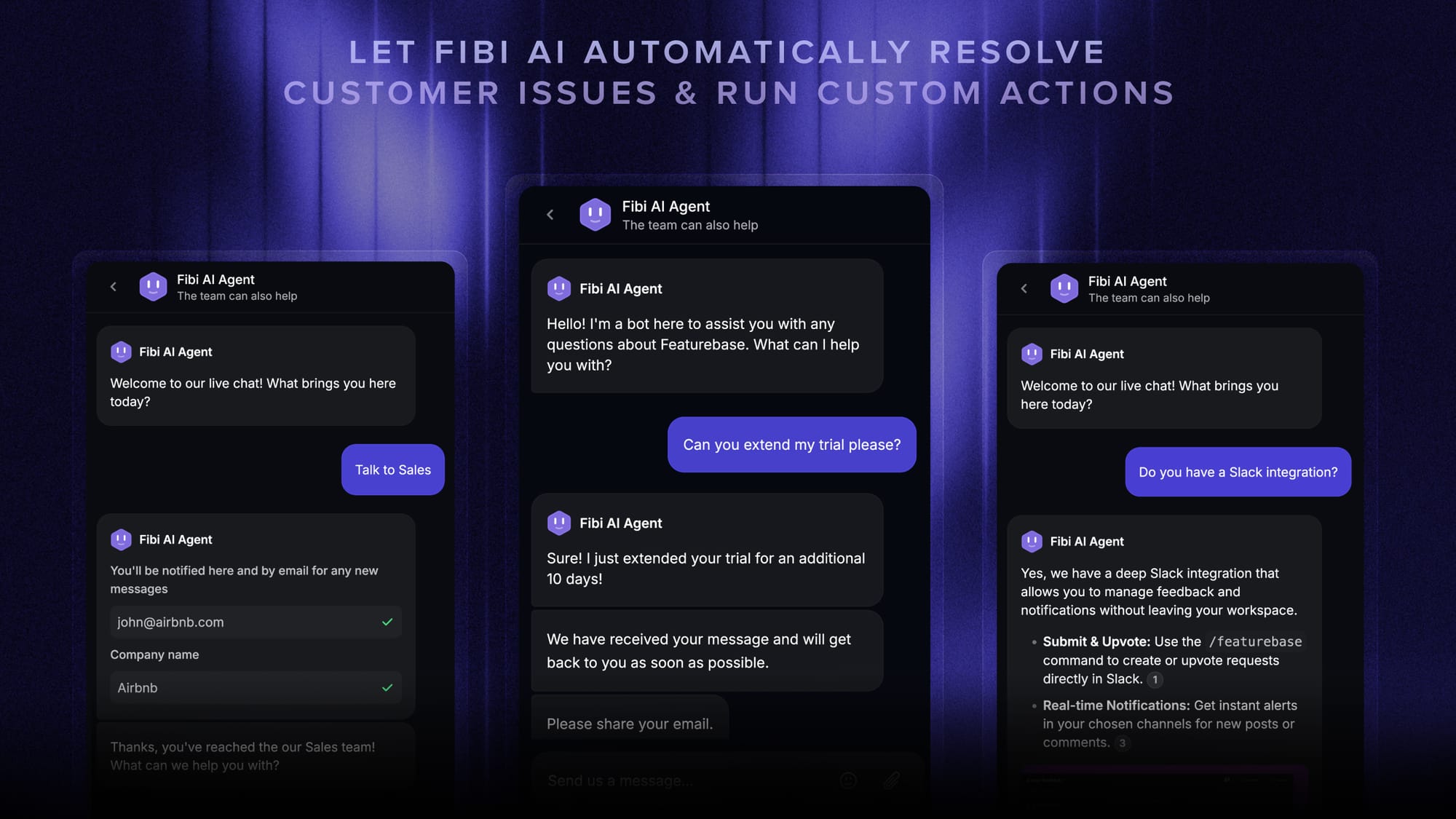
If action-taking matters, that's where Featurebase's Fibi AI Agent fits - it resolves issues on autopilot and can run custom actions like extending trials or issuing refunds, the same kind of work Helply promises, inside a platform with transparent pricing and a real free plan.

Get the best Helply alternative
Automatically resolve 70% of customer requests & cut down manual support loads
Conclusion
Helply is a sharp, modern tool, but it's early, narrowly scoped, and priced behind a sales call. Any of the seven alternatives above gives you a clearer path - whether that's a proven incumbent, a usage-based AI layer, or a single platform that replaces the stack underneath.
If you want the most for your money, Featurebase is the strongest all-in-one pick. It brings your support inbox, AI agent, help center, and feedback tools together, with the kind of transparent pricing Helply doesn't publish - and it covers the action-taking automations teams actually want. 💫
There's a free plan with unlimited conversations, so there's no downside to trying it before you decide. 👇
✨Automate your support with the fastest AI-enhanced Inbox today → Get started for free

FAQs
What is Helply and what does it do?
Helply is an AI-native customer support platform for B2B SaaS. Its AI agent resolves support tickets end to end and takes real actions like refunds, plan changes, and seat provisioning by connecting to tools like Stripe and your CRM. It runs as its own free help desk or as an AI layer on top of an existing tool such as Zendesk or Freshdesk.
Is Helply the same as Groove?
Helply is the rebrand of Groove, the support platform founded by Alex Turnbull. In 2026 the company made Helply its master brand, with the original product continuing as Groove Classic for existing customers. So Helply isn't a brand-new company, but its AI agent is the new product the rebrand is built around.
How much does Helply cost?
As of July 2026, Helply charges a flat $1 per ticket on an annual contract, with a 250-ticket-per-month minimum and a $3,000 annual minimum. The support platform itself is free with unlimited seats and unlimited AI, so you're only billed on ticket volume. The catch is that a ticket is any customer conversation, so you pay that dollar even on tickets your own team resolves, which is worth modeling against per-resolution tools before you sign.
Why do teams look for a Helply alternative?
The 3 most common reasons are its short track record (it launched in 2026 with little independent review history), its per-ticket pricing that bills every conversation on an annual commitment, and its narrow scope on support without a built-in feedback or roadmap loop. Teams that want to pay only for AI resolutions, or consolidate support and feedback in one tool, tend to look elsewhere.
What is the best free Helply alternative?
Featurebase has the most generous free option among the alternatives here, with a free plan that includes unlimited conversations, a unified inbox, and a help center. Tidio, Crisp, and Chatbase also offer free tiers, though they come with tighter conversation or message limits.
Does Helply work with existing help desks like Zendesk?
Yes. Helply is built to layer on top of your current help desk and syncs articles, macros, and tickets from platforms like Zendesk, Front, Freshdesk, Help Scout, and Groove. That means you keep running (and paying for) that underlying tool while Helply handles AI resolutions on top.
Is it hard to switch from Helply to another tool?
Usually not. Most alternatives import the help articles and FAQs you've already built, so you can bring your knowledge base across and connect your channels in a day or so. Many of them also offer one-click migration of conversations and help content from your existing support tool, so you're not rebuilding from scratch.