Blog Customer ServiceHelpshift vs Zendesk: Which Should You Choose?
Helpshift vs Zendesk: Which Should You Choose?
Helpshift vs Zendesk compared on AI, channels, pricing, and support quality - plus who each tool actually fits in 2026.



✨Psst... Looking for a modern & affordable alternative to Zendesk? Check out Featurebase →
Picking a support platform is hard enough without the goalposts moving. Helpshift has quietly become a gaming-only player engagement platform, and Zendesk hides its real cost behind a stack of add-ons. So a head-to-head that treats them as interchangeable helpdesks misses the point.
Below, I compare both on the things that actually decide the bill and the day-to-day workflow, then cover who each one really fits. 👇
Key takeaways:
| Helpshift | Zendesk | |
|---|---|---|
| Best for | Live-service mobile and PC game studios | Mid-market to enterprise teams that need broad omnichannel support |
| Starting price | Custom quote only | $19/agent/month for Support Team |
| Free plan | No | No, only a 14-day trial |
| AI and automation | Gaming-trained AI agents for player support, QA, sentiment, and churn prediction | AI agents, Copilot, QA, and workforce tools, with advanced features sold as add-ons |
| Channels | In-game SDK, web, console, Discord, email, and phone | Email, live chat, messaging, voice, social, web forms, and help center |
| Setup | Solution-based onboarding with developer involvement for SDK setup | Admin-heavy setup that can take longer as channels and automations grow |
| Main strength | Purpose-built player support inside the game experience | Broad, mature support suite for complex teams |
| Main drawback | Too gaming-specific for most non-gaming support teams | Pricing and setup can get complicated once add-ons are involved |
Helpshift and Zendesk solve different problems now. Helpshift is purpose-built for games, with an in-game SDK and modular, quote-based pricing. Zendesk is a broad, battle-tested suite that scales to large teams but gets expensive once you add AI, QA, and voice. If you are a SaaS or app company that fits neither extreme, a modern all-in-one like Featurebase is usually the better starting point.
What are Helpshift and Zendesk?
Both started as in-app support tools. They have since drifted in very different directions, which is the first thing to understand before comparing features.
Helpshift
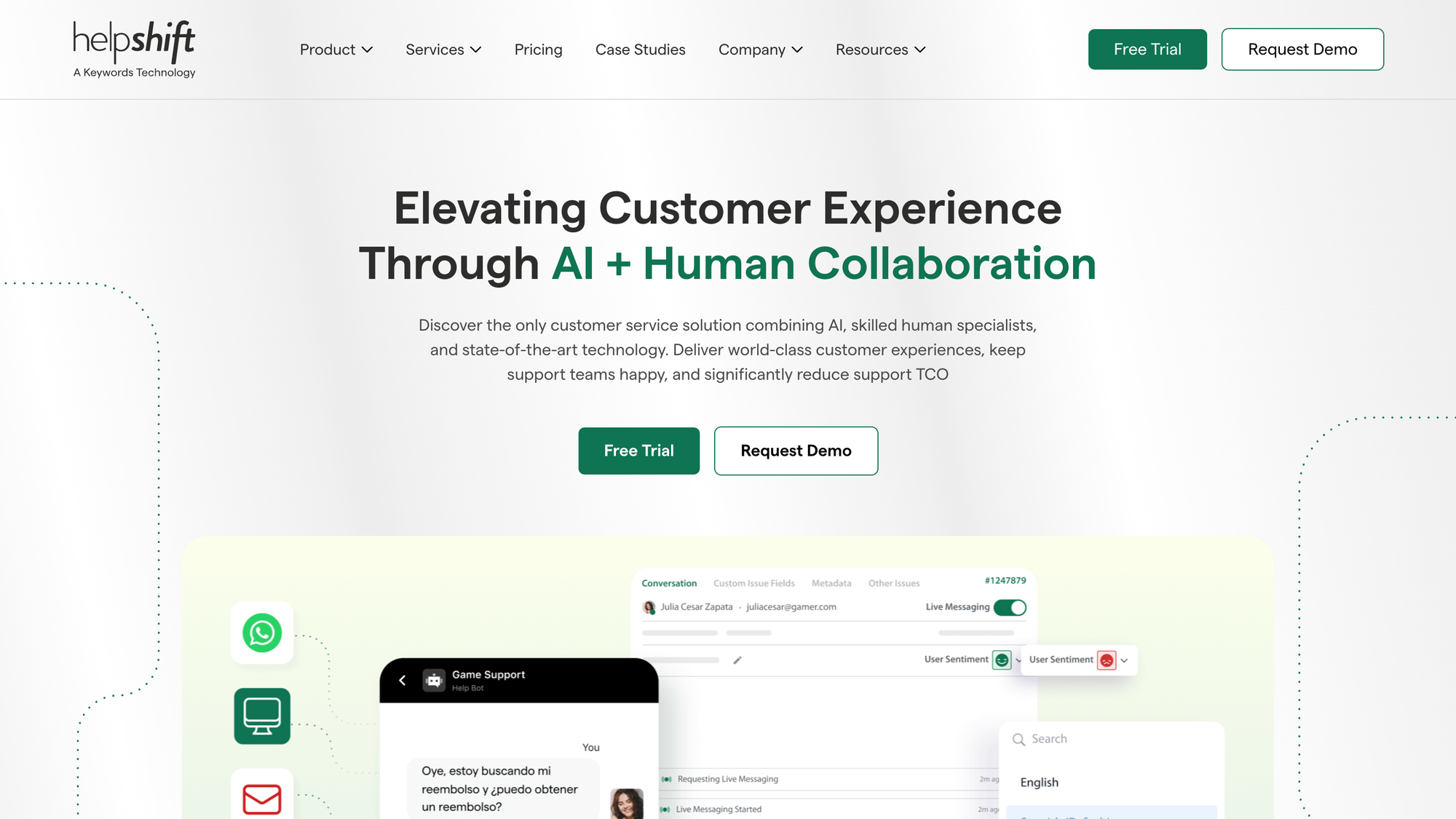
Helpshift is now an AI-native player engagement platform built specifically for gaming, run under Keywords Studios. Its support lives inside the game through a native SDK, so players never leave their session to raise an issue. Around that core it stacks four solutions: support, player engagement, trust and safety, and community moderation.
That focus is real. Helpshift's marketing, case studies, and pricing all assume you run a live-service title. If you are not a game studio, most of the platform is built for a workflow you do not have. For non-gaming teams, it is worth scanning Helpshift alternatives before committing.
Zendesk
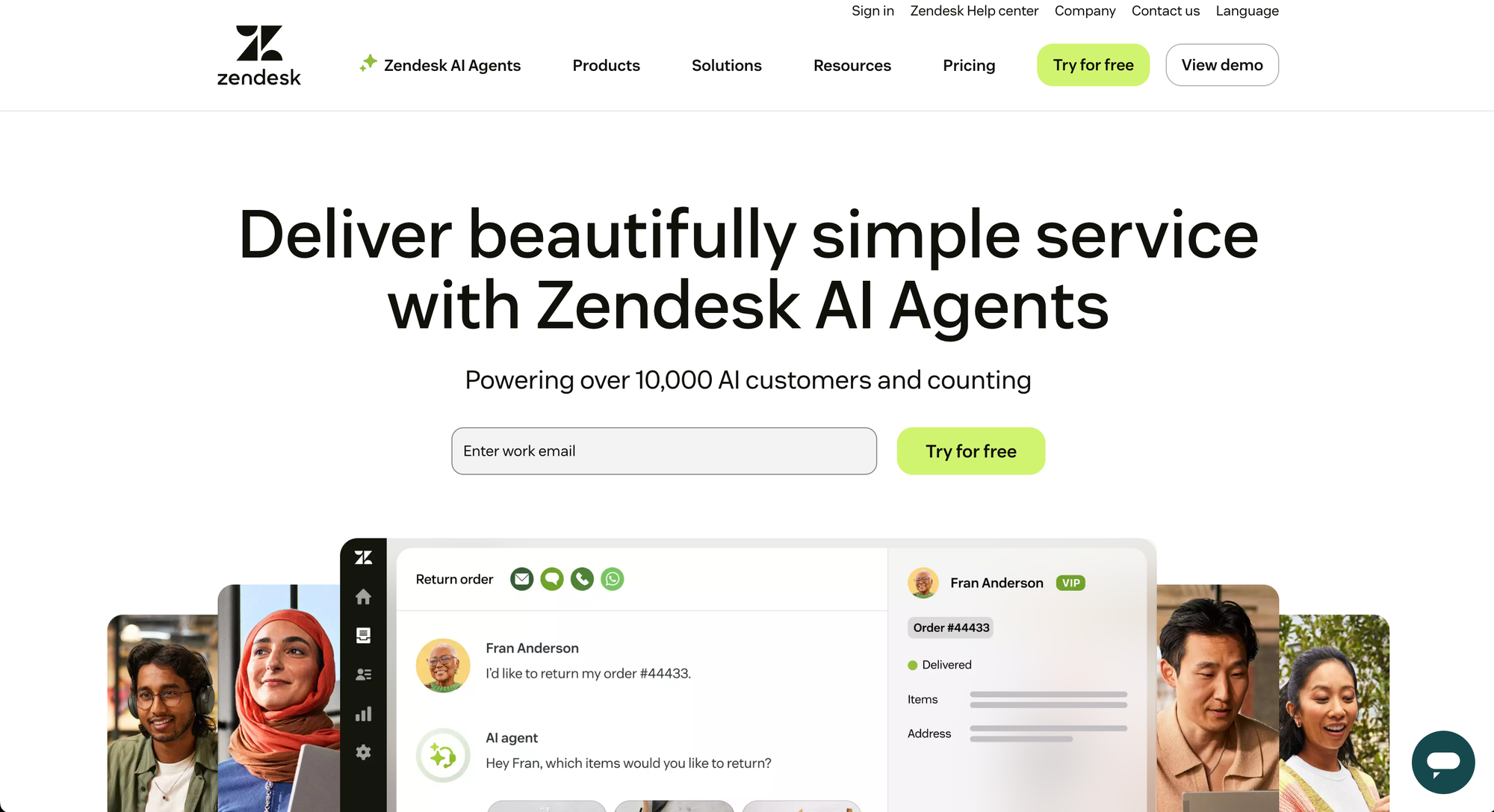
Zendesk is the broad, general-purpose customer service suite most people picture when they think "helpdesk." It handles email, messaging, live chat, voice, and social in one ticketing system, with a large app marketplace and deep reporting through Zendesk Explore.
That breadth is the trade-off. Zendesk works across ecommerce, SaaS, healthcare, and government, but it is optimized for none of them in particular, and the full feature set only shows up once you climb the plan tiers. For a fuller picture, see our breakdown of Zendesk's strengths and weaknesses and its in-depth review from its features to pricing.
Ease of use and setup
Day-to-day usability is where these two feel most different.
Helpshift is praised for its in-app messaging and mobile-first agent experience. Users on G2 report that macros, custom views, and queues make ticket handling fast once it is running. The catch is getting there: developers note that the iOS SDK integration can be fiddly, and a recurring theme in G2 feedback is that the most helpful resources sit behind the enterprise tier.
Zendesk's ticket workspace is widely described as intuitive and reliable for daily support work. But the setup is a different story. Teams on G2 consistently flag a steep learning curve, heavy reliance on admins, and long configuration cycles before the platform earns its keep. The more channels and automations you switch on, the more that upfront investment grows.
Winner: tie Helpshift is smoother in-app, Zendesk is smoother across channels. Both ask for real setup effort before they feel easy.
AI and automation
This is the headline feature for both platforms in 2026, and the gap in approach is wide.
The industry is clearly betting on automation, with most support leaders expecting AI to resolve the bulk of routine tickets within the next few years. Both tools are racing to get there, just for different audiences.
Helpshift leans on AI models trained on years of gaming interaction data, with purpose-built agents for autonomous resolution, churn prediction, real-time QA, and community sentiment. For a game studio, that specialization is genuinely useful. For everyone else, it is training data aimed at a different vocabulary.
Zendesk bundles its base AI on Suite plans and sells advanced AI, Copilot, and quality assurance as paid upgrades. The pieces are capable, but they are assembled from several acquisitions and priced separately, so the "AI-powered" version of Zendesk is rarely the one in the headline quote.
If you want modern automation without a gaming bias or an add-on maze, this is where Featurebase fits. Its Fibi AI Agent resolves common issues on autopilot and can run real actions like trial extensions or refunds, while AI Copilot drafts replies for your agents using your own help content. Both are included rather than billed as separate tiers.
Winner: depends Helpshift wins for gaming-specific AI. Zendesk wins on raw breadth, if you can stomach the add-on pricing.
Omnichannel support and channels
Channel coverage is where Zendesk's general-purpose roots pay off.
Zendesk centralizes email, live chat, messaging apps (WhatsApp, Messenger, SMS), social, phone, web forms, and a knowledge base into one inbox. If you support customers across many surfaces at once, that range is hard to beat and is the main reason teams pick an omnichannel customer support platform like it.
Helpshift's channels are narrower by design. It is strongest inside the app and game session, with native support for in-game messaging, web, console, and Discord. That is exactly right for a player base and limiting for almost everyone else. Helpshift also offers self-service, messaging, email, and phone, but the platform clearly wants you living in-game.
Winner: Zendesk For broad omnichannel coverage, Zendesk is the more complete option.

Reporting and analytics
Both platforms report on the basics. The difference is depth and where the data lives.
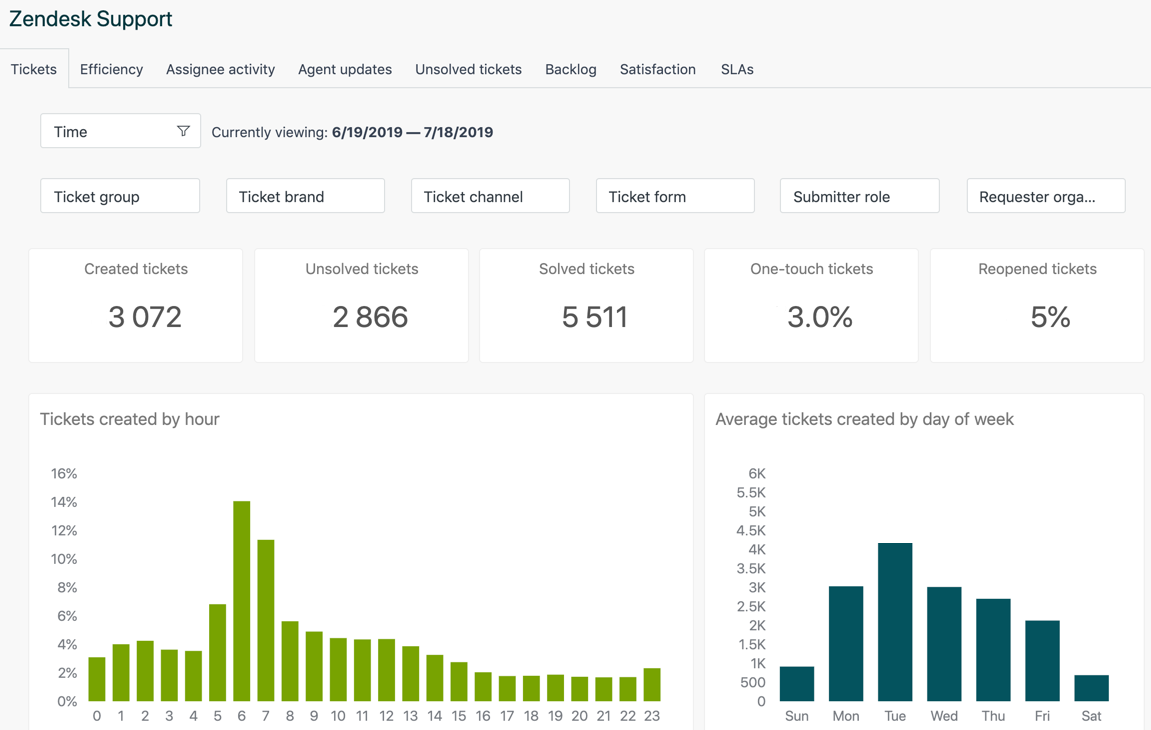
Zendesk runs analytics through Zendesk Explore, with prebuilt and custom dashboards across ticket volume, response times, CSAT, and agent performance. It is powerful, though dataset limits apply on lower plans and cross-channel analysis can mean stitching in other tools.
Helpshift markets a unified analytics layer across support, QA, and community. In practice, a recurring theme in G2 feedback is that its reporting and business intelligence are weak spots, with users pointing to a clunky PowerBI-based setup and limited ability to slice agent-level metrics. That is worth weighing against the "everything in one dashboard" pitch.
Winner: Zendesk Explore is more mature than what reviewers actually experience on Helpshift.
Pricing
Pricing is the clearest dividing line, and it is the area that changed most in 2026.
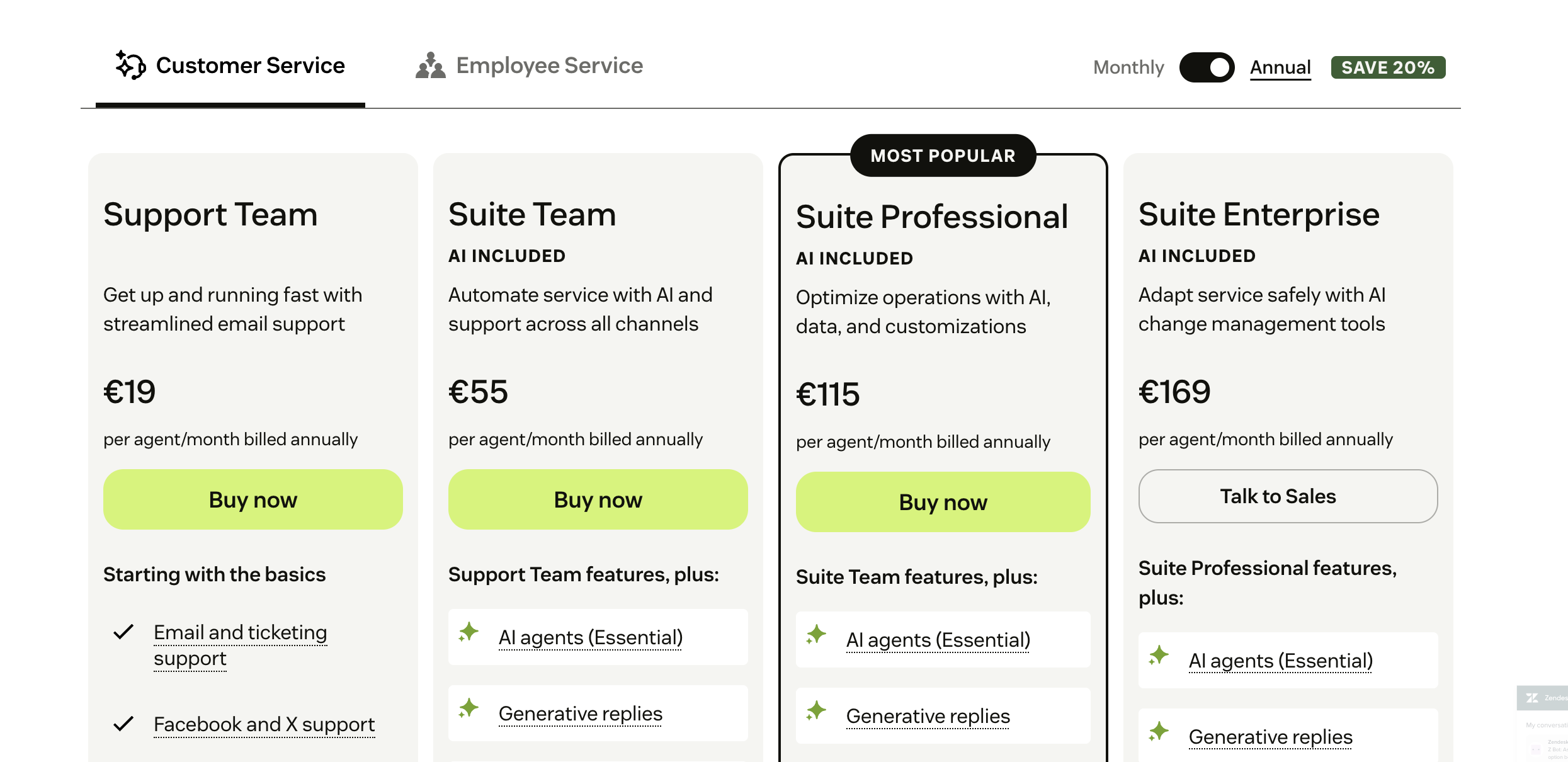
Zendesk publishes per-seat pricing, but the sticker price is not the price you pay. The base tiers look reasonable, then the real cost assembles through add-ons. Here is the current published structure (you can see the full detail in our Zendesk pricing breakdown):
- Support Team - $19/agent/month, core email and ticketing only
- Suite Team - $55/agent/month, adds AI agents, messaging, live chat, and telephony
- Suite Professional - $115/agent/month, adds advanced automation and skills-based routing
- Suite Enterprise - custom pricing for security, governance, and the proactive Copilot
On top of that, Copilot, the Workforce Engagement bundle, and Contact Center each run about $50/agent/month, and AI agent resolutions are billed by usage. A mid-sized team can easily double its base bill once the AI and QA pieces are switched on.
Helpshift has gone the other way entirely. It no longer lists plan prices at all. Pricing is now fully custom and quote-based, scoped to your interaction volume, the solutions you activate, your geography, and how much human service you need. That can fit a large studio well, but it removes any ability to budget or self-serve before talking to sales.
This is exactly the gap Featurebase is built for. It comes with a free plan and transparent paid pricing from $29/seat/month plus $0.29 per AI resolution, so the number you see is close to the number you pay. There is no add-on tax to unlock core AI and automation.
Winner: Zendesk (barely) At least Zendesk publishes numbers. Helpshift's quote-only model makes honest comparison impossible.
Support quality and reliability
The irony of buying a support tool is that vendor support quality varies a lot.
Zendesk draws steady complaints on G2 about slow, gated customer support and response times that lag on lower plans. Several reviewers describe long waits and heavy reliance on documentation rather than hands-on help. For a platform whose whole job is support, that pattern is worth raising during due diligence.
Helpshift offers dedicated success managers and structured onboarding, especially at higher tiers. Its in-app CSAT scores are strong in gaming, and it points to fast migrations as proof. Outside gaming, though, you inherit a platform tuned for player support, so the experience may not map cleanly to your use case.
Winner: Helpshift (for its target customer) Helpshift's managed onboarding is a real edge, but only if you are the studio it was built for.
Looking beyond Helpshift and Zendesk: try Featurebase
Featurebase is a modern AI customer support platform for product-led SaaS. It combines AI-powered support, help center, and feedback management into a single platform for startups that want all their customer-facing tools in one place. Featurebase is loved by thousands of support teams from companies like Lovable, Raycast, and n8n. 💫

Top features:
- Omnichannel inbox – Manage live chat, email, and Slack conversations from one AI-powered view
- Fibi AI Agent - Resolve customer issues on autopilot & run custom actions like trial extensions and refunds
- Help center with AI search – Provide instant, multilingual self-serve answers
- Workflows & automations – Auto-assign tickets, route conversations, collect customer data, and more
- AI Copilot – Help your agents answer customers faster with AI Copilot that uses your internal knowledge
- Multi-brand support – Manage multiple Help Centers and Live chats from a single workspace
- Automatic AI translations – Automatically translate all messages and help articles to your customers' native language
- Service Level Agreements – Track SLAs to make sure your team responds to customers on time, every time
- Mobile app – Respond to customers, receive notifications, and unblock users on the go
- Feedback & roadmap tools – Collect feature requests and close the loop with updates
- Product updates – Publish release notes with a changelog page, in-app widget, and emails
- Integrations – Connects with Slack, Linear, Jira, HubSpot, and more
Pricing: Free plan available with unlimited conversations. Paid plans start at $29/seat/month with $0.29 per AI resolution.
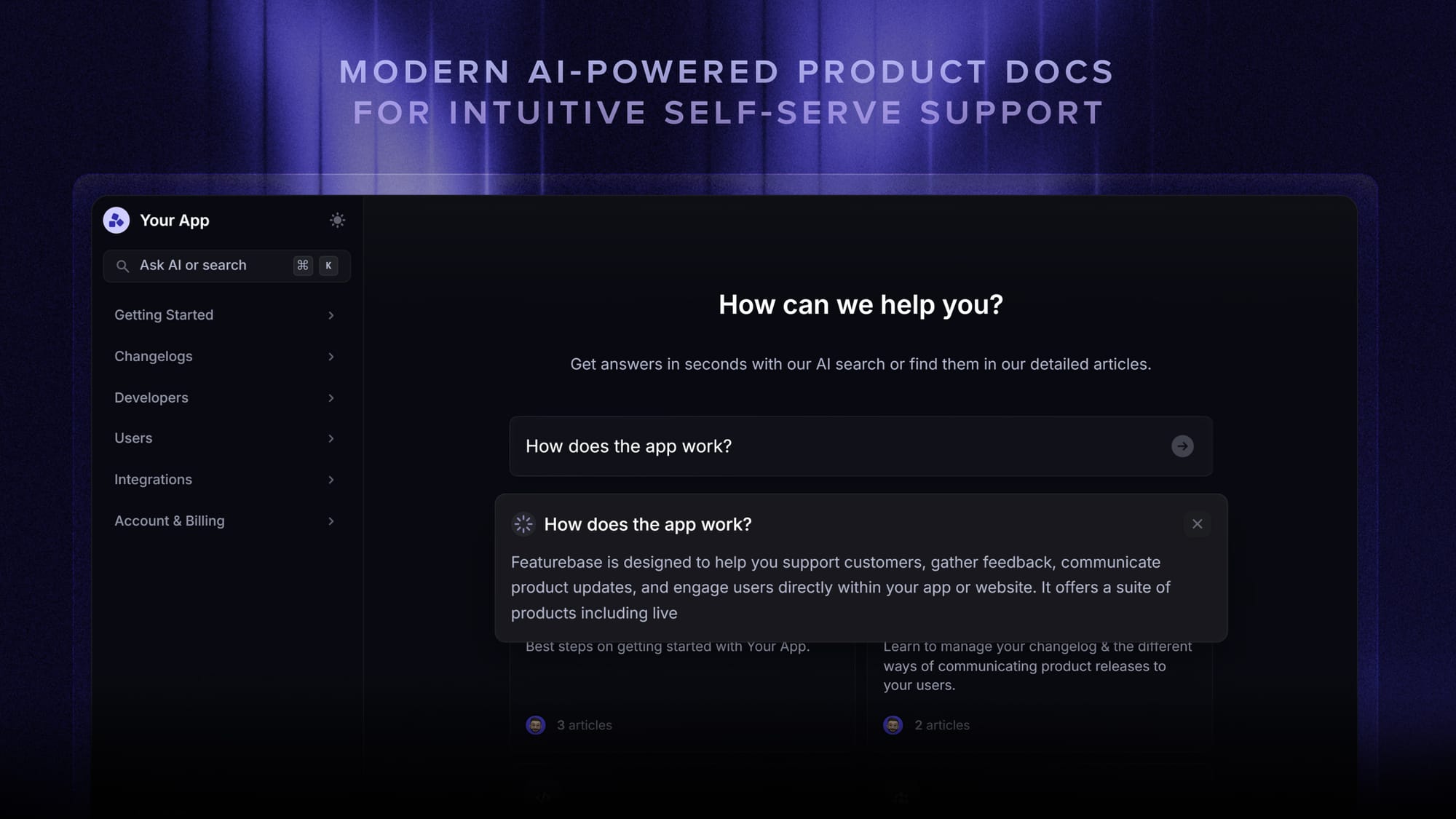
Featurebase covers all the basic support features that legacy platforms do, but with a much more modern approach. It comes with AI automations, a mobile app, and multiple channels (email, live chat, Slack, etc.).
Conclusion
Helpshift and Zendesk are both good tools that have grown into very specific shapes. Helpshift is the right call if you run a live-service game and want support, engagement, and moderation native to the session. Zendesk is the safer pick if you need broad omnichannel coverage at scale and can budget for the add-ons that unlock its best features.
If you are a product-led SaaS or app team that fits neither mold, Featurebase is the modern alternative worth a look. It brings AI-powered support, a help center, and feedback collection into one platform, so you get autonomous resolutions, faster agents, and transparent pricing without stitching tools together or waiting on a custom quote.
It comes with a Free plan and quick onboarding that does not need a credit card, so there is no downside to trying it. 👇
✨ Automate your support with the fastest AI-enhanced Inbox today →
FAQs
What is Zendesk's biggest competitor?
Zendesk's best-known rivals are Intercom, Freshdesk, and Help Scout, which cover similar omnichannel support ground. For product-led SaaS teams, Featurebase is also a strong option because it bundles support, a help center, and feedback collection with transparent pricing. The right competitor depends on whether you want a broad enterprise suite or a leaner, modern tool. If you are weighing options, our list of Zendesk alternatives is a good place to start.
Is Helpshift only for gaming companies?
Effectively, yes. As of 2026, Helpshift markets itself exclusively as a player engagement platform for live-service game studios, with an in-game SDK and gaming-trained AI. It can technically handle general support, but its product, pricing, and case studies all assume you run a game, so non-gaming teams usually fit it poorly.
What's the difference between a helpdesk and Zendesk?
A helpdesk is the general category of software for managing customer support tickets and conversations. Zendesk is one specific product in that category. So every Zendesk account is a helpdesk, but plenty of other helpdesk tools exist, and you can read more about how a ticketing system works if you are new to the space.
Is Helpshift a CRM?
No. Helpshift is a customer support and player engagement platform, not a customer relationship management system. It stores conversation history and player context, but it is not built to manage sales pipelines or contact records the way a CRM like Salesforce or HubSpot is. Many teams connect their support tool to a separate CRM.
Which is cheaper, Helpshift or Zendesk?
It is hard to compare directly because Helpshift no longer publishes prices and only offers custom quotes. Zendesk is more transparent, with plans starting at $19/agent/month and rising to $115/agent/month before add-ons. For predictable, low entry pricing, Zendesk is easier to budget, though both get costly at scale.
Why do businesses look for Zendesk alternatives?
The most common reasons are cost and complexity. Teams find that Zendesk's real price climbs quickly once AI, quality assurance, voice, and workforce add-ons are layered on, and that setup can be admin-heavy. Slow vendor support on lower plans is another frequent driver, which pushes many teams toward simpler, more affordable platforms.