20 Knowledge Management Best Practices in 2026
Knowledge management is the difference between scattered information and an organized system. Here are some best practices for your team and customers.


On this page
- 1. Define the purpose of your knowledge management system
- 2. Centralize company knowledge in one place
- 3. Break down knowledge silos between teams
- 4. Make knowledge easy to find
- 5. Create clear ownership for every knowledge area
- 6. Set content standards and templates
- 7. Capture tacit knowledge before it disappears
- 8. Build knowledge sharing into daily work
- 9. Keep content updated regularly
- 10. Use feedback to improve articles
- 11. Make contribution easy for employees
- 12. Prioritize high-impact knowledge first
- 13. Connect knowledge to customer support
- 14. Train teams on how to use the system
- 1. Define the purpose of your knowledge management system
- 2. Centralize company knowledge in one place
- 3. Break down knowledge silos between teams
- 4. Make knowledge easy to find
- 5. Create clear ownership for every knowledge area
- 6. Set content standards and templates
- 7. Capture tacit knowledge before it disappears
- 8. Build knowledge sharing into daily work
- 9. Keep content updated regularly
- 10. Use feedback to improve articles
- 11. Make contribution easy for employees
- 12. Prioritize high-impact knowledge first
- 13. Connect knowledge to customer support
- 14. Train teams on how to use the system
- 15. Use the right knowledge management tool
- 16. Measure usage, gaps, and content performance
- 17. Create incentives for knowledge sharing
- 18. Make knowledge accessible across departments
- 19. Turn repeated questions into documentation
- 20. Review and archive outdated content
- 15. Use the right knowledge management tool
- 16. Measure usage, gaps, and content performance
- 17. Create incentives for knowledge sharing
- 18. Make knowledge accessible across departments
- 19. Turn repeated questions into documentation
- 20. Review and archive outdated content
- Start managing knowledge with Featurebase
Create a beautiful AI-powered Help Center with Featurebase for free
In an age when every piece of information in the world is just one search away, knowledge seems to be taken for granted. That's until you need an answer to something that Google, Claude, ChatGPT, and no other tool can answer. When your teammate gets stuck in an important sales call and a customer can't find their billing information, this is when you realize no standard search can save you.
Also, this is where knowledge management comes into play: organizing your internal knowledge for customers and team members so both groups can resolve issues on their own, without hand-holding. This can seem as simple as creating a good knowledge base, but that's just the tip of the iceberg.
If you're serious about knowledge management, we're giving you some actionable tips you can apply today, with no fluff. 👇
1. Define the purpose of your knowledge management system
Before doing anything, you should make sure to get a good knowledge management system, such as Featurebase. While you can build something using Google Docs and your website's CMS, it's best to get a purpose-built tool for the job.
You may want to start adding articles immediately, but you should first stop and think: what do I want this knowledge management system to do?
Do you want fewer support tickets, faster onboarding, better documentation across different teams or something entirely different?
First, define whether the knowledge management system is built for customers, employees, or both groups, which sets the course for everything else. Then think about the biggest knowledge gaps in your organization, be it a specific topic (e.g., onboarding) or a department (e.g., simplifying billing to lighten the load for the support team).
After that, you can set measurable goals like fewer repeated questions or faster response times, based on who the system is for and what its main purpose is.
2. Centralize company knowledge in one place
This is arguably the hardest part of the process, at least in the beginning. For most teams, information is scattered around:
- Google Docs
- CRM systems
- Call notes
- Slack threads
- Emails
- Review websites
- Social media comments
- And just about any nook and cranny on and off the internet
You should consolidate all the information in the knowledge management system before going further. Good knowledge base tools will let you import documentation from some tools, but you'll have to do a lot of the work manually.
Doing this early saves much work later on, and you'll also be able to remove duplicate information and note the most commonly asked questions, internally or externally.
Your team now has one location for all the information about the product, customers, sales process and anything else they can run into. This makes information easier to search for, keeps it up to date and improves your security as you no longer have to bury sensitive information in a two-year-old Slack thread.
3. Break down knowledge silos between teams
Different departments tend to isolate themselves with the work they do every day, retaining precious information that could be useful to the entire team. You should encourage them to share information related to the customers, the product, competition and every other relevant topic, by adding it to the knowledge base.
This is why the former step was necessary: to lead with example.
If you build a knowledge base first and allow all the teams to pool their knowledge into it, rather than requesting each team to build a knowledge base of their own, you make it easier for everyone to add on solid foundations.
Make sure everyone has edit and read access and explain the hierarchy, from the categories to the individual articles, so every person and team knows where to add their two cents.
4. Make knowledge easy to find
Even the best documentation becomes useless if nobody can find it when they actually need it. A knowledge base should help people get answers in seconds, not force them to dig through endless folders, vague article names, and outdated categories.
This starts with structure.
Your articles should have clear, descriptive titles that instantly tell people what they'll find inside. Compare "Billing settings" to "How to update your billing information and payment method." One gives context immediately. The other forces users to click and hope for the best.
Categories matter too. Organize your knowledge base in a way that reflects how people search for information, not how your company is structured internally. Customers don't think in terms of "customer success operations." They think:
- How do I reset my password?
- Where can I find invoices?
- Why was my card declined?
The easier it is to scan your knowledge base, the fewer support tickets you'll get.
Tags and keywords can also make a huge difference, especially as your documentation grows. People search using different terminology, and your knowledge base should account for that. For example, one customer may search for "cancel subscription" while another types "delete account." Good tagging helps both people find the same article.
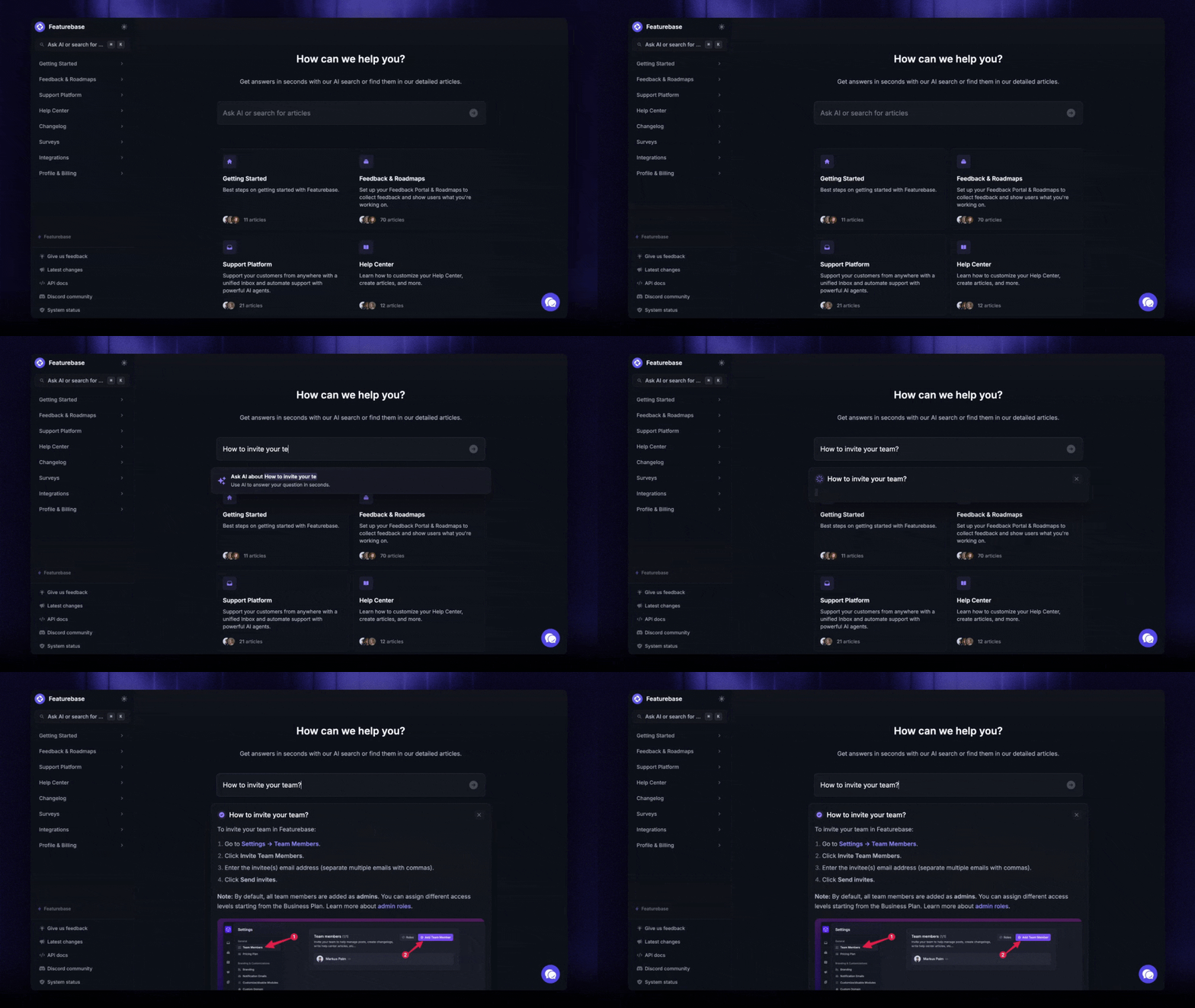
Search functionality is just as important. If your knowledge base search is slow, inaccurate, or unable to understand natural language, people will stop trusting it very quickly. This is why modern knowledge management tools invest heavily in AI search answers, filters, and smart categorization.
A good rule to follow: if someone cannot find an answer within a minute, your knowledge base organization probably needs work.
5. Create clear ownership for every knowledge area
One of the fastest ways for a knowledge base to become outdated is when nobody knows who is responsible for maintaining it.
At first, this may not seem like a problem. Teams add articles, share processes, and document useful information. Then a few months pass. Features change. Pricing changes. Internal processes evolve.
Suddenly, half the documentation no longer reflects reality.
This is why every major knowledge area should have a clear owner.
For example:
- The support team can own billing and troubleshooting documentation
- Product teams can maintain feature explanations and release information
- HR can manage onboarding and internal policies
- Sales teams can maintain competitive positioning and objection handling docs
Ownership does not mean one person writes everything. It simply means someone is responsible for making sure the information stays accurate.
This also makes updates much easier. If a customer reports that a help article is outdated, your team immediately knows who should review it instead of passing the issue around Slack for three days.
Good ownership also prevents duplicate content. Without accountability, multiple teams often create separate versions of the same documentation, which creates confusion fast. One article says one thing, another says something slightly different, and nobody knows which version is correct.
As your knowledge base grows, assign ownership early and document it clearly. Even a simple "maintained by" field inside articles can make a huge difference later on.
6. Set content standards and templates
Without clear standards, knowledge bases become messy very quickly.
One article is written like a technical manual, another looks like a casual Slack message, and a third has no structure at all. Even if the information itself is useful, inconsistent formatting makes documentation harder to read, search, and maintain.
This is why every company should create basic content standards early on.
You do not need a 50-page documentation handbook. A few simple rules are usually enough:
- how articles should be titled
- how categories are organized
- what screenshots should look like
- how step by step instructions are written
- when to use internal vs customer facing language
- what information every article should include
Templates make this much easier.
For example, a support article template could include:
- a short explanation of the issue
- step by step instructions
- screenshots or visuals
- common troubleshooting tips
- related articles
Meanwhile, internal process documentation may include:
- the purpose of the process
- responsible teams or owners
- required tools or permissions
- escalation procedures
- expected outcomes
Templates speed up documentation creation because employees are not starting from scratch every time. They also make the entire knowledge base feel more organized and professional.
Consistency improves usability too. When customers open multiple help articles, they should immediately recognize the structure and know where to find answers. The same applies internally for employees searching through onboarding docs, operational procedures, or product information.
Good standards also make your knowledge base easier to maintain long-term. If documentation follows the same structure everywhere, updating articles becomes far less chaotic as your company grows.
7. Capture tacit knowledge before it disappears
Some of the most valuable knowledge inside a company is never documented anywhere.
It lives in people's heads.
This is called tacit knowledge, the unwritten experience employees build over months or years of working with customers, internal systems, products, and processes. It includes things like:
- how to calm down frustrated customers
- shortcuts inside internal tools
- workarounds for recurring product issues
- sales objections that appear constantly
- internal processes nobody officially documented
The problem is that tacit knowledge disappears fast.
When employees leave, switch teams, or even take vacation time, teams suddenly realize how much information depended on one person's memory. This creates delays, repeated mistakes, slower onboarding, and unnecessary pressure on senior employees who constantly get pulled into questions.
You should capture this knowledge before it becomes a problem.
One of the easiest ways to do this is by paying attention to repeated conversations. If someone keeps answering the same question in Slack, support chats, or meetings, that information probably belongs in the knowledge base.
Another good approach is documenting processes while people actively perform them, not months later when details are forgotten. Encourage employees to create quick internal articles, walkthroughs, troubleshooting steps, and notes immediately after solving important problems.
You can also:
- record onboarding sessions
- document customer escalations
- turn internal FAQs into articles
- create post-mortems after incidents
- ask experienced employees to review gaps in the knowledge base
This does not need to become a massive documentation project overnight. Small additions over time are usually far more realistic and effective.
The earlier you start capturing tacit knowledge, the less your company depends on specific individuals to keep things running.
8. Build knowledge sharing into daily work
If employees only update the knowledge base once every few months, information becomes outdated almost immediately. The best systems are the ones where knowledge sharing happens naturally during everyday work.
Instead of treating documentation like a separate project, make it part of existing processes.
For example:
- after solving a new support issue, create a help article
- after onboarding a new employee, document the confusing parts they struggled with
- after releasing a feature, update related documentation immediately
- after a sales call reveals a recurring objection, add it to internal sales docs
- after fixing an incident, document the solution and lessons learned
This keeps your knowledge base alive instead of turning it into a forgotten archive.
Managers should reinforce this behavior consistently. If employees answer the same question repeatedly in Slack, encourage them to turn the answer into documentation instead of typing it from scratch every time. Even short articles can prevent dozens of repeated conversations later.
The easier it is to contribute knowledge, the more likely people are to do it. This is where modern knowledge management tools make a huge difference. Fast editing, simple article creation, AI assistance, and embedded collaboration features reduce friction and make documentation feel less like extra work.
You should also make knowledge sharing visible across the company. Highlight useful new articles, mention contributors during meetings, and actively reference the knowledge base during day to day discussions. This reminds teams that documentation is part of how the company operates, not just a side project owned by support or operations.
Over time, this creates a culture where sharing knowledge becomes normal instead of optional.
9. Keep content updated regularly
Nothing destroys trust in a knowledge base faster than outdated information.
A customer follows a help article, but the screenshots no longer match the product. An employee uses an internal process that changed six months ago. A support agent sends documentation with pricing that is no longer accurate.
After a few experiences like this, people stop trusting the knowledge base entirely.
This is why maintenance matters just as much as creating documentation in the first place.
A few good habits can prevent this problem from snowballing:
- Review documentation after every product release
- Add review dates to important articles
- Archive duplicate or outdated content
- Replace old screenshots immediately
- Check analytics for articles with high exit rates or poor feedback
- Ask support teams which articles regularly confuse customers
You should also assign recurring review responsibilities to teams instead of waiting for problems to appear. For example:
- Product teams review feature documentation monthly
- Support reviews troubleshooting content weekly
- HR reviews onboarding materials quarterly
- Sales updates competitive messaging when the market changes
This prevents documentation from becoming abandoned the moment it's published.
Another important thing: delete content when necessary.
Many companies keep outdated articles "just in case," which creates clutter and makes search results worse over time. If an article is no longer relevant, archive it or remove it completely.
The goal is not to create the biggest possible knowledge base. The goal is to create one people can trust.
If users consistently find accurate, updated answers, they'll keep coming back to the knowledge base first instead of opening support tickets or asking coworkers for help.
10. Use feedback to improve articles
Your knowledge base should never become a one way street where teams publish articles and assume everything works perfectly afterward.
The people using your documentation will quickly tell you what's missing, confusing, outdated, or poorly explained. You just need to pay attention.
Some of the clearest warning signs include:
- customers abandoning articles and opening support tickets anyway
- employees repeatedly asking questions already covered in documentation
- negative article ratings
- failed searches
- long support explanations for supposedly "simple" issues
These are all signals that something inside the knowledge base needs improvement.
A good practice is to add simple feedback collection directly into your articles. Even something as basic as:
- "Was this article helpful?"
- thumbs up/down reactions
- short feedback forms
can quickly reveal which content actually solves problems and which articles frustrate people.
Support teams are another goldmine of feedback. If agents constantly need to clarify the same article or send additional explanations, that documentation probably needs rewriting. The same applies internally. If employees avoid certain docs and keep asking coworkers instead, there's usually a reason.
You should also look at behavior, not just direct comments.
For example:
- What articles have unusually high exit rates?
- Which search terms return no useful results?
- Which pages get traffic but still generate support tickets?
- What topics do customers repeatedly mention during onboarding?
Modern tools like Featurebase help with this by combining knowledge base analytics, support interactions, and customer feedback in one place. Instead of guessing what documentation needs work, teams can identify gaps based on real user behavior.
11. Make contribution easy for employees
Most employees are willing to share knowledge.
The problem is that many companies make the process painfully annoying.
People are far less likely to contribute documentation if they need to:
- request permissions
- learn complicated formatting systems
- figure out confusing folder structures
- switch between multiple tools
- spend 30 minutes creating one simple article
When adding knowledge feels like extra bureaucracy, employees stop doing it.
This is why simplicity matters.
Your knowledge management system should make it easy for anyone to quickly:
- create articles
- edit outdated information
- suggest improvements
- upload screenshots
- organize content properly
- collaborate with teammates
Good templates help here too. Instead of starting from a blank page every time, employees should have simple structures they can fill in quickly for support docs, onboarding processes, troubleshooting steps, and internal procedures.
Permissions also matter. Some companies lock documentation behind strict approval processes that slow everything down. While sensitive information should absolutely have restrictions, most teams benefit from making contributions more open and collaborative.
Another important thing: reduce the fear of "writing something wrong."
Many employees avoid contributing because they think documentation needs to sound perfect or overly formal. In reality, clear and useful information matters far more than polished corporate writing. A quick article that solves a problem today is usually more valuable than a perfect draft that never gets published.
Modern platforms like Featurebase help reduce friction by making article creation, editing, feedback collection, and knowledge organization simple enough for non-technical teams to use daily.
The easier it is to contribute knowledge, the faster your knowledge base grows into something genuinely useful across the company.
12. Prioritize high-impact knowledge first
One of the biggest mistakes companies make is trying to document everything at once.
This usually leads to:
- bloated knowledge bases
- unfinished articles
- outdated content
- overwhelmed teams
- documentation nobody actually uses
Instead of starting with volume, start with impact.
Focus first on the information that creates the biggest operational improvements for your company and customers.
A good place to begin is with questions that:
- appear constantly in support tickets
- slow down onboarding
- block sales conversations
- create customer frustration
- interrupt internal teams repeatedly
- depend too heavily on one employee's memory
For example, documenting your refund process is usually more valuable than spending three hours polishing a low-traffic feature article nobody searches for.
The same applies internally. If employees constantly ask how to access tools, escalate tickets, handle billing exceptions, or explain product limitations, those topics should move to the top of your documentation priorities immediately.
You can also use support and search data to guide decisions:
- What questions appear most often?
- What articles get the most traffic?
- Which topics create the most confusion?
- What information takes employees the longest to explain manually?
This prevents teams from wasting time documenting low-value information while major knowledge gaps remain unresolved.
13. Connect knowledge to customer support
Your support team is one of the best sources of knowledge in the entire company.
Every day, they see:
- recurring customer problems
- confusing product areas
- onboarding friction
- billing issues
- feature misunderstandings
- missing documentation
If your support team operates separately from your knowledge management system, you're wasting valuable information that could reduce future support volume.
The best knowledge bases evolve directly from customer conversations.
For example, if customers repeatedly ask the same question, don't just answer it ten times a week. Turn it into documentation. If a support ticket requires a long explanation, that's often a sign the topic deserves a dedicated help article.
This creates a feedback loop:
- customers ask questions
- support identifies patterns
- documentation improves
- customers find answers faster
- support volume decreases
Over time, your knowledge base becomes more accurate because it's built around real customer problems instead of assumptions.
This also improves consistency across your support team. Without centralized documentation, support agents often explain the same issue differently, which creates confusion for customers. A shared knowledge base gives everyone the same reference point.
Good knowledge management tools make this much easier by connecting support conversations directly to documentation. For example, Featurebase lets teams combine knowledge bases, feedback collection, changelogs, and support in one platform, making it easier to identify documentation gaps from real customer interactions.
You should also make knowledge accessible during support conversations themselves. In-app help widgets, AI-powered search answers, and embedded knowledge bases allow customers to solve problems without leaving your product or waiting for a reply.
The closer your documentation sits to your support process, the more useful it becomes.
14. Train teams on how to use the system
A knowledge management system only works if people actually use it.
This sounds obvious, but many companies spend months building documentation and then assume employees will naturally adopt it on their own. In reality, most teams fall back to what they already know:
- asking questions in Slack
- messaging the same coworkers repeatedly
- searching through old emails
- keeping private notes instead of shared documentation
If you want your knowledge base to become part of daily work, you need to actively train people to use it.
Start during onboarding. Every new employee should know:
- where the knowledge base is located
- how the information is organized
- how to search for answers
- how to contribute new knowledge
- who owns different sections
This is especially important for customer-facing teams like support, sales, and onboarding, where fast access to accurate information directly affects the customer experience.
You should also reinforce knowledge base usage regularly, not just during onboarding. For example:
- link relevant articles during internal discussions
- reference documentation during team meetings
- encourage employees to update articles after solving new problems
- redirect repeated Slack questions back to the knowledge base
Over time, this changes team behavior. Instead of relying on memory or constantly interrupting coworkers, employees start checking the knowledge base first.
Training should also cover contribution standards. People need to understand:
- where articles belong
- how to title content
- how detailed documentation should be
- when to update outdated information
Without this structure, knowledge bases become chaotic very quickly.
In an age when every piece of information in the world is just one search away, knowledge seems to be taken for granted. That's until you need an answer to something that Google, Claude, ChatGPT, and no other tool can answer. When your teammate gets stuck in an important sales call and a customer can't find their billing information, this is when you realize no standard search can save you.
Also, this is where knowledge management comes into play: organizing your internal knowledge for customers and team members so both groups can resolve issues on their own, without hand-holding. This can seem as simple as creating a good knowledge base, but that's just the tip of the iceberg.
If you're serious about knowledge management, we're giving you some actionable tips you can apply today, with no fluff. 👇
✨ Tired of disorganized knowledge bases? Try Featurebase today and get an AI-powered knowledge base, completely free →
1. Define the purpose of your knowledge management system
Before doing anything, you should make sure to get a good knowledge management system, such as Featurebase. While you can build something using Google Docs and your website's CMS, it's best to get a purpose-built tool for the job.
You may want to start adding articles immediately, but you should first stop and think: what do I want this knowledge management system to do?
Do you want fewer support tickets, faster onboarding, better documentation across different teams or something entirely different?
First, define whether the knowledge management system is built for customers, employees, or both groups, which sets the course for everything else. Then think about the biggest knowledge gaps in your organization, be it a specific topic (e.g., onboarding) or a department (e.g., simplifying billing to lighten the load for the support team).
After that, you can set measurable goals like fewer repeated questions or faster response times, based on who the system is for and what its main purpose is.
2. Centralize company knowledge in one place
This is arguably the hardest part of the process, at least in the beginning. For most teams, information is scattered around:
- Google Docs
- CRM systems
- Call notes
- Slack threads
- Emails
- Review websites
- Social media comments
- And just about any nook and cranny on and off the internet
You should consolidate all the information in the knowledge management system before going further. Good knowledge base tools will let you import documentation from some tools, but you'll have to do a lot of the work manually.
Doing this early saves much work later on, and you'll also be able to remove duplicate information and note the most commonly asked questions, internally or externally.
Your team now has one location for all the information about the product, customers, sales process and anything else they can run into. This makes information easier to search for, keeps it up to date and improves your security as you no longer have to bury sensitive information in a two-year-old Slack thread.
3. Break down knowledge silos between teams
Different departments tend to isolate themselves with the work they do every day, retaining precious information that could be useful to the entire team. You should encourage them to share information related to the customers, the product, competition and every other relevant topic, by adding it to the knowledge base.
This is why the former step was necessary: to lead with example.
If you build a knowledge base first and allow all the teams to pool their knowledge into it, rather than requesting each team to build a knowledge base of their own, you make it easier for everyone to add on solid foundations.
Make sure everyone has edit and read access and explain the hierarchy, from the categories to the individual articles, so every person and team knows where to add their two cents.
4. Make knowledge easy to find
Even the best documentation becomes useless if nobody can find it when they actually need it. A knowledge base should help people get answers in seconds, not force them to dig through endless folders, vague article names, and outdated categories.
This starts with structure.
Your articles should have clear, descriptive titles that instantly tell people what they'll find inside. Compare "Billing settings" to "How to update your billing information and payment method." One gives context immediately. The other forces users to click and hope for the best.
Categories matter too. Organize your knowledge base in a way that reflects how people search for information, not how your company is structured internally. Customers don't think in terms of "customer success operations." They think:
- How do I reset my password?
- Where can I find invoices?
- Why was my card declined?
The easier it is to scan your knowledge base, the fewer support tickets you'll get.
Tags and keywords can also make a huge difference, especially as your documentation grows. People search using different terminology, and your knowledge base should account for that. For example, one customer may search for "cancel subscription" while another types "delete account." Good tagging helps both people find the same article.
Search functionality is just as important. If your knowledge base search is slow, inaccurate, or unable to understand natural language, people will stop trusting it very quickly. This is why modern knowledge management tools invest heavily in AI search answers, filters, and smart categorization.
A good rule to follow: if someone cannot find an answer within a minute, your knowledge base organization probably needs work.
5. Create clear ownership for every knowledge area
One of the fastest ways for a knowledge base to become outdated is when nobody knows who is responsible for maintaining it.
At first, this may not seem like a problem. Teams add articles, share processes, and document useful information. Then a few months pass. Features change. Pricing changes. Internal processes evolve.
Suddenly, half the documentation no longer reflects reality.
This is why every major knowledge area should have a clear owner.
For example:
- The support team can own billing and troubleshooting documentation
- Product teams can maintain feature explanations and release information
- HR can manage onboarding and internal policies
- Sales teams can maintain competitive positioning and objection handling docs
Ownership does not mean one person writes everything. It simply means someone is responsible for making sure the information stays accurate.
This also makes updates much easier. If a customer reports that a help article is outdated, your team immediately knows who should review it instead of passing the issue around Slack for three days.
Good ownership also prevents duplicate content. Without accountability, multiple teams often create separate versions of the same documentation, which creates confusion fast. One article says one thing, another says something slightly different, and nobody knows which version is correct.
As your knowledge base grows, assign ownership early and document it clearly. Even a simple "maintained by" field inside articles can make a huge difference later on.
6. Set content standards and templates
Without clear standards, knowledge bases become messy very quickly.
One article is written like a technical manual, another looks like a casual Slack message, and a third has no structure at all. Even if the information itself is useful, inconsistent formatting makes documentation harder to read, search, and maintain.
This is why every company should create basic content standards early on.
You do not need a 50-page documentation handbook. A few simple rules are usually enough:
- how articles should be titled
- how categories are organized
- what screenshots should look like
- how step by step instructions are written
- when to use internal vs customer facing language
- what information every article should include
Templates make this much easier.
For example, a support article template could include:
- a short explanation of the issue
- step by step instructions
- screenshots or visuals
- common troubleshooting tips
- related articles
Meanwhile, internal process documentation may include:
- the purpose of the process
- responsible teams or owners
- required tools or permissions
- escalation procedures
- expected outcomes
Templates speed up documentation creation because employees are not starting from scratch every time. They also make the entire knowledge base feel more organized and professional.
Consistency improves usability too. When customers open multiple help articles, they should immediately recognize the structure and know where to find answers. The same applies internally for employees searching through onboarding docs, operational procedures, or product information.
Good standards also make your knowledge base easier to maintain long-term. If documentation follows the same structure everywhere, updating articles becomes far less chaotic as your company grows.
7. Capture tacit knowledge before it disappears
Some of the most valuable knowledge inside a company is never documented anywhere.
It lives in people's heads.
This is called tacit knowledge, the unwritten experience employees build over months or years of working with customers, internal systems, products, and processes. It includes things like:
- how to calm down frustrated customers
- shortcuts inside internal tools
- workarounds for recurring product issues
- sales objections that appear constantly
- internal processes nobody officially documented
The problem is that tacit knowledge disappears fast.
When employees leave, switch teams, or even take vacation time, teams suddenly realize how much information depended on one person's memory. This creates delays, repeated mistakes, slower onboarding, and unnecessary pressure on senior employees who constantly get pulled into questions.
You should capture this knowledge before it becomes a problem.
One of the easiest ways to do this is by paying attention to repeated conversations. If someone keeps answering the same question in Slack, support chats, or meetings, that information probably belongs in the knowledge base.
Another good approach is documenting processes while people actively perform them, not months later when details are forgotten. Encourage employees to create quick internal articles, walkthroughs, troubleshooting steps, and notes immediately after solving important problems.
You can also:
- record onboarding sessions
- document customer escalations
- turn internal FAQs into articles
- create post-mortems after incidents
- ask experienced employees to review gaps in the knowledge base
This does not need to become a massive documentation project overnight. Small additions over time are usually far more realistic and effective.
The earlier you start capturing tacit knowledge, the less your company depends on specific individuals to keep things running.
8. Build knowledge sharing into daily work
If employees only update the knowledge base once every few months, information becomes outdated almost immediately. The best systems are the ones where knowledge sharing happens naturally during everyday work.
Instead of treating documentation like a separate project, make it part of existing processes.
For example:
- after solving a new support issue, create a help article
- after onboarding a new employee, document the confusing parts they struggled with
- after releasing a feature, update related documentation immediately
- after a sales call reveals a recurring objection, add it to internal sales docs
- after fixing an incident, document the solution and lessons learned
This keeps your knowledge base alive instead of turning it into a forgotten archive.
Managers should reinforce this behavior consistently. If employees answer the same question repeatedly in Slack, encourage them to turn the answer into documentation instead of typing it from scratch every time. Even short articles can prevent dozens of repeated conversations later.
The easier it is to contribute knowledge, the more likely people are to do it. This is where modern knowledge management tools make a huge difference. Fast editing, simple article creation, AI assistance, and embedded collaboration features reduce friction and make documentation feel less like extra work.
You should also make knowledge sharing visible across the company. Highlight useful new articles, mention contributors during meetings, and actively reference the knowledge base during day to day discussions. This reminds teams that documentation is part of how the company operates, not just a side project owned by support or operations.
Over time, this creates a culture where sharing knowledge becomes normal instead of optional.
9. Keep content updated regularly
Nothing destroys trust in a knowledge base faster than outdated information.
A customer follows a help article, but the screenshots no longer match the product. An employee uses an internal process that changed six months ago. A support agent sends documentation with pricing that is no longer accurate.
After a few experiences like this, people stop trusting the knowledge base entirely.
This is why maintenance matters just as much as creating documentation in the first place.
A few good habits can prevent this problem from snowballing:
- Review documentation after every product release
- Add review dates to important articles
- Archive duplicate or outdated content
- Replace old screenshots immediately
- Check analytics for articles with high exit rates or poor feedback
- Ask support teams which articles regularly confuse customers
You should also assign recurring review responsibilities to teams instead of waiting for problems to appear. For example:
- Product teams review feature documentation monthly
- Support reviews troubleshooting content weekly
- HR reviews onboarding materials quarterly
- Sales updates competitive messaging when the market changes
This prevents documentation from becoming abandoned the moment it's published.
Another important thing: delete content when necessary.
Many companies keep outdated articles "just in case," which creates clutter and makes search results worse over time. If an article is no longer relevant, archive it or remove it completely.
The goal is not to create the biggest possible knowledge base. The goal is to create one people can trust.
If users consistently find accurate, updated answers, they'll keep coming back to the knowledge base first instead of opening support tickets or asking coworkers for help.
10. Use feedback to improve articles
Your knowledge base should never become a one way street where teams publish articles and assume everything works perfectly afterward.
The people using your documentation will quickly tell you what's missing, confusing, outdated, or poorly explained. You just need to pay attention.
Some of the clearest warning signs include:
- customers abandoning articles and opening support tickets anyway
- employees repeatedly asking questions already covered in documentation
- negative article ratings
- failed searches
- long support explanations for supposedly "simple" issues
These are all signals that something inside the knowledge base needs improvement.
A good practice is to add simple feedback collection directly into your articles. Even something as basic as:
- "Was this article helpful?"
- thumbs up/down reactions
- short feedback forms
can quickly reveal which content actually solves problems and which articles frustrate people.
Support teams are another goldmine of feedback. If agents constantly need to clarify the same article or send additional explanations, that documentation probably needs rewriting. The same applies internally. If employees avoid certain docs and keep asking coworkers instead, there's usually a reason.
You should also look at behavior, not just direct comments.
For example:
- What articles have unusually high exit rates?
- Which search terms return no useful results?
- Which pages get traffic but still generate support tickets?
- What topics do customers repeatedly mention during onboarding?
Modern tools like Featurebase help with this by combining knowledge base analytics, support interactions, and customer feedback in one place. Instead of guessing what documentation needs work, teams can identify gaps based on real user behavior.
11. Make contribution easy for employees
Most employees are willing to share knowledge.
The problem is that many companies make the process painfully annoying.
People are far less likely to contribute documentation if they need to:
- request permissions
- learn complicated formatting systems
- figure out confusing folder structures
- switch between multiple tools
- spend 30 minutes creating one simple article
When adding knowledge feels like extra bureaucracy, employees stop doing it.
This is why simplicity matters.
Your knowledge management system should make it easy for anyone to quickly:
- create articles
- edit outdated information
- suggest improvements
- upload screenshots
- organize content properly
- collaborate with teammates
Good templates help here too. Instead of starting from a blank page every time, employees should have simple structures they can fill in quickly for support docs, onboarding processes, troubleshooting steps, and internal procedures.
Permissions also matter. Some companies lock documentation behind strict approval processes that slow everything down. While sensitive information should absolutely have restrictions, most teams benefit from making contributions more open and collaborative.
Another important thing: reduce the fear of "writing something wrong."
Many employees avoid contributing because they think documentation needs to sound perfect or overly formal. In reality, clear and useful information matters far more than polished corporate writing. A quick article that solves a problem today is usually more valuable than a perfect draft that never gets published.
Modern platforms like Featurebase help reduce friction by making article creation, editing, feedback collection, and knowledge organization simple enough for non-technical teams to use daily.
The easier it is to contribute knowledge, the faster your knowledge base grows into something genuinely useful across the company.
12. Prioritize high-impact knowledge first
One of the biggest mistakes companies make is trying to document everything at once.
This usually leads to:
- bloated knowledge bases
- unfinished articles
- outdated content
- overwhelmed teams
- documentation nobody actually uses
Instead of starting with volume, start with impact.
Focus first on the information that creates the biggest operational improvements for your company and customers.
A good place to begin is with questions that:
- appear constantly in support tickets
- slow down onboarding
- block sales conversations
- create customer frustration
- interrupt internal teams repeatedly
- depend too heavily on one employee's memory
For example, documenting your refund process is usually more valuable than spending three hours polishing a low-traffic feature article nobody searches for.
The same applies internally. If employees constantly ask how to access tools, escalate tickets, handle billing exceptions, or explain product limitations, those topics should move to the top of your documentation priorities immediately.
You can also use support and search data to guide decisions:
- What questions appear most often?
- What articles get the most traffic?
- Which topics create the most confusion?
- What information takes employees the longest to explain manually?
This prevents teams from wasting time documenting low-value information while major knowledge gaps remain unresolved.
13. Connect knowledge to customer support
Your support team is one of the best sources of knowledge in the entire company.
Every day, they see:
- recurring customer problems
- confusing product areas
- onboarding friction
- billing issues
- feature misunderstandings
- missing documentation
If your support team operates separately from your knowledge management system, you're wasting valuable information that could reduce future support volume.
The best knowledge bases evolve directly from customer conversations.
For example, if customers repeatedly ask the same question, don't just answer it ten times a week. Turn it into documentation. If a support ticket requires a long explanation, that's often a sign the topic deserves a dedicated help article.
This creates a feedback loop:
- customers ask questions
- support identifies patterns
- documentation improves
- customers find answers faster
- support volume decreases
Over time, your knowledge base becomes more accurate because it's built around real customer problems instead of assumptions.
This also improves consistency across your support team. Without centralized documentation, support agents often explain the same issue differently, which creates confusion for customers. A shared knowledge base gives everyone the same reference point.
Good knowledge management tools make this much easier by connecting support conversations directly to documentation. For example, Featurebase lets teams combine knowledge bases, feedback collection, changelogs, and support in one platform, making it easier to identify documentation gaps from real customer interactions.
You should also make knowledge accessible during support conversations themselves. In-app help widgets, AI-powered search answers, and embedded knowledge bases allow customers to solve problems without leaving your product or waiting for a reply.
The closer your documentation sits to your support process, the more useful it becomes.
14. Train teams on how to use the system
A knowledge management system only works if people actually use it.
This sounds obvious, but many companies spend months building documentation and then assume employees will naturally adopt it on their own. In reality, most teams fall back to what they already know:
- asking questions in Slack
- messaging the same coworkers repeatedly
- searching through old emails
- keeping private notes instead of shared documentation
If you want your knowledge base to become part of daily work, you need to actively train people to use it.
Start during onboarding. Every new employee should know:
- where the knowledge base is located
- how the information is organized
- how to search for answers
- how to contribute new knowledge
- who owns different sections
This is especially important for customer-facing teams like support, sales, and onboarding, where fast access to accurate information directly affects the customer experience.
You should also reinforce knowledge base usage regularly, not just during onboarding. For example:
- link relevant articles during internal discussions
- reference documentation during team meetings
- encourage employees to update articles after solving new problems
- redirect repeated Slack questions back to the knowledge base
Over time, this changes team behavior. Instead of relying on memory or constantly interrupting coworkers, employees start checking the knowledge base first.
Training should also cover contribution standards. People need to understand:
- where articles belong
- how to title content
- how detailed documentation should be
- when to update outdated information
Without this structure, knowledge bases become chaotic very quickly.
15. Use the right knowledge management tool
You can technically build a knowledge management system using Google Docs, Notion, shared drives, Slack bookmarks, and a dozen disconnected tools. Plenty of companies do exactly that in the beginning.
The problem starts when your company grows.
Suddenly:
- nobody knows where the latest version of a document lives
- search results become messy and unreliable
- support conversations stay disconnected from documentation
- customer feedback lives in another tool entirely
- teams waste time jumping between platforms
This is why your knowledge management software matters more than most teams realize.
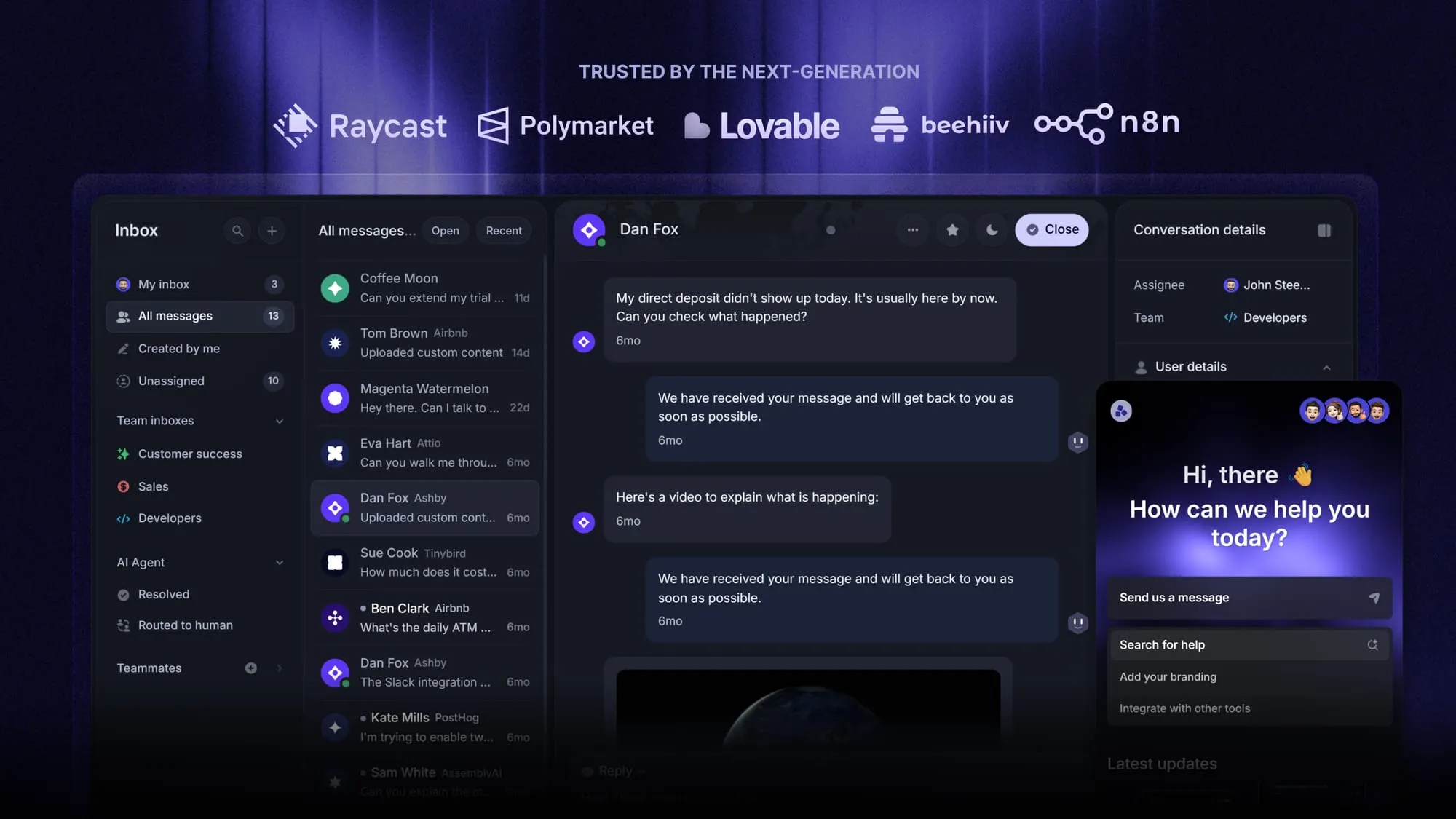
Featurebase is a modern & powerful support platform for SaaS teams that helps you create beautiful product docs, provide AI-powered support, and collect feedback all in one place. It's loved by thousands of support teams from companies like Lovable, Raycast, and n8n. 💫
[illustration here]
Top features:
- Public & internal help center – Create a branded knowledge base with your domain and design for easy self-service support.
- Embeddable in-app widget – Serve help articles directly within your app, reaching users where they need assistance most
- AI-powered search answers – Summarize answers for users right in the search bar in seconds
- Automatic AI translations – Automatically translate and show your Help Center in your users native languages
- Multi-brand support – Manage multiple Help Centers and Live chats from a single workspace
- AI-powered support platform – Manage chat, email, and Slack support conversations from one AI-powered view
- Feedback & roadmap tools – Collect feature requests and close the loop with updates
- Product updates – Publish release notes with a changelog page, in-app widget, and emails
- Integrations – Connects with Slack, Linear, Jira, HubSpot, and more
Pricing: You can create a public help center with a fully free plan. Paid plans start at just $29/seat/mo for unlimited articles.
Featurebase offers a modern customer-facing product suite by integrating your help center, live chat, feedback collection, and product updates to build better products and customer experiences.
Create a beautiful AI-powered Help Center with Featurebase for free
16. Measure usage, gaps, and content performance
Analytics is your best friend, and with good knowledge-base software, you can tell pretty quickly what articles get clicks and views, and what's collecting cobwebs. Here are some of the best ways you can use data to your advantage:
- Keep a score of article clicks and regularly review your top-visited content
- Have voting embedded into your knowledge base so users can quickly upvote or downvote an article to signal if it helped them solve a problem
- Find out which searches don't have answers in your knowledge base (either based on search queries or questions to your support team)
- Measure self-service success rates, i.e., how many people effectively found what they were looking for with your knowledge base
Aside from talking to people who use your knowledge base day to day, these are the quickest ways to find out if what you're doing is actually making an impact on real-life product usage.
17. Create incentives for knowledge sharing
Adding new articles to knowledge bases benefits everyone, but for most people, it's hard work that goes unrewarded. You can and should change that.
Some great ways include:
- Keeping a scoreboard of the most active participants
- Publicly praising those who make useful additions to the knowledge base
- Regularly pointing out articles and stating who created them
- Promoting knowledge sharing instead of gatekeeping
18. Make knowledge accessible across departments
Every department and team should know that you have a knowledge base and that it's not only there for reading but that they can also add to it. Like all company-owned media, your employees can forget about your knowledge base, but this is easy to fix.
- Make sure the knowledge base is pinned in documentation and Slack channels
- When sending out emails with announcements and product updates, point to knowledge base entries
- Send onboarding emails to new employees and show them where the knowledge base is and how to use it
Most good knowledge management software allows you to set access to your knowledge base and make it private or public. You can use this to allow only certain people or teams to view your knowledge base, but you should ideally keep it open for everyone, whether it's internal or customer-facing.
19. Turn repeated questions into documentation
You can and should quantify the questions you get from your team and your customers. For example, if 10 customers in one month ask about your refund policy, it's a clear sign that this should be your utmost priority when creating (or updating) your knowledge base.
Keep track of questions that keep popping up in and outside of your company, and prioritize these articles when building up your knowledge base from scratch. Once you have a fully functioning knowledge repository, make sure these FAQs are easy to find and sit close to the top of your knowledge base hierarchy.
20. Review and archive outdated content
Knowledge bases are living, breathing organisms that change as you update your product and change your team structure. Relying on one and the same knowledge base for months or years on end is a dangerous practice, and you should revisit it frequently to make sure that information is up to date.
A good practice is to check up on your knowledge base with every product release. If a feature is affected, look up the article in the knowledge base and make sure to keep it fresh. This is even more vital for product screenshots and step-by-step guides.
As your product evolves, some articles will become outdated and may need to be deleted altogether, and others can become duplicates because of overlapping information. Remove both to keep clutter at a minimum and make sure that the search function isn't working overtime for no reason.
Failing to do this will ensure that customers keep getting in touch about information that they would have liked to find out themselves initially. Also, the more you postpone your knowledge base cleanup, the more work there will be to do.
15. Use the right knowledge management tool
You can technically build a knowledge management system using Google Docs, Notion, shared drives, Slack bookmarks, and a dozen disconnected tools. Plenty of companies do exactly that in the beginning.
The problem starts when your company grows.
Suddenly:
- nobody knows where the latest version of a document lives
- search results become messy and unreliable
- support conversations stay disconnected from documentation
- customer feedback lives in another tool entirely
- teams waste time jumping between platforms
This is why your knowledge management software matters more than most teams realize.
A purpose-built platform like Featurebase gives you one place to manage customer-facing and internal knowledge without stitching together multiple disconnected systems.
Instead of treating documentation as static articles hidden somewhere on your website, Featurebase helps teams build an active self-service experience around their product knowledge.
Some of the biggest advantages include:
- Public and internal knowledge bases
- AI-powered search answers that help users find information faster
- Embeddable help widgets directly inside your app
- Multilingual documentation support
- Feedback collection connected to support content
- Changelogs and product updates in the same platform
- Analytics that show which articles people actually use
Many companies spend months writing documentation, but have no idea whether people can actually find or use it. With Featurebase, you can quickly identify:
- Missing content
- Failed searches
- Outdated articles
- Popular help topics
- Self-service trends
Another major advantage is keeping customer feedback and documentation connected.
For example, if customers repeatedly request a feature or struggle with onboarding, your support team can immediately turn those patterns into knowledge base improvements. Instead of support, feedback, and product communication living in separate tools, everything stays connected.
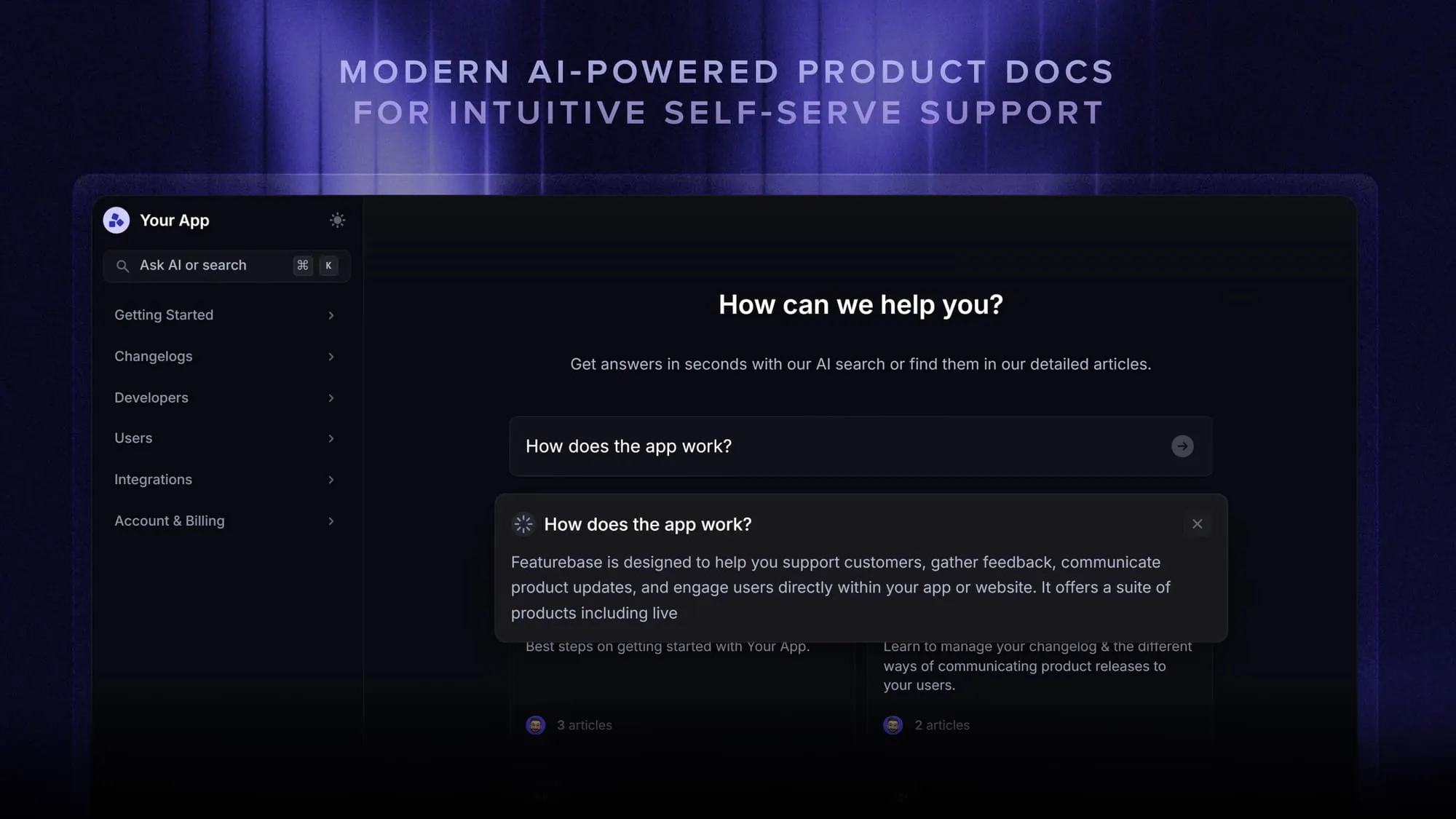
Most importantly, Featurebase is actually easy to maintain long-term. That sounds simple, but it’s one of the biggest reasons knowledge management systems fail. If updating documentation feels annoying or time-consuming, teams stop doing it.
The easier it is to contribute knowledge, the more likely your team is to keep the system alive.
Create a beautiful AI-powered Help Center with Featurebase for free
16. Measure usage, gaps, and content performance
Analytics is your best friend, and with good knowledge-base software, you can tell pretty quickly what articles get clicks and views, and what's collecting cobwebs. Here are some of the best ways you can use data to your advantage:
- Keep a score of article clicks and regularly review your top-visited content
- Have voting embedded into your knowledge base so users can quickly upvote or downvote an article to signal if it helped them solve a problem
- Find out which searches don't have answers in your knowledge base (either based on search queries or questions to your support team)
- Measure self-service success rates, i.e., how many people effectively found what they were looking for with your knowledge base
Aside from talking to people who use your knowledge base day to day, these are the quickest ways to find out if what you're doing is actually making an impact on real-life product usage.
17. Create incentives for knowledge sharing
Adding new articles to knowledge bases benefits everyone, but for most people, it's hard work that goes unrewarded. You can and should change that.
Some great ways include:
- Keeping a scoreboard of the most active participants
- Publicly praising those who make useful additions to the knowledge base
- Regularly pointing out articles and stating who created them
- Promoting knowledge sharing instead of gatekeeping
18. Make knowledge accessible across departments
Every department and team should know that you have a knowledge base and that it's not only there for reading but that they can also add to it. Like all company-owned media, your employees can forget about your knowledge base, but this is easy to fix.
- Make sure the knowledge base is pinned in documentation and Slack channels
- When sending out emails with announcements and product updates, point to knowledge base entries
- Send onboarding emails to new employees and show them where the knowledge base is and how to use it
Most good knowledge management software allows you to set access to your knowledge base and make it private or public. You can use this to allow only certain people or teams to view your knowledge base, but you should ideally keep it open for everyone, whether it's internal or customer-facing.
19. Turn repeated questions into documentation
You can and should quantify the questions you get from your team and your customers. For example, if 10 customers in one month ask about your refund policy, it's a clear sign that this should be your utmost priority when creating (or updating) your knowledge base.
Keep track of questions that keep popping up in and outside of your company, and prioritize these articles when building up your knowledge base from scratch. Once you have a fully functioning knowledge repository, make sure these FAQs are easy to find and sit close to the top of your knowledge base hierarchy.
20. Review and archive outdated content
Knowledge bases are living, breathing organisms that change as you update your product and change your team structure. Relying on one and the same knowledge base for months or years on end is a dangerous practice, and you should revisit it frequently to make sure that information is up to date.
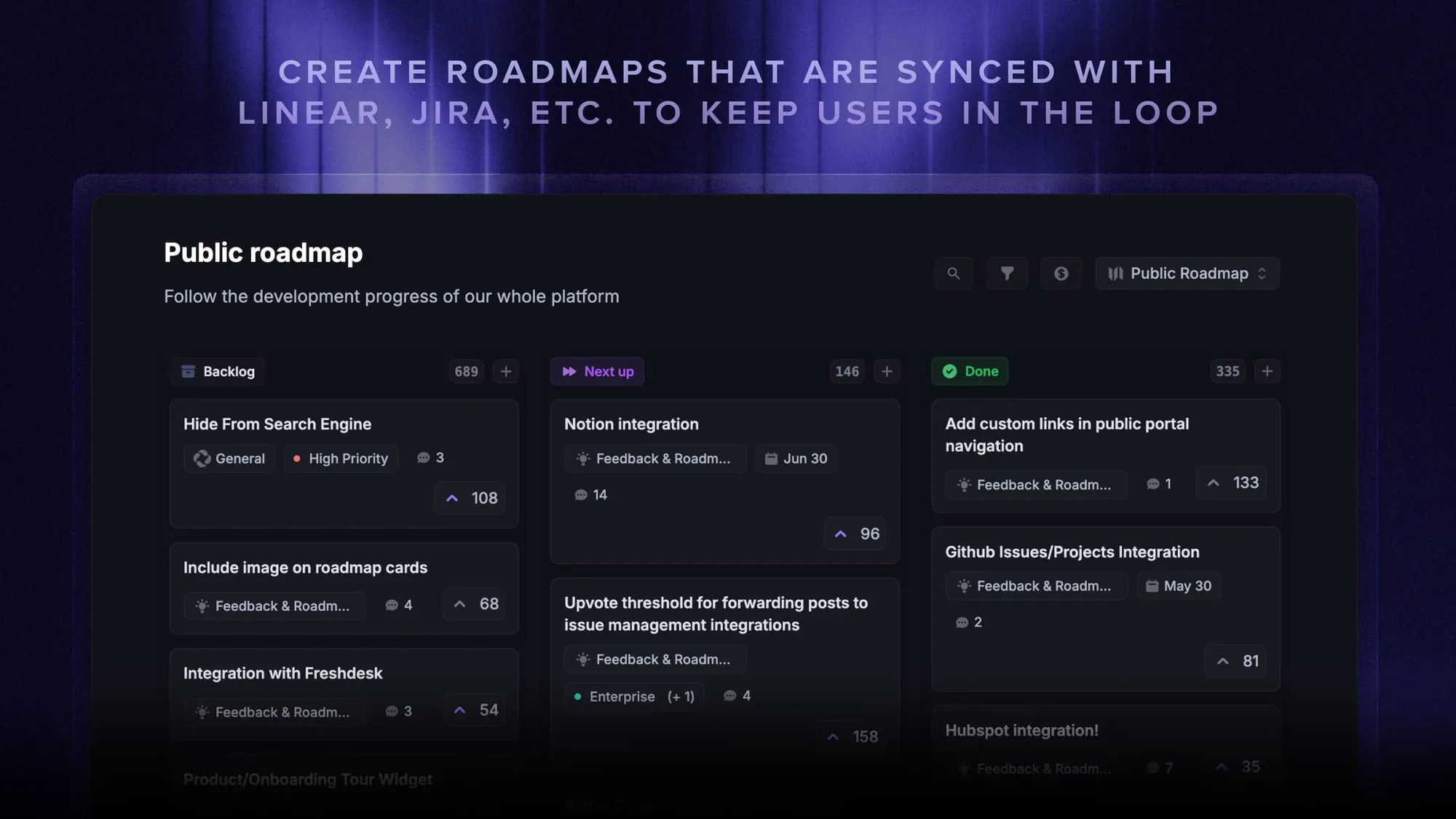
A good practice is to check up on your knowledge base with every product release. If a feature is affected, look up the article in the knowledge base and make sure to keep it fresh. This is even more vital for product screenshots and step-by-step guides.
As your product evolves, some articles will become outdated and may need to be deleted altogether, and others can become duplicates because of overlapping information. Remove both to keep clutter at a minimum and make sure that the search function isn't working overtime for no reason.
Failing to do this will ensure that customers keep getting in touch about information that they would have liked to find out themselves initially. Also, the more you postpone your knowledge base cleanup, the more work there will be to do.
Start managing knowledge with Featurebase
Good knowledge management is not about documenting everything. It is about making your most important information easy to find, trust, and improve over time. When teams have one shared source of truth, customers get faster answers, employees stop repeating the same questions, and valuable knowledge no longer gets buried in Slack threads, old docs, or someone’s memory.
Featurebase is a modern & powerful help center tool that helps SaaS teams manage internal and customer-facing knowledge in one place. You can create beautiful product docs, build public or internal knowledge bases, serve articles inside your app, answer questions with AI-powered search, translate content automatically, collect feedback, publish changelogs, and connect support conversations to your documentation.
It comes with affordable pricing and a Free plan for creating your help center. Paid plans start at just $29/seat/mo, onboarding is quick, and you can get started without a credit card, so there’s no downside to trying it. 👇
Create a beautiful AI-powered Help Center with Featurebase for free