Blog Customer ServiceMicrosoft help desk software: What are your actual options in 2026?
Microsoft help desk software: What are your actual options in 2026?
Microsoft has plenty of support tools, but which one should you actually use? Explore the best Microsoft help desk software options for 2026.



✨ Automate your support with the fastest AI-enhanced Inbox today →
If your company uses Microsoft 365, it’s natural to look for Microsoft help desk software too.
But the answer is not as simple as “use this one Microsoft product.”
Microsoft offers several tools for ticketing, but there is no single lightweight product called Microsoft Help Desk. You can use Dynamics 365, build a basic desk ticketing system with SharePoint and Lists, route support requests through Teams, or install a third-party app from Microsoft AppSource.
That flexibility is useful. But it can also make the decision confusing.
In this guide, we’ll break down the main Microsoft help desk options, what each one is best for, and when a dedicated support platform makes more sense.👇
Key takeaways:
- Microsoft does not have one simple product called Microsoft Help Desk.
- The main Microsoft-native options are Dynamics 365 Customer Service, SharePoint, Microsoft Lists, Microsoft Teams, and Power Automate.
- SharePoint and Lists can work for basic internal ticket tracking, especially if your team already uses Microsoft 365.
- Dynamics 365 is the strongest Microsoft-native option for enterprise customer service, but it can be too complex for smaller teams.
- Teams is useful for intake and alerts, but it should not be your whole ticketing system.
- AppSource apps can help if you want a Microsoft 365-compatible help desk without building one yourself.
- For product-led SaaS teams that need customer-facing support, AI automation, a help center, feedback, roadmaps, and product updates, Featurebase✨ is worth considering.
Does Microsoft have help desk software?
Microsoft has products that can be used as help desk software, but it does not have one simple, standalone help desk tool for every team or business need.
The closest Microsoft-native options are:
- Dynamics 365 Customer Service for enterprise customer support
- SharePoint and Microsoft Lists for basic internal ticket tracking
- Microsoft Teams and Power Automate for request intake and workflow automation
- Microsoft AppSource apps for third-party help desk tools built around Microsoft 365
So if you’re asking “Does Microsoft have a ticketing system?” the honest answer is:
Yes, but you usually have to choose between buying Dynamics 365, building your own desk system with Microsoft 365 tools, or using third-party ticketing software.

Need more than a Microsoft help desk?
Manage tickets, AI support, help center, feedback, roadmaps, and product updates in one platform.
Microsoft help desk options compared
Here’s the quick version.
| Option | Best for | Pricing | Main catch |
|---|---|---|---|
| Dynamics 365 Customer Service | Enterprise customer service teams | Starts at $50/user/month for Professional | Powerful, but expensive and complex |
| SharePoint + Microsoft Lists | Internal IT and employee requests | Often included in Microsoft 365 plans | Requires setup and maintenance |
| Teams + Power Automate | Request intake and routing | Teams is often included; Power Automate Premium starts at $15/user/month | Not a full ticketing system by itself |
| Microsoft AppSource apps | Teams that want a Microsoft 365-compatible help desk | Varies by vendor | Quality and features vary |
| ✨Featurebase | Product-led SaaS support teams | Free plan available; paid plans start at $29/seat/month | Best for customer-facing support |
The cheapest option is usually to create something with the Microsoft tools you already have. But the real cost is the time spent setting it up, maintaining workflows, handling security and access, and filling in missing functionality.
Option 1: Dynamics 365 Customer Service
Best for: enterprise customer service teams that need a full-service platform.
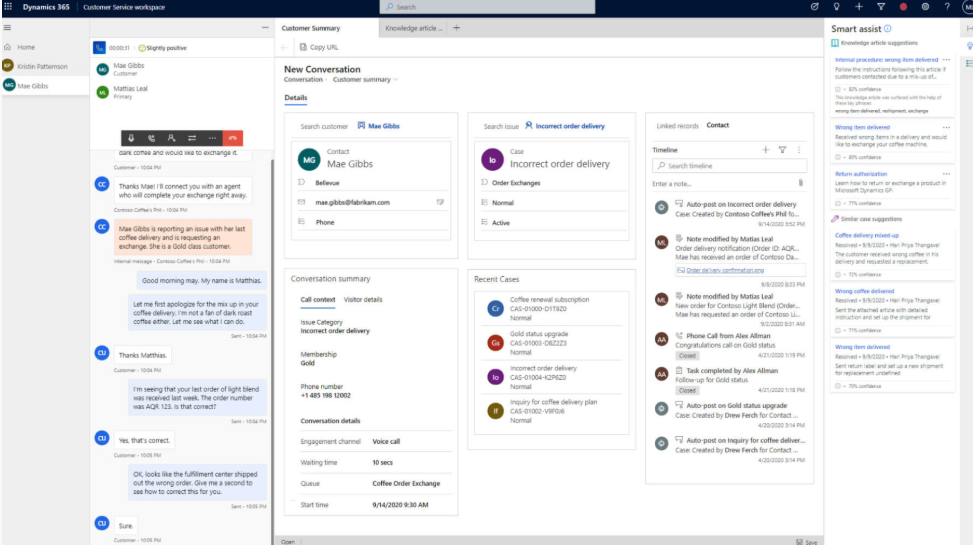
Dynamics 365 Customer Service is Microsoft’s most complete customer support product. It helps teams manage cases, customer data, service workflows, knowledge base content, routing, reporting, service level agreements, and ticket resolution.
It can work well as a help desk system for larger companies, especially if they already use Microsoft Dynamics across sales, service, or daily operations.
Benefits of Dynamics 365
- Built for enterprise customer service
- Strong case and ticket management features
- Works well with other Microsoft products
- Supports automation, routing, reporting, and service level agreements
- Useful for teams that need customer history, service records, and customizable dashboards
Limitations of Dynamics 365
- More complex than many teams need
- Pricing starts at $50/user/month for Customer Service Professional
- Setup can take time
- Usually overkill for simple internal IT requests
- Not ideal if you want a lightweight help desk
When to choose Dynamics 365
Choose Dynamics 365 if you need an enterprise-grade customer service platform or a CRM ticketing system, and already have the budget, team, and Microsoft setup to support it.
If you just need a simple ticketing system for employee requests or a small support team, it will probably feel too heavy.
Option 2: SharePoint and Microsoft Lists
Best for: simple internal help desk workflows.
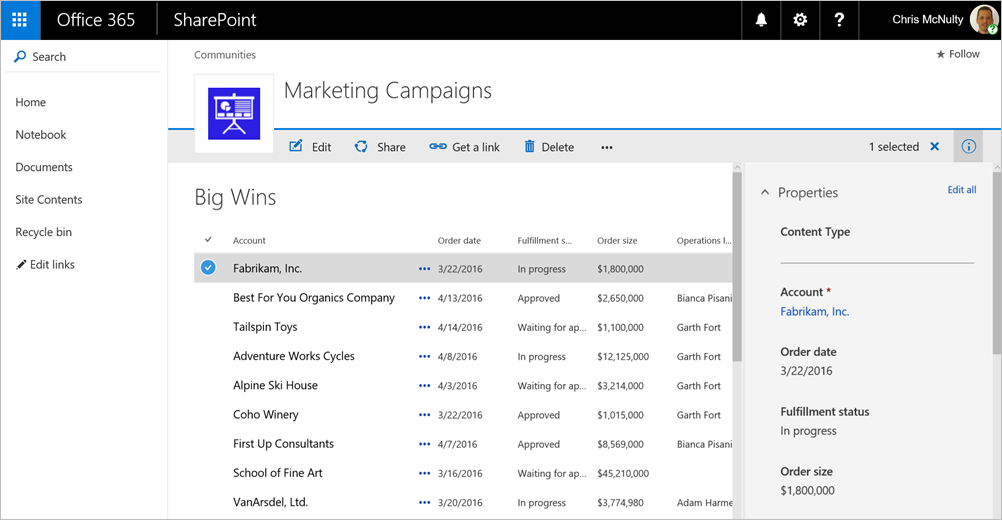
SharePoint and Microsoft Lists are common choices for teams that want to build a basic help desk inside Microsoft 365.
A typical desk solution looks like this:
- SharePoint acts as the support portal
- Microsoft Lists stores tickets
- Microsoft Forms collects requests
- Power Automate sends notifications or updates
- Teams alerts the right people
This can work well for internal IT, operations, HR, or admin requests where employees need a simple place to ask for help.
Benefits of SharePoint and Lists
- Often included in Microsoft 365 plans
- Good for simple internal request tracking
- Flexible fields, views, and permissions
- Works with Teams and Power Automate
- Easy to customize for small workflows
Limitations of SharePoint and Lists
- Not a purpose-built help desk system
- No polished agent inbox by default
- Limited service level agreement and reporting features unless customized
- Workflows can become messy as ticket volume grows
- Someone has to maintain the setup
When to choose SharePoint and Lists
Choose this option if your help desk is internal, your ticket volume is low, and your process is simple.
For example, it can work well for tracking laptop requests, access requests, onboarding tasks, facilities issues, or basic IT support.
But if customers are involved, or if you need a real support inbox, it will probably feel limited.
Option 3: Microsoft Teams and Power Automate
Best for: intake, alerts, and workflow automation.
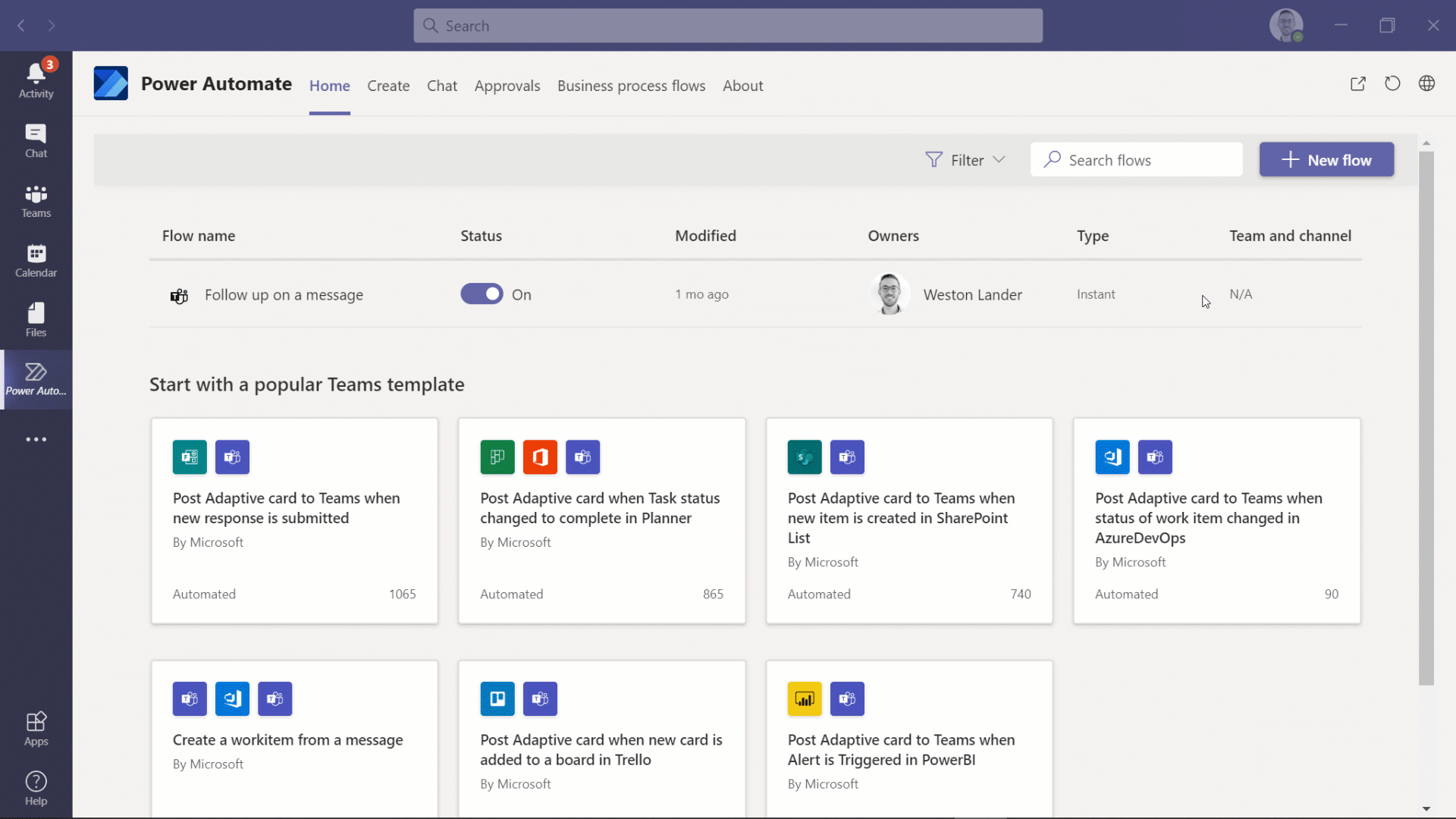
Microsoft Teams is often where support requests start. An employee posts in a channel, messages IT, or fills out a form that notifies a support team.
But Teams alone is not a ticketing system.
It does not give you proper ticket IDs, ownership, service level agreements, reporting, or resolution history by default. That’s why Teams usually works best as the front door, not the system of record.
Power Automate can help by routing requests, sending notifications, assigning tickets, or creating items in Microsoft Lists. It can also automate small tasks that support agents would otherwise handle manually.
Benefits of Teams and Power Automate
- Easy for employees to use
- Good for request intake and internal collaboration
- Can notify the right people quickly
- Works well with Forms, Lists, Outlook, and SharePoint
- Helps automate repetitive support tasks
Limitations of Teams and Power Automate
- Teams chats are easy to lose track of
- Power Automate flows need to be built and maintained
- Premium Power Automate features may cost extra
- Reporting is limited unless you connect other tools like Power BI
- It still does not create a full help desk experience by itself
When to choose Teams and Power Automate
Use Teams and Power Automate when you want to make an existing Microsoft 365 workflow smoother.
For example, you might use Teams for alerts, Power Automate for routing, and Lists for ticket tracking.
But if your support team needs a proper inbox, customer portal, SLAs, automations, and reporting, you’ll likely want a dedicated help desk platform.
Option 4: Microsoft AppSource help desk apps
Best for: teams that want a Microsoft 365-compatible help desk without building one from scratch.
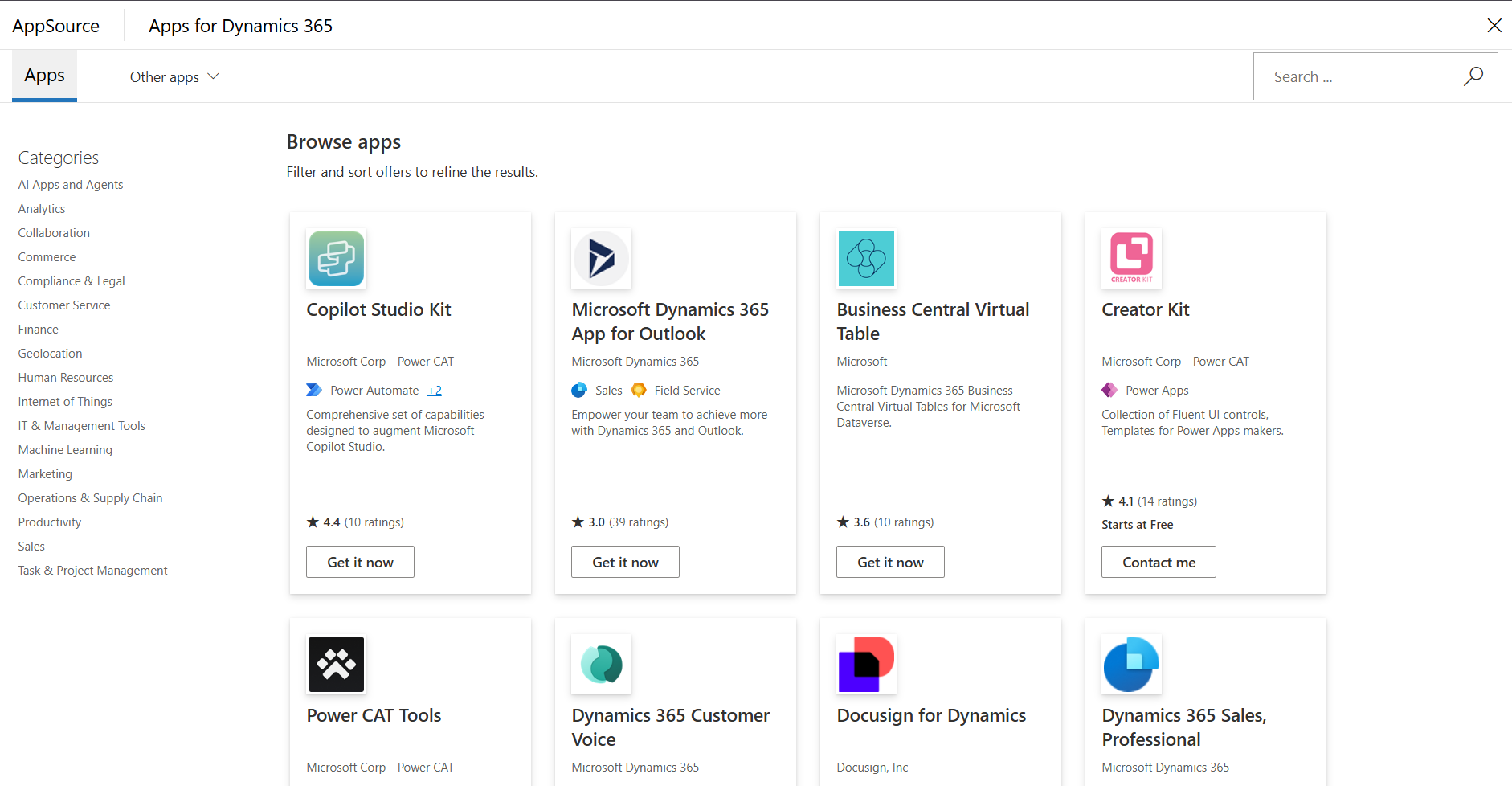
Microsoft AppSource has third-party help desk apps that work with Microsoft 365, Microsoft Teams, SharePoint, Outlook, or Dynamics 365.
These tools can be a good middle ground. You stay close to Microsoft products, but you avoid building the whole ticketing system yourself.
Benefits of AppSource apps
- Faster than building your own SharePoint setup
- Often designed for Microsoft 365 users
- May integrate with Teams, Outlook, or SharePoint
- Can include ticket management, reporting, and service level agreement features
- Useful for internal IT support teams
Limitations of AppSource apps
- Pricing varies by vendor
- Features and capabilities vary a lot
- Some apps are narrow or outdated
- May not be ideal for customer-facing support
- You still need to compare security, support, and integrations
When to choose an AppSource app
Choose an AppSource app if you want a Microsoft-friendly help desk and your needs are mostly internal.
Before choosing one, check whether it charges per agent, per employee, per tenant, or by feature tier. Also check how well it handles SLAs, reporting, permissions, and Teams integration.
Option 5: Featurebase✨
Best for: product-led SaaS teams that need modern customer support, ticketing, feedback, and product updates in one place.

If you’re looking for Microsoft help desk software because you need customer-facing support, it may be worth looking beyond Microsoft-native tools and choosing a dedicated desk software solution.
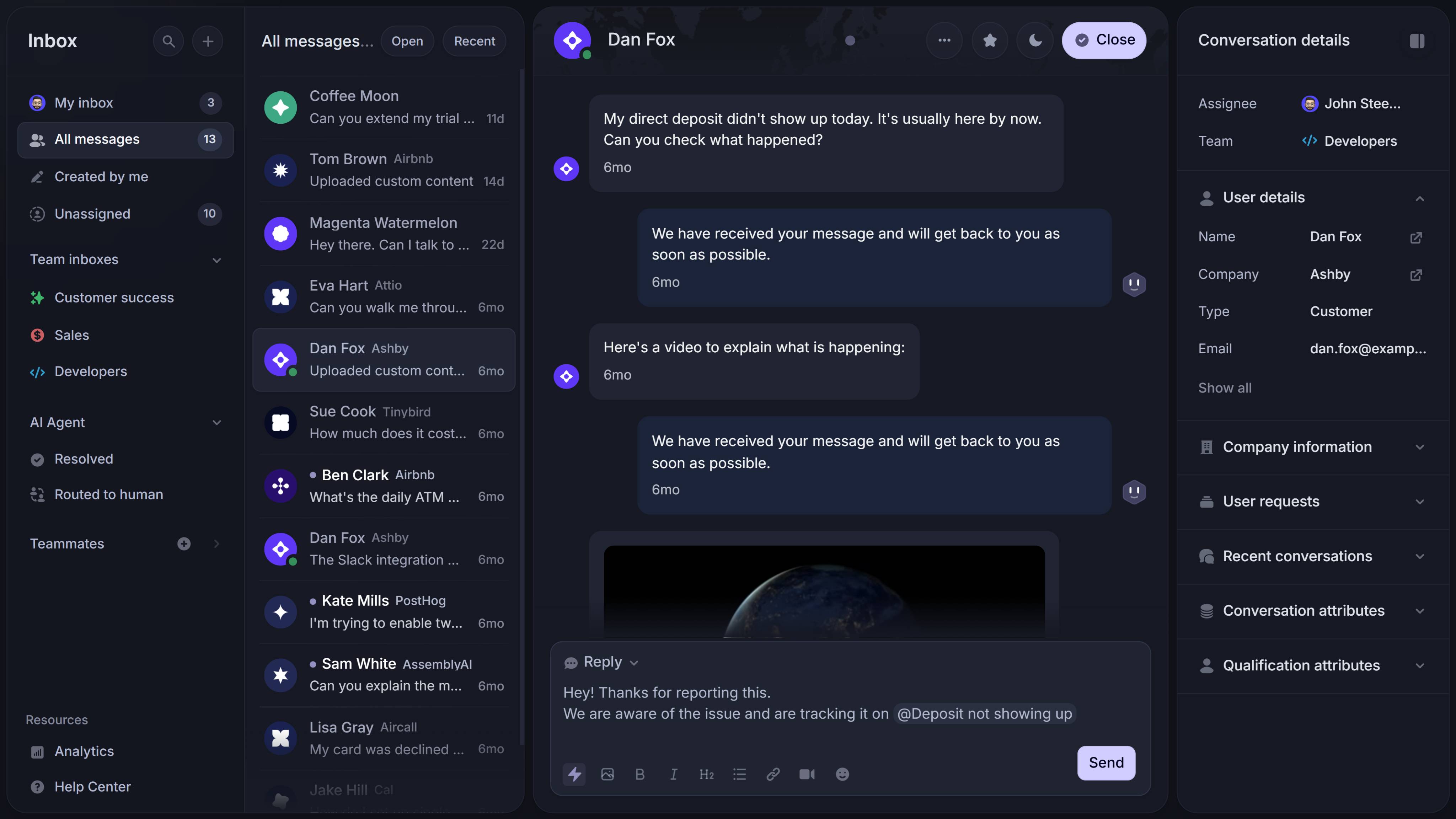
Featurebase is a modern AI customer support platform for product-led SaaS. It combines an omnichannel inbox, AI support, help center, feedback management, roadmaps, and product updates in one platform.
That means your team can manage support conversations across live chat, email, and Slack, while also collecting feature requests and closing the loop with customers from the same page.
Benefits of Featurebase
- Omnichannel inbox for live chat, email, and Slack
- Fibi AI Agent to resolve customer issues on autopilot and assist users at the right moment
- AI Copilot to help agents answer faster using company knowledge
- Help center and knowledge base with AI search
- Workflows and automation for routing, customer data collection, and repetitive tasks
- Service level agreements to track response times
- Mobile app for support on the go
- Multi-brand support and AI translations
- Feedback and roadmap tools
- Product updates through changelog posts, in-app updates, and emails
- Integrations that connect with Slack, Linear, Jira, HubSpot, and more
Pricing
Featurebase has a Free plan with unlimited conversations. Paid plans start at $29/seat/month, with $0.29 per AI resolution.
Limitations of Featurebase
- Not built for Microsoft-native internal IT admin workflows
- May be more than you need for simple employee requests
- Best suited for customer-facing SaaS support
When to choose Featurebase
Choose Featurebase if you want a dedicated support platform instead of stitching together Microsoft tools or deploying a custom help desk system yourself.
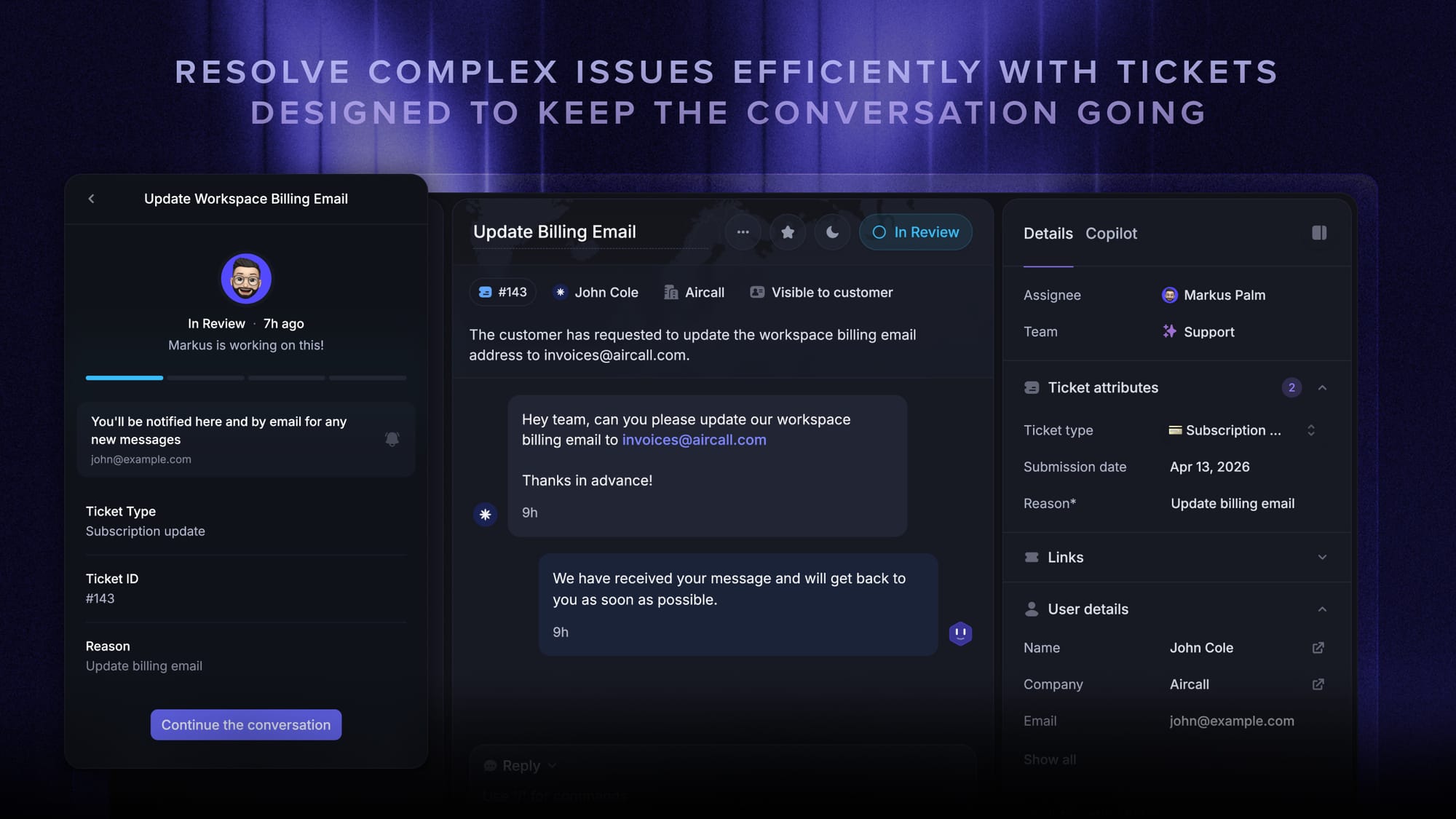
It is especially useful if your team wants to manage customer tickets, automate support, publish help center resources, collect feature requests, share roadmaps, announce product updates, and keep users in the loop from one platform.
✨ Automate your support with the fastest AI-enhanced Inbox today →
Which option should you choose?
Here’s the easiest way to decide.
| If you need... | Choose... |
|---|---|
| Enterprise customer service inside Microsoft | Dynamics 365 Customer Service |
| Simple internal ticket tracking | SharePoint + Microsoft Lists |
| Request intake through Teams | Teams + Power Automate |
| A Microsoft 365-compatible help desk app | Microsoft AppSource app |
| Modern customer support for SaaS | Featurebase |
For internal IT requests, Microsoft 365 tools can be enough, especially when ticket volume is low.
For enterprise service teams, Dynamics 365 is the strongest Microsoft-native option, especially when the organization needs advanced service workflows.
For SaaS teams that support customers, collect feedback, and announce product updates, Featurebase is usually a better fit than building a custom Microsoft ticketing workflow.
Microsoft-native vs dedicated help desk software
Microsoft-native tools are attractive because your team may already have access to them.
But there is a tradeoff.
| Microsoft-native tools are better when... | Dedicated help desk software is better when... |
|---|---|
| Your help desk is internal | You support customers |
| Ticket volume is low | Ticket volume is growing |
| Your workflow is simple | You need a real support inbox |
| You already use Microsoft 365 | You need SLAs, automation, and reporting |
| You can maintain the setup yourself | You want less custom maintenance |
| You mainly need employee request tracking | You need customer portals, help center, or AI support |
The main question is whether you want to build a help desk from Microsoft tools or buy a platform that already has the workflows, reporting, and support capabilities built in.
Get a modern alternative to Microsoft help desk software
Resolve customer tickets, automate support, and close the loop with feedback, roadmaps, and product updates.
Common mistakes to avoid
Using Teams as the whole ticketing system
Teams is great for quick messages. But chat threads are not tickets.
If you rely on Teams alone, requests can get buried, ownership becomes unclear, and reporting is almost impossible.
Assuming Microsoft 365 means free help desk software
You may already pay for Microsoft 365, but that does not mean the help desk is free.
Someone still has to set up SharePoint, Lists, Forms, permissions, automation, reporting, and ongoing maintenance.
Choosing Dynamics 365 for a simple workflow
Dynamics 365 is powerful, but it can be too much if you only need basic ticket tracking.
It makes more sense for larger teams that need enterprise customer service features.
Ignoring the customer experience
A help desk is not only for agents.
Customers or employees need a simple way to submit requests, track progress, find answers in your help center, and get updates.
Conclusion
Microsoft does have several help desk options, but there is no single Microsoft help desk product that fits every team.
If you need simple internal ticket tracking, SharePoint, Lists, Teams, and Power Automate can work. If you need enterprise customer service, Dynamics 365 is the strongest Microsoft-native option. But if you need modern customer support with AI, automation, self-service, feedback, and product updates, a dedicated platform will usually be easier to manage.
Featurebase is a modern AI support platform for product-led SaaS. It brings your inbox, help center, Fibi AI Agent, AI Copilot, workflows, service level agreements, feedback, roadmaps, and changelogs into one place.
It has affordable pricing and a Free plan with unlimited conversations, so there’s no downside to trying it. 👇
✨ Automate your support with the fastest AI-enhanced Inbox today →

FAQs
What is Microsoft’s help desk software called?
Microsoft does not have one standalone product called Microsoft Help Desk. The closest full customer service platform is Dynamics 365 Customer Service. For lighter internal workflows, teams often use SharePoint, Microsoft Lists, Teams, Power Automate, or third-party AppSource apps.
Does Microsoft 365 include a ticketing system?
Not as a full help desk product. But Microsoft 365 includes tools like SharePoint, Lists, Forms, Teams, and Power Automate that can be used to build a basic ticketing workflow.
Can SharePoint be used as a ticketing system?
Yes. SharePoint can be used as a basic internal help desk, especially with Microsoft Lists and Power Automate. It works best for simple employee requests, not complex customer support.
Can Microsoft Teams be used as a help desk?
Teams can be used for intake and collaboration, but it should not be the whole help desk. For proper ticket tracking, connect Teams to Lists, SharePoint, Dynamics 365, an AppSource app, or a dedicated support platform.
Is Dynamics 365 a ticketing system?
Dynamics 365 Customer Service can work as a ticketing system for enterprise service teams. It supports case management, routing, customer records, service level agreements, knowledge management, predictive intelligence, sentiment analysis, and reporting.
What is the best Microsoft ticketing system for small teams?
For small internal teams, SharePoint, Microsoft Lists, Teams, and Power Automate are usually the simplest starting point. For customer-facing SaaS support, a dedicated platform like Featurebase is usually a better fit.
Is Featurebase a Microsoft help desk alternative?
Yes, if you need customer-facing support. Featurebase gives SaaS teams an omnichannel inbox, AI support, ticketing, help center, workflows, SLAs, feedback, roadmaps, changelogs, and product updates in one platform.
It is not a replacement for a Microsoft-native internal IT admin setup. It is better for product-led SaaS teams that want to support customers and close the loop with product feedback.