Blog Customer ServiceHelp Desk Software Comparison Guide: How to Choose the Right Tool
Help Desk Software Comparison Guide: How to Choose the Right Tool
Not all help desk tools are built for the same teams. In this guide, we compare the best help desk software for 2026 and explain which platforms are best for customer support, internal support, IT teams, and growing SaaS companies.



✨ Automate your support with the fastest AI-enhanced Inbox today →
Choosing the right help desk software is harder than it looks. Before you compare tools, it helps to define your help desk software requirements, so you're matching platforms to your actual workflow, not a feature list.
Many tools offer similar features on paper, but they are not built for the same teams or workflows. Some are better for customer support, while others are designed for internal support, IT teams, or more complex operations. That is why a proper help desk software comparison matters.
In this guide, we compare the best help desk tools for 2026 and explain which ones are best for different use cases.
Short answer
- If you want the best all-in-one help desk software for modern SaaS teams, choose Featurebase✨.
- If you want more advanced capabilities, enterprise workflows, and powerful automation, choose Zendesk.
- If you want strong internal service management for IT teams, choose Jira Service Management.
- If you want a budget-friendly desk system with solid automation, choose Zoho Desk.
- If you want a CRM-connected platform with deep integration across sales and support, choose HubSpot Service Hub.
See the full comparison below for a closer look at all the options.👇
TL;DR - comparison table of the best help desk software
| Platform | Best for | Key strength | Free tier/free plan | Pricing |
|---|---|---|---|---|
| ✨Featurebase | Product-led SaaS teams | AI-powered inbox, knowledge base, and feedback in one place | Free plan available | Free plan; paid plans start at $29/seat/month billed yearly; AI resolutions cost $0.29 each |
| Zendesk | Larger support teams with complex workflows | Advanced automation, smart assignment, and reporting features | Free trial | $19/agent/month billed annually for Support Team; $55 for Suite Team; $115 for Suite Professional; $169 for Suite Enterprise |
| Freshdesk | Growing support teams | Freddy AI Agent, ticket management, and multiple channels | Free plan available | $0 plan for 1–2 agents for 6 months; paid plans start at $19/agent/month billed annually for Growth, $55 for Pro, and $89 for Enterprise |
| Intercom | Chat-first support teams | Conversational support and AI features | Free trial | $19/seat/month for Essential ($29 monthly), $85 for Advanced, and $132 for Expert, billed annually; Fin costs $0.99 per outcome |
| Help Scout | Lean support teams | Clean UI, knowledge base, and easy collaboration | Free trial | Free plan for up to 5 users; paid plans start at $25/user/month for Standard, $45 for Plus, and $75 for Pro |
| Zoho Desk | Budget-conscious teams | Balanced desk software with useful automation | Free plan available | Free plan for 3 users; paid plans start at $7/user/month billed annually for Express, $14 for Standard, $23 for Professional, and $40 for Enterprise |
| HubSpot Service Hub | Teams already using HubSpot | Deep integration with CRM and customer conversations | Free tier available | Free Tools for up to 2 users; paid plans start at $20/seat/month for Starter and $100/seat/month for Professional when billed monthly; Enterprise starts at $150/seat/month |
| Jira Service Management | IT teams and internal support | Internal service management, asset management, and advanced automation | Free plan available | Free plan for 3 agents; $20/agent/month for Standard; $51.42/agent/month for Premium; Enterprise pricing is custom |
| Desk365 | Microsoft-centric teams | Help desk tools built around Microsoft Teams | Free plan available | Lifetime free plan for up to 50 tickets/month; paid plans start at $12/agent/month billed annually for Standard, $22 for Plus, and $32 for Premium |
What is help desk software?
Help desk software is a system that helps teams receive, organize, track, and resolve support tickets.
At a basic level, a help desk system centralizes customer inquiries and support request workflows so agents can manage tickets from one place. More modern help desk solutions go much further. They support multiple channels like email, live chat, customer portals, and phone support. They also include workflow automation, ticket tracking, knowledge base articles, reporting dashboards, and AI features that help route tickets, summarize conversations, and automate routine tasks.
For customer-facing teams, help desk software improves the customer experience by enabling faster, more consistent responses across customer interactions. For internal support teams, it can power internal service management workflows for employee requests, hardware issues, access requests, onboarding tasks, and service operations.
Customer support help desk software is usually built for customer conversations, self-service, and faster ticket resolution, while internal support tools are designed more for internal service management, asset management, approvals, and structured workflows for IT teams and operations teams.
The right help desk software should not just store tickets. It should help your team reduce manual work, keep everyone on the same page, and turn every interaction into a clearer, more efficient support process.
For a primer on the mechanics behind these tools, see how a help desk ticket system works, and for a closer look at running support operations across customer and internal teams, see our guide to the best help desk management software.
How we evaluated these help desk software comparisons
We focused on one question:
Which help desk software tools actually help teams resolve more requests with less manual work?
To answer that, we looked at:
- Ticket management and ticket tracking
- Workflow automation and advanced automation
- AI tools and AI features
- Knowledge base quality and customer portal functionality
- Ability to manage incoming tickets across multiple channels
- Reporting dashboard quality, reporting features, and custom reports
- Support for customer support and internal support use cases
- Flexibility for complex workflows and customizable workflows
- Asset management and audit trails for IT teams
- Deep integration with project management tools, CRMs, and communication platforms like Microsoft Teams
- Pricing across free plan, free tier, paid plans, higher tier plans, and custom pricing
We also looked at how well each platform handles repetitive tasks, automates repetitive tasks, and helps agents focus on more important support work.
Some tools are better for mid-sized businesses that want fast setup and immediate value. Others are better for larger organizations that need more advanced capabilities, advanced features, and detailed controls for ticket volumes, routing logic, and audit trails.
Our goal was not just to list popular desk tools. It was to find the platforms that give teams the clearest path to better customer satisfaction and more efficient support operations.
The 9 best help desk software tools for 2026
1. Featurebase✨

Featurebase is our top pick for the best help desk software for modern SaaS companies.
It combines an AI-powered support inbox, live chat, a knowledge base, feedback collection, and product communication in one platform. That makes it especially useful for teams that want more than just a desk system. Instead of stitching together separate desk solutions for support, documentation, and feedback, teams can manage everything in one place.
Key features
- AI-powered inbox for faster support work
- Knowledge base with AI search and relevant knowledge base articles
- Customer portal and live chat for customer conversations
- AI features that help automate repetitive tasks
- Workflow automation for routing and follow-ups
- Shared inbox for handling support tickets across multiple channels
- Feedback tools connected to customer support insights
- Clean, user-friendly interface for fast onboarding
Featurebase stands out because it gives support teams a complete picture of the customer without overwhelming them with complexity. It works well for teams that want to manage tickets, improve customer satisfaction, and reduce repetitive tasks while keeping support, product feedback, and knowledge in one place.
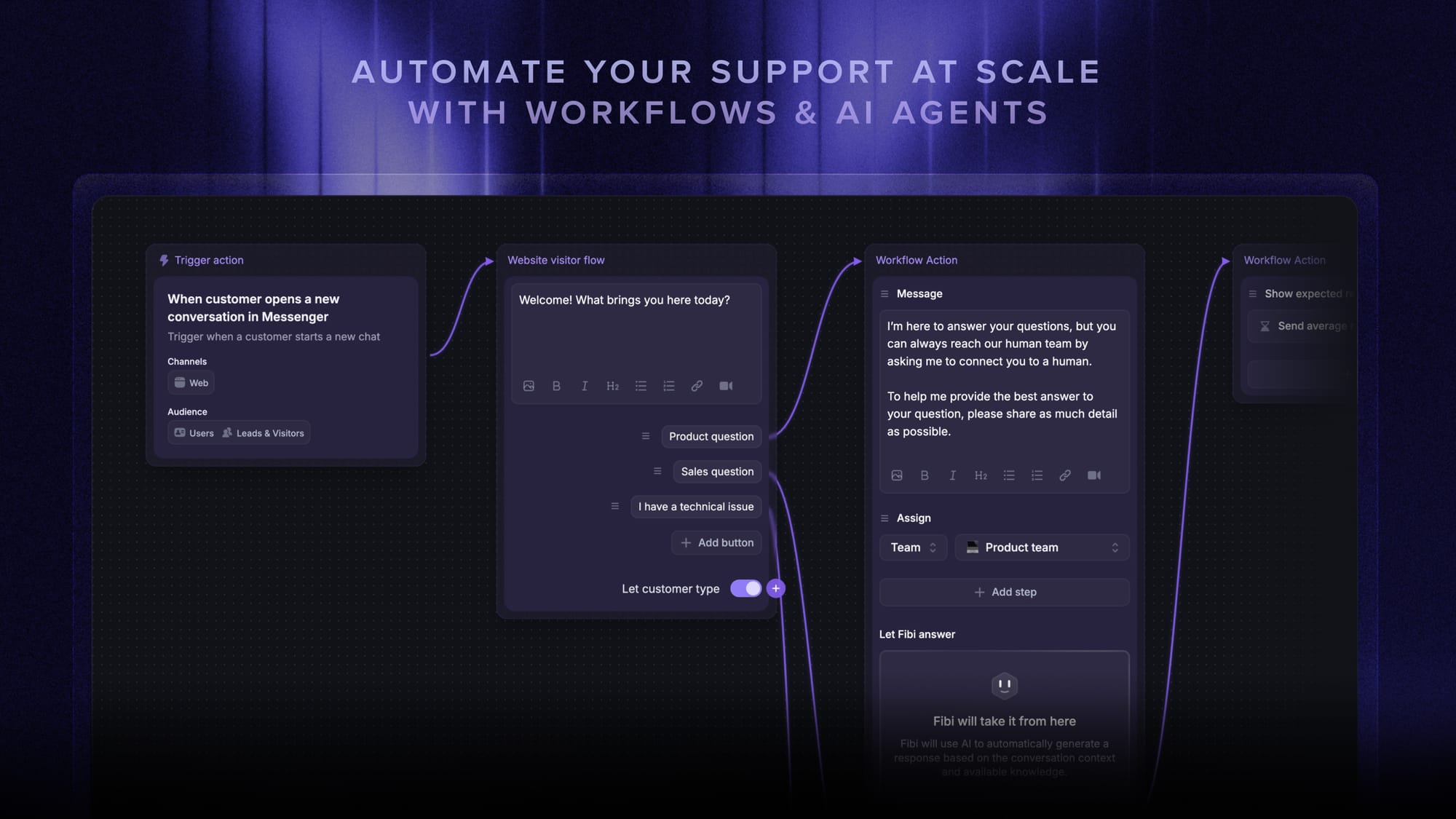
Best for: Product-led SaaS teams that want customer support, help desk tools, and a knowledge base in one platform.
Limitations: Teams looking for very deep internal service management or enterprise-grade asset management may prefer a more IT-focused platform.
Pricing: Featurebase has a Free plan, and its paid plans start at $29/seat/month billed yearly, with AI resolutions priced at $0.29 each.
✨ Automate your support with the fastest AI-enhanced Inbox today →

Get the fastest AI-powered Help Desk
Support your customers from anywhere with an AI-powered omnichannel inbox
2. Zendesk

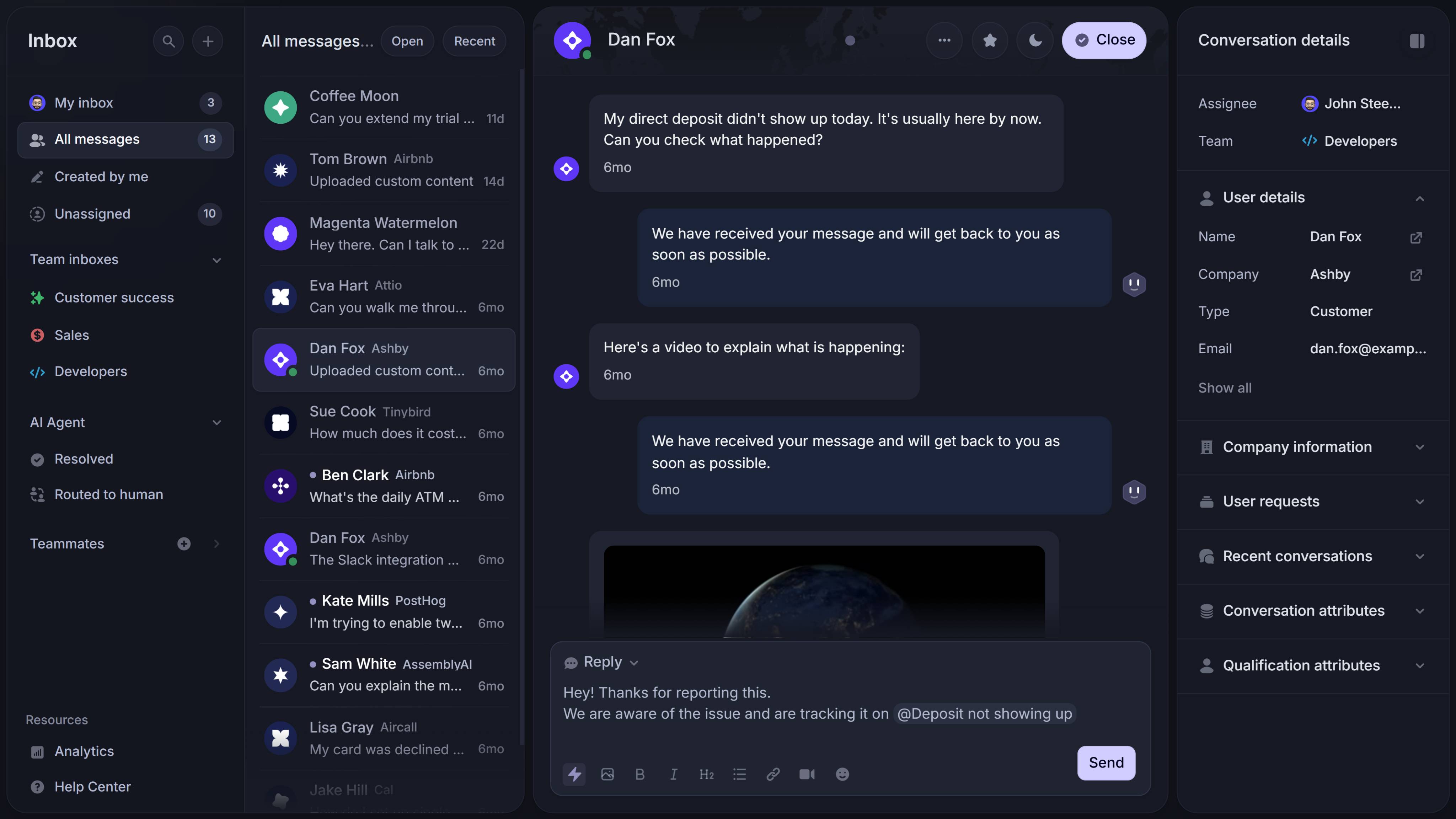
Zendesk is one of the most established names in help desk software, and for good reason.
It is built for teams that need advanced features, advanced automation, and more advanced capabilities for support at scale. If your service team handles high ticket volumes, complex workflows, multiple channels, and sophisticated routing requirements, Zendesk remains one of the strongest desk solutions on the market.
Key features
- Omnichannel ticket management
- Smart routing and automated routing rules
- Smart assignment for support tickets
- Powerful reporting dashboard and reporting features
- Custom reports for larger support operations
- Extensive app marketplace and deep integration options
- Strong knowledge base and self-service tools
- SLA controls and enterprise governance
Zendesk is a great fit when your support team needs strong workflow automation, high customization, and detailed control over the full support lifecycle. It can handle very large support organizations well, especially when different queues, teams, and escalation paths need to stay aligned.
That said, Zendesk can come with a steep learning curve. It is powerful, but not always the fastest platform to configure if your team only needs basic features.
Best for: Larger teams that need advanced automation, reporting, and structured support operations.
Limitations: Higher-tier plans can get expensive, and the platform may feel heavy for smaller teams.
Pricing: Zendesk’s pricing starts at $19 per agent/month billed annually for Support Team, while Suite Team starts at $55 per agent/month, Suite Professional at $115, and Suite Enterprise at $169.
See our full Zendesk review walks through Zendesk's features, pricing, and user feedback in depth.
3. Freshdesk
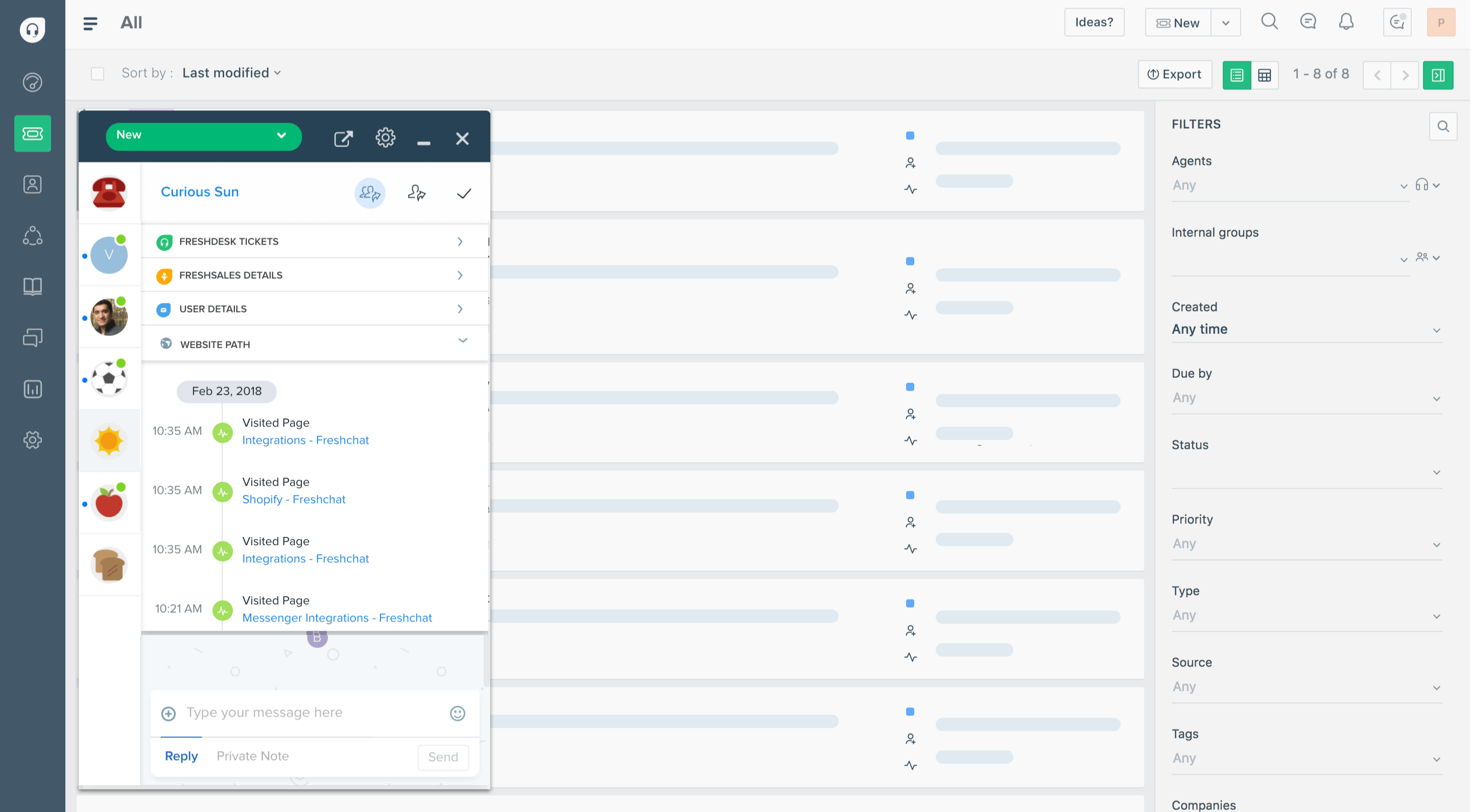
Freshdesk is a strong option for growing teams that want familiar help desk software with useful AI features.
It offers a balanced mix of ticket management, workflow automation, and multichannel support, while Freddy AI Agent adds extra help with repetitive tasks, summaries, and recommendations.
Key features
- Freddy AI Agent for automation and assistance
- Ticket tracking and ticket management
- Workflow automation for repetitive tasks
- Support across multiple channels
- Knowledge base and customer portal
- Reporting features for team performance
- Automated routing and rule-based workflows
- Support for both customer support and internal support use cases
Freshdesk is a practical choice for teams that want AI tools without jumping straight into a heavier platform. It does a good job helping agents manage incoming tickets, handle support requests, and automate routine tasks that would otherwise slow the team down.
It is especially appealing for mid-sized businesses that want flexibility without too much operational complexity.
Best for: Growing support teams that want strong help desk software with accessible AI features.
Limitations: Some advanced capabilities are reserved for higher-tier plans, and pricing can rise as usage grows.
Pricing: Freshdesk offers a $0 plan for 1–2 agents for 6 months, while its paid plans start at $19 per agent/month billed annually for Growth, $55 for Pro, and $89 for Enterprise. Freddy AI Agent includes the first 500 sessions, with additional sessions priced at $49 per 100 sessions.
4. Intercom
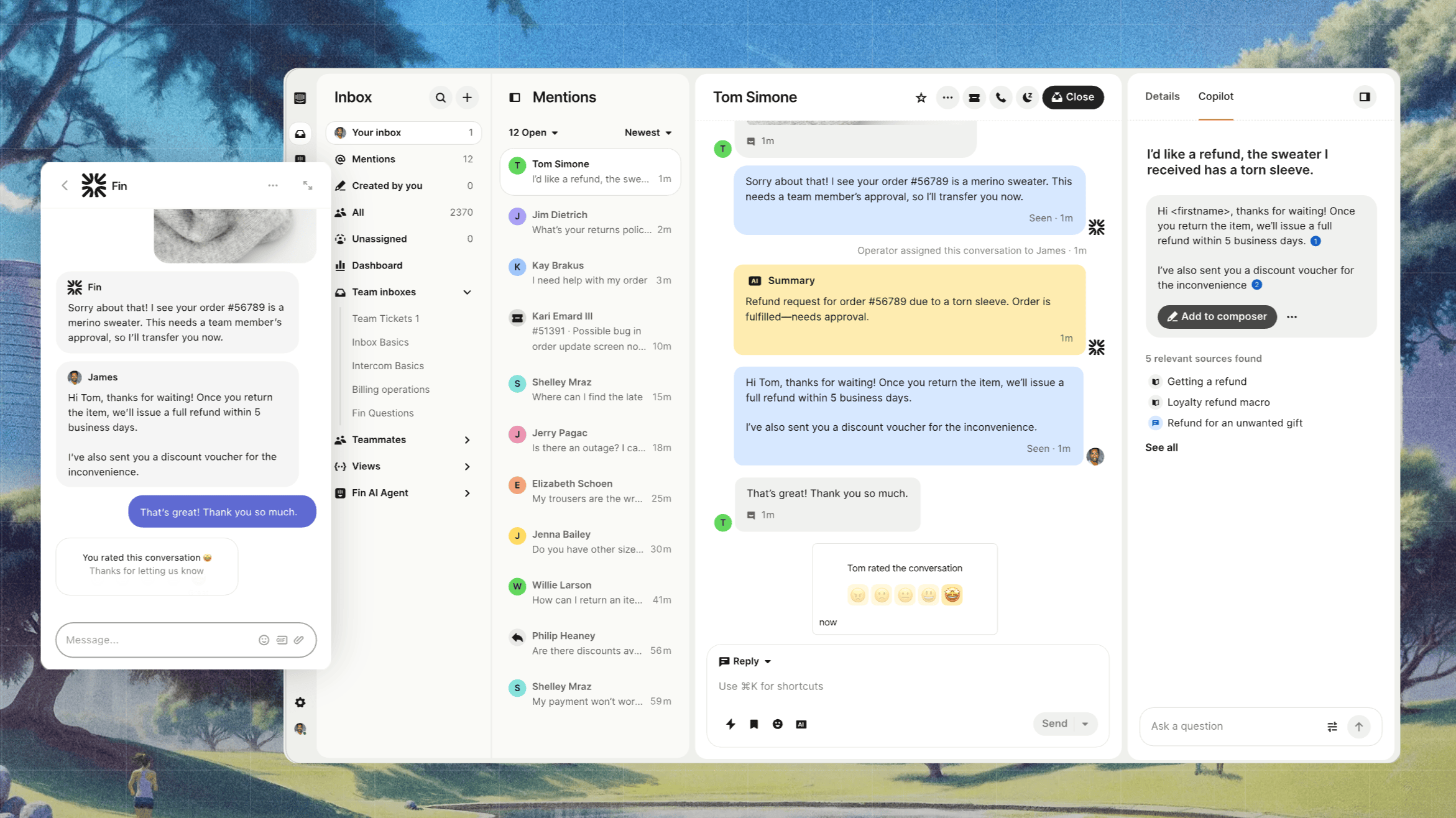
Intercom is one of the best choices for teams that want a more conversational model of support.
Instead of centering everything around a traditional queue, Intercom is designed around customer conversations. It is especially strong for chat-first support teams that want conversational support, proactive messaging, and AI features built into real-time workflows.
Key features
- Conversational support for live chat and messaging
- AI features for answering customer queries
- Shared inbox for customer conversations
- Knowledge base and self-service support
- Workflow automation for follow-up and escalation
- Bots, automation, and contextual conversation history
- Support for modern customer experience workflows
Intercom works especially well when support is tightly connected to onboarding, activation, and product usage. It helps teams move fast and keep every conversation in context.
The main tradeoff is cost. As teams scale usage and want more advanced AI tools, pricing can become harder to predict.
Best for: Chat-first teams that prioritize customer experience and fast conversational support.
Limitations: Can become expensive, especially once AI usage and advanced features scale up.
Pricing: Intercom’s customer service platform starts at $19 per seat/month for Essential billed annually ($29 billed monthly), $85 for Advanced, and $132 for Expert per seat/month billed annually, while Fin AI Agent is priced at $0.99 per outcome.
If your focus is serving customers. Check out our customer service software blog→
5. Help Scout
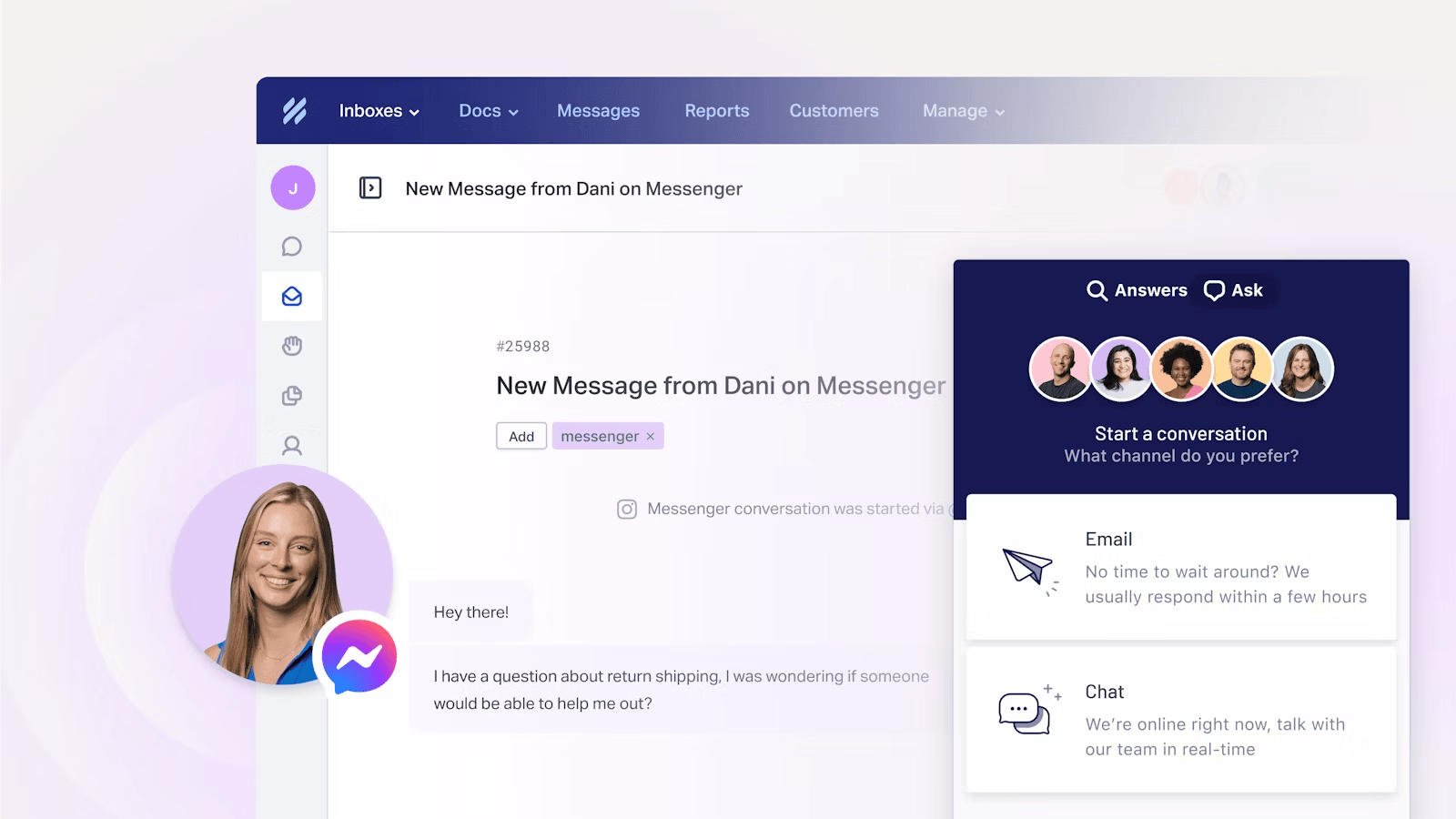
Help Scout is a simpler, more lightweight help desk platform that still delivers solid value.
It is built for support teams that want an easy way to manage tickets, share context, and maintain a knowledge base without dealing with the complexity of a more enterprise-heavy desk system.
Key features
- Shared inbox for support requests
- User-friendly interface with fast setup
- Knowledge base and knowledge base articles
- Collaboration tools for the support team
- Reporting features for small to midsize teams
- Customer portal and self-service options
- AI assistance for drafting and suggestions
Help Scout is a strong option when your team values clarity, speed, and usability. It does not try to be everything for everyone, and that focus is part of the appeal.
For teams with highly complex workflows or larger ticket volumes, it may feel too lightweight. But for lean support teams that want to improve customer satisfaction and keep everyone on the same page, it is a very solid choice.
Best for: Smaller support teams that want clean, easy-to-use desk software.
Limitations: May not offer enough advanced automation or advanced capabilities for larger organizations.
Pricing: Help Scout offers a Free plan for up to 5 users, while its paid plans start at $25 per user/month for Standard, $45 for Plus, and $75 for Pro. AI Answers is available as an add-on at $0.75 per resolution.
6. Zoho Desk
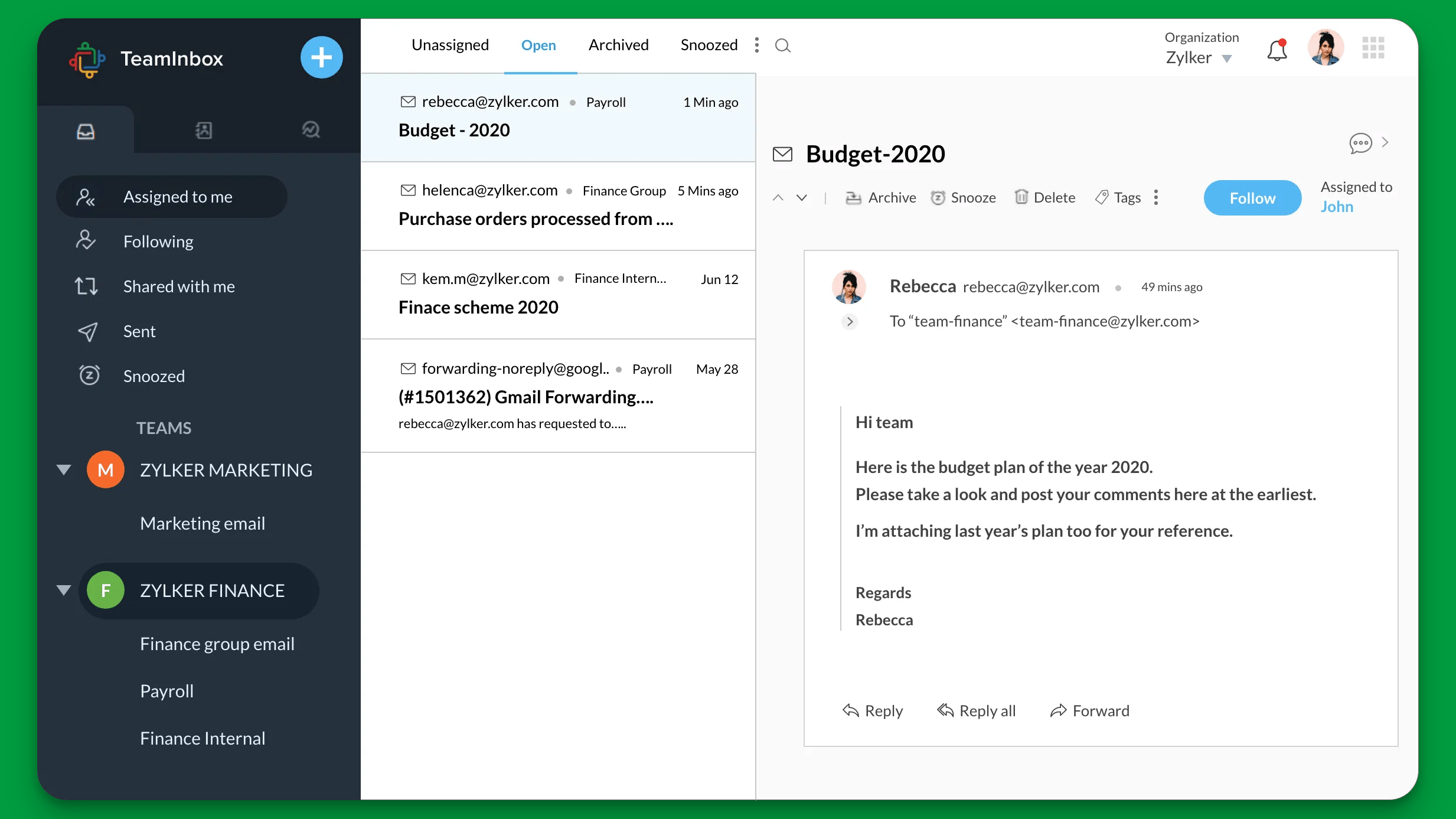
Zoho Desk is one of the most practical, budget-friendly options in this help desk software comparison.
It offers a broad set of desk features, including ticket management, knowledge base tools, reporting, automation, and integrations, without demanding a large budget.
Key features
- Multichannel support and ticket tracking
- Workflow automation and rule-based routing
- Knowledge base and self-service features
- AI features in selected plans
- User-friendly interface for smaller teams
- Reporting dashboard and service analytics
- Integration with the broader Zoho ecosystem
Zoho Desk is a strong choice for teams that want dependable desk software with room to grow. It handles the core needs well and gives teams enough automation to reduce repetitive tasks without overwhelming them with complexity.
For many teams, that balance is exactly what matters: enough depth to be useful, enough simplicity to move fast, and pricing that works even for smaller budgets.
Best for: Budget-conscious teams looking for reliable help desk solutions.
Limitations: Some of the more advanced features and AI tools are reserved for paid plans and higher-tier plans.
Pricing: Zoho Desk offers a Free plan for 3 users, while its paid plans start at $7 per user/month billed annually for Express, $14 for Standard, $23 for Professional, and $40 for Enterprise.
7. HubSpot Service Hub
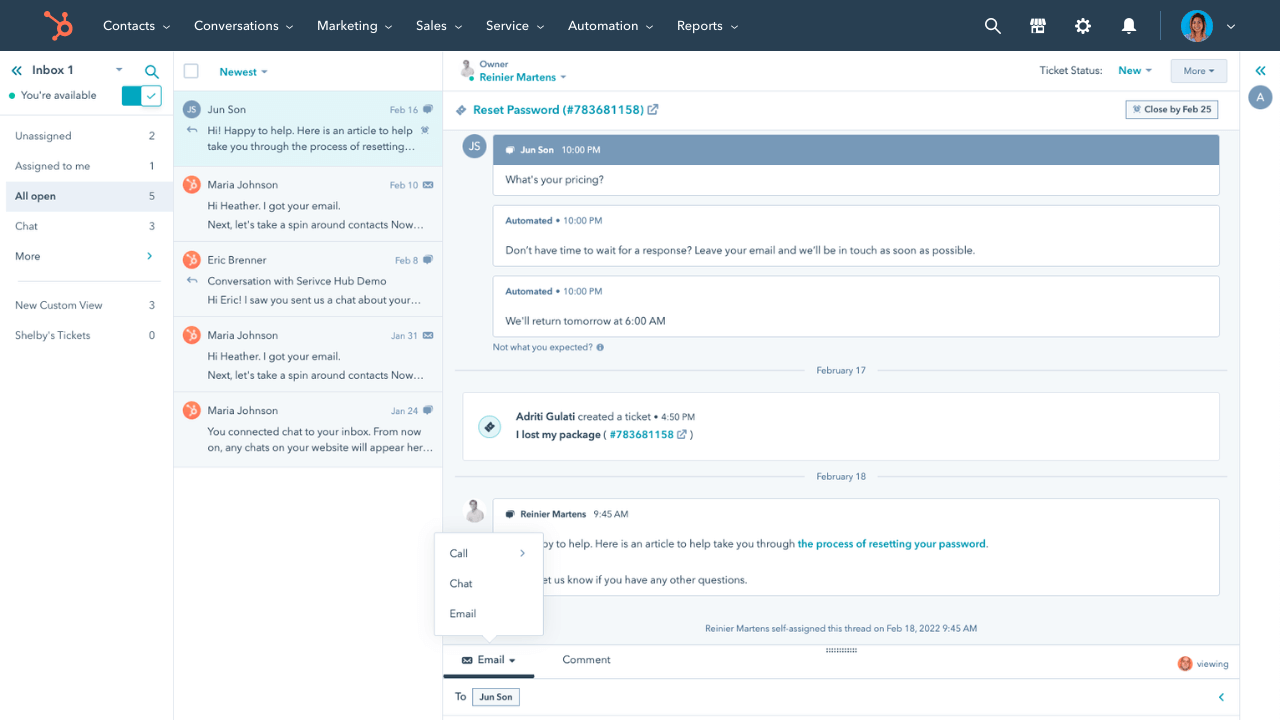
HubSpot Service Hub makes the most sense for teams that already live inside the HubSpot ecosystem.
Its biggest strength is deep integration. If your support team wants access to sales context, past purchases, marketing touchpoints, and customer history in one place, HubSpot Service Hub can provide a more complete picture than many standalone desk tools.
Key features
- Ticket management connected to CRM data
- Customer portal and knowledge base
- Workflow automation and service team tools
- Reporting dashboard and customer experience tracking
- Deep integration with HubSpot CRM and marketing tools
- Support for customer queries across multiple channels
- Automation for routine tasks and follow-ups
This makes HubSpot Service Hub especially attractive for revenue teams and service teams that want support tightly connected to the broader customer journey. Support agents can see more than the ticket itself, which often leads to better customer experience and more informed conversations.
The tradeoff is that teams not already using HubSpot may not get the same value from the platform, and custom pricing can make comparison harder at the higher end.
Best for: Teams already using HubSpot that want CRM-connected customer support.
Limitations: Can get expensive as needs grow, and best results depend on existing HubSpot adoption.
Pricing: HubSpot Service Hub offers Free Tools for up to 2 users, while its paid plans start at $20 per seat/month for Starter and $100 per seat/month for Professional when billed monthly; Enterprise starts at $150 per seat/month, and HubSpot also charges a required one-time onboarding fee of $1,500 for Professional.
8. Jira Service Management
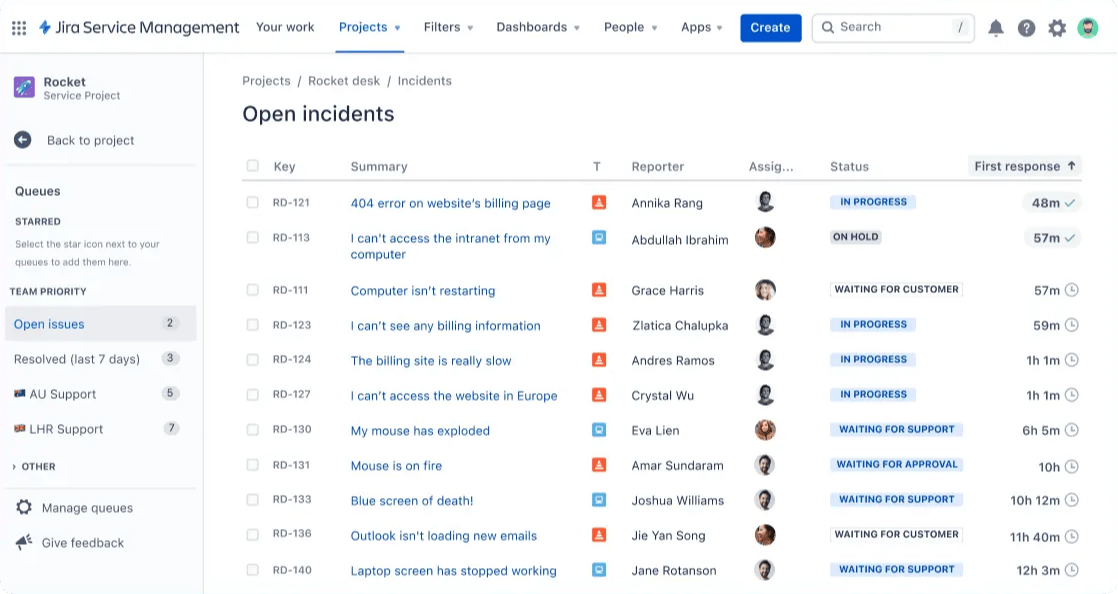
Jira Service Management is one of the best tools for internal service management and internal support.
While many help desk tools are built first for external customer support, Jira Service Management is especially strong for IT teams, operations teams, and internal service desks managing employee-facing workflows.
Key features
- Internal service management workflows
- Strong support for IT teams and operations teams
- Asset management and audit trails
- Customizable workflows for complex workflows
- Automation for repetitive tasks and request routing
- Strong fit with project management tools
- Integration with Atlassian products and Microsoft Teams
- Knowledge base support and self-service portals
This makes Jira Service Management a great choice for teams managing internal support requests like onboarding, access approvals, hardware issues, security workflows, and other operational needs.
It is not always the simplest platform, but it is powerful when internal support requires structure, flexibility, and strong governance.
Best for: IT teams and internal support organizations that need more advanced capabilities.
Limitations: Less intuitive for customer support-first teams and can feel technical for non-IT users.
Pricing: Jira Service Management has a Free plan for 3 agents, with Standard at $20 per agent/month and Premium at $51.42 per agent/month.
9. Desk365
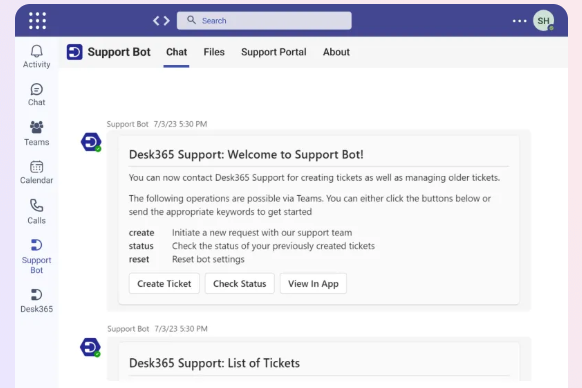
Desk365 is a practical help desk system for organizations that already work heavily inside the Microsoft ecosystem.
It is especially appealing to teams that use Microsoft Teams and want help desk tools that fit naturally into their existing environment.
Key features
- Tight fit with Microsoft Teams
- Ticket management and support request handling
- Knowledge base and self-service support
- AI features for support workflows
- Workflow automation and routing rules
- User-friendly interface for Microsoft-centric teams
- Useful desk tools for internal support and service desk use cases
Desk365 is not the most famous platform in the category, but it solves a real need. For organizations that want to manage tickets, route tickets, and keep support work close to where teams already collaborate, it can be a smart choice.
Best for: Microsoft-centric organizations that want practical help desk software inside existing tools.
Limitations: Less feature depth than some enterprise leaders.
Pricing: Desk365 offers a lifetime Free plan for up to 50 tickets per month, while its paid plans start at $12 per agent/month billed annually for Standard, $22 for Plus, and $32 for Premium. Its AI Agent is sold as an add-on at $50 per 1,000 credits.
Key features to look for in help desk software
Not every help desk system offers the same level of value. If you are comparing platforms, these are the features that matter most.
1. Ticket management and ticket tracking
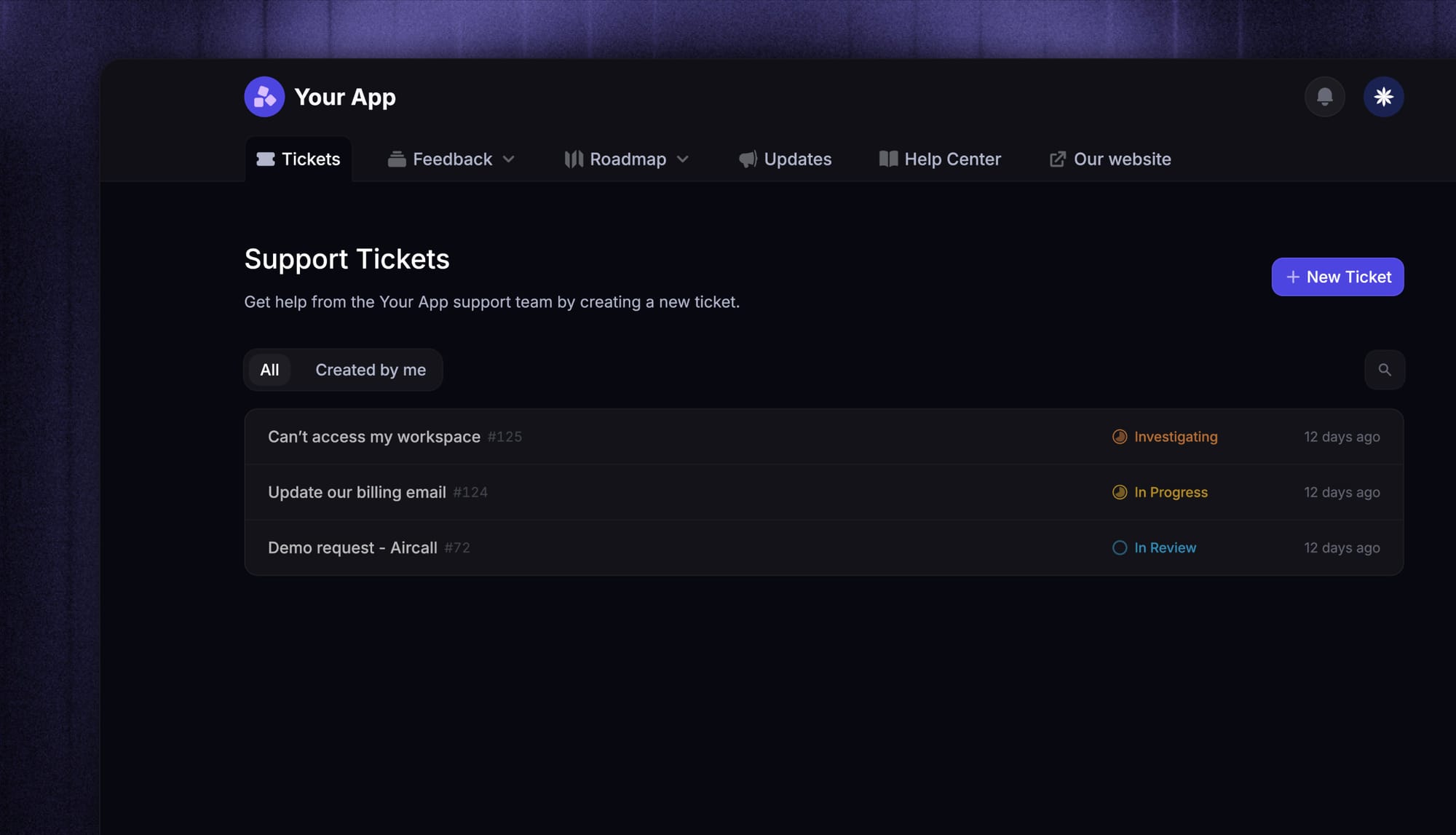
The foundation of any desk system is the ability to manage tickets effectively. That includes support tickets, incoming tickets, and internal support requests.
Look for tools that make it easy to assign, prioritize, route tickets, and track progress without creating unnecessary manual work.
2. Workflow automation that automates repetitive tasks
Good workflow automation should reduce repetitive tasks, not add more configuration overhead.
The best platforms help automate repetitive tasks like categorization, tagging, follow-ups, handoffs, and status changes. Strong advanced automation can save your support team a huge amount of time.
3. AI features that help with routine tasks
Modern AI features are no longer just a nice bonus.
The best AI tools help teams summarize conversations, draft replies, suggest next steps, and handle routine tasks before agents step in. In stronger platforms, AI also automates repetitive tasks across the whole workflow.
4. A connected knowledge base
A knowledge base is one of the most important desk features in any comparison.
It helps customers self-serve, helps agents find relevant knowledge base articles faster, and improves consistency across support conversations. Strong knowledge base articles also help new team members ramp more quickly.
5. Customer portal and self-service
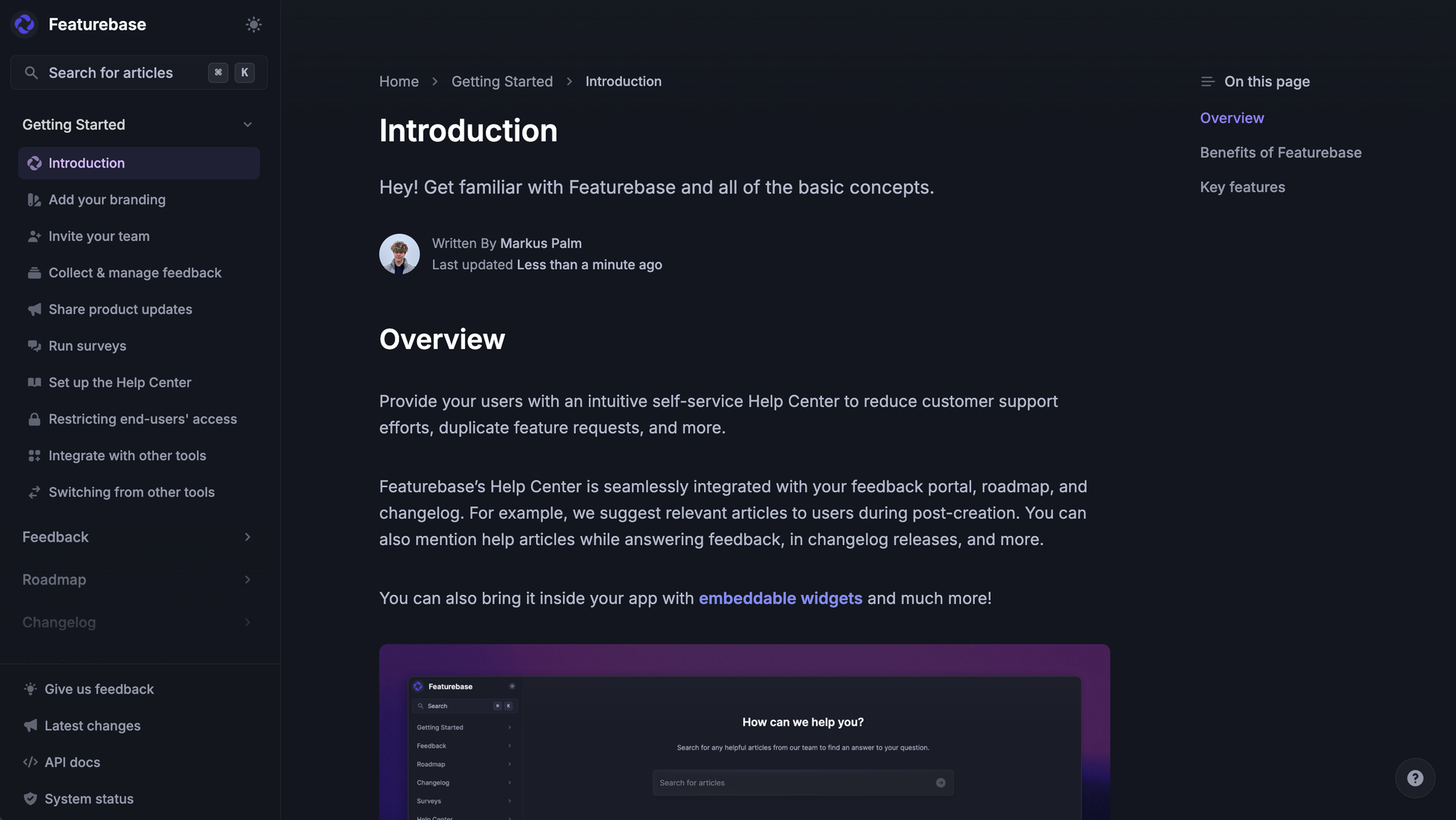
A good customer portal reduces friction for users and gives them a clear way to submit a support request, track updates, and find answers without waiting on a reply.
This is especially important for teams handling high ticket volumes or a large number of customer inquiries.
6. Smart routing and smart assignment
As teams grow, routing becomes a major factor in efficiency.
Smart routing, smart assignment, and automated routing rules help support tickets reach the right person faster. That improves response times and reduces internal back-and-forth.
7. Reporting dashboard and reporting features
Your reporting dashboard should help you understand what is happening, not just display charts.
Look for reporting features that help teams spot bottlenecks, understand ticket volumes, identify repetitive issues, and improve customer satisfaction over time. Custom reports can be especially useful for more mature support operations.
8. Customizable workflows for complex teams
As support grows, basic features may stop being enough.
Some teams need customizable workflows, approval logic, team-specific queues, audit trails, and structured escalation paths. If your team handles complex workflows, make sure the platform can adapt without becoming a burden.
9. Asset management and internal support features
For IT teams and operations teams, asset management is often a must-have.
If the help desk software supports internal service management, you may also need audit trails, hardware tracking, software request workflows, and connections to project management tools.
10. Strong support across multiple channels
Most teams today support users across multiple channels, including email, chat, forms, customer portals, and sometimes phone support.
The right platform should bring all those interactions together so your service team can stay on the same page and avoid fragmented conversations.
Resolve 70% of customer requests with AI
Automatically resolve customer issues & cut down support loads for your team
How to choose the right help desk software
The best choice depends on your workflows, team size, and support model.
- Choose Featurebase if you want one platform for customer support, a knowledge base, live chat, and product feedback.
- Choose Zendesk if your support team needs advanced automation, smart routing, smart assignment, and more advanced capabilities for scale.
- Choose Freshdesk if you want flexible help desk tools with Freddy AI Agent and strong multichannel support.
- Choose Intercom if your team is built around conversational support and real-time customer conversations.
- Choose Help Scout if you want lightweight desk software with a user-friendly interface and enough functionality for lean teams.
- Choose Zoho Desk if you want affordable help desk solutions with a free plan and a practical set of desk features.
- Choose HubSpot Service Hub if you want deep integration with CRM data, customer history, and past purchases.
- Choose Jira Service Management if your IT teams need internal support, internal service management, asset management, and customizable workflows.
- Choose Desk365 if you want support for work to happen close to Microsoft Teams without a major migration.
The right platform should not just look good in a feature grid. It should fit the way your team already works and help you reduce friction, improve customer satisfaction, and support growth.
Conclusion
The best help desk software depends on your team, your workflows, and the type of support you need to handle. Some tools are better for customer support, others are stronger for internal service management, and the right choice usually comes down to how well the platform fits your day-to-day operations.
Featurebase is a modern help desk software platform built for SaaS teams. It combines an AI-powered inbox, live chat, a knowledge base, and customer feedback tools in one place, so your team can manage support faster without stitching together multiple tools.
It comes with affordable pricing, including a Free plan and paid plans starting at $29/seat/month billed yearly. AI resolutions are priced at $0.29 each, and the onboarding is quick with no credit card required, so there’s no real downside to trying it.👇
✨ Create a beautiful Help Center with Featurebase for free →

FAQs
What is the best help desk software?
The best help desk software depends on your use case. For modern SaaS teams, Featurebase is a strong all-in-one choice. For advanced enterprise support, Zendesk is a top option. For internal service management, Jira Service Management is one of the strongest platforms available.
What is the difference between help desk software and service desk software?
Help desk software usually focuses more on resolving support tickets and customer inquiries. Service desk software often includes broader internal service management, asset management, and structured IT workflows for internal support teams.
Which help desk software has a free plan?
Several tools in this list offer a free plan or free tier, including Featurebase, Freshdesk, Zoho Desk, Jira Service Management, HubSpot Service Hub, and Desk365.
What should I look for in a help desk system?
Look for ticket management, workflow automation, AI features, a strong knowledge base, a customer portal, reporting features, customizable workflows, and support across multiple channels.
Which help desk software is best for IT teams?
Jira Service Management is one of the best options for IT teams because it offers internal service management, asset management, audit trails, and strong support for complex workflows.