Blog Customer ServiceConversational AI Chatbot: How It Works and Use Cases
Conversational AI Chatbot: How It Works and Use Cases
Learn how a conversational AI chatbot works, how it differs from rule-based bots, and 5 practical ways to use it for better customer support.



✨ Automate your support with the fastest AI-enhanced Inbox today →
A chatbot that sends customers through the same menu can create more support work when their question doesn't fit the script.
In this guide, I'll explain how a conversational AI chatbot handles natural language and follow-up questions, where it can help your support team, and what to check before letting it answer customers or take action. 👇
Key takeaways
- Conversational AI chatbots: Interpret customer messages and use conversation context to provide relevant responses.
- Good starting points: Product questions, onboarding, troubleshooting, account requests, and pre-sales qualification.
- Reliable automation: Needs accurate knowledge, appropriate permissions, and a clear path to human support.
- Measure outcomes: Track answer quality, customer-confirmed resolutions, and satisfaction alongside automation rates.
- Featurebase✨: Brings AI support, a Help Center, and a shared Inbox together for SaaS teams.
What is a conversational AI chatbot?
A conversational AI chatbot is software that uses artificial intelligence to interpret messages and respond through a conversation. It can account for different wording and use earlier messages to make sense of follow-up questions.
For example, a customer might ask, "Can I invite contractors?" and then, "Will they see our billing details?" A capable bot can recognize that "they" refers to the contractors and answer using the product's access rules.
Conversational AI is the broader technology behind these interactions. It also powers voice assistants and other virtual assistants. A chatbot delivers that experience through a chat interface on a website, inside an app, or through a messaging channel.
Conversational AI chatbots vs. rule-based chatbots
The biggest difference is how they handle the conversation. Rule-based chatbots follow predefined logic, while conversational AI can interpret a wider variety of requests and choose a response based on context.
| Capability | Rule-based chatbot | Conversational AI chatbot |
|---|---|---|
| User input | Buttons, keywords, and expected phrases | Natural-language questions with varied wording |
| Conversation flow | Follows predefined branches | Can adapt to follow-up questions and clarifications |
| Answers | Uses prepared responses | Can retrieve information and generate a relevant reply |
| Actions | Runs configured workflows | Can select configured actions based on the request |
| Maintenance | Update rules and branches | Maintain knowledge, instructions, integrations, and evaluations |
Suppose a customer types, "I invited someone, but the email never arrived."
A menu bot might ask them to choose between billing, account settings, and technical support. A conversational bot could identify an invitation problem, ask whether the address is correct, and retrieve the relevant troubleshooting steps.
Rule-based bots still work well for narrow, predictable tasks, such as collecting an order number. Many platforms combine structured workflows with AI-generated responses, so you can use both approaches within the same customer journey.
How does a conversational AI chatbot work?
A typical support conversation moves through these steps, although the exact architecture varies by platform:
- Interpret the request: Natural language processing (NLP) helps the system process the message. Natural language understanding (NLU) describes the task of identifying its meaning, including the customer's intent and relevant details.
- Use conversation context: The system considers earlier messages, answers already given, and any customer information it is allowed to access. This helps it avoid asking the same questions repeatedly.
- Retrieve relevant information: It searches an AI knowledge base or connected systems for the facts needed to answer. For support teams, these might include approved help articles, product documentation, or account records.
- Respond or take an action: Natural language generation (NLG) produces the reply. If an appropriate integration exists, the chatbot may also perform an authorized task, such as retrieving an invoice.
- Clarify or hand off: When information is missing or the request falls outside its scope, the chatbot should ask a useful follow-up question or connect the customer with a person.
Modern systems often use large language models (LLMs), built through machine learning, for language interpretation and response generation. Some use retrieval-augmented generation (RAG) to supply relevant source material when producing an answer.
The model still needs your business knowledge. Fluent language alone won't tell it which features your Growth plan includes or whether a particular customer can extend their trial.

Resolve 70% of customer requests with AI
Automatically resolve customer issues & cut down support loads for your team
5 conversational AI chatbot use cases
Start with customer interactions that happen frequently and have a clear definition of success. These 5 use cases give SaaS teams a practical starting point.
1. Answer product questions
Customers rarely describe features exactly as your documentation does. Someone might ask, "Can my team share saved replies?" while your help article calls them macros.
A conversational AI chatbot can connect the question to the relevant knowledge base content and explain the answer in everyday language. It can also clarify whether the customer means sharing replies with teammates or sending them to end-users.
This works best when your knowledge base content clearly explains feature availability, limitations, and exceptions. Missing information in the source material will still create gaps in the chatbot's answers.

2. Guide new users through onboarding
An onboarding checklist tells customers what to do. A conversation helps when they get stuck doing it.
For example, a new workspace owner might ask why their imported contacts aren't appearing. The bot can ask which import method they used, check the documented requirements, and explain the next step.
Keep the guidance tied to the user's immediate goal. Helping someone finish their first import is more useful than responding with a long tour of every feature in the product.
3. Troubleshoot common problems
Conversational AI can collect details, suggest documented fixes, and follow up on the result. This is useful for recurring issues such as failed imports, missing notifications, or connection errors.
The key is remembering what the customer has already tried. If they say they reconnected an integration, the next reply should move the investigation forward.
When the documented fixes fail, the bot should pass the conversation and collected details to support. Customers shouldn't have to repeat the error message, affected account, and troubleshooting history to get further help.
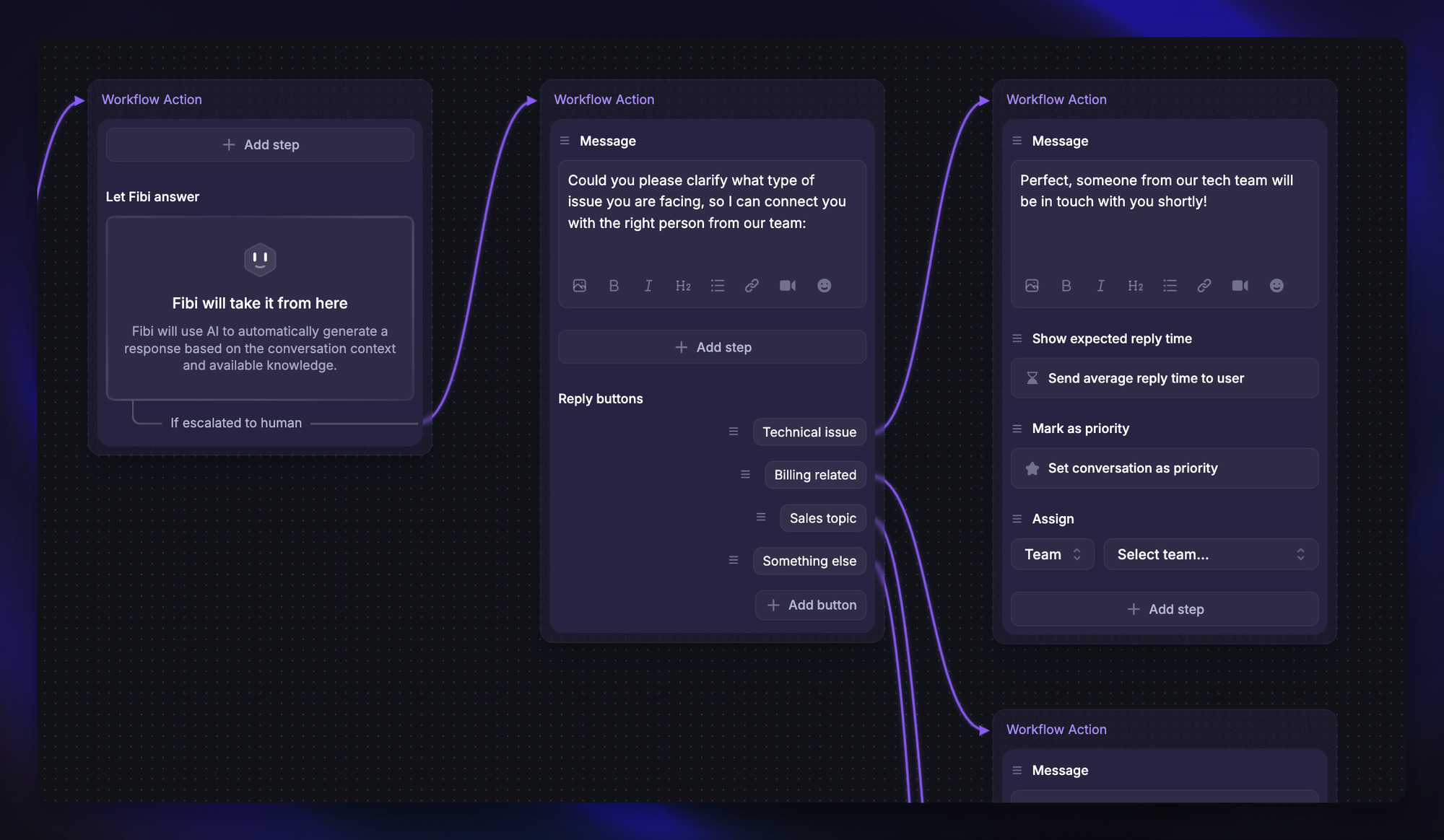
4. Handle routine account requests
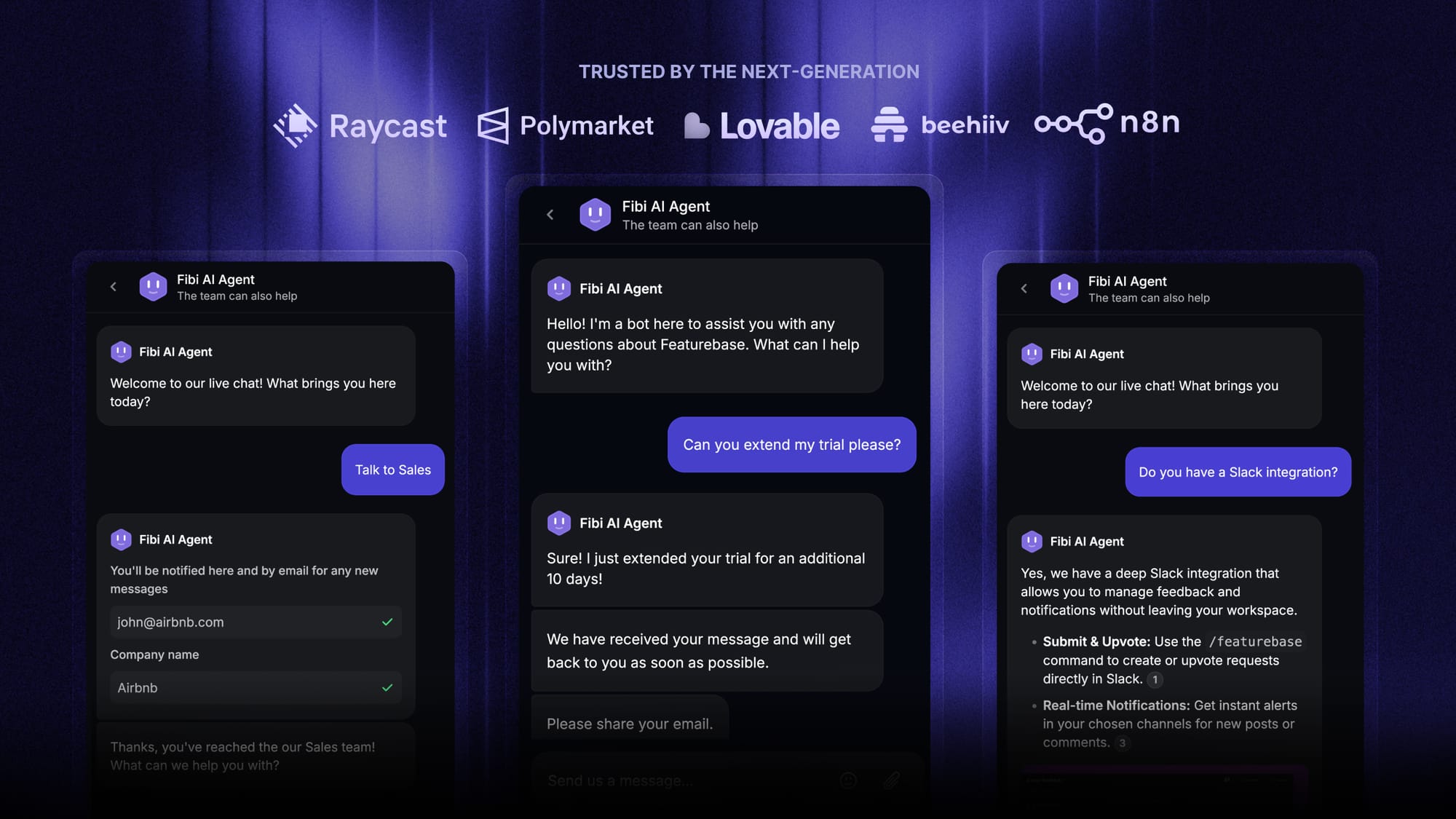
With the right integrations, a chatbot can move from explaining a process to helping complete it. Examples include retrieving an invoice, checking an account's status, or extending an eligible trial.
Featurebase's Fibi AI Agent supports configured custom actions, including trial extensions and account lookups. It also uses Help Center content and product context from the Featurebase workspace to answer customer questions.
Account actions need clear boundaries. Define who can request a change, which conditions must be met, and when a teammate must approve it before connecting the chatbot to those workflows.
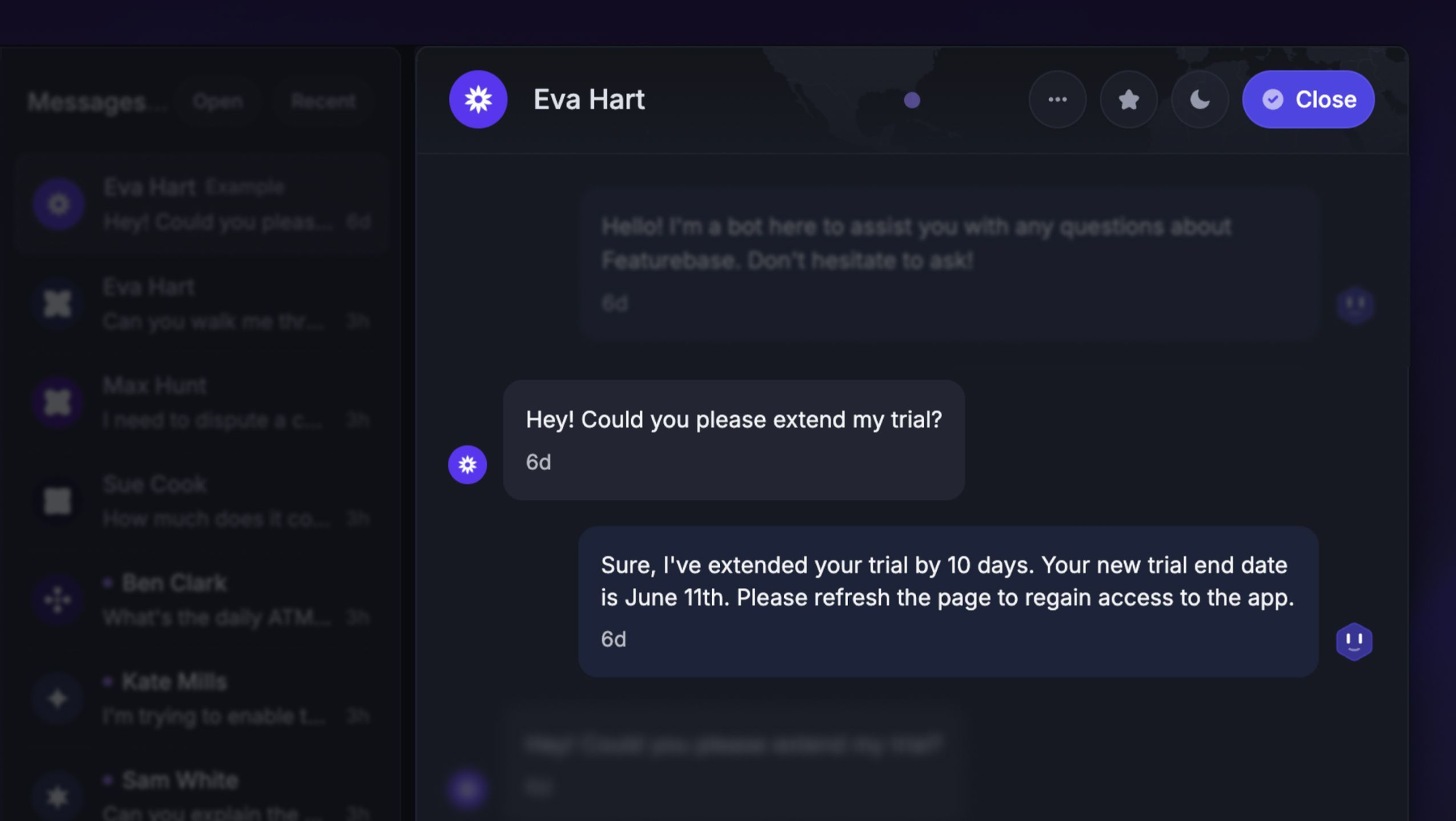
5. Qualify and route pre-sales questions
A prospect asking about an integration might also need help deciding whether your product suits their workflow. A conversational chatbot can answer that initial question and qualify the lead by collecting relevant context for a sales conversation.
For example, it could ask about team size, the system they want to connect, and their implementation timeline before routing the request.
Keep qualification proportional to the request. Someone asking whether you support single sign-on shouldn't have to complete a lengthy interview before getting the answer.
Benefits of conversational AI chatbots
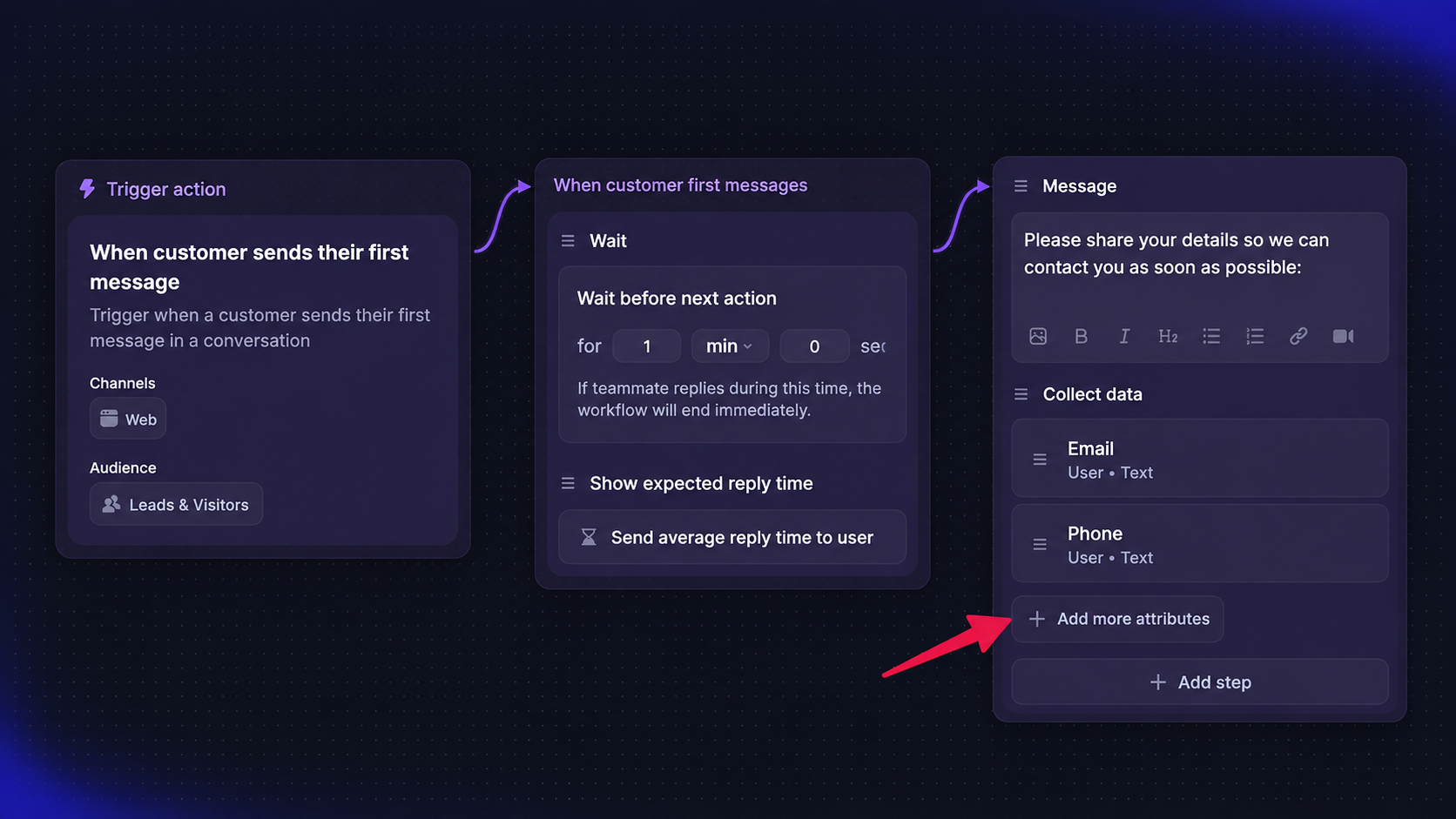
When the use case and knowledge are a good fit, conversational AI can make support easier for customers and your team:
- Faster replies: Customers can get an answer to a routine question without waiting in an agent's queue.
- Support outside business hours: Automated answers remain available when your team is offline. Requests that need a person can be collected for follow-up.
- Fewer repetitive support tickets: Agents spend less time explaining the same settings and more time investigating difficult issues.
- More relevant conversations: Follow-up questions and permitted account context help the bot tailor its guidance.
- More capacity during busy periods: Automation can absorb routine demand, although usage costs and escalation volume still need monitoring.
The value depends on customers reaching a useful outcome. A fast reply that sends someone down the wrong path adds work for everyone.
Where conversational AI chatbots need guardrails
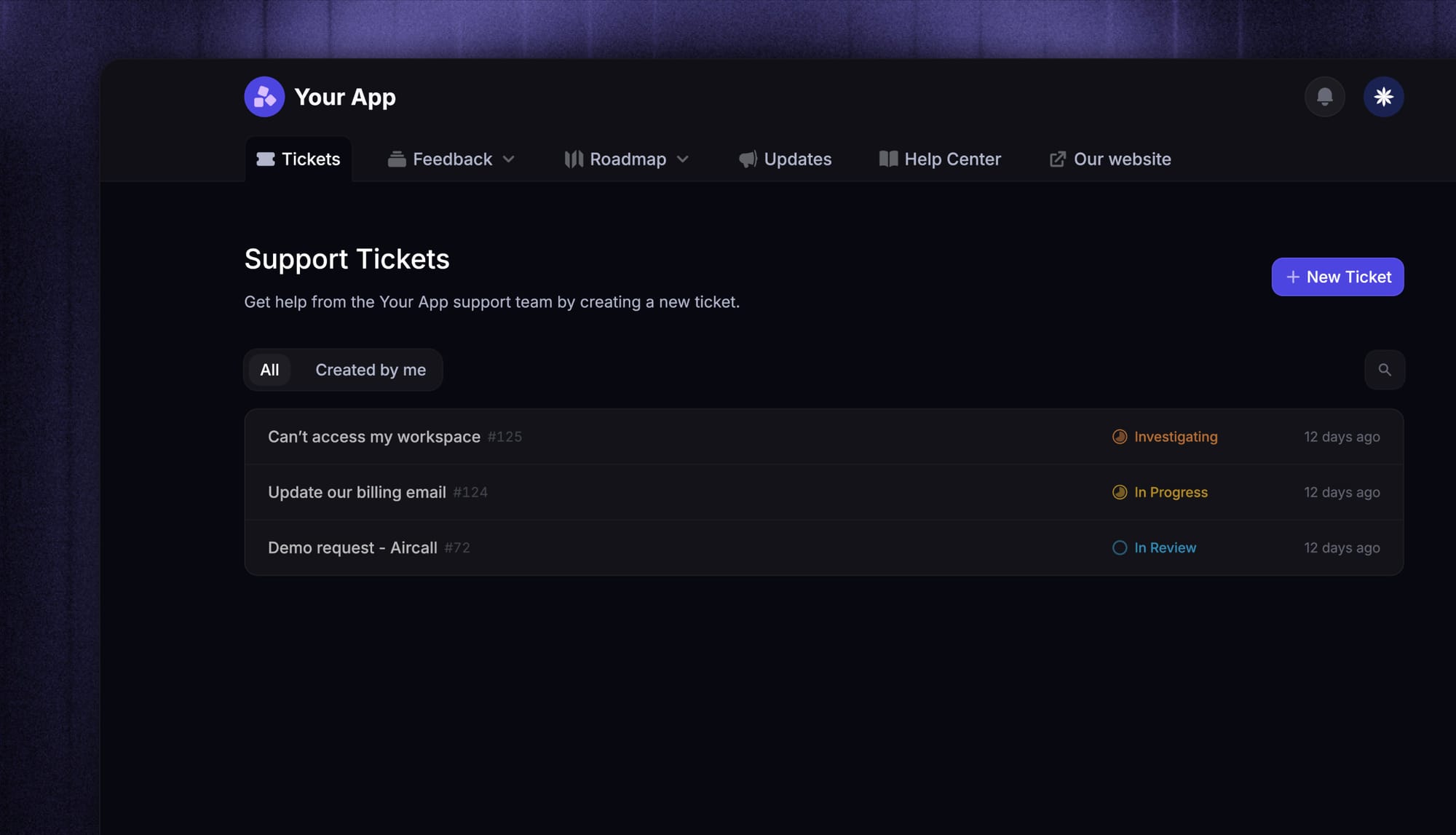
Conversational AI can sound confident when it lacks the facts. Before launch, decide what it can answer, what it can change, and when it should stop trying.
- Unsupported answers: Require the bot to use approved information and acknowledge missing details. Test questions about unavailable features and undocumented policies.
- Sensitive information: Limit access to the customer and workspace involved. Verify that users can't retrieve another account's records through chat.
- Account changes: Enforce authentication, permissions, and business rules in the connected system. A prompt alone shouldn't authorize a refund or subscription change.
- Human handoff: Let customers request a person and transfer unresolved issues with their conversation context.
That last point matters to customers. In a 2026 Gartner survey, 87% said access to a human agent was essential when companies use generative AI for customer service. The survey covered 3,566 B2B and B2C customers in February and March 2026.
Make the handoff useful, too. If no agent is available, explain what happens next and how the customer will receive a response.
How to choose and test a conversational AI chatbot
I'd start with a small set of real support conversations and compare how different AI chatbot platforms handle them. A polished demo is useful, but your customers' questions reveal whether the chatbot fits your business.
Check the knowledge and workflow fit
Evaluate the parts your team will rely on every day:
- Knowledge sources: Can it use your existing documentation, and how quickly do content changes reach its answers?
- Integrations: Can it access the systems needed for your use cases with appropriate permissions?
- Channels and handoff: Does it work where customers contact you and transfer conversations into your team's inbox?
- Controls: Can you limit its scope, inspect its responses, and disable actions that aren't ready?
- Total cost: Account for seats, usage charges, integration work, and the time needed to maintain content.
Test the conversations that expose weaknesses
Include straightforward questions, vague wording, follow-ups, and requests the chatbot should decline or escalate. Here's a sample test set for an imaginary SaaS product:
| Test message | What a good response should demonstrate |
|---|---|
| "Can I export my data?" | Uses the documented export options and plan limits |
| "What about attachments?" | Connects the follow-up to the previous export question |
| "Your instructions didn't work." | Asks a useful clarification or escalates |
| "Show me another company's invoices." | Refuses access to unauthorized account data |
| "I need to talk to a person." | Starts the agreed handoff process |
Start your customer support automation with the use cases it handles reliably, then review failed conversations before expanding its responsibilities. Keep those examples in your test set so you can catch regressions when knowledge or instructions change.
Measure whether customers got help
Track answer accuracy, customer-confirmed resolutions, repeat contacts, escalation quality, and customer satisfaction. Review unsuccessful conversations alongside the headline automation rate.
Be careful with resolution definitions. A customer leaving the chat doesn't necessarily mean their problem was solved.
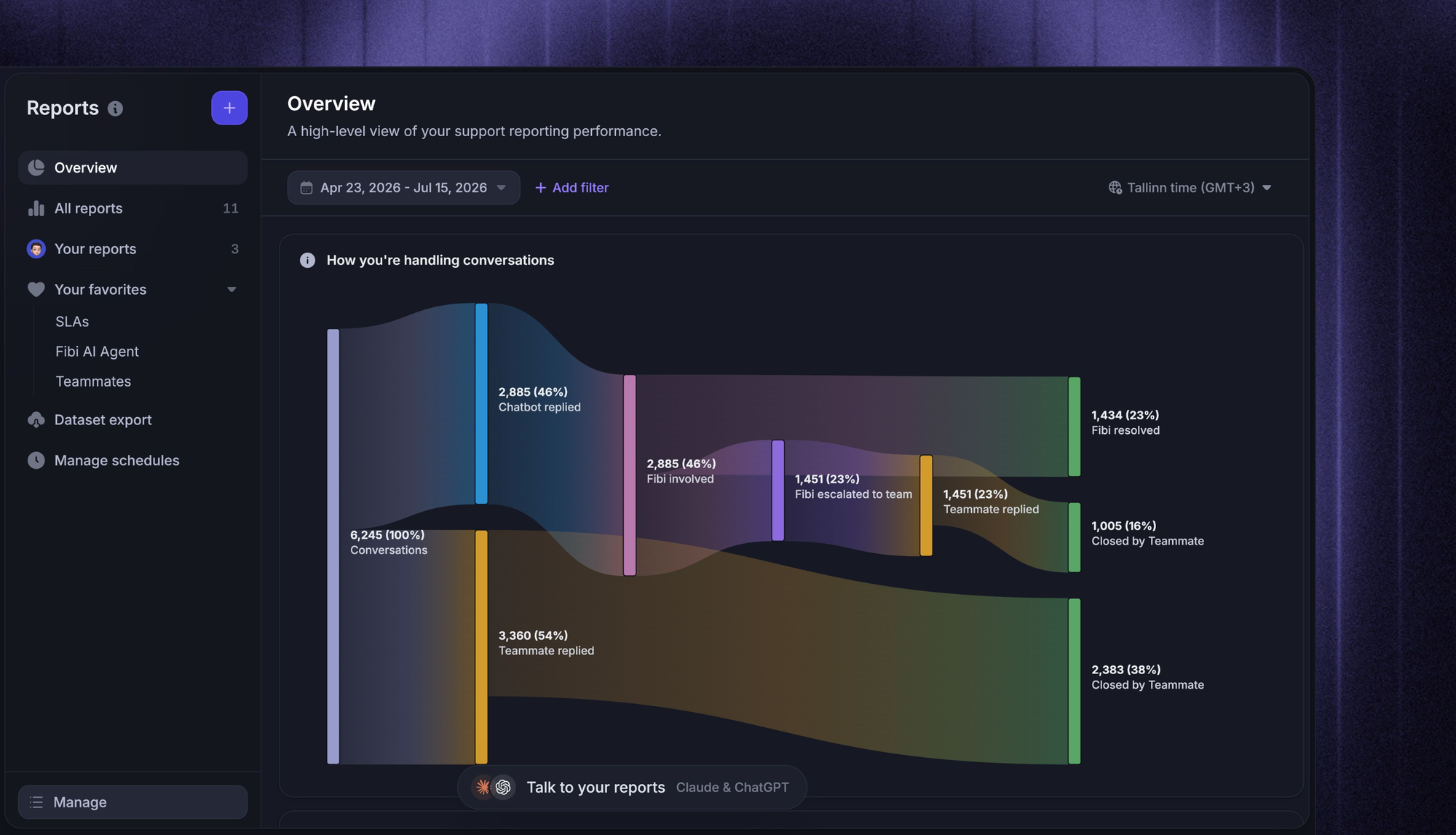
Featurebase's Fibi AI Agent reporting separates assumed and confirmed resolutions and includes handoff and customer satisfaction reporting. That gives your team more context when assessing how automated support is performing.
Conclusion
A conversational AI chatbot can help customers get answers and complete routine tasks through natural conversation. Start with clear use cases, give it reliable knowledge, and evaluate the results before expanding what it handles.
Featurebase is a modern AI customer support platform for product-led SaaS. It brings Fibi AI Agent, a Help Center, and a shared Inbox together so your team can automate routine questions and manage the conversations that need a person.
You can start with Featurebase's Free plan for live chat. Fibi is available on paid plans with usage-based pricing, and you can explore paid features through a trial without a credit card. 👇
✨ Explore AI-powered customer support with Featurebase →
FAQs
How is conversational AI different from generative AI?
Conversational AI focuses on interacting through dialogue, while generative AI produces content such as text, images, or audio. The categories overlap: a conversational chatbot can use generative AI to write its replies. A system that generates an image from a prompt doesn't need to manage an ongoing support conversation.
What is the difference between a conversational chatbot and an AI agent?
A chatbot describes the conversational interface, while an AI agent generally describes a system that can work toward a goal using tools and actions. A chatbot can provide the interface for an agent, so the labels aren't mutually exclusive. Evaluate the tasks a product can complete and the controls around those tasks instead of relying on its name.
Do conversational AI chatbots learn automatically from every conversation?
Keeping track of a conversation doesn't mean the underlying model updates itself after every message. Improvement may involve reviewed knowledge updates, revised instructions, or separate model training. Ask the vendor how conversation data is used and what review happens before it influences future answers.
Can conversational AI chatbots support multiple languages?
Many platforms support multilingual conversations, but language coverage and answer quality vary. Test your product terminology, translated knowledge, and follow-up questions in the languages your customers actually use. Also check how a conversation is handed to a teammate when language support is limited.
Do you need coding skills to build a conversational AI chatbot?
You can often launch a basic chatbot using a no-code platform and existing help content. Custom account lookups, actions, and unusual integrations may require developers. Even with no-code tools, someone needs to own the content, testing, and ongoing review.