Customer Service Checklist: 15 Essentials for Better Support
Use this 15-point customer service checklist to audit your channels, response times, skills, and tools - whether you're starting from scratch or refining an existing operation.


On this page
Automate your support with the fastest AI-enhanced Inbox today
"Great customer service" is one of those phrases that means everything and nothing. Every company claims to have it. Most customers will tell you they rarely get it.
The gap is usually not effort. It's that no one wrote down what good actually looks like. This 15-point checklist gives you a concrete way to audit your customer service - the channels, the response targets, the skills, the tooling, the follow-up - and spot what's missing. Run through it once and you'll know exactly where to start. 👇
Key takeaways:
- Customer service quality comes down to two things working together: the systems behind it (channels, response targets, knowledge bases, SLAs) and the people running it (skills, tone, follow-through).
- Speed is now the baseline, not a differentiator. 82% of customers want issues solved immediately, and live chat replies that take longer than 2 minutes already feel late.
- Self-serve isn't optional. A searchable, AI-powered help center deflects the highest-volume repeat questions and frees agents for the complicated ones.
- An escalation path you can describe in 1 sentence beats a perfect process no one remembers under pressure.
- Service KPIs (CSAT, NPS, FCR, first-response time) only matter if they're tied back to actual decisions: hiring, tooling, training, retention.
- Featurebase✨ gives small teams a free, AI-powered inbox, help center, and feedback collector to run this checklist top to bottom from a single tool.
How to use this checklist
Treat each item as a question: do you have this in place, and is it working?
If yes, move on. If no or “kind of,” that’s where your next month of operational work lives.
The 15 items split into four rough groups: channels and access, response and resolution, the people side, and measurement.
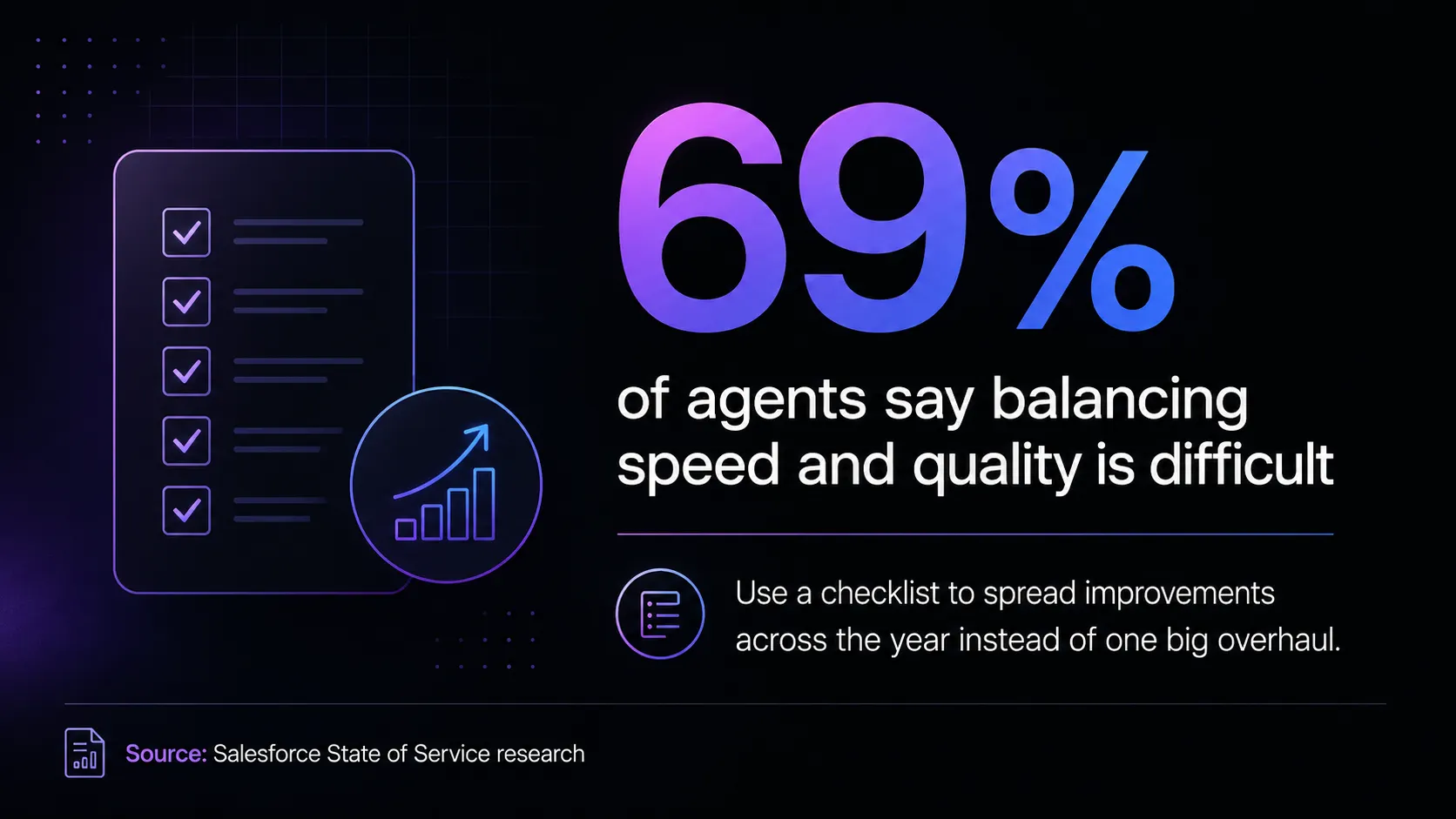
Salesforce’s State of Service research found that 69% of agents say balancing speed and quality is difficult. That’s the real point of running through a checklist like this: spread the fix across a year of small improvements instead of one big overhaul that never ships.
The customer service checklist
1. Define your response-time targets per channel
Customers don't expect the same speed across every channel. They want live chat in under 2 minutes, email in under 4 hours, social in under an hour. According to HubSpot's 2024 State of Service report, 82% of customers now want their issues solved immediately, full stop.
Pick a target for each channel you offer, write it down, and put it somewhere agents can actually see during a shift. The exact number you pick matters less than the fact you picked one. It gives the team something concrete to hit and gives you something to measure against.
2. Offer support on every channel your customers actually use
The "where" comes before the "how." Audit which channels your customers actively try to reach you on (web chat? email? Instagram DMs? phone? Slack Connect?) and prune the ones nobody uses. A half-staffed channel is worse than no channel, because the customer assumed someone was listening.
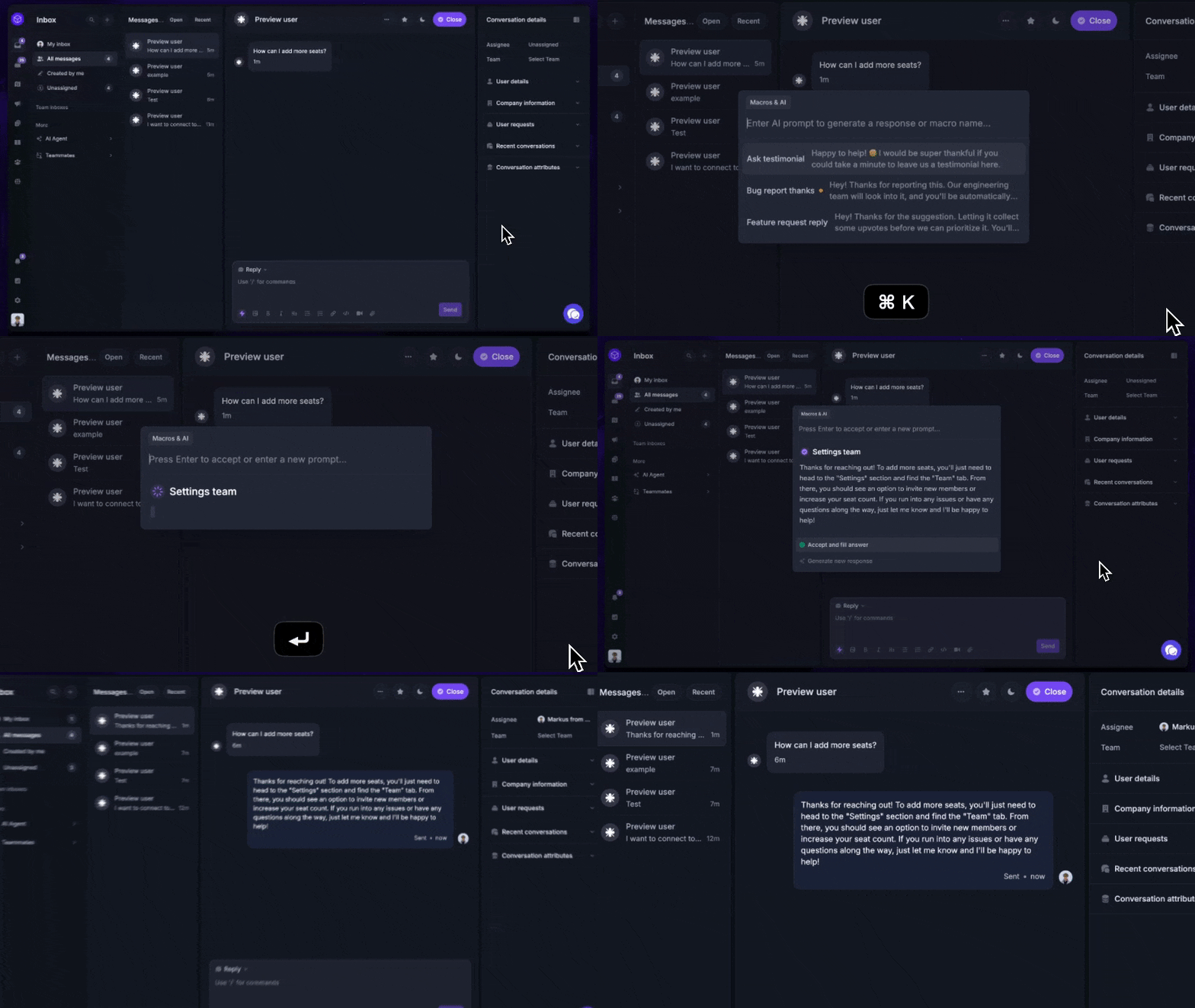
An omnichannel inbox keeps every conversation in one place regardless of which channel it started on, so an agent can see the email from yesterday alongside the live chat that came in this morning. With Featurebase you can run live chat, email, and Slack conversations from one AI-powered view, which keeps full context intact when a customer hops from one channel to another.
3. Make the front door self-serve, not the back door
A searchable help center is the highest-leverage thing you can build into your customer service operation. It handles the questions agents would otherwise answer 50 times a week, gives the customer a faster answer than waiting for a reply, and frees your team to focus on the conversations that actually require judgment.
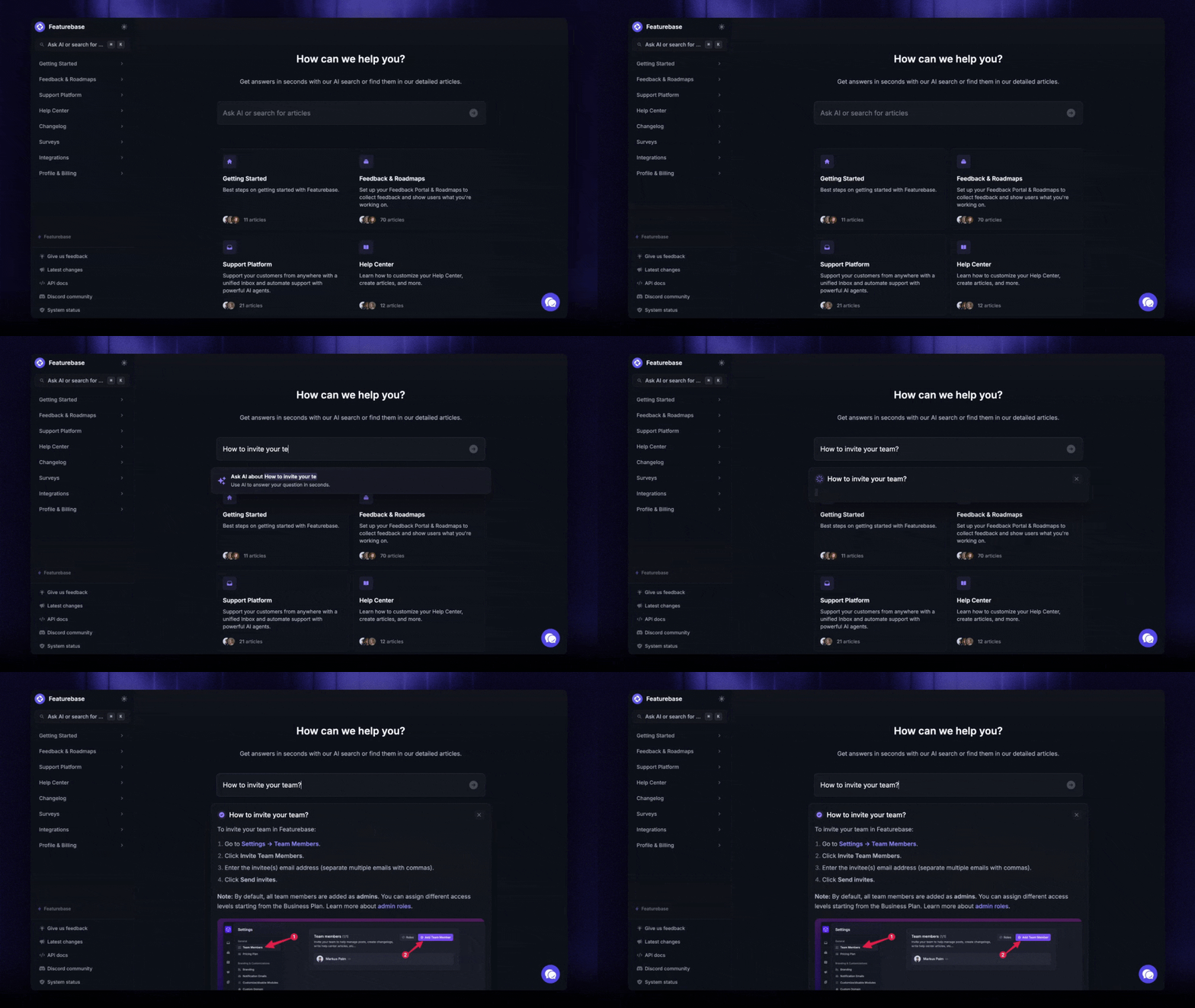
The framing matters: link the help center from your product, your transactional emails, your marketing site, and the top of the chat widget, not buried in a footer. The bar to clear is "can a stranger find the answer to the 20 most common questions without ever opening a ticket?" If yes, you've taken 60-80% of the volume off your agents' plate. Featurebase's AI-powered help center summarises answers from your articles right inside the search bar and auto-translates them into the customer's language.
4. Acknowledge first, resolve second
The most expensive mistake support teams make is staying silent while they work on a problem. A 2-line acknowledgement ("Got your message, looking into it now, I'll have an update by end of day") buys you hours of patience.
This is the difference between first-response time and first-contact resolution, both of which belong in your ticket-handling playbook. According to SQM Group's 2025 benchmark, the industry-average first-contact-resolution rate is 70%, world-class is 80% or higher, and only about 5% of call centers get there. Acknowledge in seconds. Resolve when it's actually resolved.
5. Train every agent on active listening and empathy
You can't check your way past agents who don't read the customer carefully. Active listening is the unflashy skill that separates a real support team from a generic one. In practice, it looks like: reading the whole message before responding, asking 1 clarifying question instead of guessing, and reflecting back what the customer said in your own words before offering a fix.
There's a longer list of customer service skills that go alongside this (problem-solving, patience, product knowledge, written tone), but listening is the foundation on which everything else sits.
6. Build product knowledge into onboarding and keep refreshing it
New hires need to know your product. Not "have seen a demo" knowledge - hands-on knowledge, where they've broken things in a sandbox account, signed up as a fake customer, and walked through the workflows your real customers will ask about.
Build a 2-3 week onboarding curriculum that's mostly product. Then run quarterly product refreshers as you ship new features, otherwise the team will be 6 months behind your changelog by year-end. The fastest agents are the ones who can answer "where do I click for X?" without checking docs.
7. Write a tone-of-voice doc and stick to it
Pick how your team should sound (warm? professional? a little playful?) and write down what it looks like in practice. Include phrases to use, phrases to avoid, and examples of how to rephrase common situations (saying no, delivering bad news, apologising for an outage).
A tone doc isn't about robotic scripting. It's so that the 12 different agents responding to 12 different customers all sound like one company. Without it, every interaction reflects whoever happened to pick up the ticket.
8. Standardize how you greet (and sign off with) customers
Greetings set the tone for the rest of the conversation. The pattern most teams converge on has three parts:
- Greeting: "Hi," "Hello," or "Thanks for reaching out" - whichever fits your tone.
- Self-identification: agent's first name plus the company name, so the customer knows they reached the right place.
- Offer of help: "How can I help today?" or, if the customer's already explained the issue, jump straight to acknowledging it.
Same logic applies to the sign-off: a thanks, a clear "this is resolved unless I hear back from you," and a simple way to reach the team again. Consistency at the bookends of every conversation does more for "professionalism" than any training session.
9. Create a real escalation path
When an agent can't solve something, who do they hand it to? If the answer is "we'll figure it out," you don't have an escalation path. You have a vibe.
Write down: which kinds of issues escalate to which teammate or team, what information moves with the ticket, and how the customer hears about the handoff. Ticket escalation lives or dies on whether the customer has to repeat themselves. Internal context should travel automatically.
10. Make internal handoffs invisible to the customer
Following on from escalation: even when a ticket changes hands, the customer shouldn't notice. They shouldn't be re-asked for their account number. They shouldn't get conflicting answers from 2 different agents. They shouldn't have to re-explain what they already wrote in their first message.
The two systems that fix this are good internal notes inside the ticket and a unified team inbox so the second agent can read the first agent's full context in 1 click. If your tooling forces customers to repeat themselves, fix the tooling before you fix the agents.
11. Set service-level agreements and track them
Service-level agreements (SLAs) are response-time and resolution-time targets you publish internally and measure against. The numbers don't need to be aggressive - they need to be honest. An SLA you hit 95% of the time is more useful than an aspirational one you hit 60% of the time.
Common SLA shapes look like: first response within X minutes or hours per channel, full resolution within Y hours for tickets at severity Z. Track them weekly. When the team consistently starts missing SLAs, that's almost always a staffing or tooling signal, not a "agents need to try harder" signal.
12. Follow up after every resolution
A short follow-up message a day or two after the ticket closes does two things at once: it confirms the fix actually worked (sometimes it didn't), and it tells the customer that the company cares about more than just closing tickets.
It doesn't need to be a survey. A 1-line "wanted to make sure everything's still working - reply if not" gets you 80% of the value with 10% of the friction.
13. Collect feedback outside of transactional surveys
CSAT and post-ticket surveys are useful but narrow. They only tell you about customers who already reached out and were in problem-solving mode. To understand what the rest of your customer base actually thinks, you need a feedback channel that exists outside of tickets.
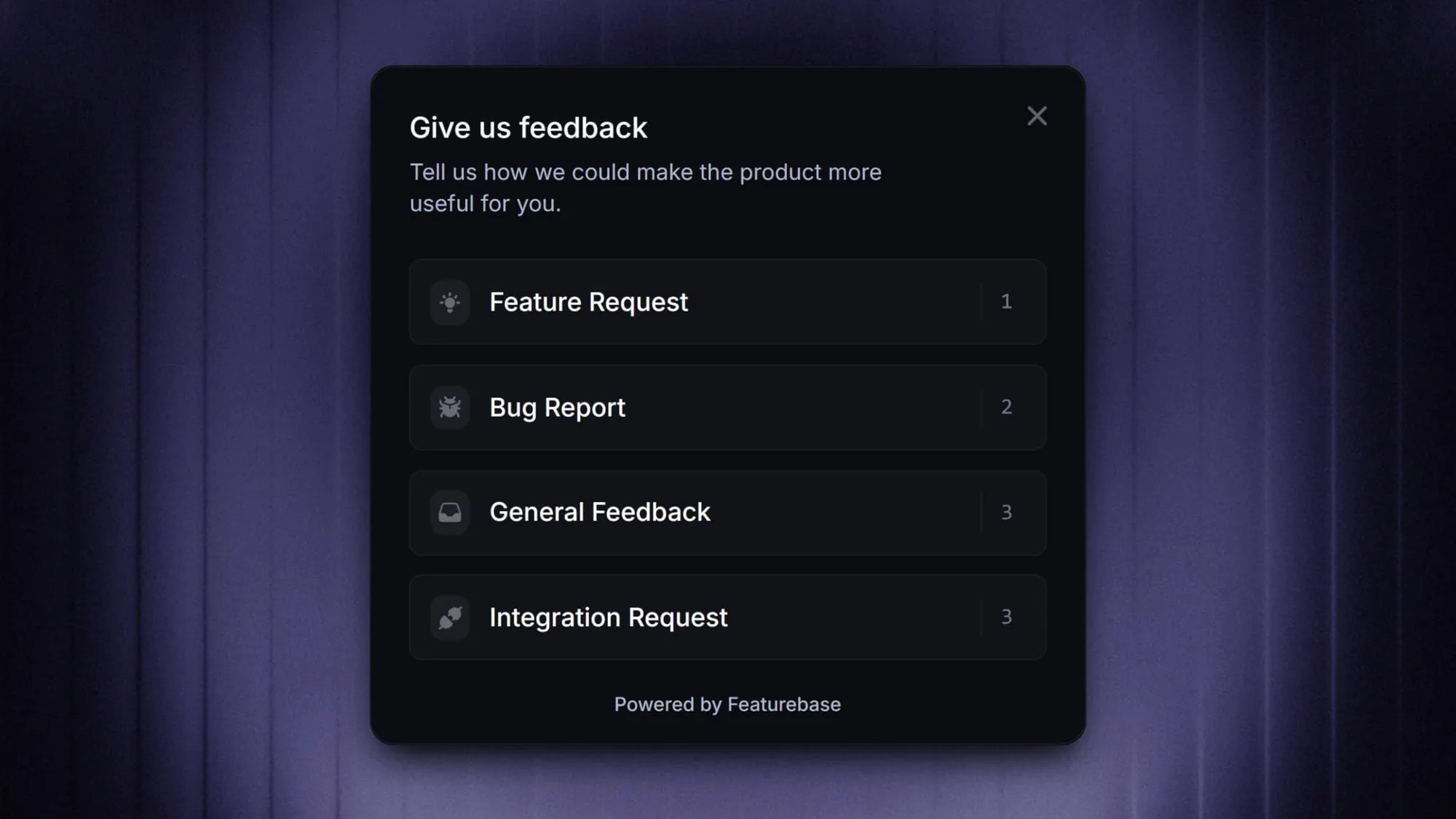
This is where in-app feedback widgets, periodic NPS surveys to non-recent users, and a public feedback forum earn their keep. The customer who would never open a ticket will often drop a 4-word comment on a roadmap idea.
14. Tie service KPIs to the rest of the business
Customer service teams that operate as an island get ignored at planning time. The fix is connecting the KPIs you track (CSAT, NPS, FCR, FRT, response time, ticket volume) to outcomes the rest of the business already cares about: retention, expansion revenue, conversion, NRR.
The 2-sentence version: "Our CSAT dropped from 92 to 84 last quarter, and 30% of those low-CSAT customers churned within 60 days." That's a budget conversation. "Our CSAT dropped to 84" is just a number on a slide nobody acts on.
15. Build a culture that doesn't burn agents out
Customer service is one of the highest-turnover functions in any company. The reasons are predictable: emotionally draining work, modest compensation, limited career path, and managers who measure agents the wrong way.
The teams that don't burn out have three things in common:
- Reasonable workload caps: an agent handling 80 conversations a day isn't doing the job, they're surviving it.
- A career path that points somewhere: from agent to senior agent to team lead to specialist to manager, with clarity on what each step requires.
- Manager attention to the leading indicators of burnout: short replies, late logins, drop in CSAT, increase in escalations.
You can have the best tools and the cleanest checklist and still produce mediocre service if your team is fried. Take care of the people doing the work.
Putting the checklist into practice with Featurebase
Most teams don't fall short on this checklist because they don't know what to do. They fall short because the tools they use force them to bolt 5 separate apps together to cover it all - one for the inbox, one for the help center, one for feedback, one for product updates, one for analytics. That stack is where context goes to die.
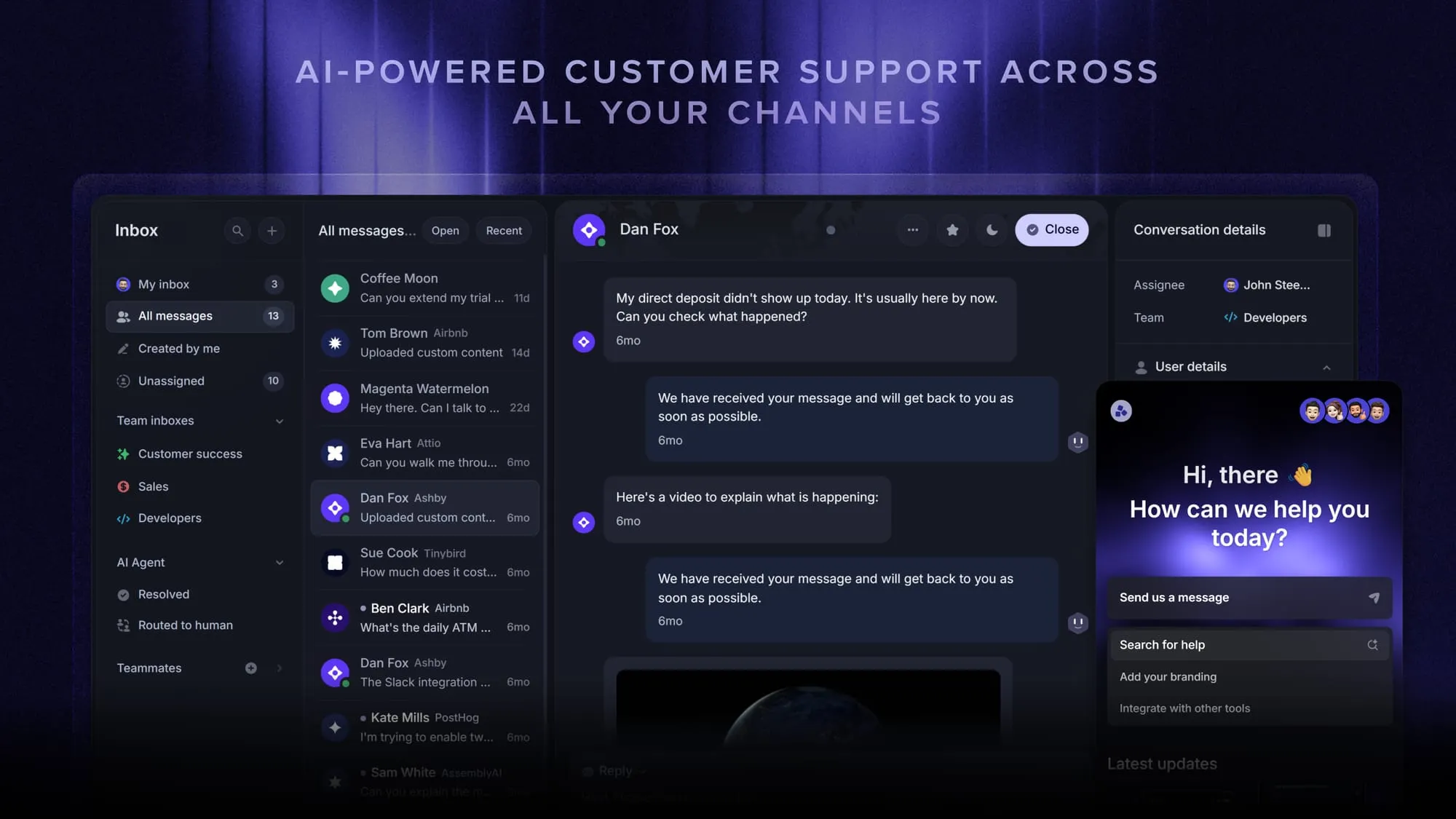
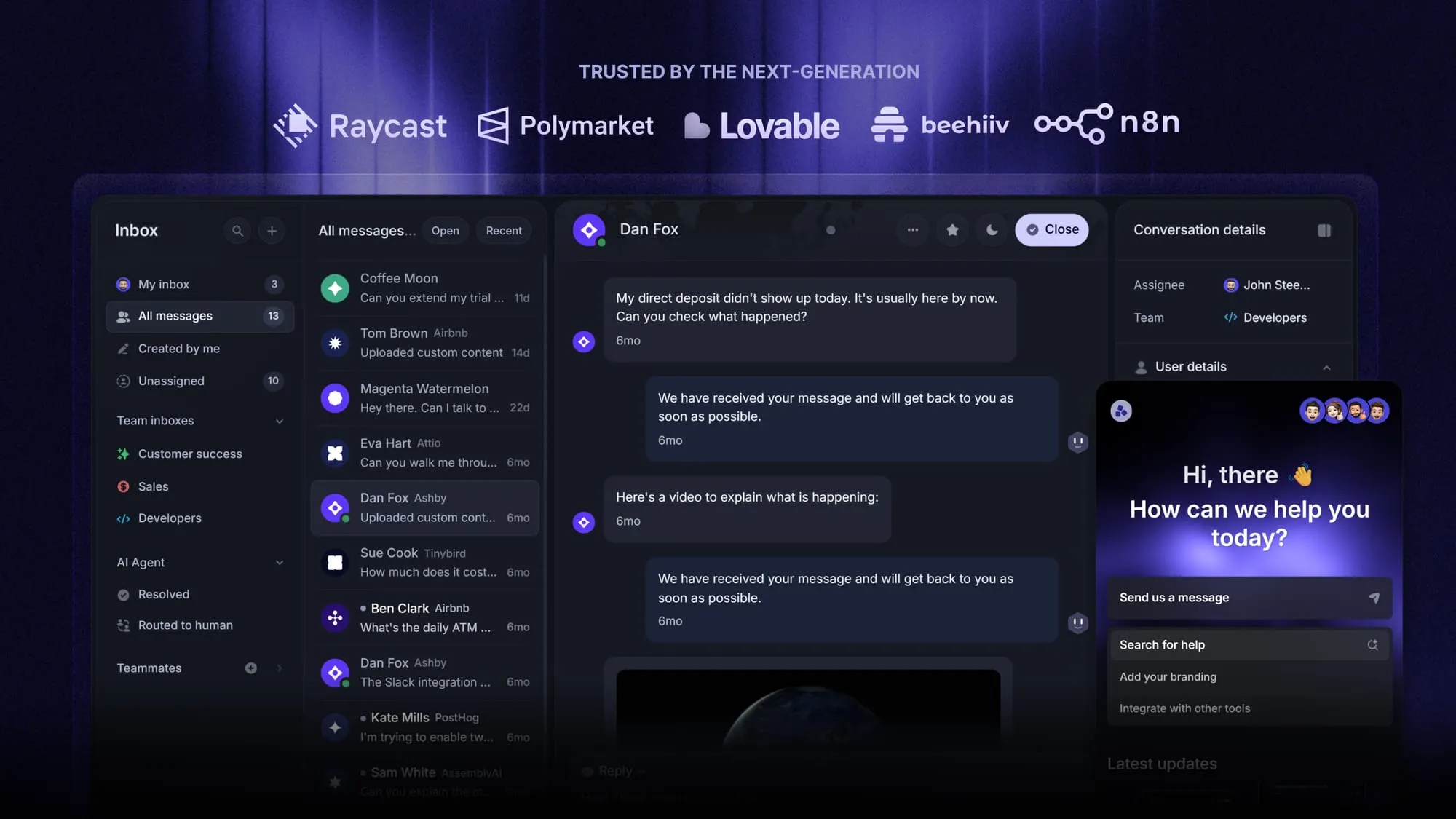
Featurebase is a modern AI customer support platform for product-led SaaS. It combines AI-powered support, help center, and feedback management into a single platform for startups that want all their customer-facing tools in one place. Featurebase is loved by thousands of support teams from companies like Lovable, Raycast, and n8n. 💫
Top features:
- Omnichannel inbox – Manage live chat, email, and Slack conversations from one AI-powered view
- Fibi AI Agent - Resolve customer issues on autopilot & run custom actions like trial extensions and refunds
- Help center with AI search – Provide instant, multilingual self-serve answers
- Workflows & automations – Auto-assign tickets, route conversations, collect customer data, and more
- AI Copilot – Help your agents answer customers faster with AI Copilot that uses your internal knowledge
- Multi-brand support – Manage multiple Help Centers and Live chats from a single workspace
- Automatic AI translations – Automatically translate all messages and help articles to your customers native language
- Service Level Agreements – Track SLAs to make sure your team responds to customers on time, every time
- Mobile app – Respond to customers, receive notifications, and unblock users on the go
- Feedback & roadmap tools – Collect feature requests and close the loop with updates
- Product updates – Publish release notes with a changelog page, in-app widget, and emails
- Integrations – Connects with Slack, Linear, Jira, HubSpot, and more
Pricing: Free plan available with unlimited conversations. Paid plans start at $29/seat/month with $0.29 per AI resolution.
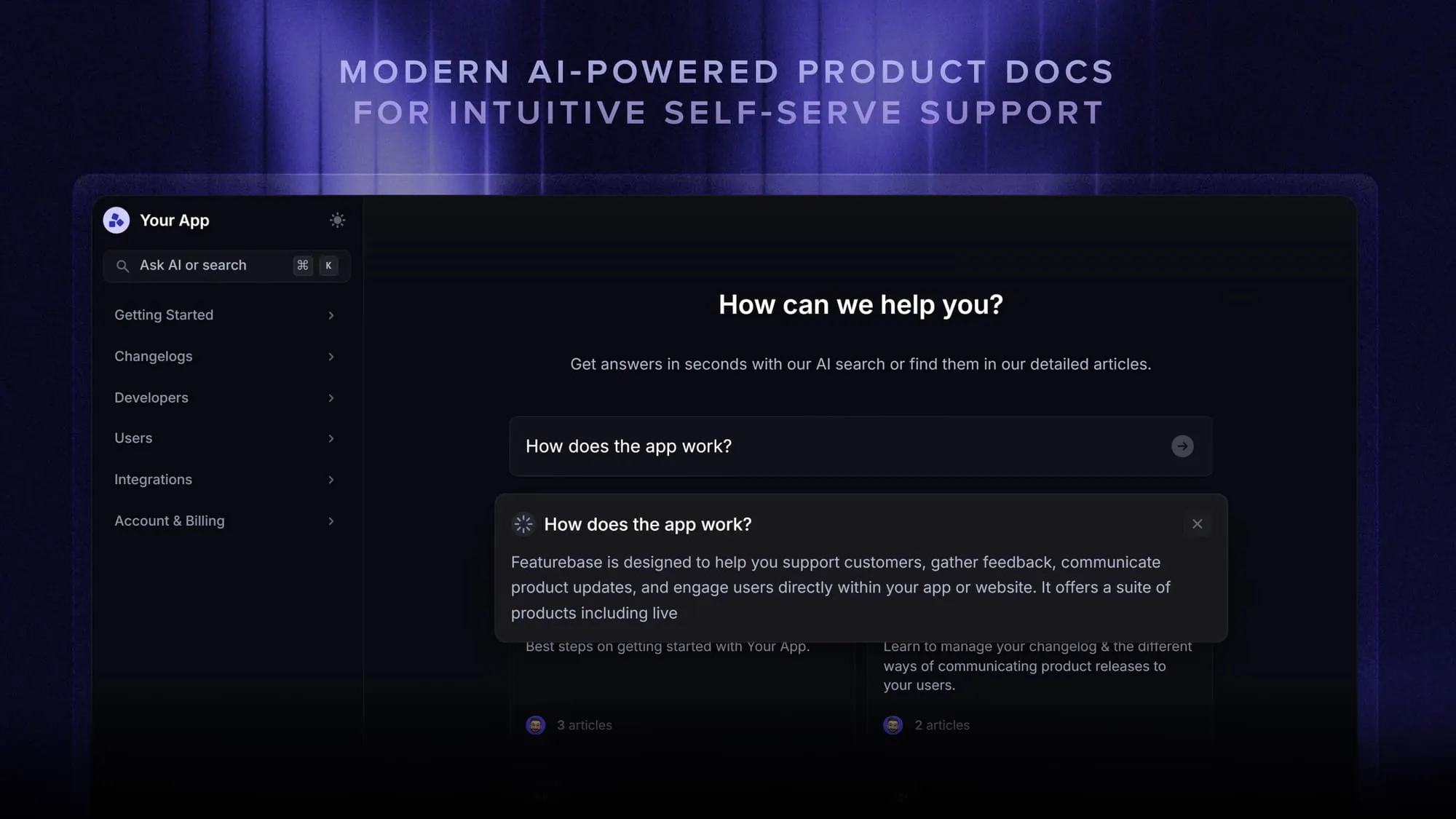
Featurebase covers all the basic support features that legacy platforms do, but with a much more modern approach. It comes with AI automations, a mobile app, and multiple channels (email, live chat, Slack, etc.).
Conclusion
A customer service checklist is most useful when you actually use it, not when you read it once and move on. Pick 3 items above that you don't currently do well, and write them onto next month's roadmap. That's it. Then come back to the list in a quarter and pick 3 more.
Featurebase is a modern AI-powered customer support platform that gives small teams a single place to run their inbox, help center, feedback, and changelog - covering most of this checklist out of the box. It has affordable pricing and a Free plan with unlimited conversations, so there's no downside to trying it. The onboarding takes minutes, not weeks. 👇
Automate your support with the fastest AI-enhanced Inbox today
FAQs
The terms get used interchangeably, but they aren't the same. Customer support is the reactive function: the inbox, the live chat, the people answering tickets when something breaks. Customer service is the broader idea covering support plus everything else - onboarding, success, account management, and the way the whole company treats customers. There's a longer breakdown of customer service vs customer support if you want the full picture.
The four metrics most teams track:
- CSAT (Customer Satisfaction Score): usually a 1-5 rating collected right after a ticket closes.
- NPS (Net Promoter Score): how likely the customer is to recommend you, on a 0-10 scale.
- First Contact Resolution (FCR): the percent of tickets resolved in the first interaction with the customer.
- First Response Time (FRT): how long it takes to say anything back to the customer.
None of them are useful in isolation. Look at all four together and tie them to retention numbers to see the real picture.
Active listening, empathy, clear written communication, deep product knowledge, and the ability to stay calm under pressure. Most other skills (de-escalation, problem-solving, time management, persuasion) are downstream of those five. If you're hiring, screen for those first and train the rest on the job.
The rough targets most modern teams set per channel:
- Live chat: under 2 minutes for first response.
- Email: under 4 hours during business hours.
- Social media: under 1 hour.
- Phone: pick up live, or call back within 30 minutes.
These are the targets, not the average. The point is to publish them as SLAs and actually hit them most of the time.
Lean on self-serve and AI for the high-volume, repetitive questions so your humans can spend their time on the conversations that actually need judgment. A free tool like Featurebase gives small teams an AI-powered inbox, a searchable help center, and a feedback forum in one place, which covers most of the volume a 2-3 person support team has to handle.
Yes for the predictable parts: deflecting common questions through help-center AI search, drafting first responses, triaging and routing tickets, translating messages between languages, and summarising long threads for handoffs. No for the moments that need real judgment - billing disputes, churn-risk conversations, anything emotionally loaded. Aim for AI-assisted, not AI-replaced.