Blog Customer Service8 Best HR Help Desk Ticketing Systems for Modern Employee Support (2026)
8 Best HR Help Desk Ticketing Systems for Modern Employee Support (2026)
Stop losing PTO requests in Slack. These HR help desk tools keep employee questions organized, tracked, and actually answered.



✨ Get the modern Ticketing Inbox designed for efficiency →
Most HR teams still run their helpdesk out of email threads and Slack DMs. PTO requests get buried, benefits questions slip past response windows, and onboarding tasks fall through the cracks the week a new hire actually needs them.
A proper HR help desk ticketing system fixes this - structured intake, routing, and SLA tracking pointed inward at employees instead of customers. Below are the 8 best in 2026, what each is good at, where it falls short, and what you'll actually pay. 👇
Key takeaways – The best HR help desk ticketing systems for employee support
- Featurebase✨ – Best modern HR help desk ticketing system with back-office tickets, internal help center, and AI agent
- Zendesk – Best enterprise HR helpdesk for large teams with mature automation needs
- ServiceNow HR Service Delivery – Best for global enterprises already running ServiceNow ITSM
- Zoho Desk – Best for HR teams already on the Zoho stack
- Hiver – Best for small HR teams running everything inside Gmail
- HappyFox Help Desk – Best for mid-market HR teams that want a polished ticketing UI
- InvGate Service Management – Best for unifying HR and IT service delivery in one tool
- Dovetail Software – Best HR-specific case management for compliance-heavy industries
What is an HR help desk ticketing system?
An HR help desk is a specialized internal ticketing system and runs on the same foundation as any help desk ticket system, focused on employee requests like onboarding, payroll, and policy questions instead of customer issues.
Instead of HR questions getting buried in emails, Slack DMs, and shared inboxes, each request becomes a ticket with an owner, status, category, and resolution timeline.
This helps HR teams handle sensitive requests like PTO, benefits, payroll, onboarding, and employee relations with clear ownership, role-based access, and an audit trail.
Most tools also include a self-service portal where employees can find answers, submit requests, and track ticket progress without pinging HR.
Why HR teams need a dedicated ticketing system
Email is fine when an HR team handles a handful of requests a week. It breaks at scale. Here's why a dedicated help desk ticketing system pays for itself once you cross even a modest ticket volume.
1. Employee experience is a real bottom-line lever
Employee experience isn't a soft metric anymore. SHRM's 2024 The Case for Employee Experience report found that employees with a positive employee experience are 68% less likely to consider leaving their jobs, and that 46% of HR professionals rank employee experience as their first or second highest priority.
A clunky HR experience starts at the helpdesk. When a new hire submits an equipment request and hears nothing for a week, that's a measurable hit to first-90-day retention. When a parent navigating a benefits queries thread gets bounced between three HR inboxes, that's a measurable hit to engagement. Fixing the intake layer fixes the rest.
2. Sensitive data needs structured, auditable handling
HR teams handle some of the most sensitive information in the company: salaries, performance reviews, leaves of absence, exit interviews, disciplinary cases. Email and shared inboxes give you almost nothing in the way of access controls, role-based permissions, or compliance tracking.
A ticketing system gives you all three - plus an audit log of every status change, comment, and reassignment. That's not just nice to have. For regulated industries, it's a hard requirement.
3. Email kills response times and SLAs
Without ticket routing, predefined rules, and SLAs, every incoming request competes with every other email in someone's inbox. The HR staff member who happens to see it first either handles it personally or forwards it on. Either way, ticket volume builds up invisibly, response times drift, and the same routine tasks get redone by different people.
A proper system applies workflow automation: route benefits questions to the benefits specialist, payroll issues to payroll, harassment reports to a private channel only the people manager can see. Manual effort drops, consistent service delivery starts to actually be possible, and you get the analytics capabilities to spot where it's still breaking.
4. Employees increasingly expect self-service options
Modern employees - especially younger ones - expect to be able to find answers independently before they ever talk to a human. A self-service portal backed by a searchable knowledge base reduces ticket volume by deflecting routine tasks (when is open enrollment?, what's the PTO carryover rule?, how do I update my W-4?) before they ever become tickets.
The teams that do this well shift their HR professionals from triage work to strategic initiatives. The teams that don't keep burning their best people on the same FAQ loop.
What to look for in an HR ticketing system
Not every help desk software is built for HR. Customer-facing teams have different needs than HR teams, and a tool tuned for an external support inbox won't always handle the access controls, intake forms, and internal knowledge base that HR work actually requires.
When you evaluate options, look for:
- Structured intake via web forms Ticket forms with custom fields (employee ID, manager, department, urgency, request type) so each ticket arrives with the context HR needs to act, instead of a one-line "can you help me?" that triggers three rounds of follow-up.
- Role based permissions and access controls HR rarely operates as one undifferentiated team - the benefits specialist shouldn't see disciplinary cases, the recruiting coordinator shouldn't see comp questions. Look for category-level access controls that scope ticket visibility to the right HR sub-team, and tickets that can be made private when needed to ensure confidentiality.
- Internal knowledge base A private, employee-only repository for policies, benefits docs, onboarding checklists, and FAQ answers. This is what powers the self-service portal and gives instant access to answers without raising a ticket.
- Automated ticket routing and SLAs Predefined rules that send each incoming request to the right person based on category, employee location, or urgency - plus SLA timers so you can see resolution times and catch tickets that are drifting before employees notice.
- AI for FAQ deflection A bot or AI agent that can answer routine inquiries (PTO policy, benefits queries, onboarding support) from your internal knowledge base, so your HR staff aren't manually answering the same five questions every week.
- HRIS integration The ability to pull employee context (department, manager, hire date, location) from BambooHR, Workday, Rippling, or whatever HRIS you run, so HR doesn't have to look up basic info on every ticket. Strong integration options also matter for downstream systems like payroll and benefits providers.
- Audit trails and compliance tracking A timestamped record of every action on every ticket, including reassignments, status changes, and message edits. Essential for regulated industries and useful everywhere else.
- Multiple channels for intake Employees should be able to submit requests from wherever they already work - in-app, email, Slack, or a dedicated portal - without HR needing to keep five inboxes in sync.
Tools that nail most of the above will work for an HR helpdesk. Tools missing 2 or 3 of these (especially role-based permissions and an internal knowledge base) will hurt as the organization grows.

Modern Ticketing Inbox, Designed for Efficiency
Support your customers from anywhere with an AI-powered omnichannel inbox
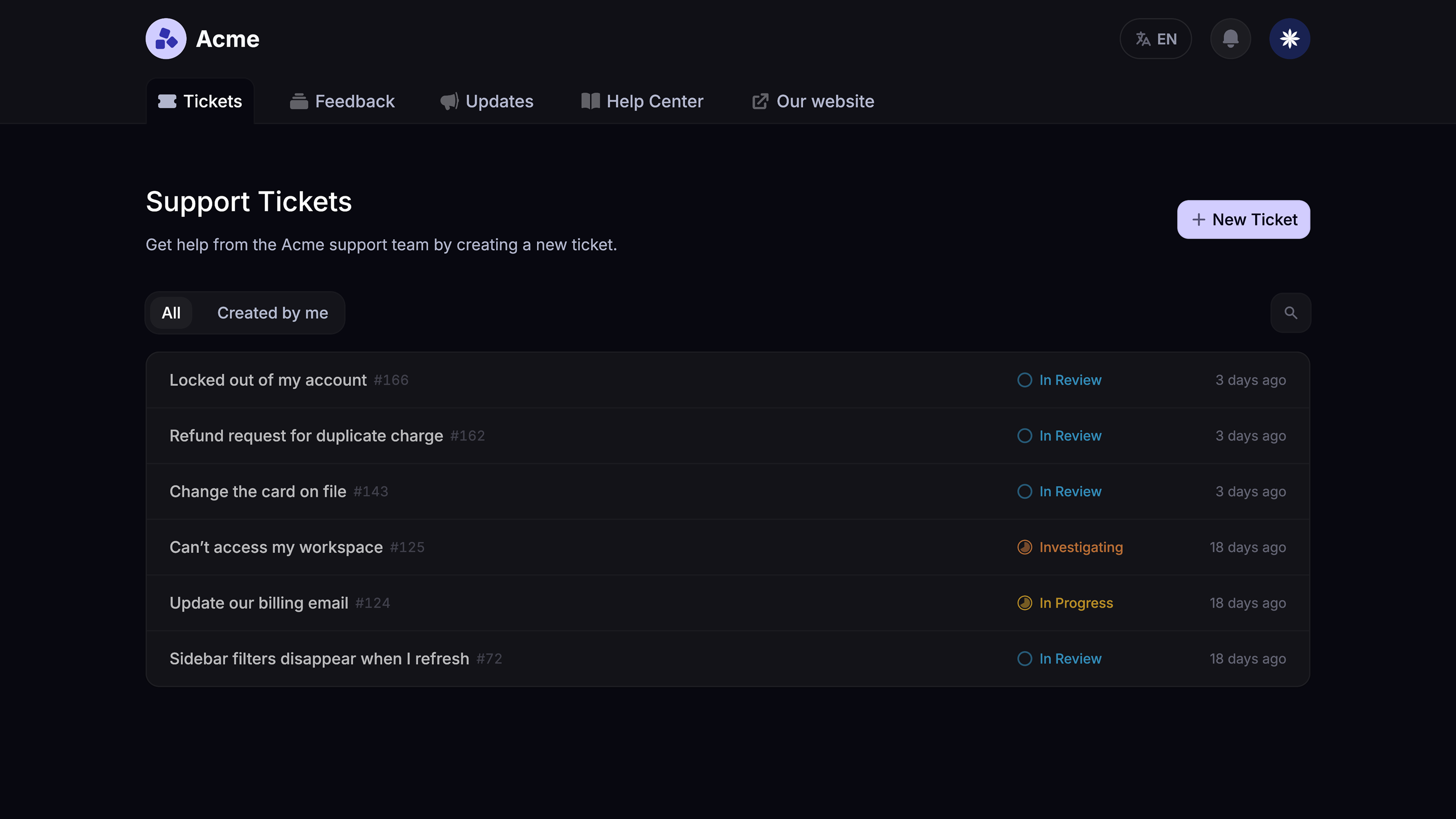
Common HR ticketing system use cases
The same software covers a wide span of HR workflows. The 5 most common use cases that justify the spend on day one:
- Onboarding and offboarding A standardized ticket workflow for each new hire that auto-creates sub-tasks (issue laptop, provision accounts, schedule benefits enrollment, set up payroll, assign manager) and routes them to the right owner. Offboarding flips the same workflow in reverse - revoke access, retrieve equipment, run exit interviews, process final pay - with audit trails proving every step happened.
- Time-off and leave requests PTO, sick leave, parental leave, sabbaticals, and bereavement all need a paper trail. Intake forms capture dates, manager approval, and accrual context. Automated routing sends each request to the right approver based on department and tenure. Status updates keep the employee informed without back-and-forth emails.
- Benefits queries Open enrollment alone can spike ticket volume 5-10x for a few weeks. A self-service portal backed by a searchable internal knowledge base deflects the routine inquiries (plan comparisons, deductible questions, dependent updates) before they reach the team, while the harder cases route to the benefits specialist with full employee context attached. The same self-service approach can cover payroll questions, such as how to access a paystub, understand deductions, or use a paystub generator when an employee needs a copy of their earnings statement.
- Employee relations and disciplinary cases Grievances, harassment reports, performance improvement plans, and accommodations need rigorous role-based permissions, audit trails, and compliance tracking. Tickets are private by default, visible only to designated ER staff, with timestamped logs that hold up in regulated industries.
- IT and equipment requests routed through HR Equipment refresh cycles, access requests, and software approvals often start with HR even when IT operations owns the fulfillment. A unified system lets HR open a ticket, hand off to IT through a linked back-office ticket, and keep the employee informed across both teams without losing the thread.
If your HR helpdesk handles 3 or more of these regularly, structured ticketing pays back the implementation effort inside a quarter.
The 8 best HR help desk ticketing systems in 2026
Below are the eight tools worth shortlisting. I've ranked them by overall fit for HR teams - led by Featurebase, which combines back-office ticketing, internal help center, and AI in one cloud-based platform - followed by enterprise leaders, the mid-market pack, and HR-specialist tools.
1. Featurebase ✨
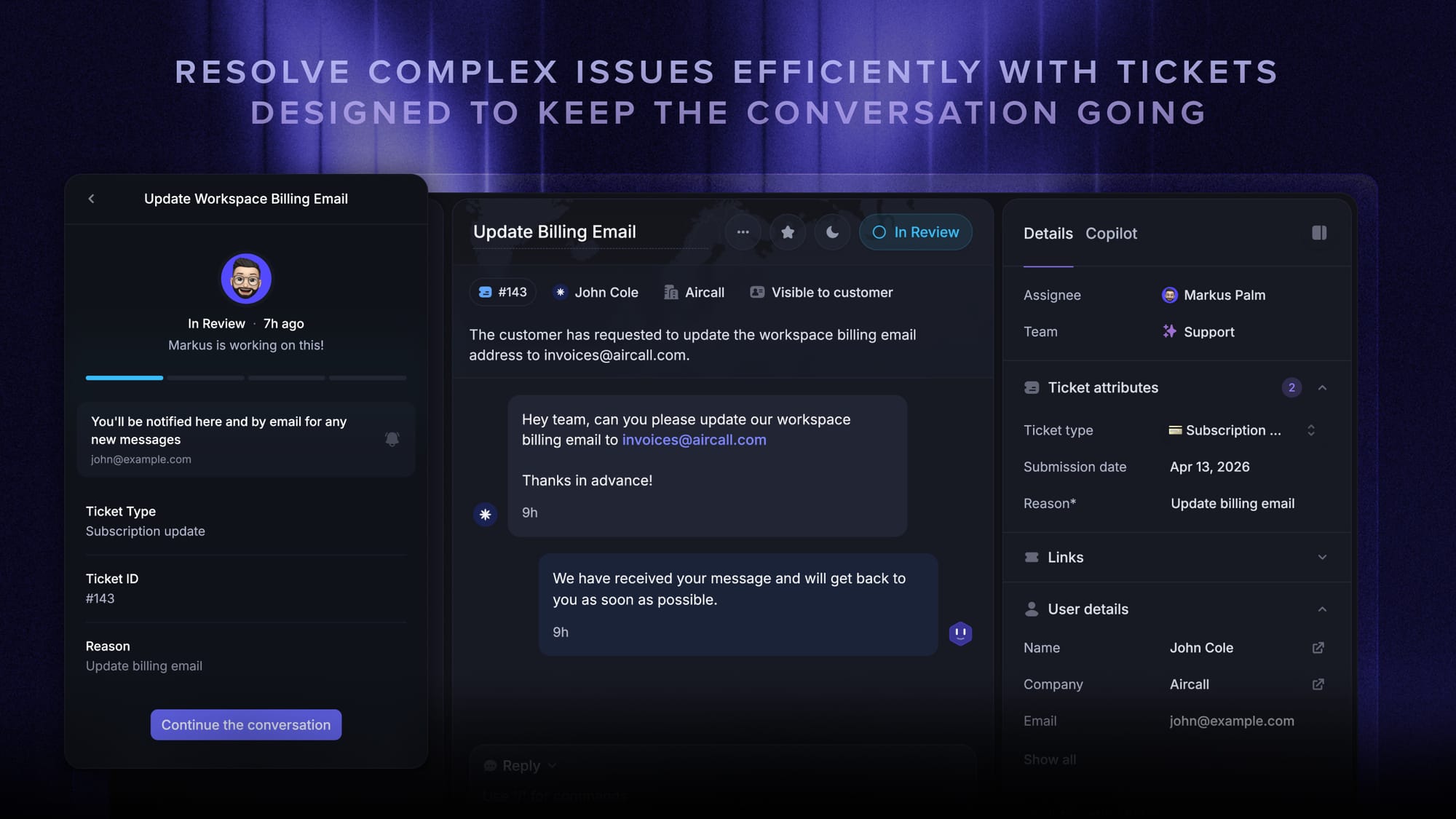
Featurebase is a modern AI support platform that can also be used as an internal HR helpdesk. It combines ticketing, an internal help center, AI-powered answers, and feedback management in one workspace.
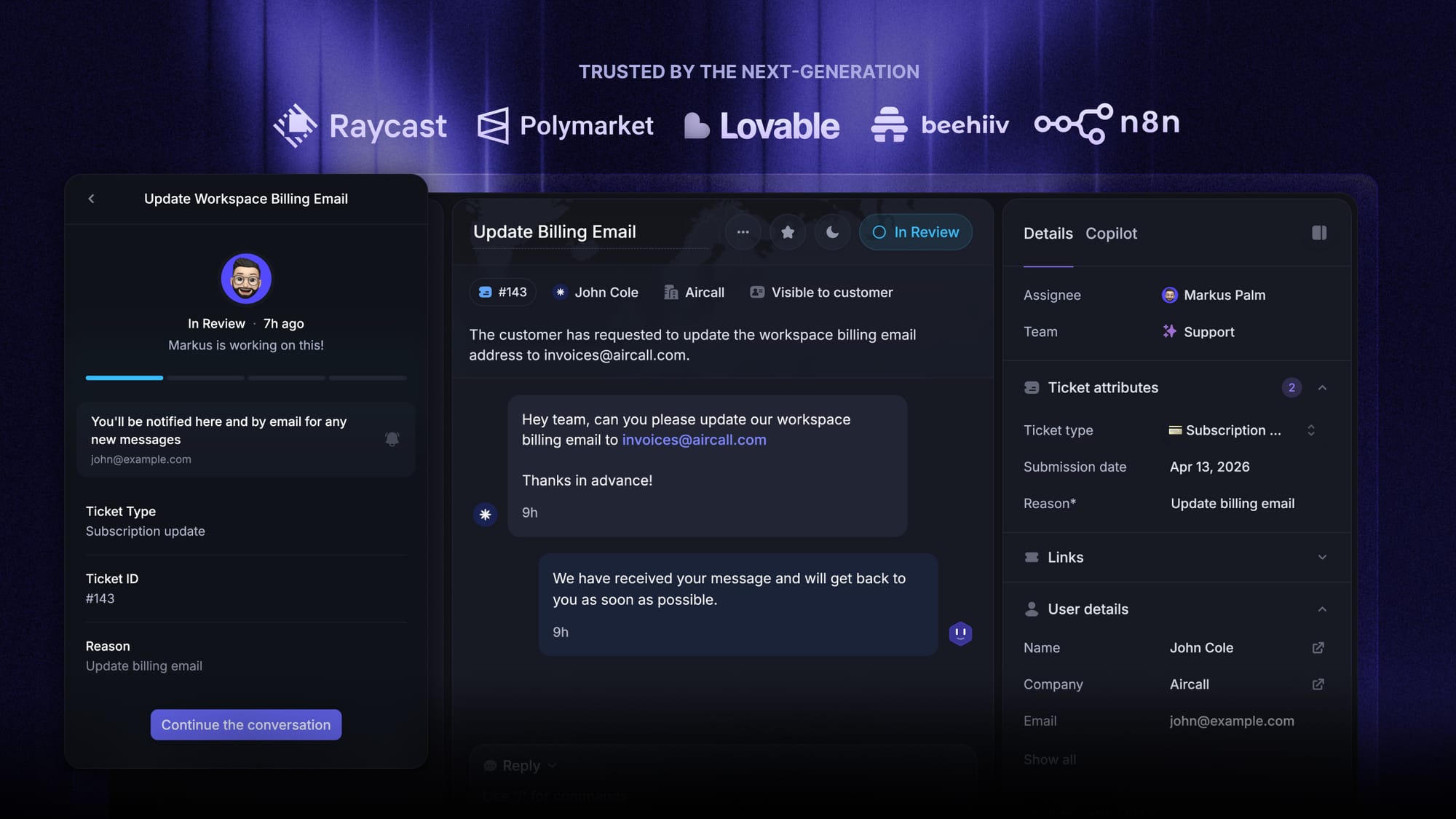
For HR teams, the strongest fit is internal request management. Employees can submit tickets, track their status, and get answers from a knowledge base, while HR teams can route requests, collaborate privately, and manage SLAs from one inbox.
Top features
- Omnichannel inbox for employee requests across chat, email, Slack, and in-app channels
- Back-office tickets for internal collaboration between HR, finance, IT, or payroll
- Tickets portal where employees can submit and track requests
- Internal help center for policies, onboarding docs, and FAQs
- Fibi AI Agent for answering repetitive HR questions from your knowledge base
- AI Copilot for helping HR staff draft faster replies
- Workflows, automations, SLAs, and custom intake forms
- Integrations with tools like Slack, Linear, Jira, and HubSpot
Where Featurebase falls short: Featurebase is not a dedicated HR suite, so teams looking for native HRIS, payroll, benefits administration, or employee relations case management may still need separate HR tools. It’s strongest as an internal ticketing, knowledge base, and AI support layer rather than a full HR operations platform.
Pricing: Free plan available with unlimited conversations. Paid plans start at $29/seat/month, with AI resolution pricing starting at $0.29 per resolution. Higher tiers include Lite seats, which can be useful when employees only need to submit and track tickets.
✨ Run your HR helpdesk on Featurebase for free →
2. Zendesk
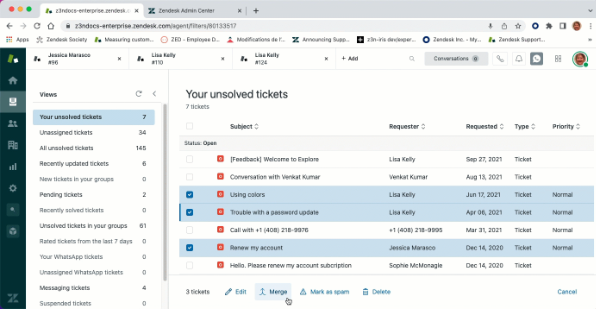
Zendesk is the legacy enterprise pick for HR helpdesks. It started as a customer support platform and has since branched into Internal Help Desk packaging that points the same engine at employees. Most larger HR organizations have either used Zendesk or evaluated it.
Top features
- Omnichannel ticketing across email, Slack, Teams, and web portal
- Mature workflow automation and SLA engine
- AI agents for ticket deflection and triage
- Internal knowledge base with AI-assisted authoring
- Robust reporting and analytics capabilities
- Large marketplace for HRIS and identity integrations
Where Zendesk falls short: G2 reviewers consistently flag a steep learning curve, slow vendor support, and rising costs as teams add agents and channels. Customization of ticket forms, workflows, and user roles is also a recurring frustration. For HR teams without a dedicated admin, the setup cycle alone can stretch into months.
Pricing: Zendesk pricing starts at $55/agent/month for Suite Team (annual), with Suite Growth at $89, Suite Professional at $115, and Suite Enterprise at $169. Monthly billing runs roughly 20% higher. Advanced AI features require a separate add-on at $50/agent/month on top of the Suite plan.
3. ServiceNow HR Service Delivery
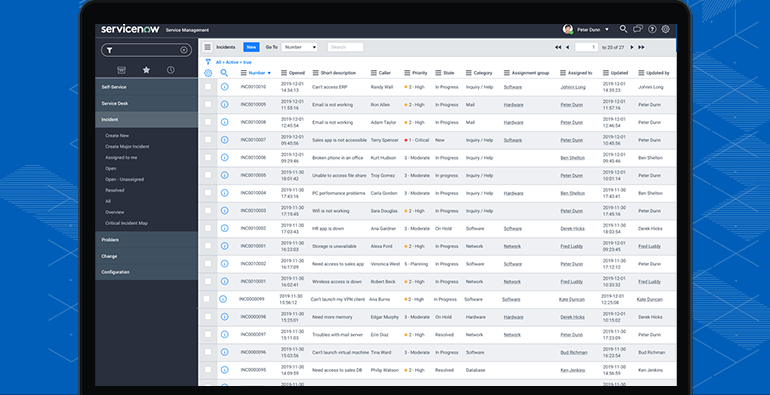
ServiceNow HR Service Delivery is the enterprise-grade choice for large organizations that already run ServiceNow for IT operations. It centralizes HR case management, automates service delivery for high-volume HR teams, and gives employees a polished self-service portal that tracks every request from intake through resolution.
Top features
- Centralized HR case management for the full employee lifecycle
- Service delivery automation for hiring, promotion, and offboarding workflows
- Employee service center with strong adoption among end users
- Advanced reporting and real-time dashboards across HR functions
- Native integration with the rest of the ServiceNow Now Platform
- Enterprise-grade security and compliance tracking
Where ServiceNow falls short: G2 reviewers describe a steep learning curve, high implementation cost (entry deployments above $100K are widely cited), and complex evolution paths. It's high-maintenance and expensive to scale, which makes it a poor fit for anyone outside enterprise. Setup and customization both require specialist consulting partners in most cases.
Pricing: ServiceNow pricing is custom enterprise only - ServiceNow doesn't publish list prices. Expect six-figure annual commitments at the enterprise tier plus implementation fees.
4. Zoho Desk
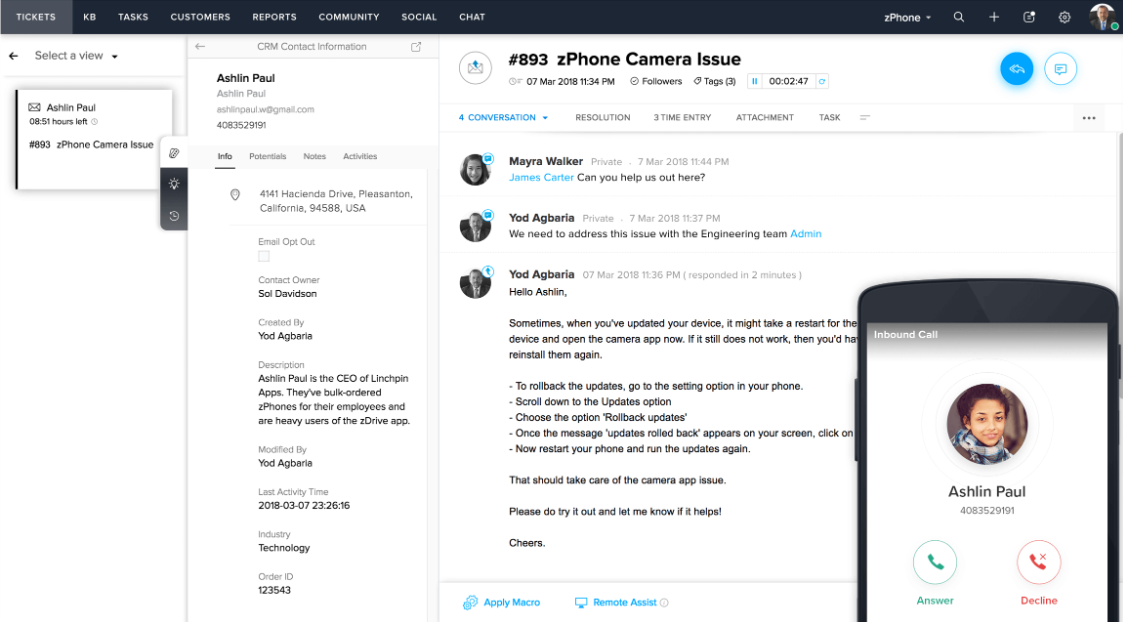
Zoho Desk is a flexible help desk software that HR teams can configure for internal use, especially if the rest of the organization already runs on Zoho People for HRIS or Zoho One for the broader stack. The Blueprint feature is a real differentiator for HR teams that want structured workflows with enforced process compliance.
Top features
- Multichannel ticket management (email, web, social, chat)
- Blueprint workflow engine for enforced step-by-step processes
- Native integration with Zoho People, Zoho CRM, and the Zoho ecosystem
- Customizable ticket categories and routing rules
- Knowledge base with AI-assisted search
- Standard reporting and analytics tools
Where Zoho Desk falls short: G2 reviewers note a cluttered UI, steep learning curve, and fragmented advanced reporting that requires extra setup to get right. The AI features are widely considered primitive relative to modern leaders - if AI-powered FAQ deflection is a priority, this isn't the strongest pick. Performance at scale and add-on costs are also recurring complaints.
Pricing: Zoho Desk pricing starts at $14/user/month for Standard (annual), Professional at $23, and Enterprise at $40. Monthly billing is significantly higher - the Professional plan jumps to $35/agent/month on monthly terms, and Enterprise to $50.
5. Hiver
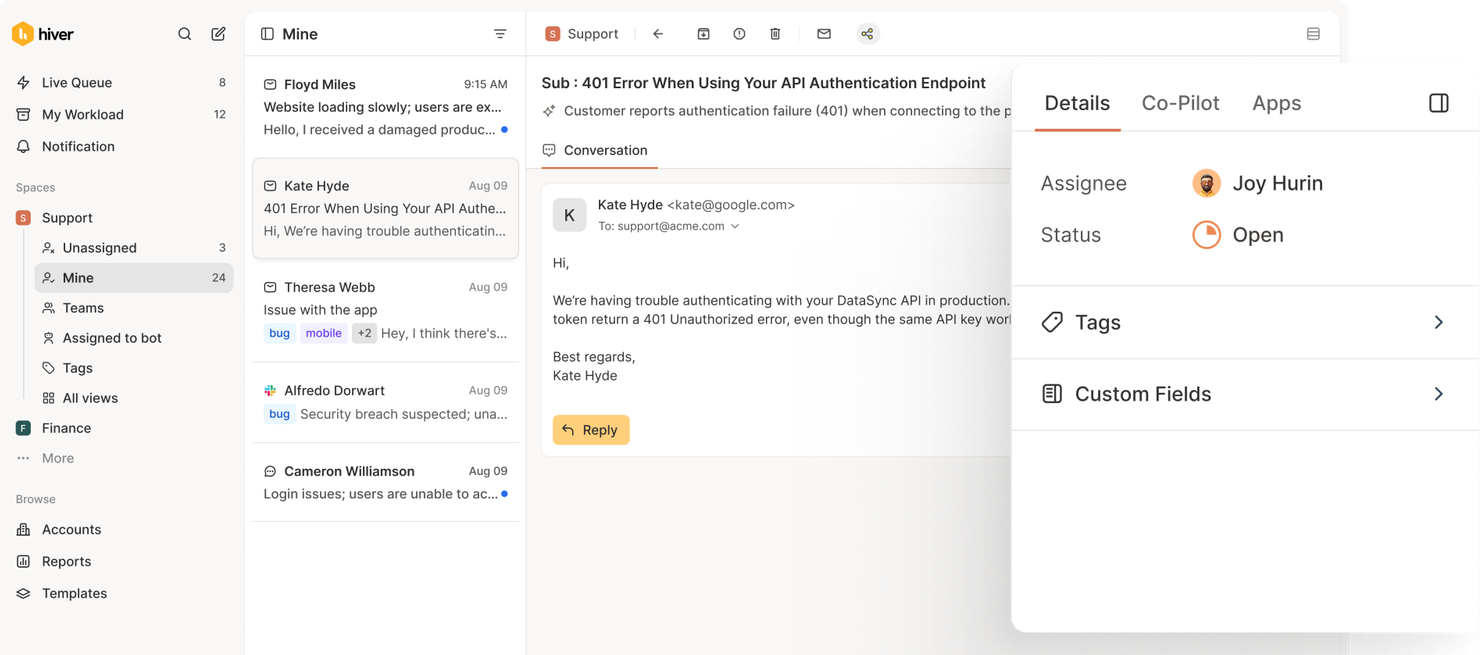
Hiver lives inside Gmail. For small HR teams already running everything from a Google Workspace shared inbox, it adds ticket structure - assignments, statuses, internal notes, tags, SLAs - without forcing a tool switch. Onboarding genuinely takes 10 minutes.
Top features
- Shared inbox layer built natively into Gmail
- Ticket assignments, statuses, and tags
- Internal notes and team collaboration inside email threads
- Workflow automation for routing and follow-up
- Basic SLAs and reporting
- AI summaries and suggested responses (paid add-on)
Where Hiver falls short: It's tied to Gmail - if your HR team isn't on Google Workspace, this is a non-starter. G2 reviewers flag slow page loads at higher ticket volume, occasional glitches around email assignment, and a relatively pricey entry tier. There's no advanced helpdesk forecasting, capacity planning, or predictive SLA-breach modeling, and complex enterprise workflows can outgrow what Hiver offers.
Pricing: Hiver pricing has a free plan, with Growth starting at $25/user/month (annual) or $35/user/month (monthly), Pro at $45/$55, and Elite at $75/$95. The AI add-on is $20/seat/month. Each plan has a 2-seat minimum.
6. HappyFox Help Desk
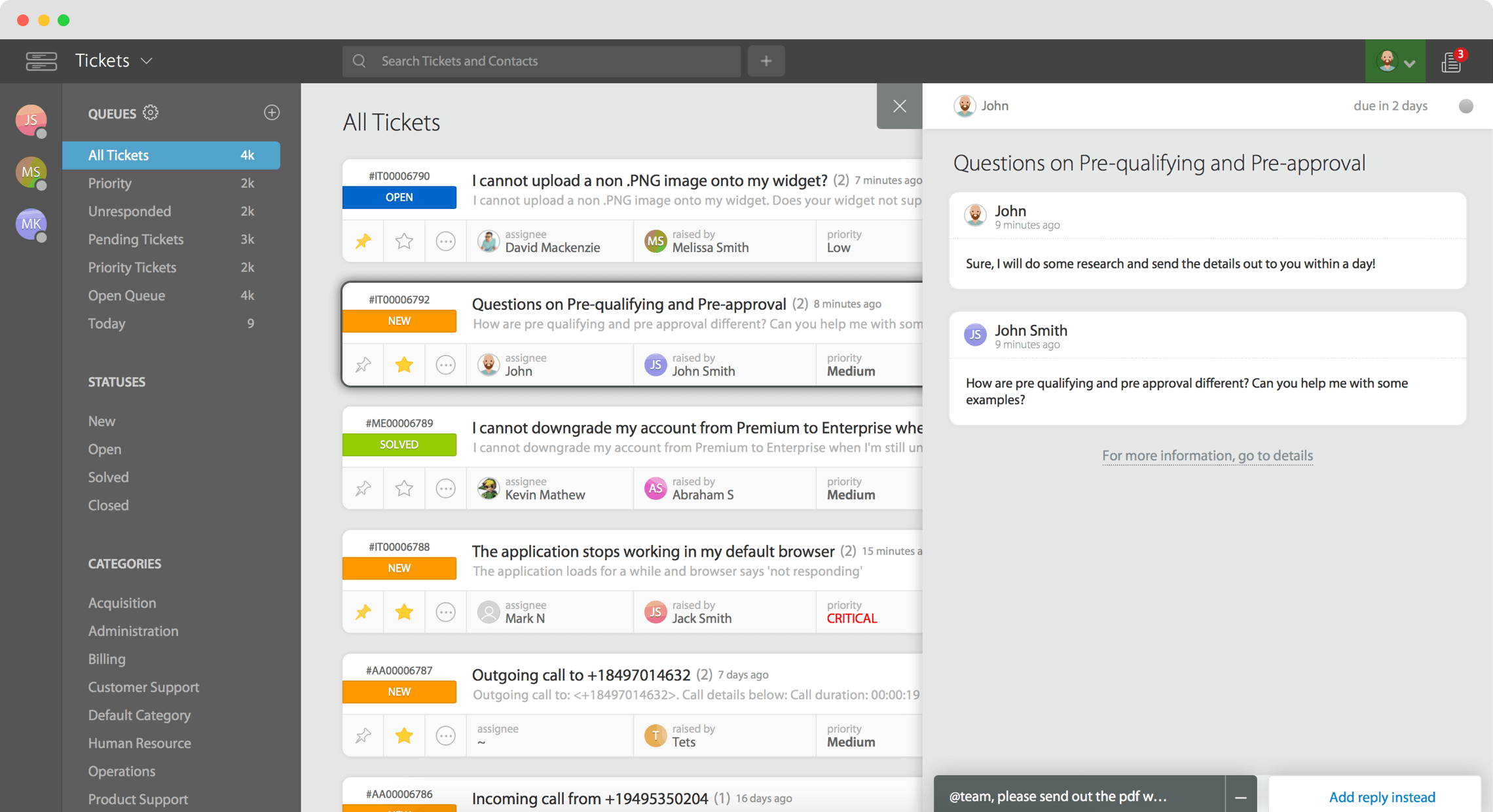
HappyFox Help Desk is a mid-market option that's particularly popular with HR teams who want a clean, polished ticketing UI without the complexity of an enterprise platform. The interface is genuinely intuitive and onboarding new HR staff is faster than most alternatives.
Top features
- Clean, intuitive ticketing interface
- Customizable workflows and ticket categories
- Multi-channel intake (email, web forms, chat)
- Ticket automation and macros
- Self-service knowledge base
- Reporting and analytics dashboards
Where HappyFox falls short: G2 reviewers consistently flag pricing - especially as you add agents - and a knowledge base interface that lags the rest of the product. Customization options have limits, the mobile app is missing some features available on desktop, and feature updates can be slow to ship. For an HR team that wants a fast, simple ticketing system without a lot of bells, it's a fine choice. For one that wants modern AI and deep customization, it'll feel light.
Pricing: HappyFox pricing starts at $24/agent/month for Basic (small businesses, up to 5 agents). Higher-tier agent-based plans start at $29/agent/month, and unlimited agent plans run from $1,499/month up to $5,999/month. A 10% discount applies on annual subscriptions.
7. InvGate Service Management
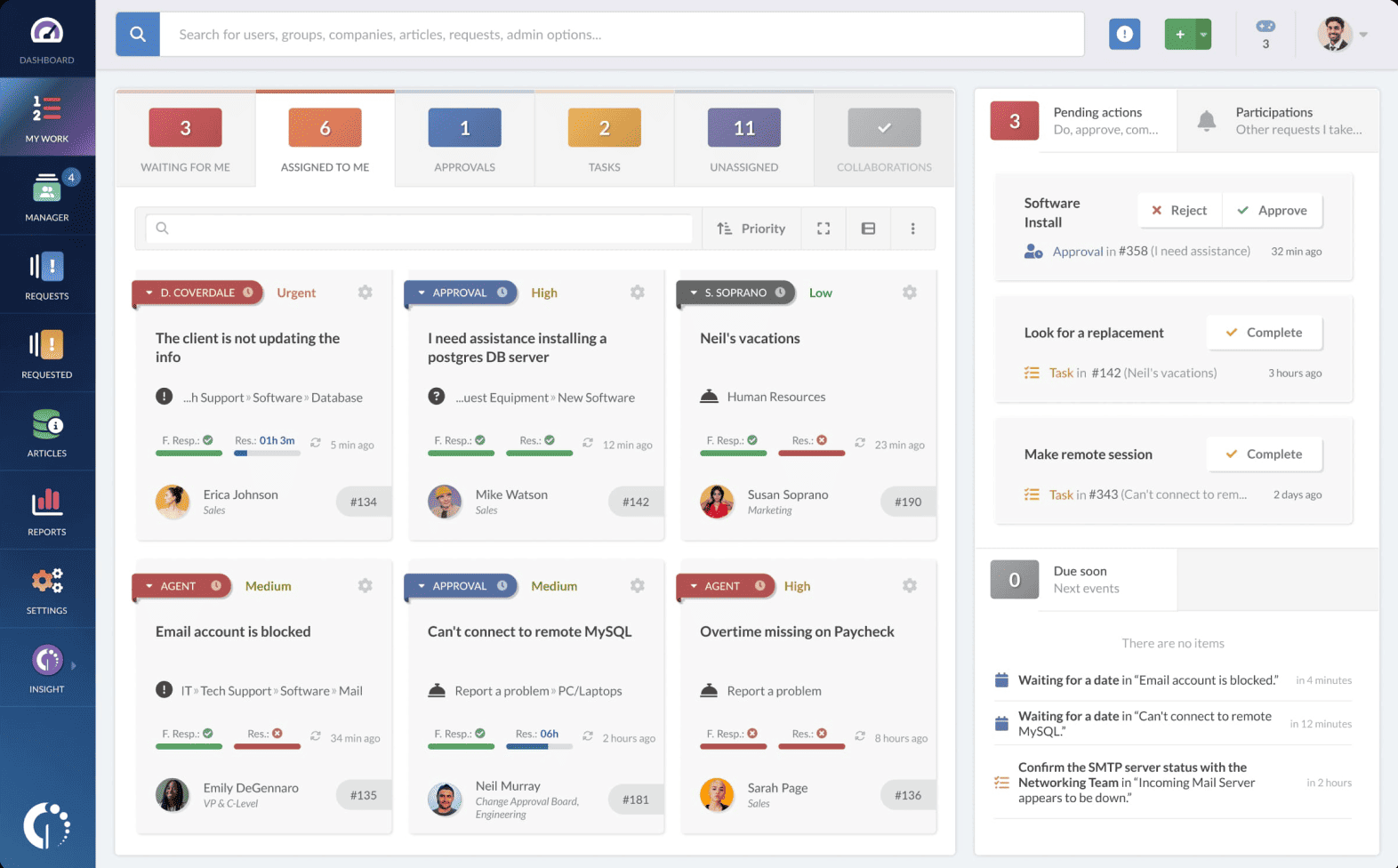
InvGate Service Management is built primarily for IT service management but works well for organizations that want to unify HR and IT service delivery on a single platform. It's a no-code-first system, which means HR staff can configure workflows without leaning on engineering or external consultants.
Top features
- Unified service desk for HR, IT, finance, and facilities
- No-code workflow builder
- Ticket categorization, prioritization, and tracking
- Self service portal and internal knowledge base
- Reporting tools with custom dashboards
- AI assistance for knowledge base authoring and ticket triage
Where InvGate falls short: G2 reviewers note no mobile app on Play Store or App Store, weak reporting visuals, and a limited library of third-party integrations beyond InvGate's own asset management product. The fixed-rate pricing with seat minimums can be inflexible for smaller HR teams that don't need many licenses.
Pricing: InvGate Service Management Starter is $17/agent/month ($999 when billed annually), Pro is $40/agent/month (annual only), and Enterprise is custom-quote. A 30-day free trial is available.
8. Dovetail Software
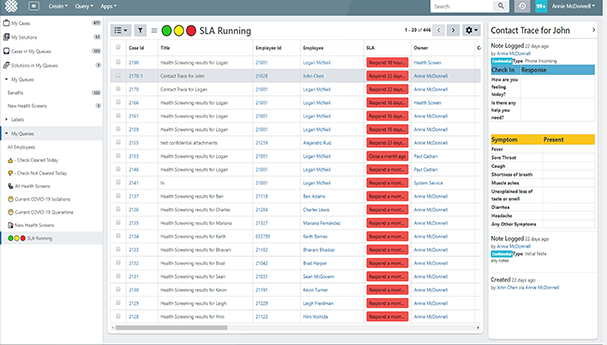
Dovetail Software is one of the few tools purpose-built for HR case management - not a customer support tool retrofitted for internal use. It's particularly strong for compliance-heavy industries (healthcare, finance, government) where employee relations cases need detailed documentation, full audit trails, and rigid access controls.
Top features
- HR-specific case management with employee relations workflows
- Knowledge base and self-service employee portal
- Customizable workflows for grievances, disciplinary cases, and accommodations
- Strong search and case organization
- Integrations with Workday, SAP, BambooHR, ADP, and other HRIS platforms
- GDPR-compliance support and audit trails
Where Dovetail falls short: G2 reviewers are unusually pointed about the reporting module - one called it among the weakest reporting tools they'd encountered in 30 years of HR experience. The mobile experience trails desktop noticeably, there's no public free trial, and the breadth of prebuilt integrations isn't fully verifiable from public sources, so organizations with complex HR tech stacks may need additional integration work.
Pricing: Custom-quote, no public pricing tier published. Dovetail is sold through direct sales conversations.
How to choose the right HR ticketing system for your team
Picking the wrong tool wastes a quarter and burns trust with HR staff who get whiplash from another rollout. A few principles to keep the decision boring:
- Match the tool to your team size and stack Small HR teams (1-5 people) on Google Workspace get the most out of Hiver. Mid-market HR teams (5-30) get the most out of Featurebase, Zoho Desk, or HappyFox. Large enterprises already on ServiceNow ITSM or Workday should look at ServiceNow HR Service Delivery or Dovetail.
- Audit how much AI you actually want If a meaningful share of your ticket volume is repetitive inquiries (PTO, benefits, policy), prioritize tools with mature AI for FAQ deflection. Featurebase and Zendesk lead here, with Zoho Desk and HappyFox trailing. Manual work doesn't go away on its own.
- Check the access controls before you buy HR runs sub-teams - benefits, comp, ER, recruiting - and not every ticket should be visible to every member. Walk through role-based permissions on a demo before signing.
- Pressure-test the self-service layer Run a search in the candidate tool's knowledge base UI on a real employee question. If the answer takes more than 2 clicks, employees won't find answers independently and the deflection promise won't hold up.
- Count the total cost, not the sticker price Per-seat pricing looks cheap until you add AI add-ons, premium support, advanced analytics capabilities, and the implementation partner. Tools like Featurebase that bundle a generous free plan and free Lite seats often land cheaper at TCO even when the headline price isn't the lowest.
When all five line up - tool fits your stack, AI fits your ticket volume, access controls fit your team structure, self-service fits your employees, total cost fits your budget - you've found the right HR help desk software for your organization.
Run your HR helpdesk on Featurebase
The right HR ticketing system isn't about adding overhead. It's about giving every employee request a structured path - intake, routing, resolution, audit trail - so your HR team stops drowning in DMs and your employees stop wondering if anyone's actually working on their ticket.
Featurebase is a modern, AI-powered help desk ticketing system that brings back-office tickets, internal help center, AI deflection, and SLA tracking together in one cloud-based platform. It's purpose-built for the back-office collaboration HR teams need, with role-based permissions and audit trails baked in - so sensitive employee data stays scoped to the right HR sub-team, and every status change is logged.
What's best is that it comes with a Free plan and quick setup, so there's no downside to trying it before you commit. 👇
✨ Run your HR helpdesk on Featurebase for free →
FAQs
What is an HR ticketing system
An HR ticketing system is software that turns employee requests - PTO, benefits questions, onboarding tasks, expense issues - into structured tickets with an owner, status, and resolution timeline. The distinguishing feature compared to a generic helpdesk is the way it handles sensitive data: role-based permissions, category-level access controls, and audit trails that scope visibility to the right HR sub-team and log every action for compliance tracking.
What's the difference between an HR help desk and an HR ticketing system
The ticketing system is the engine, the help desk is the broader service. The ticketing system handles the mechanics: intake forms, automated routing, status tracking, SLAs, and an audit log. The help desk wraps that engine in everything employees actually experience - a self-service portal, an internal knowledge base for finding answers independently, AI agents for routine inquiries, and the team of HR professionals handling escalations.
How does an HR ticketing system improve the employee experience
Three measurable changes:
- Faster response times Tickets get routed automatically to the right HR staff instead of sitting in a shared inbox where everyone assumes someone else will pick them up.
- Transparency on status Employees can submit requests and watch their status update, instead of hitting send on an email and hoping.
- Self-service deflection for routine inquiries Open enrollment questions, PTO policy lookups, onboarding support - employees get instant access to answers from the internal knowledge base and HR teams reclaim the hours.
What features should I look for in an HR ticketing system
The 4 absolute must-haves for an HR helpdesk are:
- Structured intake via web forms Custom fields per request type so each ticket arrives with the context HR needs to act on it.
- Role-based permissions and access controls Sub-team scoping so the benefits specialist doesn't see disciplinary cases and vice versa.
- An internal knowledge base A private repository for HR policy that powers both employee self-service and AI deflection.
- HRIS integration Employee context (manager, department, hire date, location) pulled in automatically from BambooHR, Workday, or Rippling.
Nice-to-haves layered on top: SLA tracking with audit trails, AI for FAQ deflection, multiple channels for intake (in-app, Slack, email), and strong analytics capabilities.
Can HR ticketing systems integrate with HR software like BambooHR or Workday
Yes - most modern HR help desk software integrates with the major HRIS platforms via native connectors or API. Zendesk, ServiceNow, Zoho Desk, and Dovetail all support BambooHR, Workday, ADP, Rippling, or some combination, plus downstream tools like Slack, Microsoft Teams, and Jira. Before signing, verify the specific HRIS fields you need (manager, department, hire date, location) flow through the integration and check whether integration options on lower-tier plans cover what your stack actually requires.
Which HR ticketing system has a free plan
A few tools offer real free plans, though most cap features tightly. Featurebase offers a full-featured free plan with unlimited conversations and a working AI agent, which makes it the most generous option for an HR team that wants to pilot a ticketing system without procurement. Hiver also has a free tier but caps it aggressively at 2 seats and limited features. Most of the rest (Zendesk, ServiceNow, Zoho Desk, HappyFox, InvGate, Dovetail) only offer trials, not free plans.