Blog ComparisonsFreshdesk vs Zoho Desk: Ticket Management Tool Comparison
Freshdesk vs Zoho Desk: Ticket Management Tool Comparison
Freshdesk or Zoho Desk? Both promise easier ticket management, but they’re built for very different goals. In this post, we’ll compare both tools side by side to help you pick the right fit for your support team.


✨ Looking for a modern alternative to Freshdesk and Zoho Desk? Check out Featurebase →
If customer queries keep pouring in and you're wondering how to keep everyone happy without your agents going insane, you just need a good ticketing system to save the day.
You may be considering Freshdesk and Zoho Desk since both are easy to use, packed with features, and offer similar pricing. However, some notable differences can sway you in one of the two directions, or neither of them.
Today, we compare how Freshdesk and Zoho Desk perform across features, pricing, integrations, and more, to help you make that decision more easily. 👇
In short: Zoho Desk vs Freshdesk
- Freshdesk is the better fit if you need simple ticketing, fast onboarding, and automation without complexity. It’s ideal for smaller or mid-sized teams that want to handle customer queries across email, chat, and social media from one place.
- Zoho Desk shines for companies already using the Zoho ecosystem. It connects support with CRM, analytics, and finance, giving you deeper customer context and unified business data.
- AI comparison: Freshdesk’s Freddy AI automates responses and triage, while Zoho’s Zia AI focuses on sentiment analysis and predictive insights. Freddy is more practical; Zia is more analytical.
- Ease of use: Freshdesk is quicker to learn and deploy. Zoho Desk takes more setup but offers richer customization once you’re familiar with it.
- Integrations: Freshdesk wins for sheer volume and accessibility. Zoho Desk wins for tight integration with Zoho’s business suite.
- Pricing: Both have free plans, but Zoho Desk’s paid tiers are cheaper overall. Freshdesk’s costs rise faster when you add AI and omnichannel features.
All in all, Freshdesk can quickly become very pricey, while Zoho can be too bloated, and both can feel outdated.
If you're after a more modern alternative, check out Featurebase (👋 that's us). We're a powerful alternative to Freshdesk and Zoho Desk - but we’ll stay unbiased in this comparison, promise.
Main features for customer service operations
Freshdesk and Zoho Desk share several core functions, but the depth and focus of those features differ. Freshdesk keeps things simple and accessible, while Zoho Desk is better for keeping departments connected (and it plays well with other Zoho tools).
Freshdesk
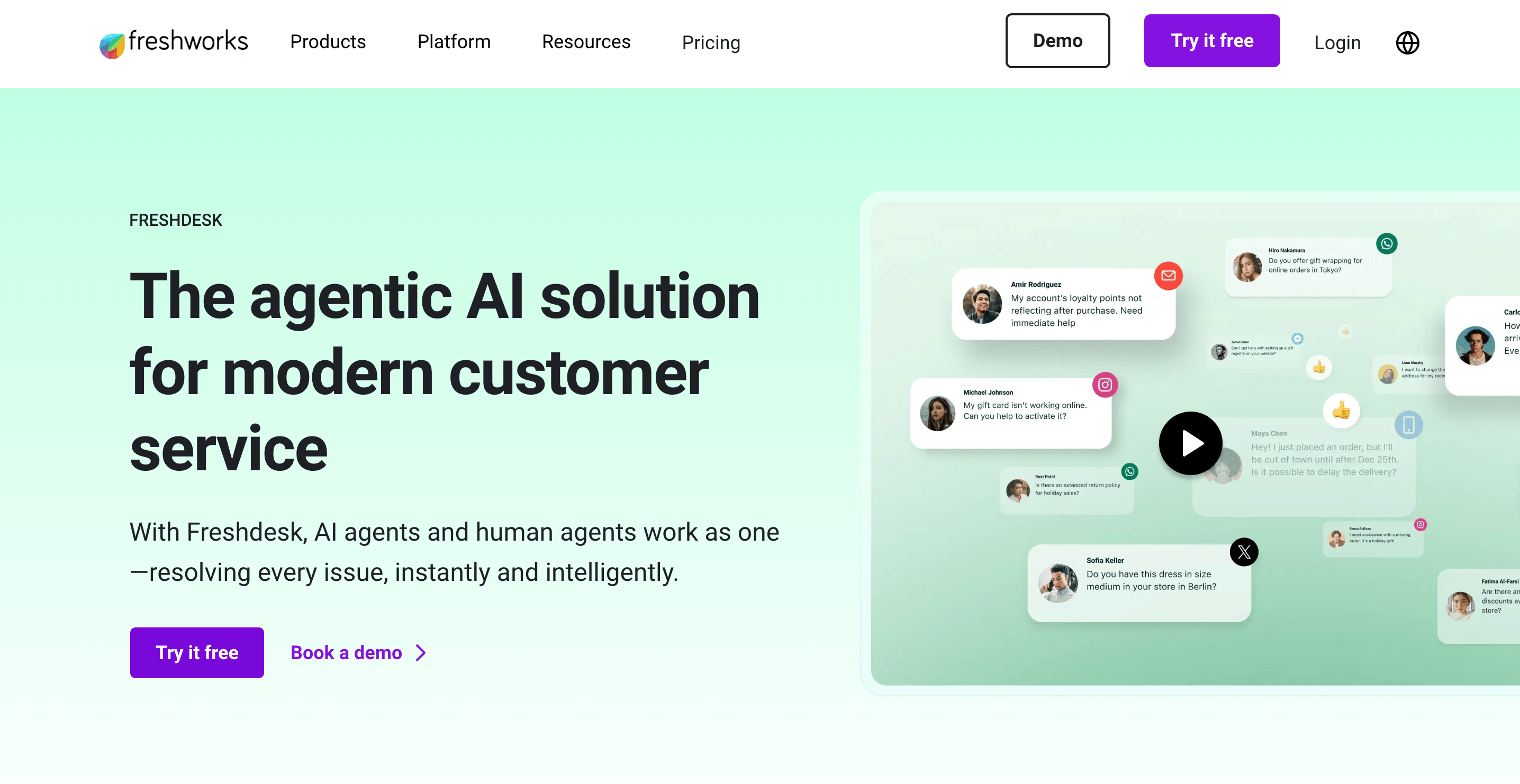
Freshdesk provides teams with all the essentials to efficiently manage customer inquiries. It combines automation, collaboration, and self-service tools, all in one interface.
Key features include:
- Ticket management: Collects customer queries from email, chat, phone, web, and social media into a single dashboard, with tools for prioritizing, assigning, and tracking tickets.
- Automation and SLAs: Rule-based triggers and time-based automations ensure fast response and resolution times, while SLAs help teams maintain service standards.
- Knowledge base and forums: Build a branded help center and community forum where customers can self-serve and find answers before contacting support.
- Collaboration tools: Internal notes, parent-child ticket linking, and shared inboxes help agents coordinate responses without overlap.
- Reporting features and analytics: Customizable dashboards display metrics like ticket volume, agent performance, SLA compliance, and customer satisfaction.
Freshdesk primarily focuses on usability and value. It’s a good choice for smaller organizations that want structured support operations, but don't need the complexity of enterprise-level tools such as Zendesk or Intercom.
Zoho Desk
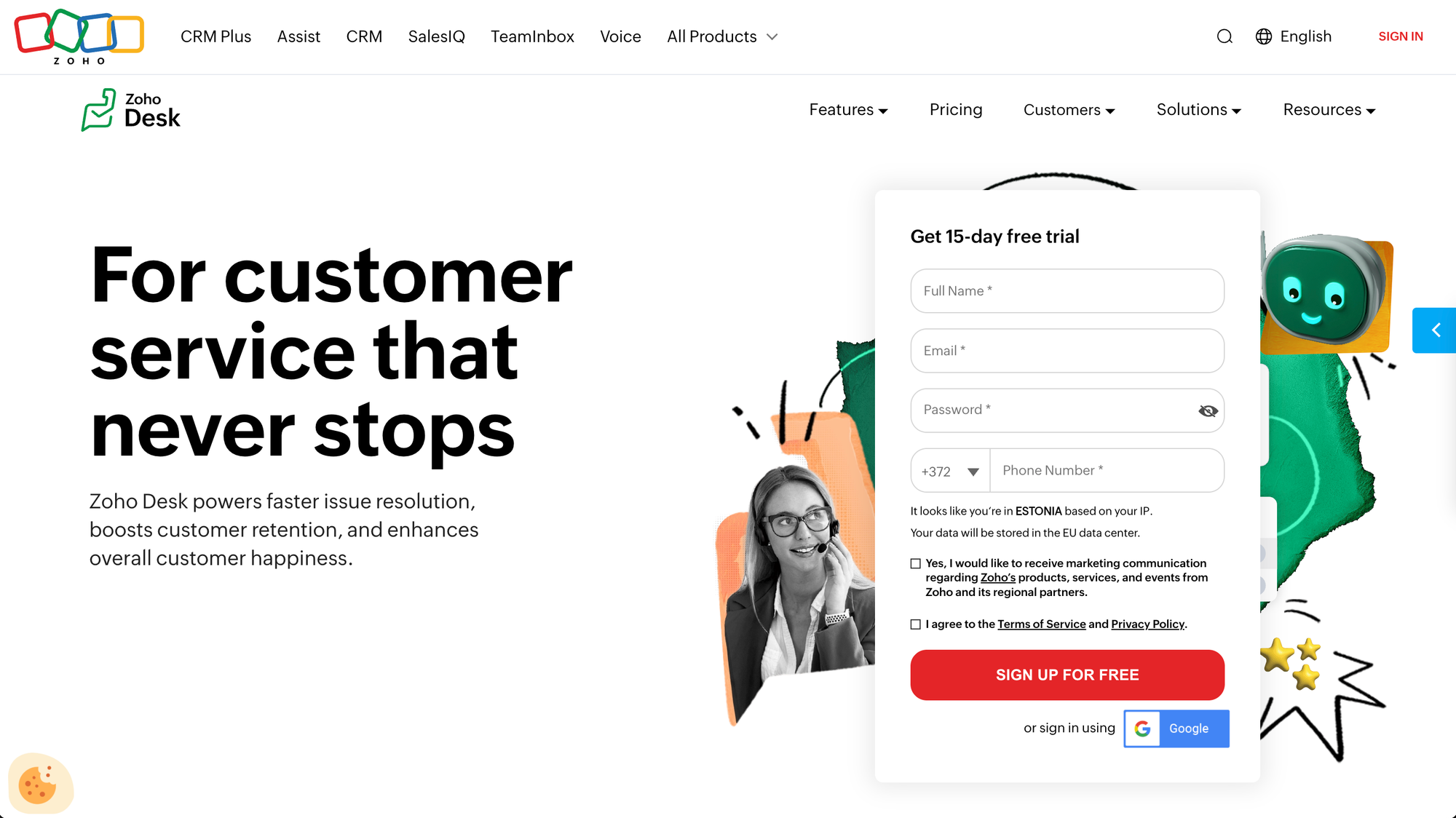
Zoho Desk offers a more powerful platform that connects support to other business functions such as CRM, analytics, and finance. The feature set is designed to give teams full visibility into the customer journey, not just ticket resolution.
Key features include:
- Contextual ticketing: Every ticket is linked to the customer’s history and interactions across Zoho CRM, giving agents full context in one view.
- Multi-channel support: Handles email, chat, phone, web, and social media requests in a shared interface, with automated routing and prioritization.
- AI and automation: The built-in Zia AI assistant helps with sentiment analysis, ticket assignment, and recommending knowledge base articles.
- Self-service tools: Build multilingual knowledge bases, community forums, and customer portals for faster resolutions.
- Advanced analytics: Real-time dashboards, anomaly detection, and performance reports give managers deeper visibility into support operations.
Zoho Desk’s biggest strength is the Zoho ecosystem. It’s most valuable for companies already using other Zoho products, such as the CRM, where data is connected across departments.
Key takeaway: Freshdesk provides simplicity and fast deployment for smaller teams. Zoho Desk gives deeper customer context and scalability within a connected business suite.
Multi-channel support: Freshdesk vs Zoho Desk
Modern customer service requires flexibility across platforms, be it email, chat, phone, or social. Both Freshdesk and Zoho Desk offer multi-channel capabilities, but with different priorities.
Freshdesk
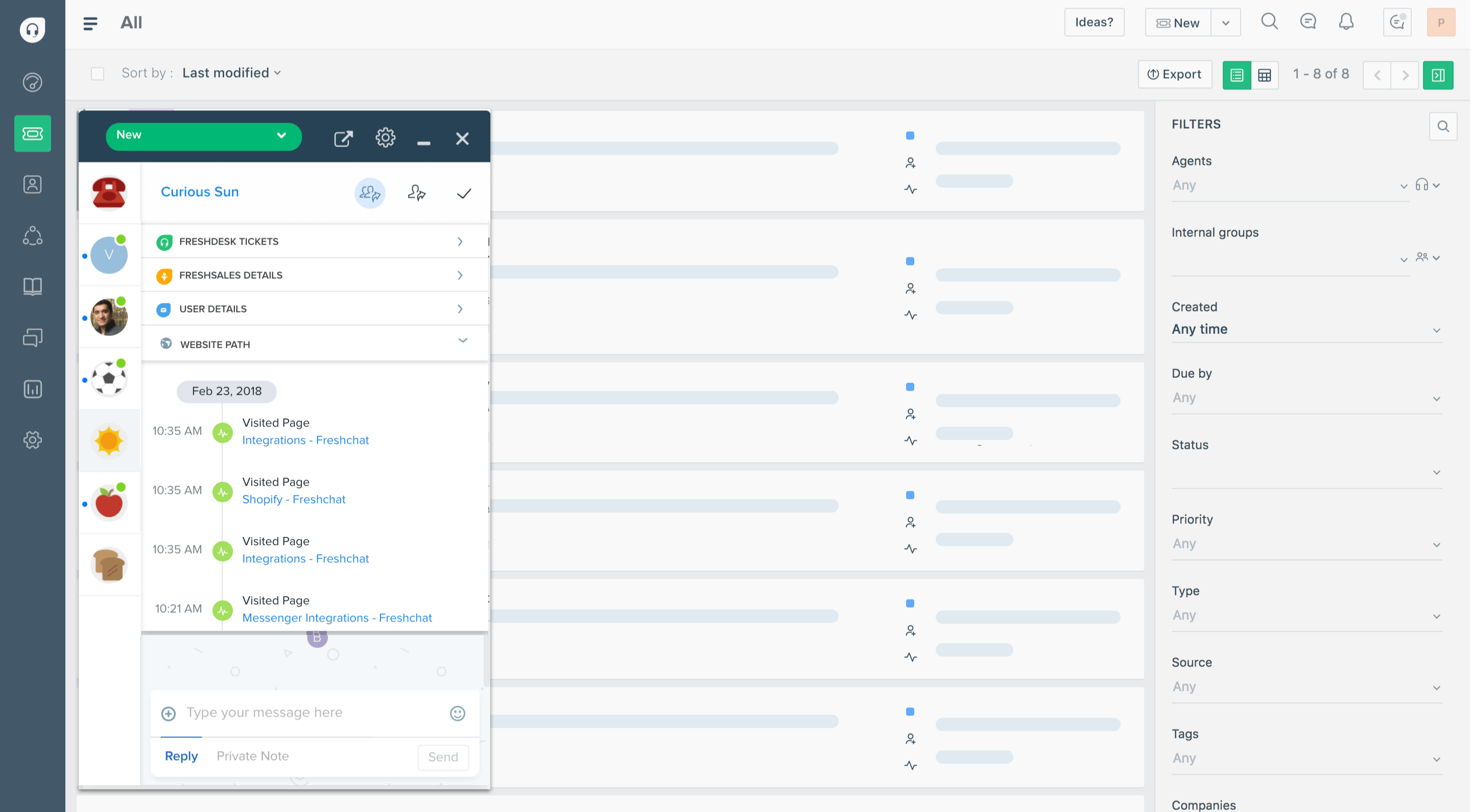
Freshdesk makes it simple for teams to communicate with customers across multiple channels without complex configuration.
Key features include:
- Email and chat support: Centralized inbox where all incoming requests from email and live chat appear as manageable tickets.
- Phone integration (Freshcaller): Built-in calling system with IVR menus, call recording, and routing options for remote or hybrid teams.
- Social media support: Integrates with platforms like Facebook, Twitter, and WhatsApp, allowing messages and comments to generate tickets automatically.
- Web and self-service: Customers can raise requests through web forms or help center articles, reducing direct ticket volume.
- Mobile access: Agents can manage tickets and respond to chats from the Freshdesk mobile app, ensuring responsiveness outside the office.
Freshdesk’s multi-channel setup is practical for teams that want fast deployment and wide coverage without technical complexities. Each channel goes into a unified platform, which makes it easy to track interactions and maintain context.
Zoho Desk
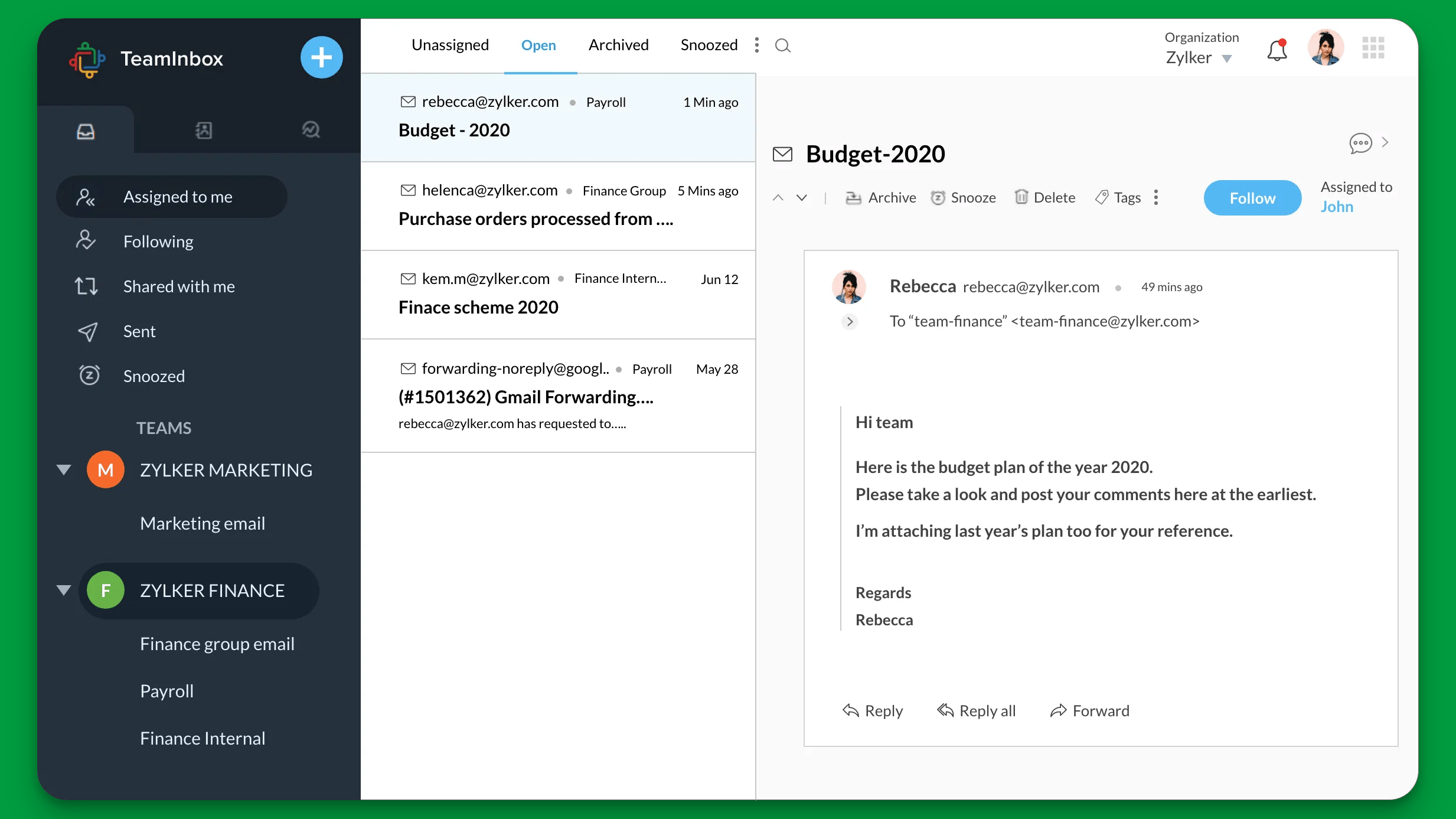
Zoho Desk’s multi-channel support goes a step further. It connects every interaction to CRM data, which allows agents to see the whole customer relationship as they're on the call or in a message.
Key features include:
- Email, chat, phone, and social: Handles support requests from all major channels in a unified ticketing view, just like Freshdesk.
- CRM-connected conversations: Every ticket and message is linked to the customer’s record in Zoho CRM, showing previous purchases, communication history, and ongoing deals.
- Telephony integration: Connects with Zoho Voice and other third-party calling tools for inbound and outbound calls, all logged automatically under the customer’s profile.
- Web forms and self-service portals: Customers can submit tickets, track status, or browse knowledge base articles through branded portals.
- Multi-brand support: Manage support for multiple products or brands from one account, each with unique channels, SLAs, and teams.
Zoho Desk’s multi-channel capabilities are best for growing businesses that want just coverage and context at the same time. It's best when you want to make customer interactions personalized and efficient.
To sum things up: Freshdesk gives wide channel coverage that’s easy to launch and manage. Zoho Desk integrates those same channels into a connected CRM experience, which makes it a better choice for organizations that rely on unified customer data.
AI features: Freshdesk vs Zoho Desk
Freshdesk and Zoho Desk include built-in AI assistants that automate ticket handling, responses, and insights. But as with everything else, the philosophy behind the use of AI is a bit different in each tool.
Freshdesk
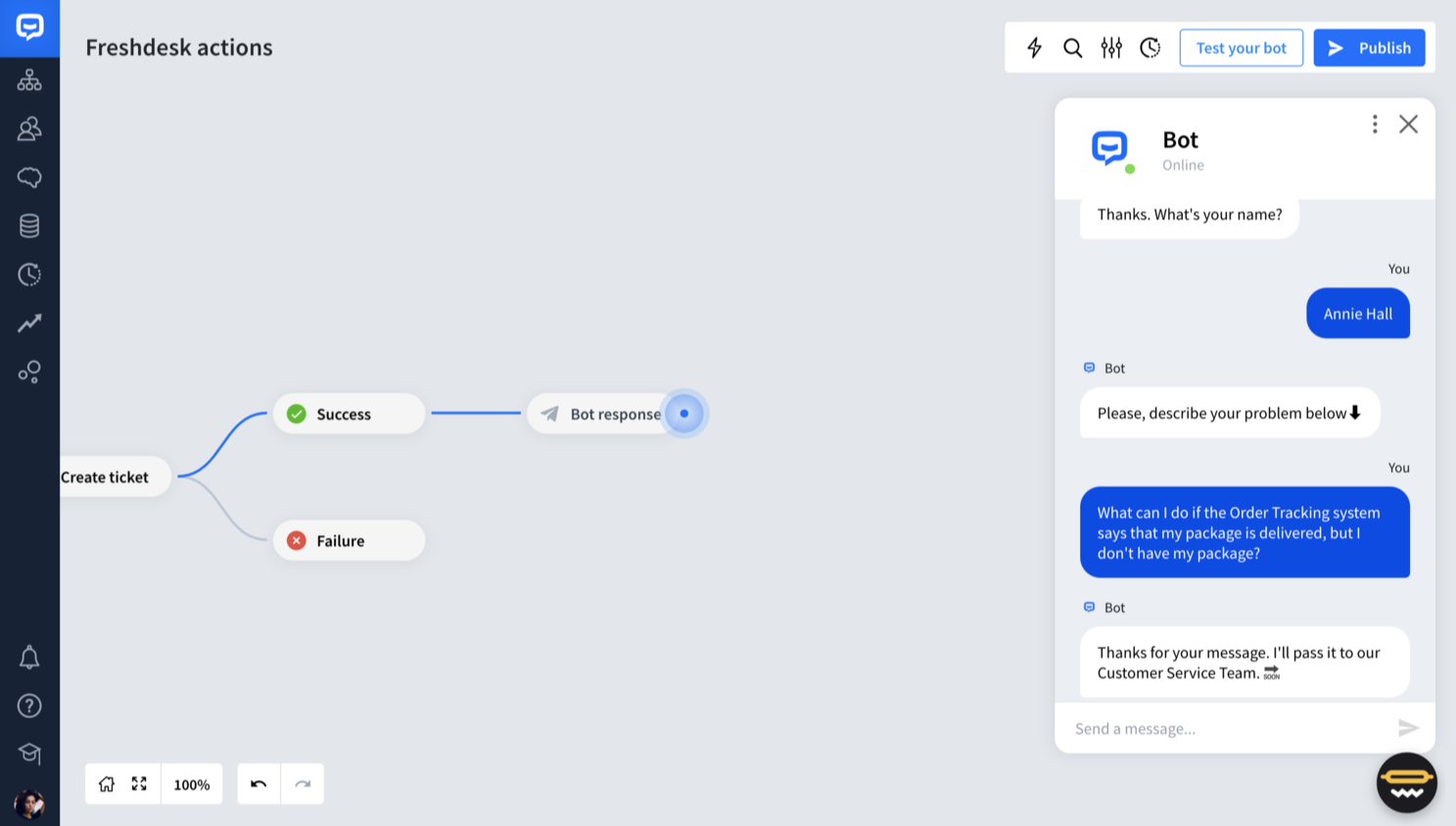
Freshdesk’s AI assistant, Freddy AI, helps support teams manage tickets more efficiently and improve the customer experience without adding more agents.
Key features include:
- Automatic ticket triage: Freddy analyzes incoming requests, detects intent, and routes tickets to the right team or agent based on rules and context.
- Response suggestions: Agents receive recommended replies pulled from past tickets and knowledge base content, reducing time spent drafting answers.
- Predictive insights: Freddy highlights tickets likely to breach SLAs and suggests proactive actions before issues escalate.
- AI-powered chatbots: Customers can interact with chatbots to resolve common questions automatically, which reduces repetitive inquiries.
- Agent performance insights: The AI identifies trends in ticket handling times, sentiment, and customer satisfaction, helping managers coach their teams effectively.
Freddy’s automation tools are practical and easy to implement. However, the most advanced AI capabilities, such as predictive analytics and AI chatbots, are available only on higher-tier plans or require buying usage-based credits.
Zoho Desk
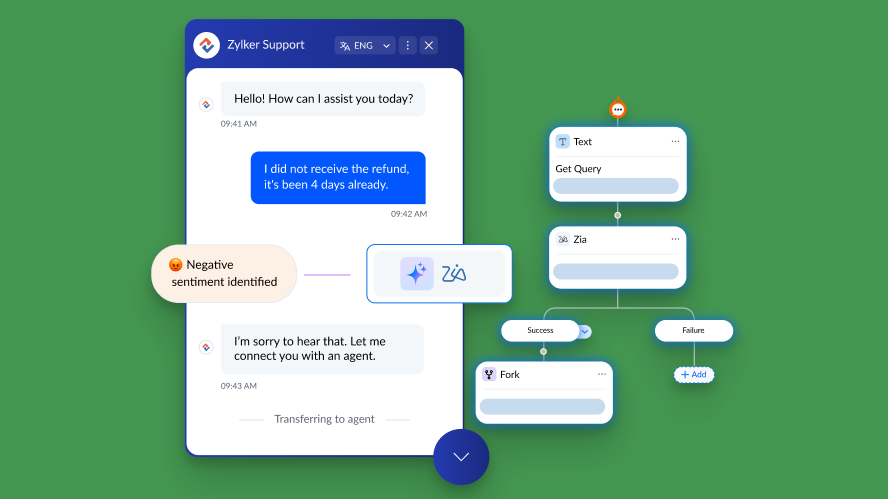
Zoho Desk’s built-in AI, Zia, takes a more analytical approach, helping teams understand not just what customers are asking, but how they’re feeling. Zia is tightly integrated into Zoho’s ecosystem, which gives it more data and enhances agent productivity.
Key features include:
- Sentiment analysis: Zia detects tone in emails and messages to flag unhappy customers or urgent cases for faster resolution.
- Contextual suggestions: Recommends relevant articles from the knowledge base or prior tickets to assist agents during live responses.
- Predictive ticket assignment: Anticipates workloads and assigns new tickets automatically to balance the queue across agents.
- Anomaly detection: Monitors trends and alerts managers when ticket volume, response time, or satisfaction scores deviate from normal patterns.
- Customer self-service: Zia-powered bots guide customers through solutions or escalate cases only when human help is needed.
Zia’s biggest advantage is the seamless integration with Zoho CRM and Analytics, which allows it to learn from customer history and performance data across departments.
In other words: Freshdesk’s Freddy AI focuses on automating repetitive work and improving ticket flow. Zoho Desk’s Zia adds a layer of intelligence with predictive analytics and sentiment tracking. Freshdesk is better for teams that want fast, practical automation. Zoho Desk is ideal for those who need data-driven insight into customer behavior.
✨ Looking for more advanced AI support automations? Check out Featurebase →
Ease of use & available support
Both Freshdesk and Zoho Desk are known for being approachable even for non-technical users. Both have a user friendly interface, but there are slight differences in the initial learning curve and later customization.
Freshdesk
Freshdesk gets a lot of praise for its clean, intuitive interface and minimal setup requirements. Even teams with no prior experience in customer support software can get up and running within a day or two.
Key points:
- User interface: The dashboard is simple and visually clear, which lets agents see pending tickets, priorities, and performance at a glance.
- Setup experience: Prebuilt templates and guided workflows make configuration quick, so you can start managing tickets immediately and say goodbye to poor customer support.
- Learning curve: Most features (such as SLAs, automations, and reports) are easy to find and use without technical help.
- Scalability: As you add channels or custom automations, the admin side can feel cluttered, but the system remains stable and reliable.
- Support availability: Freshdesk offers a comprehensive help center, community forums, 24/7 email support, and phone or chat assist ance on higher-tier plans.
Freshdesk is a good choice for small and mid-sized teams that need a tool they can adopt quickly without lengthy onboarding or dedicated admin resources.
Zoho Desk
Zoho Desk provides a more structured interface that fits into the wider Zoho ecosystem. It’s easy enough for small teams but powerful enough for enterprises that need granular control. If you've used one Zoho tool, you'll feel very familiar.
Key points:
- User interface: The layout is logical and customizable, though slightly more data-heavy than Freshdesk’s. Agents can view customer context, tickets, and analytics in one help desk software dashboard.
- Setup experience: Getting started is straightforward, especially for users already familiar with Zoho products. However, configuring workflows and automation can take extra time.
- Learning curve: Most teams can master the basics quickly, but more advanced features like multi-department setups and Zia AI take some trial and error.
- Customization depth: Admins can adjust roles, fields, and workflows more extensively than in Freshdesk, which adds flexibility but also complexity.
- Support availability: Zoho Desk offers 24/5 standard support, with 24/7 assistance on paid Premium and Enterprise plans. Their knowledge base, webinars, and community forums are also robust.
Zoho Desk may require more effort to fine-tune in the beginning, but its flexibility pays off once everything is configured. It’s a strong choice for any team that wants long-term scalability and alignment with their existing business systems.
Key takeaway: Freshdesk is easier to set up and master, which makes it ideal for teams that value simplicity and fast adoption. Zoho Desk needs a bit more setup but rewards users with more advanced customization and better alignment with broader business processes.
Integration capabilities & customization options
Seamless integration with the rest of your tech stack is often the breaking point for a ticketing tool. On the one hand, Freshdesk gives users tons of plug-and-play connectors. On the other hand, Zoho plays the card of their wider ecosystem.
Freshdesk
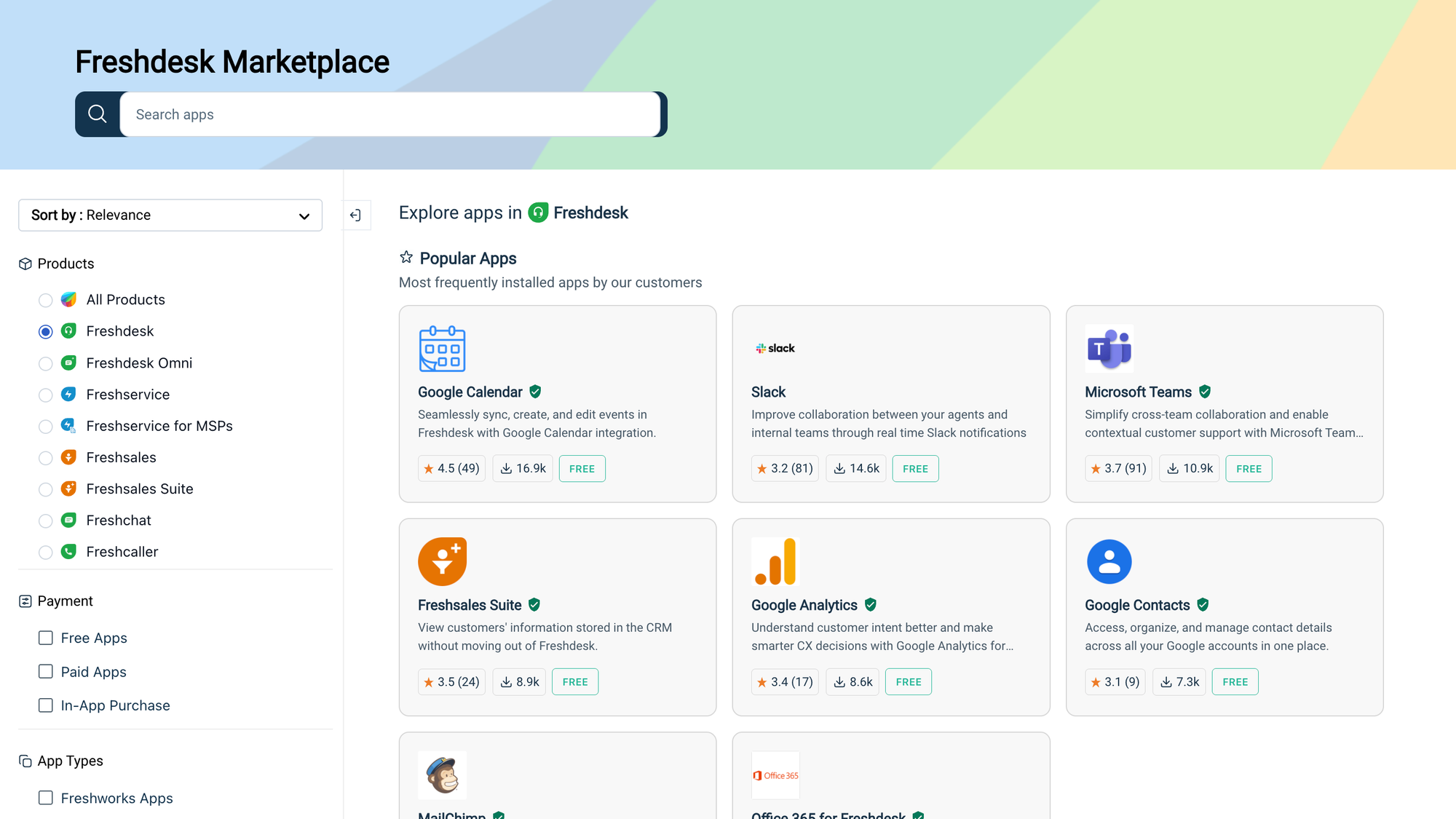
Freshdesk is built for teams that want to connect quickly with the tools they already use, without needing a developer. The Freshdesk Marketplace has more than 1,000 pre-built integrations across CRM, communication, e-commerce, and analytics platforms.
Key features include:
- CRM and sales tools: Native integrations with Salesforce, HubSpot, Pipedrive, and Zoho CRM let agents see customer data directly inside Freshdesk.
- Communication platforms: Works seamlessly with Slack, Microsoft Teams, Zoom, and WhatsApp, ensuring messages and notifications stay synchronized.
- E-commerce and billing: Connects with Shopify, WooCommerce, and Stripe, which helps retailers manage order-related tickets automatically.
- Workflow automation: Offers APIs and webhooks for building custom automations and connecting proprietary systems without deep coding.
- Customization options: Support portals, ticket forms, and chat widgets can be branded with custom colors, logos, and layouts to fit your company’s identity.
Freshdesk also integrates with Freshcaller (for voice) and Freshchat (for live messaging), which gives you all the tools you may need for customer communication. The no-code approach makes it easy for smaller teams to extend functionality quickly. However, deeper integrations sometimes require paid add-ons.
Zoho Desk
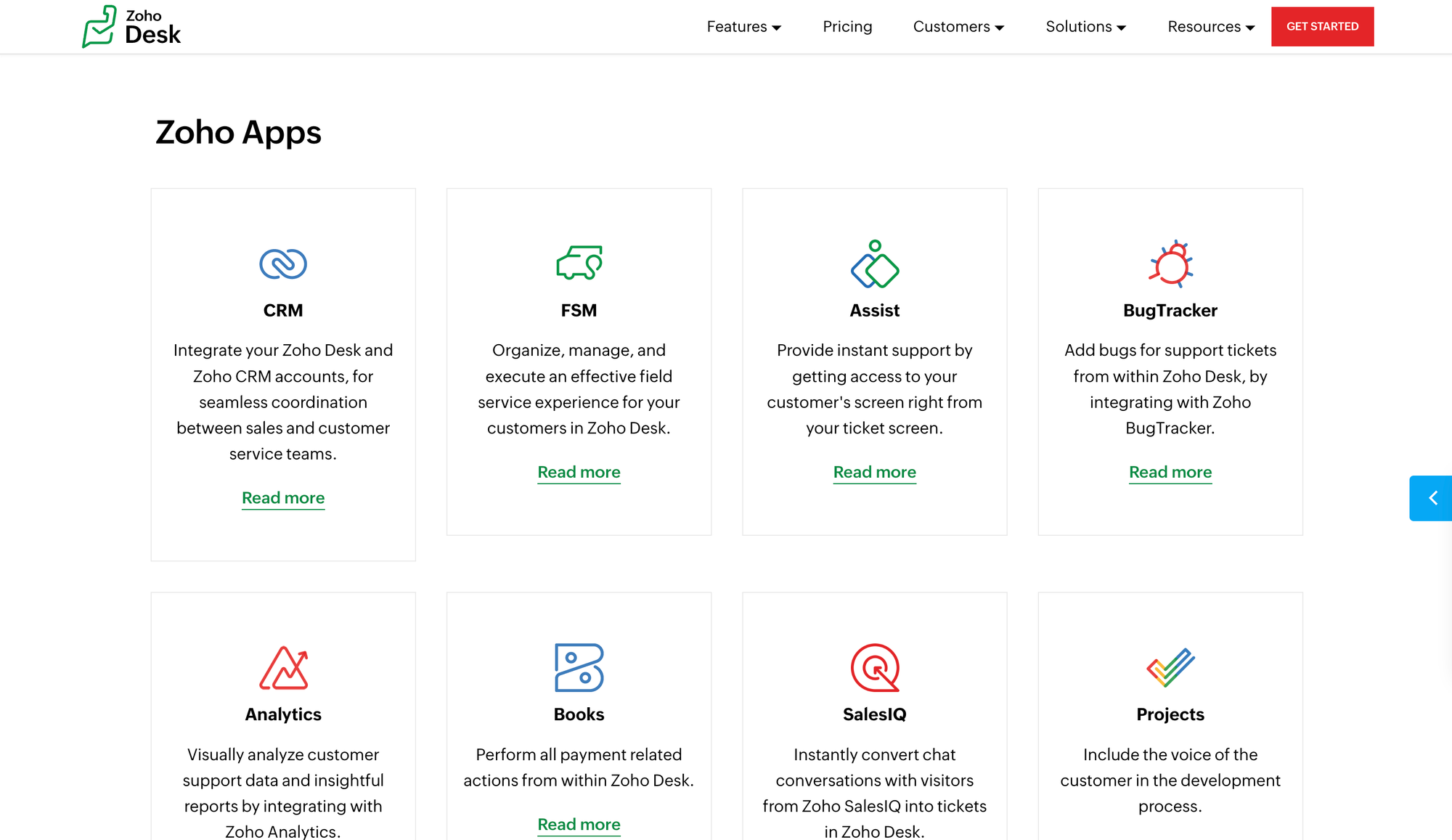
Zoho Desk’s biggest power lies is the integration with other Zoho products like Zoho CRM, Zoho Analytics, and Zoho SalesIQ. For businesses already in the Zoho ecosystem, the connection is native and immediate.
Key features include:
- Zoho-native integration: Data from Zoho CRM, Books, Analytics, and Projects sync automatically, providing a complete view of each customer’s journey.
- Third-party integrations: Offers over 200 pre-built connectors through Zoho Marketplace, including integrations with Google Workspace, Microsoft Teams, Jira, and Slack.
- APIs and developer tools: Extensive REST APIs and SDKs allow teams to build custom integrations or embed Desk features directly into their own applications.
- Customization flexibility: Admins can design custom ticket layouts, fields, automation rules, and workflows for different departments or brands.
- Advanced analytics and reporting features: Through Zoho Analytics, teams can create custom dashboards that blend data from multiple Zoho and third-party systems.
Zoho Desk’s integration options are a bit more limited outside the Zoho family, but the level of control and depth within its own ecosystem is unmatched. For example, agents using Zoho CRM can view tickets, call logs, and chat histories directly on contact records without switching tabs.
Key takeaway: Freshdesk wins in integration volume and accessibility, which makes it easier for small to mid-sized teams to connect popular business apps instantly. Zoho Desk takes the lead for companies already using Zoho tools or those that need deep, customizable workflows with advanced data visibility across departments.
Pricing plans: Freshdesk vs Zoho Desk
Both tools have free plans that let you sample the goods before purchasing them for all agents. However, as you start adding more features, Freshdesk becomes noticeably more expensive compared to Zoho Desk.
Freshdesk
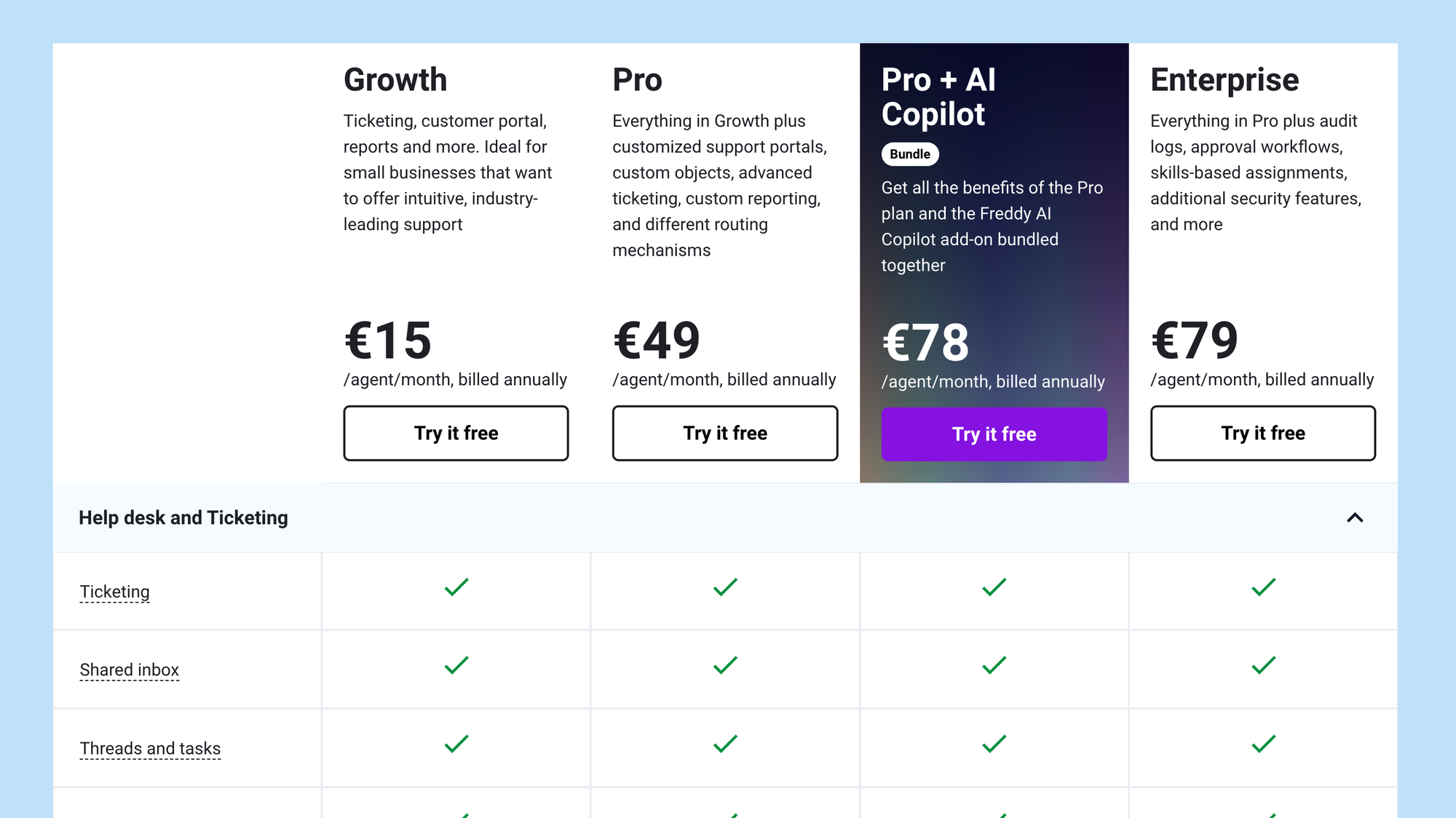
Freshdesk pricing comes with a free tier and several paid plans billed per agent, per month (with annual billing giving you a better rate).
- Free plan – $0 per agent/month: Covers up to two agents. You get basic ticketing, knowledge base, prebuilt reports, and team collaboration tools.
- Growth – $15 per agent/month (annual billing): Adds automation, marketplace apps, helpdesk reports, CSAT surveys.
- Pro – $49 per agent/month (annual billing): Adds features like custom roles, multilingual knowledge base, advanced reporting, SLA management.
- Pro + AI Copilot bundle – $78 per agent/month (annual billing): Bundles Pro with Freddy AI Copilot features.
- Enterprise – $79 per agent/month (annual billing): Includes audit logs, approval workflows, skill-based routing, IP whitelisting, and more security features.
A few caveats: agent-facing AI features typically don’t consume bot sessions, but customer-facing bots do. Also, Freshdesk allows you to buy extra bot session packs if you exceed the included amounts.
Zoho Desk
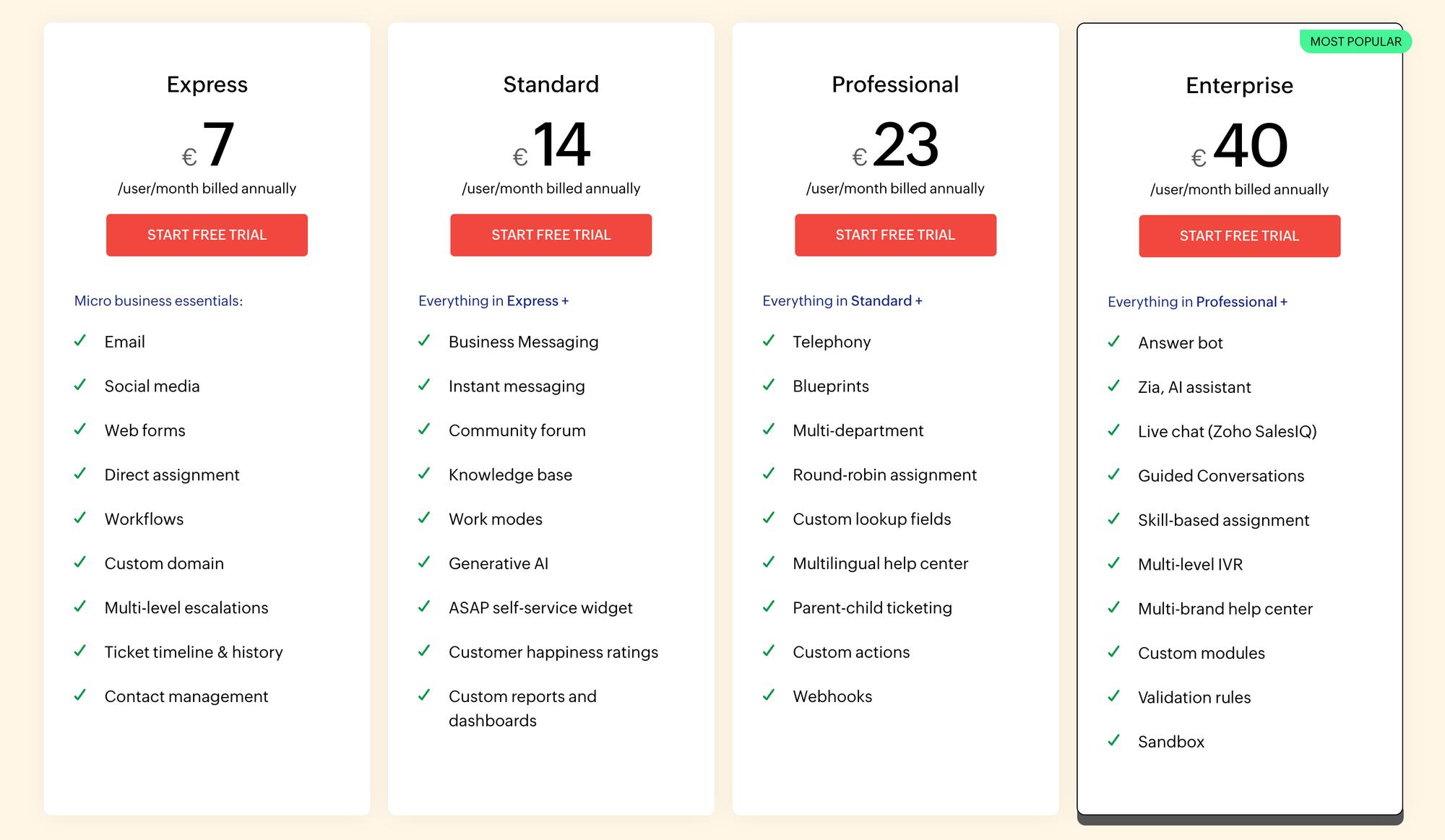
Zoho Desk's pricing comes with a free edition plus multiple paid tiers. The pricing varies by plan and region, so always double-check for your location.
- Free edition: Available for up to 3 agents. Provides basic email ticketing features.
- Express - 7EUR/user/month: This is the first paid tier above free and includes enhanced ticket handling, workflows, and basic SLAs. (The exact per-user cost is published on Zoho’s site, region-dependent.)
- Standard - 14EUR/user/month: Adds more automation, deeper SLAs, and multi-channel features.
- Professional - 23EUR/user/month: Brings advanced features like blueprint workflows, custom functions, and time tracking.
- Enterprise - 40EUR/user/month: The top public tier. Includes features like multi-department, advanced automation, role hierarchy, and Zia AI tools.
In summary: Freshdesk’s free plan and incremental pricing make it easier for small teams to start. But if you push into AI, omnichannel, or advanced features, your costs can grow. Zoho Desk tends to be significantly cheaper at higher tiers, especially if you already use other Zoho tools. However, some features are locked behind upper plans, so smaller teams may feel constrained unless they upgrade.
Final verdict: Freshdesk vs Zoho Desk
If you’re deciding between Freshdesk and Zoho Desk, your choice really comes down to two questions:
- How much structure do you need in your support system?
- How much do you want your support tool to live inside a larger business ecosystem?
If you're still unsure which one to get, here's the final breakdown. 👇
Get Freshdesk if…
- Your priority is handling tickets in a reliable, structured way with automation and SLAs
- You want a tool that’s fast to set up and easy for agents to start using
- You expect to use multiple channels (chat, email, calls, social), but prefer them be in one dashboard
- You value a broad marketplace of integrations with business tools and are comfortable customizing when needed
Get Zoho Desk if…
- You already use other Zoho products (CRM, Analytics, Billing, etc.) and want your support to integrate natively
- You want deeper customer context, such as viewing tickets alongside deal history, sales data, or customer records
- You care about more advanced automation and intelligence (with Zia) to predict trends, manage sentiment, or assign work
- You anticipate scaling into multiple brands, departments, or complex workflows
In simple terms: if your focus is on structured support processes and ease of use, Freshdesk gives you powerful tools without overwhelming complexity. If your organization places high value on connected data, deep integrations, or embedding support into a broader business process, Zoho Desk offers that bridge.
But if neither tool makes you think that your customers will benefit from it, there is a third, even better choice. 👇
Try Featurebase, the better alternative to Freshdesk and Zoho! ✨
If Zoho is too bloated, but Freshdesk is too limited and both feel outdated, consider Featurebase, a modern support & product suite that blends the best of both worlds.
It’s loved by thousands of fast-growing support, success, and product teams from companies like Lovabale, n8n, and Instantly.
With pricing starting from just $29 per user per month + $0.29 for every AI resolution, it costs a fraction of Freshdesk, Zoho, and most other support platforms.
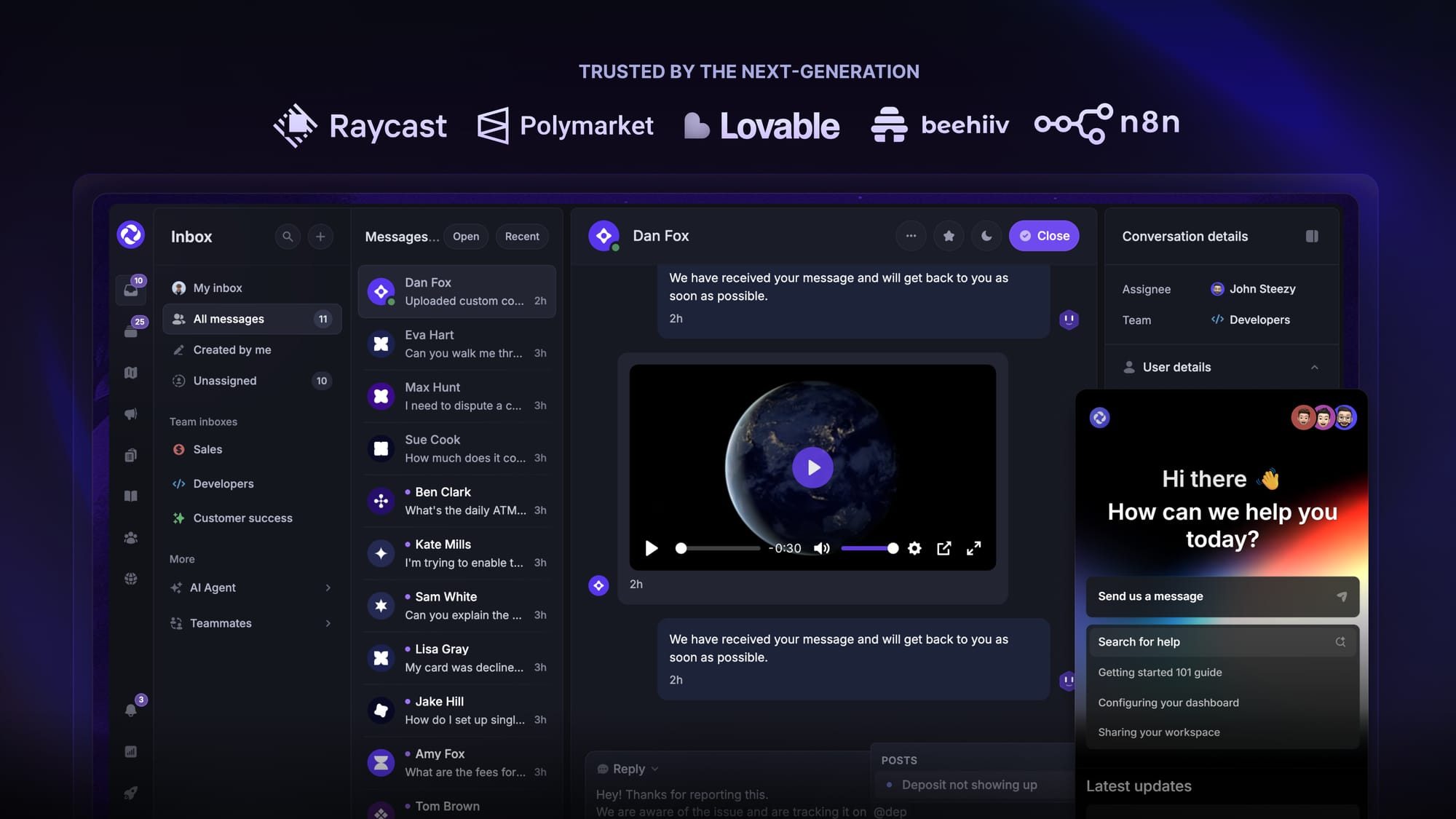
Featurebase is a modern support & feedback platform designed to help SaaS with AI-powered support, help center, and feedback collection. Instead of having 5+ different tools, Featurebase offers everything in one place to help you build products your users love:
- Support platform – Support your customers from anywhere with an omnichannel inbox and automate support with powerful AI agents.
- Help Center – Provide self-serve support with a beautiful AI-powered knowledge base & bring help articles inside your product with a widget.
- Feedback collection & roadmaps – Centralize feedback with integrations, feedback widgets, AI, and a public feedback forum. Let users vote on each other's ideas, see their total revenue, and focus on the most impactful features. All upvoters will automatically be notified when you complete their request.
- Changelogs – Announce product updates and increase feature adoption with neat in-app popups, notification emails, and a dedicated updates page.
- Surveys (NPS, CSAT, etc.) – Create targeted surveys to ask users anything and measure customer satisfaction.
Plus, it integrates with many popular tools that you likely already use, such as Linear, Jira, Slack, and many more.
The onboarding is quick and doesn't require a credit card, so there’s zero risk involved. 👇
✨ Automate your support with the fastest AI-enhanced Inbox today →
More comparisons: