Intercom vs Zendesk: Head-to-Head Comparison
Struggling to choose between Intercom and Zendesk in 2026? We compare features, AI (Fin vs Zendesk AI), and the new outcome-based pricing, so you can make an informed choice.


On this page
- Quick overview
- What happened to Intercom? The Fin rebrand and Salesforce acquisition
- Intercom vs Zendesk: Feature comparison
- Integrations
- Ease of use and setup
- Pricing
- Use case fit
- What users say about Zendesk and Intercom
- So, which one is better?
- Featurebase: the better alternative to Intercom and Zendesk! ✨
Looking for a modern & affordable alternative to Intercom and Zendesk? Check out Featurebase
If you're looking at your next (or first) customer support platform, the choice between Intercom and Zendesk is like Coke vs Pepsi.
Both are extremely popular, very capable choices with hordes of fans. Both have advanced automation features to help your customer service agents perform at their best. But what do they offer under the hood?
In this Zendesk vs Intercom comparison, we look at their top features, pros and cons, pricing, and more, to help you choose a support and ticketing tool that best suits your needs. 👇
Quick overview
| Intercom | Zendesk | |
|---|---|---|
| Focus | Conversational support and customer engagement | Structured ticketing and multi-channel support |
| Target Users | Startups and growth companies (engagement-focused) | Mid-sized to large enterprises (service-oriented) |
| Chat & Messaging | In-app live chat (customizable Messenger widget) with built-in AI, plus email and social. Very strong chatbot (Fin) | Omnichannel chat integrated with email, social, voice, and SMS in a unified Agent |
| Automation & AI | Advanced workflows and bots. Built-in AI agent (Fin) resolves a majority of conversations (around 67% on average). AI assistant (Copilot) for agents. | Triggers, macros, and workflow automations. AI agents and Copilot available, now billed per resolution. |
| Help Center | Built-in knowledge base (customizable by plan). Integrates with chat/AI. | Zendesk Guide (very customizable KB with multi-brand support). Strong article organization. |
| Integrations | ~450+ apps (e.g. Salesforce, Slack). Extensive Zapier support. | ~1,800+ apps (Salesforce, Slack, Jira, Shopify, etc.). Broad Marketplace and Zapier compatibility. |
| Pricing (examples) | Plans from Essential $19/seat/mo (annual). Fin usage from $0.99/outcome, billed separately. Proactive Support Plus (product tours, surveys) add-on $99/month | Plans from Support Team $19/agent/mo (annual), then Suite Team $55, Professional $115. AI Copilot $50/agent/mo, plus AI agents billed per resolution |
| G2/Capterra rating | ~4.5/5 (1,125+ reviews on Capterra), praised for chat and engagement | ~4.4/5 (4,000+ reviews) - praised for ticketing and scalability |
In short, Intercom can quickly become very pricey, while Zendesk can feel a bit outdated and slow for modern startups.
If you're after a more powerful alternative, check out Featurebase. We're a modern and affordable alternative to Intercom and Zendesk, but we'll stay unbiased in this comparison, promise.
What happened to Intercom? The Fin rebrand and Salesforce acquisition
Before we go feature by feature, there's some 2026 context that changes how you should read this comparison.
In May 2026, the company behind Intercom renamed itself Fin, after its AI agent. The support platform you actually buy and log into is still called Intercom (now a rebuilt version, Intercom 2), but the company, the brand, and the roadmap now center on Fin, the AI agent.
Then in June 2026, Salesforce agreed to acquire Fin for $3.6 billion in cash, folding its AI customer-service technology and 30,000+ customers into Salesforce. The deal is expected to close later in Salesforce's fiscal 2027.
Two practical takeaways for buyers:
- The product isn't going away: Intercom continues as Fin's customer service platform, and the company says it's increasing investment in it, not winding it down.
- Pricing is now AI-first: Fin is sold on outcome-based pricing (usage starts at $0.99 per outcome, billed separately from helpdesk seats), and that model shapes the whole platform. More on that in the pricing section below.
Intercom vs Zendesk: Feature comparison
Zendesk and Intercom have an extensive set of features to provide personalized support to your customers.
1. Live chat for customer interactions
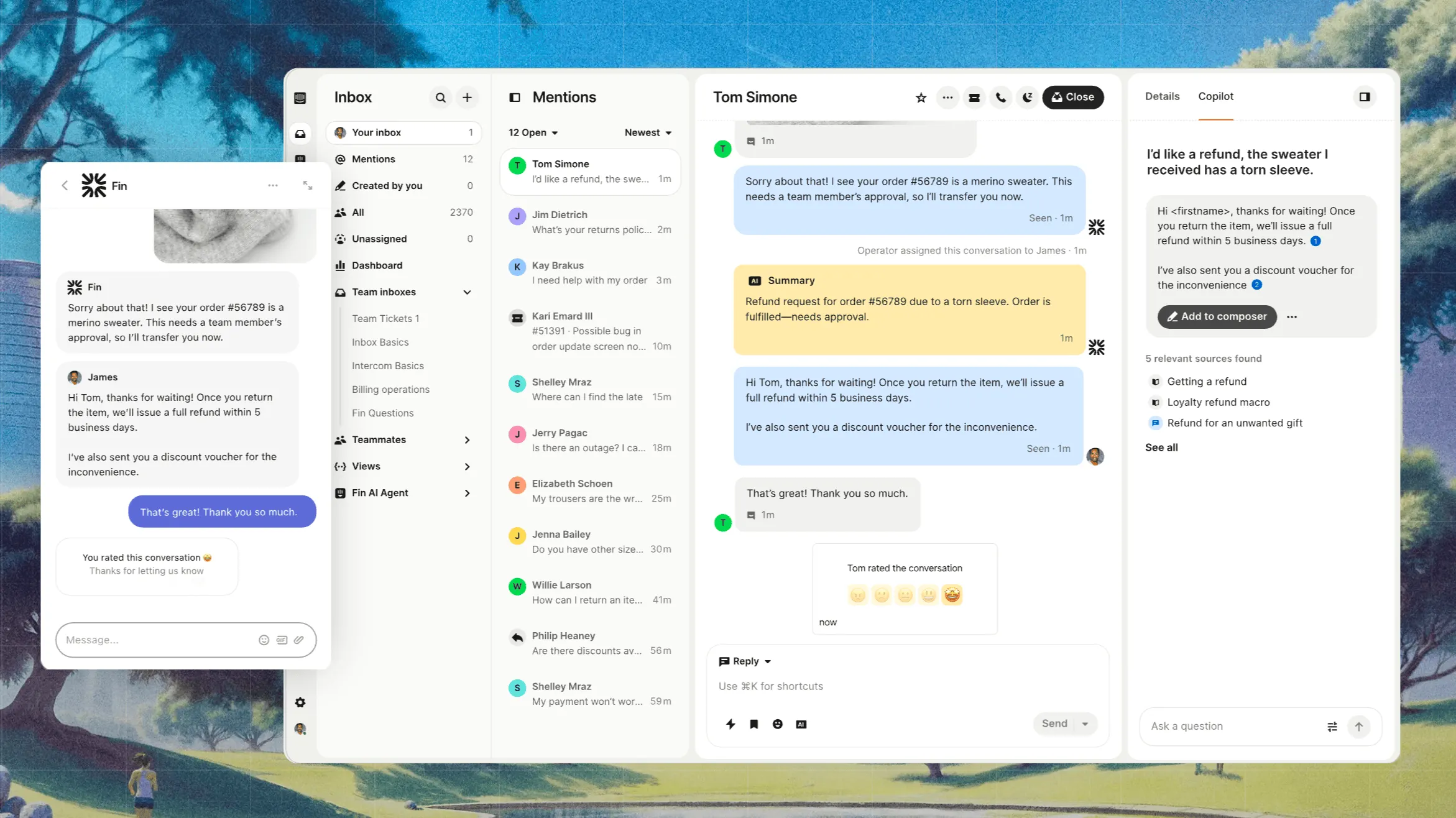
Originating as an in-app messenger, Intercom's live chat is highly polished.
You get a fully customizable Messenger widget that works on web and mobile apps, plus outbound in-app and email messaging. The built-in AI chatbot (Fin) can instantly answer many queries. In fact, Intercom reports that Fin resolves a majority of conversations on its own, around 67% on average across its customer base. Chat conversations flow into Intercom's unified Inbox, preserving context across messages and email.
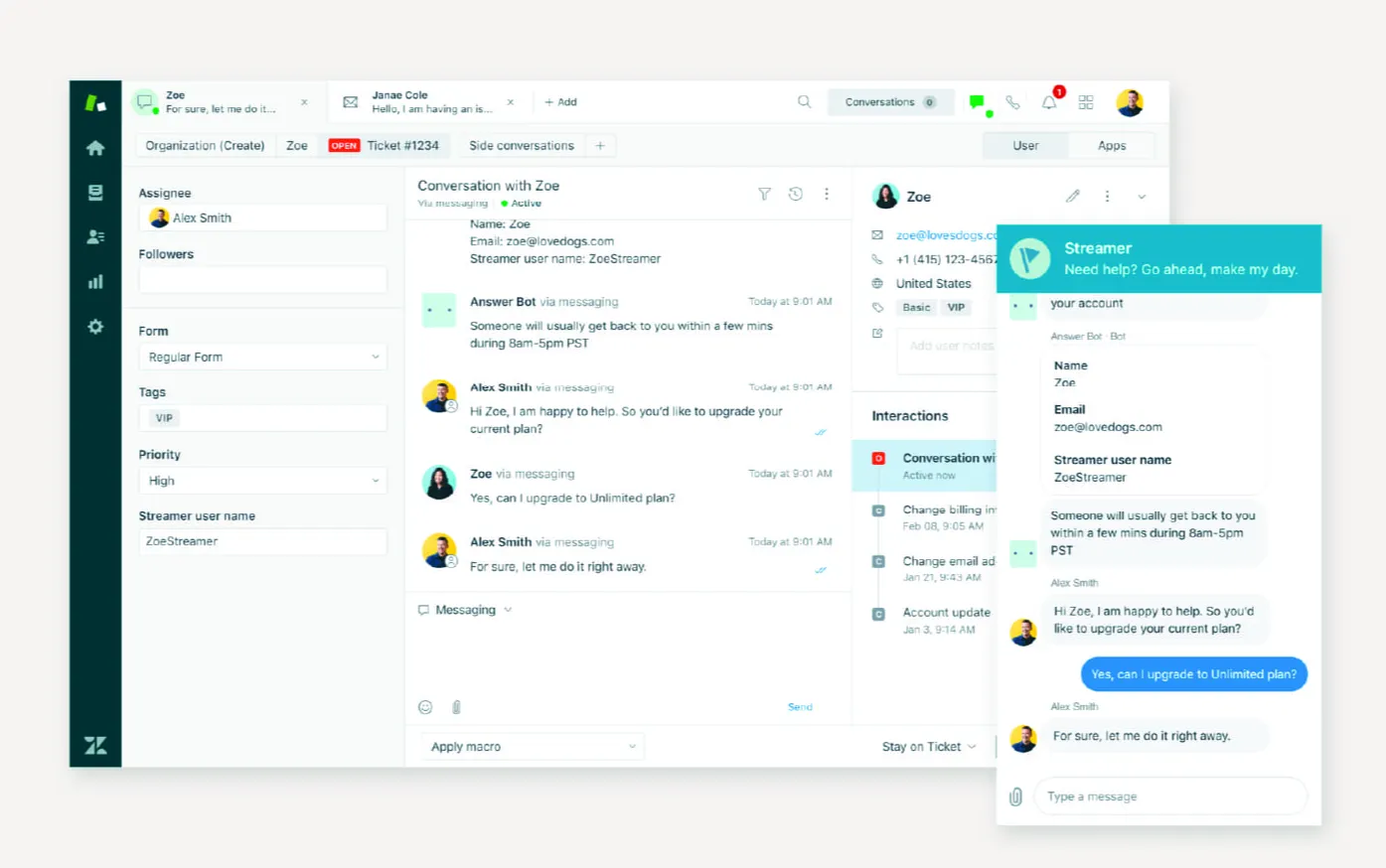
Zendesk provides live chat as part of its omnichannel suite (previously Zendesk Chat/Sunshine). Agents see chat, email, social, and phone all in one "Agent Workspace." Chats can be routed, prioritized, and escalated into tickets seamlessly.
Out of the box, Zendesk includes chat, but advanced chatbots (like WhatsApp bots or AI bots) require add-ons. Overall, Zendesk's chat is solid and integrates tightly with its ticketing system, but some users note that enabling and customizing channels (e.g., WhatsApp or social) will require extra setup.
To summarize, Intercom is primarily a live chat tool with strong AI features. On other hand, Zendesk's strongest side is ticketing and live chat comes second. If live chat is a critical feature for your customer support/success team, Intercom is the better choice.
2. Automation and AI
Both tools come packed with AI features for providing exceptional customer experiences.
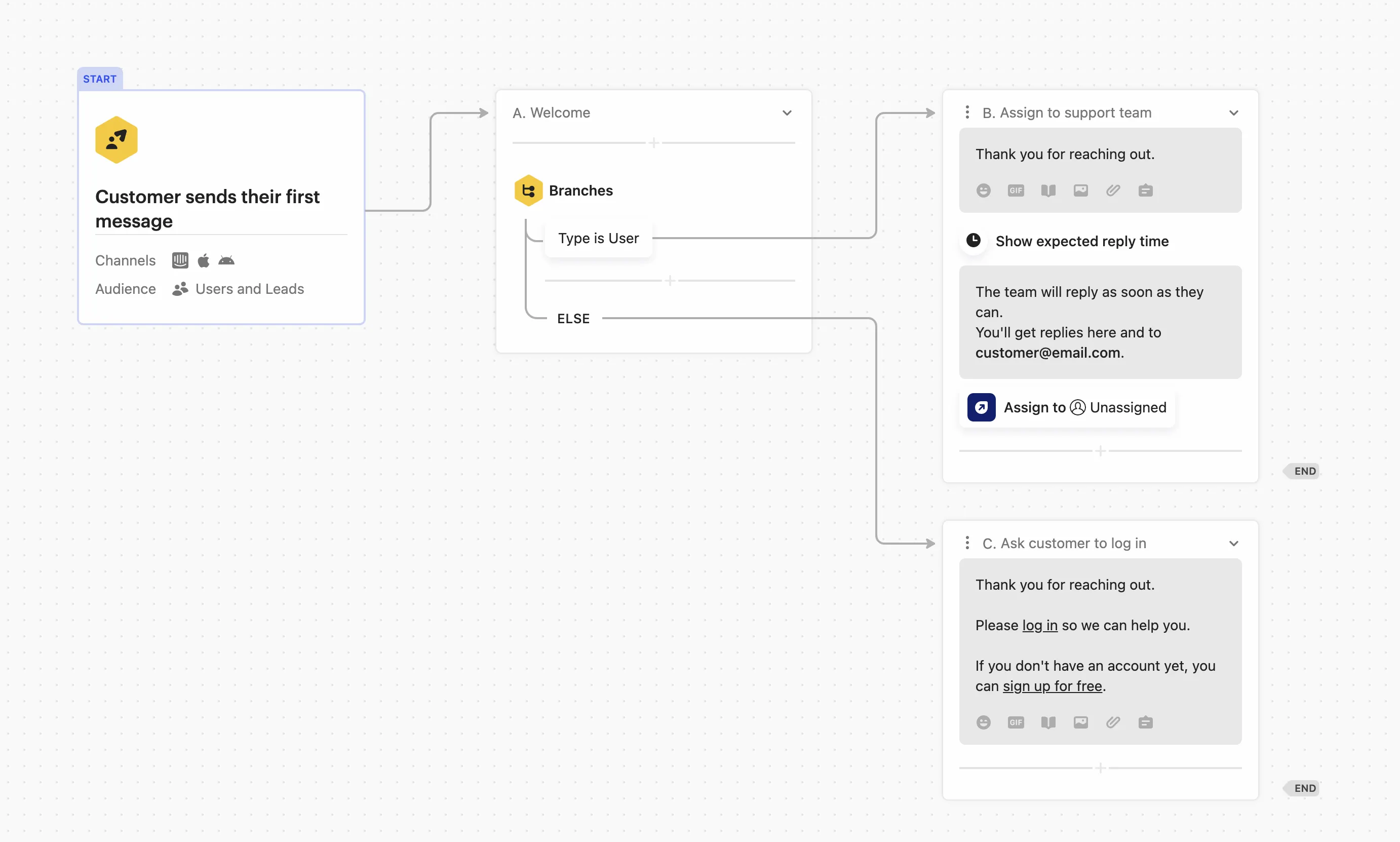
Automation is one of the strongest aspects of Intercom. The standout feature is Fin, its AI support agent, which is priced by outcome: support resolutions and configured procedure handoffs cost $0.99 per outcome. Standalone Fin on another helpdesk requires no Intercom seats and has a 50-outcome monthly minimum.
Fin can draft and send replies, retrieve knowledge base answers, take actions in other systems (like issuing a refund), and hand off to humans when needed. Agents also get an AI assistant ("Copilot") to suggest replies so you can improve your basic support metrics.
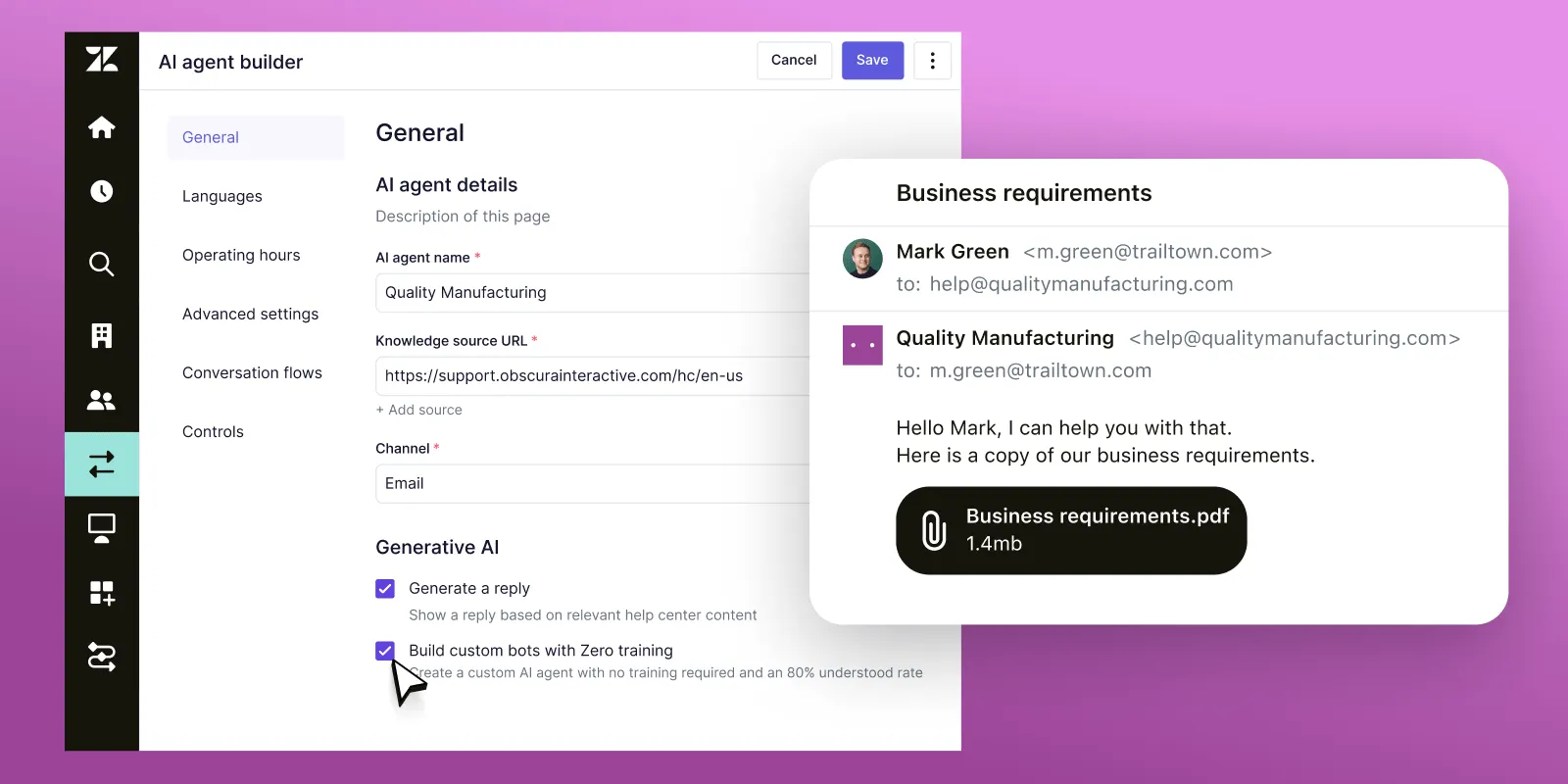
Zendesk's automation revolves around triggers and macros. You set rules to tag, route, or escalate tickets automatically. For AI, Zendesk offers its own Copilot for agents and AI agents for self-service deflection, with strong predictive triage and routing.
Importantly, Zendesk has moved to the same model as Intercom: its AI agents are now billed per automated resolution (outcome-based pricing), not per seat. So both platforms now charge for AI based on outcomes, which makes resolution volume, not seat count, the real driver of your AI bill.
However, there is no denying the fact: Intercom's AI features are much more powerful. Live chat combined with Fin makes Intercom the clear winner in the AI department.
3. Help centers
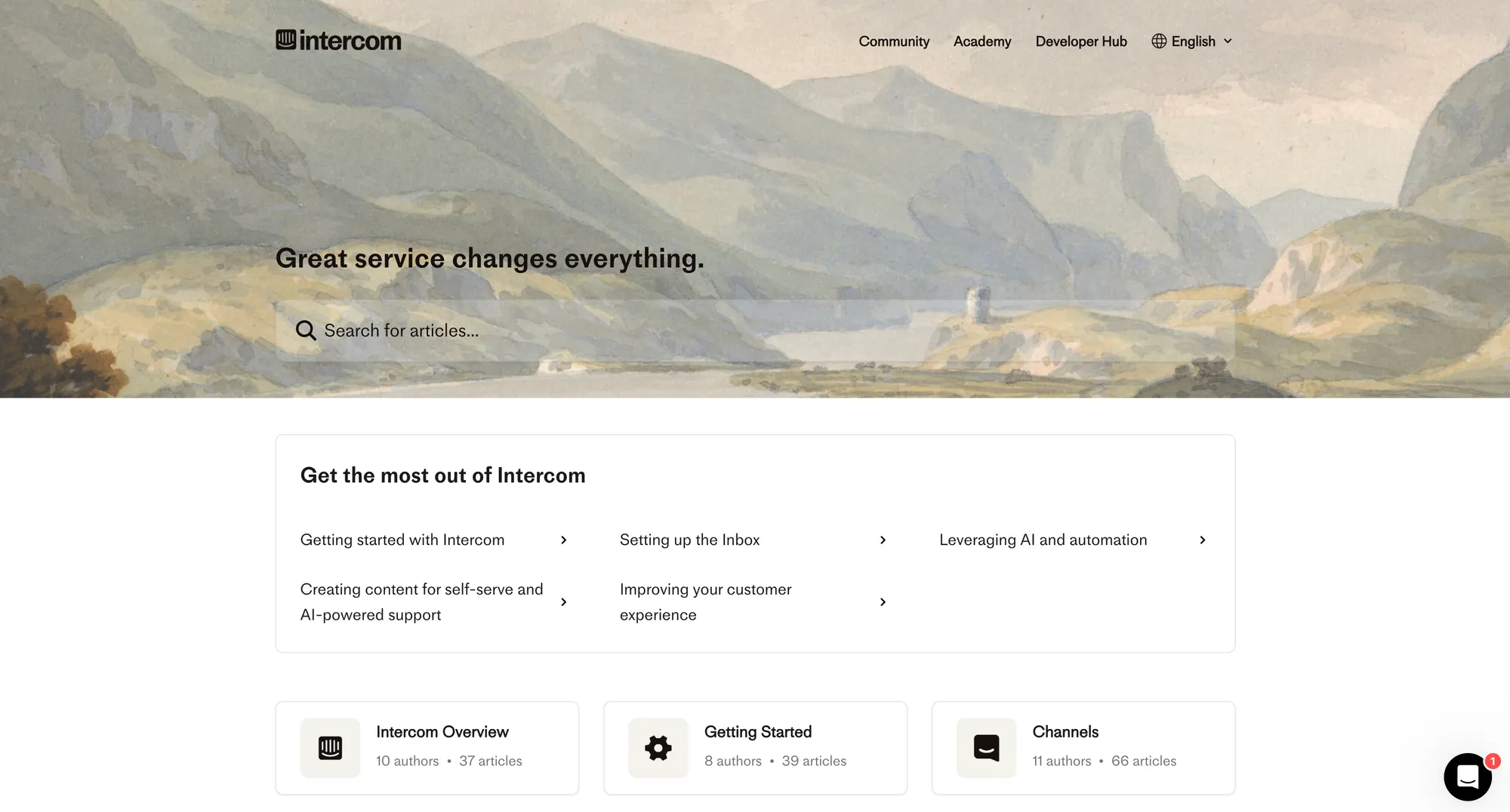
Every plan in Intercom includes a Help Center where you can write and organize knowledge articles. It supports branding, categories, and private vs. public articles. Intercom's knowledge base is easy to spin up and ties into its Messenger (so the bot can pull answers). However, customization is somewhat limited on lower tiers.
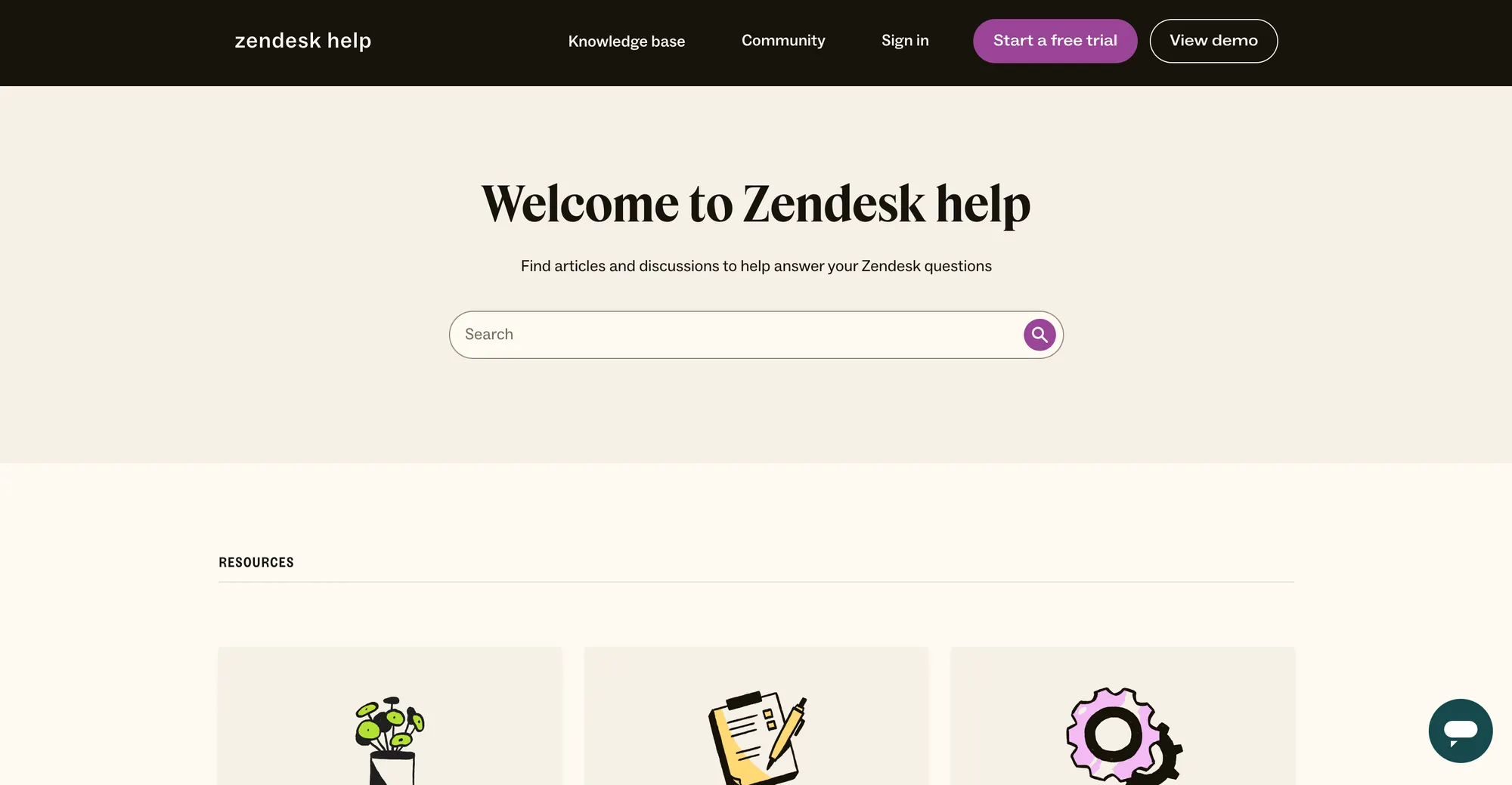
Zendesk's Guide is a full-fledged knowledge base system. You get powerful article formatting, as many customer segments as you need, multi-brand support, and deep analytics. It's highly customizable to match your branding. Creating and managing large documentation libraries is a core Zendesk feature.
In side-by-side tests, Zendesk’s help center often scores higher for flexibility, though both systems let customers search FAQs and help content.
4. Messaging and channels
Messaging is the heart of Intercom. In addition to web chat, Intercom lets you send targeted in-app messages, email broadcasts, mobile pushes, and push surveys (some features via Proactive Support). It’s built for engaging users proactively. Intercom also supports connecting SMS, email, and social inboxes (e.g., Twitter/X DM) into its platform. Overall, it’s modern and customer-facing and covers just about any channel for targeted messaging.
Zendesk emphasizes omnichannel support. Agents work in one dashboard for chat, email, SMS, phone, and social media (all channels). This unified workspace is designed so you can switch channels on the fly. Zendesk has added multiple channels (including WhatsApp and AI-powered voice agents) so that nearly any customer touchpoint plugs into the ticketing system.
In practice, Zendesk offers more built-in channels than Intercom, but adding channels like WhatsApp requires higher-tier plans or add-ons.
5. Product tours
Intercom is one of the few support platforms that includes Product Tours for guiding users through your app. Available as part of the Proactive Support Plus add-on ($99/month for 500 sends). Tours let you create step-by-step walkthroughs. They're great for onboarding or announcing new features.
Zendesk does not have a built-in product walkthrough feature. If you need in-app tours on Zendesk, you'd typically use a third-party tool (like Pendo or WalkMe) and integrate it. Zendesk itself focuses on a knowledge base and proactive email/SMS rather than guided tours inside your product.
Integrations
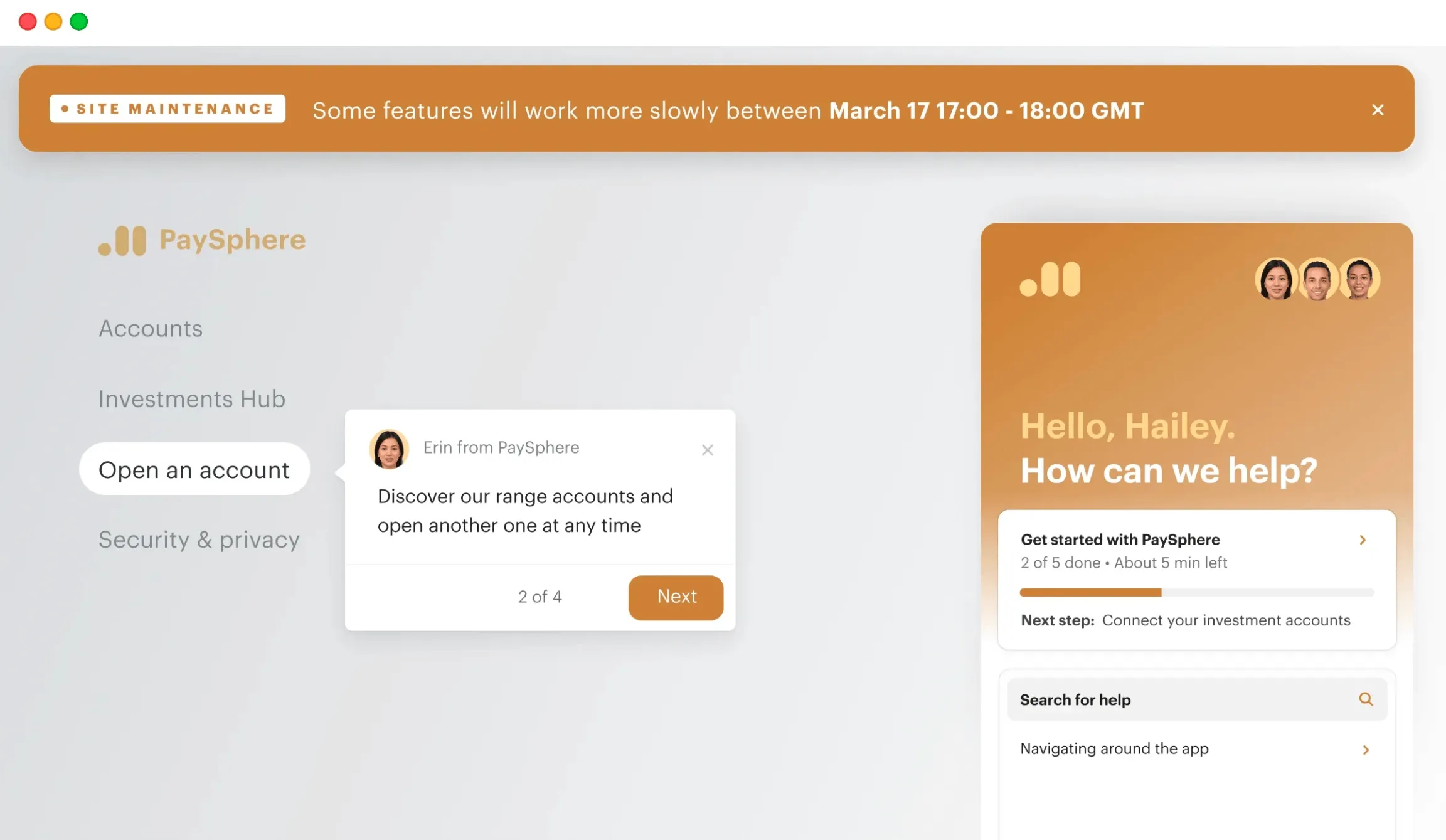
Zendesk wins in sheer quantity: its Marketplace has well over 1,800 apps and integrations (Salesforce, Slack, Jira, Shopify, etc.). This makes it easy to plug Zendesk into almost any existing tech stack. You also get endless customization options based on your unique requirements.
Intercom's App Store is smaller - roughly 450+ tools, but it covers all the core bases (e.g., CRM, dev tools, marketing).
Both systems integrate with Salesforce and Slack. Zendesk also has many niche apps, whereas Intercom relies more on direct connectors and Zapier flows. Speaking of which, both platforms support Zapier so that you can automate custom workflows between your tools.
Ease of use and setup
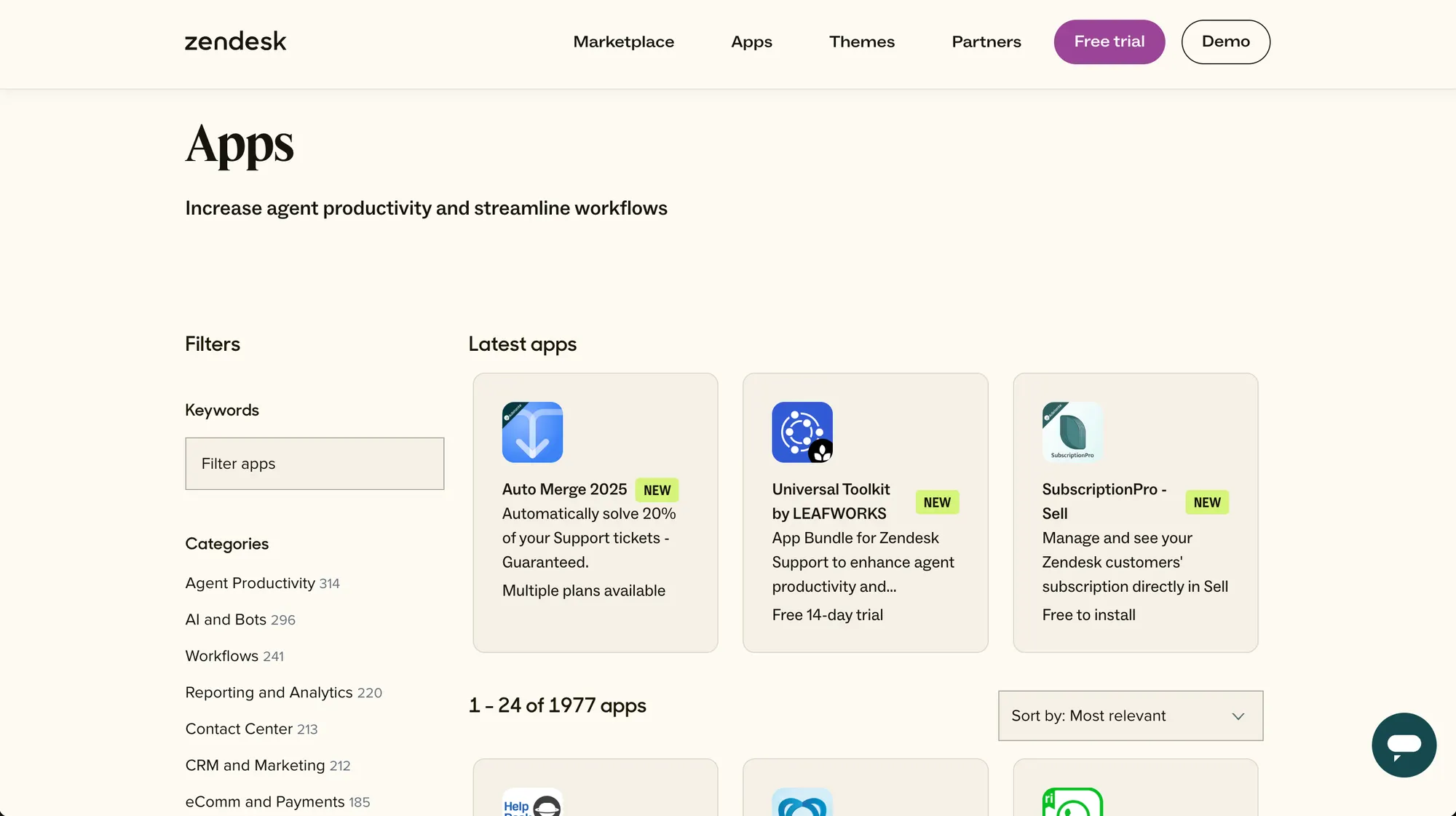
This is subjective, but worth considering: Intercom tends to score higher on "modern UI" and quick setup, whereas Zendesk is often praised for its polished Agent interface. For example, G2 data (cited by Intercom) indicates Intercom is easier to set up than Zendesk.
Many Intercom customers report a smooth onboarding experience - one noted that switching from Zendesk to Intercom was "easy to configure and implement". On the other hand, Zendesk emphasizes its user-friendly agent workspace and scalability for large teams.
In practice, smaller teams often find Intercom simpler to get started (especially if they're already familiar with chat tools), while larger organizations might appreciate Zendesk's structure. It's fair to say there's a learning curve with both:
Zendesk's powerful features can take time to configure correctly, and Intercom's many options (multiple inboxes, AI setups, etc.) can initially feel complex. Overall, both vendors offer guides, onboarding help, and dedicated support to ease the transition, but reviews tip slightly in favor of Intercom for setup speed.
Pricing
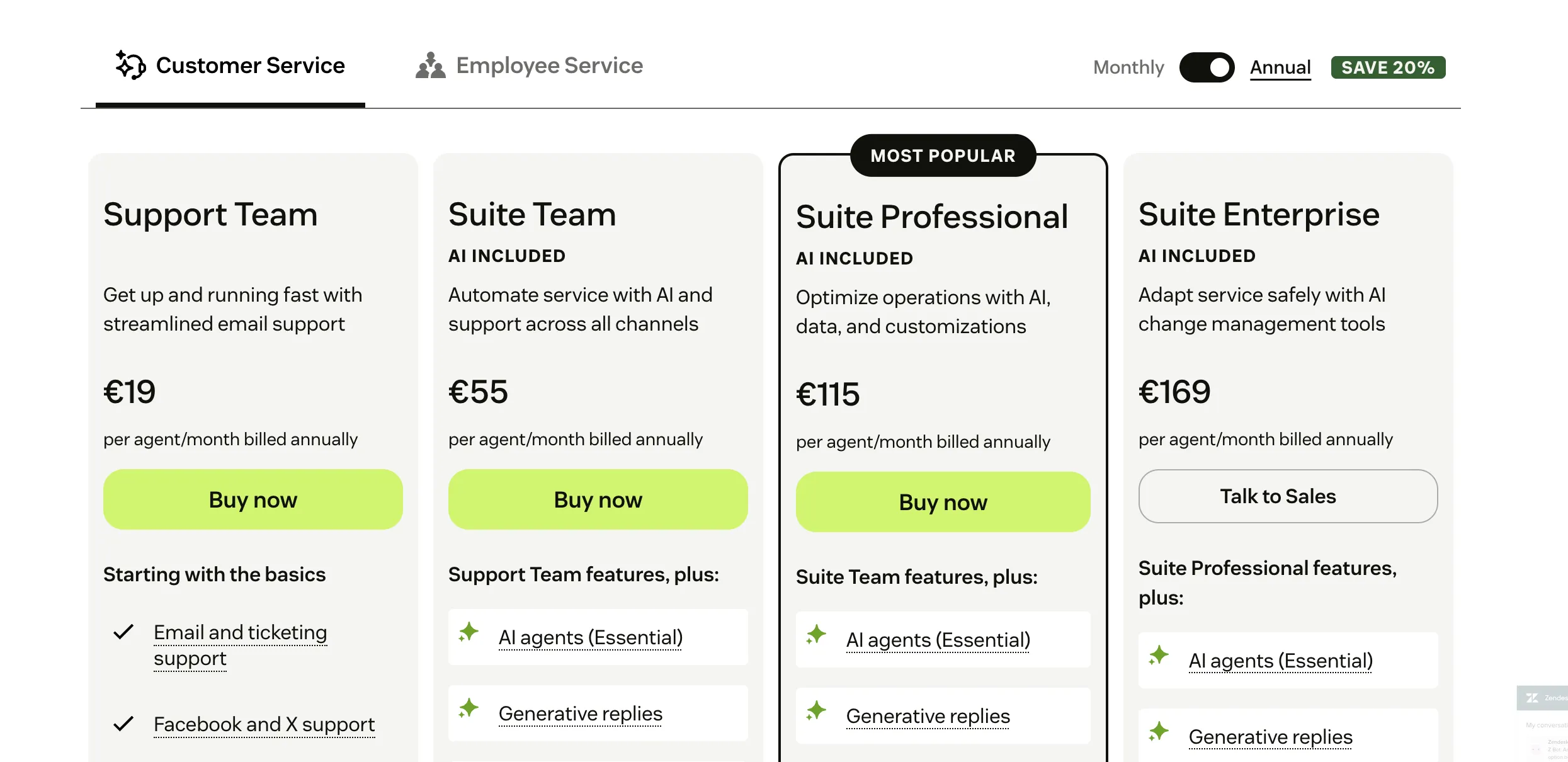
Zendesk's pricing starts with the basic Support Team plan at $19 per agent/month (annual billing). The Suite Team plan is $55, and Suite Professional is $115, with Suite Enterprise available on a custom quote. These tiers include ticketing, chat, and automation, while advanced features like skills-based routing and sandbox environments appear only in higher plans.
Add-ons stack on top: Zendesk Copilot runs $50 per agent/month, with separate bundles for Workforce Engagement and Contact Center. Crucially, Zendesk's AI agents are now billed per automated resolution (outcome-based pricing), not per seat, so heavy AI usage becomes a usage line on top of your base plan. Many enterprise features sit behind add-ons, which can push total costs well above list pricing. (Pricing accurate as of July 2026.)
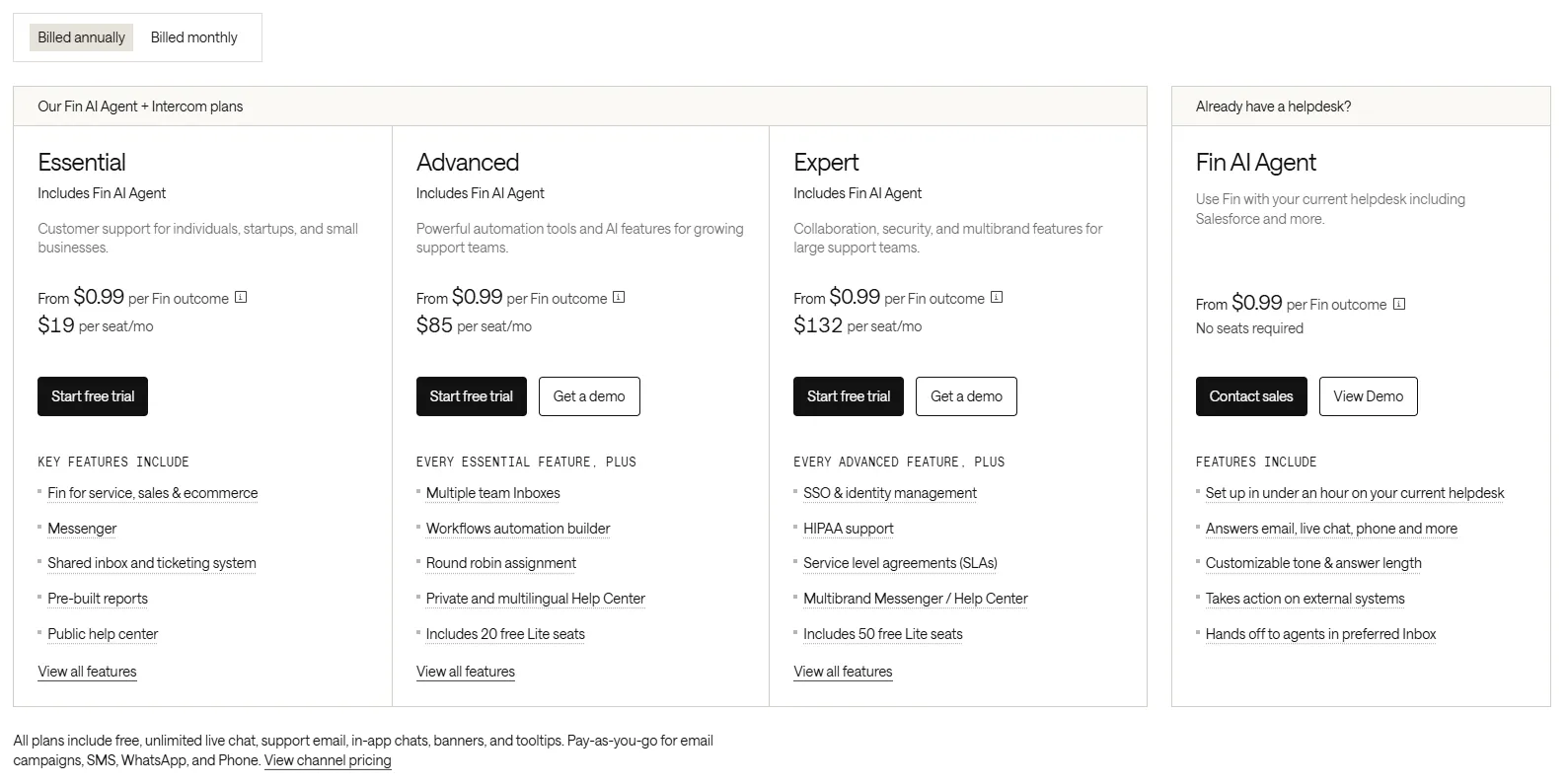
Intercom's pricing starts with an Essential plan at about $19 per seat/month (annual billing, or $29 monthly). Higher tiers cost $85 (Advanced) and $132 (Expert) per seat/month billed annually, or $99 and $139 on monthly billing. Every plan includes access to Fin, but Fin itself is priced on outcomes: you pay from $0.99 per outcome, covering resolutions and configured procedure handoffs at $0.99 each.
Disqualifications and self-serve routing also cost $0.99, while sales qualifications cost $9.99. Standalone Fin on another helpdesk requires no Intercom seats and has a 50-outcome monthly minimum. The Proactive Support Plus package (tours, surveys) is $99/month for 500 messages, and the Copilot agent assistant is $29 per agent/month billed annually ($35 monthly). In practice, costs scale with Fin usage, which can climb quickly at high volumes.
Takeaway: Both platforms have moved to outcome-based AI pricing, so your real cost depends on resolution volume, not just seats. Nucleus Research found teams that switched from Intercom to Zendesk cut first-response times by 61% and resolution times by 54% - a reminder that the "cheaper" tool depends heavily on your workflows and volume.
Use case fit
Zendesk and Intercom often target slightly different audiences:
Zendesk is a classic choice for companies (often larger or more traditional enterprises) that need robust, ticket-centric help desk features with deep workflow capabilities. It shines in situations where you have diverse support channels and need strict processes (SLA, routing, collaboration across departments).
Intercom, by contrast, is ideal for growing tech companies or startups that emphasize user engagement and proactive messaging. If your team wants live chat first, in-app messaging, and to blend marketing with support (targeted messages, product tours, etc.), Intercom may be a better cultural fit.
To sum up: Zendesk is popular with enterprisey support-led organizations that need scalability, reporting, and a full multichannel help desk. Intercom is popular with more agile teams that want to “meet customers where they are” with chatbots and personalized outreach, and who can benefit from integrated sales/engagement features.
What users say about Zendesk and Intercom
Review sites rate both platforms highly, with users praising different aspects. On Capterra, Intercom holds about a 4.5-star average (from ~1,100 reviews), and Zendesk around 4.4 stars (~4,000 reviews).
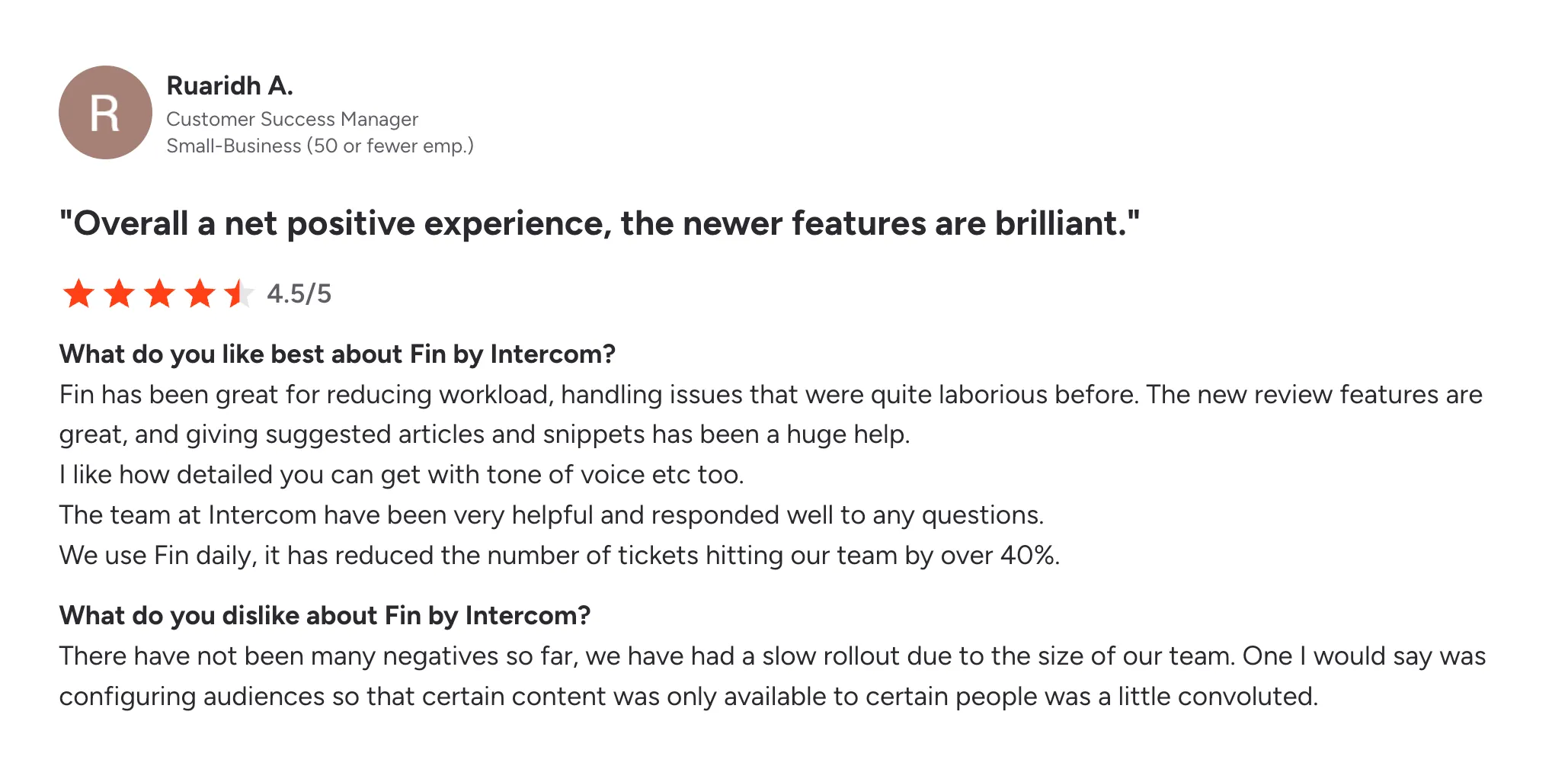
Intercom users frequently mention its ease of use, chat interface, and engagement tools – one reviewer noted that integration was “super easy” and loved the clear documentation. They also appreciate the proactive features (bots, targeted campaigns) that can boost customer satisfaction.
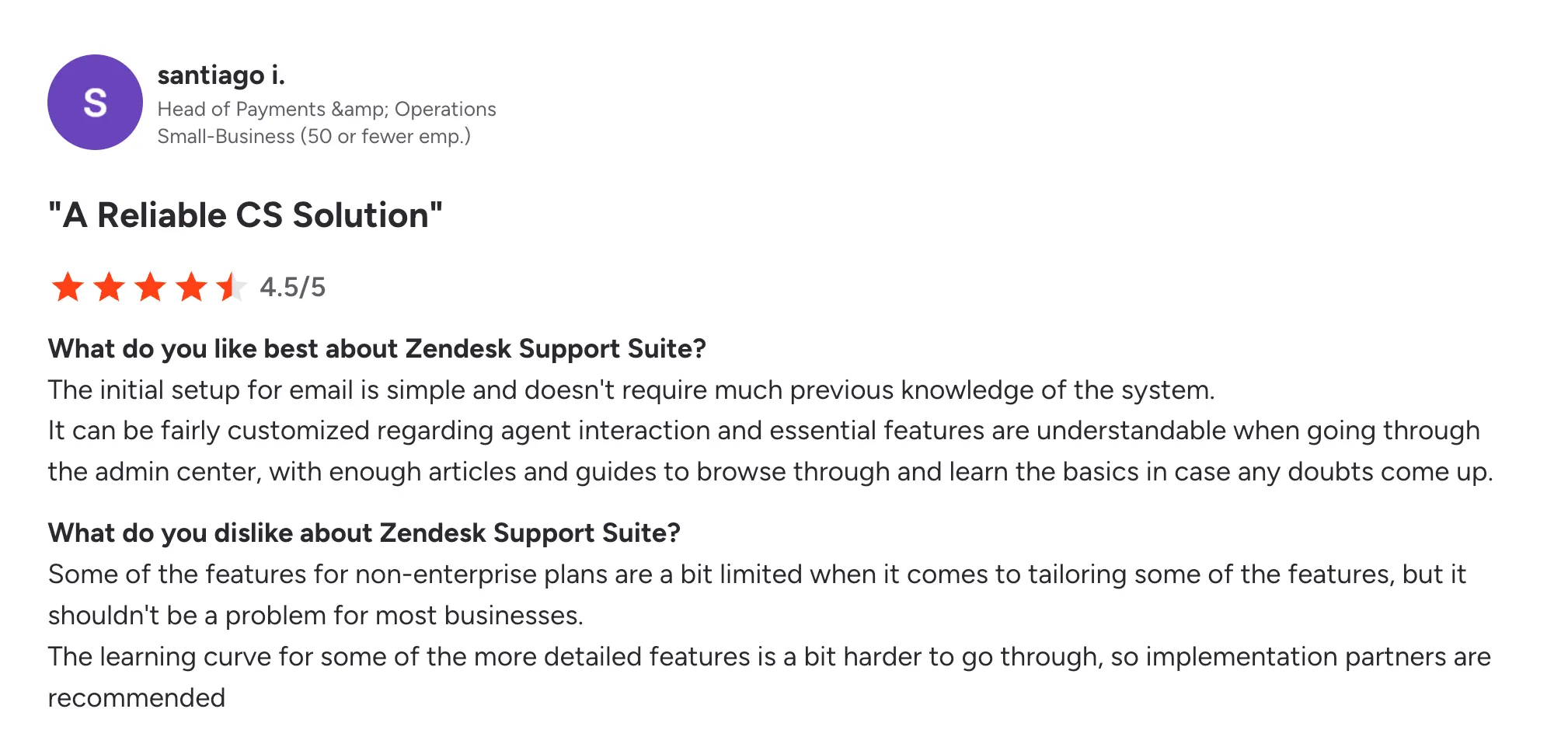
Zendesk reviewers appreciate the powerful ticketing, macros, and multi-channel view – for example, one comment praised using Zendesk to handle email, chat, and social in a single view, calling the routing “a lifesaver”.
Common criticisms reflect the platforms’ weaknesses: several Intercom users mention its cost and complexity as they scale (hidden fees, pricey add-ons), and some complain about support response times. Conversely, Zendesk users sometimes cite the steep learning curve and cost as they grow beyond basic plans.
In short, customers tend to agree that both products deliver on their main promises, but each can frustrate – Intercom with pricing and feature gating, Zendesk with setup complexity – as revealed in user reviews.
So, which one is better?
Intercom and Zendesk both cover customer support, but they serve very different priorities.
- If you want structured ticketing, detailed workflows, and call-center scale, go with Zendesk. It's built for control and volume.
- If you want conversational support, proactive chat, and in-app messaging that doubles as a growth lever, choose Intercom. It's better suited for lean teams and product-led companies.
All in all, Zendesk can be overwhelming for startups, and Intercom can become expensive at scale as Fin resolutions add up. The great news is that you can have the best of both worlds. 👇
Featurebase: the better alternative to Intercom and Zendesk! ✨
If Zendesk feels too slow and Intercom is too expensive, check out Featurebase, a modern support platform that blends the best of both worlds.
It’s loved by thousands of fast-growing teams from companies like Lovabale, Polymarket, and Instantly.
With pricing starting from just $29 per user per month (+$0.29 per AI resolution), it costs a fraction of Intercom, Zendesk, and most other support platforms.
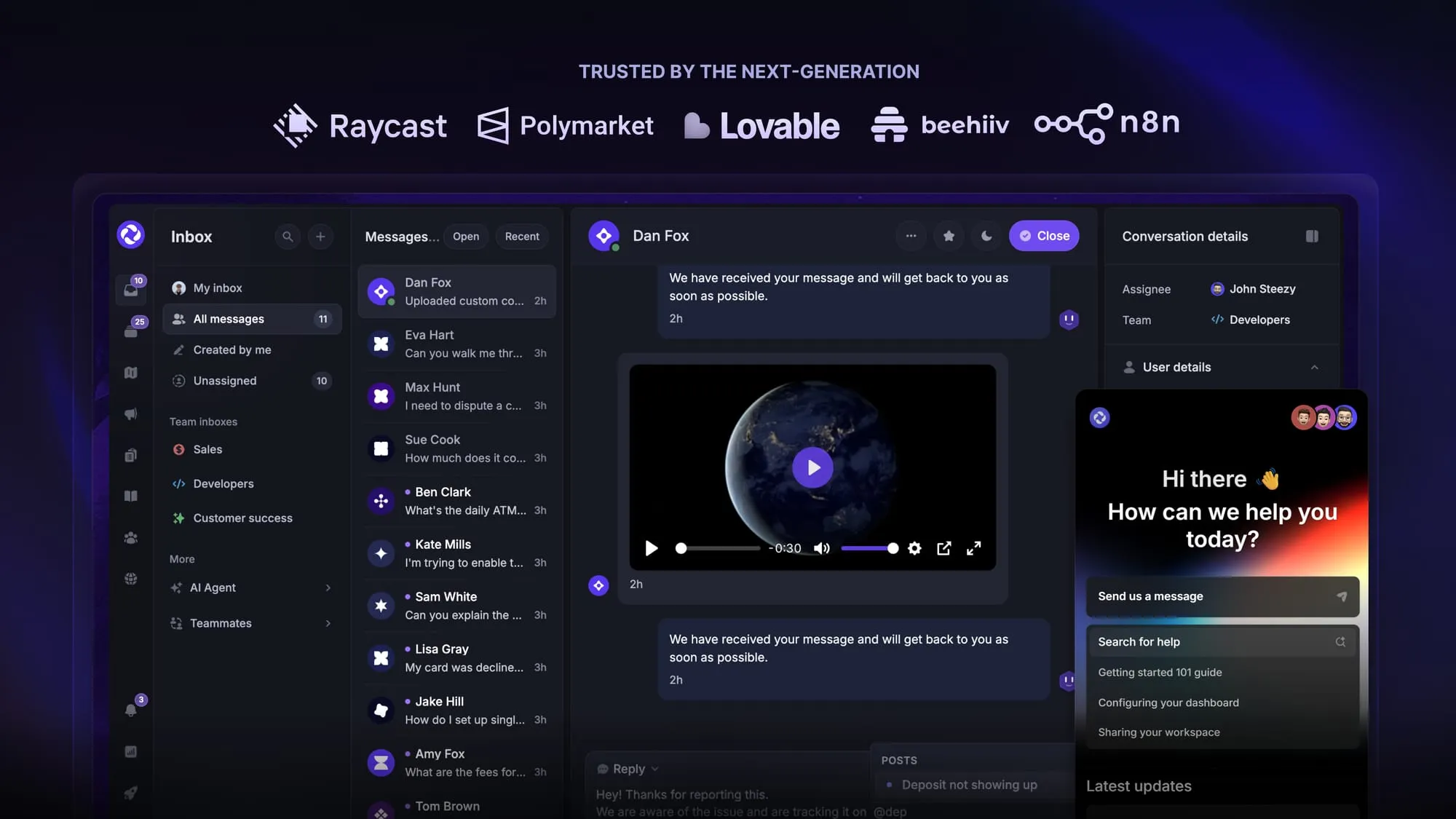
Some of the many Featurebase features include:
- Unified inbox – manage your live chat & email conversations in one place with your whole team
- AI agent & automations – fully automate your support with AI and endless custom workflows, like extending trials, offering discounts, qualifying leads, etc.
- Messenger widget – provide AI and human support from anywhere with a customizable in-app widget
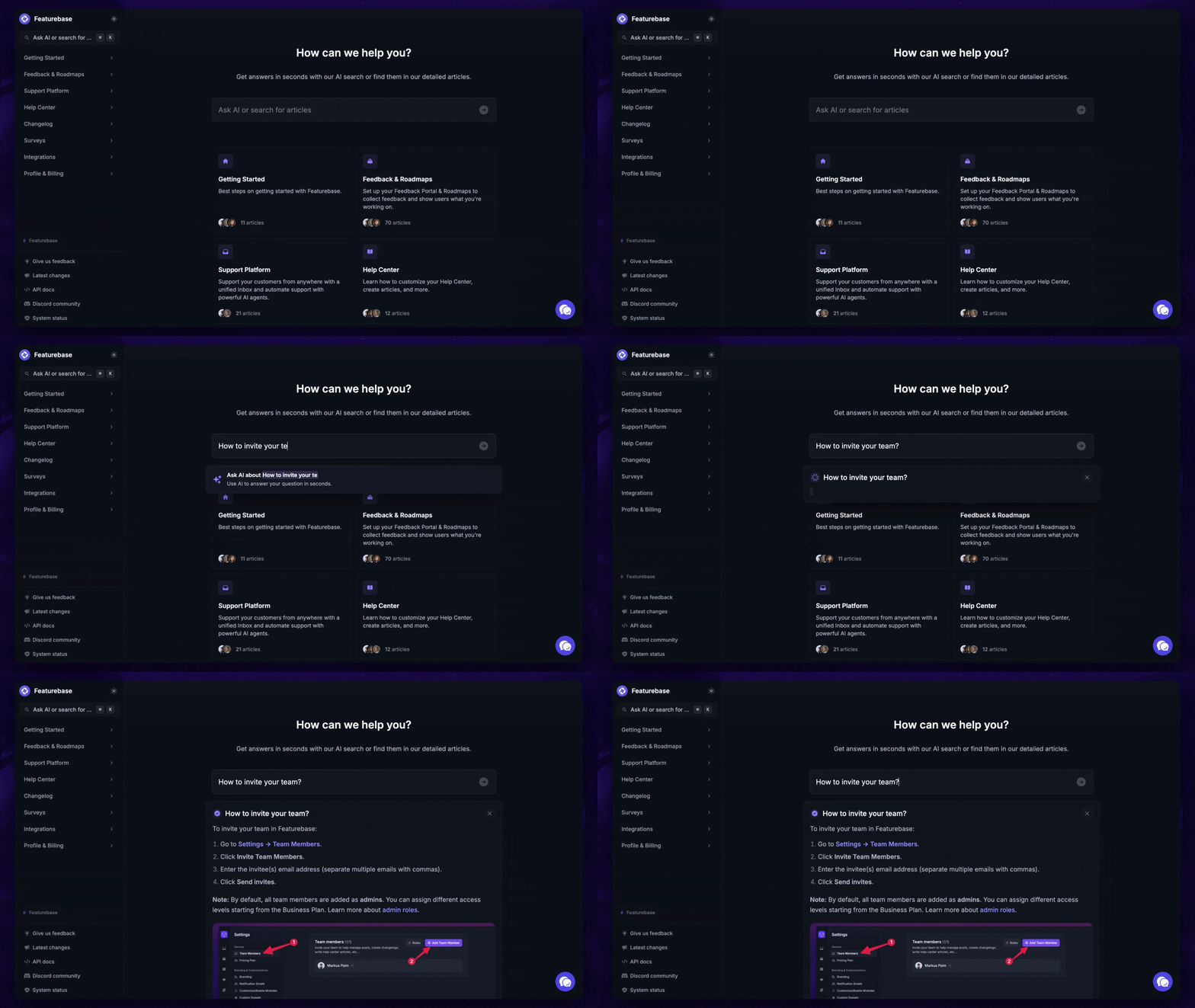
- Help Center – a branded knowledge base with instant AI answers
- Email support – Seamlessly provide support to your customers via email sync
- Native ticketing – Centralize & keep track of all customer requests in one place
- Multi-language & custom domain support – serve content in 40+ languages with your domain and branding
- Mobile app – respond to customers, receive notifications, and unblock users on the go
- Integrations – Slack, Linear, Jira, Discord, Hubspot, and many more
- Plus, feedback collection, product roadmaps, release notes, and customer surveys – all in one place
Long story short, Featurebase gives you all the powerful support capabilities of Zendesk and Intercom, but without the super expensive pricing. Don't just take our word for it. You can try Featurebase completely free and see for yourself.
The onboarding is quick and doesn't require a credit card. Plus, you can automatically import your Intercom or Zendesk help center with one click - so there’s zero risk involved. 👇
Automate your support with the fastest AI-enhanced Inbox today
FAQs
Intercom is conversation-first: it's built around live chat, in-app messaging, and its Fin AI agent, which makes it a natural fit for product-led teams. Zendesk is ticket-first, with structured queues, routing, SLAs, and deep reporting built for high-volume, multi-channel support. In short, Intercom optimizes for engagement while Zendesk optimizes for process and scale.
In May 2026, the company behind Intercom renamed itself Fin, after its AI agent. The support platform you actually buy and log into is still called Intercom (now a rebuilt version, Intercom 2), so nothing changes about how you use the product day to day. The Fin name simply reflects that the company's future is built around its AI agent.
Fin starts at $0.99 per outcome for resolutions, configured procedure handoffs, disqualifications, and self-serve routing. Sales qualifications cost $9.99. A resolution counts when the customer confirms the answer helped or leaves without asking for more help. Standalone Fin on another helpdesk requires no Intercom seats and has a 50-outcome monthly minimum ($49.50 at $0.99 each). Fin usage scales with volume.
At the annual rates listed here, Zendesk Support Team and Intercom Essential both start at $19 per agent or seat/month. Intercom Essential costs $29/seat/month on monthly billing. Both platforms add AI usage charges, and Intercom's Fin bills by outcome rather than only by resolution. Your total depends on team size, AI usage, and add-ons.
Intercom's Fin is widely regarded as the stronger out-of-the-box AI agent, resolving a majority of conversations with little setup. Zendesk's AI is highly configurable and strong on triage, routing, and agent-assist, but it typically needs more admin work to reach the same resolution rates. For fast time-to-value on automation, Intercom tends to win. For control inside a structured helpdesk, Zendesk does.
Yes. Featurebase is a modern support platform that combines an omnichannel inbox, an AI agent, a help center, and feedback tools in one place, with plans starting at $29/seat/month plus $0.29 per AI resolution. It's designed for product-led teams that want Intercom-style AI support without the enterprise price tag or Zendesk's setup overhead.
More comparisons:
- Zendesk Review
- Intercom vs Featurebase
- Intercom vs Help Scout
- Intercom vs Tidio
- Intercom vs Front
- Intercom vs Crisp
- Intercom vs Drift
- Intercom vs HubSpot
- Intercom vs Freshdesk
- Top Intercom alternatives
- Best Zendesk alternatives
- Zendesk vs Featurebase
- Zendesk vs Intercom
- Zendesk vs Help Scout
- Zendesk vs Jira
- Zendesk vs Crisp
- Zendesk vs Freshdesk
- Zendesk vs Salesforce
- Zendesk vs Happyfox
- Zendesk vs Zoho
- Zendesk vs Kayako
- Zendesk vs Tidio
- Zendesk vs Freshdesk vs Zoho


