Zendesk vs Zoho Desk: 2026 Ultimate Comparison
Comparing Zendesk and Zoho Desk? Zendesk is packed with power, but it’s pricey and can be overkill. Zoho Desk is lighter and cheaper- but might hit limits fast. In this guide, we’ll help you pick the right one.

On this page
Looking for a modern & affordable alternative to Zendesk and Zoho? Check out Featurebase
Perhaps you're looking for your first scalable customer service solution. Or you use Zoho tools, such as their CRM, and you're wondering whether to get Zoho Desk too. The dilemma between Zendesk and Zoho Desk is common since they're both excellent, very capable tools.
On the one hand is Zendesk, an extremely versatile ticket management platform with thousands of integrations. On the other hand is Zoho Desk, a more affordable product that plays well with the rest of the Zoho tech stack.
Let's see how they compare and which one you should get to streamline customer support and increase customer satisfaction. 👇
Short overview: Zendesk vs Zoho compared
- Zendesk is the enterprise option, offering advanced automation and deep reporting features with broad omnichannel support, but it’s expensive and harder to configure.
- Zoho Desk is simpler and cheaper, with a free plan, quick setup, and strong integration with other Zoho apps. However, it has fewer third-party integrations and lighter analytics.
- AI is stronger in Zendesk, with sentiment analysis, SLA breach prediction, and advanced bots, while Zoho’s Zia assistant is more basic but practical for smaller teams.
- Customization and integrations are better in Zendesk, thanks to its 1,000+ app marketplace and robust APIs. Zoho Desk is more limited outside the Zoho ecosystem.
- Ease of use leans toward Zoho Desk, which has a friendlier interface and faster onboarding. Zendesk requires more time and admin expertise.
- Pricing is very different: Zoho Desk starts at $7/user with a free plan, while Zendesk starts at $19/agent but quickly gets expensive at scale.
In short, Zendesk can quickly become very pricey, while Zoho can feel outdated and delayed with proper AI features.
If you're after a more modern alternative, check out Featurebase (👋 that's us). We're a powerful alternative to Zendesk and Zoho Desk - but we’ll stay unbiased in this comparison, promise.
Zendesk vs Zoho Desk: Core features
At the end of the day, the only thing that matters is that customer inquiries are resolved and that your chosen tool helps you achieve maximum agent productivity. In terms of core and advanced features, Zendesk and Zoho are made for different audiences.
Zendesk
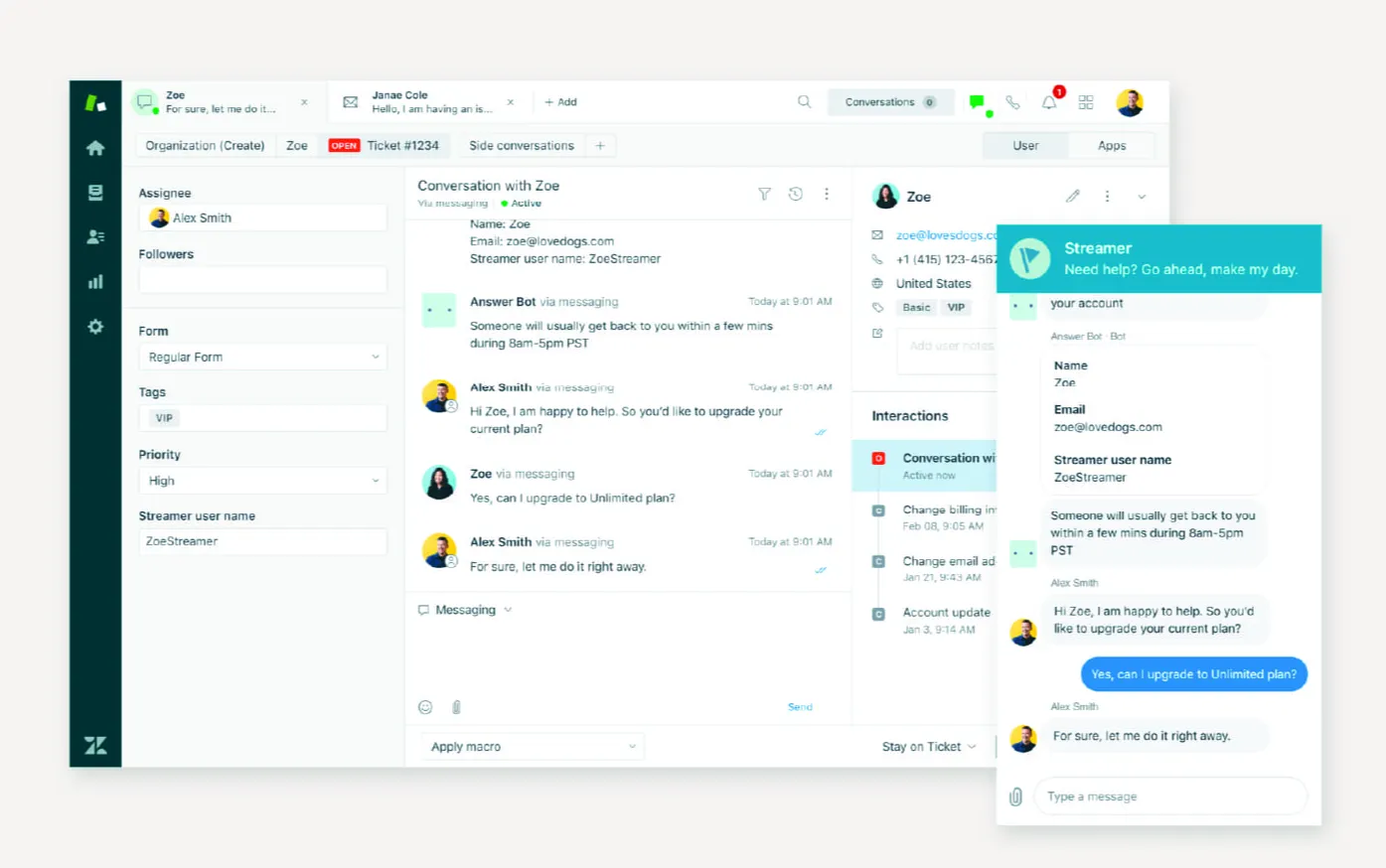
Zendesk is widely recognized as the enterprise standard for customer service, and its features reflect that scale.
At the heart of the platform is a unified agent workspace, which brings together tickets from email, chat, voice, social, and messaging apps. Customers can switch channels without losing context, and agents see the full history in one view.
Automation is another strong suit. Zendesk supports advanced routing rules, SLA tracking, and macros, as well as AI-powered tools for ticket classification, sentiment detection, and suggested replies.
These capabilities help large teams manage high ticket volumes while maintaining consistency.
The knowledge base and self-service tools are among the best in the industry. Companies can create multilingual help centers, embed articles into chat widgets, and even build community forums where customers support each other. AI search makes it easier for users to find answers before submitting a ticket.
Reporting and analytics are also deep. Zendesk offers dashboards, custom metrics, and quality assurance tools that enable managers to track performance across teams and channels. Enterprises value this because it allows granular oversight of SLA compliance and customer satisfaction.
That said, the scale of the features comes at a cost. Many advanced capabilities, from AI tools to in-depth analytics, sit in the more expensive plans. Smaller teams often find the setup complex and can feel overwhelmed by the number of options.
Zoho Desk
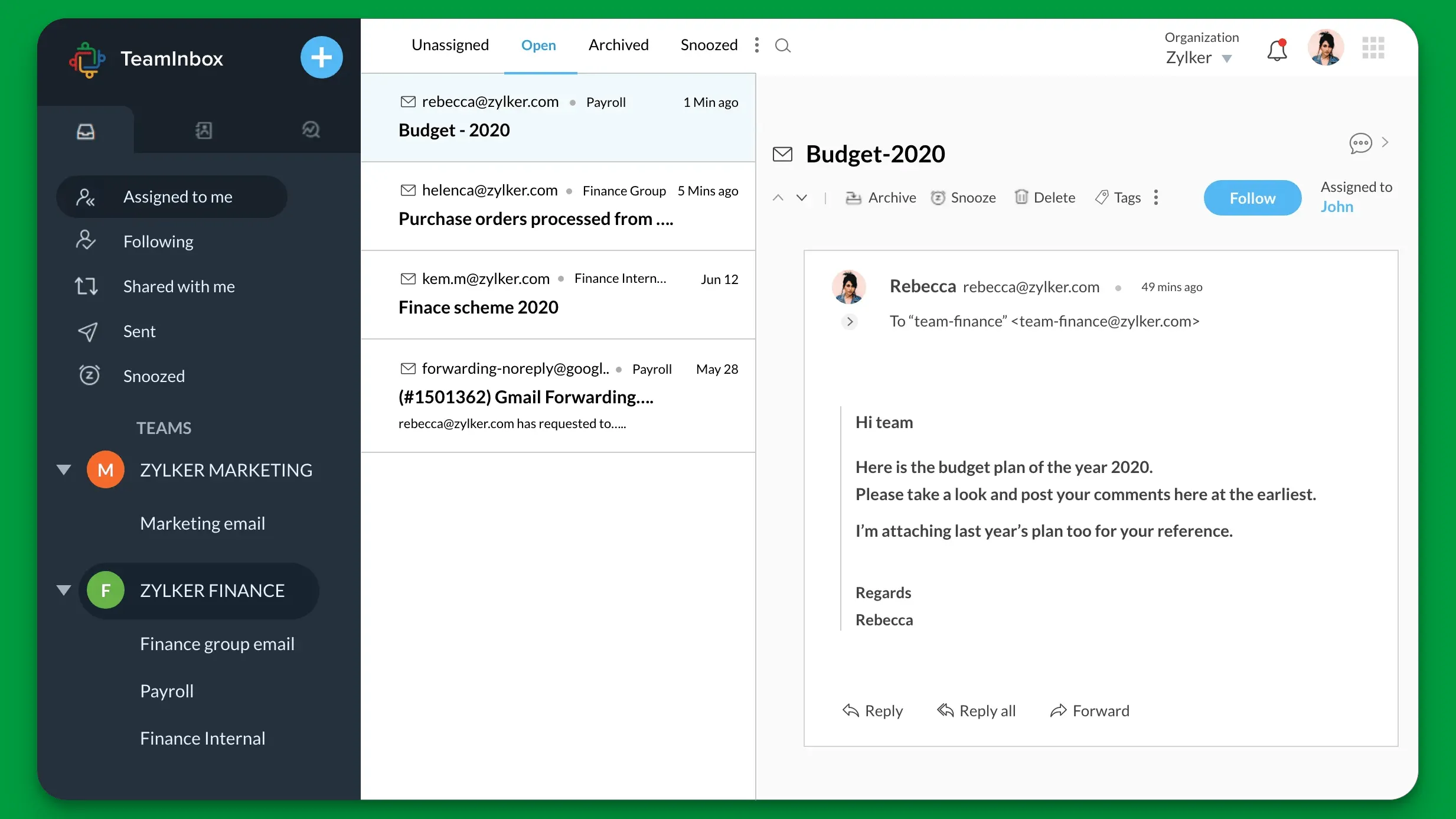
Zoho Desk takes a more accessible approach. It supports email, chat, phone, social, and web form tickets, all of which feed into a single shared inbox. While it doesn’t cover as many channels as Zendesk, it delivers enough coverage for most small to mid-sized businesses.
Automation is there, but it's simpler. You can build workflow rules, auto-assign tickets, and set SLAs, but the flexibility isn’t as extensive as Zendesk’s. The AI assistant, Zia, helps with sentiment analysis, ticket assignment, and knowledge base suggestions, giving smaller teams a useful boost without heavy configuration.
The knowledge base is clean and integrates well with other Zoho apps. It supports multilingual articles, community forums, and self-service portals. While not as advanced as Zendesk’s ecosystem, it’s more than adequate for companies that don’t need deep customization for all customer interactions.
Reporting is practical, with dashboards, anomaly detection, and trend reports. Compared to Zendesk, analytics is lighter, but it aligns with Zoho Desk’s target audience: teams that want insights without the overhead of enterprise reporting.
The biggest strength of Zoho Desk is its ecosystem integration.
If you already use Zoho CRM, Analytics, or Finance, everything ties together smoothly, giving you a more connected view of customer relationships. However, any integration outside of the Zoho ecosystem is minuscule compared to Zendesk.
AI capabilities
To resolve issues quickly and improve the customer experience, customer service teams need strong AI features. Zendesk wins in this department.
Zendesk
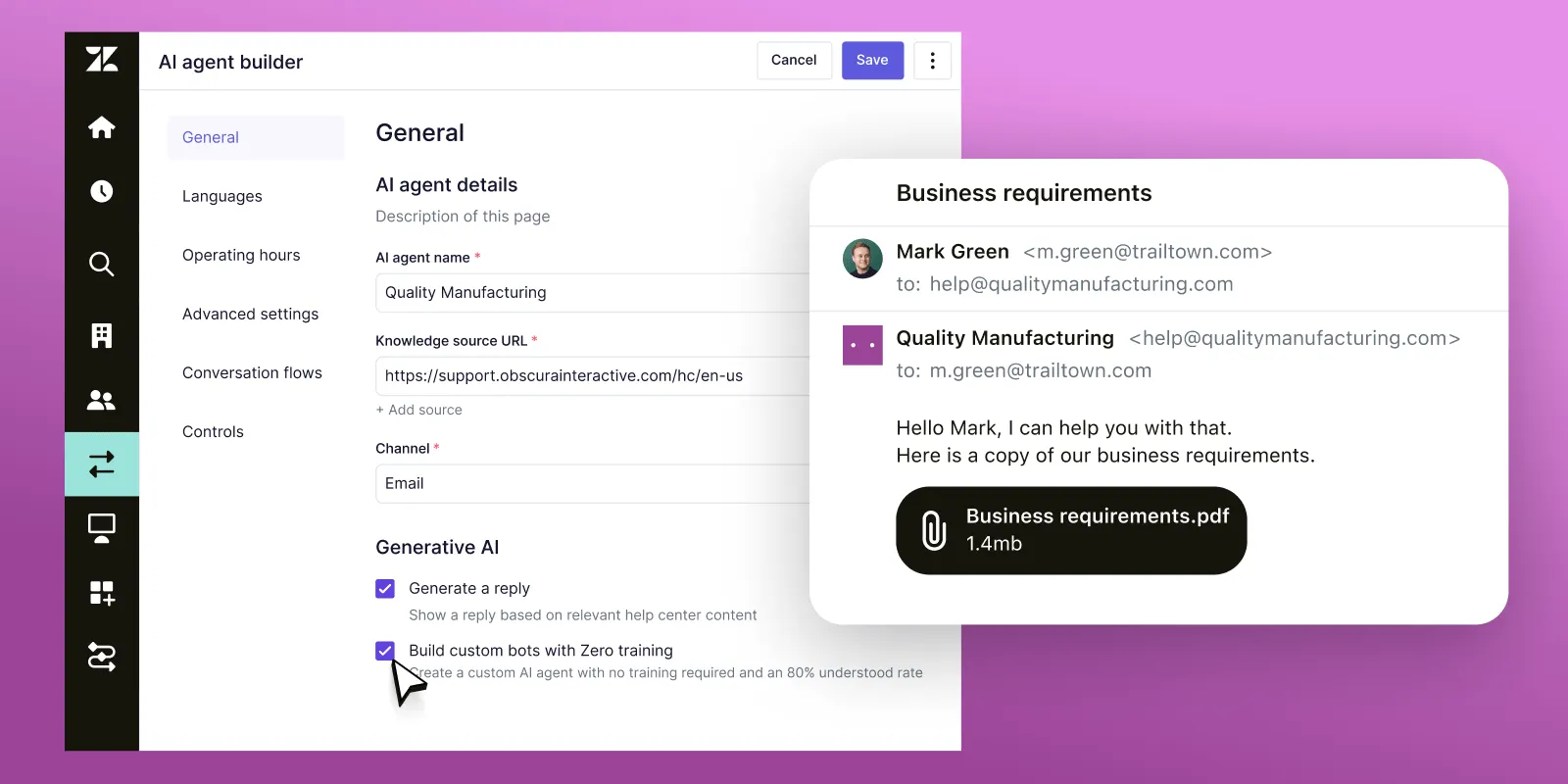
Zendesk has positioned AI as a cornerstone of its platform. Its AI tools help teams handle complex support at scale. Features like intent and sentiment detection analyze the tone and urgency of customer messages, which allows the system to route tickets more intelligently.
Agents benefit from AI-generated response suggestions and conversation summaries, reducing time spent on routine replies and long threads. Another standout is the ability to predict SLA breaches.
Zendesk flags tickets that are likely to miss deadlines so teams can intervene early. On top of that, AI-powered bots can resolve common issues across email, chat, and messaging channels before an agent ever gets involved. For large enterprises, these tools make it easier to manage heavy ticket volumes without sacrificing quality of service.
The only problem is that these features are only unlocked in the higher plans in Zendesk Support Suite. If you have a lot of agents, this may not be a very cost-effective solution.
Zoho Desk
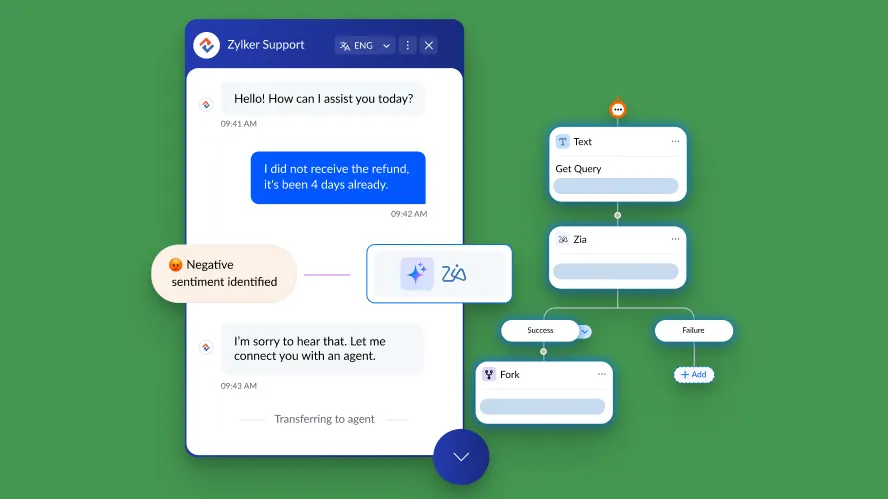
Zoho Desk takes a slightly different approach, focusing on its AI assistant, Zia. It's built directly into the system and provides support for both agents and managers.
It can analyze ticket sentiment, recommend relevant knowledge base articles, and suggest responses to speed up ticket handling. For supervisors, Zia offers anomaly detection, sending alerts when ticket volumes spike or when unusual patterns appear.
Zia also supports predictive ticket assignment, which helps distribute workload evenly across teams, and it generates trend reports that highlight recurring customer issues.
While Zoho’s AI is less extensive than Zendesk’s, it provides practical insights and automation without requiring complex setup. Since it has a user friendly interface, it doesn't take much to get it running.
However, many customers don't consider Zia to be as capable as Zendesk's AI tools. The suggestions are not always accurate, and you also don't get the Zendesk-style advanced analytics.
Looking for more advanced AI support automations? Check out Featurebase
Integrations and customization options
If you want to power up your support operations and connect the tools you work with, one of these tools is a massively better choice.
Zendesk
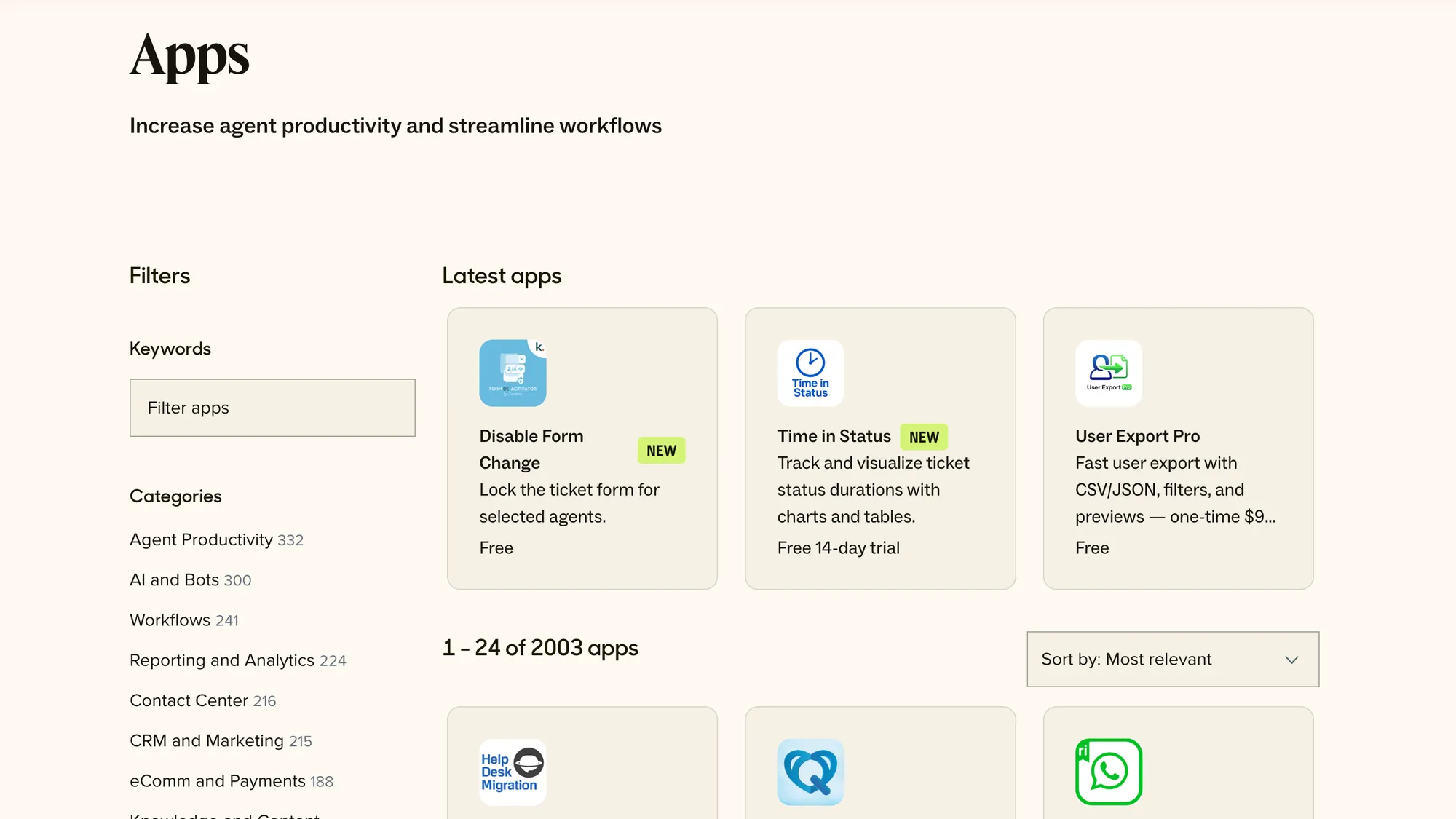
Zendesk is known for its huge integration ecosystem. Its marketplace includes more than 1,000 pre-built apps, covering CRMs, analytics tools, e-commerce platforms, messaging services, and project management systems. For teams with complex tech stacks, this range of options means you can usually find an integration without having to build one from scratch.
Zendesk also offers robust APIs and webhooks, allowing developers to connect custom systems or even build proprietary apps on top of the platform.
On the customization side, Zendesk supports granular roles and permissions, custom fields, and conditional workflows. You can design tailored workspaces for different teams and automate almost any process. The trade-off is that these extensive customization options can be time-consuming to configure, and smaller teams often find the setup overwhelming.
Many advanced options also sit behind higher-tier plans, which raises the cost if you want full flexibility.
Zoho Desk
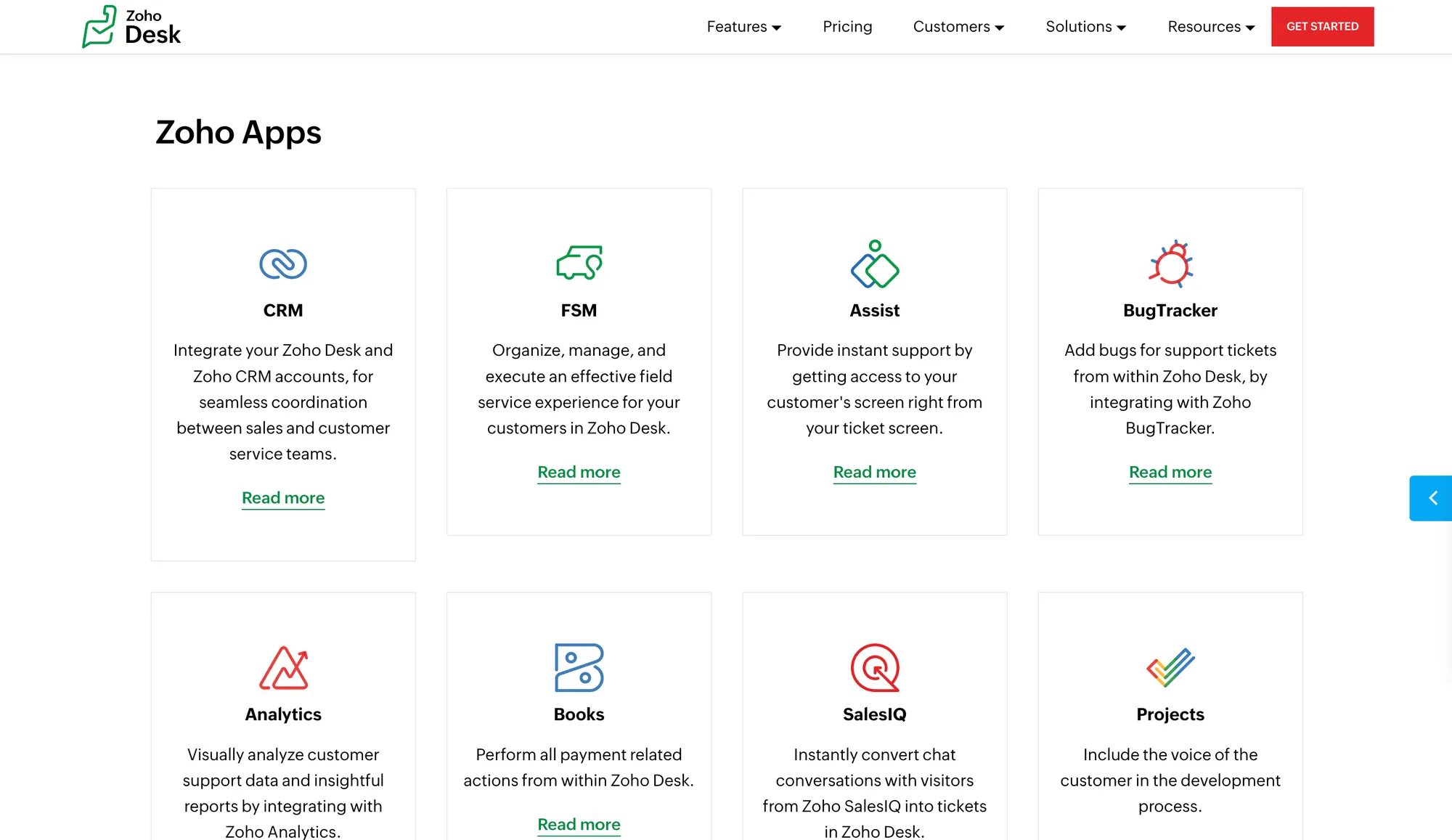
Zoho Desk integrates naturally with the Zoho ecosystem, including Zoho CRM, Zoho Analytics, and other business apps.
This makes it a strong option if you’re already invested in Zoho products, since everything connects smoothly out of the box. It also integrates with popular third-party tools like Slack, Jira, and G Suite, although the range is narrower compared to Zendesk’s marketplace.
Customization is another strong point. Zoho Desk allows custom ticket layouts, fields, and workflows, and it supports multiple departments with unique configurations.
For smaller teams, the user-friendly interface makes these adjustments fairly accessible without needing heavy technical input. The downside is that deeper integrations outside of the Zoho ecosystem need more effort from new users, and some advanced customization options are restricted to higher plans.
Ease of use and available support
A bigger feature set usually means that mastering a tool is going to be more difficult. This is another major difference between Zoho Desk and Zendesk.
Zendesk
Zendesk offers a polished interface for agents, but the learning curve is steeper than most.
Admins often need time to set up workflows, roles, and integrations before the platform feels comfortable. Once configured, day-to-day use is smooth, with the unified agent workspace keeping conversations organized across all channels.
In terms of resources, Zendesk has one of the largest support ecosystems in the industry. You get detailed documentation, an active community forum, webinars, and structured courses through Zendesk Training.
Higher-tier customers can access premium support with faster response times and even dedicated account managers. The drawback is that smaller teams may find it overkill, and the best support options are locked to pricier plans.
Zoho Desk
Zoho Desk is often considered easier to adopt. Its interface is simpler, the setup is faster, and most features are accessible without needing deep technical skills. Smaller teams especially appreciate how quickly they can go from sign-up to handling real tickets.
Support resources are solid but narrower than Zendesk’s. You’ll find a knowledge base, tutorials, and email support, with live chat and phone support available on higher tiers.
While Zoho doesn’t offer the same scale of training programs or community size, many users find the built-in help sufficient for everyday operations, allowing businesses to get up and running fast.
And if you're already using other Zoho applications, the UX and UI will be very similar.
Pricing and value for money
Both tools have tiered plans with better feature sets as your invoice grows, but just about everything else is different.
Zendesk
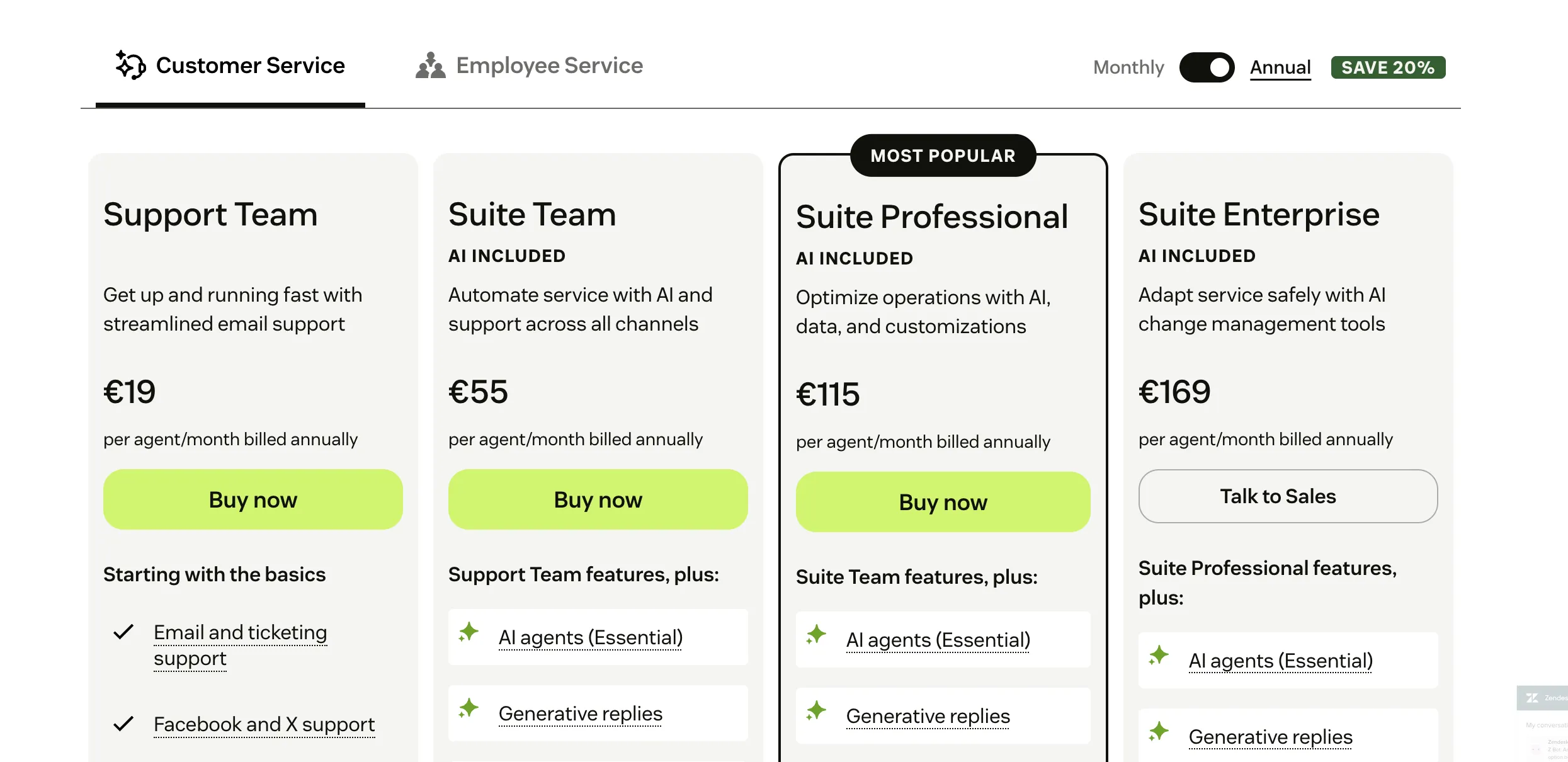
The lowest plan in Zendesk starts at $19 per agent/month if you pay annually for their basic ticketing, email/social support, and business rules.
As you move up, the “Support Professional” tier is $55 per agent/month (annual billing) and adds SLAs, multilingual support, CSAT surveys, and more advanced reporting.
For enterprise-level support, you look at $115 per agent/month (again with annual billing) for features like advanced routing, greater admin control, sandbox environments, and enhanced data/privacy options.
Zendesk also has its Suite plans, which bundle multiple channels (chat, voice, email, social), more features around customer self-service, analytics, etc. Suite Team begins at $55 per agent/month (annual billing), then Suite Growth (~$89), Suite Professional (~$115), and top enterprise tiers at ~$169 or custom pricing.
Zoho Desk
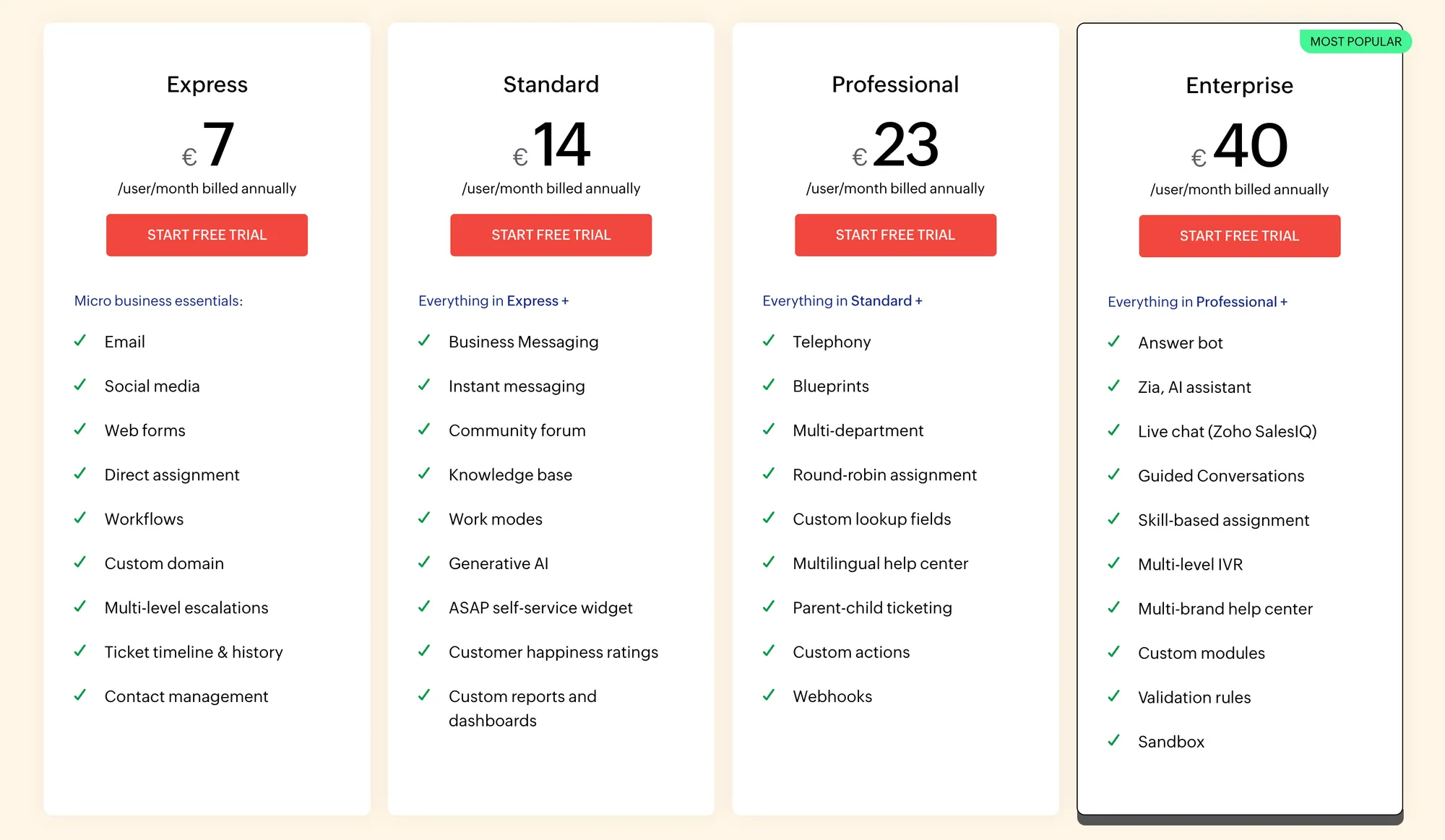
Zoho Desk's pricing comes with a free plan for up to 3 agents, covering basic email ticketing, help center, and simple SLA setup.
- Entry paid plan “Express” is $7 per user/month if billed annually, and includes workflow rules, custom domain, and basic features.
- The “Standard” plan is about $14 per user/month when billed annually, or ~$20 if paid monthly. Adds more channels, integrations, themes, etc.
- “Professional” plan runs around $23 per user/month (annual) or ~$35 monthly. Includes advanced automation, more reporting, and team management.
- The top Zoho Desk “Enterprise” plan is $40 per user/month when paid annually, or about $50/month if paying monthly. Adds highest-tier features like multi-brand help center, live chat, advanced process automation, and AI tools like Zia.
Which tool should you get?
If you already use Zoho CRM and other tools in their stack, the choice is easy. But for anyone else, you need to carefully consider what you need the tool to do and how much you want to pay.
Get Zendesk if you’re…
- Running a large or fast-growing support team that expects high ticket volumes.
- Needing advanced automation, detailed reporting, and enterprise-grade SLAs.
- Managing customers across many channels, including phone, chat, email, and social.
- Ready to invest time and budget into setup and configuration.
Get Zoho Desk if you’re…
- A small to mid-sized business that values a simpler interface and quick onboarding.
- Already using other Zoho apps like CRM, Analytics, or Finance.
- Wanting useful automation and AI without the complexity of enterprise systems.
- Looking for a more affordable help desk with predictable costs.
Or if you want a more modern alternative that doesn't compromise on usability and has an affordable pricing... 👇
Try Featurebase, the better alternative to Zendesk and Zoho! ✨
If Zoho is too outdated and Zendesk is too expensive, consider Featurebase, a modern support & product suite that blends the best of both worlds.
It’s loved by thousands of fast-growing support & product teams from companies like Lovabale, n8n, and Instantly.
With pricing starting from just $29 per month (+$0.29 per AI resolution), it costs a fraction of Zendesk, Zoho Desk, and most other support platforms.
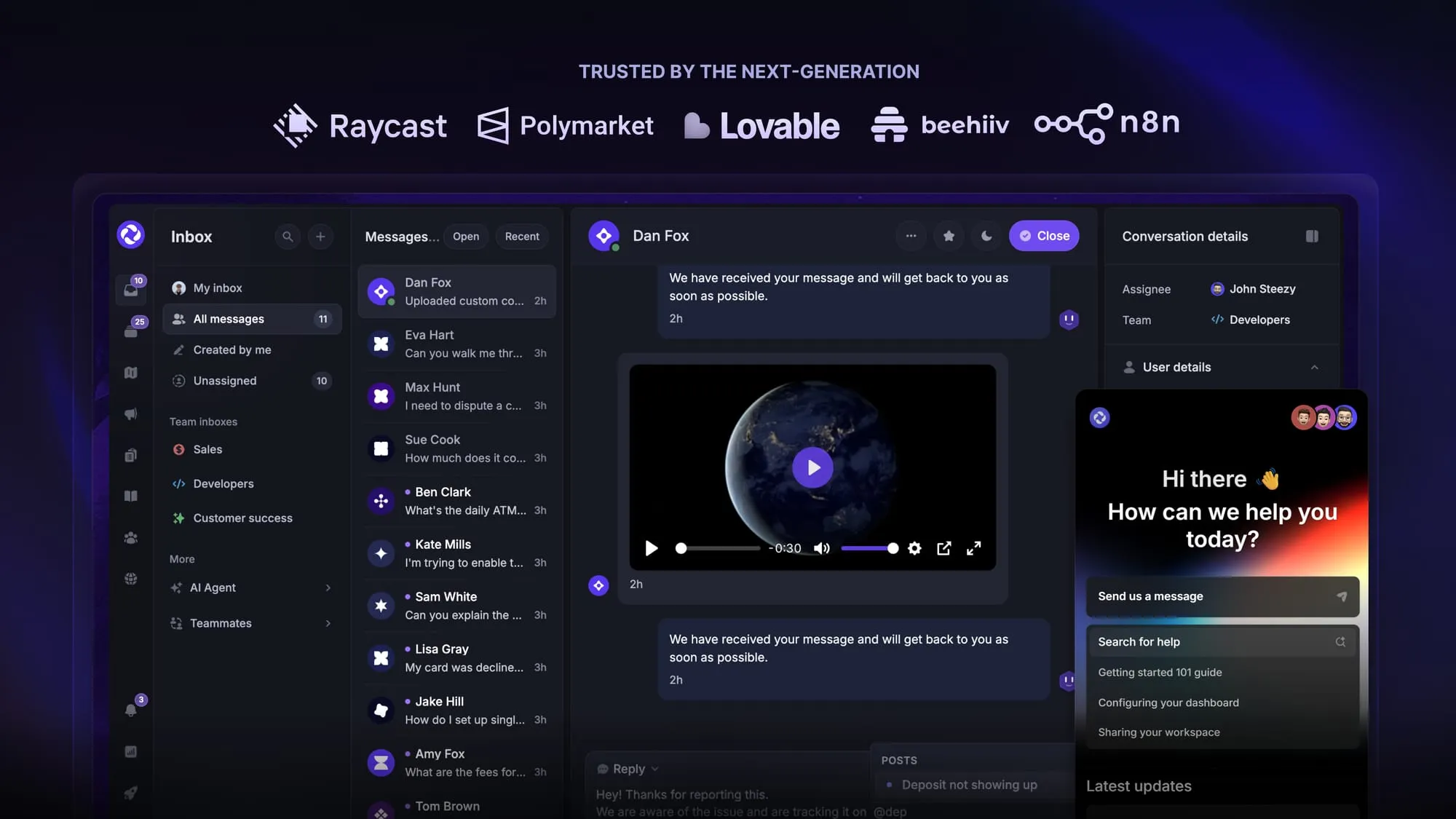
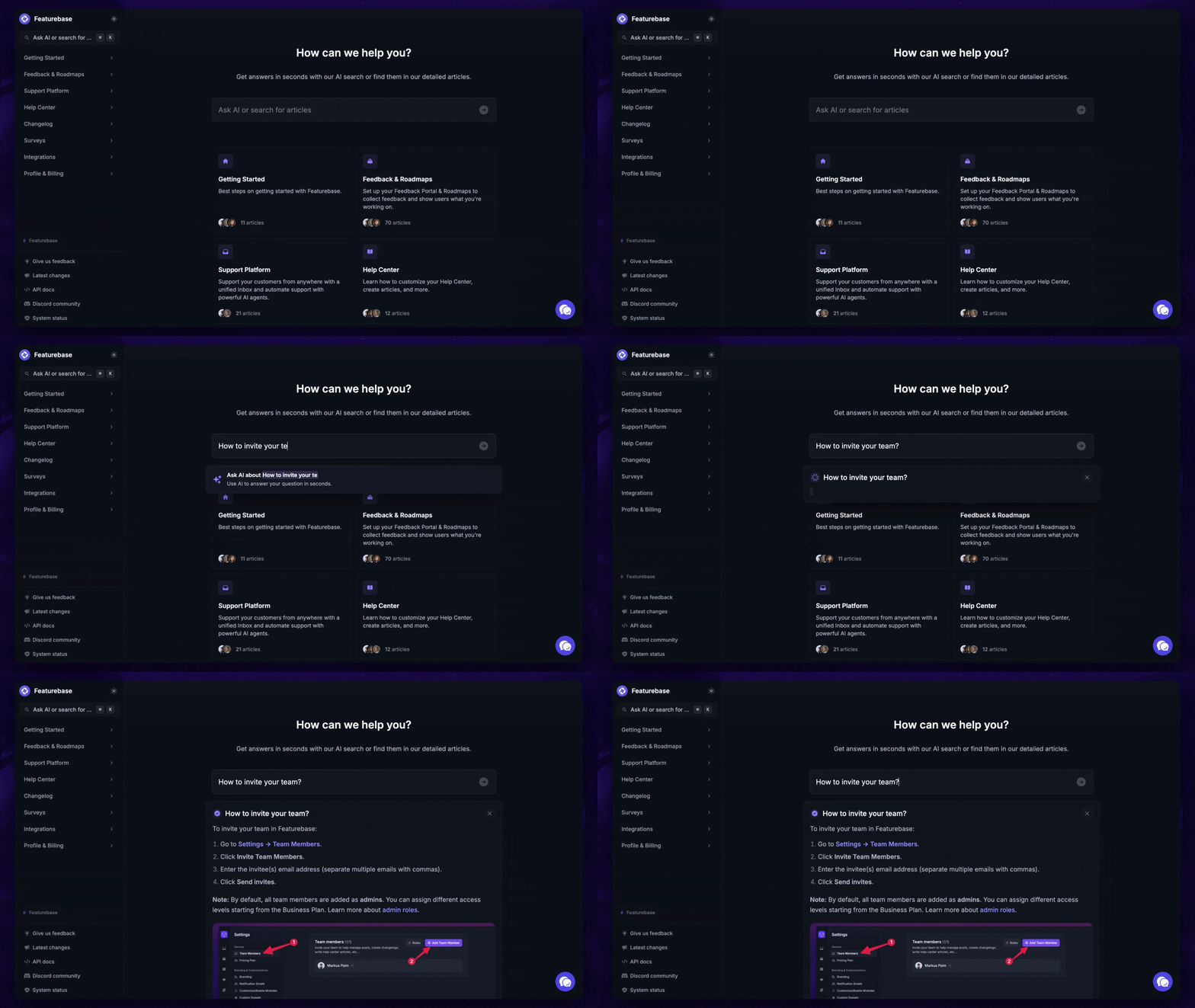
Featurebase is a modern support & feedback platform designed to help SaaS with AI-powered support, account management, and go-to-market. Instead of having 5+ different tools, Featurebase offers everything in one place to help you build products your users love:
- Support platform – Support your customers from anywhere with an omnichannel inbox and automate support with powerful AI agents.
- Help Center – Provide self-serve support with a beautiful AI-powered knowledge base & bring help articles inside your product with a widget.
- Feedback collection & roadmaps – Centralize feedback with integrations, feedback widgets, AI, and a public feedback forum. Let users vote on each other's ideas, see their total revenue, and focus on the most impactful features. All upvoters will automatically be notified when you complete their request.
- Changelogs – Announce product updates and increase feature adoption with neat in-app popups, notification emails, and a dedicated updates page.
- Surveys (NPS, CSAT, etc.) – Create targeted surveys to ask users anything and measure customer satisfaction.
Plus, it integrates with many popular tools that you likely already use, such as Linear, Jira, Slack, and many more.
The onboarding is quick and doesn't require a credit card. Plus, you can automatically import your Zendesk knowledge base - so there’s zero risk involved. 👇
Automate your support with the fastest AI-enhanced Inbox today
More comparisons:
- Zendesk Review
- Best Zoho Desk alternatives
- Zoho Desk vs Featurebase
- Best Zendesk alternatives
- Zendesk vs Featurebase
- Zendesk vs Intercom
- Zendesk vs HubSpot
- Zendesk vs Help Scout
- Zendesk vs Jira
- Zendesk vs Crisp
- Zendesk vs Freshdesk
- Zendesk vs Happyfox
- Zendesk vs Kayako
- Zendesk vs Tidio
- Zendesk vs Freshdesk vs Zoho