IT Support Levels Explained: Tier 0 to Tier 4
A clear guide to the 5 IT support levels, from Tier 0 to Tier 4: what each tier handles, where issues should escalate, and how to structure support that scales.


On this page
Automate your support with the fastest AI-enhanced Inbox today
A typical support queue mixes a forgotten password with a database outage, and treating both the same way wastes everyone's time. IT support levels solve this by sorting issues by complexity and routing each one to the right expertise.
This guide breaks down all 5 levels, from self-service at Tier 0 to vendor support at Tier 4, and shows how to build a tiered model that actually holds up. 👇
Key takeaways:
- IT support levels (Tier 0 to Tier 4) divide work by complexity so each issue reaches the right person without bouncing around.
- Tier 0 is self-service, Tier 1 is frontline support, Tiers 2 and 3 handle technical and specialized work, and Tier 4 is external vendors.
- "Levels" and "tiers" mean the same thing. The choice between the two terms is cultural, not technical.
- Tiering saves money: lower tiers resolve high-volume issues cheaply, so expensive specialists only touch the problems that need them.
- For customer-facing teams, Featurebase✨ runs your self-service and frontline tiers (AI help center, automation, and an omnichannel inbox) in one platform, with a free plan to start.
- You don't always need all 5 tiers. Match the structure to the complexity of your environment.
What are IT support levels?
IT support levels are structured tiers that classify technical issues by complexity and route them to the right level of expertise. The model runs from Tier 0, where users solve problems themselves, to Tier 4, where outside vendors handle issues tied to their own products.
The logic is simple: who should handle this issue, and how fast? Routine, high-volume requests stay at the lower tiers where they can be resolved quickly and cheaply. Complex or high-impact problems move up to people with deeper access and skills. Each tier has a defined scope and a clear handoff point to the next one.
Done well, this keeps senior engineers from drowning in password resets and gives users a faster path to a fix. Done poorly (or not at all), every ticket competes for the same attention and escalation becomes a guessing game.
Levels vs. tiers: is there a difference?
No. "IT support levels" and "IT support tiers" describe the exact same model, and most teams use the words interchangeably.
The preference is usually organizational. Some teams say "levels" because it sounds less hierarchical, while others say "tiers" because it signals a clear escalation path where unresolved issues move upward. "Tier" language tends to show up in formal ITSM frameworks, and "level" is more common in teams that built their structure around customer service operations. Neither is more correct. What matters is that the structure is defined and applied consistently.
The 5 IT support levels explained
Most organizations use 5 levels, though the exact shape varies by company size and industry. Here's what each one covers.
Tier 0: self-service
Tier 0 is everything that lets users fix problems without ever reaching an agent. It's the cheapest tier to run because it handles high-volume, repetitive requests with no technician time at all.
Tier 0 usually includes a self-service knowledge base, FAQs, how-to guides, service catalogs, status pages, and AI chatbots or virtual agents. These resources work best when they're written in plain language and easy to search, so users find answers in seconds.
Common Tier 0 wins are password resets, account unlocks, software access requests, and "is the system down?" status checks. The catch is that self-service deflects more than it fully resolves. In fact, Gartner found that only 14% of customer service issues are completely resolved in self-service. That's why Tier 0 only works as part of a smooth path into Tier 1 when the self-serve route runs out.
Tier 1: frontline support
Tier 1 is the first human a user talks to. These agents handle the bulk of incoming tickets through chat, email, phone, or a portal, and resolve common issues using documented procedures and approved tools.
Their job is fast diagnosis and a high first-contact resolution rate. Typical Tier 1 work includes:
- Password resets and account lockouts
- Basic software installs and updates
- Printer and network connectivity issues
- Email and access troubleshooting
- Logging the ticket and capturing context for escalation
A strong Tier 1 agent is also a good triager. By asking the right questions and documenting symptoms, they hand off clean context when an issue needs to go up. They escalate when a problem needs admin access, specialized knowledge, or steps beyond the runbook. This is also where a help desk ticketing system earns its keep, keeping every request tracked so nothing slips through.
Tier 2: technical support
Tier 2 is where troubleshooting goes deeper. When an issue is too complex for the frontline, it moves to technicians with system-level access and stronger technical skills, often system administrators, network engineers, or application specialists.
Tier 2 work is less scripted than Tier 1. It involves analyzing logs, diagnosing configuration and performance problems, reproducing issues to find root causes, and applying fixes that go beyond documented procedures. Tier 2 staff often write or update knowledge articles too, which raises what Tier 1 can handle next time.
When a problem needs code changes, architectural redesign, or the original product engineers, Tier 2 escalates to Tier 3.
Tier 3: expert and engineering support
Tier 3 is the highest internal level. This is the domain of senior engineers, architects, and subject-matter experts who understand the systems, code, and infrastructure at the deepest level.
These specialists handle the toughest problems: root-cause analysis on recurring incidents, debugging application code and writing patches, critical infrastructure failures, and major-incident response. They have the broadest permissions and the most technical resources, and they focus on permanent fixes rather than quick patches.
Tier 3 is the last line of defense before issues leave the building. When resolution depends on proprietary knowledge or a vendor's own systems, it escalates to Tier 4.
Tier 4: external and vendor support
Tier 4 is outside help. It covers software vendors, hardware manufacturers, cloud providers, and managed-service partners who own the products or systems your team can't fix internally.
You reach Tier 4 when resolution depends on proprietary code, warranty coverage, or contractual obligations. Real examples include contacting Microsoft for an Azure outage, working with Dell on a warrantied server failure, or filing a defect with a software vendor for a bug only they can patch.
Your internal team still owns coordination. Tier 3 usually manages the vendor relationship, prepares detailed logs and reproduction steps, and makes sure the fix is implemented and verified once the vendor delivers it.
Why a tiered support model works
The core benefit is matching the cost of resolution to the complexity of the problem. Letting a senior engineer handle a password reset is expensive and slow. Tiering fixes that.
The economics are stark. Benchmarks from MetricNet put a Tier 1 ticket at around $22, while a Tier 3 ticket can run to $104 or more, and a self-service resolution costs a fraction of either. When routine work stays low and specialists only touch what truly needs them, your blended cost per ticket drops without sacrificing quality.
Beyond cost, a tiered model delivers a few things at once:
- Faster resolution: Routing each issue straight to the right expertise removes the wasted troubleshooting that happens when the wrong person picks up a ticket.
- Better workload balance: Distributing work across tiers prevents bottlenecks and keeps senior staff from burning out on low-value requests.
- Clearer growth path: Defined tiers give agents an obvious progression, from frontline to specialist to engineer, which helps with hiring and retention.
It also makes performance measurable. Tracking support metrics like first-contact resolution and escalation rate per tier shows you exactly where the model is working and where it isn't.
How to structure support tiers that actually hold up
A tiered model on paper is easy. Making it work in practice comes down to two things: clear escalation rules and the right number of tiers.
Set clear escalation criteria
Escalation should follow defined triggers, not individual judgment. If every agent decides on their own when to escalate, tickets bounce around and resolution times balloon.
Good triggers are specific and measurable. A Tier 1 ticket might escalate when it exceeds its SLA window, requires system-level access, or affects multiple users at once. A Tier 2 ticket might move to Tier 3 when the root cause needs engineering-level investigation, involves production downtime, or requires vendor involvement.
Each handoff should carry full context: the steps already tried, relevant logs, and reproduction details. Clean ticket escalation eliminates duplicate work and is the single biggest factor in how fast issues actually get resolved.
Decide how many tiers you actually need
Not every team needs all 5 tiers. The structure should match the complexity of your environment, not a template you found online.
Smaller teams often combine Tier 2 and Tier 3, since the same specialists handle both advanced troubleshooting and deeper engineering. Teams with light self-service adoption may keep Tier 0 minimal. Tier 4 is the most binary call: if you depend on external vendors for infrastructure, enterprise software, or hardware, vendor escalation is part of your model whether you label it or not.
The principle that holds across every setup isn't the number of tiers. It's that each tier has explicit ownership, a defined scope, and a documented path to the next level.
How tooling maps to the lower tiers
The tiers above are a structure, but a structure only works if the tooling behind it makes each handoff smooth. For customer-facing support teams especially, most of the value lands in Tier 0 and Tier 1, where volume is highest and the right setup deflects or routes the majority of tickets before they ever reach a specialist.
A few capabilities do the heavy lifting at those tiers:
- Tier 0: a searchable, AI-powered help center and chatbot that resolves common questions without an agent, plus automation that handles repetitive requests like access or status checks.
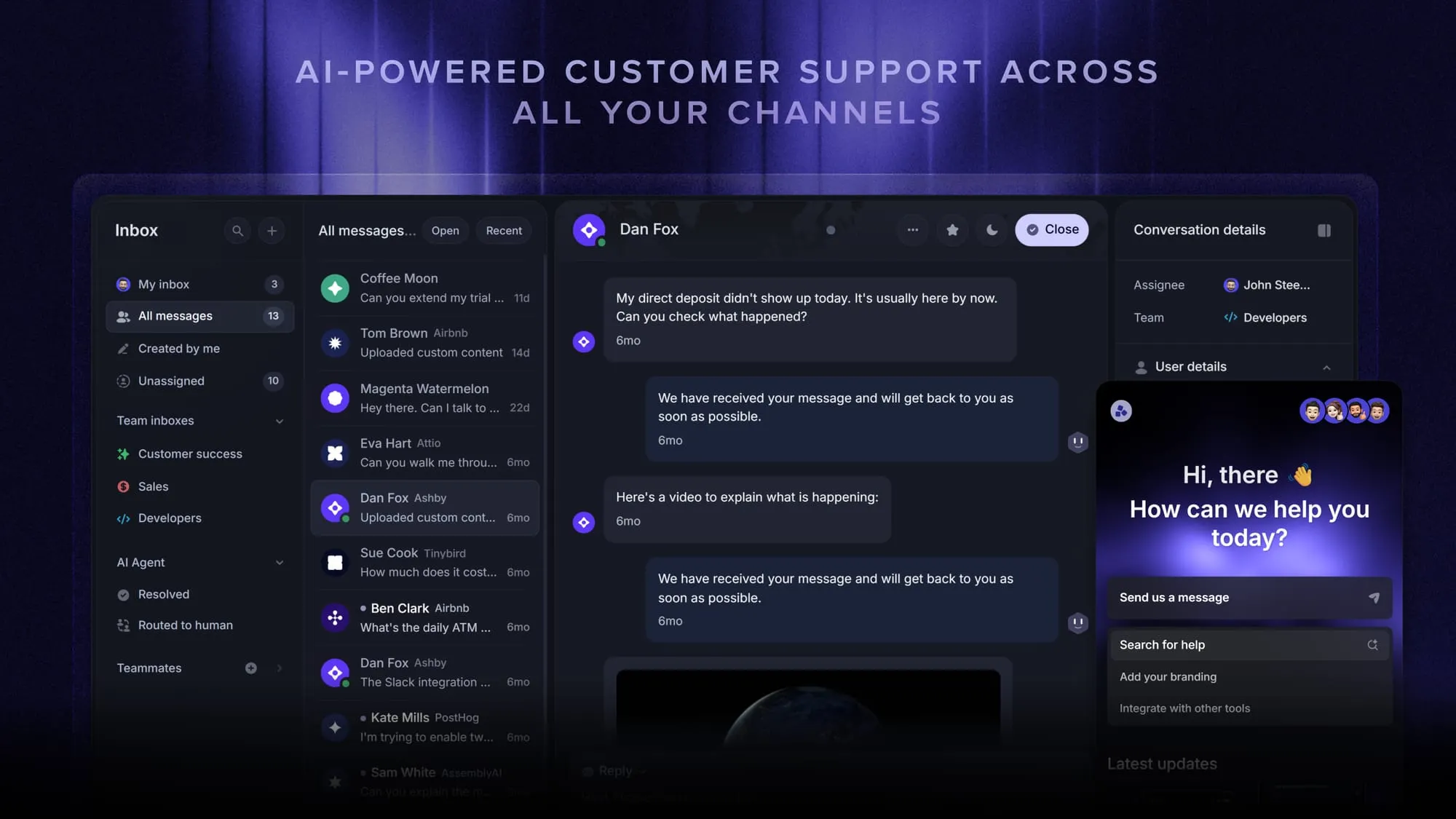
- Tier 1: a shared inbox that pulls chat, email, and other channels into one view, with routing rules that send each ticket to the right person and SLAs that keep responses on time.
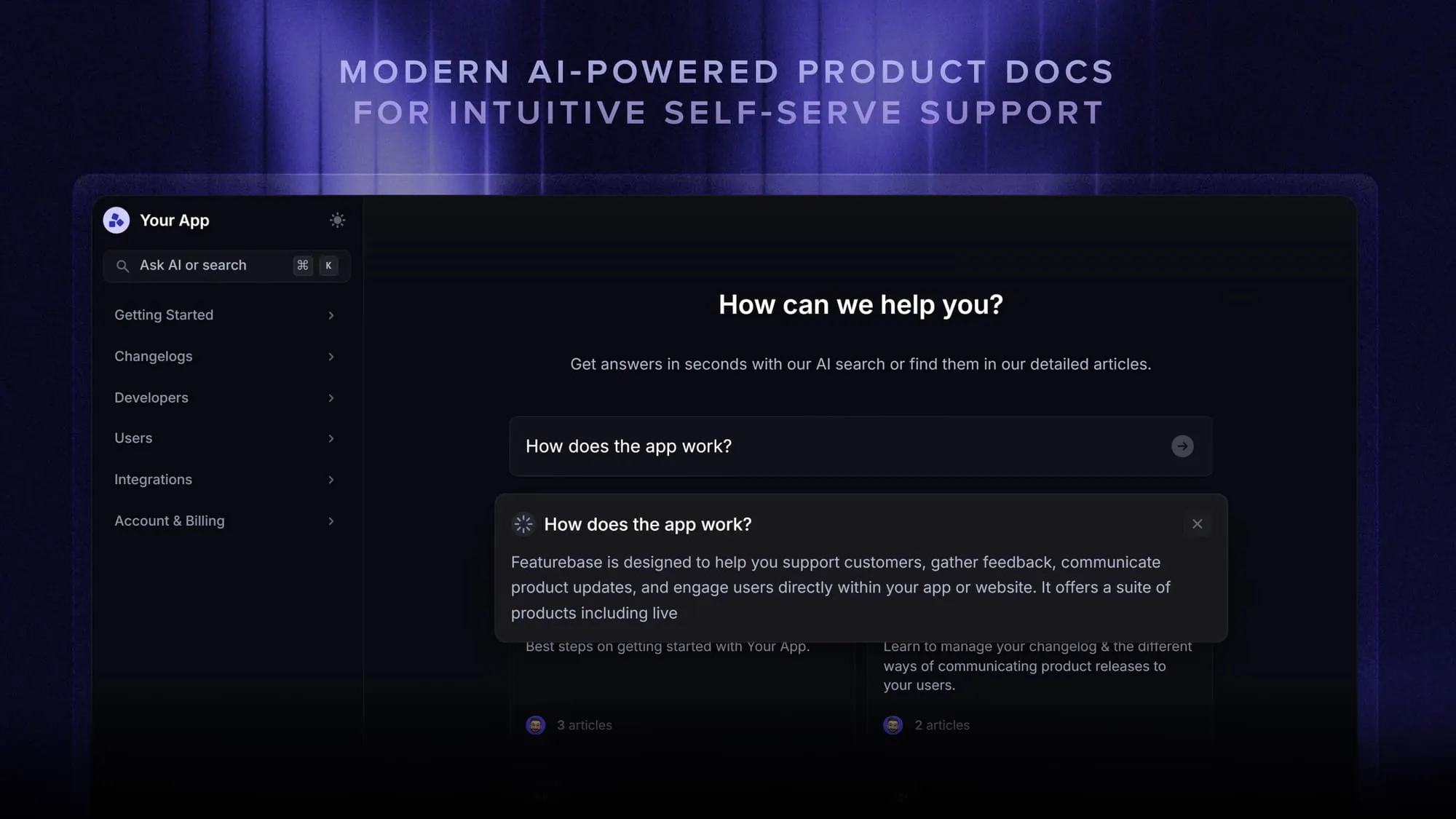
If you run support for your own customers and want those two layers in one place rather than stitched together from separate tools, Featurebase covers them: an AI help center and Fibi AI Agent for self-service, plus an omnichannel inbox with workflows and SLA tracking for the frontline. There's a free plan with unlimited conversations if you want to see how it fits your tiers.
Conclusion
IT support levels turn a chaotic queue into a system. By matching each issue to the right tier, you resolve simple problems fast, reserve specialists for the work that needs them, and keep costs in check across the board.
Start by defining each tier's scope and escalation path, then size the model to your environment rather than forcing all 5 layers. The structure matters more than the number.
If you run support for your own customers, Featurebase brings your self-service help center, AI automation, and frontline inbox into one modern platform so your lower tiers run smoothly instead of leaking tickets. There's a free plan with unlimited conversations, so there's no downside to trying it. 👇
Automate your support with the fastest AI-enhanced Inbox today
FAQs
Tier 1 handles high-volume, well-defined issues using documented procedures, such as password resets and basic troubleshooting. Tier 2 takes over when a problem needs deeper technical knowledge, system-level access, or investigation that goes beyond the runbook. The core difference is complexity and access: Tier 1 follows scripts, while Tier 2 diagnoses root causes with elevated permissions.
Yes. "Levels" and "tiers" refer to the same model, and the terms are used interchangeably. The only difference is wording: "tier" is more common in formal ITSM frameworks, while "level" tends to appear in teams that modeled their structure after customer service operations. What matters is that the structure is clearly defined and applied consistently.
Tier 3 is the highest internal level, staffed by senior engineers and architects who handle your most complex problems, including code fixes and critical infrastructure failures. Tier 4 is external support from vendors, manufacturers, and cloud providers who own the products your team can't fix in-house. Put simply, Tier 3 is your internal ceiling, and Tier 4 is when resolution depends on someone else's proprietary systems.
A classic Tier 1 issue is a user who forgot their password and needs a reset. Other common examples include unlocking a locked account, setting up a new user, installing standard software, or troubleshooting basic email and printer access. These are routine, high-frequency problems that can usually be resolved in a single interaction.
Not necessarily. Many teams run effectively with 3 or 4 tiers, especially when the same specialists cover both advanced troubleshooting and engineering work. The right number depends on the complexity of your environment, not a fixed template. The constant across every setup is that each tier has clear ownership, a defined scope, and a documented escalation path.
Yes. A single platform can span the lower tiers by combining self-service and frontline support in one place. For customer-facing teams, Featurebase does this with an AI-powered help center for Tier 0 deflection and an omnichannel inbox with automation for Tier 1, so users move from self-serve to a live agent without friction. Higher tiers still rely on specialist access, but unifying Tier 0 and Tier 1 removes most of the handoff pain.


