What Is Knowledge Management? Types, Process & Tools
Knowledge management is how companies capture, organize, and share what they know. Here's a practical guide to the types, process, tools, and benefits.


On this page
Most of what your company knows lives in people's heads, buried Slack threads, and files nobody can find. When someone leaves or goes on holiday, that knowledge often walks out the door with them, and everyone else wastes hours hunting for answers that already exist somewhere.
Knowledge management fixes that. It's how you capture what your team knows and make it easy for anyone to find and reuse.
In this guide, I'll cover what knowledge management is, the types of knowledge, the KM process, the tools involved, and the main benefits and challenges. 👇
Key takeaways:
- Knowledge management (KM) is the process of capturing, organizing, storing, and sharing an organization's knowledge so the right people can find it when they need it.
- There are 3 main types of knowledge: explicit (documented), tacit (experience-based), and implicit (applied know-how).
- The KM process runs through a repeatable cycle: capture knowledge, organize it, store it in a central system, share it, and keep it up to date.
- Good KM pays off in faster decisions, quicker onboarding, less duplicated work, and better customer self-service.
- The most common tools are knowledge bases, help centers, intranets, wikis, and document management systems.
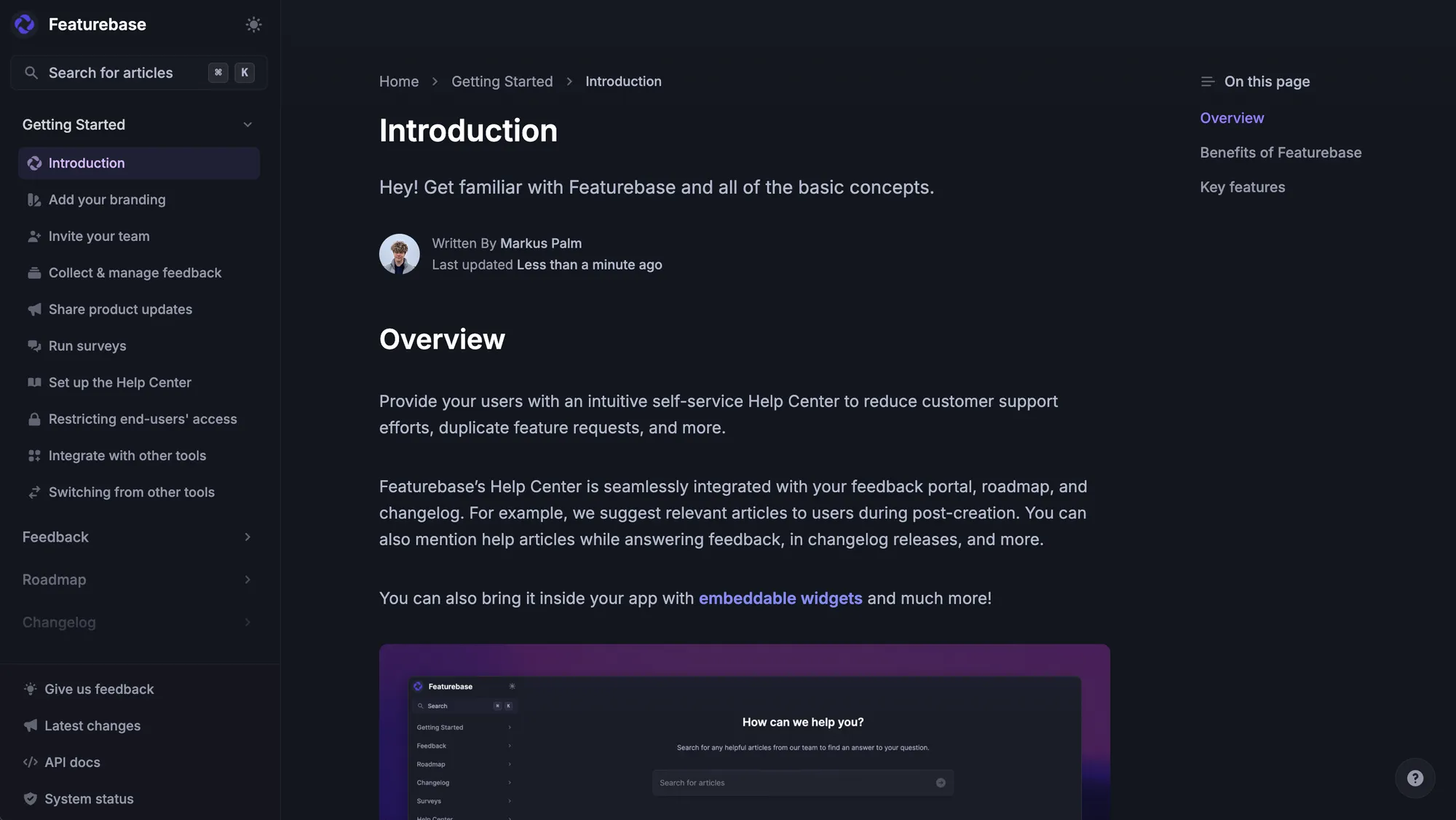
- Featurebase✨ gives you an AI-powered help center and knowledge base to store, search, and share your company's knowledge in one place.
- The hardest part usually isn't the software, it's keeping content current and getting people to actually use it.
What is knowledge management?
Knowledge management (KM) is the process of identifying, capturing, organizing, storing, and sharing knowledge across an organization. The goal is simple: get the right information to the right person at the right time, instead of letting it stay stuck with one employee or lost in a folder.
That knowledge takes two broad forms. Some of it is written down, like reports, standard operating procedures, and product docs. A lot of it isn't. It's the instinct a senior engineer has for why a bug keeps coming back, or the trick a support rep uses to calm an angry customer.
KM is the discipline of turning that scattered, unwritten know-how into something searchable and reusable. And it matters more than it sounds: McKinsey found that employees spend nearly 20% of the workweek - almost a full day - just looking for internal information.
The main types of knowledge
Before you can manage knowledge, it helps to know what kind you're dealing with. Most of it falls into 3 main types of knowledge:
- Explicit knowledge: This is documented, structured information that's easy to write down and share, like product manuals, reports, SOPs, and help articles. It's the stuff you'd expect to find in a knowledge base.
- Tacit knowledge: This is know-how gained through experience and intuition, like a sales rep's feel for closing a deal or an engineer's hunch about where a system will break. It's valuable but hard to put into words, which makes it the most difficult type to capture.
- Implicit knowledge: This is applied know-how, the practical shortcuts and methods people develop just by doing the work. It's close to tacit knowledge but easier to articulate and document once someone asks the right questions.
The whole point of KM is to pull tacit and implicit knowledge out of people's heads and turn it into explicit knowledge that everyone can use.
How the knowledge management process works
KM isn't a one-time project. It's a repeatable cycle. Most teams run through the same knowledge management process, broken into 5 stages:
- Capture: Identify the knowledge worth keeping and get it out of people's heads. That means gathering existing docs, interviewing subject-matter experts, and documenting processes that only live in someone's memory.
- Organize: Structure the content so it's findable. Categorize it, tag it, and group related topics so people aren't guessing where to look.
- Store: Put everything in a central, accessible system instead of scattering it across drives and apps. This is usually where a knowledge base or KMS comes in.
- Share: Get the knowledge to the people who need it, through search, in-app help, onboarding flows, or team channels.
- Maintain: Review and update content regularly. Knowledge goes stale fast, and out-of-date answers are often worse than none at all.
Skip any stage and the whole thing breaks down. Great content nobody can find is just as useless as a well-organized system that's three versions out of date.
Knowledge management systems and tools
You don't need a dozen tools to manage knowledge, but a few make the job far easier:
- Knowledge base: A centralized, searchable library of articles, and the most common home for explicit knowledge. It can be public (for customers) or internal (for staff).
- Help center: A customer-facing knowledge base that powers self-service support, so people can solve their own problems without opening a ticket.
- Intranet: A private internal network for company-wide docs, directories, and announcements.
- Wikis: Collaborative pages anyone can edit, which makes them easy to grow but harder to keep accurate.
- Document management systems (DMS): Secure, centralized storage for files like PDFs, contracts, and images, with access controls.
A knowledge management system (KMS) is the umbrella term for the software that ties this together. It stores, organizes, and surfaces knowledge, increasingly with AI-powered search that summarizes answers instead of just returning a list of links.
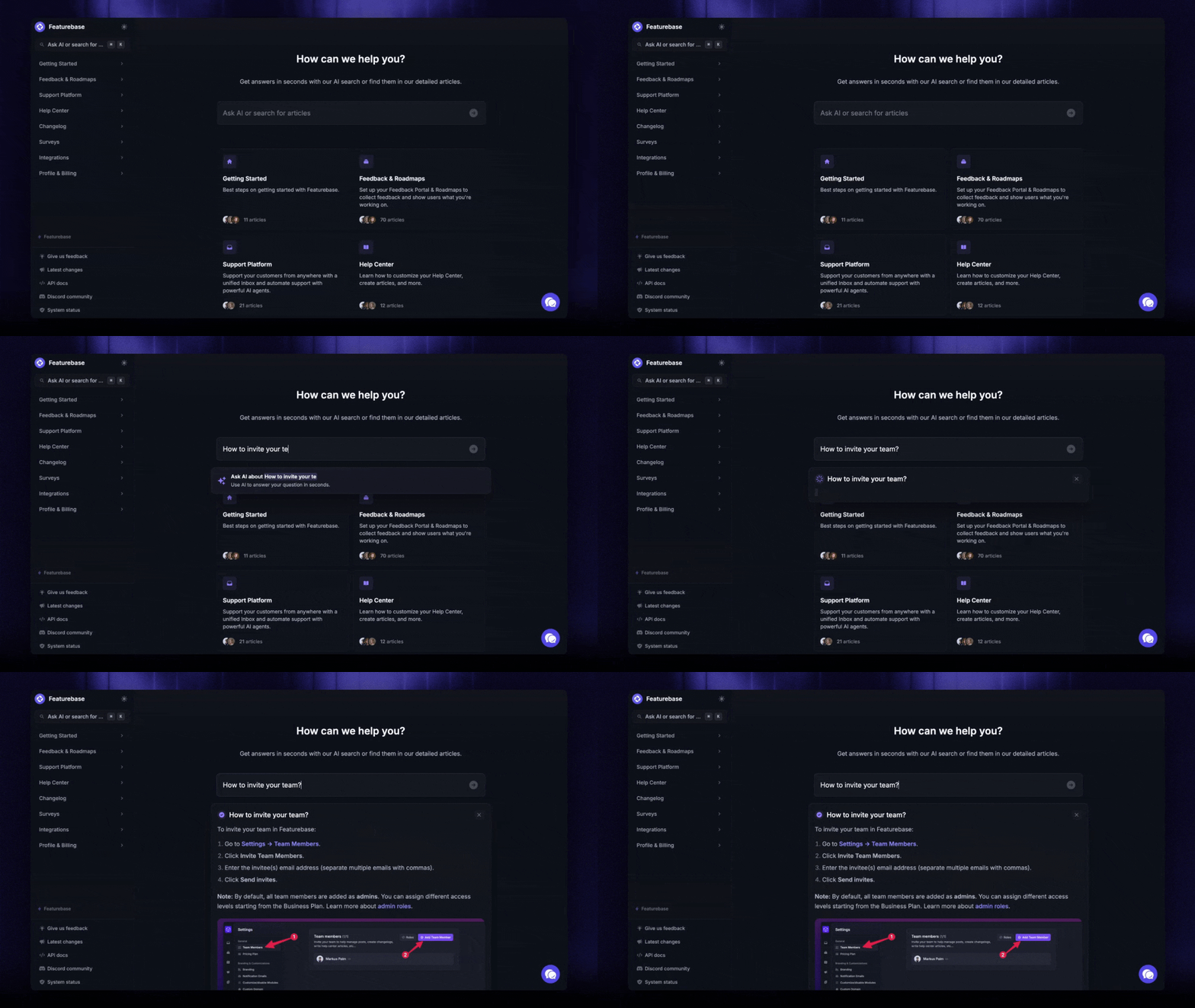
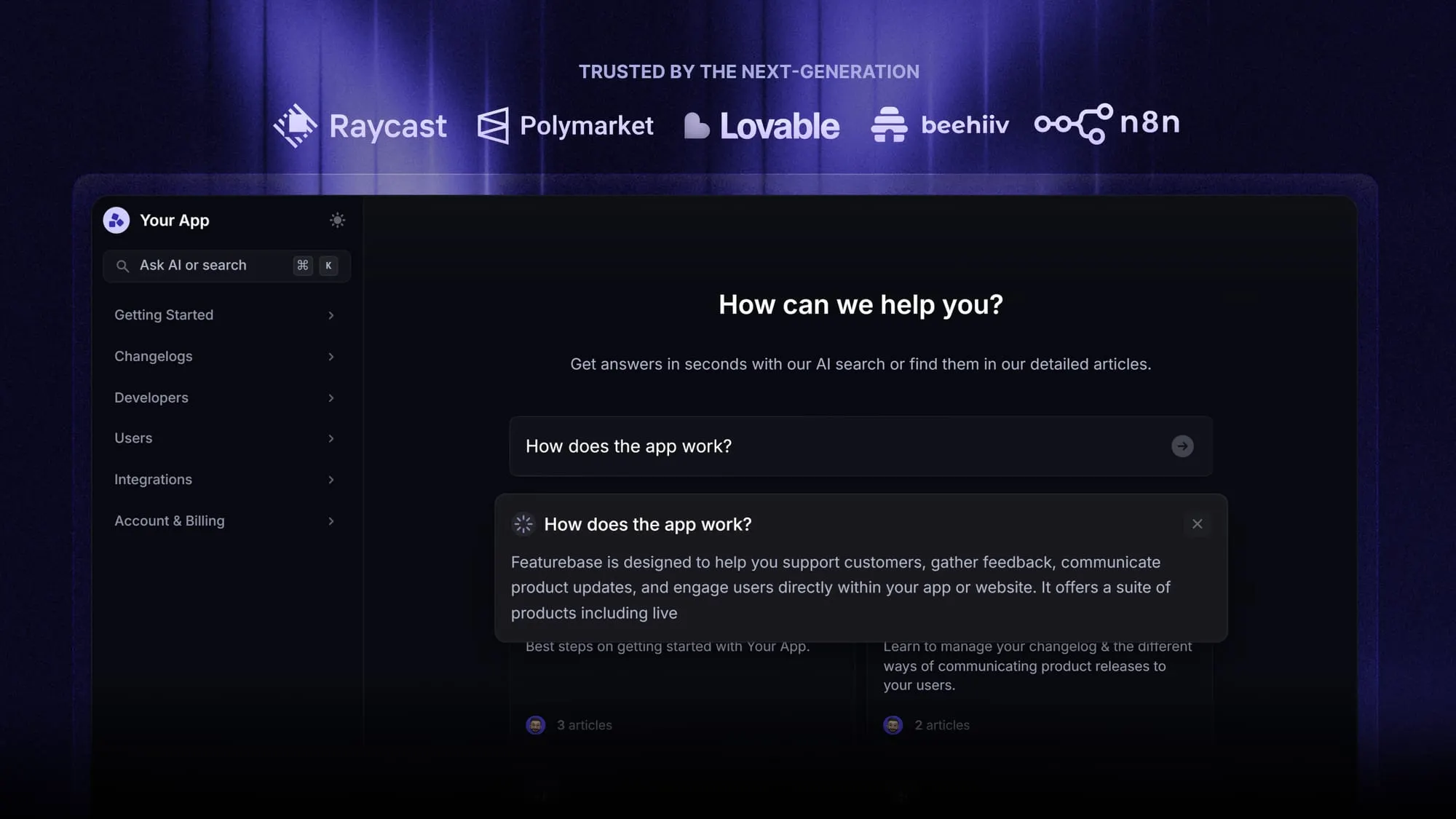
This is where a modern help center earns its keep. With Featurebase, you can build a knowledge base with AI-powered search that gives customers and teammates an instant, summarized answer right in the search bar, and automatically translates every article into your users' native language. People find answers themselves instead of waiting on the one colleague who "just knows."
The benefits of knowledge management
Done well, KM quietly removes friction across the whole company:
- Faster decisions: When accurate information is easy to find, people stop guessing and act on facts.
- Less time wasted searching: A searchable knowledge record can cut the time employees spend hunting for company information by up to 35%, according to McKinsey.
- Quicker onboarding: New hires ramp up on their own instead of interrupting colleagues for every question.
- Better customer self-service: A good help center deflects repetitive tickets and lets customers solve problems around the clock.
- Knowledge that stays put: When people document what they know, their expertise doesn't leave when they do.
- Less duplicated work: Teams reuse proven solutions instead of solving the same problem twice.
Common knowledge management challenges
KM sounds straightforward, but most of the difficulty is human, not technical:
- Keeping content fresh: Products change, policies shift, and documentation rots. Stale answers erode trust fast.
- Getting people to contribute: Busy employees don't always want to stop and document what they know, so knowledge stays locked in their heads.
- Making knowledge findable: Gathering content in one place doesn't help if search is weak and people can't locate what they need.
- Fragmentation: When information is split across too many tools, no one's sure which source is the correct one.
- Adoption: A KM system only works if people actually use it, which takes leadership buy-in and a culture that rewards sharing.
Knowledge management best practices
A few knowledge management best practices separate the programs that stick from the ones that fizzle:
- Start with your highest-impact questions: Document the answers people ask for most before trying to capture everything.
- Give it an owner: Assign someone (or a small team) to keep content accurate and coordinate contributions.
- Make contributing easy: The lower the friction to add or update an article, the more your team will actually do it.
- Review on a schedule: Set a regular cadence to audit content so outdated info gets caught early.
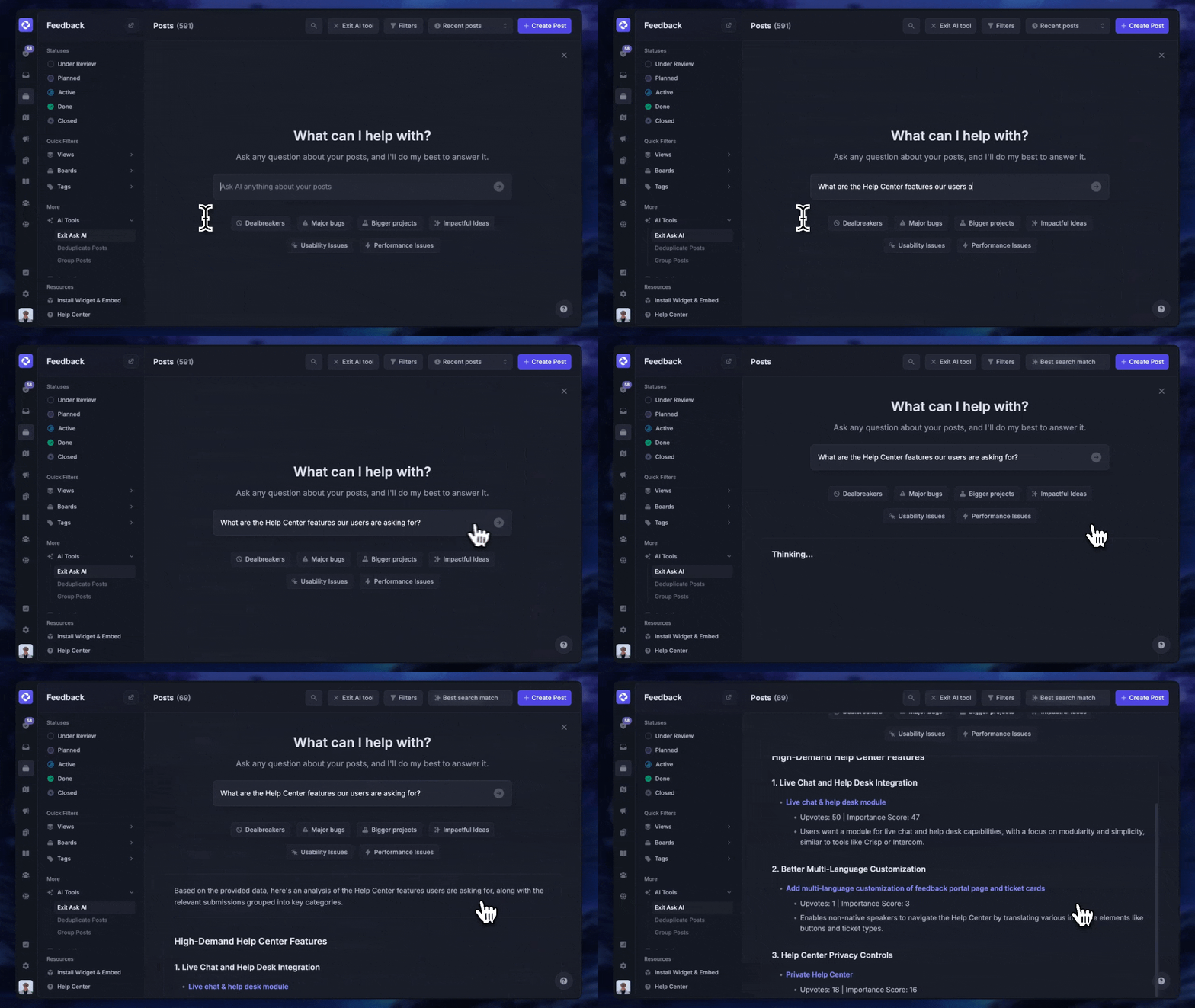
- Use AI where it helps: AI search, auto-summaries, and translation make a knowledge base far more useful without much extra effort.
- Measure what matters: Track things like ticket deflection, time-to-answer, and onboarding speed to see if KM is working.
Manage your knowledge base with Featurebase
If knowledge management for your team mostly comes down to a great knowledge base and help center, Featurebase is built for exactly that.
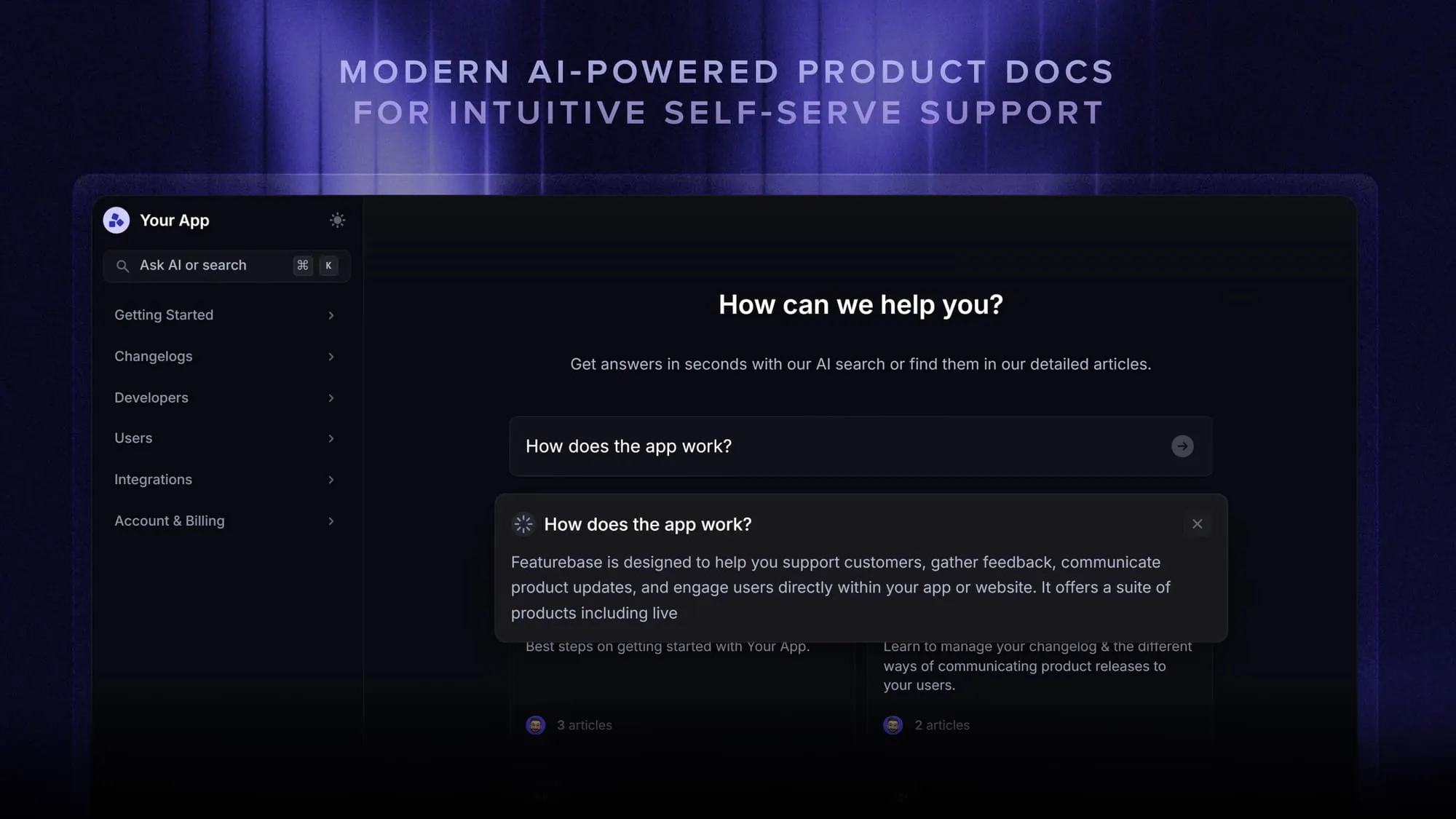
Featurebase is a modern, AI-powered support platform for SaaS teams that lets you create beautiful product docs, provide self-serve support, and collect feedback all in one place. It's loved by thousands of teams from companies like Lovable, Raycast, and n8n. 💫
Top features:
- Public & internal help center – Create a branded knowledge base on your own domain for both customer-facing and internal self-service
- AI-powered search answers – Summarize answers for users right in the search bar in seconds
- Embeddable in-app widget – Serve help articles directly inside your product, where users need them most
- Automatic AI translations – Automatically translate your help center into your users' native languages
- Feedback & roadmap tools – Collect feature requests and close the loop with product updates
Pricing: You can create a public help center on a fully Free plan. Paid plans start at just $29/seat/mo for unlimited articles.
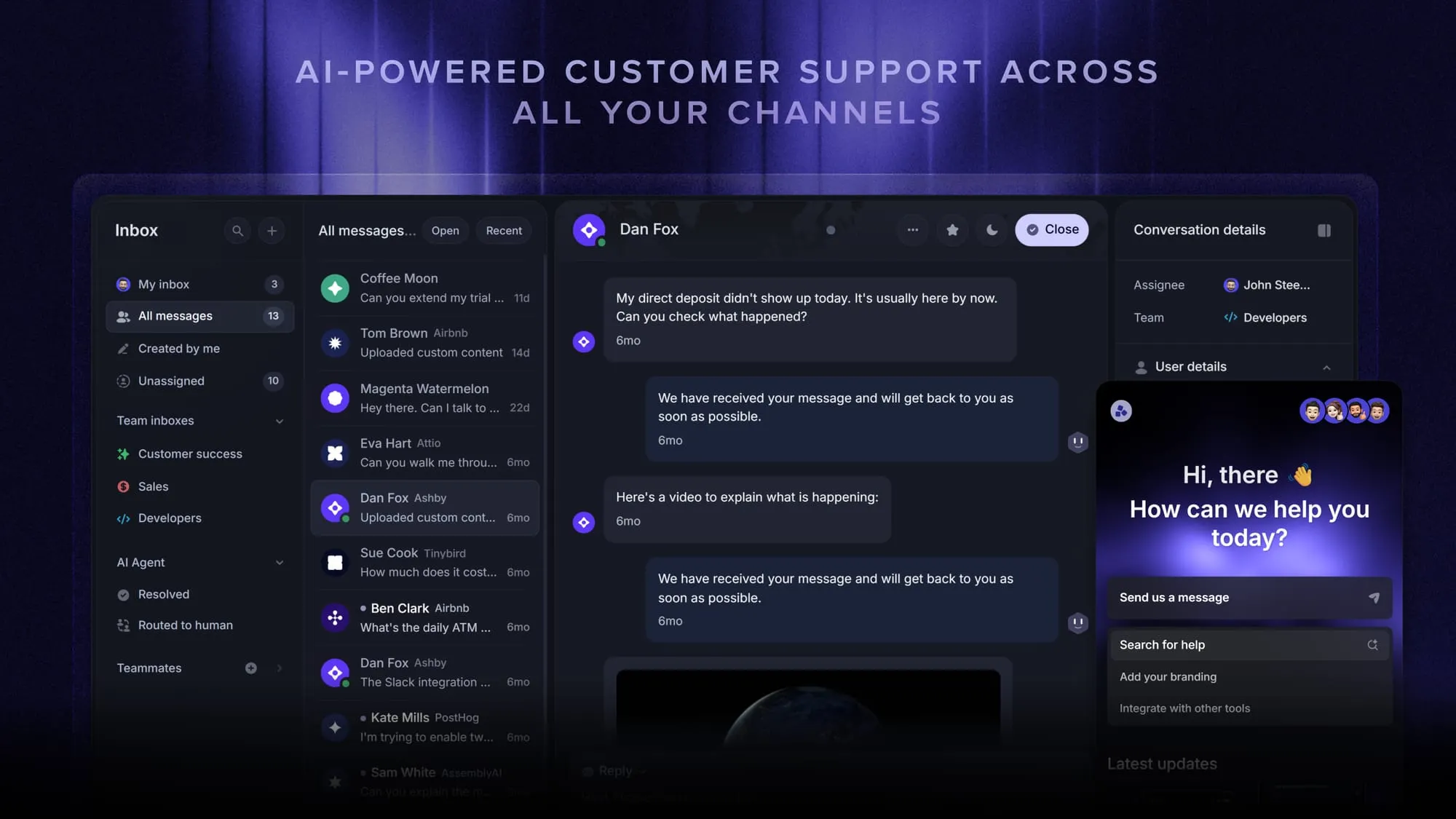
Instead of stitching together separate tools, Featurebase brings your help center, live chat, feedback, and product updates into one place.
Conclusion
Knowledge management isn't about hoarding information. It's about making what your company already knows easy to find and reuse. Nail the process, pick the right tools, and keep your content fresh, and you'll spend less time answering the same questions and more time moving forward.
Featurebase is a modern & powerful Help Center tool that lets you create a beautiful knowledge base with a custom domain, in-app widgets, AI search, and translations. It also comes with feedback collection, surveys, roadmaps, and changelog features to help you build a product your users love.
It has affordable pricing and a Free plan, so there's no downside to trying it. Plus, we can help you seamlessly migrate from any existing knowledge base tools. 👇
Create a beautiful AI-powered Help Center with Featurebase for free
FAQs
A knowledge management system (KMS) is the software that stores, organizes, and surfaces an organization's knowledge. It typically includes a searchable knowledge base, document storage, and collaboration tools, and modern systems add AI-powered search and recommendations on top. A customer help center is one of the most common examples of a KMS in action.
A customer-facing help center is one of the clearest examples. A company documents answers to common questions once, then customers find those answers themselves instead of contacting support. Internally, an onboarding wiki that new hires use to learn processes on their own is another everyday example.
Different sources phrase them slightly differently, but a common version is capture (collecting knowledge), curate (organizing and refining it), connect (linking people to the right information), collaborate (sharing it across teams), and create (turning insights into new knowledge). They're less a formal standard and more a memory aid for the core activities of KM.
Personal knowledge management (PKM) is the same idea applied to an individual rather than a company. It's how one person captures, organizes, and retrieves their own notes, ideas, and resources, often with note-taking apps, so they can find and build on what they've learned. Organizational KM scales that same habit up across an entire team.
Knowledge management is a shared responsibility, since every team creates knowledge and contributes to it. That said, many companies appoint a knowledge manager to own the overall strategy, maintain the system, and keep contributions flowing. Their job is making sure the right people can find the right knowledge at the right time.
Knowledge management is the whole discipline of capturing, organizing, and sharing what your organization knows. A knowledge base is one tool within it, the searchable library where a lot of that knowledge actually lives. In short, the knowledge base is where the content sits, and KM is everything you do to keep it useful. Tools like Featurebase combine an AI-powered knowledge base and help center so the storing and the sharing happen in one place.