Knowledge Transfer: Methods, Plans, and KT Sessions
Knowledge transfer is how teams keep expertise from walking out the door. Here's what it is, why it matters, and how to run KT sessions and build a plan.


On this page
Create a beautiful AI-powered Help Center with Featurebase for free
Your most valuable knowledge lives inside people's heads - and it walks out the door every time someone leaves, retires, or switches teams.
When that happens, the work doesn't stop. It just gets slower, messier, and more expensive. New hires reinvent what someone already figured out, and projects stall while people hunt for answers.
Knowledge transfer is how you stop that. This guide covers what it is, why it matters, and how to actually do it - from running a solid KT session to building a repeatable plan. 👇
Key takeaways
- Knowledge transfer is the process of capturing what people know and passing it to others, so expertise doesn't leave when they do.
- Two types matter: explicit knowledge (documented and easy to share) and tacit knowledge (experience-based and hard to pin down).
- It moves through 4 stages: identification, capture, sharing, and application.
- A KT session is a focused meeting where an expert hands off knowledge. Record it and turn it into documentation so it lasts.
- The biggest wins come from pairing people up (mentoring and shadowing) with a central, searchable place to store what you capture.
- Featurebase✨ gives you a public and internal help center to store transferred knowledge where your team and customers can actually find it.
- Measure success by tracking onboarding ramp time, repeat questions, and how often people reuse what's been documented.
What is knowledge transfer?
Knowledge transfer is the process of identifying the knowledge one person or team holds, capturing it, and passing it to others who need it. That knowledge might be a documented process, or it might be the hard-won instinct an expert relies on without even thinking about it.
Done well, it means no single person is a bottleneck - and no critical know-how disappears when someone leaves.
Tacit vs explicit knowledge
Most knowledge falls into one of two main types of knowledge, and each transfers differently.
Explicit knowledge is the stuff you can write down: processes, policies, specs, and how-to docs. It's easy to store and share because it's already in a transferable form.
Tacit knowledge is the harder half. It's the judgment, shortcuts, and context an expert builds up over years, and it lives in habits and instinct. That's exactly why it's the first thing lost when someone walks out the door.
Why knowledge transfer matters
When knowledge doesn't move, it hardens into tribal knowledge that only one person holds - and work quietly gets more expensive. A 2018 Panopto study of more than 1,000 US employees found that 42% of institutional knowledge is unique to the individual. In other words, when that person is out, their coworkers can't do 42% of their job.
The same report found knowledge workers waste an average of 5.3 hours a week either waiting on information from colleagues or recreating expertise that already exists somewhere.
Multiply that across a team and the cost of poor knowledge transfer adds up fast:
- Onboarding drags: New hires spend weeks rebuilding knowledge that already exists instead of contributing.
- Turnover hurts twice: You lose the person and the irreplaceable context they never wrote down.
- Work gets duplicated: Teams solve the same problems over and over because no one documented the answer.
- Continuity breaks: A single retirement or resignation can leave a critical process with no owner.
The 4 stages of knowledge transfer
Effective knowledge transfer isn't one action - it's a cycle, and it sits at the heart of any knowledge management process. Whether you're formalizing it or just want a mental model, it helps to think in 4 stages:
- Identification: Pin down what knowledge actually needs transferring and who holds it. Focus on the know-how that would hurt most to lose.
- Capture: Get that knowledge into a durable form, whether that's a written guide, a recorded walkthrough, or a documented process.
- Sharing: Put the captured knowledge in front of the people who need it, through training, a KT session, or a searchable knowledge base.
- Application: The recipient puts the knowledge to use in their real work. This is where gaps surface, so build in feedback and follow-up.
How to run an effective knowledge transfer (KT) session
A KT session is a focused meeting where someone who holds knowledge hands it off to whoever needs it next. Think of a departing employee briefing their replacement, a senior developer walking through a codebase, or a team lead documenting a process before a handover.
The mistake most teams make is treating it as a one-off chat. Do that and the knowledge lives only in the memory of whoever showed up. Here's how to run one that actually sticks:
- Prep an agenda: Send the topics and questions ahead of time so the expert can prepare and the session stays focused instead of rambling.
- Record everything: Capture the audio or screen share. An AI note taker can create a searchable first-pass record of the session, while the recording lets people who missed it catch up and gives the team a reusable asset.
- Focus on the why, not just the what: Anyone can follow steps. Push the expert to explain the reasoning, the edge cases, and the mistakes to avoid, because that's the tacit knowledge you're really after.
- Turn it into documentation: A recording buried in a drive is hard to search. Convert the session into a written guide or knowledge base article so the knowledge is findable later.
- Leave room for follow-up: One session rarely covers everything. Schedule a check-in so the recipient can ask the questions that only surface once they start doing the work.
Knowledge transfer methods and strategies
No single method captures everything. The strongest programs combine a few, matching the approach to the type of knowledge you're moving:
- Mentoring and shadowing: Pair an expert with a learner so tacit knowledge transfers through observation and real work, not just documents.
- Documentation: Write down processes, decisions, and how-tos so explicit knowledge is captured once and reused endlessly.
- Recorded walkthroughs: Screen recordings and video KT sessions preserve demos and system tours that are painful to write out.
- Job rotation and cross-training: Move people through different roles so knowledge isn't trapped with a single person.
- Communities of practice: Give teams a regular forum to share lessons, ask questions, and surface knowledge that would otherwise stay siloed.
- A central knowledge base: Store everything you capture in one searchable place so people can self-serve instead of interrupting the expert.
How to create a knowledge transfer plan
A plan turns knowledge transfer from a last-minute scramble into a routine. It doesn't need to be complicated - it needs to be written down and repeatable. Here's a simple 5-step structure:
- Identify critical knowledge: List the knowledge that would cause real damage if it disappeared, and note who holds it.
- Prioritize by risk: Start with the knowledge tied to people who are leaving soon, hold rare expertise, or own single-point-of-failure processes.
- Choose your methods: Match each knowledge type to a method - documentation for explicit knowledge, mentoring or recorded sessions for tacit.
- Set a timeline and owners: Assign who captures what and by when, and don't wait for a resignation letter to start.
- Store, share, and review: Put everything in a central location, make sure people can find it, and revisit it so it stays current.
Tools for knowledge transfer
The right tools make knowledge transfer stick instead of fading after the session ends. Most teams end up with a mix of:
- Knowledge base/help center software: A central, searchable home for documented knowledge that both employees and customers can self-serve from.
- Learning management systems (LMS): Structured platforms for turning knowledge into courses and tracking who has completed them.
- Wikis and internal docs: Collaborative spaces like a company wiki for capturing processes and institutional know-how.
- Video and recording tools: For capturing KT sessions, demos, and walkthroughs that are hard to put into words.
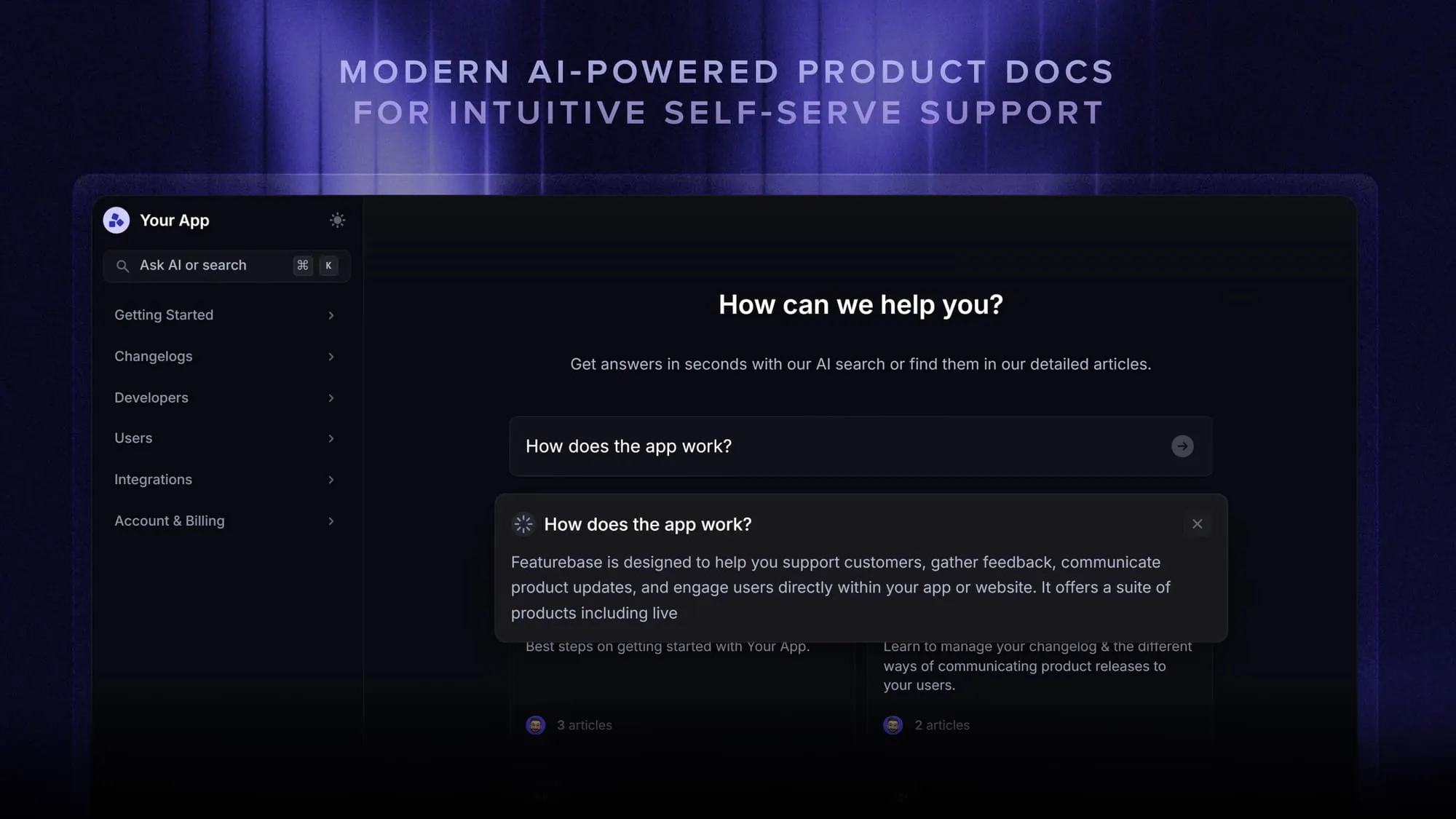
Of these, a knowledge base does the heavy lifting - it's where captured knowledge actually gets found and reused. With Featurebase, you can build both a public and internal help center, so the expertise you capture in KT sessions and docs lives in one searchable place your team and your customers can reach. Its AI-powered search surfaces answers instantly, so people stop pinging the one person who knows.
Conclusion
Knowledge transfer isn't a one-time project - it's a habit. The teams that do it well capture knowledge as they go, store it somewhere everyone can reach, and treat every handover as a chance to make the whole organization a little less fragile.
Featurebase is a modern & powerful Help Center tool that lets you create a beautiful knowledge base with a custom domain, in-app widgets, AI search, and translations. It also comes with feedback collection, survey, roadmap, and changelog features to help you build a product your users love.
It has affordable pricing and a Free plan, so there's no downside to trying it. Plus, we can help you seamlessly migrate from any existing knowledge base tools. 👇
Create a beautiful Help Center with Featurebase for free
FAQs
A KT session (knowledge transfer session) is a focused meeting where someone who holds important knowledge hands it off to whoever needs it next. That could be a departing employee briefing their replacement, an engineer walking a teammate through a system, or an expert recording a process before a handover. The best KT sessions are recorded and turned into documentation so the knowledge outlasts the meeting.
In a management context, knowledge transfer is how leaders make sure critical know-how, relationships, and decision-making context survive role changes and departures. It's central to succession planning and onboarding new managers, where losing a leader's tacit knowledge can disrupt an entire team. Managers usually drive it through mentoring, documented processes, and structured handovers.
Knowledge sharing is the ongoing, often informal exchange of information as people work, like answering a question or posting a tip in a channel. Knowledge transfer is more intentional and structured: a deliberate effort to move specific knowledge from one person or team to another, usually tied to a goal like onboarding or offboarding. Sharing is the daily habit, transfer is the planned handoff.
Tacit knowledge is the experience-based judgment that's hard to write down, so it transfers best through direct contact. Mentoring, shadowing, and hands-on practice let a learner absorb how an expert thinks, not just what they do. Recorded walkthroughs and storytelling help too, because they capture the reasoning and edge cases that formal docs usually skip.
Look at outcomes, not activity. Track how fast new hires reach full productivity, how often the same questions get asked repeatedly, and how much documented knowledge actually gets reused. Feedback from the people receiving the knowledge - can they apply what they learned without help? - is the clearest signal that the transfer worked.