10 Best Open-Source Chatbot Platforms in 2026
Compare the 10 best open-source chatbot platforms of 2026 - features, real costs, and self-hosting trade-offs - plus a managed alternative for teams who'd rather skip the setup.


On this page
Automate your support with the fastest AI-enhanced Inbox today
Open-source chatbots promise total control and zero licensing fees. But "free" software is rarely free to run once you factor in developers, hosting, and ongoing maintenance.
The right choice depends on what you actually need: a framework to build on, a ready-to-run assistant you can self-host, or a managed platform that handles everything for you.
Here are the 10 best open-source chatbot platforms in 2026, what each one is best for, and when a managed tool makes more sense. 👇
Key takeaways:
| Tool | Best for | Pricing | Self-hosted | Main trade-off |
|---|---|---|---|---|
| Chatwoot | Teams wanting an open-source Intercom alternative | Free self-hosted, cloud from $19/agent/mo | Yes | Per-agent cloud cost adds up |
| Rasa | Enterprises building custom conversational AI | Free developer edition, Growth ~$35k/yr | Yes | Steep ML learning curve |
| Botpress | Hybrid no-code + developer bot teams | Pay-as-you-go $0, Plus from $89/mo | Yes | DevOps overhead to self-host |
| LibreChat | Self-hosting a private ChatGPT-style UI | Free (open-source) | Yes | You bring your own LLM keys |
| Flowise | Visually building LLM and RAG workflows | Free self-hosted, cloud from $35/mo | Yes | Best for prototypes, not scale |
| AnythingLLM | Private, local document chat and RAG | Free (open-source) | Yes | Local models need strong hardware |
| Jan | Running an offline AI assistant on your machine | Free (open-source) | Yes | Desktop-first, not a team tool |
| Microsoft Bot Framework | Microsoft and Azure-centric developers | Free SDK, Azure usage costs | Yes | Strong Azure lock-in |
| Tock | Voice and text assistants across channels | Free (open-source) | Yes | Smaller community than Rasa |
| Wit.ai | Adding simple NLU to an existing app | Free | No (hosted by Meta) | NLU only, not a full bot |
If your goal in choosing open-source is mainly to cut support costs and stay in control of your data, it's worth pricing a managed platform alongside these too. We cover Featurebase, a fully managed option, further down.
What is an open-source chatbot?
An open-source chatbot is conversational software whose source code is published openly, so anyone can inspect it, modify it, and run it on their own infrastructure. That transparency is the whole appeal: you can shape the bot to fit your exact workflows and keep full control over where your data lives.
This matters more every year. Grand View Research valued the global chatbot market at $9.56 billion in 2025 and projects it to reach $27.29 billion by 2030, a 23.3% compound annual growth rate. As chatbots become standard, teams increasingly want a version they can own outright rather than rent.
Open-source tools split into two broad camps. Some are frameworks you build on top of, like Rasa and Botpress. Others are ready-to-run assistants you self-host and use almost immediately, like LibreChat and Jan.
Open-source vs closed-source chatbots
The core difference comes down to control versus convenience:
- Open-source chatbots: You get full code access, deep customization, self-hosting, and complete data ownership. In exchange, you take on setup, security, and maintenance yourself.
- Closed-source chatbots: You get instant setup, managed hosting, and vendor support. In exchange, you give up code-level control and accept vendor-managed data.
Neither is universally better. Open-source wins when you have the engineering resources and strict data requirements. Closed-source wins when speed, predictable costs, and low overhead matter more than owning the stack.
The 10 best open-source chatbot platforms in 2026
1. Chatwoot
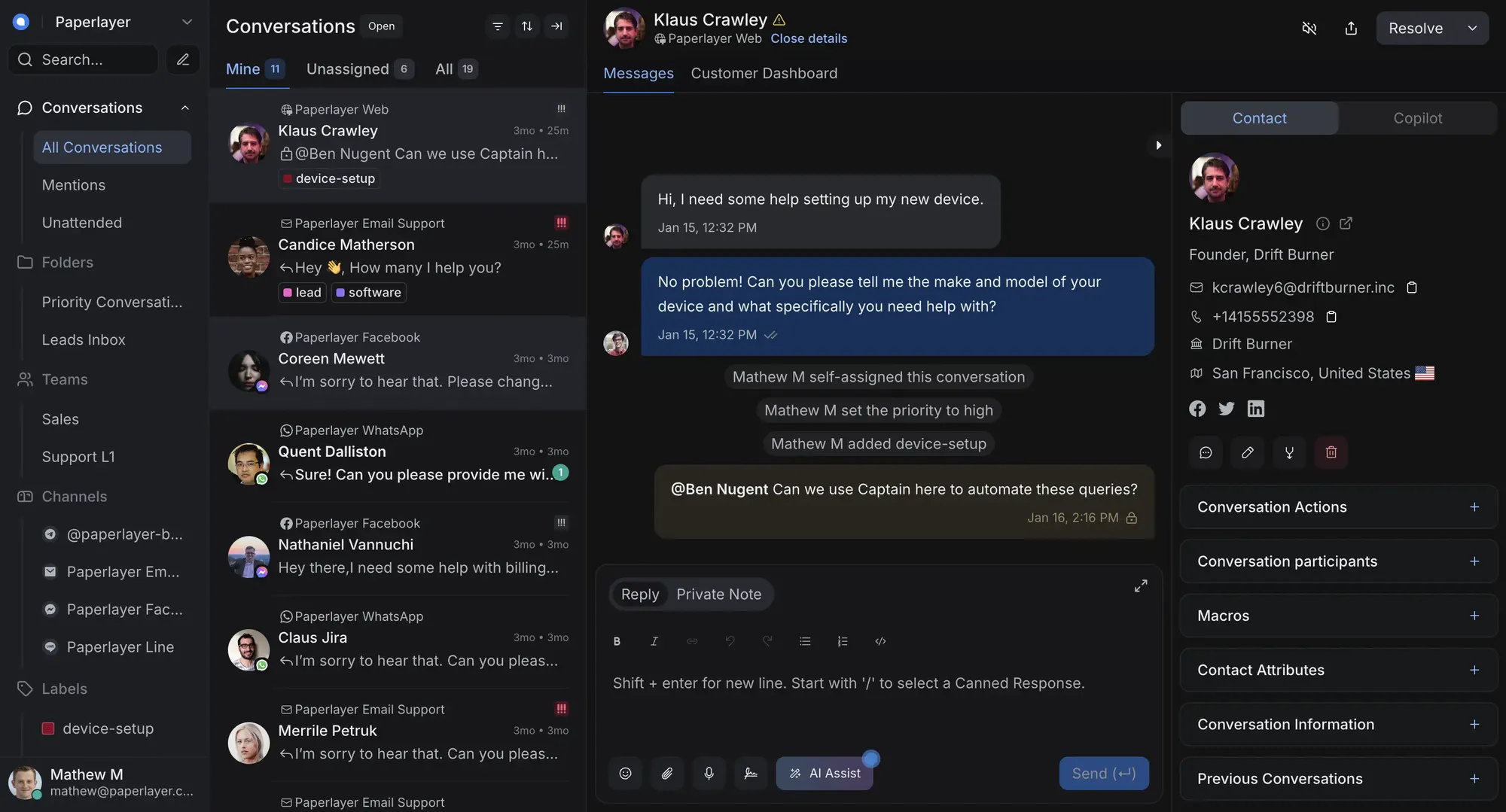
Chatwoot is an open-source customer engagement platform, often described as a self-hosted alternative to Intercom and Zendesk. It brings website live chat, social channels, email, and more into one shared inbox, which makes it a strong fit for support teams that want data ownership without giving up a modern interface.
Because it's open-source, you can self-host the community edition for free and keep every conversation on your own infrastructure. Chatwoot also offers a managed cloud version if you'd rather not run it yourself.
Key features:
- Omnichannel inbox for live chat, email, WhatsApp, Instagram, and more
- Customizable live chat widget with canned responses and labels
- Captain AI add-on for assistant replies and agent copilot
- APIs and webhooks for custom integrations
Pricing: The self-hosted community edition is free. Chatwoot pricing for the cloud version starts at $19/agent/month (Startups), with Business at $39 and Enterprise at $99 per agent per month.
Trade-off: self-hosting means you manage the servers, and on the cloud plans the per-agent cost climbs quickly as your team grows. AI features also sit behind a separate credit-based add-on.
2. Rasa
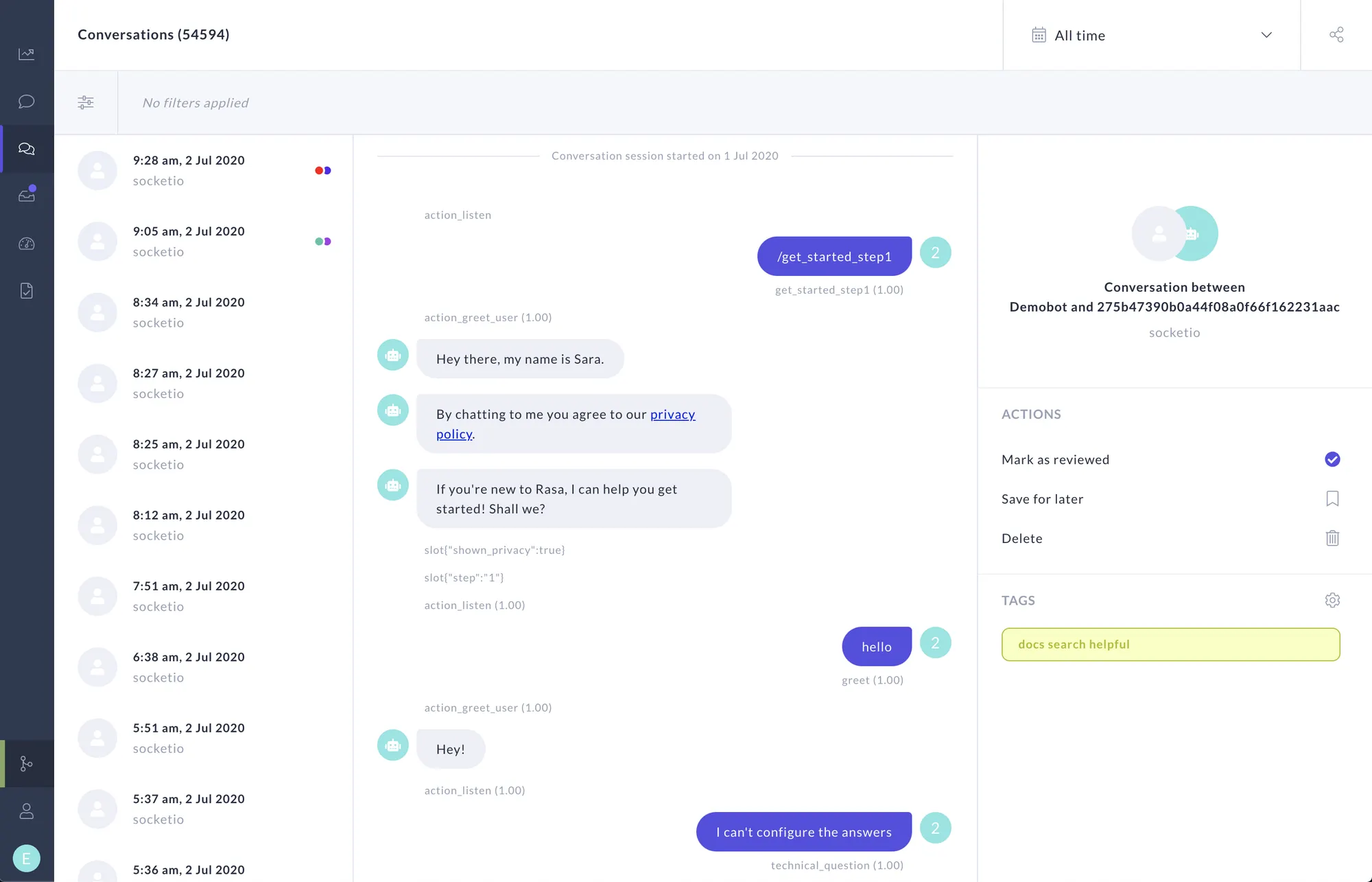
Rasa is one of the most mature open-source frameworks for building complex conversational AI. It's built for developers who want total control over intent classification, dialogue management, and on-premise deployment, which makes it a favorite in regulated industries with strict data rules.
Rasa's newer CALM approach and its open-source core give teams a serious foundation for custom assistants. It rewards investment: the more training data and engineering time you feed it, the better it performs.
Key features:
- Advanced natural language understanding you can fine-tune
- Modular dialogue management for deeply custom flows
- Native multi-channel messaging across web, WhatsApp, and Slack
- Secure on-premise or private-cloud hosting
Pricing: The Developer Edition is free and includes Rasa Pro and CALM for up to 1,000 conversations per month. The Growth tier starts around $35,000 per year, and Enterprise is custom.
Trade-off: Rasa demands strong Python, NLP, and DevOps skills, and production bots take real time to build and tune. It's overkill for a simple FAQ bot.
3. Botpress
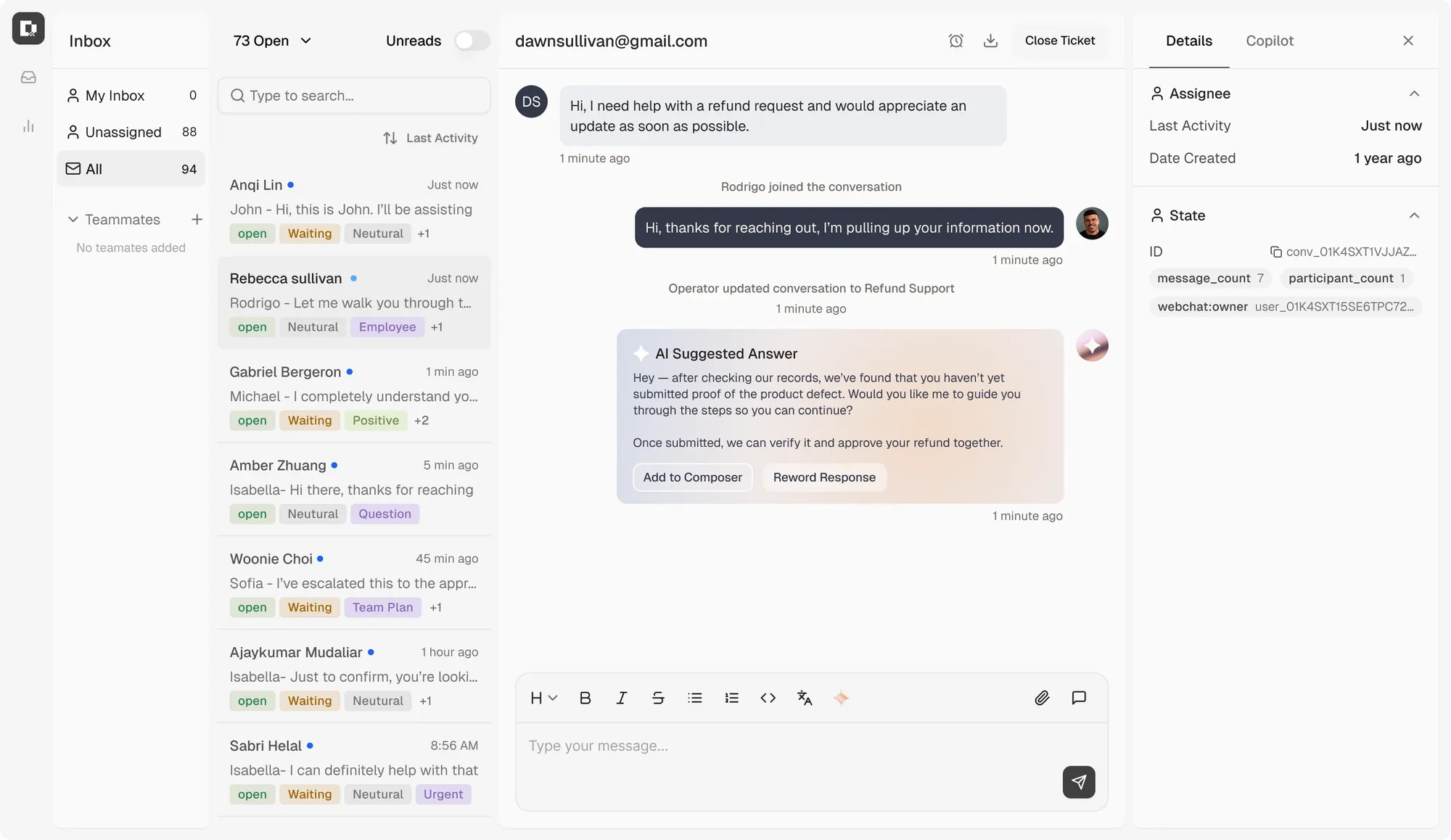
Botpress is an open-source conversational AI platform that pairs a visual flow builder with developer-friendly extensibility. That combination lets a non-technical designer and a developer collaborate on the same bot, which is why it appeals to hybrid teams.
Its Agent Studio, modular architecture, and generative-AI engine make it well suited to rapid prototyping and multi-channel deployment across support, internal workflows, and website automation.
Key features:
- Drag-and-drop visual flow builder (Agent Studio)
- Modular architecture with custom-code extensibility
- Autonomous engine for multi-step workflows
- Multi-channel deployment out of the box
Pricing: The Pay-as-you-go plan starts at $0 plus AI usage. Paid plans include Plus at $89/month and Team at $495/month, with Enterprise pricing custom.
Trade-off: self-hosting requires server management and DevOps setup, and out of the box it isn't fully optimized for modern LLM-native chatbots. High-volume deployments can also get engineering-heavy.
4. LibreChat
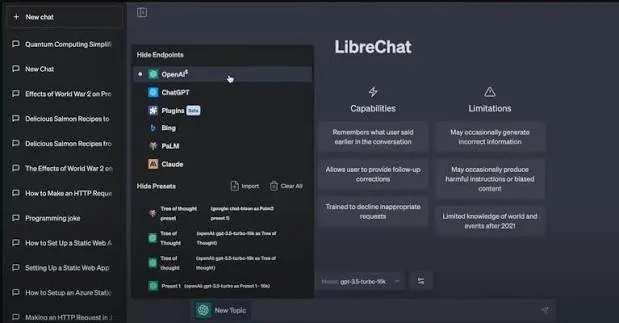
LibreChat is an open-source, self-hostable AI chat platform, essentially a private ChatGPT-style interface you fully control. It's one of the highest-ranking open-source projects in this space because it lets teams give staff a familiar chat UI without sending data to a third-party vendor.
It supports multiple model providers behind one interface, so you can route between commercial APIs and local models depending on cost and privacy needs.
Key features:
- Familiar multi-model chat interface
- Support for many LLM providers, including local models
- Conversation search, presets, and multi-user access
- Self-hosted for full data control
Pricing: Free and open-source. Your real costs are hosting and whatever LLM API usage you consume.
Trade-off: LibreChat is the UI, not the intelligence. You bring your own model keys and cover token costs, and it's aimed at general assistant use rather than structured customer-support automation.
5. Flowise
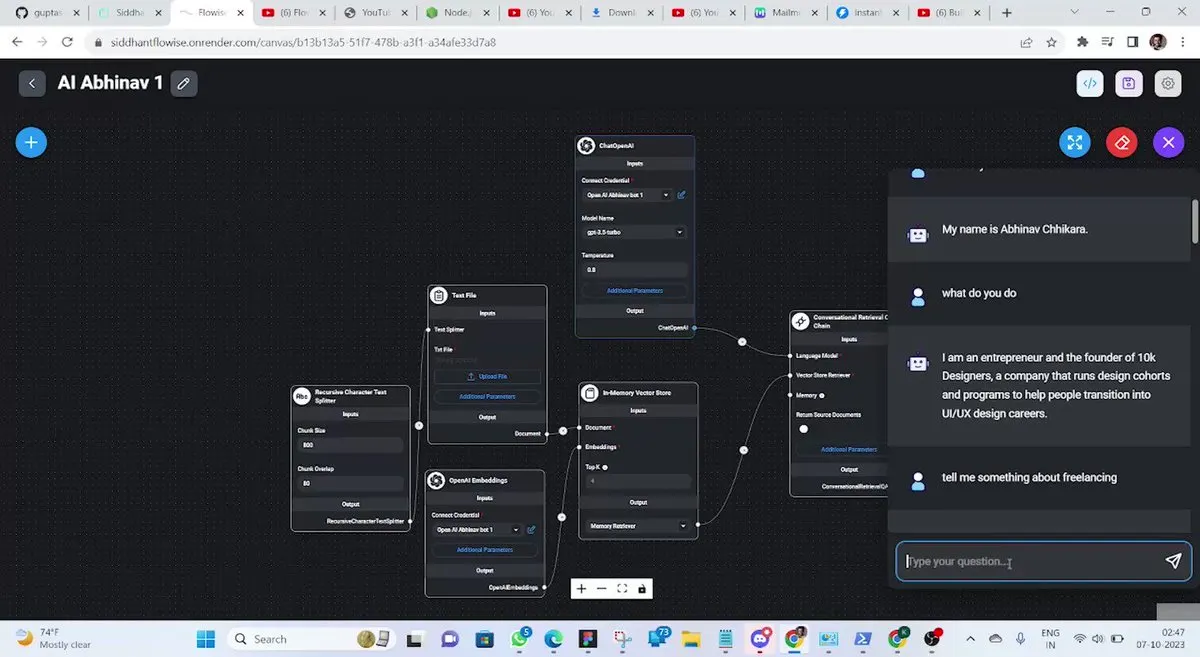
Flowise is an open-source visual builder for LLM-powered chatbots and workflows. You drag and drop components to assemble pipelines like retrieval-augmented generation, API calls, and multi-step agents, which makes it approachable for teams that want AI workflows without writing much code.
It's a popular choice for prototyping AI assistants quickly and connecting them to your own data through built-in RAG nodes.
Key features:
- Visual drag-and-drop workflow builder
- Built-in RAG, embeddings, and vector-database nodes
- Agent and tool integration for multi-step logic
- Works with many LLM providers and local models
Pricing: The self-hosted version is free and open-source. Flowise Cloud starts at $35/month (Starter) and $65/month (Pro), on top of your LLM and infrastructure costs.
Trade-off: Flowise shines for prototypes and lightweight production use, but very advanced agent behavior can still require code, and large-scale apps may outgrow it.
6. AnythingLLM
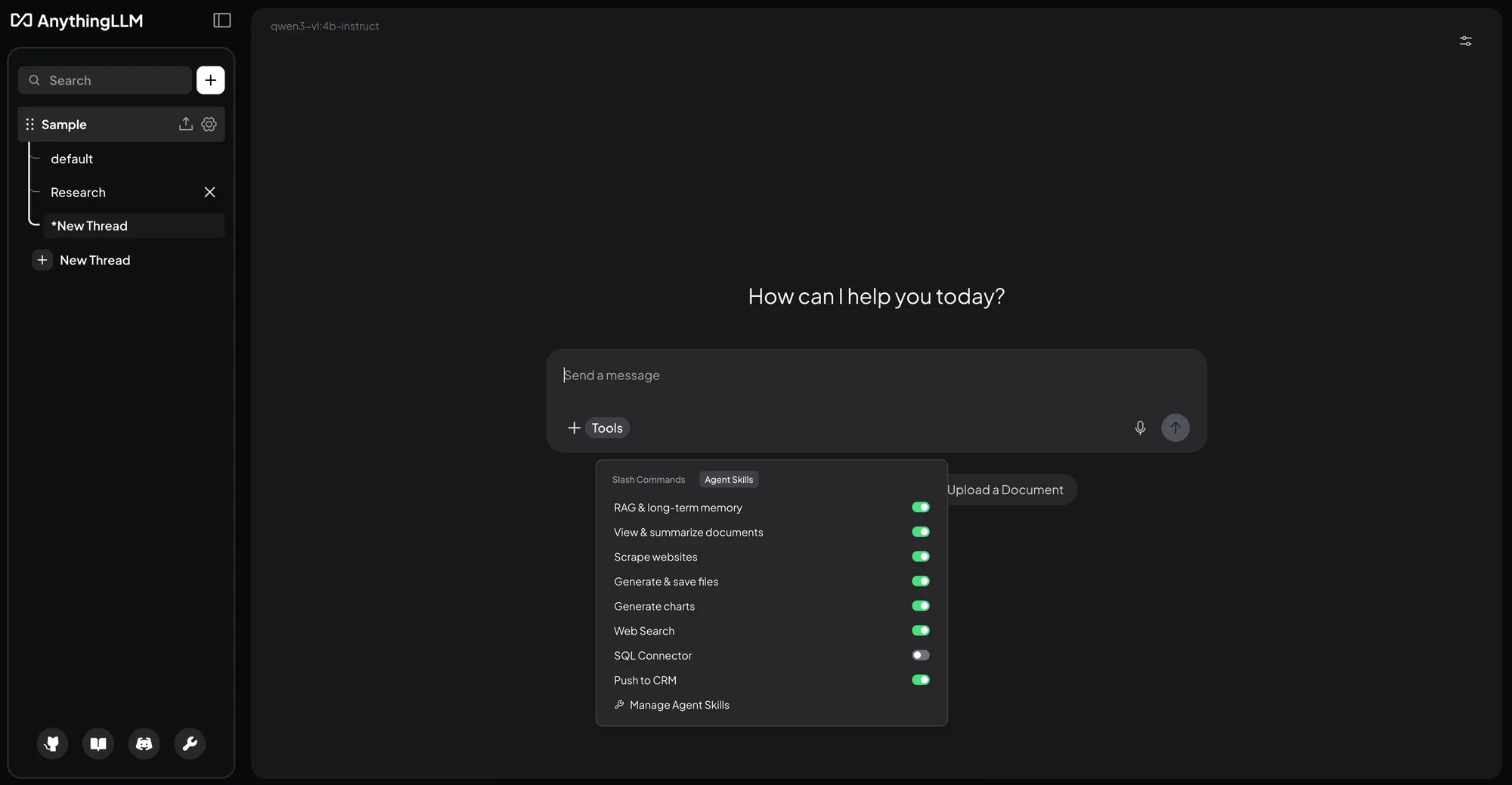
AnythingLLM is an open-source, privacy-focused platform for chatting with your own documents. You upload files, build knowledge bases, and query them using local or cloud LLMs, all while keeping data on your own machines. That local-first design makes it a strong pick for teams with strict privacy requirements.
Its built-in RAG pipeline handles embedding and indexing automatically, so non-technical users can get a working document assistant without much setup.
Key features:
- Local document chat with PDFs, text, and knowledge bases
- Automatic RAG pipeline for retrieval
- Self-hosting on desktops, servers, or private cloud
- Support for both local and cloud LLMs
Pricing: Free and open-source. Costs apply only for hardware, hosting, or external LLM usage.
Trade-off: running local models can demand powerful hardware, and the tool focuses on document chat rather than full multi-channel agent workflows.
7. Jan
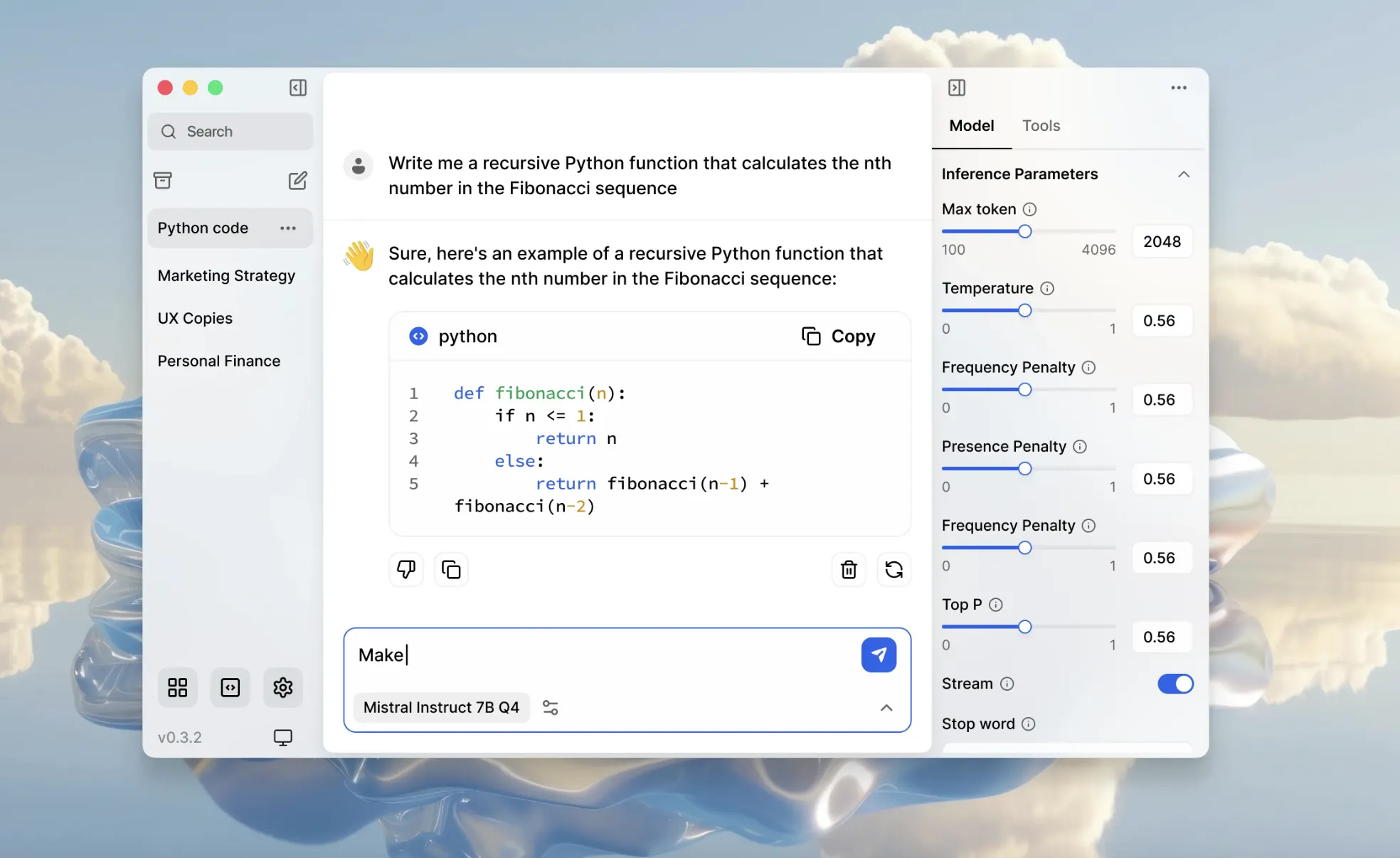
Jan is an open-source, offline-first AI assistant that runs entirely on your own device, marketed as a ChatGPT replacement you can use without the cloud. For privacy-conscious individuals and developers, it's one of the easiest ways to run open models locally.
It ranks well for "open-source chatbot" because it delivers a polished, ready-to-use assistant with no server setup, and it can also connect to cloud models when you need more power.
Key features:
- Fully offline, on-device AI chat
- Runs open-source models locally
- Optional connection to cloud LLMs
- Clean desktop-first interface
Pricing: Free and open-source. You only pay for hardware and any optional cloud model usage.
Trade-off: Jan is built for individual, desktop use, not for team support workflows or multi-channel deployment. It's an assistant, not a customer-facing support platform.
8. Microsoft Bot Framework
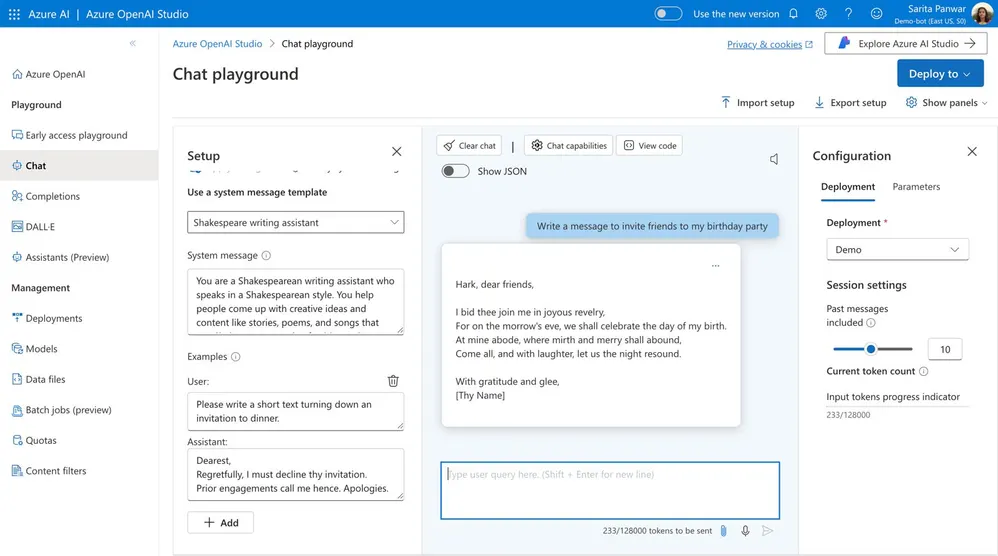
Microsoft Bot Framework is a set of open-source SDKs and tools for building bots in C#, JavaScript, Python, and Java. It's a code-first option aimed squarely at developers, and it integrates tightly with Azure Bot Service for cloud-scale deployments.
For teams already invested in the Microsoft ecosystem, it offers rich conversation modeling and multi-channel deployment from a single codebase.
Key features:
- Open-source SDK in multiple languages
- Multi-channel deployment (Teams, Slack, Messenger)
- Azure Cognitive Services integration for NLP
- Adaptive dialogs for complex conversation flows
Pricing: The SDK is free and open-source. Real costs come from Azure services and per-call NLP usage.
Trade-off: it has a steep learning curve with plenty of boilerplate, and it works best inside Azure, which creates meaningful vendor lock-in. There's no native NLP engine, so you'll lean on paid Azure AI services.
9. Tock
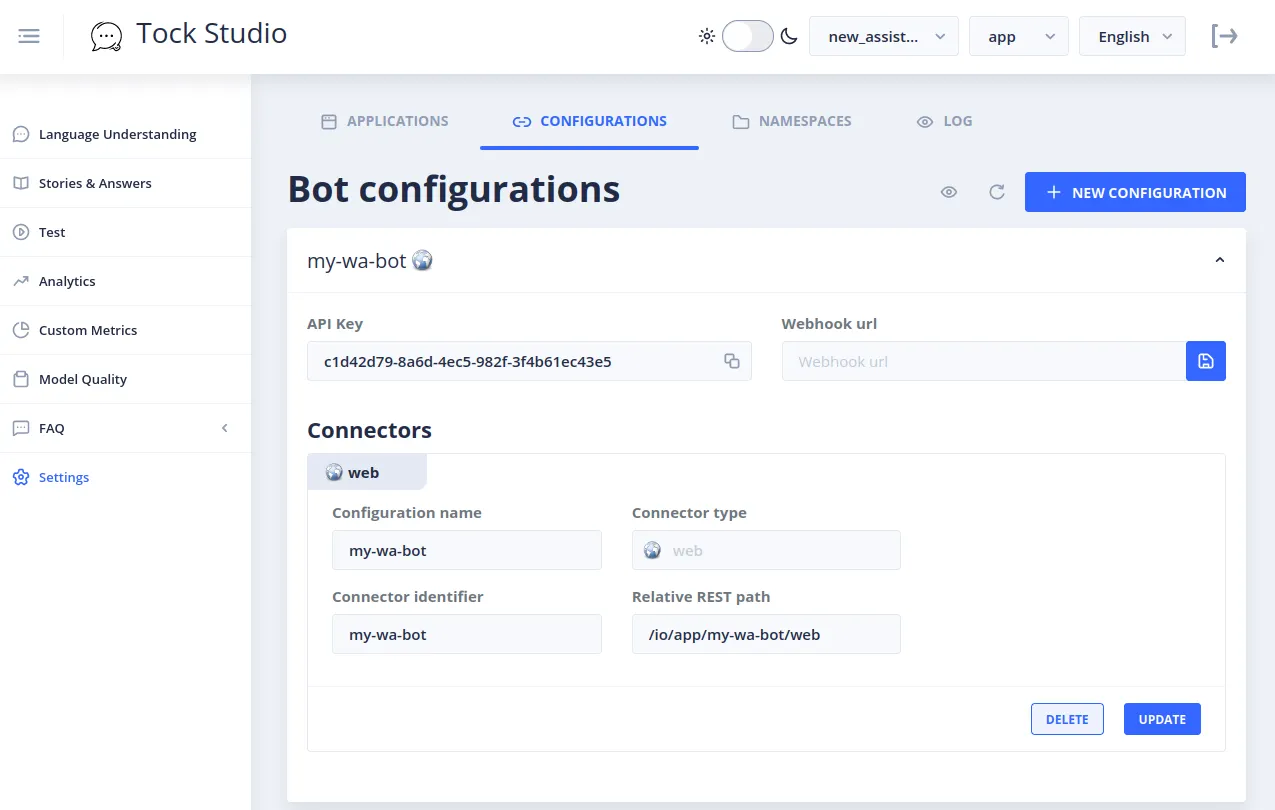
Tock is an open-source platform for building voice and text conversational assistants, and it doesn't depend on any third-party APIs. That independence, plus support for on-premise Docker deployment, makes it attractive to enterprises that want to keep everything in-house.
It handles both voice and text in a single engine and deploys across websites, mobile apps, IVR phone systems, and messaging channels.
Key features:
- Unified voice and text conversation engine
- Built-in NLU with custom-trainable models
- Multi-channel deployment, including IVR
- Deploy anywhere via Docker, cloud, or on-premise
Pricing: Free and open-source under the Apache 2.0 license. You cover only your own hosting and infrastructure.
Trade-off: Tock needs developer skills for setup and training, and its community and resources are smaller than heavyweights like Rasa, so you'll find fewer tutorials when you get stuck.
10. Wit.ai
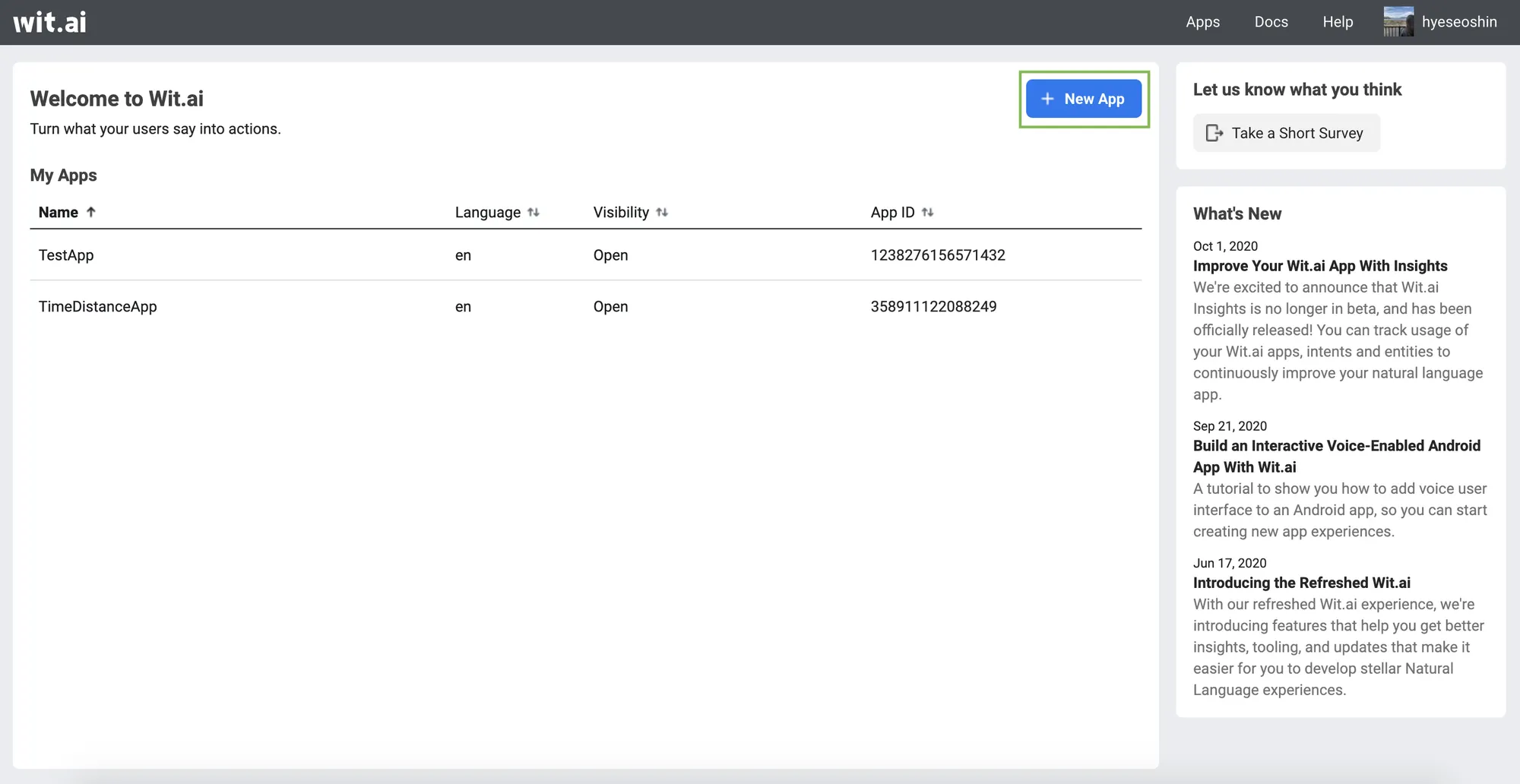
Wit.ai is Meta's free natural language understanding platform. It turns user messages into structured intents and entities, and it's commonly used to add language understanding to chatbots, voice assistants, and automation tools. It's a good starting point for developers who want quick NLU without heavy training.
While technically hosted by Meta rather than self-hosted, its open availability and free access have kept it a staple for lightweight projects, especially anything deploying to Facebook Messenger.
Key features:
- Intent and entity extraction from text or voice
- Pre-trained models to speed up setup
- Text and voice input support
- SDKs in Python, Ruby, and Node.js
Pricing: Completely free, with no usage fees.
Trade-off: Wit.ai handles NLU only, not full bot logic or hosting, so you'll build the conversation layer yourself. It's also tied to Meta, which some teams prefer to avoid.
The real cost of running an open-source chatbot
The pattern across every tool above is the same: the license is free, but running it in production is not. Once you add engineering time, hosting, LLM tokens, security, and compliance work, teams routinely find open-source chatbots cost far more than the "$0" sticker suggested.
That gap matters because the pressure to ship AI support is intense. Gartner found that 85% of customer service leaders will explore or pilot customer-facing conversational GenAI in 2025. Most of those teams don't have spare engineers to babysit a self-hosted bot.
So before you commit, add up the true total: developer time to build and maintain, hosting and GPU costs, LLM token spend, and the security and compliance work that regulated industries can't skip. That honest number is what you should compare against a managed platform's transparent pricing.
How to choose the right open-source chatbot
There's no single best tool, only the best fit for your resources and goals. Work through these questions before committing:
- Do you have engineering resources?: Frameworks like Rasa and Microsoft Bot Framework reward strong developer teams and punish thin ones. If you don't have dedicated engineers, a visual builder or managed tool will serve you better.
- Build a bot or run an assistant?: Rasa, Botpress, and Tock are frameworks you build on. LibreChat, Jan, and AnythingLLM are ready-to-run assistants you mostly configure and use.
- How strict are your data requirements?: If everything must stay on your infrastructure, self-hosted options like Chatwoot, Rasa, and Tock give you full control. If not, hosted tools cut the overhead.
- What's your true budget?: Add developer time, hosting, and LLM costs to the free license before comparing against a managed platform's transparent per-seat or per-resolution pricing.
Answer those honestly and the shortlist usually narrows to two or three tools. And if the answers point toward "we want the outcome, not the maintenance," it's worth looking at a managed platform. 👇
When open-source isn't the right fit: try Featurebase
Every tool above is genuinely open-source. Featurebase is not, and that's the whole point of this section: if you're choosing open-source mainly to cut support costs and control your data, a managed platform can get you the same outcome without the servers, security work, and maintenance.
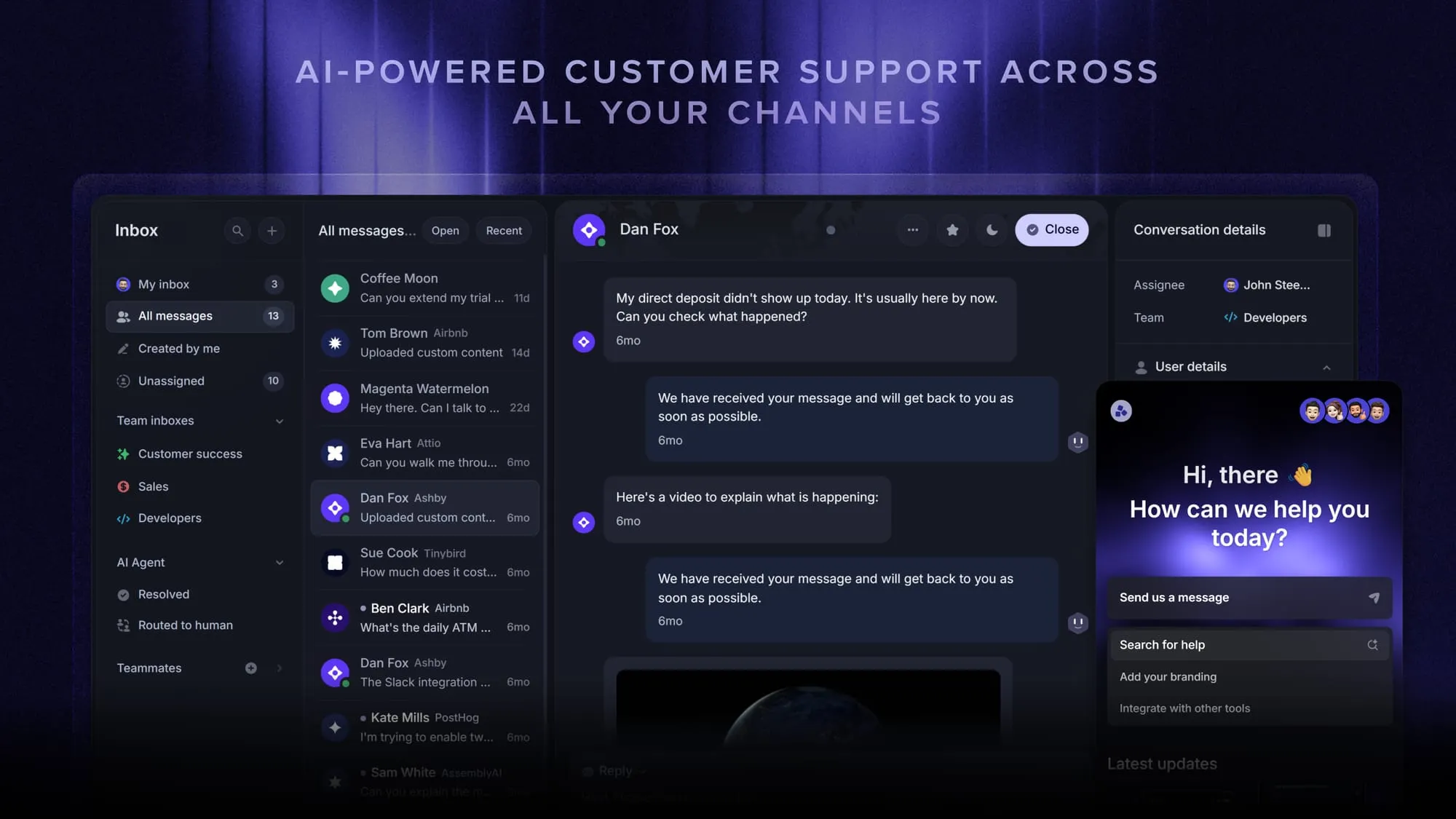
Featurebase is a modern AI customer support platform for product-led SaaS. It combines AI-powered support, a help center, and feedback management into a single platform for startups that want all their customer-facing tools in one place. Featurebase is loved by thousands of support teams from companies like Lovable, Raycast, and n8n. 💫
Top features:
- Omnichannel inbox – Manage live chat, email, and Slack conversations from one AI-powered view
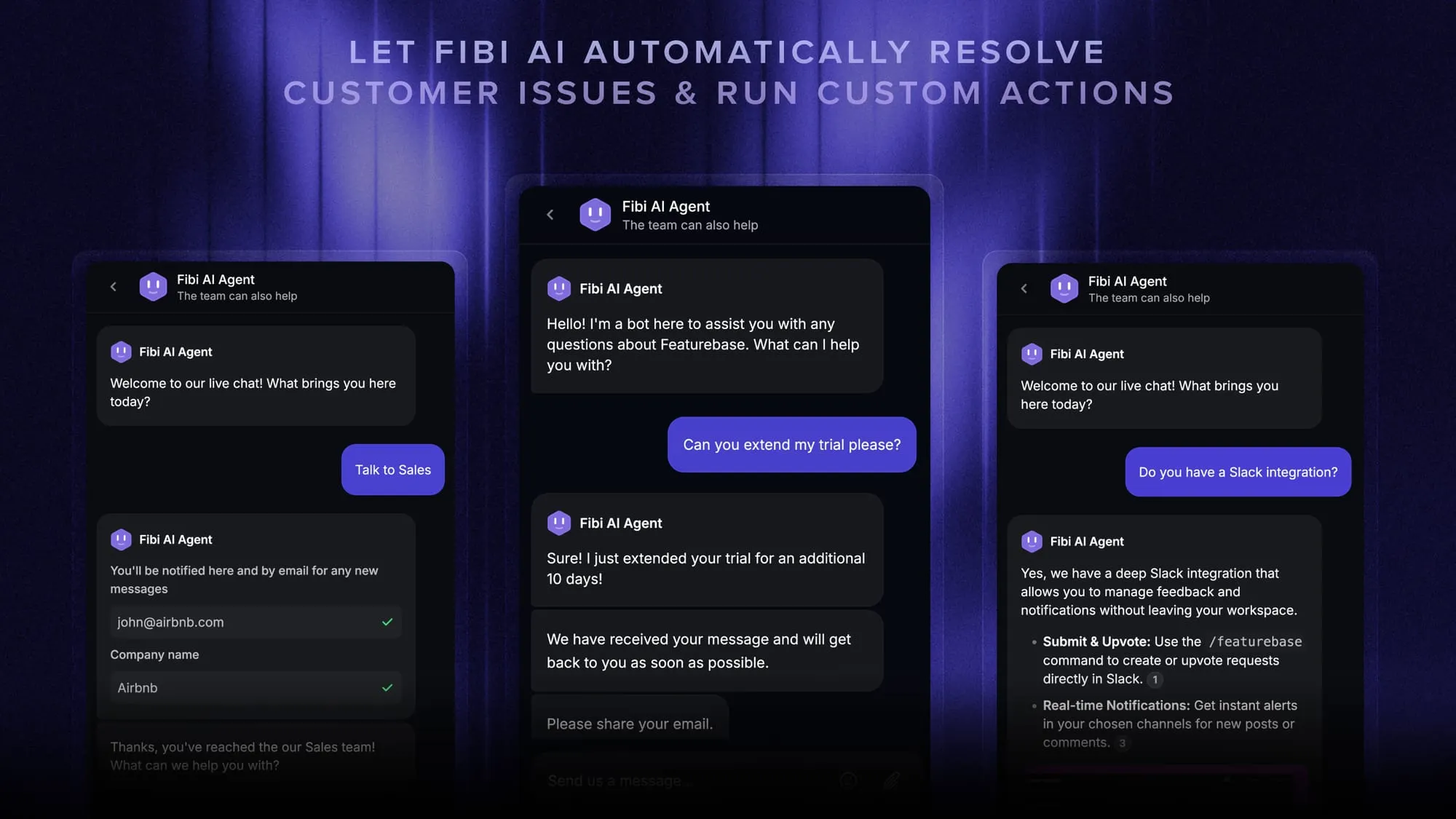
- Fibi AI Agent - Resolve customer issues on autopilot & run custom actions like trial extensions and refunds
- Help center with AI search – Provide instant, multilingual self-serve answers
- Workflows & automations – Auto-assign tickets, route conversations, collect customer data, and more
- AI Copilot – Help your agents answer customers faster with AI Copilot that uses your internal knowledge
- Multi-brand support – Manage multiple Help Centers and Live chats from a single workspace
- Automatic AI translations – Automatically translate all messages and help articles to your customers native language
- Service Level Agreements – Track SLAs to make sure your team responds to customers on time, every time
- Mobile app – Respond to customers, receive notifications, and unblock users on the go
- Feedback & roadmap tools – Collect feature requests and close the loop with updates
- Product updates – Publish release notes with a changelog page, in-app widget, and emails
- Integrations – Connects with Slack, Linear, Jira, HubSpot, and more
Pricing: Free plan available with unlimited conversations. Paid plans start at $29/seat/month with $0.49 per AI resolution, so you only pay when the AI actually resolves a conversation.
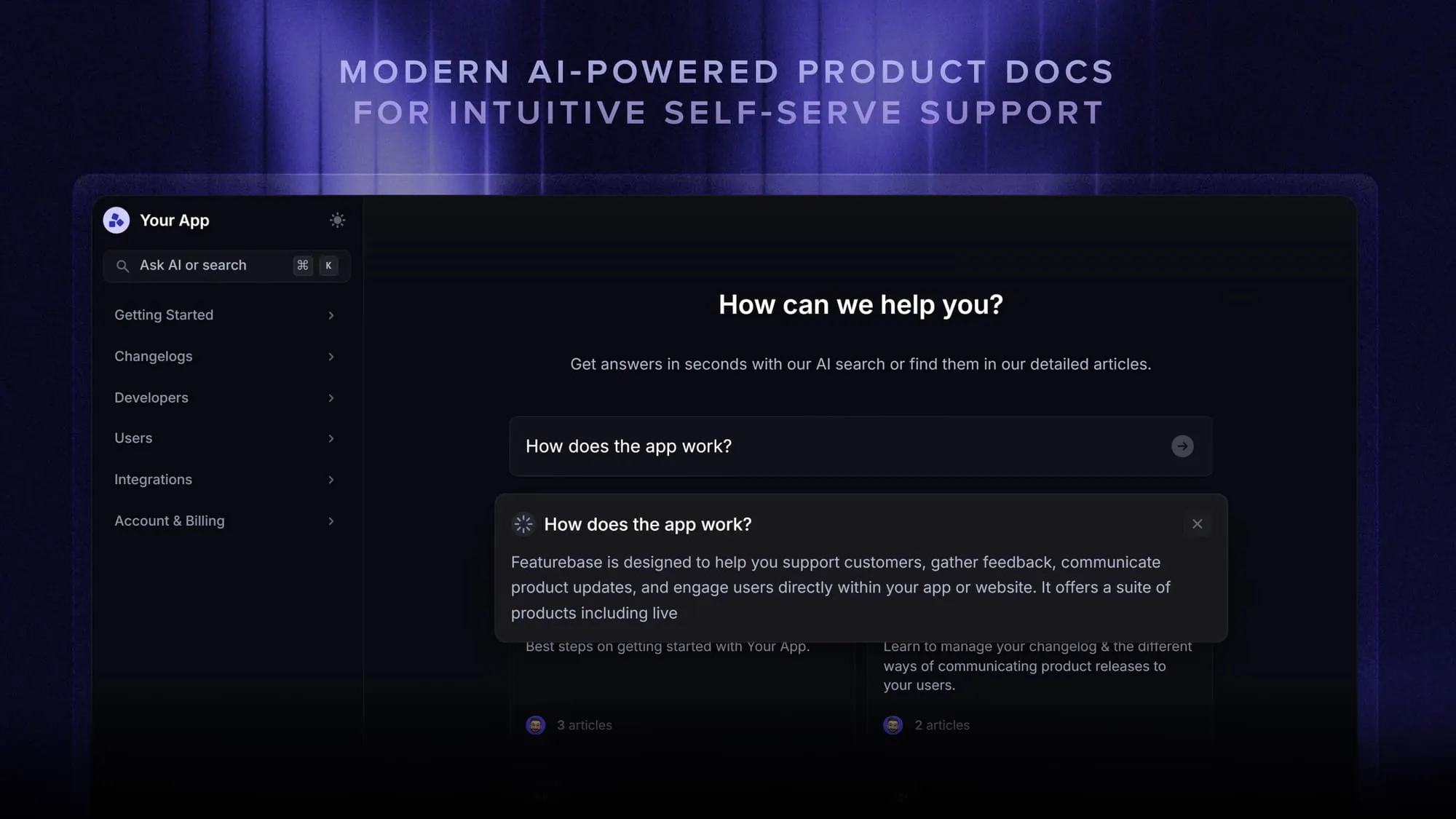
Featurebase covers all the basic support features that legacy platforms do, but with a much more modern approach. You get AI automations, a mobile app, and multiple channels without running a single server yourself.
✨ Automate your support with the fastest AI-enhanced Inbox today → Get started with Featurebase for free
Conclusion
Open-source chatbots give you unmatched control, deep customization, and freedom from licensing fees, and for teams with the engineering muscle to run them, that's a real advantage. Chatwoot, Rasa, Botpress, and the rest of this list each earn their place for the right use case.
But control comes with a maintenance bill. If your priority is resolving customer conversations quickly rather than owning the stack, a managed AI customer support platform is worth pricing out alongside the open-source picks.
Featurebase has a free plan and onboarding takes minutes, so there's no downside to trying it. 👇
Automate your support with the fastest AI-enhanced Inbox today
FAQs
The software itself is free, but running it is not. Once you add developer time, hosting, LLM API usage, maintenance, and security or compliance work, the total cost of a production open-source chatbot often reaches into the tens of thousands per year. The license is free, the operation isn't.
It depends on your goal. Rasa is the strongest choice for enterprises building complex custom assistants, Chatwoot is best for open-source customer support, and Botpress suits hybrid teams that want visual building plus developer control. For a ready-to-run assistant rather than a framework, LibreChat and Jan lead the pack.
Open-source chatbots give you full code access, deep customization, and self-hosting, at the cost of managing setup, security, and upkeep yourself. Closed-source chatbots offer instant setup, managed hosting, and vendor support, at the cost of code-level control. The right pick depends on whether you value control or convenience more.
A simple prototype can come together in a few weeks. A production-ready open-source chatbot, with training data, integrations, security configuration, and testing, typically takes 3 to 6 months for most teams. Frameworks like Rasa sit at the longer end of that range.
Most open-source chatbots expect programming skills (commonly Python, JavaScript, or PHP), plus knowledge of NLP concepts, API integration, server management, and DevOps. Production deployments also need familiarity with cloud hosting, security, and database management. Visual builders like Botpress lower that bar somewhat, but rarely remove it entirely.
Yes. Several managed platforms offer free plans without any self-hosting. Featurebase, for example, has a free plan that includes an AI-powered help center and support inbox, so you can automate customer conversations without running servers or writing code. It's a good fit if you want the outcome of a chatbot without the maintenance of an open-source one.


