Unthread.io Pricing: Plans, Costs & What to Budget
Compare Unthread.io pricing plans, per-agent costs, AI fees, and minimum seats. See how Unthread compares with Featurebase for Slack support.


On this page
Looking for a modern Unthread alternative? Explore Featurebase
Unthread.io pricing starts at $50 per agent per month, but the 5-seat minimum makes the entry cost $250 per month. For a small support team, that difference matters.
The next question is whether the entry plan covers the way you actually work. In this guide, I'll break down the plans, show team cost examples, and explain what to confirm before committing. 👇
Key takeaways
- My take for small teams: Paying for unused seats is a poor starting point. I'd shortlist Featurebase first if only a couple of people handle customer support.
- Match the plan to your workflow: Write down your required channels, reporting, and automation before comparing quotes.
- Check usage terms: Ask how conversations and AI usage affect your bill.
- Unthread can still win on seat cost: Once you fill its minimum seats, Basic deserves a look if its limits cover your workload.
- Consider Featurebase✨: It brings customer support and product feedback into one platform, with a free plan for getting started.
What is Unthread?
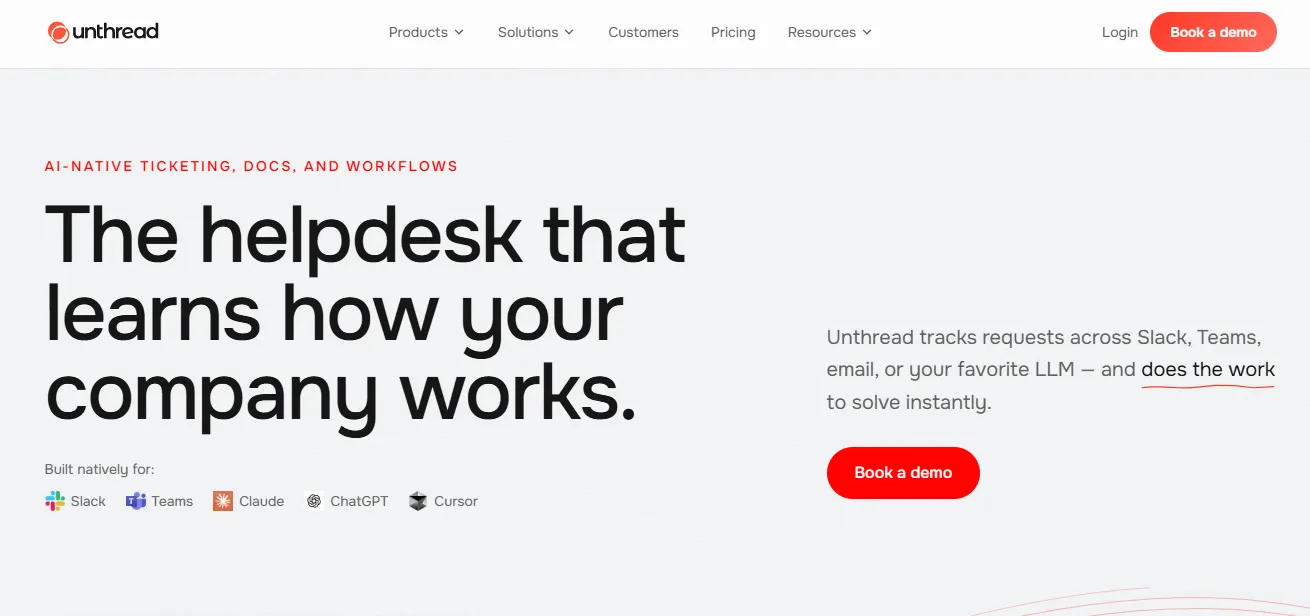
Unthread is a Slack-native helpdesk that turns conversations in Slack and Microsoft Teams into trackable tickets. It also handles requests across email, portals, and connected channels, with AI, knowledge management, and workflows to help resolve them.
Its audience includes customer support, IT, HR, employee support, and RevOps teams. The appeal is straightforward: people can ask for help where they already work, while the team handling those requests gets a structured process.
That makes your use case an important part of the buying decision. Supporting SaaS customers and managing employee access requests can require very different permissions, integrations, and approval steps.
Unthread pricing plans
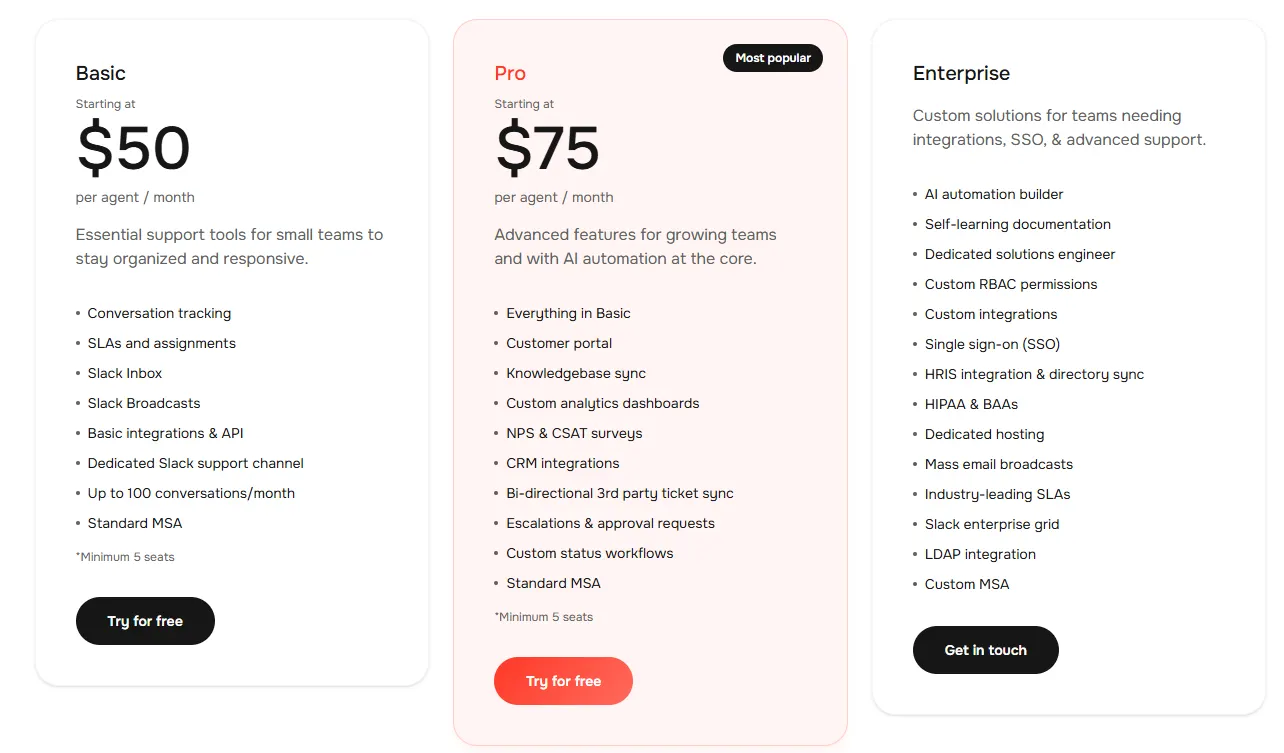
Unthread lists Basic, Pro, and Enterprise. These are the displayed starting rates checked on September 11, 2026. Confirm the billing frequency attached to your quote before treating them as month-to-month rates.
| Plan | Starting rate | Minimum seats | Selected inclusions |
|---|---|---|---|
| Basic | $50/agent/month | 5 | Slack Inbox, SLAs, assignments, up to 100 conversations/month |
| Pro | $75/agent/month | 5 | Customer portal, knowledge base sync, CRM integrations, custom analytics |
| Enterprise | Custom quote | Confirm with sales | SSO, custom permissions, dedicated hosting, AI automation builder |
Unthread Basic plan: evaluate your actual workload
Start by counting the requests your team handles in a typical month. Include quiet periods and busy periods so you don't choose a plan based on an unusually light week.
My take: Basic is an awkward entry plan for a lean team. You commit to several seats while still needing to watch conversation volume. I'd want a clear reason to choose it over a competitor that lets me buy only the seats I need.
For a team that can use every seat and stays within the allowance, the argument is stronger. Don't pay for a more expensive platform just because its feature list is longer.
Unthread Pro plan: identify the upgrade trigger
Write down the specific task that makes an upgrade necessary. Perhaps a customer needs to check a request's progress, or your manager needs a report that can't be assembled from the basic workflow.
My take: Pro needs to earn its premium through a workflow your team actually uses. If you're mainly buying customer support, automation, and CRM context, I'd compare Featurebase Professional before committing. A feature being useful doesn't automatically make the higher-priced package good value.
Unthread Enterprise plan: bring requirements to the demo
For an enterprise evaluation, involve the person responsible for security and procurement early. Bring your required identity setup, data handling terms, and integration requirements to the conversation.
Ask for each requirement to be mapped to the proposal. This avoids reaching the end of a successful product trial only to discover that the contract doesn't cover a requirement your organization considers essential.
My take: A custom quote is reasonable when you need custom infrastructure or implementation. For a straightforward SaaS support setup, I'd favor published pricing until the enterprise proposal demonstrates a benefit worth negotiating over.
How much does Unthread cost for your team?
With per-agent pricing, the subscription grows with your paid support team. The 5-seat minimum sets the starting commitment, even if fewer people need access:
| Required agents | Unthread Basic | Unthread Pro |
|---|---|---|
| 2 | $250 | $375 |
| 5 | $250 | $375 |
| 10 | $500 | $750 |
Monthly equivalents at the displayed starting rates, excluding AI usage, optional extras, and taxes. Confirm the billing term in your quote. The 2-agent example includes payment for 5 seats.
Small teams pay for capacity they may not need
Buying empty seats makes little sense unless you're about to hire. I'd judge Unthread against the budget for your current team, rather than treating unused seats as future value. If you only need 2 agents, the minimum commitment is still the amount to justify.
Growing teams should budget for the plan upgrade
At 5 agents, moving from Basic to Pro adds $125 per month at the displayed rates. At 10 agents, the difference doubles to $250. I'd upgrade when the added features solve a recurring problem, rather than choosing Pro simply because the team is larger.
AI costs, add-ons, and contract terms to check
The public pricing page doesn't itemize AI usage fees or conversation overages. Get those terms in writing.
I'd send these questions with your expected workload:
- Conversation counting: What starts a billable conversation, and how are reopened requests handled?
- Usage above the allowance: Does the service stop, trigger an overage, or require a plan change?
- AI billing: Is there an included allowance, and what event triggers a charge?
- Occasional collaborators: Does someone who only helps with escalations need a full paid seat?
- Implementation: Are migration, configuration, and integration work included in the proposal?
- Renewal: When can you reduce seats, change plans, or cancel?
These are questions to confirm, not a list of known extra fees.
My take: Having to request usage terms makes budgeting harder. Featurebase gives you a published AI unit price, which makes forecasting easier, but usage-based pricing still needs a budget. A transparent rate is useful even when it doesn't produce the lowest bill.
For customer service automation, test both the successful path and the handoff. An automated answer is only useful if an unresolved issue can reach the right person with its context intact.
Total cost of ownership includes migration
When comparing Unthread alternatives, include the work needed to switch. Exporting ticket history, reconnecting integrations, rebuilding routing rules, and training agents all take time. Ask which tasks the vendor handles and which stay with your team.
For your first-year budget, add subscription charges, expected AI usage, optional add-ons, and migration costs. Keep one-time setup separate from recurring charges so you can see both the cost of switching and the cost of staying.
My take: A lower subscription is a good reason to investigate an alternative. I'd approve the move once the first-year total cost of ownership and the day-to-day workflow both make sense.
Is Unthread worth the cost?
Unthread is worth evaluating when Slack or Teams is central to your support process and you want requests to become manageable tickets without asking everyone to use a separate interface.
Your trial should answer a practical question: does the team finish real work with less chasing and fewer missed handoffs?
Choose a small set of representative requests. Include a straightforward question, an issue that needs engineering input, and a request that requires approval. Have the people who normally handle those cases run the tests.
Pay particular attention to customer service collaboration. Check whether ownership stays clear when another department gets involved and whether the customer receives a consistent answer.
My opinion: I'd choose Featurebase first for a small SaaS team that wants customer support and product feedback together. I'd keep Unthread in contention when the trial proves it handles an important internal service or approval workflow better. Paying a premium can be sensible, but it should buy a measurable improvement in your team's work.
Looking for an Unthread alternative? Try Featurebase
Featurebase is a modern AI customer support platform for product-led SaaS. It combines customer support, a help center, and feedback management so your team can handle questions and product requests in one place.
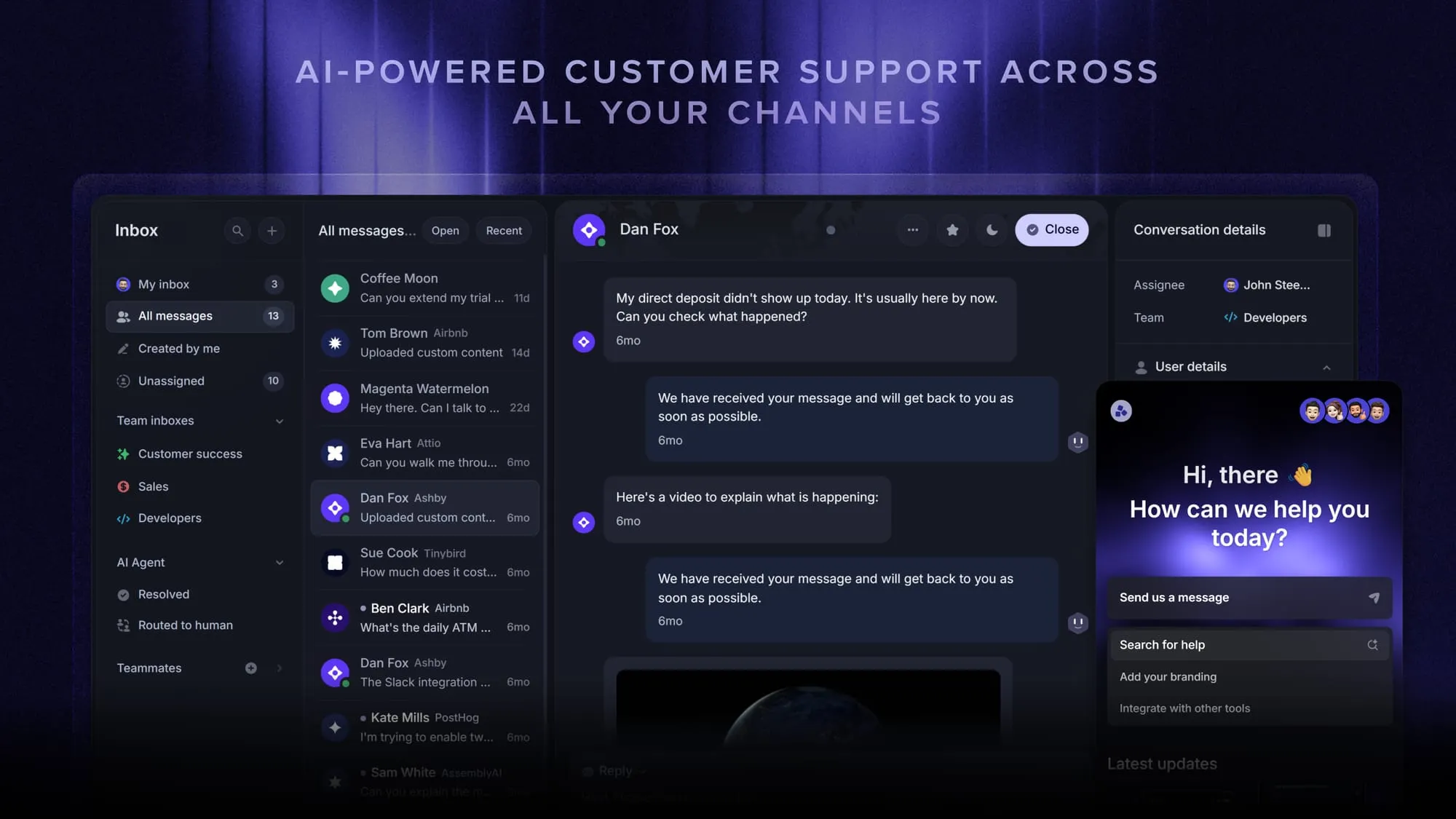
Top features:
- Omnichannel inbox – Manage live chat, email, and Slack conversations from one view
- Fibi AI Agent – Answer customer questions automatically and run configured custom actions
- Help center with AI search – Provide multilingual self-service answers
- Workflows & automations – Route conversations, collect customer data, and automate repetitive tasks
- AI Copilot – Help teammates draft answers using your knowledge
- Multi-brand support – Manage multiple Help Centers and Live chats from one workspace
- Automatic AI translations – Translate customer messages and help articles
- Service Level Agreements – Track response commitments
- Mobile app – Respond to customers while away from your desk
- Feedback & roadmap tools – Collect feature requests and communicate progress
- Product updates – Publish release notes through a changelog, widget, and emails
- Integrations – Connect tools including Slack, Linear, Jira, and HubSpot
Feature availability varies by plan.
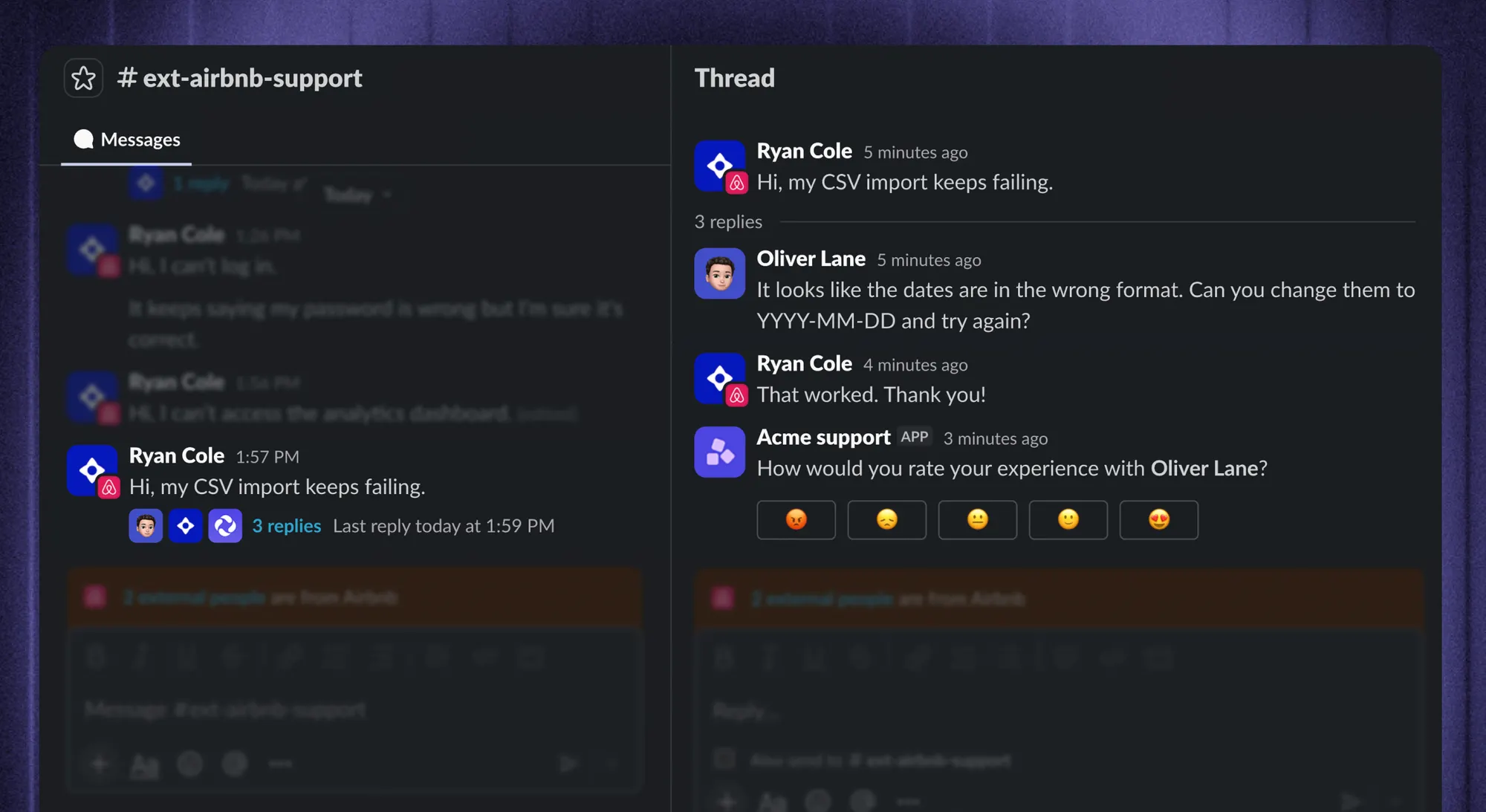
For Slack support specifically, messages become conversations in the Featurebase Inbox and replies stay synchronized with the original thread. Your team can add private notes, assign ownership, and use Fibi in eligible customer or community channels.
Pricing: Featurebase offers a free plan with 1 seat and unlimited conversations, without AI. Growth starts at $29/seat/month billed annually. Slack support requires Professional or higher, starting at $59/seat/month billed annually. Fibi costs $0.49 per AI resolution. Check Featurebase pricing for the current plan comparison.
For a Slack support comparison, use Professional in your budget. For example:
Illustrative monthly equivalent: 2 Professional seats × $59 = $118, billed annually, before AI usage and optional extras.
With 100 billable Fibi resolutions: $118 + (100 × $0.49) = $167.
In fact, Featurebase has no minimum paid seat requirement. Optional charges include unlimited Copilot access and white-labeling, so include those if your team needs them.
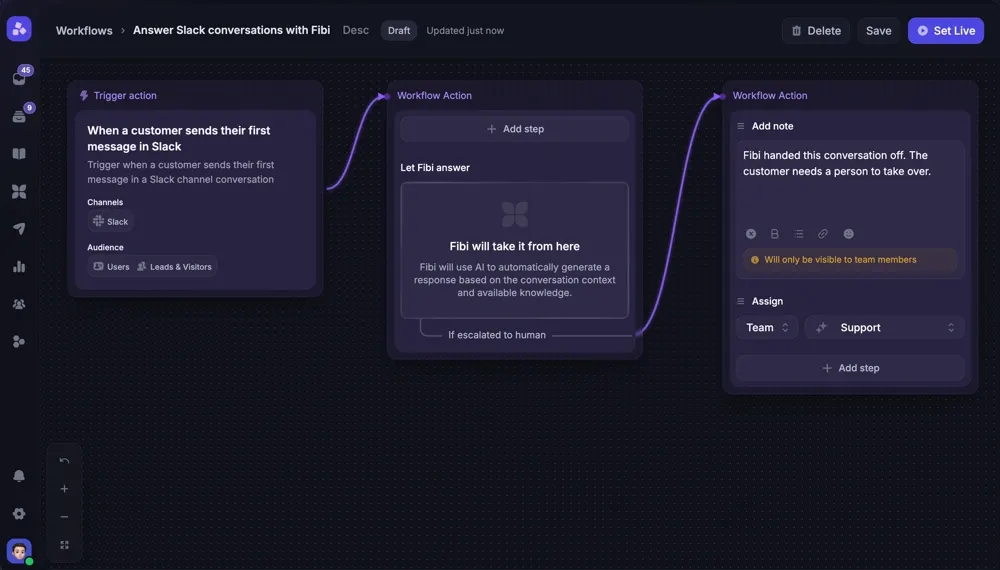
For teams using a Slack ticketing system, Featurebase Professional is the plan to compare. You can start with only the seats you need, then budget for Fibi based on your expected AI resolutions.
Explore Featurebase's support platform
Conclusion
My recommendation: start with Featurebase for a small customer support team, and make Unthread earn the higher minimum commitment. For a larger team, Basic can still be a sensible buy if its limits fit. Pro or Enterprise should win on a demonstrated workflow advantage before you accept a higher quote.
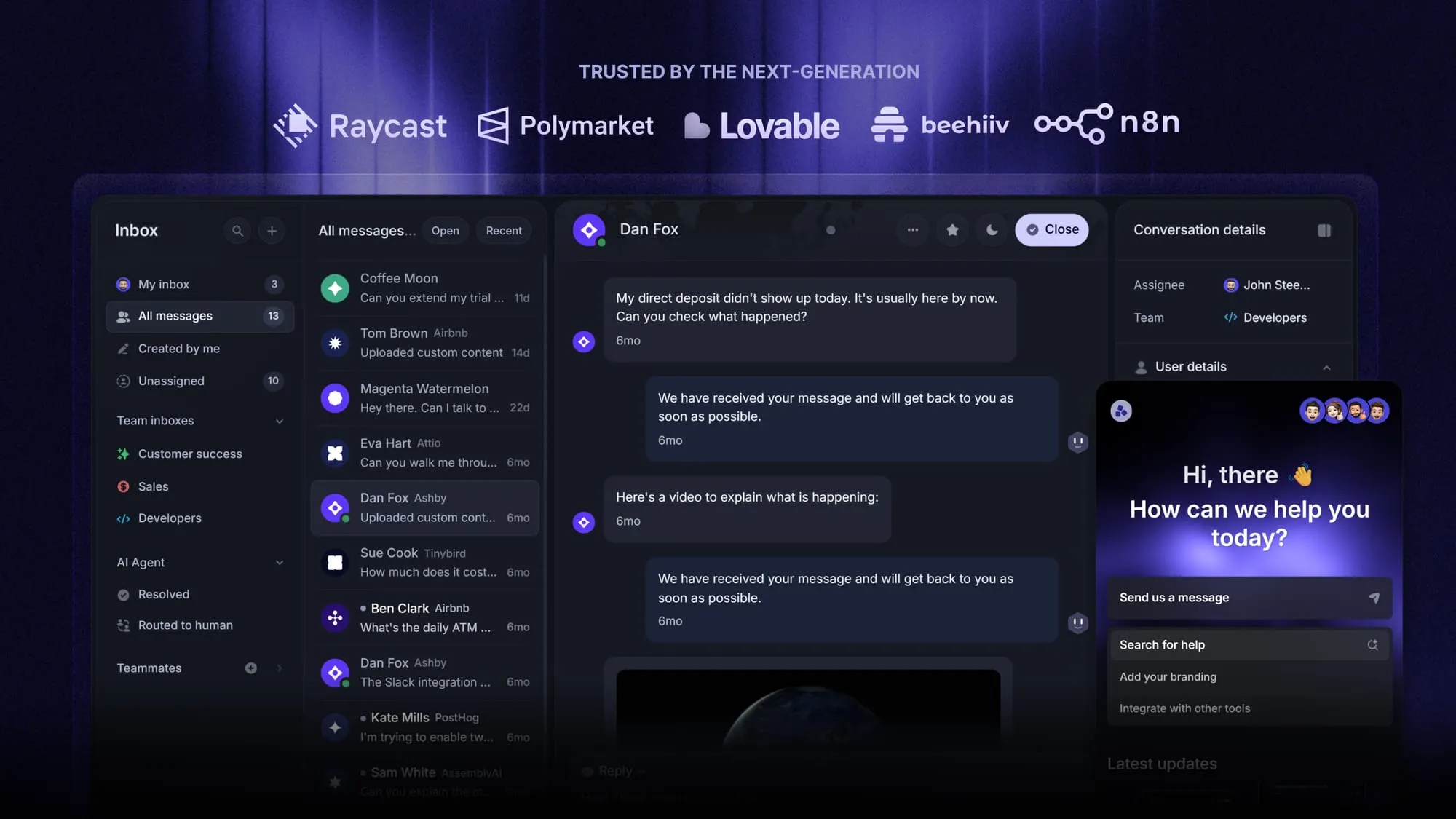
Featurebase brings AI support, customer conversations, and product feedback into one platform for SaaS teams. If you want to connect support work with what your product team builds next, it's worth exploring.
Start with the free plan to try the basics, then choose the paid tier that covers your channels and automations. 👇
Bring customer support and feedback together with Featurebase
FAQs
Yes. All plans include a 14-day free trial. Use it to test real requests and involve the teammates who will handle support daily.
Basic and Pro list a 5-seat minimum. Ask sales whether an exception is available rather than assuming your bill will match a smaller team.
Unthread lists monthly, annual, and multi-year contracts. Ask for the rate and payment schedule for your chosen term.
Give each vendor the same team size, workload, and required features. Compare the resulting total, including the tools or manual work you'd still need alongside it.
Bring your request volume, support channels, escalation process, and required integrations. Use a real example to see how the product handles the handoff between your team and another department.


