7 Unthread.io Alternatives for B2B Support in 2026
Compare 7 Unthread.io alternatives for B2B support, including Slack ticketing, AI features, pricing, and the plan restrictions that matter before switching.


On this page
Automate your support with the fastest AI-enhanced Inbox today
Unthread turns Slack conversations into trackable support requests. But if its seat minimum, plan restrictions, or support workflow no longer fit your team, it's worth comparing what else is available.
The tricky part is that a Slack ticketing app, an AI assistant, and a complete customer support platform can all appear on the same shortlist. They don't replace the same things.
In this guide, I'll compare 7 Unthread.io alternatives, explain where each fits, and highlight the pricing details that matter for Slack support. 👇
Key takeaways
| Tool | Best for | Starting price | Slack support requirement | Main trade-off |
|---|---|---|---|---|
| ✨Featurebase | SaaS support, AI, and product feedback together | Free plan. Paid from $29/seat/month, billed yearly | Professional: $59/seat/month, billed yearly | AI resolutions are billed separately |
| Pylon | Account-focused B2B support | Contact sales | Confirm Slack coverage in your quote | No public starting price |
| Thena | Slack and email support with AI triage | $29/user/month, billed annually | Included in Starter | Starter caps seats and tickets |
| ClearFeed | Slack support with external ticketing integrations | $24/agent/month | External Helpdesk for Slack Connect | Product editions and AI charges need attention |
| Plain | B2B teams connecting support with their product stack | $35/month for 1 seat, billed yearly | Foundation includes 25 Slack channels | SLAs require Horizon |
| Suptask | Simple ticketing managed inside Slack | $15/agent/month, billed annually | Professional for Slack Connect: $24/agent/month annually | SLAs require Growth |
| Zendesk | Support operations spanning multiple channels | Support Team: $19/agent/month, billed annually | Check the integration against your customer-channel workflow | Suite and integration costs can increase the total |
These are entry prices, not equivalent packages. For example, Featurebase's free plan includes live chat, while Slack support starts on Professional. Zendesk's Support Team price also differs from its broader Suite plans.
What is Unthread?
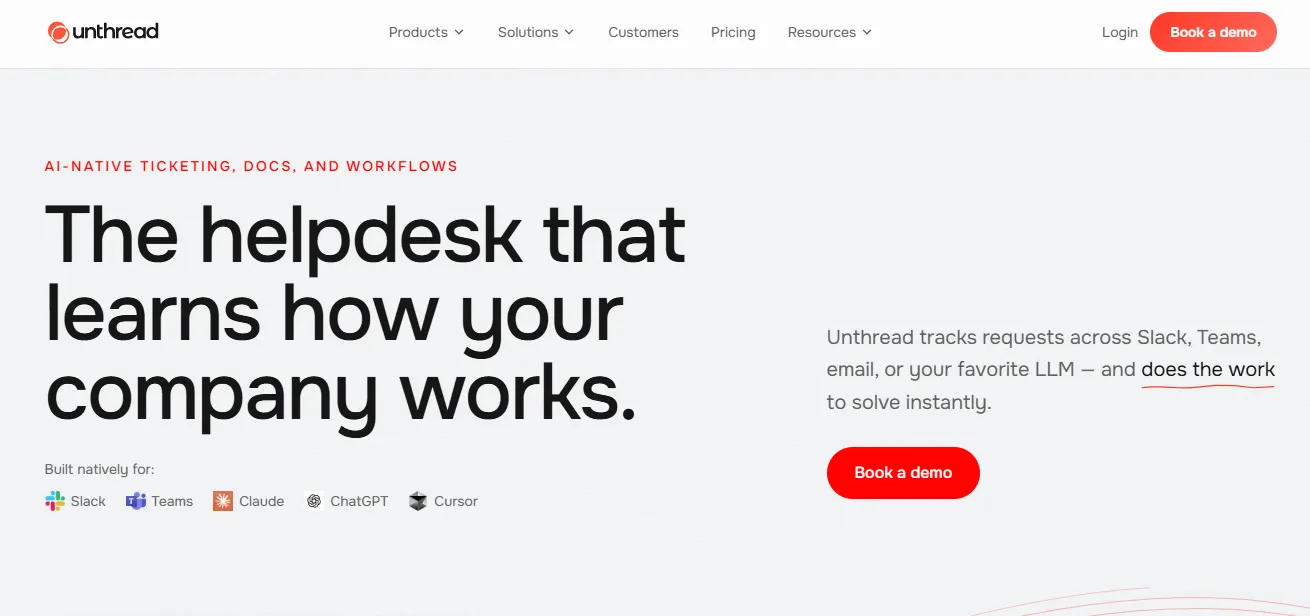
Unthread is a helpdesk built around conversational support in Slack. It turns requests into tracked conversations with owners, statuses, and service level agreements, helping teams manage work that would otherwise get buried in message threads.
It serves both customer-facing support and internal operations. That distinction matters: a team supporting paying customers in Slack Connect may need a different replacement from an IT team handling employee requests.
If you're evaluating a Slack ticketing system, start by deciding where agents should work. Some tools keep ticket handling inside Slack, while others bring Slack conversations into a separate inbox alongside email and live chat.
Why look for Unthread alternatives?
Unthread can be a good fit when your team likes its conversational workflow. The case for switching becomes stronger when the package you need costs more than you want to spend or doesn't match how you handle customers.
The minimum commitment is bigger than the seat price
Unthread lists Basic from $50/agent/month and Pro from $75/agent/month, both with a 5-seat minimum. At those listed rates, that's a minimum of $250 or $375 per month respectively.
Basic also lists a limit of 100 conversations per month. If you have a small team with a busy queue, compare the conversation allowance and required seats together before treating the entry plan as your baseline.
Your must-have features may sit on another plan
Unthread includes SLAs and assignments on Basic. Pro adds features such as custom analytics dashboards, CRM integrations, and bidirectional third-party ticket synchronization. SSO and Slack Enterprise Grid appear on Enterprise.
So the question is which package covers your actual requirements. A replacement with a lower starting price can still cost more once you add the plan needed for reporting, security, or AI.
Customer support needs more than a tracked thread
For SaaS customer support, a conversation may start with a bug report and end with a feature request, an engineering escalation, or a documentation update.
Think about what happens after the first reply. Can your team find earlier conversations, pass an issue to engineering, and tell the customer when something changes? Evaluate that complete workflow instead of counting integrations on a pricing page.
The 7 best Unthread.io alternatives
I've focused this shortlist on customer-facing support. Each entry explains the strongest reason to consider the tool, its relevant features, and the restrictions to check before moving your queue.
1. Featurebase
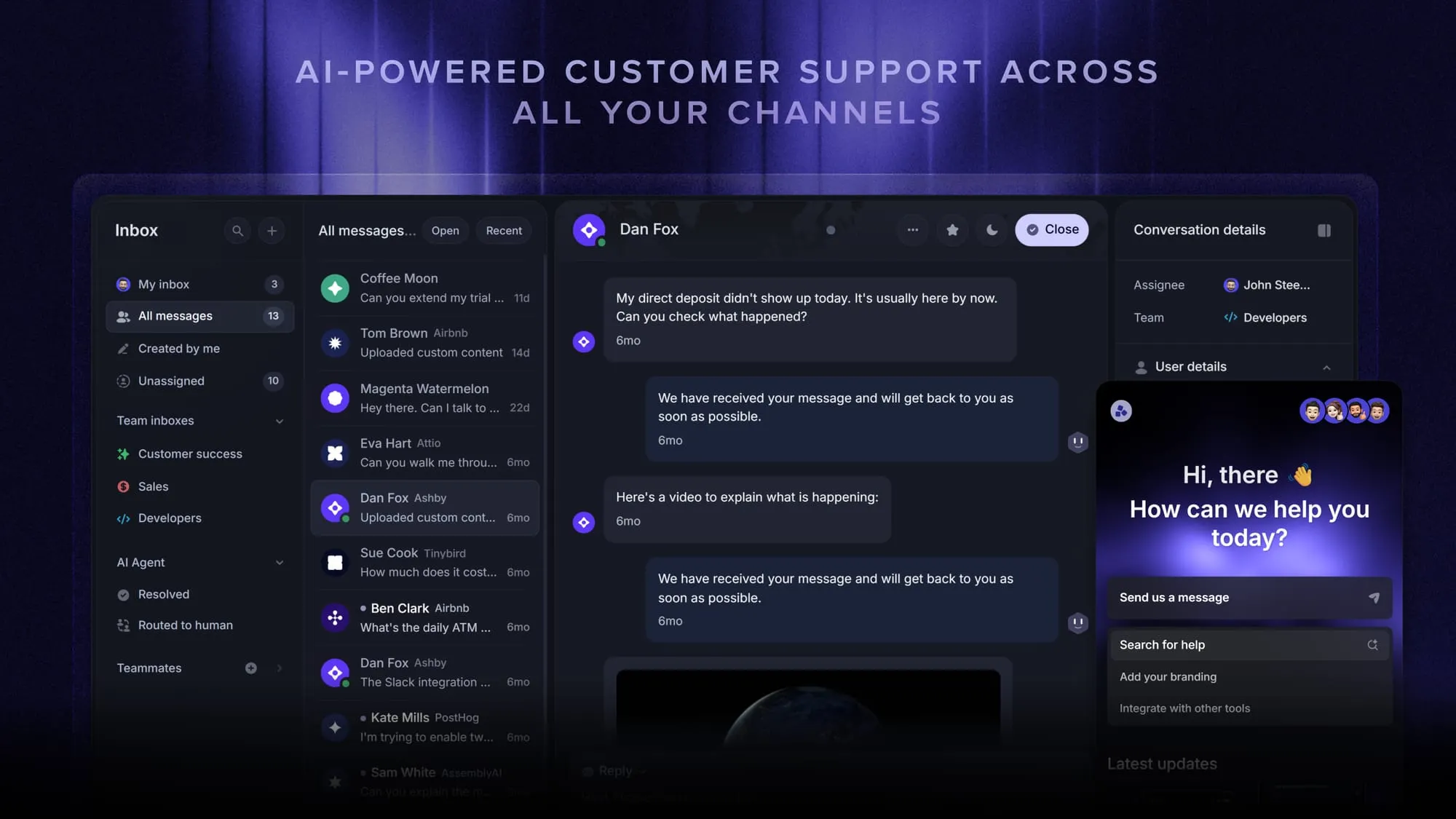
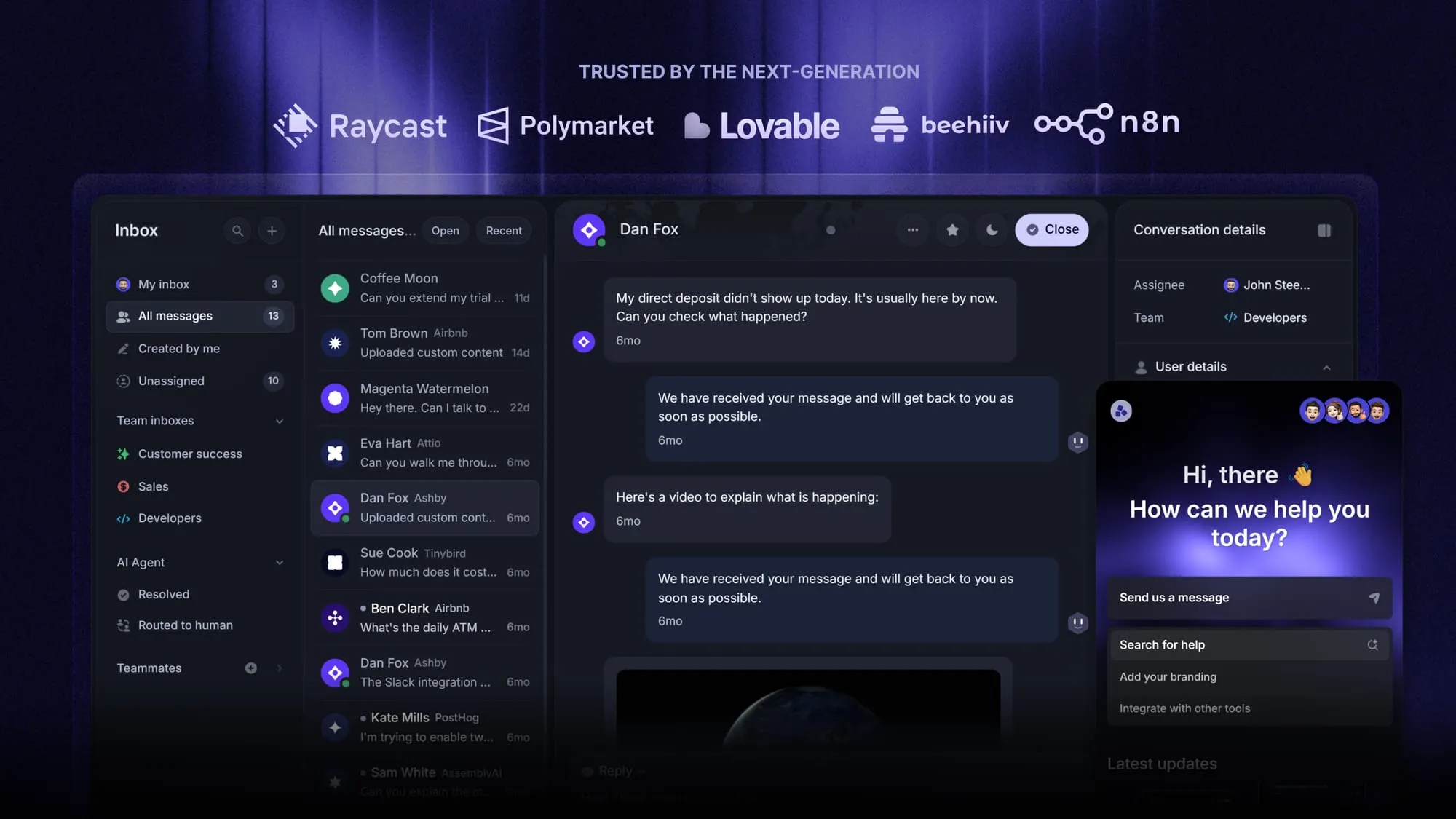
Featurebase is a modern AI customer support platform for product-led SaaS. It combines AI-powered support, help center, and feedback management into a single platform for startups that want all their customer-facing tools in one place. Featurebase is loved by thousands of support teams from companies like Lovable, Raycast, and n8n. 💫
Top features:
- Omnichannel inbox – Manage live chat, email, and Slack conversations from one AI-powered view
- Fibi AI Agent - Resolve customer issues on autopilot & run custom actions like trial extensions and refunds
- Help center with AI search – Provide instant, multilingual self-serve answers
- Workflows & automations – Auto-assign tickets, route conversations, collect customer data, and more
- AI Copilot – Help your agents answer customers faster with AI Copilot that uses your internal knowledge
- Multi-brand support – Manage multiple Help Centers and Live chats from a single workspace
- Automatic AI translations – Automatically translate all messages and help articles to your customers native language
- Service Level Agreements – Track SLAs to make sure your team responds to customers on time, every time
- Mobile app – Respond to customers, receive notifications, and unblock users on the go
- Feedback & roadmap tools – Collect feature requests and close the loop with updates
- Product updates – Publish release notes with a changelog page, in-app widget, and emails
- Integrations – Connects with Slack, Linear, Jira, HubSpot, and more
Why choose Featurebase over Unthread?
Featurebase fits teams that want customer support connected to the rest of their product communication. Your team can manage a Slack conversation with customer and company context, then use feedback and roadmap tools to keep track of what customers want next.
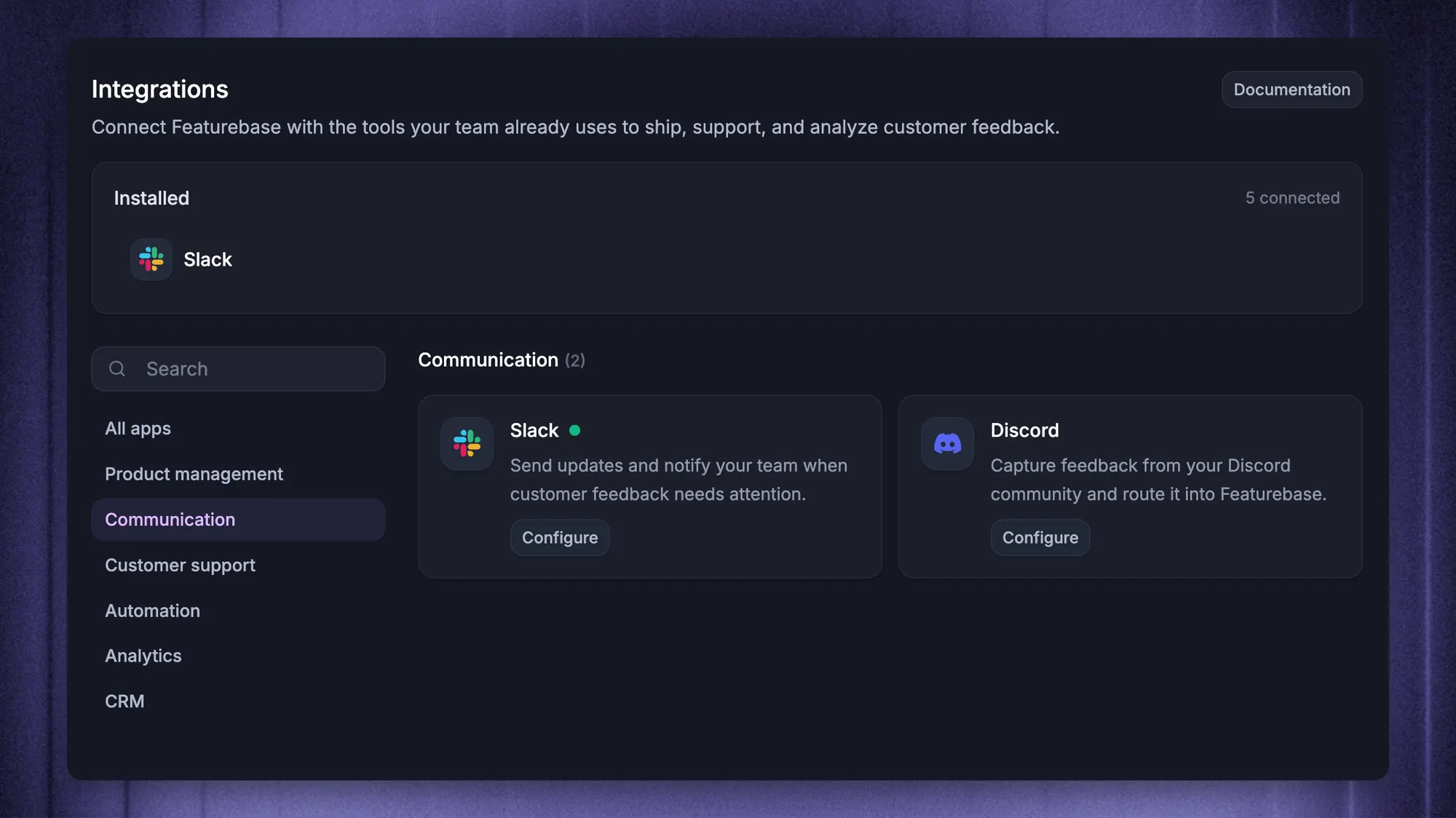
Slack replies stay synchronized with the original thread, so customers can keep asking for help in their existing channels. Agents can assign conversations, add private notes, track SLAs, and handle email and live chat from the same inbox.
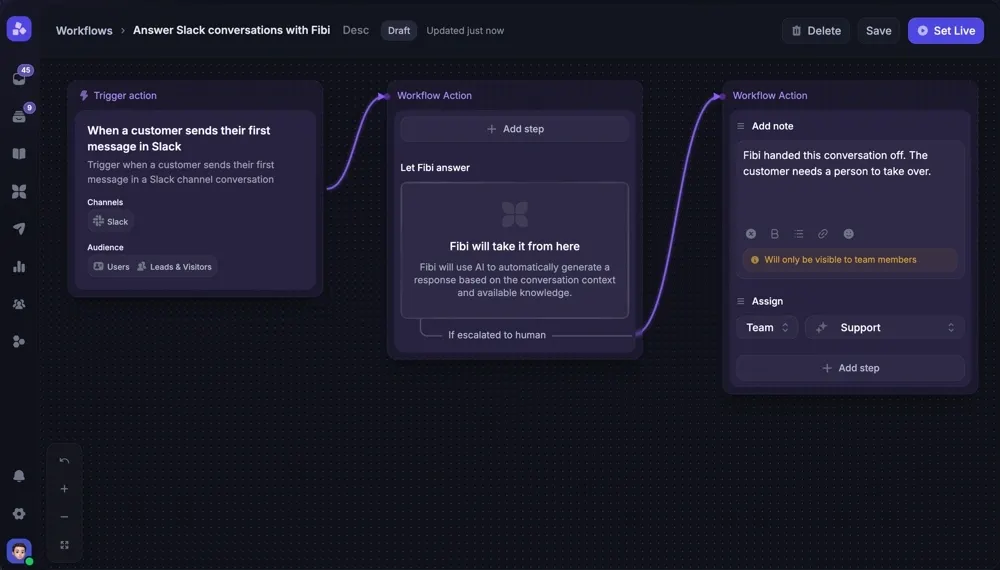
Fibi can answer eligible Slack conversations using relevant knowledge, while Workflows handle routing and follow-up actions. The separate Slack feedback integration also lets your team save messages as feedback and lets users submit or vote on requests.
Pricing: Free plan. Paid from $29/seat/month, billed yearly.
For this comparison, budget for Professional at $59/seat/month billed yearly, which includes Slack support, Workflows, and SLAs. Fibi costs $0.49 per AI resolution. The free plan includes unlimited conversations through live chat, but does not include Slack support or AI.
Automate your support with the fastest AI-enhanced Inbox today
2. Pylon
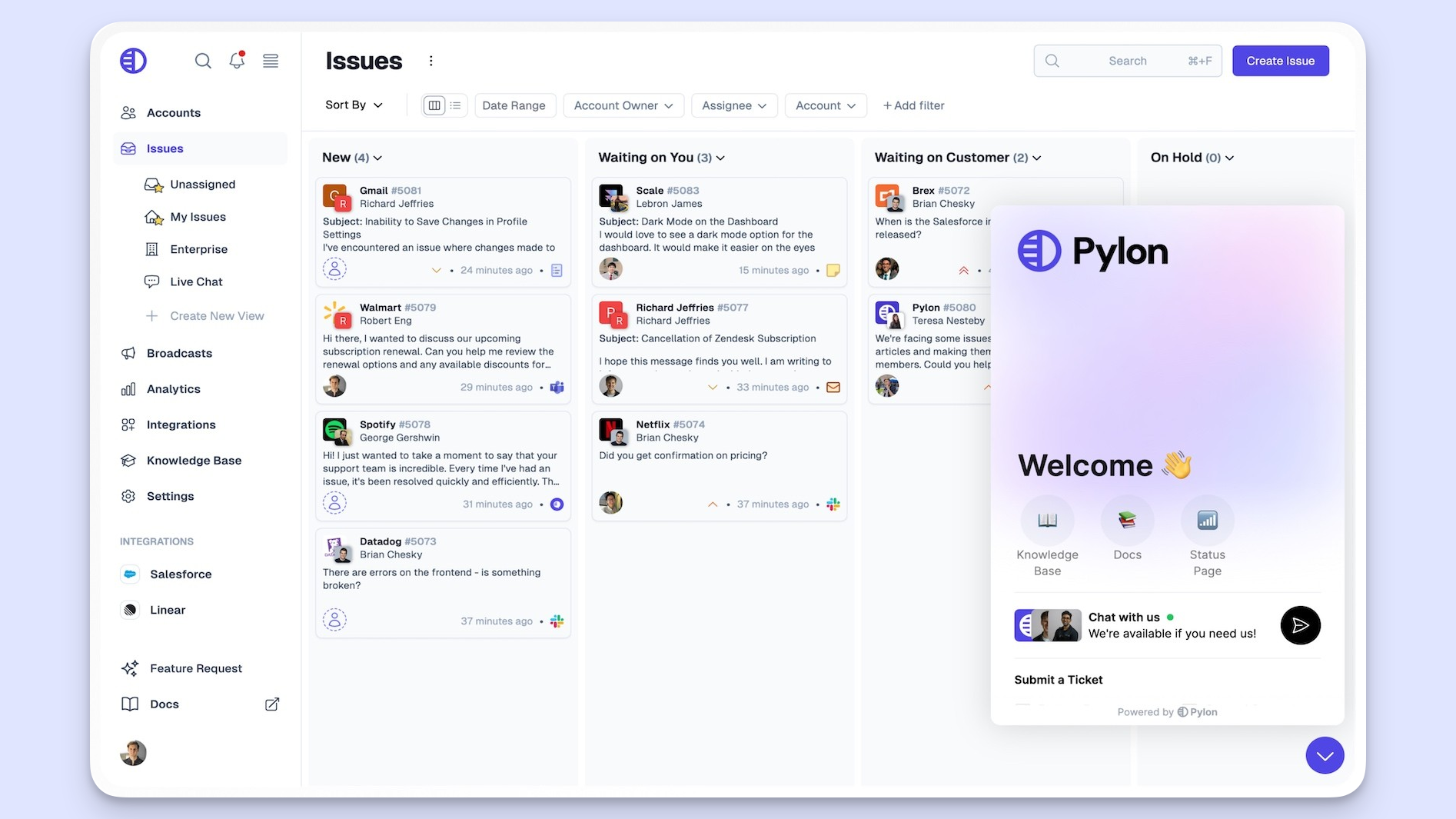
Pylon is a B2B support platform that brings conversations and account context together. It's worth considering when several people from the same customer company contact your team across different channels.
Top features
- Support across Slack, Microsoft Teams, email, chat, and other channels
- Shared context across customer interactions and accounts
- AI agents for investigations, assistance, and customer responses
- Connections to CRM, engineering, and product analytics tools
Why choose Pylon over Unthread?
Put Pylon on your shortlist if account context is central to your support process. For example, a support engineer investigating a technical issue may need to understand the customer's earlier conversations and connected product data before replying.
Its account-focused approach gives you a specific workflow to evaluate during a demo. Bring a real example involving multiple contacts at the same company and ask the vendor to show how the context follows the issue.
What to watch out for: G2 feedback includes concerns about reporting customization, email handling, and the initial learning curve. Test the views and reports your team uses each week, rather than assuming a broad feature list will make them easy to recreate.
Pricing: Contact sales.
Pylon's public pricing URL leads to a demo page. Request a quote covering seats, AI usage, channels, and any required modules before comparing it with a published per-seat plan. Older Pylon pricing figures should not substitute for that quote.
3. Thena
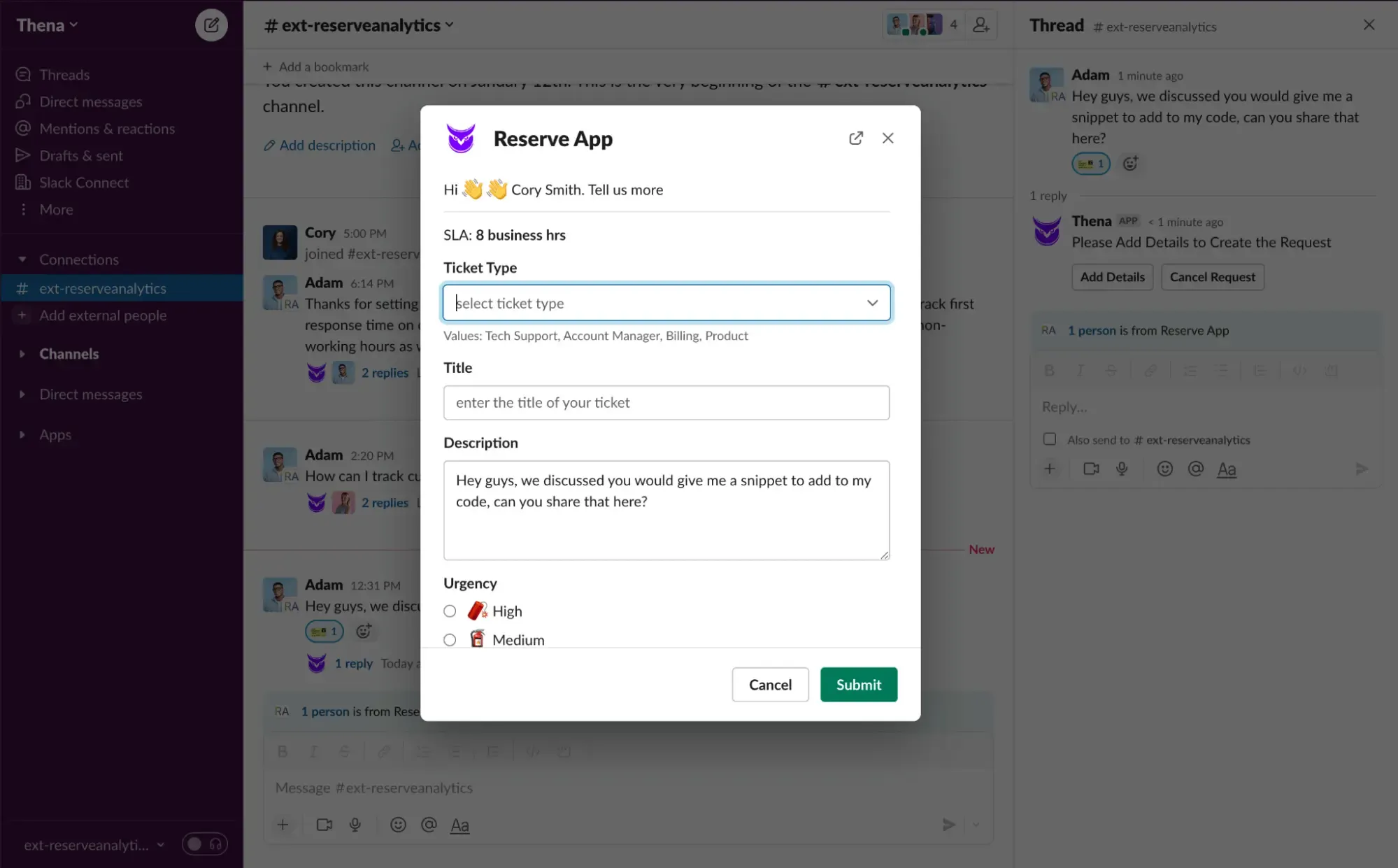
Thena is a B2B customer support platform with Slack and email at its entry tier. It's a relevant Unthread alternative for teams that want to keep customer conversations in Slack while introducing AI-assisted ticket organization.
Top features
- Slack and email support on Starter
- AI ticket detection, summaries, and tagging
- AI auto-responses and workflows on Standard
- Microsoft Teams support on Enterprise
Why choose Thena over Unthread?
Thena is worth evaluating when you want a publicly priced starting point for a small Slack support team. Its entry plan includes AI triage features, which can help organize incoming requests before an agent starts working on them.
Be clear about the automation you need. Detecting a request, tagging it, and summarizing it are different from answering the customer automatically. The latter is a reason to evaluate Standard, rather than comparing Starter against another vendor's full AI offering.
What to watch out for: Starter supports up to 5 seats and 1,000 tickets per month. Older G2 feedback also mentions feature and integration gaps, so verify your current requirements directly instead of treating every historical complaint as a present limitation.
Pricing: $29/user/month, billed annually.
Standard is $79/user/month annually and adds AI auto-responses, AI workflows, and APIs. Enterprise is $119/user/month annually and adds Microsoft Teams and enterprise capabilities. Compare the next tier as well as the initial plan if you're close to Starter's limits.
4. ClearFeed
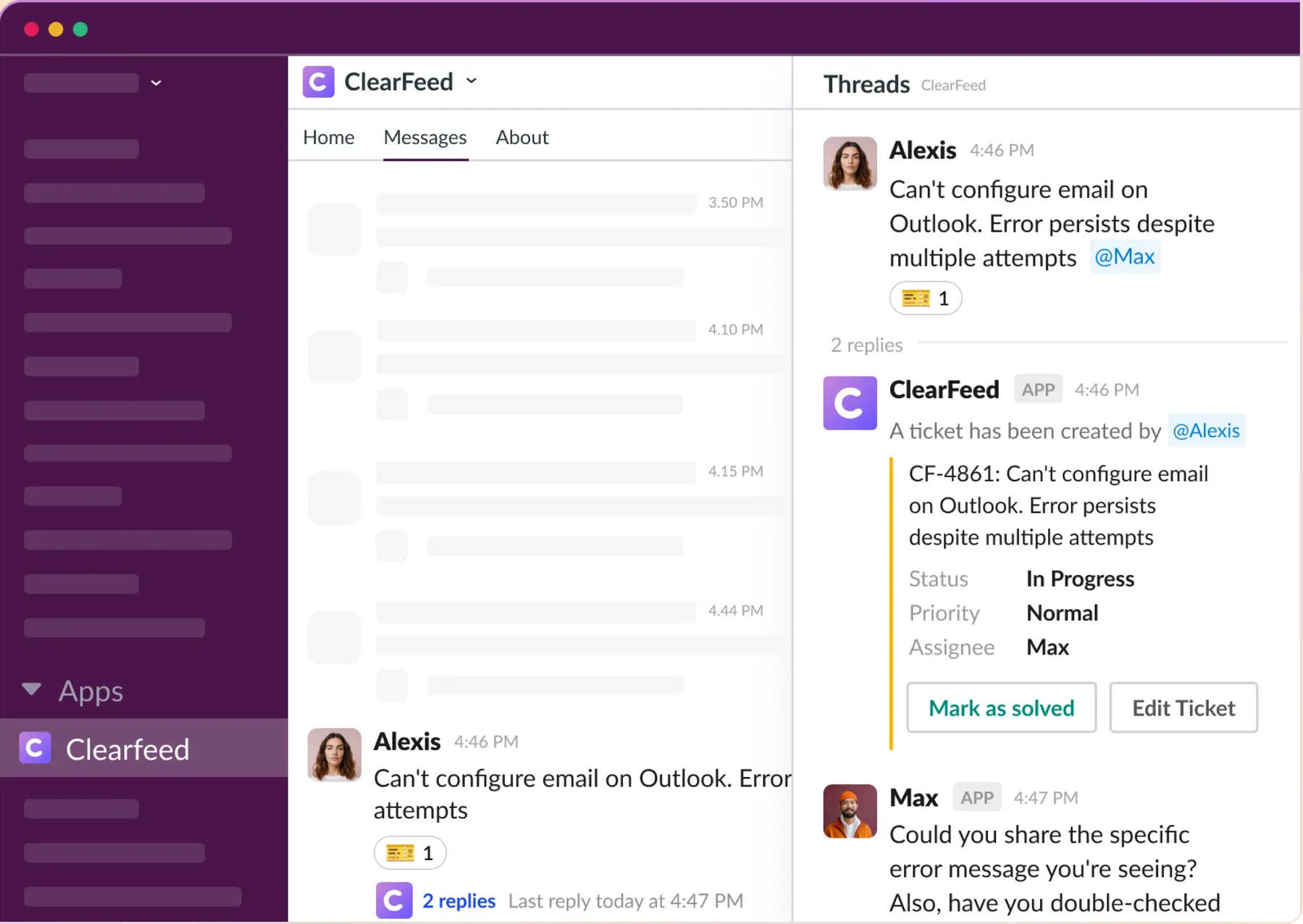
ClearFeed supports requests from Slack and other channels, with options to manage tickets in ClearFeed or synchronize with external ticketing systems. It's particularly relevant when your support and engineering teams already depend on tools you want to keep.
Top features
- Slack triage channels and a browser inbox
- Two-way synchronization with supported ticketing systems
- Email and web chat intake
- SLA configuration and reports on Professional
- Optional AI capabilities for generating answers from knowledge sources
Why choose ClearFeed over Unthread?
Evaluate ClearFeed when the integration workflow is the main purchasing decision. For example, your customers might use Slack Connect while your support team needs to keep a separate helpdesk involved.
Unthread also offers third-party ticket synchronization, so compare the actual behavior: what creates a ticket, which replies synchronize, and where agents update its status. The value comes from how well the connection fits your process.
What to watch out for: ClearFeed's standalone Integrations edition does not cover Slack Connect. Customer-facing shared channels require its External Helpdesk offering. G2 feedback also raises notification, attachment, and ticket-handling concerns worth testing in a pilot.
Pricing: $24/agent/month.
That's the agent-based Helpdesk Starter price. Professional is $49/agent/month and adds features including SLA reporting. Starter's optional AI Pack begins at $20/month, while Professional includes an AI credit allowance. Usage-based plans are also available, so compare the billing model against your ticket volume.
5. Plain
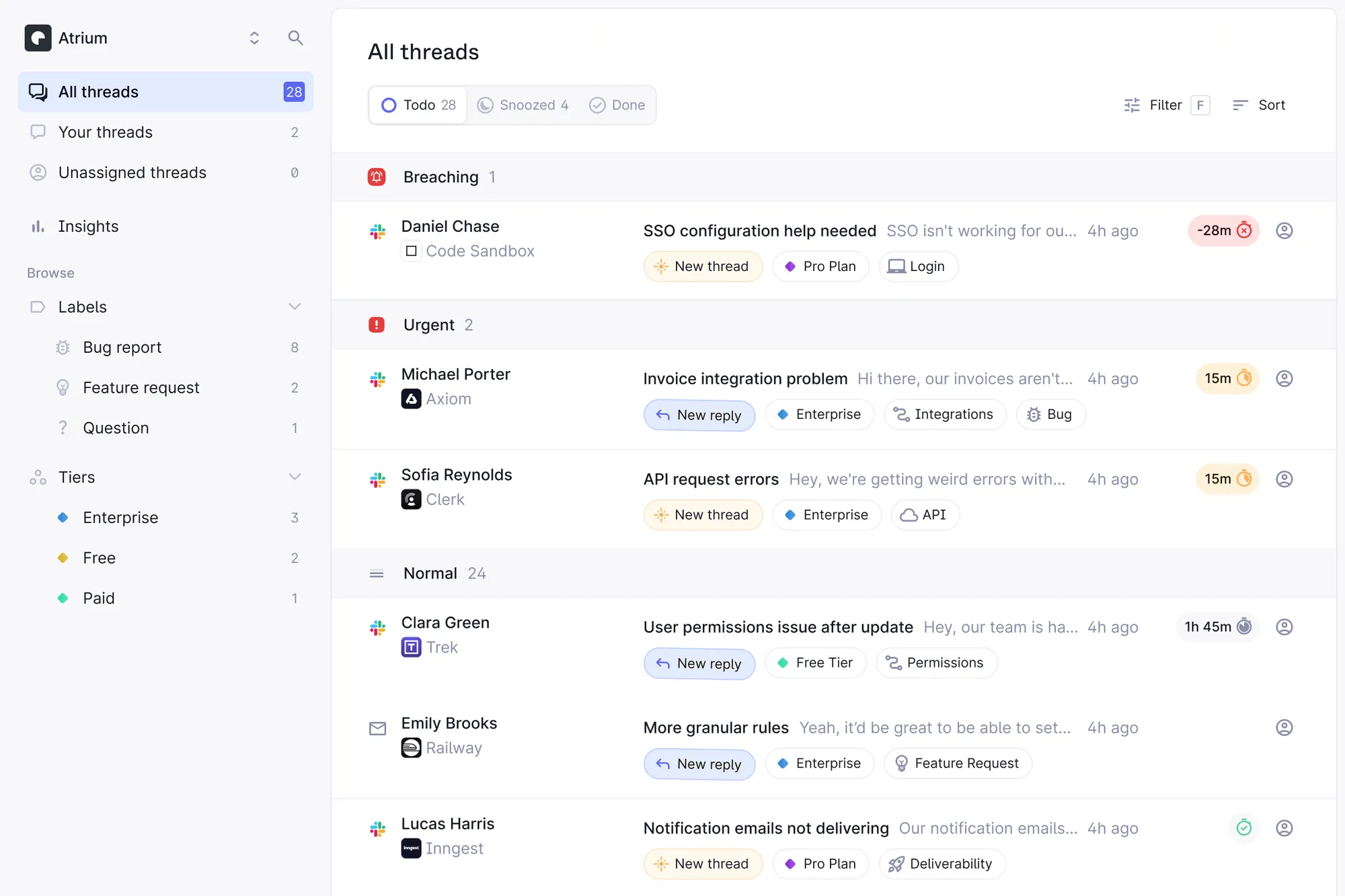
Plain is a B2B customer support platform for teams that want their helpdesk connected closely to their product and engineering stack. It combines customer channels with developer-facing extensibility.
Top features
- Slack, email, and in-app channels
- Linear and Jira integrations
- Customer cards and a knowledge base
- Ari AI agent and Sidekick assistant, with credits applying
- APIs and webhooks for connecting your systems
Why choose Plain over Unthread?
Plain is worth a look if your team wants to customize how support interacts with customer data and engineering workflows. That can be useful when standard contact fields don't give an agent enough context to investigate a problem.
For example, decide which product details an agent should see before replying to a technical request, then test whether Plain can present those details in the way your team needs. A useful custom connection is more valuable than an unused integration directory.
What to watch out for: Foundation includes 25 Slack channels and supports up to 5 user seats. SLAs and business hours are on Horizon. G2 feedback mentions workflow and feature gaps, so validate the specific actions your team needs to perform through its API.
Pricing: $35/month for 1 seat, billed yearly.
Additional Foundation seats are $35 each per month. Horizon starts at $299/month billed yearly for 3 seats, with additional seats at $99 each. Plain pricing also involves AI credits, which should be considered separately from the seat allowance.
6. Suptask
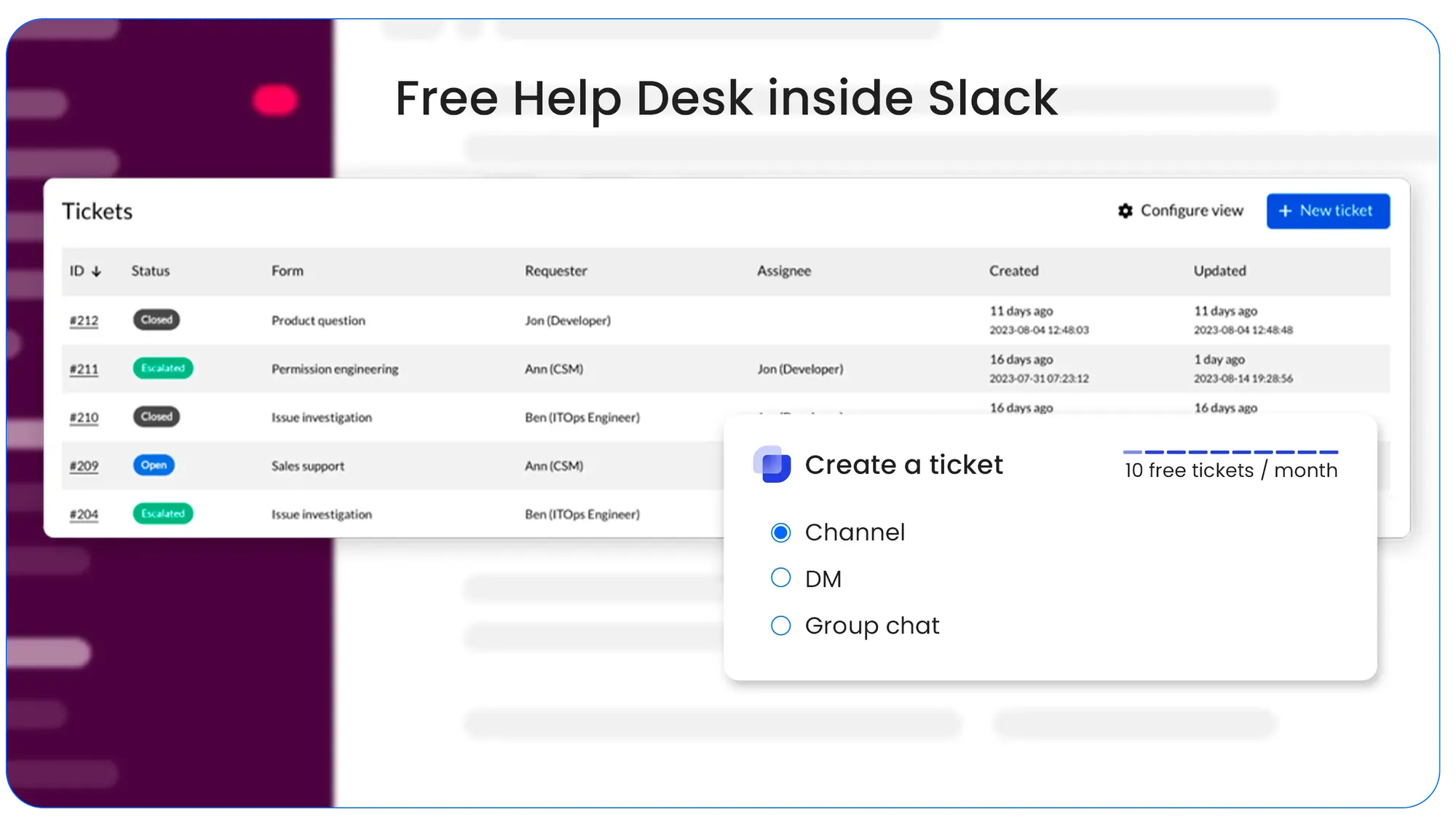
Suptask is a Slack ticketing tool for teams that want to manage requests where their conversations already happen. It's a practical candidate when your main goal is adding ownership and structure without adopting a large customer service suite.
Top features
- Ticketing in Slack channels, DMs, and the Suptask app
- Forms and fields for collecting request information
- Multiple inboxes and Slack Connect intake on Professional
- SLAs and advanced automation on Growth
Why choose Suptask over Unthread?
Suptask is worth comparing for a small team with a straightforward queue. Start with the everyday tasks: creating a request, assigning it, asking a follow-up question, and finding it again after someone replies.
For customer support, pay particular attention to Slack Connect rather than testing only an internal channel. The customer-facing experience should be part of your evaluation from the start.
What to watch out for: G2 feedback praises ease of use and vendor support, while some users request more customization and features. Its lower starting price is also not the complete comparison if you need customer-channel intake or service level agreements.
Pricing: $15/agent/month, billed annually.
Professional is $24/agent/month annually and includes Slack Connect, email intake, and multiple inboxes. Growth is $38/agent/month annually and adds SLAs, advanced automations, and AI assistants. A 14-day trial is available. Don't confuse that trial with a permanent free plan.
7. Zendesk
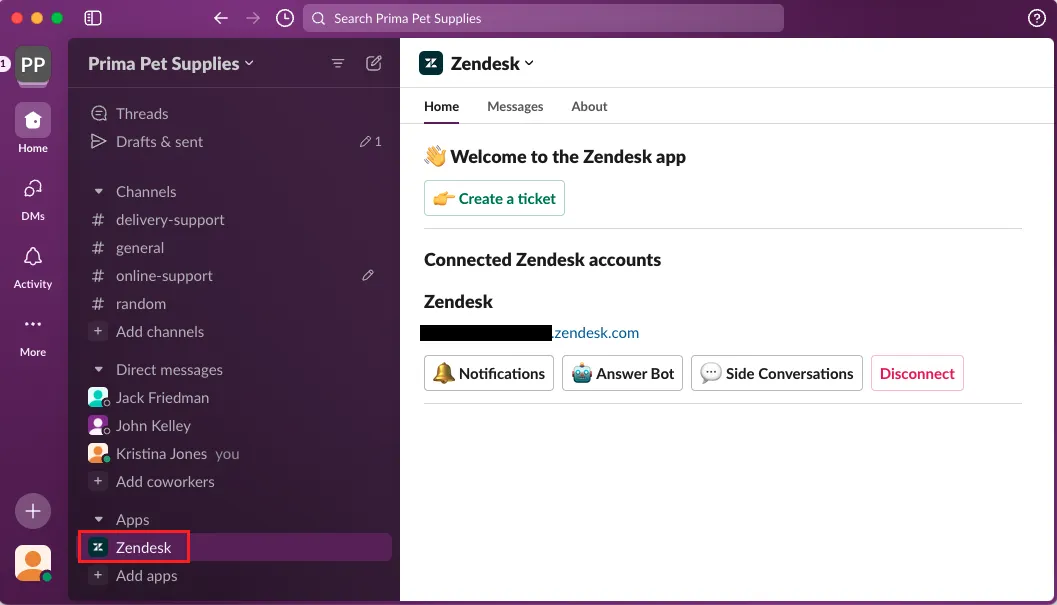
Zendesk is a customer service platform for teams managing support across multiple channels. It's most relevant here when you're evaluating a broader change to your support operation, with Slack as one part of it.
Top features
- Ticket management, macros, triggers, and routing
- Email, messaging, live chat, and telephony through its Suite offering
- Knowledge base and self-service capabilities
- Reporting and an integration marketplace
Why choose Zendesk over Unthread?
Consider Zendesk if your team needs to coordinate several support queues and customer channels. Its configuration options can be useful when different teams need their own rules, views, and escalation processes.
That also gives you more to evaluate. Write down which workflows must survive the switch, then check how they operate in the plan you're considering. A broad platform is only useful if your team can manage it comfortably.
What to watch out for: A Slack integration does not automatically reproduce your Unthread workflow. Test customer-channel intake, replies, and internal collaboration separately. Depending on your requirements, you may also need another integration product.
Pricing: Support Team: $19/agent/month, billed annually.
For broader channel coverage, Suite Team starts at $55/agent/month annually. Suite Professional is $115/agent/month annually. When evaluating Zendesk pricing, include any AI, integration, and other add-on costs required for your setup.
How to choose the right Unthread alternative
Start with the requests your team handled recently. Pick examples that were easy, examples that needed engineering help, and examples where someone lost track of the next step. Use those to evaluate each shortlisted tool.
Compare the workflow your customers actually use
An internal Slack channel is not the same buying requirement as a shared customer channel. Likewise, a notification about a ticket is different from a synchronized conversation that agents can answer.
Test these steps in order:
- Request intake: A customer posts a question in the channel they normally use. Check how it becomes assigned work.
- Agent response: Reply from the intended agent interface and confirm what the customer receives.
- Engineering handoff: Pass the issue to the right person without exposing internal notes or losing the customer's question.
- Follow-up: Let the customer reply after the request is closed and check how the team notices it.
Your ticket escalation process should be understandable to everyone involved, including teammates who only help with occasional issues.
Price the required plan and the expected workload
Use the same team size and requirements for every quote. Include the plan needed for Slack Connect, SLAs, and security, then add expected AI usage and any integration charges.
Keep these costs separate:
- Seats: Who needs a paid license, and is there a minimum commitment?
- Usage: Are conversations, channels, tickets, or AI actions limited or metered?
- Implementation: Who will rebuild routing, connect systems, and train the team?
A cheaper entry plan can be the right choice. Just make sure it covers the work you are buying it for.
Check what happens to product feedback
Some customer requests need a reply. Others need to reach your product team and stay connected to the people who asked for them.
If that second category is common, include feature request management in your evaluation. Featurebase connects support with feedback and roadmap tools, helping teams keep customer requests visible after a conversation is resolved.
Give your agents a realistic pilot
Ask the people handling the queue to try the shortlist. Have them find an earlier conversation, change an assignment, check an overdue request, and prepare the report they normally share with their manager.
Record where they need help or have to repeat work. Those moments give you a concrete basis for choosing between tools that look similar in a comparison table.
Conclusion
The right Unthread alternative depends on what you want to improve. Pylon, Thena, and Plain are worth comparing for B2B support. ClearFeed deserves attention when external ticketing connections matter, Suptask for simpler Slack ticketing, and Zendesk for broader customer service operations.
Featurebase brings AI support, an omnichannel inbox, a help center, and product feedback together. It's a strong fit for SaaS teams that want to resolve customer questions and keep product requests connected to their roadmap.
You can try the Free plan for live chat and unlimited conversations. For Slack support, compare Professional at $59/seat/month billed yearly, plus AI usage. 👇
Bring your customer support and product feedback together with Featurebase
FAQs
Ask the destination vendor to confirm its import options before committing to a full migration. Test a sample containing messages, attachments, owners, statuses, and timestamps, since importing a conversation does not necessarily preserve every ticket field. Keep the original records available until you have checked the result.
Your Slack history and your helpdesk's ticket records should be checked separately. Existing Slack messages may remain available under your workspace's retention settings, while assignments, private notes, and reporting data may need a separate export. Don't assume installing a new support app automatically imports the old helpdesk's records.
Some tools support DM intake, but a message to a support bot is different from a private message to an individual teammate. Suptask explicitly includes DM ticketing, for example. Test the exact route customers use and agree on how teammates should handle requests sent to their personal DMs.
Yes, if your chosen replacement supports the connection your workflow needs. Ask which system owns the ticket status, where replies are synchronized, and how duplicate tickets are prevented. Also test what happens when the integration is interrupted, so agents know where to continue working.
Some platforms support both, but the queues may need different permissions, knowledge sources, and approval rules. Internal IT requirements such as asset management can also go beyond customer ticketing. Evaluate the employee workflow separately rather than assuming a customer support demo covers it.