What Is a Knowledge Management System? A Complete Guide
A knowledge management system (KMS) turns scattered company know-how into one findable source of truth. Here's what a KMS is, the main types, and how to set one up.


On this page
- What is a knowledge management system?
- The 3 types of knowledge a KMS captures
- Types of knowledge management systems
- Why use a knowledge management system? The benefits
- What to look for in a knowledge management system
- How to build and implement a knowledge management system
- Knowledge management system examples
- Building a knowledge management system with Featurebase
- Conclusion
Create a beautiful AI-powered Help Center with Featurebase for free
Every company runs on knowledge, but most of it is trapped in inboxes, DMs, and people's heads. A knowledge management system is what turns that scattered know-how into one place your team and customers can actually search.
This guide covers what a knowledge management system is, the types that exist, why they matter, and how to set one up 👇
Key takeaways:
- A knowledge management system (KMS) is the software that captures, organizes, stores, and shares an organization's collective knowledge so people can find it on demand.
- Knowledge management is the process, while a knowledge management system is the technology you use to run that process.
- A KMS handles 3 kinds of knowledge: explicit (documented), tacit (experience-based), and implicit (know-how buried in how work gets done).
- The category is broad: internal and external knowledge bases, document and content management systems, learning platforms, collaboration tools, intranets, and AI-powered expert systems all count.
- The best modern systems lead with AI search and self-service, so employees and customers get answers instantly instead of digging or waiting.
- Featurebase✨ gives you an AI-powered knowledge base you can launch for free, for both customer-facing and internal knowledge.
What is a knowledge management system?
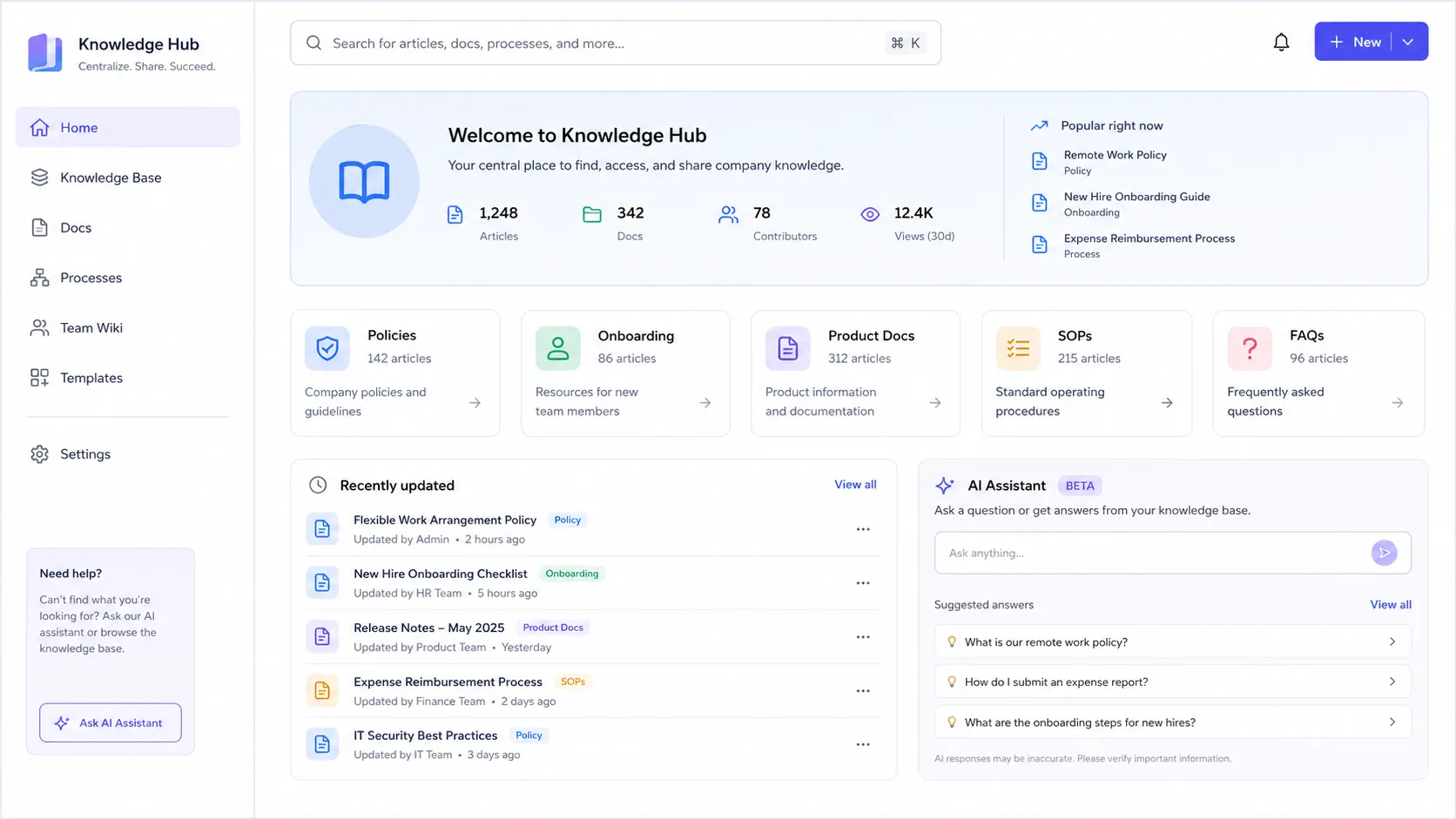
A knowledge management system (KMS) is a software platform that captures, organizes, stores, and shares an organization's collective knowledge. Its job is simple to state and hard to do well: make sure the right information is available to the right person the moment they need it, without anyone having to rediscover it.
That knowledge might be a documented refund policy, a troubleshooting guide, an onboarding checklist, or the hard-won instinct of a senior support agent. A good KMS gives all of it a home and, crucially, a search box that actually returns the right answer.
Modern systems increasingly use AI to do this. Instead of returning a list of ten articles, an AI-powered KMS can read your content and hand back a single summarized answer, which is a big part of why the category has changed so much in the last few years.
Knowledge management vs. a knowledge management system
These two terms get used interchangeably, but they are not the same thing:
- Knowledge management is the business process of capturing, organizing, sharing, and maintaining what your organization knows. It is a discipline, not a tool.
- A knowledge management system is the technology that puts that process into practice, giving knowledge a place to live and a way to be found.
In other words, knowledge management is the strategy and the knowledge management process is how you run it, while the system is the software underneath. You need both. The best software in the world won't help if nobody documents anything, and the most disciplined team will still lose knowledge without a system to store it in.
The 3 types of knowledge a KMS captures
To choose the right system, it helps to know what you are actually trying to capture. Knowledge generally falls into 3 types of knowledge:
- Explicit knowledge: Information that is easy to document and share, like manuals, FAQs, policies, and reports. This is the most straightforward type to store in a KMS.
- Tacit knowledge: The know-how people build through experience, like a veteran agent's instinct for calming an upset customer. Tacit knowledge is harder to capture, which is why it so often walks out the door when someone leaves.
- Implicit knowledge: The know-how embedded in how work actually gets done, like the unwritten shortcut a team uses to speed up a workflow. It usually hasn't been documented yet, but it can be.
A strong knowledge management system lets all three coexist. Your team documents the explicit stuff directly, then captures tacit and implicit knowledge over time through comments, Q&A, and recorded conversations.
Types of knowledge management systems
"Knowledge management system" is an umbrella term. In practice, it covers several categories of software, and most organizations end up using more than one:
- Internal knowledge base: A private, searchable library of documentation, SOPs, and answers for employees. An internal knowledge base is the backbone of most internal knowledge management.
- External knowledge base: A public, customer-facing help center of FAQs, guides, and product docs that powers self-service support and deflects repetitive tickets.
- Document management system: A tool focused on the document lifecycle, with version control, metadata tagging, and access permissions. Think Google Workspace or Box.
- Content management system: Software for creating, managing, and publishing digital content, usually to the web. WordPress is the classic example.
- Learning management system: A platform built to deliver and track training, courses, and assessments rather than store reference knowledge.
- Collaboration platform or intranet: Tools like Slack or a company intranet that capture conversational, in-the-flow knowledge and connect people across teams.
- Expert system: An AI-driven system that emulates human decision-making by applying rules and reasoning to a knowledge base, increasingly built on modern machine learning.
The right mix depends on what you need to manage. A support team leans on internal and external knowledge bases, while an L&D team lives in a SharePoint learning management system.
Why use a knowledge management system? The benefits
The case for a KMS comes down to time and consistency. Knowledge workers spend nearly 20% of the workweek, roughly 1.8 hours a day, just searching for and gathering information, according to McKinsey. A good system claws that time back.
The core benefits show up quickly:
- Faster answers: Employees and customers find what they need in seconds instead of digging through email threads or waiting on a colleague.
- Better self-service: A customer-facing knowledge base lets people solve problems on their own, at any hour, which most customers now prefer for simple issues over waiting on an agent.
- Knowledge retention: When people leave, their expertise doesn't have to leave with them. A KMS is how you fight tribal knowledge and keep institutional memory intact.
- Faster onboarding: New hires ramp up on their own with a central place to learn products, processes, and policies.
- Consistent decisions: When everyone works from the same source of truth, answers stop depending on who happens to pick up the question.
Lower support costs, happier customers, and less duplicated work all follow from those basics.
What to look for in a knowledge management system
Features vary a lot between categories, but a few things matter almost everywhere:
- Powerful search: This is the whole point. Look for AI-powered search that understands intent and returns a direct answer, not just a list of links.
- Easy authoring: If creating and updating content is painful, your knowledge base goes stale fast.
- Access controls: You need to keep internal knowledge private while making customer-facing content public.
- Analytics: Data on what people search for, what they read, and what's missing tells you where to improve.
- Integrations: The system should connect to the tools your team already uses so knowledge flows instead of siloing.
- Self-service delivery: Surfacing articles inside your product or support widget beats making people go find them.
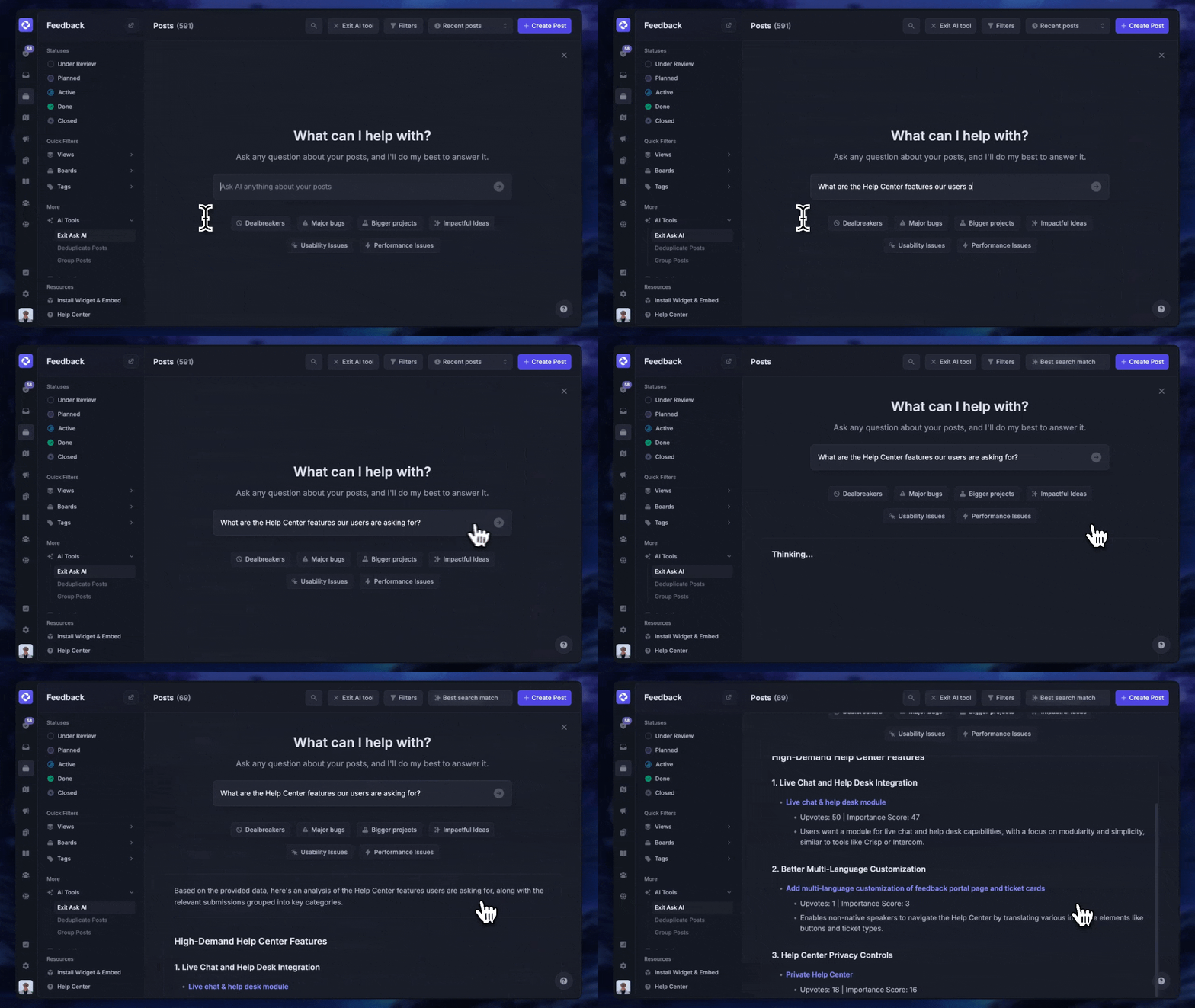
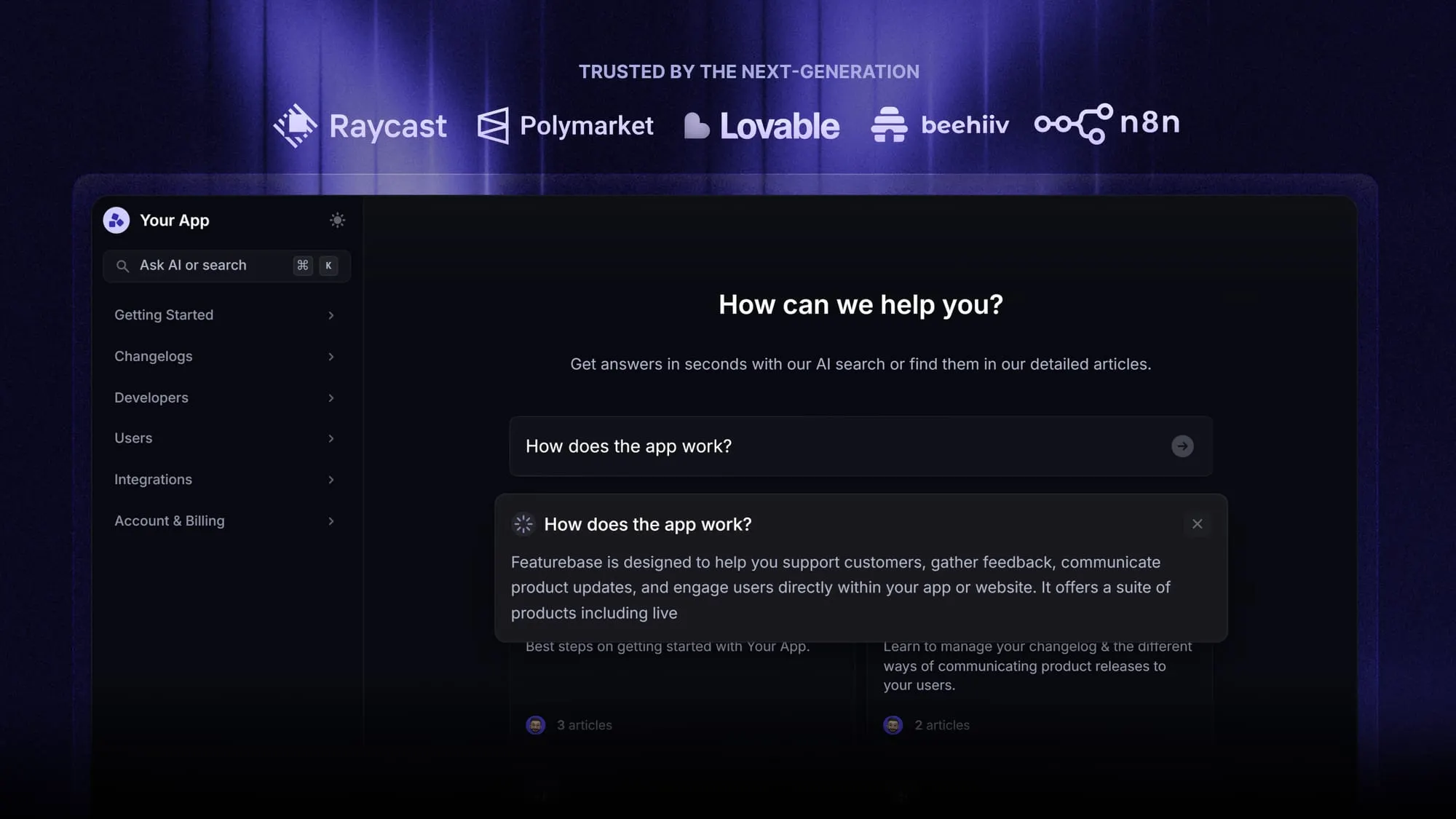
This is where a modern platform pulls ahead of legacy software. With Featurebase, for example, you get a branded customer self-service help center with AI-powered search answers that summarize the response right in the search bar, so customers rarely need to open a ticket at all.
How to build and implement a knowledge management system
Buying software is the easy part. Building a system people actually use takes a plan:
- Audit your knowledge needs. Identify what people search for most, where the gaps are, and which questions eat the most time.
- Choose the right tools. Match the category to the need, and weigh search quality, ease of use, and integrations over feature-count.
- Set a clear structure. Agree on categories, naming conventions, and tags before you dump content in, so things stay findable.
- Capture existing knowledge. Turn your best answers, SOPs, and docs into articles, and give experts ownership of specific areas.
- Launch with training. Show the team not just how to use the system but why it makes their work easier, which is what drives adoption.
- Maintain it. Assign owners, review content regularly, and archive anything outdated so trust in the system stays high.
AI is reshaping this last mile, too. Incorporating AI and smart technology is now the number-one priority for knowledge management teams, according to APQC's 2025 survey, both for generating content and for surfacing the right answer automatically. For more on the human side, see our guide to knowledge management best practices.
Knowledge management system examples
You already use knowledge management systems every day, often without noticing:
- A company wiki or internal knowledge base where teams document processes and answers.
- A customer help center full of FAQs, troubleshooting guides, and product docs.
- A community forum where users ask and answer each other's questions.
- A learning platform hosting onboarding courses and training videos.
- A collaboration tool like Slack, where searchable channels preserve decisions and conversational knowledge.
Most organizations combine a few of these. A SaaS company might run an internal knowledge base for staff, a public help center for customers, and a feedback forum, all feeding one connected picture of what people need to know.
Building a knowledge management system with Featurebase
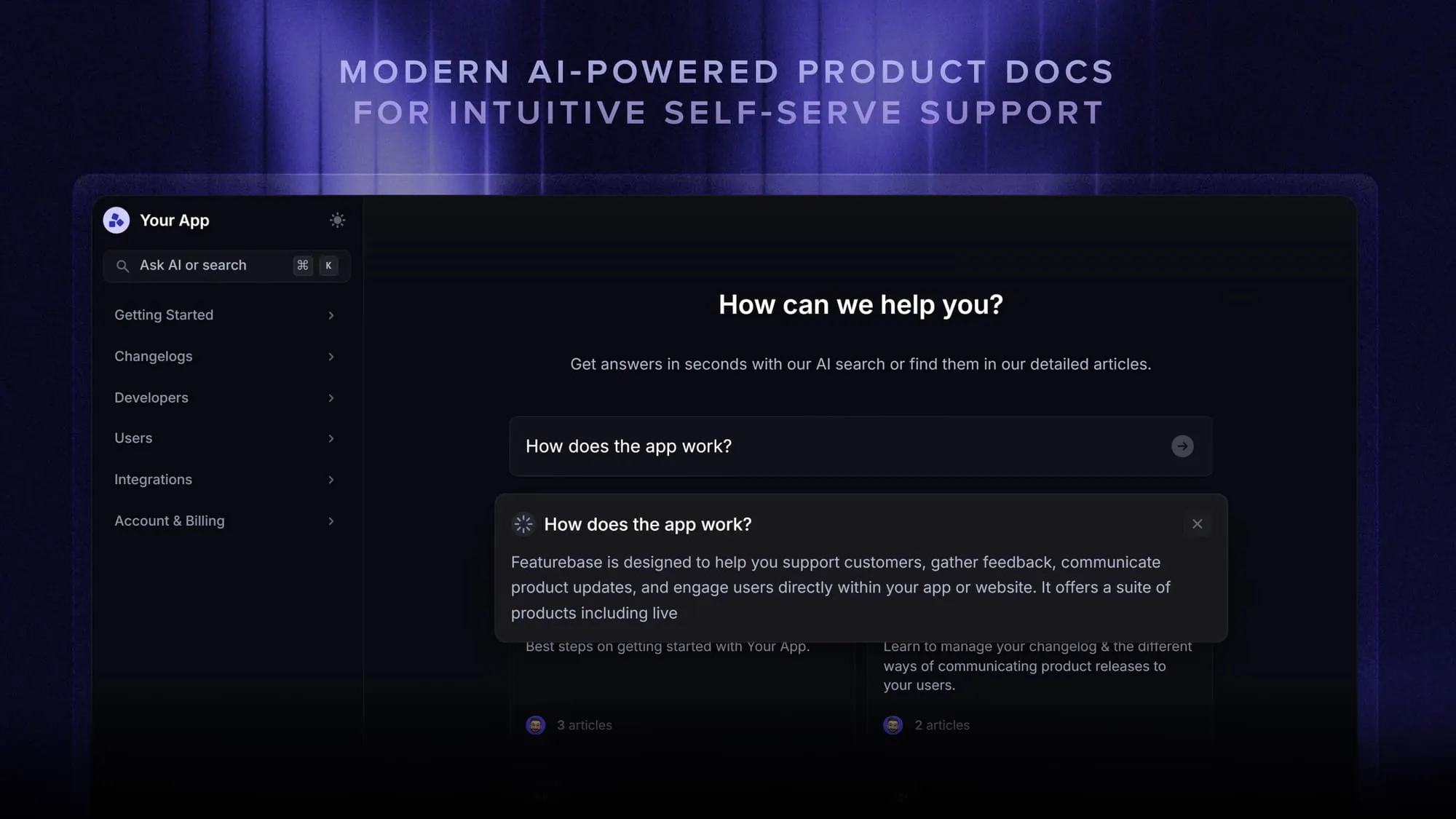
Featurebase is a modern & powerful support platform for SaaS teams that helps you create beautiful product docs, provide AI-powered support, and collect feedback all in one place. It's loved by thousands of support teams from companies like Lovable, Raycast, and n8n. 💫
Top features:
- Public & internal help center – Create a branded knowledge base with your domain and design for easy self-service support
- Embeddable in-app widget – Serve help articles directly within your app, reaching users where they need assistance most
- AI-powered search answers – Summarize answers for users right in the search bar in seconds
- Automatic AI translations – Automatically translate and show your Help Center in your users' native languages
- Multi-brand support – Manage multiple Help Centers and Live chats from a single workspace
- AI-powered support platform – Manage chat, email, and Slack support conversations from one AI-powered view
- Feedback & roadmap tools – Collect feature requests and close the loop with updates
- Product updates – Publish release notes with a changelog page, in-app widget, and emails
- Integrations – Connects with Slack, Linear, Jira, HubSpot, and more
Pricing: You can create a public help center with a fully free plan. Paid plans start at just $29/seat/mo for unlimited articles.
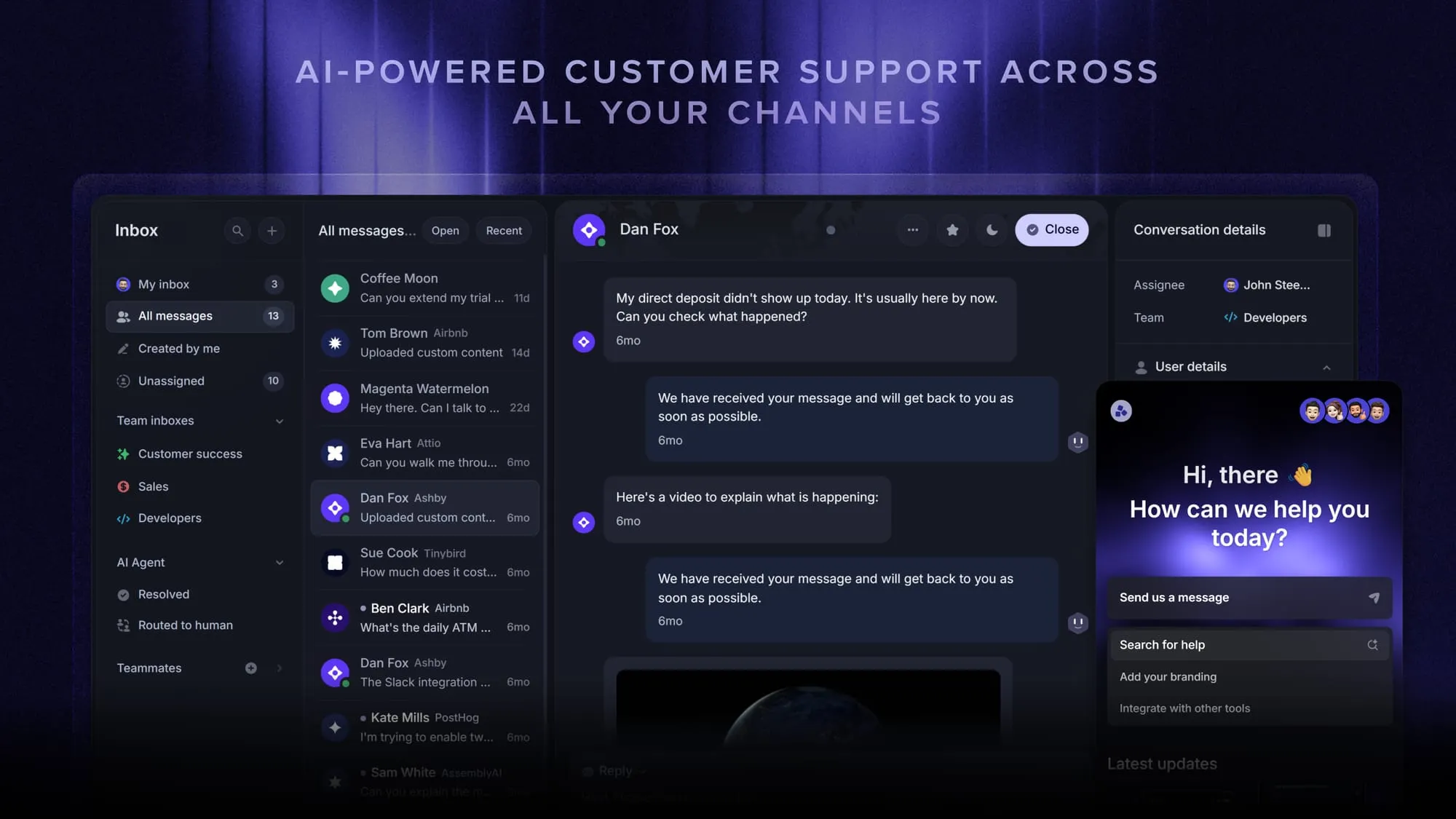
Featurebase offers a modern customer-facing product suite by integrating your help center, live chat, feedback collection, and product updates to build better products and customer experiences.
Conclusion
A knowledge management system is one of the highest-leverage tools a growing company can put in place. It gives scattered knowledge a home, cuts the hours your team loses to searching, and lets customers help themselves. The trick is picking the category that fits your need, then building a system people actually maintain.
If you want a knowledge management system that's fast to launch and genuinely modern, Featurebase brings your help center, AI-powered search, support, and feedback into one platform. It replaces a stack of separate tools with a single source of truth for both your team and your customers.
There's a fully free plan and onboarding takes minutes, so there's no downside to trying it 👇
Create a beautiful AI-powered Help Center with Featurebase for free
FAQs
A learning management system (LMS) is built to deliver and track training: courses, quizzes, and certifications with progress reporting. A knowledge management system is broader, acting as a searchable repository for all of an organization's knowledge, not just formal learning content. Many companies run both, with the LMS handling structured training and the KMS handling everyday reference knowledge.
The 5 C's are capture, curate, connect, collaborate, and create. Capture means documenting what you know, curate means organizing and improving it so it's easy to find, connect means linking people to the right content, collaborate means actively sharing across teams, and create means generating new knowledge as needs arise. Together they describe the full lifecycle a healthy knowledge management system supports.
Not quite. A knowledge base is a single repository of articles and documentation, and it's one of the most common components of a KMS. A knowledge management system is the wider setup around it, which can include search, analytics, access controls, AI, and integrations that turn a static library into a living system.
A content management system (CMS) is focused on creating, managing, and publishing digital content, usually web pages. A knowledge management system is focused on capturing knowledge and making it findable and reusable for employees or customers. There's overlap, since a CMS can power a public help center, but a KMS is defined by findability and reuse rather than publishing.
An expert system is a type of KMS that uses artificial intelligence to emulate the decision-making of a human expert. It works by applying rules and reasoning to a knowledge base to answer questions or diagnose problems, and modern versions increasingly rely on machine learning. Automated troubleshooting tools and diagnostic systems are common examples.
Small teams are usually better served by a lightweight, AI-native tool with a free tier than by a heavy enterprise suite that takes months to roll out. Look for strong search, easy authoring, and a public help center out of the box. Featurebase fits this profile, offering a free AI-powered help center for both customer-facing and internal knowledge that a small team can launch in an afternoon.