9 Best Chatbots for Small Business: Features & Pricing
Find the right AI chatbot for small business. Compare 9 tools, pricing, free plans, and human handoff options for customer support and lead generation.


On this page
A chatbot can answer repetitive questions and capture leads while you're busy running your business. But free plans, AI charges, and channel restrictions make choosing one harder than it should be.
Here are 9 chatbots for small business, compared by use case, pricing, and limitations. 👇
Key takeaways
| Tool | Best for | Starting cost | Free option | Main trade-off |
|---|---|---|---|---|
| Featurebase | Software support and feedback | $29/seat/month annually + $0.49/AI resolution | 1 seat, without Fibi | Advanced automation needs Professional |
| Tidio | Ecommerce conversations | Lyro $39/month, monthly billing | 50 AI conversations once | Separate AI and human quotas |
| Chatbase | Content-trained website bots | $32/month annually | 7-day trial | Inbox needs Basic |
| Manychat | Social messaging | $14/month annually, AI from $29 | 25 active contacts/month | Channel and contact limits |
| HubSpot Chatbot Builder | CRM-connected lead capture | Free | Rule-based builder | Autonomous AI is separate |
| Zoho SalesIQ | Zoho-based visitor engagement | $7/operator/month annually | Live chat | Answer Bot needs Enterprise |
| ProProfs Chat | Website chat and AI | $19.99/operator/month annually | 1 operator, bot limits apply | AI capacity varies by plan |
| tawk.to | Free chat and AI testing | Paid AI from $29/month | 100 AI credits/month | Handoff needs paid AI |
| Intercom | Helpdesk with AI support | $29/seat/month annually + $0.99/outcome | 14-day trial | Seats plus usage charges |
USD prices checked in November 2026. Annual rates require annual billing. Free live chat doesn't necessarily include ongoing AI use.
What can a chatbot do for a small business?
A chatbot handles conversations on your website or messaging channels. Common uses include answering FAQs, collecting contact details, qualifying leads, and directing requests to your team.
Rule-based chatbots follow predefined paths, making them useful for predictable tasks such as booking inquiries. AI chatbots interpret natural language and answer using your business content, including follow-up questions.
Both need a reliable human handoff. Answering a delivery question is also different from changing an order, which requires the right integration and permissions.
The 9 best chatbots for small business
1. Featurebase
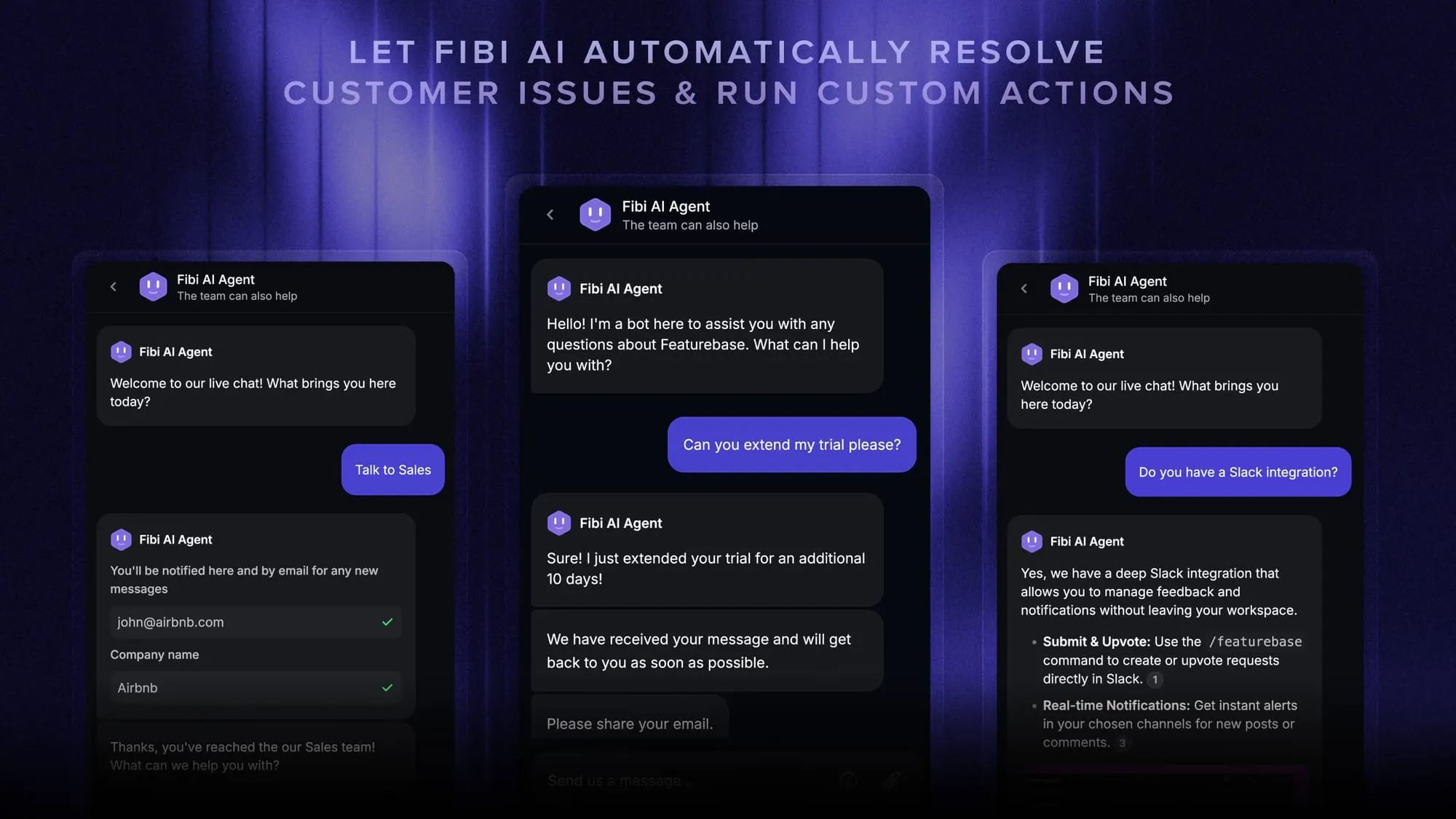
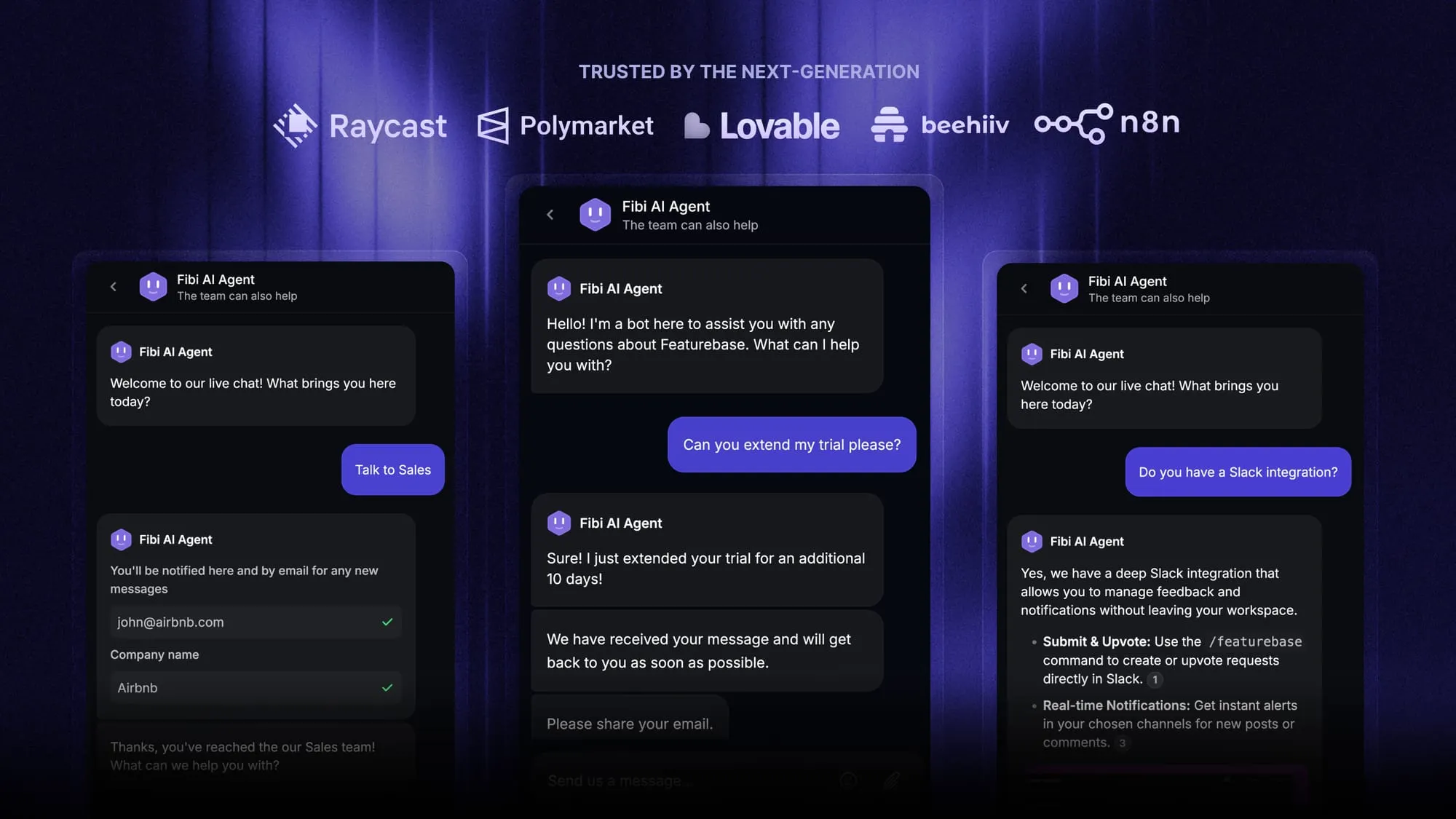
Featurebase is an AI customer support platform for product-led SaaS. It brings support, a help center, and feedback management together, making it a strong fit when repeated questions and scattered product feedback are growing together.
Fibi AI Agent answers from approved knowledge sources and can hand unresolved questions to your team. You can manage those conversations alongside feature requests and product updates.
Top features:
- Omnichannel inbox – Manage live chat, email, and Slack conversations together
- Fibi AI Agent – Answer questions and run connected actions, such as trial extensions
- Help center with AI search – Give customers multilingual self-serve answers
- Workflows & automations – Route conversations and collect customer information
- Feedback & roadmap tools – Collect feature requests and close the loop with updates
- Mobile app – Respond to customers and receive notifications on the go
Pricing: Growth starts at $29/seat/month, billed annually, plus $0.49 per AI resolution. The free plan includes 1 seat and unlimited support conversations, without Fibi.
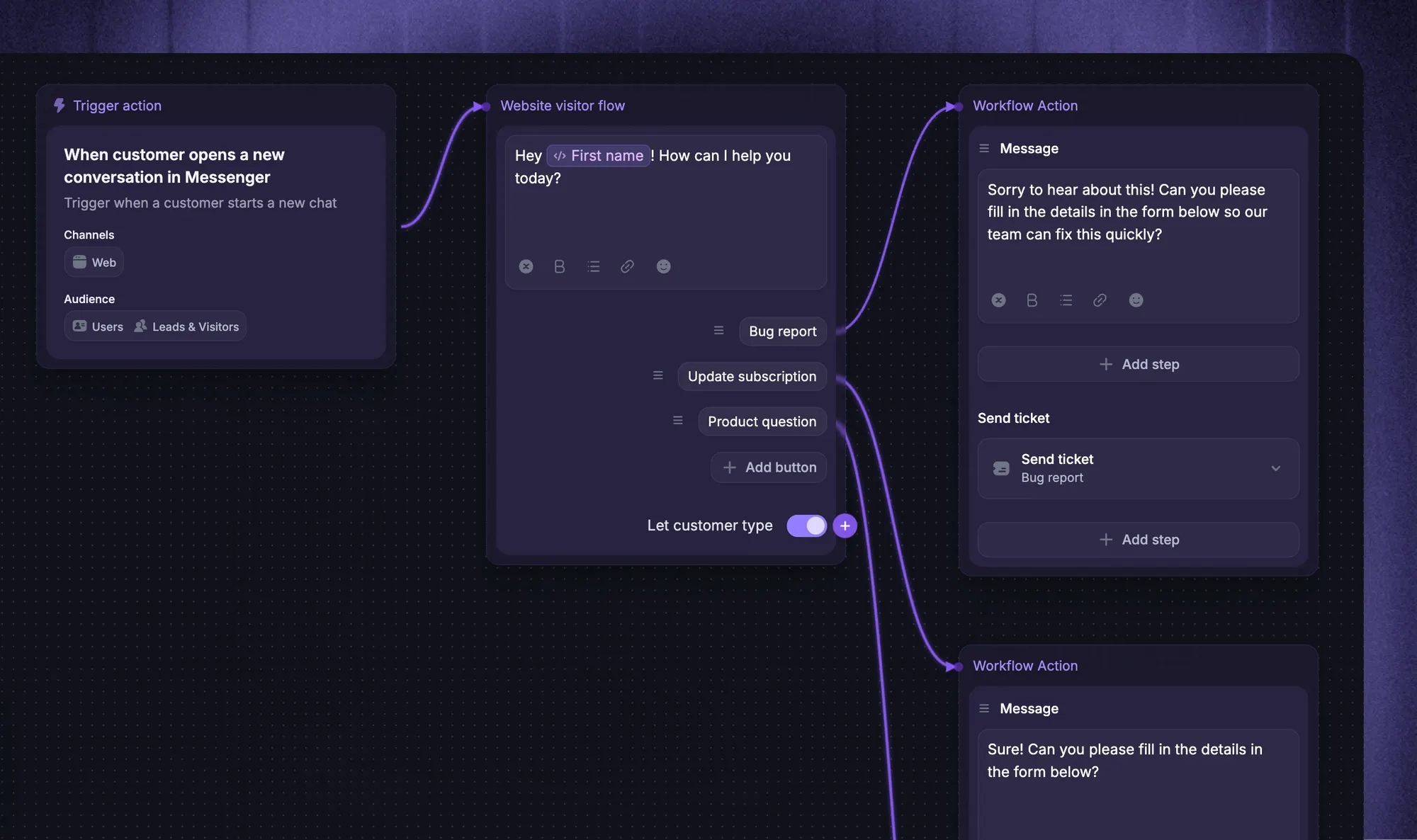
Custom actions and workflows require Professional, starting at $59/seat/month annually. Actions also need connections to the relevant systems.
Automate your support with the fastest AI-enhanced Inbox today
2. Tidio
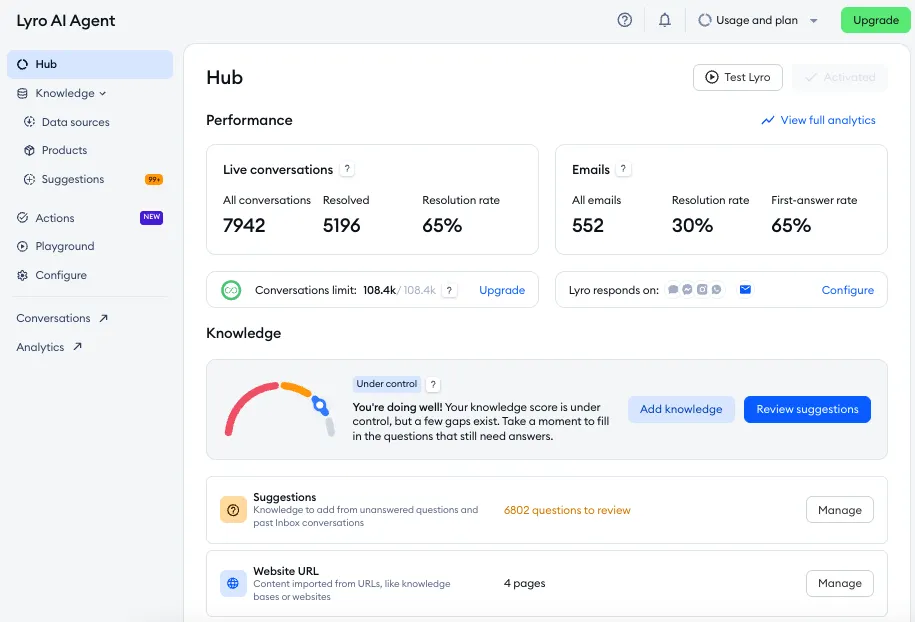
Tidio combines live chat, ticketing, Lyro AI Agent, and no-code Flows. It's useful for ecommerce businesses that want customer service automation and proactive website messages.
Lyro answers from your support content, while Flows follow predefined paths. Human handoff connects customers with your team when needed.
Top features
- AI answers based on support content
- Visual Flows for sales and support
- Live chat and ticketing together
Main trade-off: Human conversations, Lyro conversations, and visitors reached through Flows have separate allowances.
Pricing: Tidio pricing starts at $29/month for Starter on monthly billing. Lyro starts at $39/month for 50 AI conversations and can be purchased separately. Its free 50-conversation allowance is one-time.
3. Chatbase
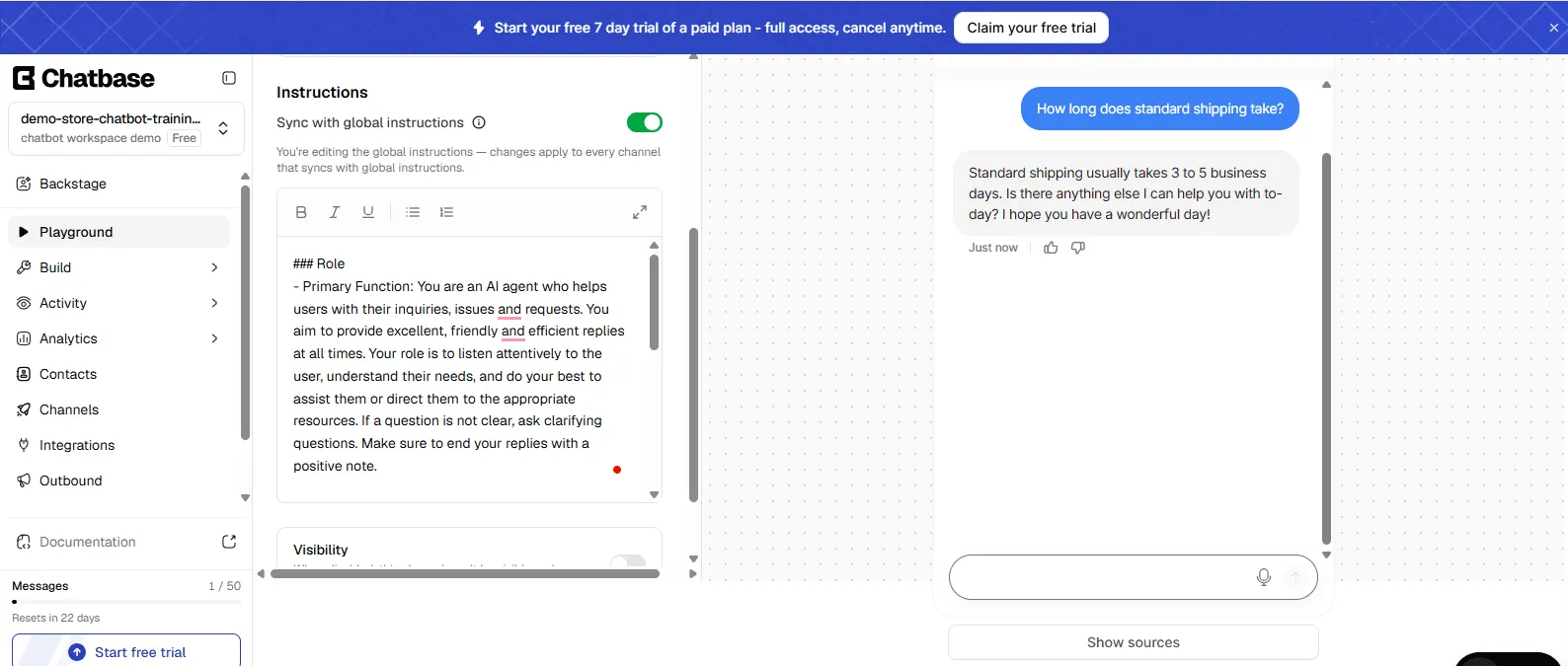
Chatbase creates AI chatbots trained on website content and uploaded files. It's a practical option when you have useful documentation and want visitors to ask questions directly.
It supports different AI models, actions, and integrations, with access depending on your plan.
Top features
- Website chatbot trained on business content
- Multiple AI models to choose from
- Helpdesk inbox on Basic and above
Main trade-off: The helpdesk inbox requires Basic or above. Removing Chatbase branding costs another $99/month.
Pricing: Chatbase pricing starts at $32/month annually for Hobby, including 700 monthly message credits. Basic costs $120/month annually with 4,000 credits and the inbox. A 7-day trial is available.
4. Manychat
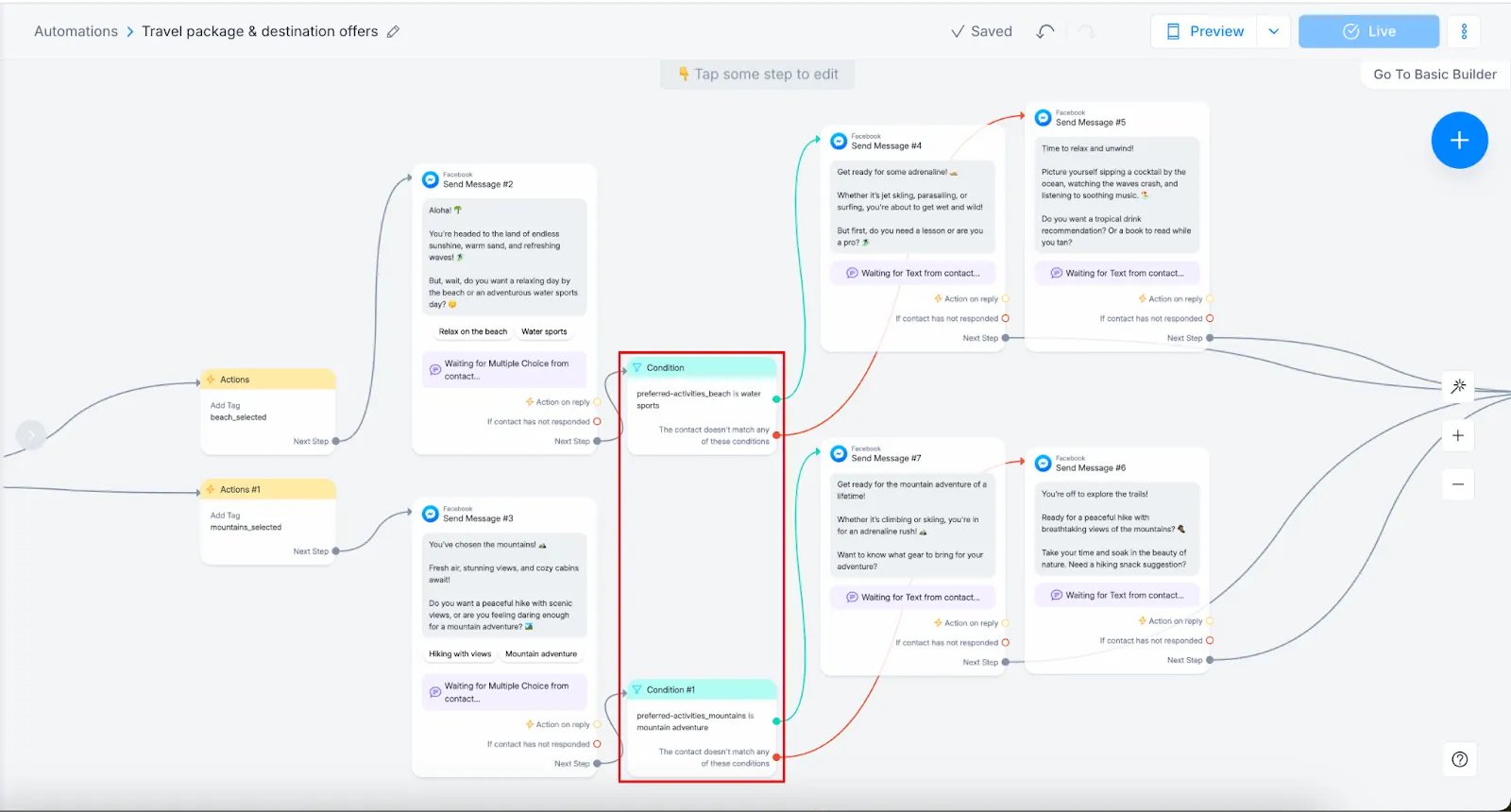
Manychat suits businesses receiving inquiries through Instagram comments and direct messages. Its visual builder automates replies, collects contact details, and guides prospects toward a purchase or booking.
The free plan supports 2 channels chosen from Instagram, Facebook Messenger, TikTok, and Telegram.
Top features
- Automated replies to comments and messages
- Contact collection, tagging, and segmentation
- AI-powered conversations on Pro and above
Main trade-off: AI-powered conversations and WhatsApp require Pro or above. Contact limits also affect which plan you need.
Pricing: Manychat pricing includes 25 free active contacts per month. Essential starts at $14/month annually for 250 contacts. Pro starts at $29/month annually for 2,500 contacts and includes AI. Prices can vary by billing country.
5. HubSpot Chatbot Builder
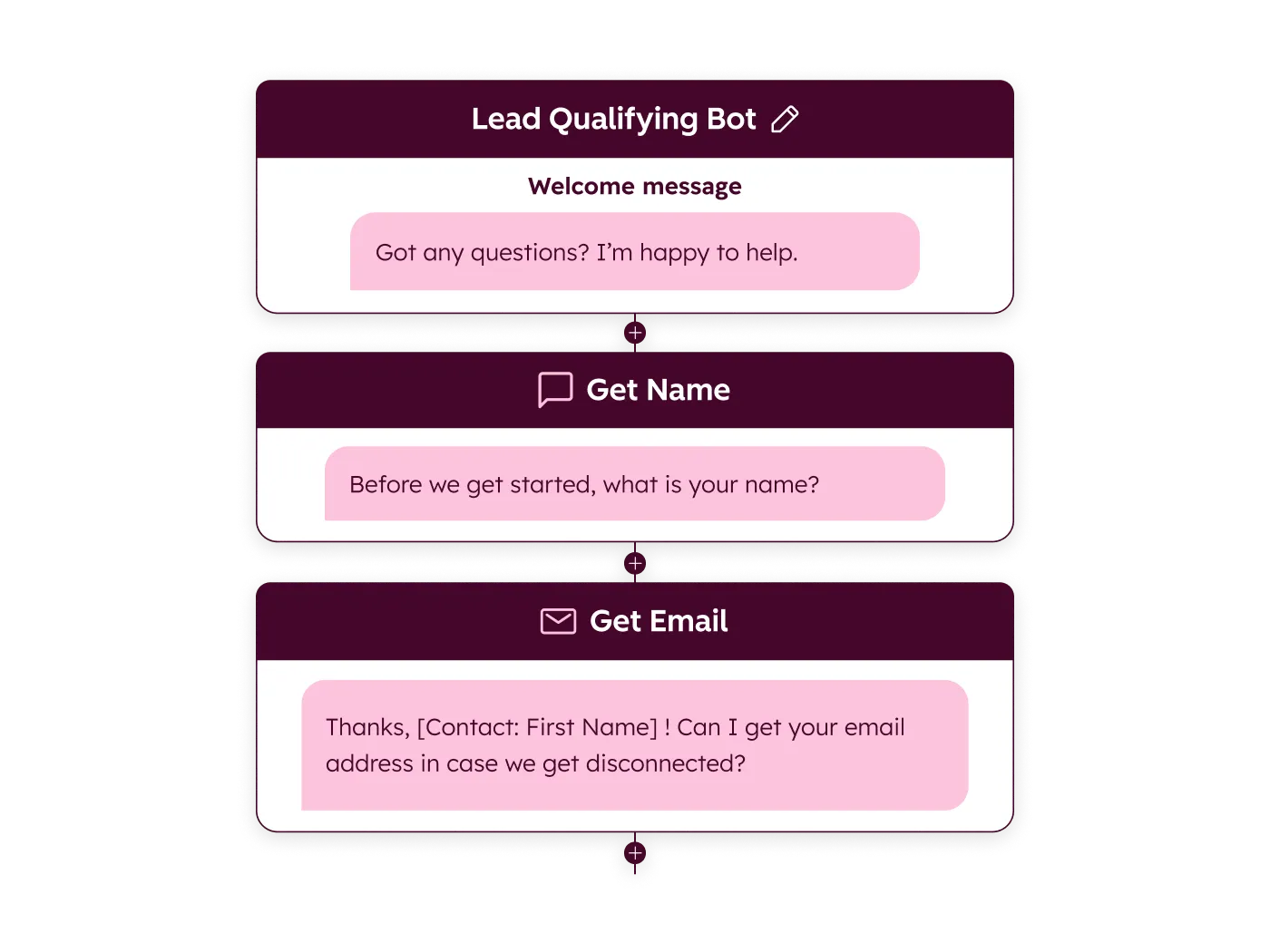
HubSpot's chatbot builder qualifies leads, books meetings, and routes conversations using templates and if/then branches. Its CRM connection helps your team retain the information collected during each conversation.
It's especially useful if you already use HubSpot and need structured lead capture before a sales call.
Top features
- Visual editor with conversation templates
- Lead qualification and meeting booking
- Replies personalized with CRM contact information
Main trade-off: The free builder follows conversation paths you design. HubSpot's autonomous AI customer agent is a separate offering.
Pricing: A free builder is available, with additional functionality through paid HubSpot products. Evaluate those upgrades separately from the free tool.
6. Zoho SalesIQ
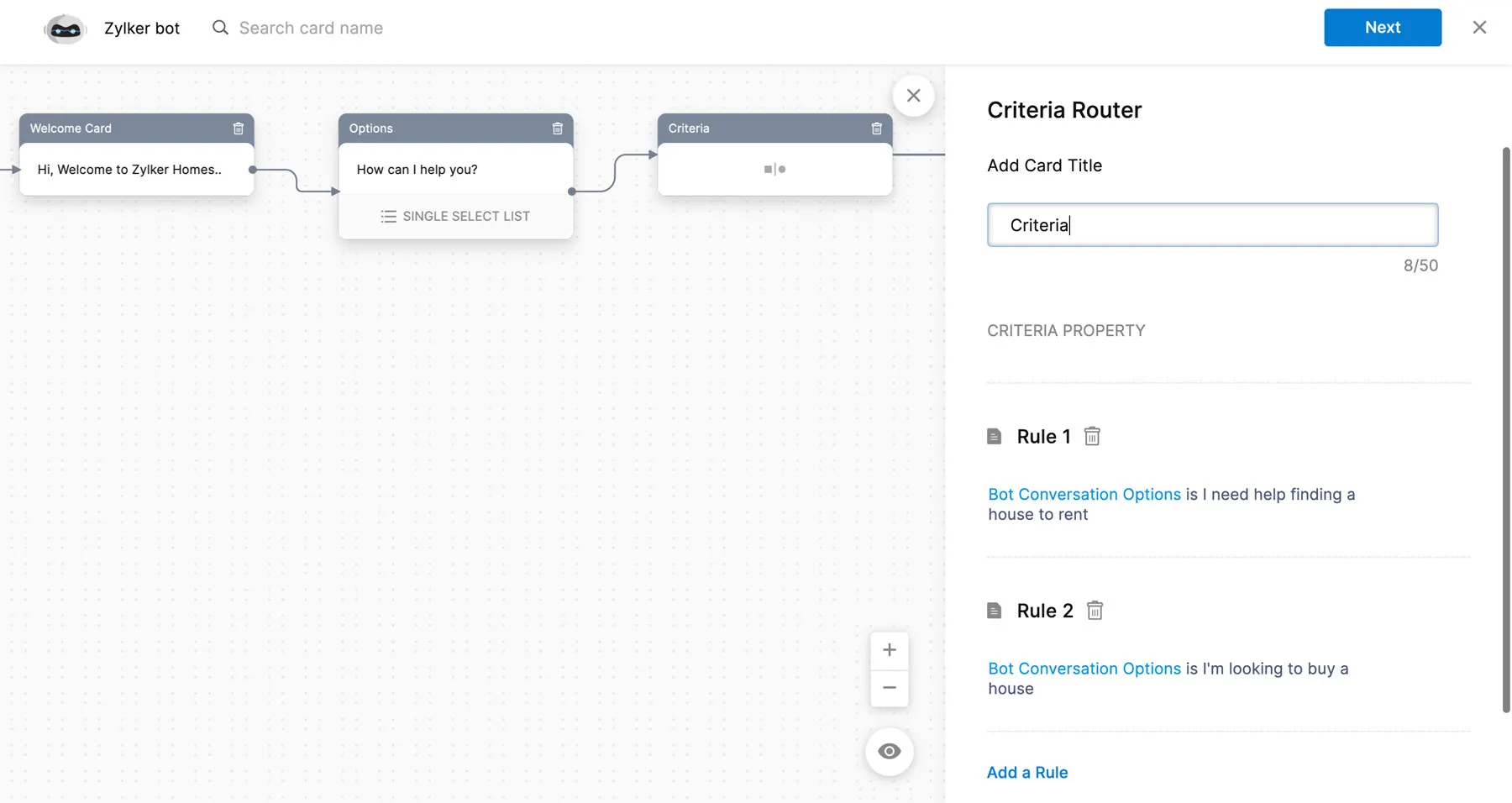
Zoho SalesIQ combines visitor insights, live chat, and chatbots. It's worth considering if your team already uses Zoho and wants website conversations connected to its sales workflow.
Paid plans include routing and chatbot allowances. More advanced knowledge-answering features depend on the tier.
Top features
- Visitor insights to inform agent replies
- Paid chat routing and transfer
- Answer Bot on the Enterprise plan
Main trade-off: Answer Bot and hybrid chatbot capabilities require Enterprise.
Pricing: Basic starts at $7/operator/month annually, with 1 chatbot and 25,000 bot sessions. Enterprise costs $20/operator/month annually. The free plan includes 3 operators and 100 operator chat sessions, without the paid chatbot allowance.
7. ProProfs Chat
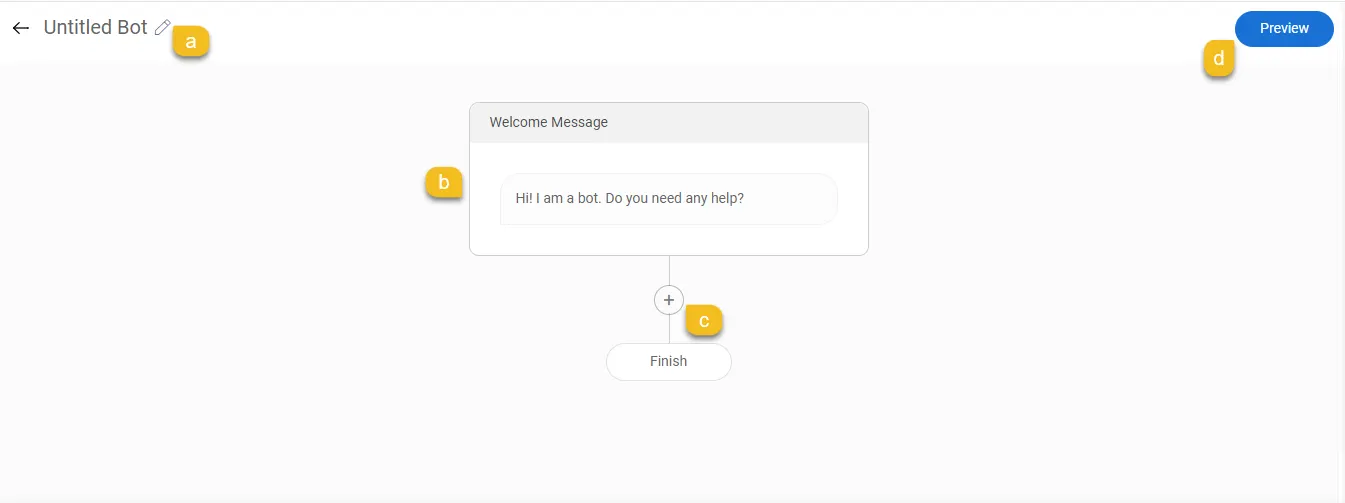
ProProfs Chat offers website live chat, a no-code bot builder, and visitor tracking. Its forms and templates help collect customer information before an operator takes over.
It's an option for teams wanting website support and a limited AI allowance together.
Top features
- Customizable website live chat widget
- No-code bot builder and conversation templates
- Visitor tracking and pre-chat information collection
Main trade-off: Free operator access doesn't mean unlimited AI. Capacity and AI features vary across plans.
Pricing: Essentials starts at $19.99/operator/month annually with 100 monthly AI conversations. Business costs $29.99/operator/month annually with 300. The free single-operator plan has chatbot conversation limits.
8. tawk.to
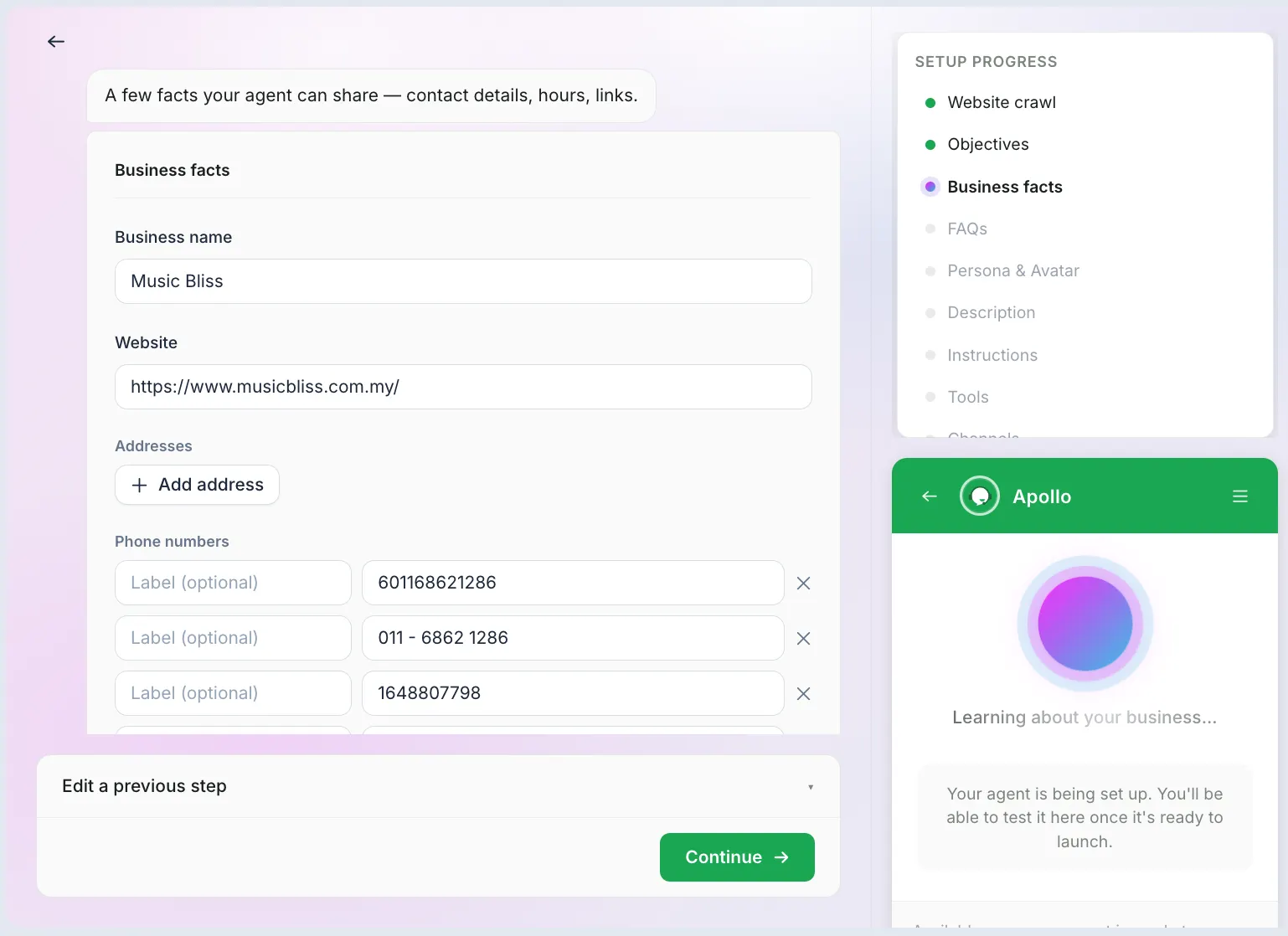
tawk.to offers free core live chat, with AI Assist available separately. Its small free AI allowance makes it useful for testing answers based on your business information.
Top features
- Free live chat for human support
- AI answers trained on business data
- Multiple AI model options
Main trade-off: Credits aren't conversations. Different models consume different amounts per reply, and human escalation requires a paid AI plan.
Pricing: Hobby includes 100 monthly AI credits. Growth starts at $29/month with 1,000 monthly credits. Test realistic conversations with follow-up questions before estimating how many customers that covers.
9. Intercom
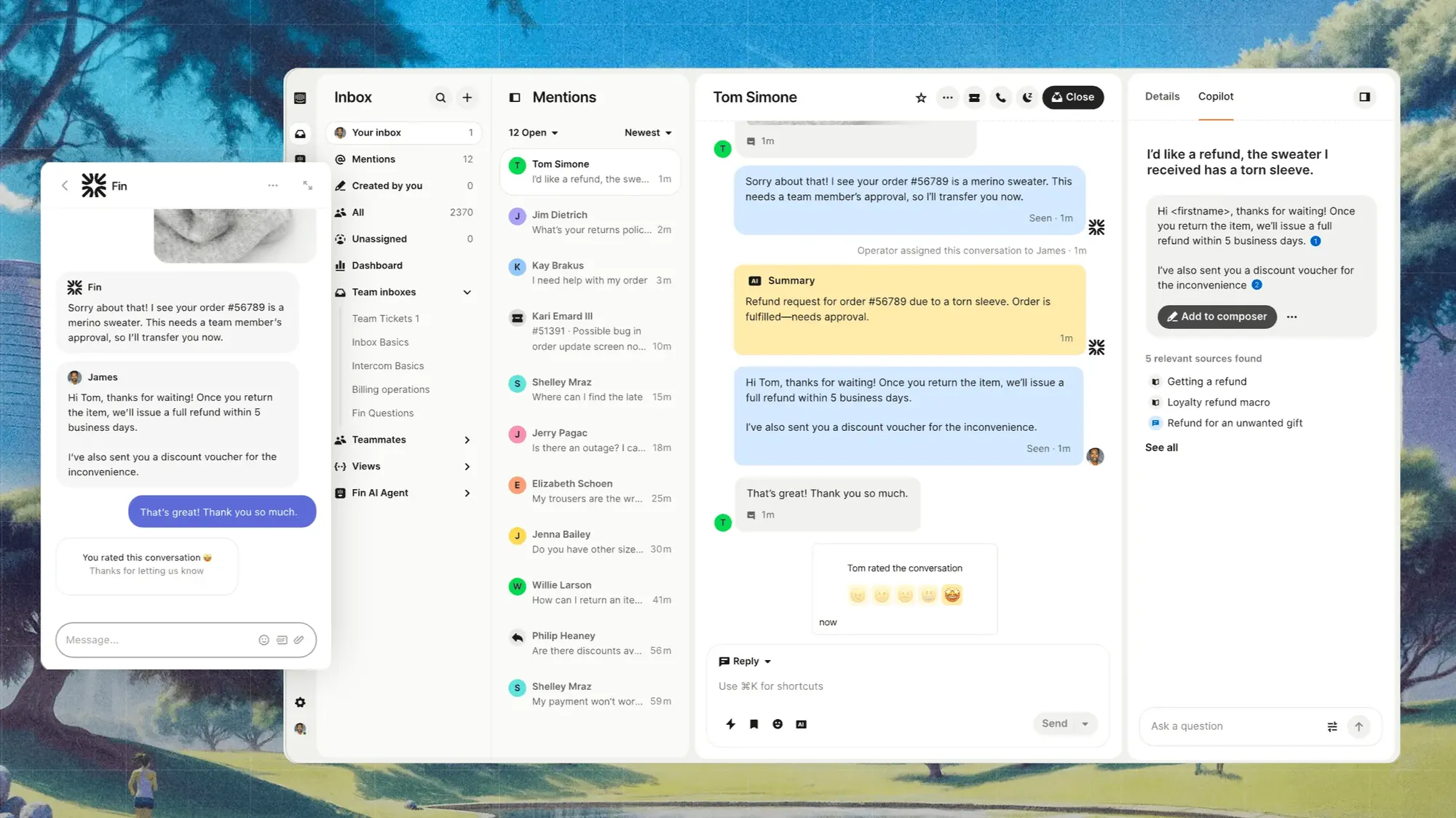
Intercom combines a helpdesk with Fin AI Agent, giving teams an inbox, help center, and reporting alongside automated support. Advanced plans add workflow automation.
It's worth considering when you need a broader support platform and have the budget to manage both seats and AI usage.
Top features
- Fin AI Agent alongside the helpdesk
- Shared inbox, live chat, and ticketing
- Public help center and reporting
Main trade-off: G2 feedback highlights cost predictability and the work involved in tuning AI responses.
Pricing: Standard Intercom pricing starts at $29/seat/month annually, plus $0.99 per Fin outcome. A $19 new-customer promotion has separate eligibility conditions. There's a 14-day trial.
How to choose a chatbot for your small business
Start with a task your team repeats, then compare tools against these requirements:
- Channel fit: Prioritize where customers already contact you, whether that's your website, Instagram, or WhatsApp.
- Reliable answers: Test real questions against your approved content, including follow-ups and requests outside the bot's knowledge.
- Human handoff: Check what happens when customers request a person, including outside business hours.
- Relevant integrations: Verify the specific action you need, such as booking an appointment or retrieving an order.
- Total chatbot cost: Add subscriptions, seats, AI usage, and extras. Check whether free allowances reset and what happens when you reach a limit.
Before launch, update your knowledge base articles and assign someone to review unanswered questions. Start with 1 use case and expand once the answers and handoffs work reliably.
Track customer satisfaction and repeat contacts alongside automation rates. A conversation ending doesn't necessarily mean the customer's problem was solved.
How much should you budget?
Calculate the subscription, human seats, and expected AI usage together. For example, Featurebase's annual Growth rate gives this monthly equivalent:
Example: 2 seats × $29 + 200 AI resolutions × $0.49 = $156. Seats are billed annually, and this example excludes taxes and optional extras.
Don't compare 200 resolutions with 200 message credits as though they're interchangeable. A conversation can contain several messages, and some models consume multiple credits per reply.
For a free AI chatbot, check whether the allowance renews. Tidio's initial Lyro quota is one-time, while tawk.to's Hobby credits reset monthly. That difference matters when planning ongoing coverage.
Conclusion
Choose a chatbot around your customers' channels and the tasks you need to automate. Compare the full cost and test human handoff before committing.
Featurebase brings AI support, a help center, and feedback management together for software teams that want customer conversations and product feedback in one place.
Try the support platform on its free plan, or choose a paid plan to use Fibi. 👇
Automate your support with Featurebase's AI-enhanced inbox
FAQs
Choose by use case. Featurebase suits software support and feedback, while Manychat focuses on social messaging.
Options range from free builders to subscriptions with additional AI charges. Budget for seats, usage, and the features you actually need.
Yes. HubSpot offers a free rule-based builder, while tawk.to provides a limited recurring AI credit allowance.
Yes, many platforms provide visual builders or content-trained bots. Custom integrations and actions may still require technical help.
Installing a basic widget can be quick. Preparing accurate answers, testing integrations, and checking handoff take additional time.
Use approved knowledge sources and collect only necessary information. Review access controls, retention settings, and vendor data-handling terms before connecting sensitive systems.
A chatbot can handle repetitive requests, but people still manage exceptions and maintain its knowledge. Keep a clear route to human help.