Blog Customer Service10 Best Cloud-Based Help Desk Ticketing Systems for 2026
10 Best Cloud-Based Help Desk Ticketing Systems for 2026
Compare the 10 best cloud-based help desk ticketing systems for 2026, including features, pricing, pros, cons, and best-fit use cases.



✨ Get the modern Ticketing Inbox designed for efficiency →
Running a help desk for legacy on-premises software in 2026 is rough. Your support teams are stuck behind a VPN, your IT department spends more time patching the server than resolving customer issues, and routine tasks that should be automated still need a human touch.
A cloud-based help desk ticketing system fixes most of that. You manage tickets from any browser, pay only for what you use, and let machine learning handle the repetitive tasks while your agents focus on real customer queries.
In this guide, I'll walk through the 10 best cloud-based ticketing systems for 2026, what each one is actually best for, and how to pick one without getting locked into hidden costs. 👇
TLDR - Best Cloud-based help desk ticketing system
- Featurebase✨ - Best modern AI-powered help desk for SaaS support teams
- Zendesk - Best for large enterprises with deep customization needs
- Freshdesk - Best mid-market all-rounder with strong automation
- Help Scout - Best for email-first SMB customer support teams
- Zoho Desk - Best for teams already running on the Zoho ecosystem
- Jira Service Management - Best IT service desk for Atlassian-stack teams
- Spiceworks Cloud Help Desk - Best free helpdesk for small IT departments
- HelpDesk - Best for LiveChat customers wanting an integrated ticket management tool
- Jitbit - Best simple, affordable cloud-based ticketing for small IT teams
- ManageEngine ServiceDesk Plus - Best ITIL-aligned service desk for mid-large IT departments
What is a cloud-based help desk ticketing system?
If you're new to the concept, start with what a ticketing system is, then the "cloud-based" part is just where it runs for the mechanics, see what a help desk ticket system is and how it works
A cloud-based help desk ticketing system is a software provider's hosted application that lets support teams capture, organize, and resolve customer inquiries from one place. Tickets come in across multiple channels - email, live chat, web forms, Slack, social media - and get routed to the right agent through automated workflows.
The "cloud-based" part matters. Instead of installing software on your own servers and asking the IT department to maintain it, your team just needs an internet connection and a browser. The software provider handles uptime, backups, security patches, and data migration. You handle the customer support.
Most modern cloud helpdesk software bundles a few things together:
- A unified inbox for support tickets across all your channels
- A knowledge base so customers can find answers themselves before opening a ticket
- Workflow automation to assign, prioritize, and tag tickets without manual effort
- SLA management so your team's workflow stays on track with customer expectations
- Reporting to identify trends, monitor agent performance, and track customer satisfaction
The best cloud-based systems now go further with AI - automatically drafting replies, surfacing relevant articles, and resolving simple tickets end-to-end before a human ever sees them. Tools like Featurebase, Zendesk, and Freshdesk all bake this into their core product.
How to choose a cloud-based help desk ticketing system
The wrong tool will burn through budget, frustrate your support staff, and create hidden costs that show up six months in. Here's how to filter the options before you commit.
| What to check | Why it matters |
|---|---|
| Who you support | Customer support tools and IT service desks are built for different workflows. Customer-facing teams usually need omnichannel support, AI, and self-service. IT teams usually need ITIL workflows, asset management, and internal request handling. |
| Team size | A 3-person team and a 50-person team need very different setups. Watch for minimum-seat requirements and pricing that gets expensive as you scale. |
| Support channels | Don’t pay for channels you won’t use. If you only need email and live chat, skip bloated enterprise plans. If you need phone, social, or WhatsApp, make sure they’re included. |
| AI features | Most vendors advertise AI, but the best features are often locked behind higher tiers or paid add-ons. Check what’s actually included in the plan you can afford. |
| Knowledge base | A strong self-service setup can reduce repetitive tickets. Look for AI search, embedded help widgets, article analytics, and easy content management. |
| Security and compliance | If you handle sensitive customer data, confirm SOC 2, ISO 27001, GDPR, HIPAA, SSO, audit logs, and permission controls before choosing a plan. |
| Real total cost | The “starts at” price rarely tells the full story. Add seats, AI usage, integrations, premium support, and annual commitments before comparing tools. |
If budget is the deciding factor, our roundup of the best free help desk ticketing systems narrows the list to genuinely free tools.
Best Cloud-based help desk ticketing system
1. Featurebase ✨
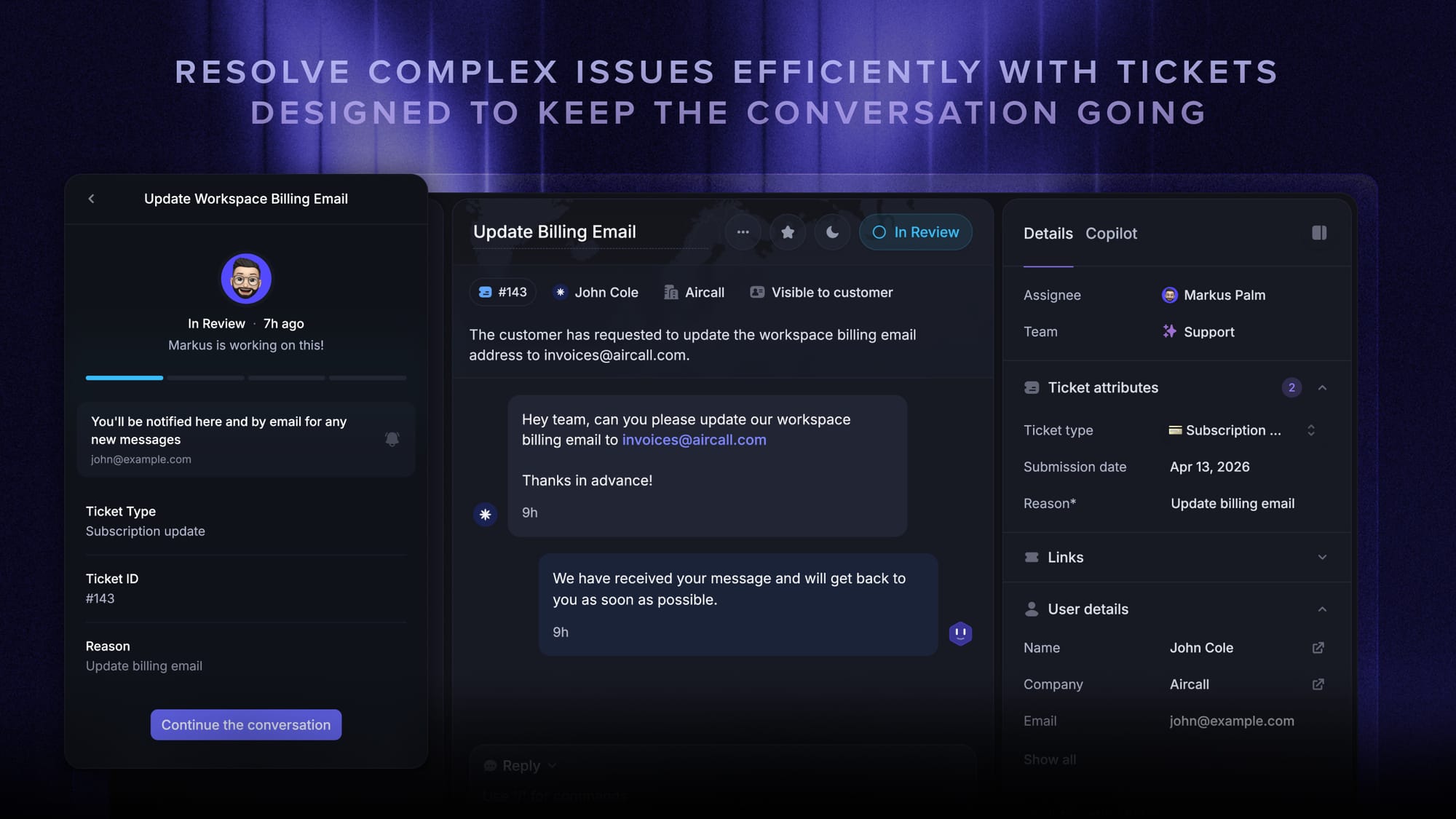
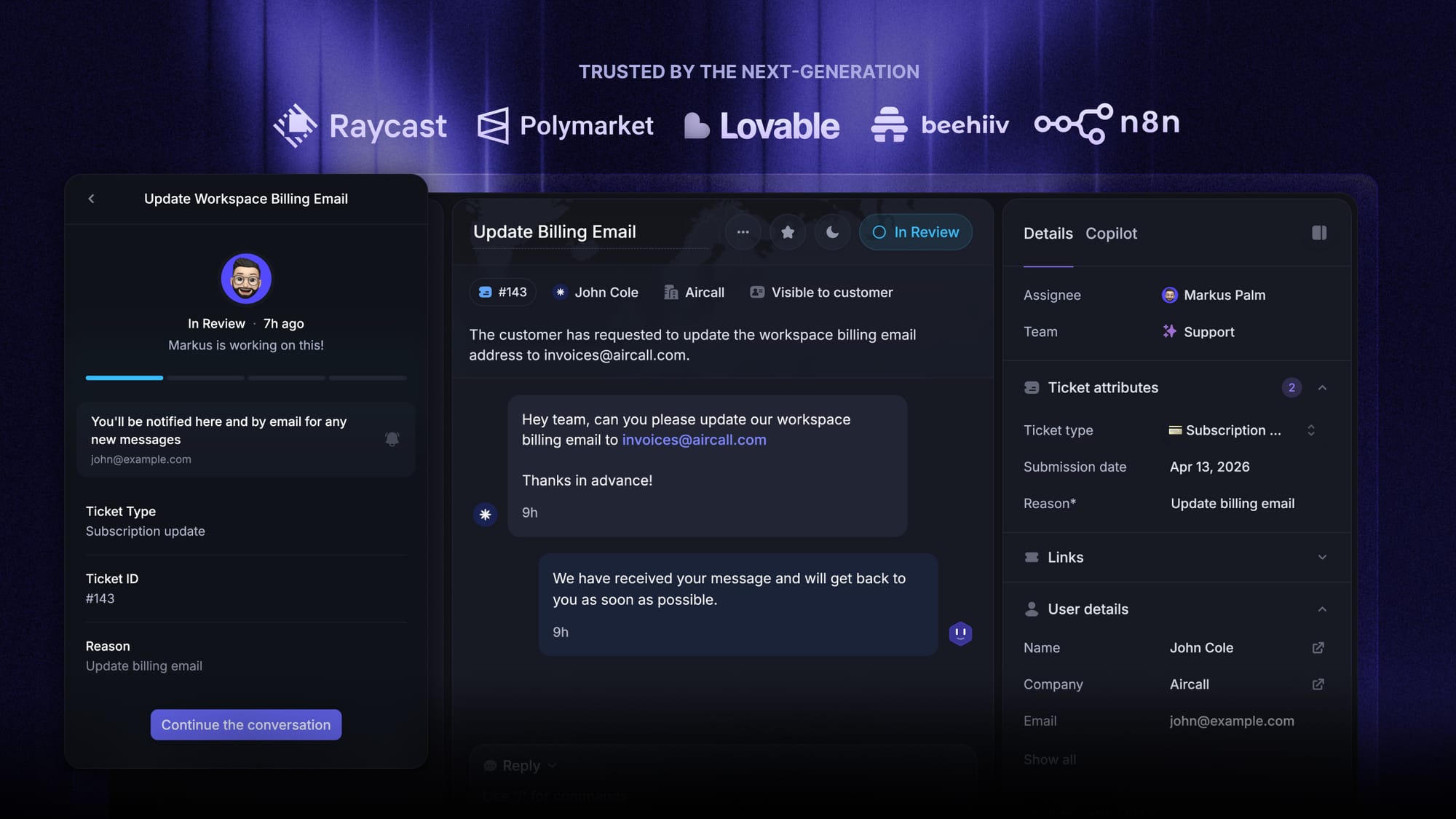
Featurebase is a modern AI customer support platform for product-led SaaS. It combines AI-powered support, help center, and feedback management into a single platform for startups that want all their customer-facing tools in one place. Featurebase is loved by thousands of support teams from companies like Lovable, Raycast, and n8n. 💫
Top features:
- Omnichannel inbox – Manage live chat, email, and Slack conversations from one AI-powered view
- Fibi AI Agent – Resolve customer issues on autopilot & run custom actions like trial extensions and refunds
- Help center with AI search – Provide instant, multilingual self-serve answers
- Workflows & automations – Auto-assign tickets, route conversations, collect customer data, and more
- AI Copilot – Help your agents answer customers faster with AI Copilot that uses your internal knowledge
- Multi-brand support – Manage multiple Help Centers and Live chats from a single workspace
- Automatic AI translations – Automatically translate all messages and help articles to your customers' native language
- Service Level Agreements – Track SLAs to make sure your team responds to customers on time, every time
- Mobile app – Respond to customers, receive notifications, and unblock users on the go
- Feedback & roadmap tools – Collect feature requests and close the loop with updates
- Product updates – Publish release notes with a changelog page, in-app widget, and emails
- Integrations – Connects with Slack, Linear, Jira, HubSpot, and more
Pricing: Free plan available with unlimited conversations and 1 seat. Paid plans start at $29/seat/month (Growth) with $0.29 per AI resolution. Professional is $59/seat/month.
Best Cloud-based help desk ticketing system covers all the basic support features that legacy platforms do, but with a much more modern approach. It comes with AI automations, a mobile app, and multiple channels (email, live chat, Slack, etc.) - and unlike most tools on this list, it bundles in feedback collection, product updates, and a knowledge base without a separate subscription for each.
2.Zendesk
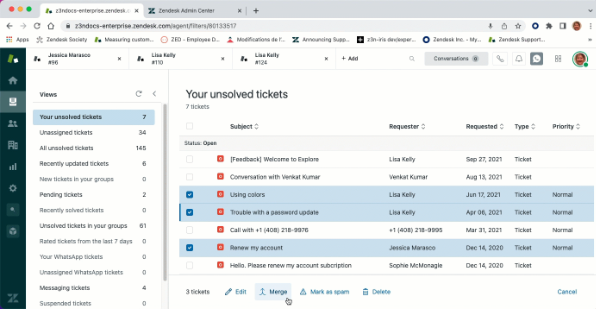
Zendesk is the default "enterprise" answer for cloud helpdesk software - a mature, deeply customizable ticketing system that handles every channel from email to voice to social. It's been the market leader for over a decade and powers support for thousands of large customer support teams.
Key features
- Omnichannel ticket management across email, chat, voice, and social
- AI agents and Copilot for ticket triage and resolution
- Advanced workflow automation with triggers, macros, and views
- Help Center with multilingual support and AI search
- Reporting and analytics with Explore dashboards
- 1,000+ integrations and a robust API for customization
Pros
Zendesk gets high marks for unified multichannel support, reliable ticket management, and a deep ecosystem of integrations. Reporting is robust once configured, and the automation engine handles complex routing logic that smaller tools can't touch.
Cons
The two recurring complaints in G2 reviews are pricing and complexity. Per-agent fees stack up fast as teams grow, the AI features sit behind expensive upgrades, and triggers, automations, views, and workflows get hard to maintain over time without a dedicated admin. Several reviewers also flag inconsistent vendor support, especially for grandfathered plans being pushed onto newer Suite packages.
Pricing: Zendesk Suite pricing is Suite Team $55/agent/mo, Suite Professional $115/agent/mo, Suite Enterprise $169/agent/mo, all annual. The Copilot bundle adds roughly $40/agent on top of the Suite plan.
Best for: Large enterprises with dedicated admin resources who need every channel and deep customization. Smaller teams almost always end up paying for features they don't use.
3. Freshdesk
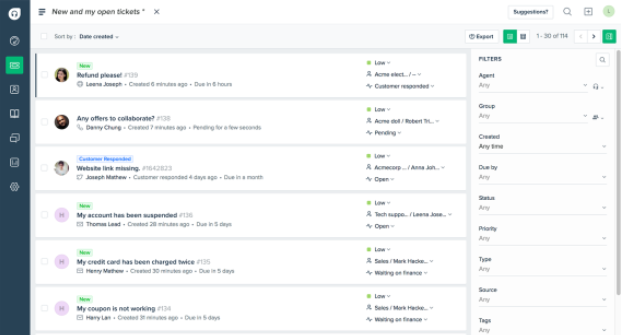
Freshdesk is Zendesk's main mid-market alternative - cheaper, friendlier to small support teams, and easier to set up out of the box. It's a strong cloud based ticketing system if you want most of the enterprise feature set without the enterprise price tag.
Key features
- Omnichannel inbox across email, chat, phone, and social
- Freddy AI Copilot and AI agent for ticket automation
- Workflow automation rules and ticket routing
- Self service knowledge base with article suggestions
- Customer satisfaction surveys (CSAT) and SLA tracking
- 1,000+ marketplace integrations
Pros
Freshdesk earns consistent praise for an intuitive interface, fast onboarding, and strong automation rules that route tickets without manual effort. The free tier is genuinely useful for teams up to 2 agents - a rare thing in this category.
Cons
Advanced reporting hits a ceiling fast - the new analytics interface is harder to navigate than the old one, and raw data exports are gated to higher plans. Freddy AI costs an extra $29/agent/month on top of the base plan, which adds up brutally for larger teams. Performance can lag during high-volume periods, and Freshdesk's own vendor support is widely flagged as slow and unhelpful.
Pricing: Freshdesk pricing is Free for up to 2 agents, Growth $15-19/agent/mo, Pro $49-55/agent/mo, Pro + AI Copilot $78/agent/mo, Enterprise $79-89/agent/mo (all annual).
Best for: Growing mid-market customer support teams that want enterprise-feeling features at a sub-Zendesk price, and don't mind paying extra for AI.
4. Help Scout
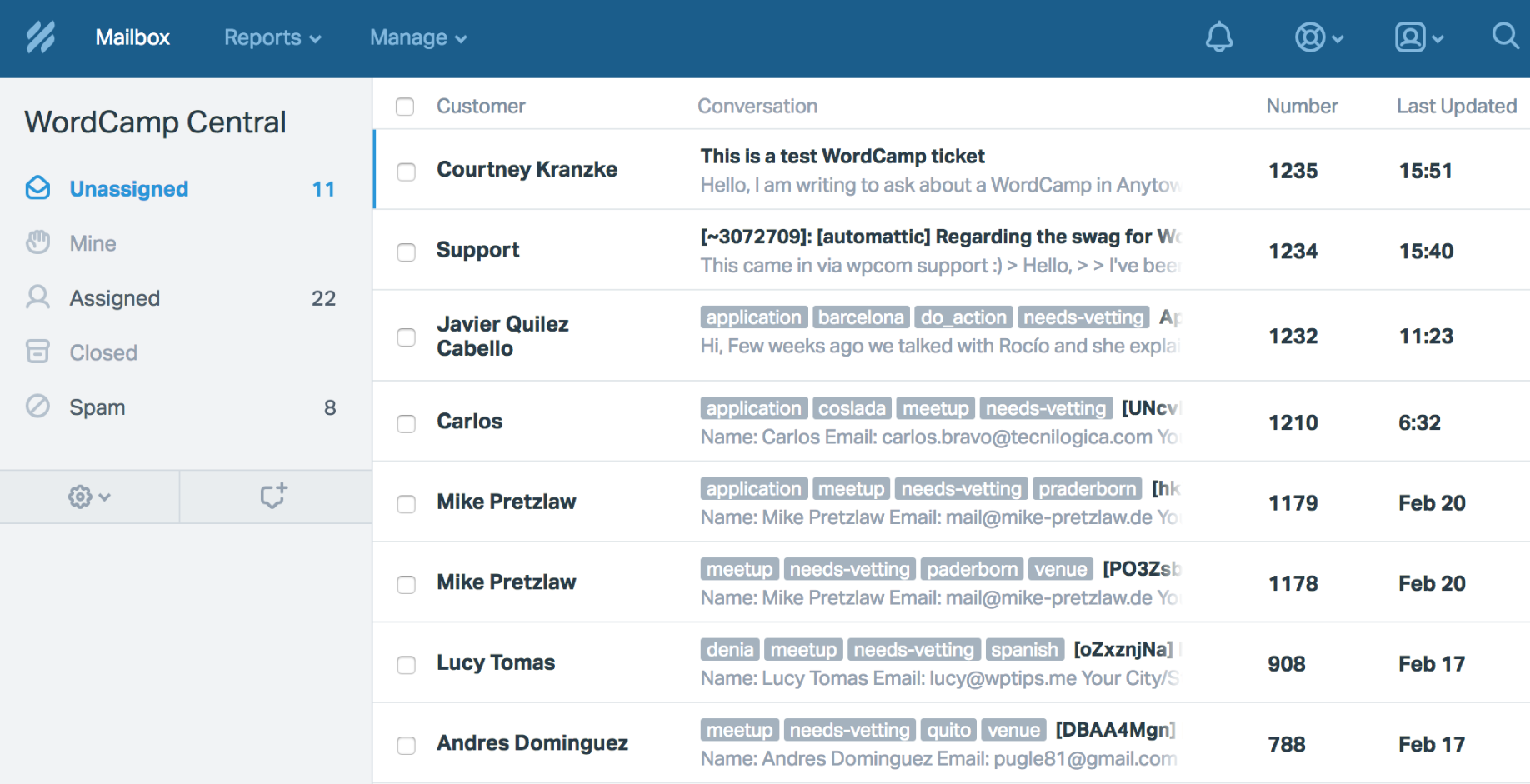
Help Scout is the email-first cloud based helpdesk for small support teams that want a clean shared inbox without the complexity of a full ticketing platform. It's the most "human-feeling" tool on this list - conversations look like email threads rather than support tickets, and customers never see a case number.
Key features
- Shared inbox with collaborative replies and internal notes
- Docs sites for self service knowledge base content
- Beacon widget for in-app chat and help center embedding
- AI Drafts and AI Answers for agent assist
- Workflow automation and saved replies
- SLA tracking and CSAT ratings
Pros
G2 reviewers consistently praise Help Scout for clean UX, fast onboarding, and the friendliest vendor support quality in the category (9.1/10 on G2, higher than both Zendesk and Freshdesk). Collaboration features keep customer queries from getting double-handled, and the email-thread style works well for software providers with low ticket volumes per customer.
Cons
The platform is built around email - multichannel support beyond chat is thin, with no native WhatsApp or voice. Advanced reporting and custom report history are locked to Plus and Pro tiers, and the Pro plan has a 10-user minimum that blocks smaller teams from compliance and security features. Chatbot customization and proactive chat are limited compared to Zendesk or Freshdesk.
Pricing: Help Scout pricing is Free (5 users, 1 inbox), Standard $25/user/mo, Plus $45/user/mo, Pro $75/user/mo (10-user minimum, all annual). AI Answers cost $0.75 per resolution.
Best for: Small to mid-sized customer support teams running mostly on email who care more about consistent experience than feature breadth.
5. Zoho Desk
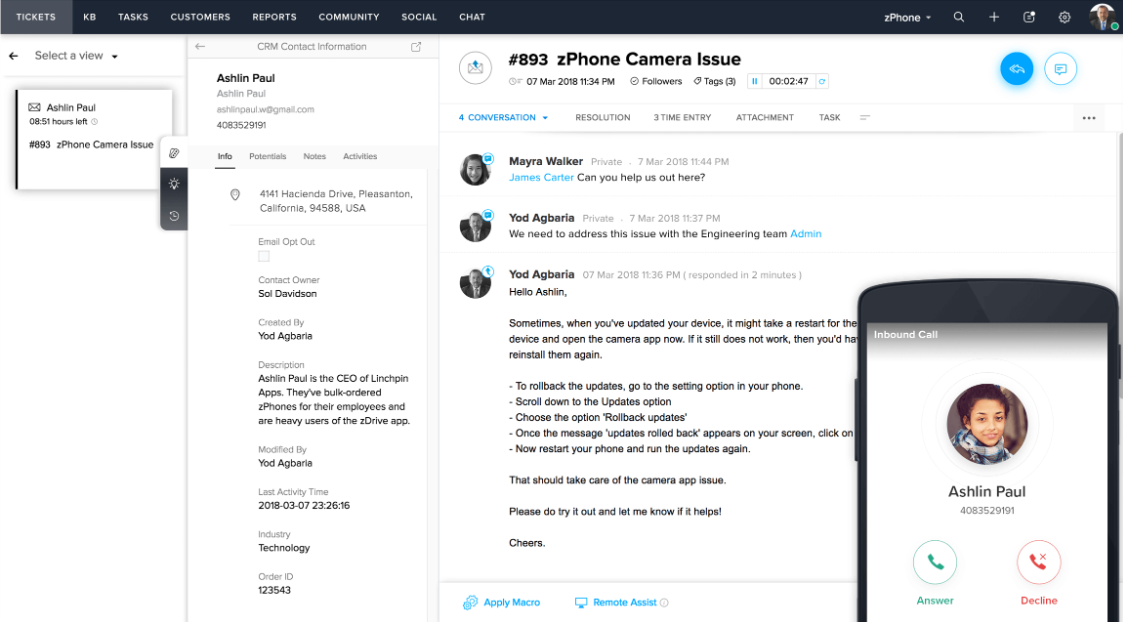
Zoho Desk is the helpdesk piece of Zoho's broader business platform - a full-featured cloud based ticketing system that gets dramatically more valuable if you're already using Zoho CRM, Zoho Books, or other Zoho tools.
Key features
- Multichannel ticket management (email, chat, social, phone, web forms)
- Zia AI for sentiment analysis and reply suggestions (Enterprise only)
- Workflow automation and assignment rules
- Self service portal and knowledge base
- Reporting dashboards and SLA management
- Tight integration with Zoho CRM and other Zoho apps
Pros
Zoho Desk gets high marks for omnichannel coverage, deep automation rules, and one of the cheapest entry points in this list (the Express plan starts at $7/user/mo annual). Integration with the broader Zoho ecosystem is genuinely valuable if you're running other Zoho tools - customer data flows through with no extra integration work.
Cons
The UI is the most-cited complaint in G2 reviews - cluttered, scattered across functions, and dated compared to AI-first tools. Zia AI is locked to the Enterprise plan, leaving lower tiers without meaningful automation. The mobile app is slow, reporting feels basic without customization, and performance lags at scale.
Pricing: Zoho Desk pricing is Free for 3 agents, Express $7/user/mo, Standard $14/user/mo, Professional $23/user/mo, Enterprise $40/user/mo (annual, monthly billing is roughly 30% more).
Best for: Mid-sized teams already invested in the Zoho ecosystem, or budget-conscious teams that need omnichannel without paying Zendesk prices.
6. Jira Service Management
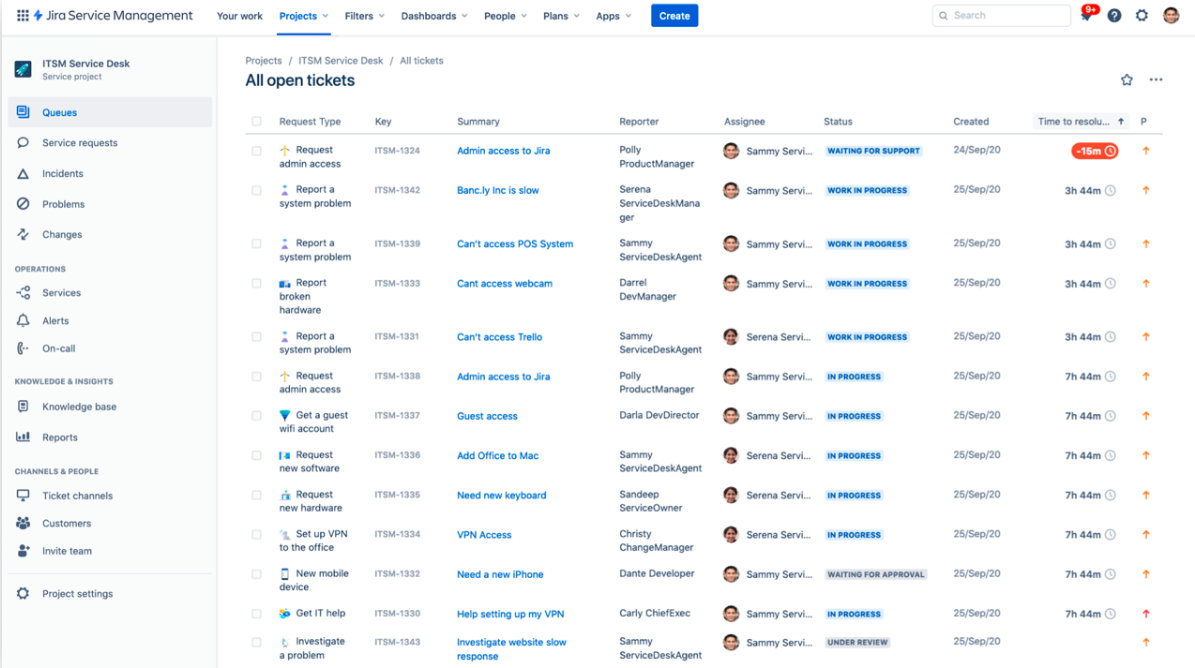
Jira Service Management is Atlassian's ITSM and IT ticketing tool, built for IT departments and technical teams that already live inside the Atlassian stack (Jira, Confluence, Bitbucket). It's the strongest pick on this list if your internal teams need ITIL-aligned change management, incident management, and asset management alongside basic ticket creation.
Key features
- ITIL-aligned incident, change, problem, and asset management
- Configurable SLAs and customer portal
- Deep Jira integration for engineering escalations
- Automation rules and queues
- Customizable ticket forms and workflows
- Asset management and CMDB
Pros
For teams already running Jira and Confluence, the integration story is unbeatable - escalations to engineering happen inside the same platform, with no copying ticket information between tools. Workflow customization is the deepest on this list, SLA tracking is mature, and the customer portal is clean.
Cons
The complexity is real. G2 reviewers consistently call out an overwhelming UI, steep configuration requirements, and the need for a dedicated admin. Out-of-the-box reporting is basic, automation can have hidden costs, and integration with non-Atlassian tools is weaker than the marketing suggests. Performance also slows under high ticket volume.
Pricing: Free for 3 agents, Standard ~$20/agent/mo, Premium ~$48/agent/mo, Enterprise custom (all annual). Cloud pricing scales by agent tier with discounts at higher volumes.
Best for: IT departments already running the Atlassian stack who need ITIL-grade processes, asset management, and tight integration with engineering workflows.
7. Spiceworks Cloud Help Desk
![Spiceworks [tickets]](https://storage.ghost.io/c/56/ac/56acdd2c-2663-4a50-9c02-81624392e1d0/content/images/2026/05/image-9.png)
Spiceworks is the free option for small IT teams. The Core plan costs nothing, supports unlimited end users, and covers the basics of ticket management, asset tracking, and reporting - all in exchange for in-product ads.
Key features
- Free cloud-hosted help desk ticketing
- Unlimited end users and tickets
- IT asset tracking and inventory
- Basic reporting and alerts
- Mobile app for ticket creation and status tracking
- Active community forum for IT troubleshooting
Pros
Free is hard to argue with. For small IT departments with five technicians or fewer and basic needs, Spiceworks delivers a workable help desk without a software bill. The community of IT professionals around the product is a real benefit - peer-driven answers to obscure problems show up faster than from most paid vendors.
Cons
The product is ad-supported on the free tier, which some teams find disruptive. Customization is shallow, the reporting is light, and the feature set hasn't kept pace with AI-first tools. Larger teams or anyone needing SLA management, advanced workflows, or omnichannel will outgrow it quickly.
Pricing: Free Core plan (ad-supported, basic features), Premium $6/agent/mo (ad-free, with tasklists, bulk actions, and live chat support).
Best for: Small IT departments with tight budgets that need basic ticket creation and asset tracking, and don't mind ads in the product.
8. HelpDesk
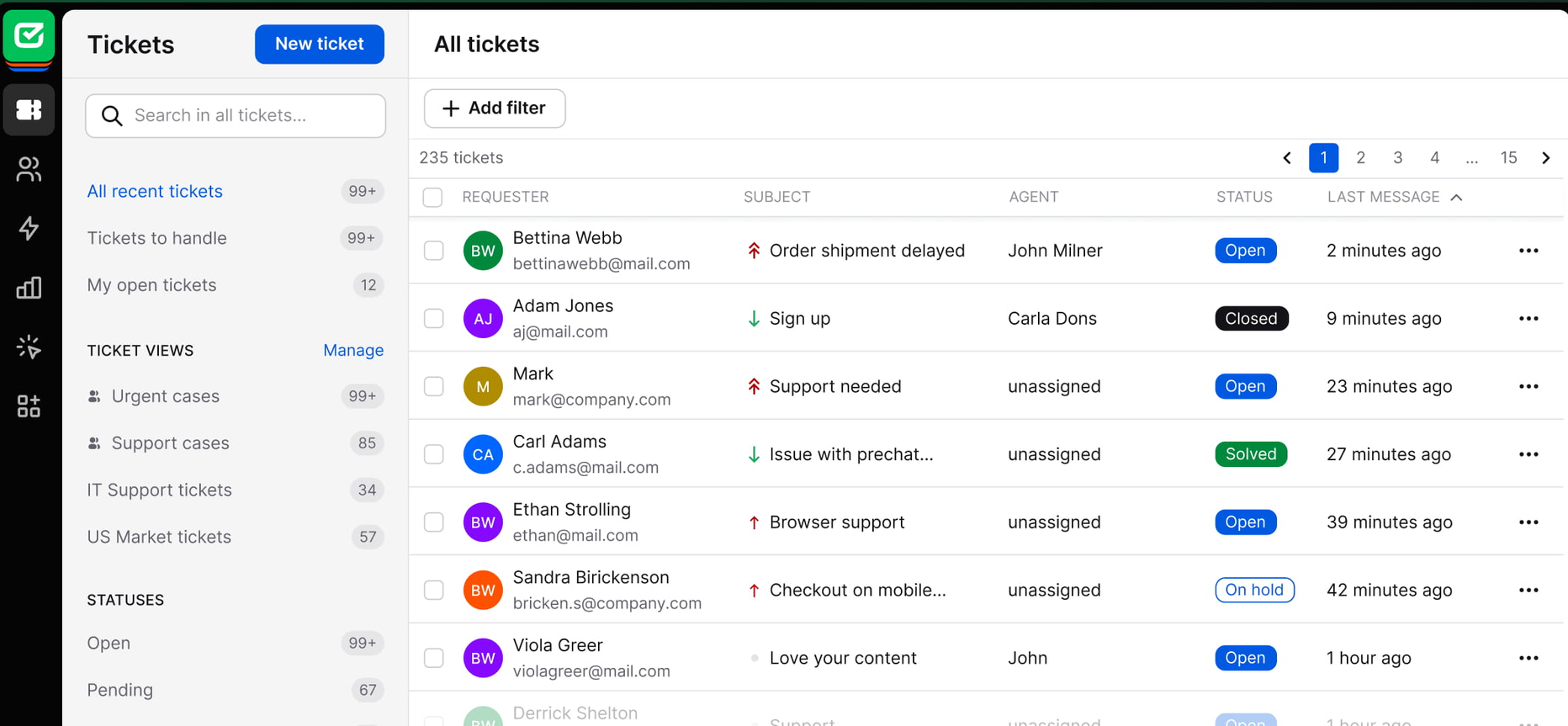
HelpDesk is the ticketing system from the LiveChat ecosystem - a clean, modern cloud based ticketing tool that pairs naturally with LiveChat's live chat product. It's a strong pick if you're already a LiveChat customer or want a more focused alternative to the heavier enterprise tools.
Key features
- Email ticket management with shared inbox
- Workflow automation and ticket routing
- Built-in reporting on agent performance and response times
- LiveChat integration for unified chat + ticket workflows
- Internal notes, tags, and ticket categorization
- AI features for ticket summarization and reply suggestions
Pros
The UI is clean and modern, onboarding is fast, and the LiveChat integration eliminates the gap most teams have between live chat and ticket follow-up. For LiveChat users, it's the natural extension into asynchronous customer support.
Cons
Outside the LiveChat ecosystem, the value proposition is weaker - feature depth doesn't match Zendesk or Freshdesk, and the integration library is smaller. Per-agent pricing also scales similarly to bigger tools without the same feature breadth.
Pricing: Team $29/agent/mo, Business $50/agent/mo, Enterprise custom (all annual). 14-day free trial available.
Best for: Small to mid-sized customer support teams already using LiveChat for live chat who want a focused ticketing system rather than a full enterprise suite.
9. Jitbit
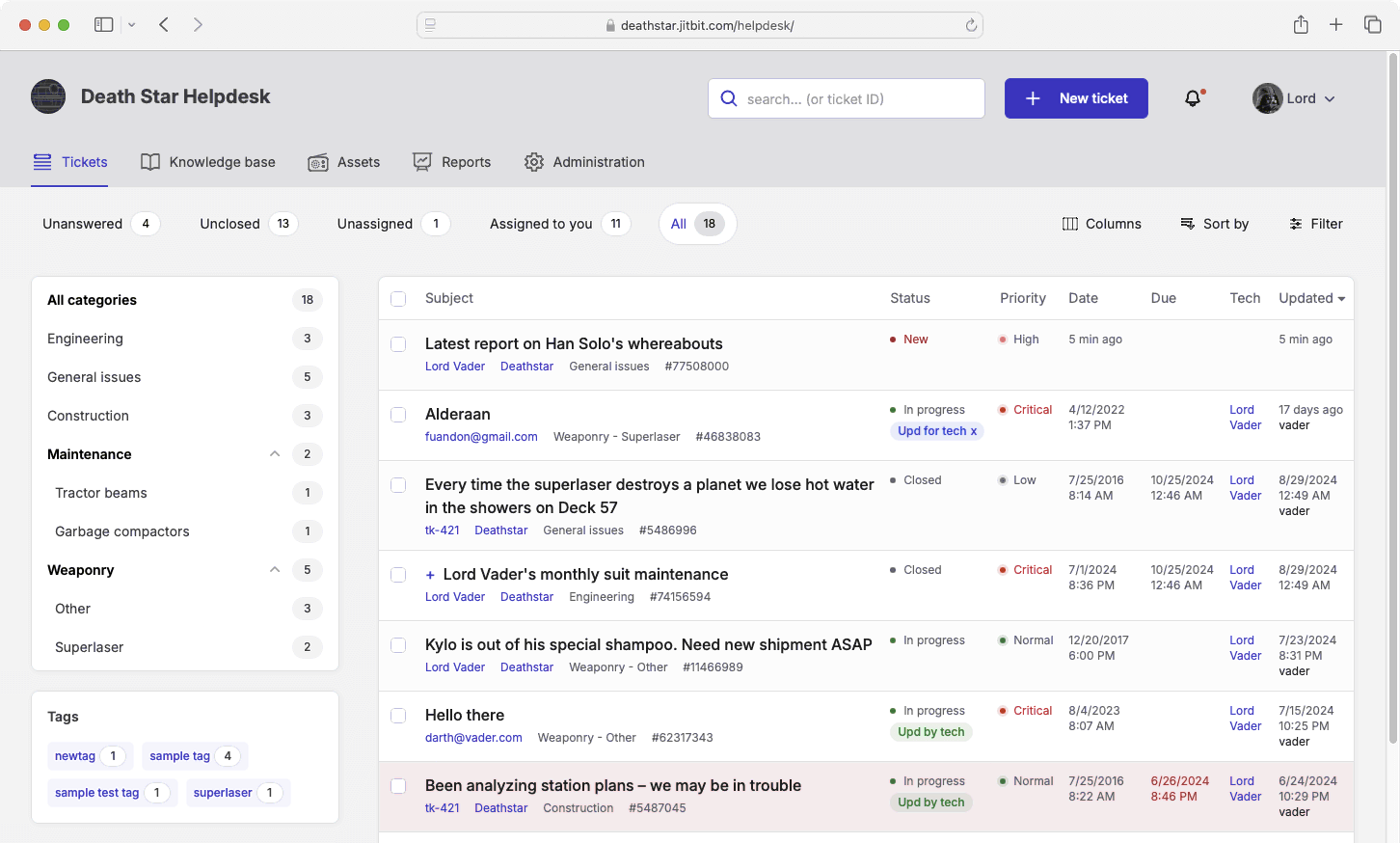
Jitbit is a straightforward, affordable cloud based ticketing tool aimed at small IT teams. It's been around for years, focuses on doing the basics well, and offers a perpetual self-hosted license option if you'd rather not pay a subscription forever.
Key features
- Email-based ticket management with shared inbox
- Automation rules and triggers
- Knowledge base for self service options
- Asset management and IT inventory
- SLA tracking and reporting
- Self-hosted version available with a perpetual license
Pros
The interface is clean, simple, and fast - exactly what small technical teams want. Pricing is affordable, especially the self-hosted perpetual license, and reviewers consistently flag the vendor support team as responsive and receptive to feature requests.
Cons
The UI is starting to feel dated next to AI-first tools, reports are rigid and not very customizable, and the mobile app lags behind newer products. There's no native Twitter or Facebook integration, and customization sometimes requires coding rather than configuration.
Pricing: SaaS plans start around $29/mo for the smallest tier and scale by agent count. Self-hosted is a one-time $1,199 license. Free trial available.
Best for: Small IT teams that want a no-fuss, affordable cloud helpdesk with strong basics and an option to self-host long-term.
10. ManageEngine ServiceDesk Plus
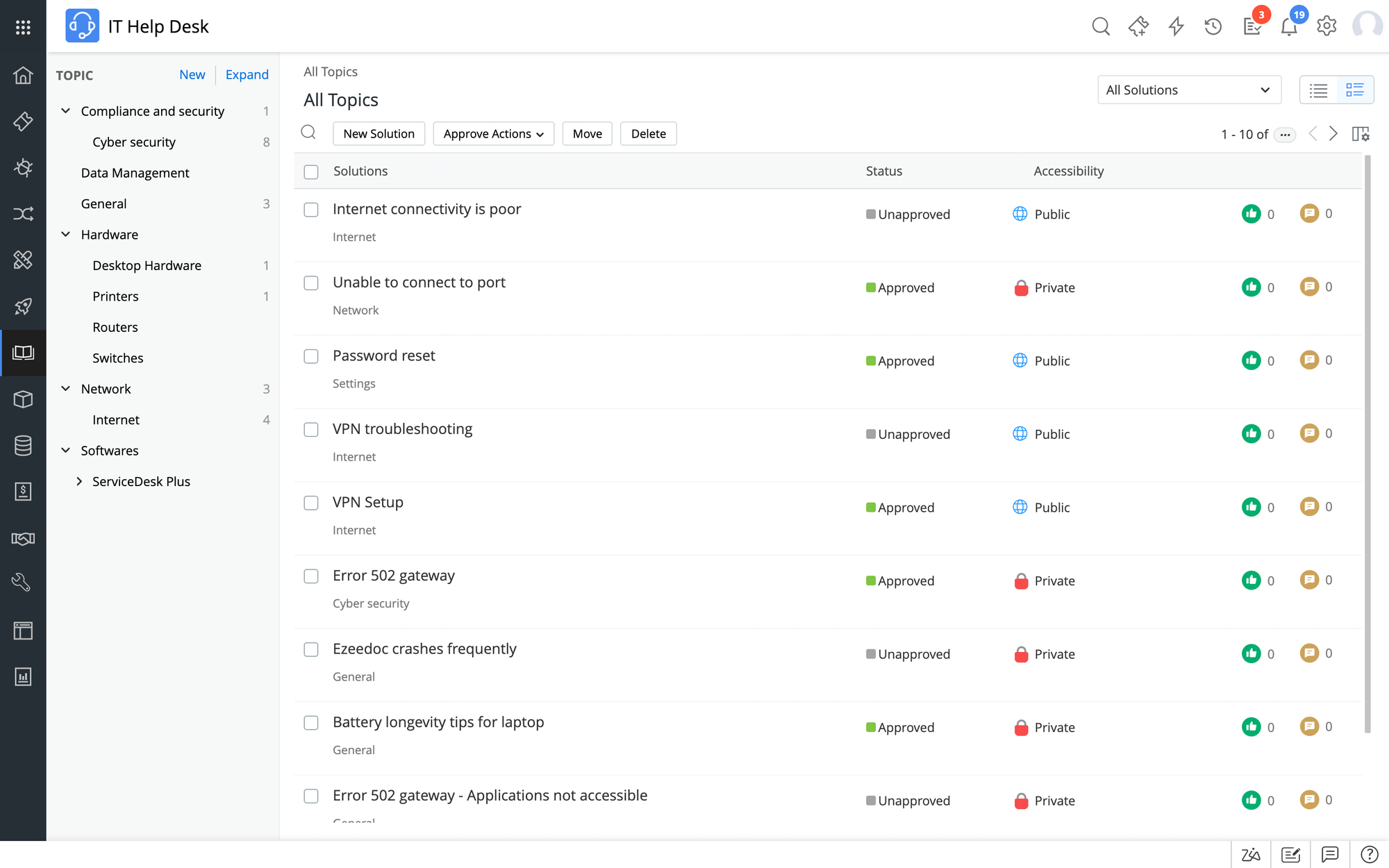
ManageEngine ServiceDesk Plus is the heavyweight ITSM and ticketing tool for mid-to-large IT departments that need ITIL-aligned processes without paying Atlassian or ServiceNow prices. It's a full IT service desk with incident, change, problem, asset, and project management baked in.
Key features
- Full ITIL coverage: incident, change, problem, asset, release, project
- Self service portal and knowledge base
- Workflow automation and SLA management
- IT asset management with CMDB
- Reporting dashboards and team performance tracking
- Cloud and on-premises deployment options
Pros
ITIL-aligned workflows are the strongest in this list outside of Jira Service Management, asset management is mature, and the cloud version handles change and project management that lighter tools can't. For mid-large IT teams that need real ITSM rather than just helpdesk, it's a serious option.
Cons
Setup and customization are heavy - this is not a tool you spin up in an afternoon. The UI feels heavy at scale, navigation can slow to crawl for some operations, integration APIs are inflexible (often requiring custom code), and vendor support quality is mixed.
Pricing: Free Standard edition for up to 5 technicians. Cloud Standard $16/tech/mo, Professional $33/tech/mo, Enterprise $67/tech/mo (annual). On-premises licenses available separately.
Best for: Mid-large IT departments that need full ITIL/ITSM coverage and don't already live inside the Atlassian stack.
Cloud help desk software is the new default
Picking the right cloud based help desk ticketing system comes down to who you're supporting, how your team's workflow is set up, and how much you'll really pay once AI, integrations, and seat minimums are factored in. The 10 tools above cover the full spread - from free options for solo IT admins to enterprise-grade systems for large customer support teams.
Featurebase is a modern AI customer support platform that handles your support tickets, knowledge base, customer feedback, and product updates in one place. It comes with an AI-powered omnichannel inbox, AI Agent for autonomous resolution, AI Copilot for your agents, multi-brand support, and a help center with AI search - all loved by thousands of fast-growing teams like Lovable, Raycast, and n8n. 💫
It comes with a Free plan and transparent per-seat pricing, and the onboarding is incredibly quick, so there's no downside to trying it. 👇
✨ Get the modern Ticketing Inbox designed for efficiency →
FAQs
How does a cloud-based help desk ticketing system work?
The software runs on the vendor's servers, and your support team accesses it through a browser or mobile app over an internet connection. Incoming customer queries from email, live chat, web forms, and other channels get captured as support tickets in a shared inbox. Automated workflows assign each ticket to the right agent, apply SLAs, and pull in customer information from your CRM systems. Agents resolve the ticket, customers get notified, and the whole conversation stays logged for reporting and identifying trends later.
What's the difference between cloud-based and on-premises helpdesk software?
The split is hosting, maintenance, and cost model. On premise solutions install on your own servers - your IT department handles uptime, backups, security patches, and upgrades, and you typically pay one larger upfront license fee. Cloud-based ticketing systems run on the vendor's infrastructure, get updated automatically, and bill monthly or annually per agent. Cloud helpdesk software wins on faster deployment, lower technical expertise requirements, and pay-as-you-grow pricing. On-premises still has its place if you have strict data residency or compliance needs that rule out third-party hosting.
How much does cloud-based help desk software cost?
Pricing in this category ranges widely. Free tiers exist on Spiceworks Core, Featurebase, Zoho Desk, Freshdesk, and Jira Service Management - usually capped at 2-5 agents and limited features. Paid plans start as low as $6/agent/mo (Spiceworks Premium) and go up to $169/agent/mo (Zendesk Suite Enterprise). Most growing support teams land in the $30-60/agent/mo range. Watch the hidden costs - AI add-ons, per-resolution fees, and minimum seat commitments often double the advertised price by month six.
Is cloud-based help desk software secure?
Reputable cloud helpdesk software vendors offer enhanced security that most internal IT departments can't match on their own infrastructure. Look for SOC 2 Type II, ISO 27001, GDPR compliance, and (if you handle regulated data) HIPAA. Enterprise plans typically include audit logs, role-based access control, SSO, and data residency options. Security features vary by plan tier - the free and entry plans often skip SSO and advanced audit trails, so check what's included on the plan you're considering.
What features should I look for in a cloud help desk ticketing system?
The essential features for most support teams: an omnichannel inbox so support tickets from multiple channels land in one place, workflow automation to reduce manual effort on routine tasks, a knowledge base for self service options, SLA management to track team performance, reporting that helps you identify trends, and integrations with the CRM systems and other tools you already use. AI is increasingly essential - look for an AI agent that can resolve tickets autonomously, an AI Copilot that helps agents respond faster, and AI-powered search in the knowledge base. Data security certifications matter for regulated industries.
Which cloud-based help desk has a free plan?
Several. Featurebase offers a free plan with 1 seat, unlimited conversations, and a unified inbox - the most generous free tier for modern AI-powered support. Spiceworks Core is fully free but ad-supported. Freshdesk's free plan covers 2 agents with basic ticketing. Zoho Desk includes 3 free agents on its Free plan. Jira Service Management's free tier supports 3 agents. ManageEngine ServiceDesk Plus has a free Standard edition for up to 5 technicians. Each has trade-offs around agent caps and feature gates, so test the one closest to your team profile before committing.