11 Best Help Scout Alternatives for Teams in 2026
Help Scout might seem like a solid choice - until its clunky UI, limited customization, and unpredictable pricing start slowing you down. If you're ready for something more modern and scalable, here are the best Help Scout alternatives to consider in 2025.

On this page
Can Help Scout help you? To answer customer inquiries accurately and on time, you need customer support software that is easy to understand and use.
Help Scout is one of the more popular choices in the live chat support and customer communication industry, but even its die-hard fans are wondering if there's something better on the horizon.
The wonky UI and UX, lack of design templates, and the oddly set up pricing model can push you in the direction of some other ticketing system. Here are some of the very best alternatives to Help Scout for your customer support team. 👇
TL;DR The best Help Scout alternatives in 2026
- ✨ Featurebase – Best modern support & feedback platform for fast-growing SaaS
- Zendesk – Enterprise-grade ticketing with help centre and AI tools
- Freshdesk – Multichannel ticketing with built-in help desk tools
- Front – A shared inbox platform for team customer conversations
- Zoho Desk – Budget-friendly omnichannel desk with knowledge base tools
- Kayako – Timeline-based multichannel support with guest collaboration
- Intercom – Messaging-first support with embedded help content
- Missive – Team inbox and chat collaboration across email and messaging
- Hiver – Gmail-native shared support inbox with automation and SLAs
- Customerly – Unified live chat, help desk, and customer success platform
- Tidio – Live chat and chatbot widget for small business customer engagement
Why look for Help Scout alternatives?
Help Scout is a customer support software that has a lot going for it, from (seemingly) affordable pricing to a wide range of features to aid any customer support team. But it's not perfect, and you'll find plenty of downsides if you look into Help Scout reviews.
1. The reports are not detailed enough
If you need drill-down reports with customer interactions, performance across support agents, and more details, Help Scout is not a good choice. Here's what one user had to say:
- "Helpscout is not the most extensive product. It feels like some reports are limited in the drilldown capacities. Also being "online" in the chat window is necessary to allow customers to "chat". While I am always available, I do not have the site always open. So our chat is not as much offline as it was." (source)
- "The reporting is limited for what our needs as a growing company are. Trying to get the reports emailed and importing information to other services can me a challenge. We have had to use several means of documenting and collecting data for our customers based on what they want to hear about and see the data for. As we have continued to grow, our company has had to consider other alternatives because of this issue. There is room for improvement, and it could really make HelpScout a great HelpDesk ticketing application." (source)
2. Limited knowledge base design templates
When creating your own knowledge base and self-service portal, you want it to match the rest of your product and website. According to Help Scout reviews, this isn't always possible because the number of pre-built templates is very limited.
- "There is only one knowledgebase template/design is available, it will be great if we have different templates to choose from, also the interface of the platform, mainly the inbox UI can be improved a lot for better experience." (source)
- "The customization options for the help docs are fairly limited. It would be nice to be able to add some javascript to customize things more. Also, the beacon has limited customization too. We can make do with what's available, but more flexibility in the customization would be nice." (source)
3. Outdated UX/UI
To help out your customers, you first need to know how to use your customer service platform properly. With Help Scout, that can be a bit of a challenge, especially when it comes to the more advanced features.
- "Once you've been working in other software for a while, it can be slightly challenging to find where everything is. BUT I feel like their terminology is easier to jump into out-of-the-box so the learning curve is not steep." (source)
- "Making docs look really polished feels like a challenge. There are always annoying and frustrating aspects around spacing, numbering, and bulleted lists in helpscout docs. I wish it was easier to space things and still keep the numbering/bulleting system. I wish it was easier to align things right or left (especially photos)." (source)
The best Help Scout alternatives to increase customer satisfaction in 2026
Looking for a better tool to improve customer satisfaction and customer experience, all the while making it easy for your team to do the best work possible? These are the very best Help Scout alternatives to help you resolve customer issues more effectively. 👇
1. Featurebase ✨
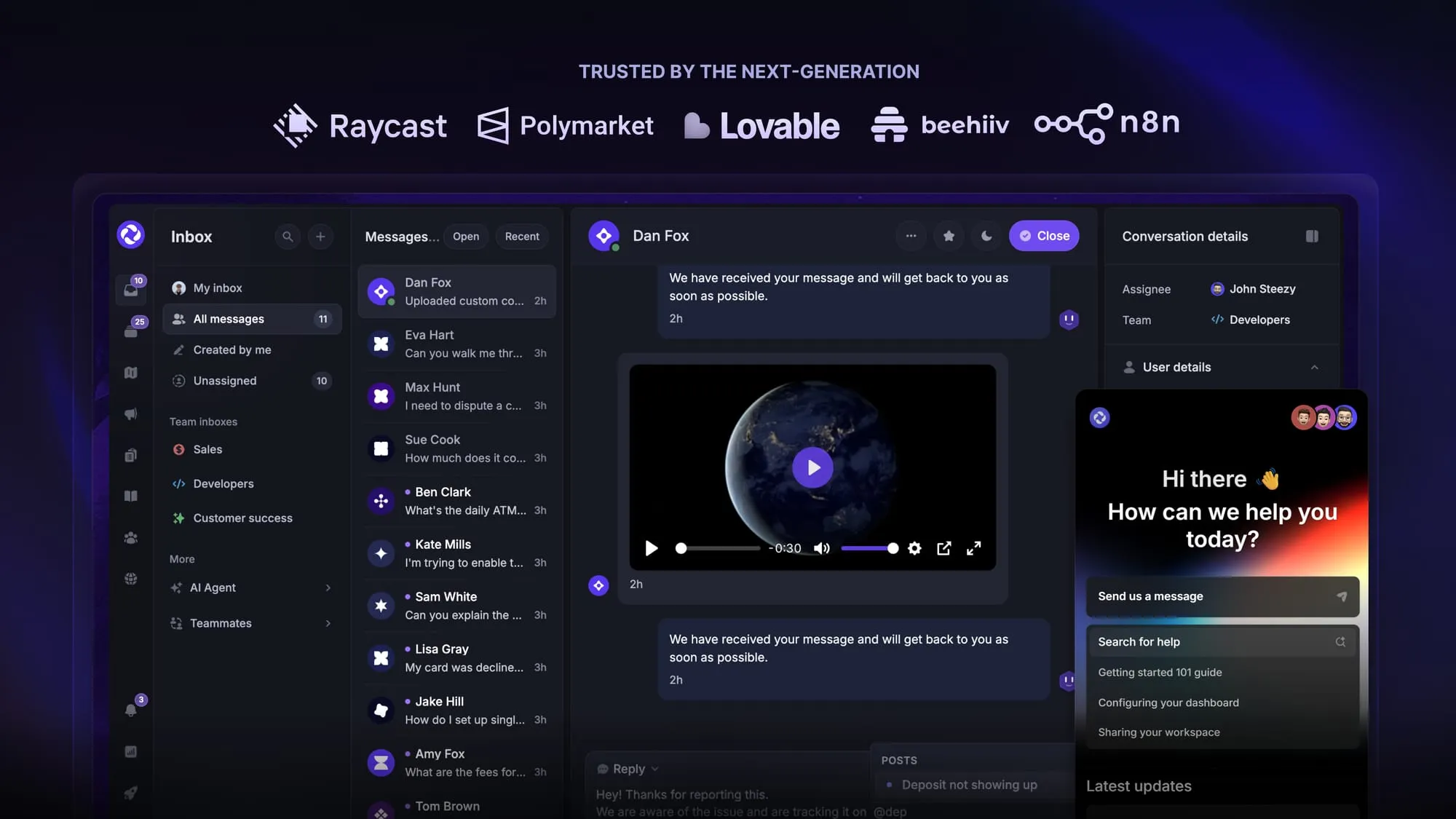
Featurebase is a modern AI-powered Help Scout alternative built for SaaS teams. It comes with an AI support agent, human inbox, help center, feedback collection, email support, and much more. It's loved by thousands of support teams from companies like Lovable, Raycast, and Beehiiv. 💫
Top features:
- Unified inbox – manage your live chat & email conversations in one place with your whole team
- AI agent & automations – fully automate your support with AI and endless custom workflows, like extending trials, offering discounts, qualifying leads, etc.
- Messenger widget – provide AI and human support from anywhere with a customizable in-app widget
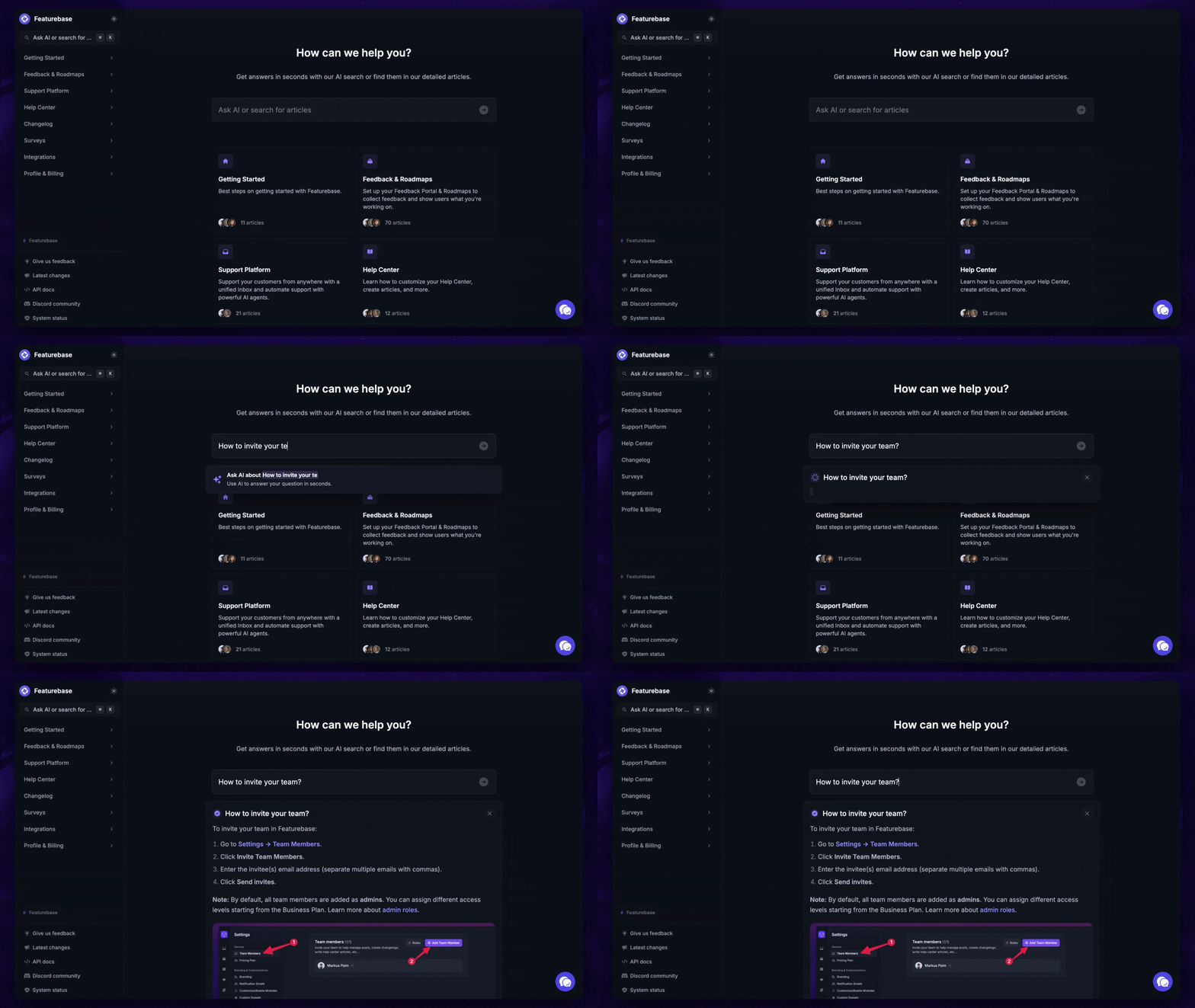
- AI-powered Help Center – a branded knowledge base with instant AI answers
- Email support – Seamlessly provide support to your customers via email sync
- Multi-language & custom domain support – serve content in 40+ languages with your domain and branding
- Feedback tracking & roadmaps – centralize & keep track of all customer requests in one place, and show a public roadmap
- Changelogs & product updates – publish and schedule public updates, push in-app notifications, and automatically email users
- Embedded surveys – run NPS, CSAT, or custom surveys targeted by user behavior or cohort
- Mobile app – respond to customers, receive notifications, and unblock users on the go
- Integrations – Slack, Linear, Jira, Discord, Hubspot, and many more
How it’s better than Help Scout: Featurebase lets you replace all your customer-facing tools by bringing your support, help center, product updates, and feedback collection to one place, providing powerful ecosystem advantages in modern support.
Pricing: Featurebase offers a generous Free plan, which includes unlimited support conversations. The paid plans start at a flat fee of $29 per user per month. The onboarding is super fast, so there's no downside to trying it. 👇
Automate your support with the fastest AI-enhanced Inbox today
2. Zendesk
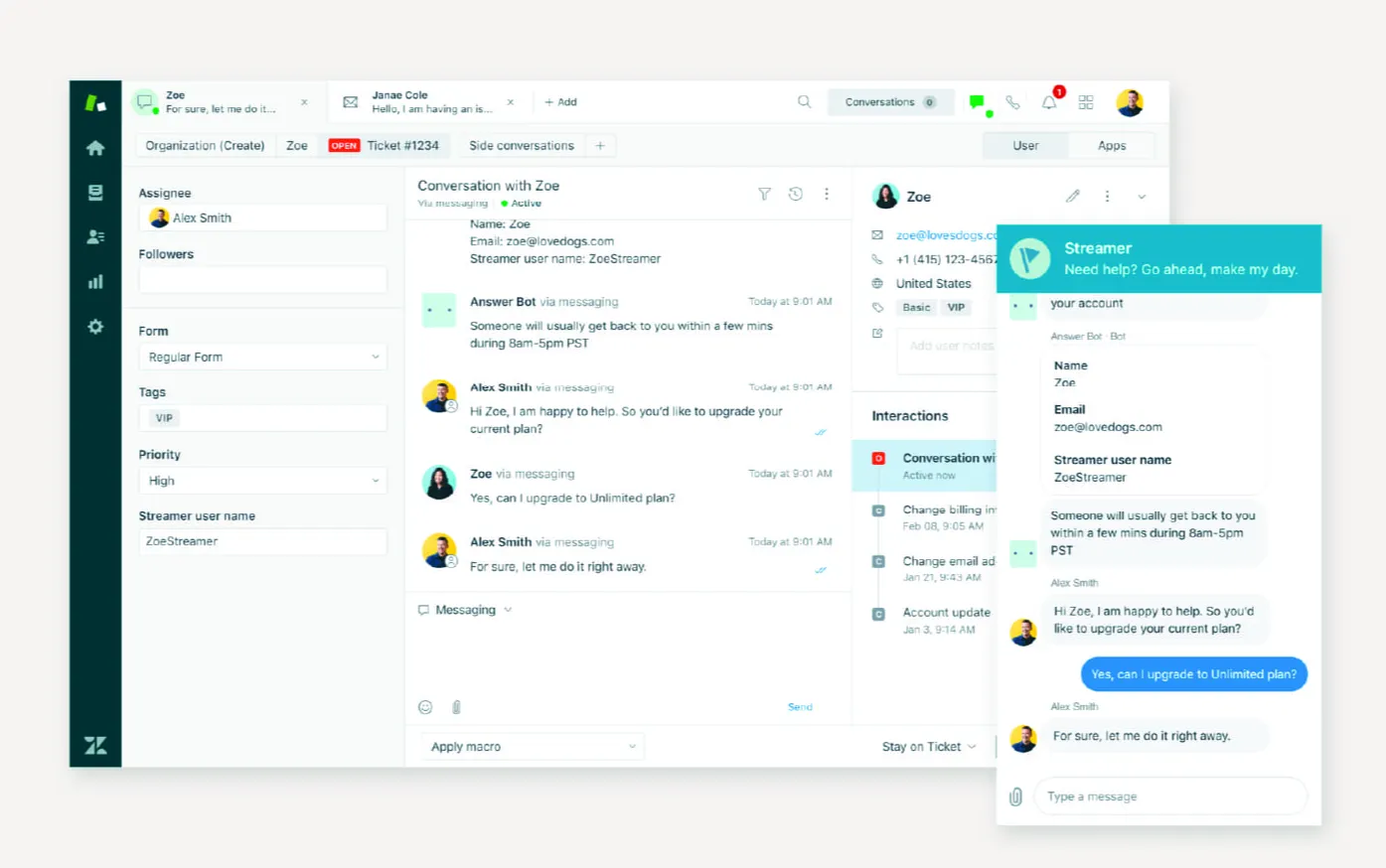
Zendesk brings together customer conversations from email, chat, voice, and social into a unified ticketing platform with routing, SLAs, and an AI-enabled help centre. It serves larger teams that need robust support, governance, brand customization, and multilingual access.
Top features:
- Omnichannel ticket system: centralises customer queries from email, chat, phone, and messaging into a single interface
- Help centre and community forums: publish branded articles, FAQs, and community Q&A with multi-brand access
- AI agents, Copilot, and search tools: include features to auto-suggest articles, draft answers, or allow self-service via AI search
- SLA targets and skill-based routing: enforce response standards and match requests to agents based on skill or workload
- Custom reports with Explore analytics: build dashboards with metrics like ticket volume, time‑to‑agent, article effectiveness, and CSAT tracking
Pricing: Zendek's pricing starts at $19 per agent per month forthe Support Team; full suite with help centre and AI begins at $55 per agent per month
How it’s better than Help Scout: Zendesk scales well for enterprise support teams by offering multilingual articles, advanced routing, community forums, and built-in bot assistants in mid-tier plans. Help Scout lacks multichannel routing or built-in AI support, making Zendesk stronger for fast-growing operations.
3. Freshdesk
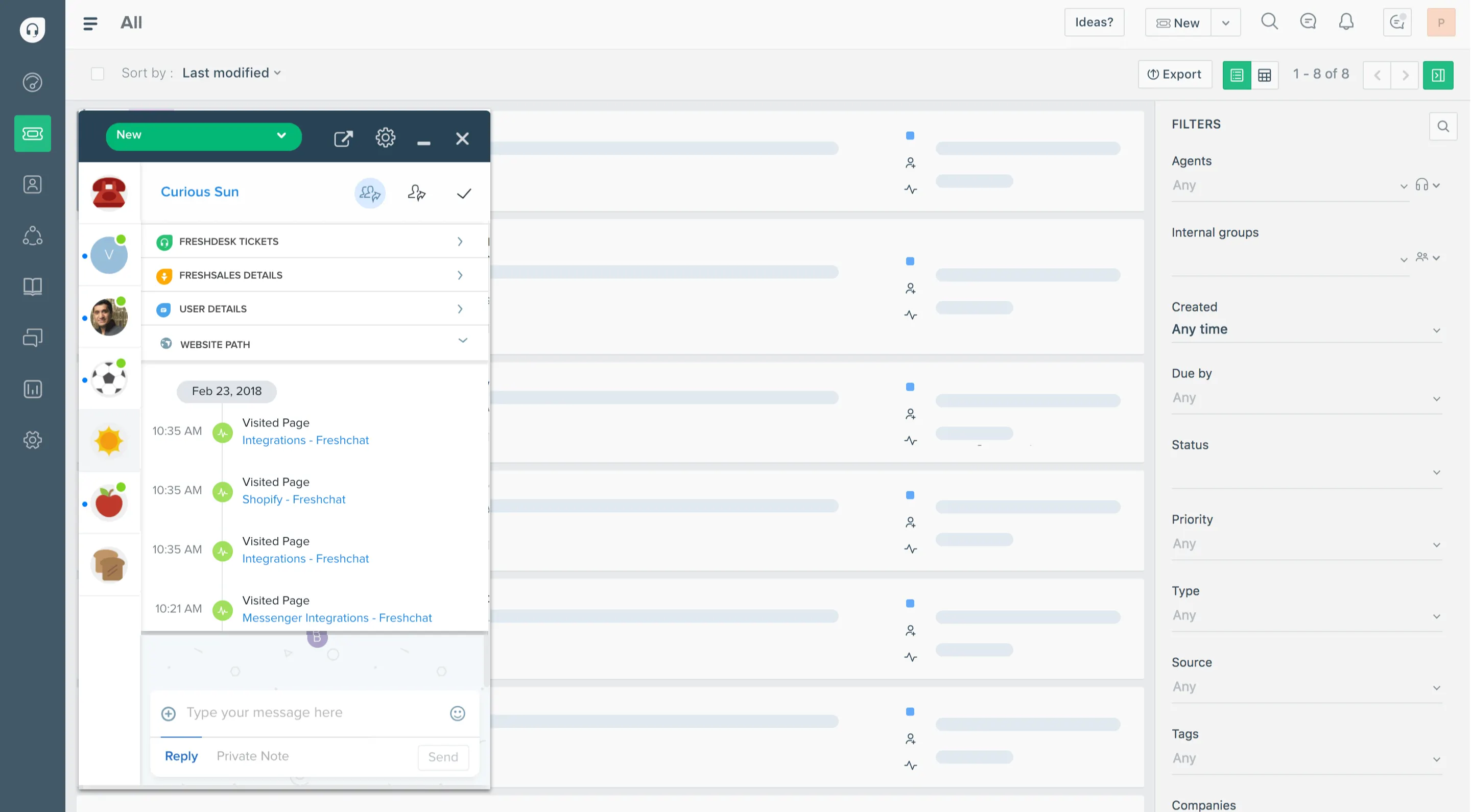
Freshdesk combines email, chat, phone, messaging, and social channels into a support ticket queue while offering a knowledge base, contact portal, and basic AI tools in one system. It suits support teams that expect to scale from simple ticket handling to automating volume management.
Top features:
- Email, chat, social, and voice ticketing: collect messages from multiple channels into a single dashboard
- Freddy AI ticket triage and suggestions: machine learning helps categorise tickets, propose replies, or surface relevant help articles
- Scenario automation builder: set conditional rules to auto‑assign, escalate, or resolve queries based on content or context
- Collaborative ticketing: multiple agents can co-work on tickets, use internal notes, or avoid double replies with collision alerts
- Customer portal and knowledge base: publish multilingual FAQs and self-service articles to deflect tickets
Pricing: Freshdesk's pricing starts at $15 per agent per month for the Growth plan (billed annually); includes automation and help centre. The free forever plan is available for up to 3 agents
How it’s better than Help Scout: Freshdesk gives a built-in knowledge base, ticket automation and multichannel support starting at entry price tiers. This is where Help Scout charges more or restricts these features behind higher plans. Its scaled pricing and AI-powered automation make it more cost-effective for growing teams.
4. Front
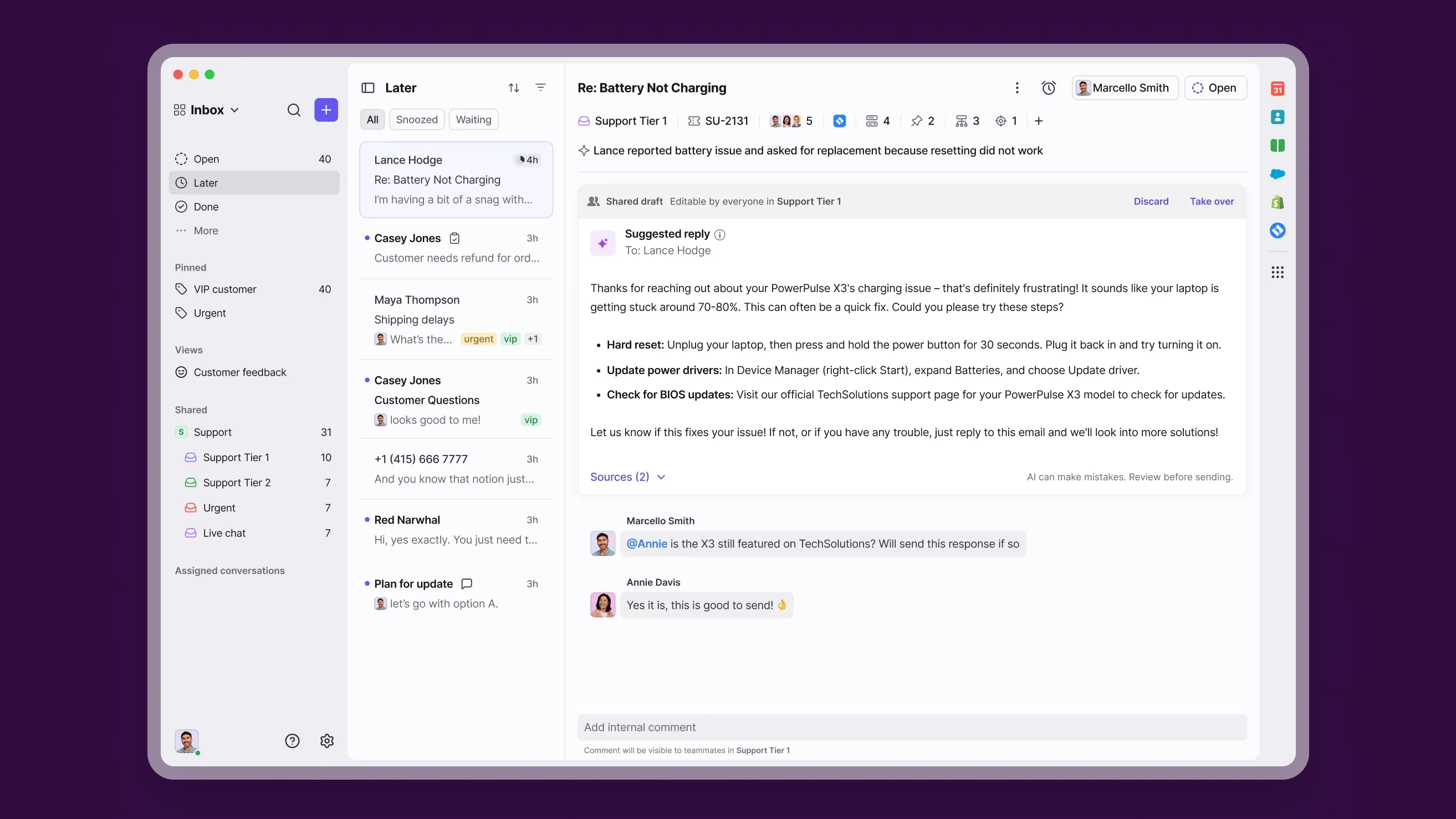
Front gathers chat, email, SMS, and social messages into a shared inbox with clear assignments and private drafts for team conversations. It is a good fit for customer-facing or operations teams that rely on response coordination across multiple channels.
Top features:
- Unified inbox: centralises email, SMS, live chat, and social messages into one team-visible workspace with conversation threads
- Internal comments and shared drafts: allow staff to discuss or pre-write replies within customer threads before sending
- Automated routing rules: assign or tag conversations automatically based on sender, content, or channel
- Built-in knowledge base builder: craft a public help centre without coding to enable self-service support
- Agent analytics dashboard: track response times, team performance, and volume trends in-app
Pricing: Front's pricing starts at $25 per user per month for the Starter plan, billed annually (up to 10 users; add-ons available for higher tiers)
How it’s better than Help Scout: Front empowers teams to collaborate on campaigns and support across chat, email, and messaging with real-time comments and shared drafts, while Help Scout focuses on email only. The built-in multi-channel support and rule-based routing offer more flexibility for teams that interact across platforms.
5. Zoho Desk
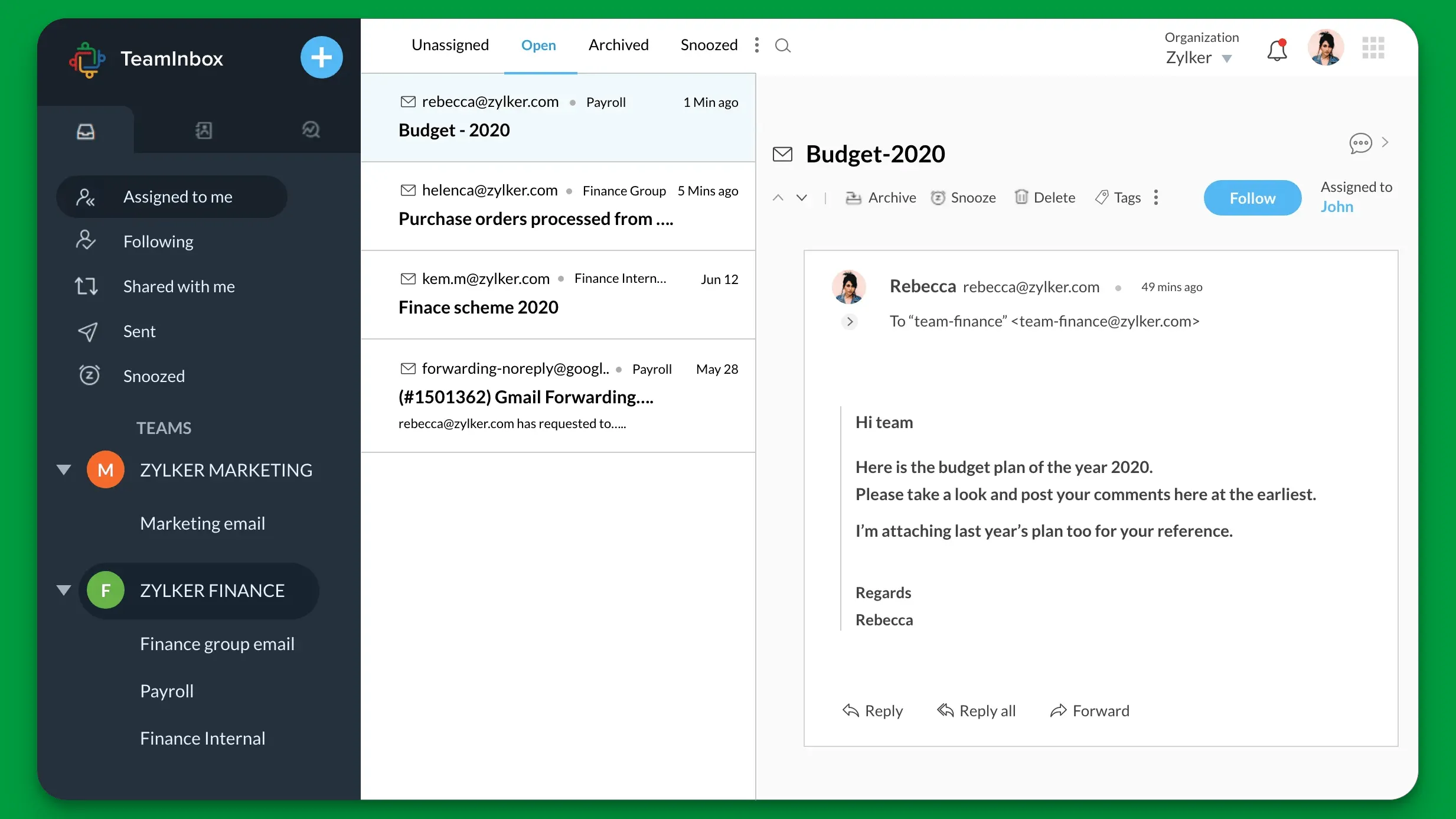
Zoho Desk delivers email, chat, social media, and voice ticketing along with a self‑service help center in a single suite. It works well for teams seeking low-cost support tools without trading off automation, reporting, or content publishing.
Top features:
- Omnichannel ticketing: consolidate email, live chat, social, phone, and web forms into one support queue
- Public and private help center: publish knowledge articles, organize FAQs, and restrict internal docs to staff only
- Automation blueprints and SLAs: create rules to assign tickets, enforce response targets, and trigger escalations
- Analytics and reporting: get dashboards to identify search failures, top issues, and agent performance
- Customer notification centre: set up customers to receive updates on ticket status changes and replies
Pricing: Zoho Desk's pricing starts free for up to 3 agents; paid plans start at $14 per agent per month when billed annually
How it’s better than Help Scout: Zoho Desk includes a help center, multi‑channel support, and automation tools in its entry tiers, whereas Help Scout charges per contact and limits chat and help center features to higher tiers. You can run a complete support operation sooner and for less.
6. Kayako
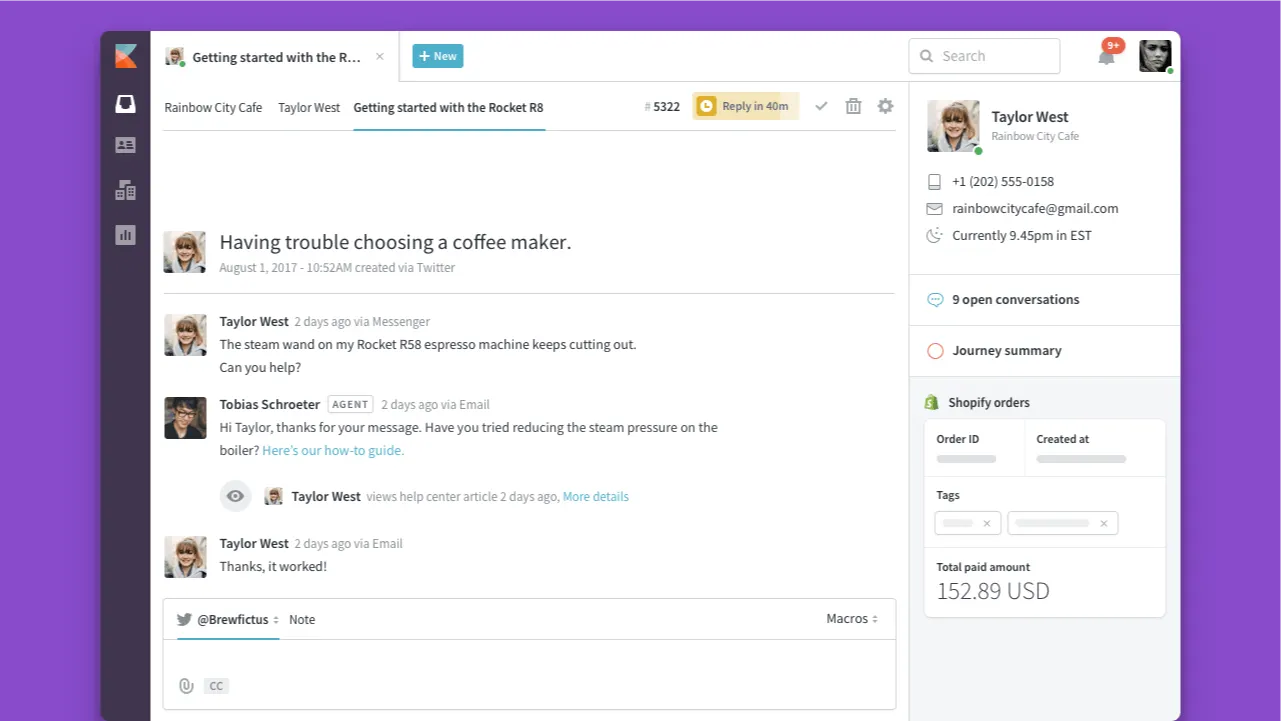
Kayako provides unified email, chat, and social messaging support, all captured in a cohesive timeline per customer. It supports team collaboration, a help center, and guest access, making it a solid choice for teams that value context-sensitive support and external stakeholder involvement.
Top features:
- Multichannel inbox: support requests from email, web chat, and social media workflows into a single user session
- Timeline view: display every interaction chronologically, giving agents a full conversation history
- Knowledge base and FAQs: publish public and private articles from within the same dashboard
- Automation and SLA rules: auto‑assign tickets, trigger alerts and monitor response times
- Guest collaborator access: allow external contributors (e.g. vendors or account managers) to participate without paying for extra seats
Pricing: starts at $15 per agent per month for the Inbox plan
How it’s better than Help Scout: Kayako adds deeper context with a full interaction timeline and lets non‑agent users collaborate on tickets. It also supports chat and email natively with built‑in article publishing, while Help Scout focuses on email and doesn't have external collaborator roles.
7. Intercom
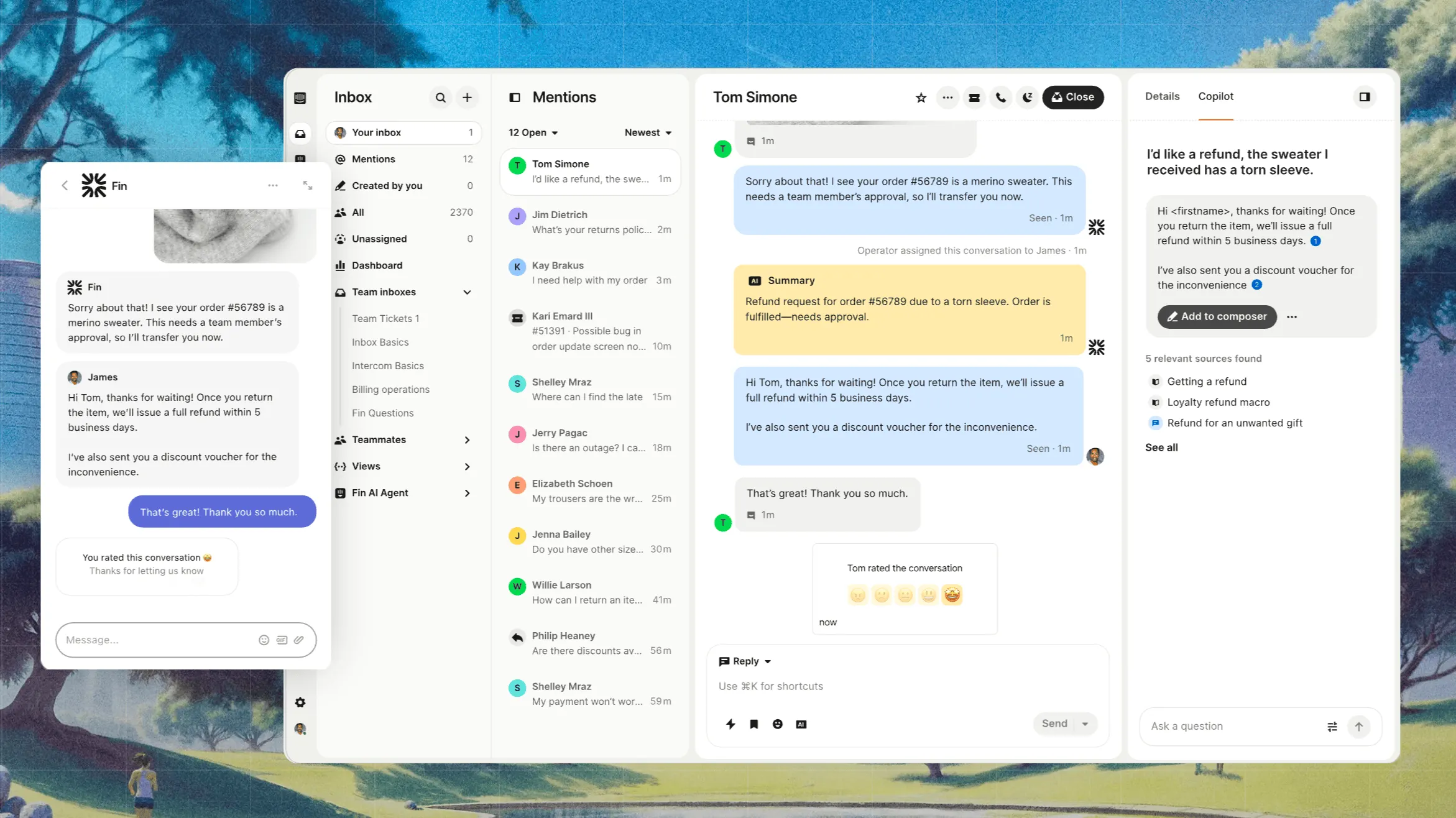
Intercom blends live chat, in‑app messages, and a help center into one interface for teams focused on driving support directly from within the product. It’s a good choice for companies that want to offer proactive user engagement, contextual suggestions, and real‑time conversations in one tool.
Top features:
- Live chat and chatbot: start real-time conversations via messenger and handle simple questions automatically
- Help center articles: host searchable documentation that appears to users within chat or messenger interfaces
- Shared team inbox: unify live chat, email, and in‑app messages in a single view for agents
- Message triggers and campaigns: send contextual banners, product tours, and follow‑ups based on user behaviour
- Reports and surveys: view support metrics and collect customer feedback through built-in CSAT or in-app NPS
Pricing: Intercom's pricing starts at $19 per seat per month for Essential billed annually ($29 billed monthly), plus $0.99 per Fin outcome. Advanced costs $85/seat/month and Expert costs $132/seat/month, billed annually.
How it’s better than Help Scout: Intercom offers embedded chat and proactive messaging alongside help articles all in one tool, compared to Help Scout’s email‑first approach. It’s more suitable for product teams aiming to deliver support exactly where users engage with a product.
P.S. Read our in-depth comparison on Intercom vs Help Scout →
8. Missive
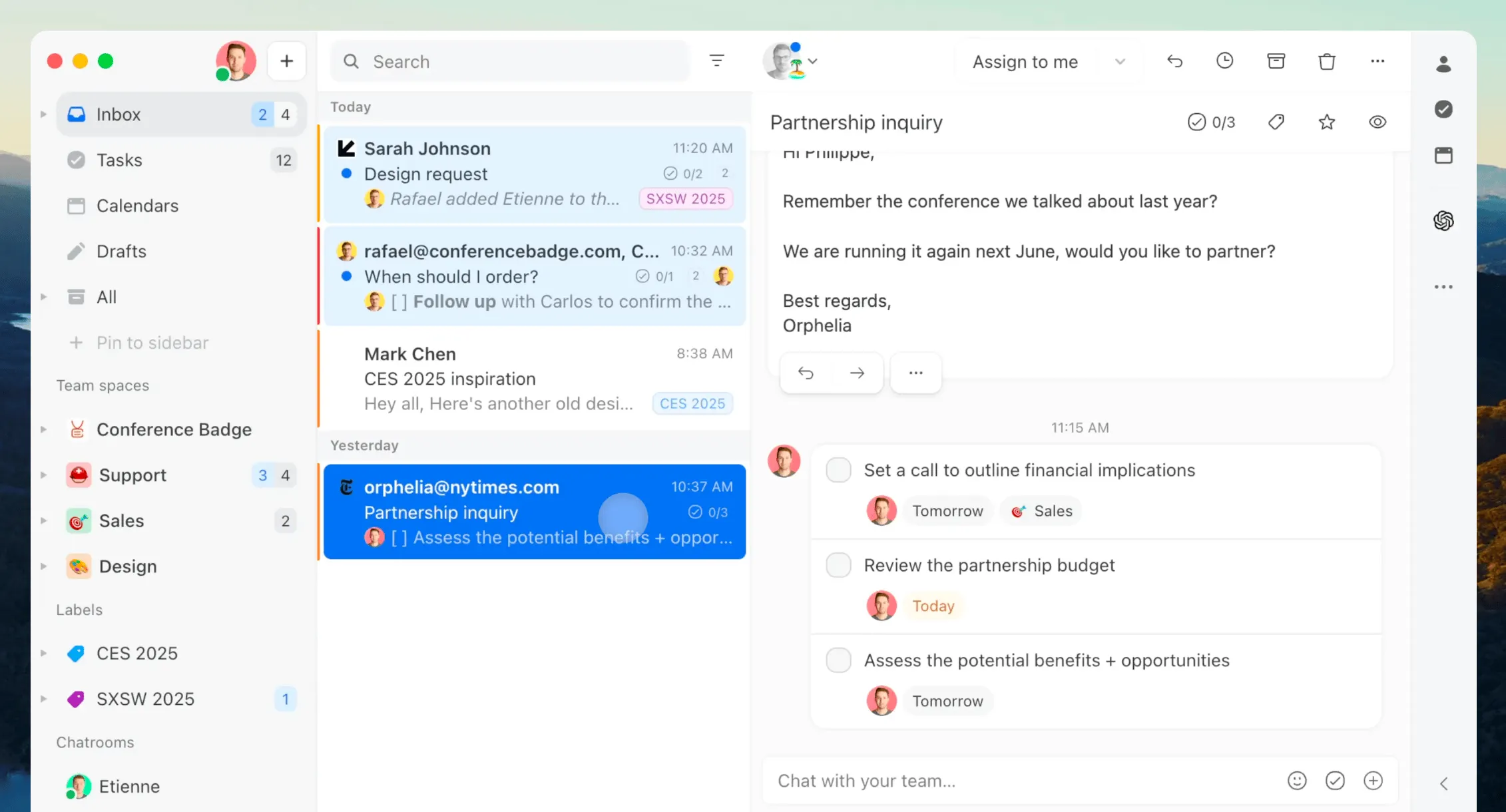
Missive blends team email, chat and tasks into a shared inbox for teams that prefer working from email instead of traditional ticketing systems. Its collaborative drafting and assignment features make it a solid option for teams working together inside email without using Zendesk‑style queues.
Top features:
- Unified shared inbox with multi‑channel support: manage email, sms, chat and social messages in one place, assign to team members and tag for tracking
- Threaded internal messages and real‑time drafting: collaborate on a reply, assign edits or comment internally inside any conversation
- Conversation rules and automation: auto‑assign messages, tag conversations, auto‑follow‑up or apply canned replies based on criteria
- Built‑in tasks linked to conversations: convert messages into tasks with due dates, assignees and dashboards—all in‑box
- AI reply suggestions and translation options: generate drafts, translate messages or summarize threads using built‑in AI tools
Pricing: Starts at $14 per user per month for the Starter plan (up to 5 users; free 30-day trial available).
How it’s better than Help Scout: Missive allows teams to manage everything from email replies to internal chat from inside one shared inbox, offering richer team editing, assignments and task management without the overhead of ticketing systems.
9. Hiver
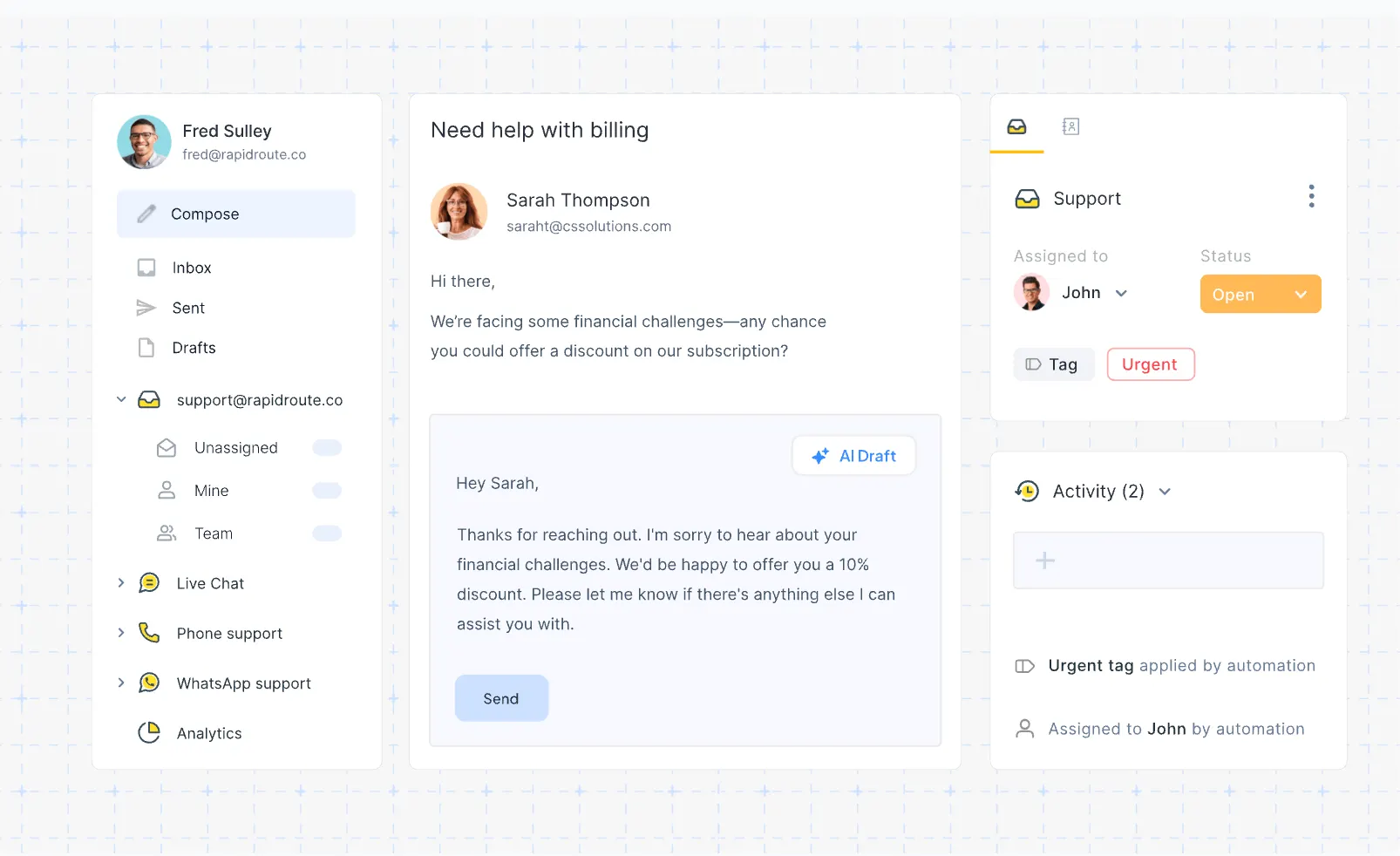
Hiver adds shared inbox, chat, and basic help centre functionality onto Gmail, turning your existing email into a team support tool. It’s ideal for teams already using Google Workspace who don’t want to switch platforms or build a new system from scratch.
Top features:
- Gmail shared inboxes: support and sales tickets live inside Gmail so agents don’t need a separate console
- Live chat and WhatsApp channels included: connect customers via widget or WhatsApp without adding other products
- Collision detection and shared draft editor: see when teammates are working on the same email and draft together in real time
- Automation rules and sla reminders: round‑robin assignment, tagging, custom automation limits, and email response SLAs on even the Lite plan
- Built-in knowledge base: create help articles directly inside the platform without a separate CMS
Pricing: Hiver's pricing starts at $19 per user per month for the Lite plan (includes chat, two shared inboxes and knowledge base; 7‑day free trial).
How it’s better than Help Scout: Hiver keeps support inside Gmail and handles live chat, WhatsApp and tickets under one roof, letting agents support users without context switching away from the familiar Google interface.
10. Customerly
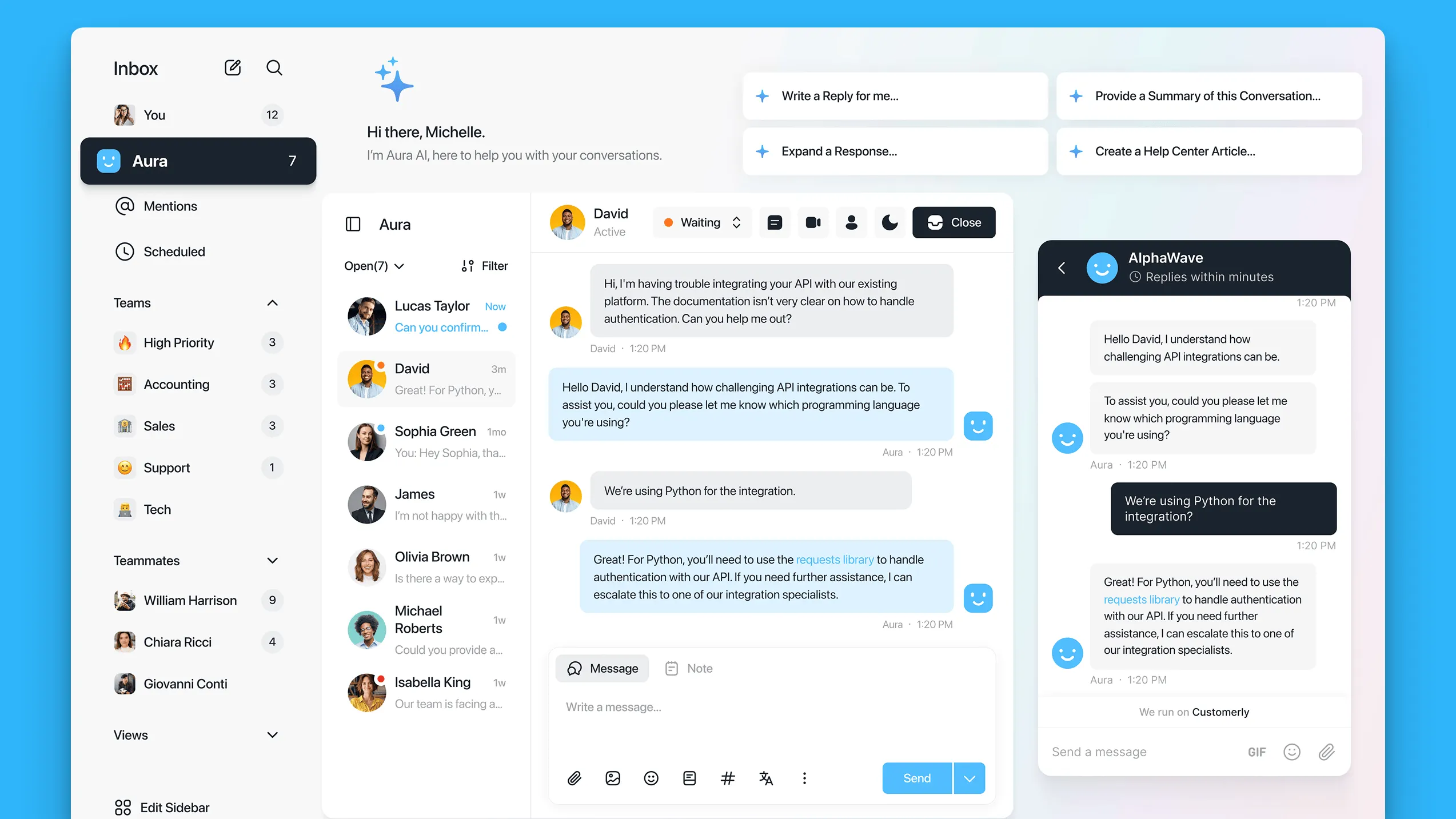
Customerly is a live chat and email help desk built for small and medium‑sized businesses. It supports direct chat, email, chatbots, and NPS/CSAT surveys all within one app, making it a good fit for teams wanting a clear all‐in‐one solution without overpaying for unused capabilities.
Top features:
- Live chat widget and bot: respond quickly to visitors, automate basic queries and generate leads from the same interface
- Help center with in‑chat suggestions: show knowledge‑base articles inside live chat to help deflect common questions
- shared inbox with ticketing: unify emails, chat messages and social messages into a single team view with assignment rules
- Email and sms automation: set up message sequences triggered by event or time, including auto‑responders and lead scoring actions
- Customer success tools: built‑in nps and csat surveys plus basic email marketing to engage and retain users
Pricing: starts at $29 per month for the Startup plan (5 team seats, email, chat, help centre; free forever with limited seats available).
How is it’s better than Help Scout: Customerly includes chat, chatbot, surveys and email marketing bundled with help desk, so smaller teams can cover both support and feedback without paying extra for separate tools.
11. Tidio
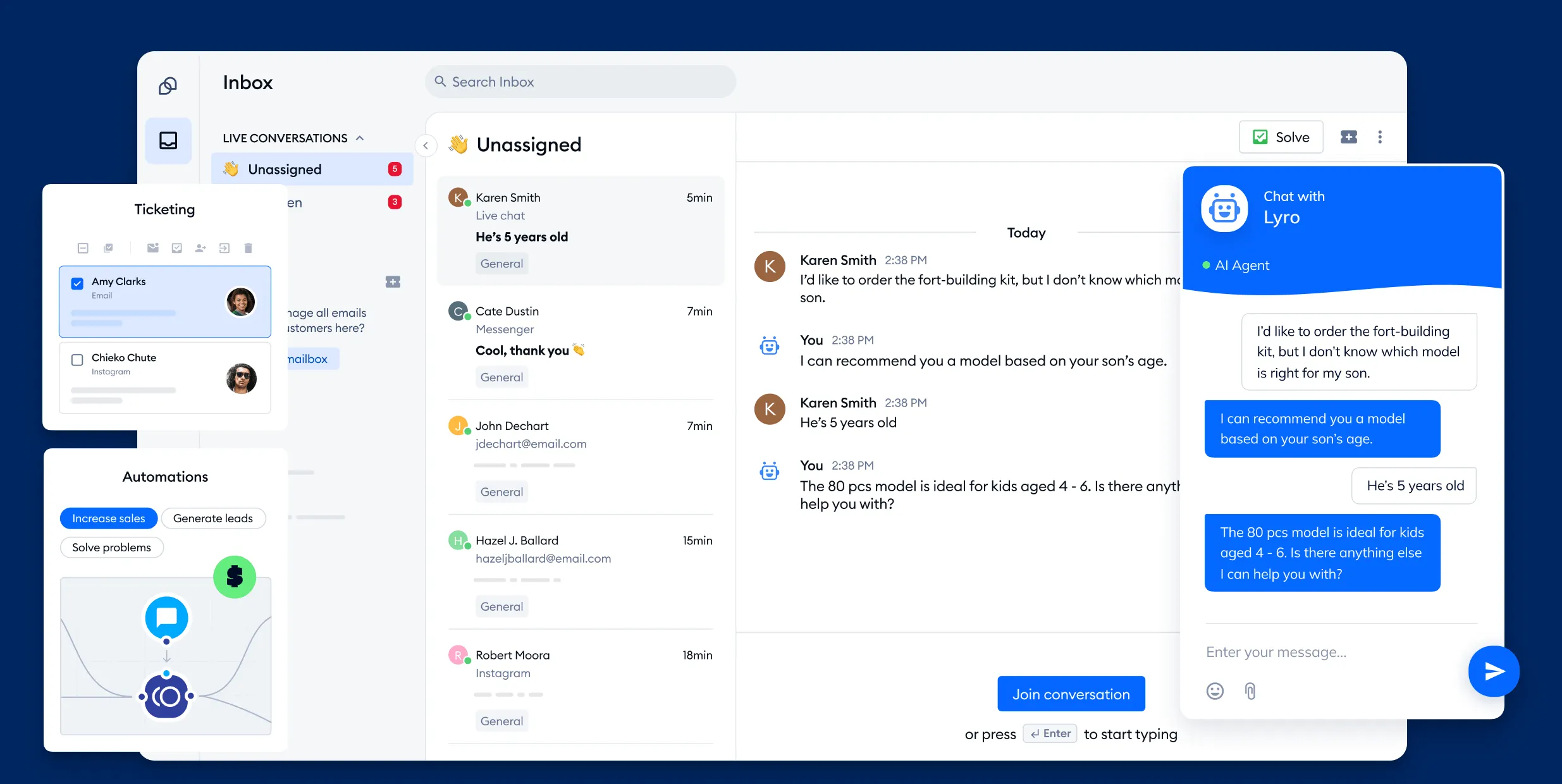
Tidio delivers a combined live chat, chatbot automation, email helpdesk, and messaging inbox in one easy-to-use system. It’s ideal for small or medium teams that want a simple setup and live customer engagement without building a full-ticketing infrastructure.
Top features:
- Live chat widget: fully customizable for phones or desktop, with live typing preview and mobile app support
- Lyro AI chatbot: capable of handling up to 70 percent of conversations using natural language and prebuilt flows
- Shared inbox: consolidate chats, emails, Instagram, WhatsApp and Facebook messages into one dashboard
- Visitor tracking and targeting: monitor user behavior in real time and trigger messages—great for sales and support teams
- Helpdesk ticketing and analytics: auto-convert conversations into support tickets, track resolution timelines and agent performance.
Pricing: Tidio's pricing starts at $29/month for the Starter plan (100 agent-handled conversations), with a free forever tier and Growth plans from $59/month, and larger tiers for enterprise use.
How it’s better than Help Scout: Tidio offers live chat, AI-assist automation, visitor targeting and multichannel messaging at a lower entry cost than Help Scout. It’s easier to set up for proactive support and engagement without managing contacts or per-user fees.
Conclusion
Help Scout's customer service software is okay, but you have to be prepared to make some compromises. If you can get past the UI and UX issues, you'll have to pay per contact, which is far from ideal. In fact, there are plenty of other customer service tools offering similar features but with proper ease of use and a more affordable, logical pricing structure.
Featurebase is a modern Help Scout alternative for an AI-powered support & help center. It comes with native ticketing, custom automation, workflows, and much more. It's loved by thousands of companies like Lovable, Polymarket, and Raycast.
What's best is that it comes with a Free plan, and the onboarding is super fast, so there's no downside to trying it out! 👇
Switch from Help Scout to get the fastest AI-powered inbox & help center