Corporate Wiki: What It Is and How to Set One Up
A corporate wiki is where your team writes everything down so the next person doesn't have to ask. Here's what it is, its benefits and drawbacks, how it differs from a knowledge base, and how to set one up.


On this page
- What is a corporate wiki?
- Why teams use a corporate wiki
- The drawbacks of a corporate wiki
- Corporate wiki vs knowledge base
- Corporate wiki vs intranet
- What to look for in corporate wiki software
- How to set up a corporate wiki in the first week
- When you don't need a corporate wiki
- Build a knowledge base your team actually uses with Featurebase
- Conclusion
Create a beautiful AI-powered Help Center with Featurebase for free
Every company has that one person who knows how billing really works, where the onboarding checklist lives, and why a big decision got made two years ago. When they're out sick or they leave, that knowledge often walks out the door with them.
A corporate wiki is the fix: a shared, editable home for everything your team knows. Here's what it is, where it helps, where it falls down, and how to set one up. 👇
Key takeaways:
- A corporate wiki is an internal, collaborative website where employees create and edit pages about how the company works, from onboarding to runbooks to policies.
- The big win is knowledge retention: information lives in the building instead of in one person's head.
- The big risk is decay: without owners and a review habit, wikis go stale, get messy, and stop being trusted.
- A wiki is not a knowledge base: wikis favor open collaboration, while knowledge bases favor structure and verified answers.
- Setup is more about habits than software: the tool takes an afternoon, but the "write it down" norm takes a quarter.
- If you want structure and search over a free-for-all, Featurebase✨ gives you a branded, AI-searchable knowledge base for your team or your customers.
What is a corporate wiki?
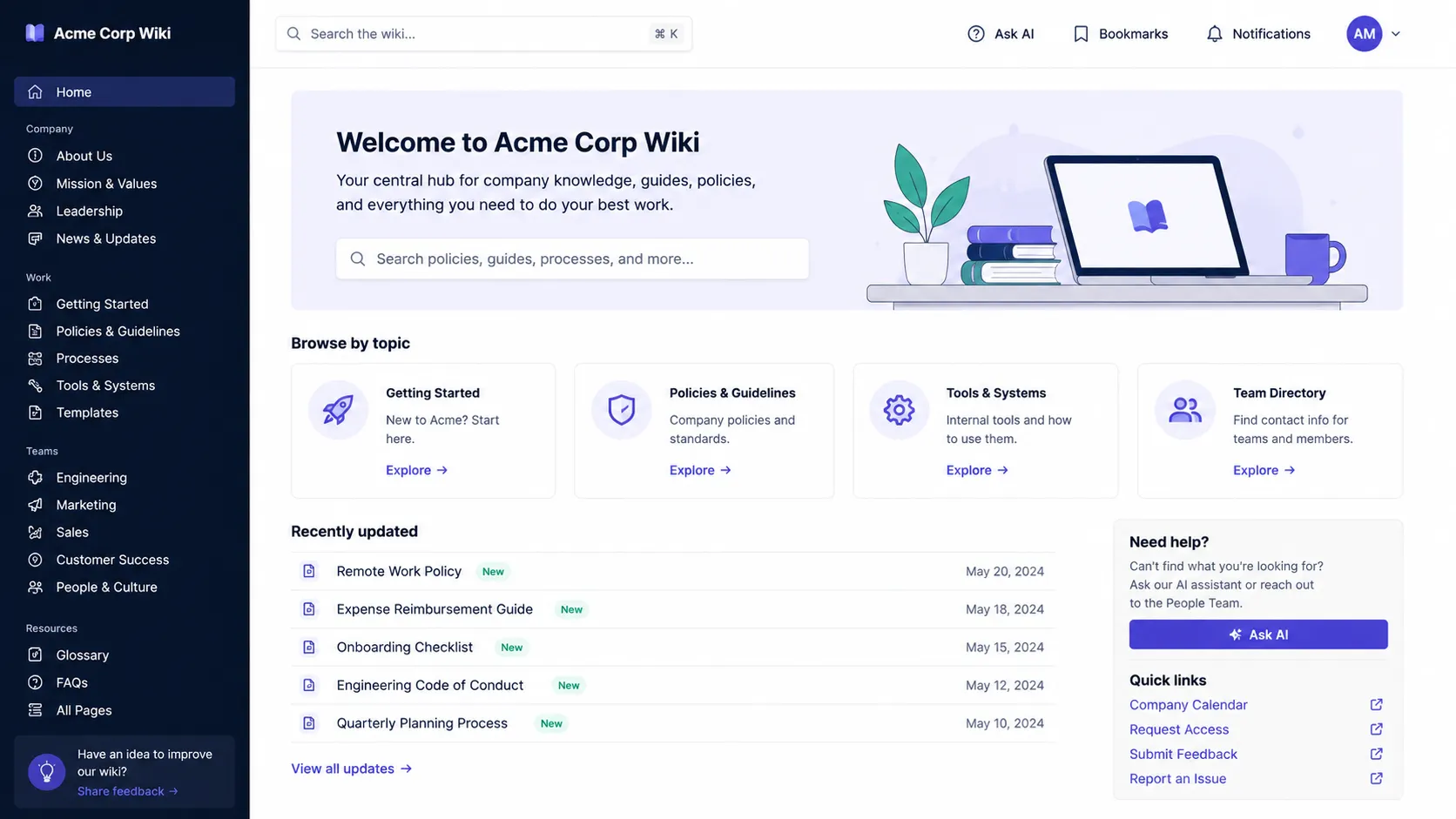
A corporate wiki is an internal website your team can edit. Any employee with access can create a page, add to an existing one, or fix something that's out of date. Think Wikipedia, but private to your company.
The format is older than the buzzword. Ward Cunningham built the first wiki in 1995, and the business version showed up almost immediately, because every company has always had the "only Sarah knows how payroll works" problem. Confluence shipped in 2004, Notion in 2016, and a new contender lands every year or so.
You'll see it called a few different things, all the same idea: company wiki, enterprise wiki, internal wiki, or even "corporation wiki." Whatever the label, the content is the stuff that keeps a company running:
- Onboarding and how-tos: where new hires learn how things actually work
- Runbooks and processes: the steps for doing a recurring task the right way
- Policies and decisions: the official answer to "what's our stance on X" and the reasoning behind it
- Project and product notes: context that would otherwise live buried in someone's inbox
Why teams use a corporate wiki
The case for a wiki comes down to 3 things:
- Knowledge retention: every time someone leaves, the company loses what they knew. A wiki keeps that tribal knowledge in the building instead of letting it walk out the door.
- Collaboration and a single source of truth: instead of the same answer living in 5 slightly different Slack threads, there's one page everyone points to.
- Faster onboarding: new hires can look things up instead of interrupting a teammate, which gets them productive sooner.
The payoff is real because the problem is expensive. McKinsey found that employees spend nearly 20% of the workweek, about 1.8 hours a day, searching for and gathering information. A wiki that's part of a real knowledge management habit turns some of that hunting into a 5-second search.
The drawbacks of a corporate wiki
Wikis have a well-known failure mode, and it's worth going in with your eyes open. The same openness that makes them easy to fill makes them easy to neglect.
- They go stale: anyone can add a page, but nobody owns keeping it current, so outdated information piles up until people stop trusting the wiki entirely.
- Search gets weak fast: without a clear structure, finding the right page turns into scrolling past a dozen near-duplicates.
- No quality control: when everyone has equal editing rights, a wrong answer looks exactly as authoritative as a right one.
- Low engagement: contributing is extra work on top of someone's real job, so wikis often start strong and then quietly empty out.
None of these are fatal. They're just the reason the "how to set one up" section below leans so hard on habits, not features.
Corporate wiki vs knowledge base
This is the comparison almost everyone searches for, and the difference is real. Both store company knowledge, but they optimize for opposite things:
- A corporate wiki is collaborative and open. Anyone can edit, content grows organically, and structure is loose. It's built for contribution.
- An internal knowledge base is structured and controlled. A smaller set of owners write and verify articles, changes get reviewed, and content is organized for fast, reliable answers. It's built for retrieval.
Put simply, a wiki favors flexibility and a knowledge base favors accuracy. Wikis shine when you want everyone pitching in. Knowledge bases win when people need to trust that what they find is correct and current.
When to use which
Choose based on who maintains the content and how much you need to trust it:
- Pick a wiki when contribution matters most: small teams, fast-moving projects, and internal notes where "good enough and current" beats "polished and reviewed."
- Pick a knowledge base when accuracy matters most: customer-facing docs, support content, compliance-sensitive policies, or anything where a wrong answer is costly.
Many modern tools blur the line, giving you wiki-style editing with knowledge-base-style structure and permissions, so you don't have to pick a side as sharply as you used to.
Corporate wiki vs intranet
People mix these two up as well. The quick version:
- A wiki is about documents your team writes and edits.
- An intranet is broader. It bundles company news, employee directories, communication tools, and often documents into one internal hub.
If you mostly need a place to write things down, that's a wiki. If you need a company-wide home for communication and culture as well as docs, that's an intranet. A wiki can live inside an intranet, but it doesn't need one to be useful.
What to look for in corporate wiki software
The features vendors lead with (templates, themes, AI summaries) are nice to have. These are the ones that actually decide whether your team uses the wiki or abandons it:
- Fast page loads and search: if looking something up is slower than asking a coworker, people will ask the coworker. Search has to find the right page on the first try.
- Permissions that scale: teams shouldn't see each other's sensitive pages, and spaces (per team or function) should be the natural unit rather than fiddly per-page rules.
- A clean editor and keyboard shortcuts: the easier it is to write and link pages, the more your team will actually contribute.
- A real export and an open API: you want your content to be portable, and increasingly you want an API so AI assistants can read from it.
- Version history and an audit trail: every edit tracked, so you can see what changed and roll back mistakes.
If your "wiki" is really a set of product docs or a customer-facing help center that needs to look good and be searchable, a knowledge base tool is the better fit. Featurebase, for example, lets you spin up a branded public or internal knowledge base with AI-powered search that summarizes answers right in the search bar, so readers get an answer instead of a list of links.
How to set up a corporate wiki in the first week
Setup is less about the software (that part is an afternoon) and more about the habits. A practical first week looks like this:
- Create one space per team or function, not per project. Engineering, ops, product, people. Projects end, but the decisions they produce shouldn't disappear with them.
- Seed pages from templates, not blank ones. A blank wiki is intimidating, so start with the shapes you already need: onboarding, runbooks, meeting notes, and decision records.
- Import what already exists. Pull in the Google Docs folder, the old wiki, and the scattered notes so the wiki starts full instead of hopeful.
- Put the wiki where the questions happen. Link it from onboarding, Slack channel topics, and your incident template. A wiki people can't find might as well not exist.
- Set one norm: answers get written where the next person will look. When someone answers a question in chat, the answer moves to the wiki and the chat gets the link. That single habit is what separates a living wiki from a graveyard, and it's the core of most knowledge management best practices.
Step 5 is the one that makes or breaks it. Everything else is just setup.
When you don't need a corporate wiki
The honest section. Sometimes the right move is to not set one up at all:
- You're a team of two or three with under 50 pages and no "we keep re-answering this" pain yet. A shared docs folder is fine for now.
- You're a solo writer or researcher: a team-shaped wiki for one person is overkill, and a plain notes app or markdown files will do.
- You already have a system nobody complains about: migrating is the hard part, and if there's no pain, there's no payoff.
The signal that a wiki has earned its place is boring but clear: people start checking it before they ask.
Build a knowledge base your team actually uses with Featurebase
A traditional wiki is great for messy, collaborative note-taking. But the moment you want structure, search, and docs that look professional (for your team or your customers), a dedicated knowledge base wins.
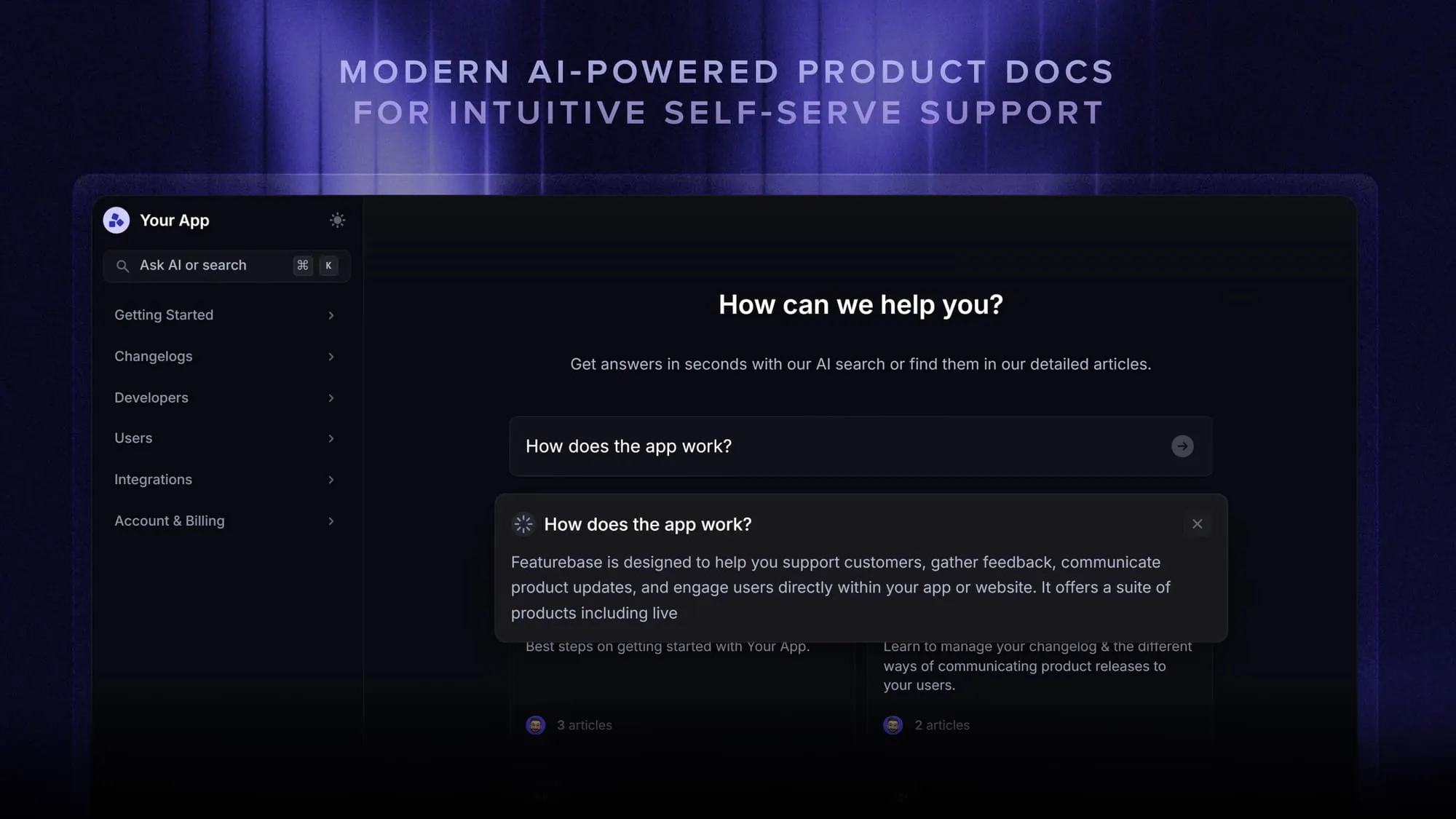
Featurebase is a modern support platform that helps SaaS teams create beautiful product docs, provide AI-powered support, and collect feedback all in one place. It's loved by thousands of support teams from companies like Lovable, Raycast, and n8n. 💫
Top features:
- Public & internal help center – Create a branded knowledge base on your own domain and design for easy self-service
- AI-powered search answers – Summarize answers for readers right in the search bar in seconds
- Embeddable in-app widget – Serve help articles directly inside your product, where people need them most
- Automatic AI translations – Translate your help center into your readers' native languages automatically
- Feedback & roadmap tools – Collect feature requests and close the loop with product updates
- Integrations – Connects with Slack, Linear, Jira, HubSpot, and more
Pricing: You can create a knowledge base with a fully free plan. Paid plans start at just $29/seat/mo for unlimited articles.
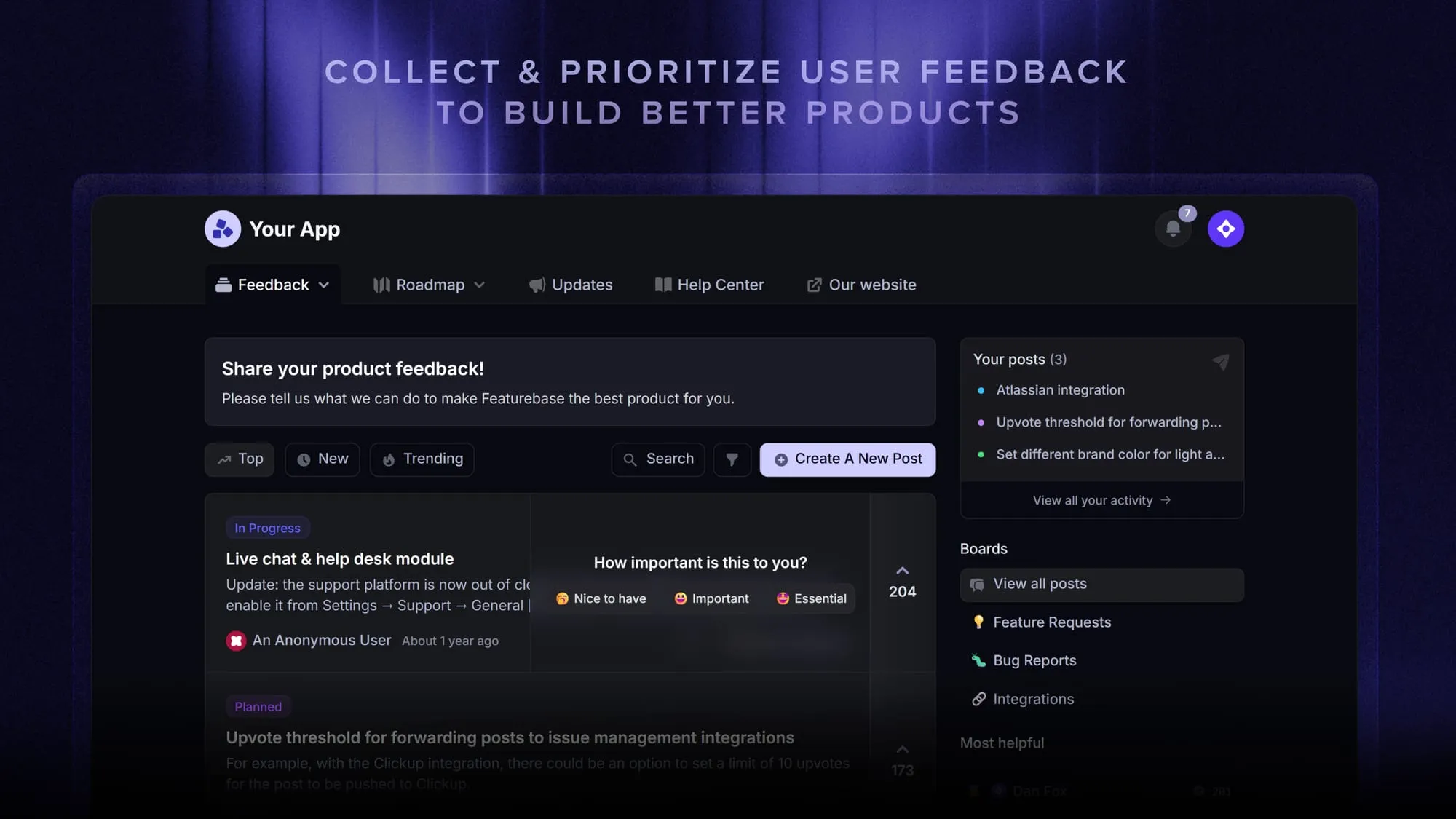
Featurebase brings your help center, live chat, feedback collection, and product updates together in one place, so your team spends less time maintaining scattered docs and more time helping people.
Conclusion
A corporate wiki is one of the highest-leverage things a growing team can set up. It turns knowledge that lives in people's heads into something the whole company can search. The tool matters less than the habit: pick something fast and searchable, give pages owners, and make "write it down" the default.
If what you actually need is structured, searchable docs rather than a free-for-all, Featurebase gives you a modern, AI-powered knowledge base for your team and your customers, with live chat, feedback, and product updates in the same place.
There's a free plan and onboarding takes minutes, so there's no downside to trying it. 👇
Create a beautiful AI-powered Help Center with Featurebase for free
FAQs
Yes. Confluence is the most widely deployed corporate wiki, with real spaces, a capable editor, and an API. Its main trade-off is speed, since on large workspaces it's often the slowest of the major options. It's usually what people picture when they search for "corporate wiki," but it's far from the only choice, and there are plenty of lighter, faster alternatives.
A wiki is focused on documents your team writes and edits. An intranet is broader, bundling company news, employee directories, communication tools, and often documents into one internal hub. If you just need a place to write things down, a wiki is enough. If you need a company-wide home for comms and culture too, that's an intranet.
Several tools have genuine free plans for small teams, and open-source options like DokuWiki and BookStack are free to use if you can self-host. With free plans, the "cost" is usually a cap on users, pages, or spaces. With open-source, the cost is the engineering time to run and maintain it. For a team of a few people, a free plan is normally plenty to start.
Not right away. A team of two or three with a shared docs folder usually manages fine. The moment to set one up is when the same question gets asked and re-answered for the third time, or when the page count grows past a few hundred, usually somewhere between 6 and 12 people. Below that, a wiki can be more overhead than help.
Give pages owners and set a review cadence. Assign each space or major page to a person or team responsible for keeping it current, schedule regular reviews (quarterly works for most content), and make it easy for anyone to flag stale info. The single most effective habit is writing answers into the wiki as questions come up, so it stays a living document instead of a one-time project.
Yes, as long as it exposes a real, searchable API. Modern AI assistants and support bots can read from a wiki to answer questions or draft responses, but only if the tool offers programmatic access with proper permissions and an audit trail. This is exactly what an AI knowledge base is built for, whereas a wiki with no API forces you to bolt on scrapers that are worse for security and change management.


