Customer Service Case Management Software Explained
Customer service case management software keeps every customer issue in one tracked place across channels. Here's what it does, why it helps, and how to choose one.


On this page
Automate your support with the fastest AI-enhanced Inbox today
A customer emails about a billing error. The next day, they DM you about it. By Friday, they call. Three agents, three separate conversations, zero shared history - and the customer repeats the whole story every single time.
That fragmentation is exactly what customer service case management software fixes. It ties every message about a single issue into one tracked case, so your team always sees the full picture.
Here's what case management software actually does, why support teams rely on it, and how to pick the right one. 👇
Key takeaways
- A case is not a ticket: a case bundles every message, channel, and update about one customer issue into a single tracked record, from first contact to resolution.
- It is not a CRM either: a CRM manages relationships and sales, while case management is built to resolve individual issues.
- The real payoff is context: agents stop asking customers to repeat themselves, resolve issues faster, and hand off cases without losing the thread.
- Features that matter: an omnichannel inbox, a self-service knowledge base, workflows and routing, SLAs, reporting, integrations, and AI automation.
- Featurebase✨ bundles an omnichannel inbox, the Fibi AI Agent, and an AI-powered help center into one modern support platform, with a free plan to start.
What is customer service case management software?
Customer service case management software is a system that captures, organizes, and tracks customer issues from the moment they are reported until they are resolved. Each issue becomes a case: a single record that holds every related message, note, and action, no matter which channel it came through.
That is the key difference between a case and a plain ticket. A ticket usually treats each message as a one-off task. A case connects everything - the original email, the follow-up chat, the phone call, the internal notes - so any agent can open it and instantly see the full story.
Say a customer reports a failed payment by email, then follows up in live chat two days later. With case management, both touchpoints live under one case ID. The agent picking up the chat sees the earlier email, the account details, and what has already been tried. No repeating, no guesswork.
Case management software vs. CRM
These two tools get confused constantly, but they solve different problems. A CRM is built to manage relationships and sales: it stores contact records, tracks deals, and powers marketing and sales workflows. Case management software is built to resolve individual customer issues, tracking each problem from intake to resolution and giving agents the context to fix it.
The simplest way to think about it: a CRM tells you who the customer is and what they have bought. Case management tells you what is wrong right now and how close you are to solving it.
They actually work best together. Most case management tools pull in CRM data so agents can see a customer's history and value while they work a case. But a CRM on its own is not a substitute, because it tracks relationships, not resolutions.
Why support teams use case management software
Once every issue lives in one tracked case, a lot of everyday support pain disappears. Here is what teams actually gain:
- Full context on every issue: agents see the complete history, including past messages, purchases, and internal notes, the moment they open a case. That matters because 74% of customers say they are frustrated when they have to repeat information to different agents.
- Faster resolutions: with context in one place and smart routing sending each case to the right person, issues get solved sooner and more often on the first contact. Speed counts when 83% of customers expect to engage with someone immediately when they reach out.
- Cleaner collaboration: multiple teams can work the same case with shared notes, assignments, and clear ownership, so nothing gets dropped in a handoff.
- Room to scale: automation and workflows absorb rising volume, so you can handle more cases without adding headcount at the same pace.
- Better decisions: reporting on the customer service metrics that matter, like response time, resolution rate, and case volume, shows you where support is breaking down.
- Audit-ready records: every action on a case is timestamped and logged, which helps in regulated industries that need a paper trail.
Key features to look for in case management software
Most tools claim to do all of this. These are the features that separate a real case management platform from a glorified inbox:
- Omnichannel inbox: email, live chat, social, and in-app messages should all flow into one place and attach to the right case automatically.
- Self-service knowledge base: a searchable help center lets customers solve simple issues themselves and keeps easy questions out of the queue.
- Workflows and routing: rules that auto-assign, prioritize, and escalate cases so the right agent gets the right case without manual triage.
- SLA tracking: built-in timers and alerts that keep responses on schedule and flag any case at risk of breaching a deadline.
- Reporting and analytics: dashboards for response time, resolution rate, and volume so you can spot trends and staff accordingly.
- Integrations: connections to your CRM, billing, and product tools so agents have full context without switching tabs.
- AI automation: agents that resolve routine questions on their own, plus copilots that draft replies and summarize long threads.
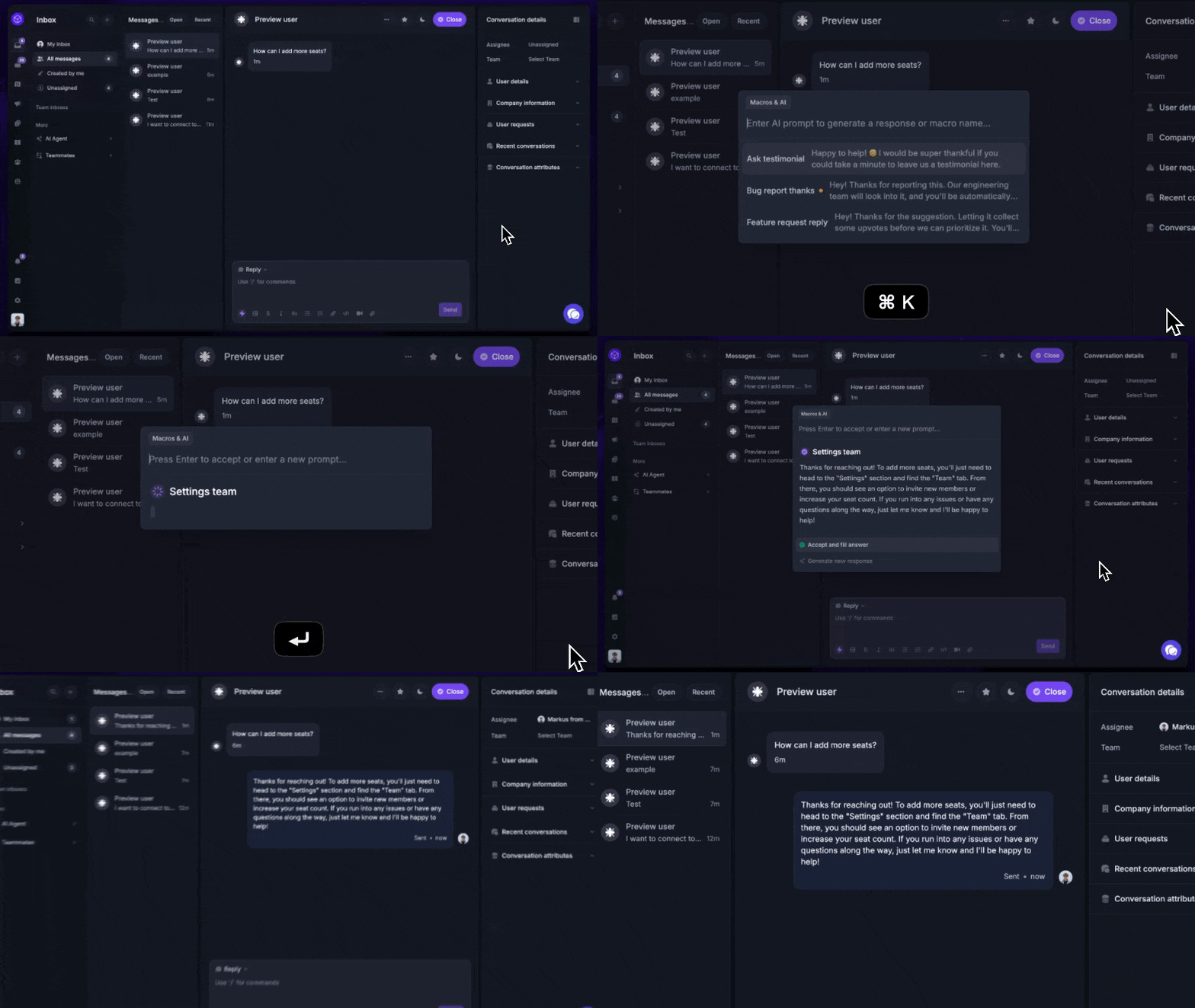
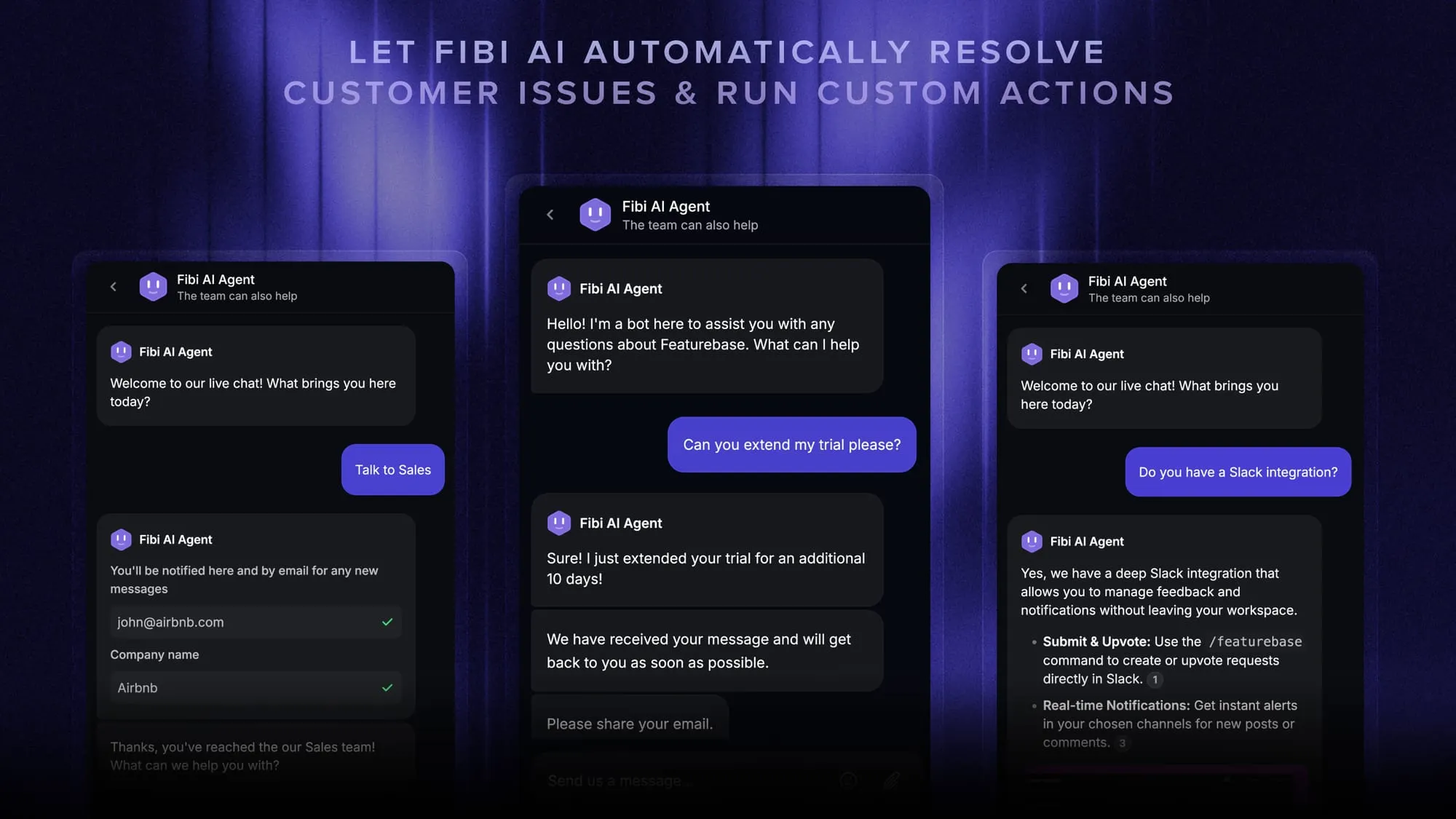
A modern platform like Featurebase bundles most of these into a single tool. You get an omnichannel Inbox, an AI agent (Fibi) that resolves routine questions and runs actions like trial extensions, and an AI-powered help center for self-serve support, so smaller teams do not have to stitch together 5 separate products.
How AI is changing case management
AI has quickly moved from a nice-to-have to the center of case management. The shift shows up in 3 places:
- Triage and routing: AI reads incoming cases, tags them, and sends them to the right team automatically, so nothing sits in a general queue waiting to be sorted.
- Automated resolution: AI agents now answer routine questions end-to-end, pulling from your help center and past replies, and only escalate to a human when they cannot solve it.
- Agent assist: copilots draft responses, summarize long back-and-forth threads, and surface relevant knowledge so agents move faster on the cases that do need a person.
The point is not to remove people from support. It is to let automation handle the repetitive cases so your team can focus on the complex ones that actually need judgment.
How Featurebase keeps every case in one place
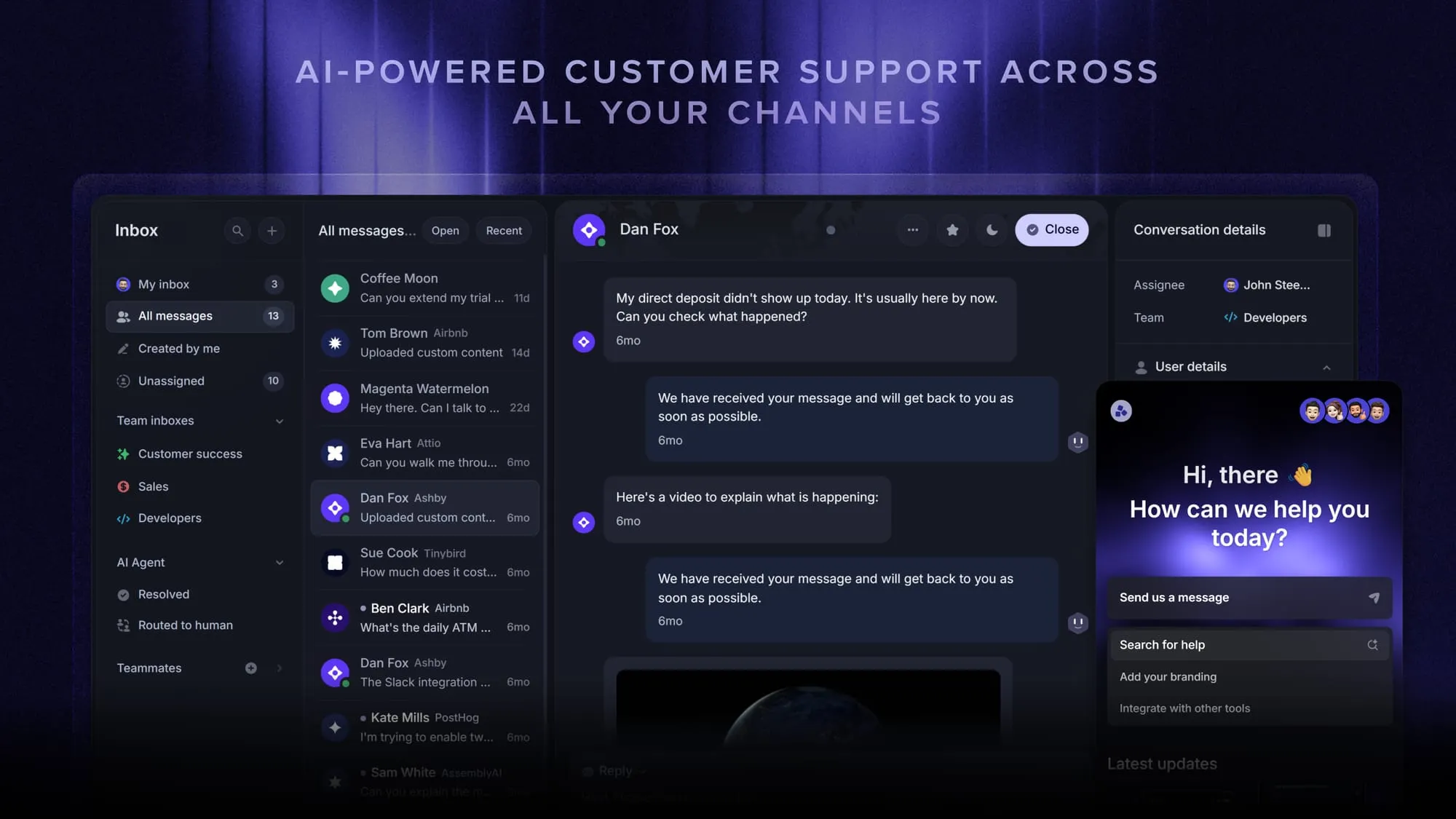
Most case management tools grew out of either a help desk or a CRM and bolted on the rest. Featurebase was built as one support platform, so it is worth a look if you want case management without running several disconnected tools.
In practice, it maps directly to the features above:
- One case across channels: email, live chat, and in-app messages about the same customer collapse into a single record, so agents pick up the full history instead of a stray message.
- AI that resolves and deflects: the Fibi AI Agent handles routine cases on its own and can run actions like extending a trial, while an AI-powered help center answers simple questions before they ever become a case.
- Cases that feed the roadmap: because support, feedback, and roadmap share one workspace, a recurring issue can be logged as a feature request instead of vanishing the moment the case closes.
That last point is the real differentiator for product-led teams: your case data becomes product insight rather than a dead archive. Featurebase has a free plan with unlimited conversations, and paid plans start at $29 per seat per month plus $0.49 per AI resolution, so a small team can test it against a real caseload before committing.
Conclusion
Customer service case management software comes down to one idea: keep everything about a customer's issue in one place so your team can resolve it fast, without making the customer repeat themselves. Get that right and support stops feeling like constant firefighting.
Featurebase is a modern AI-powered support platform that brings case management, a help center, and feedback tools together in one place. You get an omnichannel inbox, an AI agent that resolves routine cases on its own, and the full context your team needs to close issues quickly.
It comes with a Free plan and the onboarding takes minutes, so there is no downside to trying it. 👇
Automate your support with the fastest AI-enhanced Inbox today
FAQs
Case management tools fall into a few groups: help desks like Zendesk and Help Scout, CRM-based service tools like Salesforce Service Cloud and HubSpot Service Hub, BPM platforms for complex cases, and modern all-in-one support platforms. Featurebase is one modern option that combines an omnichannel inbox, an AI agent, and a help center so support and product teams can manage cases in one place. For a wider view, browse these customer service software examples.
Not exactly. A help desk is one common way to deliver case management, giving you an inbox, ticketing, and support channels. Case management is the broader discipline of tracking an issue from intake to resolution, which can also happen inside CRM-based or BPM tools. In practice, most customer service teams get their case management through a help desk platform.
Pricing is usually per agent per month, and most mainstream tools land somewhere between roughly $15 and $100+ per seat depending on features and AI. Enterprise plans with advanced customization and heavy automation cost more, often with custom quotes. Plenty of tools offer a free plan or free trial, so small teams can start without a budget.
Any team that handles customer issues across more than one channel benefits, but the need becomes urgent once you have more than a couple of agents. When multiple people field requests by email, chat, and social, shared context is what stops things from slipping through the cracks. Solo founders or tiny teams can often get by with a shared inbox until volume grows.
Start with the channels you actually support and make sure the tool covers all of them in one inbox. Then weigh integrations with your existing CRM and product tools, the depth of automation and AI, and how the pricing scales as your team grows. Most vendors offer free trials, so shortlist 3 or 4 and test them with real cases before committing.
Yes. The same case-tracking model is widely used in legal, healthcare, HR, insurance, and social services, where each case holds the documents, deadlines, and updates for one client or matter. The core idea is identical, which is keeping everything about a single case in one organized place. Customer service is just one of the most common use cases.