Best Customer Service Database Software in 2026
The 7 best customer service database software in 2026 - support platforms that combine a real customer database with the helpdesk so your team stops flipping between tools.


On this page
Automate your support with the fastest AI-enhanced Inbox today
Most "customer database software" lists are CRM roundups. That's fine if you're picking a sales tool, but it's not what a support team actually needs. Support teams need a customer database that lives inside the helpdesk - profiles, conversation history, account context, and segmentation right next to the inbox.
That's the gap this list fills: the 7 customer service platforms that bundle a real customer database with the ticketing tool. No more flipping between a CRM and a helpdesk to find out who you're talking to. 👇
Key takeaways:
| Tool | Pricing | Best for | Free plan | Main trade-off |
|---|---|---|---|---|
| Featurebase✨ | $29/seat/mo + $0.29 per AI resolution | Modern SaaS teams that want helpdesk + customer profiles + feedback in one tool | Yes, unlimited conversations | Newer product, smaller ecosystem than legacy tools |
| Zendesk | $19/agent/mo entry, Suite + Copilot Professional $155/agent/mo | Mid-market and enterprise teams already standardized on Zendesk | No (30-day trial) | Cost climbs fast once you add AI and Suite features |
| Intercom | $19-$132/seat/mo billed annually + $0.99 per Fin outcome | B2B SaaS that wants Fin AI Agent and rich messenger UX | No (14-day trial) | Per-outcome AI billing makes budgeting unpredictable |
| HubSpot Service Hub | $15-$150/seat/mo (+ $1,500 onboarding on Pro) | Teams already running HubSpot CRM across sales and marketing | Yes, limited | Real cost balloons when you add the other Hubs |
| Freshdesk | Free up to 10 agents, paid $15-$79/agent/mo | Small to mid-size support teams that want a usable free tier | Yes, up to 10 agents | Lower-tier plans cap customization and automation |
| Help Scout | Free, paid $25-$75/user/mo + AI Answers $0.75/resolution | SaaS and ecommerce teams that want a clean, transparent helpdesk | Yes, 5 users | Lighter on automation than Zendesk-class tools |
| Salesforce Service Cloud | $25-$330/user/mo (+ Einstein 1 at $500) | Large enterprises already on Salesforce CRM | No | Implementation cost and consultant overhead make it overkill for SMBs |
What is customer service database software?
Customer service database software is a helpdesk that also stores and surfaces customer information directly inside the support workflow. Instead of bolting a separate CRM onto a ticketing tool, the platform keeps customer profiles, conversation history, account attributes, and segmentation alongside every conversation, so agents have full context the moment a ticket lands. And customer service case management applies the same idea per issue.
This matters because support teams that work without unified customer data spend more time hunting for context than actually solving problems. Only 35% of CX leaders say their data is fully integrated with their tools, and teams with unified data are 225% more likely to deliver a personalized experience. On the customer side, 79% expect consistent interactions across departments, but 55% say it feels like they're communicating with separate teams - usually because the support agent can't see what the sales or success team already discussed.
A good customer service database software solves this by combining three things in one place:
- A shared inbox: every email, chat, in-app message, and ticket lands in the same view, threaded by customer
- Customer profiles: contact details, account size, plan, lifetime value, and any custom attributes - visible from the conversation sidebar
- Conversation history and segmentation: every prior interaction across channels, plus the ability to filter and search the customer base by any attribute
Some tools call this a "helpdesk with a customer 360." Others call it a "support CRM", closely related to a CRM ticketing system, which ties each ticket back to the customer record.
How we picked the tools on this list
Three filters: the tool has to function as a customer service platform first (not a sales CRM with a ticketing add-on), it has to store and surface customer profile and conversation data inside that helpdesk, and it has to be a defensible pick for at least one common SaaS or SMB scenario in 2026.
The 7 below cover the spectrum from the most modern, AI-first option down to the types of customer serve software, and legacy enterprise platforms that still dominate the market. Pricing and feature data was pulled from each vendor's official pricing page during drafting.
The 7 best customer service database software in 2026
1. Featurebase ✨
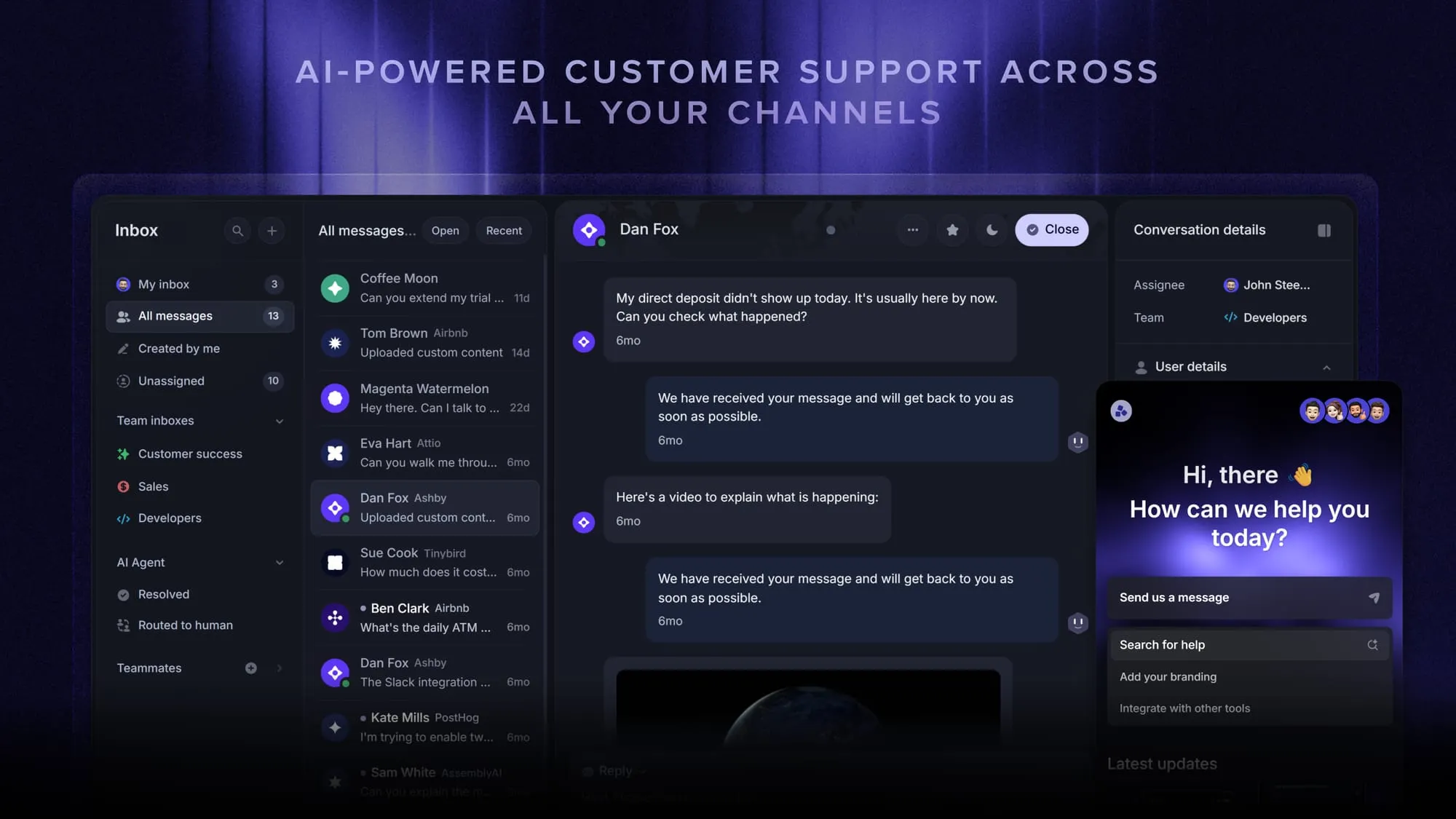
Featurebase is a modern AI customer support platform for product-led SaaS. It combines AI-powered support, help center, and feedback management into a single platform for startups that want all their customer-facing tools in one place. Featurebase is loved by thousands of support teams from companies like Lovable, Raycast, and n8n. 💫
Top features:
- Omnichannel inbox – Manage live chat, email, and Slack conversations from one AI-powered view
- Fibi AI Agent - Resolve customer issues on autopilot & run custom actions like trial extensions and refunds
- Help center with AI search – Provide instant, multilingual self-serve answers
- Workflows & automations – Auto-assign tickets, route conversations, collect customer data, and more
- AI Copilot – Help your agents answer customers faster with AI Copilot that uses your internal knowledge
- Multi-brand support – Manage multiple Help Centers and Live chats from a single workspace
- Automatic AI translations – Automatically translate all messages and help articles to your customers native language
- Service Level Agreements – Track SLAs to make sure your team responds to customers on time, every time
- Mobile app – Respond to customers, receive notifications, and unblock users on the go
- Feedback & roadmap tools – Collect feature requests and close the loop with updates
- Product updates – Publish release notes with a changelog page, in-app widget, and emails
- Integrations – Connects with Slack, Linear, Jira, HubSpot, and more
Pricing: Free plan available with unlimited conversations. Paid plans start at $29/seat/month with $0.29 per AI resolution.
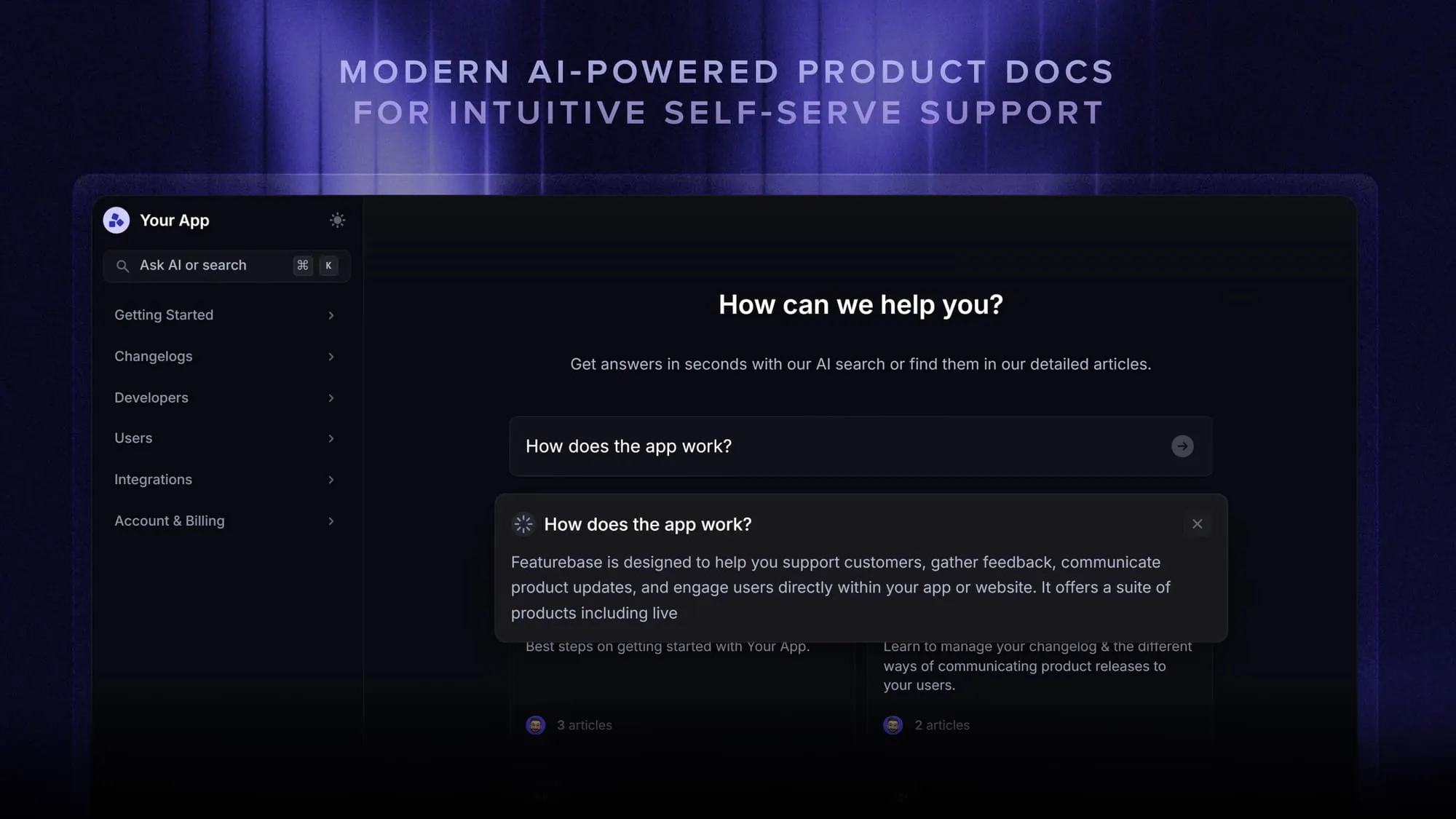
Featurebase covers all the basic support features that legacy platforms do, but with a much more modern approach. It comes with AI automations, a mobile app, and multiple channels (email, live chat, Slack, etc.).
Automate your support with the fastest AI-enhanced Inbox today
2. Zendesk
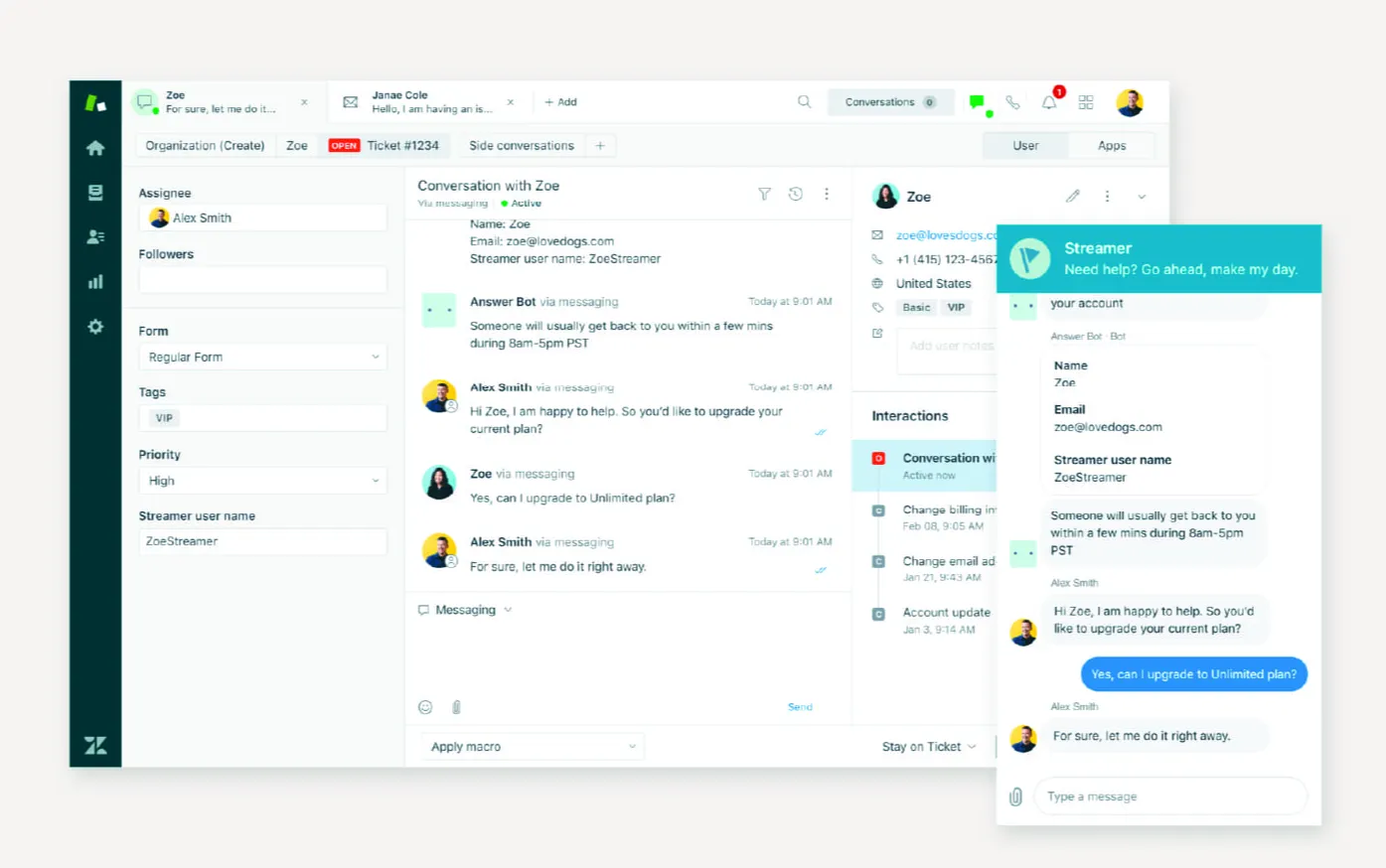
Zendesk is the most established customer service platform on the market, with a deep customer database, broad channel coverage, and a 1,800+ app marketplace. It's the default pick for mid-market and enterprise teams that need a tool every analyst, agency, and partner already knows.
The customer database side is genuinely strong. Every conversation pulls in account history, prior tickets, custom user fields, and any third-party data piped in through the marketplace. Segmentation, macros, and SLAs all sit on top of that data layer.
The trade-off is cost. Suite + Copilot Professional now starts at $155 per agent per month billed annually, and the cheaper Support tier loses most of the multi-channel and AI features that make Zendesk worth buying in the first place. G2 reviewers commonly note that pricing climbs faster than expected once you add the features you actually want, and that the UI takes a few weeks to feel natural for new agents.
Top features:
- Omnichannel ticketing across email, chat, voice, and social
- AI agents and Copilot for ticket deflection and agent assist
- Customizable customer profiles with custom user and organization fields
- 1,800+ app marketplace and open API
- Reporting, SLAs, and workforce management
Pricing: Zendesk pricing starts at $19/agent/month for the basic Support tier. The full Suite + Copilot Professional plan is $155/agent/month billed annually. Enterprise is $209/agent/month.
3. Intercom
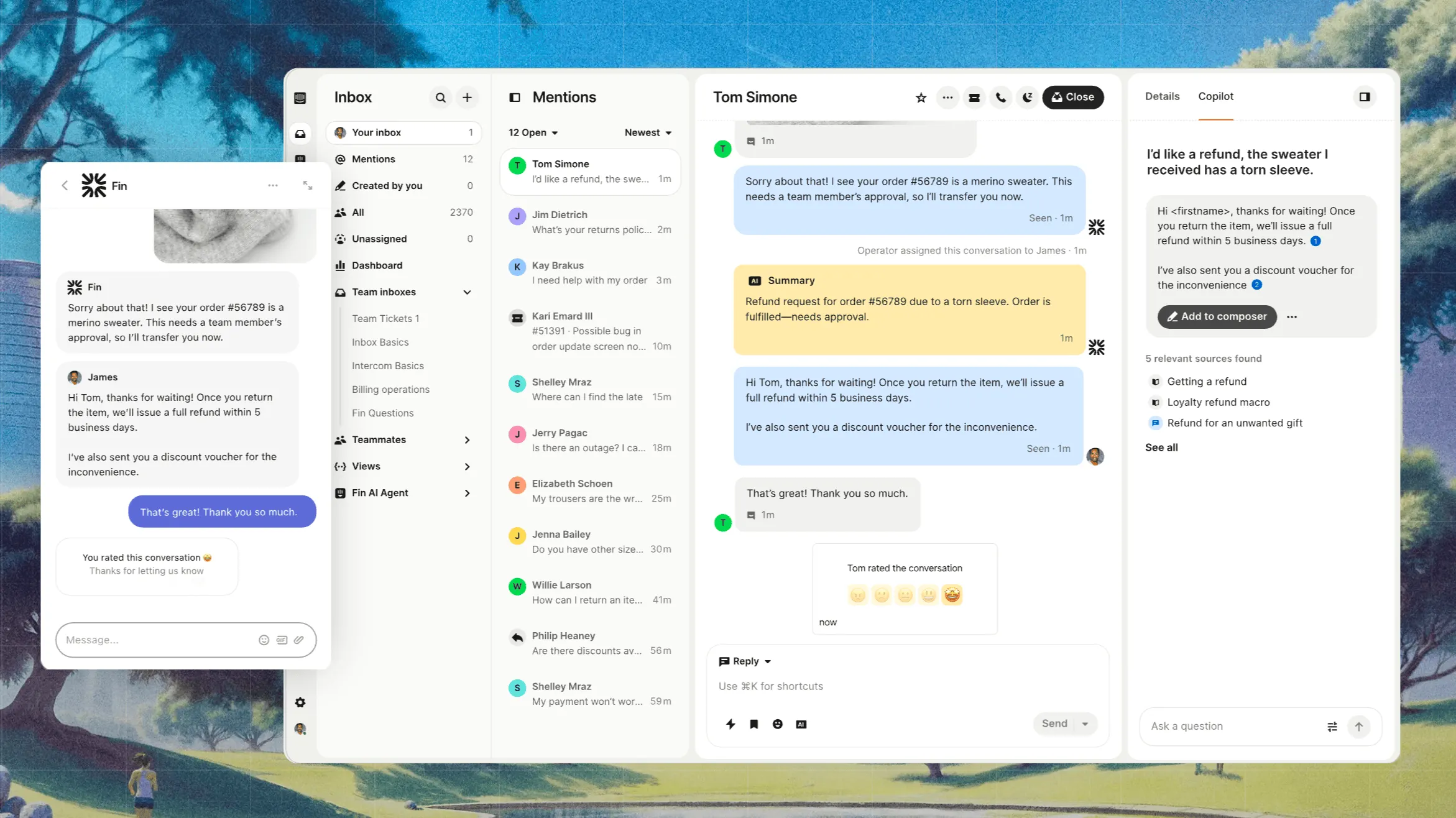
Intercom is the customer service platform that pioneered the in-app messenger and now leads with Fin AI Agent. It's a strong fit for B2B SaaS teams that already run live chat as the primary support channel and want AI to deflect the easy questions automatically.
The customer database side is built around the messenger: every contact has a profile that shows pages visited, in-app events, plan tier, and the full conversation thread. Custom attributes flow in from your product, and segmentation runs on top so you can route different account types to different teams.
The catch is the billing model. Plans run $19 to $132 per seat per month billed annually, and Fin AI Agent is billed at $0.99 per outcome on top of that. Predictable for a small team, harder to budget once volume scales. G2 reviewers frequently flag the pricing model as a recurring complaint.
Top features:
- Fin AI Agent for autonomous customer service resolutions
- In-app messenger with conversation routing and product tours
- Customer profiles with in-app event tracking and custom attributes
- Help center, ticketing, and shared inbox
- Outbound messages, banners, and proactive support tools
Pricing: Intercom pricing is Essential $19/seat/month, Advanced $85/seat/month, Expert $132/seat/month - all billed annually (Essential costs $29/seat/month billed monthly), plus $0.99 per Fin outcome.
4. HubSpot Service Hub
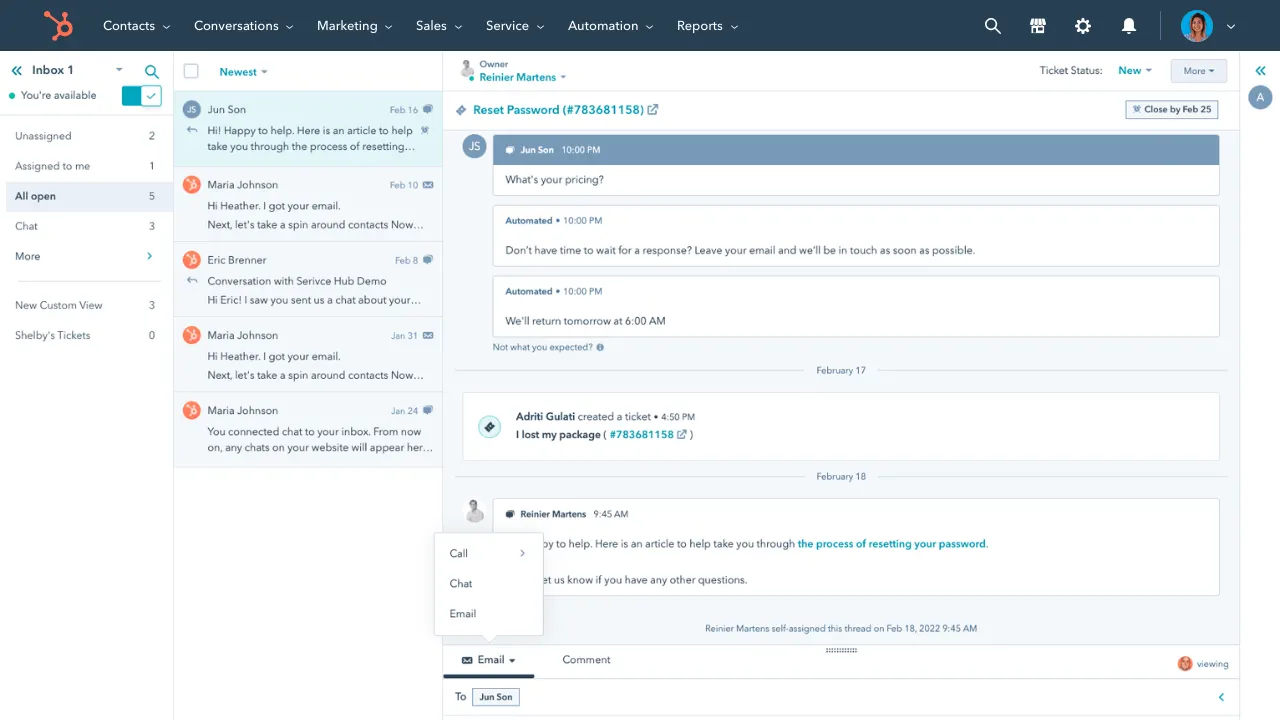
HubSpot Service Hub is the support module of HubSpot's wider CRM platform. If you're already running HubSpot for sales and marketing, Service Hub is the natural pick because the customer database is literally the same database the rest of the team uses.
That shared CRM is the headline feature. A support ticket shows every email the sales team sent, every form the customer submitted, every page they visited. No data sync, no duplicate records.
The trade-off is real cost. Starter is genuinely cheap at $15 per seat per month, but anything resembling a serious support workflow (SLAs, custom automations, the AI features) lives on Professional at $90 per seat plus a $1,500 one-time onboarding fee. G2 reviewers consistently note that the total cost balloons once you add Sales Hub, Marketing Hub, and Content Hub - the all-in-one becomes "the all-bill."
Top features:
- Tightly integrated with HubSpot CRM (every customer record is shared)
- Help desk with ticketing, shared inbox, and live chat
- Customer feedback tools (CSAT, NPS, CES)
- AI-powered help center and chatbots
- Reporting connected to sales and marketing data
Pricing: HubSpot pricing for Service Hub is Starter $15/seat/month, Professional $90/seat/month (+ $1,500 onboarding), Enterprise $150/seat/month with a 10-seat minimum (+ $3,500 onboarding).
5. Freshdesk
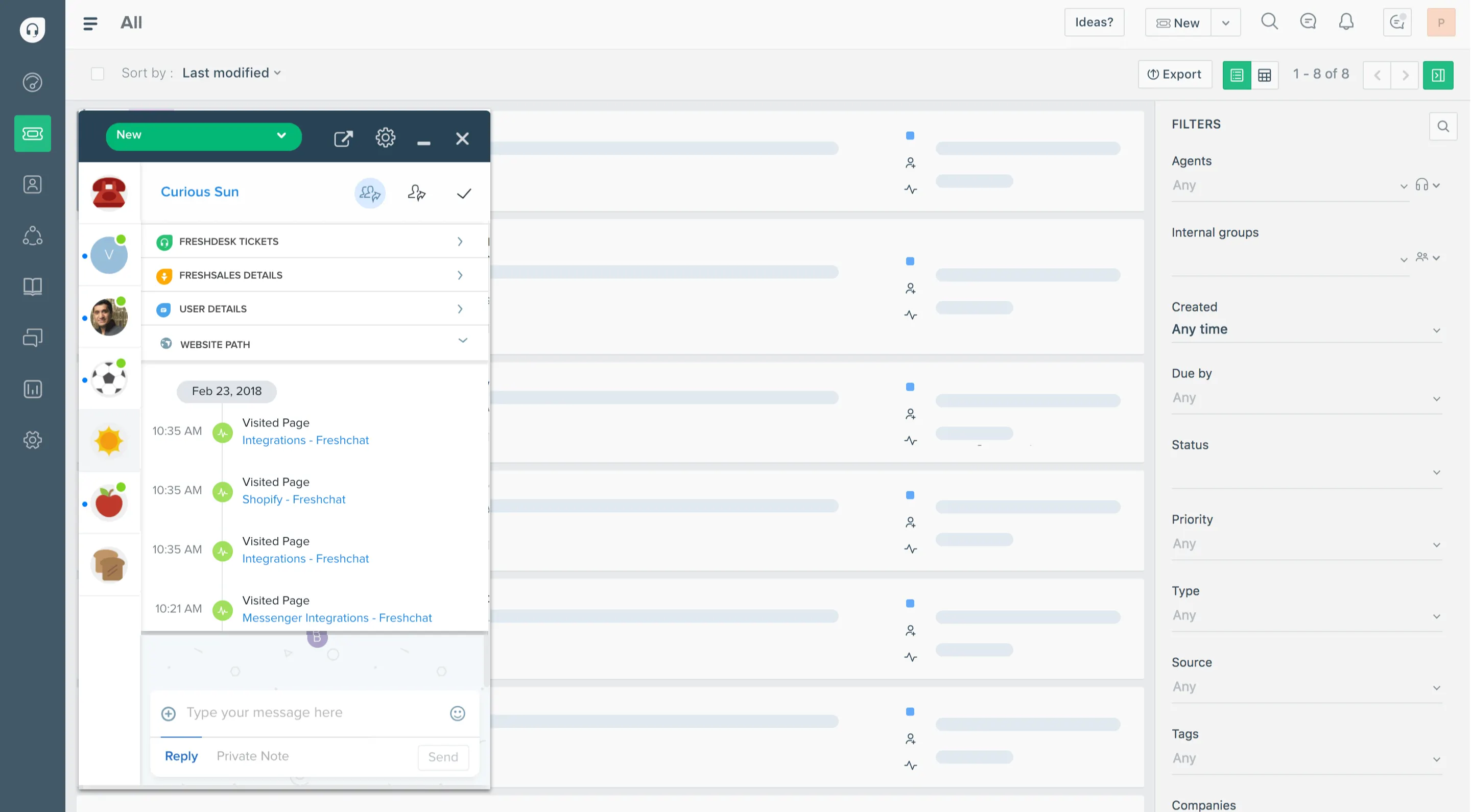
Freshdesk is Freshworks' helpdesk product and a common Zendesk alternative for SMB teams that want a usable free tier and predictable pricing. The customer database side is solid: every contact has a profile with conversation history, custom fields, and company-level grouping.
The free plan handles up to 10 agents, which is unusually generous for the category and explains why so many bootstrapped teams start here. G2 reviewers praise the intuitive interface and the automation builder. The most common complaint is that meaningful customization (custom roles, advanced workflows, deeper analytics) is locked behind higher tiers.
Top features:
- Multi-channel ticketing (email, chat, phone, social)
- Customer profiles with custom fields and company management
- Automation rules and scenario automations
- Freddy AI Agent (paid tiers)
- Knowledge base and self-service portal
Pricing: Freshdesk pricing is Free (up to 10 agents), Growth $15/agent/month, Pro $49/agent/month, Enterprise $79/agent/month - all billed annually.
6. Help Scout
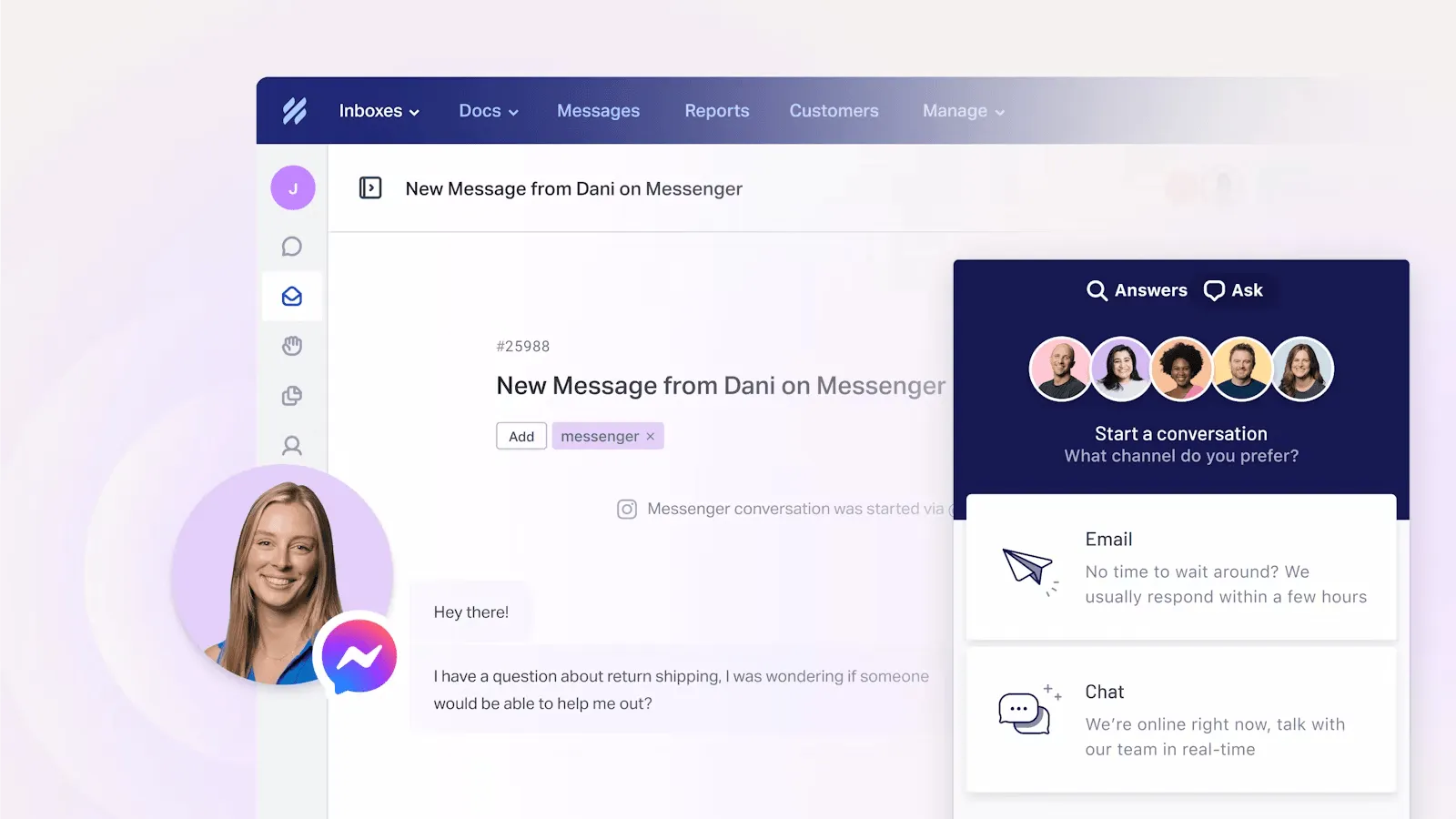
Help Scout is the customer service platform that prioritizes a clean inbox-style experience over feature density. Conversations feel like email, customer profiles auto-populate in the sidebar, and the whole tool is built for SaaS and ecommerce teams that want their support to look more like a friendly reply than a ticket number.
The customer database side is well thought through. Customer profiles pull in editable contact details and conversation history automatically, and the Plus plan adds company management so you can group conversations and contacts by account. G2 reviewers almost universally praise the ease of use and the transparent pricing - the most common limitation flagged is that automation and AI features are lighter than Zendesk or Intercom.
Top features:
- Shared inbox with customer profile sidebar and conversation history
- Knowledge base (Docs sites) with custom branding
- Beacon embeddable widget for in-app support
- AI Answers chatbot (add-on) and AI Drafts
- Company management for grouping conversations by account
Pricing: Help Scout pricing is Free (5 users, 1 inbox), Standard $25/user/month, Plus $45/user/month, Pro $75/user/month. AI Answers is $0.75 per resolution as an add-on.
7. Salesforce Service Cloud

Salesforce Service Cloud is the enterprise-grade option, built on the Salesforce platform and designed for organizations that need deep customization, complex workflow logic, and a single customer database shared across thousands of users.
The customer database side is the strongest in the category for one reason: Service Cloud is Salesforce. Every customer record lives in the same Salesforce CRM that sales, marketing, and any other team uses. The downside is everything else. G2 reviewers consistently note that implementation requires a dedicated admin or external consultant, the price climbs quickly with add-ons (Digital Engagement, Service Cloud Voice, Knowledge Base each add $50 to $200 per user per month), and the platform is overkill for any team smaller than mid-market.
Top features:
- Native integration with Salesforce CRM
- Omnichannel routing across email, chat, phone, and social
- Einstein AI and Agentforce for autonomous resolutions
- Knowledge base, case management, and SLAs
- Heavy customization via Lightning, Apex, and Flow
Pricing: Starter Suite $25/user/month, Pro Suite $100/user/month, Enterprise $165/user/month, Unlimited $330/user/month. Einstein 1 Service is $500/user/month.
How to choose customer service database software
A few criteria matter more than the rest when you're shortlisting:
- Channel coverage you actually need: every tool on this list does email and chat. If you also need voice, social, or in-app messaging, narrow the list to ones with native support rather than integrations.
- Pricing model fit: per-seat-only is predictable (Featurebase Growth, HubSpot Starter, Help Scout). Per-seat plus per-outcome AI (Intercom, Featurebase with AI, Help Scout AI Answers) is cheaper at low volume but harder to budget at scale.
- Customer database depth: how many custom attributes can you track per contact, how easy is segmentation, can you group contacts by company or account, and does the data flow into the conversation sidebar automatically?
- AI features: every modern tool now ships an AI agent and an AI copilot. The differences are pricing, the deflection rate on real tickets, and how cleanly the bot hands off to a human.
The channel and pricing fit usually shortlist 2 or 3 tools. The customer database depth and AI features decide between them.
One more thing worth pricing into the decision: agent productivity. 74% of CX business leaders say it takes agents longer to resolve tickets when they have to switch between tools, which is exactly the problem a customer service database software is meant to solve. Featurebase pulls customer profile data, conversation history, plan and revenue info into the same sidebar agents already work in, so the answer to "who is this person and what have they tried before" lives one glance away rather than three tabs deep.
Conclusion
The right customer service database software depends on company size and existing stack. Enterprise teams on Salesforce will keep landing on Service Cloud. HubSpot shops will land on Service Hub. Established mid-market teams will land on Zendesk. For everyone else - especially product-led SaaS and SMB support teams - the modern, AI-first options are now genuinely better than the legacy defaults.
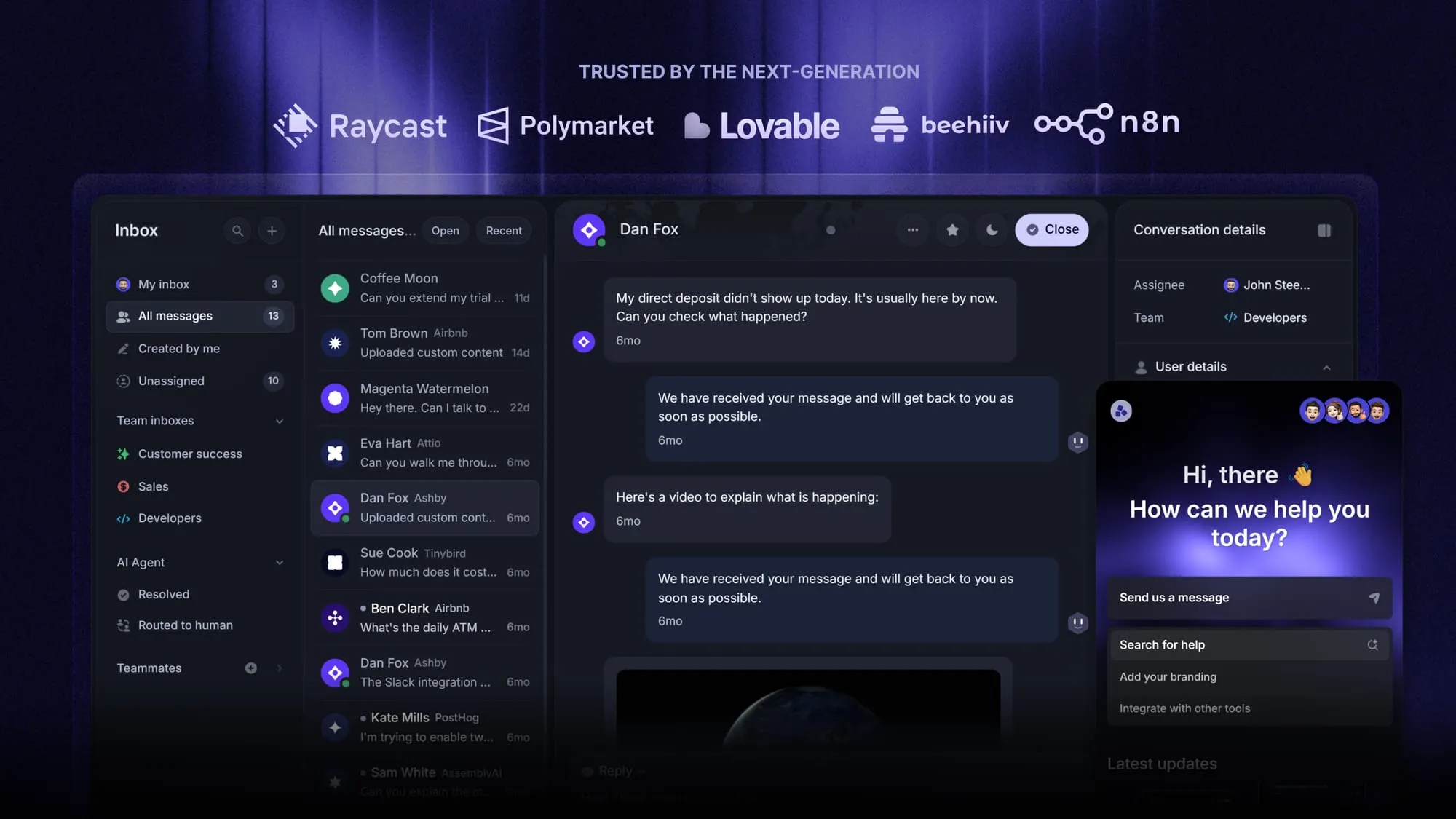
Featurebase is a modern AI customer support platform that combines an omnichannel inbox, customer profile sidebar, AI agent, help center, and feedback tools in one place. Instead of stacking a helpdesk on a CRM on a feedback tool, the whole customer-facing surface lives in one workspace.
It comes with a free plan that includes unlimited conversations and paid plans from $29 per seat per month. Onboarding takes minutes and there's no credit card required, so there's no downside to trying it. 👇
Automate your support with the fastest AI-enhanced Inbox today
FAQs
Customer service database software is a helpdesk platform that stores customer profile information, conversation history, and account context inside the support workflow. Instead of bolting a separate CRM onto a ticketing tool, agents see who they're talking to, what plan that person is on, and the full prior-interaction history right next to the current conversation.
A CRM is built around the sales pipeline. The primary objects are leads, opportunities, and deals, and the workflows are about moving prospects toward closed-won revenue. A customer service database software is built around the conversation. The primary objects are tickets, contacts, and accounts, and the workflows are about resolving issues fast. Some tools (HubSpot, Salesforce) do both reasonably well by sharing one database across both surfaces.
Three categories cover most cases. Sales-led teams use a CRM like Salesforce, HubSpot, or Pipedrive. Support-led teams use a customer service database software like Featurebase, Zendesk, or Intercom. Hybrid teams use an all-in-one suite like HubSpot or Salesforce that shares one database across both. Featurebase is the most common pick for SaaS teams that want unlimited conversations and customer profiles on a free plan.
There are four common types. Contact databases store basic identity and contact info. Transactional databases store purchase history and account activity. Behavioral databases store product usage and engagement data. Service databases (the category covered in this list) layer all of the above inside a helpdesk so support agents can see everything in one view.
Three habits keep customer data clean. Use integrations to sync the source of truth automatically rather than typing data twice. Run a deduplication pass quarterly to merge duplicate contacts and standardize company names. Set custom fields with controlled values (dropdowns, not free text) so segmentation actually works months later.
Most modern tools (Featurebase, Help Scout, Freshdesk, Intercom) are no-code and can be set up by a non-technical user in an afternoon. The exceptions are the enterprise platforms - Salesforce Service Cloud and HubSpot Service Hub Professional usually need a dedicated admin or external consultant, especially for custom workflows, automations, and CRM integrations.


