Blog Customer ServiceCustomer Service Efficiency: 8 Ways to Improve Support
Customer Service Efficiency: 8 Ways to Improve Support
Improve customer service efficiency with 8 practical strategies, the metrics to track, and a 30-day plan for faster resolutions and better support.



A customer wants to change their subscription. The first agent asks for account details, the second repeats the questions, and the third finally makes the change. Your team has stayed busy, but a simple request has taken far more work than it should.
Better customer service efficiency means removing that extra work. This guide compares practical ways to do it, from clearer processes to automation, and covers the customer service metrics and 30-day plan that'll help you decide where to start. 👇
Key takeaways
- Measure successful resolutions: Faster replies mean little if customers keep coming back about the same problem.
- Fix repeat work first: A clearer billing page or better handoff can save time whenever that request comes up.
- Give automation a clear job: Routine questions are a useful starting point, with a straightforward route to a person.
- Make one focused change: Compare similar requests before expanding a new process.
- Featurebase✨ suits SaaS teams that want support conversations and product feedback in one place, so requests can reach the product team and customers can hear when something changes.
What is customer service efficiency?
Customer service efficiency is how well a team uses its time, tools, and budget to resolve customer problems. Efficient customer service removes unnecessary steps while keeping answers accurate and helpful.
Take an invoice request. If the customer can download it from their account, they don't need to contact support. If they do need help, an agent who can find the invoice and send it straight away saves both people time.
Efficiency versus effectiveness
Effectiveness means solving the problem. Efficiency considers how much work it takes.
An agent who completes a subscription change after 3 avoidable transfers has been effective, but the process is inefficient. An agent who closes the ticket quickly without making the change hasn't achieved either.
Why customer service efficiency matters
Small delays become expensive habits. An agent spends a few minutes finding a refund policy, waits for approval, then asks a teammate where to record the decision. Repeat that across the queue, and there's less time left for customers who need real investigation.
Removing those steps helps in several ways:
- Customers do less chasing: They don't have to repeat their details or open another ticket to find out what happened.
- Agents have more time for difficult cases: A missing invoice takes less attention away from a broken integration.
- Support costs become easier to manage: You can see which requests consume time and whether a better process would reduce the work.
- Answers become more consistent: Customers get the same guidance whether they reach you by chat or email.
Customer satisfaction belongs in this picture. A rushed refund reply that leaves the customer unsure whether their money is coming back can create another conversation tomorrow.
How to measure customer service efficiency
Use a representative period, such as the previous month, as your baseline. Separate results by channel, issue type, and complexity. A password reset and an investigation into missing data involve very different amounts of work.
These metrics show how quickly customers get help, how much it costs, and whether the help worked:
| Metric | Calculation or definition | What to watch |
|---|---|---|
| First response time | Time from the initial request to the first substantive reply | An automated acknowledgment doesn't show whether help arrived. |
| Resolution time | Time from the initial request to the issue's resolution | Review long-running cases as well as the median. |
| First-contact resolution | Eligible issues resolved during the first contact ÷ eligible issues × 100 | Define what counts as a contact for each channel. |
| Repeat-contact rate | Resolved issues followed by another contact about the same problem ÷ resolved issues × 100 | Use a consistent follow-up window and include new tickets about the same issue. |
| Cost per resolution | Support operating costs for a period ÷ issues resolved in that period | Include labor, software, and relevant usage fees consistently. |
| Customer satisfaction score (CSAT) | Positive ratings ÷ survey responses × 100 | Check response counts and which customers answered. |
| Customer effort score (CES) | Customers' rating of how easy it was to get help | Keep the question and scale consistent so comparisons mean something. |
Repeat contacts need a little care. If you allow a week for customers to come back about the same problem, every group you compare needs that full week. Tickets closed yesterday haven't had the same chance to reopen.
For example, $12,000 in monthly support costs divided by 1,500 resolved issues gives you a cost per resolution of $8. A lower figure next month is promising, provided customers aren't returning more often and difficult cases aren't piling up.
Average handling time helps explain where agents spend their time. It includes the interaction, hold time, and wrap-up work. Resolution time also captures the customer's waits between replies. An agent might spend 10 minutes on a refund request that takes 2 days to resolve.
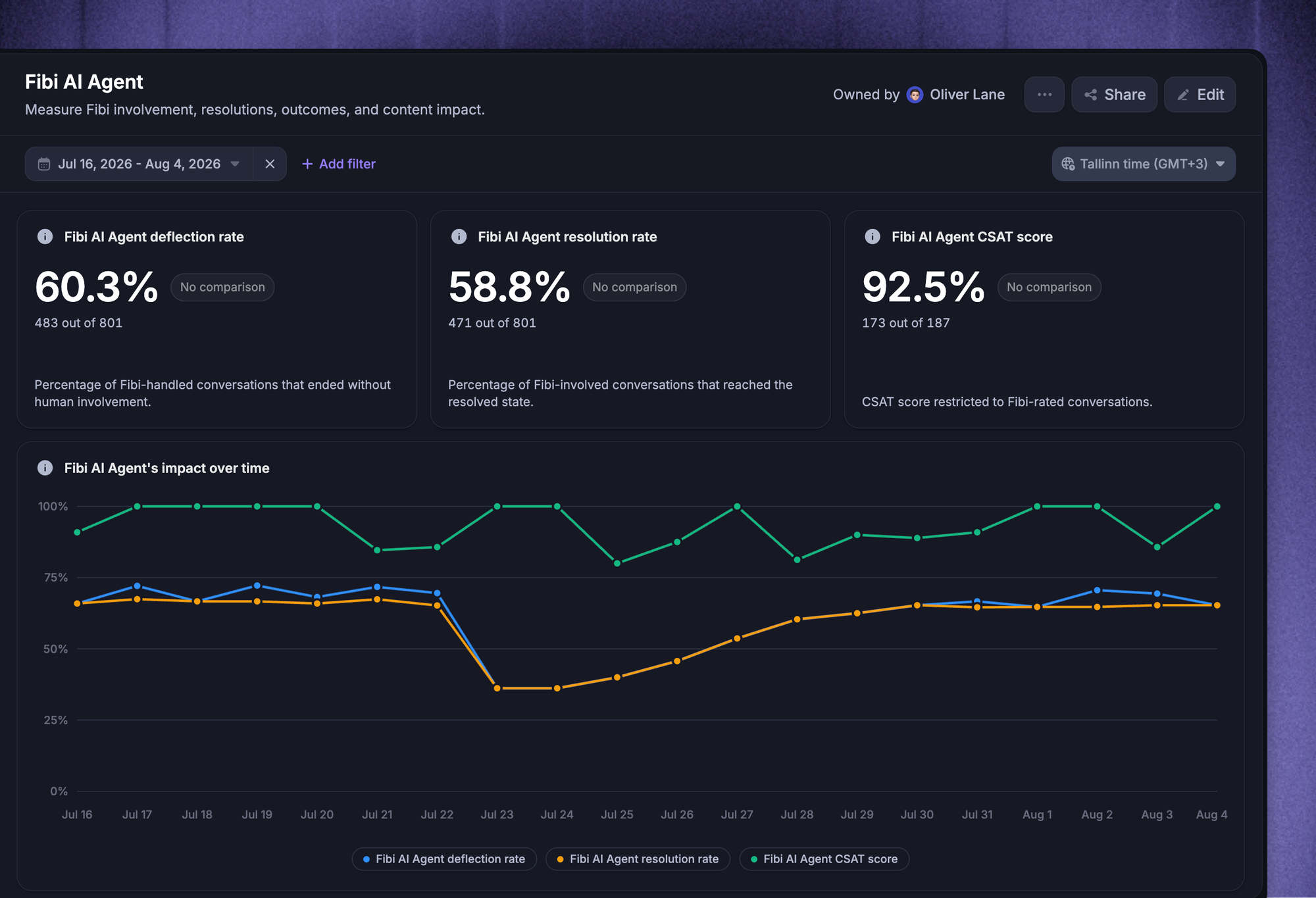
Featurebase's Fibi AI Agent reporting brings resolution, deflection, handoffs, and CSAT together. It also separates assumed resolutions from customer-confirmed resolutions. That distinction matters: a customer leaving after an answer gives you less certainty than a customer saying it solved their problem.
8 ways to improve customer service efficiency
I'd start with the work that slows your team down most often. If requests keep landing with the wrong person, routing deserves attention. If everyone struggles to find the current refund policy, fix the documentation before expanding automation.
1. Find your biggest sources of repeat work
Group recent conversations by the customer's underlying need. "Can't find an invoice" tells you more about what needs fixing than a broad label like "billing."
For each recurring request, record:
- Frequency: How often the request comes up.
- Agent effort: What the team has to do to resolve it.
- Repeat contacts: Whether the customer needs to come back.
- Root cause: Whether the trouble starts with missing information, product behavior, or an internal process.
If customers keep asking how to invite a teammate, a reusable answer will speed up replies. Making the invitation button easier to find could prevent some of those conversations.
Compare requests after the change with active customer numbers. Business growth can otherwise hide an improvement.
2. Put customer context in one place
Imagine picking up a subscription change halfway through. You need the account details, the plan the customer wants, and anything the previous agent has promised.
A shared inbox with relevant customer information saves the hunt through separate tools. Omnichannel support becomes useful when that context follows the customer from live chat to email.
The details matter. A technical handoff needs the error message and troubleshooting history. A refund handoff needs the charge in question and any decision already made.
When choosing support software, I'd prioritize being able to continue a conversation without starting again. Fewer clarification questions and transfers, alongside shorter resolution times, help show whether it's working.
3. Make self-service answers easy to find
Build your knowledge base around the jobs customers are trying to finish. "How do I download my invoices?" is easier to act on than a broad "Billing overview" page.
Good self-service support explains the steps, expected outcome, and common exceptions. A subscription change article should explain when the change takes effect, using your actual billing policy.
Put relevant help near the task. Someone on the billing page shouldn't need to search the whole help center to understand their renewal.
Give articles an owner and let agents flag missing or outdated answers. One correction can help both customers and the team.
Article helpfulness ratings and contacts about the topic tell you more than page views. People may find an article and still leave confused.
4. Automate routine questions with clear human handoffs
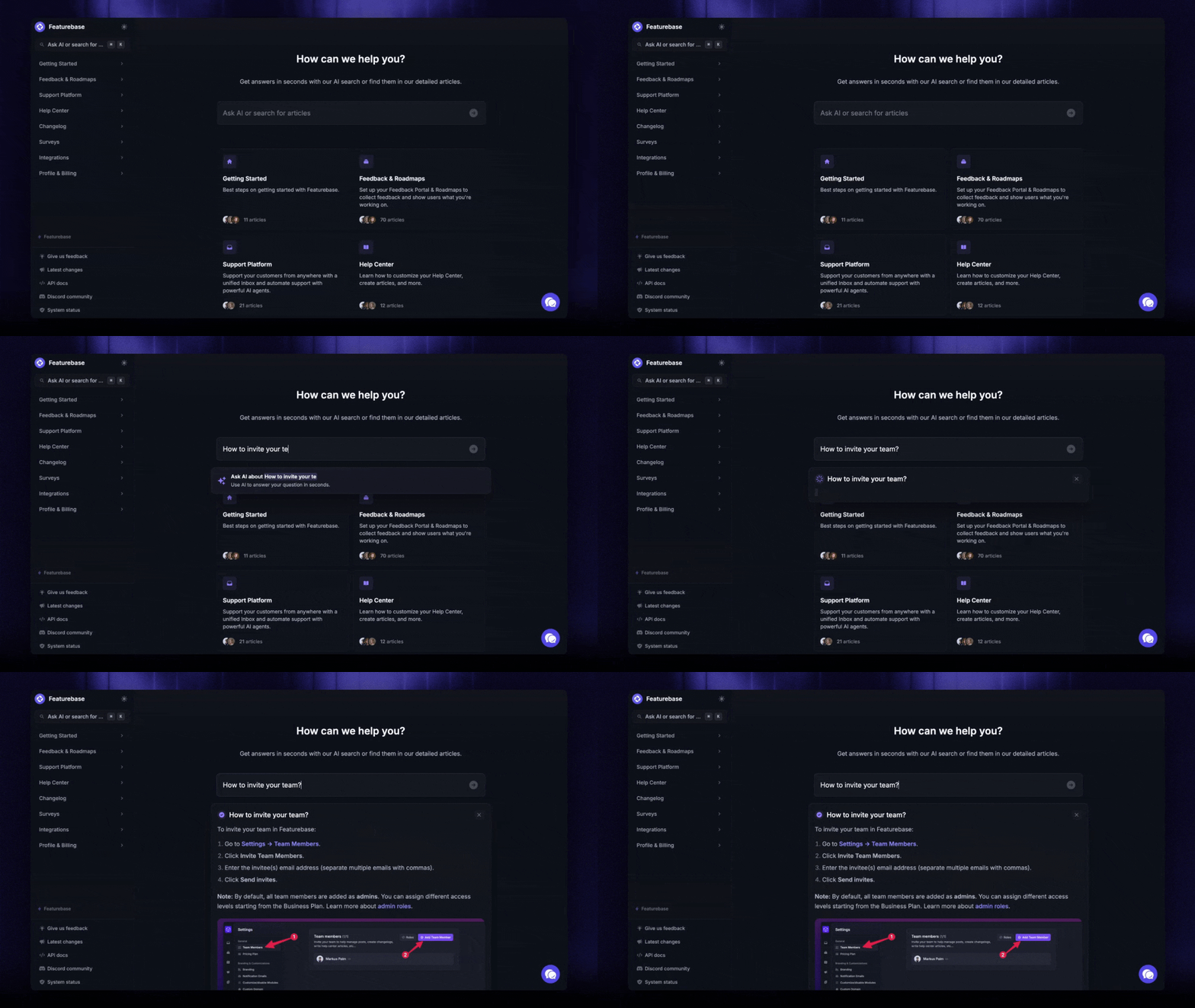
Customer service automation works well when the answer is reliable and the task has clear boundaries. Explaining how to download an invoice is a sensible starting point. A disputed charge that needs an exception to your refund policy may need a person.
An AI customer service agent can answer questions from your knowledge sources. Workflow automation can collect the account details and send the conversation to the right team. Answering a question about a refund and actually issuing one are separate capabilities, so the setup needs to match the job.
When a customer asks for a person or the system can't help, the agent taking over should receive the conversation and information already collected.
AI can also improve agent productivity. A 2025 study of 5,172 customer-support agents found that AI assistance increased issues resolved per hour by 15% on average. It studied human agents using suggestions at one software company, so the result isn't a benchmark for autonomous AI performance.
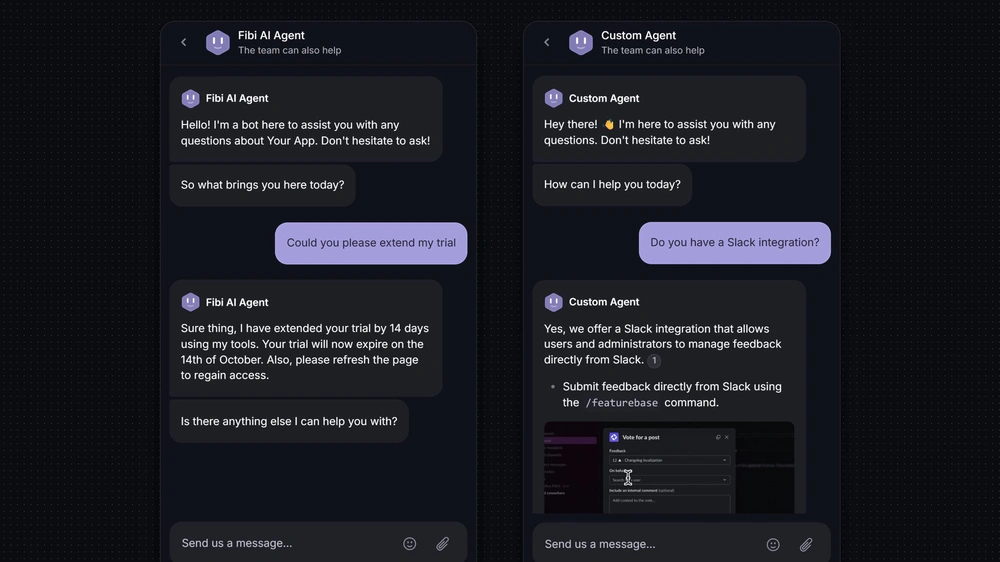
Featurebase's Fibi AI Agent answers questions using sources such as your Help Center and past support interactions. With Workflows, it can collect context and hand conversations to teammates, so customers have a path to human support.
Before expanding automation, read a sample of the conversations and compare resolutions, escalations, and customer ratings. An impressive automation rate can hide answers that didn't help.
5. Route requests to the right owner
A refund request waiting in a technical support queue isn't getting any closer to resolution. Clear ownership removes that waiting time.
A small set of routing rules can use the reason for contact or product area to make the first assignment. Collect enough information to send the request somewhere useful without making customers complete a lengthy form.
Give requests that don't fit a category an owner too. They shouldn't sit untouched while teams decide whose job they are.
If engineering is investigating a failed integration, support can still own the customer updates. "We're investigating and will update you tomorrow" gives the customer a clearer expectation than "passed to engineering."
Time spent unassigned and repeated transfers will show where the routing still breaks down.
6. Give agents reusable answers and decision-making authority
Canned responses save agents from rewriting the same explanation. Leave room to adapt them: a cancellation template still needs to match the customer's plan and explain what happens next.
Templates only solve part of the delay. If every routine trial extension needs a manager's approval, the customer will still wait. Document which decisions agents can make and where an exception needs approval.
Use difficult or reopened cases in training. A refund conversation might reveal that the agent applied the right policy but left the customer unsure about what happened next.
Pair first-contact resolution with quality reviews to see whether agents are resolving more requests themselves and making sound decisions.
7. Match coverage to demand and urgency
A manageable weekly ticket count can hide a Monday morning backlog. Plan coverage around when requests arrive and how much work they need. Schedule training and documentation during quieter periods, with extra help for known launches.
Service level agreements or internal response targets should reflect the customer's situation. Someone locked out of the product needs attention sooner than someone suggesting a future feature.
Set clear expectations about response times and assign a backup when the regular agent is away.
Backlog age and missed response targets reveal gaps during busy periods. A queue that gets older every afternoon may need more coverage at that time.
8. Fix recurring problems with product and customer feedback
Some requests keep returning because the product keeps creating the same confusion. Give the product team a specific problem with examples and customer impact. "Users can't tell whether their import is still running" explains more than a pile of tickets tagged "imports."
This is a strong reason for SaaS teams to keep support and product feedback together. Connecting conversations to requests gives product teams the customer's actual problem and support a record of who needs an update.
Proactive customer support helps during known incidents or planned changes too. An update about an import delay, with a time for the next communication, can save customers from having to ask.
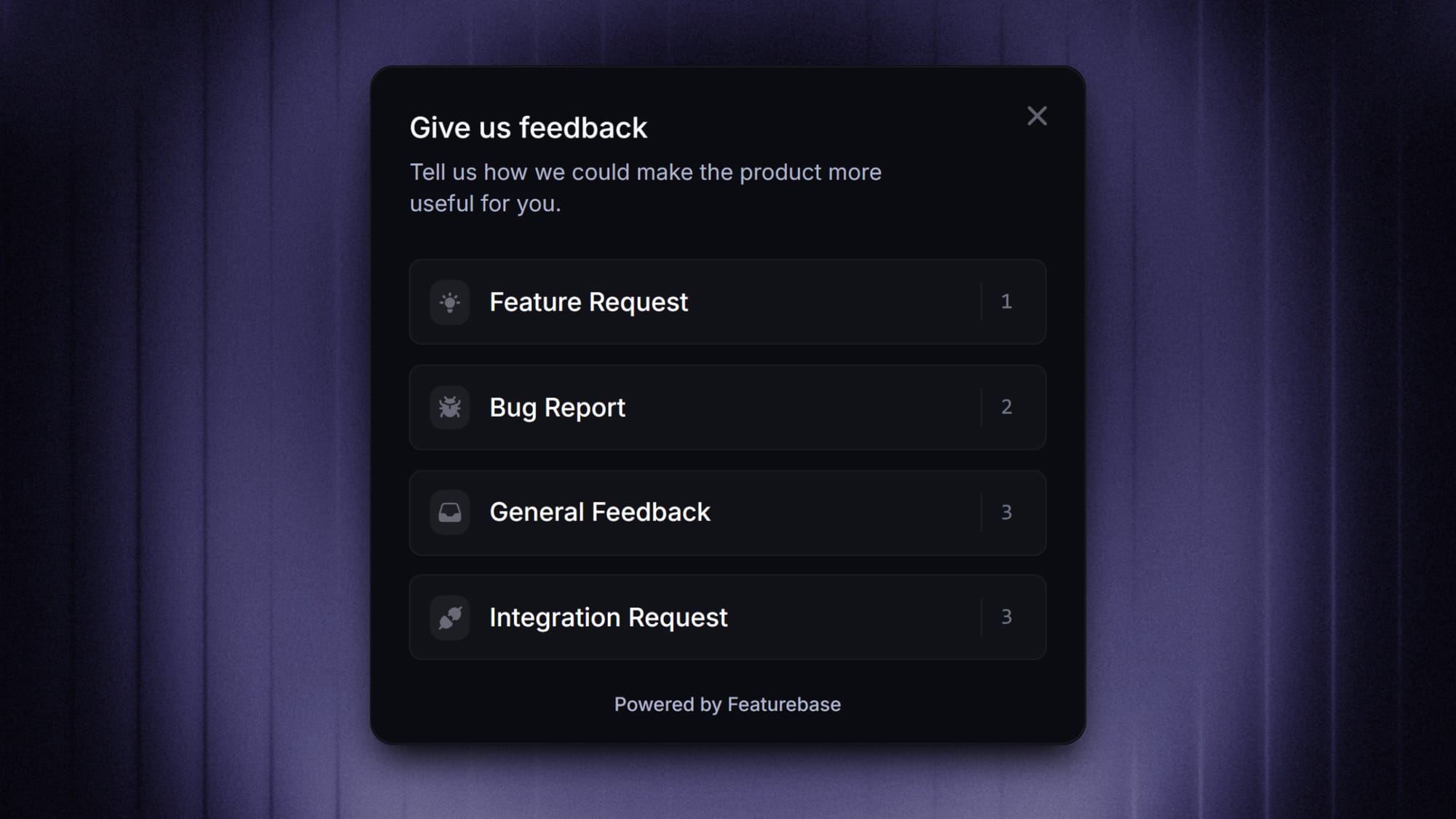
When the fix ships, close the feedback loop with the people who reported it and update the help content. Then compare contacts about the issue with product usage. Fewer requests are encouraging, but affected customers may still need help adopting the fix.
A 30-day plan to improve customer service efficiency
Focus the first month on one recurring problem, such as invoice requests, subscription changes, or a misunderstood setup step.
| Period | Action | Deliverable |
|---|---|---|
| Week 1 | Review recent conversations and establish your baseline | One priority issue, an owner, and a speed or cost metric paired with a quality metric |
| Week 2 | Fix the most obvious source of unnecessary work | An improved article, response template, routing rule, or product explanation |
| Week 3 | Pilot the change with a defined group of requests | Reviewed conversations and notes from agents using the new process |
| Week 4 | Compare results and decide what to expand | A decision to continue, adjust, or stop the change |
Compare similar requests across both periods, accounting for outages or launches that changed the workload.
Expand the change when the intended metric improves and quality holds up. With only a handful of conversations or survey responses, you may need more time. Thirty days gives you a review point, but the evidence may still be inconclusive.

Resolve 70% of customer requests with AI
Automatically resolve customer issues & cut down support loads for your team
Conclusion
Start with a problem your team handles repeatedly. A clearer answer, a better handoff, or a product fix can remove work from every future conversation about it.
For SaaS teams whose support conversations regularly lead to product requests, I'd choose Featurebase for its connection between support and feedback. Agents can turn messages into feedback posts or subscribe customers to existing requests. Customers then receive email updates when the request's status changes, saving the team from maintaining a separate follow-up list.
That makes it a useful choice when answering today's question and keeping customers informed about product improvements are part of the same job. Its help center and AI support cover the routine questions alongside that work.
You can start with a Free plan without a credit card. Fibi AI Agent is available on paid plans. 👇
✨ Explore Featurebase's AI-powered support platform →

FAQs
What mistakes undermine customer service efficiency?
Judging agents only by ticket closures can encourage them to close conversations before the problem is solved or leave difficult cases waiting. Changing several processes at once creates another problem: you won't know which change helped. Focus on successful resolutions and give each improvement a clear way to measure the result.
How do efficiency improvements affect support agents?
When routine questions take less time, complex cases can make up more of an agent's day. A lower ticket count doesn't necessarily mean a lighter workload. Coaching, breaks, and workload expectations need to reflect the difficulty of the remaining work.
Is live chat more efficient than email support?
Live chat works well when a few quick clarifications can solve the problem, such as finding the right account setting. Email gives both sides more flexibility when someone needs to investigate, gather logs, or send detailed instructions. Compare resolution time and customer effort for similar issues to see which works better for your team.
Can self-service reduce customer satisfaction?
Yes, if customers have to work through unhelpful articles before they're allowed to contact support. Give them a visible route to a person and carry over what they've already shared. Feedback from people who tried self-service and still needed help is particularly useful for finding the gaps.
Should response times include hours when support is closed?
Track both elapsed time and business-hour response time if you don't offer round-the-clock support. A Friday evening request answered on Monday may meet your business-hour target while still leaving the customer waiting all weekend. Label the measures clearly and use the same definitions when comparing results.