Omnichannel Routing: What It Is and How It Works
Learn what omnichannel routing is, how it works, the main routing models, and how to send every customer conversation to the right agent, every time.


On this page
- What is omnichannel routing?
- Omnichannel routing vs. multichannel routing
- How omnichannel routing works
- The main omnichannel routing models
- Which channels omnichannel routing covers
- Omnichannel routing in action: 3 examples
- Benefits of omnichannel routing
- How to get started with omnichannel routing
- Simplify omnichannel routing with Featurebase
- Route every conversation to the right place
A customer starts a conversation in live chat, gives up, sends an email, then calls your support line - and each time they have to explain the problem from scratch. That is what happens when your support channels do not talk to each other.
Omnichannel routing fixes this by treating every channel as one connected system and sending each conversation to the right agent automatically. In this guide, I'll break down how it works, the routing models behind it, and how to bring it to your own support team. 👇
Automate your support with the fastest AI-enhanced Inbox today
Key takeaways
- Omnichannel routing automatically sends customer conversations from every channel - chat, email, phone, social - to the best-suited agent based on skills, availability, and priority.
- It is not the same as multichannel routing: multichannel handles each channel separately, while omnichannel unifies them and carries full context across the whole journey.
- Most systems combine 4 routing models: queue-based, skill-based, capacity and availability, and priority-based.
- AI takes routing further by reading intent and sentiment in real time instead of relying only on static rules.
- The payoff is shorter wait times, higher agent productivity, and a more consistent experience no matter where customers reach out.
- Featurebase✨ brings omnichannel routing to growing teams with a unified inbox and workflows that auto-assign and route conversations, without an enterprise contact center.
What is omnichannel routing?
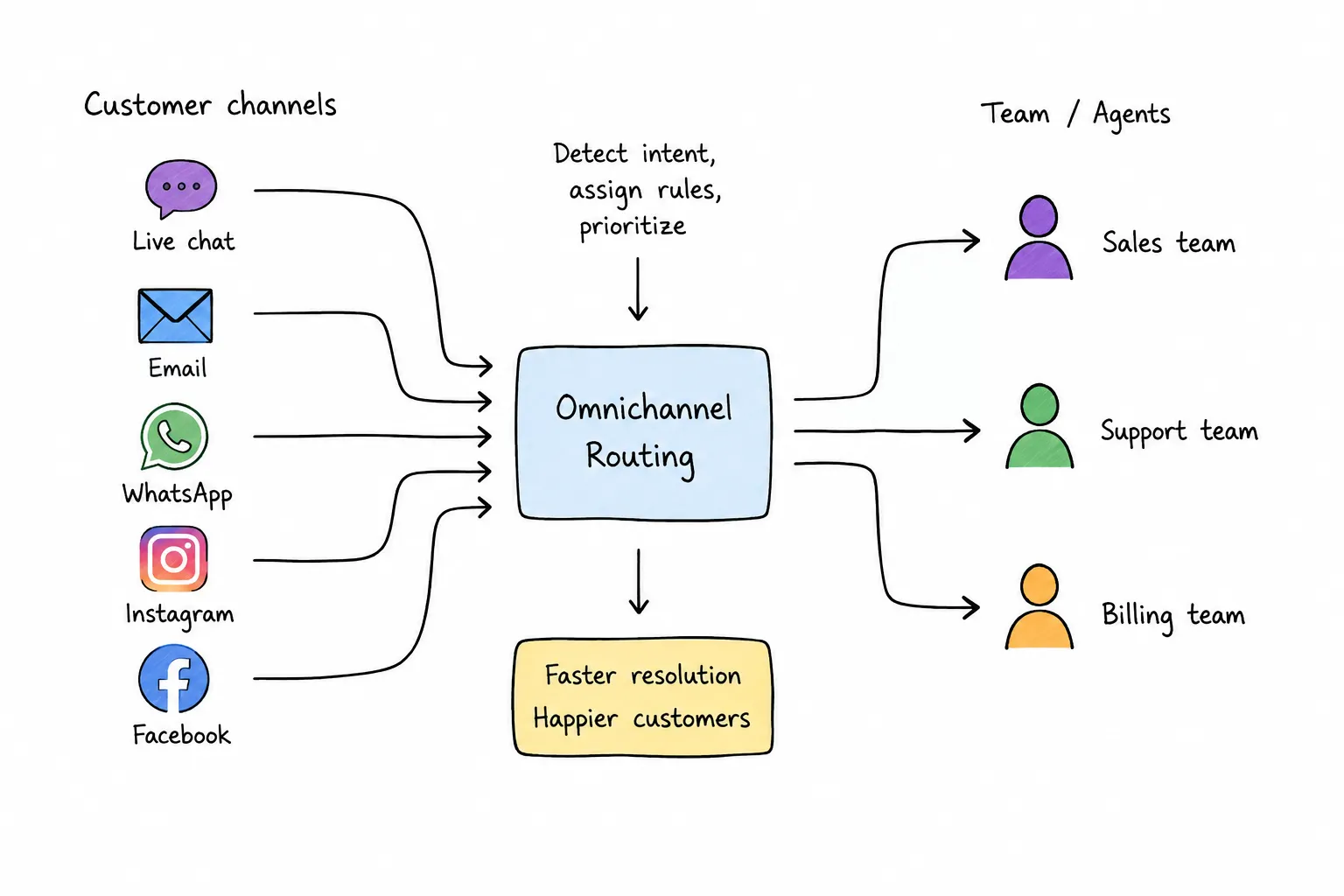
Omnichannel routing is the process of directing customer requests across every support channel - voice, live chat, email, SMS, and social media - to the agent or resource best equipped to resolve them. Instead of treating each channel as its own separate queue, it pulls everything into a single routing engine that decides who should handle each conversation.
That single engine matters more every year, because customers rarely stay in one place. Gartner found that 51% of customer service journeys now begin on third-party platforms like Google, YouTube, and ChatGPT, and that 74% of Gen Z customers start with a third party before ever reaching an official company channel. By the time someone lands in your support queue, they have often already jumped between several places.
The routing engine works from a universal queue that holds every pending contact, then assigns each one based on rules: the customer's need, the agent's skills, their current workload, and how long the request has been waiting. It is the mastermind working behind the scenes so the right conversation reaches the right person.
Omnichannel routing vs. multichannel routing
These two terms get used interchangeably, but they describe very different setups. The difference comes down to whether your channels share a brain.
Multichannel routing means you offer several channels - phone, email, chat - but each one runs on its own. An agent handling chat sets a separate status from the agent handling email, and context does not follow the customer when they switch. Omnichannel routing unifies all of those channels into one system with a single agent status, a shared queue, and full context that travels with the customer from one touchpoint to the next.
In practice, that is the difference between a customer repeating their order number 3 times and a customer who switches from chat to phone and gets conversational customer service that picks up right where they left off.
How omnichannel routing works
Behind every routed conversation is a short, repeatable sequence. Here is what the engine does the moment a request comes in:
- Detects the channel: The system recognizes where the interaction started, whether that is voice, chat, email, SMS, or social messaging, and feeds it into the same routing engine as everything else.
- Reads intent and urgency: Keywords, natural language processing, and customer cues help the system work out what the person needs and how time-sensitive it is.
- Pulls in customer context: It gathers previous conversations, account history, and open cases so the customer does not have to repeat themselves and the agent starts with the full picture.
- Matches to the best resource: It weighs agent availability, skills, and workload, then assigns the conversation to the human or AI agent best equipped to resolve it.
- Adapts in real time: It keeps watching queues, traffic spikes, and agent status, reassigning or escalating with context attached whenever conditions change.
The result is a smooth handover for the customer and far less manual triage for your team.
The main omnichannel routing models
Most platforms do not rely on a single rule. They combine several routing models and let you decide which one applies to which conversation.
Queue-based routing
Agents are grouped into queues that usually represent a skill, product, or department, and incoming requests go to the queue with the most available agent. It is the simplest model to set up and works well for smaller teams or straightforward product lines.
Skill-based routing
Skill-based routing matches each request to an agent based on the expertise it needs. Attributes like product knowledge, technical specialization, or language fluency are tagged to agents, and the system routes accordingly. A billing question goes to a billing specialist, and a Spanish-language ticket goes to a Spanish speaker, so there are fewer transfers and faster resolutions.
Capacity and availability routing
This model decides when a conversation gets assigned based on real-time bandwidth. Each agent has a maximum number of chats, calls, or tickets they can handle at once, and once they are full the system holds new work or sends it elsewhere. It is what stops any single agent from drowning during a volume spike.
Priority-based routing
Priority-based routing decides the order in which conversations get handled. Signals like customer value, issue severity, or sentiment bump urgent requests to the front of the line - so a business-critical outage triggers an escalation and jumps ahead of a routine question instead of waiting its turn.
Which channels omnichannel routing covers
A modern routing engine reaches well beyond the phone. These are the channels it typically unifies, and what routing looks like for each:
- Voice: Incoming calls are evaluated for caller history, intent, and urgency before being directed to the best available agent.
- Live chat and self-service: Chatbots and virtual agents often handle the first touch, then hand off to a human with the full conversation attached when needed.
- Email: Messages are scanned for topic, sentiment, and priority, so billing, technical, or cancellation requests reach the right team.
- SMS and messaging apps: Short, conversational requests are matched to agents who can respond quickly or to automation that handles simple tasks.
- Social media: Direct messages enter the same engine as everything else and route to teams trained for social media support or real-time engagement.
The point is that all of these flow into one system rather than into separate, siloed inboxes.
Omnichannel routing in action: 3 examples
The concept clicks fastest with real scenarios. Here are 3 common ways omnichannel routing plays out in a support team:
- Routing by skill: A customer opens a live chat about a technical bug. The engine reads the request as technical, finds an available agent with the right product knowledge, and assigns the chat to them directly instead of dropping it into a general queue.
- Routing by availability and capacity: During a traffic spike, the system checks which agents are online and how many conversations each already has open, then spreads new requests across the team so no one is overloaded and customers wait as little as possible.
- Routing by priority: A customer submits a ticket and flags a business-critical outage. The engine recognizes the urgency, moves the ticket to the top of the queue, and overrides the default first-come, first-served order so the crisis gets attention immediately.
Benefits of omnichannel routing
Automating who handles what pays off across the whole support operation. The biggest wins:
- Shorter wait times: Matching each request to the right agent from the start minimizes bottlenecks and stops any one channel or person from getting overloaded.
- Higher agent productivity: Agents receive work that fits their skills and capacity, which cuts idle time, reduces transfers, and helps them resolve issues faster.
- More consistent experiences: Every interaction follows the same logic and carries the same context, so customers get reliable support whether they reach out by chat, email, or phone.
- Easier scaling: Because routing is automatic, you can add channels and onboard new agents without rebuilding your workflows or manually triaging every ticket.
How to get started with omnichannel routing
Rolling out omnichannel routing is less about the technology and more about the groundwork. A practical order of operations:
- Choose a platform that fits your team: Pick an omnichannel support platform that covers the channels your customers actually use and treats them as one connected system, not separate queues.
- Connect your channels and data: Bring chat, email, phone, and social into one place, and make sure customer history and CRM data flow into the engine so routing decisions are accurate.
- Define your rules and agent skills: Decide how you will tag conversations, which skills matter, and how capacity and priority should work for your team.
- Monitor and refine: Watch support metrics like wait time and first reply time, then adjust your rules as volume and your team grow.
Simplify omnichannel routing with Featurebase
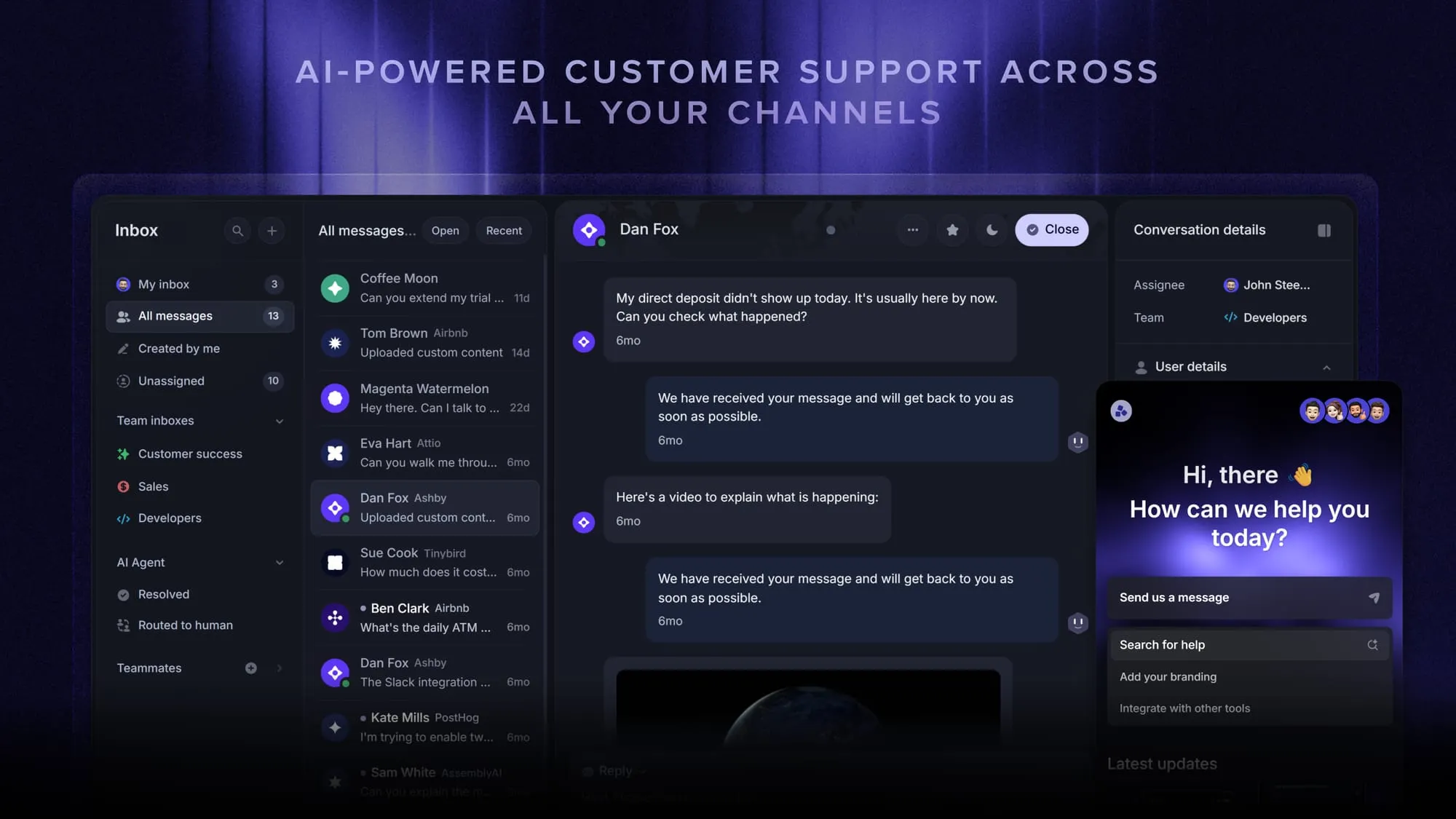
You do not need a heavyweight enterprise contact center to route conversations well. Featurebase is a modern AI customer support platform for product-led SaaS. It combines AI-powered support, help center, and feedback management into a single platform for startups that want all their customer-facing tools in one place. Featurebase is loved by thousands of support teams from companies like Lovable, Raycast, and n8n. 💫
Top features:
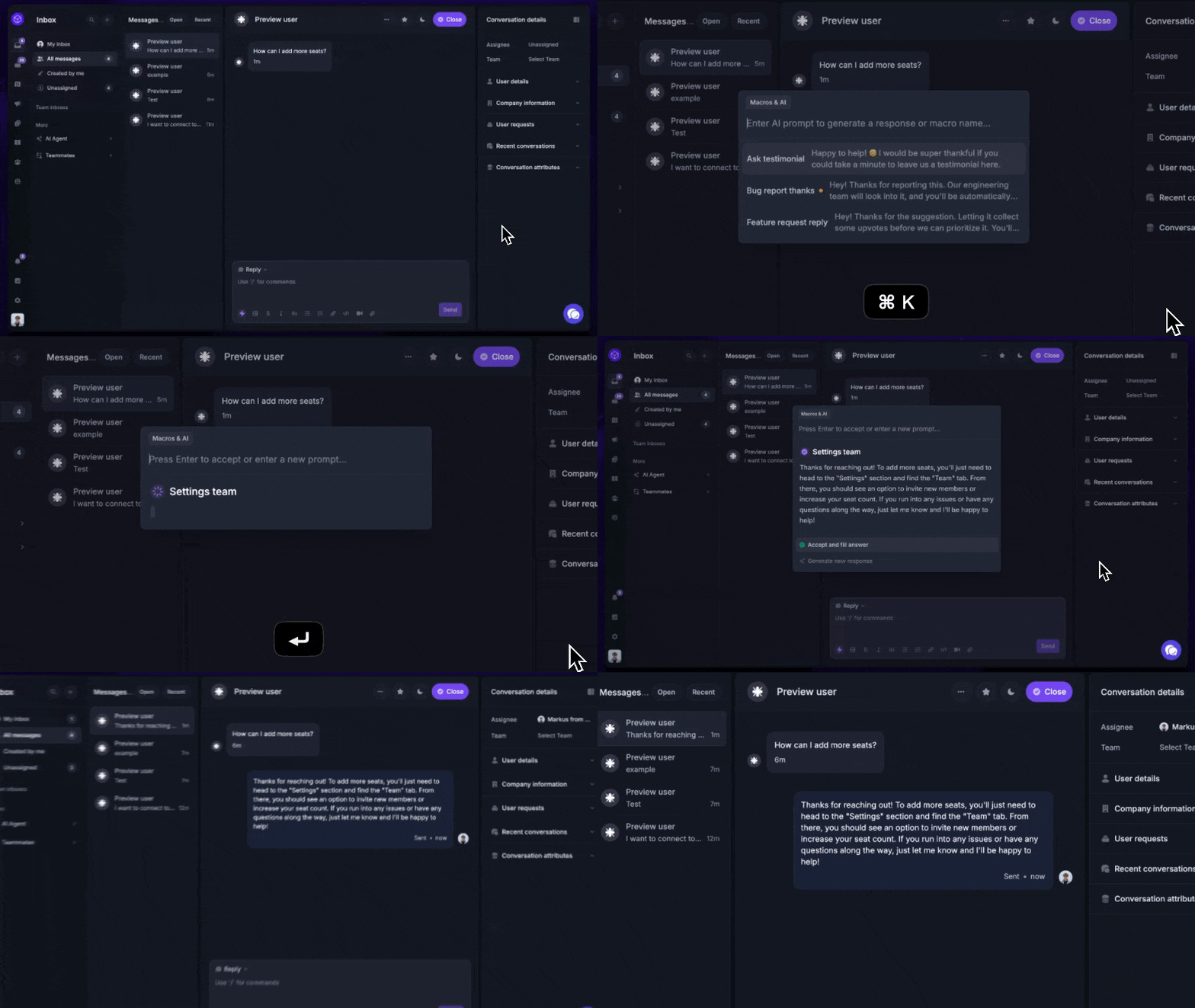
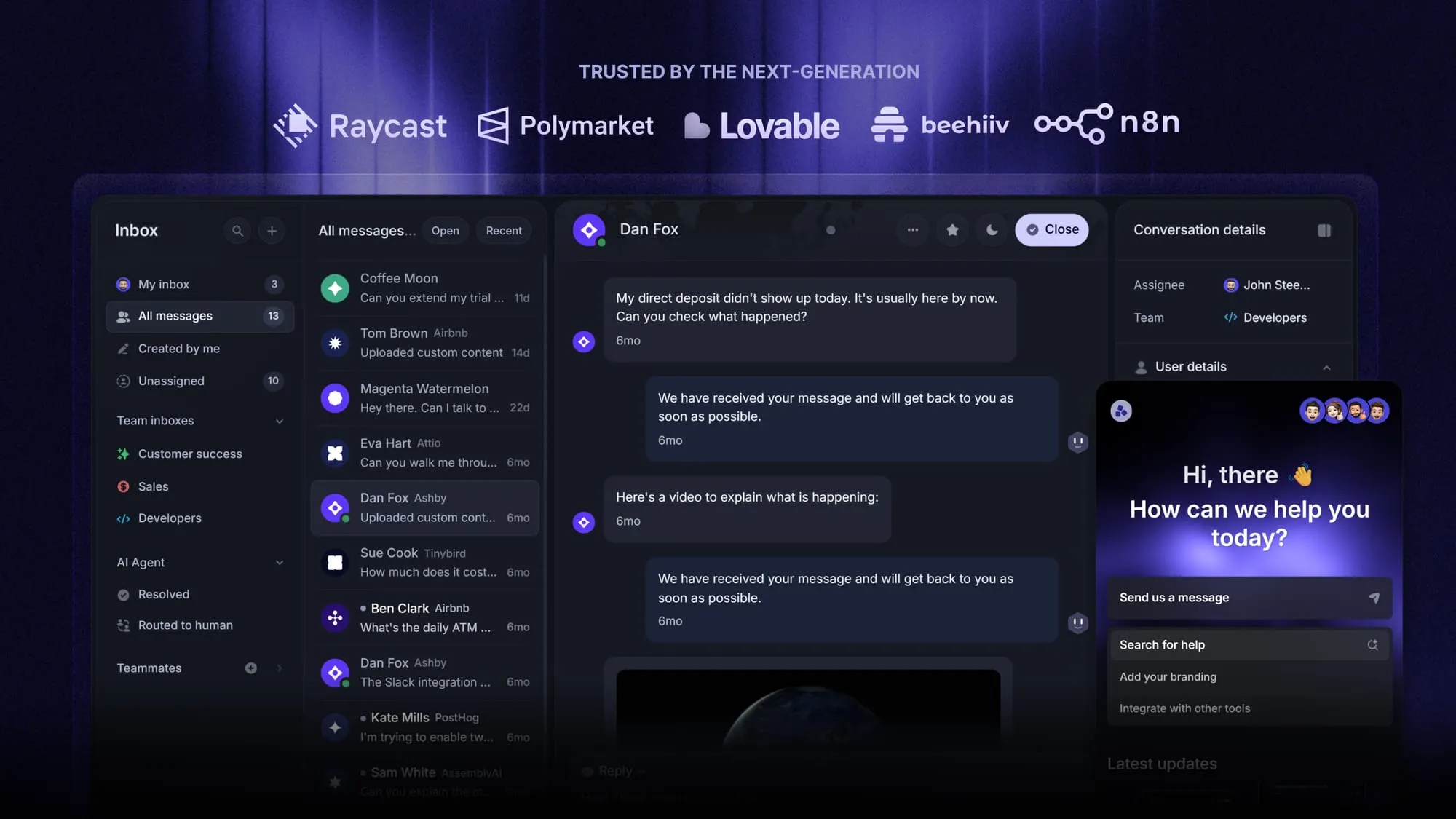
- Omnichannel inbox – Manage live chat, email, and Slack conversations from one AI-powered view
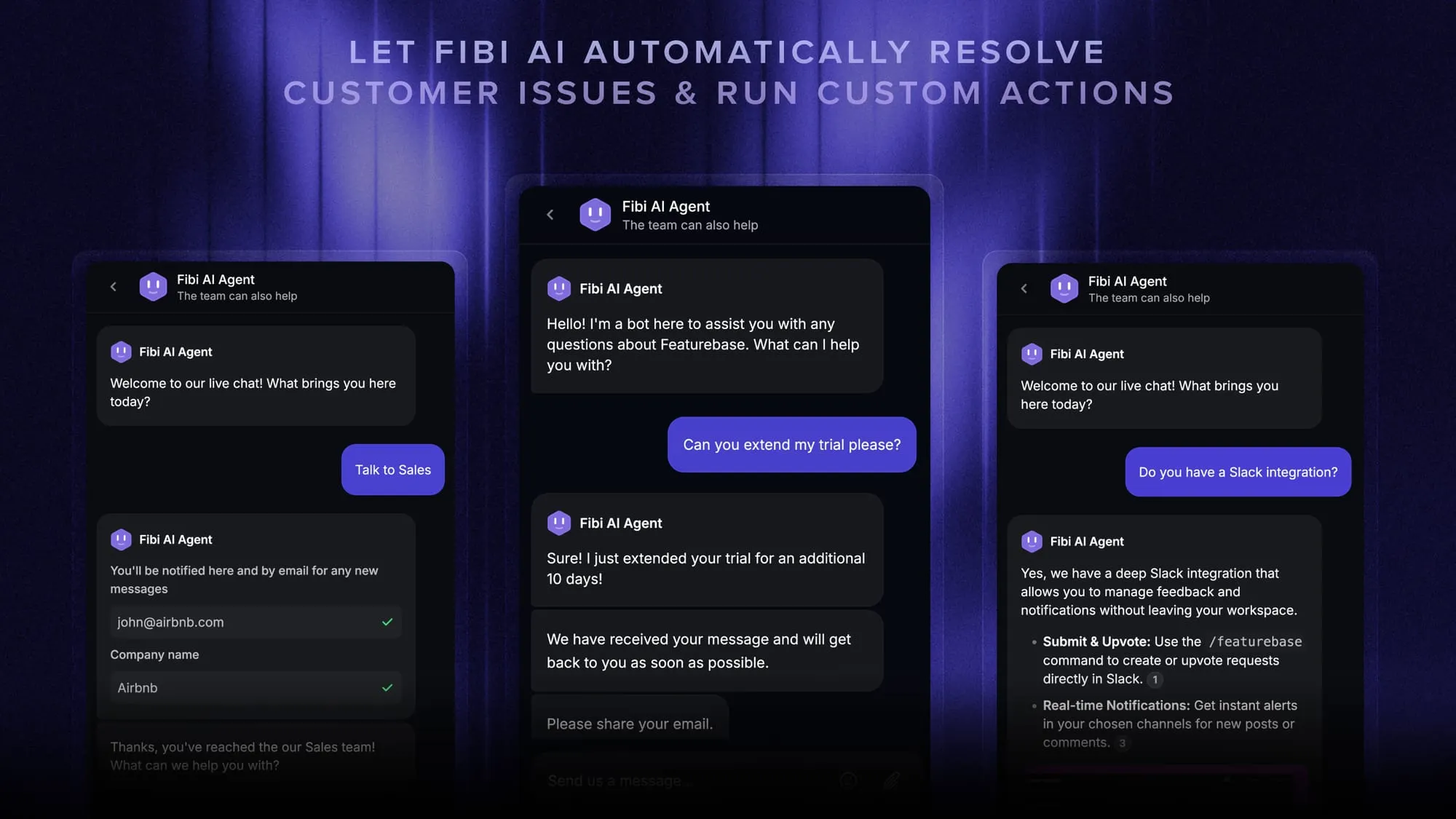
- Fibi AI Agent – Resolve customer issues on autopilot & run custom actions like trial extensions and refunds
- Help center with AI search – Provide instant, multilingual self-serve answers
- Workflows & automations – Auto-assign tickets, route conversations, collect customer data, and more
- AI Copilot – Help your agents answer customers faster with AI Copilot that uses your internal knowledge
- Multi-brand support – Manage multiple Help Centers and Live chats from a single workspace
- Automatic AI translations – Automatically translate all messages and help articles to your customers native language
- Service Level Agreements – Track SLAs to make sure your team responds to customers on time, every time
- Mobile app – Respond to customers, receive notifications, and unblock users on the go
- Feedback & roadmap tools – Collect feature requests and close the loop with updates
- Product updates – Publish release notes with a changelog page, in-app widget, and emails
- Integrations – Connects with Slack, Linear, Jira, HubSpot, and more
Pricing: Free plan available with unlimited conversations. Paid plans start at $29/seat/month with $0.49 per AI resolution.
Featurebase covers all the basic support features that legacy platforms do, but with a much more modern approach. It comes with AI automations, a mobile app, and multiple channels (email, live chat, Slack, etc.).
Route every conversation to the right place
Omnichannel routing is what separates a support experience that feels connected from one that makes customers repeat themselves. By unifying your channels, reading each request, and matching it to the right agent automatically, it cuts wait times and lets your team resolve more without growing headcount.
If you want that without the cost and complexity of a legacy contact center, Featurebase gives you an AI-powered omnichannel inbox and workflows that auto-assign and route every conversation for you. It brings your support, help center, and feedback tools together in one modern platform built for product-led teams.
There is a free plan with unlimited conversations, so there is no downside to trying it. 👇
Automate your support with the fastest AI-enhanced Inbox today
FAQs
Multichannel routing lets customers reach you on different channels, but each channel runs independently with its own queue and agent status. Omnichannel routing unifies all of those channels into one system, so context follows the customer and a single routing engine decides who handles each conversation. The result is a continuous experience instead of a series of disconnected handoffs.
Omnichannel routing is about connecting every channel into one engine and assigning work based on rules like skill, availability, and priority. Intelligent routing adds a layer on top by using AI to read customer intent, sentiment, and language, then routing based on that understanding rather than static rules alone. Many teams run the two together, using omnichannel routing as the foundation and intelligent routing to sharpen the decisions.
AI replaces rigid, rule-based assignment with real-time decisions. It analyzes intent, sentiment, and past interactions to predict which agent or AI support tool is most likely to resolve an issue, and it can decide when a request is simple enough for self-service. Because it adapts continuously, routing stays accurate even when volume spikes or conditions shift.
A modern omnichannel routing system typically covers voice, live chat, email, SMS and messaging apps, social media, and self-service or virtual agents. The defining feature is that all of these feed into one routing engine rather than separate queues. That is what lets a customer move from one channel to another without losing context.
The most common hurdles are integrating multiple systems and keeping data clean and connected across them. Routing decisions depend on inputs from your CRM, knowledge sources, and interaction platforms, so incomplete or outdated data leads to inaccurate assignments. Teams that use AI-driven routing also need to monitor model performance over time to catch bias or drift.
No. While enterprise contact center platforms offer deep routing, smaller and growing teams can get the core benefits from a modern help desk built for small teams. Featurebase, for example, provides an omnichannel inbox and workflows that auto-assign and route conversations across chat, email, and Slack, so you can route intelligently without the cost or setup of a legacy system.