Blog Customer ServiceBest Social Media Customer Service Software in 2026
Best Social Media Customer Service Software in 2026
Build a customer service philosophy that actually changes how your team works - the 6 principles, a 6-step how-to, real examples, and the support stack that lives it out.



✨Automate your support with the fastest AI-enhanced Inbox today →
Nearly three-quarters of consumers expect brands to respond on social within 24 hours, and 73% of social users say they’ll buy from a competitor if a brand doesn’t respond at all. That’s the new bar for social customer care, and most customer service tools were built before AI agents, omnichannel routing, and the speed customers now expect.
This guide ranks 10 social media customer service platforms across three categories: omnichannel support tools, social-first management platforms, and helpdesks with social integrations. You'll see what each is best for, how pricing actually works, and where reviewers say each one falls short. 👇
Key takeaways:
| Tool | Best for | Starting price | Social channels | Free plan |
|---|---|---|---|---|
| Featurebase✨ | Product-led SaaS managing in-product chat, email, and social via integrations | $0 free, $29/seat/mo paid | In-product chat, email, Slack (social via email forwarding/integrations) | Yes |
| Sprout Social | Marketing-led teams running social-first customer care across all major networks | $79/seat/mo (Essentials) | Facebook, Instagram, X, LinkedIn, TikTok, Pinterest, YouTube, Threads | No |
| Sprinklr | Enterprises consolidating care across 30+ channels with AI assist | ~$299/user/mo (self-serve ending April 2026) | 30+ channels including all major social, voice, chat, email | No |
| RecurPost | Agencies and small businesses managing social publishing and customer conversations in one platform | $9/month | Facebook, Instagram, LinkedIn, Google Business Profile | No |
| Hootsuite | Marketers handling scheduling plus a unified inbox at SMB scale | $99/user/mo (Standard) | Facebook, Instagram, X, LinkedIn, TikTok, YouTube, Pinterest | No |
| Zendesk | Established support teams plugging social into a ticketed helpdesk | $55/agent/mo (Suite Team) | Facebook, Instagram, X plus email, chat, voice | No |
| Freshdesk | Small to mid-market teams wanting affordable omnichannel ticketing | $0 (up to 2 agents), $19/agent/mo paid | Facebook, Instagram, X via integrations plus email, chat | Yes |
| Intercom | Modern SaaS using messaging-first support with an AI agent | $19/seat/mo annual (Essential; $29 monthly) + $0.99 per Fin outcome | In-product messenger plus Facebook, Instagram, WhatsApp, SMS, email | No |
| HubSpot Service Hub | Sales-led orgs already running HubSpot CRM | $20/seat/mo (Starter), $90 (Pro) | Facebook Messenger plus email, chat | Yes (limited) |
| Agorapulse | Social-first teams wanting all-in-one publishing, inbox, and reporting | $0 free, $79/user/mo annual | Facebook, Instagram, X, LinkedIn, TikTok, YouTube, Google Business | Yes |
| Front | Ops teams managing a shared inbox across email plus social DMs | $19/user/mo (Starter, 10-seat max) | Facebook, Instagram, X plus email, chat, SMS | No |
What is social media customer service software?
Social media customer service software is a tool that lets a support team field customer questions, complaints, and DMs coming in through social channels (Facebook, Instagram, X, LinkedIn, TikTok, and others) from a single shared inbox, usually alongside email, live chat, and phone.
It typically combines four things in one place:
- Unified inbox: every social DM, mention, comment, and review lands in the same queue your team works from, instead of agents juggling 5+ native apps.
- Routing and assignment: rules send each conversation to the right agent or team based on channel, sentiment, language, or topic.
- AI and automation: AI agents handle repetitive questions, draft replies, summarize threads, and deflect tickets before a human ever sees them.
- Reporting: response time, resolution time, CSAT, sentiment, and volume by channel all roll up into one dashboard.
The category splits roughly into three groups. Omnichannel support platforms like Featurebase, Zendesk, Freshdesk, and Intercom add social as one channel inside a broader helpdesk. Social-first management platforms like Sprout Social, Hootsuite, and Agorapulse start from the marketing side and bolt customer service onto the engagement workflow. CRM-native helpdesks like HubSpot Service Hub keep social tickets tied to a unified contact record.

The 10 best social media customer service software platforms for 2026
1. Featurebase ✨
Featurebase is a modern AI customer support platform for product-led SaaS. It combines AI-powered support, help center, and feedback management into a single platform for startups that want all their customer-facing tools in one place. Featurebase is loved by thousands of support teams from companies like Lovable, Raycast, and n8n. 💫
Top features:
- Omnichannel inbox – Manage live chat, email, and Slack conversations from one AI-powered view
- Fibi AI Agent - Resolve customer issues on autopilot & run custom actions like trial extensions and refunds
- Help center with AI search – Provide instant, multilingual self-serve answers
- Workflows & automations – Auto-assign tickets, route conversations, collect customer data, and more
- AI Copilot – Help your agents answer customers faster with AI Copilot that uses your internal knowledge
- Multi-brand support – Manage multiple Help Centers and Live chats from a single workspace
- Automatic AI translations – Automatically translate all messages and help articles to your customers native language
- Service Level Agreements – Track SLAs to make sure your team responds to customers on time, every time
- Mobile app – Respond to customers, receive notifications, and unblock users on the go
- Feedback & roadmap tools – Collect feature requests and close the loop with updates
- Product updates – Publish release notes with a changelog page, in-app widget, and emails
- Integrations – Connects with Slack, Linear, Jira, HubSpot, and more
Pricing: Free plan available with unlimited conversations. Paid plans start at $29/seat/month with $0.29 per AI resolution.
Featurebase covers all the basic support features that legacy platforms do, but with a much more modern approach. It comes with AI automations, a mobile app, and multiple channels (email, live chat, Slack, etc.).
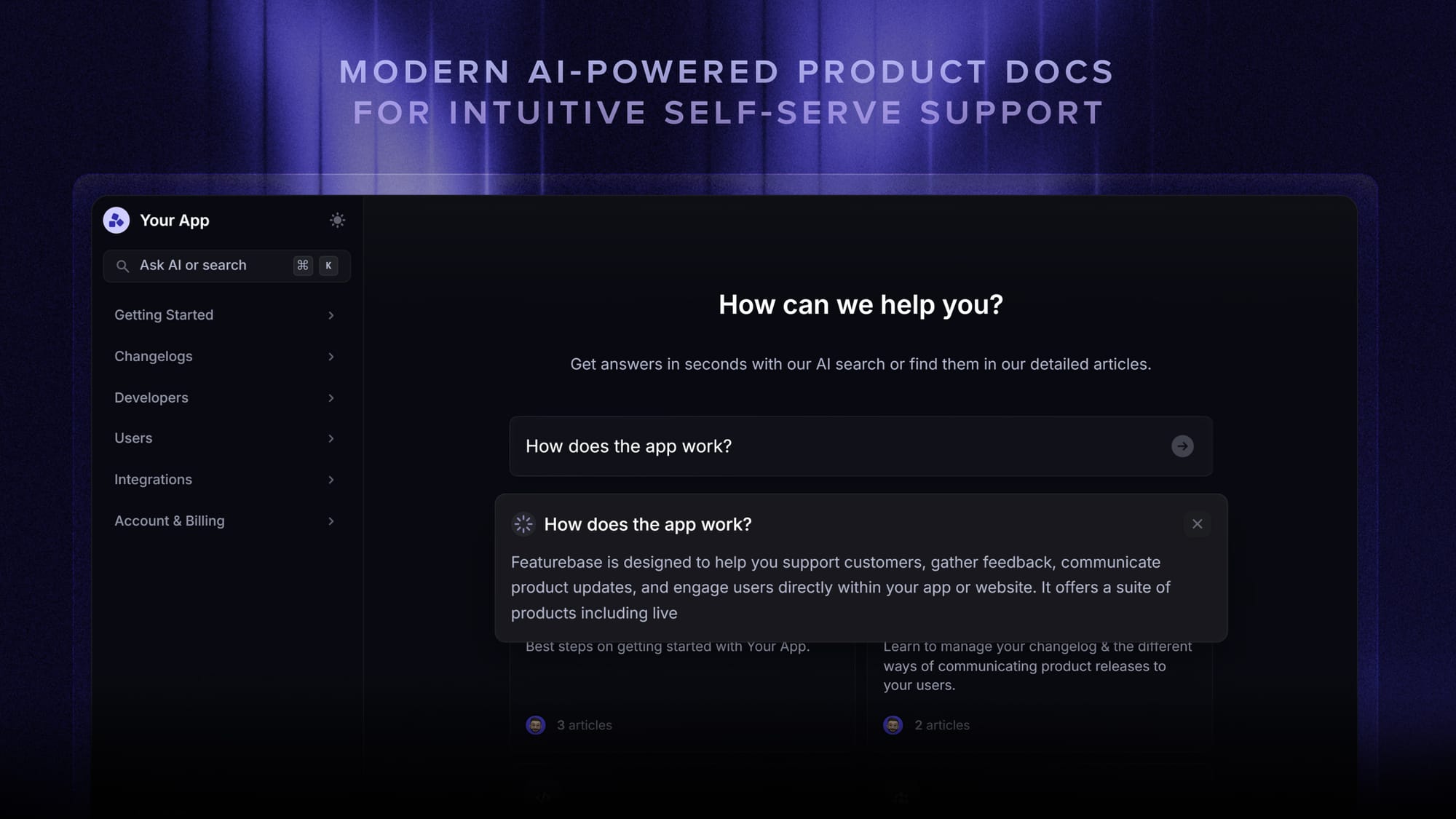
A note on social fit: Featurebase is the strongest pick when your support load is mostly in-product (in-app chat, email, Slack) and social DMs come in as a smaller slice. Social messages can be routed into the inbox via email forwarding from your social management tool, or via integrations through Zapier and Slack. If your team's primary workload is Facebook, Instagram, and X DMs end-to-end, look at the social-first tools further down this list.

Get the best customer service tool
Automatically resolve 70% of customer requests & cut down manual support loads
2. Sprout Social
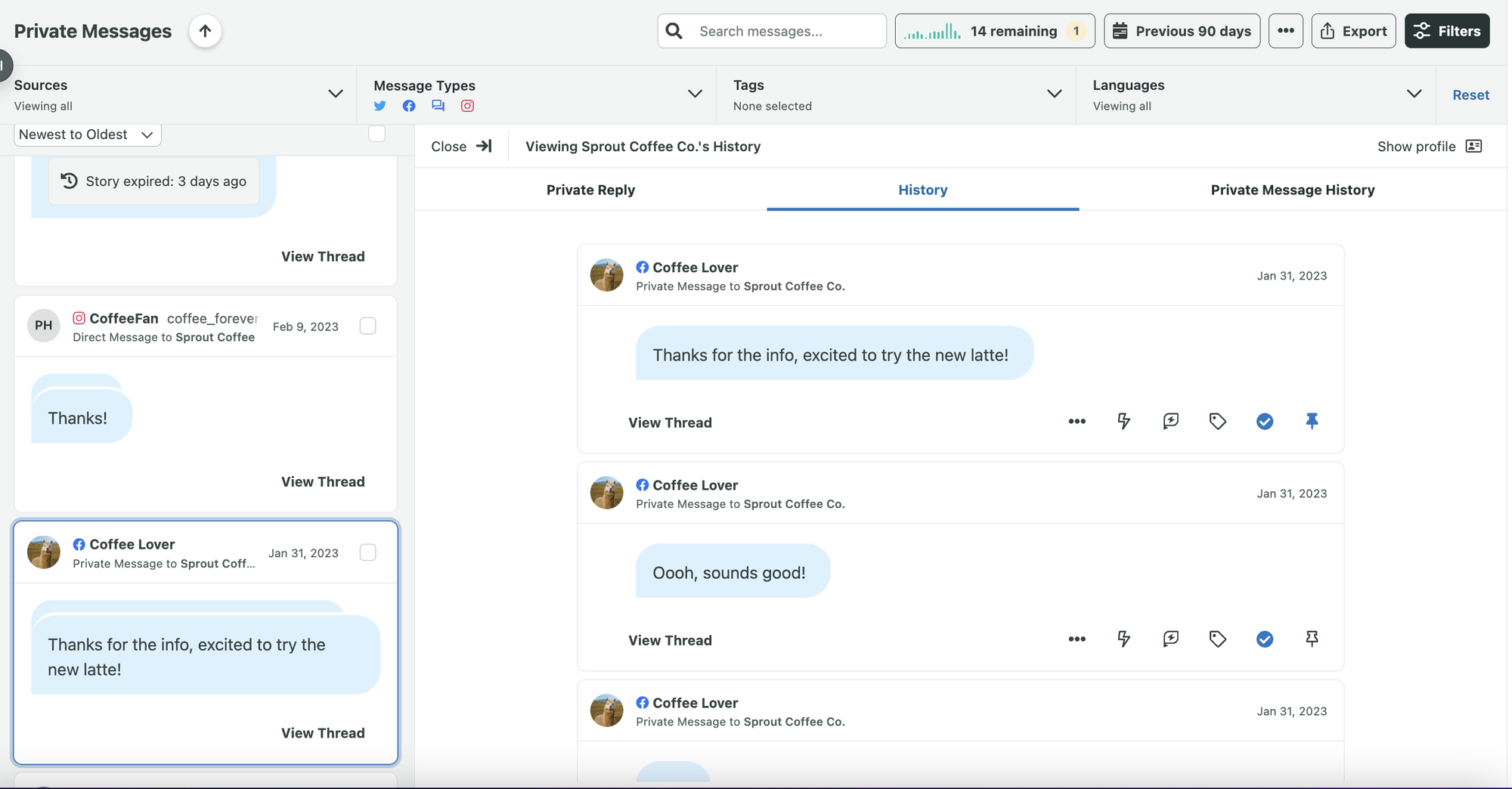
Sprout Social is the most-cited social-first customer care platform in this category, with native publishing, listening, and engagement for every major network. It's positioned for marketing-led teams that want the same tool handling content scheduling, brand monitoring, and DM responses.
Key features:
- Unified Smart Inbox across Facebook, Instagram, X, LinkedIn, TikTok, Pinterest, YouTube, and Threads
- AI Assist for reply drafting and sentiment classification
- Message tagging, automated workflows, and case routing
- Social listening with sentiment, spike alerts, and theme detection
- Helpdesk integrations with Salesforce Service Cloud, Zendesk, and HubSpot
- Premium Analytics add-on for custom dashboards and ROI reporting
Pricing: No free plan, but a 30-day free trial. Essentials $79/seat/mo (annual, 5 profiles), Standard $199/seat/mo (5 profiles), Professional $299/seat/mo (unlimited profiles), Advanced $399/seat/mo, Enterprise custom.
Best for: Marketing-led teams that already run brand publishing through Sprout and want customer care living in the same workspace.
The trade-offs: G2 reviewers commonly note Sprout's pricing as the biggest friction, especially when adding multiple seats. The mobile app is a recurring complaint, the AI capabilities are perceived as lighter than newer competitors, and Instagram Stories integration is described as inconsistent. The Helpdesk integration (the one most relevant for customer service workflows) is locked to the Advanced plan or higher.
3. Sprinklr
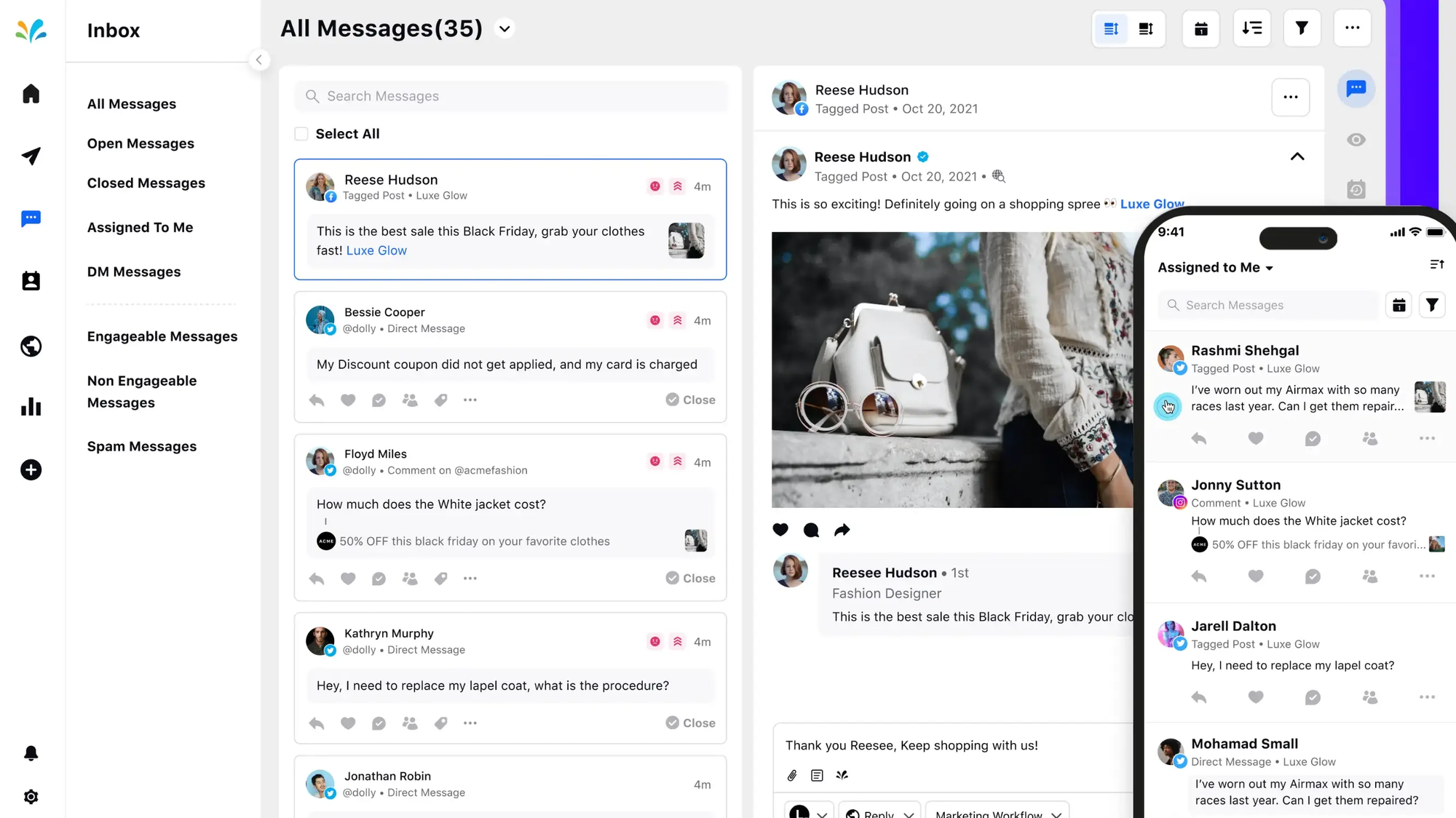
Sprinklr is the enterprise omnichannel platform of the SERP, built for large brands consolidating care across 30+ channels (every major social network plus live chat, voice, email, in-app messaging, and review sites). It's a unified customer experience management platform with AI assist baked in.
Key features:
- Case management across 30+ digital and voice channels
- Agent Assist, Smart Pairing, and conversational AI bot builder
- SLA management, queue routing, and escalation rules
- Listening, brand monitoring, and crisis-mode workflows
- Salesforce, Microsoft Dynamics, and Oracle CX integrations
- Custom dashboards and unified reporting across paid, organic, and care
Pricing: Sprinklr Service tiers (per user, billed annually): Social ~$3,600/user/year, Digital + Voice ~$4,200/user/year, Complete (with AI features) ~$5,100/user/year. Self-serve Sprinklr Social Advanced is $299/user/mo on annual billing. Self-serve is being discontinued for existing customers on April 30, 2026, after which most teams move to enterprise contracts that start around $35,000/year (median is closer to $129,000/year per Vendr).
Best for: Mid-market and enterprise brands with high social volume across many channels and the budget to invest in a unified care platform.
The trade-offs: G2 reviewers consistently flag the steep learning curve and the multi-step workflows for simple tasks. Reporting is described as disjointed (organic and paid data sit in different surfaces), and customer support response times can require multiple follow-ups. Advanced configuration tends to slow down adoption for new teams.
4. RecurPost
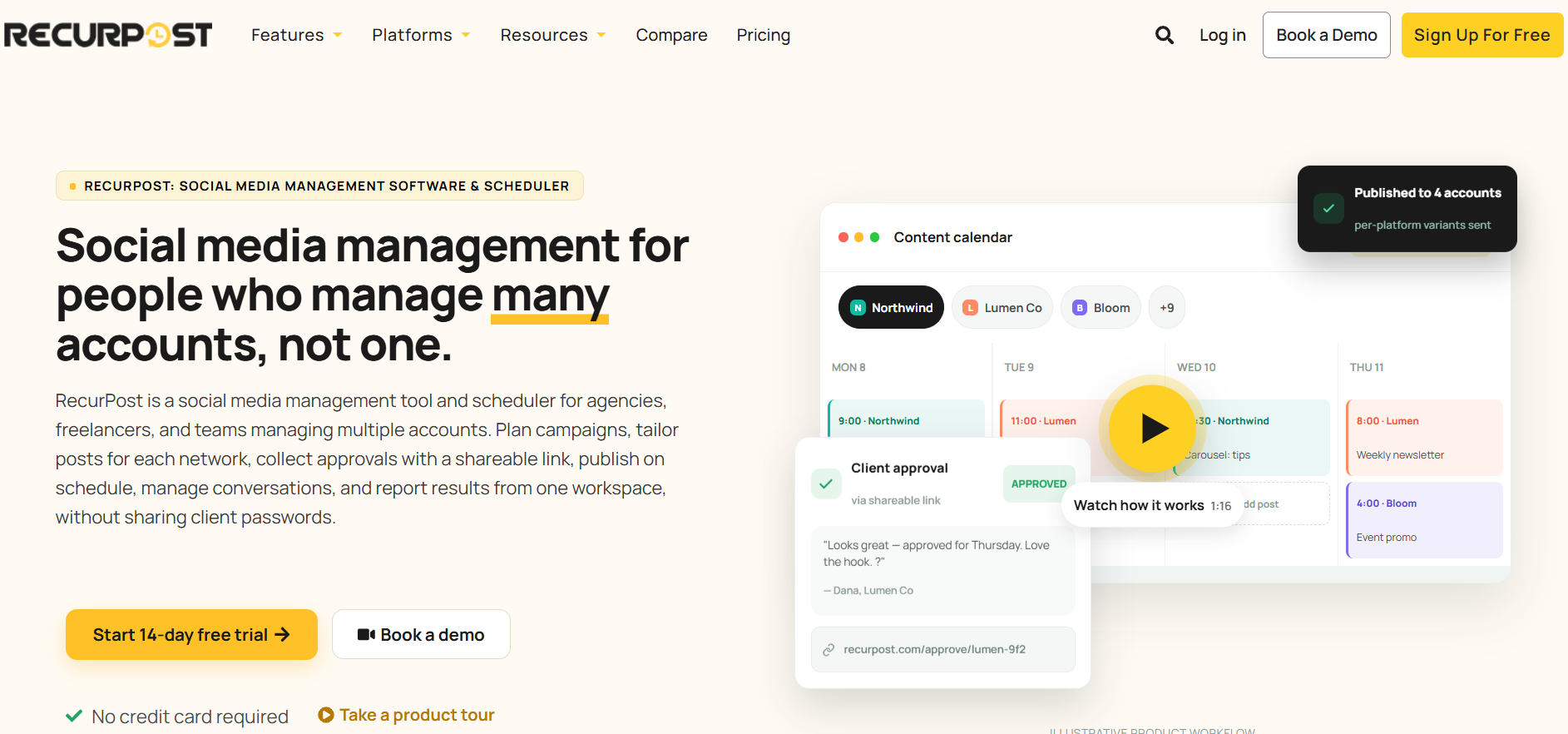
RecurPost is a social media management platform with a unified inbox for managing DMs, comments, mentions, and reviews alongside publishing and scheduling. It is particularly useful for agencies and marketing teams that want social customer conversations and content management in the same workspace, rather than using a separate tool for publishing and engagement.
Key features:
- Unified social inbox covering DMs, comments, mentions, and reviews
- AI-assisted reply suggestions for social conversations
- Scheduling and publishing across major social networks
- Bulk scheduling through CSV uploads
- Client workspaces, roles, and approval workflows
- Social media analytics and white-label client reports
- Evergreen content libraries for recurring content
- Password-free client onboarding and shareable content calendars
Pricing: RecurPost starts at $9/month for the Starter plan. The Agency plan is $79/month and includes 20 social accounts, 3 users, client workspaces, roles and permissions, approval workflows, and white-label analytics reports. All self-serve plans include a 14-day free trial with no credit card required.
Best for: Agencies and marketing teams that want social publishing, engagement, and client workflows in one platform.
The trade-offs: RecurPost is primarily a social media management platform rather than a dedicated customer service helpdesk. It doesn't replace tools built around ticketing, SLAs, knowledge bases, or omnichannel support across email, phone, and live chat. Its customer-service functionality is strongest when the majority of customer conversations happen through social channels.
5. Hootsuite
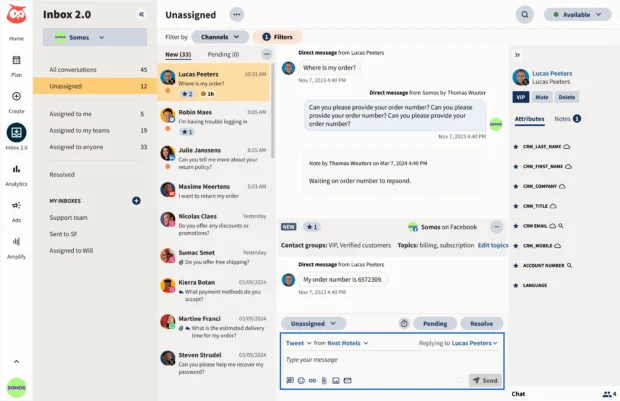
Hootsuite is the original social media management platform and remains a popular pick for teams that need scheduling, monitoring, and a unified social inbox in one workspace. The customer service angle is handled through Inbox 2.0 (and on higher plans, Inbox Advanced).
Key features:
- Unified Inbox 2.0 for DMs, mentions, comments, and reviews across networks
- Scheduling and publishing for Facebook, Instagram, X, LinkedIn, TikTok, YouTube, Pinterest
- AI content generation and reply suggestions via OwlyWriter AI
- Team assignment, tags, and saved replies
- Salesforce, HubSpot, Zendesk, and Microsoft Dynamics integrations
- Reporting and analytics with customizable dashboards
Pricing: No free plan, 30-day free trial. Standard $99/user/mo (5 social accounts), Advanced $249-$399/user/mo (unlimited accounts), Enterprise custom. Annual billing is required for the advertised rates, and monthly billing adds roughly 60% to the annual cost.
Best for: Marketers and small-to-mid social teams that need scheduling and an inbox in one tool without enterprise complexity.
The trade-offs: A recurring theme in G2 feedback is that Hootsuite feels dated compared to newer platforms, and users describe the AI features as light. Customer support reachability comes up often as a frustration (limited phone or chat access), and there are pricing concerns once advanced features are required. Billing disputes around refunds and annual auto-renewals show up in multiple reviews.
6. Zendesk
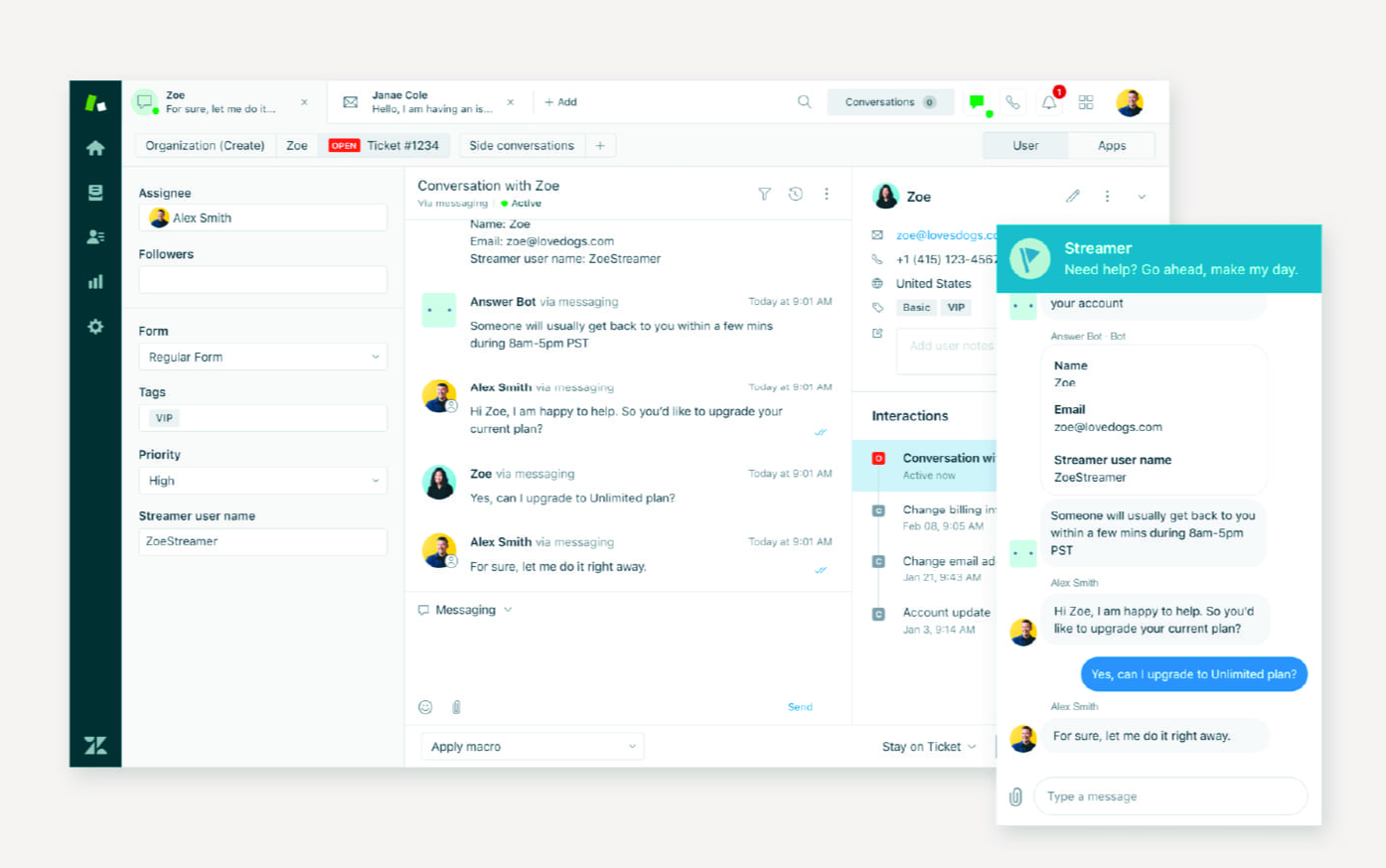
Zendesk is one of the best-known omnichannel helpdesks, and it treats social as one channel inside a broader ticketing system. Conversations from Facebook, Instagram, and X can be routed into the same Agent Workspace as email, live chat, voice, and bot tickets.
Key features:
- Omnichannel Agent Workspace pulling Facebook, Instagram, and X messages into the ticket view
- Ticket routing, macros, triggers, and automation rules
- Zendesk AI agents (Copilot, autoreplies, intent detection) as add-ons
- SLA tracking, queues, and skills-based routing
- 1,500+ marketplace integrations
- Reporting via Explore with custom dashboards
Pricing: Zendesk pricing starts at Suite Team $55/agent/mo (annual), Suite Growth $89/agent/mo, Suite Professional $115/agent/mo, Suite Enterprise $150+/agent/mo. Monthly billing adds 20%. AI Copilot is a $50/agent/mo add-on, and add-on costs can stack 20-40% on top of the base.
Best for: Established support orgs that already run a ticketed helpdesk and want social messages flowing into the same queue.
The trade-offs: G2 reviewers commonly note that the most useful features sit behind higher pricing tiers, and that the interface gets cluttered at high ticket volume. The learning curve is described as steep for less technical agents, and the total cost (Suite plan + AI add-ons + integrations) can run heavy for smaller teams.
7. Freshdesk
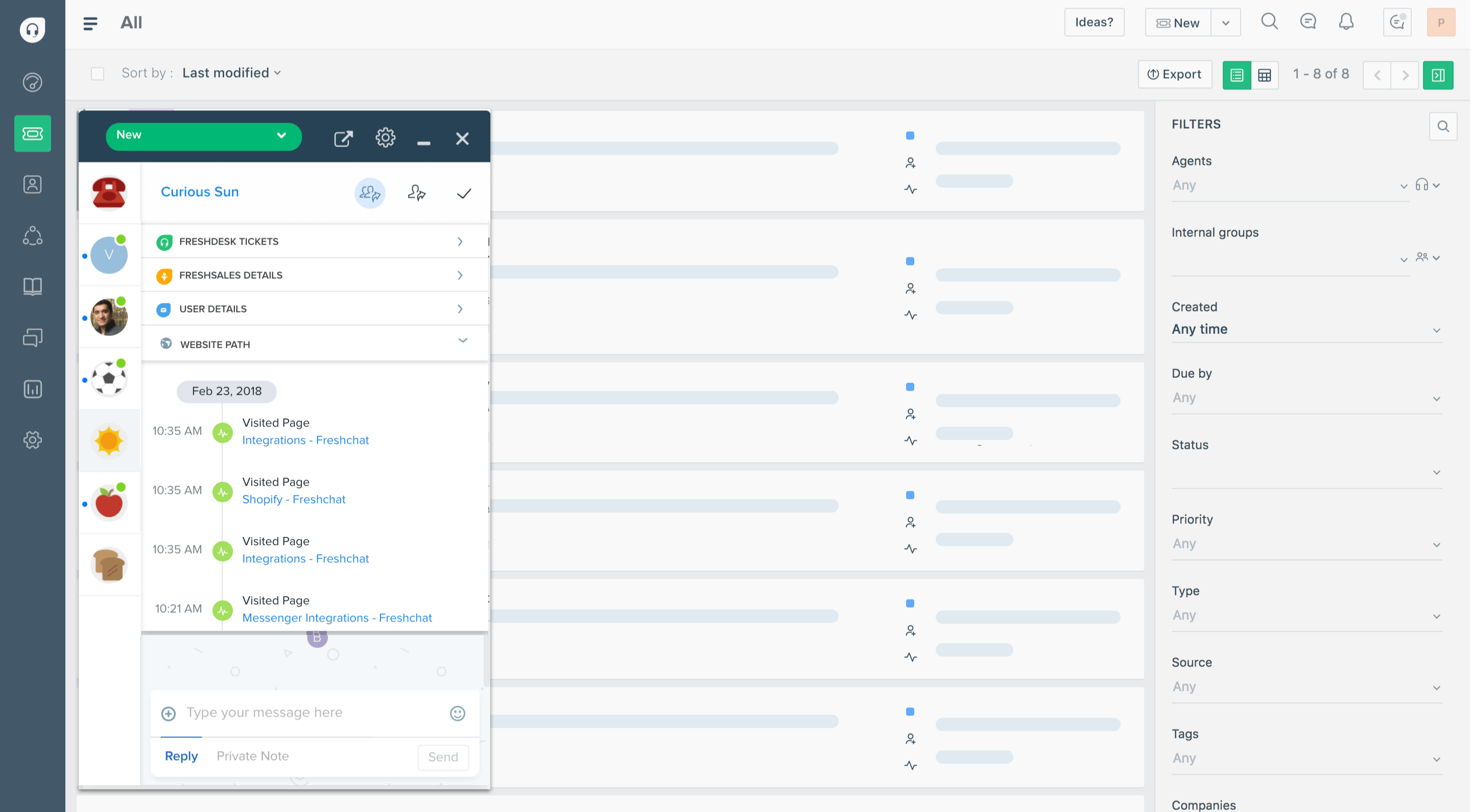
Freshdesk is Freshworks' omnichannel ticketing platform and one of the most affordable ways to centralize email, chat, phone, and social into a single ticketing system. It's a common starting point for small and mid-market teams.
Key features:
- Omnichannel ticketing across email, chat, phone, Facebook, Instagram, X
- Automation, ticket routing, and SLA management
- Freddy AI for ticket triage, summarization, and reply suggestions (add-on)
- Knowledge base and customer portal
- 1,000+ marketplace integrations
- Customer satisfaction surveys and reporting
Pricing: Freshdesk pricing starts at Free $0 (up to 2 agents), Growth $19/agent/mo, Pro $55/agent/mo, Enterprise $89/agent/mo (all annual). Monthly billing adds 15-20%.
Best for: Small to mid-market teams that want a familiar ticketed helpdesk with social channels mixed in, at the lowest entry price of the big helpdesks.
The trade-offs: Users on G2 report that setting up automation can be tricky and takes more effort than expected. The mobile app needs work, native reporting hits a ceiling quickly, and social integration sometimes shows friction (notification delays, ticket assignment issues). The most useful AI and analytics features land on higher-priced plans.
8. Intercom
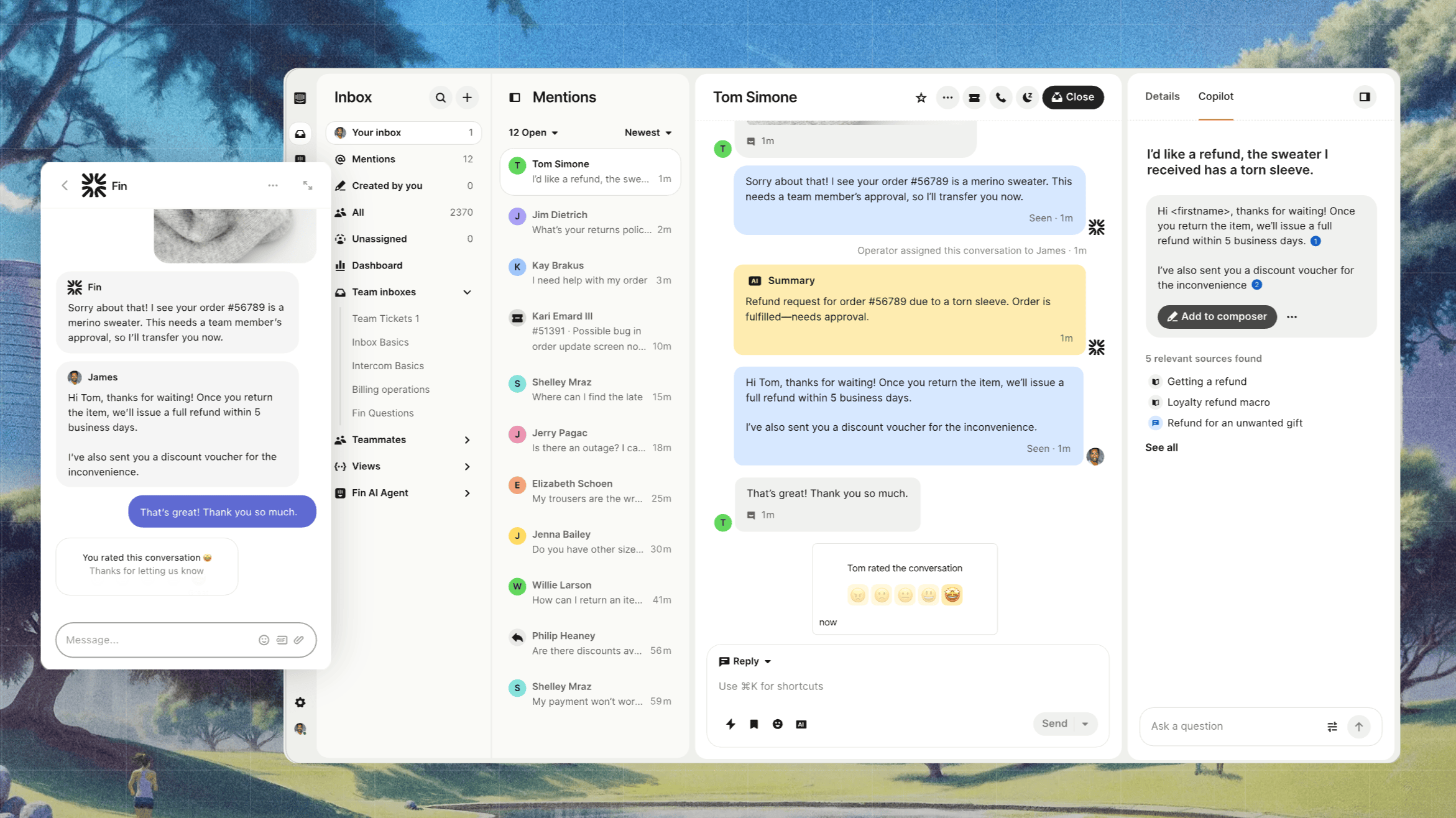
Intercom is the messaging-first customer support platform, and its social integration covers Facebook, Instagram, WhatsApp, SMS, and email alongside the in-product messenger. Fin, Intercom's AI agent, can resolve conversations across all of them.
Key features:
- Unified inbox across messenger, Facebook, Instagram, WhatsApp, SMS, email
- Fin AI Agent for autonomous resolution (priced per outcome)
- Workflows, macros, and routing rules
- Help Center, AI Copilot, and outbound messages
- 350+ integrations
- Reporting on response time, CSAT, and AI deflection
Pricing: Intercom pricing Essential $19/seat/mo annual ($29 monthly), Advanced $85/seat/mo annual ($99 monthly), Expert $132/seat/mo annual ($139 monthly). Fin AI is billed separately at $0.99 per outcome. Fin on a supported existing helpdesk requires no Intercom seats; a minimum monthly commitment applies. No free plan, 14-day trial. Lite seats are free on Advanced and Expert.
Best for: Modern SaaS teams that lead with in-product messaging and want a polished AI agent handling social DMs in the same inbox.
The trade-offs: A recurring theme in G2 feedback is that Fin's per-outcome pricing adds up quickly at scale, with the Fin charge stacking on top of seat fees. Routing and automation configuration can be more complex than expected, Fin occasionally struggles with longer or layered queries, and some users report slow first-response times from Intercom's own support team.
9. HubSpot Service Hub
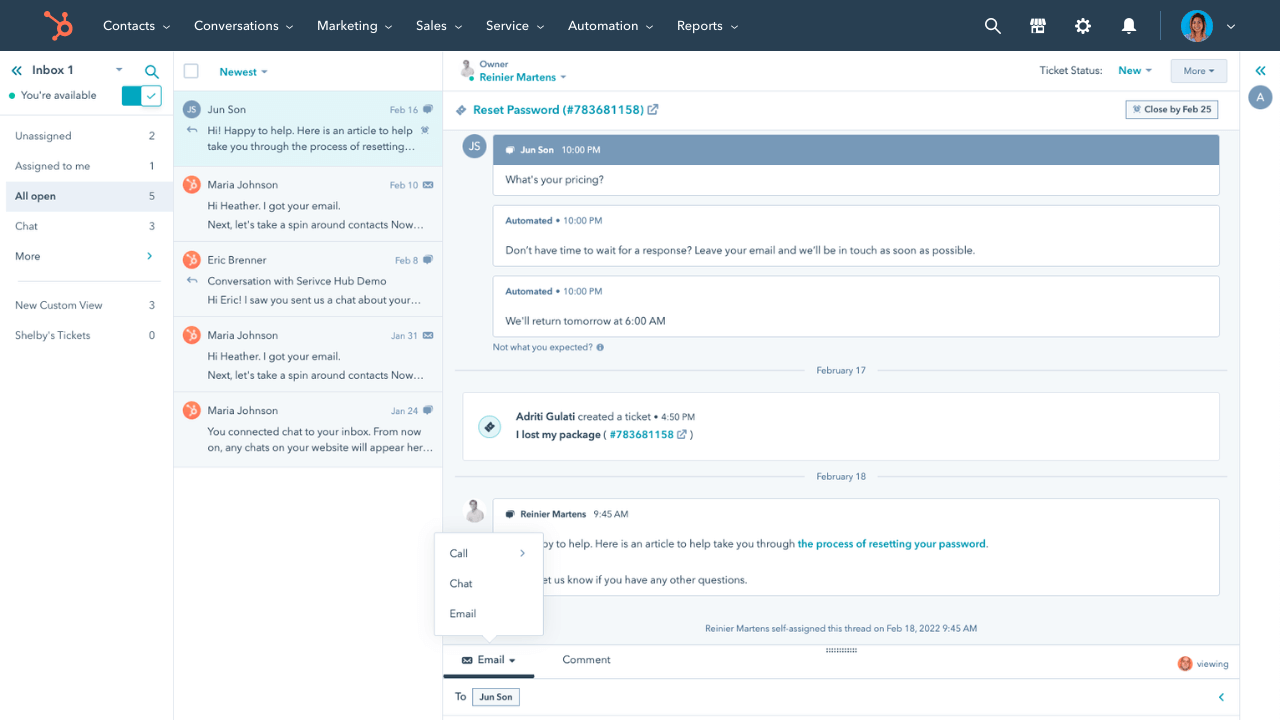
HubSpot Service Hub is the customer service product inside the HubSpot stack, tightly tied to the CRM, marketing tools, and sales workflows. It's the natural pick for teams already running HubSpot for sales and marketing who want service in the same workspace.
Key features:
- Help desk with shared inbox, ticket routing, and SLA tracking
- Facebook Messenger and live chat channels (X and Instagram via HubSpot Marketing)
- AI-powered ticket triage and reply suggestions
- Customer portal and knowledge base
- Tight integration with HubSpot CRM, Sales Hub, and Marketing Hub
- Custom reports and service analytics
Pricing: HubSpot pricing Free $0 (very limited), Starter $20/seat/mo, Professional $90/seat/mo (one-time $1,500 onboarding), Enterprise $150/seat/mo ($3,500 onboarding). Each tier starts with 1 seat included, and additional seats are paid.
Best for: Sales-led organizations that already use HubSpot CRM and want tickets, contact records, and revenue tied together.
The trade-offs: G2 reviewers commonly flag the cost (especially the mandatory onboarding fees and the per-seat add-ons that compound). Knowledge base customization is described as limited, some integrations with non-HubSpot tools can be flaky, and the platform locks the more powerful service features behind Professional and Enterprise tiers.
10. Agorapulse
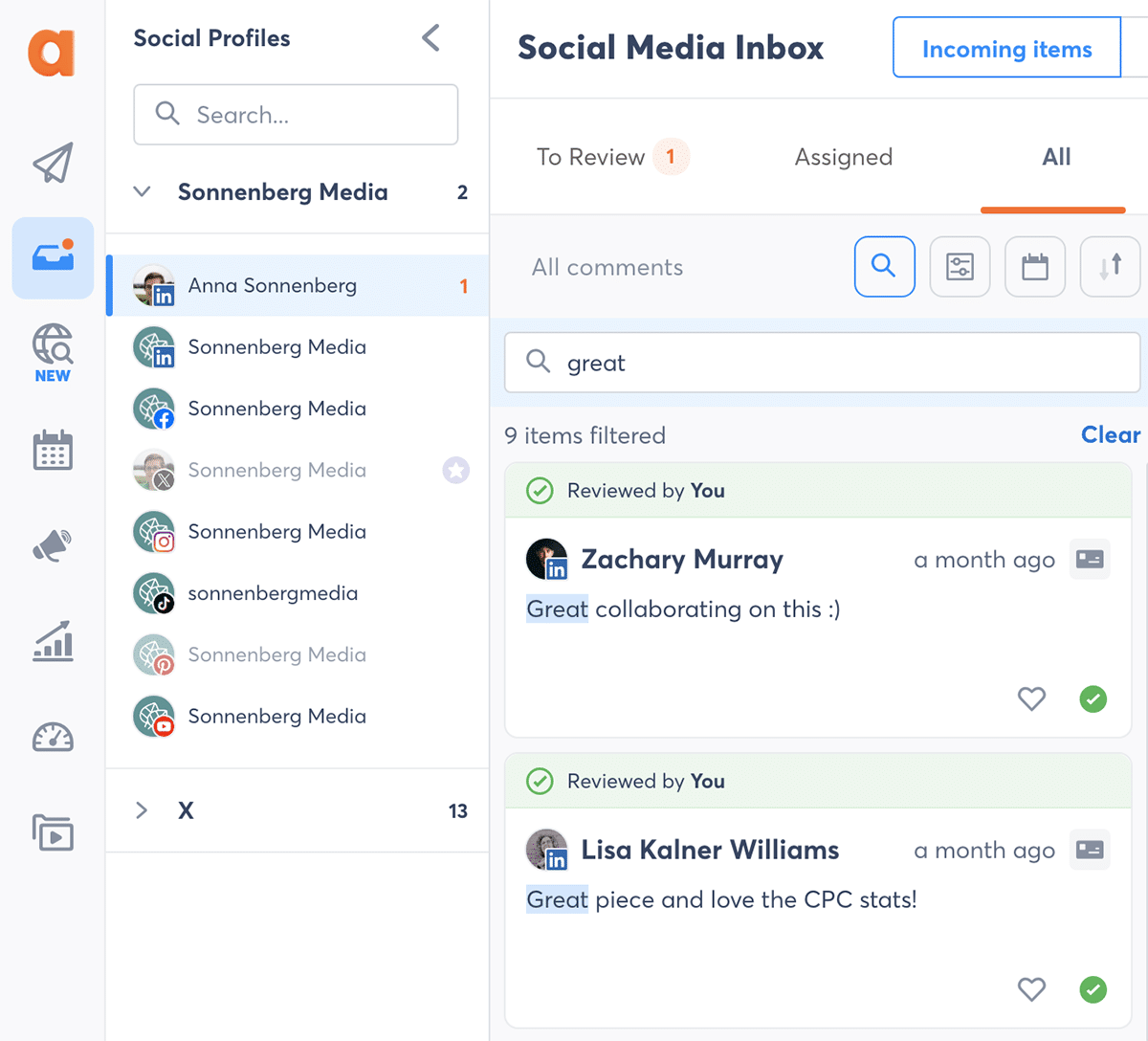
Agorapulse is a social-first management platform with a strong unified inbox, scheduling, listening, and reporting suite. It punches above its weight on the customer-care side because every plan includes the inbox out of the box, not as a higher-tier feature.
Key features:
- Social inbox covering Facebook, Instagram, X, LinkedIn, TikTok, YouTube, Google Business Profile
- Saved replies, message labels, and assignment to teammates
- Social listening with sentiment and spike alerts
- Scheduling, queue, and bulk upload
- Reporting with custom dashboards and white-label options
- Salesforce, HubSpot, Zendesk integrations on higher tiers
Pricing: Free plan (3 profiles, 1 user, 10 scheduled posts/month), Standard $79/user/mo annual ($99 monthly), Professional $119/user/mo annual ($149 monthly), Advanced $149/user/mo annual ($199 monthly). All paid plans include 10 social profiles. Annual billing saves roughly 20%.
Best for: Social-first teams that want one tool for publishing, inbox, and reporting without paying enterprise pricing.
The trade-offs: Users on G2 report that the per-seat pricing climbs fast when adding teammates or profiles, advanced reporting customization is more limited than enterprise platforms, and some Instagram features (stories, carousel posts) aren't fully supported. Image and video posting workflows hit friction around file sizes and format requirements.
External creative teams like Superside can produce static, motion, and video assets in the required sizes and specifications for each platform.
11. Front
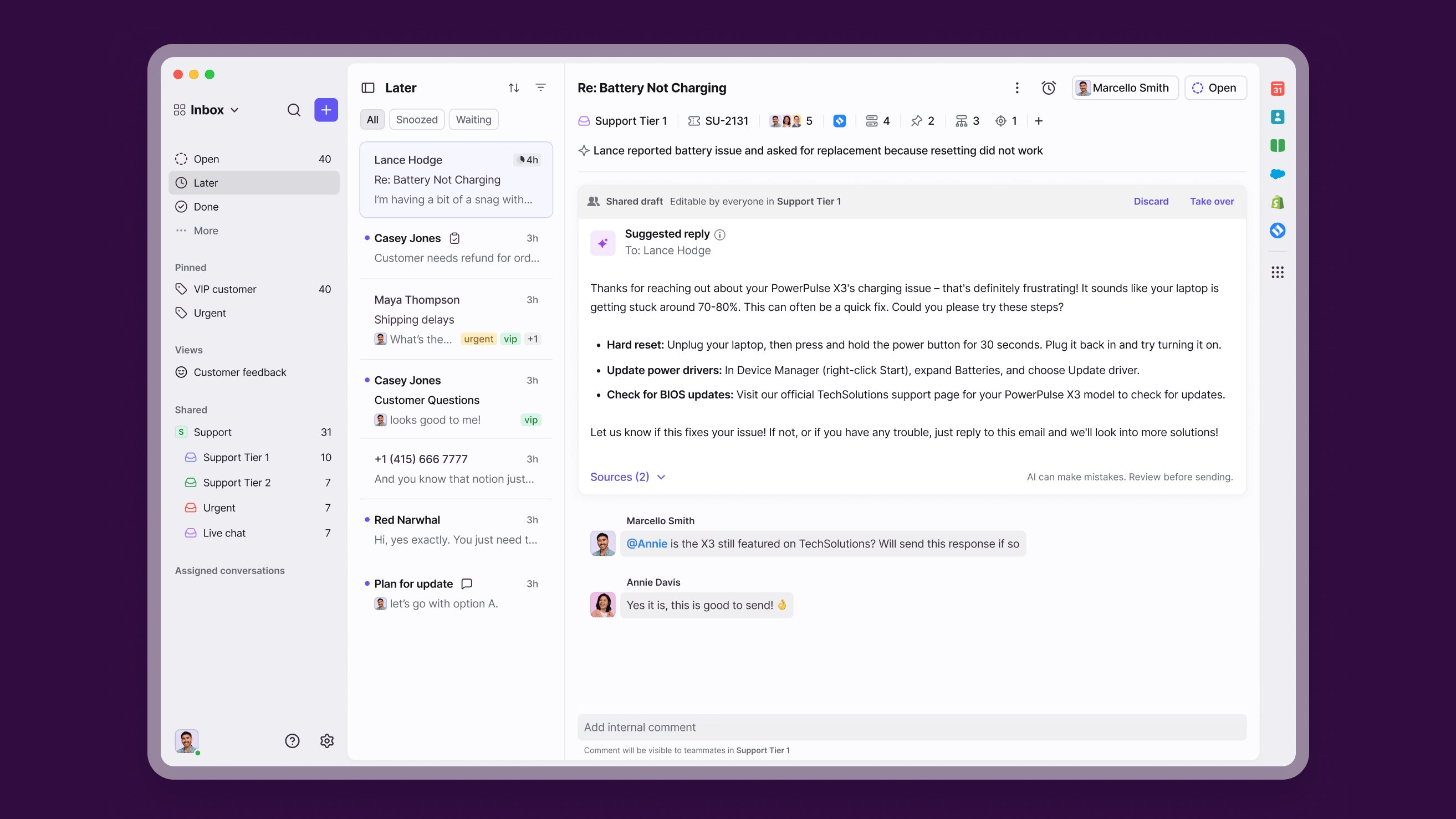
Front is the shared-inbox platform built for teams that handle customer conversations as a group. Every email, social DM, chat, and SMS lands in one collaborative workspace with assignment, comments, and rule-based routing.
Key features:
- Shared inbox across email, Facebook, Instagram, X, SMS, chat
- Internal comments, mentions, and team handoffs inside conversations
- Rule-based routing and automation
- Knowledge base and customer self-service
- 100+ integrations (Salesforce, HubSpot, Jira, Linear)
- AI Copilot, Smart QA, and Smart CSAT as paid add-ons
Pricing: Front pricing Starter $19-$25/user/mo (10-seat cap, one channel), Growth/Professional $59-$65/user/mo (omnichannel, 50-seat cap), Scale $99/user/mo, Premier/Enterprise $105-$229/user/mo. Annual billing. AI features are paid add-ons even on higher tiers.
Best for: Operations and support teams that handle high-touch conversations as a group and need internal collaboration baked into every reply.
The trade-offs: A recurring theme in G2 feedback is that pricing gets expensive per seat, and the native AI tools feel light compared to dedicated AI agents. Some integrations (HubSpot is the most-cited example) work less reliably than expected, the UI gets cluttered when managing many shared inboxes at once, and the mobile app offers a reduced feature set compared to desktop.
What to look for in social media customer service software
A short shopping list applies to every tool above. These are the dimensions that actually drive day-to-day cost, speed, and agent sanity:
- Channel coverage: confirm which networks the tool handles natively versus via third-party integration. Facebook, Instagram, X, LinkedIn, TikTok, YouTube, and WhatsApp are the common ones, and Threads, Pinterest, and Google Business Profile are increasingly important. A "social" plan that doesn't natively support your team's top three networks turns into integration debt.
- Unified inbox and conversation threading: every message, mention, comment, and review should land in one queue, with threading that keeps each customer's history visible regardless of channel. The differentiator is how well it handles a customer who DMs you on Instagram, then emails, then opens a chat - the best tools (covered in our shared inbox software guide) treat that as one conversation.
- AI and automation: customer-service AI shows up in three forms that often get conflated. AI agents resolve conversations end-to-end without a human (Fin, Featurebase's Fibi, Sprinklr Agent Assist). AI copilots draft replies and summarize threads for human agents. AI routing classifies intent, sentiment, and priority at intake. High-volume teams usually want an AI agent doing first-line deflection, while lower-volume teams get more from a copilot.
- Routing and assignment logic: rules should be able to route by channel, language, priority, customer tier (VIP), sentiment, and topic. Skills-based routing matters when agents specialize (one team handles billing, another technical, another social). Watch for rule limits on lower-tier plans.
- SLA management and escalation: SLA targets should be enforced per channel, since the social-DM expectation (often 1-4 hours) differs from the email expectation (often 24 hours). Escalation paths should auto-trigger before the SLA breaches, not after.
- Reporting and social-specific analytics: response time, resolution time, first-contact resolution, CSAT, agent productivity, and sentiment by channel. Social-specific reports (mention volume by network, share of voice, sentiment trend) matter when you're measuring the brand-health side of social care, not just the service side.
- Collaboration tools: internal notes, agent mentions, draft sharing, and handoff workflows. The best tools let one agent loop in another mid-conversation without copying the customer into the message.
- CRM and helpdesk integration: if you're already running HubSpot, Salesforce, or another CRM, the social tool needs to write back to the contact record. Bidirectional sync of conversations, tags, and case status is what most teams actually want, and what most tools advertise but only some genuinely deliver.
- Pricing and seat model: per-seat is the norm. Pay attention to whether "seat" means a fully-licensed agent or includes lite/internal collaborator seats. Sprout, Hootsuite, Sprinklr, and Agorapulse all price by user, and several get expensive fast for teams of 5+. AI usage is increasingly billed separately (per resolution, per outcome), so total cost is base seat fee plus AI consumption plus any add-ons.
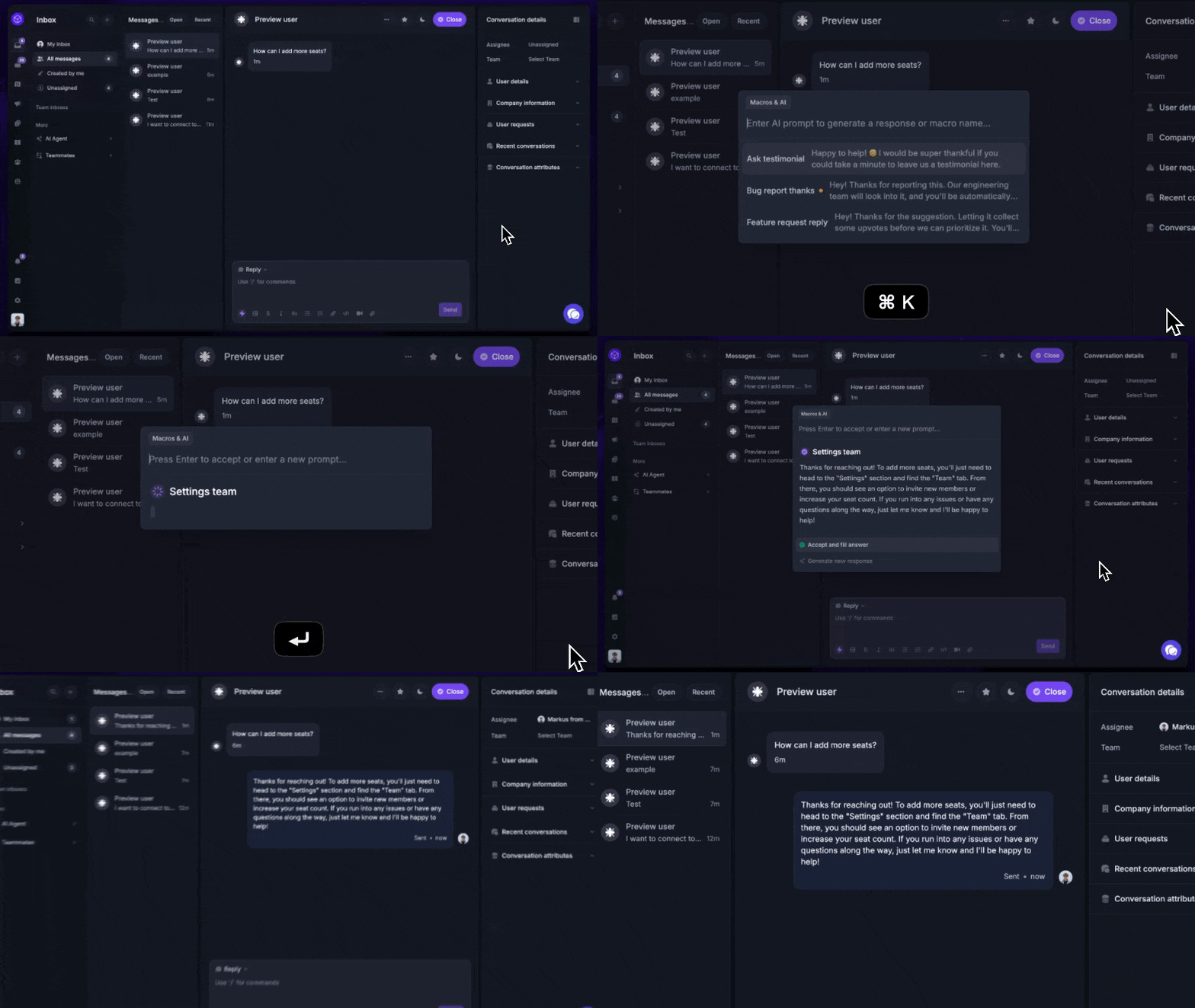
Social-only vs omnichannel: Which type fits your team?
The biggest fork in this category is whether you buy a social-first tool (Sprout Social, Hootsuite, Agorapulse) or a helpdesk that handles social as one channel among many (Featurebase, Zendesk, Freshdesk, Intercom, HubSpot, Front). The right call depends on where most of your support volume actually lives:
- Social-only tools win when social is your primary support surface, your team is marketing-led, and you also need publishing, listening, and influencer workflows in the same workspace. They're built for the brand-health view of customer care: sentiment, share of voice, response rates by network. The trade-off is that they're less robust on classic helpdesk features like SLAs, ticket merging, and CRM-grade routing.
- Omnichannel platforms win when you handle conversations across multiple channels (in-app chat, email, phone, social), the support team is its own org, and you need ticketed workflows. They're built around the conversation, not the network. The trade-off is that social analytics tend to be lighter than what a social-first tool gives you, and a few of them treat social as a secondary channel even when they market it as first-class. Our omnichannel customer support platform guide goes deeper on this category.
- The hybrid case: most SaaS teams have a primary in-product chat workload, a secondary email queue, and a smaller but high-visibility social inbox. The best fit there is an omnichannel helpdesk like Featurebase that handles the heavy in-product load natively, with social messages forwarded in via email or routed through integrations.
Making the right choice comes down to two questions: where does most of your support volume live, and is your team marketing-led or support-led? If volume is mostly in social and the team reports into marketing, pick social-first. If volume is mixed and the team reports into product or operations, pick omnichannel.
Get the best and modern customer service tool
Automatically resolve 70% of customer requests & cut down manual support loads
KPIs to track for social customer service
Most teams measure too many things on social, and the wrong things at that. The four metrics that actually drive customer experience are:
- First response time is the single most-watched metric on social, and the one customers feel the most. The benchmark is shrinking: the 24-hour expectation now applies to 73% of consumers, and a meaningful slice expects a reply within an hour. The fastest-improving teams cut response time by combining AI deflection (handling FAQ-style DMs without a human) with intelligent routing (sending the right conversation to the right agent immediately).
- Full resolution time measures how long it takes from first message to "the customer's issue is solved." On social, public-facing complaints often need a private follow-up that resolves the underlying issue, and resolution time tracks the full arc. AI agents that can complete actions (not just answer questions) are the biggest lever here.
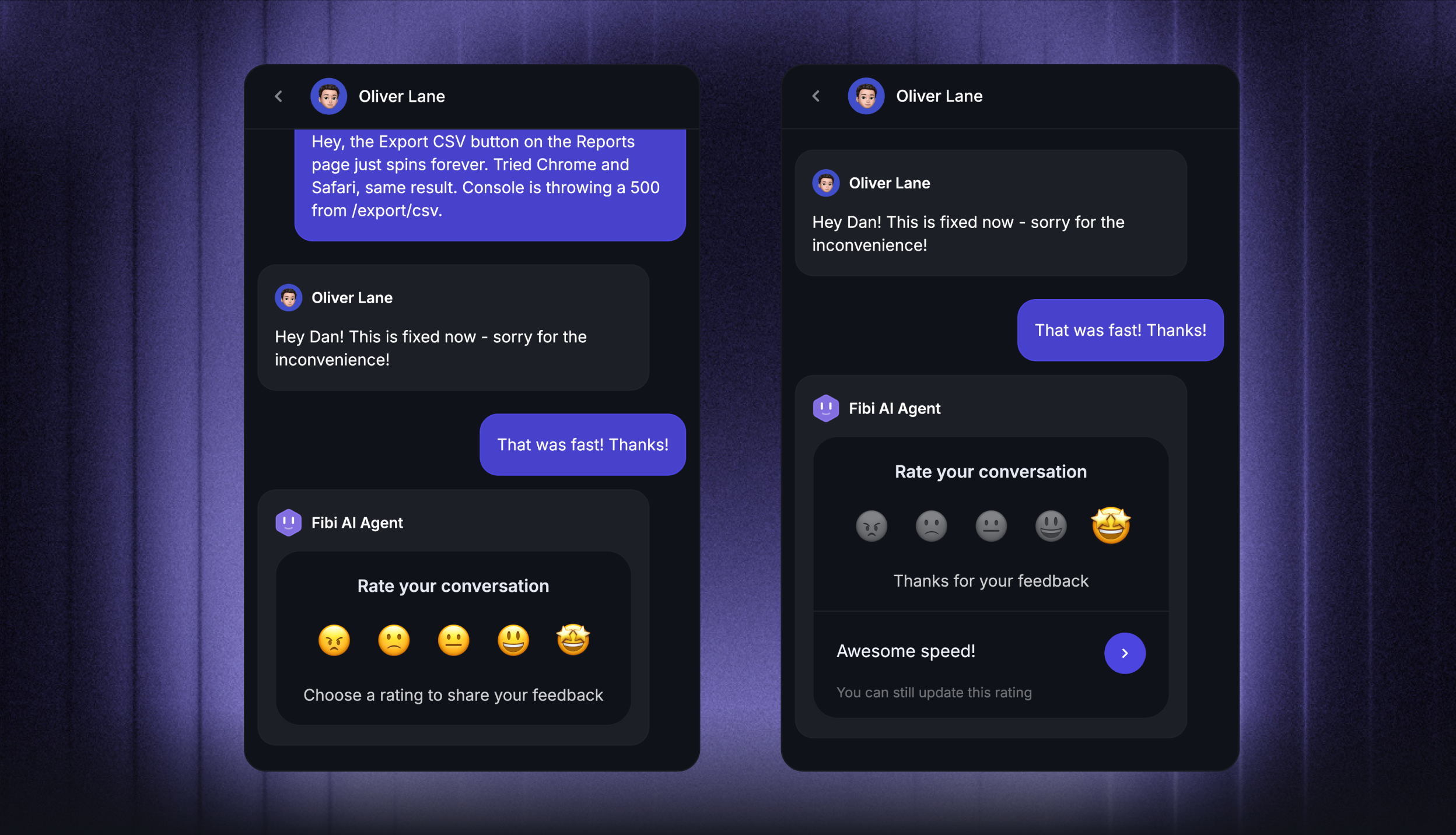
- CSAT on social is harder to capture than on email because customers don't always respond to a post-conversation survey on a DM. Tools like Sprout, Sprinklr, and Featurebase let you trigger a CSAT prompt at conversation close, and sample rates tend to be lower than email but the signal is directionally useful.
- Mention sentiment measures the brand-health side: how the customer base is talking about you publicly, not just the conversations they're having with your team. Sentiment trends are most useful as an early warning signal for spikes (a viral negative thread, a launch reaction) rather than as a day-to-day operational metric.
Why these KPIs matter: 73% of social users will buy from a competitor if a brand doesn't respond on social. The link between response time and revenue is direct, public, and measurable in a way most other support metrics aren't. A slow reply on a DM doesn't just frustrate one customer - it sits visible to every prospect skimming your social presence.
Where many tools fall short: SLA tracking by channel is uneven across the category. Plenty of platforms compute one SLA across email, chat, and social, which masks the social-specific problem. The right setup tracks each channel's response and resolution time separately, with thresholds that reflect that channel's customer expectation.
Choosing the right social media customer service software
Most teams won't pick wrong if they answer two questions honestly: where does most of your support volume actually live (in-product, email, or social), and which team owns customer care (support, marketing, or ops). Social-first tools fit marketing-led teams whose primary surface is social. Helpdesks fit support-led teams whose primary surface is in-product or email. The hybrid case (most SaaS teams) usually wants an omnichannel helpdesk with social pulled in via integrations.
Featurebase is a modern AI customer support platform that combines omnichannel inbox (live chat, email, Slack), Fibi AI Agent, help center with AI search, workflows, SLAs, and feedback collection in one place. It's the strongest fit for product-led SaaS where in-app chat is the primary support surface and social DMs come in through email forwarding or integrations. Companies like Lovable, Raycast, and n8n use it to handle support, surface feedback, and announce updates without juggling 5+ tools.
It comes with a Free plan that includes unlimited conversations, paid plans starting at $29/seat/month, and onboarding takes minutes - so there's no downside to trying it. 👇
✨ Automate your support with the fastest AI-enhanced Inbox today →

FAQs
What is social media customer service software?
Social media customer service software lets a support team handle customer DMs, mentions, and comments coming from Facebook, Instagram, X, LinkedIn, TikTok, and other networks from one unified inbox, usually alongside email and live chat. The category splits into three groups: omnichannel helpdesks that treat social as one channel, social-first management platforms built for marketing teams, and CRM-native helpdesks that tie social conversations to the contact record.
How do you handle high volumes of customer inquiries on social media?
Three levers move the needle on social volume: AI deflection (handling repeat FAQ-style DMs autonomously), automated routing (sending each message to the right agent or team based on channel, sentiment, language, or topic), and saved replies for common scenarios. Most teams combine all three. The biggest single shift in 2026 has been AI agents that can complete actions (refunds, trial extensions, password resets) rather than just answering questions.
What features should I prioritize when choosing social media customer service software?
Channel coverage first (does it natively support your top networks), then unified inbox, then AI and automation (agent, copilot, or routing), then SLA management by channel, then CRM and helpdesk integration. Reporting and analytics depth matter more for marketing-led teams, while ticketing depth matters more for support-led teams. Pricing model (per-seat plus AI consumption plus add-ons) is where the real total cost lives.
Can social media customer service software integrate with my CRM and helpdesk?
Most platforms in this guide integrate with the major CRMs (Salesforce, HubSpot) and helpdesks (Zendesk, Freshdesk, Intercom) either natively or via Zapier and webhooks. The depth varies: HubSpot Service Hub, Sprinklr, and Featurebase tie conversations directly to contact records with bidirectional sync, while social-first tools like Hootsuite and Agorapulse pass conversations through but keep their own data layer.
How much does social media customer service software cost?
Pricing ranges from free plans (Freshdesk for 2 agents, Featurebase with unlimited conversations, Agorapulse for solo users) to $19-$29/seat/mo for entry tiers (Front, Freshdesk Growth, Featurebase paid, Intercom annual) up to $299-$399/seat/mo on social-first enterprise tiers (Sprout Advanced, Sprinklr self-serve, Hootsuite Advanced). AI usage is increasingly billed separately, with Intercom Fin at $0.99 per outcome and Featurebase at $0.29 per AI resolution.
Does social media customer service software offer a free plan or free trial?
Both exist. Featurebase and Freshdesk publish free plans with substantive limits (unlimited conversations on Featurebase, up to 2 agents on Freshdesk), HubSpot Service Hub has a free starter tier with limited functionality, and Agorapulse has a free plan for one user. Most paid-only tools (Sprout Social, Hootsuite, Sprinklr, Intercom, Front) offer 14-30 day trials with no credit card required.
How does social media customer service software reduce response times?
Unified inboxes cut switching cost (agents stop juggling 5+ native apps), routing rules get the right message to the right agent immediately, AI deflection answers FAQ-style DMs without a human, and saved replies handle common scenarios in a click. Most teams that meaningfully improve response time combine all four, and tools that bundle them in one workflow (rather than across multiple products) drive faster improvement.