Blog ComparisonsPendo vs Userpilot: 2026 Head-to-Head Comparison
Pendo vs Userpilot: 2026 Head-to-Head Comparison
Pendo vs Userpilot seems like an easy comparison, but the tools are vastly different. We compare feature sets, integrations, pricing and more.

✨ Psst... Looking for a better alternative to Pendo and Userpilot? Check out Featurebase →
With AI tools and vibe coding apps, it's never been easier to create your own app. But creating an app and getting actual paid users are two entirely different things.
Besides building the app, you also need to make sure people use it in the intended way, so you can improve feature adoption, decrease churn, and create a better user experience.
This is where tools like Pendo and Userpilot come in.
These platforms give you advanced analytics data so you can better understand user behavior, fix bugs, add features, and make your product more engaging and valuable for your users. If you're tired of Google Analytics and need something with strong onboarding functionalities for personalized engagement, these tools often stack up one-on-one.
Pendo and Userpilot may seem similar, but let's scratch beneath the surface. 👇
Pendo vs Userpilot: quick comparison
| Pendo | Userpilot | |
|---|---|---|
| Best for | Enterprise teams with complex setups | SaaS teams that want speed and flexibility |
| Core focus | Product analytics first, then action | Product adoption and onboarding first |
| Product analytics | Deep, advanced, built for heavy analysis | Solid but more practical and easier to use |
| Onboarding and guides | Capable but slower to build and iterate | Fast, no-code, built for quick execution |
| Event tracking | Requires manual tagging and setup | Autocapture with no-code event creation |
| Segmentation | Powerful but tied to analytics and setup | Easy to create and use in real time |
| Surveys and feedback | Structured, tied to analytics modules | Flexible, easier to use inside flows |
| Ease of use | Steeper learning curve, more setup | Intuitive, fast to learn, and deploy |
| Setup time | Days to weeks, depending on complexity | Same-day setup for most teams |
| Integrations | Strong enterprise integrations | Covers essentials, easier to connect |
| Pricing model | Custom pricing based on MAUs | Transparent monthly pricing |
| Entry cost | Free plan available, paid plans often $15k+ per year | Starts at $249 per month |
| Scalability | Built for large-scale, multi-product environments | Scales well for small to mid-sized SaaS |
| Main limitation | Expensive, slower to implement | Lighter analytics compared to Pendo |

Get the modern Pendo & Userpilot alternative
Centralize feedback, identify product opportunities, and build the right features
Pendo vs Userpilot at a glance
Pendo and Userpilot are both in the product growth space, but they approach it from different angles.
What is Pendo?
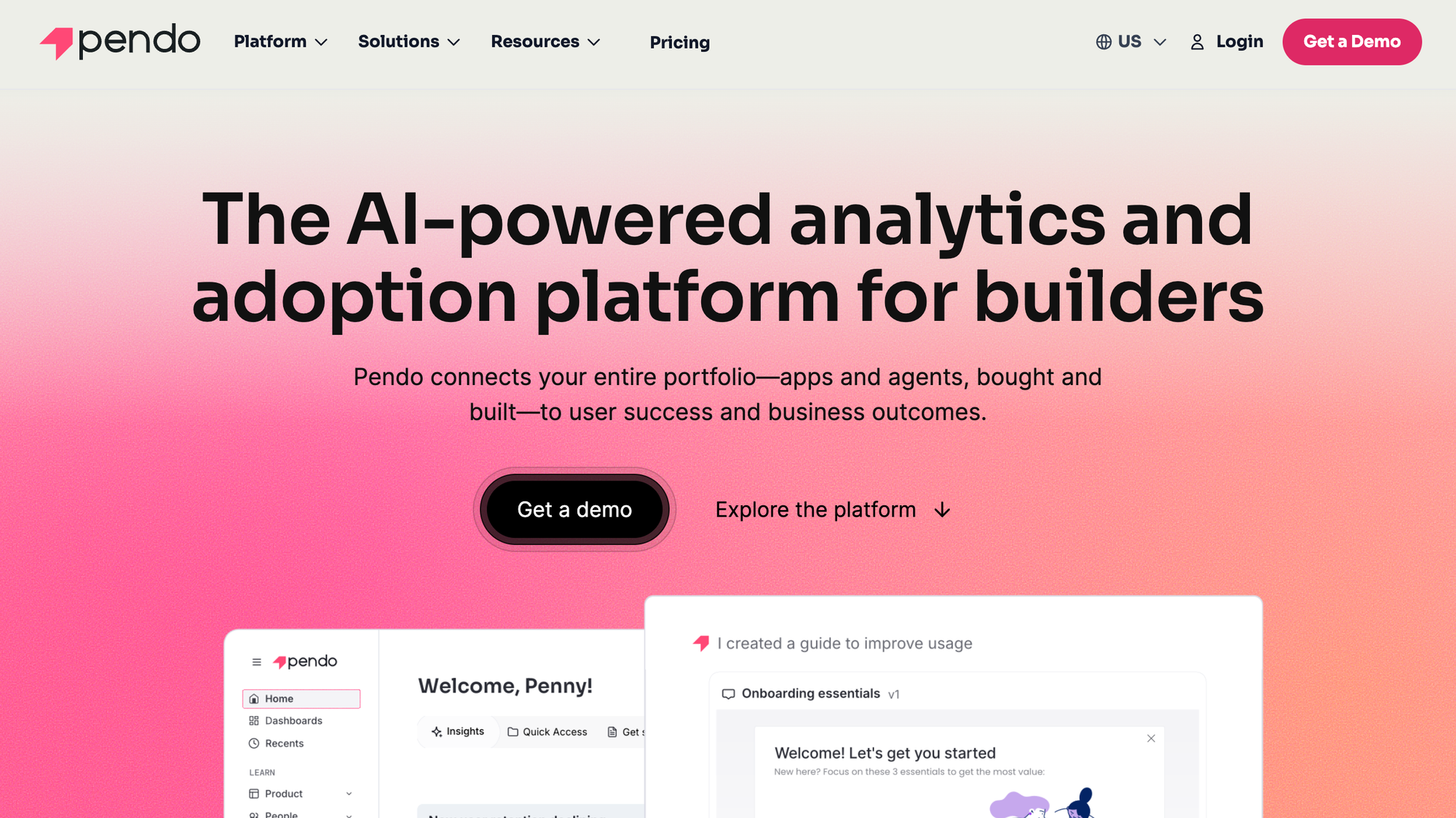
Pendo is a product analytics and experience platform.
At its core, it helps teams understand how users interact with their product, then act on that data through in-app guides, surveys, and feature adoption tools.
It’s used by larger SaaS companies that want a single system for tracking usage, analyzing behavior, and improving user retention over time. The analytics side is a big part of the value, especially for teams that rely heavily on product data to make decisions.
What is Userpilot?
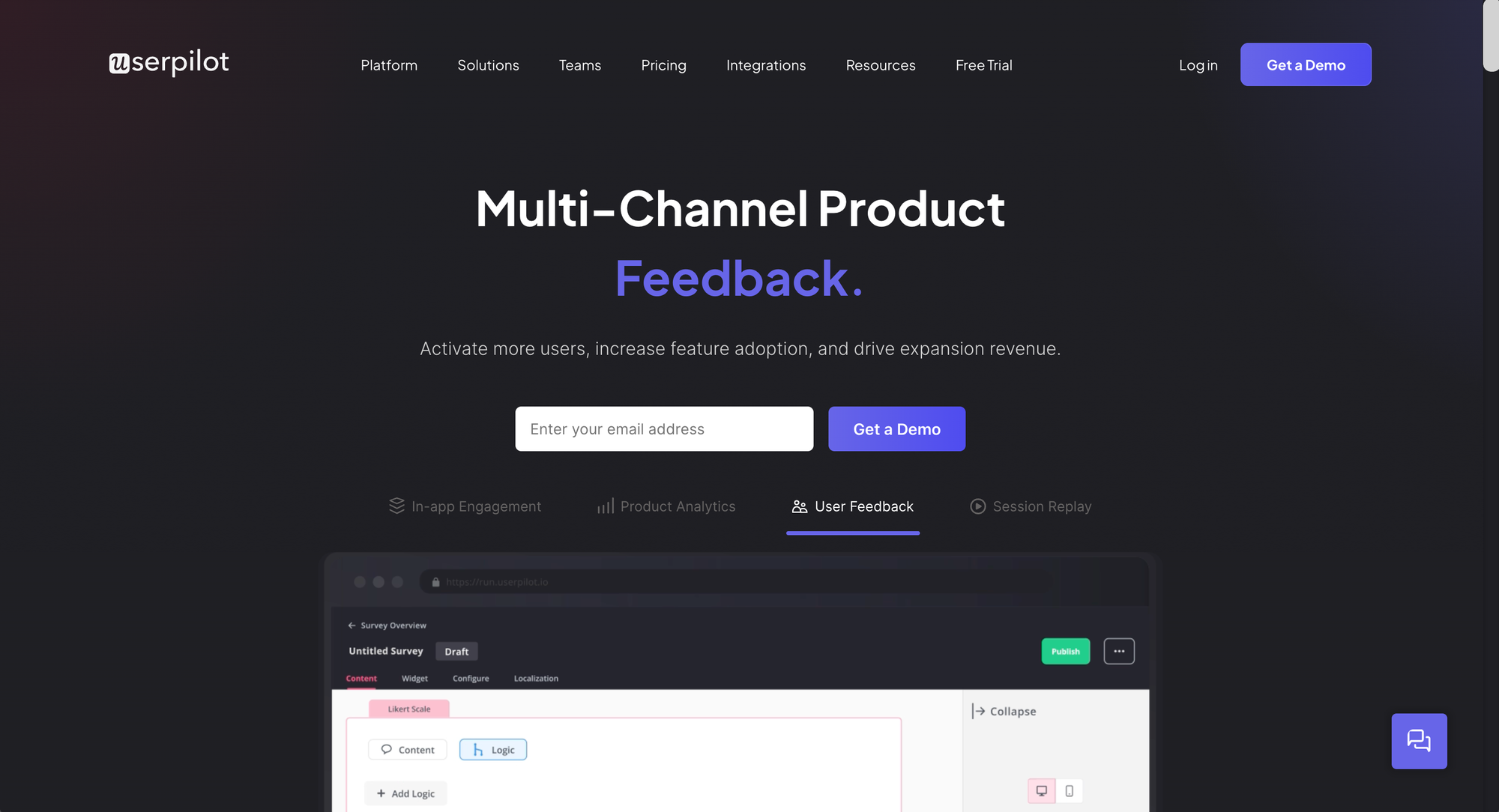
Userpilot is more focused on product adoption and user onboarding.
It’s built to help teams guide users inside the product with in-app experiences like tooltips, checklists, and flows, without needing engineering support. While it does include actionable analytics, the emphasis is on taking action quickly, launching user onboarding flows, improving activation, and driving feature adoption.
It’s typically used by product teams, growth teams, and smaller to mid-sized SaaS companies that want to move fast without setting up a complex system. As you'll see in a second, this is reflected in pricing, the feature set and just about every aspect of how both tools work.
If you simplify it, Pendo leans more toward analytics first, action second.
Userpilot is the opposite of that. It’s about getting in-app experiences live quickly and improving user behavior without overcomplicating things.
Pendo vs Userpilot: key features compared
Both tools sit in the same category, but they solve different problems for different types of users. Pendo starts with data and works its way toward action. Userpilot starts with action and only brings in as much data as you actually need.
Product analytics for user behavior
Pendo is the clear heavyweight here.
If your team cares about deep product analytics, funnels, retention curves, and feature usage trends, Pendo gives you a full analytics layer inside the product. It’s the kind of setup where product managers can spend hours digging into behavior and actually enjoy it.
Userpilot does not try to compete at that level. You’ll still get visibility into user behavior, but it’s more “what do I need to know to act” rather than “how deep can I analyze this.”
This is fine for smaller teams that need to move from 0 to 1, but advanced use cases where you need to understand what and why your customer base is doing are not Userpilot's strong side.
Bottom line, if analytics is the reason you’re buying a tool, Pendo is the stronger choice. However, this may be too much for some, so they end up looking for simpler Pendo alternatives.
Winner: Pendo
Pendo is stronger for deep product analytics, funnels, retention analysis, and advanced reporting.
In-app user onboarding and guides
This is where Userpilot and Pendo go their separate ways.
Userpilot is built for building experiences inside your product, fast. You can create user onboarding flows, tooltips, checklists, modals, and push them live without waiting on anyone. It feels lightweight, responsive, and easy to iterate on.
Pendo can do guides, but it feels heavier. There are more steps, more friction, and it's slower to change things once they’re live.
If onboarding and user activation are your priority, Userpilot is simply more practical and will show you value for your money sooner.
Winner: Userpilot
Userpilot is faster and easier for launching onboarding flows, checklists, modals, and tooltips.
Segmentation and targeting
Both tools can segment users well. The difference is how much effort it takes to segment specific users and understand things like product usage.
With Pendo, segmentation is powerful but tied closely to its analytics layer. You can get very granular, but it often feels like you need to dig through data first before you can actually use it. This is a tool geared to someone who understands product engagement and the finer nuances behind each metric.
On the other hand, with Userpilot, you can:
- Create segments quickly
- Target users immediately
- Use them in flows without overthinking
Most teams don’t need ultra-advanced segmentation. They need usable user segmentation. That’s where Userpilot wins.
Winner: Userpilot
Pendo is more powerful, but Userpilot makes segmentation easier to use in real workflows.
Surveys and feedback collection
Neither tool is a dedicated feedback platform, but both give you the basics to work with.
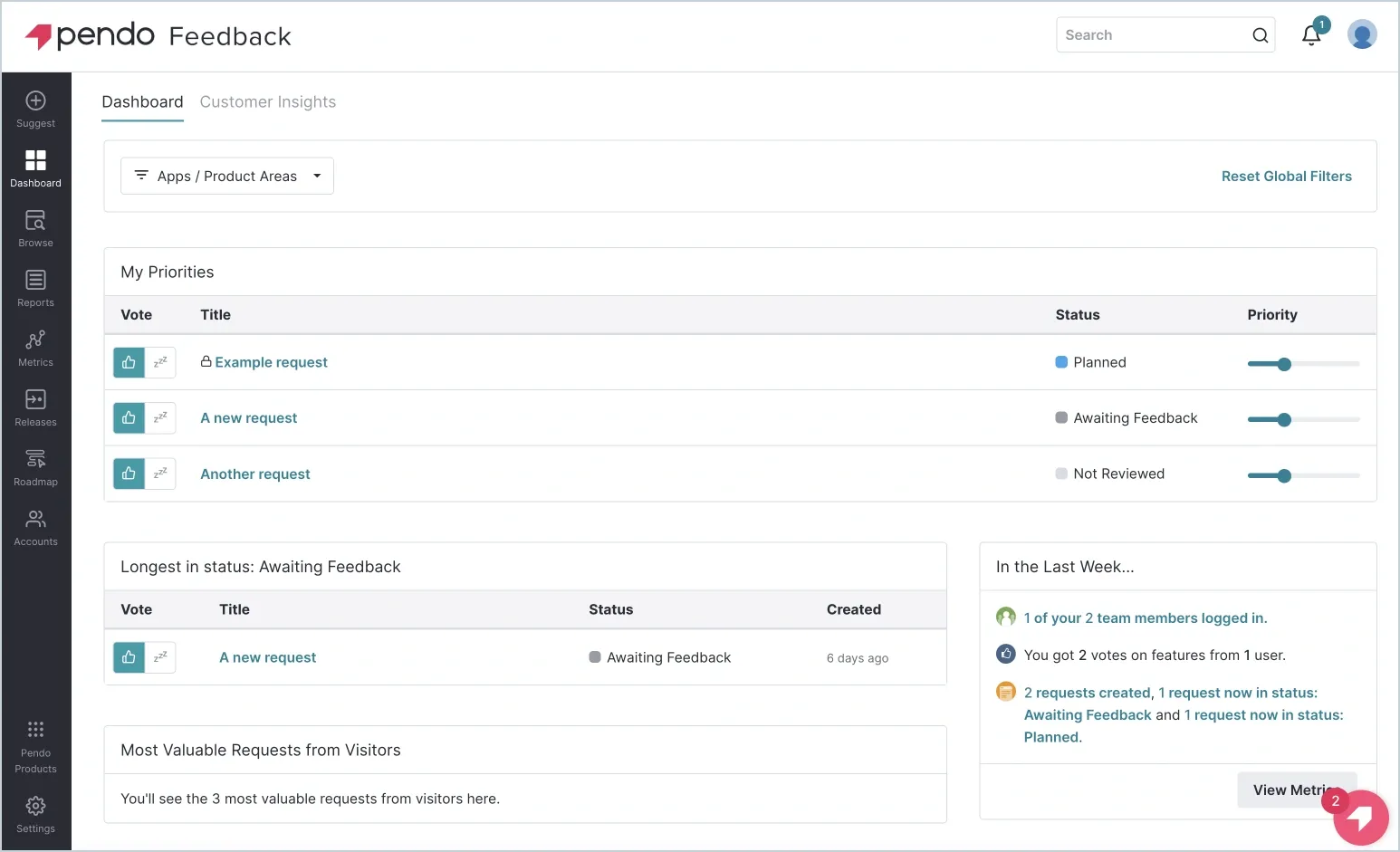
Pendo leans toward structured feedback:
- NPS tied to user behavior
- Feedback connected to analytics
- More “measure and analyze”
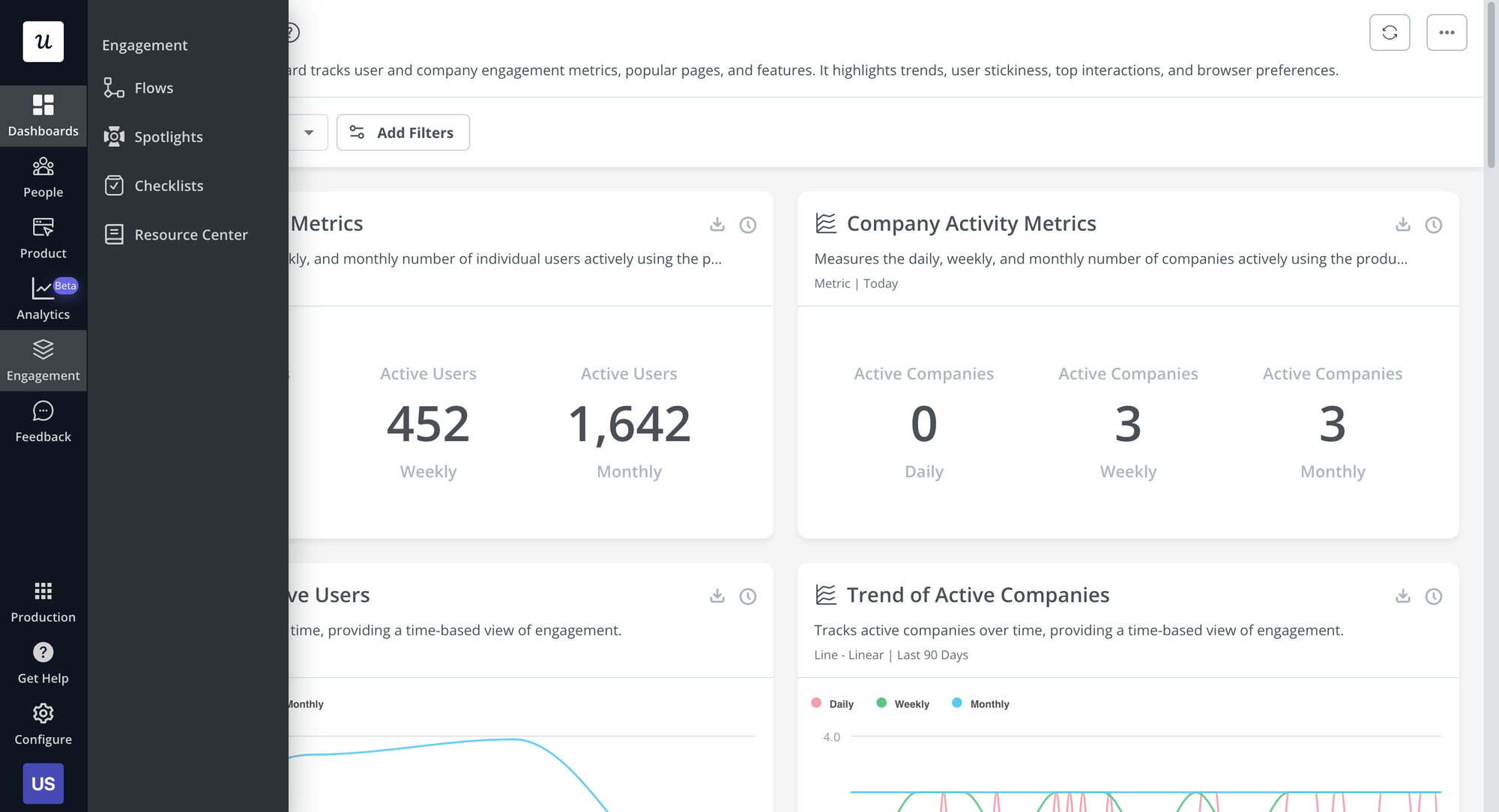
Userpilot feels more operational when you gather feedback across the user journey:
- Trigger surveys inside flows to see how and why users navigate through the app
- Collect feedback during user onboarding
- Use responses immediately
If you want to tie feedback data to deeper analysis, Pendo makes sense. If you want to actually use feedback in real time, Userpilot delivers more value.
However, the truth is that neither tool is exactly a powerhouse when it comes to user feedback features.
Winner: Tie
Pendo is better for tying feedback to analytics. Userpilot is better for acting on feedback inside onboarding flows.
Product adoption and experimentation
Userpilot is built for teams that like to move.
You can test onboarding flows, highlight features, and adjust things quickly based on what users do. It encourages experimentation without adding process.
Pendo is more structured. It works, but it’s not built for rapid iteration in the same way. Changes take more effort, and it shows.
So it really comes down to pace:
- Fast moving product teams: Userpilot
- Structured enterprise workflows: Pendo
To put it bluntly, if you want to start with Pendo, make sure you're invested in this tool for the long run. It can take a while to set up onboarding elements, custom events and visual reports. If you quit using Pendo after a few months, all of that hard work goes down the drain.
Userpilot doesn't have this issue and you'll get to the "aha" moment much sooner. It also has transparent pricing so you'll know what you're getting into from the start.
Winner: Userpilot
Userpilot is better for fast experimentation and quick product adoption campaigns.
Integrations
Pendo fits better into complex environments and large tech stacks.
If you’re dealing with multiple tools, internal systems, and a proper data stack, Pendo integrates more deeply and behaves like part of that ecosystem.
Userpilot is more focused:
- Covers the most common integrations
- Easy to connect
- Does not try to be your data hub
For most SaaS companies, that’s enough. Pendo only becomes necessary when your setup gets more complicated than usual.
However, this is one of the more common reasons businesses end up looking at Userpilot alternatives.
Winner: Pendo
Pendo is stronger for enterprise stacks and complex data environments.
Pendo vs Userpilot: ease of use
Ease of use is where the gap between these two becomes obvious quickly. You feel it within the first hour after signing up.
Getting started
Userpilot is quick to get off the ground. You install the script, define a few events, and you’re already building in-app flows. Most teams can launch their first onboarding experience the same day without pulling in engineering.
Pendo takes more effort upfront. Setup usually involves tagging features, defining events, and configuring your data structure properly. It’s not something you casually jump into, especially if you want clean data from day one.
Learning curve
Userpilot is easy to pick up. The interface is straightforward, and most actions feel intuitive. You don’t need to “learn the system” before you start using it.
Pendo has a steeper learning curve. There’s more depth, more options, and more room to get things wrong if you don’t understand how everything connects. Teams often need internal onboarding or documentation before they’re comfortable using it fully.
Day-to-day usage
This is where the difference really shows.
With Userpilot, most tasks follow a simple pattern:
- Create a flow
- Target a segment
- Launch and iterate
It’s built for speed, and that carries through daily use.
With Pendo, workflows are more structured. You’re often moving between analytics, segmentation, and guides, which makes sense given how the platform is designed, but it adds friction. It’s powerful, just not fast.
In short, Userpilot is easier to use, faster to set up, and better suited for teams that want to move quickly.
Pendo requires more time and effort, but that complexity comes with deeper control. It makes sense for larger teams with defined processes, not for teams trying to ship improvements every week.
Winner: Userpilot
Userpilot is easier to set up, learn, and use day to day.
Pendo vs Userpilot: scalability
Both tools can grow with you, but they scale in very different ways. One adds structure and depth as your product matures. The other keeps things fast and usable as your team expands.
Pendo becomes more useful the more complex it is
Pendo is built to scale with complexity.
As your product grows and you start dealing with more different users, multiple teams, and larger datasets, Pendo becomes more valuable. You can create custom dashboards for different stakeholders, track behavior across multiple products, and manage large volumes of user data without breaking your setup.
It also supports enterprise use cases well:
- Advanced segmentation across most users
- A centralized resource center for in-app help
- Mobile support for tracking and guiding users on apps
- Deeper control over how data is structured and used
For many Pendo users, the real advantage shows up later, when you need a system that can handle scale without becoming messy. It’s not just about onboarding, it’s about managing a full product experience layer across teams.
The downside is that this level of scale comes with more overhead. As things grow, so does the need for proper setup, maintenance, and internal ownership.
Userpilot is built for a fast launch
Userpilot scales differently. It prioritizes speed over structure.
As your user base grows, you can still create user segments, launch onboarding flows, and engage users without adding much complexity. Features like the onboarding module, in-app polls, and targeting rules remain easy to use even as your product evolves.
It also integrates well with your existing stack through native integrations, so you can extend functionality without turning Userpilot into a heavy system.
Where it can start to feel limiting is at enterprise scale. If you need deep analytics across multiple products, or highly customized reporting for different users and teams, you may start to hit some boundaries.
Winner: Pendo
Pendo scales better for large, complex product organizations. Userpilot scales better for fast-moving SaaS teams that want to stay lean.
Pendo vs Userpilot: pricing
Pricing is another area where these two tools are not even close. One is built and priced like enterprise software. The other actually lets you know what you’re paying.
Pendo pricing
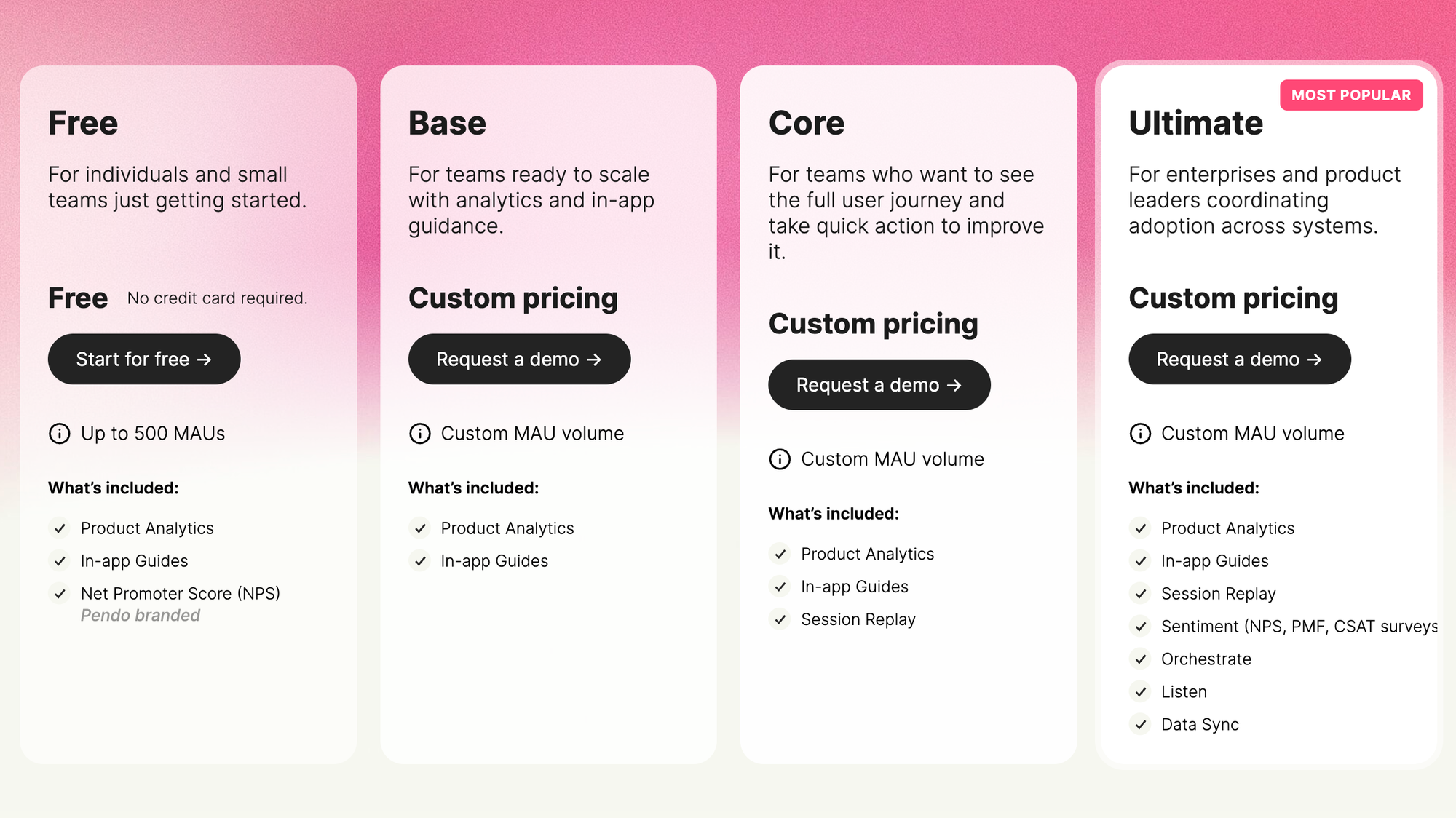
Pendo does not publish real pricing. You’ll need to go through sales.
What we do know:
- Pricing is based on monthly active users (MAUs) and selected features
- There is a free plan for up to 500 MAUs with limited features
- Paid plans are custom and scale with usage and modules
In terms of actual numbers, real contracts give a clearer picture:
- Typical starting point: $15,900 per year
- Average spend: ~$47,000 per year
- Enterprise deals: can exceed $100,000+ per year
There are multiple tiers, like Base, Core, Pulse, and Ultimate, but none have public pricing. Everything depends on your MAUs, features, and contract terms.
The takeaway is simple: Pendo pricing is flexible, but opaque and expensive.
Userpilot pricing
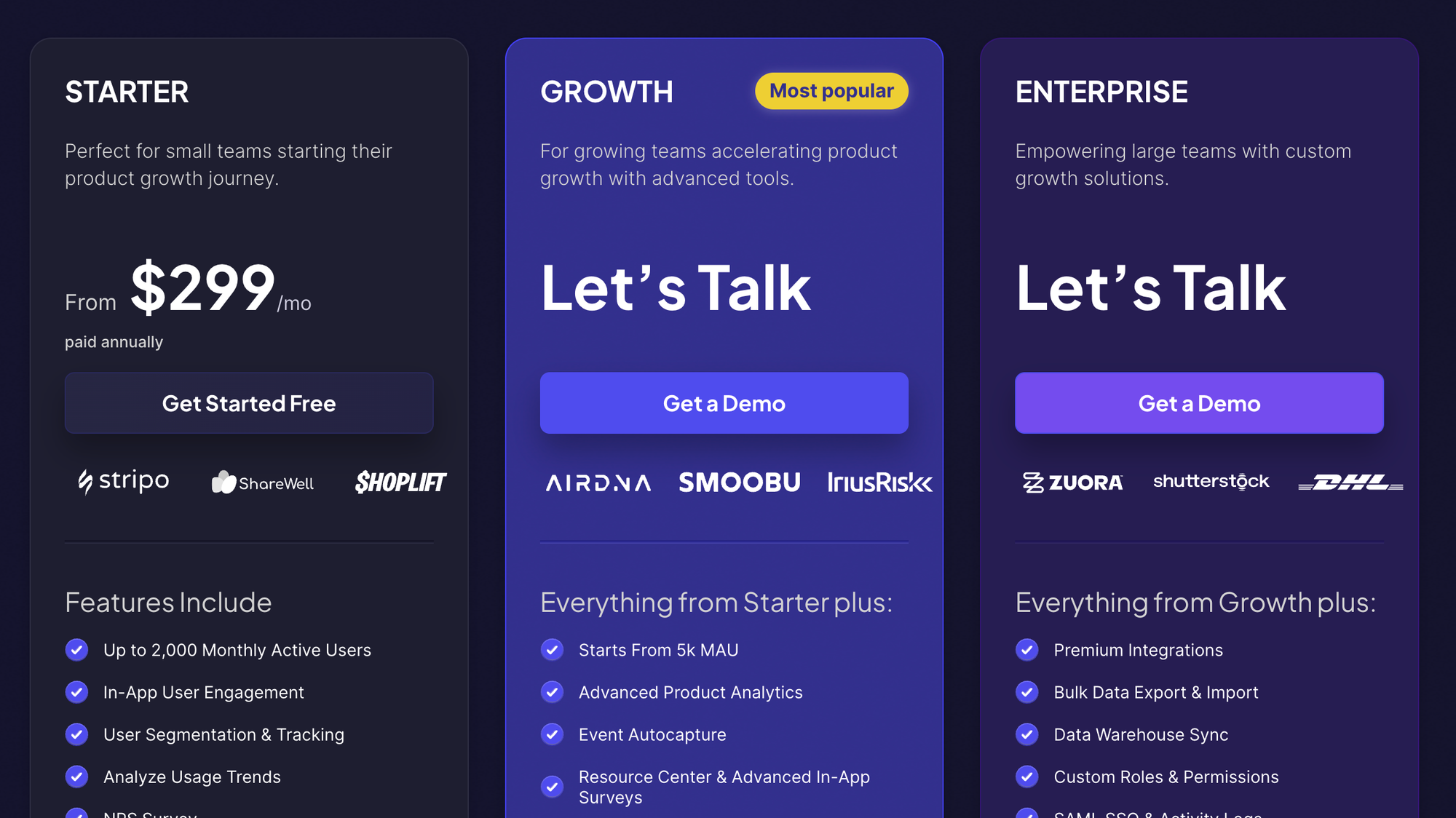
Userpilot is the opposite. Pricing is public, structured, and predictable.
Here are the current plans:
- Starter: $299 per month
- Growth: custom
- Enterprise: custom
There’s no free plan, but you do get a free trial.
The pricing scales mainly based on usage, especially MAUs, but the structure stays clear. You know what each plan includes and what you’ll pay as you grow.
Winner: Userpilot
Userpilot wins on pricing transparency and lower entry cost. Pendo is better suited for teams that already expect enterprise-level contracts.
Userpilot vs Pendo: integrations and ecosystem
Integrations matter more than most teams expect. It’s not just about connecting tools, it’s about how well each platform fits into the way you already work.
Pendo has a wider integration set
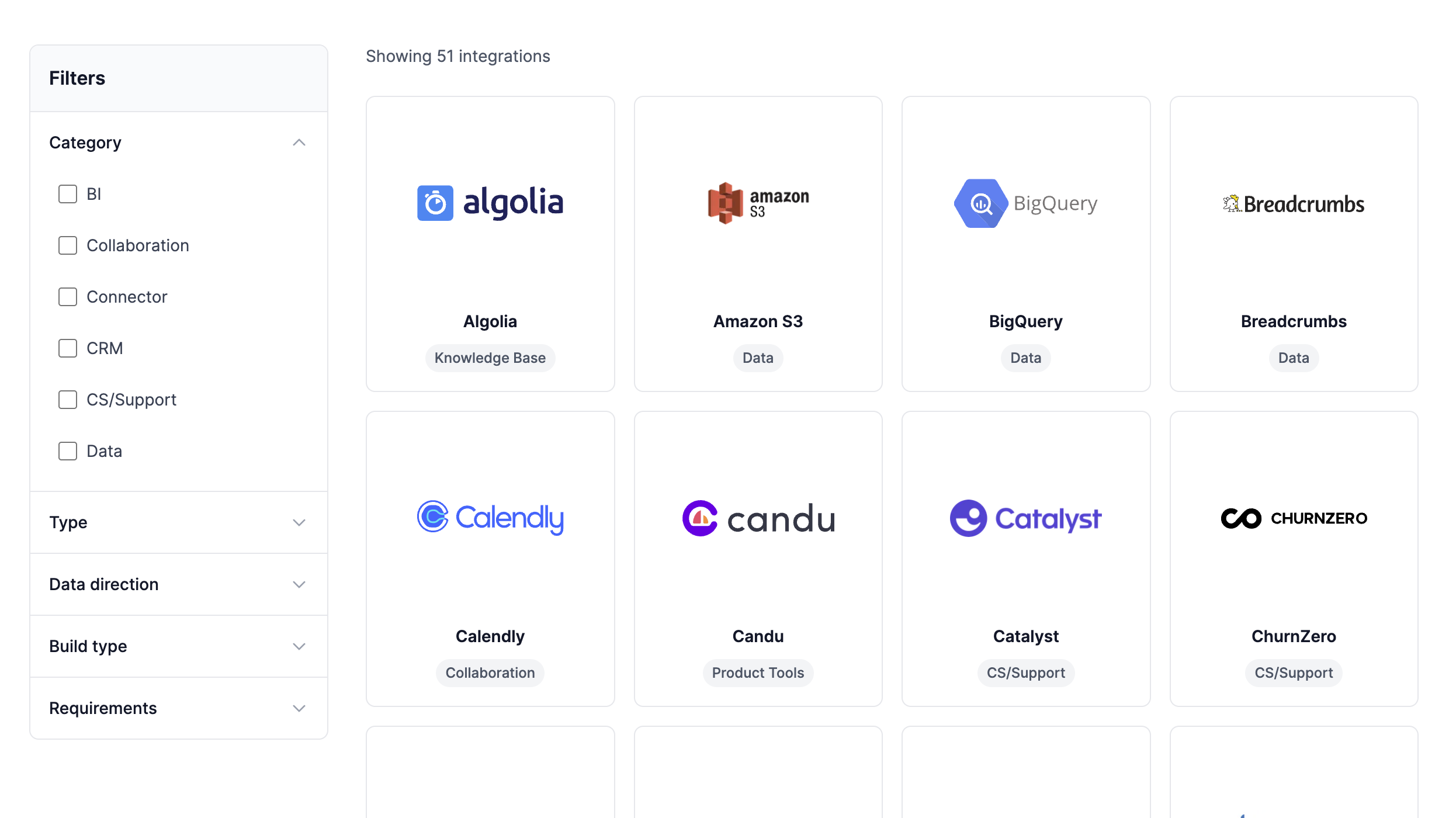
When it comes to user onboarding, Pendo is built to sit inside a larger product and data ecosystem.
It connects well with CRMs, data warehouses, and other analytics tools, which makes it a strong choice if you already have a structured stack in place. The platform is designed to work alongside advanced product analytics setups, not replace them entirely, but extend them with user analytics, guides, and user feedback tied to real behavior.
Where Pendo stands out is how it connects data across systems. You can pull in customer data, track feature usage, and tie everything back to user engagement and retention. It also supports things like session replay through integrations, which gives teams more context when analyzing behavior.
The tradeoff is complexity. Getting everything connected properly takes time, and in some cases, engineering support. It works best when you treat it as part of a broader system, not a quick add-on.
Userpilot focuses on SaaS tools
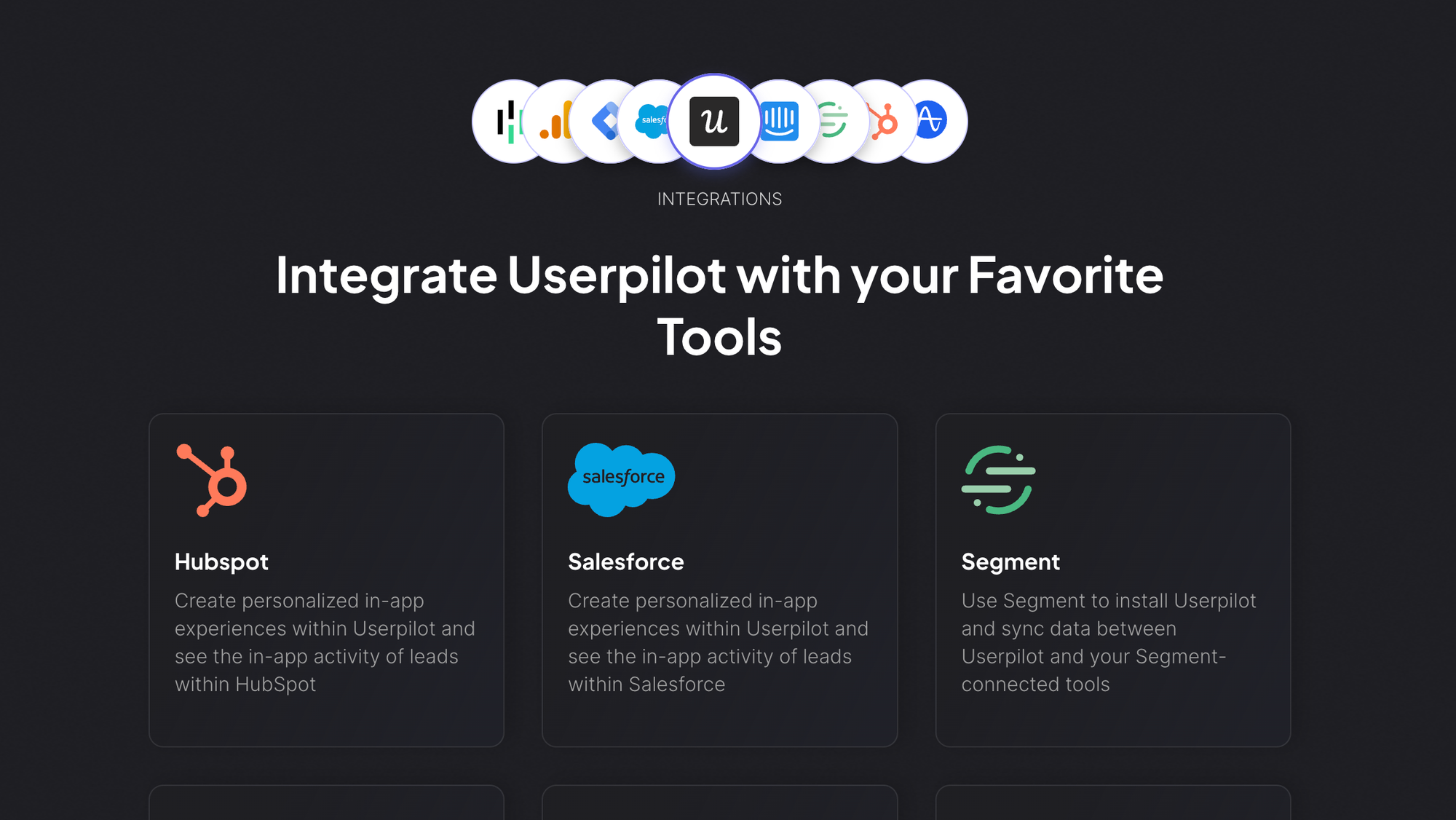
Userpilot takes a more focused approach.
It integrates with the tools most SaaS teams already use, including CRMs, analytics tools, and communication platforms. The goal is not to build a complex ecosystem, but to make it easy to act on data without heavy setup.
You can do user data sync, trigger experiences based on behavior, and use integrations to support onboarding users and improving user engagement. It also works well alongside dedicated behavior analytics tools, so you’re not forced to rely on it for deep analysis.
Compared to Pendo, it’s lighter, easier to connect to, and faster to get value from.
In the end, Pendo fits better into complex, data-heavy environments where everything needs to connect and scale.
Userpilot is the better choice if you want integrations that work without friction and help you move faster, especially when your focus is onboarding users, collecting user feedback, and improving user engagement without building a complicated system.
Winner: Pendo
Pendo has the stronger enterprise ecosystem. Userpilot is easier for SaaS teams that only need the essentials.
Pendo vs Userpilot: which one should you choose?
This comes down to how your team works and what you actually need to improve.
Get Userpilot if:
- You want to launch and iterate on onboarding features and processes quickly
- Your focus is reducing user friction and improving activation
- You need to create user segments and act on them immediately
- You want to engage users inside the product without waiting on engineering
- You don’t need deep analytics features to get value
Userpilot is built for speed. You can test ideas, adjust flows, and improve feature adoption without getting stuck in setup or complexity.
Get Pendo if:
- You rely heavily on product data and advanced analytics features
- Your team needs deep visibility into user behavior and long-term trends
- You’re managing multiple products or large user segments at scale
- You want a system that connects analytics, feedback, and engagement in one place
- You’re okay with slower setup in exchange for more control
Pendo makes more sense when product decisions are driven by data first, and execution comes after.
In the end, most teams will get value from Userpilot faster.
It helps you engage users, improve onboarding processes, and reduce user friction without needing a full analytics setup behind it.
Pendo is the better choice when your product team already operates with a strong data foundation and needs advanced analytics features to support more complex user segments and long-term strategy.
But for most companies, choosing between Pendo and Userpilot is like getting the lesser of the two evils. Which is why there is a third option. 👇
Get Featurebase instead, for truly actionable user feedback
If you’ve made it this far, the pattern is pretty clear.
Pendo gives you depth. Userpilot gives you speed. But both are still limited in one key area: actually turning user feedback into something you can act on without stitching together multiple tools.
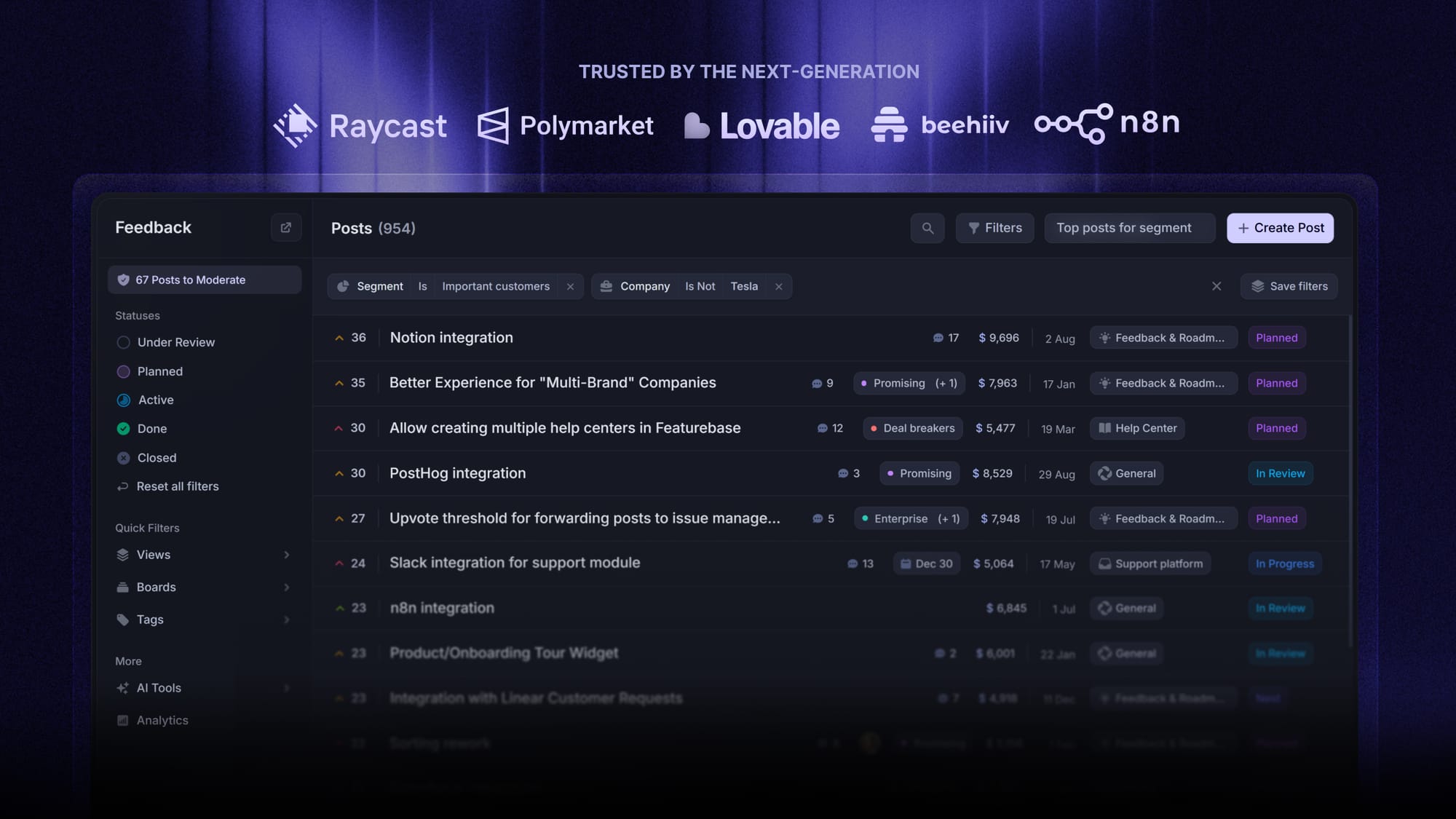
Featurebase is a modern feedback & support platform that helps product teams collect feedback, prioritize features, build roadmaps, and announce product updates, all in one place. It’s loved by thousands of product teams from companies like Lovable, Raycast, and n8n. 💫
Top features:
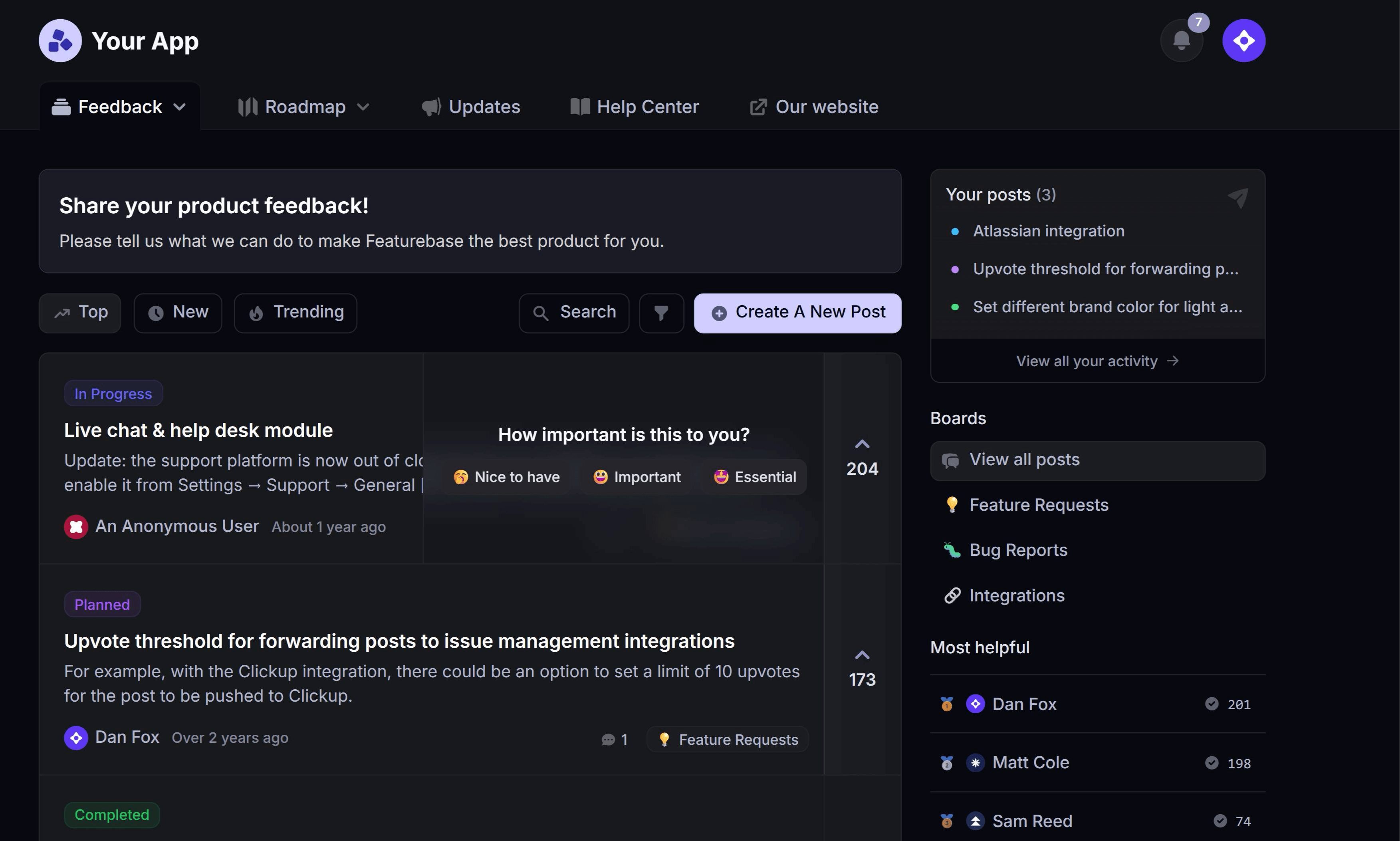
- Feedback forum – Public feedback forum where users can submit ideas and vote on features helping you know what customers want
- In-app widgets – Embed feedback, changelog, and help center widgets directly in your product
- Prioritize by revenue – Link feedback with customer revenue, company size, and much more to better understand the impact of ideas
- AI feedback categorization – Automatically group large volumes of feedback into product areas, projects, or themes with AI
- Automated email updates – Automatically notify users when their requested features are implemented
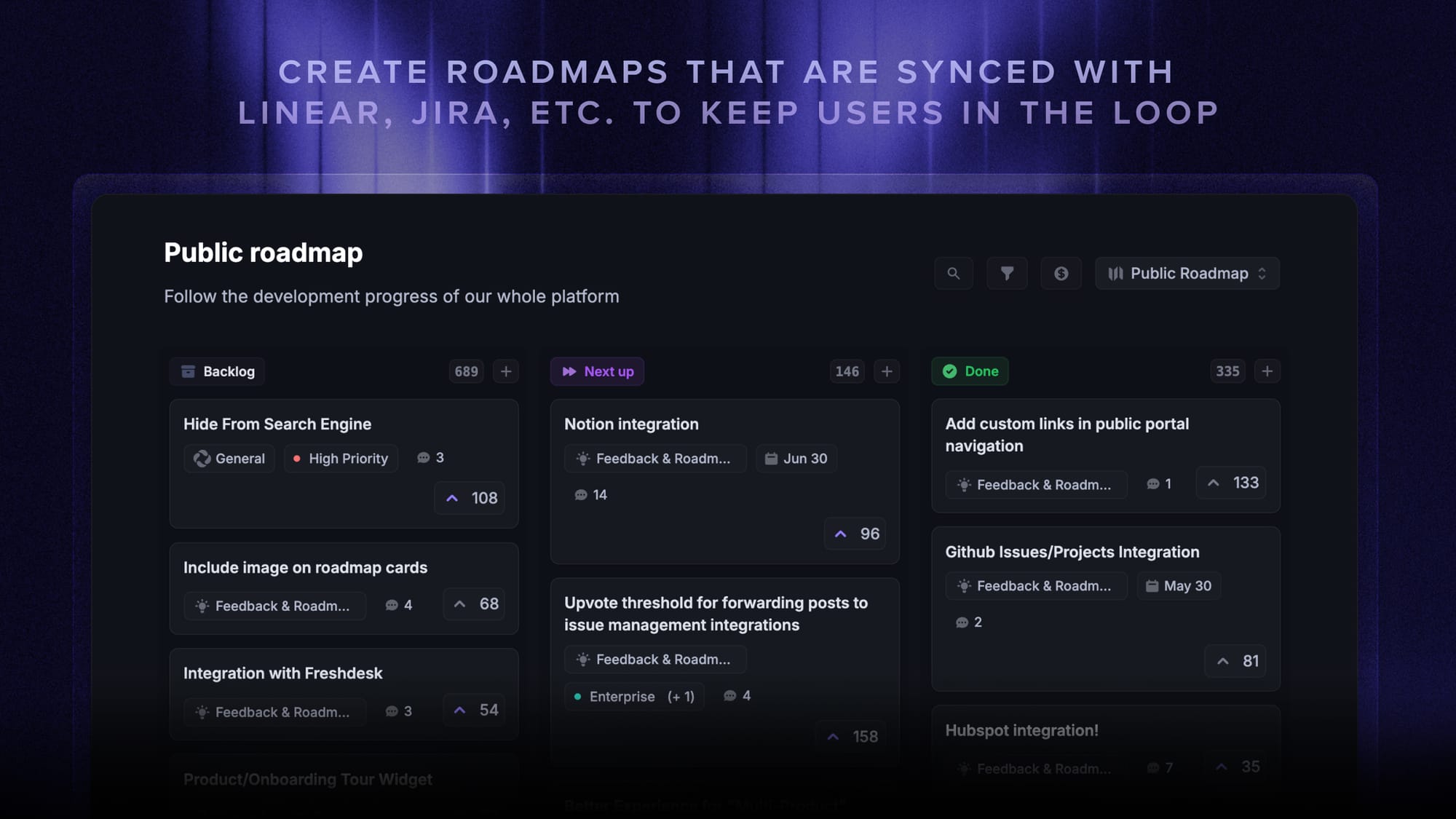
- Roadmaps – Create internal & public product roadmaps to keep users informed and build engagement
- Product updates – Publish release notes with a changelog page, in-app widget, and emails
- Surveys (NPS, CSAT, etc) – Create targeted surveys to ask users anything and measure customer satisfaction
- Automatic AI translations – Automatically translate all feedback and comments to your customers' and teammates' native languages
- Integrations – Connects with Slack, Linear, Jira, HubSpot, and more
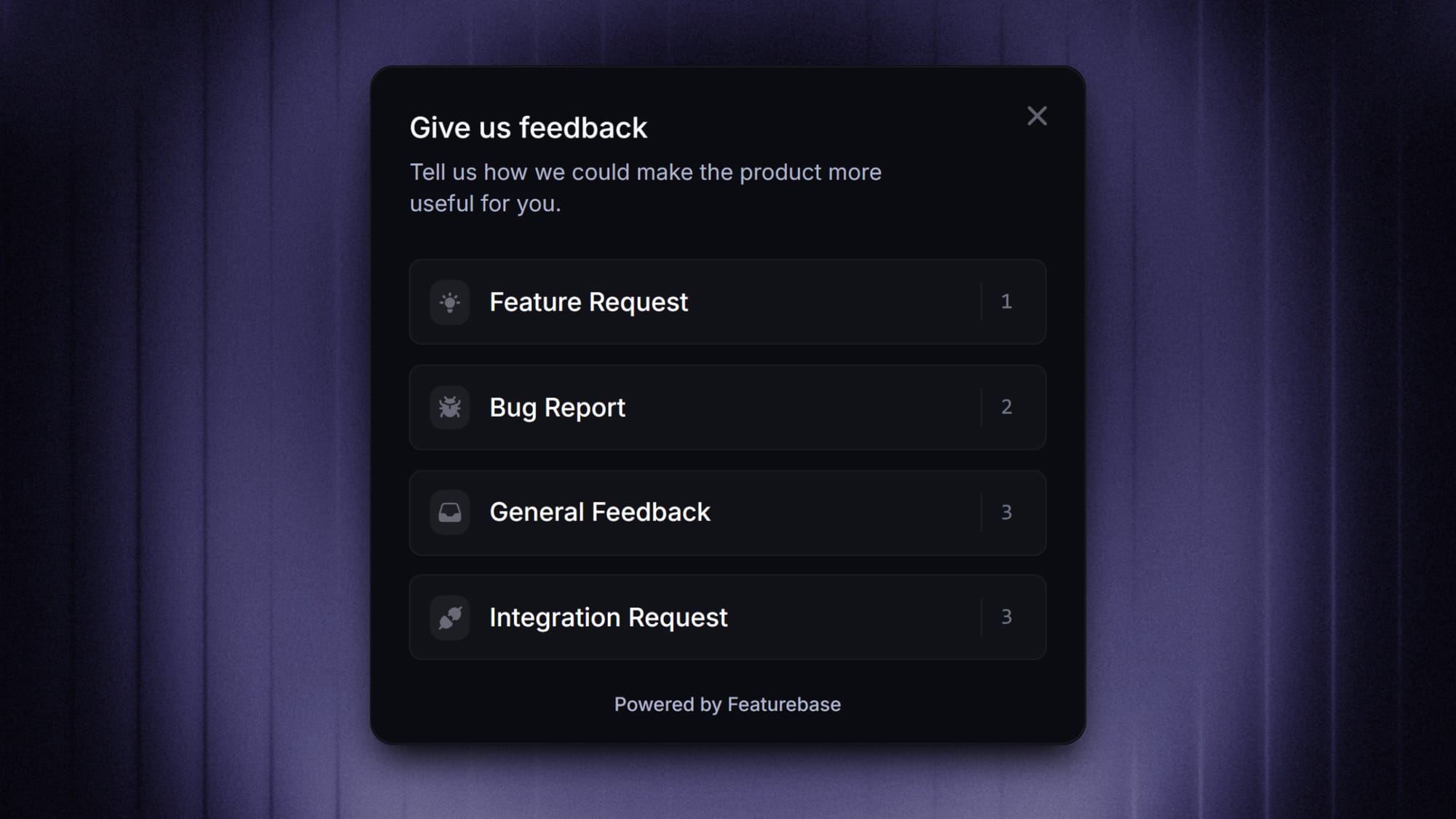
Instead of having 4+ different tools, Featurebase enables you to replace your customer-facing tools by bringing feedback collection, product updates, support, and help center together in one place to help you build products your users love.
It comes with a Free plan for unlimited feedback collection, and paid plans start at $29/seat/month. The onboarding is super fast and doesn't require a credit card, so there's no downside to trying it. 👇
✨ Start collecting & managing feedback with Featurebase for free →