Blog Comparisons12 Best Customer Communication Tools for Teams in 2026
12 Best Customer Communication Tools for Teams in 2026
The best customer communication tools improve your team's productivity and your customer satisfaction. Here are our top choices.


Your customers are reaching out through email, live chat, social media, and in-app messages. If your team is juggling all of these from separate tools, things slip through the cracks fast. If that sounds familiar, our team inbox management guide covers how to run one shared queue with clear ownership.
The right customer communication tool fixes this by bringing all your conversations into one place, so your team can respond faster and keep customers happy without burning out.
In this guide, I'll break down the 9 best customer communication tools for teams in 2026, what makes each one stand out, and how to pick the right one for your workflow. 👇
Short overview
The best customer communication tools for teams in 2026:
- ✨ Featurebase – Best for SaaS and product teams that want customer communication tied directly to user context and product feedback
- Chatbase – Best for teams that want to handle customer questions automatically using chatbots trained on their own content
- Zendesk – Best for larger support teams that need structured workflows and scalable customer communication across many channels
- Intercom – Best for SaaS companies that want real-time customer conversations through in-app messaging and live chat
- Fusebase – Best for agencies and professional services teams that communicate with clients through shared portals and workspaces
- Freshdesk – Best for support teams that want omnichannel customer communication with ticket tracking and automation
- Qualaroo – Best for product and marketing teams that want to collect direct customer feedback at key moments
- Tidio – Best for small businesses that want live chat and automated messaging to communicate with website visitors
- Trengo – Best for teams that manage customer communication across email, chat, and social channels from one inbox
- Respond.io - Best for teams that communicate using Whatsapp as their primary channel
- Nextiva XBert AI Receptionist - Best for service businesses that want an AI receptionist to handle calls, texts, and web chats automatically
- CloudTalk - Best cloud-based call center software designed for small and medium-sized businesses
The best customer communication software to improve customer experience in 2026
The best customer communication tools are those that simplify work for the customer service team while providing fast, personalized responses to customers. Here are some of the top customer communication tools in the market that combine AI features and integrations to help you provide exceptional customer service.
1. Featurebase ✨

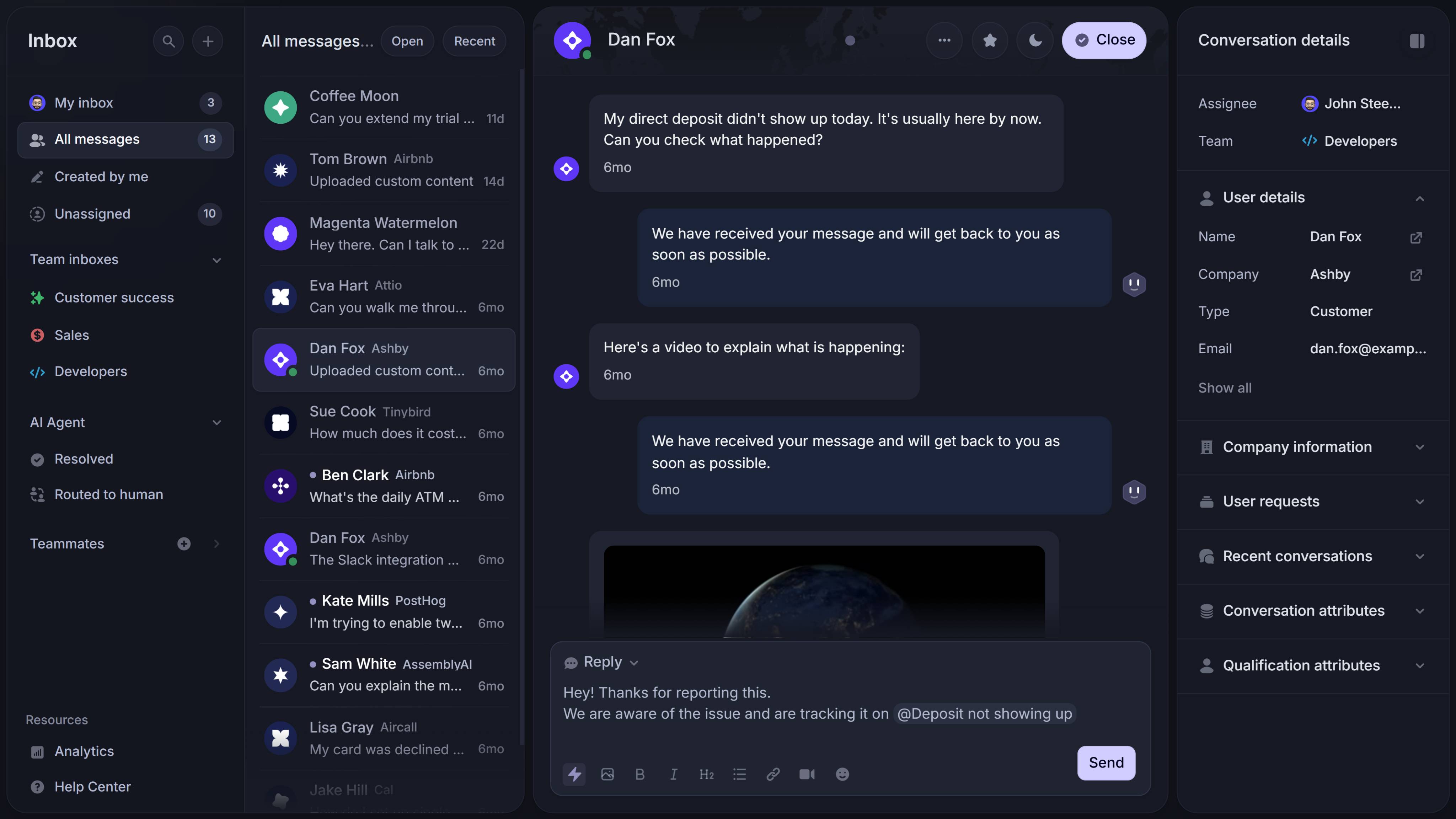
Featurebase is a modern AI-powered customer communication platform for product-led SaaS. It combines omnichannel inbox, product changelogs, and AI agents into a single platform for startups that want all their customer-facing tools in one place. Featurebase is loved by thousands of support teams from companies like Lovable, Raycast, and n8n. 💫
Top features:
- Omnichannel inbox – Manage live chat, email, and Slack conversations from one AI-powered view
- Fibi AI Agent – Resolve customer issues on autopilot & run custom actions like trial extensions and refunds
- Help center with AI search – Provide instant, multilingual self-serve answers
- Workflows & automations – Auto-assign tickets, route conversations, collect customer data, and more
- AI Copilot – Help your agents answer customers faster with AI Copilot that uses your internal knowledge
- Multi-brand support – Manage multiple Help Centers and live chats from a single workspace
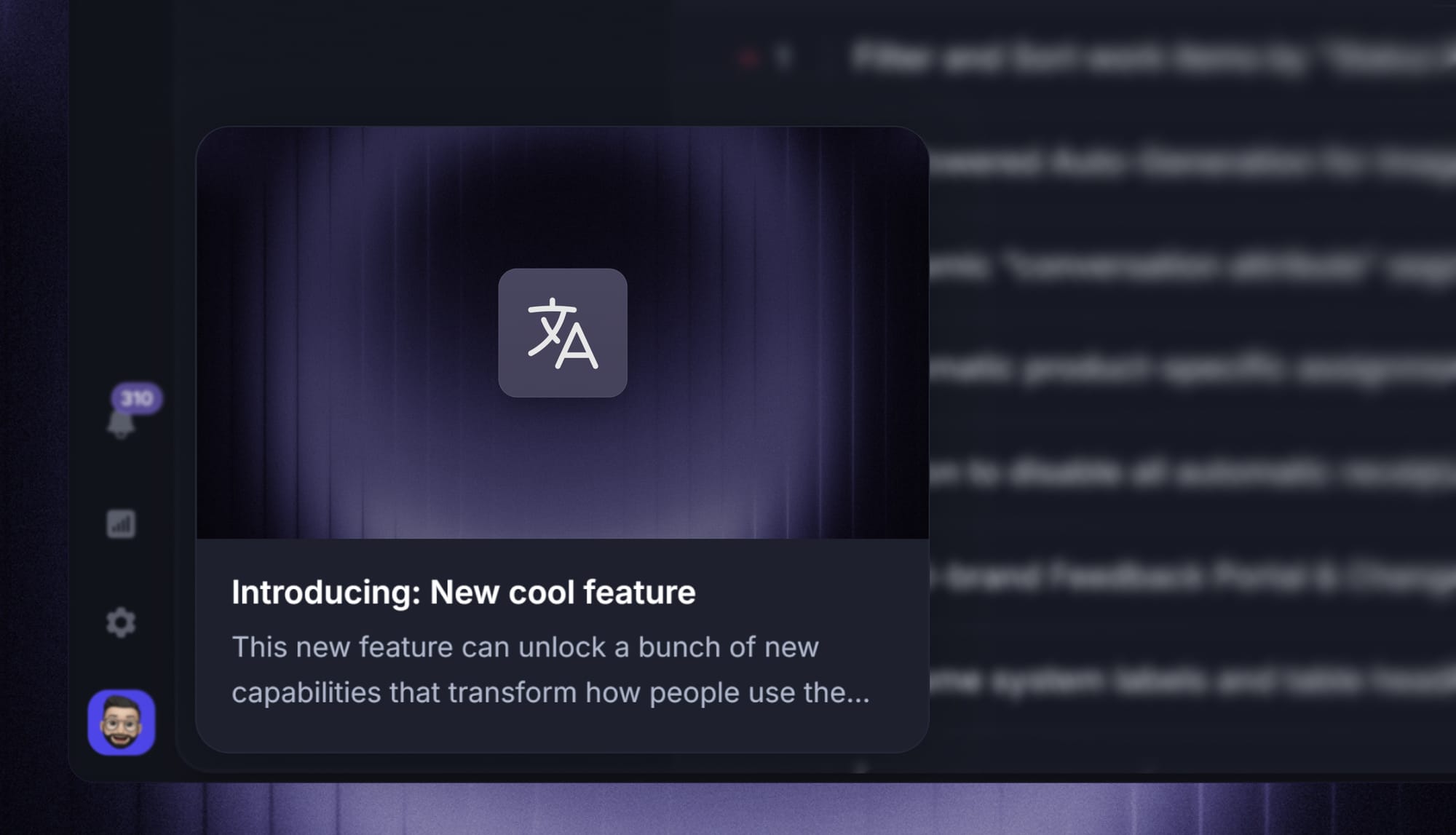
- Automatic AI translations – Automatically translate all messages and help articles to your customers' native language
- Service Level Agreements – Track SLAs to make sure your team responds to customers on time, every time
- Mobile app – Respond to customers, receive notifications, and unblock users on the go
- Product updates – Publish release notes with a changelog page, in-app widget, and emails
- Integrations – Connects with Slack, Linear, Jira, HubSpot, and more
Pricing: Free plan available with unlimited conversations. Paid plans start at $29/seat/month with $0.29 per AI resolution.
Featurebase covers all the core support features that legacy platforms do, but with a much more modern approach. The AI agent Fibi learns from your knowledge base and previous customer interactions and gets better with each message.
The AI agent price is the lowest in the industry at $0.29 per resolution. Every time Fibi resolves a problem, you're charged 29 cents. If you end up escalating to an agent, you don't pay anything. In short, it's in our best interest that Fibi handles customer communication for you.

The modern customer communication platform
Provide support, announce updates, and reach customers in 5+ different channels.
2. Chatbase
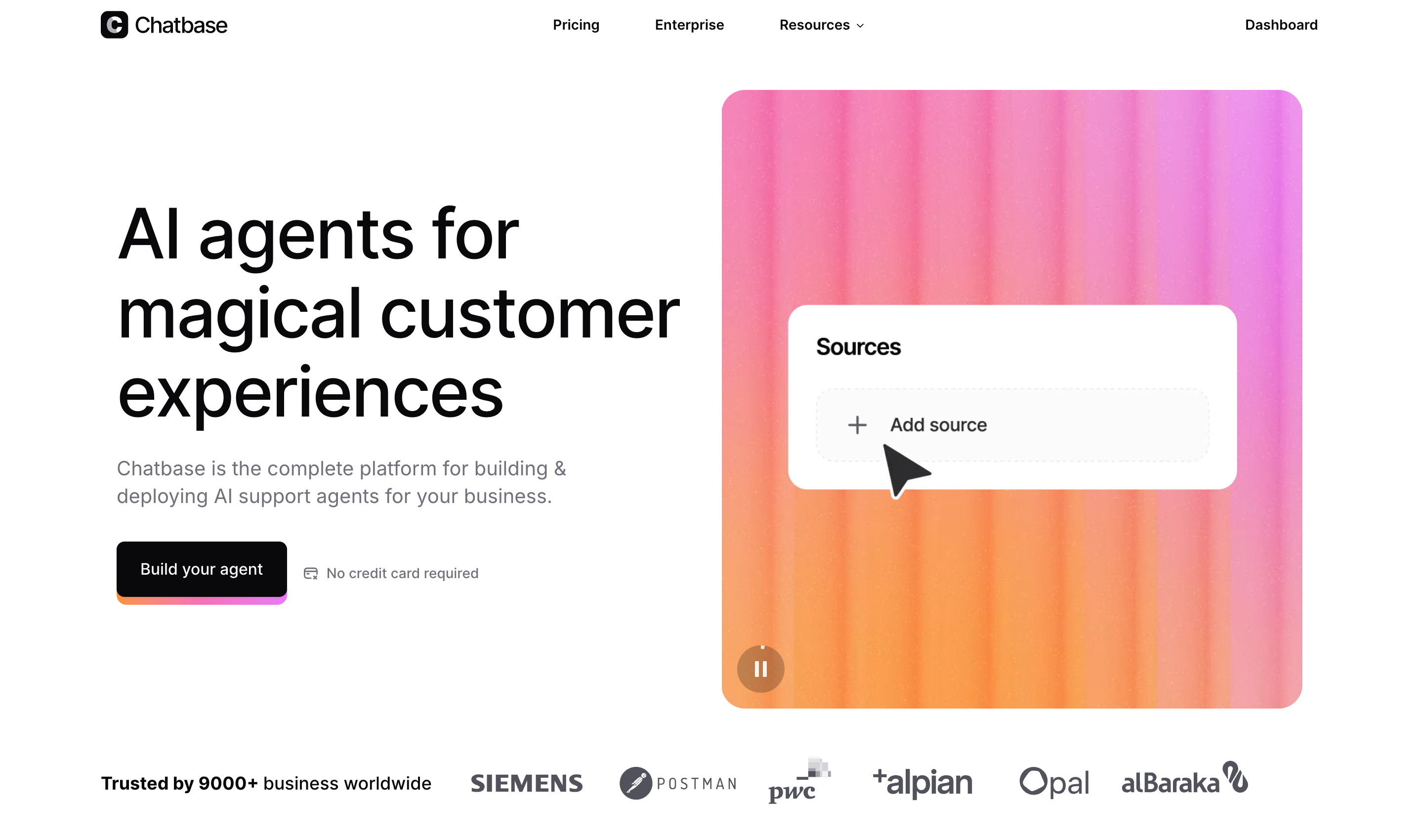
Chatbase is a customer communication tool focused on automated chat conversations through custom-trained chatbots. It's best suited for teams that want to handle a large share of customer questions automatically on their website or in-product, without relying on live agents for every interaction.
Key features
- Custom-trained chatbots built on your own documentation, FAQs, and content so answers stay relevant to your product or service
- Website chat widget that can be embedded directly on your site or inside your app
- No-code setup so teams can create, train, and launch bots without technical work
- Conversation analytics to see what customers ask most often and how bots perform
- Multi-channel support to deploy the same chatbot across web and supported messaging environments
Pricing: Chatbase pricing starts at $32 per month for the cheapest paid plan.
Chatbase is a fairly new tool in the market with a solid range of AI features. Pricing is its weak point, because even though it starts at $32 per month, you'll need much more than that. You're limited by the number of messages, the file size for AI agents, and how many actions they can take.
3. Zendesk

Zendesk is a customer communication and support platform that brings email, chat, social messaging, and help center interactions into one place so teams can engage and assist customers at scale. It works well for support teams in growing businesses and enterprises that want structured conversation tracking and collaboration across channels.
Key features
- Omnichannel inbox where email, live chat, social messages, and more appear in one workspace
- Ticket tracking and workflow so every incoming message can be assigned, tracked, and progressed to resolution
- Collision detection so agents can see when others are working on a conversation
- Canned responses to reply quickly to common questions
- Automation and triggers to route, prioritize, or escalate messages automatically based on rules
Pricing: Zendesk pricing starts at $19 per agent per month.
Zendesk is one of the more popular options for everyone from mid-sized businesses to enterprise organizations. It seems affordable at first, but costs can pile up as you add seats and features. Getting started can be time-consuming as the learning curve is not beginner-friendly. There is some customization available, but not at the level of some of the competitors mentioned here.
4. Intercom
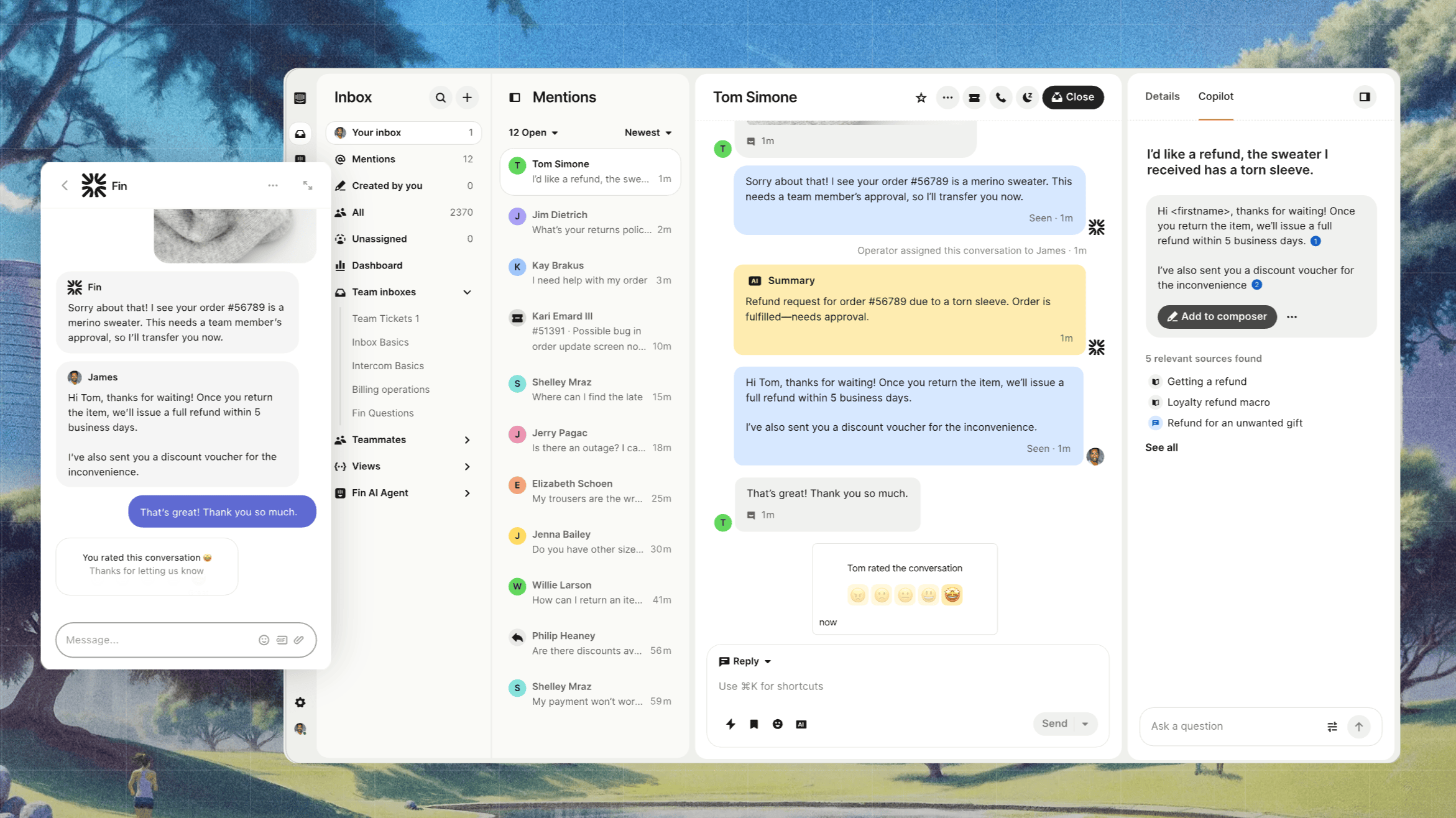
Intercom is a customer communication platform that helps teams talk to users through live chat, in-app messages, and email from one place. It's best suited for SaaS and online businesses that want to support customers in real time while keeping conversations organized across channels.
Key features
- Omnichannel inbox where customer messages from live chat, email, and in-app conversations appear in one shared workspace
- Live chat and in-app messaging so teams can talk to users directly inside the product or on the website
- Conversation assignment so messages can be routed to teammates with clear ownership and follow-ups
- Internal notes and mentions for private collaboration inside conversations before responding
- Saved replies to keep common responses consistent and reduce response time
Pricing: Intercom pricing starts at $29 per seat per month + $0.99 for every AI resolution.
Intercom has become the industry standard for a good reason. It simply works across communication channels, and their Fin AI handles personalized communications well. The elephant in the room is the cost. At $0.99 for every AI resolution, Intercom pricing was not built for small businesses. You can easily get into thousands of dollars per month just on ticket resolutions.
5. Fusebase
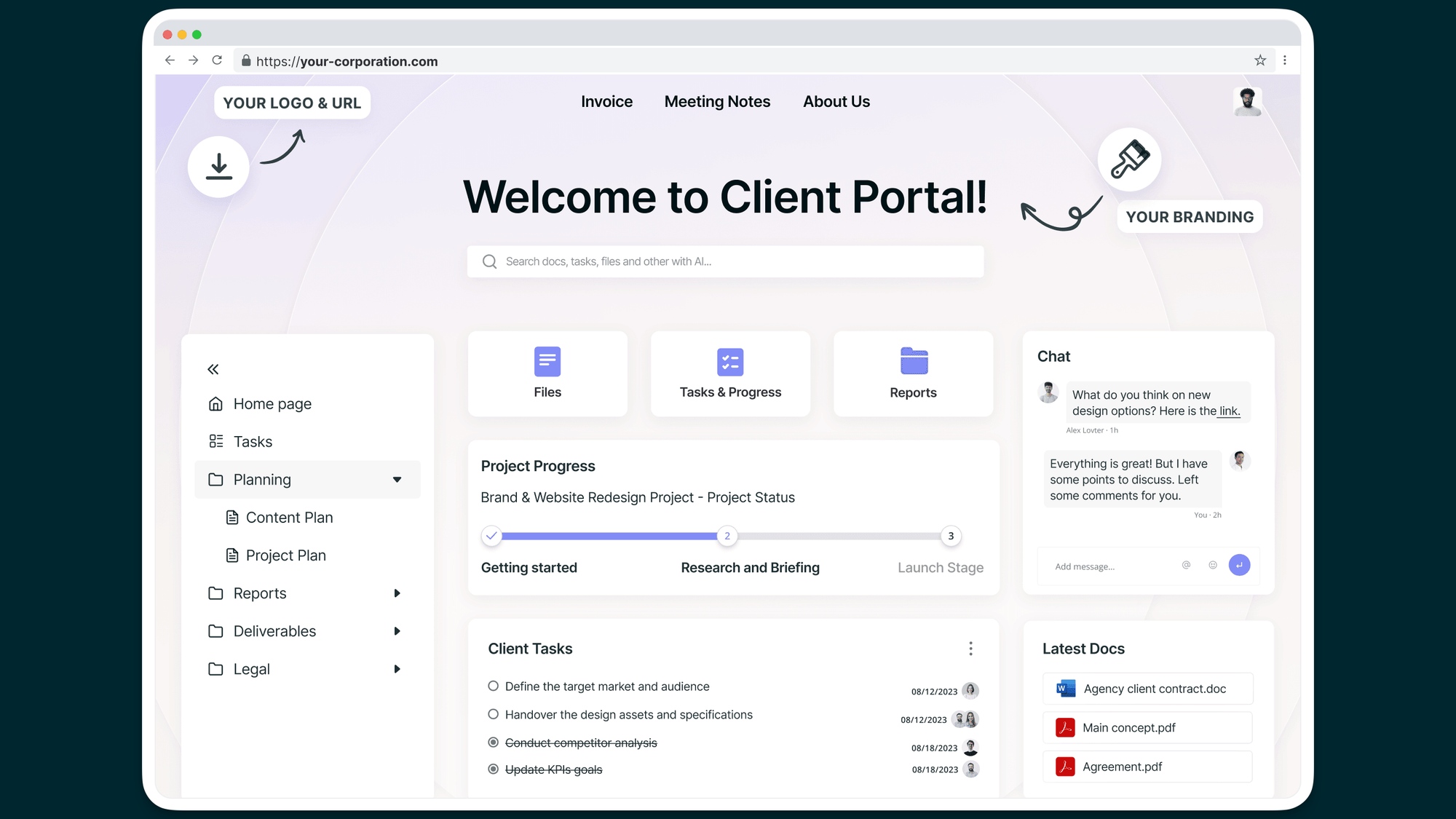
Fusebase is a customer communication and collaboration platform that brings client portals, team workspaces, and communication tools together in one place. It's built for professional services, agencies, and teams that want to centralize conversations, projects, and client interactions without juggling separate apps.
Key features
- Branded client portals where clients can view updates and interact with your team
- Unified communication workspace to centralize messages, feedback, and discussions in one place
- Task boards and project management to track work progress and assign tasks alongside client communication
- Shared document and file sharing directly in portals so clients always have access to the latest files
- Internal and external collaboration to coordinate with teammates while keeping clients engaged with real-time updates
- Integrated knowledge base to build and share support content or FAQs
Pricing: starts at $32 per user per month for the Solo plan when billed monthly.
Fusebase is an excellent choice for a very niche group of businesses. Service-based businesses that need a portal and project management software rolled into one will appreciate this offer. As it always happens with complex and specialized tools, you pay the price in how difficult it is to set up. Also, there is not a whole lot of customization available.
6. Freshdesk
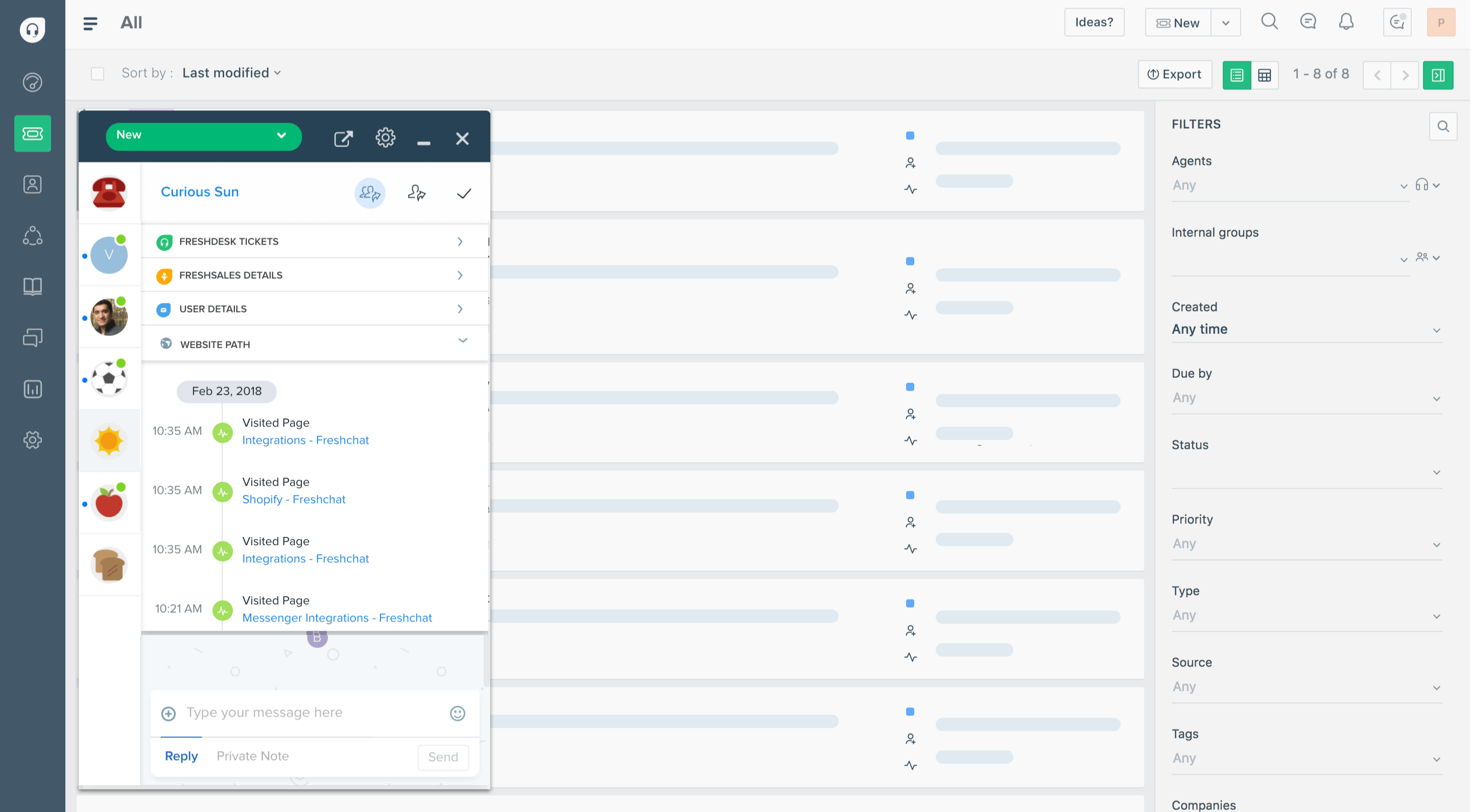
Freshdesk is a customer communication and support platform that brings messages from email, chat, phone, and social into one place so teams can respond and resolve issues together. It works well for support teams of all sizes that want structured conversation handling with tracking and collaboration.
Key features
- Omnichannel inbox where messages from email, chat, phone, and social channels are gathered in one workspace
- Ticketing and tracking so every conversation becomes a ticket that can be assigned and progressed to resolution
- Collision alerts so agents can see when someone else is working on a conversation
- Canned responses to share and reuse common replies for consistency and speed
- Automation rules to route, prioritize, or escalate messages and tickets automatically based on conditions
Pricing: Freshdesk pricing starts at $15 per agent per month for the Growth plan when billed annually.
Freshdesk gives you ticketing system capabilities on top of strong features for managing customer conversations. But that same ticketing system can be glitchy, create duplicate tickets, and struggle under large ticket volume. The price seems attractive, but the more advanced features require deep pockets.
7. Qualaroo
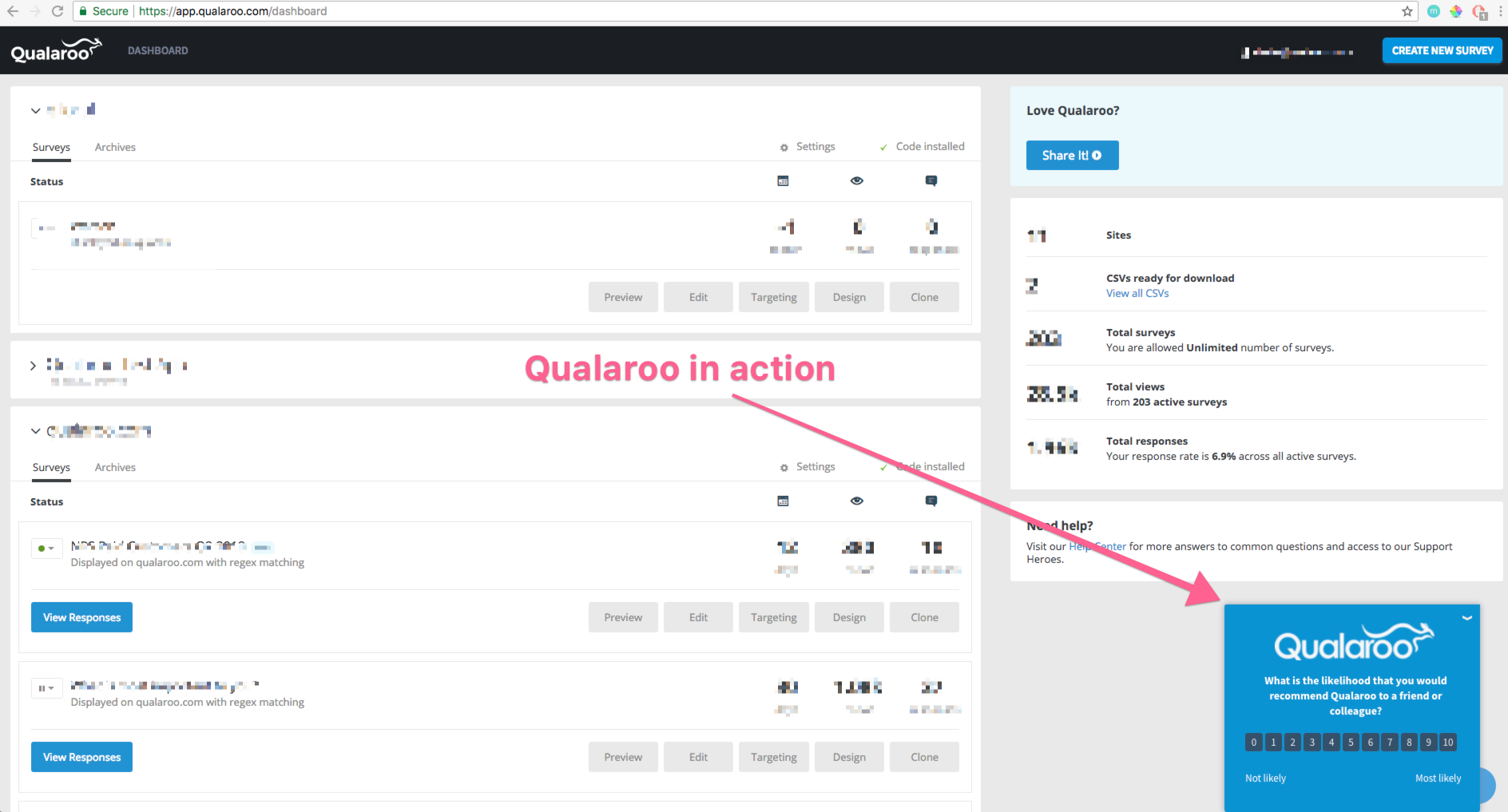
Qualaroo is a customer communication and insight tool that helps teams collect feedback and understand user intent through on-site surveys, questionnaires, and prompts. It's ideal for product, UX, and marketing teams that want direct input from users at key moments during their journey.
Key features
- On-site surveys to display brief questions to visitors at key points
- Targeted prompts that trigger based on behavior, such as time on page or exit intent
- Sentiment capture so users can rate their experience and teams can measure satisfaction
- Customizable question logic to show follow-up questions based on previous answers
- Response analytics to analyze trends and uncover actionable patterns
Pricing: starts at $19.99 per month.
Qualaroo stands out for capturing direct user feedback in context. That's exactly the problem with this tool: it can capture feedback across the customer journey and help you make better decisions or shape your communication strategy. However, it doesn't have a chatbot interface for customer interactions.
The upside is that it's not expensive, but you can get all of these + customer communication features in one place.
8. Tidio
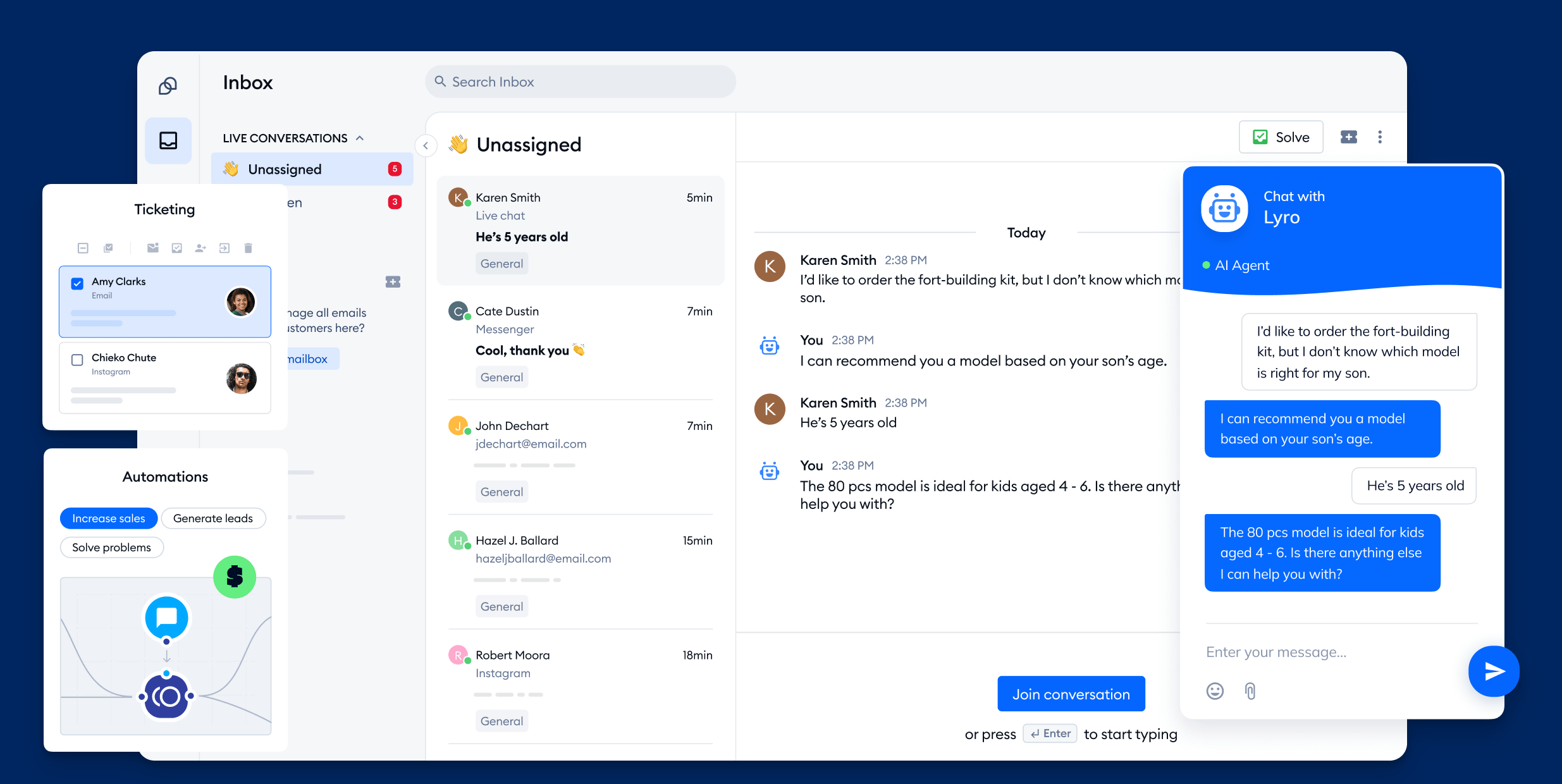
Tidio is a customer communication platform that brings live chat, email, and messaging into one inbox so teams can engage and support visitors across channels. It works well for small to mid-sized businesses that want to chat with customers in real time and keep all conversations in a unified workspace.
Key features
- Live chat widget for real-time chat on your website so teams can engage visitors instantly
- Unified inbox where messages from chat, email, and messaging apps are gathered in one place
- Automated chatbots that can greet visitors, answer common questions, or collect leads when agents are away
- Proactive messaging to send targeted messages to visitors based on behavior
- Visitor tracking to see who is browsing your site and what pages they are on
Pricing: Tidio pricing starts at $24.17 per month with 50 free AI conversations.
Tidio stands out because it blends live chat and automated messaging with a unified inbox. If you're considering an enterprise tool such as Intercom but want an underdog instead, Tidio may seem like a good bet.
The problem is that Lyro (the AI chatbot) is not very affordable: you have to purchase conversations in batches of 50, which costs $32 every time. You may end up spending hundreds of dollars on conversation credits alone if you're not careful. The best features, analytics, and integrations are also locked in higher plans.
9. Trengo
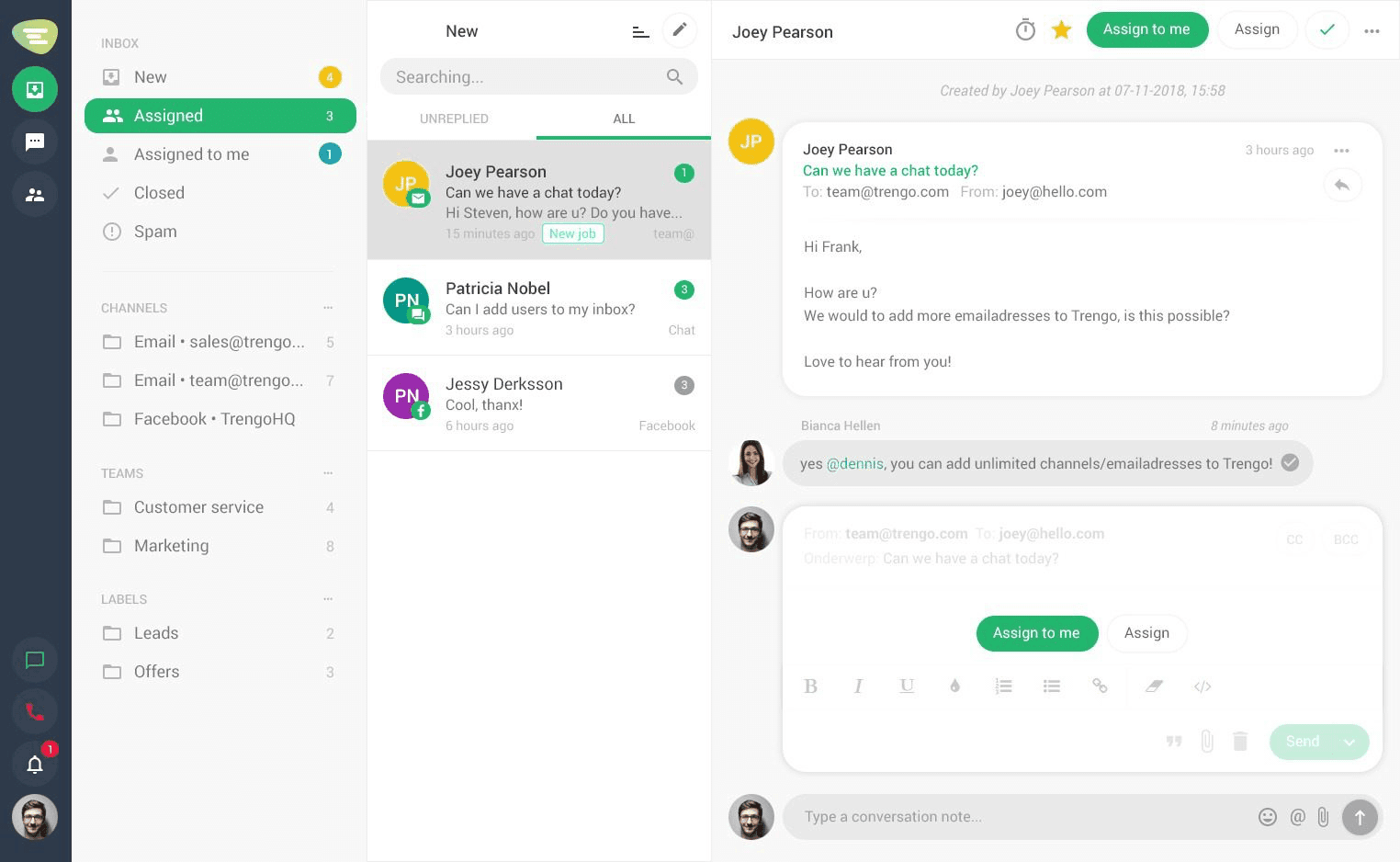
Trengo is a customer communication platform that brings messages from email, chat, social media, and messaging apps into a shared inbox. It's designed for teams that want one place to engage customers across channels and respond quickly without juggling multiple tools.
Key features
- Unified inbox where email, live chat, WhatsApp, Instagram, Facebook, and other channels are handled in one workspace
- Team collaboration tools so teammates can leave internal notes and assign conversations
- Automation workflows to route, tag, or prioritize messages as they arrive
- Canned responses to save and reuse replies to common questions for speed and consistency
- Shared labels and statuses to organize conversations so queues stay clear and priorities are visible
Pricing: starts at $350 per month.
Trengo gets a lot of praise for its ease of use and customization options. But the downsides are too big to ignore. Trengo is very expensive in its starting plan ($350 per month) and compared to more mature communication tools, its feature set and integration list is very modest.
10. Respond.io
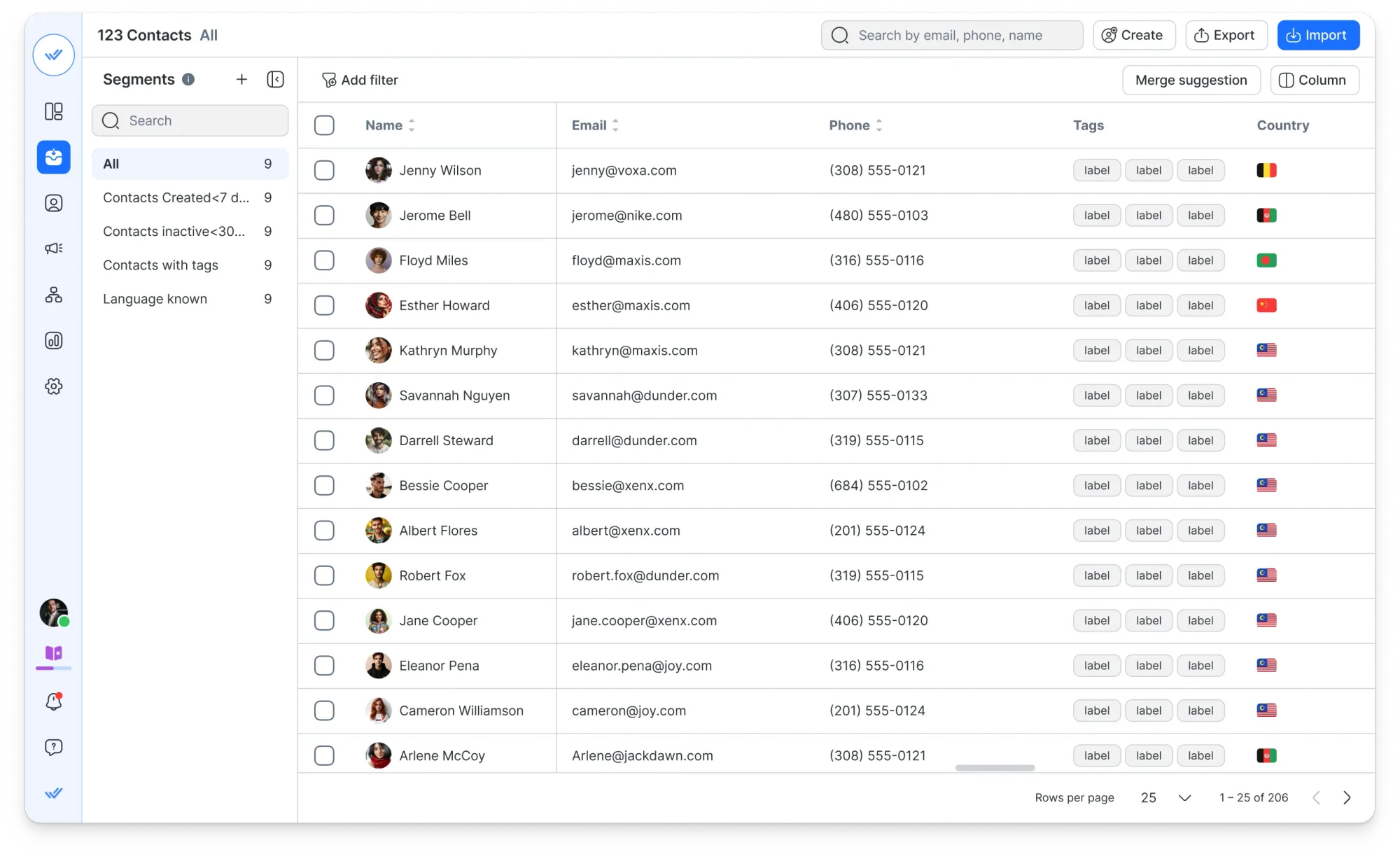
Respond.io is an AI-powered customer conversation platform built for mid-market and large B2C businesses managing high volumes of interactions. It's best suited for teams that need to centralize messaging, calls, and email across channels like WhatsApp, Instagram, TikTok, and Telegram in one unified workspace.
Key features
- Omnichannel inbox – Manage WhatsApp, Instagram, Messenger, TikTok, Telegram, voice calls, and email from a single shared workspace with full customer context across every touchpoint
- AI Agents – Automatically qualify leads, route conversations, update lifecycle stages, and trigger workflows without needing a human in the loop
- Voice AI Agents – Answer inbound calls 24/7 across VoIP and WhatsApp Business Calling, capturing caller details and generating automatic summaries after each interaction
- Agent productivity tools – Generate replies in one click, refine tone, translate messages, and summarize conversations using built-in AI Assist and AI Prompts
- CRM integrations and workflows – Native connections with HubSpot and Salesforce, plus Zapier and Make, with automatic field updates and data syncing across systems
Pricing: Paid plans start at $79/month with a free 7-day trial, no credit card required.
Respond.io is one of the more capable platforms on this list for businesses that live and die by high-volume messaging. The AI Agents go beyond answering questions — they execute operational tasks like routing, qualification, and CRM updates automatically. The tradeoff is that setup takes time, and the pricing makes more sense for mid-sized teams than small businesses just getting started.
11. Nextiva XBert AI Receptionist
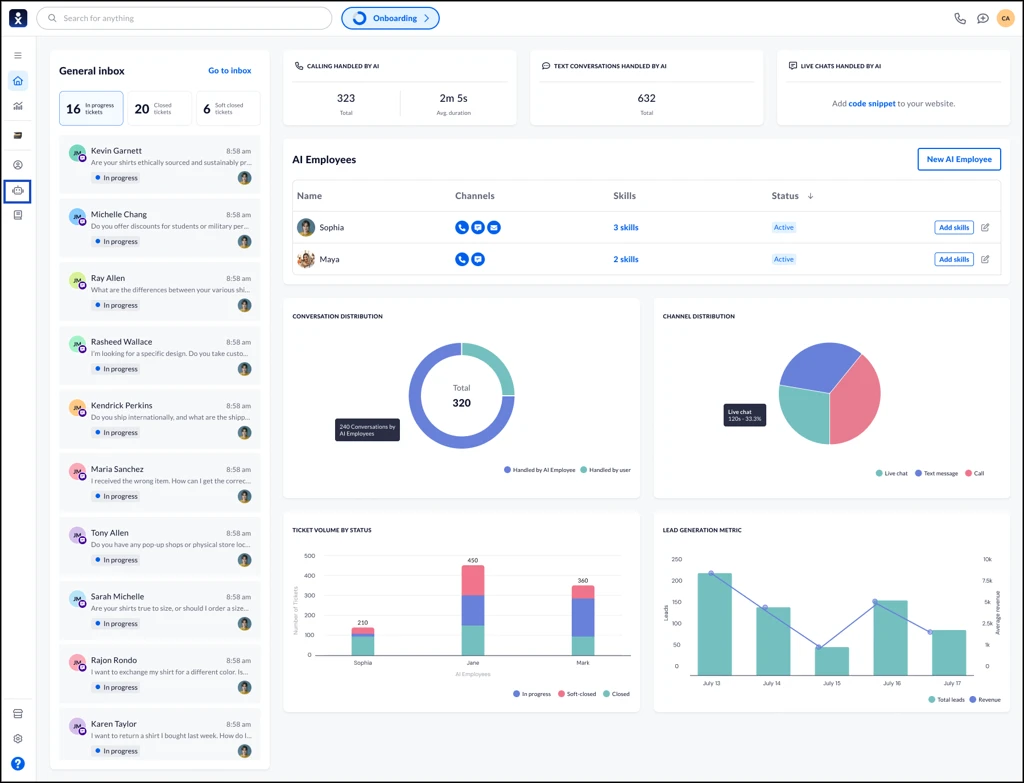
Nextiva is a business communication platform with over 17 years in business phone service, serving more than 100,000 businesses. Its AI receptionist, XBert, is built for service businesses that want to handle inbound calls, texts, and web chats automatically — without hiring a full-time receptionist or missing calls outside business hours.
Key features
- 24/7 coverage across calls, SMS, and web chat managed from one inbox
- Appointment scheduling that connects with Google Calendar, Calendly, and Cal.com
- Call transfers with full conversation context passed to your team at handoff
- CRM sync with Salesforce, HubSpot, Pipedrive, and Zoho
- FAQ handling built from your own knowledge base covering hours, pricing, services, and more
- Call transcripts, summaries, and a live analytics dashboard
- HIPAA-compliant for medical and dental offices
- Multi-location routing with location-specific greetings
Pricing: $99/month for up to 99 conversations, then $0.99 per conversation after that. Month-to-month with no annual contract and a 30-day money-back guarantee.
Nextiva XBert stands out from most tools on this list because it covers the voice channel — something chat and inbox tools don't address. Setup takes under five minutes with no technical work required, and the flat-rate pricing makes it considerably more accessible than a live receptionist. The main limitation is geography: XBert only works for US-based businesses, and businesses with very low call volume may not get enough value from the monthly base cost.
12. CloudTalk
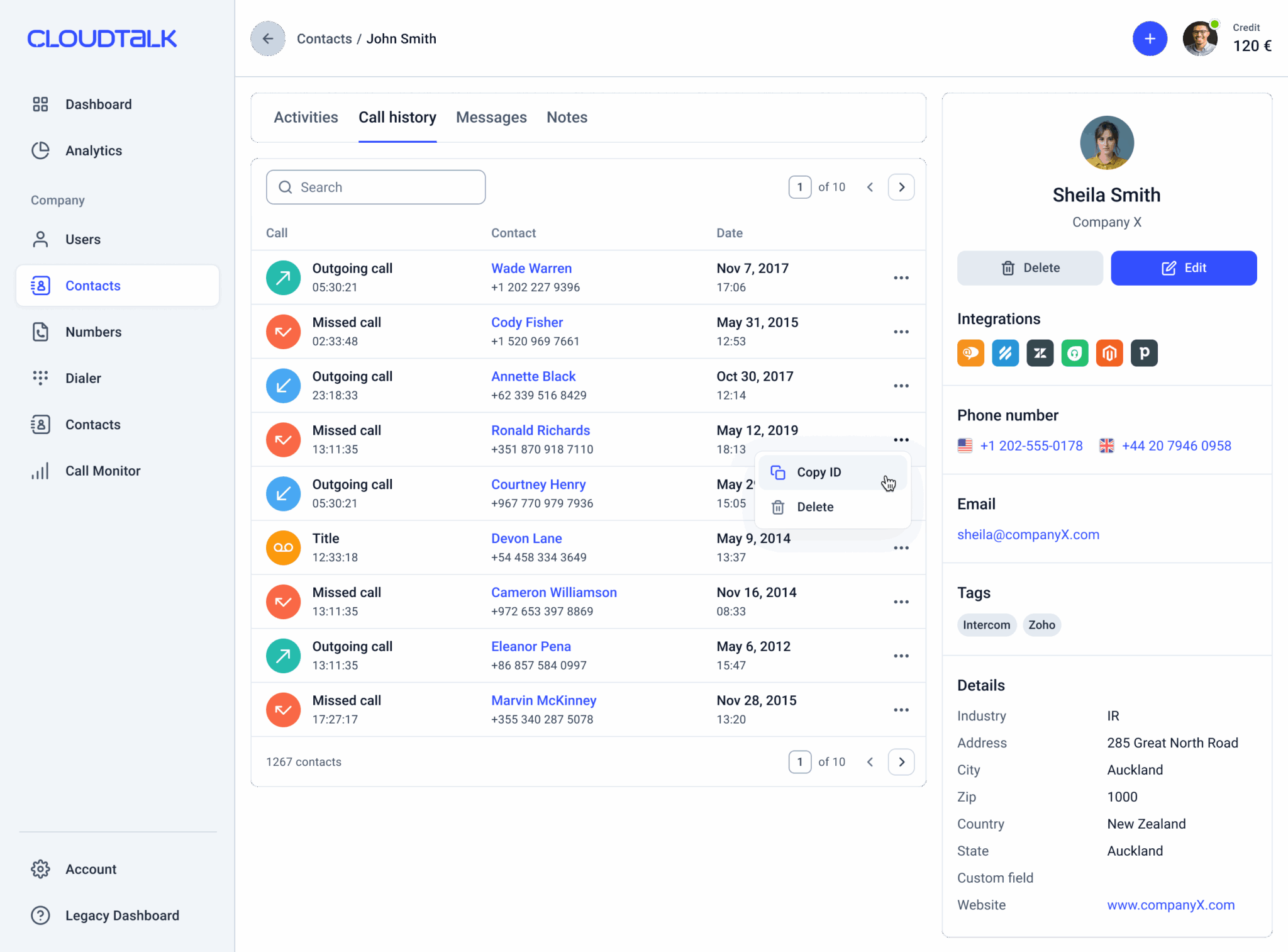
CloudTalk is a cloud-based call center software designed for small and medium-sized businesses. Built around voice, SMS, and WhatsApp conversations, it's best suited for sales and support teams that handle a high volume of customer interactions and want to manage calls, messages, and follow-ups from a single platform while leveraging AI to automate routine communication tasks.
Key features
- Multichannel communication across phone calls, SMS, and WhatsApp from one workspace
- AI Voice Agents that can answer calls, qualify leads, collect information, and handle routine conversations automatically
- Smart call routing, IVR menus, call queues, and automated workflows for inbound communication
- AI-powered call transcripts, summaries, sentiment analysis, and conversation insights
- Power Dialer and Smart Dialer for high-volume outbound outreach
- 100+ integrations with tools like Salesforce, HubSpot, Zendesk, Pipedrive, and Intercom
Pricing: Plans start at $25 per user/month when billed annually.
CloudTalk stands out because it covers a communication channel many customer communication platforms overlook: voice. While most tools on this list focus on email, chat, or in-app messaging, CloudTalk helps teams manage customer conversations over phone, SMS, and WhatsApp while adding AI-powered automation and analytics. The main drawback is that teams looking only for chat-based customer communication may find the platform more communication-heavy than they need.
Conclusion
Choosing the right customer communication tool isn't easy and most of the time, it's not the budget holding you back. These tools sit close to all customer data and they have the potential to make or break the relationships you have with your customers. They have to be easy to use, integrate well with the rest of your tech stack, and have strong AI features.
Featurebase is a modern & affordable customer communication platform that brings all your conversations into one AI-powered inbox. Manage live chat, email, and Slack messages from a single workspace while Fibi AI handles routine questions on autopilot for just $0.29 per resolution. It's loved by thousands of companies like Lovable, Polymarket, and Raycast.
It comes with a Free plan with unlimited conversations, and the onboarding is incredibly quick, so there's no downside to trying it. 👇
✨ Automate your support with the fastest AI-enhanced Inbox today →