Customer Enablement: What It Is and How to Do It Well
Customer enablement gives customers the resources, education, and feedback loops to succeed on their own. Here's what it is and how to build it.


On this page
Closing a deal is the easy part. The hard part is what comes next: getting customers to actually use your product, see value, and stick around.
When they can't figure it out on their own, they churn. Customer enablement is how you prevent that, by giving customers the resources, training, and support to succeed without waiting on you.
Here's what customer enablement is, why it matters, and how to build a program that actually moves retention. 👇
Key takeaways
- Customer enablement is the practice of equipping customers with the resources, education, and support they need to get value from your product on their own.
- It spans the entire post-sale journey - onboarding, adoption, retention, and expansion - not just the first week.
- The payoff is faster time to value, higher product adoption, lower support costs, and stronger retention.
- The core building blocks are self-service content, customer education, community, feedback loops, onboarding, and proactive support.
- Featurebase✨ brings the self-service side of enablement together - an AI-powered help center, feedback boards, and product updates in one place.
- You measure enablement in 3 layers: engagement, behavior change, and business outcomes like retention.
What is customer enablement?
Customer enablement is the practice of giving customers the tools, knowledge, and resources they need to succeed with your product, ideally without having to ask for help.
The goal is simple: help customers reach their goals faster so they get real value from what they bought. That value is what drives renewals, expansion, and word-of-mouth.
It's easy to confuse with a few neighboring terms, so here's the quick version:
- Customer enablement equips customers to succeed on their own.
- Customer success is the outcome, meaning customers actually hitting their goals and renewing.
- Customer support reacts to problems after they happen.
Enablement is the proactive layer that reduces how often the other two are needed.
Customer enablement vs. sales enablement
These two get mixed up because they share a word, but they point in opposite directions.
- Sales enablement equips your sales reps with the content, training, and tools to close deals.
- Customer enablement equips your customers with the resources to succeed after the deal closes.
One is aimed inward at your team before the sale. The other is aimed outward at customers after it. Some teams describe them as two sides of the same coin, and that's fair - both are about giving someone what they need to move forward.
Why customer enablement matters
Enablement used to be a nice-to-have. Now it's closer to a survival strategy, for a few reasons.
Customers would rather help themselves. Most people prefer finding an answer over opening a ticket. Self-service is also dramatically cheaper - Gartner puts the median cost per contact at $1.84 for self-service versus $13.50 for assisted channels. Every question a customer resolves on their own is money saved and a faster answer for them.
Customer experience is getting worse, not better. In 2025, US customer experience quality fell for the fourth straight year to an all-time low, according to Forrester. Teams that make it genuinely easy to succeed stand out in a field that's sliding backward.
Beyond that, good enablement drives the metrics leaders care about:
- Faster time to value: the sooner customers get a win, the stickier they become.
- Higher product adoption: customers who understand your features actually use them.
- Lower support costs: self-service deflects repetitive tickets so your team can focus on complex issues.
- Better retention: customers who see value renew, expand, and refer.
The core components of customer enablement
A strong program isn't one thing - it's a handful of resources working together across the customer journey. Here are the pieces that matter most.
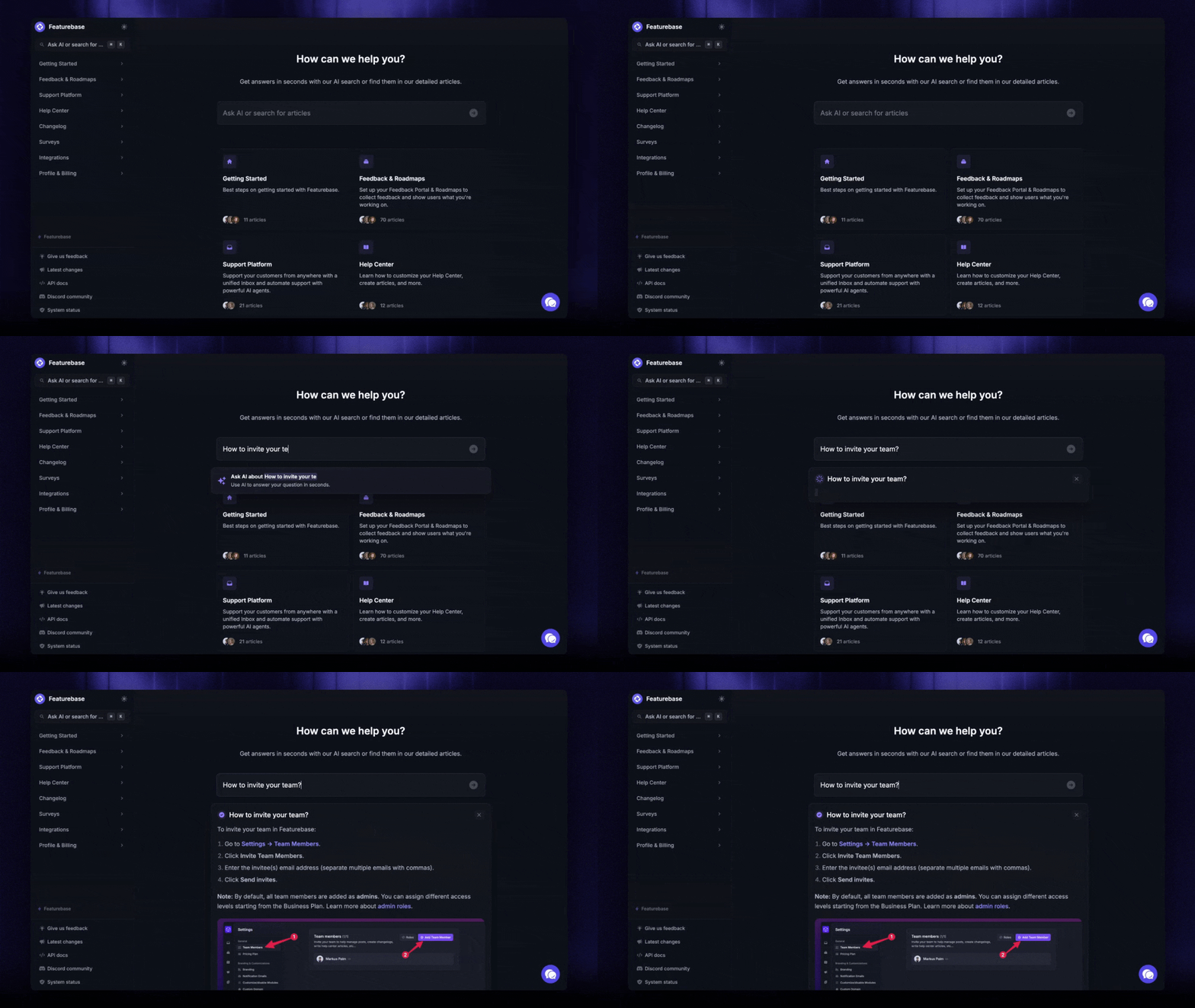
- Self-service knowledge base: A searchable help center is the backbone of enablement. It lets customers solve problems on their own, any time, without waiting for an agent. This is where Featurebase fits, letting you build a branded, AI-powered help center that answers questions instantly and translates articles into your customers' native languages.
- Customer education: Structured training, onboarding courses, webinars, and product tutorials that take customers from beginner to confident. Education turns a complex product into an approachable one.
- Community: A forum or space where customers help each other, share use cases, and troubleshoot together. Communities deflect tickets and turn power users into advocates.
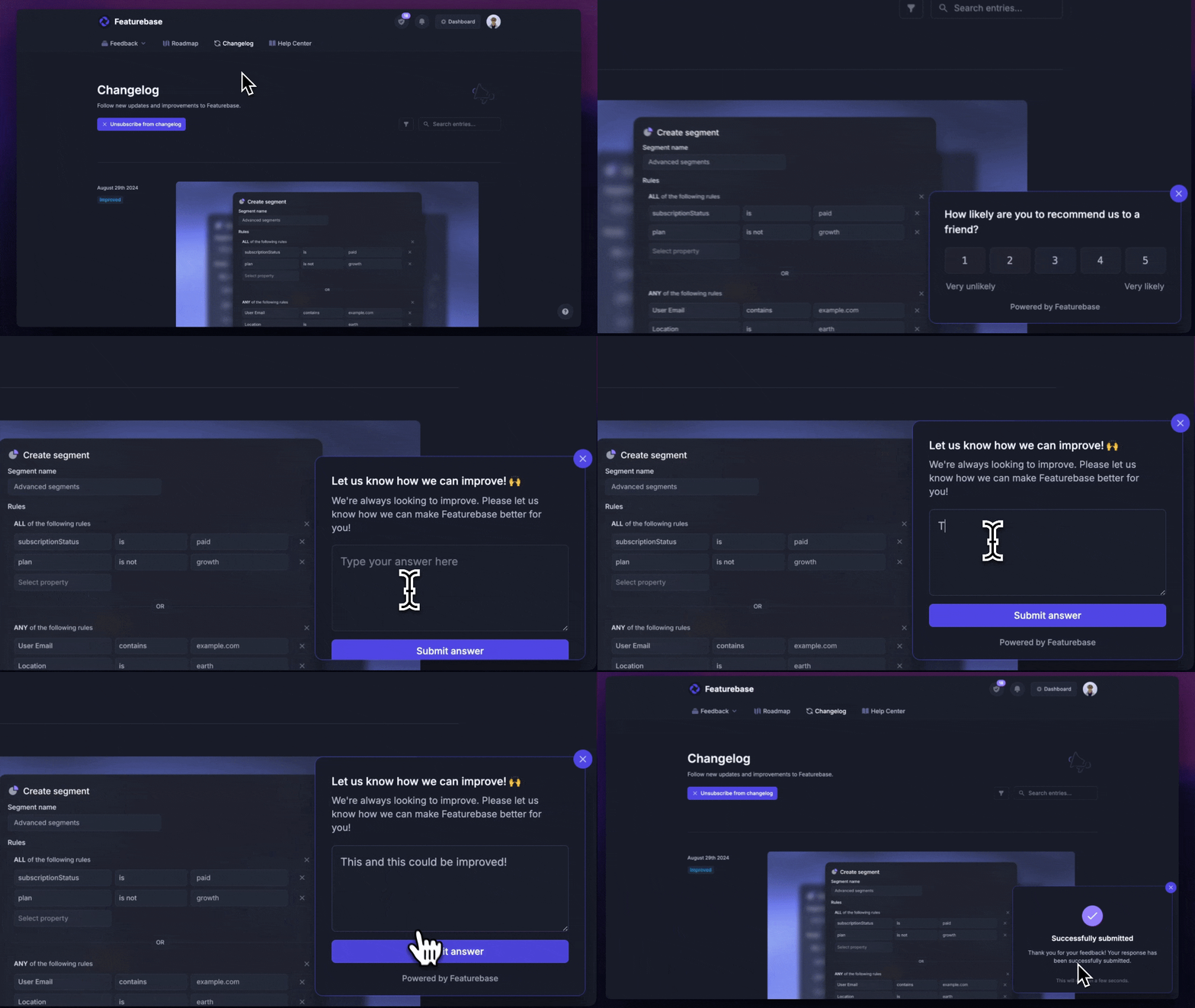
- Feedback loops: Enablement runs both ways. Collecting feedback and closing the loop tells you where customers get stuck and shows them you're listening. With Featurebase you can run a public feedback board where users submit and vote on ideas, plus NPS and CSAT surveys to measure how you're doing.
- Onboarding: The first mile decides everything. Role-based onboarding paths get admins, end users, and executives to their first win faster than a one-size-fits-all welcome tour.
- Proactive support: Support that reaches out before customers hit a wall, through in-app guidance, nudges, and check-ins triggered by how people actually use the product.
How to build a customer enablement strategy
You don't need to build everything at once. Start small, prove impact, then expand. Here's a practical order to work in.
1. Name an owner
Enablement spans education, product, support, and success, so without one person accountable it becomes nobody's job. Assign a directly responsible individual to coordinate across teams, even if it's a hat someone wears part-time at first.
2. Map where customers get stuck
Look at your support tickets, onboarding drop-off, and churn reasons. The patterns show you exactly which resources to build first. Build for the highest-volume friction points, not the edge cases.
3. Start with your highest-impact assets
You don't need a full academy on day one. A solid onboarding guide and clear answers to your top 10 support questions will move the needle more than 100 polished articles nobody searches for.
4. Trigger help based on behavior, not the calendar
The best enablement is contextual. Instead of a fixed email drip, trigger guidance when a customer's behavior calls for it - a nudge when they haven't tried a key feature, a check-in when usage drops.
5. Close the loop
Enablement isn't set-and-forget. Gather feedback on your content, watch what customers actually use, and keep refining. A good program gets sharper every quarter.
How to measure customer enablement
Enablement is only real if you can show it works. Measure it in 3 layers, working from activity toward revenue.
- Engagement metrics: Are customers using what you built? Track article views, course enrollments, completion rates, and in-app guide engagement. These are your leading indicators.
- Behavior change metrics: Is that engagement changing what customers do? Look at feature adoption, support deflection rate, and time to first value. This is where enablement starts to prove traction.
- Business outcomes: Does it move the numbers leadership cares about? Tie enablement to retention, net revenue retention, and expansion from enabled accounts.
The trick is connecting the layers. Compare renewal rates between customers who hit enablement milestones, like finishing onboarding or earning a certification, and those who didn't. That's how you turn a nice program into a provable growth lever.
Bring your customer enablement together with Featurebase
Customer enablement isn't a single tool or a one-time project. It's the ongoing work of giving customers the resources, education, and feedback loops to succeed on their own, and it pays off in faster adoption, lower support costs, and stronger retention.
The self-service side of that is where the right platform helps most.
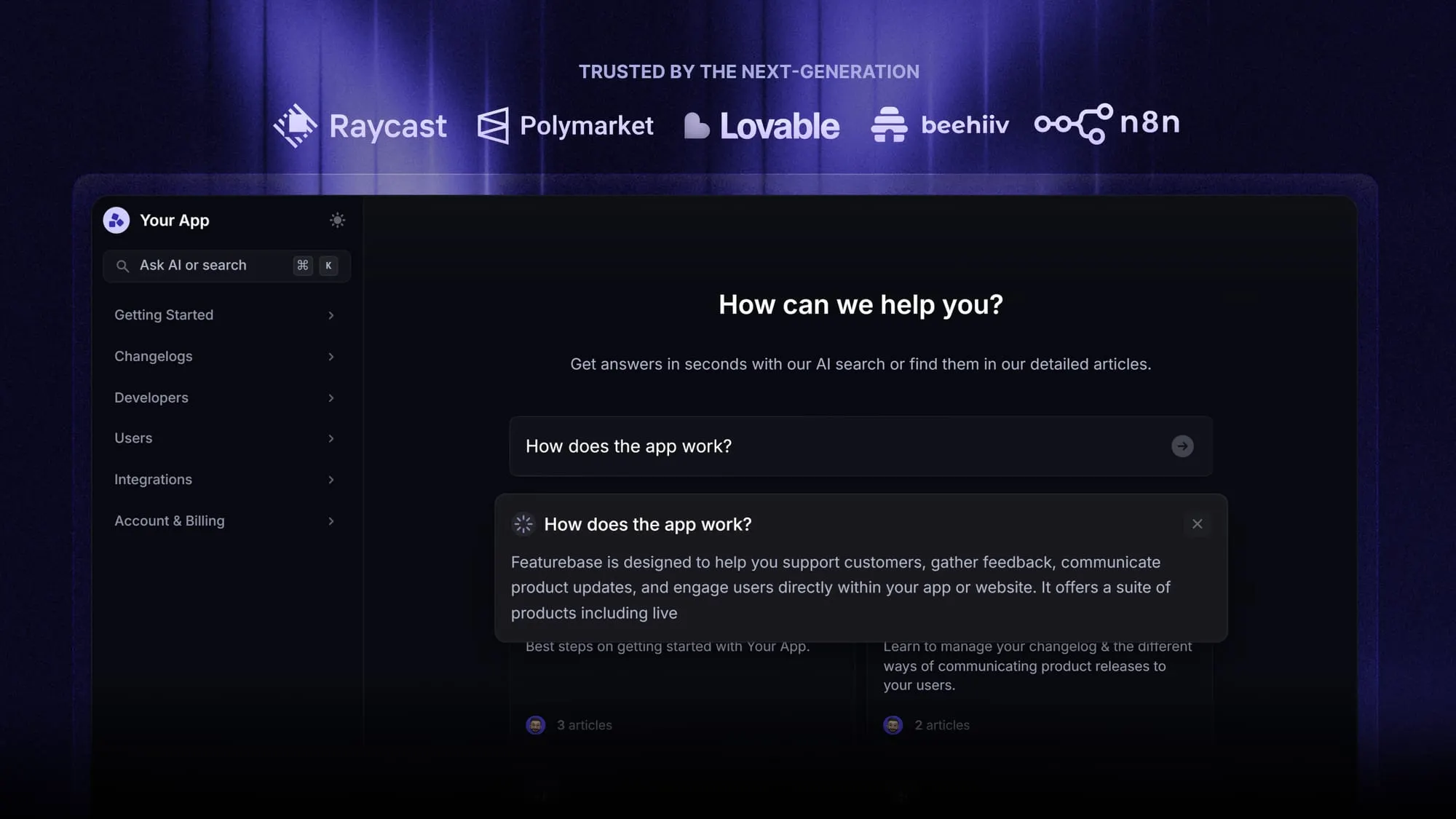
Featurebase is a modern support platform that lets you build a beautiful, AI-powered help center, provide live chat and email support, and collect customer feedback all in one place. It also comes with surveys, roadmaps, and a changelog, so you can keep customers informed and close the loop as your product evolves.
It has a Free plan, so there's no downside to trying it. Plus, we can help you migrate from any existing help center tool. 👇
Create a beautiful AI-powered Help Center with Featurebase for free
FAQs
Customer enablement equips customers with the resources to succeed, while customer success is the outcome of them actually reaching their goals. Think of enablement as setting customers up to win and success as the win itself. Enablement is one of the main ways customer success teams drive that outcome at scale.
The four pillars are strategy, people, process, and technology. Strategy is your overall plan and goals, people are the customer-facing teams who deliver it, process is how you connect customers with the right resources, and technology is the tooling, like a knowledge base or AI agent, that makes it scale. Together they turn scattered efforts into a repeatable system.
A customer enablement manager owns the enablement program and keeps it aligned across teams. They map where customers get stuck, build and maintain self-service and training resources, and track whether those resources actually improve adoption and retention. In smaller companies, this is often part of a customer success or support role rather than a dedicated job.
Most programs run on a few core tools: a knowledge base or help center, a community platform, feedback and survey tools, customer education or an LMS, and analytics to measure it all. Many teams stitch these together from separate vendors, which creates data silos. Featurebase combines the self-service side - help center, feedback boards, surveys, and product updates - into one platform so those pieces stay connected.
Customer education is one part of customer enablement, not the whole thing. Education covers the structured training, courses, and tutorials that teach customers how to use your product. Enablement is broader, also including self-service content, community, feedback loops, and proactive support across the entire customer journey.
No, but it matters most for complex or subscription-based products. B2B and SaaS companies rely on it heavily because their products often need setup, customization, and ongoing learning to deliver value. Any business where customers need help getting the most out of a purchase can benefit from enablement.