Customer Feedback Software: 10 Best Tools for 2026
Compare the 10 best customer feedback software tools for collecting, analyzing, prioritizing, and acting on customer insights in 2026.


On this page
Start collecting & managing feedback with Featurebase for free
Customer feedback gets messy once it starts arriving through surveys, support conversations, calls, reviews, and feature requests. Without one place to organize it, useful signals get buried, and the loudest request can shape the roadmap.
The right customer feedback software turns those scattered comments into clear themes, priorities, and follow-up actions. I compared 10 leading tools by use case, collection methods, analysis depth, pricing, and real user trade-offs so you can find the right fit. 👇
Key takeaways
| Tool | Best for | Starting cost | Free plan | Main trade-off |
|---|---|---|---|---|
| ✨Featurebase | Product teams managing feedback end to end | Free, paid from $29/seat/month | Yes | Broader than a survey-only tool |
| Canny | Product feedback and feature requests | Free, paid from $79/month billed annually | Yes | Pricing scales by tracked users |
| SurveyMonkey | General-purpose surveys and research | Free, paid from $39/month billed annually | Yes | Useful features sit on higher tiers |
| Typeform | Engaging, branded feedback forms | Free, paid from $28/month billed annually | Yes | Response limits can raise costs |
| Qualtrics | Enterprise experience management | Custom pricing | No public free plan | Complex for simple feedback programs |
| HubSpot Service Hub | Feedback connected to CRM and support | Free, paid from $7/month | Yes | Advanced feedback needs higher tiers |
| Survicate | Multichannel customer surveys | $114/month billed annually | No, 10-day trial | Higher entry price for small programs |
| Userback | Visual website and product feedback | Free, paid from $29/month billed annually | Yes | Feature portal costs extra on Team |
| Zonka Feedback | Omnichannel CX and location feedback | Custom pricing | No, 14-day trial | Pricing is not publicly listed |
| Enterpret | AI analysis of high-volume feedback | Custom usage-based pricing | No public free plan | Requires mature data sources and setup |
What is customer feedback software?
Customer feedback software helps a business collect, organize, analyze, and act on what customers say. It can capture direct feedback through surveys and forms, or consolidate feedback that already exists in support tickets, sales calls, reviews, and community posts.
The category includes several types of tools:
- Product feedback platforms: Collect feature requests, merge duplicates, prioritize ideas, publish roadmaps, and close the feedback loop.
- Survey tools: Create questionnaires for customer satisfaction, Net Promoter Score (NPS), Customer Satisfaction Score (CSAT), market research, and user research.
- Visual feedback tools: Let users annotate a screen, attach a recording, or report a bug with technical context.
- Experience management platforms: Run large, multichannel voice of customer programs with segmentation, governance, and advanced analytics.
- Feedback intelligence tools: Pull unstructured comments from existing systems and use AI to identify themes, sentiment, and trends.
These tools solve different problems. A polished survey builder may collect excellent responses but offer little support for feature prioritization. An AI feedback analytics platform may find patterns across millions of comments but rely on other products to collect them.
Start with the workflow you need to improve, then choose the category that fits it.
The 10 best customer feedback software tools
The best customer feedback platform is the one that covers your main feedback sources and helps someone take the next action. The tools below span product feedback, survey software, visual bug reporting, CRM-connected feedback, and AI analysis.
1. Featurebase ✨
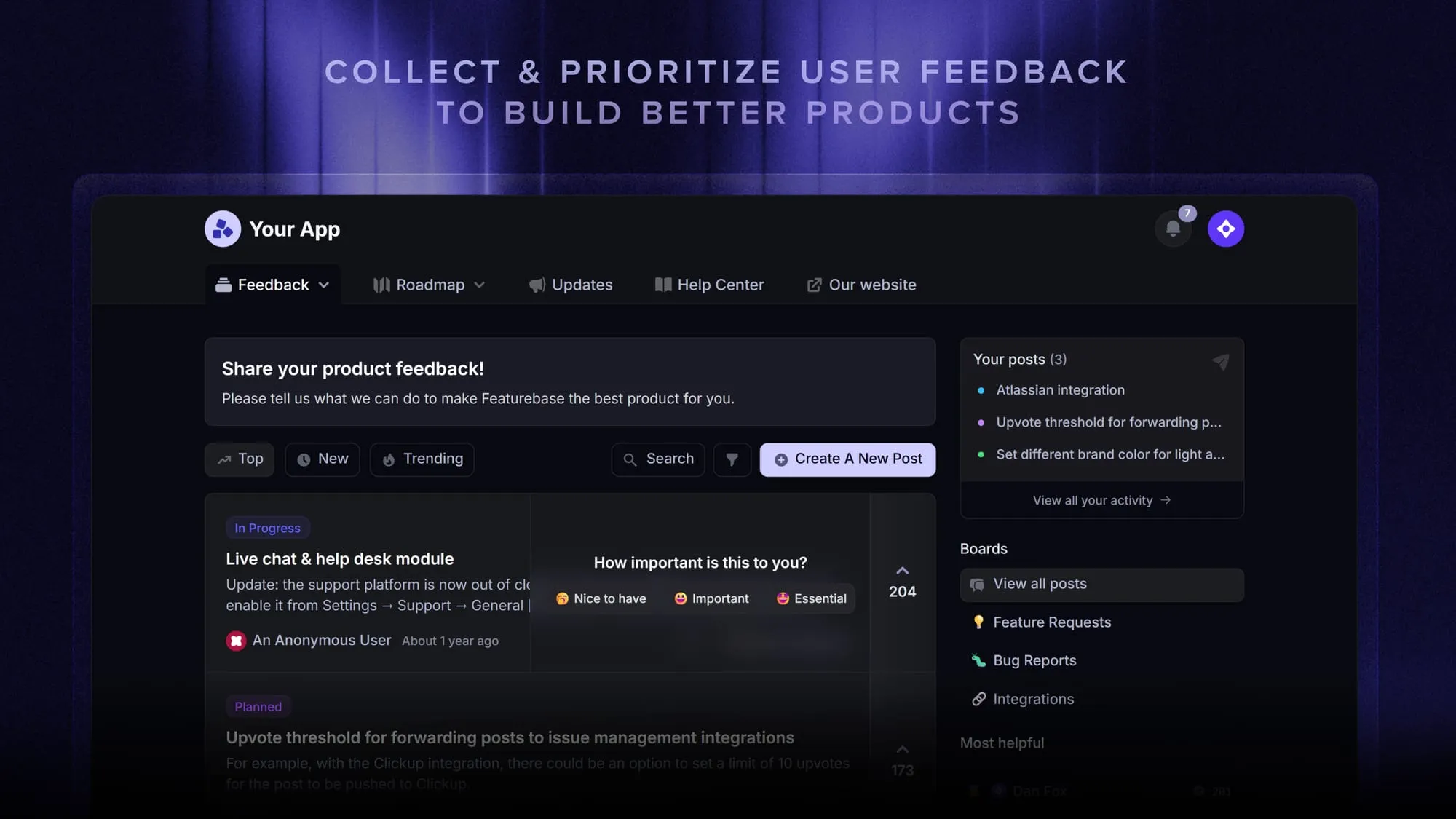
Featurebase is a modern feedback & support platform that helps product teams collect feedback, prioritize features, build roadmaps, and announce product updates – all in one place. It’s loved by thousands of product teams from companies like Lovable, Raycast, and n8n. 💫
Top features:
- Feedback forum – Public feedback forum where users can submit ideas and vote on features helping you know what customers want
- In-app widgets – Embed feedback, changelog, and help center widgets directly in your product
- Prioritize by revenue – Link feedback with customer revenue, company size, and much more to better understand the impact of ideas
- AI feedback categorization - Automatically group large volumes of feedback into product areas, projects, or themes with AI.
- Automated email updates – Automatically notify users when their requested features are implemented
- Roadmaps – Create internal & public product roadmaps to keep users informed and build engagement
- Product updates – Publish release notes with a changelog page, in-app widget, and emails
- Surveys (NPS, CSAT, etc.) – Create targeted surveys to ask users anything and measure customer satisfaction.
- Automatic AI translations – Automatically translate all feedback and comments to your customers/teammates' native languages
- Integrations – Connects with Slack, Linear, Jira, HubSpot, and more
Featurebase works best for product-led teams that want a complete feedback management workflow. Customers can submit ideas in a portal or inside the product, while teams can connect requests to customer data, prioritize what matters, communicate plans, and notify users when work ships.
Pricing: A free plan is available with unlimited feedback collection. Paid plans start at $29/seat/mo.
Instead of having 4+ different tools, Featurebase enables you to replace all your customer-facing tools by bringing your feedback collection, product updates, support, and help center, together in one place to help you build products your users love.
2. Canny
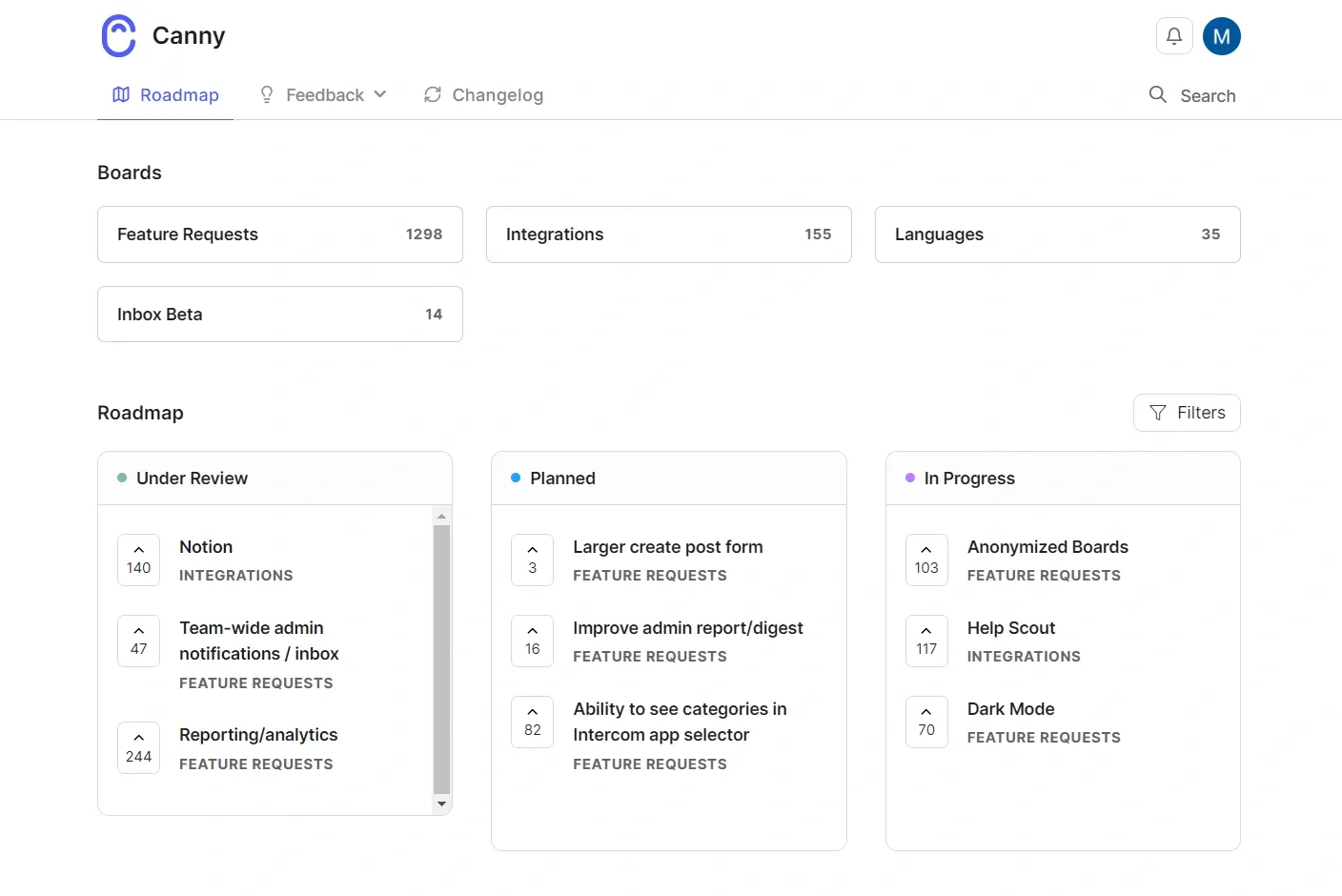
Canny is a product feedback management tool built around feature requests, voting, roadmaps, and changelogs. Its Autopilot features can also capture and deduplicate product feedback from customer conversations.
Best for: SaaS product teams that need a dedicated feature-request system with strong product-management integrations.
Top features
- Public and private feedback boards
- Feature voting, comments, tags, and custom statuses
- Automatic feedback capture and deduplication
- Public roadmaps and product changelogs
- Integrations with support, CRM, and project-management tools
G2 reviewers commonly praise Canny’s simple interface and centralized feedback backlog. Recurring complaints concern filtering, customization, duplicate handling, and integrations that need more manual work than expected.
The main pricing consideration is its tracked-user model. A tracked user is someone associated with feedback, so costs can rise as more customers submit, vote, comment, or have feedback captured on their behalf.
Pricing: Free plan available. Pro starts at $79/month when billed yearly and includes at least 100 tracked users. Business pricing is custom.
3. SurveyMonkey
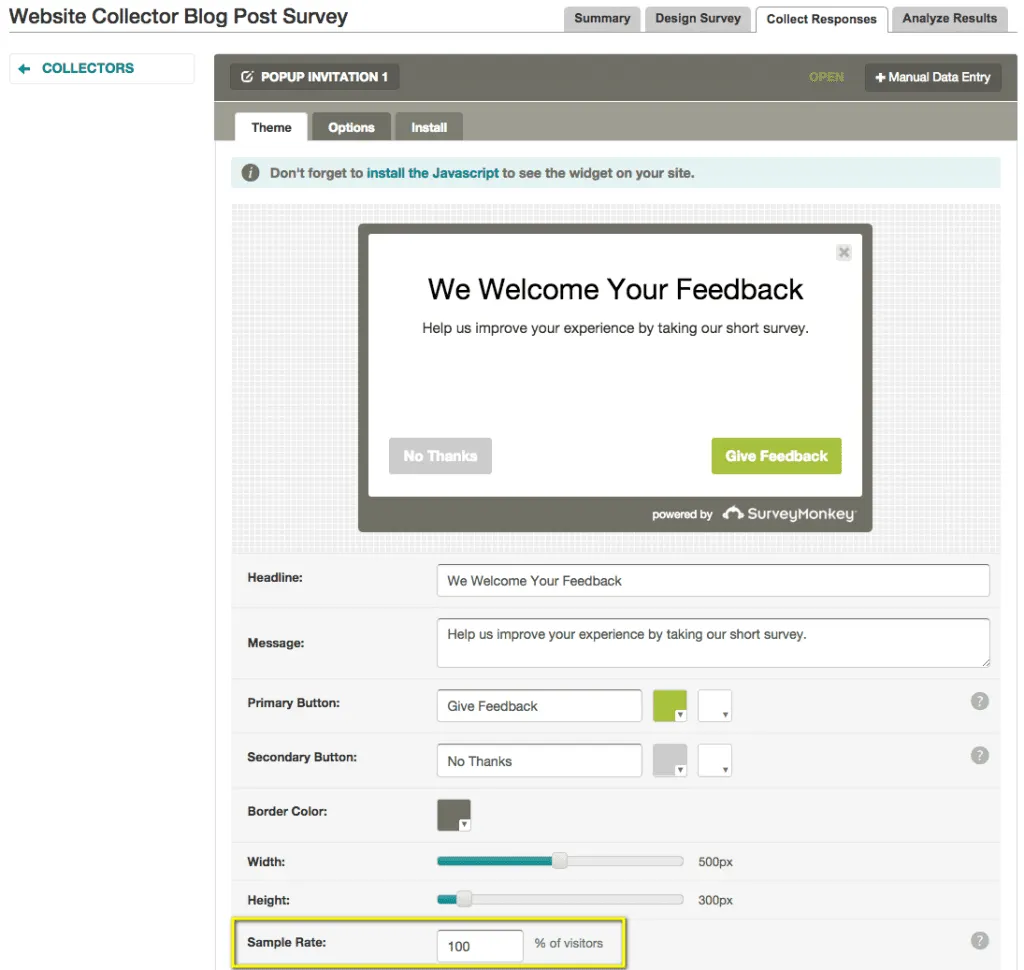
SurveyMonkey is a general-purpose online survey platform with a large template library, many question types, survey logic, audience research, and reporting. It is a familiar choice for customer satisfaction surveys, market research, event feedback, and employee questionnaires.
Best for: Teams that need a flexible survey maker for many departments and use cases.
Top features
- Unlimited surveys on the free and paid plans
- Survey templates and AI-assisted creation
- Skip logic and advanced branching on paid tiers
- Email invitations, web links, and website embeds
- Statistical analysis, exports, and integrations
SurveyMonkey is easy to start using, which is a major reason it remains popular. The trade-off is plan complexity. G2 feedback repeatedly points to pricing, limited free-plan access, and advanced functions that require a higher subscription.
It is stronger at structured survey research than product request management. Teams that need voting, roadmaps, and closed-loop feature updates will probably need another system beside it.
Pricing: Basic is free with limited questions and viewable responses. Advantage Annual starts at $39/month, billed as $468 per year. Standard Monthly costs $99/month.
4. Typeform
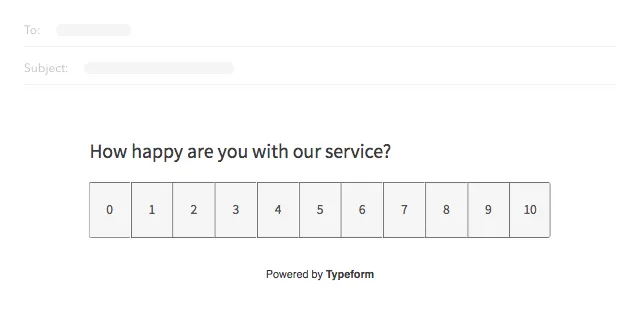
Typeform specializes in conversational forms that show one question at a time. Its polished presentation makes it useful when completion experience and brand design matter as much as the survey itself.
Best for: Marketing, research, and product teams that want attractive forms for short surveys, lead capture, onboarding, and customer feedback.
Top features
- Conversational forms, surveys, quizzes, and polls
- Conditional logic and branching
- Brand customization and custom subdomains
- Webhooks and integrations
- AI-assisted form creation and response analysis
Users on G2 often highlight Typeform’s design and ease of use. The most common drawbacks are pricing, response caps, limited customization in lower tiers, and reporting that may not satisfy advanced research teams.
Typeform works best when the form experience is the priority. It is less suitable as the central repository for feedback from support calls, app reviews, feature boards, and other unsolicited sources.
Pricing: Free plan available. Basic starts at $28/month when billed annually, with 100 responses per month. Higher limits and branding controls require Plus or Business.
5. Qualtrics
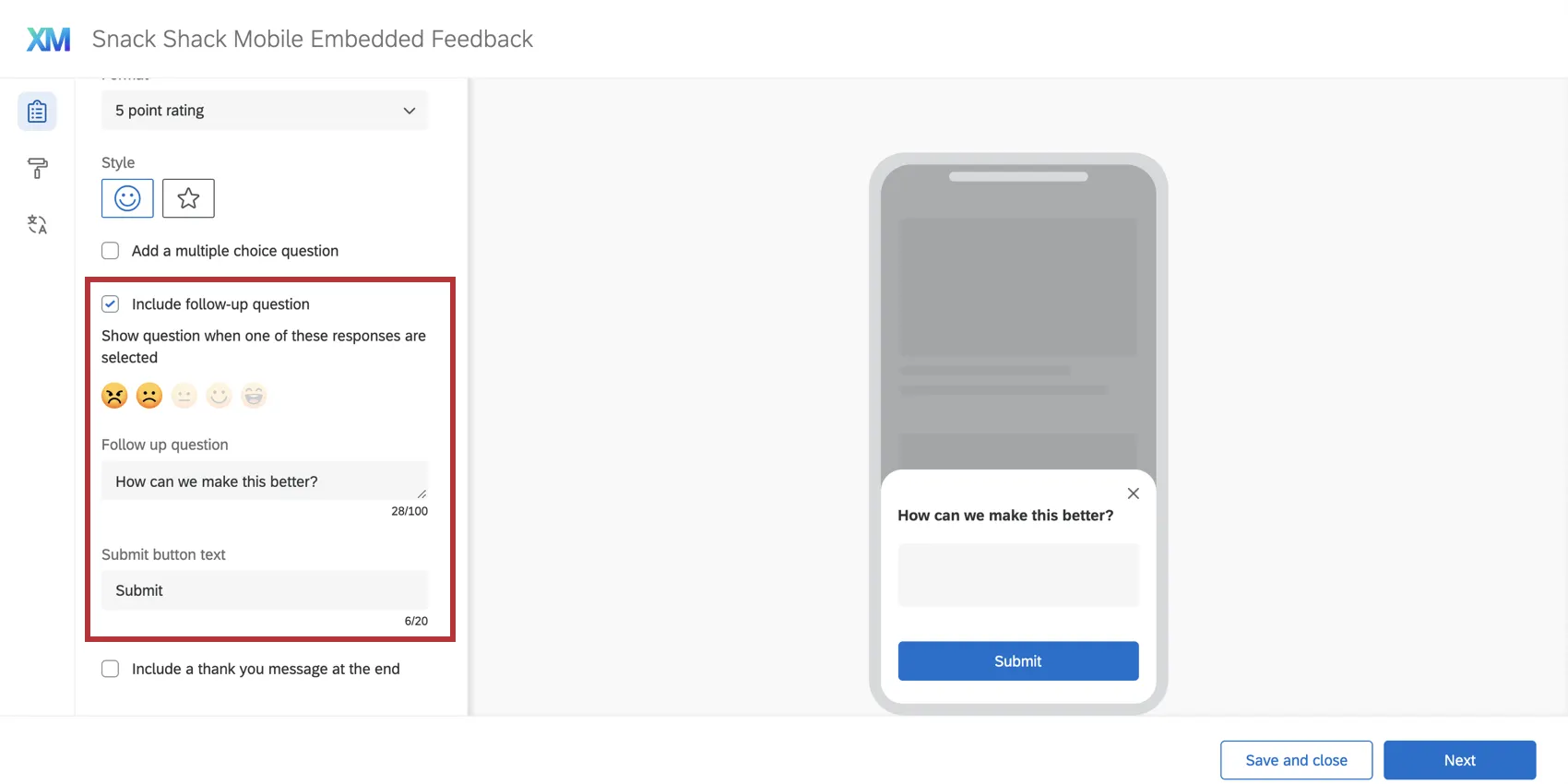
Qualtrics is an enterprise experience management platform for customer, employee, product, and brand research. It combines multichannel feedback collection with journey analytics, segmentation, dashboards, and AI-guided recommendations.
Best for: Large organizations running formal voice of customer programs across multiple brands, locations, or customer journeys.
Top features
- Website, mobile app, survey, contact-center, and location feedback
- Advanced survey design and research workflows
- Text, sentiment, journey, and digital experience analytics
- Role-based dashboards and automated recommendations
- Enterprise governance, security, and integrations
Qualtrics offers far more depth than a basic customer survey tool. That depth also creates its biggest drawback. G2 reviewers commonly mention a steep learning curve, complexity for straightforward projects, limited customization in some workflows, and high costs for smaller teams.
Choose it when feedback is an organization-wide program with dedicated owners. A small product team that mainly wants feature requests and in-app surveys will likely find it heavier than necessary.
Pricing: Custom pricing based on planned usage and product package. Qualtrics does not publish a standard entry price for its Customer Experience plans.
6. HubSpot Service Hub
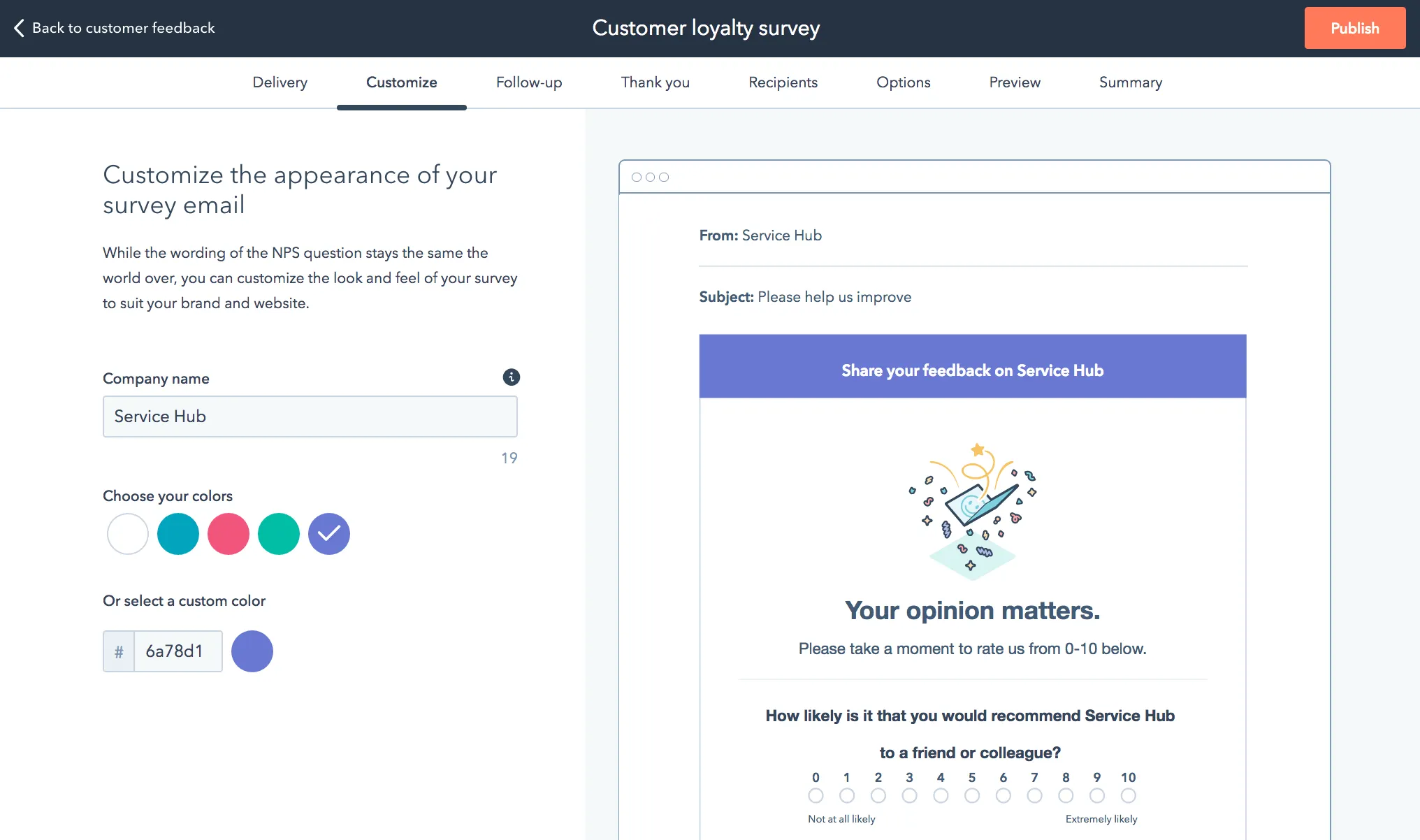
HubSpot Service Hub connects customer feedback with support tickets, customer records, health scores, and the broader HubSpot CRM. This gives service teams context that standalone survey responses often lack.
Best for: Companies already using HubSpot that want feedback, support, and customer data inside the same CRM.
Top features
- Customer feedback surveys for NPS, CSAT, and CES
- Ticketing, helpdesk, live chat, and customer portals
- CRM records and customer success workspace
- Automation and service reporting
- Knowledge base and conversational tools
The connected customer record is HubSpot’s main advantage. Feedback can sit beside tickets, lifecycle data, and account activity instead of living in an isolated survey dashboard.
G2 feedback praises the familiar interface and integration across HubSpot products. Common complaints include limited customization, missing features for complex service operations, cumbersome ticket workflows, and a sharp jump in cost for Professional capabilities.
Pricing: Free tools are available. Service Hub Starter starts at $7/month, Professional at $90/month, and Enterprise at $150/month. Customer feedback surveys are listed on Professional and Enterprise.
7. Survicate
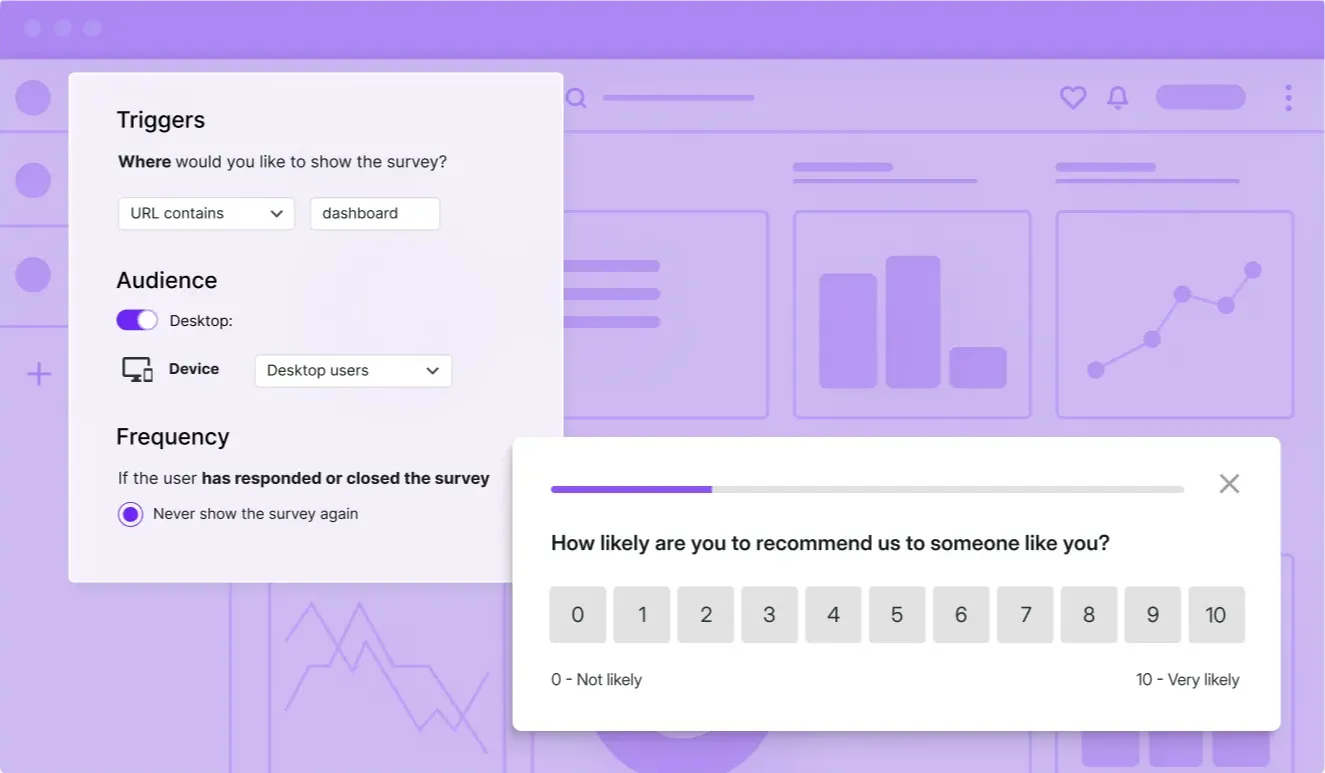
Survicate is a customer survey platform for collecting feedback across websites, products, email, and mobile apps. It combines multichannel surveys with a research repository and AI-assisted analysis.
Best for: CX, product, marketing, and research teams that need targeted surveys across several digital channels.
Top features
- Website, in-product, email, link, and mobile surveys
- NPS, CSAT, CES, and custom survey templates
- User targeting based on attributes and events
- Research repository and AI analysis
- Native integrations with popular CRM, support, and analytics tools
Survicate receives strong marks on G2 for ease of use, customer support, and integrations. Reviewers also report limitations in analytics, survey customization, and lower-tier capabilities. Its current entry price makes it harder to justify for a small feedback program.
Survicate is a good fit when your main job is asking targeted questions at specific moments. It is less complete for public feature voting, roadmap communication, and managing a product-feedback backlog.
Pricing: Growth starts at $114/month when billed annually. A 10-day free trial is available, with no card required. Pro starts at $349/month.
8. Userback
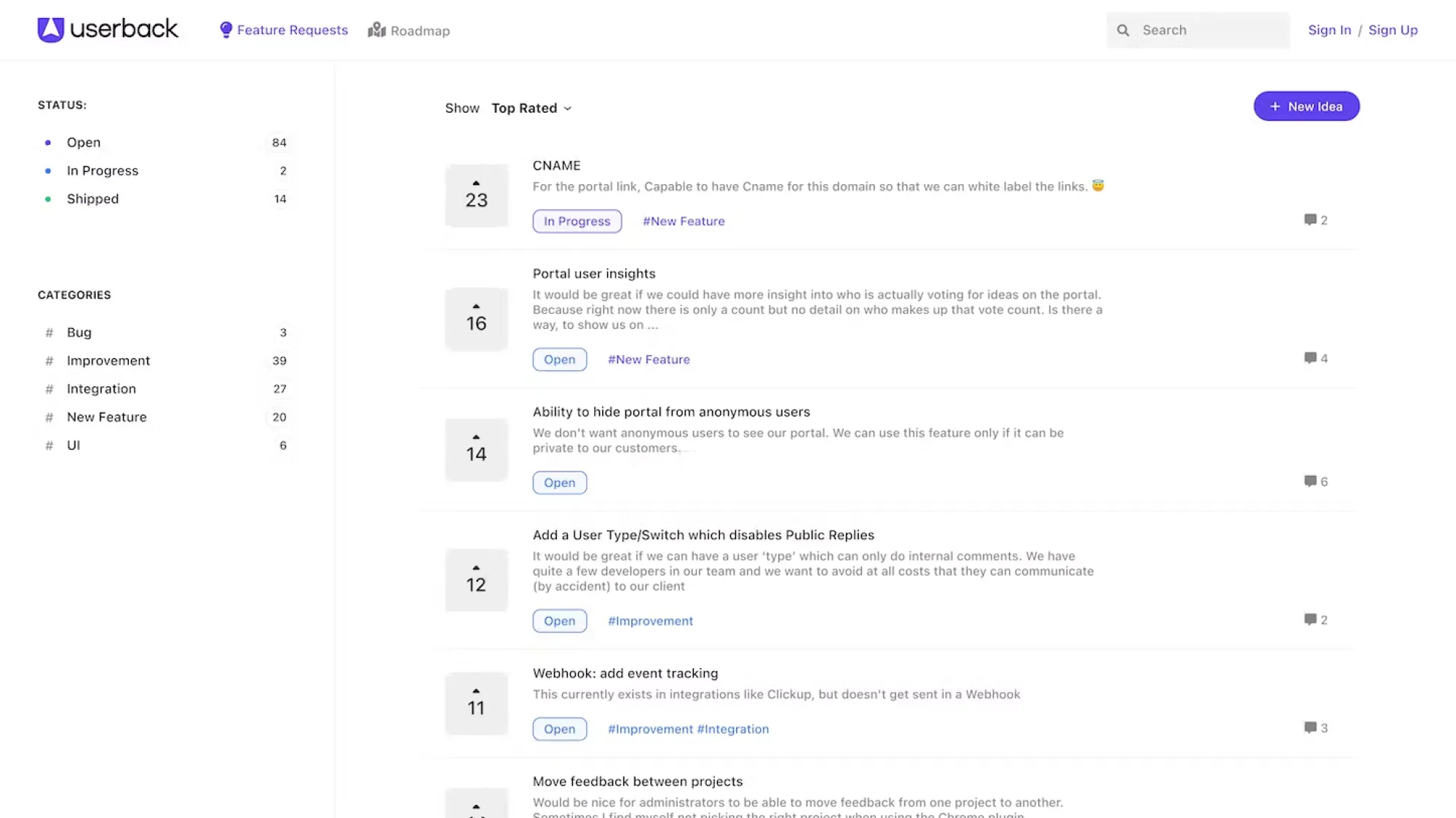
Userback helps teams collect visual feedback from websites and web apps. Users can annotate screenshots, record video, submit surveys, and attach technical context that helps a team reproduce a problem.
Best for: Product, design, development, and agency teams that need visual bug reports and website feedback.
Top features
- Feedback widgets and browser extension
- Screen annotations, video recordings, and session replay
- User surveys and behavioral targeting
- Feedback inbox, automation, and project-management integrations
- Optional feature portal with voting and roadmap updates
G2 reviewers consistently value Userback’s fast setup and clear visual context. Recurring limitations include customization, missing advanced features, noisy notifications, and constraints that become noticeable in complex workflows.
The key distinction is that Userback begins with what happened on a screen. That makes it excellent for UI reviews and bug reports, but less specialized for analyzing feedback from calls, reviews, and large support archives.
Pricing: Free Forever supports 2 seats and unlimited feedback with 7-day availability. Team starts at $29/month when billed annually. The Feature Portal is a $31/month add-on on annual billing.
9. Zonka Feedback
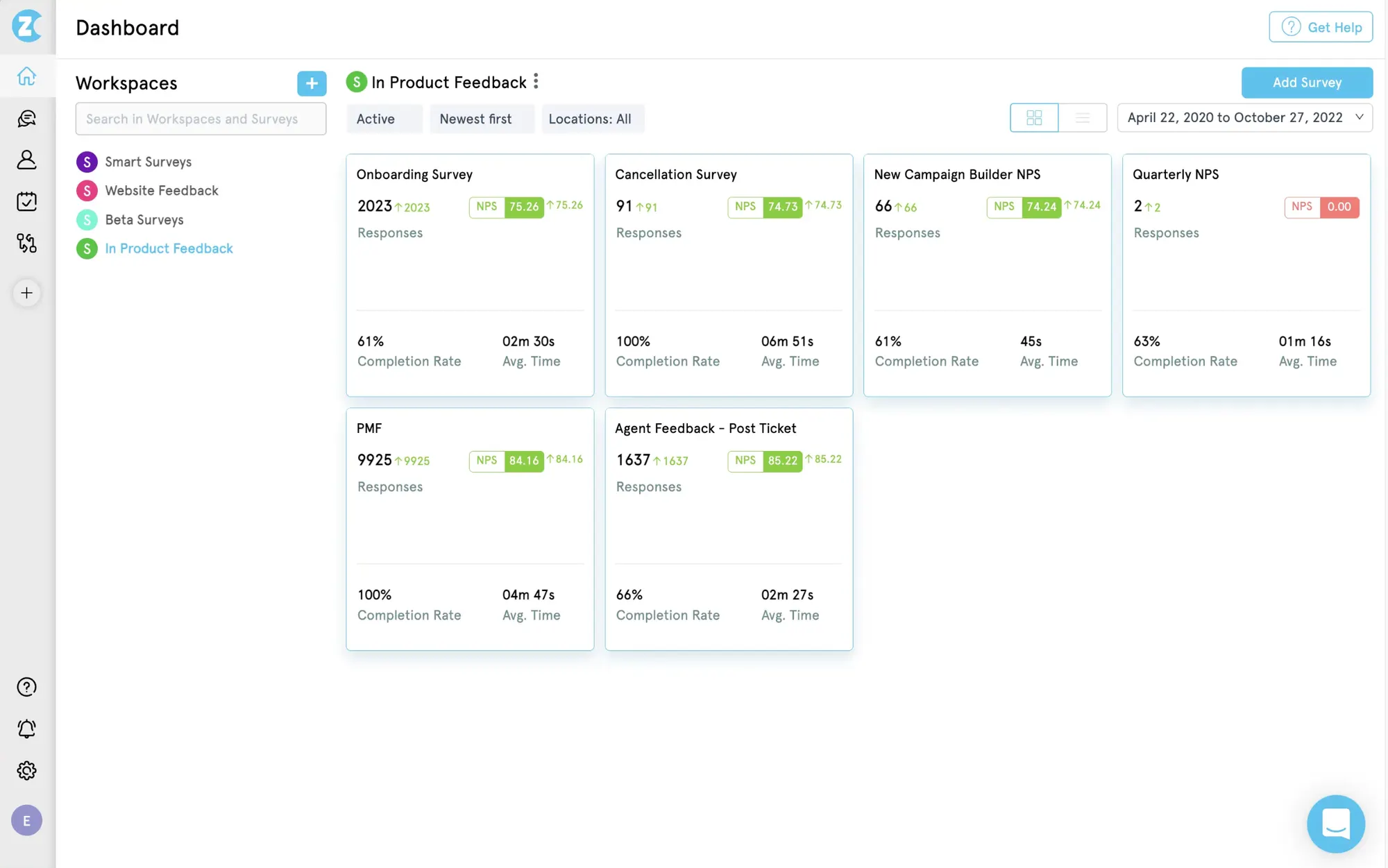
Zonka Feedback is an omnichannel customer feedback and intelligence platform. It collects surveys through email, SMS, WhatsApp, websites, products, and offline touchpoints, then connects responses to reporting and case-management workflows.
Best for: CX teams that manage feedback across locations, service interactions, and digital channels.
Top features
- NPS, CSAT, CES, and custom surveys
- Email, SMS, WhatsApp, website, in-app, and offline collection
- Location, agent, digital, and customer-journey reporting
- Case management, alerts, and automated follow-up
- AI analysis for sentiment, themes, and qualitative feedback
G2 reviewers praise Zonka Feedback’s customer support, setup, and survey flexibility. The smaller review pool also surfaces complaints about software stability, navigation, a basic interface, and a learning curve for advanced automation.
Zonka is more oriented toward broad CX measurement than product roadmap management. It makes sense when feedback must be compared across stores, agents, journeys, or service channels.
Pricing: Custom pricing based on feedback volume, scale, and CX goals. A 14-day free trial is available.
10. Enterpret
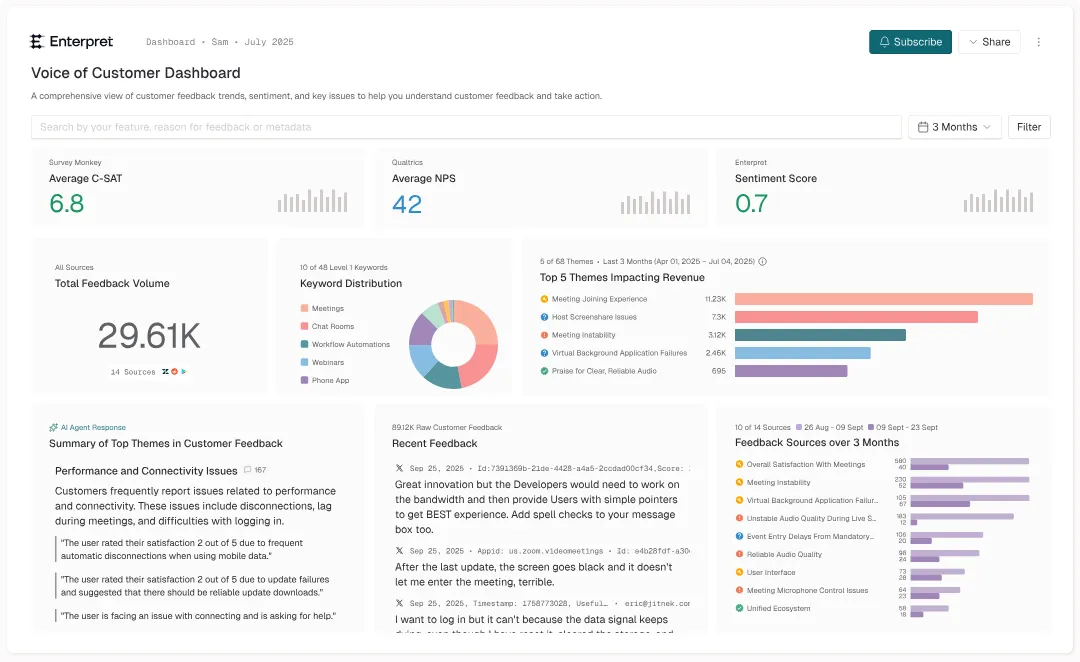
Enterpret is a customer feedback intelligence platform that analyzes unstructured feedback from systems a company already uses. It can unify support tickets, survey comments, call transcripts, reviews, and community discussions, then map them into a business-specific taxonomy.
Best for: Product and CX teams with enough feedback volume that manual tagging and synthesis no longer work.
Top features
- Feedback ingestion from support, survey, call, review, and community sources
- AI-generated themes, sentiment, and trend analysis
- Flexible taxonomies tailored to the business
- Natural-language exploration of customer feedback
- Dashboards, alerts, and integrations for sharing insights
G2 reviewers praise Enterpret’s ability to centralize feedback and surface actionable themes. Common concerns include setup effort, integration issues, filtering, AI accuracy, and a learning curve caused by the platform’s depth.
Enterpret is an analysis layer rather than a lightweight survey builder. It delivers the most value when a team already has rich feedback sources and needs a scalable way to understand them.
Pricing: Custom usage-based pricing tied to feedback volume. Enterpret does not publish a standard starting price or public free plan.
How to choose customer feedback software
Choose customer feedback software by mapping it to your sources, decisions, and follow-up workflow. A longer feature list does not help if the platform cannot capture the feedback you receive or route insights to the people who can act.
Match the tool to your feedback sources
List where useful feedback appears today. Common sources include in-app surveys, feature requests, support tickets, calls, app-store reviews, social posts, and account-manager notes.
If most feedback comes from users inside a software product, prioritize in-app widgets, user identification, and product context. Featurebase can collect ideas and bug reports without forcing users to leave the product, then bring those submissions into the same feedback workspace.
If the feedback already exists across thousands of conversations, an intelligence tool may create more value than another survey builder.
Check how the platform organizes and analyzes feedback
Collection creates a queue. Organization turns it into evidence.
Look for capabilities that match your feedback volume:
- Deduplication: Combines repeated requests so demand is not split across similar entries.
- Categorization: Groups comments by product area, journey stage, topic, or customer segment.
- Text analysis: Finds themes and sentiment across open-ended responses.
- Segmentation: Shows which plans, accounts, industries, or user groups care about an issue.
- Traceability: Keeps every insight connected to the original customer comment.
AI can reduce manual tagging, but someone should still be able to inspect the underlying responses. A theme without source context is difficult to trust.
Evaluate prioritization and closed-loop workflows
Good feedback management software should help a team decide what happens next. Voting is useful, but votes alone can favor highly active users or popular requests with limited business impact.
A stronger process combines customer demand with account context, strategic fit, urgency, and delivery effort. Featurebase can connect feedback with customer revenue and account data, helping teams distinguish a frequently requested idea from one tied to important customers.
The workflow should continue after prioritization. Roadmaps, status updates, changelogs, and automated notifications show customers that their input reached the product team.
Review integrations, permissions, and scalability
The platform should fit the tools your teams already use. Prioritize integrations with your support desk, CRM, project-management system, communication tools, analytics stack, and data warehouse.
Also check permissions before rollout. Public feedback, internal research, enterprise account notes, and regulated customer data may need different access levels. Larger organizations should assess SSO, auditability, regional hosting, retention controls, and data-processing terms.
Calculate the full cost
Compare pricing using the unit that actually grows. Vendors may charge by seats, survey responses, tracked users, feedback volume, projects, AI usage, or a combination of these.
Estimate cost at today’s usage and at a realistic 12-month volume. Include paid add-ons, minimum seat counts, data retention, response overages, premium integrations, and the tier required for the feature you actually need.
A free plan can be useful for validation, but only if it supports a complete small workflow. A low entry price is less helpful when exports, integrations, or analysis sit several tiers higher.
Build a customer feedback system your team will use
The best customer feedback software matches the job you need done. Choose a survey tool for structured research, a visual platform for UI feedback, an intelligence layer for high-volume analysis, or an end-to-end product feedback system when collection, prioritization, roadmaps, and follow-up belong together.
Featurebase is a modern & powerful feedback tool. It helps you collect feedback with a feature voting forum, surveys, embeddable widgets, and integrations. You can then analyze all of that feedback in one place by connecting it to your customers' revenue and data to make better product decisions.
It comes with affordable pricing and a Free plan allowing unlimited feedback. The onboarding is incredibly quick and doesn't require a credit card, so there's no downside to trying it. 👇
Start collecting & managing feedback with Featurebase for free
[illustration here]
Frequently asked questions
Both answer different questions. Quantitative feedback shows the size and direction of a pattern, while qualitative feedback explains the reasons behind it. Strong feedback programs connect scores and counts to the comments, conversations, and examples that give them meaning.
Introduce it once feedback starts arriving through more than one channel or becomes difficult to track reliably. An early-stage team can begin with a simple free workflow, then add segmentation, automation, and advanced analysis as volume grows.
Keep the original response attached to every tag or insight, merge duplicates carefully, and use consistent categories across teams. Review AI-generated themes periodically and separate customer statements from internal interpretations.
Yes, when feedback is connected to account and revenue data. Teams can identify unmet needs shared by high-value accounts, spot friction before renewal, and find requests that could support a broader product package. Feedback should inform the conversation, not replace direct account research.
Segment the feedback before choosing a winner. Conflicting requests often come from customers with different roles, plans, workflows, or maturity levels. Compare reach, business impact, strategic fit, and delivery cost instead of treating every request as equal.
It can provide access controls, retention settings, audit trails, regional data hosting, and security integrations. Buyers should still verify the vendor’s data-processing terms, certifications, subprocessors, and controls against their own legal and industry requirements.