Customer Onboarding Automation: A Practical Guide
Learn what to automate in customer onboarding, what to keep human, and how to build a workflow that gets new customers to value faster.


On this page
Manual customer onboarding doesn't scale. Every new customer means the same welcome emails, the same document chasing, the same status updates typed by hand, and the experience swings wildly depending on which CSM picked them up that week.
Automation fixes the repetitive layer so your team can spend its time where it actually moves the needle. This guide covers what to automate, what to keep human, and how to build an onboarding flow that gets customers to value faster. 👇
Key takeaways
- Automate the repeatable layer: welcome sequences, data and document collection, scheduling, reminders, progress tracking, and milestone feedback are the tasks worth handing to software.
- Protect the human moments: the kickoff call, the first escalation, and any point where a customer goes quiet need a person, not an automated nudge.
- Map before you automate: automating a broken process just makes it fail faster. Write out every step first, then decide what actually needs judgment.
- Segment your customers: a self-serve user and an enterprise account with 6 stakeholders shouldn't run through the same flow.
- Give customers self-serve answers: an AI-powered knowledge base from Featurebase✨ lets new customers solve their own onboarding questions instantly, so your team isn't answering the same ones on repeat.
What is customer onboarding automation?
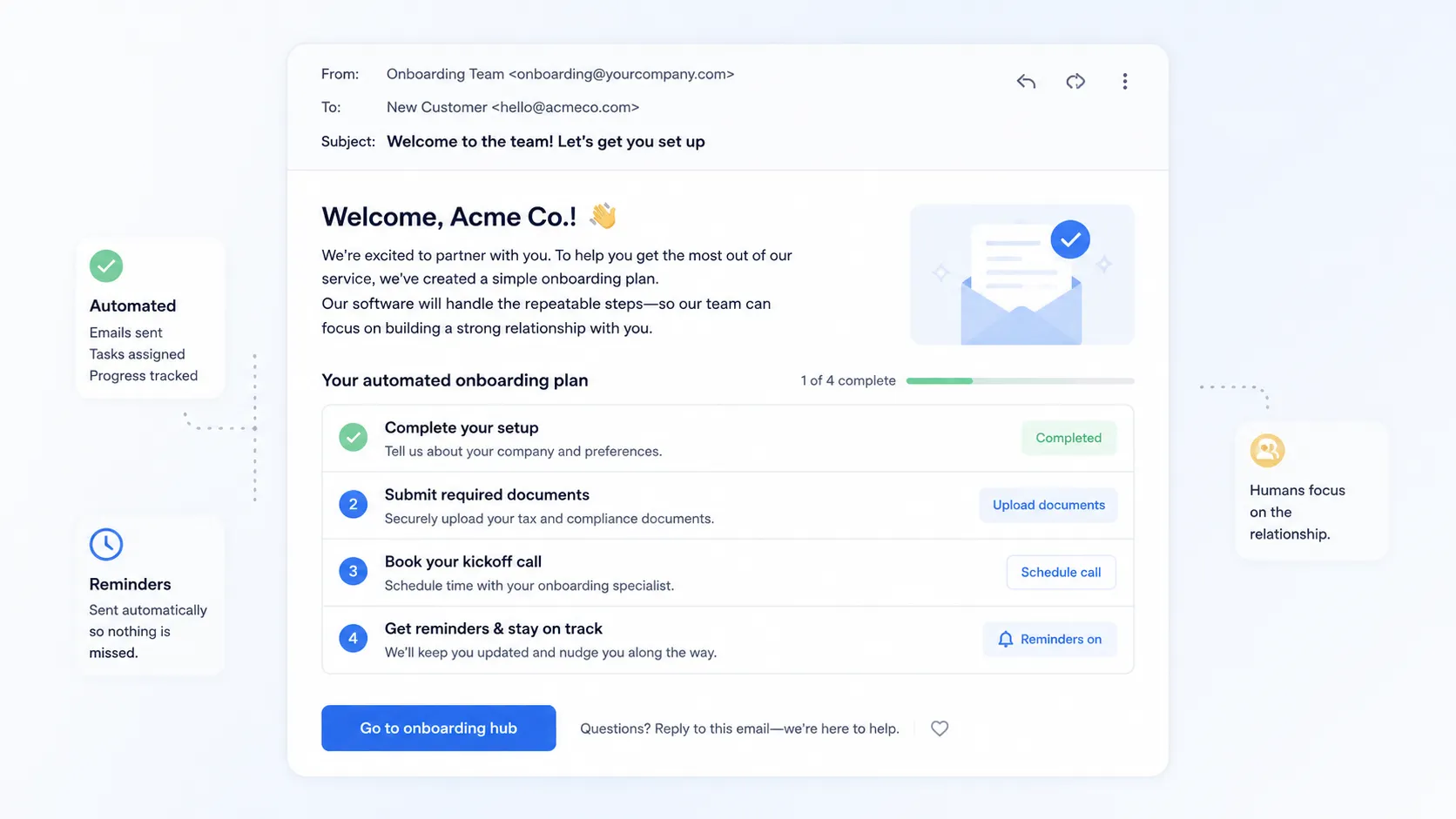
Customer onboarding automation is the use of software to handle the repeatable tasks in your onboarding process - sending welcome emails, collecting documents, assigning tasks, triggering reminders, and updating records - without someone doing each one by hand for every customer.
The goal isn't to remove people from onboarding. It's to take the administrative coordination off their plate so they can focus on the parts that build the relationship. Automation handles the process, and humans handle the relationship.
Done well, it creates a consistent baseline every customer gets, regardless of who's assigned or how busy the team is that week.
Why automate customer onboarding?
Onboarding is where customers decide whether they made the right call. Get it right and they stick around. Get it wrong and they quietly churn before they ever reach value.
Most teams still do it by hand. Only 26% of SaaS companies are actively investing in onboarding automation, which means the other 74% are still running onboarding on spreadsheets, email threads, and recurring meetings - tools that were never designed to guide a customer to value.
That manual approach has a cost. 62% of CS leaders say they lack real-time visibility into where customers stand during onboarding, so they can't step in when someone stalls. The payoff for fixing it is measurable too: teams that digitized their onboarding cut time-to-value by 25% or more.
Automating the repetitive layer buys you three things:
- Consistency: every customer gets the same baseline experience, not a different one depending on who happens to be free.
- Speed: customers move at their own pace instead of waiting on your team's bandwidth, so they reach value sooner.
- Visibility: when tasks and progress live in one system, you can see who's stuck and act before they disengage.
Automation is also a natural extension of broader customer experience automation, applying the same "handle the busywork, keep the human touch" logic to the first weeks of a relationship.
What to automate in customer onboarding
Not everything in onboarding should be automated. The trick is separating the repeatable admin from the moments that build trust.
The repeatable layer worth automating
The best automation candidates are repeatable, time-sensitive, and low-stakes for the relationship. These are the 5 areas worth handing to software first:
- Pre-boarding and data collection: the moment a deal closes, send the welcome, share the onboarding portal, and collect the contacts, requirements, and documents you need - before the kickoff call, not during it.
- Welcome and nurture emails: trigger a welcome sequence on signup and follow-ups at each milestone so nobody falls through the cracks.
- Scheduling: let customers book kickoff calls and check-ins from a calendar link instead of trading availability over email.
- Reminders and task nudges: set due dates, assign owners, and let the system chase incomplete tasks so your team isn't the one following up.
- Progress tracking and milestone feedback: surface who's stalled, and automate feedback requests like a short NPS or CSAT survey after the first session, so you get signal when it's actually useful.
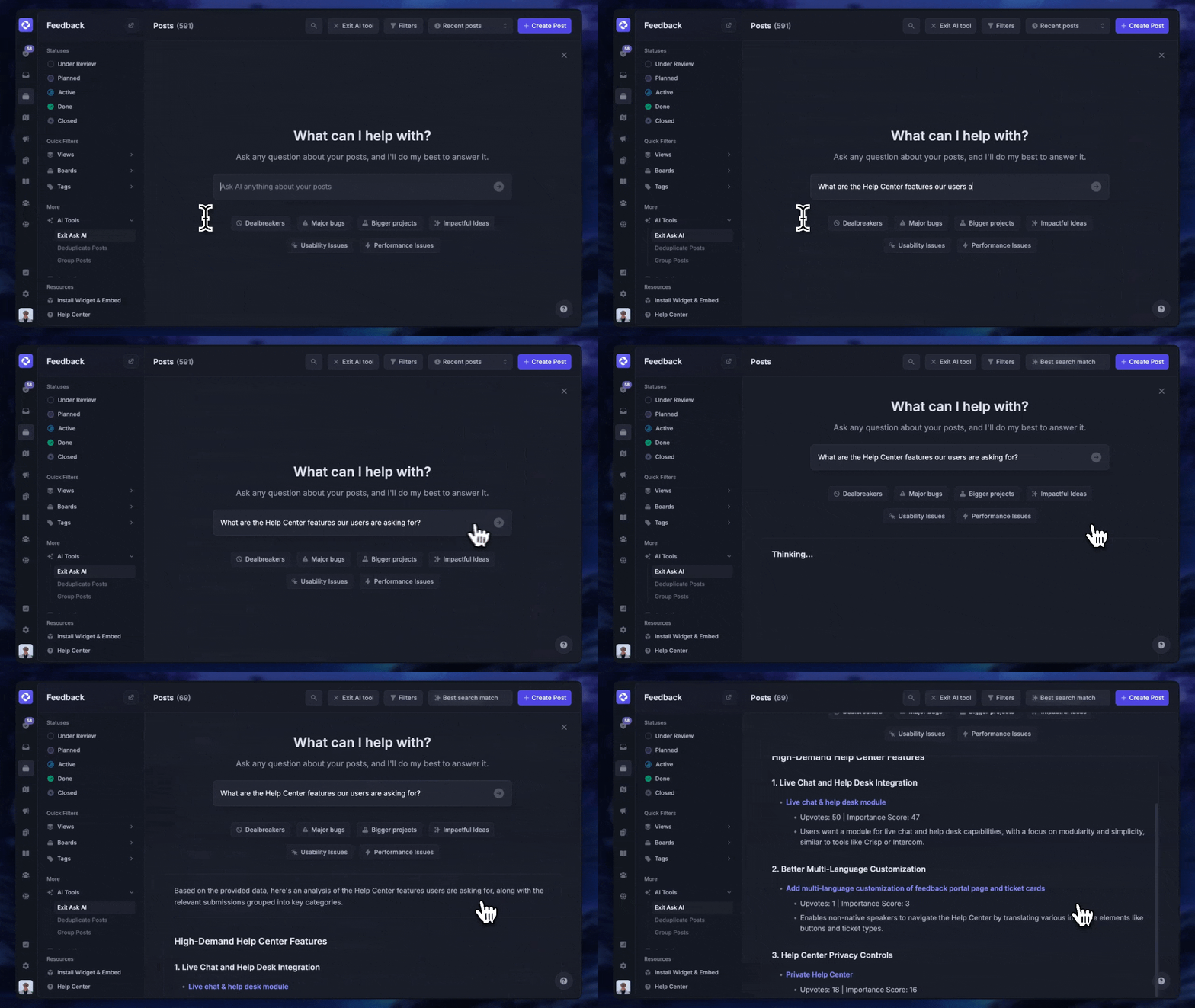
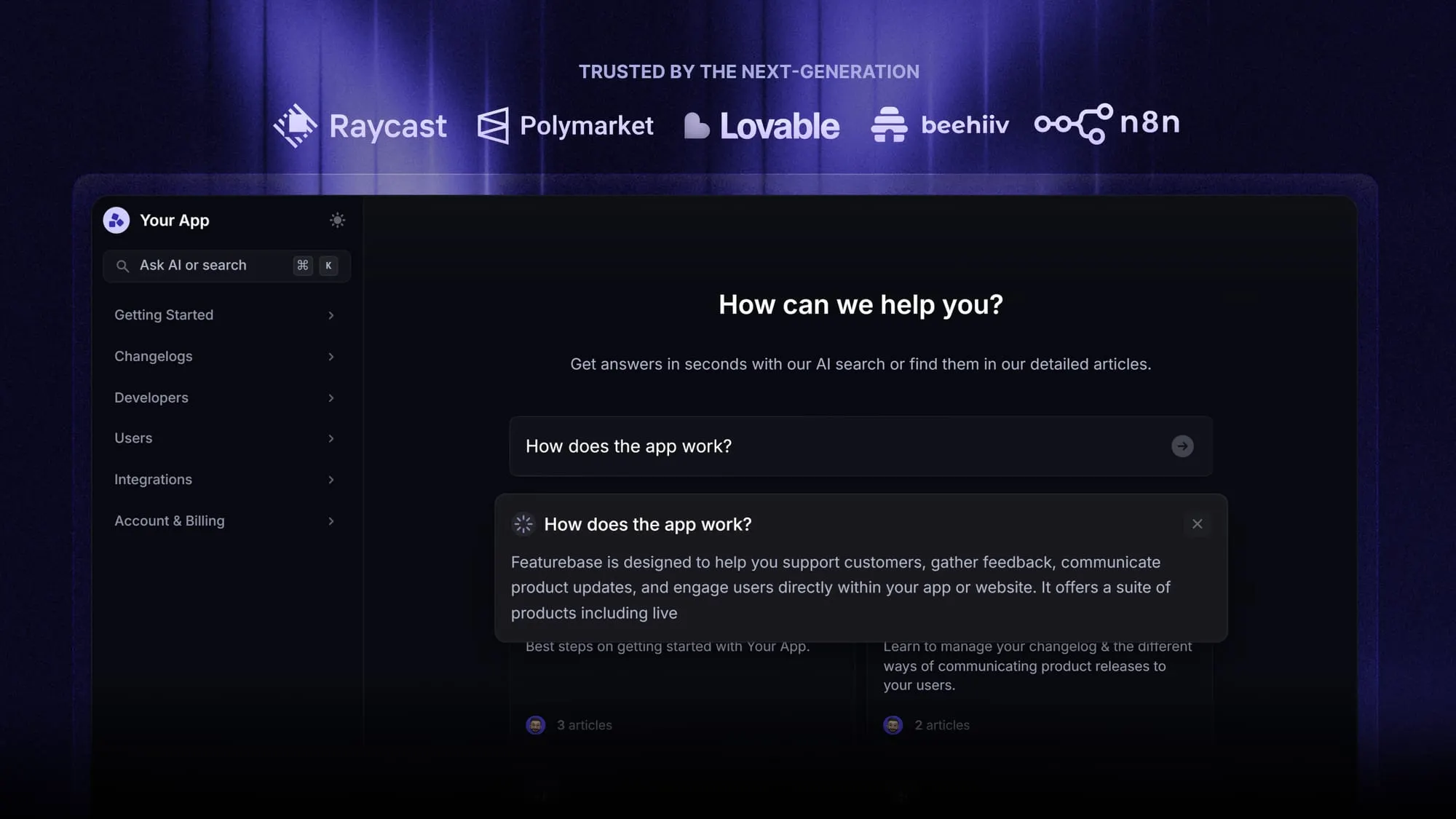
There's one more thing worth automating: self-serve answers. A lot of onboarding questions are the same ones, over and over. Instead of a CSM fielding each one, an AI-powered help center lets new customers find answers themselves, any time of day. With Featurebase, you can publish onboarding docs, embed them as an in-app widget, and let AI surface the right article the moment a customer searches, so common questions never reach your queue.
What to keep human
Automation handles the process layer well. It does not handle the relationship layer. A handful of high-touch moments determine whether an account takes hold, and automating them actively backfires:
- The kickoff call: automate the scheduling, but the call itself is where you learn what the customer actually cares about and set expectations on both sides. A recorded video can't do that.
- The first escalation: when something breaks or a stakeholder changes, a person needs to pick up the phone and take responsibility. An automated "we're looking into it" at a moment of real frustration is one of the fastest ways to lose an account.
- When a customer goes quiet: silence is a signal. Automation should flag it, but the response - a personal message that references their specific situation - has to come from a human.
How to automate your customer onboarding process
Here's a practical order of operations. Don't try to automate everything at once. Start by mapping, then build the skeleton, then layer the human touchpoints back in.
- Map your current process first: write out every task, handoff, and piece of information that moves between people. Automating a fragmented process just makes the fragmentation faster.
- Segment customers by onboarding type: a self-serve user on a standard plan needs a lighter flow than an enterprise account with multiple stakeholders. Build different tracks from the start.
- Build the automated skeleton: create templates that trigger on signup or a CRM stage change, assign tasks with due dates, and set up the reminder sequences that keep things moving without manual input.
- Add self-serve resources: give customers a knowledge base and in-product guidance so they can move at their own pace instead of waiting on your team.
- Layer in human touchpoints: schedule the kickoff, a check-in around week 3, and a 30-day review deliberately, so the relationship moments are built into the process rather than bolted on when something goes wrong.
- Measure and iterate: track time-to-value, task completion, and where customers stall, then use that data to refine the flow.
What to look for in onboarding automation tools
Most teams end up with a small stack rather than one tool that does everything. When you're evaluating options, look for these capabilities:
- A customer-facing hub: a single place where customers see their steps, documents, and next actions, instead of hunting through email threads.
- CRM-triggered workflows: onboarding should kick off automatically when a deal closes, and progress should sync back so nothing gets re-entered by hand.
- Self-serve content: a help center and in-app guidance so customers can answer their own questions around the clock.
- Progress visibility: dashboards that show where every customer stands so you can intervene before someone stalls.
- Feedback collection: built-in surveys to capture how onboarding is landing at each milestone.
The right mix depends on how you onboard. A high-volume, self-serve motion leans on a strong knowledge base and in-app guidance, while a high-touch enterprise motion needs more workflow orchestration and human checkpoints.
Bring self-serve onboarding together with Featurebase
A lot of what makes onboarding automation work - self-serve answers, in-app guidance, product-adoption nudges, and milestone feedback - lives in one place with Featurebase.
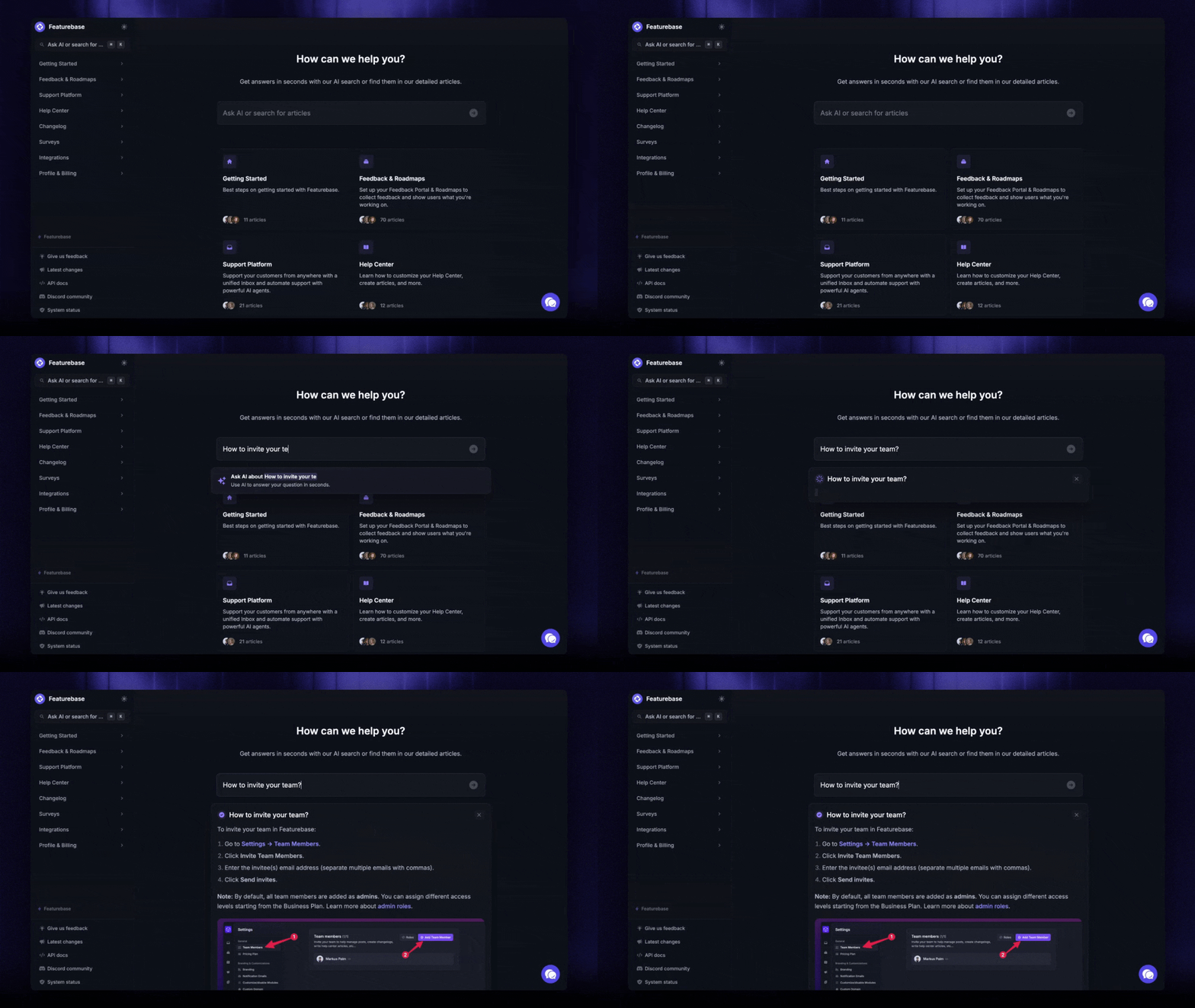
Featurebase is a modern & powerful support platform for SaaS teams that helps you create beautiful product docs, provide AI-powered support, and collect feedback all in one place. It's loved by thousands of support teams from companies like Lovable, Raycast, and n8n. 💫
Top features:
- Public & internal help center – Create a branded knowledge base with your domain and design for easy self-service support
- Embeddable in-app widget – Serve help articles directly within your app, reaching users where they need assistance most
- AI-powered search answers – Summarize answers for users right in the search bar in seconds
- Automatic AI translations – Automatically translate and show your Help Center in your users native languages
- Multi-brand support – Manage multiple Help Centers and Live chats from a single workspace
- AI-powered support platform – Manage chat, email, and Slack support conversations from one AI-powered view
- Feedback & roadmap tools – Collect feature requests and close the loop with updates
- Product updates – Publish release notes with a changelog page, in-app widget, and emails
- Integrations – Connects with Slack, Linear, Jira, HubSpot, and more
Pricing: You can create a public help center with a fully free plan. Paid plans start at just $29/seat/mo for unlimited articles.
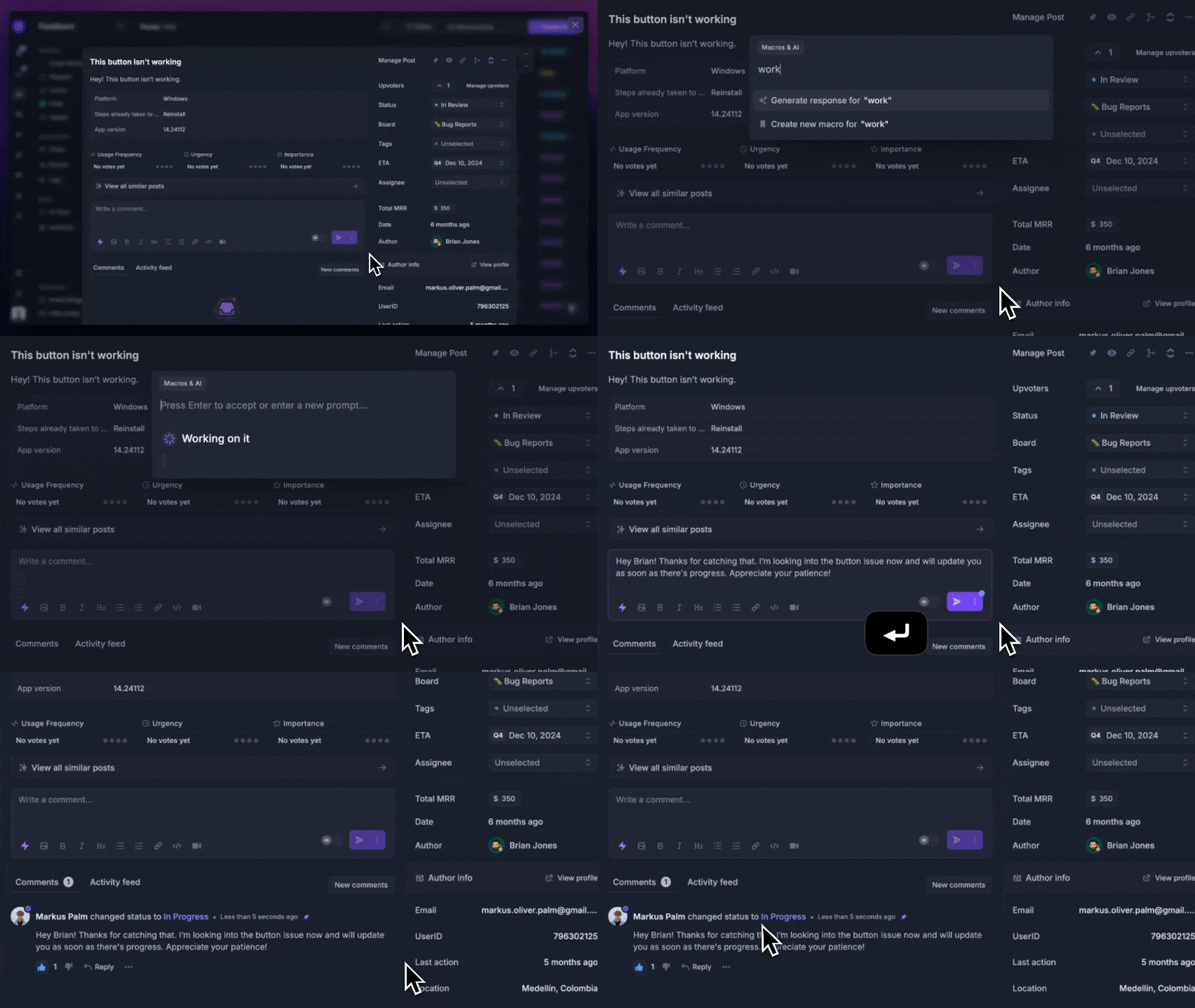
Featurebase offers a modern customer-facing product suite by integrating your help center, live chat, feedback collection, and product updates to build better products and customer experiences.
Conclusion
Customer onboarding automation isn't about replacing your team. It's about handing the repetitive coordination to software so your people can show up for the moments that actually decide whether a customer stays. Automate the process, protect the relationship, and measure as you go.
If you want the self-serve and feedback side of onboarding handled in one place, Featurebase gives you an AI-powered help center, in-app widgets, product updates, and surveys without stitching together four separate tools. It's loved by teams at Lovable, Raycast, and n8n. 💫
There's a free plan, so there's no downside to trying it. 👇
Create a beautiful AI-powered Help Center with Featurebase for free
FAQs
Customer onboarding is the whole journey of getting a new account or company to value: contracts, kickoff, setup, training, and first results, often guided by a customer success team. User onboarding is narrower - it's getting an individual person activated inside the product, usually through in-app tours, checklists, and tooltips. A single customer account can involve many users being onboarded, so most teams need both.
The return shows up as faster time-to-value and lower early churn. Teams that digitized their onboarding cut time-to-value by 25% or more, which means customers reach their first results sooner and are more likely to stay. Automation also frees your team from coordination work, so you can serve more customers without adding headcount.
Most teams see operational gains like faster setup, fewer manual tasks, and better visibility within the first 1 to 2 months of a properly configured setup. Retention impact takes longer, usually 3 to 6 months, because you're measuring the effect on renewals and expansion. Start tracking baseline metrics early so you can prove the change.
Any business that onboards a high volume of customers or runs a multi-step process gains the most. SaaS companies, agencies, and subscription businesses are the clearest fits, since they onboard consistently and need a repeatable experience. As a rule, the more manual coordination your current process involves, the bigger the payoff.
Not to start. You can automate a lot with a CRM, an email tool, and a scheduler you already own. But as volume grows, a dedicated onboarding hub that centralizes tasks, documents, and progress in one place scales far better than a patchwork of tools your customers have to navigate.
A knowledge base automates the repetitive questions new customers ask, like how to set up an account, where to find a feature, or how to complete a step. Instead of a person answering each one, customers self-serve the answer any time. With Featurebase, you can publish onboarding articles, embed them as an in-app widget, and let AI surface the right answer the moment a customer searches, so common questions never reach your team.