What Is Parahelp? Features, Pricing, and How It Works
What is Parahelp? Explore its AI support agents, key features, integrations, pricing, and what SaaS teams should consider before choosing it.


On this page
Parahelp connects AI support to the tools your team uses to solve customer problems, from checking account details to processing eligible refunds.
In this guide, I’ll explain how its 2 agents work, which systems they connect to, what the published pricing means, and what to consider before adding it to your support stack. 👇
Key takeaways
- Parahelp is an AI support agent platform: It handles customer issues through an existing helpdesk and takes actions in connected tools.
- It combines 2 agents: The Customer Agent handles customer requests. The Internal Agent builds, tests, and improves that agent.
- Human oversight is built in: Teams can require approvals for sensitive actions and escalate issues when context is missing.
- Pricing uses credits with monthly minimums: Start costs $1.25 per credit with an 800-credit minimum, equivalent to $1,000/month.
- Featurebase✨ combines an AI agent, support inbox, help center, and feedback tools in one platform.
What is Parahelp?
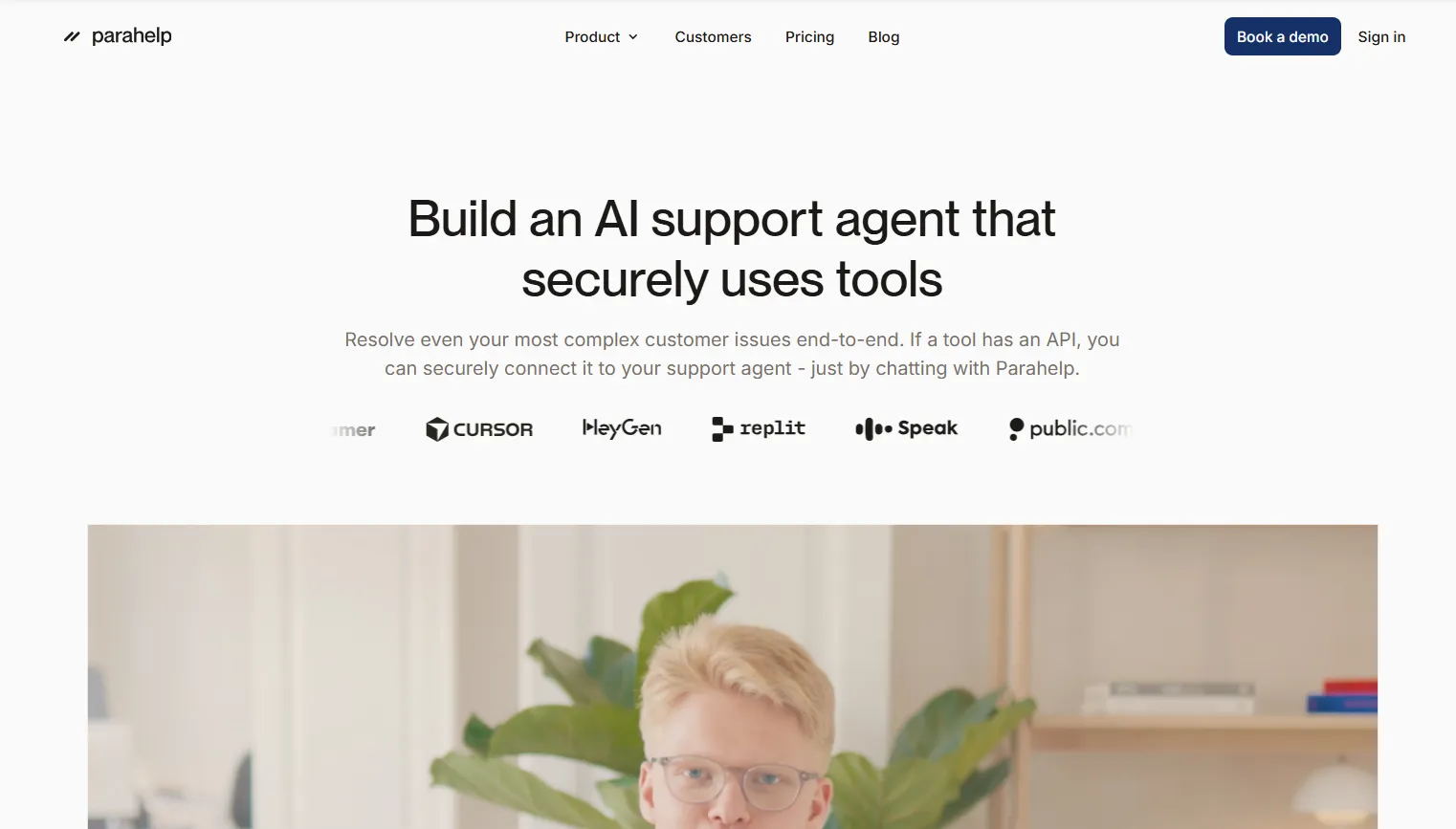
Parahelp is an AI customer support platform built for end-to-end ticket resolution inside the systems a company already uses. Its Customer Agent works through helpdesks such as Zendesk and Intercom, draws on company knowledge, and uses connected tools to complete tasks.
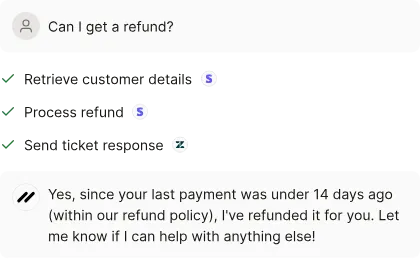
For example, an eligible refund request could involve checking a subscription, applying the company’s refund policy, and issuing the refund through Stripe. A useful answer needs the customer’s account context and permission to perform the action.
That makes Parahelp relevant to software companies whose support queues involve billing, account changes, and technical questions. It brings customer service automation into workflows that otherwise require an agent to move between several apps.
How does Parahelp work?
Parahelp divides the work between a customer-facing agent and an internal agent. Understanding those roles makes the product much easier to evaluate.
The Customer Agent handles support requests
The Customer Agent connects to customer conversations through your ticketing system. It uses company knowledge and instructions to decide how to handle a request, then calls connected tools when an action is needed.
A technical troubleshooting conversation might require it to check account information and consult product documentation. If it can’t establish the cause or lacks the necessary access, it can hand the issue to a human team.
The useful evaluation question is specific: can it finish the kinds of requests that fill your queue? An agent that answers general product questions may still need more context before it can resolve an account-specific problem.
The Internal Agent builds and improves the system
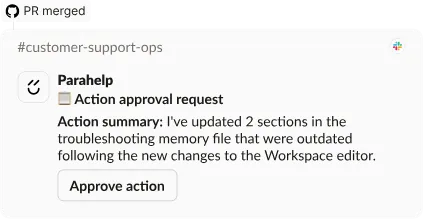
The Internal Agent helps your team configure and maintain the Customer Agent through natural language instructions. It can build tool connections, test configurations, and investigate gaps in the information available to the customer-facing agent.
For example, a product change could make an existing support answer outdated. Parahelp’s automations can respond to changes in connected sources and update the Customer Agent’s configuration.
Your team still owns the underlying policies. Someone needs to decide which customers qualify for a refund and which exceptions require judgment before an AI agent can apply those rules consistently.
Parahelp’s key features
Parahelp’s features cover the work around a support answer: gathering context, taking action, and controlling what happens when the request gets complicated.
Connected tools and customer context
Parahelp connects to documentation, help-center content, and business tools. Its Internal Agent can create connections to tools with an API, the interface software uses to exchange data and perform actions.
These connections can be scoped to particular operations. For billing support, that could mean allowing a refund only when the account meets an eligibility rule.
The practical value depends on the workflow you connect. Reading an invoice, changing a subscription, and granting account access each need different permissions and checks. Ask to see your actual use case during an evaluation.
Human approvals and escalation
Parahelp provides approval controls for sensitive actions, with approvals available through Slack. It also supports rules enforced in code before actions run.
When the agent lacks the context to proceed, it can route the conversation to a human and keep the customer informed. That ticket escalation process deserves as much attention as the automated answer.
I’d test whether the receiving teammate gets enough information to continue: what the customer asked, what the agent checked, and what still needs a decision. A handoff should reduce the work of investigating the issue again.
Testing and ongoing improvements
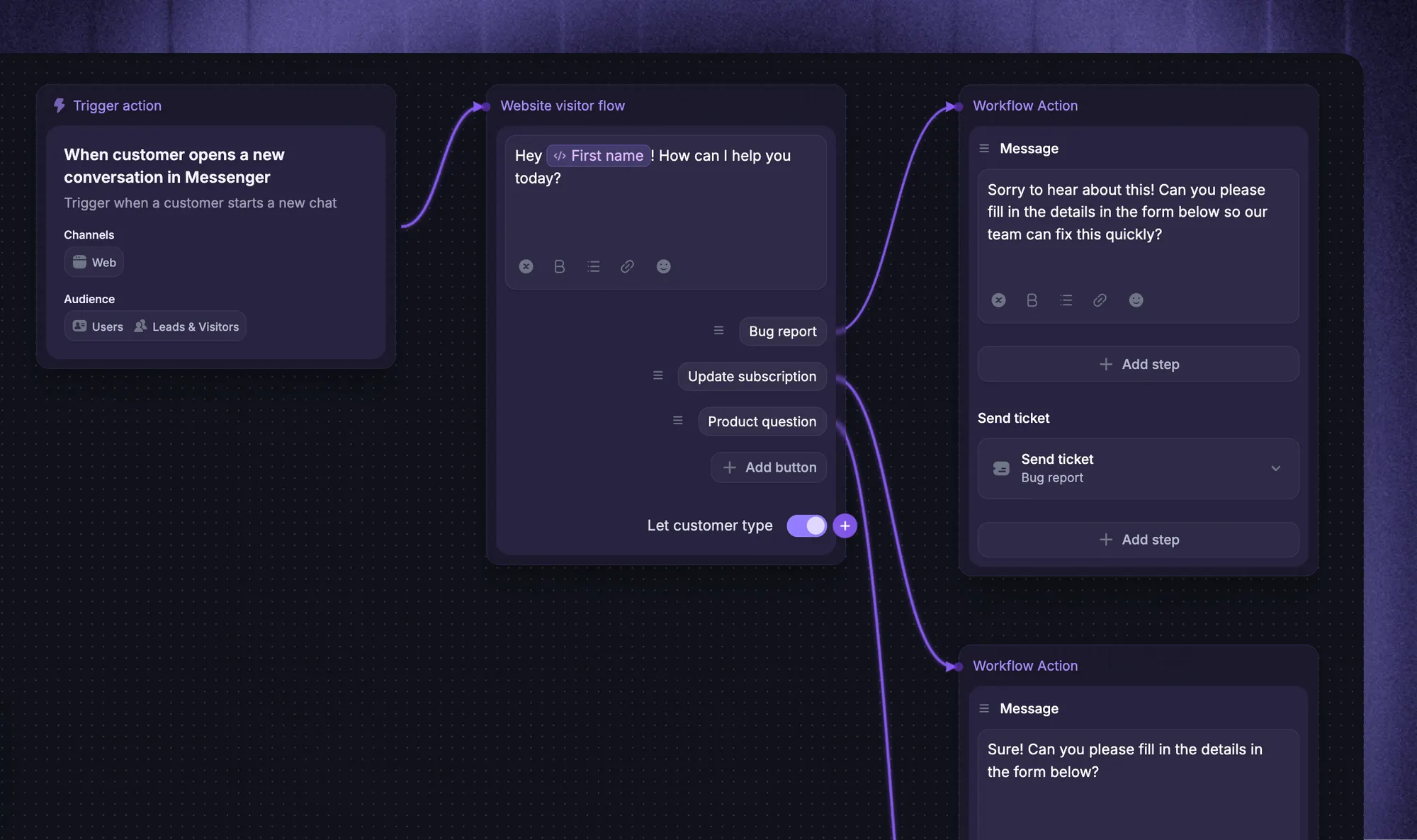
Parahelp supports simulations using historical tickets. Changes can be reviewed, released as versions, and reverted, giving teams a way to evaluate updates before relying on them in live conversations.
Its Internal Agent also provides an action history and notifications when tasks finish or need input.
Testing should include difficult cases as well as successful ones. Try conflicting documentation, incomplete account details, and a request just outside your refund policy. These cases reveal whether the agent recognizes its limits.
Which tools does Parahelp integrate with?
Parahelp lists Zendesk, Intercom, Front, Plain, and Pylon as supported ticketing systems. Customer conversations can run through email, live chat, and Slack, depending on the connected setup.
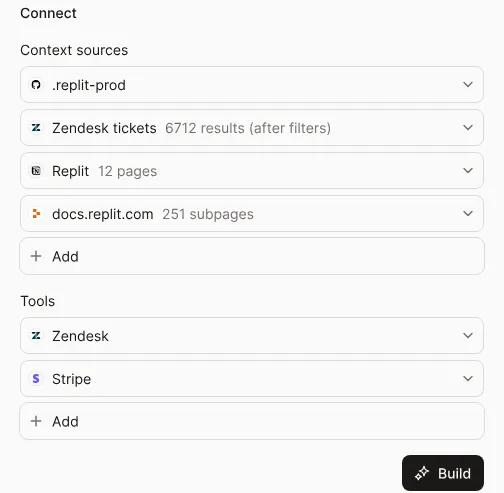
Its product pages also identify several types of connections:
- Helpdesk connections bring the agent into the customer support queue.
- Action-taking connections include tools such as Stripe, Retool, and Linear.
- Internal Agent connections include GitHub, Notion, Linear, Cursor, and other tools accessible through an API or MCP.
MCP is a protocol that lets AI tools connect to external systems. Support for an API or MCP connection doesn’t automatically mean every task is ready to use out of the box.
Before committing, map your most common requests to the systems they require. Confirm which connections already exist, which need configuration, and who will maintain them when the underlying systems change.
How much does Parahelp cost?
Parahelp pricing is credit-based, with published Start and Scale plans plus a Custom option. The Customer Agent uses 1 credit per resolved ticket, while Internal Agent requests use 0.1–5 credits each.
| Plan | Price per credit | Minimum credits per month | Calculated monthly minimum |
|---|---|---|---|
| Start | $1.25 | 800 | $1,000 |
| Scale | $1 | 4,000 | $4,000 |
| Custom | Custom | Custom | Custom |
Start includes both agents, guardrails, monitoring, and unlimited team members. Scale adds SSO/SAML, role-based permissions, and priority support. Custom adds tailored onboarding and custom service-level agreements.
Parahelp advertises a 14-day no-cure-no-pay trial, with the public sign-up path directing you to book a demo. Confirm the trial’s success criteria and payment conditions before starting.
For budgeting, account for both agents’ credit usage and your existing helpdesk subscription. The monthly minimum matters even when your expected usage is low.
Also ask how reopened tickets, escalations, unused credits, and usage above your commitment are treated. A per-resolution rate is only useful when you understand what qualifies as a billable resolution.
Who is Parahelp best for?
Parahelp is a sensible option to evaluate if you’re happy with your existing helpdesk and want customer support automation that works across your tools.
The strongest fit is a team with repeatable requests that involve account data or actions. Clear procedures give the agent something concrete to follow, and sufficient ticket volume helps justify the monthly commitment.
I’d look for these signs of readiness:
- Documented policies: Your team can explain which actions are allowed and when exceptions need approval.
- Accessible systems: The required account data and actions are available through supported connections.
- An owner for automation: Someone can review results, resolve knowledge gaps, and maintain the agent as the product changes.
Teams mainly handling simple questions may need less functionality. And if your goal is to replace the helpdesk itself, include complete support platforms in your helpdesk software comparison.
What to consider before choosing Parahelp
The decision comes down to how much useful support work Parahelp can complete for your team at an acceptable total cost.
I’d use a pilot to answer 4 questions:
- Does it resolve your recurring issues? Test a representative mix of tickets. Include the requests that consume the most agent time, not just the easiest questions.
- How much human work remains? Track approvals, escalations, corrections, and maintenance alongside the automated resolutions.
- Are the knowledge sources reliable? Apply knowledge base best practices to remove contradictions and make policies easier to maintain.
- Does the budget work at your volume? Include the credit minimum, Internal Agent activity, helpdesk costs, and the time your team spends operating the system.
Keep a record of why each failed test failed. Missing documentation, an unavailable tool, and an incorrect decision need different fixes. That record will help you judge whether the remaining gaps are manageable.
Looking for an all-in-one alternative? Try Featurebase
If you want your AI agent, human support inbox, and product knowledge in one place, Featurebase is worth considering. 👇
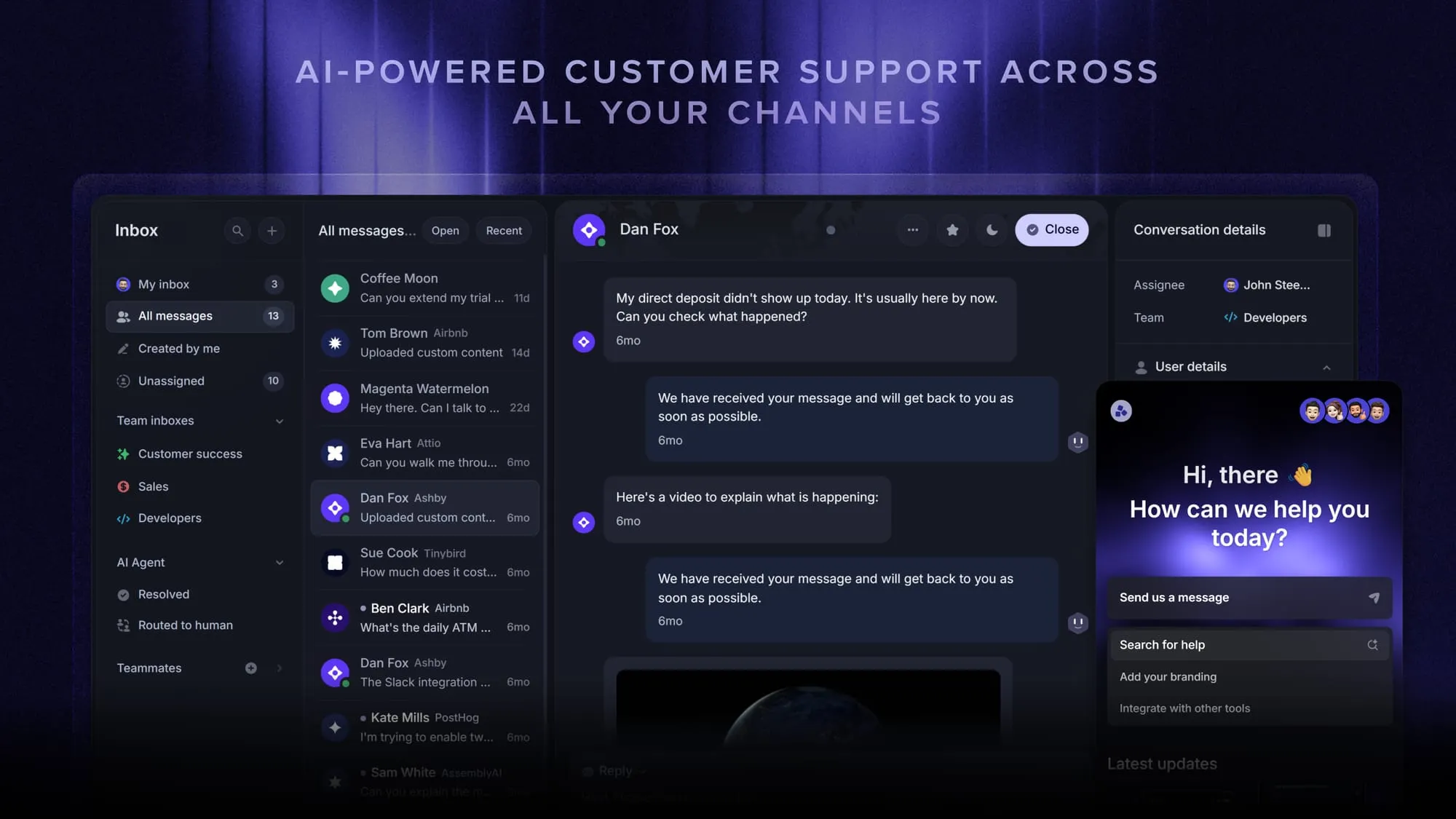
Featurebase is a modern AI customer support platform for product-led SaaS. It combines AI-powered support, help center, and feedback management into a single platform for startups that want all their customer-facing tools in one place. Featurebase is loved by thousands of support teams from companies like Lovable, Raycast, and n8n. 💫
Top features:
- Omnichannel inbox – Manage live chat, email, and Slack conversations from one AI-powered view
- Fibi AI Agent - Resolve customer issues on autopilot & run custom actions like trial extensions and refunds
- Help center with AI search – Provide instant, multilingual self-serve answers
- Workflows & automations – Auto-assign tickets, route conversations, collect customer data, and more
- AI Copilot – Help your agents answer customers faster with AI Copilot that uses your internal knowledge
- Multi-brand support – Manage multiple Help Centers and Live chats from a single workspace
- Automatic AI translations – Automatically translate all messages and help articles to your customers native language
- Service Level Agreements – Track SLAs to make sure your team responds to customers on time, every time
- Mobile app – Respond to customers, receive notifications, and unblock users on the go
- Feedback & roadmap tools – Collect feature requests and close the loop with updates
- Product updates – Publish release notes with a changelog page, in-app widget, and emails
- Integrations – Connects with Slack, Linear, Jira, HubSpot, and more
Pricing: Free plan available with unlimited conversations. Paid plans start at $29/seat/month billed yearly, plus $0.49 per AI resolution. Fibi requires a paid plan, and feature availability varies by plan.
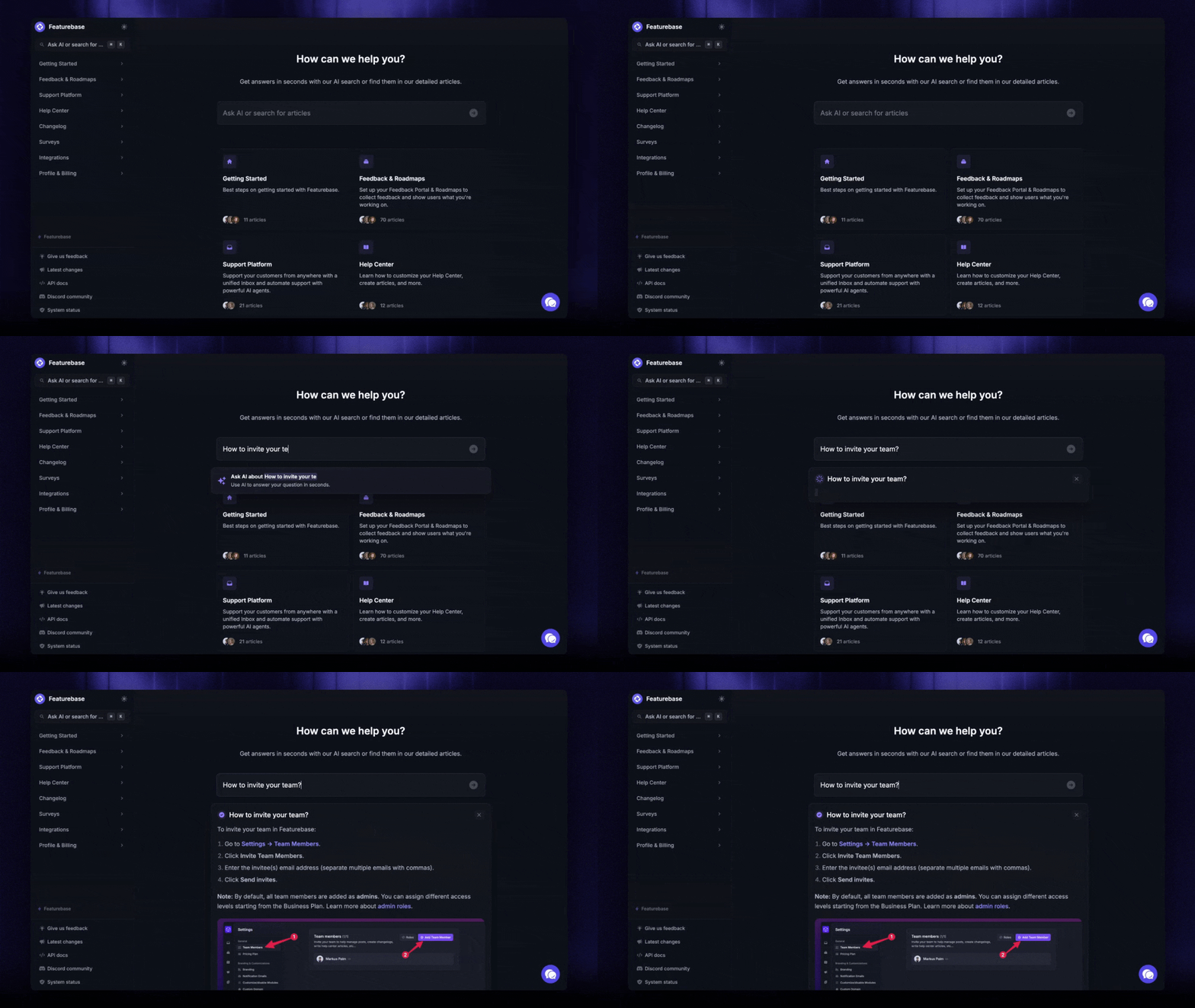
Parahelp is designed to work through an existing helpdesk. Featurebase brings the helpdesk and AI agent together, which makes it a useful option when you’re also evaluating your support platform.
Automate your support with the fastest AI-enhanced Inbox today
Conclusion
Parahelp brings customer-facing automation and the tools to maintain it into your existing support stack. It’s worth evaluating when your team wants to automate repeatable, action-heavy requests and can support the monthly commitment.
Featurebase is a modern AI customer support platform for product-led SaaS. It combines AI-powered support, help center, and feedback management into a single platform for startups that want all their customer-facing tools in one place. Fibi AI Agent can answer questions and run custom actions, including trial extensions.
Featurebase has a Free plan with unlimited conversations. Fibi is available on paid plans, starting at $29/seat/month billed yearly, plus $0.49 per AI resolution. You can start with the free platform and evaluate AI through a trial. 👇
Explore Featurebase as your Parahelp alternative
FAQs
Parahelp’s documented setup connects to a supported helpdesk, where its Customer Agent handles conversations. Budget for that underlying system and confirm any seat or integration requirements with your provider. Buying the AI agent doesn’t remove the need to operate the rest of your support stack.
Yes. Alongside simulations, Parahelp documents an approval mode where your team reviews drafted replies in Slack before they reach customers. This lets you evaluate behavior on incoming requests before switching to autonomous replies.
Yes. Its Internal Agent can work with connected internal sources, including Notion and GitHub. During evaluation, check which information can inform customer answers and which must remain internal, especially when a source contains both product guidance and confidential context.
Parahelp lets teams configure agents through natural language, and its Internal Agent can build tool connections. The technical work required depends on your systems and access requirements. Ask who will handle authentication, custom APIs, and validation for your particular workflow.
Treat published customer stories as examples of what happened in a particular deployment. Check the ticket mix, measurement period, and definition of resolution before comparing a reported outcome with your own targets. Your pilot should also measure answer quality and customer satisfaction.


