Ticketing System Workflow: Stages, Examples, and Automation
Map your ticketing system workflow from intake to closure, with an 8-stage diagram, a customer support example, and practical automation ideas.


On this page
A ticket can be assigned and still go nowhere. Support is waiting for engineering, engineering needs more details, and the customer has no idea when they'll hear back.
A useful ticketing system workflow makes the next action and owner clear throughout the request. In this guide, I'll map the stages, follow a customer issue through each one, and show where automation can keep work moving. 👇
Key takeaways
- Follow the whole journey: Intake, classification, prioritization, assignment, investigation, escalation when needed, resolution, and closure.
- Define what moves work forward: Every stage needs an owner, a next action, and a condition for moving on.
- Include exception paths: Missing information, specialist help, and unsuccessful fixes need somewhere to go.
- Automate repeatable actions: Use rules for known conditions and human review where the evidence is incomplete.
- ✨ Featurebase combines customer support, ticket workflows, and AI assistance in one platform.
Ticketing system workflow at a glance
A ticketing system workflow defines how a support request moves from arrival to completion, including who handles it and which conditions trigger the next action. For the broader software definition and use cases, start with what a ticketing system is.
This ticketing system workflow diagram shows a practical customer support process:
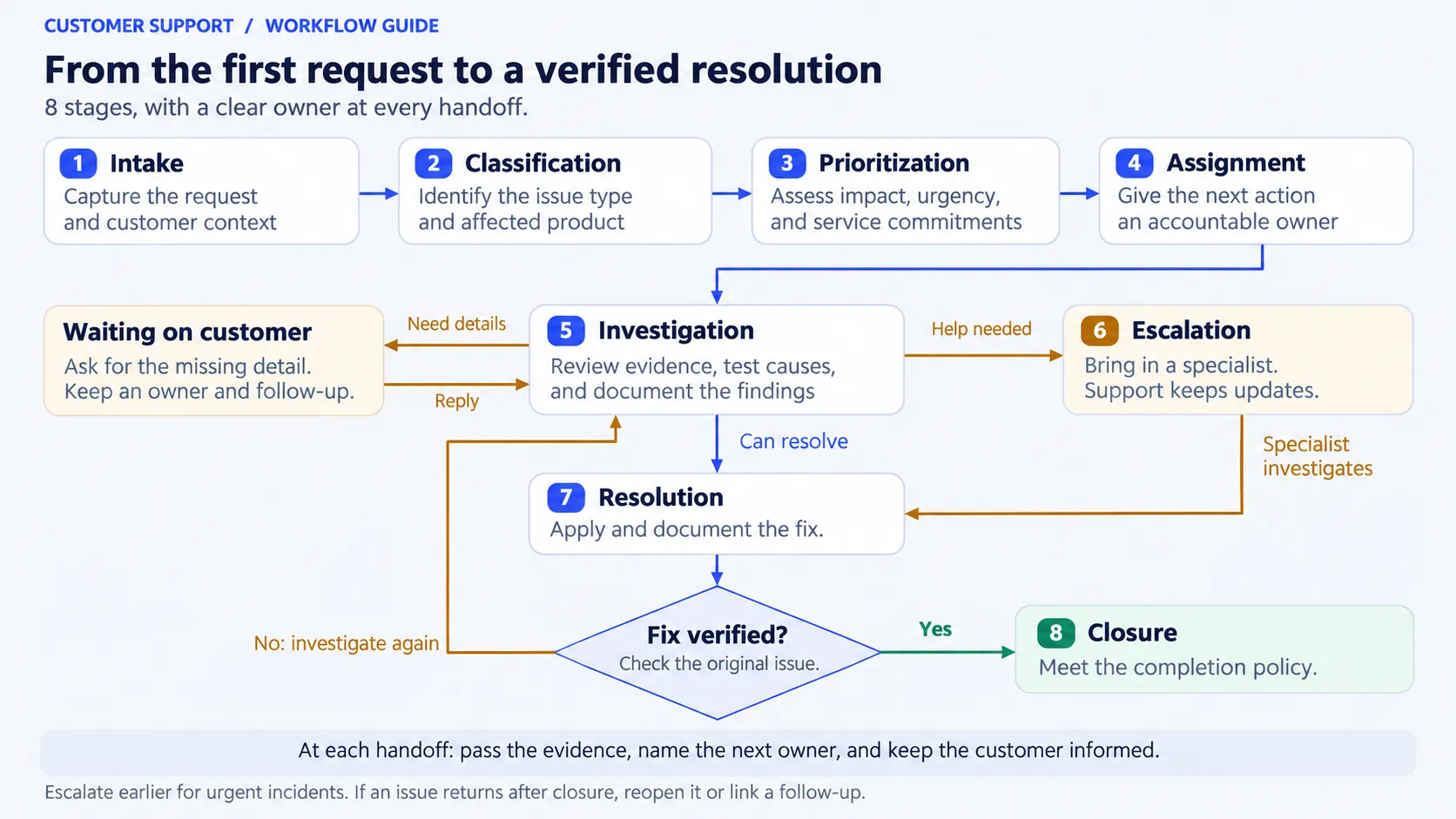
The main path is intake → classification → prioritization → assignment → investigation → resolution → closure, with escalation available whenever the request needs additional help.
Workflow stages don't have to become separate ticket statuses. Classification and prioritization might both happen while a ticket is marked New. A ticket's lifecycle could use New, In progress, Waiting on customer, Resolved, and Closed, depending on your software.
Resolved vs. closed: Resolution means the requested outcome has been delivered or a fix has been provided. Closure means the case meets your completion policy. Some platforms combine these statuses, but your team should still define the checks between them.
The 8 stages of a ticketing system workflow
Use these stages as a starting point. A simple question may pass through several in seconds. A product defect may need investigation across teams before anyone can offer a fix.
1. Intake: capture the request
Bring the request into your support queue with the customer's message and available account context. Email, live chat, and ticket forms should give agents enough information to identify the issue without asking the customer to start again.
Capture the essentials:
- Problem: What was the customer trying to do, and what happened?
- Context: Which account or product area is affected?
- Evidence: Relevant error messages, screenshots, or timestamps.
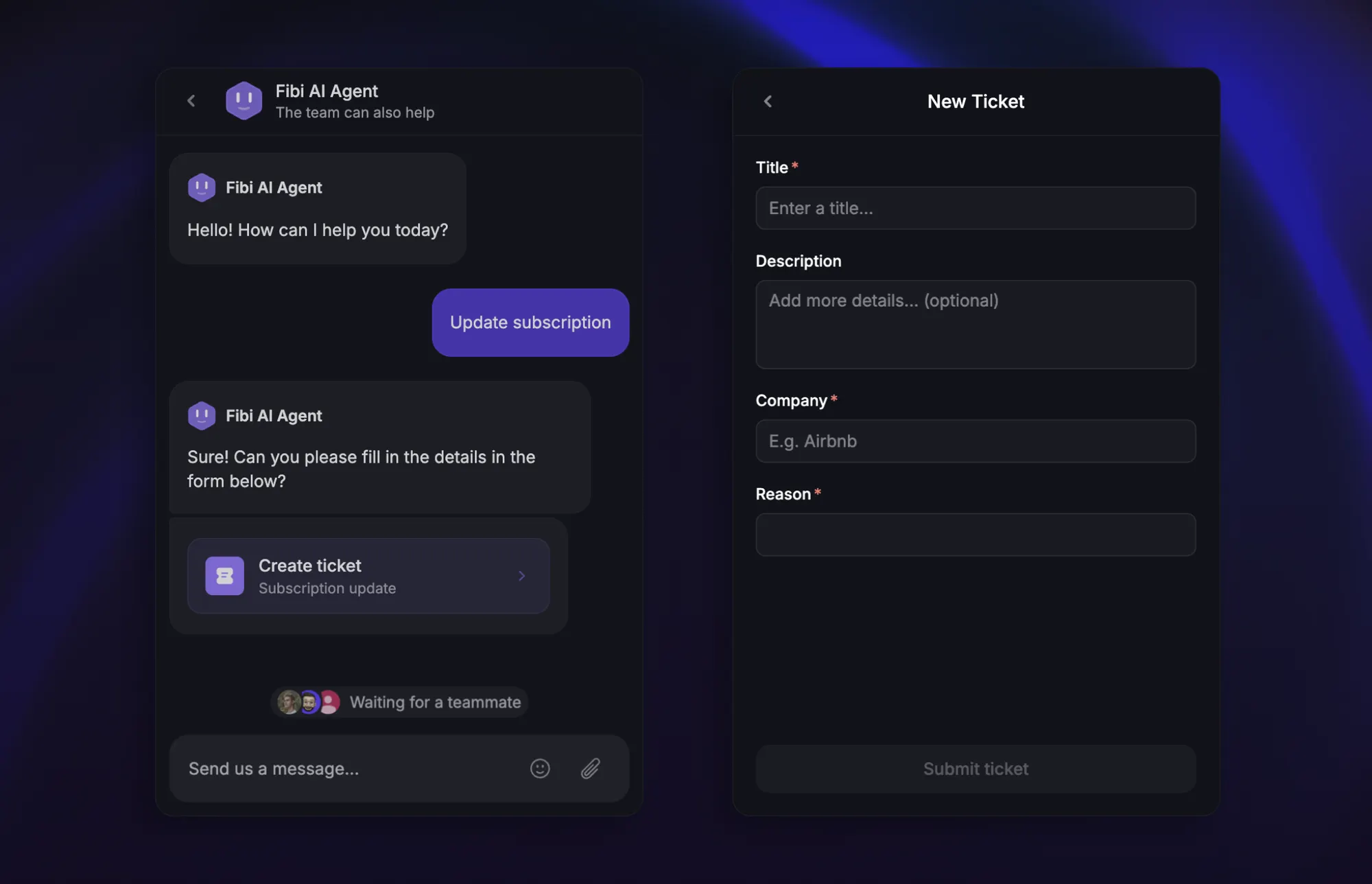
The intake owner checks for an existing conversation about the same issue. An acknowledgment should explain when to expect a response, without implying investigation has already started.
Move forward when: The request is recorded and someone is responsible for assessing it.
2. Classification: identify the work
Classify the request by what the team needs to handle, such as a billing question, access problem, suspected bug, or feature request. Record the affected product area separately when that helps reporting or assignment.
Keep ticket categorization and tagging consistent. A label should help someone choose an action or find related cases. If the cause is unknown, describe the symptom instead of guessing a diagnosis.
Move forward when: The category supports a handling decision, or the ticket is flagged for a person to clarify it.
3. Prioritization: decide how quickly to act
Ticket prioritization weighs business impact, urgency, and service commitments. Establish what work is blocked, who is affected, and whether a usable workaround exists.
A routine invoice copy and an account suspension can both fall under billing while needing different response targets. Apply your priority policy and record the reason for the decision. The detailed ticket triage process covers this assessment.
Check the applicable service-level agreement (SLA), including whether its timers use business hours or calendar hours.
Move forward when: The priority and response target are clear. Reassess them if the impact changes.
4. Assignment: give the ticket an owner
Ticket routing identifies the appropriate destination. Assignment establishes who will act on the request within that team.
Account for expertise, permissions, availability, and workload. If nobody eligible can accept the ticket, use a monitored fallback queue with a named person responsible for following up.
A shared queue also needs an owner. Otherwise, a ticket can look correctly routed while everyone assumes somebody else is handling it.
Move forward when: An agent or accountable queue owner has responsibility for the next action and customer update.
5. Investigation: establish what will solve it
The assigned agent reviews the history, checks known issues, and tests the likely explanation. Record what you tried and what happened so another teammate can continue the investigation.
If you need information from the customer, ask a specific question and record a follow-up date. A Waiting on customer status should explain what's missing and who will review the reply.
Avoid repeating troubleshooting the customer has already completed. Keep them updated even when the investigation hasn't produced a fix.
Move forward when: You have a supported solution, or you know what specialist help is needed.
6. Escalation: bring in the right help
Ticket escalation is conditional. Technical complexity may require a specialist, while a stalled handoff or approaching deadline may require a team lead.
Escalate earlier when the impact warrants it. A credible outage report shouldn't wait for routine troubleshooting to finish.
Include a concise handoff:
- Issue and impact: What's failing and what it prevents.
- Evidence: Reproduction steps, relevant records, and completed checks.
- Request: The investigation, access, or decision needed next.
- Ownership: Who accepts the work and who updates the customer.
Move forward when: The receiving team accepts the escalation and the customer communication owner remains clear.
7. Resolution: deliver and verify the outcome
Apply the fix or fulfill the request, then explain what changed. For a technical issue, verify the operation that originally failed. For an administrative request, check that the requested change is complete.
Record any workaround accurately. Restored service and a permanent product fix may have different completion dates, so keep unfinished engineering work linked and visible.
If the solution fails, return the ticket to investigation with the new evidence. Your time-to-resolution reporting should define how reopened cases are measured.
Move forward when: The outcome has been checked and the resolution is documented.
8. Closure: complete the record
Close the case once it meets your completion policy. Record the outcome, final category, and any linked follow-up work. Send the customer a closing summary so they know what happened and how to get further help.
If the customer stops replying, follow a documented reminder and closure policy. Record a no-response closure separately from a confirmed fix.
A later report of the same problem should reopen the case where supported, or create a linked follow-up that preserves its history.
Complete when: The closure reason is accurate and any remaining commitment has an owner.
A customer support ticket workflow example
Imagine a customer emails: “Our scheduled export failed this morning. We need it for today's reporting, and the manual export fails too.”
The following is an illustrative scenario. Priorities and response promises come from the team's own policy, not a universal benchmark.
| Stage | What happens | Owner | Customer communication |
|---|---|---|---|
| Intake | Record the account, failed job, timestamp, and error. | Intake agent | Confirm receipt and the next response window. |
| Classification | Label it as an export failure with a suspected bug. | Intake agent | Request the job ID if it isn't already available. |
| Prioritization | Confirm the reporting deadline and lack of a workaround. | Support agent | Explain that the blocked task is being assessed urgently. |
| Assignment | Assign the case to technical support. | Technical support agent | Introduce the person coordinating the request. |
| Investigation | Reproduce the failure and rule out an account configuration problem. | Technical support agent | Share the findings and promise another update. |
| Escalation | Engineering accepts the evidence and identifies a product defect. | Engineer, with support owning updates | Explain the handoff without promising an unconfirmed fix time. |
| Resolution | Engineering deploys a fix. Support verifies the export and asks the customer to retry. | Engineer and support agent | Describe the change and the check to perform. |
| Closure | The customer confirms the export works. Support records the outcome. | Support agent | Send a short closing summary. |
The engineering handoff doesn't end support's responsibility. The support agent still owns the promised update, even if the engineer has no new findings yet.
If the customer's retry fails, the ticket returns to investigation with the new job ID and error. The team continues from the existing evidence instead of opening an unrelated investigation.
Where ticketing workflow automation helps
Ticket workflow automation works best when the trigger, action, and exception are explicit. Start with a repeatable decision, then test it against real requests before widening its scope.
These are examples to adapt to your platform and policies:
| Trigger and condition | Automated action | Exception to handle |
|---|---|---|
| A new request arrives through a supported channel | Create the record and acknowledge receipt. | Check for an existing case before creating a duplicate. |
| A form identifies a known issue type | Apply the relevant category or tag. | Send unclear free-text requests for review. |
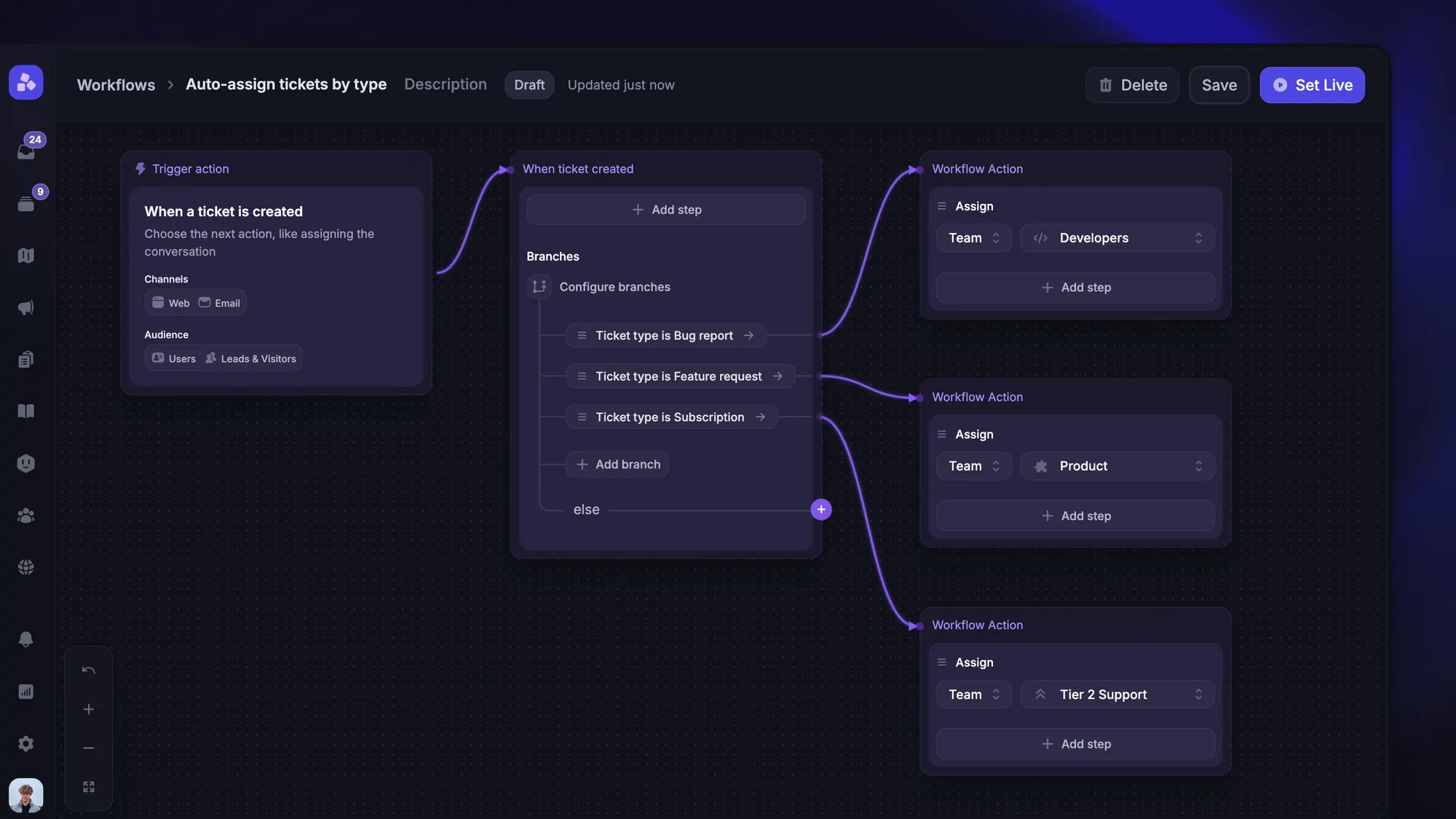
| The category and customer context identify a team | Route to that team and apply assignment rules. | Use the fallback queue when no eligible agent is available. |
| A response deadline approaches | Alert the owner and follow the escalation policy. | Account for after-hours coverage. |
| A customer hasn't supplied requested information | Send a reminder after the agreed interval. | Stop reminders when they reply or the case changes. |
| A case meets the closure policy | Record the closure and request feedback. | Keep unverified or unresolved cases visible. |
An automated ticketing system can handle these repetitive actions while agents investigate exceptions.
Use AI where interpretation is needed
AI can help summarize a long exchange, suggest a category, or answer a question using approved support knowledge. Treat uncertain classifications and consequential account changes as separate decisions that may need human review.
Reliable inputs matter. In Salesforce's 2026 research, 72% of service operations professionals identified data readiness as a major blocker to AI. The vendor's survey collected 3,075 responses from service professionals worldwide.
Review examples of misclassification and failed handoffs alongside successful cases. An apparently accurate category is only useful if it leads to appropriate handling.
Test transitions and exception paths
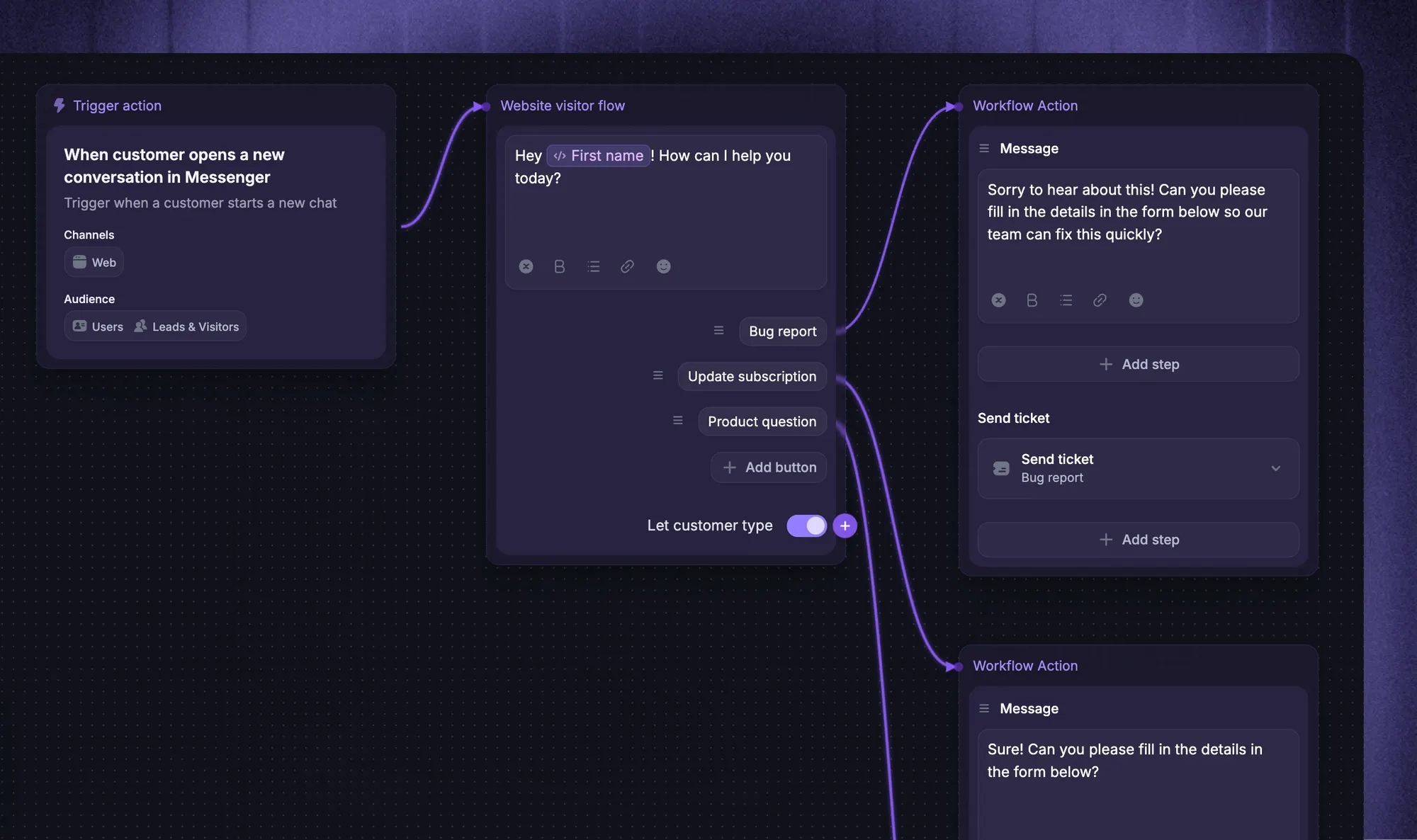
In Featurebase, Workflows can collect customer information, assign conversations, and automate actions when tickets are created. They can also react when a teammate manually changes a ticket's state. Automated state changes don't trigger that same manual-change event.
That distinction matters when testing a sequence of automations. Check the event that starts each action, which record it changes, and whether the next action actually runs.
Test a customer reply during a reminder sequence, an unavailable assignee, and a failed fix. Confirm that each case retains an owner and that outdated actions stop.
How to find delays in your ticket workflow
Look at where work waits, as well as how quickly completed tickets move. A fast overall average can hide a queue of difficult cases that nobody has picked up.
| Metric | What to investigate |
|---|---|
| Unassigned ticket age | Whether incoming work has an accountable owner. |
| First response time | Whether customers receive timely initial attention. |
| Time in each state | Where cases wait for information, investigation, or another team. |
| SLA compliance | Which response or resolution commitments are missed. |
| Resolution time | Whether comparable request types are taking longer to solve. |
| Reopen rate | Whether fixes and closure checks hold up after completion. |
Define the clock behind each metric. An automated acknowledgment may not count as a first human response. Waiting on customer doesn't necessarily pause an SLA, and business-hour calculations differ from elapsed calendar time.
Review the oldest unresolved tickets alongside the resolved ones. Compare similar categories and priorities, then inspect individual cases before changing a rule.
If cases repeatedly wait between support and engineering, test a clearer acceptance requirement and update owner. If they return after closure, review verification and resolution notes.
Manage ticket workflows with Featurebase
Featurebase is a modern AI customer support platform for product-led SaaS. It combines AI-powered support, a help center, and feedback management into a single platform, helping software teams coordinate customer questions and the work needed to resolve them.
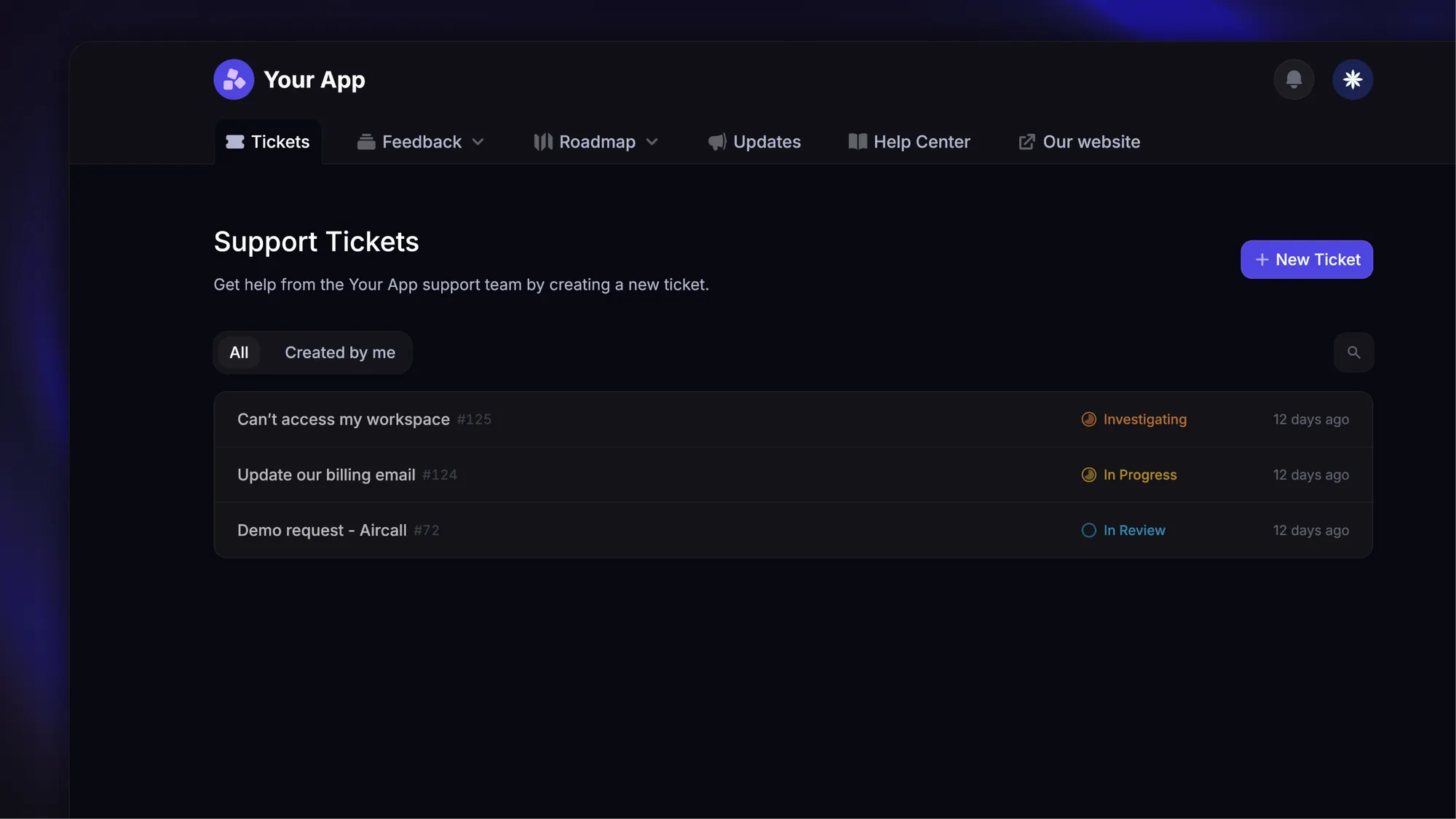
Top features:
- Omnichannel inbox – Manage live chat, email, and Slack conversations from one AI-powered view
- Fibi AI Agent - Resolve customer issues on autopilot & run custom actions like trial extensions and refunds
- Help center with AI search – Provide instant, multilingual self-serve answers
- Workflows & automations – Auto-assign tickets, route conversations, collect customer data, and more
- AI Copilot – Help your agents answer customers faster with AI Copilot that uses your internal knowledge
- Multi-brand support – Manage multiple Help Centers and Live chats from a single workspace
- Automatic AI translations – Automatically translate all messages and help articles to your customers' native language
- Service Level Agreements – Track SLAs to make sure your team responds to customers on time, every time
- Mobile app – Respond to customers, receive notifications, and unblock users on the go
- Feedback & roadmap tools – Collect feature requests and close the loop with updates
- Product updates – Publish release notes with a changelog page, in-app widget, and emails
- Integrations – Connects with Slack, Linear, Jira, HubSpot, and more
Ticket states and conversation states are tracked separately. Resolving a ticket doesn't automatically close its linked conversation, so define how the two should stay aligned.
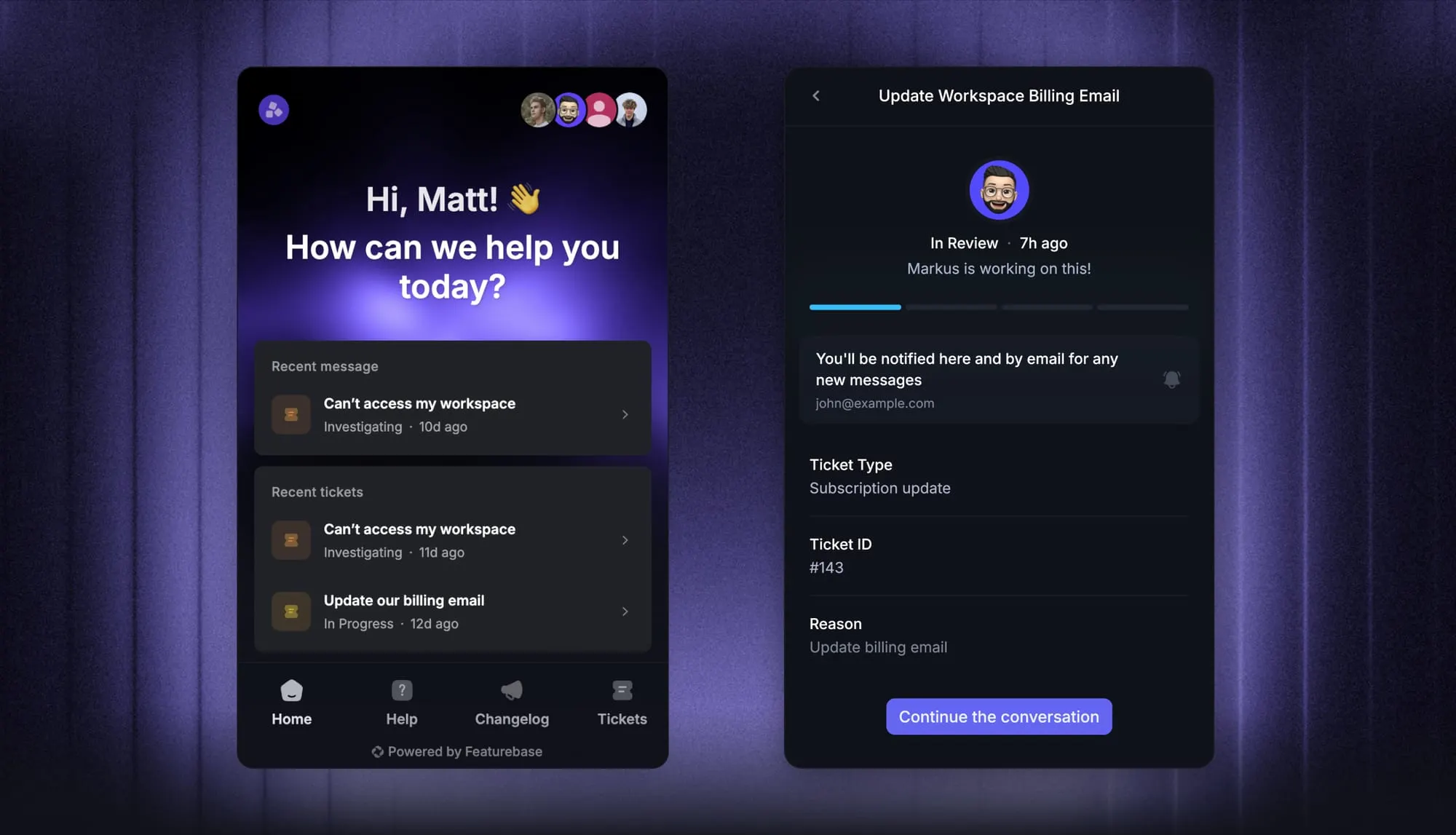
Pricing: The Free plan includes 1 seat and unlimited conversations. Paid plans start at $29/seat/month, billed yearly, with $0.49 per AI resolution. Feature availability varies by plan. Workflows and SLAs require Professional or Enterprise, with Professional starting at $59/seat/month, billed yearly.
Conclusion
A useful ticketing system workflow keeps the next action clear from intake to closure. Document the handoffs, test the exceptions, and verify the outcome before calling a case complete.
Featurebase brings customer tickets, AI support, and workflow automation together so your team can coordinate the work and keep customers informed.
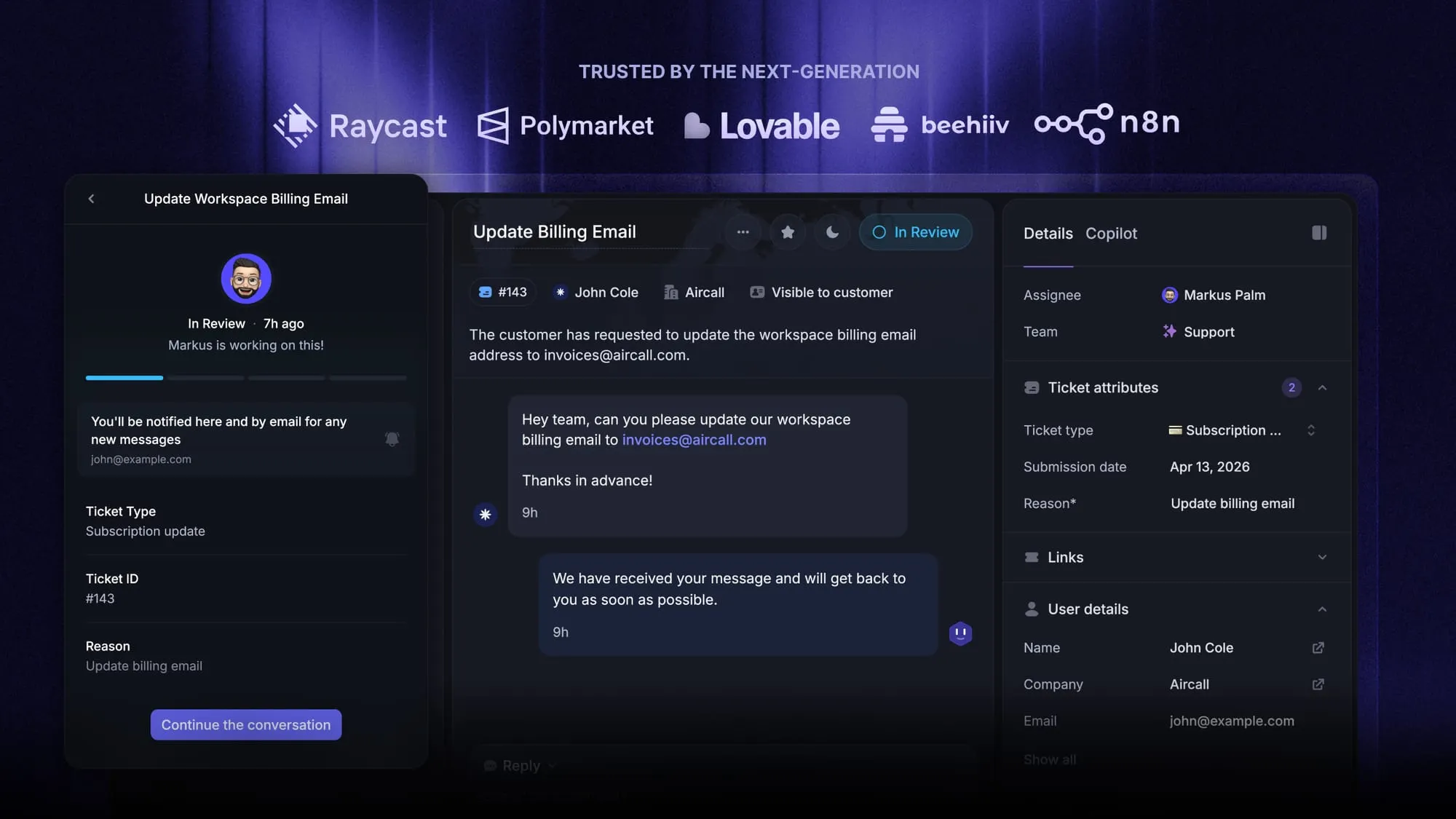
Start with the Free plan for basic ticketing, or try a paid plan when you need AI and workflow automation. 👇
Automate your support with the fastest AI-enhanced Inbox today
FAQs
Start with a recurring request that your current workflow handles poorly. Add a branch only when it changes responsibility, required information, or the approval needed. Test the change on representative tickets and remove rules that no longer serve a clear purpose.
Yes. An access request may require approval, while a bug report needs reproduction details and technical investigation. Reuse common steps, such as acknowledgment, while keeping the decisions specific to each type.
Self-service can answer a question before a ticket is needed or give the customer relevant guidance during intake. When they still need help, pass the question and attempted steps into the support conversation. Keep the route to a person easy to find.
Assign an internal owner who tracks the provider's case reference, requested action, and next update. Keep your customer commitments separate from the provider's response targets. An external dependency should remain visible until it is resolved or an agreed alternative is delivered.
Choose cases with a repeatable problem and a verified solution. Remove customer-specific information, explain when the instructions apply, and have someone review the steps before publication. Follow knowledge base best practices to keep the article useful as the product changes.