Blog Customer FeedbackUser Feedback Surveys: Types, Questions & Best Practices
User Feedback Surveys: Types, Questions & Best Practices
User feedback surveys, explained: the main survey types, ready-to-use example questions, and the best practices that actually get responses (and results).

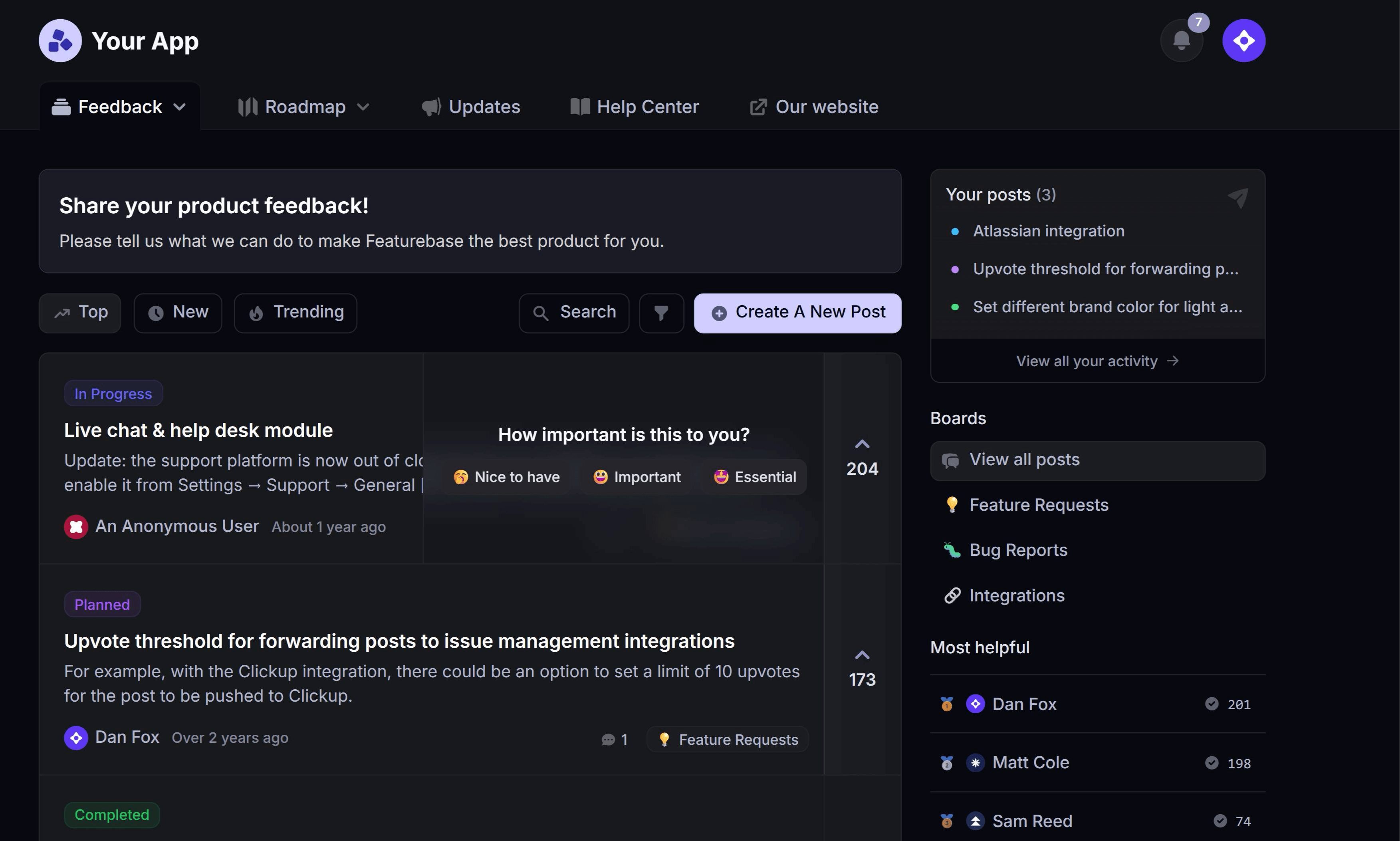

Most teams are great at sending surveys and terrible at using them. You fire off an NPS blast, collect a pile of scores, drop them in a dashboard, and nothing changes. The feedback piles up, but the product doesn't move.
The problem usually isn't the survey. It's everything around it: asking the wrong questions, at the wrong moment, and having no plan for what happens once the answers roll in. This guide covers the survey types worth running, the questions to ask, and how to turn responses into actual product decisions. 👇
✨ Start running surveys & collecting feedback with Featurebase for free →
Key takeaways
- User feedback surveys are structured questions you send to users to measure satisfaction, spot problems, and guide what you build next.
- The main types each answer a different question: NPS measures loyalty, CSAT measures satisfaction, CES measures effort, and product-market fit surveys measure how much users would miss you.
- Short, well-timed surveys win: the median survey response rate is under 10%, and in-app surveys consistently beat email and link surveys.
- Good questions are specific and single-purpose: one survey, one goal, and a mix of one rating question plus one open-ended follow-up.
- The value is in the follow-through: feedback only pays off when you route it, prioritize it, and close the loop with the people who gave it.
- Featurebase✨ lets you run targeted in-app surveys and funnel the responses straight into your feedback board and roadmap, so insights turn into action.
What is a user feedback survey?
A user feedback survey is a set of structured questions you send to users to learn how they feel about your product, a specific feature, or a recent experience. Unlike passive feedback (support tickets, reviews, churned-user emails), a survey is proactive: you decide what you want to know and ask directly.
The key word is structured. A survey gives you comparable, trackable data - a satisfaction score you can watch over time, or a clear count of who wants which feature. That's what separates it from a one-off conversation.
Most user feedback surveys fall into two buckets:
- Attitudinal surveys measure how users feel, like satisfaction, loyalty, or perceived effort.
- Behavioral or product surveys dig into what users do and want, like which feature to build next or why they stalled during onboarding.
You'll usually run both. One tells you the temperature, the other tells you why it's rising or falling.
Why user feedback surveys matter
Guessing is expensive. Building the wrong feature burns weeks of engineering time, and a satisfaction problem you didn't catch shows up later as churn. Surveys shrink that guesswork by giving you a direct line to what users actually think.
Run consistently, feedback surveys help you:
- Catch problems early: spot dissatisfaction before it turns into cancellations or bad reviews.
- Prioritize the roadmap: use real demand signals instead of the loudest opinion in the room.
- Measure whether changes worked: track satisfaction before and after you ship a change.
- Show users you're listening: one of the cheapest ways to build loyalty.
There's a catch, though. Collecting feedback is only half the job, and it's the easy half. The teams that get value from surveys are the ones that act on the results, which we'll get to below.
The main types of user feedback surveys
Different questions need different surveys. Here are the six you'll reach for most, each measuring something distinct:
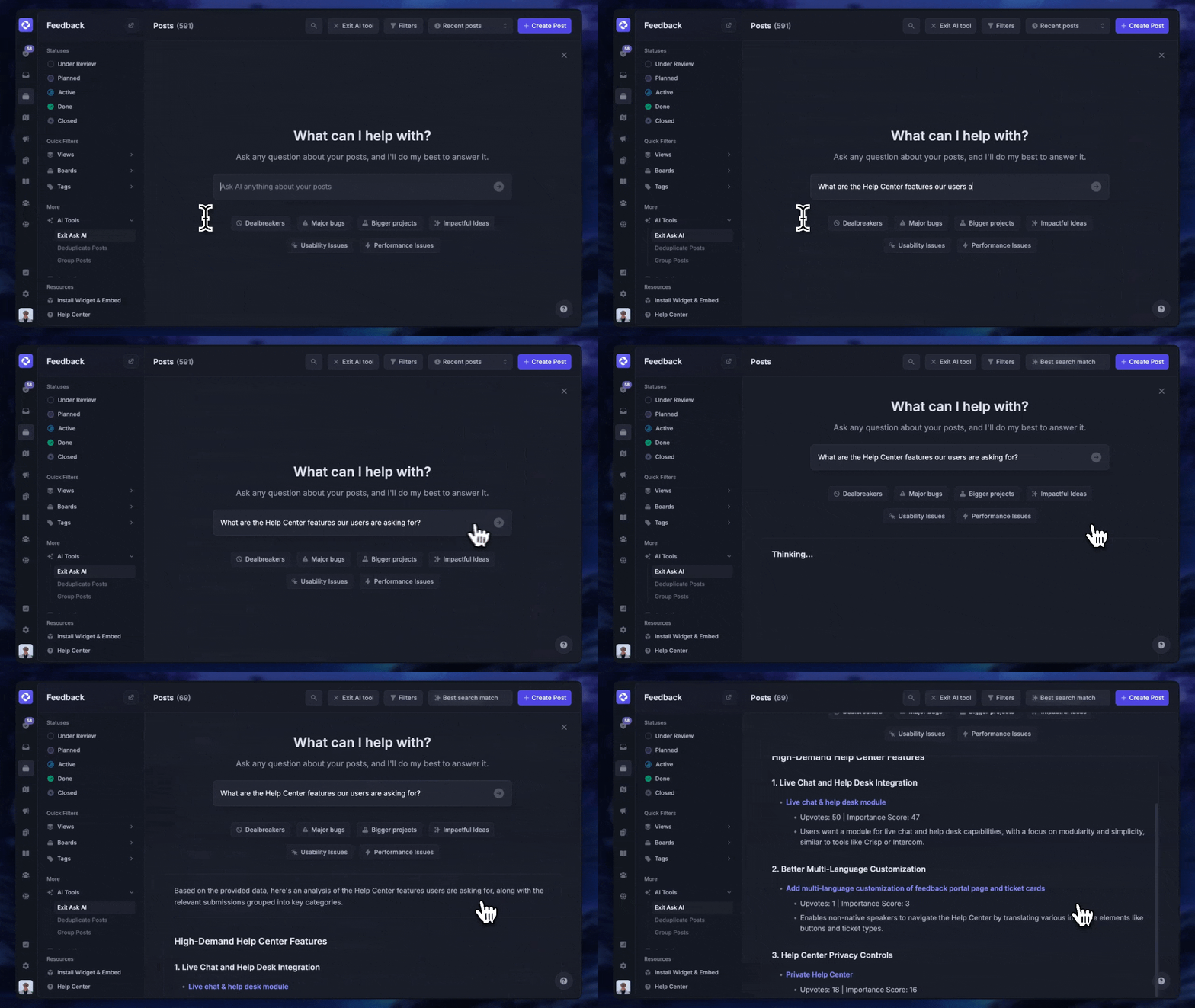
- Net Promoter Score (NPS): measures loyalty by asking how likely a user is to recommend you, on a 0 to 10 scale. It's your big-picture health metric, best run on a recurring schedule rather than after a single interaction.
- Customer Satisfaction (CSAT): measures satisfaction with a specific thing, like a support chat, a new feature, or the checkout flow. You ask users to rate their experience, usually 1 to 5, right after the moment you care about.
- Customer Effort Score (CES): measures how easy it was to get something done. High effort is one of the strongest predictors of churn, so CES is great after onboarding, a setup task, or a support resolution.
- Product-market fit (PMF) survey: asks how users would feel if they could no longer use your product. The share who say "very disappointed" is a well-known signal of how sticky your product really is.
- In-app microsurveys: short, one-question surveys triggered inside your product at a relevant moment. Because they're contextual, they get far higher response rates than anything sent by email.
- Lifecycle surveys: targeted surveys tied to a stage in the user journey, like an onboarding check-in, a feature-adoption nudge, or a churn/exit survey that asks why someone canceled.
You don't need all six. Pick the ones that map to the decisions you're trying to make, and add others as you go.
User feedback survey questions to ask
The best survey questions are specific, unbiased, and tied to a single goal. Below are examples you can adapt, grouped by what you're trying to learn.
To measure loyalty and satisfaction:
- How likely are you to recommend [product] to a friend or colleague? (0-10)
- How would you rate your overall satisfaction with [feature/experience]? (1-5)
- How easy was it to [complete a task] today? (very hard to very easy)
To improve the product:
- What's the one thing we could do to make [product] better for you?
- Which feature do you wish we had?
- What almost stopped you from signing up or upgrading?
To understand behavior and context:
- What were you trying to do when you started using [product] today?
- What nearly made you give up during setup?
- How would you feel if you could no longer use [product]? (very disappointed / somewhat / not disappointed)
To follow up on a rating:
- What's the main reason for your score?
- What would it take to move that score up by one point?
Notice the pattern: pair a quick quantitative question with one open-ended follow-up. The number gives you something to track, and the open text tells you why.
A quick rule on wording: avoid leading questions ("How great was our support?") and double-barreled ones ("How was the speed and quality of our reply?"). Ask one thing at a time, neutrally.
Best practices for surveys that actually get answered
A survey nobody finishes is worse than no survey - it skews your data and wastes the goodwill of the people who did respond. Getting responses is largely a design problem, and the fixes are well-established survey best practices.
- Keep it short: every extra question costs you completions. For in-app surveys, 1 to 3 questions is the sweet spot. Save the long-form research surveys for a small, engaged segment who opted in.
- Ask in-app, at the right moment: according to Survicate's 2025 benchmark of 4,332 surveys across 460 companies, the median survey response rate is just 9.98%. But mobile in-app surveys pulled 18.69%, roughly double the widget average of 7.64%. Asking right after a user does the relevant thing beats an email they'll never open.
- Give every survey one job: trying to measure satisfaction, gather feature requests, and research pricing in the same survey gets you shallow answers to all three. One survey, one goal.
- Target the right users: a churn survey should only reach users who are actually at risk, and a new-feature CSAT should only reach people who used the feature. Sending the right survey to the wrong segment is the fastest way to get useless data.
- Tell people it's short and why it matters: a one-line intro ("2 quick questions to help us improve onboarding") sets expectations and lifts completion.
- Always close the loop: when someone takes the time to answer, follow up. Even a simple "you asked, we shipped it" turns a one-time respondent into a repeat one.
Turning survey responses into action
Here's where most survey programs quietly fall apart. The responses come in, live in a spreadsheet or a standalone survey tool, and slowly go stale because nobody owns what happens next. Collecting feedback feels productive. Acting on it is what actually moves the product.
A simple loop keeps surveys honest:
- Centralize every response in one place instead of scattering them across tools.
- Categorize and prioritize by theme and by impact, so a request from a churning enterprise account outweighs a nice-to-have from a free trial.
- Act and announce by building what matters and telling the people who asked.
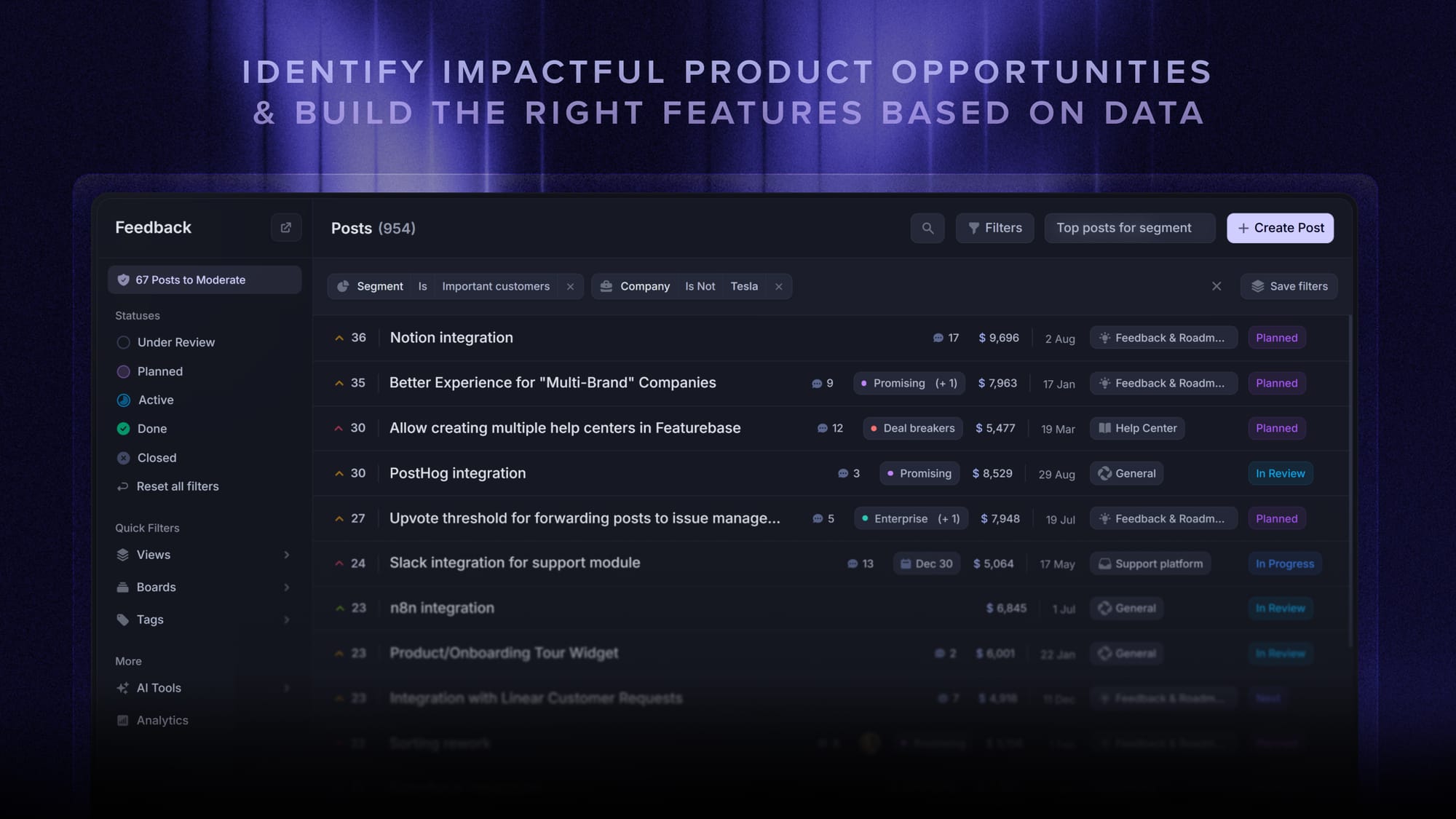
This is exactly the gap Featurebase is built to close. With Featurebase you can run targeted, multi-step NPS and CSAT surveys inside your product, then send the responses straight into the same place as your feedback board and roadmap. Instead of a survey score with no home, a low CSAT or a feature request flows into a prioritized backlog you can link to customer revenue, act on, and announce back to users. The survey stops being a dead end and becomes the first step of a decision.
Conclusion
User feedback surveys aren't about collecting scores. They're about closing the distance between what you think users want and what they actually want, then doing something with the difference. Pick the survey types that match your decisions, keep them short and well-timed, and build a habit of acting on what comes back.
Featurebase is a modern feedback tool that helps you run targeted NPS, CSAT, and multi-step surveys, then manage everything in one place. You can collect responses alongside feature requests in a public feedback forum, connect them to customer revenue to prioritize what matters, and close the loop with roadmaps and product updates.
It comes with a Free plan with unlimited survey responses, and the onboarding is quick and doesn't require a credit card, so there's no downside to trying it. 👇
✨ Start running surveys & collecting feedback with Featurebase for free →
FAQs
What's the difference between NPS, CSAT, and CES?
They measure three different things. NPS gauges long-term loyalty by asking how likely someone is to recommend you, CSAT measures satisfaction with a specific interaction or feature, and CES measures how much effort a task took. NPS is your big-picture trend line, while CSAT and CES are best fired right after a specific moment you want to evaluate.
How many questions should a user feedback survey have?
Fewer than you think. For in-app or microsurveys, 1 to 3 questions gets the highest completion rates, usually one rating question plus one open-ended follow-up. Longer surveys of 10 or more questions can work for dedicated research, but only with an engaged segment who agreed to give you more time.
When is the best time to send a user feedback survey?
Right after the moment you're asking about, not on a random calendar date. Trigger CSAT after a support chat or feature use, send CES after onboarding or a setup task, and run NPS on a rolling schedule so you can track the trend. Context is what drives both response rates and answer quality.
What's a good response rate for a user feedback survey?
It depends on the channel, but the median across surveys sits just under 10%, per Survicate's 2025 benchmark. In-app and mobile surveys tend to beat that comfortably, often hitting the high teens, while email and link surveys usually fall below it. If you're clearing 10 to 15% on an in-app survey, you're in good shape.
How can you increase survey response rates?
Ask in-app at a relevant moment, keep it to a couple of questions, and target only the users the survey actually applies to. A short intro that explains why you're asking and how long it takes also helps. The single biggest lever is usually moving from email surveys to contextual in-app ones.
What's the best user feedback survey tool?
The best tool depends on what you need, but for product teams the most useful ones do more than collect answers: they target surveys to the right users, run in-app, and connect responses to your wider feedback and roadmap. Featurebase does this by combining NPS and CSAT surveys with a feedback forum and roadmap, so survey data turns into prioritized action rather than a stranded score.