Blog Customer ServiceWhat Is Customer Service Software?
What Is Customer Service Software?
Find out what customer service software is, what features it should have, and how it can help your business and improve customer satisfaction.



The customer is always right, and in 2026, making them happy can seem impossible. Expectations are higher than ever before, and because of AI tools, customers want an answer immediately, even if it doesn't resolve a problem. Customer service software is nothing new, but its definition and role lately has changed quite a bit.
Today, we'll show you what customer service software is, what features to look out for, how it's best used to increase customer satisfaction, and hopefully, answer all of your questions on choosing the right tool. 👇
✨ Need customer service software that is easy to set up, improves customer experience and doesn't cost like a used car? Try Featurebase for free →
Key takeaways:
- Customer service software centralizes communication, turning messages into trackable tickets so teams can respond faster and stay organized
- It's not just chat, inboxes, or CRMs; it's a full system that connects workflows, automation, and customer support software processes end to end
- The biggest upside is faster response times, better organization, and more consistent service across all channels
- Strong tools improve agent productivity while reducing workload through automation and self-service options
- Key features like omnichannel support, ticketing, automation, and reporting are non-negotiable when choosing a tool
- Different types exist, from help desk software to live chat and all-in-one customer service platforms, each solving a specific problem
- The best setups connect support with customer relationship management, feedback, and product workflows to drive better customer experience and long-term growth
What is customer service software?
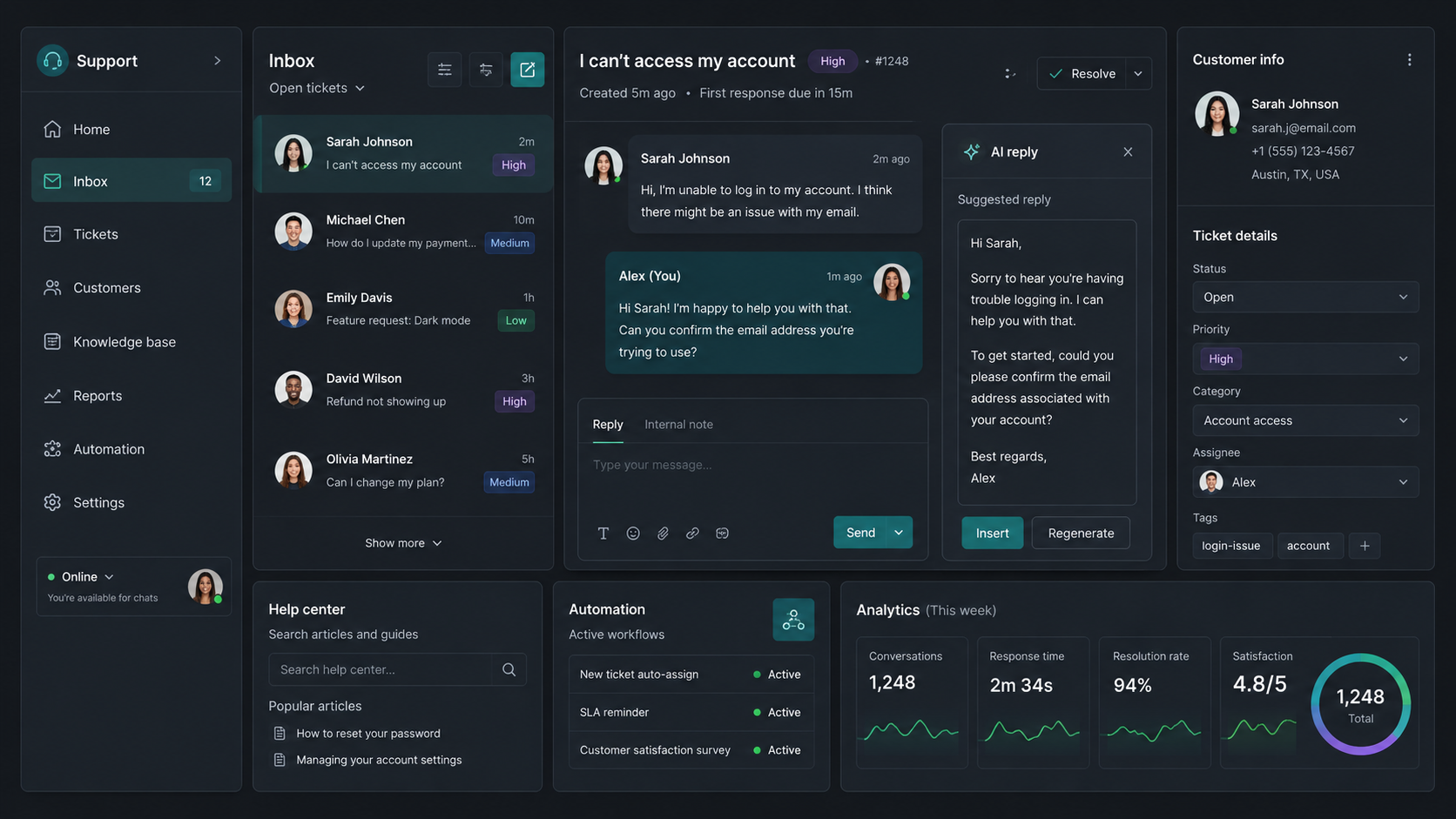
Customer service software is a tool that helps your business manage, respond to, and track customer interactions. All of this happens in one tool instead of being spread across channels and platforms.
Worth clarifying up front: customer service and customer support aren't the same thing - see our breakdown of customer service vs customer support for how support sits under the wider service umbrella.
In practice, it's a system that turns customer inquiries into a list of organized tasks for your team so that they can resolve these inquiries quickly and efficiently.
Here's what a typical everyday use case would look like:
- A customer sends a message (email, chat, social, etc.)
- The system turns it into a ticket
- That ticket gets assigned to a support agent
- The agent replies, collaborates if needed, and resolves it
- The system tracks everything: response time, status, and satisfaction
For SaaS teams, the right platform is what makes scalable SaaS customer support possible as ticket volume, channels, and product complexity grow.
Without customer service software, something as simple as this could take countless calls, emails, and interactions between your team and the customer, as well as internally between different team members.
At a glance, customer service software is simple, but there is more to it if you want to get the best tool for your and your customers' unique needs.
What customer service software is not
Customer service software is often confused with other tools. That’s where many teams make the wrong choice.
It’s not just a shared inbox. A labeled Gmail account can work for a while, but it doesn’t give you clear ownership, ticket status, prioritization, or protection against duplicate replies.
It’s not just live chat. A chat widget is only one support channel. Without routing, conversation history, and follow-up tracking, customer conversations still get scattered.
It’s not the same as a CRM. Tools like Salesforce and HubSpot are built mainly for sales, pipeline management, and customer relationships. Customer service software is built to manage incoming support requests and resolve them faster.
It’s not just a chatbot. AI and automation can answer simple questions, but customers still need a smooth handoff to a human when the issue is complex.
It’s not just a knowledge base. Help articles and FAQs are great for self-service, but they don’t replace a ticketing system that tracks, assigns, and resolves real customer issues.
It’s also not a project management tool. Trello, Asana, and similar tools can help organize work, but they’re not designed for support volume, SLAs, response tracking, or customer communication across multiple channels.
Most importantly, customer service software is not something you set up once and forget. The tool supports your process, but it won’t fix a broken support workflow on its own.
In simple terms, customer service software is not one isolated tool. It’s the system that connects your inbox, live chat, knowledge base, automation, reporting, and team workflows so every customer request gets handled properly.

Resolve support requests faster with less manual work
Use AI automation, shared inboxes, and ticketing workflows to keep every customer conversation organized.
Benefits of customer support software
You can manage customer support manually when your team is small. But as soon as messages start coming from email, live chat, social media, calls, and in-app widgets, things get messy fast.
That’s where proper customer support software makes a big difference.
- Faster response and resolution times: Customer service software turns every customer message into a trackable request. With routing, automation, and AI, simple questions can be answered automatically while complex issues are sent to the right agent.
- Better organization across channels: Instead of juggling emails, chat messages, call notes, and social media DMs, your team gets a single place to manage customer conversations and track progress.
- More consistent customer service: Templates, workflows, internal notes, and shared knowledge bases help every agent deliver the same level of support, regardless of who handles the request.
- Less repetitive work for your team: Modern customer support software can automate routine tasks such as shipping updates, refund requests, and common product questions, freeing agents to focus on higher-value interactions.
- More customer context: Agents can access conversation history, ticket details, customer information, and internal notes in one place, making handoffs seamless and reducing the need for customers to repeat themselves.
- Better reporting and decision-making: Built-in analytics help you track response times, ticket volume, resolution rates, customer satisfaction scores, and other KPIs so you can identify bottlenecks and improve performance.
- Smoother support operations: A centralized ticketing system with tagging, assignments, integrations, and automation makes collaboration easier and helps your team manage customer relationships more efficiently.
The challenge is that there are countless customer service software options on the market. Choosing the right one depends on your budget, support channels, team size, and the problems you need to solve first.
Choosing customer service software: What to look for
From powerhouses like Intercom to startups popping up every day, many customer service management software providers have very similar features, but the devil is in the details. You can be blinded by fancy AI automation tools and neglect the core tool sets that matter for your team and customers.
These are some of the non-negotiable features you should look for in your next customer support software.
Omnichannel support
Why it's important: your customers jump between email, chat, and social, so your team needs one place to see the full conversation without missing context.

The right customer service software pulls messages from multiple channels into a single view, so agents can respond without switching tabs or losing history. This is especially important if you're also using call center software, since voice interactions should be tied to the same customer profile as written conversations. Without this, your customer experience becomes fragmented fast.
Ticketing system
Why it's important: every request needs clear ownership, status, and priority. Without a ticketing system, things get lost or handled twice.
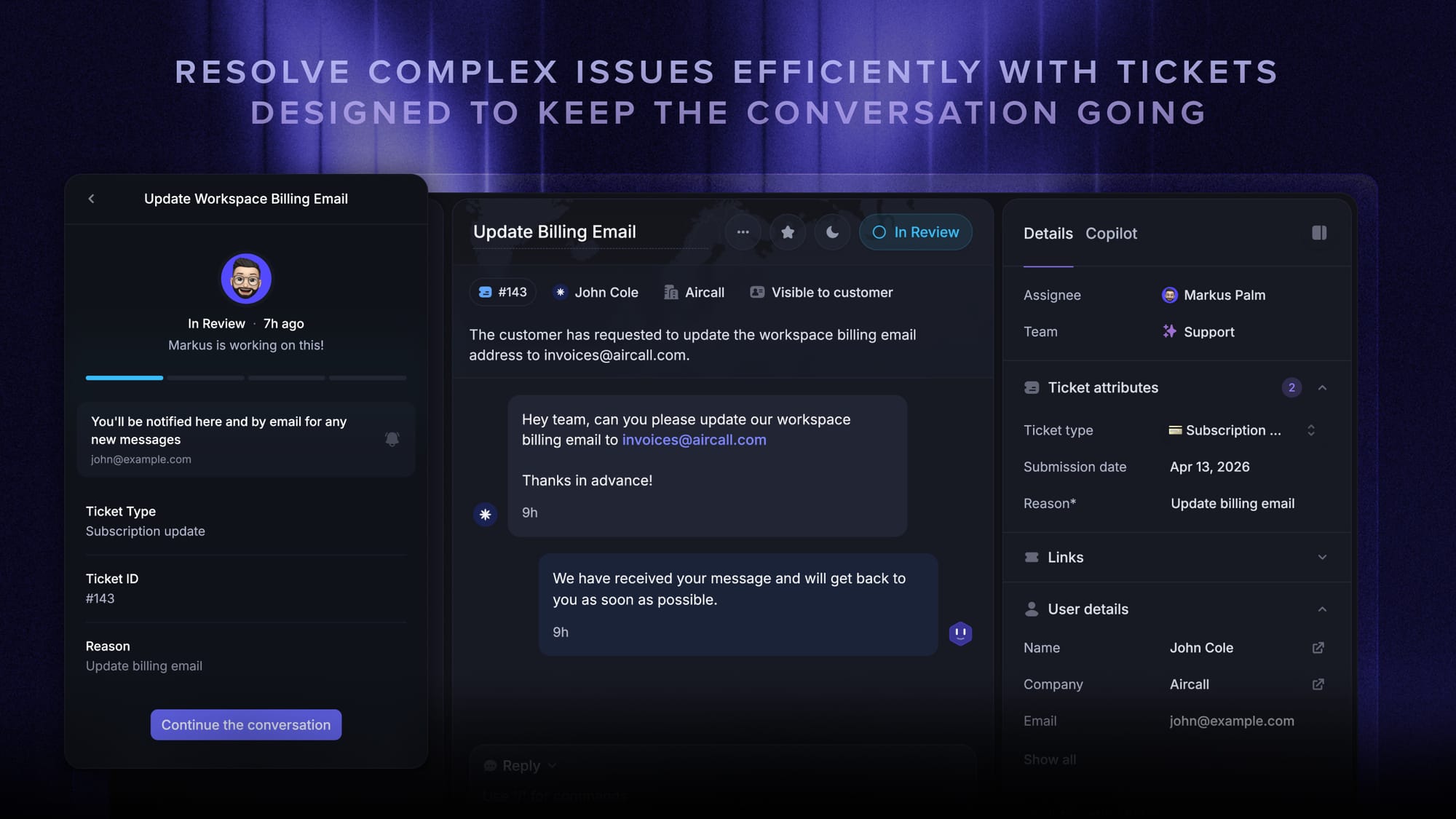
At its core, customer service ticketing software turns incoming messages into structured tasks that can be tracked from start to finish. This gives your team visibility into what's open, what's urgent, and who is responsible for each case. Without a proper system in place, even the best customer service software falls apart under higher volumes.
Automation and workflows
Why it's important: without automation, your team wastes time on repetitive tasks instead of actually helping customers.
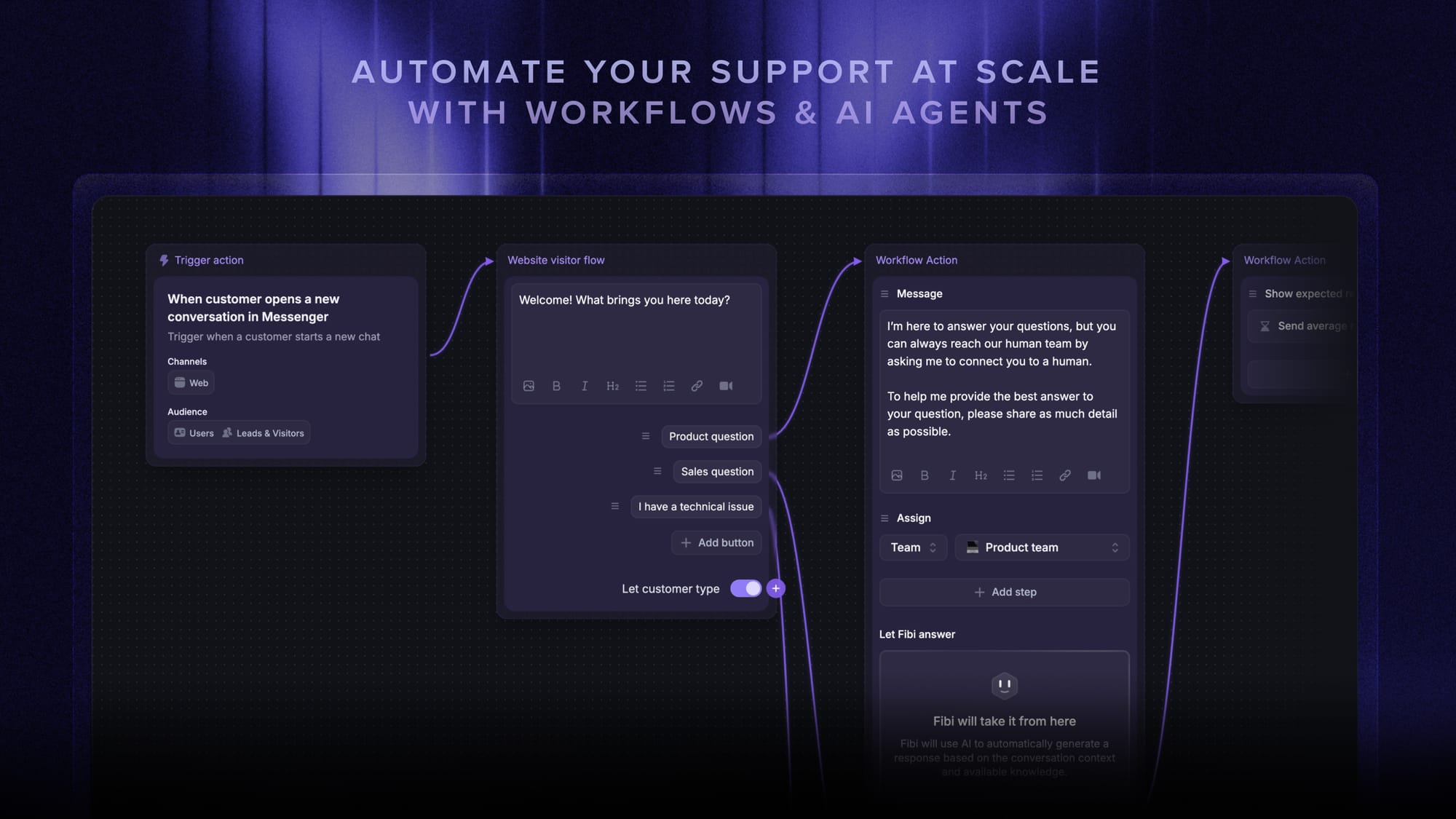
Automation handles things like assigning customer tickets, tagging conversations, and sending follow-ups based on predefined rules. In a busy environment with requests coming from multiple channels, these workflows keep things moving without constant manual input. The right customer service software uses automation to support agents, not replace them.
Knowledge base and self-service
Why it's important: your customer base expects instant answers, and a solid help center is a self-service solution that reduces ticket volume before it even reaches your team.
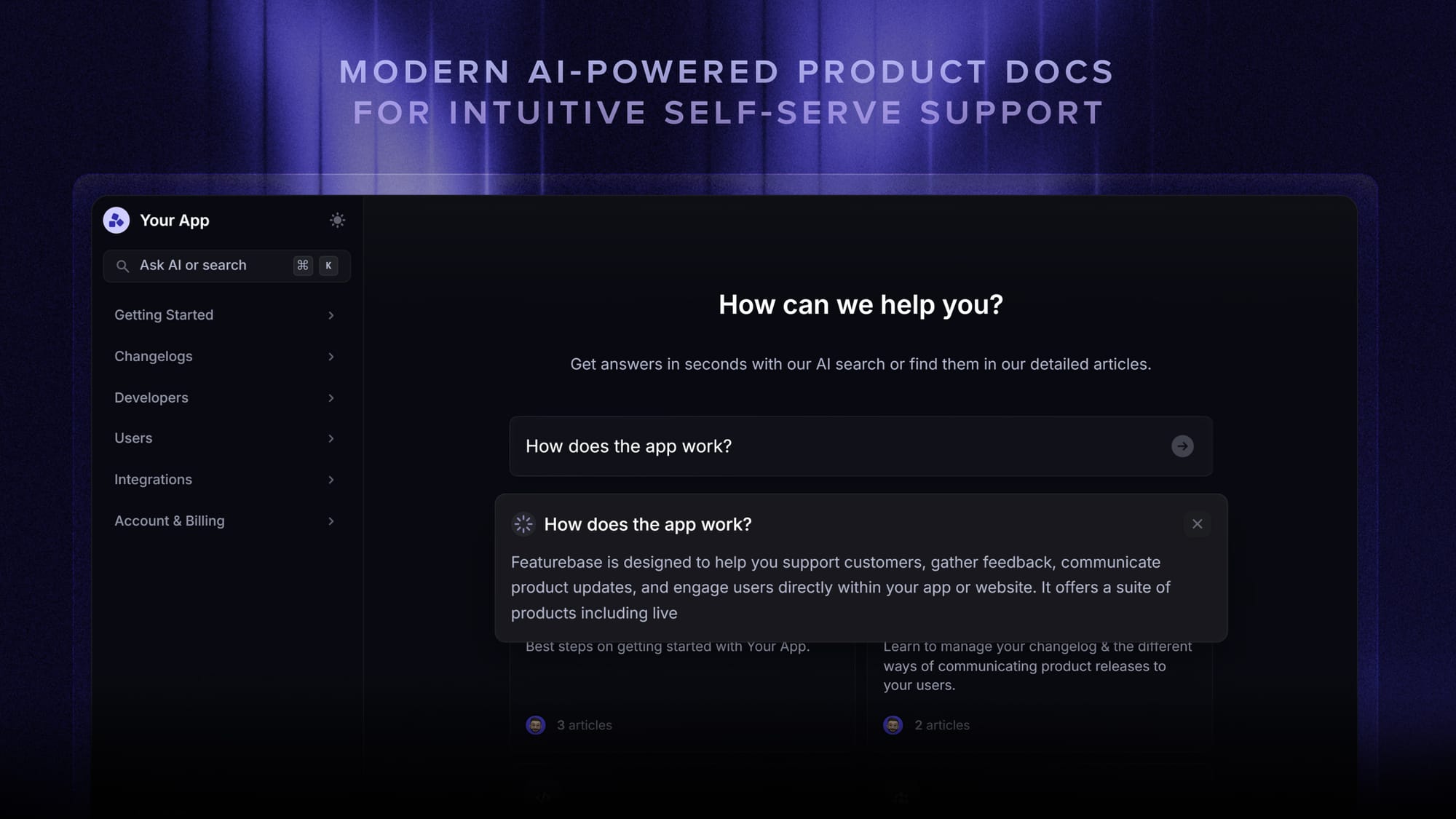
A built-in knowledge base lets customers solve common issues on their own, without contacting support. This not only lowers the load on your team but also improves the overall customer experience by giving users immediate answers. Strong customer service software solutions connect self-service with live support, so unresolved issues can easily turn into tickets.
Reporting and analytics
Why it's important: if you can't measure response times, resolution rates, and satisfaction, you have no idea what's working or where things are breaking.
Good reporting shows you how your team performs across different channels, where delays happen, and how customers feel after interactions. Whether you're using basic tools or more advanced call center software, these valuable insights are what help you improve processes and scale support without guessing.
Integrations with your stack
Why it's important: your support tool needs context from your CRM, product, and internal tools. Otherwise, agents are working blind.

Customer service software should connect with the tools you already use, from CRMs to internal communication apps. This gives agents access to customer history, product usage, and past interactions without digging through different systems. The more context they have, the better and faster they can respond and provide personalized support.
Internal collaboration tools
Why it's important: support is rarely handled by one person, and without internal notes and handoffs, replies slow down and quality drops.
Features like internal comments, tagging, and shared ownership make it easier for teams to work together on complex issues. This is especially useful when support overlaps with engineering, sales, or account management. Without collaboration built into your customer service software, conversations become disjointed and harder to resolve.
SLA and prioritization
Why it's important: not all tickets are equal, and without clear prioritization rules, urgent issues get buried.
Service level agreements help define how quickly different types of requests should be handled. The system can automatically flag high-priority tickets and escalate them when needed. This ensures that critical issues don't get lost in the queue, which is key to maintaining a consistent customer experience.
AI assistance
Why it's important: used properly, AI speeds up replies and handles simple queries, but it should support your team, not replace it.
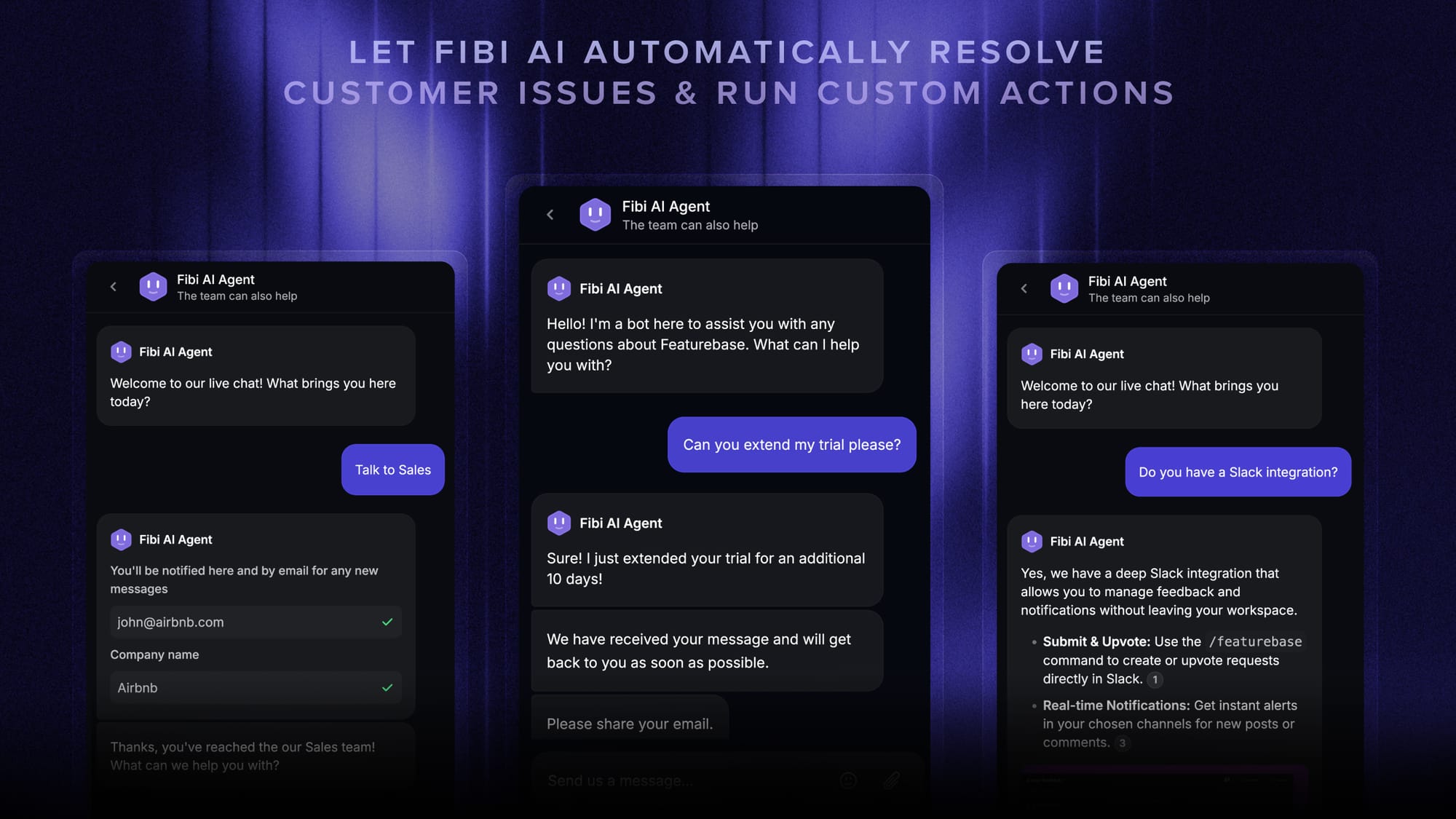
Modern customer service software often includes AI features like suggested replies, basic chatbots, and intent detection. These tools can handle repetitive questions and assist agents with faster responses. When used correctly, they improve efficiency without taking away from the human side of support. It's a cost-effective way to provide efficient support across the customer journey.
Types of customer service software
Not all customer service platforms are built the same. Some focus on handling volume, others on speed, and some on deflecting tickets before they even happen. When you're selecting customer service software, understanding these categories makes it much easier to pick the right setup for your team.
Help desk software
This is the foundation of most customer service solutions. Help desk software is built around ticketing, meaning every customer request gets tracked, assigned, and resolved in a structured way.
It usually includes shared inboxes, automation, reporting, and basic workflows that help teams stay organized as volume grows. If you're dealing with a high number of support requests, this is where you start. Most modern customer service platforms build on top of this layer.
Live chat software
Live chat software focuses on real-time conversations with customers directly on your website or app. It's one of the fastest ways to resolve simple issues and guide users before they get stuck.
Many tools now combine live chat with chatbots and automation, so you can handle common questions instantly and escalate more complex ones to a human. It's a key piece of improving customer experience, especially for SaaS and ecommerce.
Call center software
Call center software is designed for voice support, both inbound and outbound. It includes features like call routing, IVR menus, call recording, and performance tracking.
If your support team handles a lot of phone interactions, this becomes critical. The best setups connect call center software with other customer service platforms so agents can see past conversations across multiple channels, not just calls.
Knowledge base software
This type of software focuses on self-service. It allows you to create help centers, FAQs, and guides so customers can solve issues on their own.
A strong knowledge base reduces incoming tickets and helps optimize customer interactions before they even reach your team. It's one of the easiest ways to scale support without adding more agents, while still driving improved customer satisfaction.
CRM based support tools
Some customer service solutions are built into CRM systems. These tools combine support with customer data like purchase history, account activity, and past interactions.
This CRM software integration gives agents more context, which leads to faster and more relevant responses. While they're not always as deep as dedicated help desk software, they're useful if your support and sales teams are closely connected.
All-in-one customer service platforms
This is where everything is heading. These platforms combine help desk software, live chat software, knowledge base tools, and even call center software into one system.
Instead of stitching together multiple tools, you get a single place to manage conversations, automate workflows, and analyze performance. For most teams, especially growing SaaS companies, this is usually the right customer service software to aim for if you want to provide consistent support.
These tools can handle customer queries across channels on their own and provide personalized assistance that sounds human. Alternatively, the self-service software can assist human agents with basic queries, while the more complex stuff gets escalated to a human being.
The best customer service software
There are plenty of solid customer service platforms out there, and depending on your setup, some may go deeper in specific areas. But if you want something that connects support with feedback and product work in a way most tools don't, Featurebase is hard to ignore.
Featurebase is a modern AI customer support platform for product-led SaaS. It combines AI-powered support, help center, and feedback management into a single platform for startups that want all their customer-facing tools in one place. Featurebase is loved by thousands of support teams from companies like Lovable, Raycast, and n8n. 💫
Top features:
- Omnichannel inbox – Manage live chat, email, and Slack conversations from one AI-powered view
- Fibi AI Agent – Resolve customer issues on autopilot & run custom actions like trial extensions and refunds
- Help center with AI search – Provide instant, multilingual self-serve answers
- Workflows & automations – Auto-assign tickets, route conversations, collect customer data, and more
- AI Copilot – Help your agents answer customers faster with AI Copilot that uses your internal knowledge
- Multi-brand support – Manage multiple Help Centers and Live chats from a single workspace
- Automatic AI translations – Automatically translate all messages and help articles to your customers native language
- Service Level Agreements – Track SLAs to make sure your team responds to customers on time, every time
- Mobile app – Respond to customers, receive notifications, and unblock users on the go
- Feedback & roadmap tools – Collect feature requests and close the loop with updates
- Product updates – Publish release notes with a changelog page, in-app widget, and emails
- Integrations – Connects with Slack, Linear, Jira, HubSpot, and more
Pricing: Free plan available with unlimited conversations. Paid plans start at $29/seat/month with $0.29 per AI resolution.
Featurebase covers all the basic support features that legacy platforms do, but with a much more modern approach. It comes with AI automations, a mobile app, and multiple channels (email, live chat, Slack, etc.).
If you want to support business growth while keeping your support team efficient and aligned with your product, Featurebase is one of the smartest choices for your team AND customers. The onboarding is super fast and the free plan means there's no downside to trying it. 👇
✨ Automate your support with the fastest AI-enhanced Inbox today →
FAQs
What's the difference between customer service software and a CRM?
A CRM like Salesforce or HubSpot is built around sales relationships and pipeline data. Customer service software is built around resolving incoming issues, with ticketing, queues, SLAs, and channel handling at its core. The two often integrate, but they solve different problems.
How much does customer service software cost?
Pricing varies widely. Free plans exist for small teams, and most paid platforms start around $25–$50 per seat per month. Enterprise plans with advanced AI, multi-brand support, and call center features can run several hundred dollars per agent per month.
Do small businesses really need customer service software?
If you're handling more than a handful of customer messages a week, yes. Even a small support volume gets messy across shared inboxes and chat apps. A proper tool keeps ownership clear, response times measurable, and customers happier, even with a team of one or two.
What's the best customer service software for SaaS?
For product-led SaaS teams, an all-in-one platform that combines support, help center, feedback, and product updates tends to win out over stitched-together tools. Featurebase is a strong fit here because it ties customer conversations directly to product feedback and roadmaps.