Blog Customer ServiceDrift Bot Review: What Happened and What to Use Next
Drift Bot Review: What Happened and What to Use Next
Explore Drift bot’s features, pricing, strengths, and limitations, plus what Salesloft’s announced Drift sunset means for your next chatbot.



✨ Psst. Looking for an alternative to Drift? Try Featurebase for free! →
Researching Drift bot for your website? There’s a big update to know before you compare features or request a quote.
Salesloft has announced a gradual sunset of Drift and named 1mind as its successor. That makes many older reviews incomplete, especially when they present historical pricing as a current offer.
In this Drift review, I’ll explain what happened, separate the outage from the sunset, and help you decide what to use next. 👇
Key takeaways
- Drift bot focused on conversational marketing: engaging website visitors, qualifying leads, and helping sales teams book meetings.
- Drift included both playbooks and generative AI. Its Bionic Chatbots went beyond fixed conversation paths.
- The product is in transition. Salesloft announced its gradual sunset in March 2026, without a universal shutdown date in that announcement.
- Current pricing needs direct confirmation. Historical prices and broader Salesloft packages aren’t reliable Drift quotes.
- Featurebase✨ is worth considering for support-first SaaS teams that want AI support, a help center, and feedback tools together.
What is Drift bot?
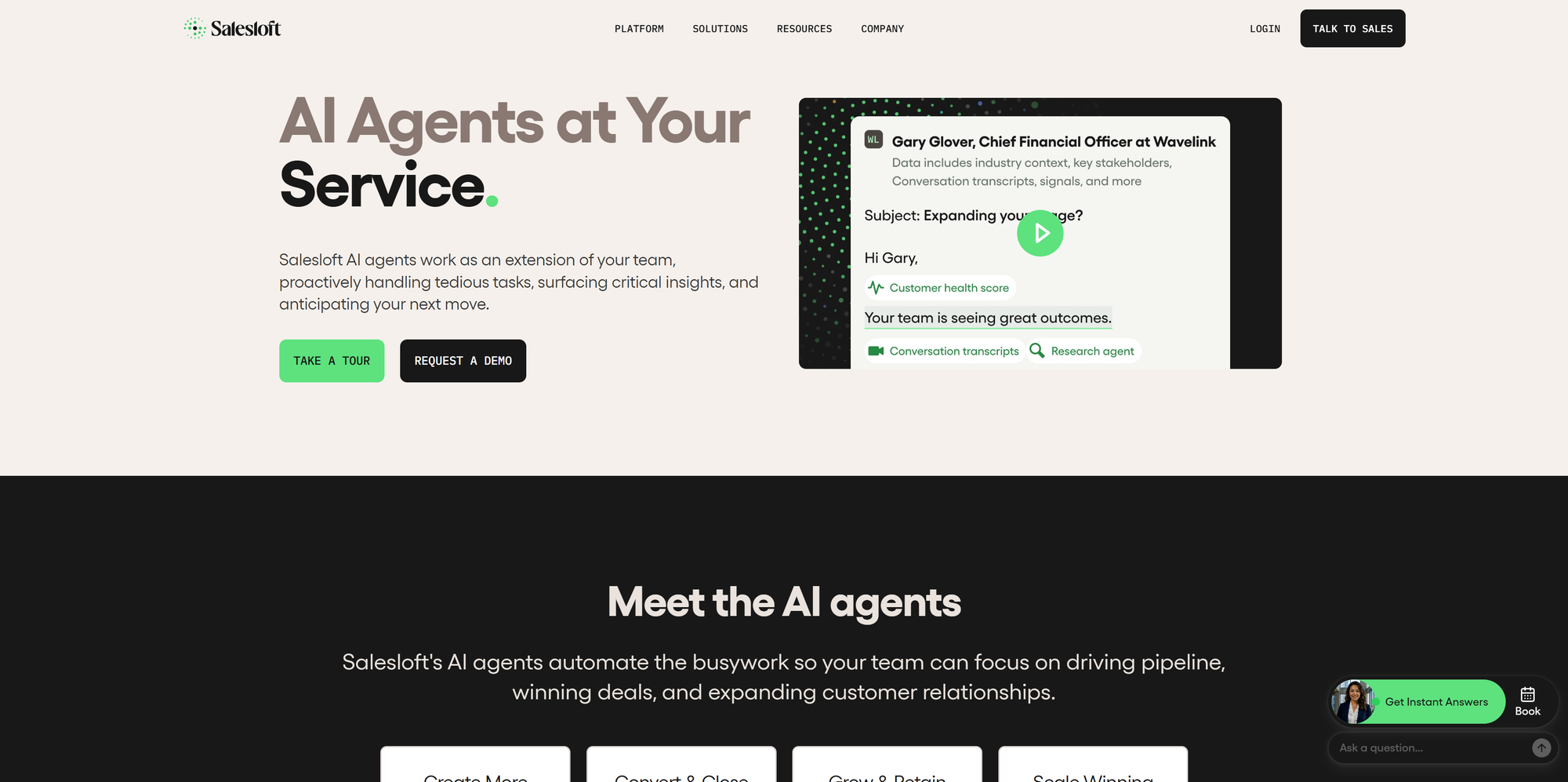
Drift bot refers to the chatbot capabilities within Drift, the conversational marketing platform associated with Salesloft. Businesses used it to start website conversations, collect visitor information, qualify potential buyers, and connect them with salespeople.
The central idea was simple: someone reading your pricing page could ask a question and move toward a sales conversation while their interest was high.
That made Drift particularly relevant to B2B companies using their websites to generate sales opportunities. Its automation supported the journey from an anonymous visit to a conversation and potentially a booked meeting.
A chatbot and live chat serve different roles within that journey. The bot can gather information or answer routine questions, while a person handles conversations requiring judgment. Our guide to chatbots vs. live chat explains how those roles fit together.
What happened to Drift?
Drift came back online after its 2025 security incident, then entered a planned sunset in 2026. These are separate developments, which explains why older articles can give conflicting impressions of its status.
| Date | What happened |
|---|---|
| September 5, 2025 | Salesloft took Drift offline for security remediation. |
| September 16, 2025 | Salesloft says Drift was brought back online. Core chat and reporting returned to customers, while additional integrations were restored in phases. |
| March 5, 2026 | Salesloft announced Drift’s gradual sunset and an agreement to refer existing customers to 1mind as its successor. |
September 16 is the restoration date stated in Salesloft’s Trust Center. It does not mean every integration was available that day. Likewise, the later sunset announcement does not establish that every customer’s service has already ended.
Salesloft’s current chat agents page also says it has transitioned from Drift to 1mind. However, the announcement doesn’t give every customer a single shutdown date.
If you already use Salesloft Drift, ask your account team for your contract’s timeline, available migration assistance, and what will happen to your existing setup. Keep written confirmation of any service commitments you depend on.
If you’re researching a new purchase, establish which product is actually being offered before assessing a demo. Drift’s historical feature set doesn’t automatically describe the successor’s capabilities, pricing, or migration process.
The rest of this review explains what Drift offered and how to use that information when assessing your next chatbot.
Drift bot’s main features
Drift combined website conversations with sales workflows. Here are the capabilities that mattered most to teams evaluating it.
Chat playbooks and Bionic AI
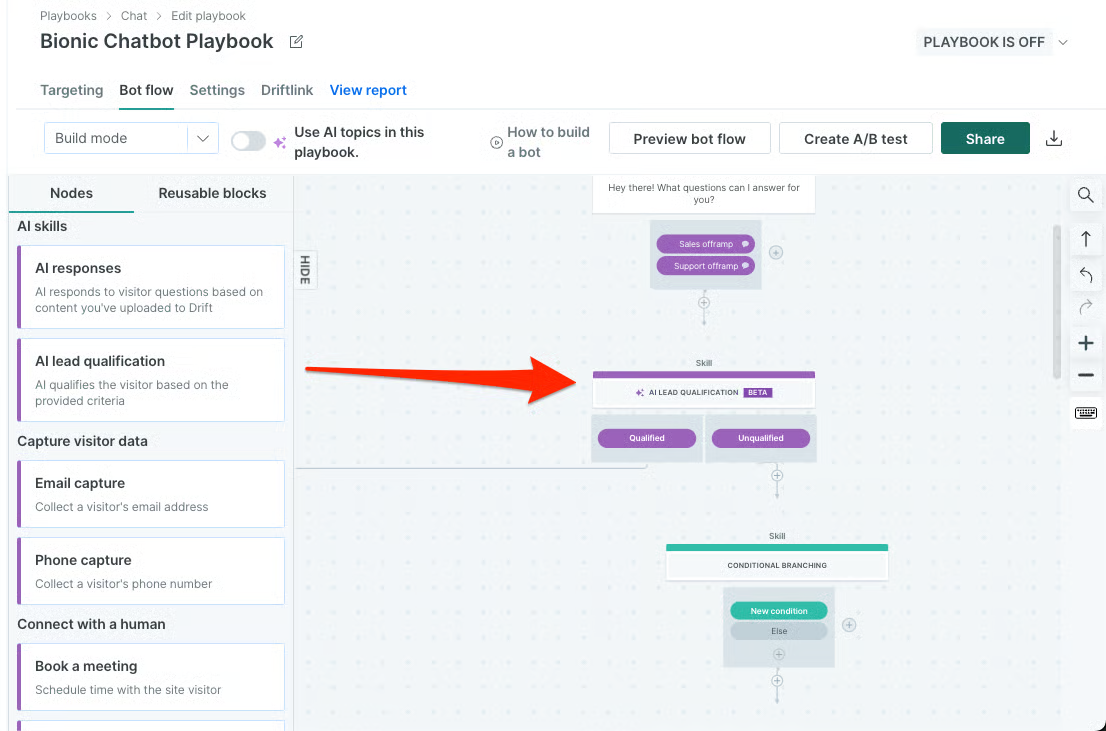
Drift’s chatbot playbooks let teams design conversation paths around specific goals. A pricing-page playbook might ask what a visitor needs, collect an email address, and offer the appropriate next step.
Planning chatbot scripts helps you decide which questions belong in each path.
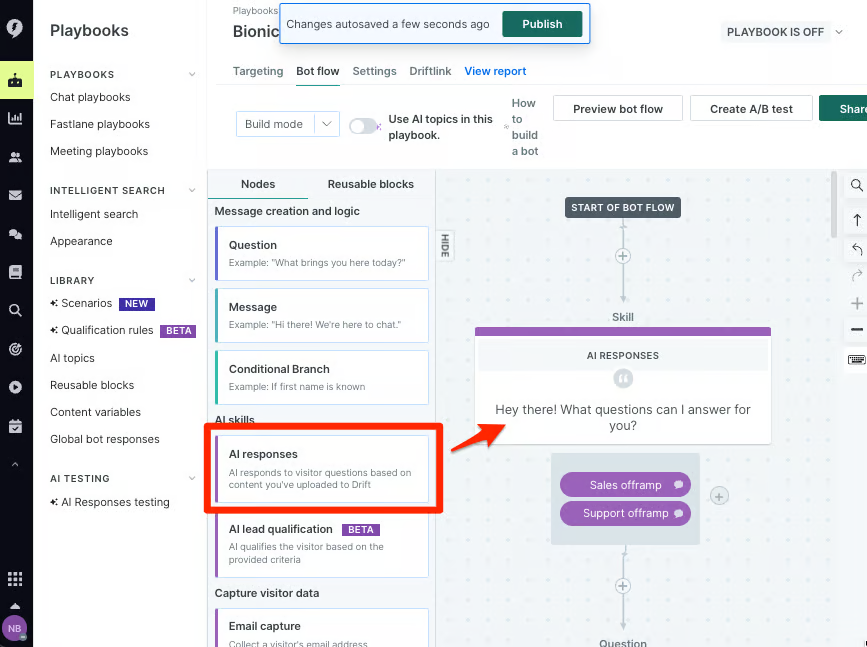
Drift also offered Bionic Chatbots, which used generative AI. Salesloft described Bionic as helping educate and qualify leads, with responses that weren’t limited to strict, predefined playbook paths.
Describing every Drift chatbot as rule-based misses its AI capabilities. Any AI replacement still needs useful training content and response testing.
Lead qualification and routing
Drift’s sales-oriented workflows helped collect visitor details and direct conversations toward the right team. The useful part was connecting a visitor’s answers to a meaningful action.
For example, imagine a visitor asking about an enterprise plan. A planned flow could collect their company email and team size, then direct a relevant prospect toward a sales conversation. Someone asking for help with an existing account would need a different destination.
Good qualification asks only for information that changes the next step. If you’re designing those criteria, start with how chatbots qualify leads.
Meeting booking and CRM integrations
Meeting booking was a major reason sales teams considered Drift. Offering a meeting during a conversation can shorten the path between a visitor’s question and a conversation with sales.
CRM integrations helped connect those conversations with the systems sales teams already used. For any replacement, test the details that matter to your workflow: contact creation, field mapping, record ownership, and how conversation context reaches a rep.
An integration logo alone doesn’t answer those questions. Ask to see your actual routing and booking scenario during the demo, including what happens when the assigned rep has no availability.
Conversation reporting
Drift’s reporting helped teams examine chatbot engagement and conversation performance. That gave them a basis for adjusting prompts, qualification steps, and handoffs.
For sales, connect reporting to qualified opportunities and meetings that actually happen. For support, look at whether customers received useful answers and whether unresolved issues reached your team.
Drift review: strengths and limitations
My assessment here is based on product documentation and published user feedback. It isn’t a hands-on product test.
Where Drift worked well
Drift’s clearest strength was bringing sales conversations closer to the moment of interest. A visitor could engage while exploring your site, without waiting for someone to respond to a form submission.
Historical G2 feedback includes praise for real-time prospect engagement, lead generation, and meeting scheduling. These individual experiences describe earlier use of Drift, rather than a post-sunset assessment or guaranteed outcomes.
The use case makes particular sense when your sales team has a clear definition of a qualified lead and enough website demand to support ongoing optimization. Our chatbot lead generation guide covers the broader approach.
Setup, maintenance, and user experience
The work extends beyond adding a chat widget. Teams need to plan conversation paths, maintain content, configure ownership, and test how information moves between tools.
Historical G2 feedback also includes complaints about routing, notifications, the learning curve, and cost. Treat these as areas to investigate during evaluation, rather than assuming every customer encountered them.
For example, a convincing demo might show a successful booking. Your test should also cover an unanswered question, an unavailable rep, an existing customer entering a sales flow, and a failed integration.
Today, product continuity is an additional limitation. Before investing more time in Drift-specific setup, confirm how long it will remain useful under your agreement and what can move to the next platform.
Drift bot pricing: what can you verify today?
I couldn’t verify a current public Drift price from Salesloft’s pricing page. During research, that URL redirected to a sales-contact page.
Older reviews may show a $2,500 monthly starting price or list Salesloft platform packages. Neither should be treated as a current Drift offer without confirmation.
For an existing account or a proposed replacement, request a written breakdown of:
- Platform and user costs: the base subscription and any paid seats.
- AI usage: what counts as a billable conversation, action, or resolution.
- Implementation: setup assistance, integration work, and training.
- Migration: data transfer, overlap between subscriptions, and rebuilding workflows.
- Contract terms: renewal dates, service commitments, and cancellation conditions.
Compare costs using the same expected workload. Our chatbot pricing guide explains common billing models, which can make similar-looking quotes behave very differently as usage grows.
Choosing your next chatbot
Start with the conversations you need to handle. Sales qualification, product education, and customer support place different demands on a bot.
| Your main goal | What to prioritize in a demo |
|---|---|
| Generate qualified sales conversations | Qualification logic, rep assignment, calendar booking, and CRM context |
| Answer product questions | Knowledge coverage, answer accuracy, and useful follow-up questions |
| Support existing customers | Help content, human handoffs, conversation history, and ticket ownership |
| Replace an existing Drift setup | Migration scope, workflow rebuilding, service continuity, and total cost |
If you used Drift for sales
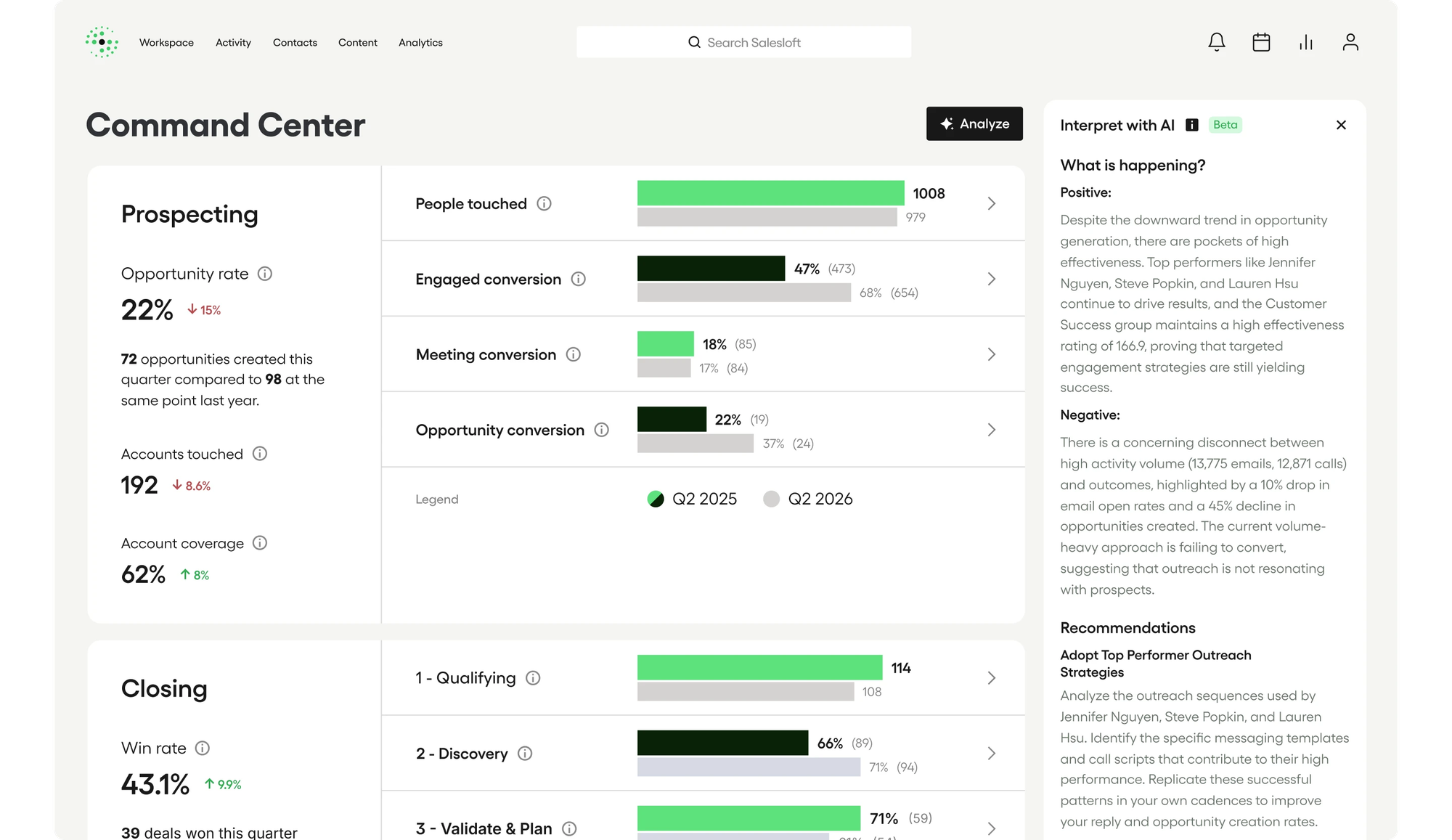
Include 1mind in your research because Salesloft identifies it as the successor. Ask which parts of your existing setup can transfer and which need rebuilding. Confirm pricing, CRM compatibility, and responsibility for implementation before agreeing to a transition.
Bring your qualification criteria and routing rules to the demo. Test account ownership, calendar availability, and follow-up requirements. The successor designation alone does not establish that every workflow will behave the same way.
If you used Drift for customer support
Compare customer service chatbot software built around resolving customer issues. Prioritize knowledge coverage, ticket ownership, human handoffs, and continuity across the channels your customers use.
Featurebase belongs in this evaluation when you want AI support, help content, and product feedback together. Check its fit against your support requirements, including any integrations or custom actions your team needs.
Test the replacement before switching
Choose three real conversations from your business and ask each vendor to demonstrate them. Include one straightforward request, one ambiguous question, and one case that requires a human. This gives you a more useful comparison than checking feature names alone.
Then pilot the replacement on a limited part of your website. Check answers, routing, contact records, and notifications before expanding it. Assign someone to monitor failed handoffs during the changeover.
Coordinate the old widget’s removal with the new widget’s activation so visitors do not encounter overlapping chat experiences. Keep any permitted exports and workflow documentation accessible to your team.
Featurebase for AI-powered customer support

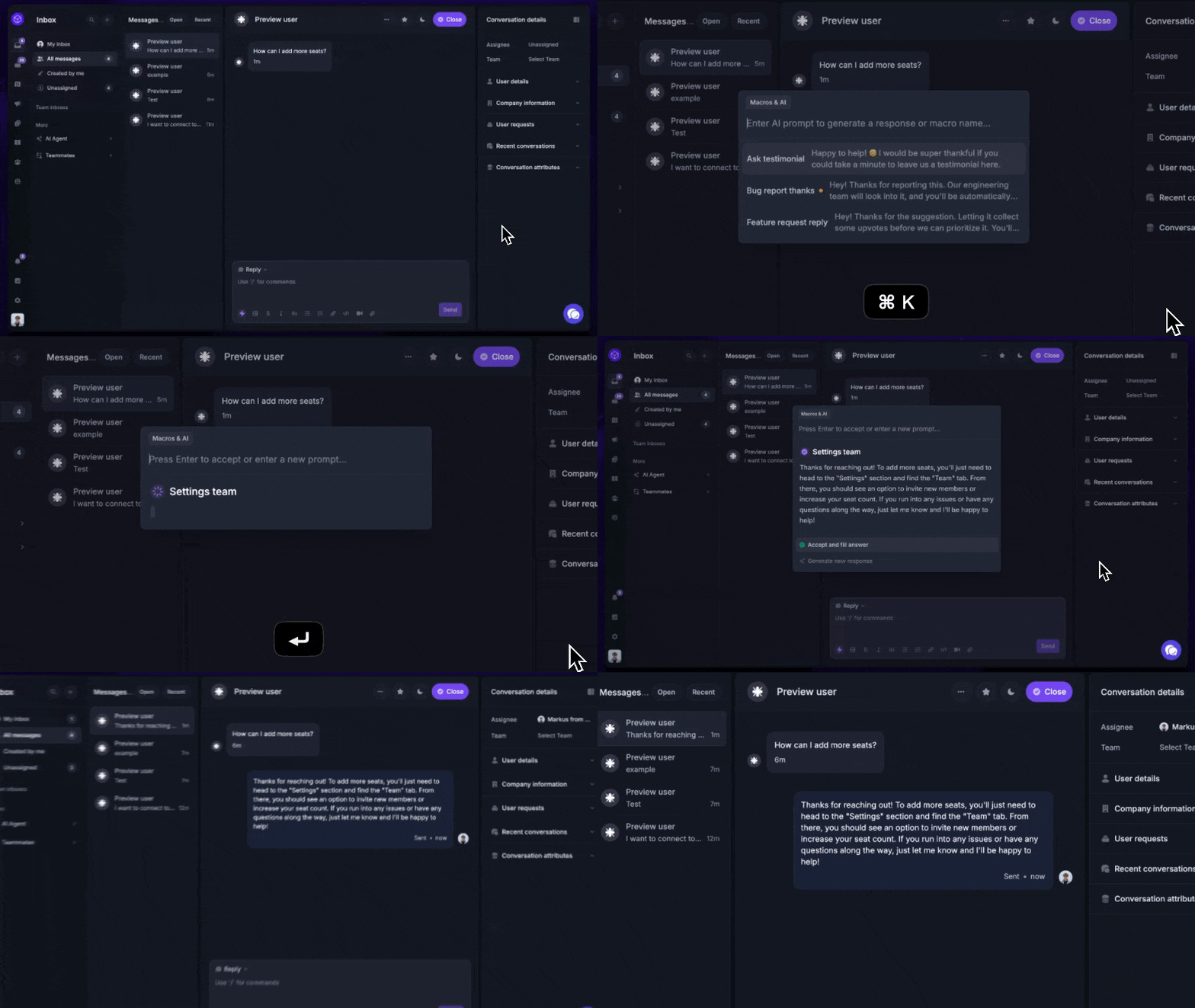
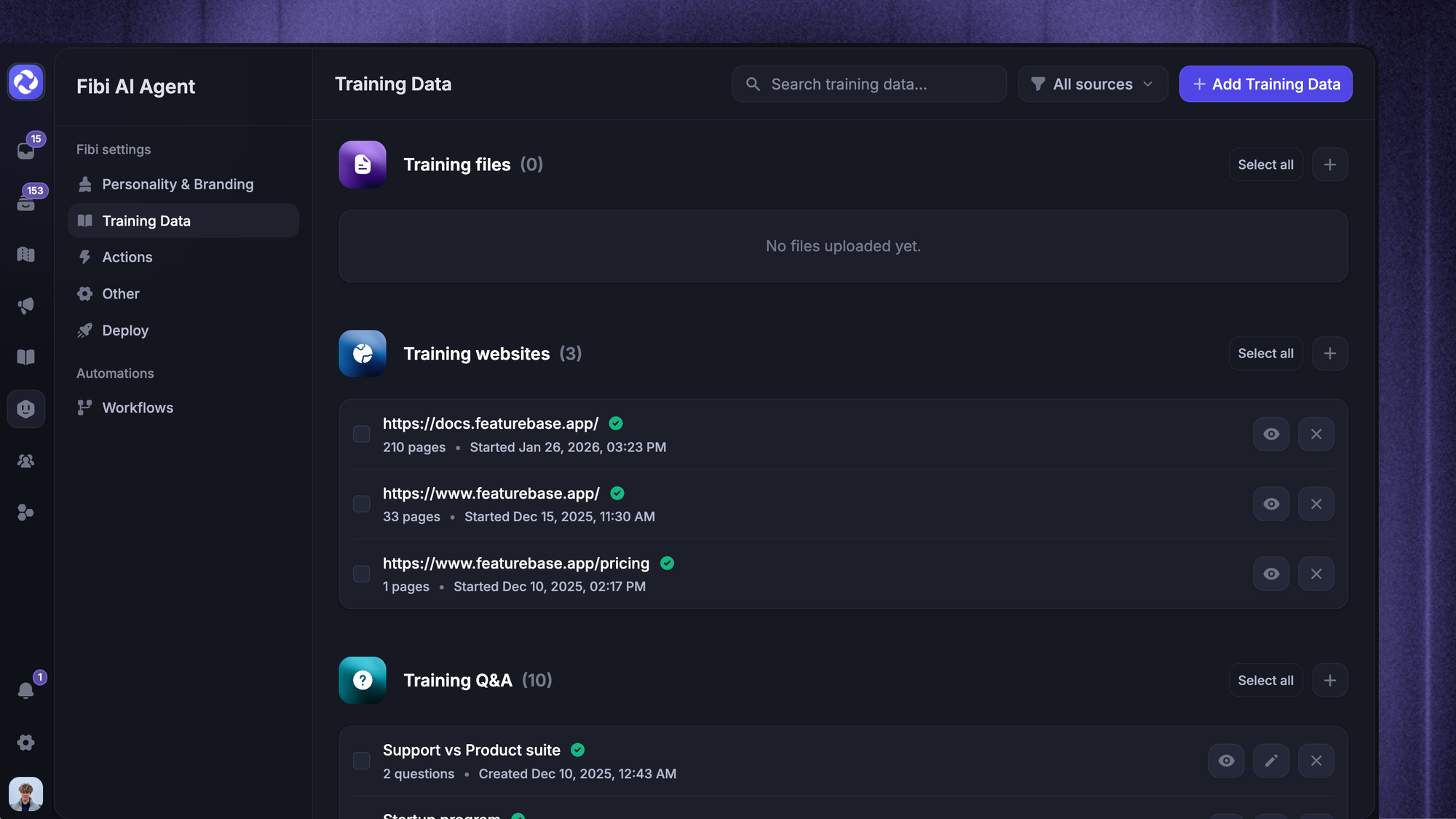
Featurebase is a modern AI customer support platform for product-led SaaS. It combines AI-powered support, help center, and feedback management into a single platform for startups that want all their customer-facing tools in one place. Featurebase is used by product and support teams, including companies such as Lovable, Raycast, and n8n. 💫
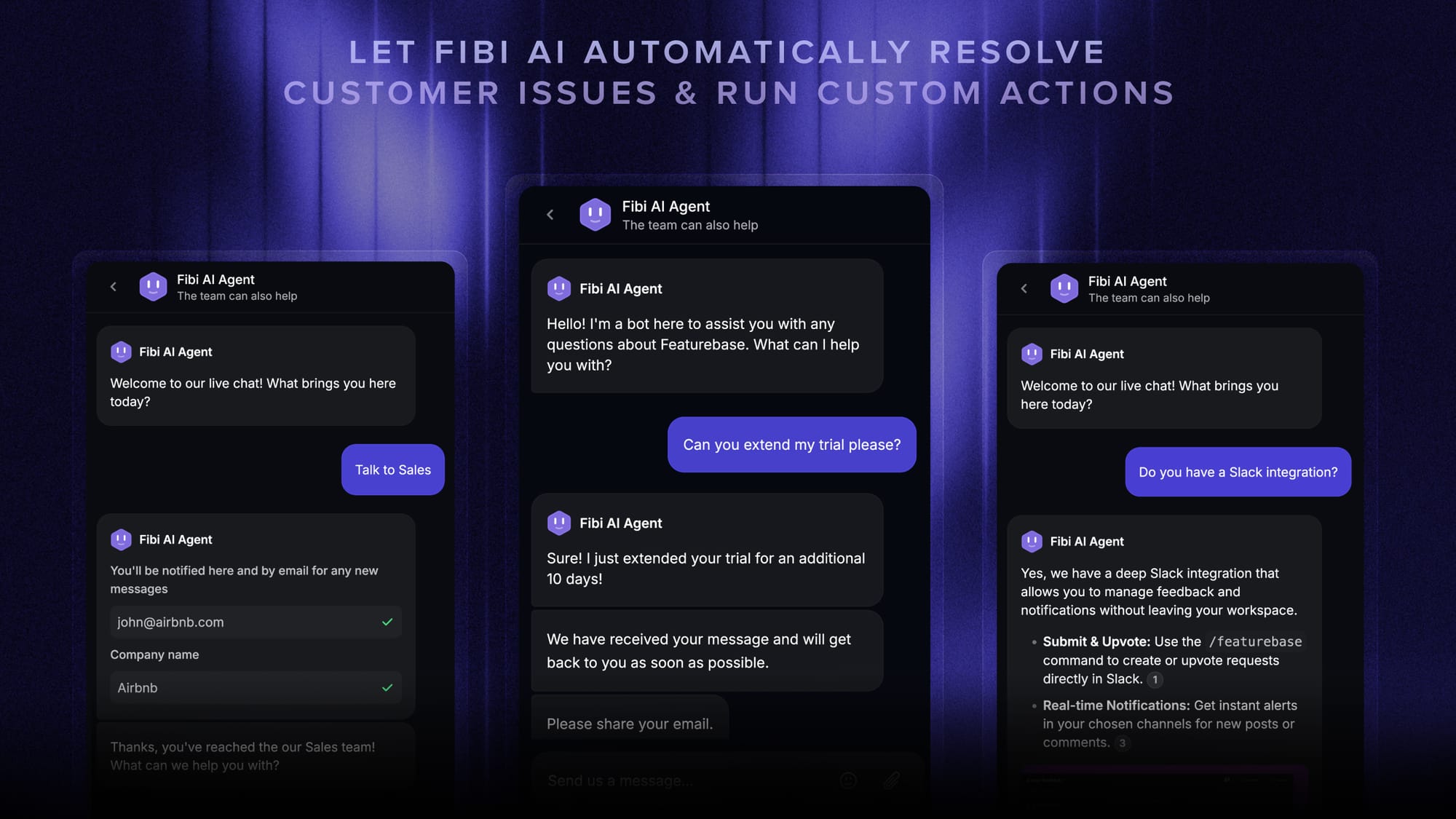
It’s worth considering when your main need is helping customers use your product. Fibi AI Agent can answer from your support knowledge and run configured custom actions, with workflows supporting information collection and human handoffs.
Top features:
- Omnichannel inbox – Manage live chat, email, and Slack conversations from one AI-powered view
- Fibi AI Agent – Answer customer questions and run custom actions like trial extensions and refunds through configured external APIs
- Help center with AI search – Provide instant, multilingual self-serve answers
- Workflows & automations – Auto-assign tickets, route conversations, collect customer data, and more
- AI Copilot – Help your agents answer customers faster with AI Copilot that uses your internal knowledge
- Multi-brand support – Manage multiple Help Centers and Live chats from a single workspace
- Automatic AI translations – Translate customer conversations and help articles in supported languages when enabled
- Service Level Agreements – Set and track response and resolution targets
- Mobile app – Respond to customers, receive notifications, and unblock users on the go
- Feedback & roadmap tools – Collect feature requests and close the loop with updates
- Product updates – Publish release notes with a changelog page, in-app widget, and emails
- Integrations – Connects with Slack, Linear, Jira, HubSpot, and more
Pricing: Paid plans start at $29 per seat/month, billed yearly, plus $0.49 per AI resolution. Feature availability varies by plan. For example, Workflows is included from Professional, while multi-brand support is an Enterprise feature.
There’s also a free plan with one seat and unlimited conversations, but it doesn’t include AI. AI translations have separate usage-based billing, with additional charges above the included allowance. Check Featurebase’s pricing for the plan that covers your workflow.

Get the best and secured Drift alternative
Automatically resolve 70% of customer requests & cut down manual support loads
Conclusion
Drift bot brought website conversations, qualification, and meeting booking into the sales process. Its playbooks and Bionic AI explain why sales teams considered it, but the announced sunset changes the buying decision today.
Featurebase is a modern AI customer support platform for product-led SaaS. It combines AI-powered support, help center, and feedback management into a single platform for startups that want all their customer-facing tools in one place. 💫
Featurebase comes with a Free plan with one seat and unlimited conversations, so there's no downside to trying it. AI is available on paid plans. 👇
✨ Automate your support with the fastest AI-enhanced Inbox today →

FAQs
Do you need a chatbot if you only want to book meetings?
Not necessarily. A scheduling link or a short form may be enough if visitors already know they want a demo. A chatbot becomes more useful when people need answers or qualification before booking.
Can a chatbot identify visitors who never send a message?
That depends on separate visitor identification capabilities and the information available to the platform. A visible chat widget alone doesn’t establish a visitor’s identity. Ask vendors what they can identify and under which conditions.
Which metrics should you track when replacing a chatbot?
Record a baseline before switching so you can compare performance over similar periods. Segment results by page and traffic source, and track abandonment as well as completed conversations. Otherwise, a change in visitor mix can look like a change in chatbot quality.
Can an AI chatbot handle every conversation without a person?
You should plan for exceptions. Ambiguous requests, missing information, and actions outside the bot’s permissions can require a person. Make that handoff easy for the customer and preserve the context they’ve already shared.
What should you document before migrating from Drift?
Create an inventory of active playbooks, knowledge sources, integrations, custom fields, and ownership rules. Assign an owner to each critical workflow and record how it should behave. Confirm export options before assuming your history or configuration can be transferred automatically.