Blog Product ManagementBest Product Management Software in 2026
Best Product Management Software in 2026
Comparing product management software? Here are the 9 best tools for 2026, ranked by who each one is best for, with features, pricing, and free plans.

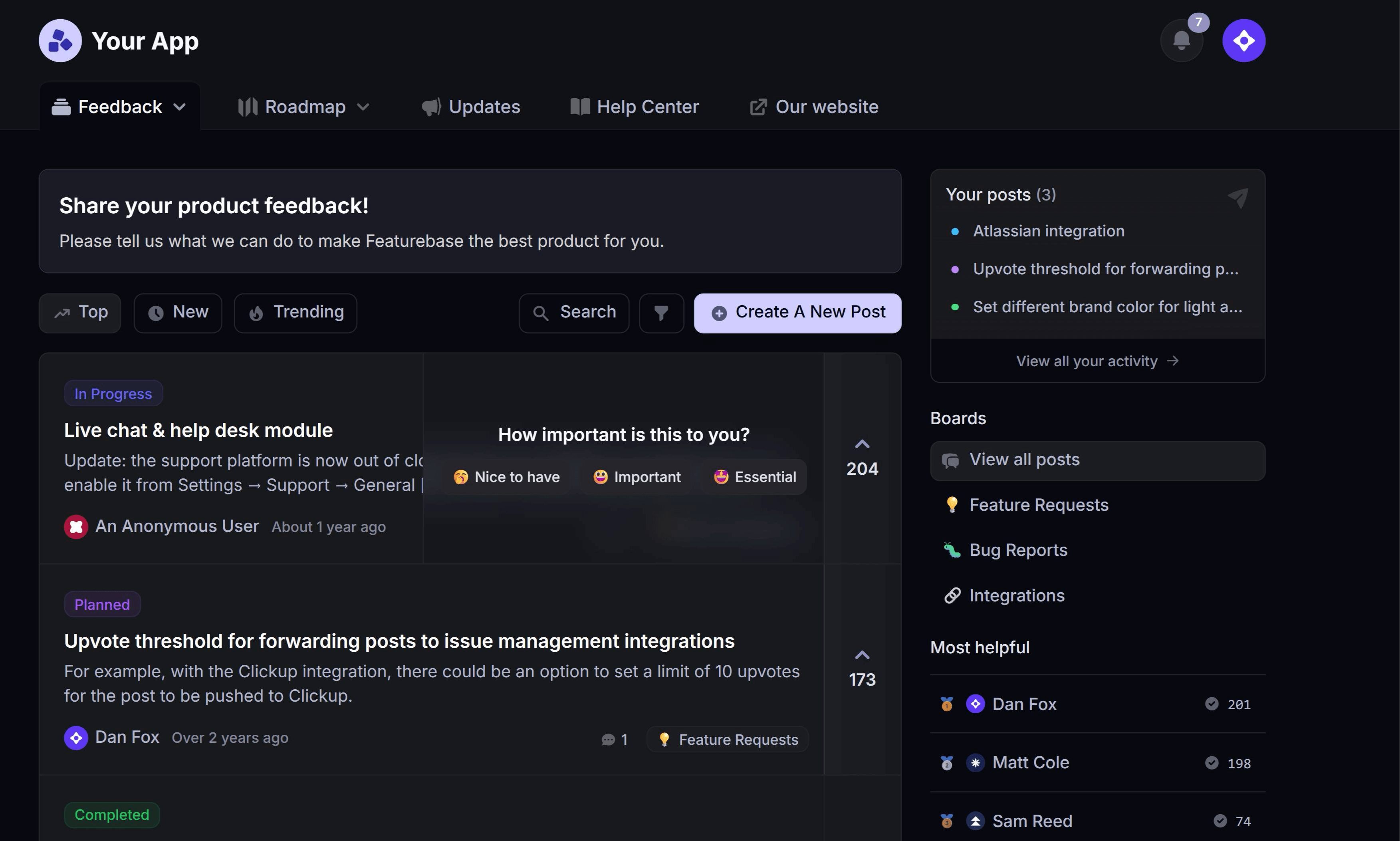

✨ Create internal & public roadmaps with Featurebase for free →
Most product teams don't struggle to ship features. They struggle to know which features are actually worth shipping.
That's the real job of product management software: turning scattered feedback, requests, and ideas into a clear, prioritized roadmap your whole team (and your users) can rally behind. Pick the wrong tool and you get a glorified to-do list. Pick the right one and you stop guessing.
Below, I've ranked the 9 best product management tools for 2026: what each does well, where it falls short, and who it's best for. 👇
Key takeaways
| Tool | Best for | Free plan | Starting price |
|---|---|---|---|
| ✨Featurebase | Modern SaaS teams that want roadmaps, feedback, and updates in one place | Yes | $29/seat/mo |
| Productboard | Larger teams centralizing customer insights at scale | Yes | $19/maker/mo |
| Aha! | Enterprises needing deep strategy-to-roadmap planning | No (trial) | $59/user/mo |
| Jira Product Discovery | Teams already living in the Jira and Atlassian stack | Yes | $10/creator/mo |
| Canny | Teams that want a simple public feedback and voting board | Yes | $79/mo |
| airfocus | Teams that want modular, customizable prioritization | No | Custom |
| ProductPlan | Teams focused on clean visual roadmaps for stakeholders | No | Custom |
| Notion | Small teams wanting a flexible all-in-one workspace | Yes | $10/seat/mo |
| Craft.io | Teams wanting an end-to-end PM workspace with templates | No (trial) | $19/editor/mo |
What is product management software?
Product management software is any tool that helps product teams decide what to build, plan when to build it, and keep everyone aligned along the way. It's the layer that sits between raw customer input and your engineering backlog.
The category is broad, so it helps to know what it is not. Project management software (like Asana or Jira boards) tracks how and when work gets done: tasks, sprints, and deadlines. Product management software answers the earlier question: what should we build next, and why? That usually means collecting feedback, prioritizing ideas, building a roadmap, and announcing what shipped.
Some tools do one of those jobs well. Others try to cover the whole product workflow. The right pick depends on where your team spends the most time guessing.
What to look for in product management software
Not every tool needs every feature, but the strongest product management platforms tend to cover the same core jobs. Here's what actually moves the needle:
- Feedback capture: A way to collect feature requests, bug reports, and ideas from customers and your team in one place, instead of scattering them across email, Slack, and sticky notes.
- Prioritization: Scoring or voting so you can rank ideas by impact rather than by whoever shouts loudest. The best tools tie ideas to revenue or customer data.
- Roadmapping: A visual plan that shows what's planned, in progress, and shipped, and that stakeholders can actually read without a meeting.
- Changelog and updates: A way to close the loop by telling users when the thing they asked for goes live. This is the step most teams skip.
- Integrations: Two-way syncs with your dev tools (Jira, Linear, GitHub) and comms tools (Slack) so product decisions don't live on an island.
Why does this matter so much? Because build effort is easy to waste. On the average product, just 6% of features generate 80% of clicks, which means most of what teams ship barely gets touched. Good software is what keeps you building the 6% instead of the 94%.
This is exactly where a tool like Featurebase earns its place. Its feedback forum lets users submit and vote on ideas, you can prioritize those ideas by the revenue behind each request, and the winners flow straight onto a public roadmap users can follow, so the loudest customer doesn't automatically win over the most valuable one.
The 9 best product management software tools for 2026
Here are the 9 tools worth shortlisting this year, starting with the most well-rounded pick for modern SaaS teams.
1. Featurebase✨
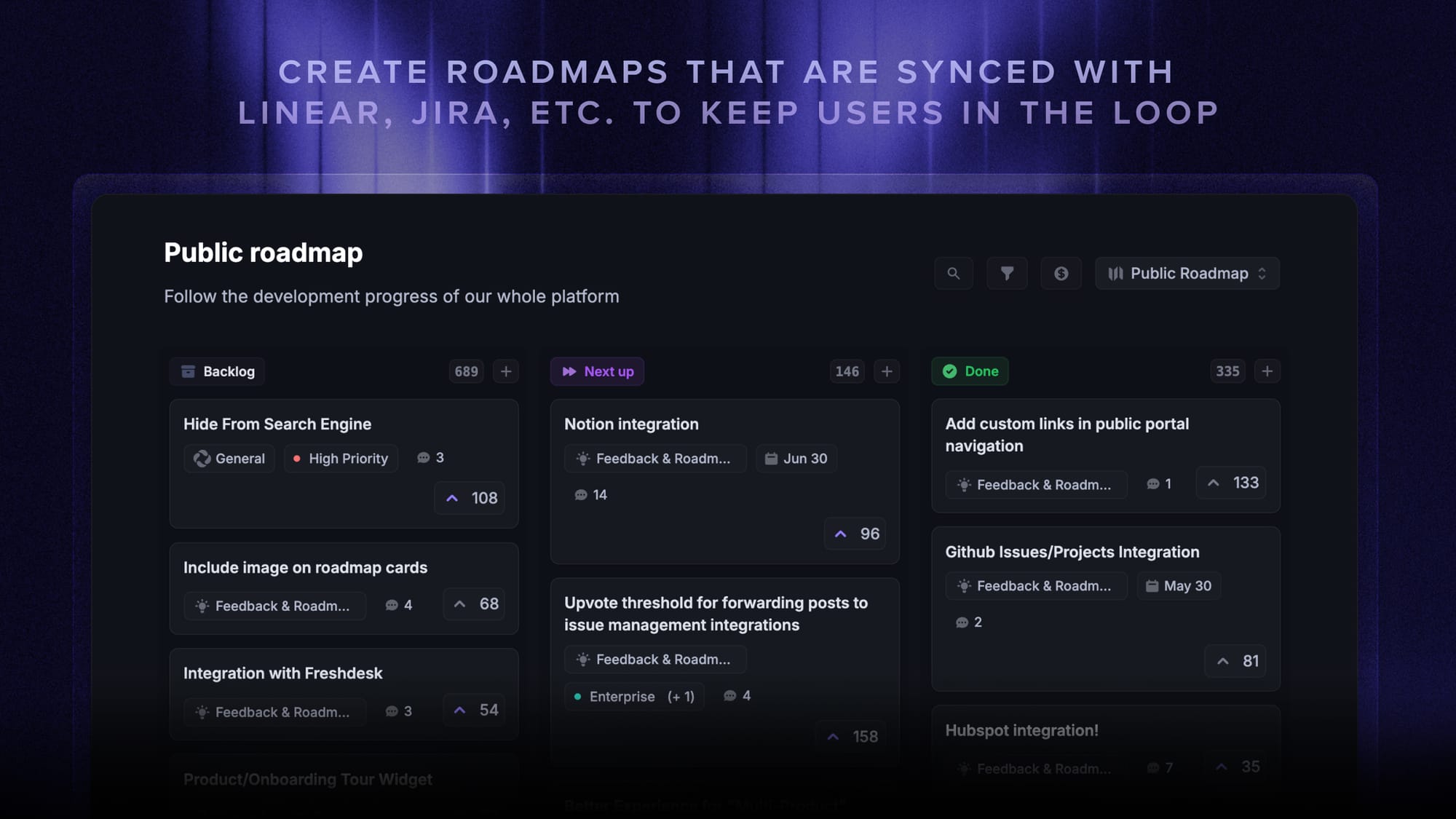
Featurebase is a modern product management tool that helps teams build roadmaps, collect and prioritize feedback, and announce what shipped, all in one place. Instead of stitching together a roadmap tool, a feedback tool, and a changelog tool, you run the whole "what to build next" loop in a single app.
It's a strong fit for product-led SaaS teams that want to plan the roadmap and stay close to users without adding five subscriptions to do it.
Top features:
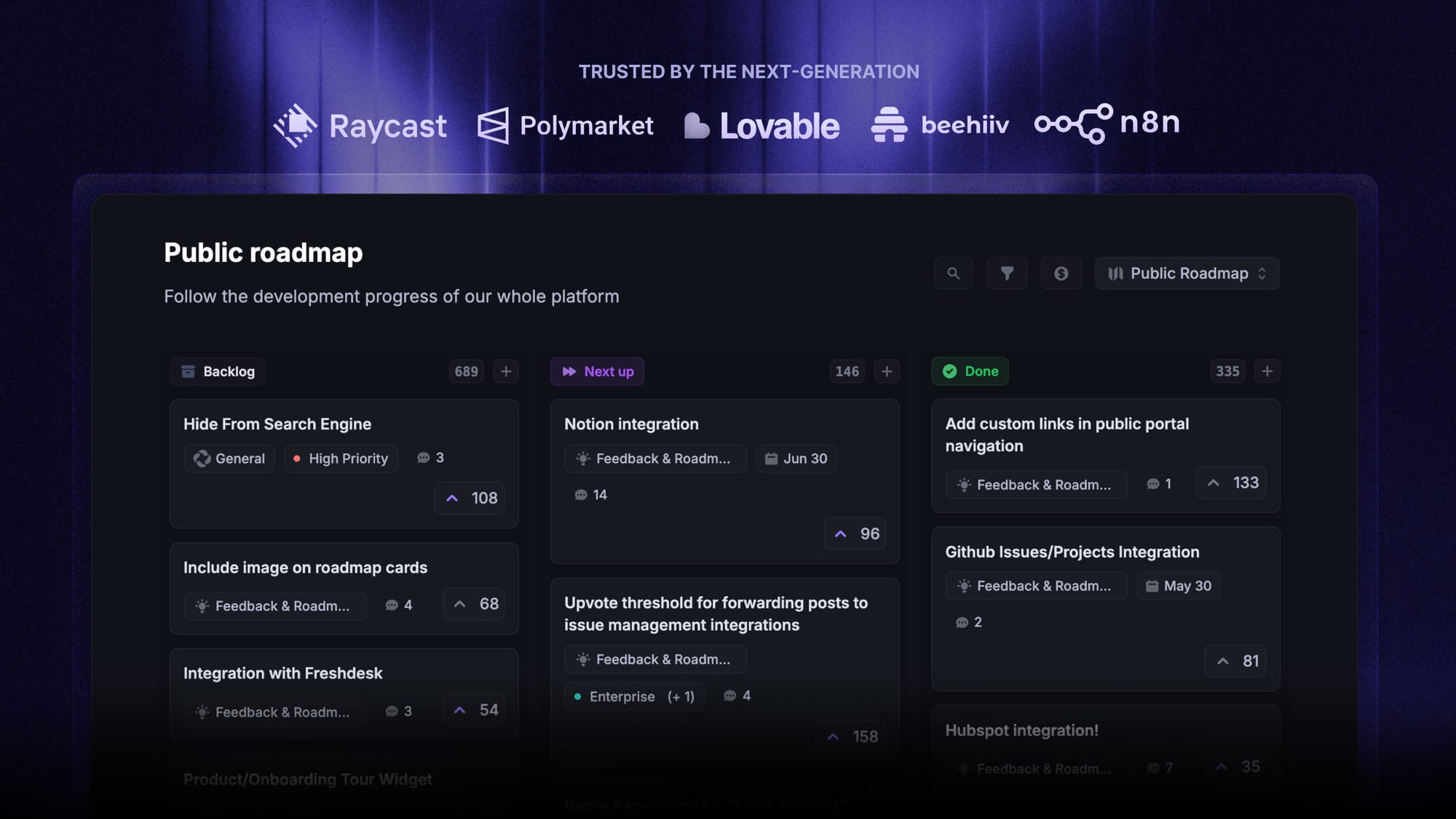
- Roadmaps – Build internal and public product roadmaps so users and teammates always know what's planned, in progress, and shipped
- Feedback forum – Public board where users submit ideas and vote, so you can see what customers actually want
- Prioritize by revenue – Link feedback to customer revenue and company size to weigh impact, not volume
- AI feedback categorization – Automatically group large volumes of feedback into themes and product areas
- Product updates – Publish release notes through a changelog page, in-app widget, and automatic emails
- Surveys – Run NPS, CSAT, and targeted in-app surveys to dig deeper when you need to
It also integrates with the tools you already use, like Linear, Jira, Slack, and HubSpot.
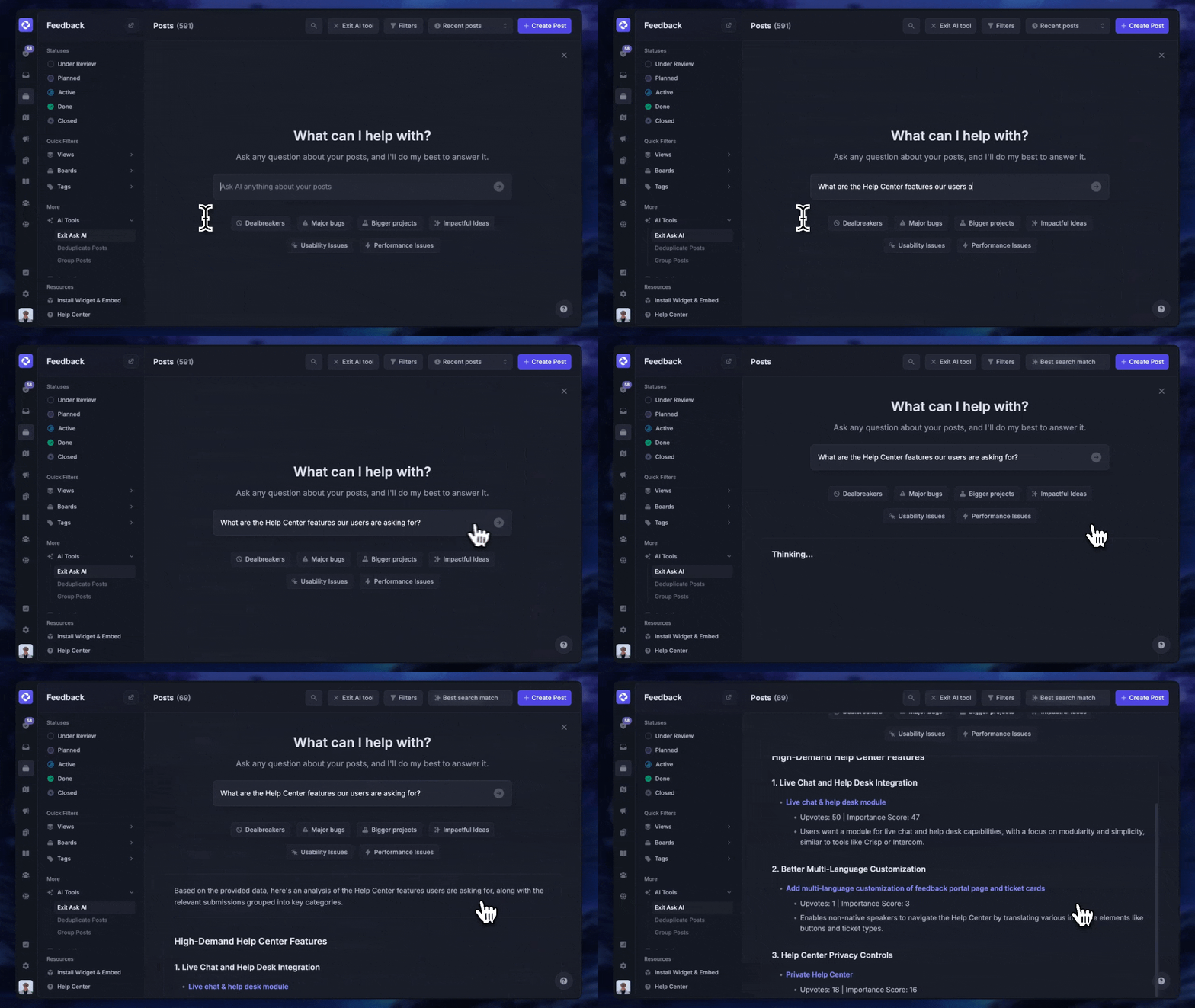
Pricing: Free plan with unlimited feedback collection. Paid plans start at $29/seat/mo.
✨ Manage your products with Featurebase for free →
2. Productboard
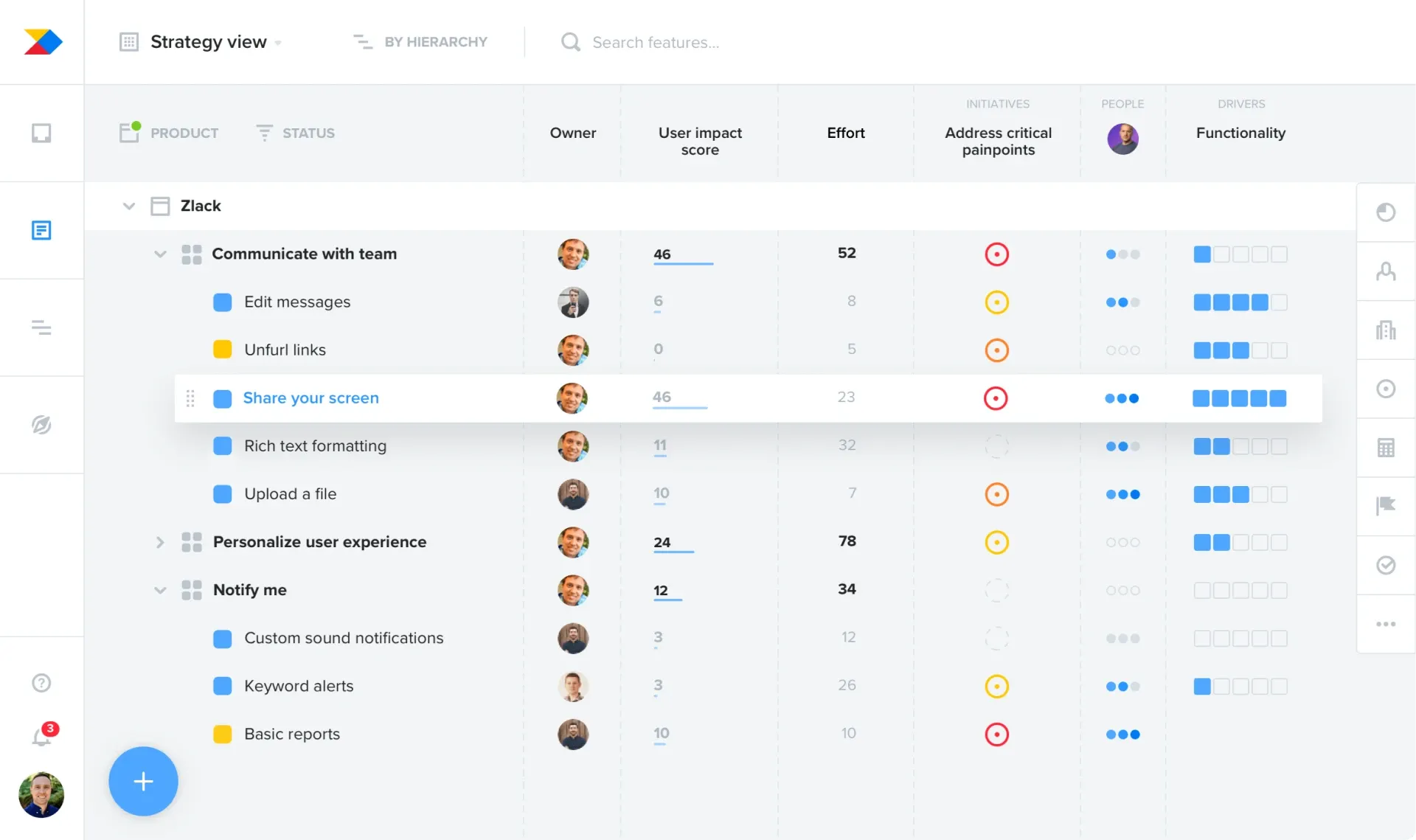
Productboard is one of the best-known dedicated product management platforms, built to centralize customer insights and turn them into prioritized roadmaps. It's aimed at mid-size and larger product orgs that manage a lot of incoming feedback.
Key features
- Customer feedback and insights repository
- Prioritization scoring and custom frameworks
- Roadmap views for different stakeholders
- Integrations with Jira, Slack, and Salesforce
Productboard is powerful, but reviewers commonly note two things: it carries a steep learning curve, and the pricing climbs quickly once you add makers and move past the entry tier. Smaller teams sometimes find it heavier than they need.
Pricing: Free plan available. Paid plans start at $19/maker/mo (billed annually), with the Business tier at $59/maker/mo. See the full Productboard pricing breakdown for details.
3. Aha!

Aha! is an enterprise-grade suite built for teams that want to link big-picture strategy all the way down to individual features. Aha! Roadmaps bundles idea portals, whiteboards, and knowledge docs into one platform.
Key features
- Strategy and goal-setting tied to releases
- Ideas portal for capturing and managing feedback
- Detailed roadmaps and release planning
- Prioritization scorecards
The depth is the draw and the drawback. Reviewers consistently praise how much Aha! can do, while flagging that it can feel overwhelming to set up and learn, and that the price sits at the higher end of the category.
Pricing: No free plan (30-day trial available). Aha! Roadmaps starts at $59/user/mo. See the Aha! pricing guide for the full breakdown.
4. Jira Product Discovery
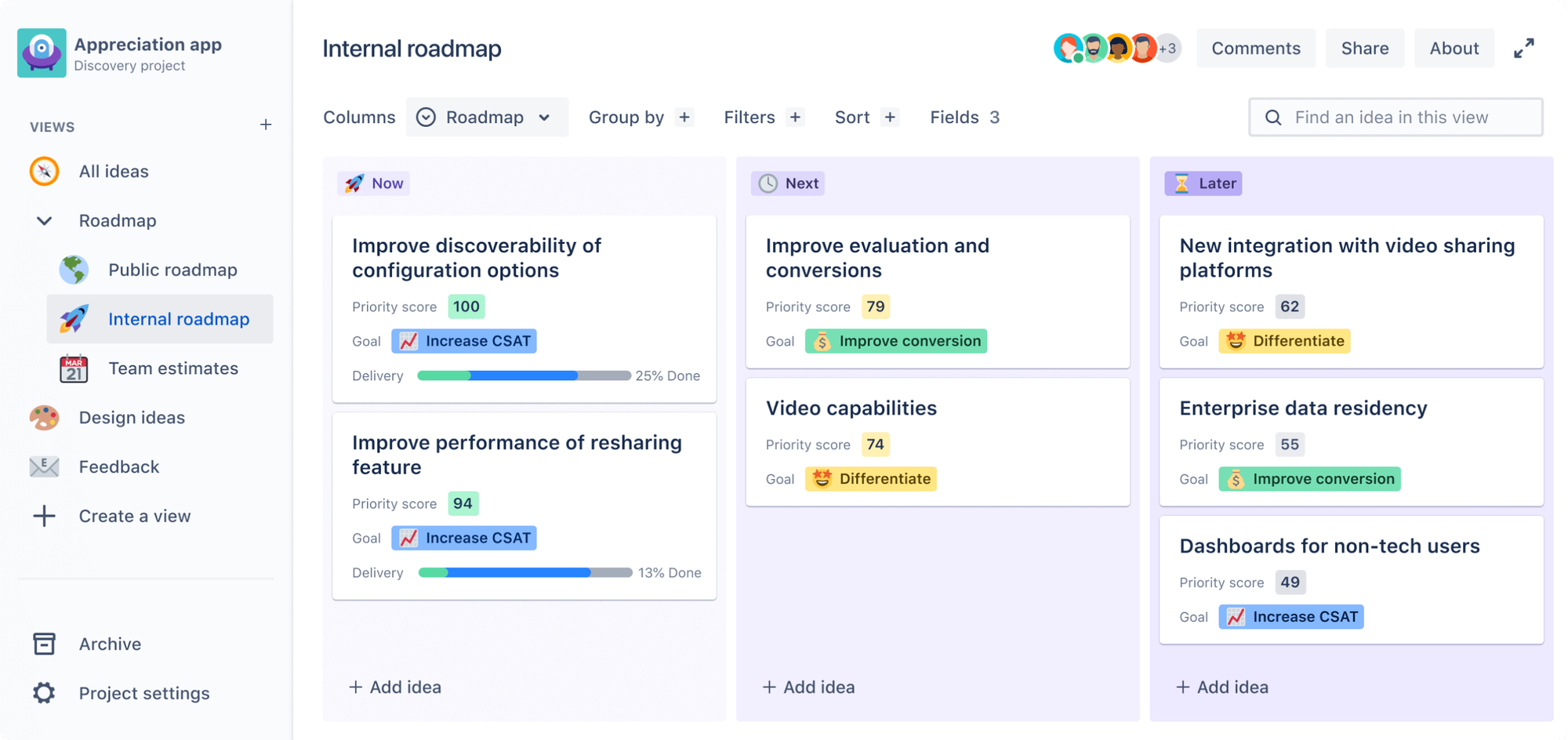
Jira Product Discovery is Atlassian's dedicated tool for capturing ideas, gathering insights, and prioritizing what to build. Its biggest advantage is how tightly it connects to the rest of the Jira and Confluence ecosystem.
Key features
- Idea capture with custom fields and views
- Insights and voting to back prioritization
- Prioritization matrices and roadmap views
- Native handoff to Jira delivery projects
Reviewers like the clean idea-capture flow and the low entry price. The main knock is that it shines mainly when your team already lives in Atlassian tools. As a standalone product tool, it can feel thinner than purpose-built platforms.
Pricing: Free for up to 3 creators. Paid plans start at $10/creator/mo. See the Jira Product Discovery pricing breakdown for details.
5. Canny
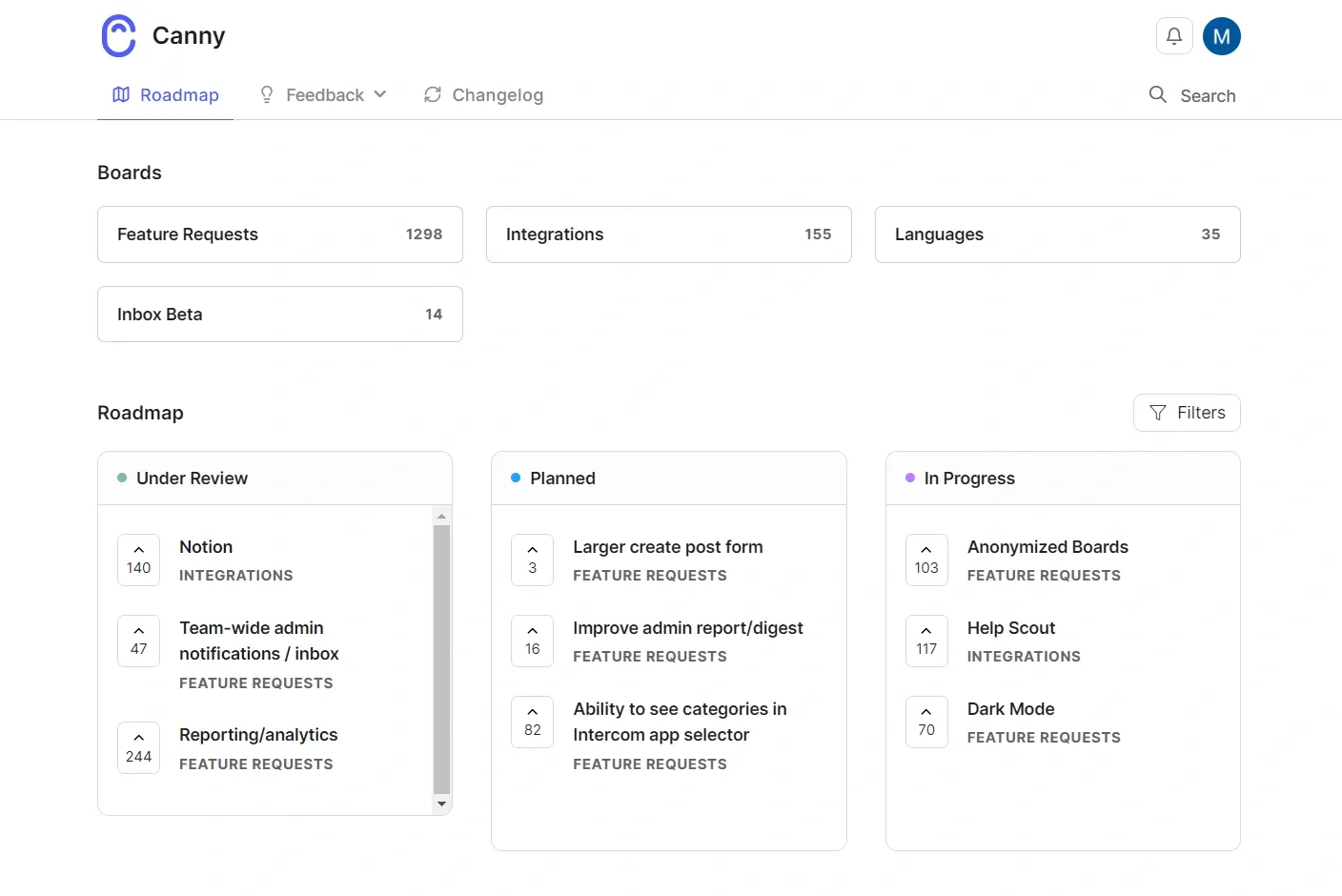
Canny is a focused feedback tool built around public boards where users post and vote on ideas. It's a popular, simple choice for teams that mainly want to capture and organize feature requests.
Key features
- Public and private feedback boards with voting
- Roadmap to show what's planned and shipped
- Changelog for announcing updates
- Integrations with Jira, Linear, and Slack
Canny does the feedback job cleanly, but reviewers point out two limits: its pricing is based on tracked users, which can scale up faster than expected, and its roadmapping and prioritization are lighter than in full product suites.
Pricing: Free plan for up to 25 tracked users. The Pro plan starts at $79/mo (billed yearly). See the Canny pricing breakdown for details.
6. airfocus
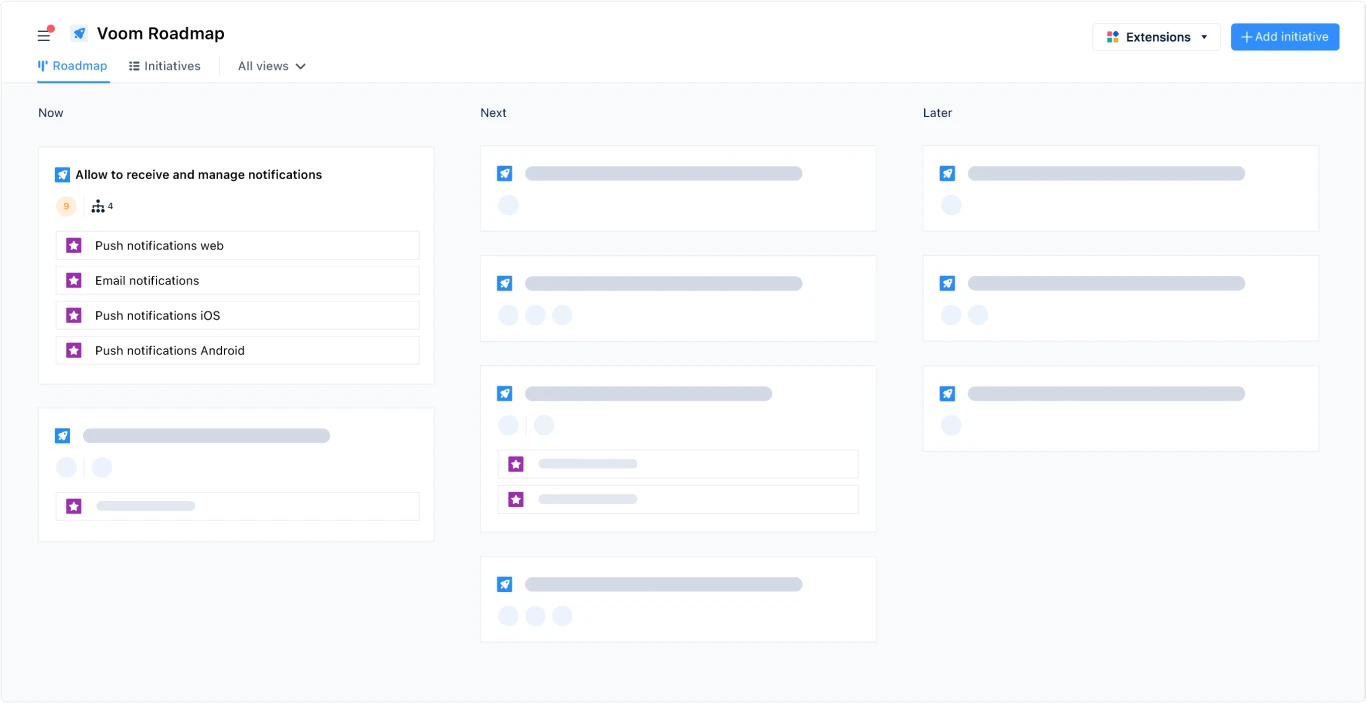
airfocus is a modular product management platform that lets teams build the exact workflow they want from prioritization, roadmapping, and feedback modules. The flexibility is the whole pitch.
Key features
- Customizable prioritization frameworks
- Modular roadmaps and product hierarchy
- Feedback management and insights
- OKRs and portfolio views (on higher tiers)
That modularity is a double-edged sword. Reviewers appreciate how configurable airfocus is, but note the learning curve that comes with it, and the lack of a free plan or transparent self-serve pricing can make it harder to trial.
Pricing: No free plan or free trial. Pricing is quote-based (contact sales), so you'll need a demo to get numbers.
7. ProductPlan
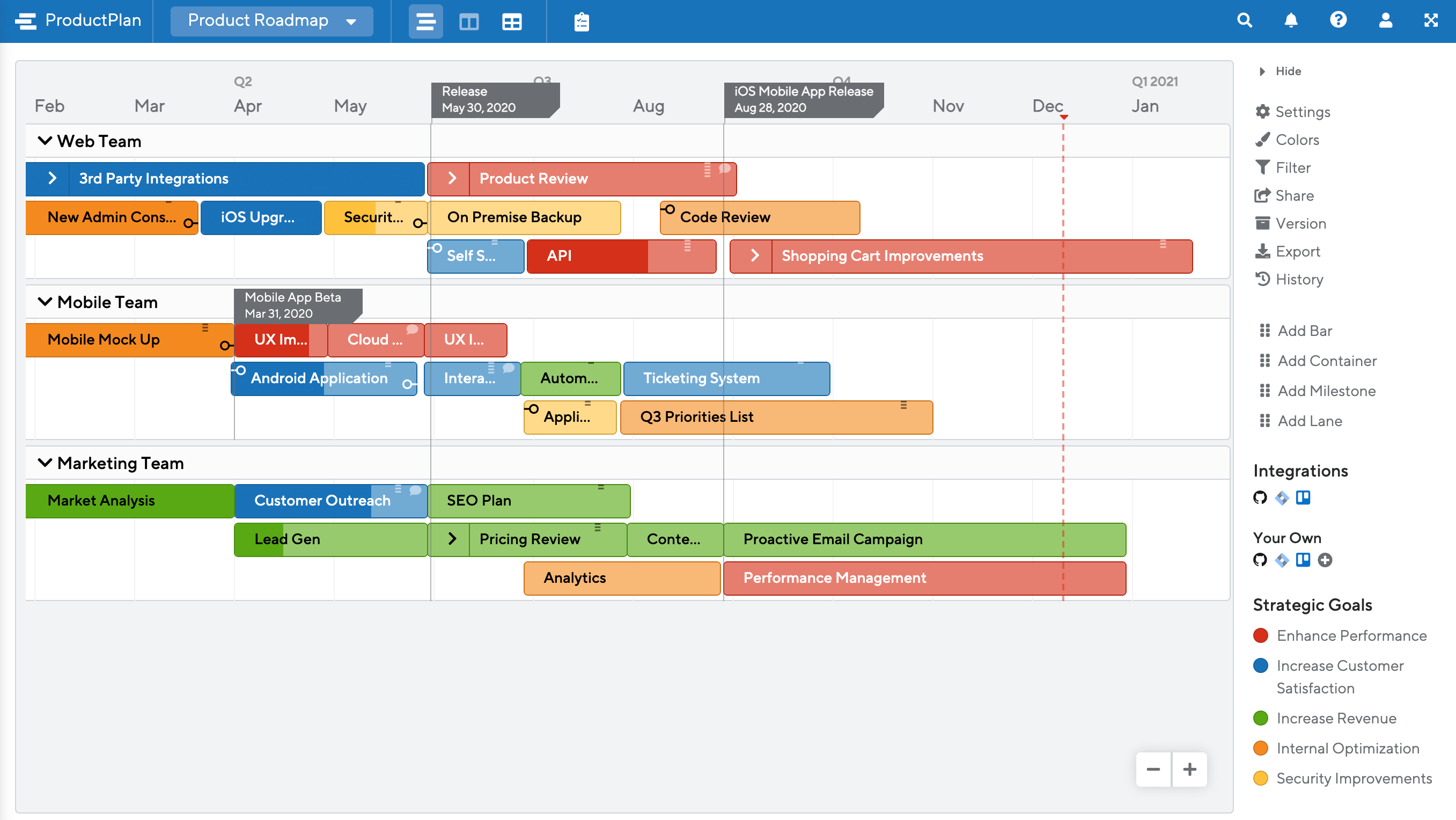
ProductPlan is a roadmap-first tool known for clean, presentation-ready visual roadmaps. It's a good fit for teams whose main pain is communicating the plan to stakeholders and leadership.
Key features
- Drag-and-drop visual roadmaps
- Portfolio and multi-roadmap views
- Idea capture and prioritization
- Unlimited free viewers
ProductPlan is easy to pick up and produces polished roadmaps, but reviewers note that it leans heavily toward roadmap visualization. Feedback collection and deeper product workflows are lighter, and pricing isn't published, so you have to book a demo.
Pricing: No free plan. Seat-based pricing is quote-only, with unlimited free viewers. See the ProductPlan pricing breakdown for details.
8. Notion
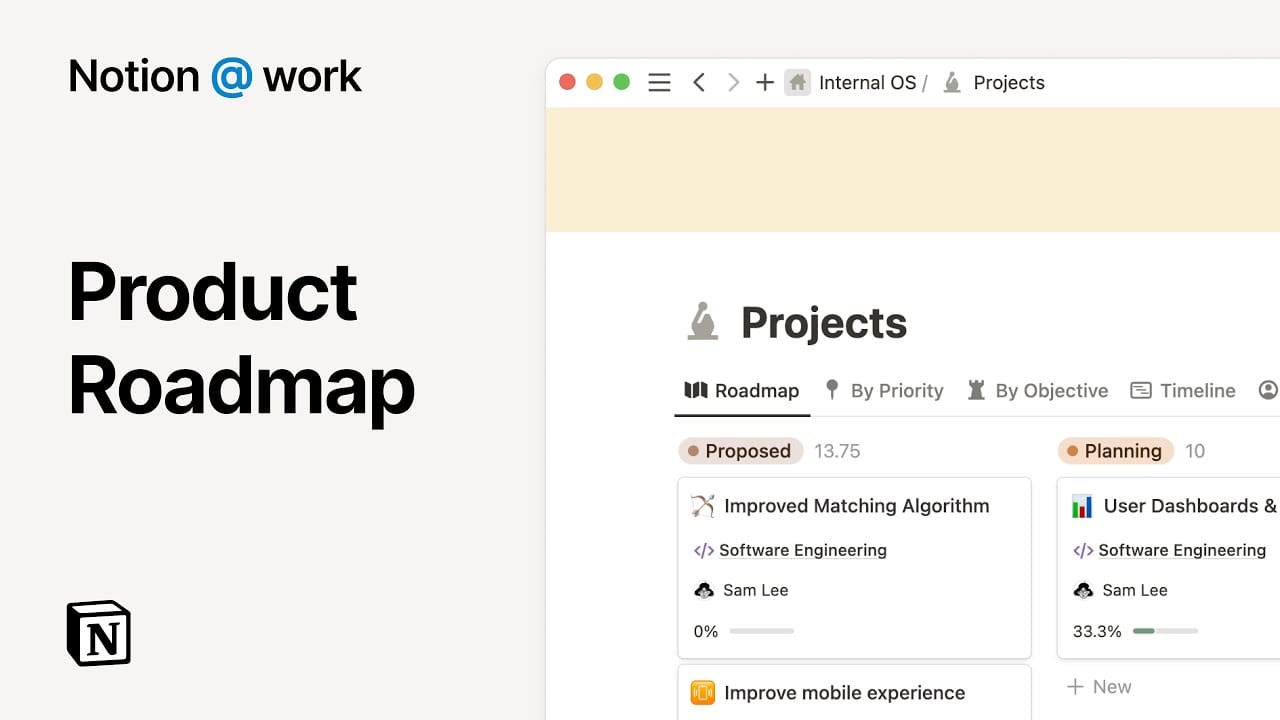
Notion isn't a dedicated product tool, but plenty of small teams run their whole product process inside it using docs, databases, and templates. Its strength is flexibility and a low starting price.
Key features
- Flexible databases for backlogs and roadmaps
- Docs and wikis for specs and research
- Templates for common product workflows
- AI features for summarizing and drafting
The tradeoff is that Notion is a blank canvas. Reviewers love how adaptable it is, but note it's not purpose-built for product management: there's no native feature-voting portal, and you'll spend real time building (and maintaining) the setup yourself.
Pricing: Free plan for individuals. Paid plans start at $10/seat/mo, with the Business tier at $20/seat/mo.
9. Craft.io
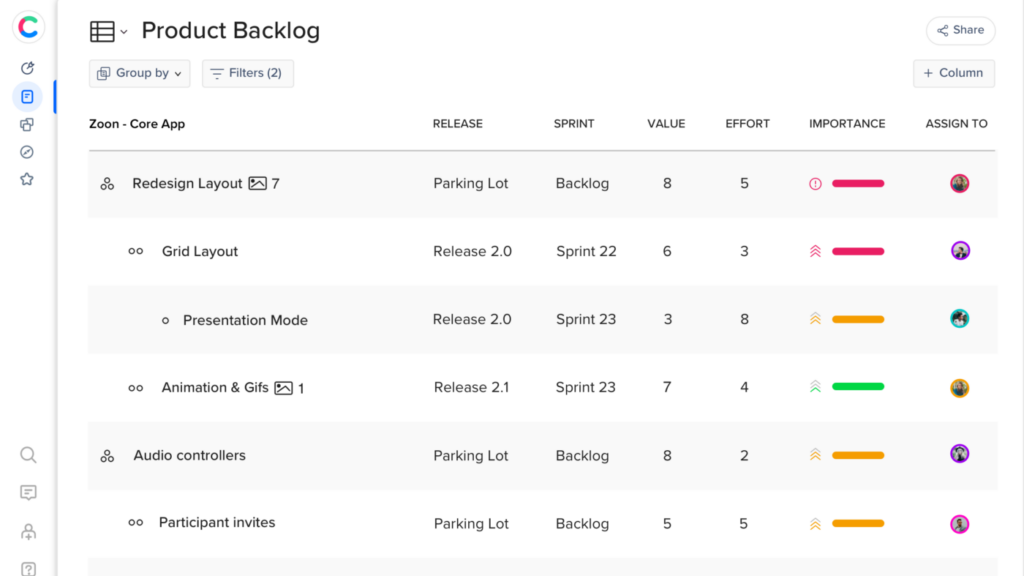
Craft.io is an end-to-end product management workspace that covers strategy, feedback, prioritization, and roadmapping with a guided, template-driven approach. It's aimed at product teams that want structure out of the box.
Key features
- Roadmapping and backlog management
- Prioritization frameworks
- Feedback portal (add-on)
- Guru templates and AI assistance
Craft.io covers the full workflow, but reviewers mention a smaller integration ecosystem than the biggest players, and that some capabilities (like the feedback portal and OKRs) sit behind add-ons or the pricier Pro tier.
Pricing: No free plan (14-day trial). The Starter plan begins at $19/editor/mo (billed yearly), and Pro is $99/editor/mo.
How to choose the right product management software
There's no single best tool, only the best fit for how your team works. A few questions cut through the noise fast:
- Where does your work actually stall? If you're drowning in feedback, start with a feedback-and-prioritization tool. If stakeholders can't see the plan, start with a roadmap-first tool.
- How big is your team? Startups and small teams get more from affordable, quick-to-set-up tools with free plans. Large orgs may justify heavier suites like Aha! or Productboard.
- What do you already use? If your engineers live in Jira, a tightly integrated option reduces friction. If not, don't pay for an ecosystem you won't use.
- Do you close the loop? The tools that keep users engaged connect feedback, roadmap, and changelog, so people actually hear back when their request ships.
If you're not sure, start with a free plan and a real project. You'll learn more from one week of actual use than from any feature matrix.

Get the best product management tool
Share what you’re building & keep teams and users aligned with modern roadmaps
Conclusion
Choosing product management software comes down to one thing: does it help you consistently build what your users actually want? The best tool is the one that turns messy feedback into a clear, prioritized plan your whole team can see, without forcing you to duct-tape three apps together.
Featurebase is a modern and powerful product management tool. It lets you build internal and public roadmaps, collect and prioritize product feedback, close the loop with automated updates, and use AI to analyze feedback at scale, all in one place.
It comes with affordable pricing and a Free plan. The onboarding is quick and doesn't require a credit card, so there's no downside to trying it. 👇
✨ Create internal & public roadmaps with Featurebase for free →
FAQs
What's the difference between product management and project management software?
Product management software helps you decide what to build and why, by collecting feedback, prioritizing ideas, and building roadmaps. Project management software (like Asana or Jira boards) helps you execute how and when the work gets done, with tasks, sprints, and deadlines. Many teams use one of each, and the two often integrate so decisions flow into delivery.
What features should good product management software have?
The core jobs are feedback capture, prioritization, roadmapping, and a changelog to announce what shipped. Strong integrations with your dev and communication tools matter too, so product decisions sync into delivery instead of living in a silo. Not every team needs every feature, but most stall without at least a way to capture and rank ideas.
How do I choose the right product management software?
Start with where your process breaks down. If you're overwhelmed by feedback, pick a feedback-and-prioritization tool. If stakeholders can't see the plan, pick a roadmap-first tool. Then factor in team size, budget, and whether it integrates with tools you already use, and trial it on a real project before committing.
Is there free product management software?
Yes. Several tools offer genuine free tiers, including Jira Product Discovery (free for 3 creators), Notion, Canny (up to 25 tracked users), and Featurebase, whose free plan includes public roadmaps and unlimited feedback collection. Free plans are a low-risk way to test whether a tool fits your workflow before you pay.
Can product management tools integrate with Jira, Slack, and other tools?
Almost all of them do, and it's one of the most important things to check. Most product tools sync two-way with dev tools like Jira, Linear, and GitHub, and push notifications into Slack. Good integrations keep your feedback, roadmap, and engineering backlog in sync instead of forcing manual copy-paste between apps.
Do I need dedicated software, or can I just use spreadsheets?
Spreadsheets work at the very start, but they break down fast. They can't collect feedback from customers, let users vote, weigh ideas by revenue, or show a live roadmap to stakeholders. Once you're fielding requests from more than a handful of people, dedicated software saves hours and stops good ideas from getting lost.