10 Best Enjo AI Alternatives for Support Teams in 2026
Compare the best Enjo AI alternatives for customer support and internal IT. See current pricing, AI billing models, key features, and each tool's trade-offs.


On this page
Looking for an Enjo alternative with support and feedback in one place? Explore Featurebase
The best Enjo AI alternative depends on whether you support customers, employees, or both. Comparing tools without that distinction can leave you paying for a service desk when you only needed an AI agent.
I've compared 9 alternatives by workflow fit, pricing model, and the trade-offs that matter before you switch. 👇
Key takeaways
| Tool | Best for | Pricing model | Starting cost | Main trade-off |
|---|---|---|---|---|
| ✨Featurebase | SaaS support and feedback | Seats + AI resolutions | $29/seat/month annually + $0.49/AI resolution | Customer-facing focus |
| Chatbase | Omnichannel customer support with AI agents and human handoff | Subscription + message credits | Public self-serve plans + custom Enterprise | OBest results depend on clean knowledge and tested workflows |
| Fin | Customer-service AI across helpdesks | Per outcome | $0.99 per outcome, 50-outcome monthly minimum | Outcome definitions affect billing |
| Zendesk | Established support operations | Seats + AI usage | Suite Team: $55/agent/month annually + AI usage | More configuration to maintain |
| Freshdesk | Email-led customer support | Seats + AI sessions | $19/agent/month annually + AI session overages | Omnichannel needs a separate comparison |
| Freshservice | Internal IT service management | Seats + plan-dependent AI | From $19/agent/month annually, AI priced separately | AI Agent (Classic) requires Enterprise |
| Jira Service Management | Atlassian-based IT teams | Agents + plan-dependent AI | Free for 3 agents, virtual service agent requires Premium | AI features span different tiers |
| Siit | Employee requests in Slack and Teams | Per admin | AI Pro: $89/admin/month annually | AI needs the higher tier |
| Atomicwork | Enterprise IT workflows | Platform credits or outcomes | Platform from $25,000/year, outcome-based options available | Deployment model changes the quote |
| Moveworks | Enterprise-wide employee assistance | Custom contract | Custom quote | No public self-service rate |
Prices are in USD, checked in September 2026. Starting costs reflect the plan or AI access described below, rather than treating every vendor's lowest tier as equivalent.
What is Enjo AI?
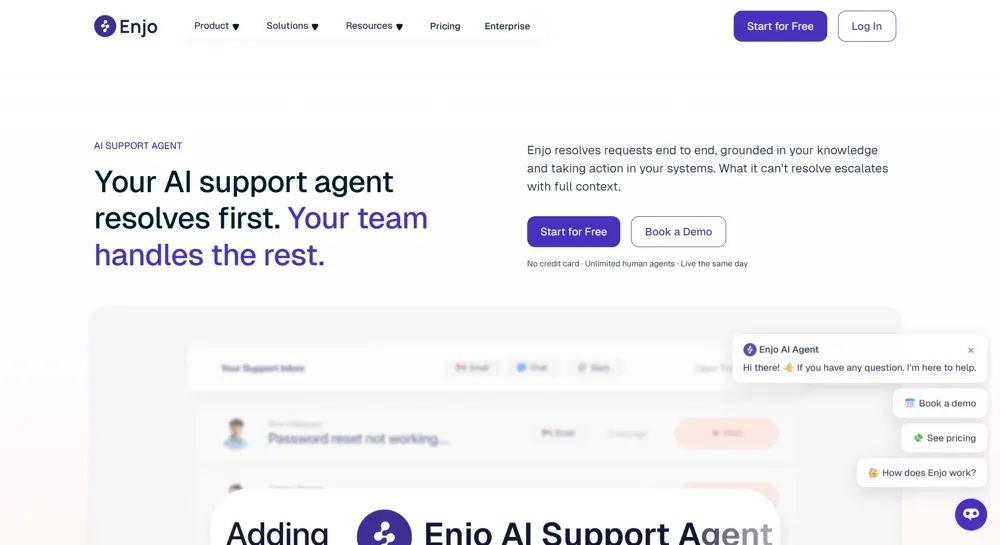
Enjo AI is a support automation platform that uses company knowledge to answer questions and run workflows. It serves customer support and internal service teams, including those working through Slack, Microsoft Teams, and existing service desks.
Enjo also offers its own inbox and help center. You don't automatically need to replace it with a full helpdesk to gain those capabilities.
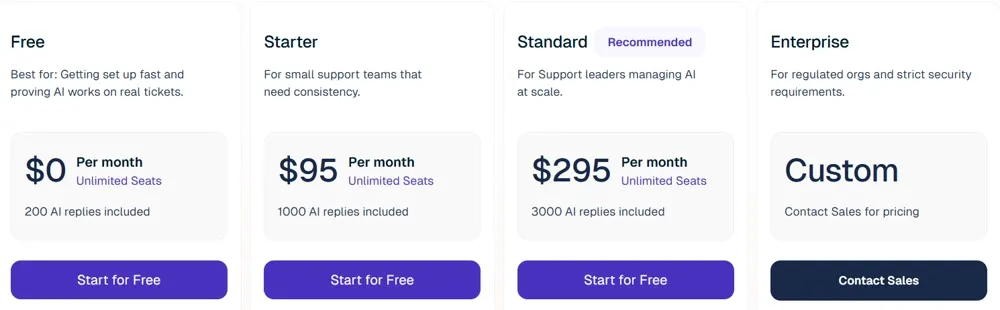
Its pricing is based on AI replies, with a free allowance and paid plans that add features and capacity. That makes the length of an exchange relevant to cost: answering a question in several replies differs from billing the whole conversation as 1 task.
Why look for Enjo AI alternatives?
An alternative makes sense when it better matches your support workflow, commercial model, or existing platform. Enjo's feature list alone won't tell you whether switching is worth the effort.
Your support workflow needs a different fit
Customer support and internal IT support require different workflows. A SaaS customer asking about a missing feature needs product context and a useful follow-up, while an employee requesting software access needs identity checks, approvals, and provisioning.
Choose a SaaS customer support platform if most requests concern your product. Choose an IT service management platform if incidents, employee access, and asset records drive the work.
You want a different billing model
Usage-based pricing can measure very different things. A low unit price isn't enough to judge the monthly bill.
- AI replies: Charges follow individual responses, so longer exchanges can consume more allowance.
- Tickets or sessions: Charges group an interaction into a larger unit, sometimes regardless of whether it succeeds.
- Outcomes or resolutions: Charges depend on the vendor's definition of success, which can include inferred completion or specific handoffs.
Compare those units against your own conversation patterns. Add seat fees, minimum commitments, and the cost of any helpdesk you keep.
You need deeper capabilities in your existing platform
A native AI option can be easier to manage when your team already relies on a service desk's permissions, reporting, and automation. An independent AI layer can be preferable when you want more flexibility across tools.
Check what the integration actually does. Reading articles, adding ticket notes, changing account data, and completing approval workflows are different capabilities, even when vendors list the same integration logo.
The 9 best Enjo AI alternatives
The alternatives below cover customer support, AI overlays, and internal service management. I've highlighted where each fits and the pricing limitation most likely to change your decision.
1. Featurebase✨
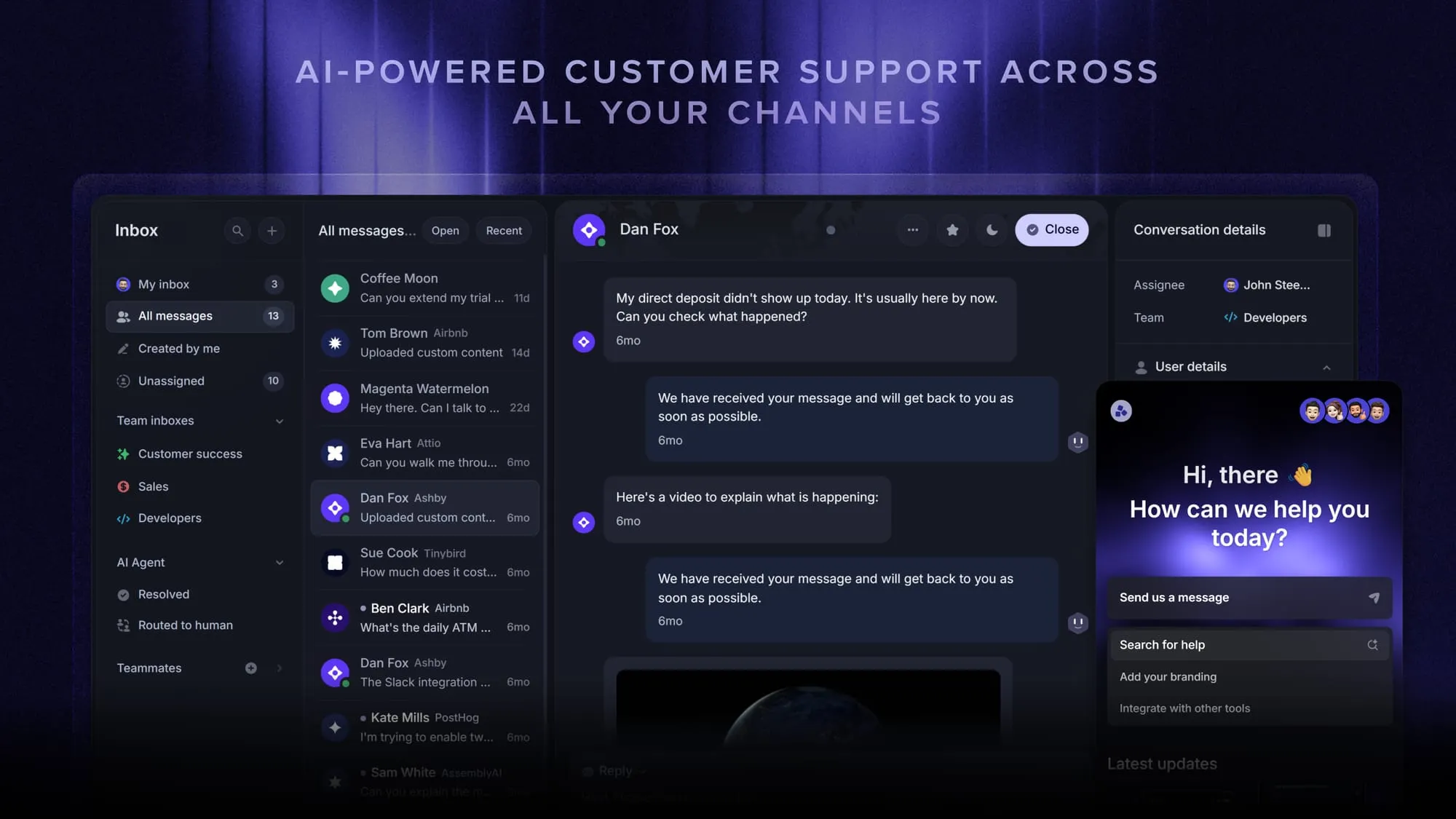
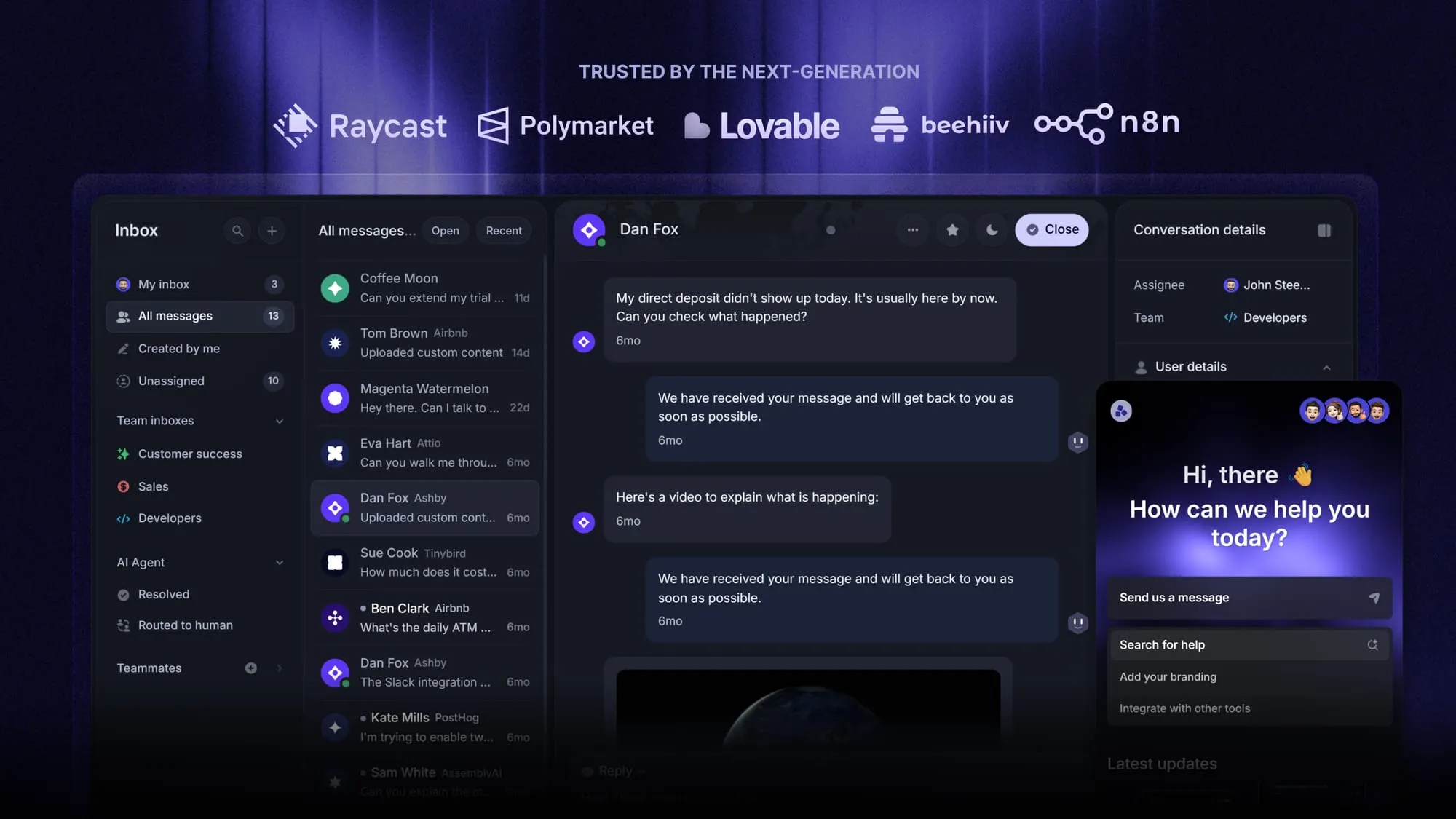
Featurebase is a modern AI customer support platform for product-led SaaS. It combines AI-powered support, help center, and feedback management into a single platform for startups that want all their customer-facing tools in one place. Featurebase is loved by thousands of support teams from companies like Lovable, Raycast, and n8n. 💫
Top features:
- Omnichannel inbox – Manage live chat, email, and Slack conversations from one AI-powered view
- Fibi AI Agent - Resolve customer issues on autopilot & run custom actions like trial extensions and refunds
- Help center with AI search – Provide instant, multilingual self-serve answers
- Workflows & automations – Auto-assign tickets, route conversations, collect customer data, and more
- AI Copilot – Help your agents answer customers faster with AI Copilot that uses your internal knowledge
- Multi-brand support – Manage multiple Help Centers and Live chats from a single workspace
- Automatic AI translations – Automatically translate all messages and help articles to your customers native language
- Service Level Agreements – Track SLAs to make sure your team responds to customers on time, every time
- Mobile app – Respond to customers, receive notifications, and unblock users on the go
- Feedback & roadmap tools – Collect feature requests and close the loop with updates
- Product updates – Publish release notes with a changelog page, in-app widget, and emails
- Integrations – Connects with Slack, Linear, Jira, HubSpot, and more
Pricing: $29/seat/month annually + $0.49/AI resolution.
A free plan includes 1 seat and unlimited conversations, but no AI. Feature availability varies by tier, with Slack support on Professional at $59/seat/month billed annually.
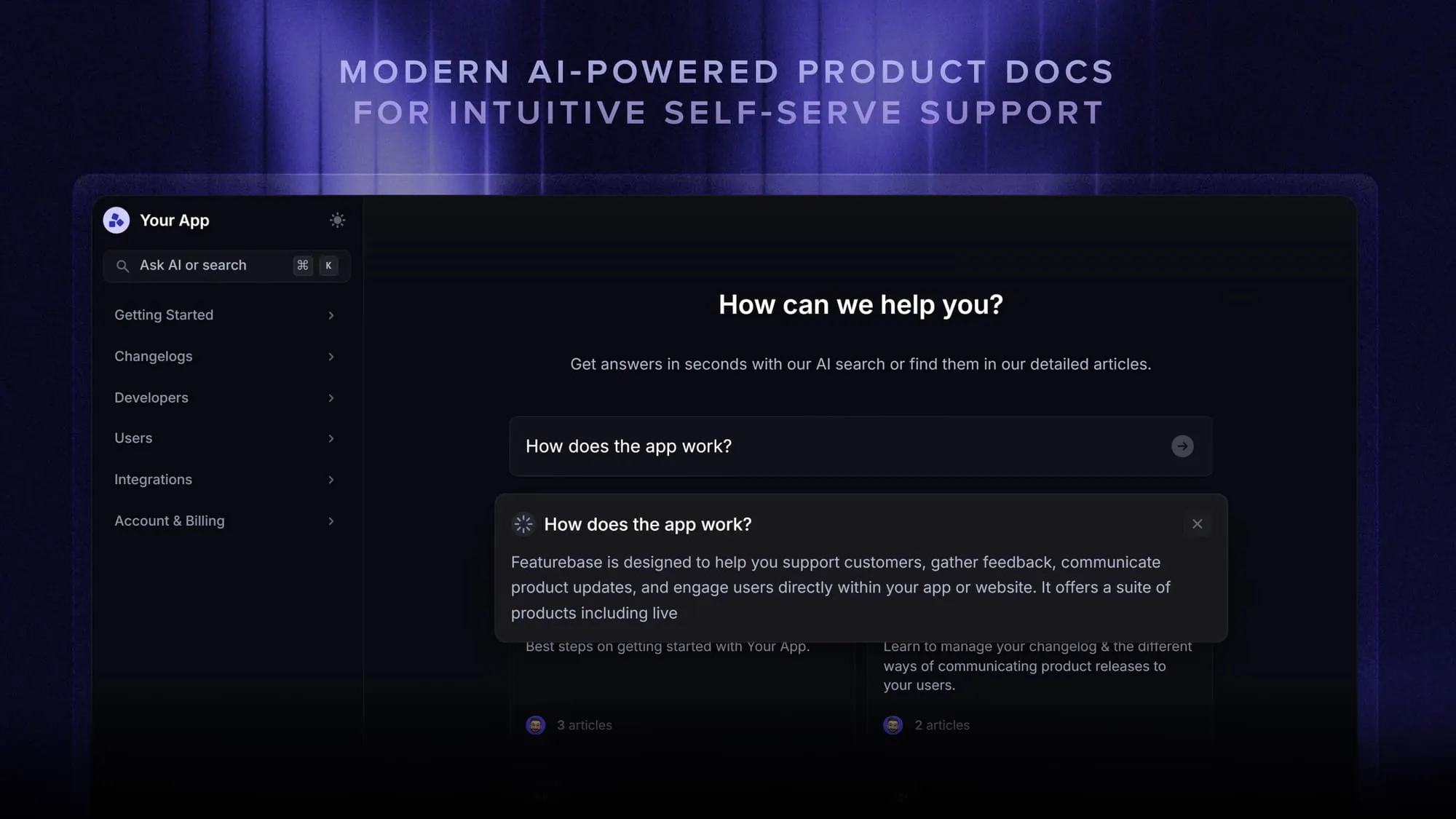
Why choose it over Enjo? Featurebase fits SaaS teams that want support conversations, feature requests, and product updates together. Fibi can use help articles and product feedback as context, then hand off to a human when needed.
Teams seeking internal asset management or employee access provisioning should focus on the IT tools below.
Automate your support with the fastest AI-enhanced Inbox today
2. Chatbase
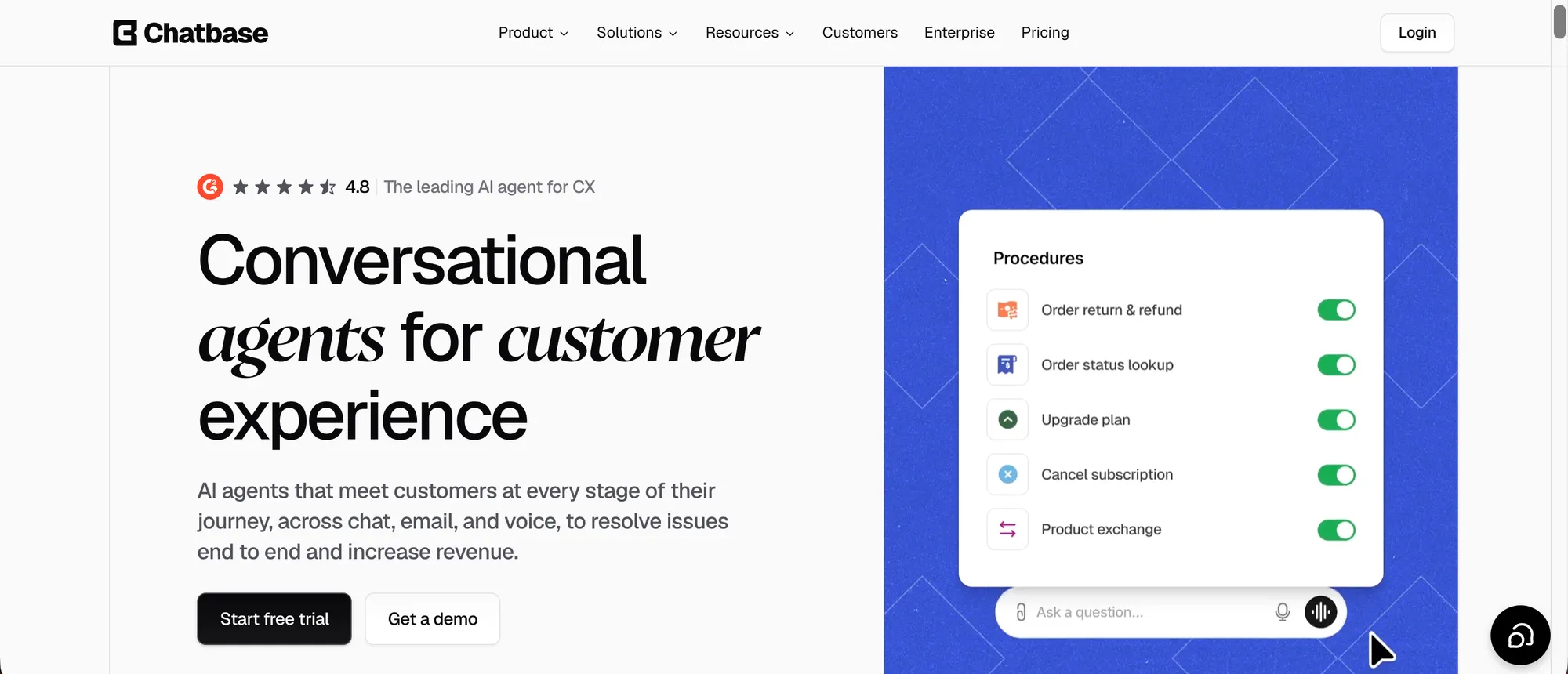
Chatbase is an AI customer support platform for teams that want customer-facing AI agents across chat, email, messaging, and voice without tying automation to one helpdesk.
It can learn from websites, help centers, documents, support tickets, and business data, then use that context to answer questions, qualify leads, take approved Actions, follow Procedures, support ecommerce requests, and hand complex conversations to humans through its built-in Help Desk.
Top features
- AI agents trained on websites, help centers, documents, support tickets, files, and business data
- Omnichannel support across website chat, email, WhatsApp, Facebook Messenger, Instagram DM, Slack, and voice
- Built-in Help Desk for assignment, review, tracking, and AI-to-human handoff
- Actions for connecting agents to business systems and completing approved tasks
- Procedures for repeatable support, routing, and sales workflows
- Shopify workflows for product questions, recommendations, carts, orders, order status, and billing updates
- Outbound WhatsApp campaigns for updates, reminders, promotions, and follow-ups
- Analytics, testing, and Suggestions for improving agent performance and identifying missing knowledge
- Enterprise controls including SSO, RBAC, audit logs, SOC 2 Type II, GDPR, and HIPAA-compliant Enterprise environments after required setup
Pricing: Chatbase offers public self-serve plans and custom Enterprise pricing. Its subscription model uses message credits rather than billing every successful outcome as a separate resolution.
Why choose it over Enjo? Chatbase is a better fit when the goal is customer-facing support across several channels, with AI agents that can both answer questions and take approved actions. Its built-in Help Desk, human handoff, ecommerce workflows, outbound WhatsApp, and voice make it broader than a knowledge-answering layer.
The main boundary is internal IT. Teams whose primary need is employee access requests, asset management, approvals, or IT service management should compare the internal-service platforms elsewhere in this list.
3. Fin
Fin is a customer-service AI agent you can use with Intercom or another supported helpdesk. It belongs on the shortlist if you want to evaluate AI performance without committing to an Intercom inbox migration.
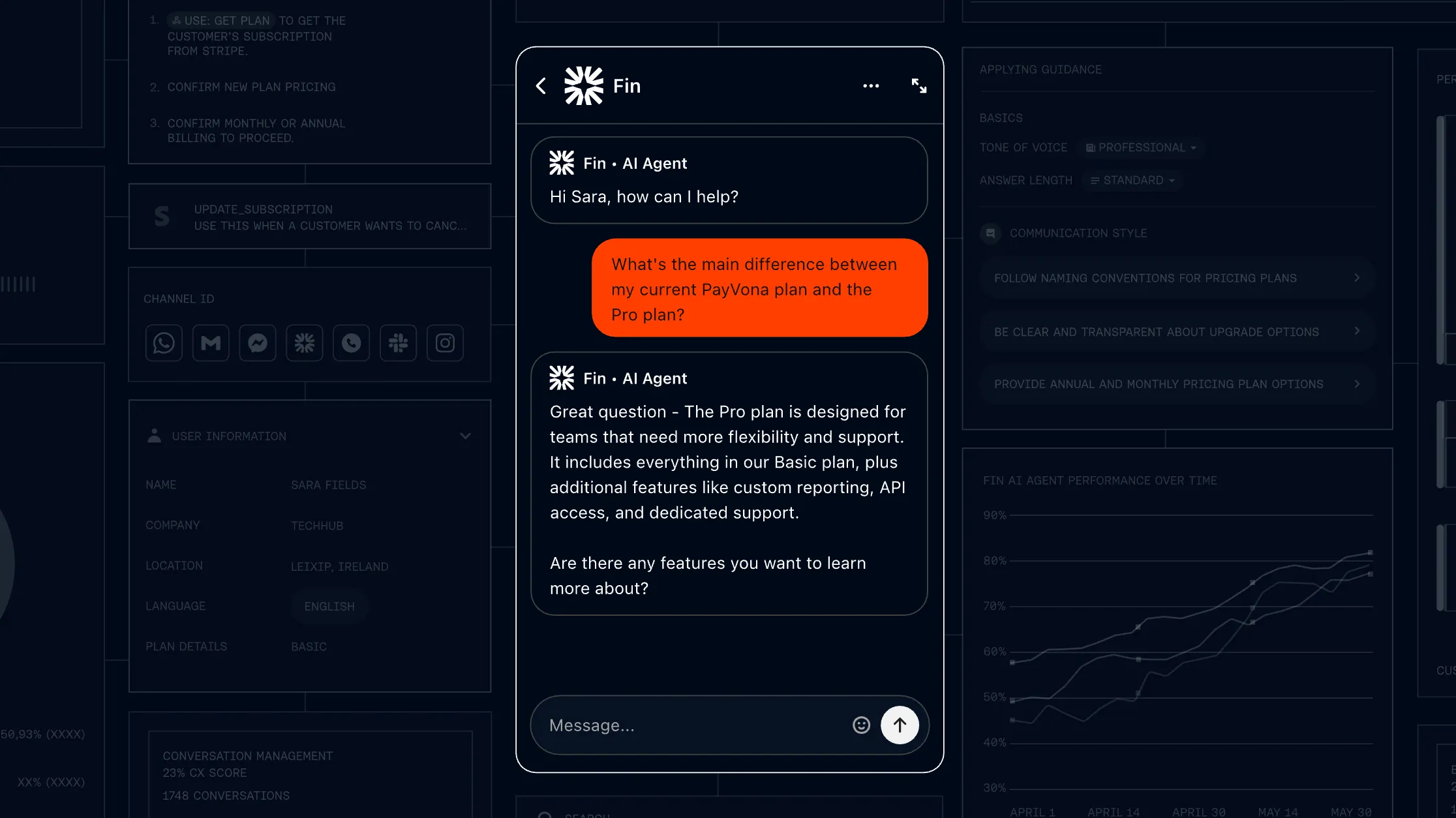
Top features
- Answers grounded in support content and business knowledge
- Procedures and actions for completing customer workflows
- Human handoff with conversation context
- Simulations and testing tools for evaluating changes
Fin AI pricing: $0.99 per outcome, 50-outcome monthly minimum.
That minimum applies when using Fin with an existing helpdesk. Combining it with Intercom adds seat-based pricing: Essential starts at $19/seat/month billed annually ($29 billed monthly), while Advanced is $85/seat/month and Expert is $132/seat/month, billed annually.
Why choose it over Enjo? Fin offers a customer-service-focused alternative to reply-based billing. Its testing and workflow capabilities are relevant when you need more than article retrieval.
Read the outcome definition carefully. A billable outcome can include a configured Procedure handoff or disqualification, as well as a resolution, so it isn't always equivalent to a customer-confirmed solved ticket.
G2 feedback includes both workload savings and concerns about cost or incorrect answers. Treat those as reasons to inspect conversation quality alongside the headline automation rate.
4. Zendesk
Zendesk is a fit for established support teams that want ticketing, routing, knowledge management, and AI within a broader customer-service suite. It is especially relevant when replacing Enjo is part of a larger support-platform decision.
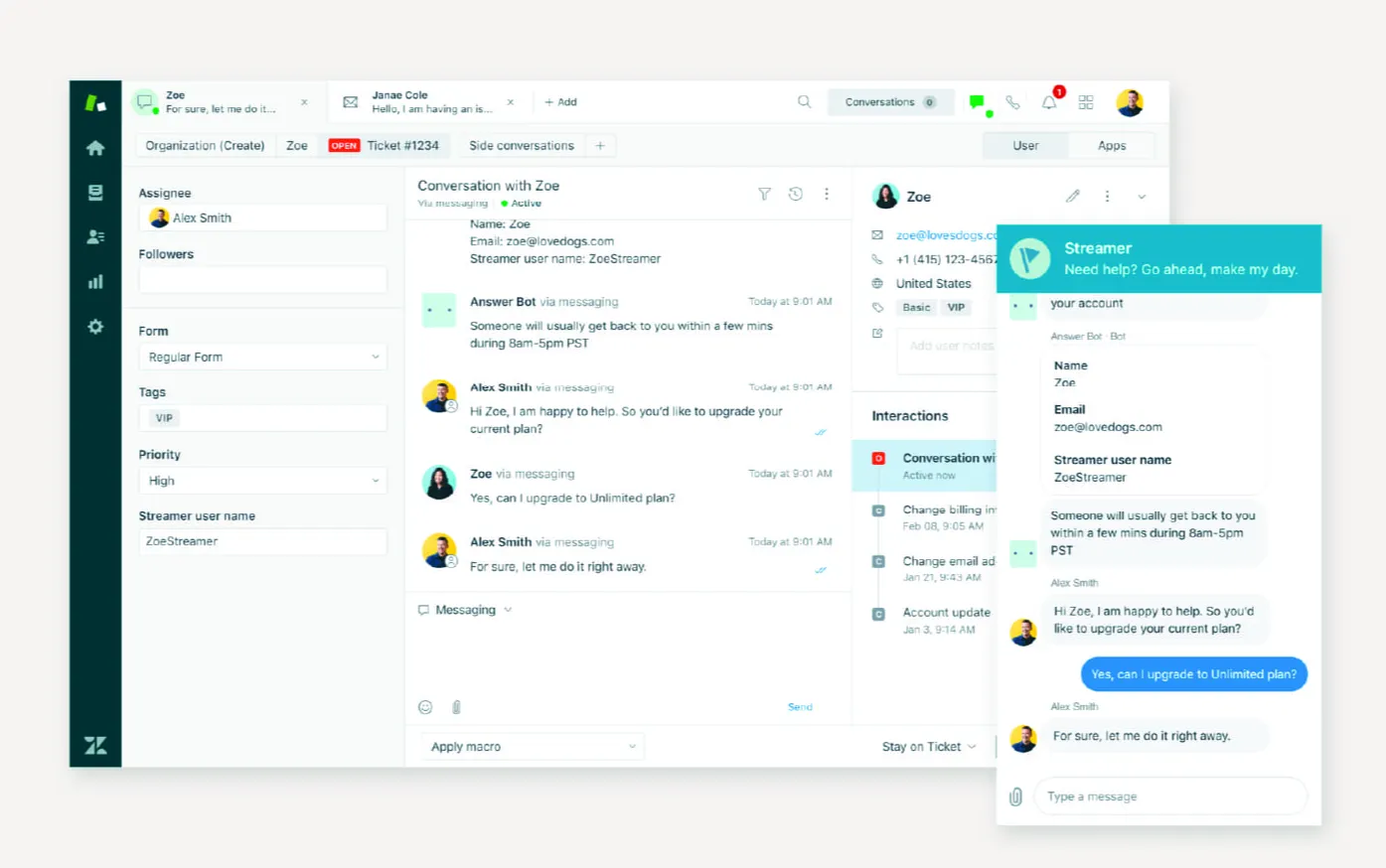
Top features
- Ticket management and routing across support channels
- Knowledge base and customer self-service
- AI agents integrated with the support platform
- Reporting and workflow customization for support operations
Zendesk pricing: Suite Team: $55/agent/month annually + AI usage.
The lower-priced Support Team plan isn't equivalent to the full Suite. Copilot is also a separate add-on, so include the specific AI capabilities you need when requesting a quote.
Why choose it over Enjo? Zendesk makes sense when your priority is a common operating system for a larger support team, with AI inside those established processes.
The trade-off is administration. G2 reviewers describe a learning curve around configuration and customization, which matters if your team has little time to maintain routing rules and reports.
I wouldn't choose it solely to replace a lightweight AI agent. Choose it when the underlying support suite solves a wider operational problem.
5. Freshdesk
Freshdesk is an Enjo alternative for teams that want email-led customer support and Freddy AI within the same helpdesk. It provides a lower entry point for ticket management than many larger suites.
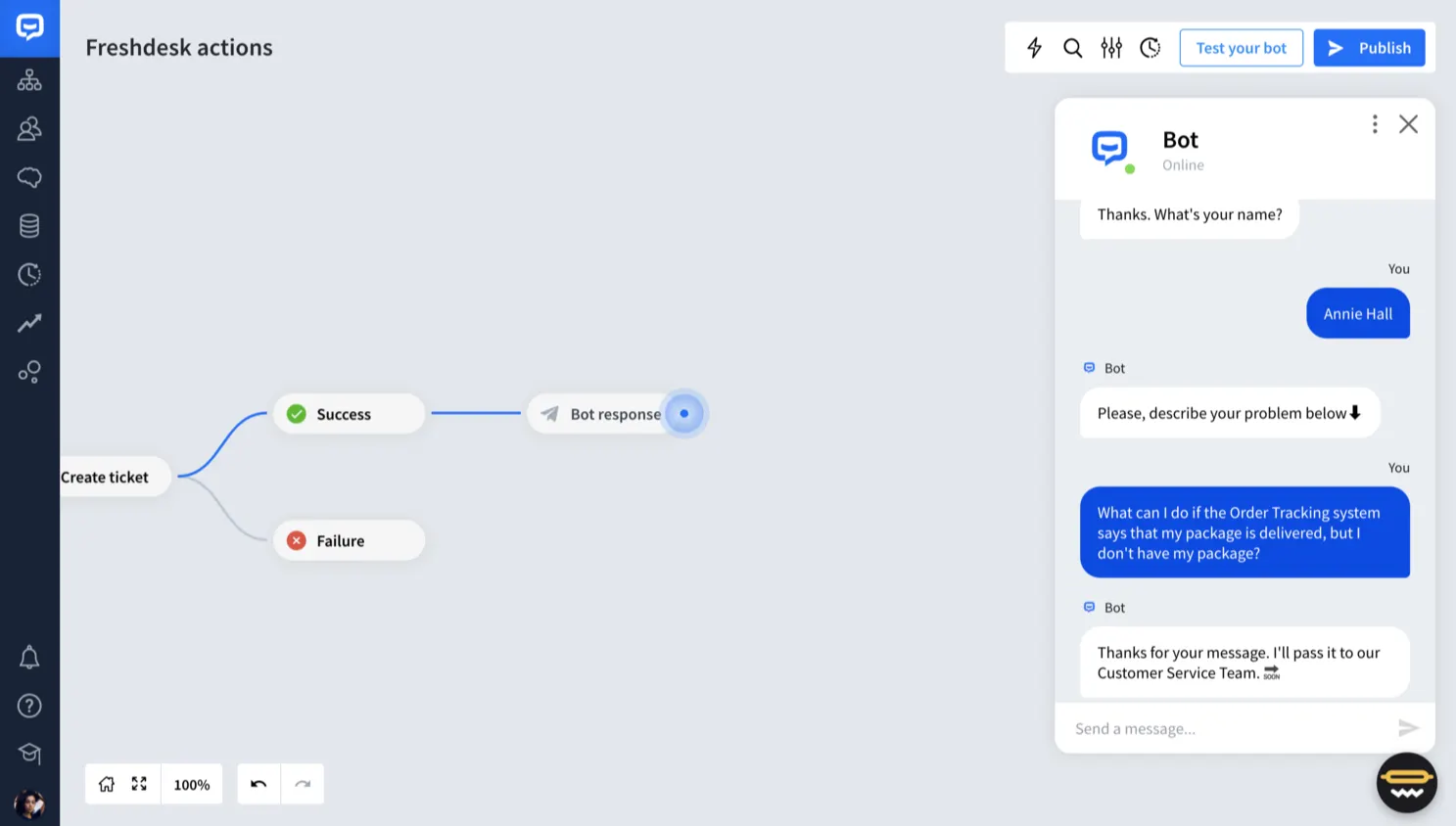
Top features
- Shared ticket management for customer support
- Knowledge base and self-service resources
- Freddy AI Agent for automated assistance
- Routing, automation, and reporting across paid tiers
Freshdesk pricing: $19/agent/month annually + AI session overages.
Growth includes 500 trial AI sessions once per account, with additional usage at $49 per 100 sessions. The included sessions don't renew monthly.
Why choose it over Enjo? Freshdesk is useful when you want the helpdesk and AI agent from the same vendor, particularly for an email-heavy queue.
Check the product boundary before comparing features. Freshdesk Omni is the separate offering to evaluate for broader messaging and omnichannel requirements, while Freddy Copilot has its own pricing and plan requirements.
6. Freshservice
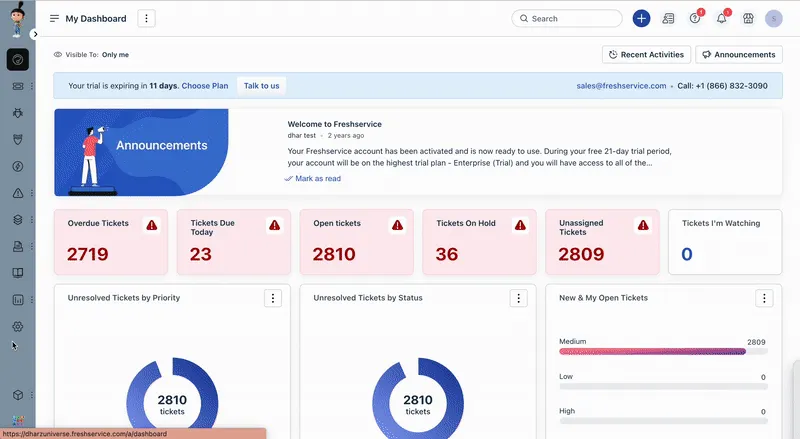
Freshservice fits internal IT teams that need a service desk around their AI automation. Its value is connecting employee requests with incident, asset, and change management.
Top features
- Incident and service request management
- Asset management and IT workflows
- Employee self-service through a service catalog
- Freddy AI capabilities with plan-dependent access
Pricing: From $19/agent/month annually, AI priced separately.
The starting price is for Starter. The published pricing places Freddy AI Agent (Classic) on custom-priced Enterprise, so the entry-level seat price doesn't describe an equivalent AI deployment.
Why choose it over Enjo? Choose Freshservice when requests must move through an IT process after the initial conversation. It is more relevant to device issues and service approvals than to customer questions about a SaaS product.
Some G2 feedback points to reporting customization effort. Ask the team responsible for service performance to evaluate the reports it will need, rather than leaving that review until after purchase.
Freshdesk and Freshservice address different audiences despite sharing a vendor. Start with the right product before comparing their AI add-ons.
7. Jira Service Management
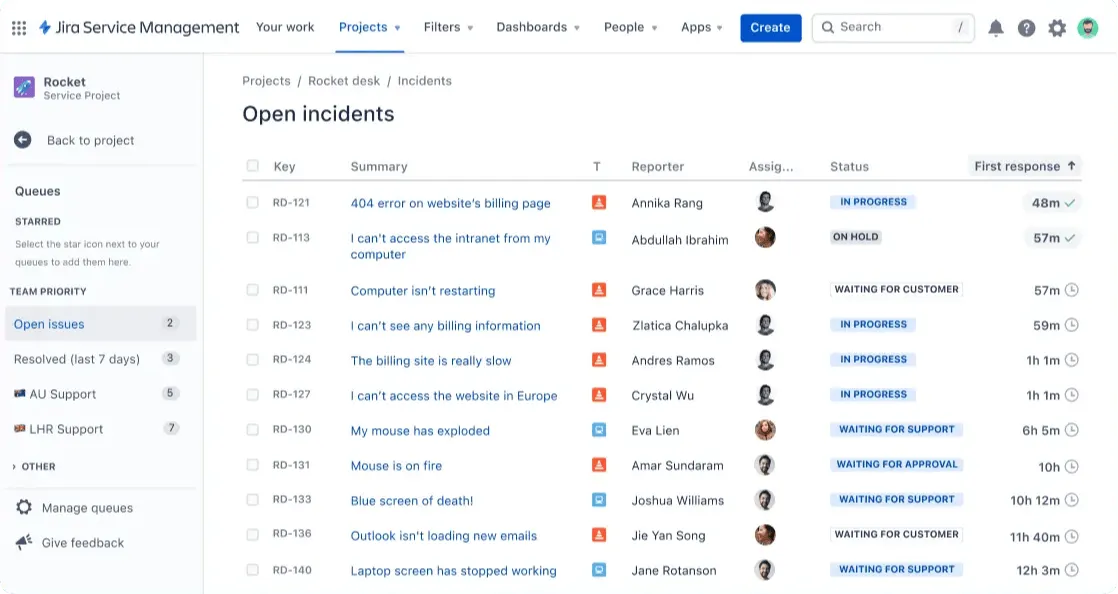
Jira Service Management is worth considering when IT and engineering already work in Atlassian. It connects service requests to the issues and operational processes those teams manage.
Top features
- Service requests, incidents, and change workflows
- Knowledge-based employee self-service
- Virtual service agent for automated conversations
- Connections between support work and engineering issues
Pricing: Free for 3 agents, virtual service agent requires Premium.
Paid pricing varies with agent count and billing terms. Atlassian's AI packaging also separates Rovo access from the virtual service agent, so seeing AI listed on Standard doesn't mean it includes the conversational agent you need.
Why choose it over Enjo? A native Atlassian option is appealing if you already manage escalation and approvals in Jira. It can reduce the number of systems involved in moving an employee request to the responsible team.
The trade-off is configuration. G2 feedback highlights both integration strengths and a learning curve, making this easier to justify when your organization already has Atlassian expertise.
8. Siit
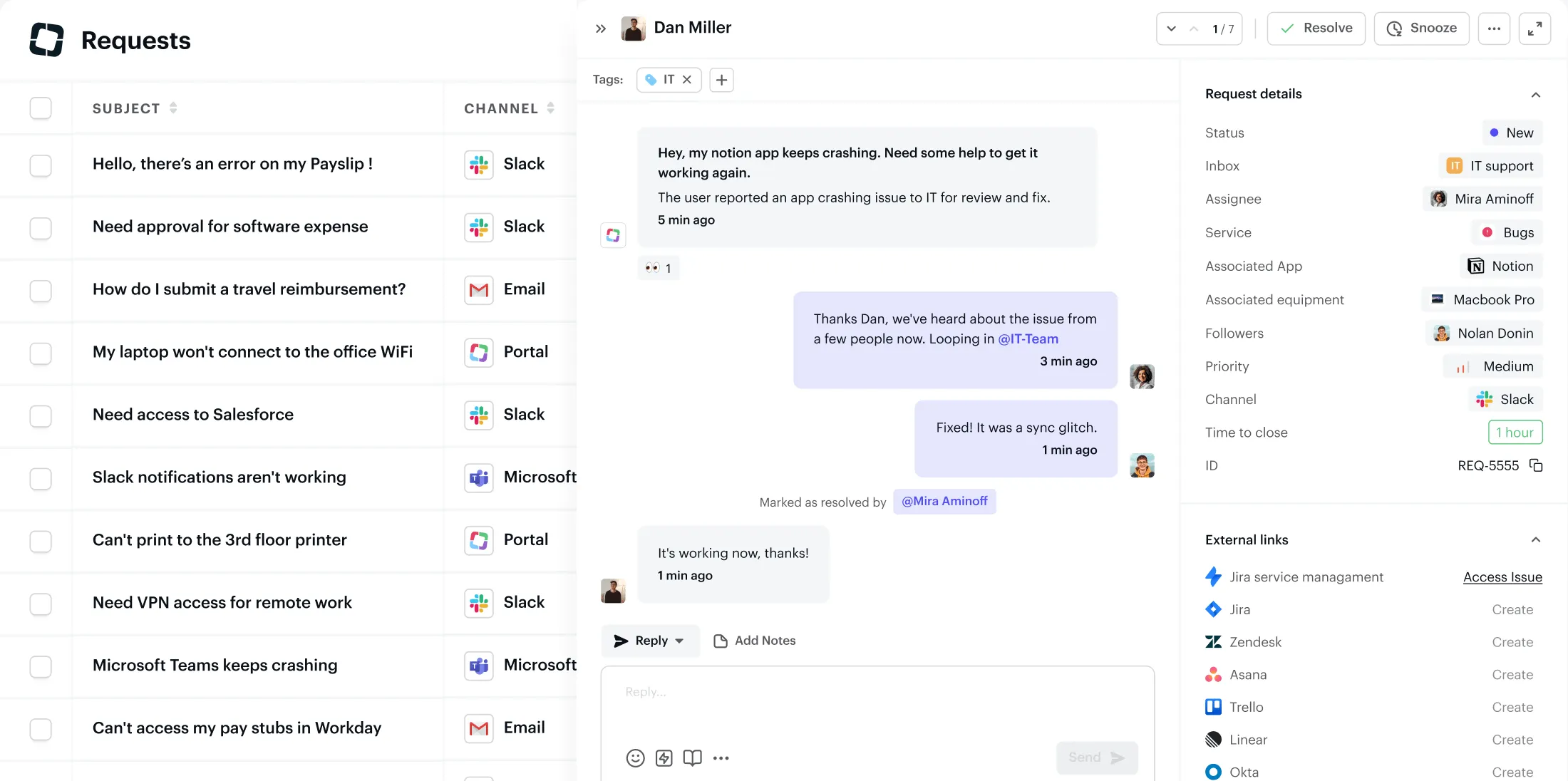
Siit is designed for employee requests that arrive through Slack, Microsoft Teams, and email. It suits internal teams that want a service desk centered on those everyday conversations.
Top features
- Slack support and Microsoft Teams support for employees
- Request management, approvals, and service catalogs
- AI agents, assistance, and triage on Pro
Pricing: AI Pro: $89/admin/month annually.
Essentials starts at $23/admin/month annually, but the AI agent capabilities sit on Pro. Compare the tier that provides the automation you're replacing.
Why choose it over Enjo? Siit is a focused option when employees already ask for help in chat and your internal teams need ownership and follow-through around those messages.
G2 reviewers praise the chat experience, while some request more reporting flexibility or mention synchronization delays. Check whether the available reporting supports your team's workload and service targets.
Its internal-service focus is the key boundary. A customer support team evaluating a website messenger and customer-facing help center should compare the customer-service tools earlier in this list.
9. Atomicwork
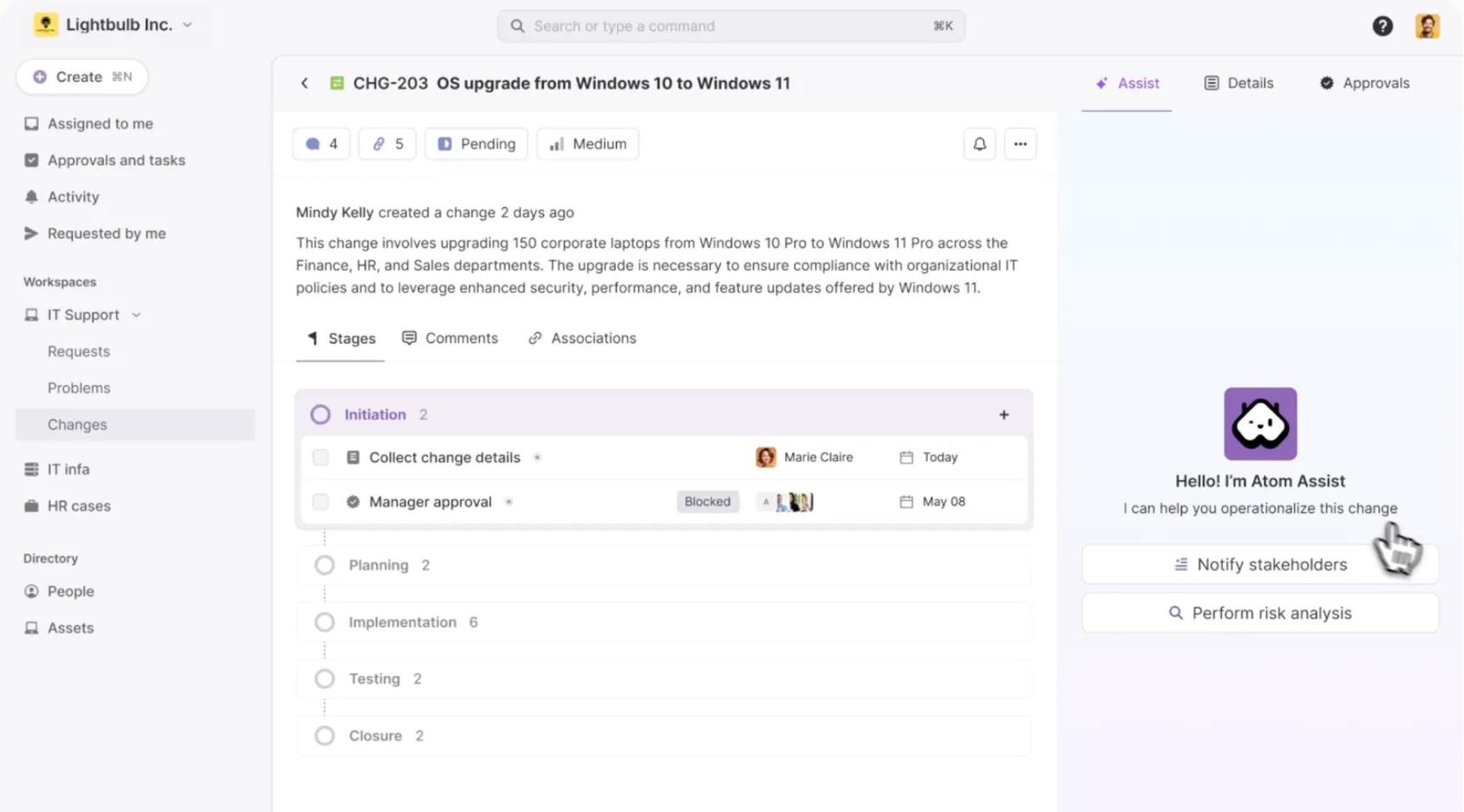
Atomicwork fits enterprise IT teams that want AI to carry out service work across business systems. It offers both a service management platform and AI workforce options for an existing environment.
Top features
- IT service management and workflow automation
- AI coworkers that perform service tasks
- Connections to existing ServiceNow or Jira Service Management environments
- Credit-based and outcome-based commercial options
Pricing: Platform from $25,000/year, outcome-based options available.
The Professional platform price includes a defined allocation of AI credits. Atomicwork also offers an AI workforce model for existing platforms, so the annual platform price isn't a mandatory minimum for every deployment.
Why choose it over Enjo? Atomicwork is relevant when the requirement extends beyond answering questions to executing IT service workflows across applications.
The main buying challenge is matching the quote to the deployment. Clarify whether you're purchasing a replacement service platform or an AI layer, which tasks consume credits, and how additional usage is charged.
For a small queue of knowledge questions, this scope can be excessive. It earns a closer look when cross-system service work is a substantial part of the workload.
10. Moveworks
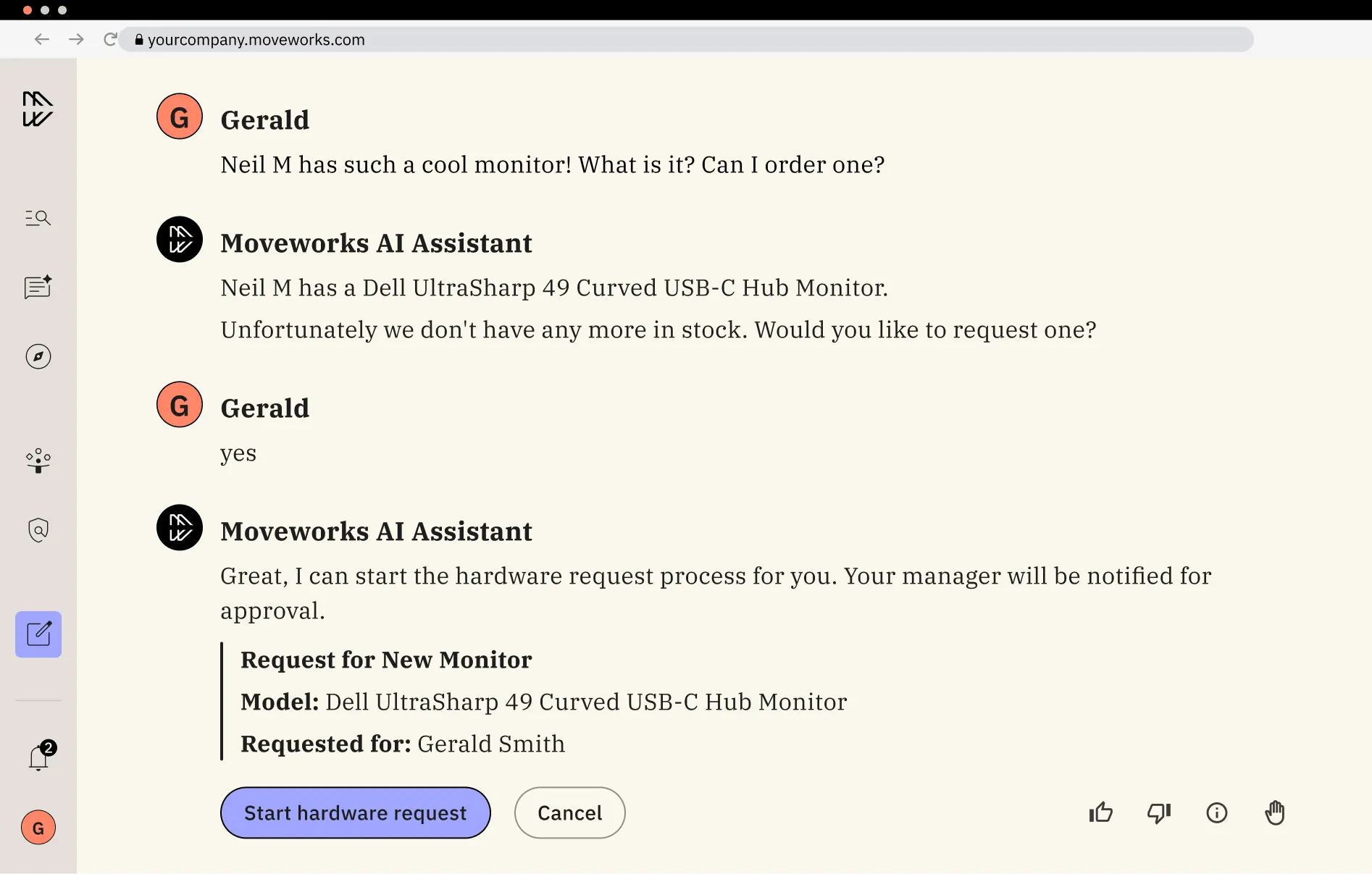
Moveworks suits enterprises that want a shared employee assistant across business systems. It is a broader option for finding information and completing work across departments.
Top features
- Enterprise search across connected information sources
- Employee assistance across business applications
- Integrations and plugins for workflow actions
- Tools for building organization-specific AI agents
Pricing: Custom quote.
Its official pricing page offers tailored packages without a public self-service rate. Request a quote that specifies the employee population, integrations, rollout scope, and ongoing services.
Why choose it over Enjo? Moveworks belongs on the shortlist when the goal is an enterprise-wide assistant spanning multiple functions. That is a larger purchase decision than automating a single support queue.
The trade-off is commercial visibility. You can't calculate the full cost from a public seat price, and a tailored proposal takes more work to compare against an off-the-shelf support tool.
I would shortlist it for a defined cross-department program with internal owners. For a small customer support team, the narrower tools above are easier to evaluate against the immediate job.
How to choose an Enjo AI alternative
Choose the tool that completes your actual support work at an acceptable total cost. Narrow the list using these 4 criteria before arranging demos:
- Audience and channels: Identify whether requests come from customers or employees, then prioritize the channels they already use. A customer messenger and an employee service catalog solve different problems.
- Required actions: List what must happen after an answer. Looking up an invoice, approving software access, and routing a bug require different integrations and controls.
- Total cost: Price your expected seats and usage, including the platform you retain. Ask for a busy-month estimate and the available spending controls.
- Resolution quality: Check what the dashboard calls a resolution, whether users return with the same issue, and what happens to satisfaction after automation.
For example, Featurebase distinguishes customer-confirmed and assumed Fibi resolutions in its reporting, alongside CSAT. That distinction helps you judge the result beyond a single automation percentage.
Shortlist 2 or 3 products that meet these requirements. A smaller comparison based on real work is more useful than scoring every feature across 9 vendors.
Conclusion
The right Enjo AI alternative follows your workflow: customer support, an AI layer for an existing helpdesk, or internal IT service management. Compare the cost of that workflow, including what each vendor bills as usage.
Featurebase brings AI customer support, a help center, and feedback management together for product-led SaaS teams. It connects customer conversations with the requests and updates that shape your product.
You can start with the Free plan for live chat and unlimited conversations, then move to a paid plan when you need AI. 👇
Explore AI customer support with Featurebase
FAQs
Yes, if the replacement supports your helpdesk and the workflow you need. Before cutover, check how it preserves ticket ownership and conversation history, then disable overlapping automation so 2 agents don't answer the same request.
Usually, provided the replacement can connect to or import content from your knowledge base software. Check whether it keeps that content synchronized and preserves access restrictions, rather than treating a one-time upload as a live connection.
Use a representative set of historical requests, including ambiguous questions, outdated articles, and cases requiring a person. Have your team review answers without knowing which tool produced them, then run a limited live pilot with a rollback plan.
An AI agent can answer approved policy questions and route requests to HR. Sensitive cases should follow a defined human review process, with access limited to the information the employee is authorized to see.
Ask which systems the agent can read and change, how it enforces user permissions, and where activity is logged. Also confirm data retention, deletion, and what happens to connected content when the contract ends.


