Front vs Intercom (Fin): Which is the Better Tool for Support Teams?
Front vs Intercom in 2026: Front is an email-first team inbox, while Intercom is now Fin and built around AI. We compare features, pricing, pros, and cons so you can pick the right support tool.


On this page
Psst... looking for a modern & affordable alternative to Front and Intercom? Check out Featurebase
Front and Intercom are two common choices for businesses that want to deliver exceptional service to their customers.
However, they have different approaches: Front is a team inbox wrapped around email and messaging, while Intercom is chat-first and now built entirely around its AI agent, Fin. One important note before you compare them - in 2026 Intercom rebranded to Fin, so the product you're evaluating is mid-transformation.
Today, we'll go over the key differences, similarities, pros and cons, pricing structures, and more, to help you choose between Intercom and Front. 👇
Quick overview
| Front | Intercom (Fin) | |
|---|---|---|
| Focus | Collaborative inbox (email-centric) | Chat/messaging platform for high-volume support |
| Core UI | Email-like threaded interfaces | Integrated messenger widget with chatbots |
| Primary communication channels | Email, SMS/WhatsApp, social (FB/IG), phone, forms | Web/mobile chat, email, SMS, social, push notifications |
| Automation/AI | Rules/workflows plus newer AI add-ons (Autopilot, Copilot) | Fin AI agent (resolution engine), chat automations, workflows |
| Help center | Built-in knowledge base | Public help center with AI content suggestions |
| Product tours | Not available | Yes (via Proactive Support add-on) |
| Integration capabilities | ~100+ apps (Slack, Salesforce, Jira, etc.) | 450+ apps (Salesforce, HubSpot, Jira, etc.) |
| Pricing (seat/mo) | $25-$105 (billed annually) | $19-$132 (billed annually) + Fin from $0.99/outcome |
In the end, both tools can quickly become very pricey and complex, especially for rapidly scaling SaaS.
If you're after a more affordable alternative, check out Featurebase. We're a modern alternative to Intercom and Front, but we'll stay unbiased in this comparison, promise.
What changed in 2026: Intercom is now Fin
Before comparing features, it's worth knowing that the "Intercom" half of this matchup went through two major changes this year.
Intercom rebranded to Fin, named after the AI agent it launched back in 2023. The helpdesk and Messenger still exist, but the whole platform is now marketed AI-first, with every plan leading on the AI agent rather than the seat price.
The practical takeaway: Fin is a resolution engine designed to close support conversations without a human. Intercom claims it can resolve up to half of common inquiries on its own, and real-world case studies land between 42% and 50% (Linktree 42%, Robin 50%, as of June 2026). Fin can even run as a standalone AI agent on top of another helpdesk, not just inside Intercom.
Feature comparison
Both platforms are packed with tools for reactive and proactive customer engagement and strong team collaboration features.
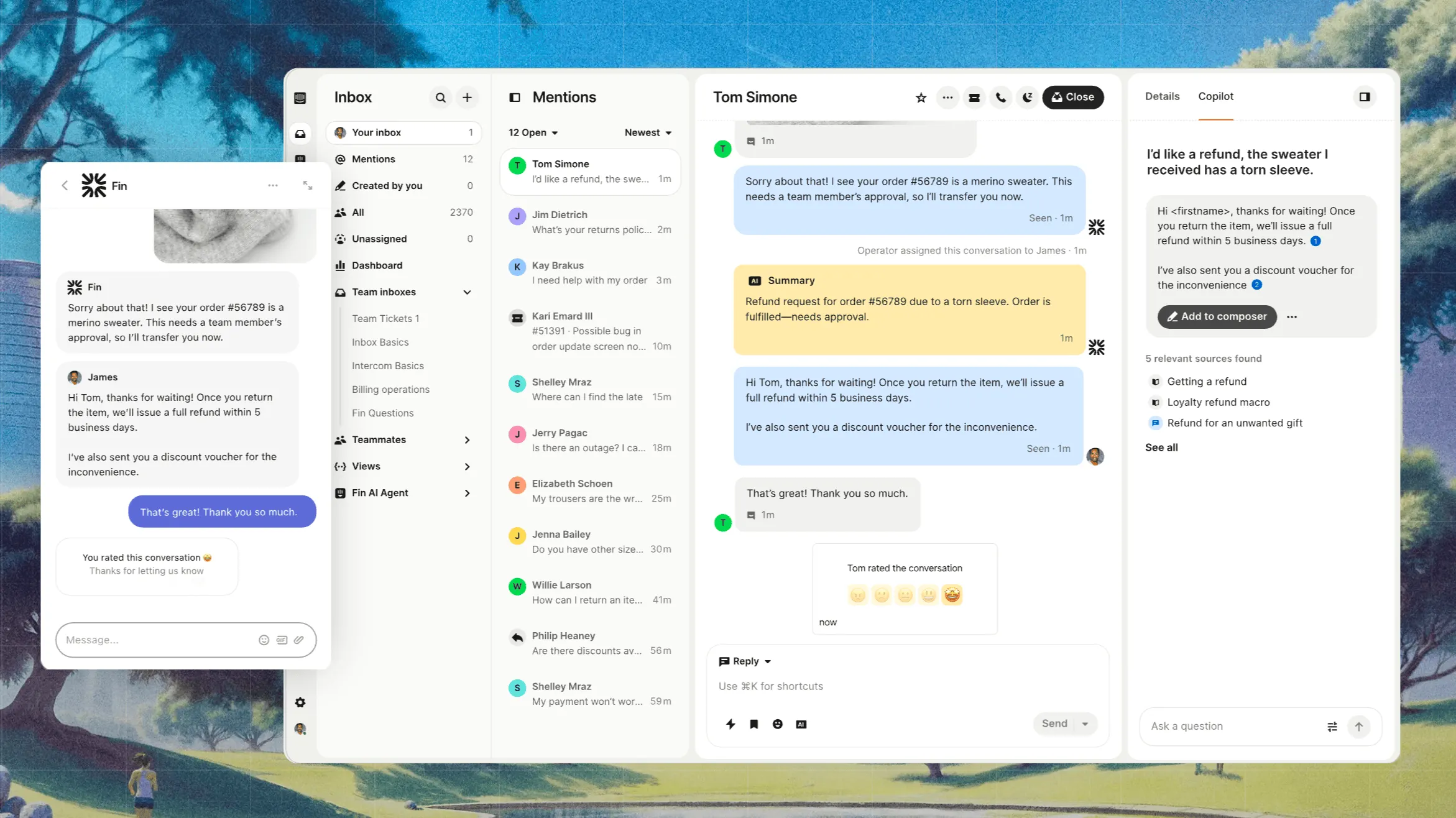
1. Live chat
Front offers live chat and basic chatbots (on Growth/Scale plans) to handle website inquiries. It’s simple and integrated into your inbox, but customization is limited. Front’s chat is essentially a light add-on – good for teams who mainly want email-like support and just basic chat channels. It is by no means a full help desk ticketing system.
Intercom gives you industry-leading live chat out of the box. You get a highly customizable chat widget with Fin AI support, deep automation, and the ability to embed help articles or videos directly in chat. Reviewers consistently note that Intercom's live chat offers a richer, more customizable experience (embedding help centers, bots, and more) compared to Front's more basic chat.
2. Automations
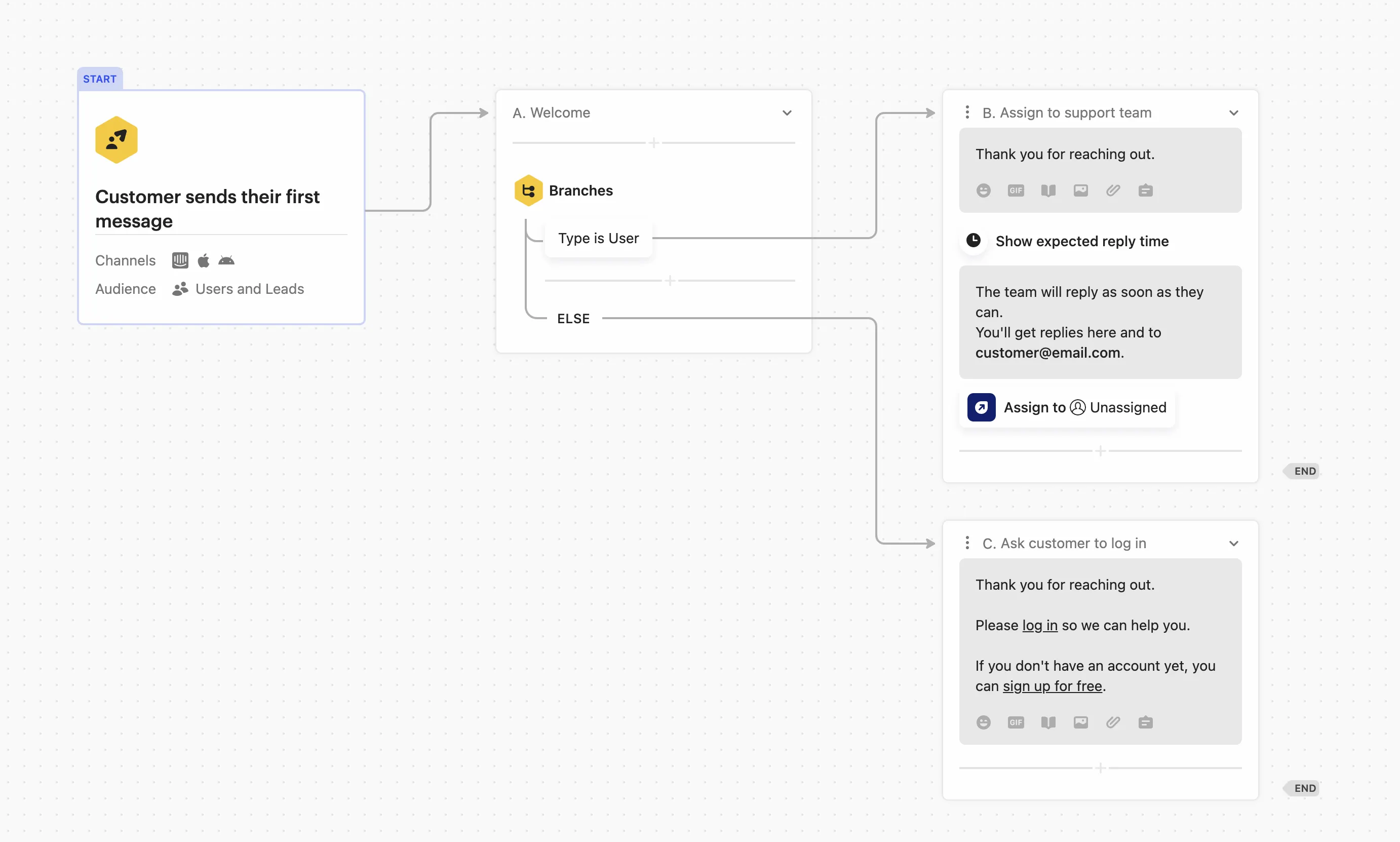
Both customer operations platforms offer automation, but Front is pretty underpowered compared to Intercom.
Front includes straightforward “Rules” and automated workflows (e.g., auto-assignment, templated replies, integration triggers). The automation is rule-based (filters, tags, macros) instead of being AI-driven. Front’s strongest side is eliminating manual email handling, but it does not have an AI chatbot as powerful as Intercom’s.
Intercom is built around AI automation. The Fin AI agent can handle complex tasks (like processing refunds or order checks) and be trained to respond in your brand's tone. It uses your help center, help articles, and historical conversations to resolve entire conversations autonomously, with guardrails a support manager can set for which topics it handles and when it escalates. If you want AI-assisted replies and smart bots, Intercom leads this area.
3. Help centers (knowledge base)
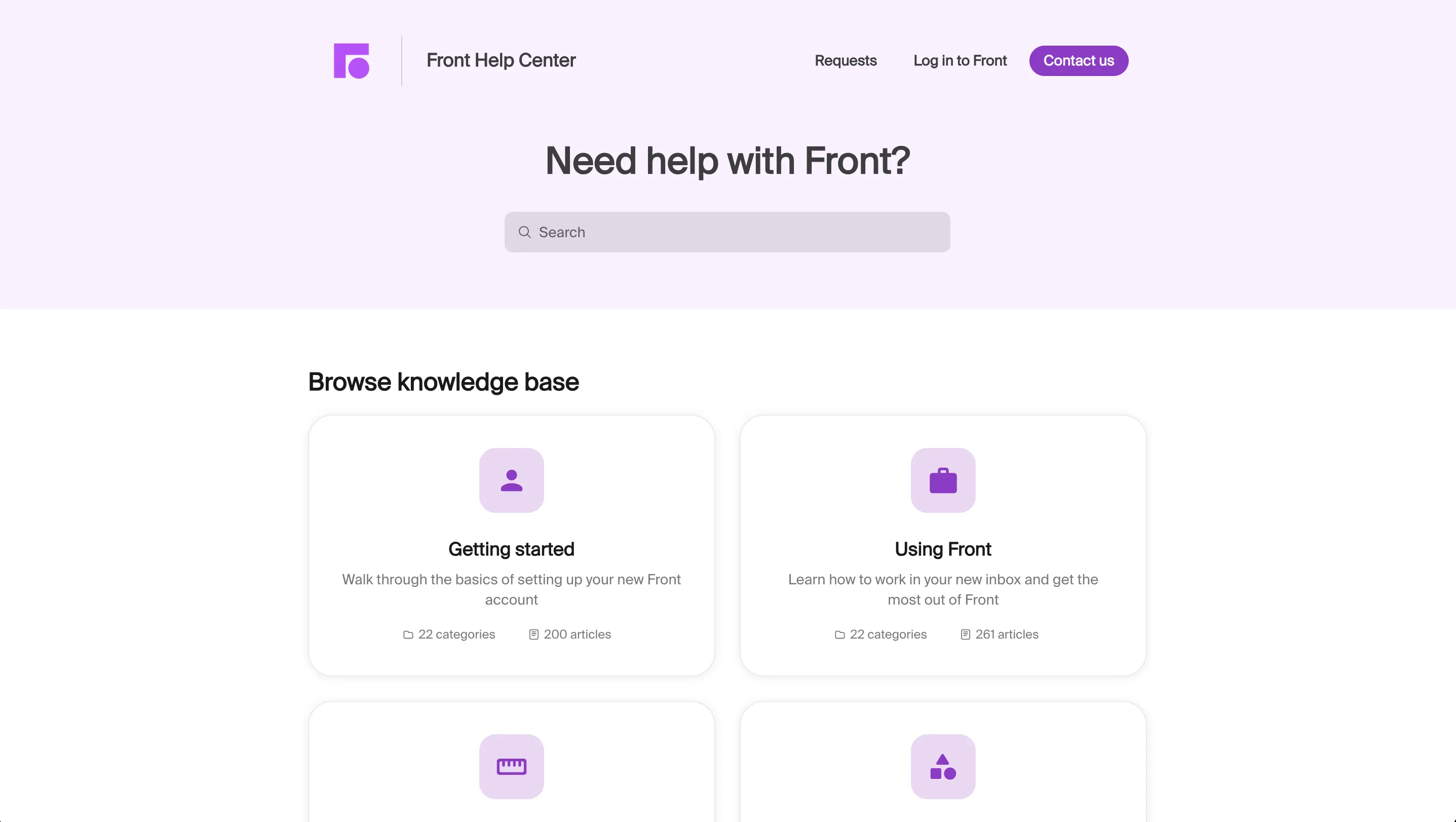
Front: Provides a built-in help center for FAQs and articles, letting customers self-serve. It has standard features (searchable docs, article management) but it doesn't have the advanced AI or versioning bells.
Intercom has a robust knowledge base with extra smarts. You can version articles, use AI-assisted drafting, and have contextual related-article suggestions. Its help center is generally regarded as more advanced (AI drafting, analytics) while Front's is more basic. Intercom also ties the help center closely to its Messenger, pushing relevant articles to users.
4. Messaging (Proactive Outreach)
Front is primarily inbound-focused. It unifies email, chat, and social into your inbox, but it doesn’t have a native feature for sending out proactive marketing or onboarding customer communication.
Intercom is a support system built for two-way messaging. Besides support chat, it can send targeted outbound messages (email or in-app) and announcements. For example, customers praise Intercom’s ability to “directly message users in mass or in selected groups to drive responses” and announce new features.
This makes Intercom strong for product announcements and in-app guides, whereas Front sticks to reactive support processes.
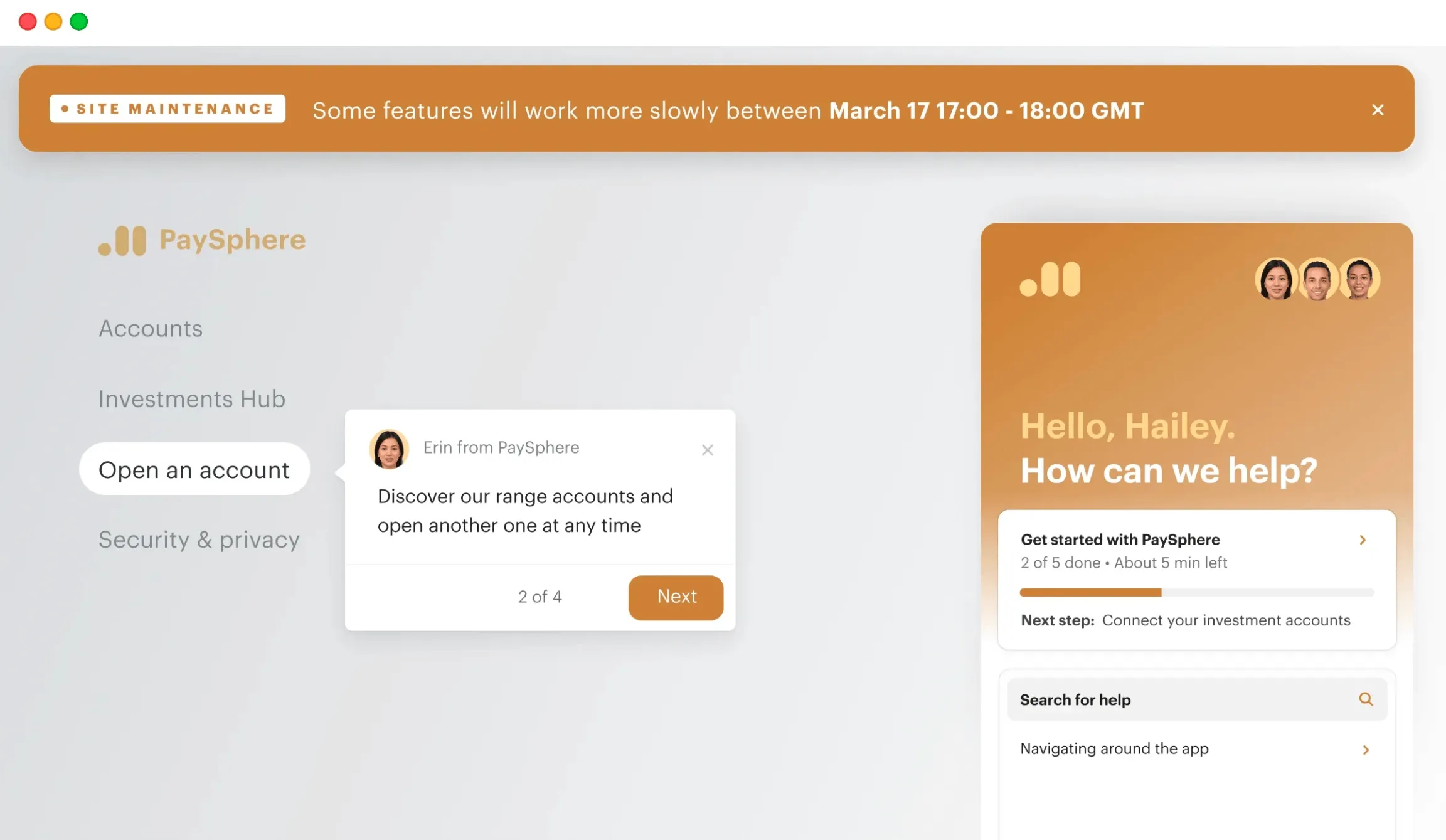
5. Product tours
Front doesn't offer built-in product tours or guided onboarding features, even in their higher pricing tiers. You’d need a separate tool for user onboarding flows.
Intercom includes Product Tours as part of its Proactive Support Plus add-on. This lets you build interactive, in-app tutorials and announcements.
Note: the Tours feature costs extra – it’s included in the $99/mo add-on for up to 500 message sends.
Integrations
Front integrates with roughly 100+ apps and channels. Popular ones include Slack, Salesforce, GitHub, Zendesk, Twitter, Instagram, and more. It even has built-in “Front Chat” (a live chat widget), and connects natively to email, SMS/WhatsApp, and social inboxes.
Intercom supports 450+ integrations. These extensive integrations cover CRM (Salesforce, HubSpot), support (Zendesk), analytics, developer tools, and hundreds of others. Intercom also has an open API and apps store, so most tools can be connected (via Zapier or direct) to enrich profiles or trigger actions based on customer data.
Both platforms cover the basics (CRMs, helpdesk tools, Slack/Teams, email marketing, etc.). Front focuses on shared-inbox integrations, while Intercom’s ecosystem is broad, spanning marketing, billing, developer, and support apps.
Both tools have strong integrations for small, medium sized businesses, and enterprises.
Ease of use and setup
Front’s interface is very intuitive, especially for teams switching from email. Reviewers note that it feels “exactly like a regular email inbox”, so there’s little learning curve for seamless communication through email. Setup tends to be straightforward – you just add your mailboxes and channels, and your team can jump in.
Intercom offers a rich set of features, which can mean a steeper learning curve. Some users note there are “so many options that it takes time to figure everything out", which is especially true when it comes to Fin.

You’ll need to configure your Messenger widget, define bots/workflows, and set up segments/promotion campaigns. However, Intercom provides extensive documentation, tutorials, and in-app guides (it even has its own Academy). In short, Front is better because of its simplicity for email teams; Intercom needs more initial setup to unlock its full power.

Pricing for both customer support platforms
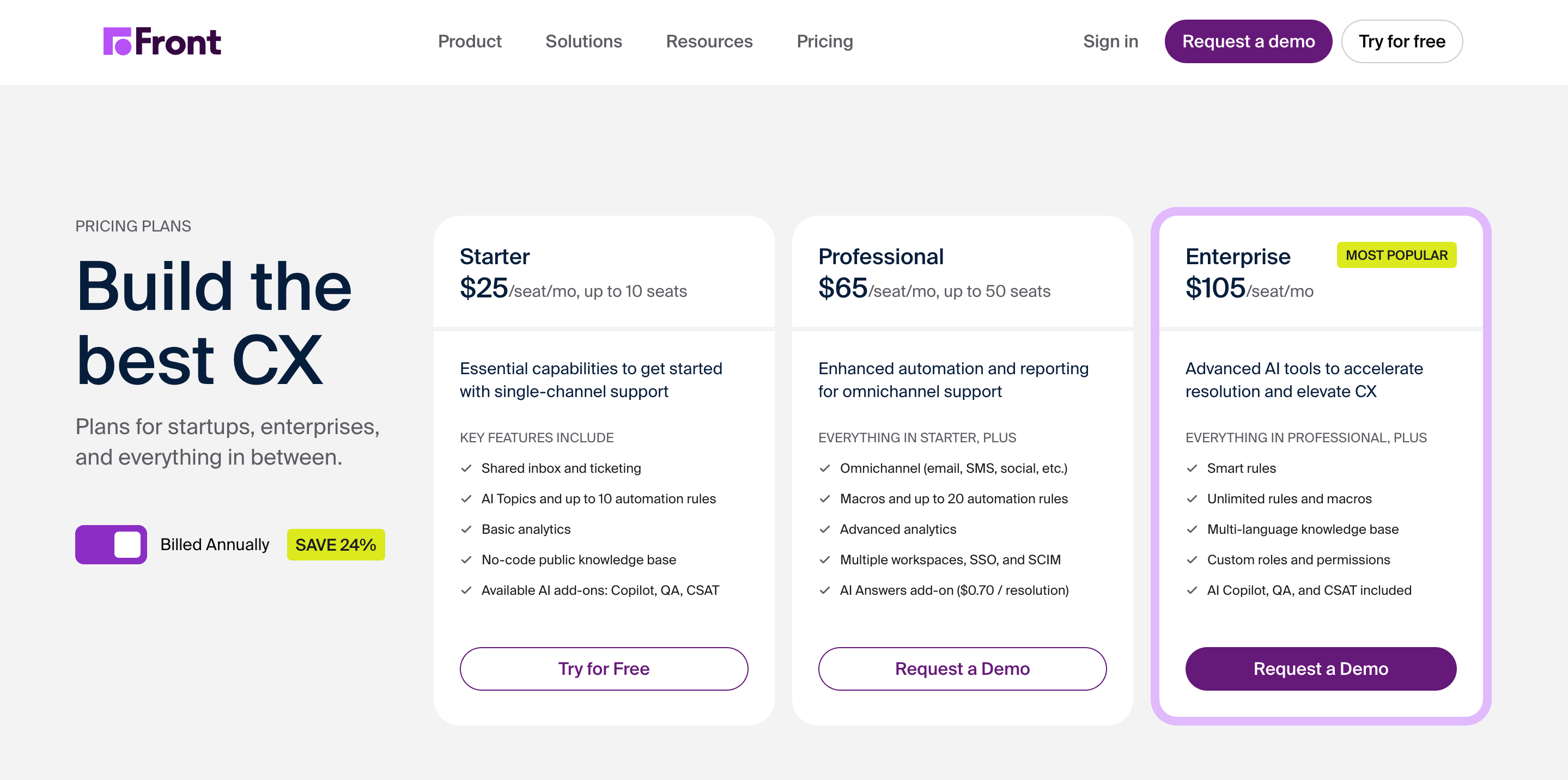
Front's pricing comes with tiered plans per user (seat) billed annually. As of 2025, the Starter plan is $25 per seat/mo (up to 10 seats), Growth is $65 (no seat minimum requirement), and Scale is $105 (with a minimum of two seats).
Enterprise (Premier) pricing is custom. All plans include email, analytics, basic automation, and collaboration; higher tiers add things like advanced rules and SSO. (Note: Front’s pricing is transparent on its site.)
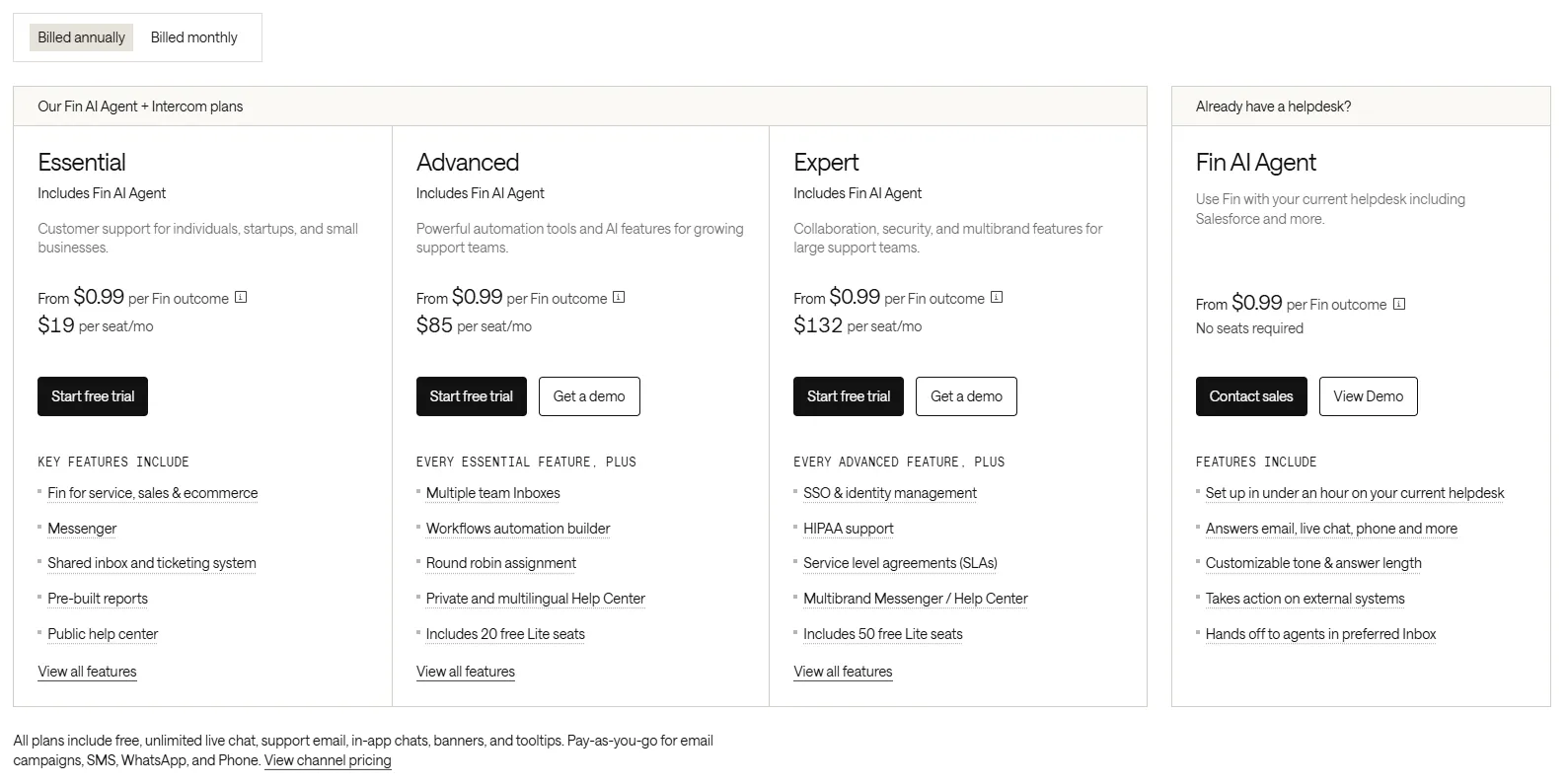
Intercom has more complex pricing, now split into a per-seat plan plus outcome-based AI usage on top. It has three seat tiers (Essential/Advanced/Expert): Essential starts at $19/seat/mo (billed annually, or $29 monthly). Advanced costs $85/seat/month billed annually ($99 monthly), and Expert runs $132/seat/month billed annually ($139 monthly).
Fin is billed by outcome. Resolutions, configured procedure handoffs, disqualifications, and self-serve routing cost $0.99 each, while sales qualifications cost $9.99. Each conversation is charged at most once. Fin on another helpdesk (including Salesforce or HubSpot) requires no Intercom seats and has a 50-outcome monthly minimum ($49.50 at $0.99 each). Inside Intercom, Fin usage is pay-as-you-go on top of your paid seats.
On top of seats and Fin, Intercom charges extra for add-ons like Proactive Support ($99/mo) and usage-based channel fees for SMS, WhatsApp, and phone. In short, Intercom tends to be much more expensive, and because Fin scales with conversation volume, your bill grows with success rather than staying flat.
Example: A small startup might pay ~$19/seat/mo for Intercom Essential (billed annually) and $25/seat/mo for Front Starter. But as you add seats, Fin outcomes, and outbound messages, Intercom's bill can escalate quickly.
Looking for a modern & affordable alternative to Intercom and Front? Check out Featurebase
Their own support and documentation
Both vendors provide online documentation and forums.
Front’s Help Center and community are solid, and users often praise Front’s own support team. For instance, one user raved that “Front’s support team is the best there is. You can tell … they actually read your email and respond appropriately”. In practice, Front offers email/chat support and responds fairly quickly.
Intercom has extensive docs, a community forum, and even live chat during business hours. Many users have words of praise for Intercom’s support. However, Intercom’s sheer size and user base mean that some users report slower response times on tickets.
On review sites, some customers complain of “response times [that] are days”. Overall, Front’s small team approach can feel more personal, while Intercom’s infrastructure is very mature (and its knowledge base is comprehensive).

Use case fit
Front is best for small to medium teams focusing on email as the main channel for customer conversations.
It shines when your support volume is modest (e.g., under ~100 tickets/day) and you value a conversational, collaborative inbox. Front’s strengths - shared drafts, tagging, approval workflows, analytics dashboards - make it great for teams that want detailed, human support through email.
Intercom is best for scaling SaaS or e-commerce businesses with higher support loads (hundreds of conversations/day) and a need for real-time chat. It’s ideal if you want proactive engagement - in-app messages, push notifications, and AI bots for live chat support. Intercom excels when you want to automate routine tasks with Fin, use product tours, and customize support workflows through code or custom objects.
However, some users have concerns about Fin providing personalized responses across multiple support channels and that it just might "rub customers the wrong way":

Put simply, Front is a customer communication platform designed for teams that prefer an organized, email-style workflow and transparent metrics. On the other hand, Intercom is a better fit for teams that prioritize live chat, automation, and multichannel engagement.
What users are saying
Users often praise Front for making teamwork on email easy, and you can use it to streamline support processes on this channel quite effectively.
One longtime user described Front as “fantastic” for managing shared inboxes and appreciates the simple, email-like interface. However, some reviews warn about reliability and cost. For example, a recent Trustpilot comment warned of “nothing but problems… doesn’t connect to things it should” and complained that support just sends irrelevant help articles.
Pricing is a common gripe, too.

Feedback for Intercom is similarly mixed. Many customers report big wins from Intercom’s automation. As one user put it, Intercom’s Messenger and Fin AI have been a “game-changer” – automating over 60% of their conversations and boosting engagement.
On the downside, reviews often mention the costs and complexity. Several users plan to switch away because pricing “spiked 4x” unexpectedly. Some also criticize the slow support response. Overall, praise centers on Intercom’s robust feature set and solid tech, while criticism centers on price and onboarding effort.
Final verdict
Front is an excellent choice if you want an intuitive, email-first support tool with strong teamwork features. It lets your agents collaborate effortlessly on tickets and keeps reporting simple. If most of your support is email or messaging and you don’t need heavy automation, Front often wins on ease-of-use and transparency.
Intercom is better if you need top-tier live chat, AI chatbots, and proactive outreach at scale. Its feature set is deeper: in-app messaging, product tours, and AI-driven automation give it more power for customer engagement. But all that power comes with complexity and cost. In short, pick Intercom if you need sophisticated chat/automation and have the budget; pick Front if you prefer a leaner, email-based approach for your support team.
In the end, both platforms have unique strengths. Compare your needs (volume, channels, automation) against what each does best: Front for collaborative email-driven support, Intercom for automated, high-touch messaging and customer support operations.
But there is an even better way to automate repetitive tasks, communicate through multiple channels, and provide a seamless customer experience. Enter Featurebase. 👇
Featurebase: a better alternative to Front and Intercom! ✨
If Front is too basic and Intercom is too expensive, consider Featurebase, a modern support platform that blends the best of both worlds.
It’s loved by thousands of fast-growing teams from companies like Lovabale, Polymarket, and Instantly.
With pricing starting from just $29 per user per month (+$0.29 for every successful AI resolution), it costs a fraction of Intercom, Front, and most other support platforms.
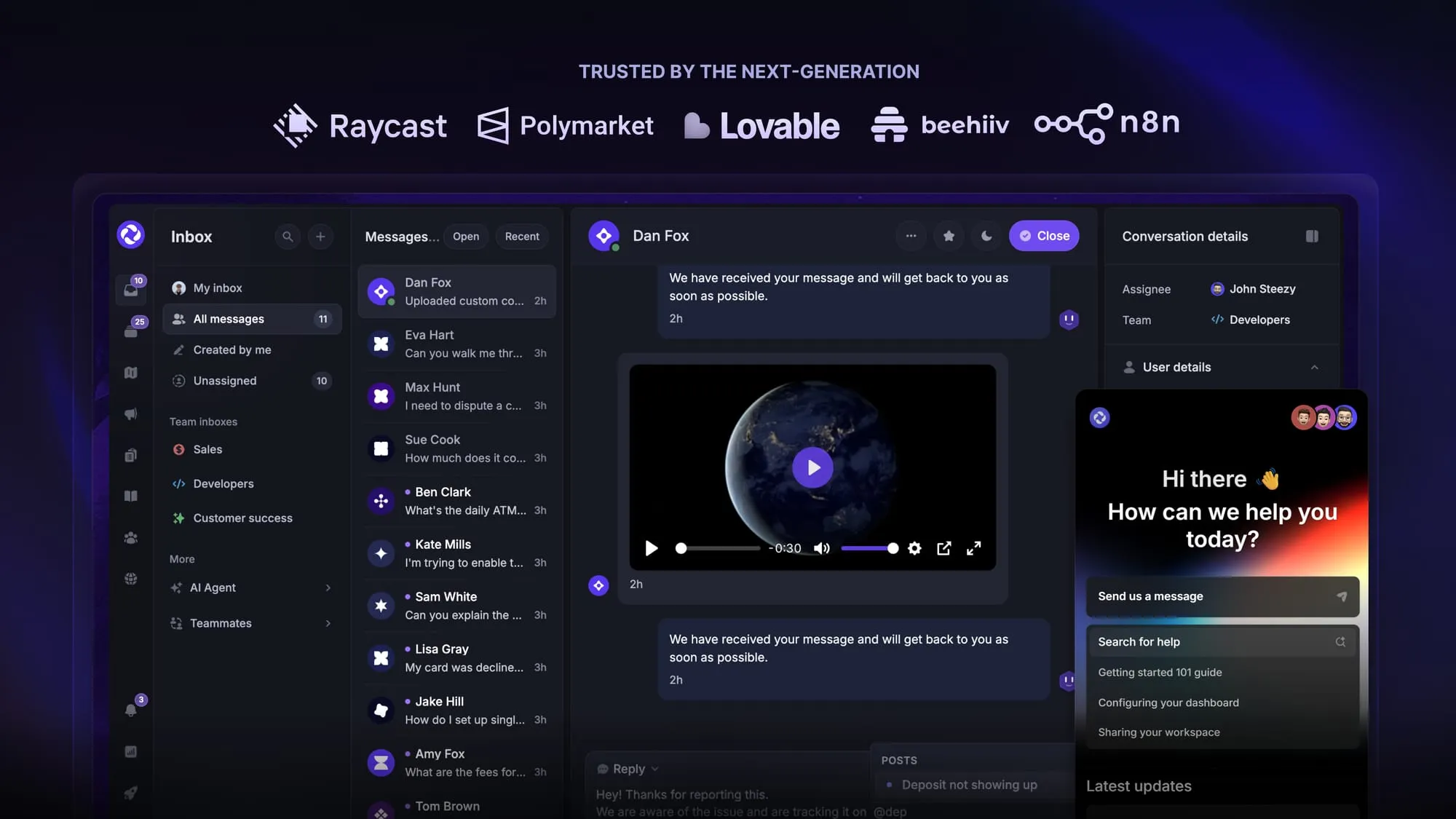
Some of the many Featurebase features include:
- Unified inbox – manage your live chat & email conversations in one place with your whole team
- AI agent & automations – fully automate your support with AI and endless custom workflows, like extending trials, offering discounts, qualifying leads, etc.
- Messenger widget – provide AI and human support from anywhere with a customizable in-app widget
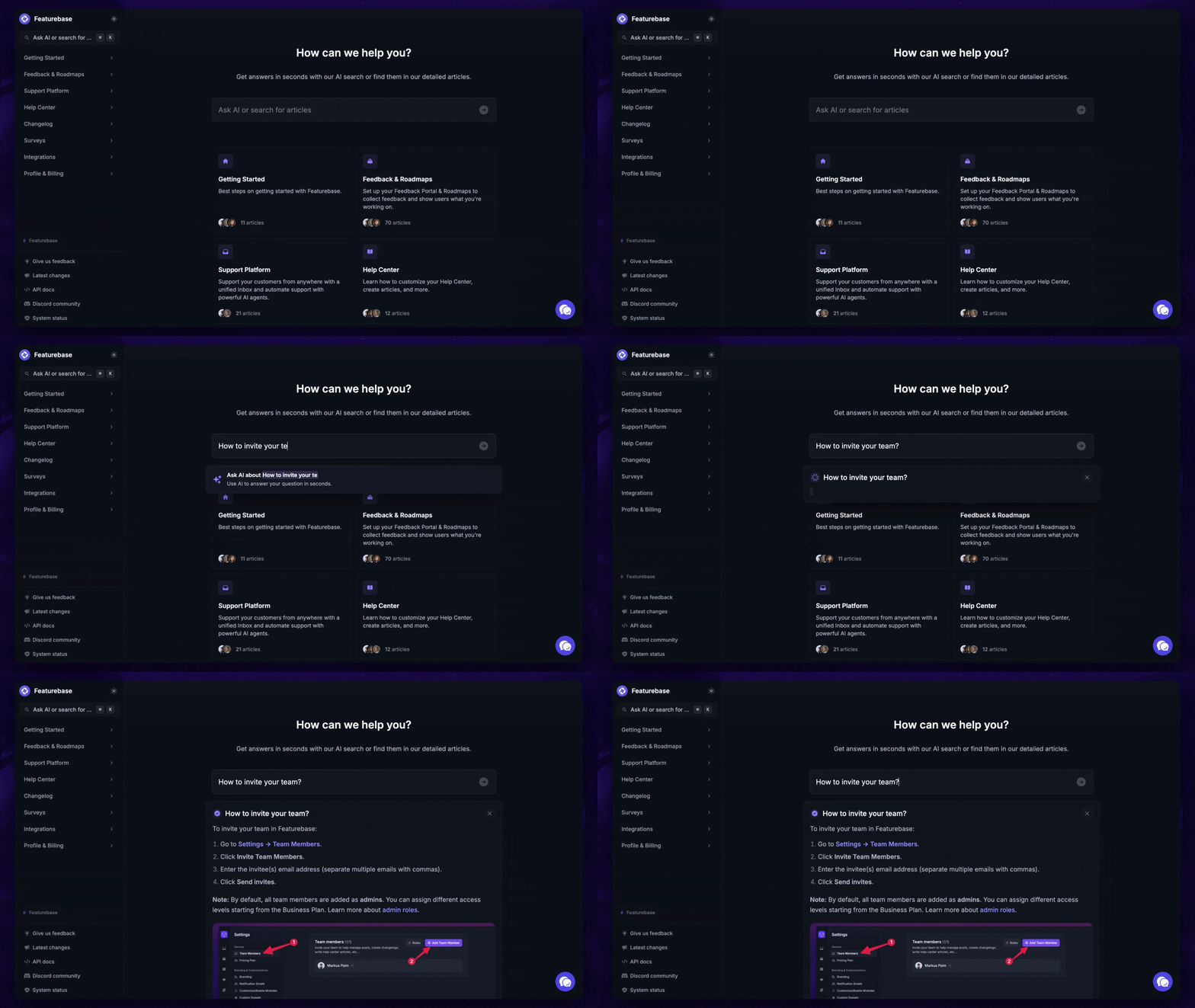
- Help Center – a branded knowledge base with instant AI answers
- Email support – Seamlessly provide support to your customers via email sync
- Native ticketing – Centralize & keep track of all customer requests in one place
- Multi-language & custom domain support – serve content in 40+ languages with your domain and branding
- Mobile app – respond to customers, receive notifications, and unblock users on the go
- Integrations – Slack, Linear, Jira, Discord, Hubspot, and many more
- Plus, feedback collection, product roadmaps, release notes, and customer surveys – all in one place
Long story short, Featurebase gives you all the powerful support capabilities of Intercom and Front, but without the super expensive pricing. Don't just take our word for it. You can try Featurebase completely free and see for yourself.
The onboarding is quick and doesn't require a credit card. Plus, you can automatically import your Intercom knowledge base - so there’s zero risk involved. 👇
Automate your support with the fastest AI-enhanced Inbox today
FAQs
More or less. Intercom rebranded to Fin in 2026, taking the name of the AI agent it launched in 2023. The underlying helpdesk and Messenger still exist, but the product and pricing are now centered on the Fin AI agent.
It depends on your team and volume, but the pricing models are fundamentally different. Front charges a flat per-seat rate ($25 to $105 per seat/mo, billed annually) with optional AI add-ons. Intercom charges $19 to $132 per seat/month billed annually plus Fin usage from $0.99 per outcome, so its bill scales with conversation volume. For small teams with steady, mostly email support, Front is usually cheaper. For teams leaning heavily on AI resolution, Intercom's costs can climb quickly.
Fin starts at $0.99 per outcome for resolutions, configured procedure handoffs, disqualifications, and self-serve routing. Sales qualifications cost $9.99. Each conversation attracts at most one outcome charge. Standalone Fin with another helpdesk has a 50-outcome monthly minimum. Inside Intercom, Fin usage is pay-as-you-go on top of at least one paid Full seat.
Front tends to be the better fit for small teams that live in email and want a shared inbox that's fast to set up and easy to use. Intercom is better suited to teams that expect high chat volume and want to automate a big share of it with AI, but it carries a steeper learning curve and less predictable pricing. Match the tool to your primary channel and how much automation you actually need.
Featurebase is a common pick for teams that want support, help center, and feedback tools in one place without legacy pricing. It offers a free plan and paid plans from $29 per seat per month with $0.29 per AI resolution, and it lets you import your existing Intercom knowledge base to make switching low-risk.
More comparisons: