Kayako vs Zendesk: 2026 Customer Service Software Face-off
Trying to choose between Kayako and Zendesk? One focuses on simplicity and context, while the other offers power and scale. In this post, we’ll compare their features, pricing, and pros and cons to help you decide which fits your support team best.


On this page
Looking for a modern alternative to Kayako and Zendesk? Check out Featurebase
Looking to pick your next customer service platform? Zendesk is a logical choice, with a powerful ticketing system, support for multiple channels, and tons of AI features. But there are plenty of underdogs, such as Kayako, that are worth your consideration.
Oddly enough, Kayako is definitely not a newcomer. It's been around since 2001, and it's used in companies such as De Beers, Peugeot, and even NASA. But is it good enough to stand its weight against Zendesk as a customer service solution?
Let's look at their features, pros and cons, pricing, and more to find out which tool is right for you and whether Zendesk really deserves the attention it gets.👇
TL;DR Kayako vs Zendesk
- Zendesk is built for scale, with strong automation, reporting, and support for many channels, including voice and phone support.
- Kayako keeps things simple and gives agents a single view of the customer’s history across email, chat, and social.
- Zendesk is built for large teams, where SLA tracking, advanced workflows, and global performance really matter.
- Kayako works best for smaller teams, where fast setup and context are more valuable than endless features.
- The pricing models are completely different: Zendesk charges per agent and gets expensive at scale, while Kayako has a flat $79/month plan plus $1 per AI-resolved ticket.
- Zendesk can feel complex and expensive. Kayako may not keep up with very high ticket volumes or multi-brand setups.
- In short, Zendesk is better if you’re planning to grow big; Kayako is better if you want a simple tool that covers the basics well.
Zendesk can quickly become very pricey, while Kayako can feel outdated and behind with AI features.
If you're after a more modern alternative, check out Featurebase (👋 that's us). We're a powerful alternative to Zendesk and Kayako - but we’ll stay unbiased in this comparison, promise.
Kayako vs Zendesk: The basics
Kayako
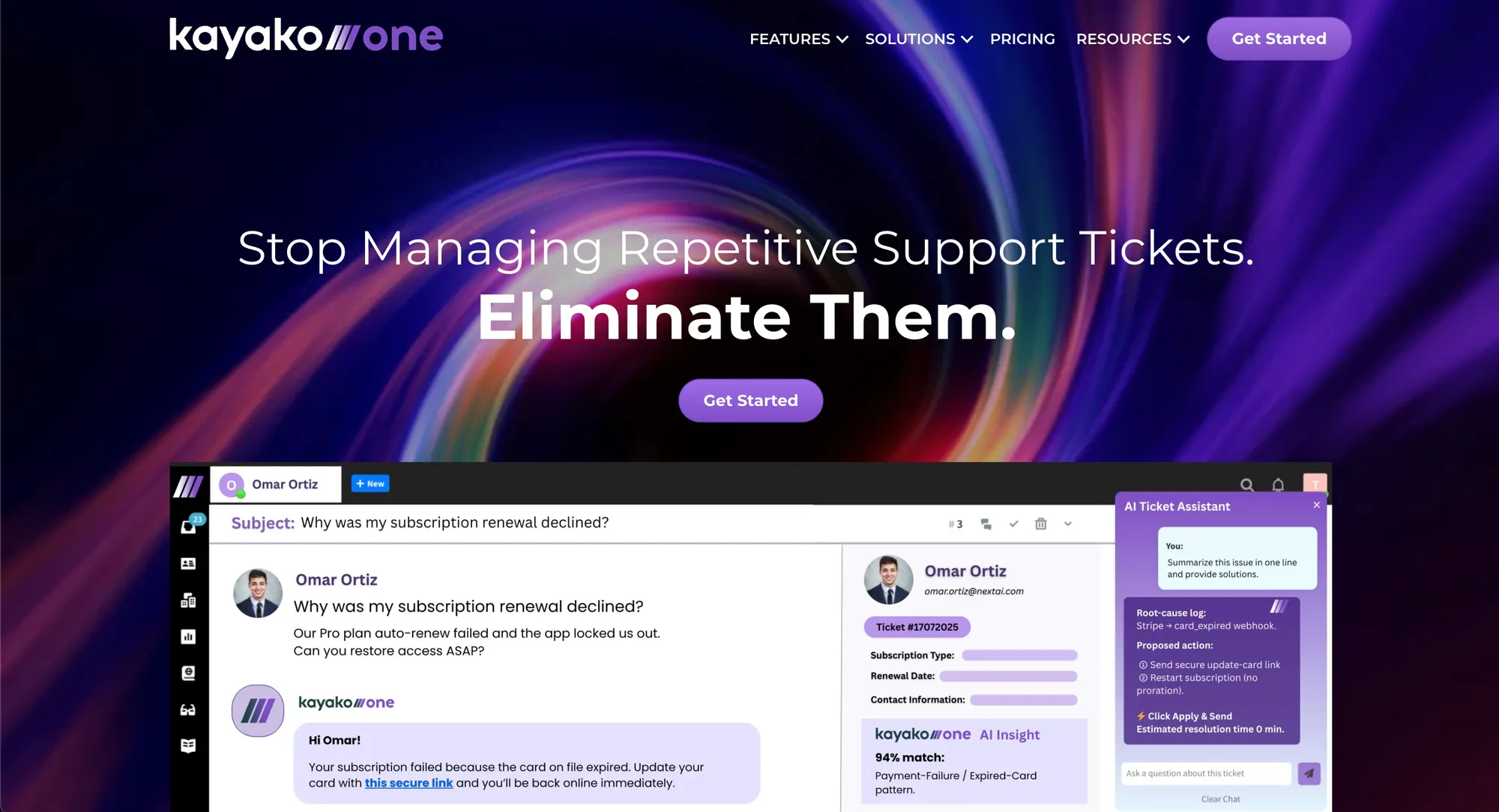
Kayako sits on the other side of the spectrum. Instead of trying to be everything, it focuses on keeping conversations connected.
Emails, live chats, and tickets all live in one continuous thread, so teams don’t have to piece together what happened before. It’s a style that works well for smaller teams and growing companies, with names like De Beers among those who have used it.
Zendesk
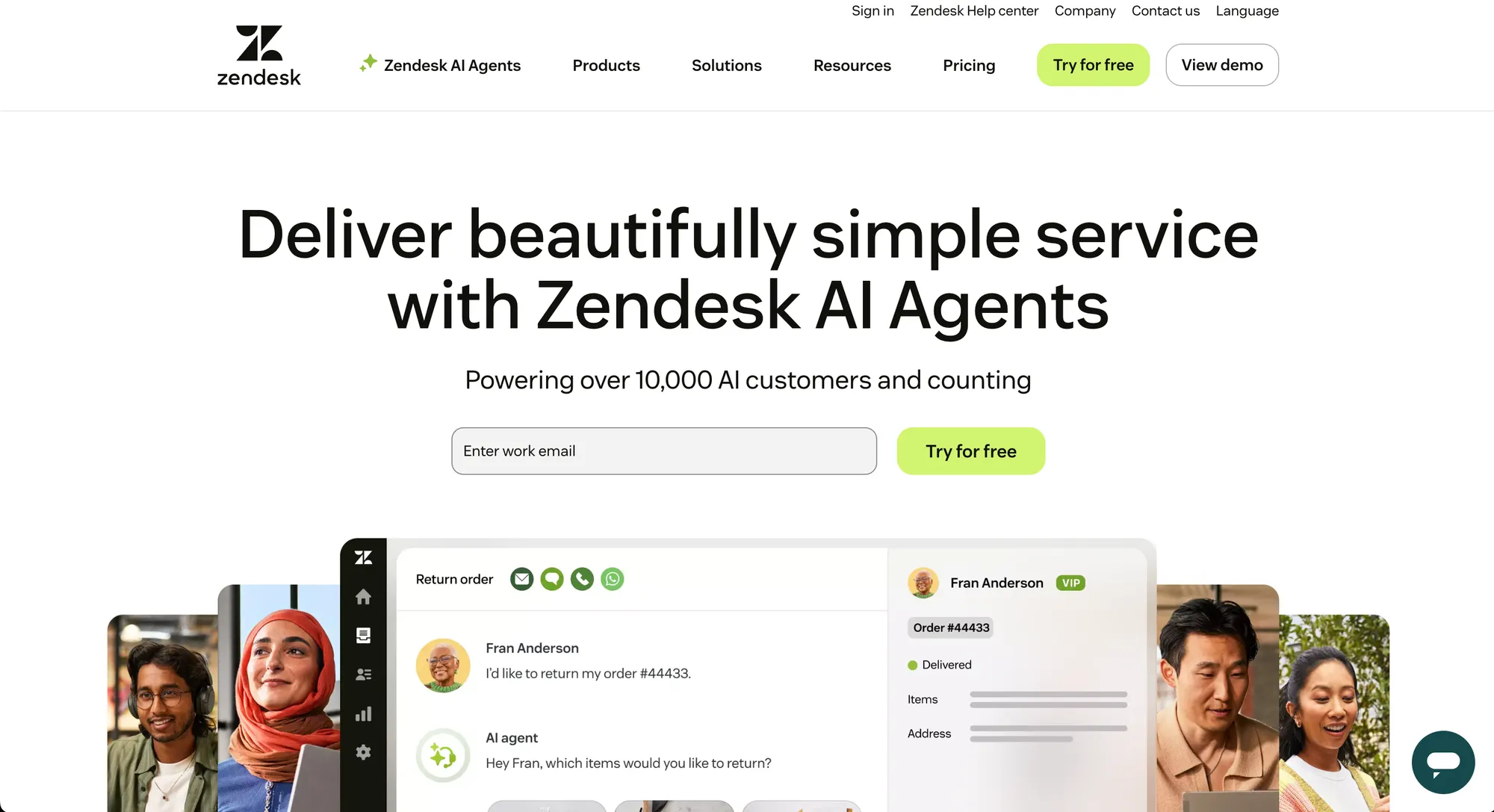
Zendesk has been around for a long time and is one of the most recognizable names in customer support. It’s the tool you’ll find in the tech stack of companies like Shopify, Uber, and Slack, mainly because it can handle almost anything you throw at it, at scale.
Zendesk is famous for its wide set of features, endless integrations, and the fact that it feels like the “enterprise standard” in this space.
In other words, companies often choose Zendesk for size and scale, and Kayako is more about clarity and simplicity.
Core features
Support teams care about two things: how fast issues get handled and how much context the platform preserves. Below is a feature-level breakdown so you can tell exactly what both tools offer in 2025 in terms of core and advanced features for your business needs.
Kayako
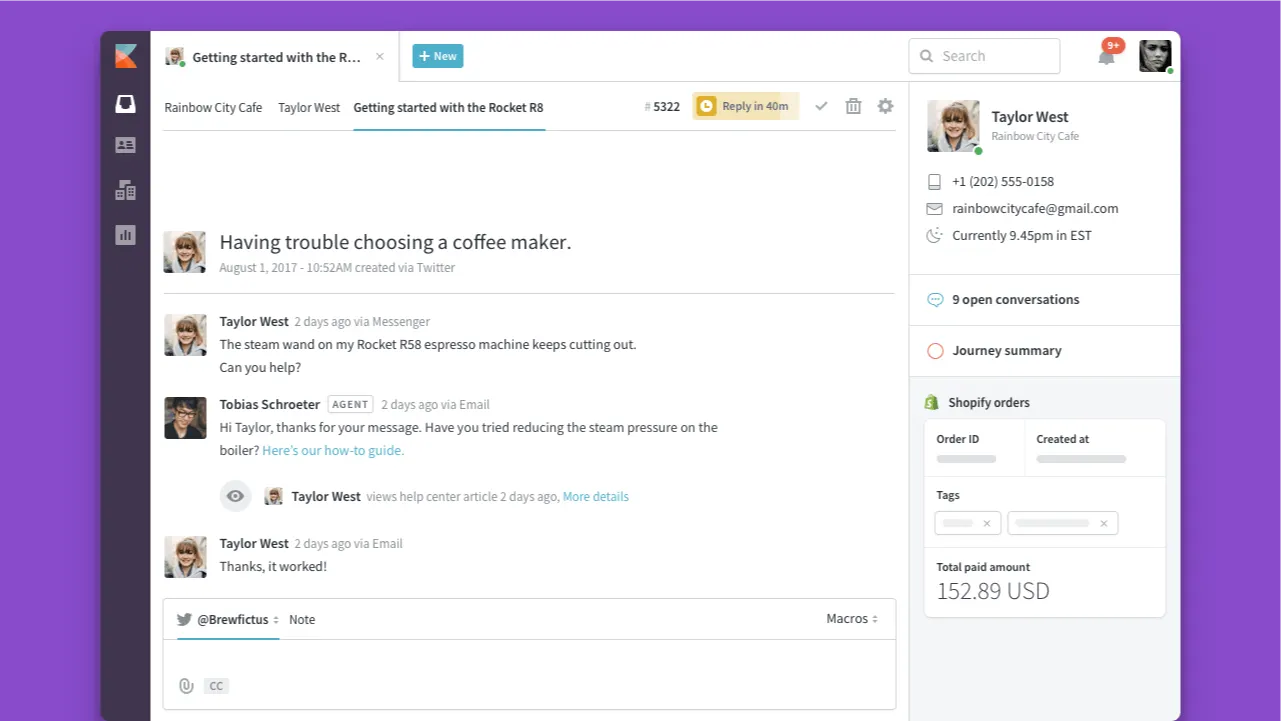
Kayako focuses on simplifying context, automating repetitive tasks, and helping smaller or mid-size teams maintain clean and coherent support. Standout Kayako features are:
- Smart ticketing & shared inbox — Messages across chat, email, and messenger are unified in one place. Threads keep past conversations visible so agents have full context without hunting for information.
- AI chat & automated resolutions — Kayako uses AI to answer common questions, auto-resolve some tickets, and suggest responses or actions. This reduces the load for agents, especially on routine issues.
- Knowledge base software — After tickets are resolved, the system surfaces what gaps in documentation exist (what customers ask that isn’t covered) and helps generate content for the knowledge base so future tickets get fewer surprises.
- Multilingual & multi-brand Support — Manage customer interactions in different languages, supporting more than one brand or team within the same platform. Useful when operations are spread across regions or divisions.
- Automation & workflow routing — Rules to route tickets to the correct team or agent, with alerts or follow-ups automatically triggered. Prioritization is built in, so routine issues don’t clog the queue.
- Single view & context preservation — A clean interface where the agent sees everything about the customer (past tickets, messenger chats, help center interactions) in one place. This helps avoid repeating questions and the agent knows what happened previously.
Zendesk
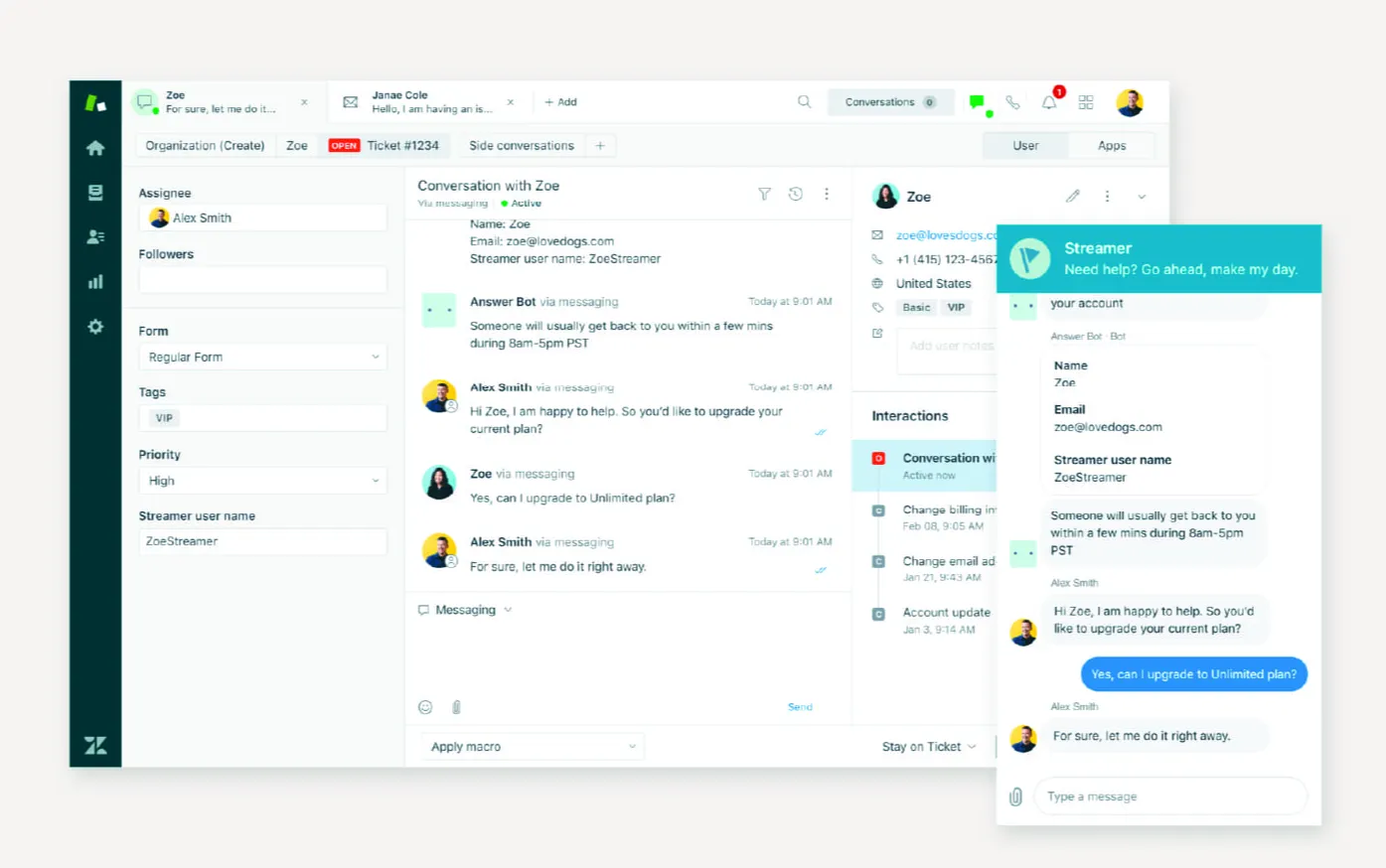
Zendesk gives you a very broad toolkit that works well if your support needs are complex or growing quickly. Key strengths include:
- Unified ticket management & omnichannel support — All customer messages from email, live chat, social media, and voice are brought into a single interface, so nothing gets lost. Agents can track interaction history across channels. This is especially useful for maintaining consistency even when customers switch modes.
- AI & automation tools — Zendesk provides automated routing based on intent, sentiment, and language. It offers AI-assisted response suggestions and summarization. It uses triggers, macros, and workflows to automate repetitive tasks.
- Service level agreements (SLAs) & workflow management — You can define business hours, priority levels, escalation paths, and set up SLAs so urgent tickets are handled faster.
- Analytics, reporting & quality assurance — Zendesk offers dashboards, trend reports, agent performance metrics, customer satisfaction tracking, and tools for reviewing the quality of responses.
- Permissions, custom roles & admin controls — Granular role-based access, custom ticket fields and views, ability to restrict access by brand or department, etc. All of this is useful for teams with security, compliance, or multi-brand constraints.
- Self-service knowledge base & help center — Customers can help themselves via FAQs, articles, and multilingual help centers. Agents can link to or suggest these self-service options during support.
Omnichannel support experience
Support teams that deliver across multiple channels need smooth transitions, real-time context, and intelligent routing. Below are how Zendesk and Kayako handle omnichannel support in 2025.
Kayako
On the other hand, Kayako offers an omnichannel-style experience focused on consolidating conversations and maintaining context. Here’s how it works:
- SingleView™ customer history and unified conversation thread: All interactions (email, chat, social media) feed into a unified dashboard. The tool builds a profile of the customer’s history automatically, so agents don’t have to ask for repeat info or switch tools.
- Support across email, chat, social media: Kayako covers multiple channels so that support tickets from social media posts or DMs, live chats, and email come in to the same system.
- AI chatbot / automated responses for repetitive tickets: For simple or repetitive issues (like FAQs, order status checks) Kayako’s AI features can resolve tickets or propose responses, reducing load on agents. This works across channels in some cases.
- Shared inbox / unified agent view: Rather than separate tools for each channel, agents see a single inbox or dashboard so they can switch between chats, emails, and social messages without context loss.
- Context persistence when switching channels: Because history and threads are preserved, when a customer moves from one channel to another, the context travels with them. Agents can see past conversations, no matter how the customer reached out.
Zendesk
Zendesk provides a capable omnichannel framework that lets customers reach you however they prefer and let agents manage all those touchpoints in one place. Here are the key pieces:
- Omnichannel routing: Zendesk can route tickets and messages coming from email, calls, messaging apps, live chat, and social channels. Routing works based on agent status, workload, skills, priority, and capacity. This helps balance agent load and ensure high-priority or urgent issues get attention fast.
- Unified agent workspace: Agents use a single workspace to see all incoming requests regardless of channel. That means conversation history, customer profile, and past tickets show up whether the customer reached out by email, chat, or phone.
- Channel availability: Zendesk supports many channels natively, including email, chat, messaging apps, voice/phone, and social media. Agents can respond across those in-tool and maintain a continuous thread if a customer switches back and forth between channels.
- Unified status and capacity controls: Agents have unified status across channels, so the system knows if someone is available or overloaded. Capacity rules limit how many tickets or messages each agent can have open across channels. This prevents burnout and reduces response delays.
- Prioritization and escalation built in: Depending on your plan, you get tools that let you escalate tickets if they breach service levels (SLAs), or you can route based on priority, skills, or brand. This way, critical problems aren't left on the back burner.
Customization and integrations
Kayako
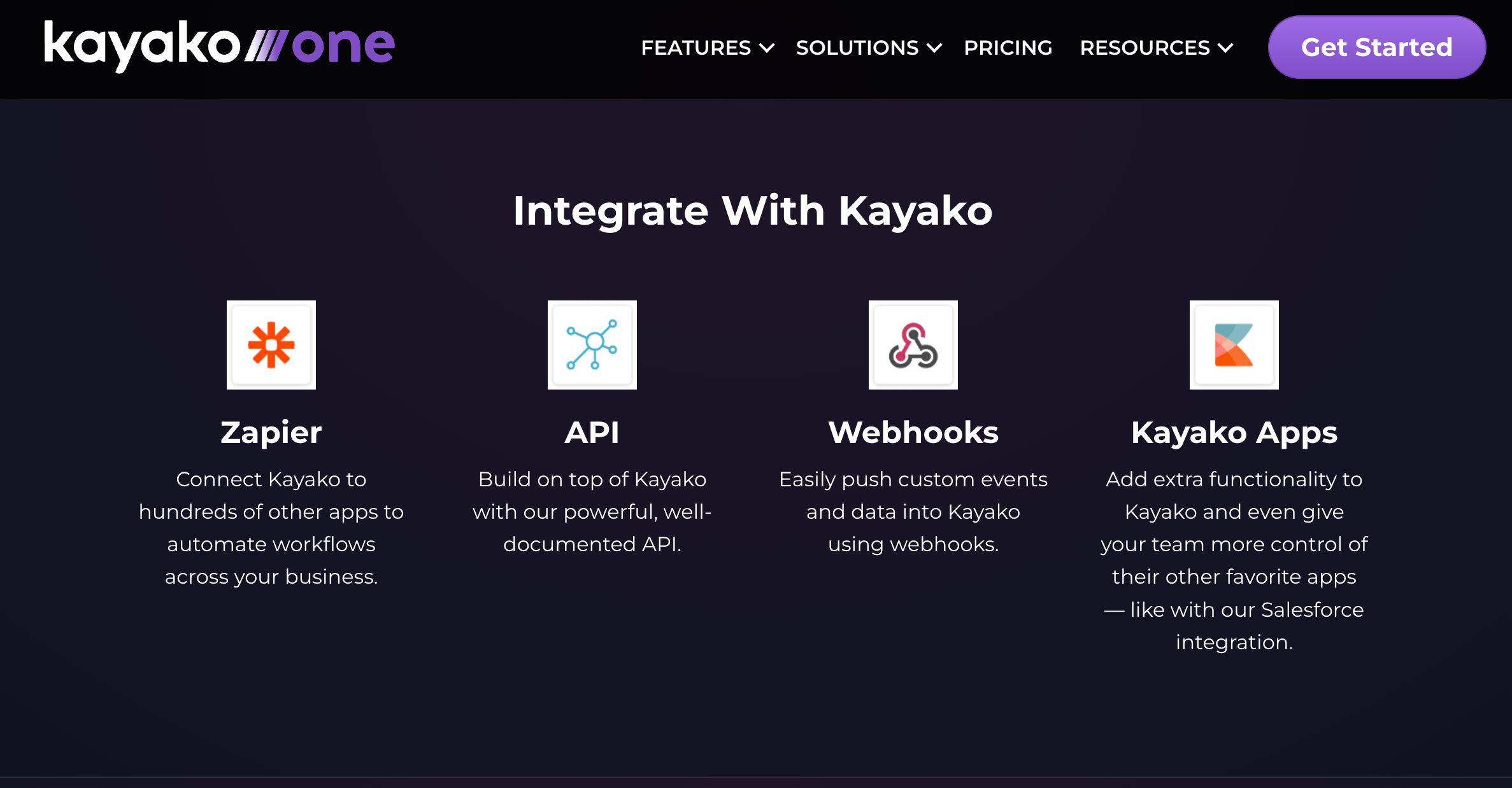
Kayako’s approach is simpler in places but still solid for teams who want integration without too much overhead:
- Open API for custom backend connections: If you have in-house systems, you can build integrations using Kayako’s APIs to pull in customer context or push updates out.
- Multi-brand & multilingual support: Ability to operate multiple brands/support portals, different languages, and different help centers under one account, so customers in different locales see what’s relevant.
- Custom workflows built through integrations: Use workflows across apps to automate parts of the support process (for example, tag-assigning, alerting, sync with external systems) using integration platforms or custom setups.
- Permissions & roles for access control: Specify which team or agent can do what. Limit access based on role, brand, or department.
- Easy app integrations via Zapier & webhooks: You can connect Kayako with many apps using Zapier or basic webhook setups so that systems can talk to each other without heavy engineering. (Slack, Salesforce, etc.). However, the number of native integrations is very limited, and not just compared to Zendesk.
Zendesk
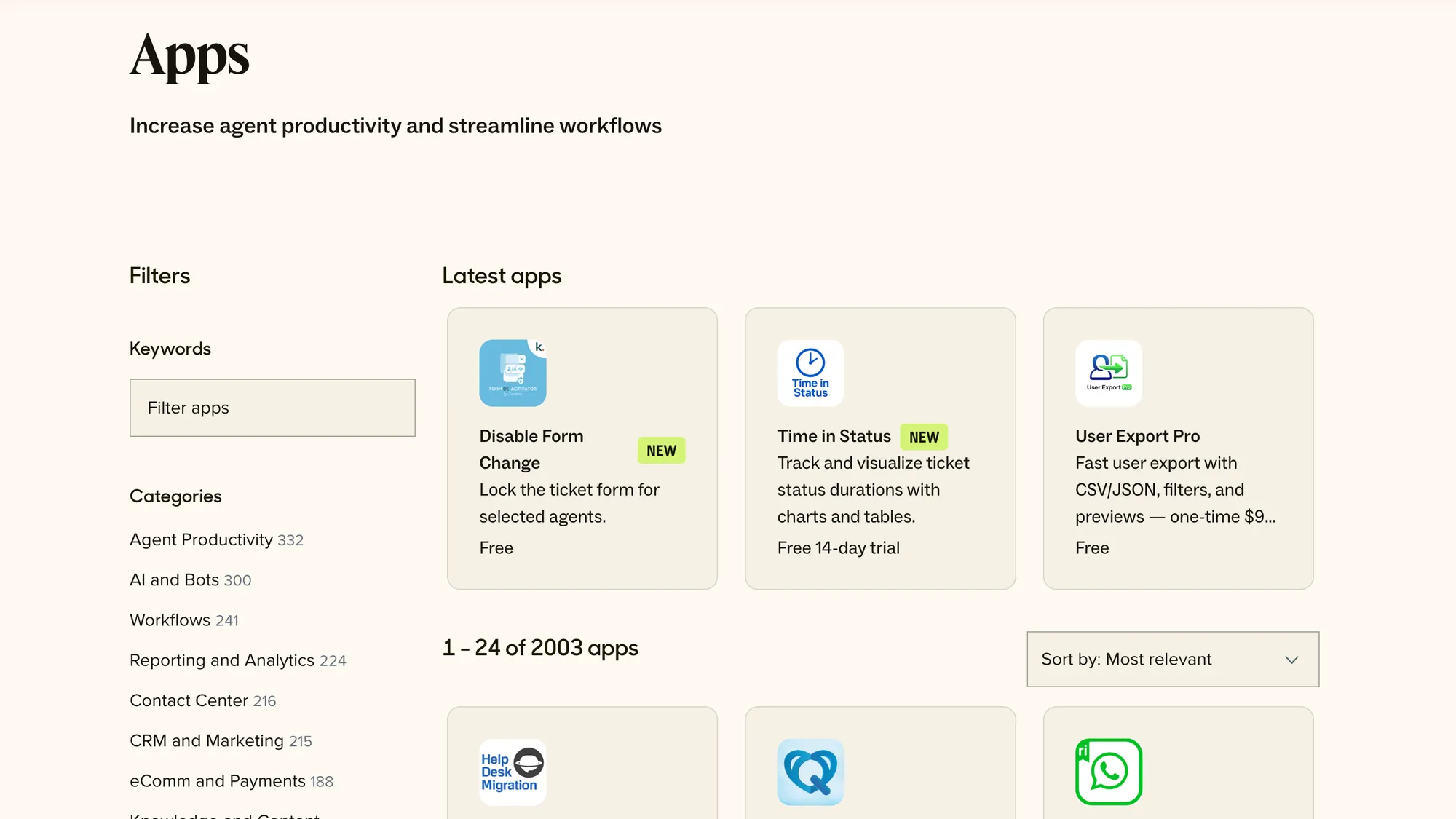
Zendesk gives you strong options if you need deep customization and rich integrations:
- Branding & help center customization: You can tailor the look and feel of your help center, ticket forms, layouts, colors, and logos. Also, control over the agent workspace so agents see what they need.
- Custom integrations using APIs & webhooks: You can build your own connections to backend systems, use webhooks for event-driven flows, and pull or push data between Zendesk and your internal tools.
- Advanced workflow & automation customization: Triggers, macros, workflows, and conditional logic to route tickets, escalate, and assign based on criteria you define.
- Roles, permissions & security controls: Define custom roles, control what agents or teams see, restrict access, and manage brand or department visibility.
- Large marketplace of apps & integrations: Zendesk has hundreds or even over a thousand third-party apps available covering CRMs, analytics, project management, social, productivity, and more. It also integrates with Featurebase.
Scalability and performance
Scaling customer support operations means more than adding agents. You want infrastructure, consistency, and tools that keep pace without creating breakdowns in the customer experience.
Kayako
On the flip side, Kayako scales well for growing small-to-mid-sized operations. According to reviews, its architecture holds up when you increase the volume of tickets, channels, and agents, especially if workflows and automations are used in a clever way.
What seems to make a difference for Kayako is context preservation and reducing friction.
Features like their unified customer history (“see the full journey”) avoid agents having to chase past communications. That speeds resolution times and reduces mistakes as support load gets heavier.
However, gaps begin to show when you hit higher volumes under more complex demands. Some users report that reporting tools become slower, and the mobile interface lags a bit, especially when many automations or integrations are active.
Another factor is that many of Kayako’s more powerful performance aids (advanced workflows, stronger routing, high-availability infrastructure) often live in higher-cost plans. If your setup remains on a lower-tier plan, you may see fewer of these scale benefits.
Zendesk
First up, Zendesk is built out for scale in ways you notice when usage spikes or complexity grows.
Its foundation is a distributed environment with multiple data centers around the world. These centers are redundant and geographically separated so that if one region slows or fails, the others fill the load. Data center location can be selected in many cases to reduce latency.
Zendesk also uses what it calls a pod architecture. Each customer is assigned to a pod inside a data center. A pod is self-sufficient, running practically everything needed without depending on other pods. That makes scaling smoother when Zendesk adds customers, features, or load.
When it comes to operations under heavy load, real-time monitoring, alerting, and performance dashboards are built in. These let admins watch for lag or failures early. Automated failover between data centers helps prevent major outages.
Finally, Zendesk plans are designed to unlock more performance as you grow. Higher tiers include better SLA enforcement, more capacity, better support, and tools made for global operations. Things like AI routing or workforce management show up in higher levels.
Pricing plans
Kayako
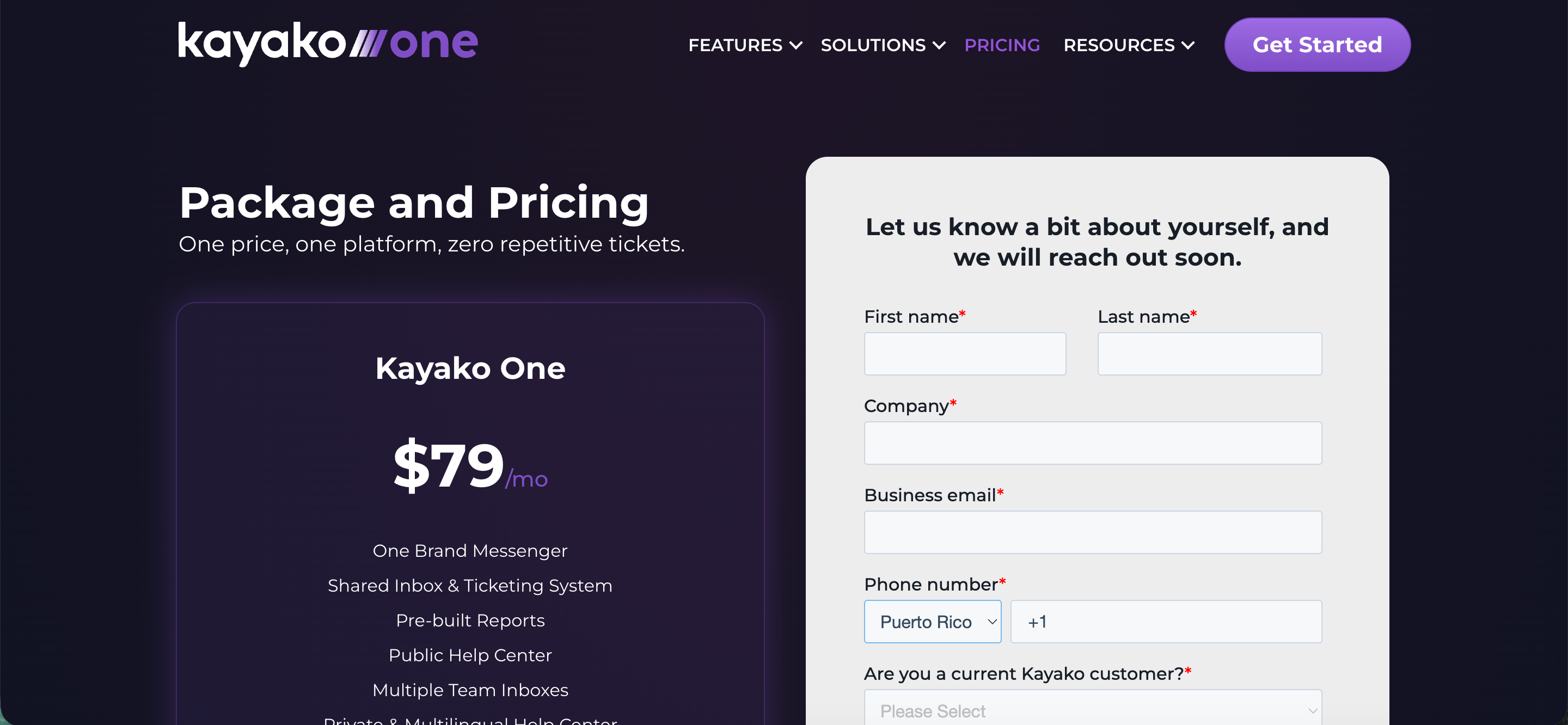
Kayako has a single plan called Kayako One with a flat rate of $79 per month.
That includes a shared inbox & ticketing system, pre-built reports, a public help center, multiple team inboxes, and both private and multilingual help center support. There is an extra charge of $1 for each ticket resolved by AI, which is similar to what Intercom does with its Fin tool.
While the flat pricing may seem attractive, be cautious of hidden costs that can add up. With a large number of customer requests, you can go into hundreds or thousands of dollars per month. There is no free trial available.
Zendesk
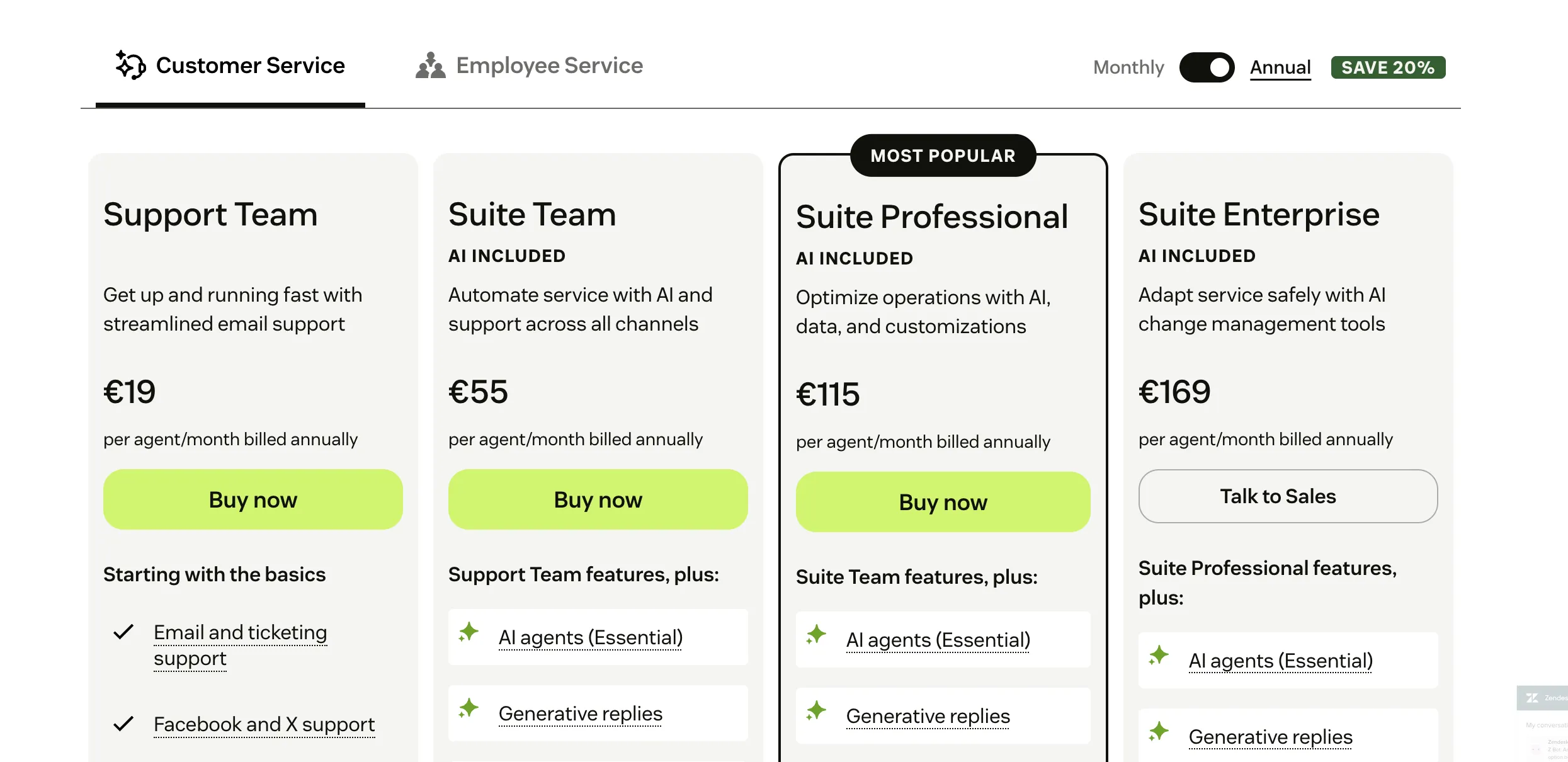
Zendesk's pricing charges for its help desk software by agent. Its support-only plans start at $19 per agent/month with annual billing or $25 if paid monthly.
The Suite plans bundle more channels and features and begin at $55 per agent/month when billed annually. Higher tiers go up to $169 per agent/month at the top end.
If your support team has many agents, Kayako One might be cheaper because you’re not multiplying by the number of agents. The AI-resolved ticket fee means the cost can vary depending on how much of your traffic is handled by AI. The more customer conversations you have, the more you'll end up paying.
If you expect to use multiple agents and need detailed features such as SLAs, multilingual support, advanced reporting, or omnichannel support, Zendesk may offer more feature richness but at a higher cost per agent.
Looking for more affordable & modern alternative? Check out Featurebase
What customers are saying
At the moment of writing, there are 6,000+ reviews of Zendesk on G2, and sifting through all of that can be a bit of a chore. The overwhelming number of those reviews is positive, but the negative aspects of Zendesk are more interesting.
Zendesk
In particular, users find that getting started with Zendesk (especially customizing it to meet the needs of your team, customer journey, and tech stack) is a bit challenging. This is amplified by the fact that the UX can feel dated, and some things can be difficult to find.
- "Zendesk works really well overall, but getting everything set up the way it is wanted can take some time. customizing workflows and SLA's isn't always straightforward and reporting tools could be a bit easier to use. That said, once it is all in place it runs smoothly and makes life a lot easier." (G2 review)
- "Some of the features for non-enterprise plans are a bit limited when it comes to tailoring some of the features, but it shouldn't be a problem for most businesses. The learning curve for some of the more detailed features is a bit harder to go through, so implementation partners are recommended" (G2 review)
- "If I had to point out a few downsides, I’d say the pricing can get a bit steep as your team grows, and some of the more useful features are only available on higher plans. Also, setting up advanced workflows or automations isn’t always the most intuitive, it takes some trial and error." (G2 review)
Kayako
Unsurprisingly, Kayako has fewer reviews compared to Zendesk. There are quite a few positive reviews praising the AI features in Kayako, which genuinely help provide personalized support for the end users. Kayako users also appreciate how easy it is to use for the reps on the team.
- "The AI isn’t just responsive; it’s contextual. Our support agents get suggestions that genuinely reflect what the customer is asking, even when the issues are technical or nuanced. It’s clear the system learns fast. Within two weeks, we stopped second-guessing the AI-generated responses." (G2 review)
- Kayako is makes it easy to view the tickets assigned to particular users with a priority order. The dashboard has all the necessary informations such as unassigned, assigned tickets, overdue tickets ect." (G2 review)
However, Kayako has a number of complaints regarding the onboarding. If you haven't used this tool (or other help desk software), you may find the initial period a bit difficult. Also, the mobile app is far from great, which can be an issue if you need help desk management for teams on the go.
- "There’s still a bit of a ramp-up. The analytics could be a bit more intuitive, and in rare cases, the AI needs a nudge, especially with edge-case tickets or regional phrasing." (G2 review)
- "The mobile experience could use polish. It works, but it's not ideal for agents jumping in from the field or after hours." (G2 review)
Final verdic
If the choice doesn't seem easier yet, here's a simple breakdown:
Think of Zendesk as the enterprise workhorse. It comes with a huge feature set, stronger analytics, and the ability to handle lots of agents and channels without buckling. It’s not the cheapest or the easiest to set up, but once you’re running, it scales smoothly.
👉 Zendesk is better if you’re a growing team that needs advanced automation, detailed reporting, multi-channel coverage, and the confidence that it can handle enterprise-level demand.
Meanwhile, Kayako is the lighter option. It keeps conversations connected and gives agents context without drowning them in complexity. It’s easier to roll out, easier to learn, and often feels friendlier for smaller or mid-sized teams that don’t need every bell and whistle.
👉 Kayako is better if you want a simpler, more affordable system where agents always see the full customer story, and you don’t need the heavy enterprise extras.
Or if you want a more modern alternative that doesn't compromise on usability and has an affordable pricing... 👇
Try Featurebase, the better alternative to Zendesk and Kayako! ✨
If Kayako is too old and inflexible, but Zendesk is too expensive, consider Featurebase, a modern support platform that blends the best of both worlds.
It’s loved by thousands of fast-growing support teams from companies like Lovabale, n8n, and Instantly.
With pricing starting from just $29 per month + $0.29 per AI resolution, it costs a fraction of Zendesk, Kayako, and most other support platforms.
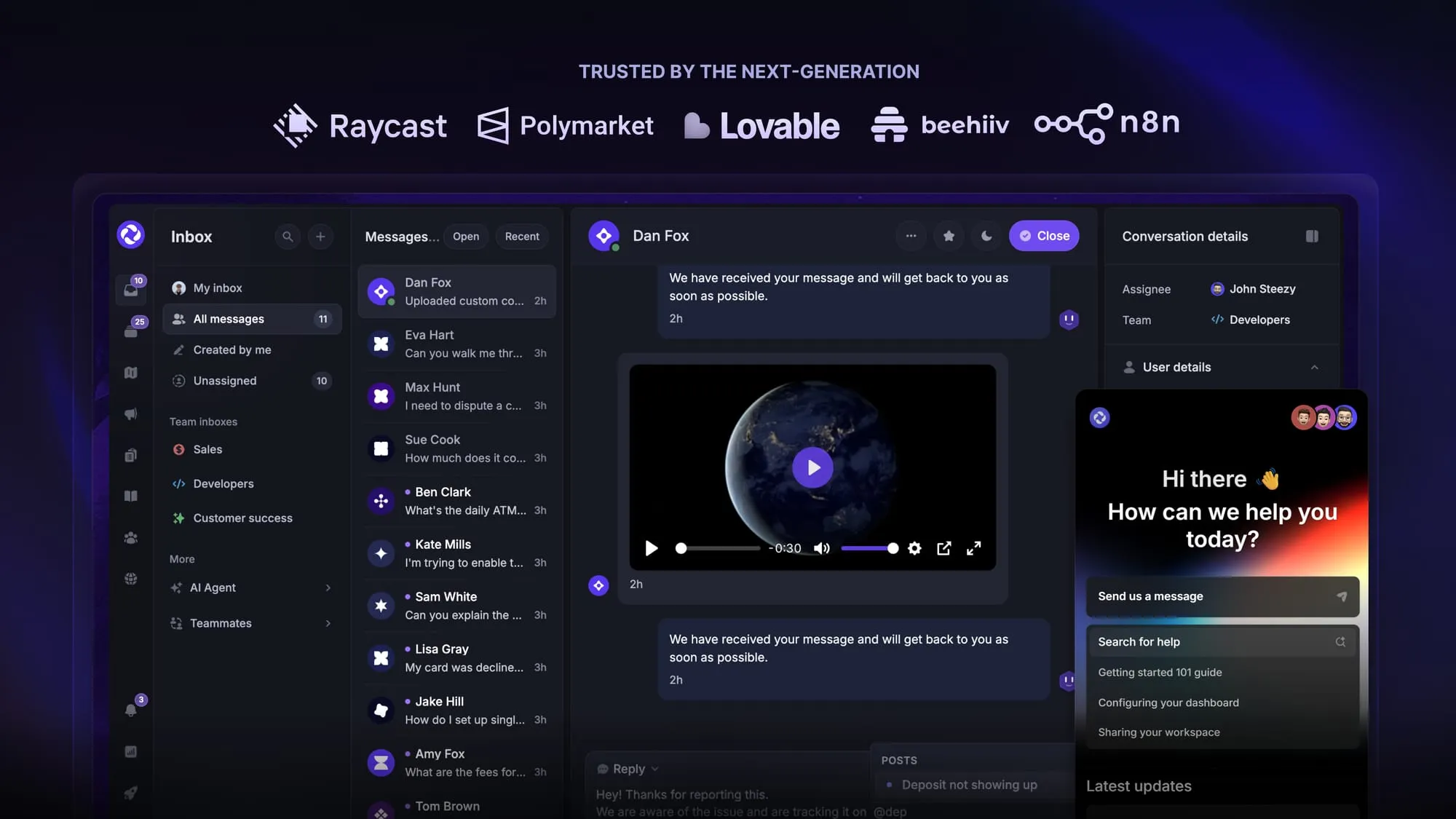
Some of the many Featurebase features include:
- Unified inbox – manage your live chat & email conversations in one place with your whole team
- AI agent & automations – fully automate your support with AI and endless custom workflows, like extending trials, offering discounts, qualifying leads, etc.
- Messenger widget – provide AI and human support from anywhere with a customizable in-app widget
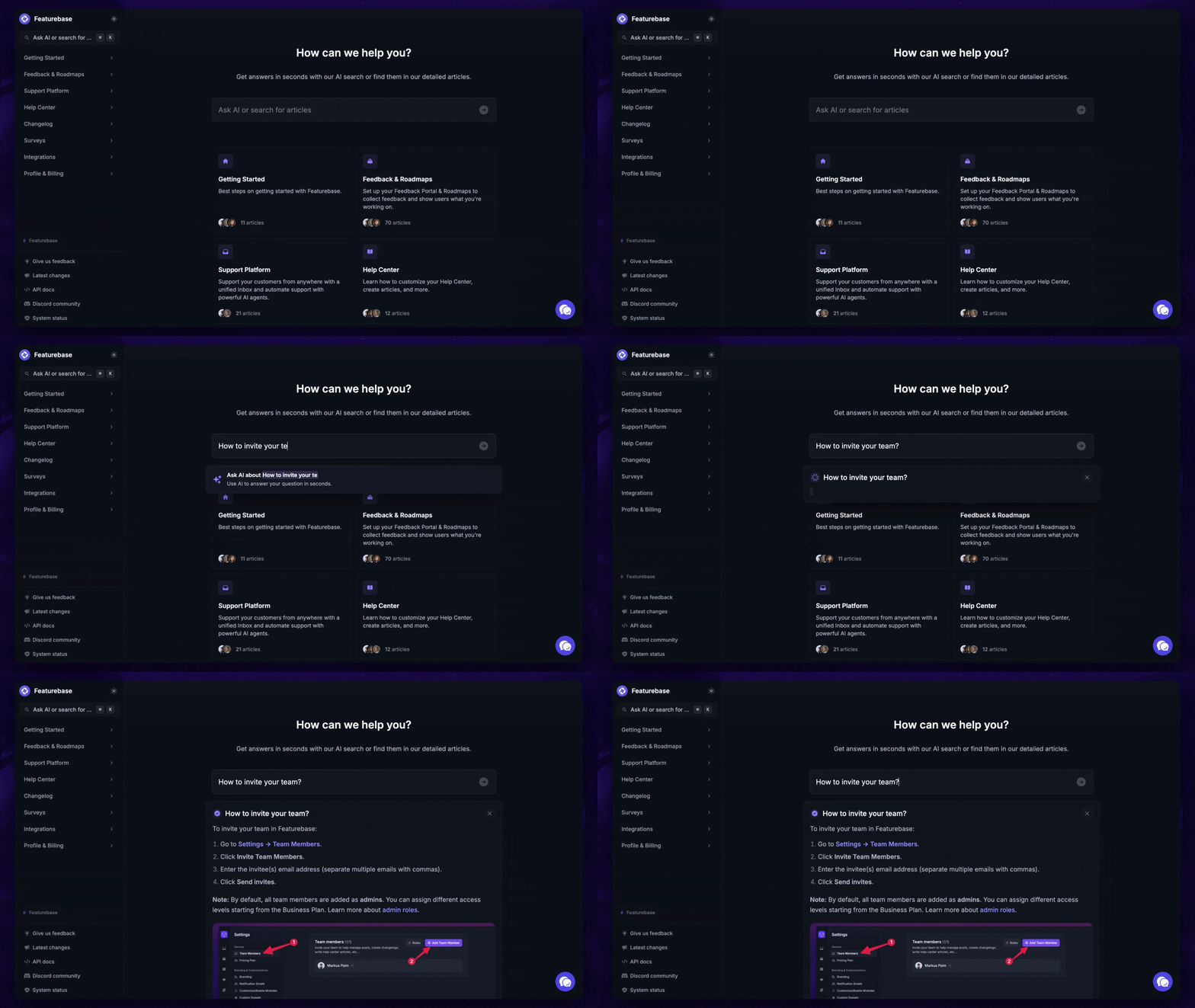
- Help Center – a branded knowledge base with instant AI answers
- Email support – seamlessly provide support to your customers via email sync
- Native ticketing – centralize & keep track of all customer requests in one place
- Multi-language & custom domain support – serve content in 40+ languages with your domain and branding
- Mobile app – respond to customers, receive notifications, and unblock users on the go
- Integrations – Slack, Linear, Jira, Discord, Hubspot, and many more
- Plus, feedback collection, product roadmaps, release notes, and customer surveys – all in one place
Long story short, Featurebase gives you all the powerful support capabilities of Zendesk and Kayako, but without the super expensive pricing. Don't just take our word for it. You can try Featurebase completely free and see for yourself.
The onboarding is quick and doesn't require a credit card. Plus, you can automatically import your Zendesk knowledge base - so there’s zero risk involved. 👇
Automate your support with the fastest AI-enhanced Inbox today
More comparisons: