Zendesk vs Salesforce: What do you REALLY Need in 2026?
Struggling to choose between Zendesk and Salesforce Service Cloud? Both promise powerful support - but pick the wrong one, and you’re stuck with clunky workflows or overpriced bloat. Here’s how they really compare and which one’s right for you.

On this page
- Core feature set: Zendesk vs Salesforce Service Cloud
- AI features
- Omnichannel support
- Integrations and customization options
- Ease of use and available support
- Zendesk and Salesforce: pricing plans
- Final verdict: Zendesk vs Salesforce Service Cloud
- Try Featurebase, the better alternative to Zendesk and Salesforce! ✨
Looking for a modern & affordable alternative to Zendesk and Salesforce? Check out Featurebase
If you want to forge better customer relationships, it can be tempting to get one tool that does it all. Salesforce has an excellent CRM solution and on top of it, their Service Cloud offering. This combination can be an excellent way to have all customer data in one place and increase customer satisfaction with seamless interactions.
But if you're not a fan of Salesforce or you already use a different customer relationship management tool, you're probably looking for a standalone customer service platform. Zendesk is a powerhouse for ticketing and managing customer interactions, and it integrates with thousands of tools.
So, which tool should you get and why? Let's help you make that decision. 👇
Short overview: Zendesk or Salesforce Service Cloud?
- Zendesk is built for fast, multi-channel support, with ticketing, automation, and 1,000+ integrations that make it ideal for small to mid-sized teams.
- Salesforce Service Cloud ties support directly into CRM data, giving agents full customer context across sales, marketing, and service.
- Zendesk AI focuses on efficiency, with intent detection, routing, summaries, and suggested replies for everyday support.
- Salesforce AI (Einstein) is predictive and CRM-driven, offering sentiment analysis, outcome predictions, and bots that feed back into the CRM.
- Zendesk pricing starts at $19 per agent/month, scaling up to $169, which can get expensive with large teams.
- Salesforce pricing starts at $25 per user/month, but advanced features require Enterprise ($165) or Unlimited ($330), making it costlier at scale.
- In short: Choose Zendesk if you want speed, ease of use, and broad integrations. Choose Salesforce if you need enterprise-level customization and deep CRM integration.
All in all, both tools can quickly feel outdated, clunky, and become very pricey.
If you're after a more modern alternative, check out Featurebase (👋 that's us). We're a powerful alternative to Zendesk and Salesforce Service Cloud - but we’ll stay unbiased in this comparison, promise.
Core feature set: Zendesk vs Salesforce Service Cloud
Zendesk
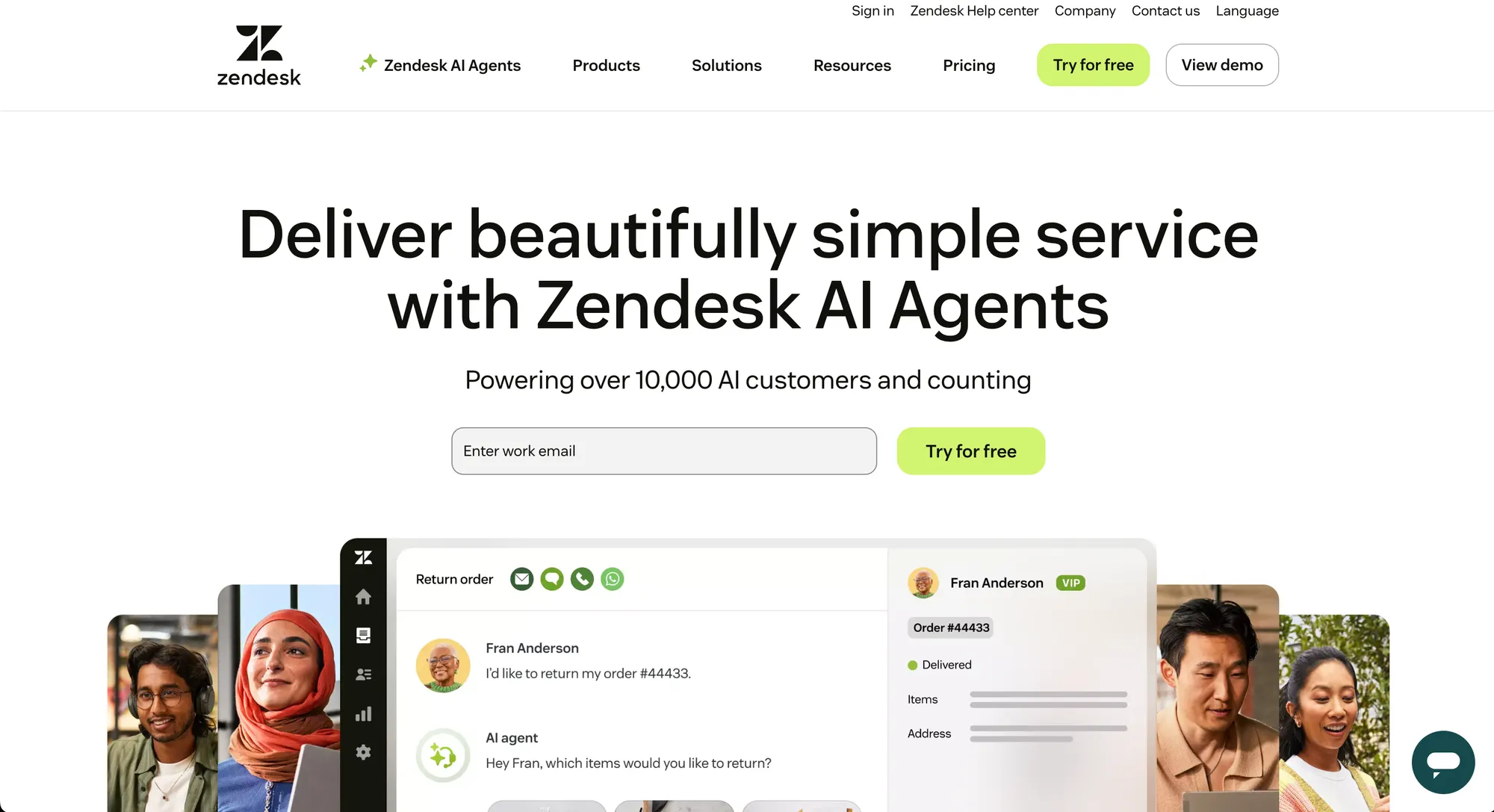
Zendesk is built as a customer support hub that pulls all interactions into one place. At its core is a ticketing system that pulls requests from email, chat, social media, voice, and messaging apps. Customer support agents can track the full conversation history without switching communication tools.
For a full breakdown of its features, real pricing, and where it falls short, see our complete Zendesk review.
Key features include:
- Self-service help center with FAQs, articles, and community forums to reduce repetitive tickets
- Automation tools such as triggers, macros, and workflow rules for faster ticket routing and escalation
- AI functions like intent detection, conversation summaries, and suggested replies on higher tiers
- Reporting and analytics with real-time dashboards and customizable performance metrics
- App marketplace with 1,000+ integrations, covering CRMs (including Zendesk Sell), project management tools, and analytics platforms
Salesforce Service Cloud
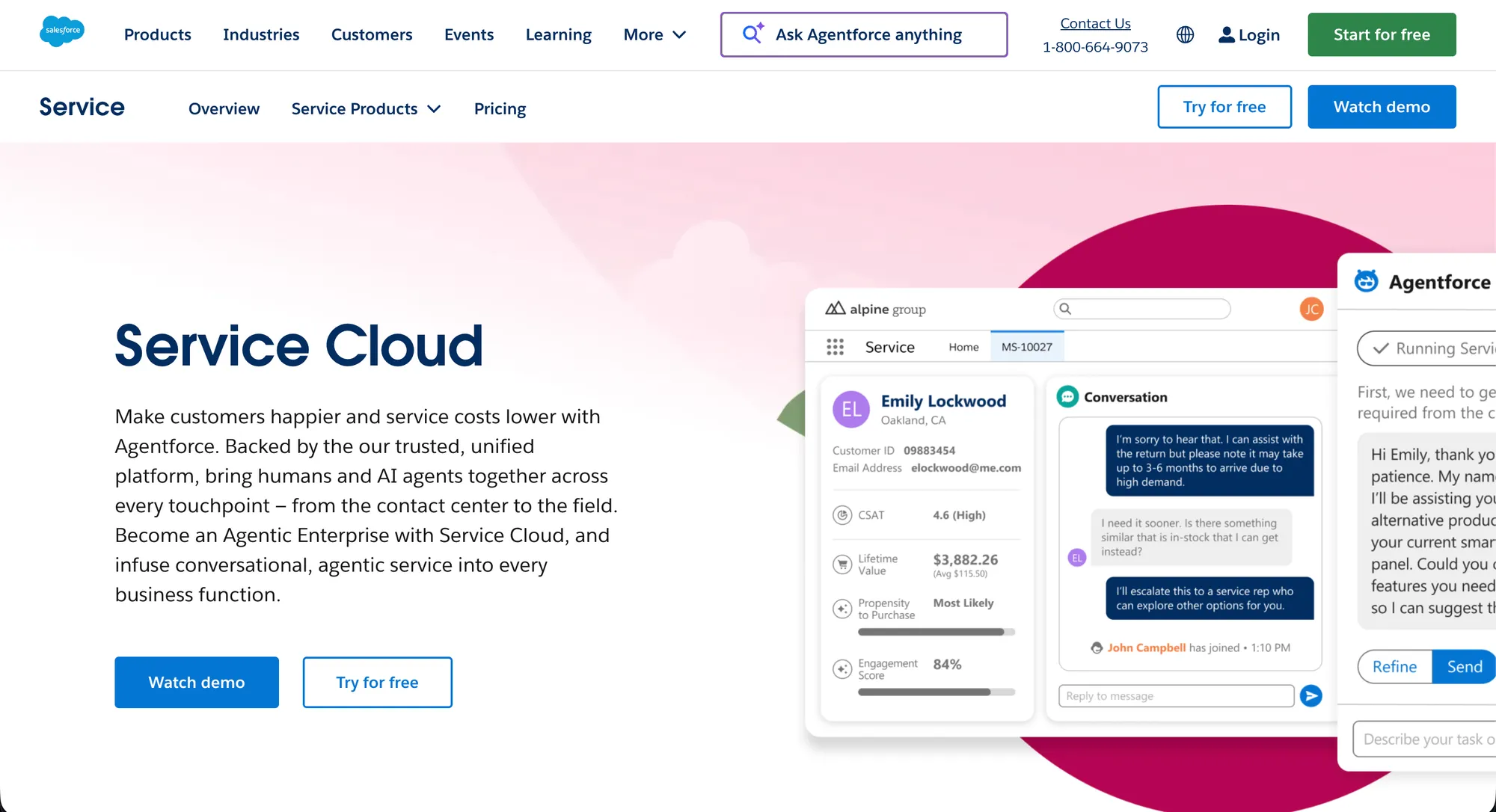
On the other hand, Salesforce Service Cloud connects support directly to the Salesforce CRM, making it part of the broader customer lifecycle. Agents work from a centralized console that shows case history, customer data, and links to sales or marketing records.
To ensure these records stay populated with high-quality leads, many growth teams partner with an outbound agency to build automated systems that bridge the gap between initial outreach and CRM management.
Key features include:
- Native CRM system integration, giving agents full visibility into customer interactions beyond support, with one of the biggest players in the CRM industry
- Automation and workflows powered by Salesforce Flow and a process builder for case routing and task management
- Einstein AI that analyzes sentiment in customer inquiries, recommends next steps, and predicts case outcomes
- Knowledge management system with multilingual support and in-console article recommendations
- Advanced reporting and dashboards, customizable and linked to company-wide KPIs
To sum up, Zendesk focuses on fast, multi-channel support with strong automation and integrations, while Salesforce Service Cloud provides deep CRM-driven service that ties support to sales and customer success.
AI features
Zendesk
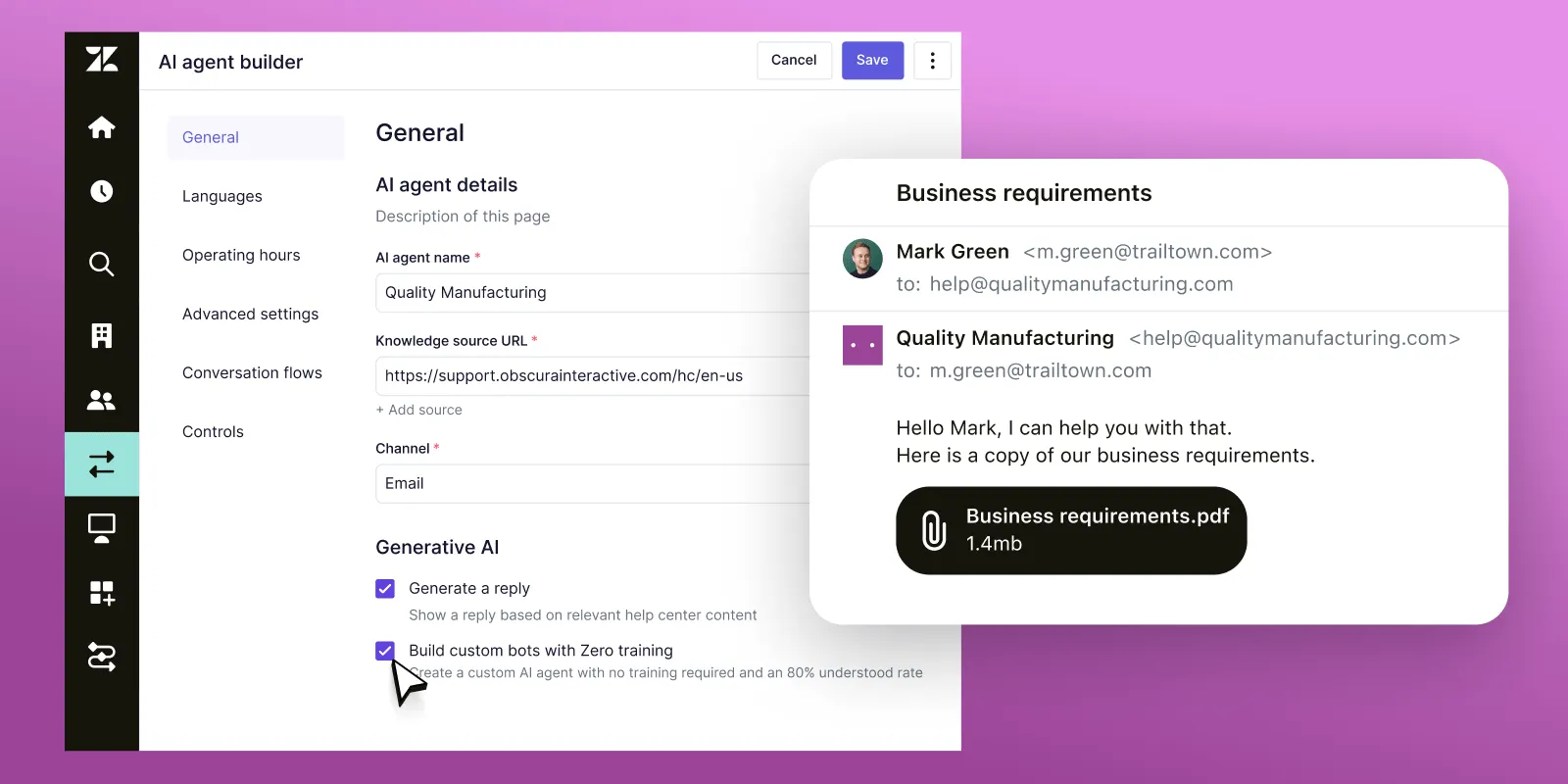
Zendesk has steadily expanded its AI toolkit to help teams handle high ticket volumes. Their AI setup is focused on speed and efficiency in everyday support.
Highlights include:
- Intent and sentiment detection to understand the tone and urgency of customer messages
- Automated ticket routing based on workload, skills, and language, helping you automate processes based on your real, everyday needs
- AI-powered response suggestions and macros that help agents reply faster
- Conversation summarization, saving time when cases are escalated or handed off
- Ticket forecasting, which flags tickets likely to breach service levels so managers can act early
These tools make Zendesk attractive to teams that need automation without completely overhauling their workflows.
Salesforce Service Cloud
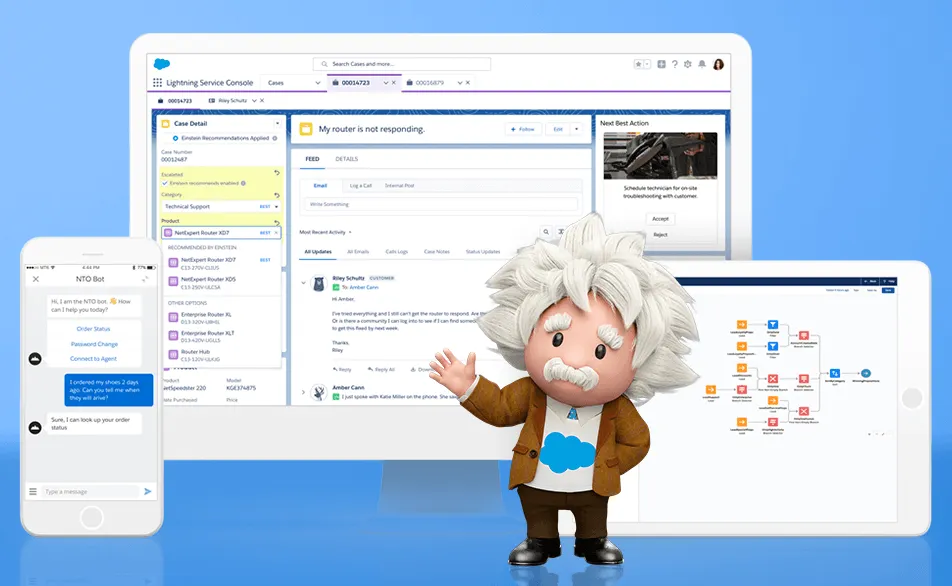
Salesforce Service Cloud relies on Einstein AI, which connects with the wider Salesforce ecosystem. Einstein’s strength lies in combining support data with customer insights to make recommendations smarter.
Highlights include:
- Case classification and routing that assigns tickets automatically based on historical patterns
- Sentiment analysis and next-step recommendations that guide agents during live interactions
- Knowledge article suggestions that are shown directly in the agent console for faster resolutions
- Predictive analytics, helping managers spot trends and anticipate spikes in ticket volume
- Einstein Bots, which handle routine questions and escalate to agents when needed
In short, Zendesk focuses on practical AI for faster responses, while Salesforce leans into predictive AI and CRM-driven insights that support more strategic decision-making.
✨ Looking for more advanced AI support automations? Check out Featurebase →
Omnichannel support
Zendesk
Zendesk is known for giving teams a single workspace where customer conversations flow in from email, live chat, voice, social media, and messaging apps. Agents don’t have to switch tools, since the full conversation history appears in one thread, which makes for a more user friendly interface.
Features like capacity rules and unified agent status help balance workload so no one gets overloaded. Zendesk also offers omnichannel routing, which directs requests based on agent skills, availability, and ticket priority. This makes it easier for growing teams to maintain consistent response times across multiple channels.
Salesforce Service Cloud
Salesforce Service Cloud takes a slightly different approach by building omnichannel directly on top of CRM data.
Its Omni-Channel Routing automatically assigns cases to the right agent based on priority, skill set, and workload, but with the added benefit of pulling in deep customer information from Salesforce CRM.
That means an agent handling a chat or a phone call (or on a call headset) sees purchase history, past cases, and account details in real time, from all other support channels on top of the one where customer issues are coming from.
To make Service Cloud fully functional, Salesforce developers made it support voice, chat, messaging, and social channels, with a focus on connecting those interactions back to the broader customer journey.
In summary: Zendesk makes omnichannel accessible and efficient, which works well for teams that want a polished, ready-to-go solution and fast business performance. Salesforce Service Cloud goes further by tying every conversation to CRM insights, which is powerful for enterprises that want support to sit tightly within the full customer lifecycle.
Integrations and customization options
Zendesk
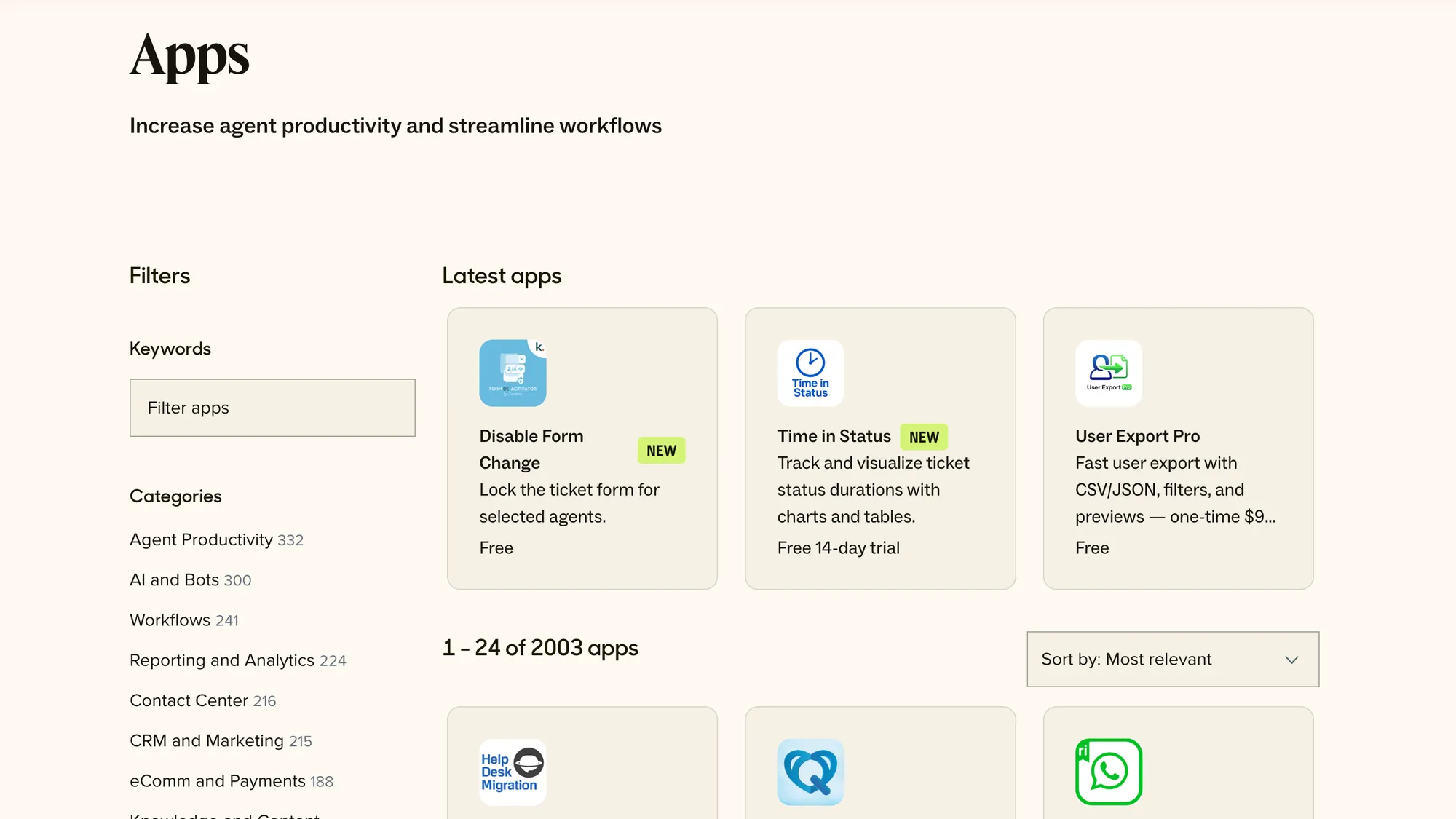
Zendesk offers one of the most extensive integration marketplaces in the customer support space. It connects to 1,000+ pre-built apps, CRMs, analytics platforms, project management tools, e-commerce systems, marketing tools, and communication platforms. Popular integrations include Slack, Jira, Shopify, and Google Analytics.
On the customization side, Zendesk allows:
- Custom roles and permissions so admins can control access at a granular level
- Custom ticket fields, views, and workflows to match unique support processes
- API and webhook access, enabling teams to build custom apps or link internal tools
- Branding options for help centers and widgets, so support channels look consistent with your specific business
This makes Zendesk flexible, though it often requires more admin time to configure, especially for the more advanced features.
Salesforce Service Cloud
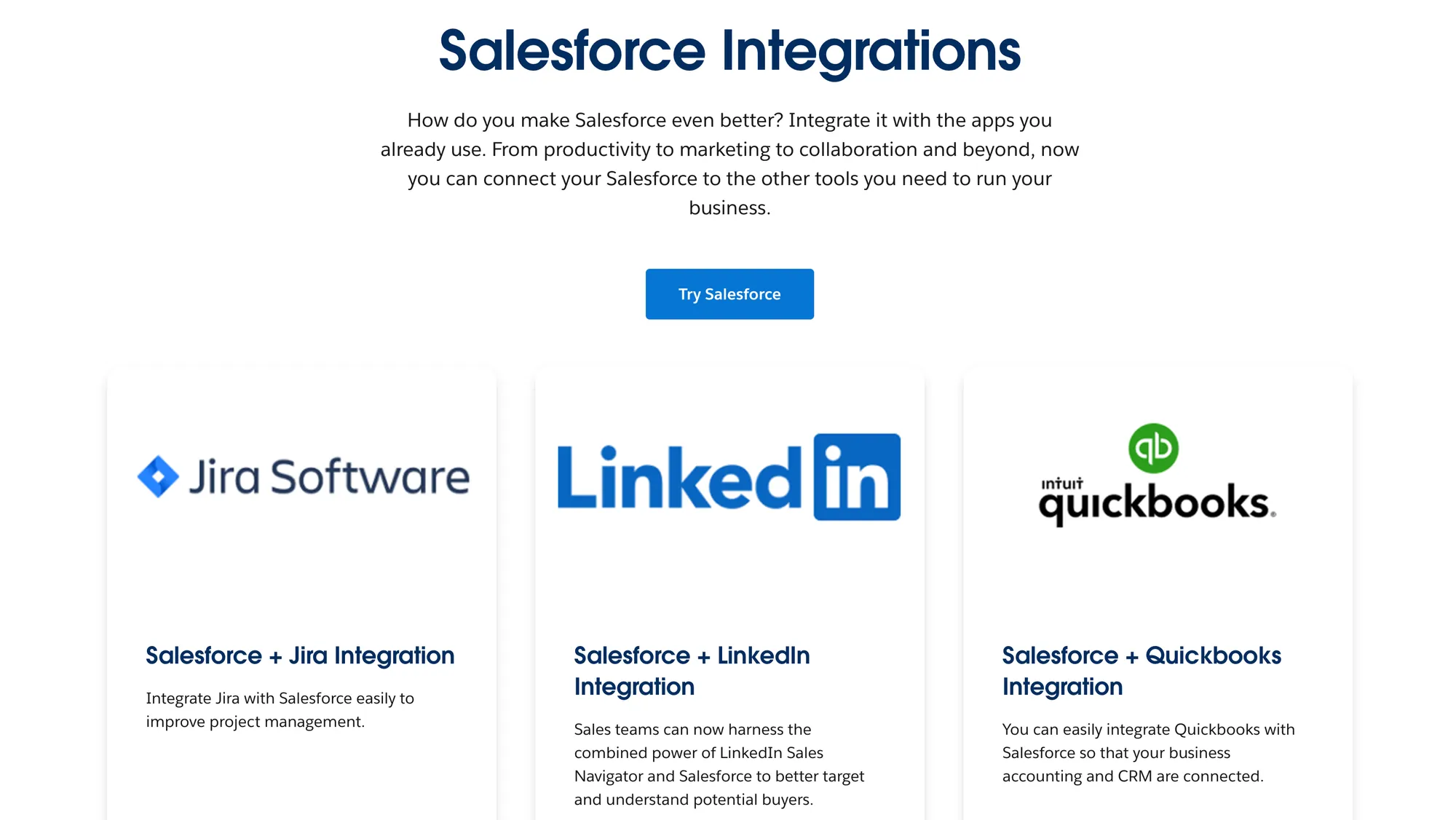
Salesforce Service Cloud plays to its strength as part of the broader Salesforce ecosystem. It integrates seamlessly with Salesforce Sales Cloud, Marketing Cloud, and other Salesforce apps, which means data flows naturally between departments.
Third-party integrations are also available through the AppExchange marketplace, which offers 3,000+ apps covering industries, workflows, and niche use cases.
Customization in Service Cloud is deep, including:
- Highly configurable dashboards and reports tied to company-wide KPIs
- Workflow automation built with Salesforce Flow and process builder
- Custom objects and fields, giving teams the ability to model data exactly as they want, based on their sales processes and unique customer behavior
- Einstein AI-driven customization, where predictive models can be trained on your own data
Key takeaway: Zendesk makes it easier to plug into popular tools quickly. On the other hand, Salesforce Service Cloud offers unmatched ecosystem depth if you’re already invested in the Salesforce suite and want to customize every detail of your support environment.
Ease of use and available support
Zendesk
Zendesk is generally considered easier to get started with. The agent workspace is clean and intuitive, so new users can pick it up quickly. Basic ticketing and workflows can be configured without deep technical skills, which makes it appealing to small and mid-sized teams.
Complexity creeps in with advanced automation and integrations since these can take more admin time to configure. At the end of the day though, the learning curve is still lighter than Salesforce’s, which can be useful for small businesses that don't have large teams just for ticket management and customer support.
In terms of support resources, Zendesk offers:
- A knowledge base with extensive documentation
- An active community forum with peer advice and best practices
- Webinars and product training through Zendesk Training
- Premium support tiers with faster SLAs and dedicated account managers for enterprise customers
Salesforce Service Cloud
Salesforce Service Cloud is much more powerful but comes with a steeper learning curve. Because it’s built on the broader Salesforce platform, teams often need admin expertise to set up workflows, dashboards, and data models. For organizations already using Salesforce, this complexity pays off, but smaller teams may find it overwhelming at first.
Support options for Service Cloud include:
- A large library of documentation and guided learning through Salesforce Trailhead
- A global community of Salesforce users sharing templates, flows, and solutions
- Premium support plans, including 24/7 assistance and success managers
- Access to certified Salesforce consultants for organizations that want external help configuring their setup
Key takeaway: Zendesk is easier to learn and faster to roll out, making it friendlier for smaller teams. Salesforce offers more depth and guidance through its ecosystem, but the complexity means you’ll likely need dedicated admin resources to make the most of it for your support team.
Zendesk and Salesforce: pricing plans
Zendesk
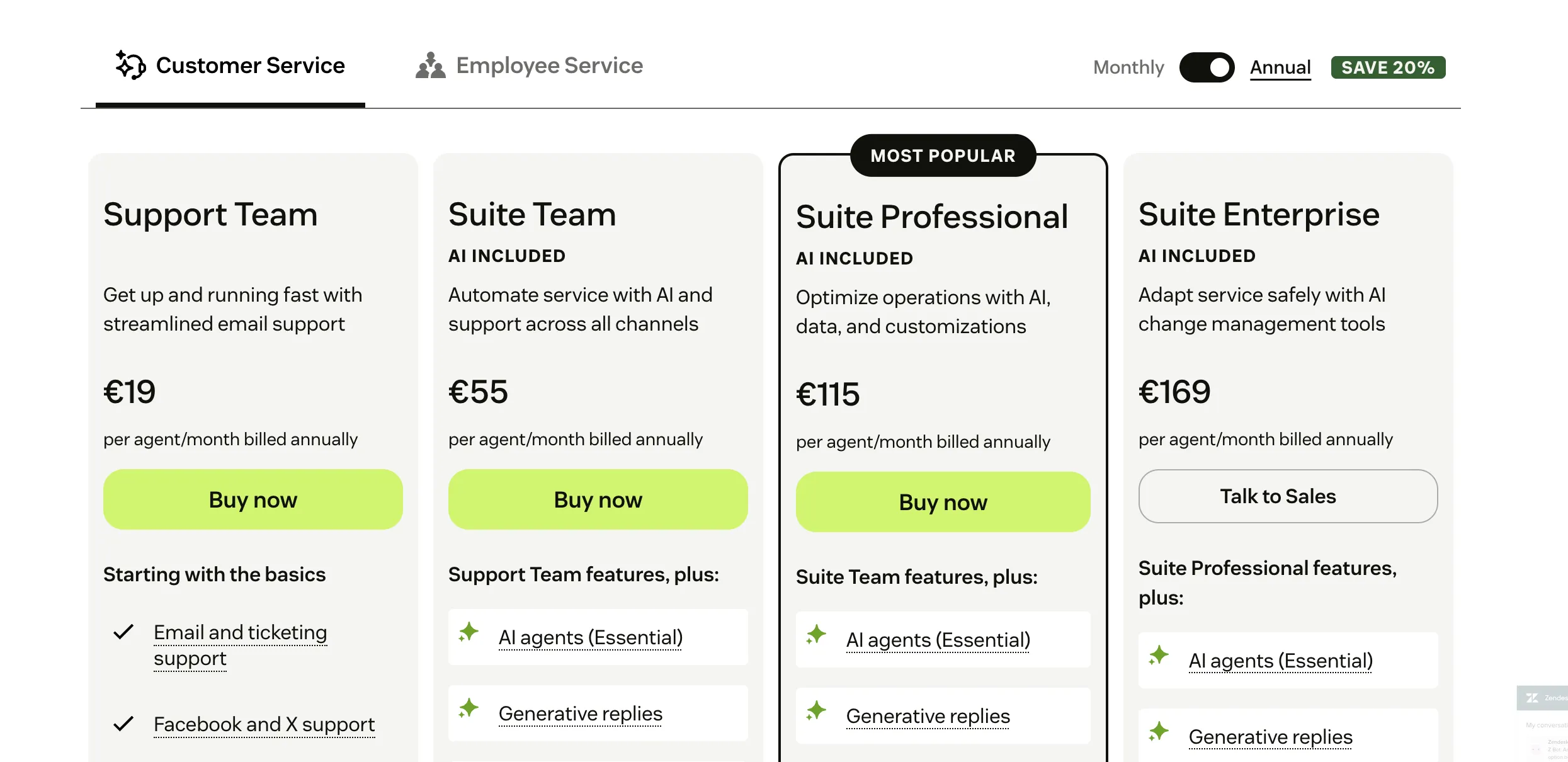
Zendesk prices its customer service software per agent, with clear tiers depending on the size and complexity of your support operation.
- Support Team plan is $19 per agent per month (annual billing) and it includes basic features such as email and ticketing support, ticket routing, macros and others.
- Suite Team is $55 per agent per month (annual billing). It covers core ticketing across email, chat, and messaging, plus a basic help center to increase customer satisfaction.
- Suite Growth is $89 per agent per month. This adds features like multilingual support, service level agreements, and more robust reporting.
- Suite Professional is $115 per agent per month, offering deeper analytics, custom dashboards, and more workflow automation.
- Suite Enterprise starts at $169 per agent per month, with options for advanced roles, security, and customization.
This model scales quickly with team size, which can make Zendesk expensive for large agent counts, though the feature set is designed to handle enterprise requirements.
Salesforce Service Cloud
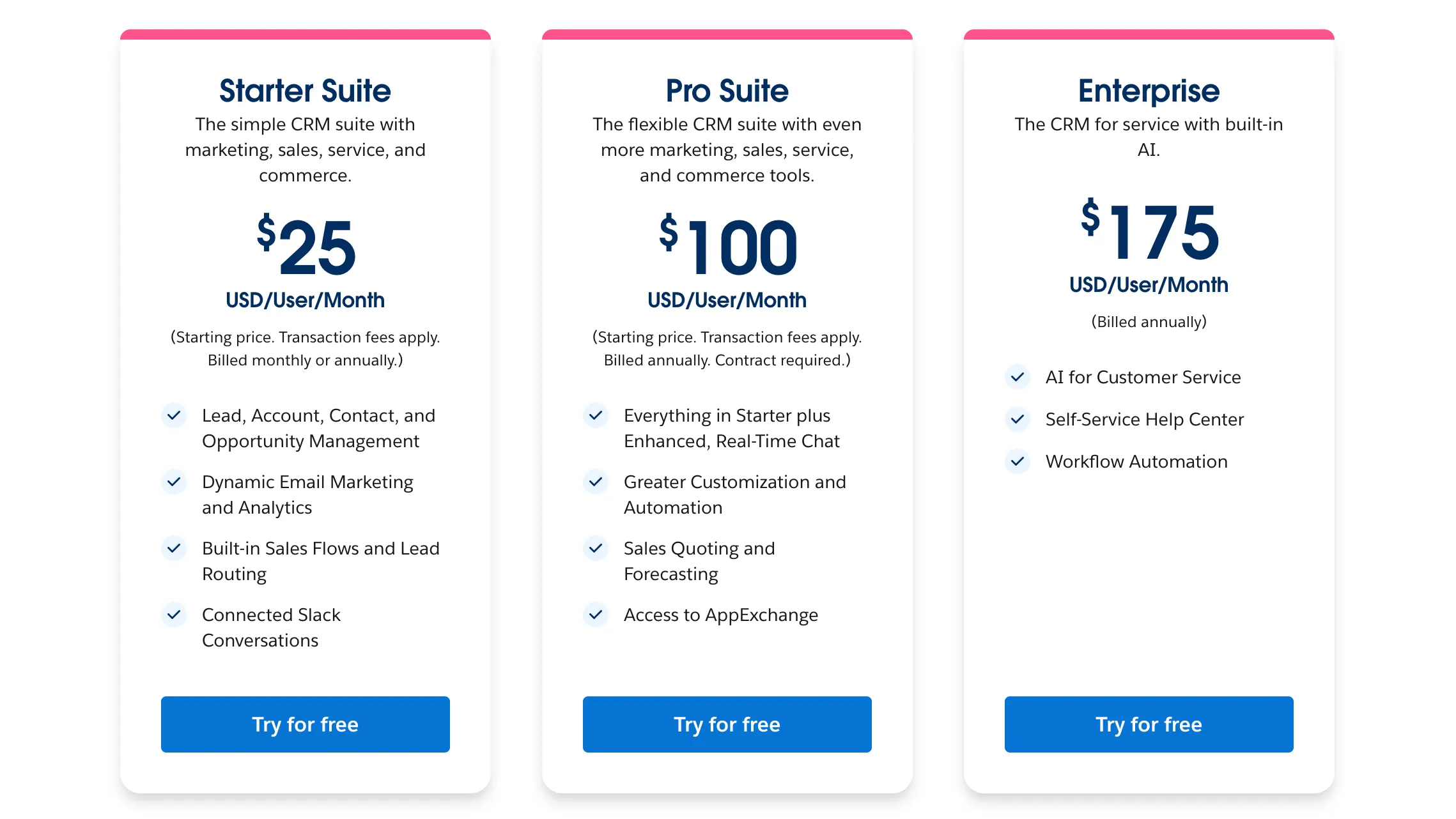
Salesforce Service Cloud also charges per user, but its edition structure is slightly different.
- Starter Suite is $25 per user per month, covering basic case management and a standard knowledge base.
- Professional Suite jumps to $100 per user per month, adding full reporting and integration features.
- Enterprise costs $165 per user per month, which is the most commonly chosen edition because it unlocks customization, automation, and API access.
- Unlimited is $330 per user per month, offering 24/7 support, advanced analytics, and unlimited customizations.
Salesforce is generally more expensive at the higher end. However, it provides deep integration with the CRM platform and the rest of the ecosystem, making it attractive for companies already invested in that stack.
In short: Zendesk is usually more cost-effective for small to mid-sized teams, while Salesforce Service Cloud positions itself as a premium option for enterprises that need extensive customization, global support, and advanced capabilities.
Final verdict: Zendesk vs Salesforce Service Cloud
Both platforms are leaders in customer support, but they serve very different types of organizations.
Zendesk is all about speed, accessibility, and scaling support operations without too much overhead. Salesforce Service Cloud, on the other hand, is built for enterprises that want customer service deeply tied to their CRM and broader business operations.
Get Zendesk if:
- You want a platform that’s quicker to set up and easier for agents to learn
- Your priority is strong ticketing, automation, and omnichannel support at a lower entry cost
- You need integrations with popular tools, but don’t require heavy customization of workflows
- Your team size is small to mid-sized, or you’re scaling up and want a system that won’t slow you down
Get Salesforce Service Cloud if:
- You are already using Salesforce for sales or marketing and want service tightly connected to CRM data
- You need deep customization of workflows, dashboards, and reporting across the entire customer lifecycle
- Your support operation is enterprise-level, with large teams and complex processes to manage
- You have admin or technical resources to configure and maintain the system effectively on top of the comprehensive CRM platform
In short: Zendesk is the better option if you’re focused on fast deployment, ease of use, and balanced pricing. Salesforce Service Cloud is better suited if your organization needs enterprise-level customization, predictive AI, and integration across the full Salesforce ecosystem.
Try Featurebase, the better alternative to Zendesk and Salesforce! ✨
If Salesforce is too old and bloated, but Zendesk is too focused on ticketing, consider Featurebase, a modern support & product suite that blends the best of both worlds.
It’s loved by thousands of fast-growing support & GTM teams from companies like Lovabale, n8n, and Instantly.
With pricing starting from just $29 per month per user, it costs a fraction of Zendesk, Salesforce, and most other support platforms. AI resolutions are just $0.29 per resolution, the lowest in the industry.
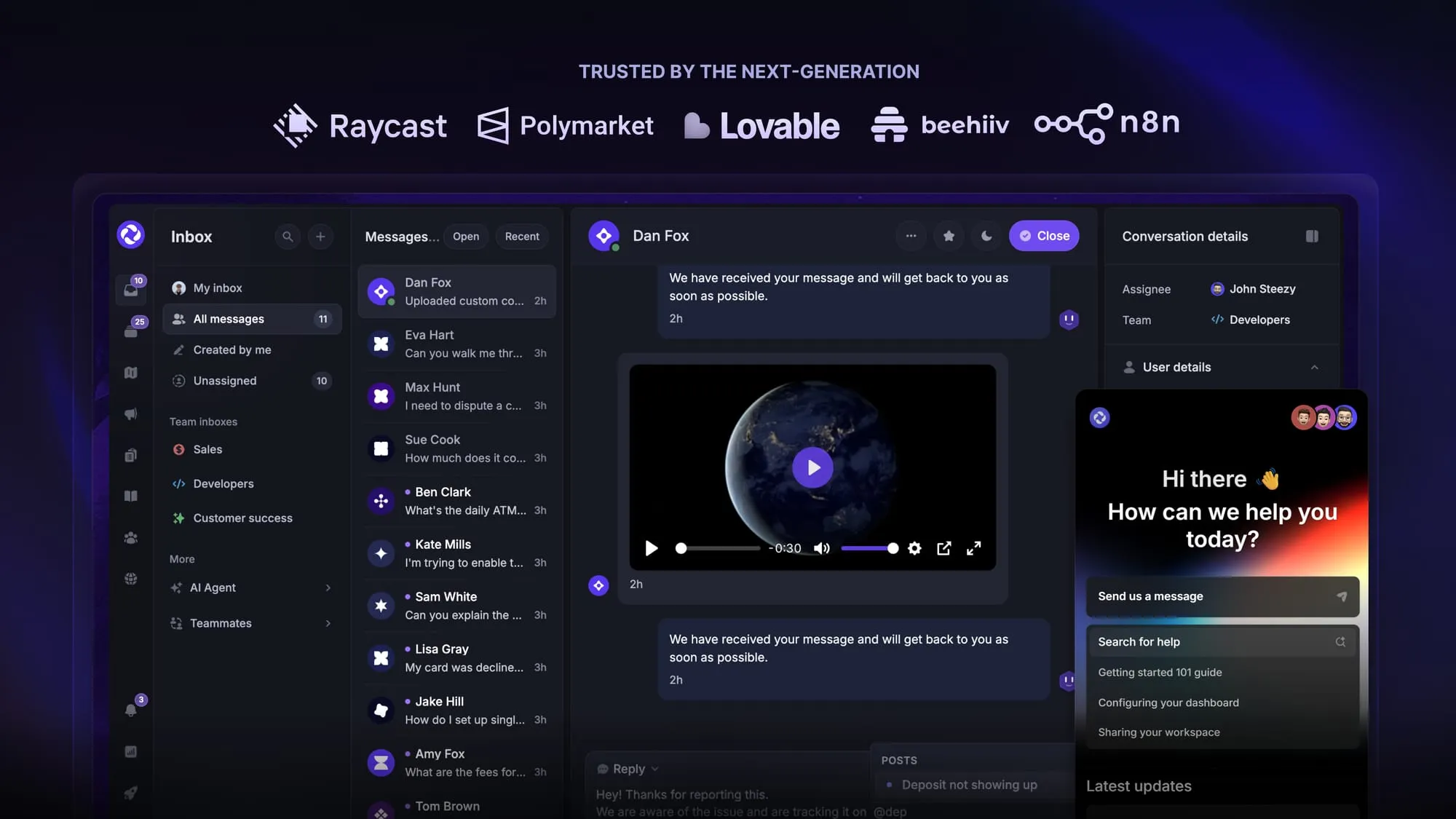
Featurebase is a modern support & feedback platform designed to help SaaS with AI-powered support, account management, and go-to-market. Instead of having 5+ different tools, Featurebase offers everything in one place to help you build products your users love:
- Support platform – Support your customers from anywhere with an omnichannel inbox and automate support with powerful AI agents.
- Help Center – Provide self-serve support with a beautiful AI-powered knowledge base & bring help articles inside your product with a widget.
- Feedback collection & roadmaps – Centralize feedback with integrations, feedback widgets, AI, and a public feedback forum. Let users vote on each other's ideas, see their total revenue, and focus on the most impactful features. All upvoters will automatically be notified when you complete their request.
- Changelogs – Announce product updates and increase feature adoption with neat in-app popups, notification emails, and a dedicated updates page.
- Surveys (NPS, CSAT, etc.) – Create targeted surveys to ask users anything and measure customer satisfaction.
Plus, it integrates with many popular tools that you likely already use, such as Linear, Jira, Slack, and many more.
The onboarding is quick and doesn't require a credit card. Plus, you can automatically import your Zendesk knowledge base - so there’s zero risk involved. 👇
Automate your support with the fastest AI-enhanced Inbox today
More comparisons: