Blog ComparisonsCrisp vs Zendesk (2026): a Detailed Comparison
Crisp vs Zendesk (2026): a Detailed Comparison
Torn between Crisp and Zendesk? One’s simple and modern, the other powerful but pricey - yet both come with trade-offs. In this comparison, we break down the key differences to help you pick the right fit (or find a better one).



✨ Looking for a modern & affordable alternative to Crisp and Zendesk? Check out Featurebase →
Crisp and Zendesk are popular customer support tools, but they come from very different worlds.
Crisp is a modern all-in-one messaging platform built with startups and small teams in mind, while Zendesk is an established support suite favored by large, enterprise customer service teams.
Today, we'll break down how Crisp and Zendesk compare in live chat capabilities, automation, knowledge bases, messaging channels, integrations, ease of use, pricing, and more. 👇
Quick overview
- Target customers: Crisp is built for startups and SMBs that want a sleek, chat-centric support tool, while Zendesk is better for mid-size and enterprise teams.
- Features: Zendesk has a more advanced toolkit built for complex operations. On the other hand, Crisp covers the essentials for most customer interactions.
- Ease of use: Crisp is known for its quick setup and user friendly interface that teams can pick up in minutes. Zendesk has a steeper learning curve, and its rich features can feel overwhelming for newcomers.
- Pricing: Crisp’s flat-rate plans are more predictable and affordable as you grow (e.g. $95/month covers 10 agents), while Zendesk’s per-agent pricing can get expensive (e.g., ~$89 per agent/month) as you add team members.
TL;DR: Crisp is better for smaller teams that want a strong support and ticketing system at a lower cost. Zendesk is better for larger organizations that have the budget and in-house resources to build powerful support operations.
If you're after a more powerful alternative, check out Featurebase (👋 that's us). We're a modern & affordable alternative to Crisp and Zendesk - but we’ll stay unbiased in this comparison, promise.
Key takeaways
Here's how Crisp, Zendesk, and a modern alternative stack up at a glance:
| Crisp | Zendesk | Featurebase | |
|---|---|---|---|
| Best for | Startups & SMBs | Mid-market & enterprise | Product-led SaaS teams |
| Ease of use | Very easy, live in minutes | Steeper learning curve | Easy, modern UI |
| AI & automation | Hugo AI agent with action-taking Widget Tools | AI agents + Copilot (Enterprise) | Fibi AI Agent with custom actions |
| Pricing model | Flat, per workspace | Per agent | Per seat + per AI resolution |
| Starting price | Free, paid from $45/mo | From ~$55/agent/mo | Free, paid from $29/seat/mo |
| Free plan | Yes | No (trial only) | Yes |
TL;DR: Crisp is better for smaller teams that want a strong support and ticketing system at a lower cost. Zendesk is better for larger organizations that have the budget and in-house resources to build powerful support operations.
If you're after a more powerful alternative, check out Featurebase. We're a modern & affordable alternative to Crisp and Zendesk - but we'll stay unbiased in this comparison, promise.
Feature comparison
1. Live chat
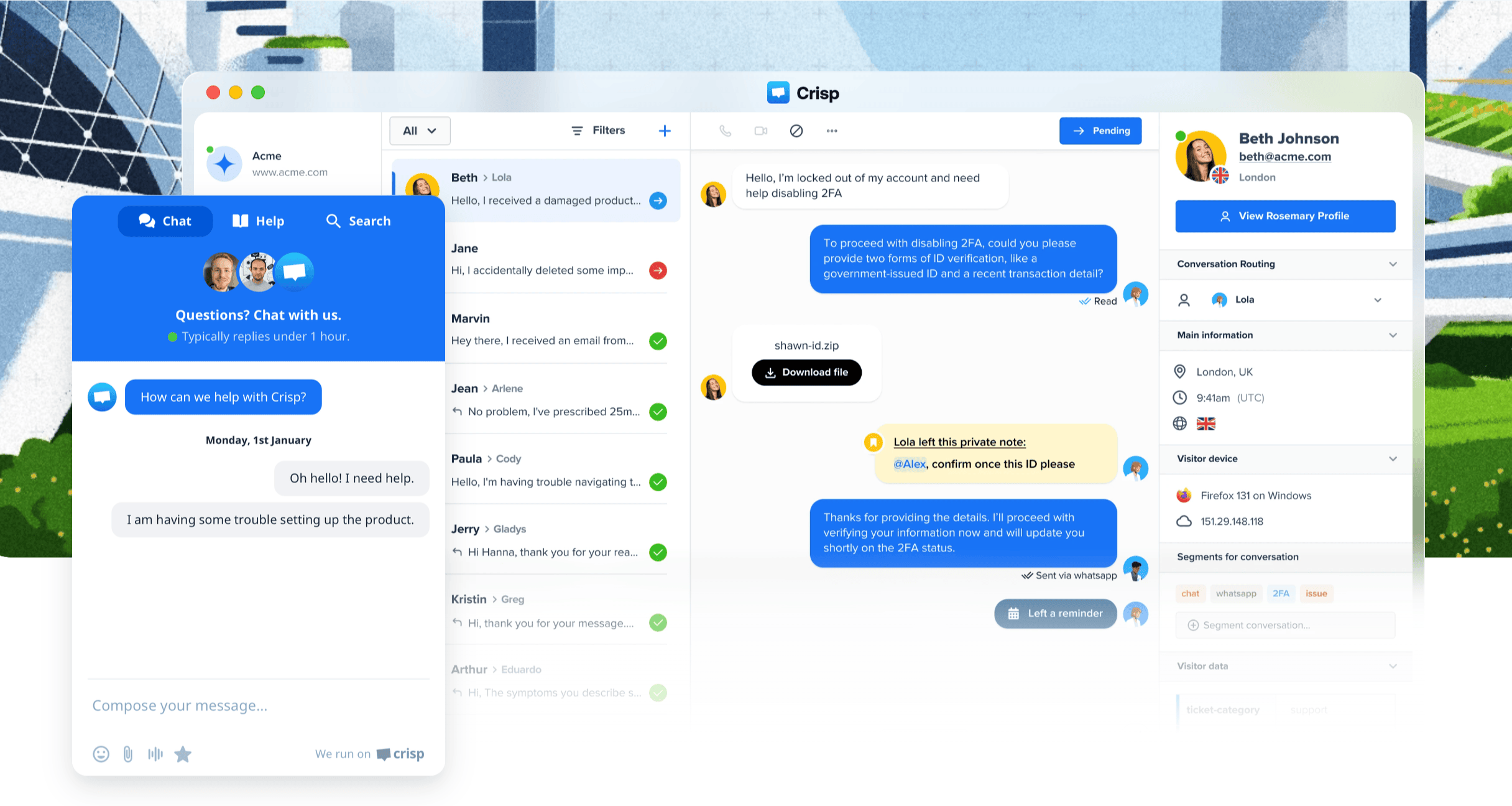
Live chat is Crisp's bread and butter. Crisp has a polished chat widget you can embed on your website or app in minutes, enabling real-time conversations with visitors.
Out of the box, Crisp's chat is packed with extras: agents can see what a user is typing before they hit send (message "sneak peek"), launch audio/video calls or co-browsing sessions right in the chat, and set up proactive messages and chat triggers.
The widget is customizable to your brand and optimized for speed (Crisp has a ~1.6-second load time). These live-chat-centric features make Crisp feel engaging and "personal" for customers and agents.

Zendesk's live chat (part of the Zendesk Suite) covers the fundamentals well, but it's more barebones by comparison.
You get a reliable chat widget with visitor info, pre-chat forms, targeted proactive chat triggers, and the ability to send files and use canned responses. Agents can transfer chats or collaborate using internal notes to provide a seamless customer experience.
However, Zendesk's chat doesn't natively offer some of the nifty extras Crisp has. For example, there's no built-in co-browsing or live screen viewing, and no message sneak-peek feature in Zendesk's default chat tool.
Zendesk's chat is essentially one component of a larger support platform, and it focuses on integrating smoothly with tickets and the help center to improve service quality. The experience is capable of handling customer inquiries, but it feels a bit more conventional.
2. Automation features
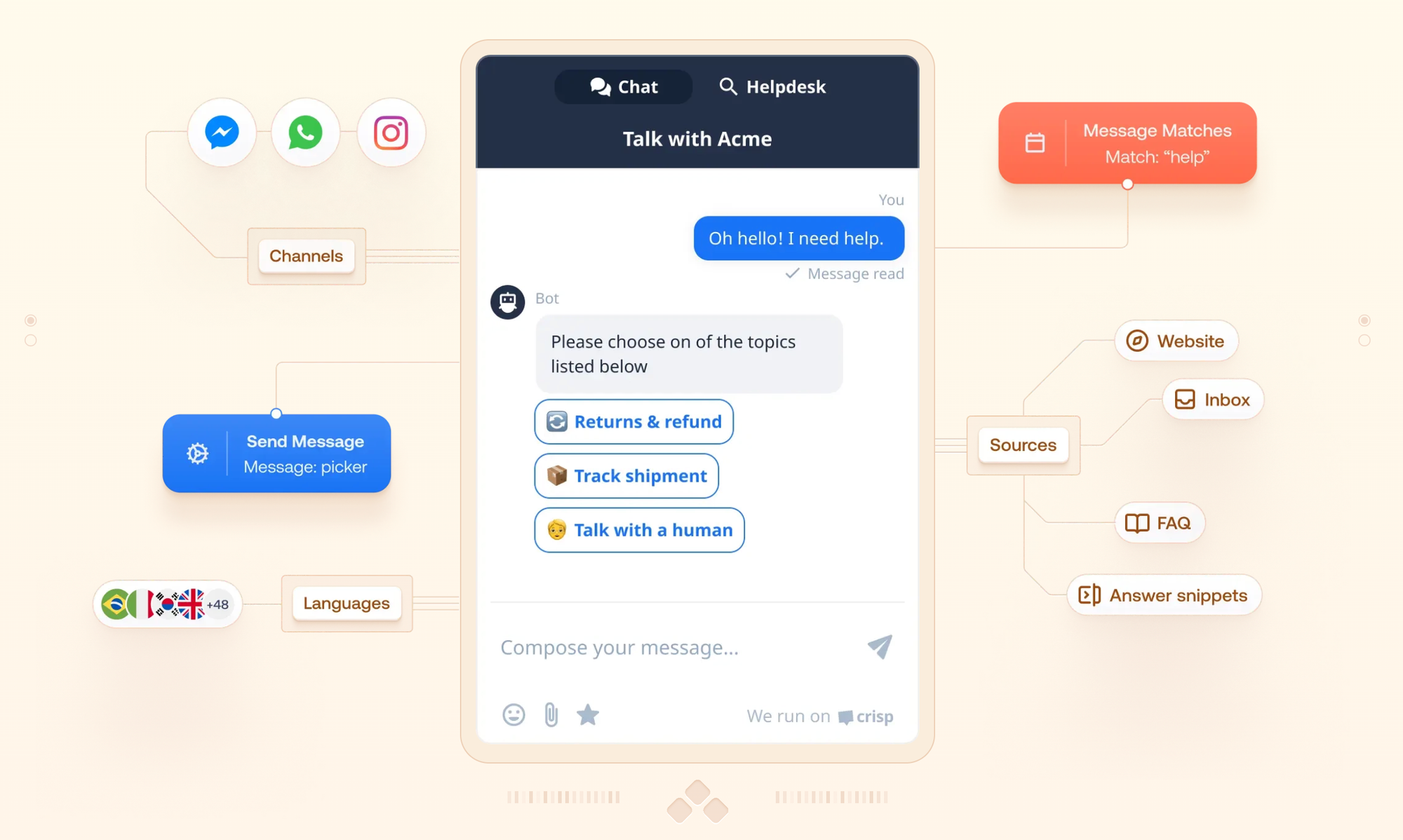
Crisp comes with a no-code chatbot builder and a workflow automation engine that lets you automate responses and routine tasks across your inbox.
You can visually design chatbot flows to greet visitors, qualify leads, route conversations, and more. This comes complete with conditional logic, draft testing, and even custom code via webhooks or iframes for advanced live chat support scenarios.
As of its July 2026 update, Crisp has pushed this further with Hugo, its AI agent that now takes actions rather than just answering questions. With Widget Tools, Hugo can trigger actions from your frontend - guiding a user to the right place, applying a discount, or pulling account data in real time. A redesigned Hugo Copilot also helps human agents investigate requests, draft replies, and prepare handovers, and you can review and score your AI setup inside Crisp itself.
For internal efficiency, Crisp also supports canned replies, auto-assignment rules, and event-based triggers (e.g., send a specific message when a user performs X) to streamline your team's work.
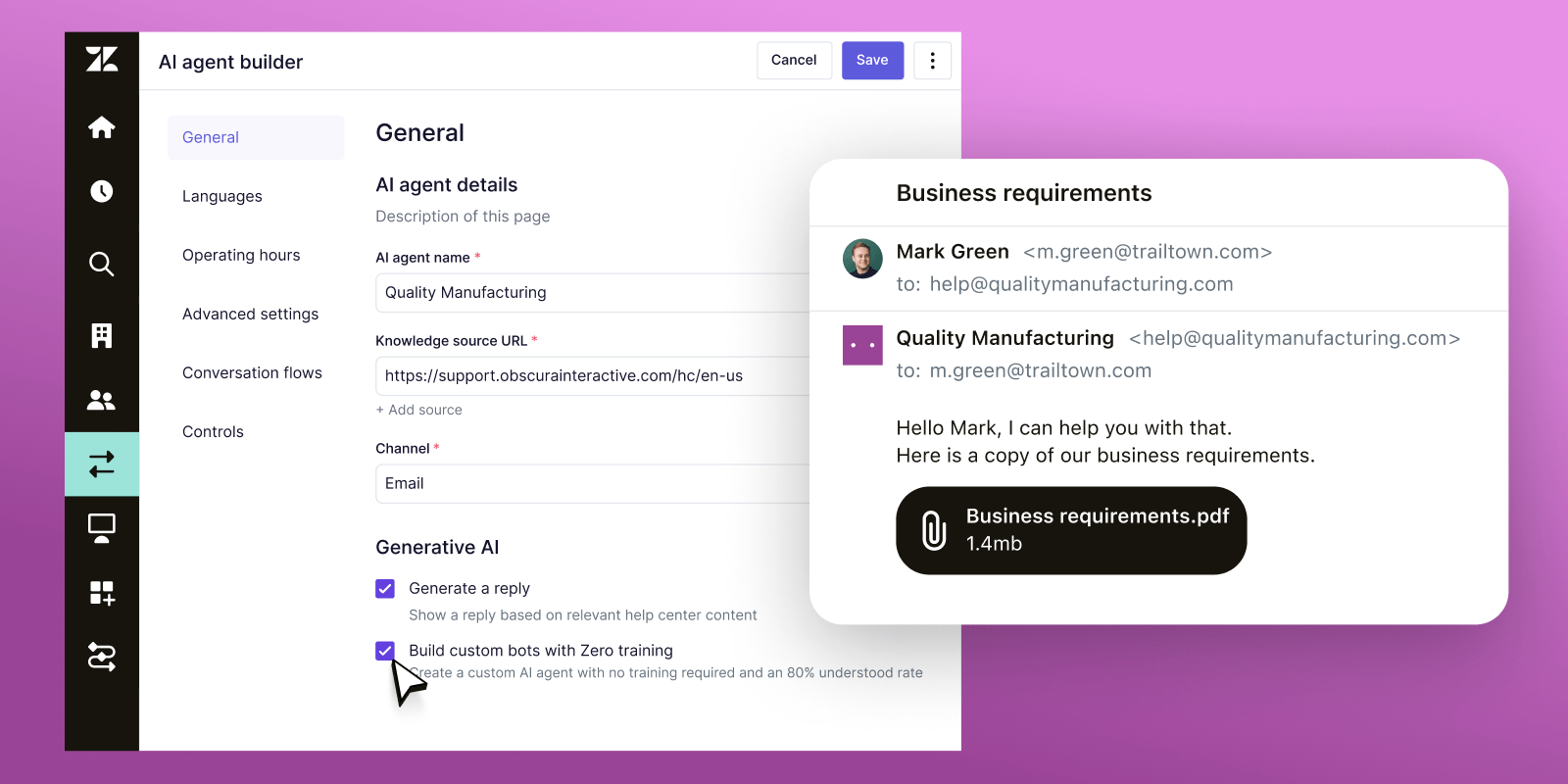
In Zendesk, you’ll find a full system of triggers, automations, and macros to automate ticket workflows.
For example, you can automatically assign tickets to departments based on keywords or customer type, send escalation emails if no agent responds in X time, or apply tags and perform actions whenever certain conditions are met – all through an admin interface.
It’s a great tool for basic self-service, but it has some limitations. For example, Zendesk’s bot builder doesn’t allow extremely complex multi-branch logic.
On the flip side, Zendesk’s recent AI add-ons make the tool pretty valuable: AI will auto-triage incoming requests, suggest complete reply drafts to agents, and even summarize long ticket threads. These AI features work well, but they come at a steep cost of about $50 per agent extra for the AI bundle.
Crisp's automation is more focused on chat and quick workflows. It's easy to use and included in moderate plans, while Zendesk can automate across the entire support operation with greater depth if you invest the time and money.
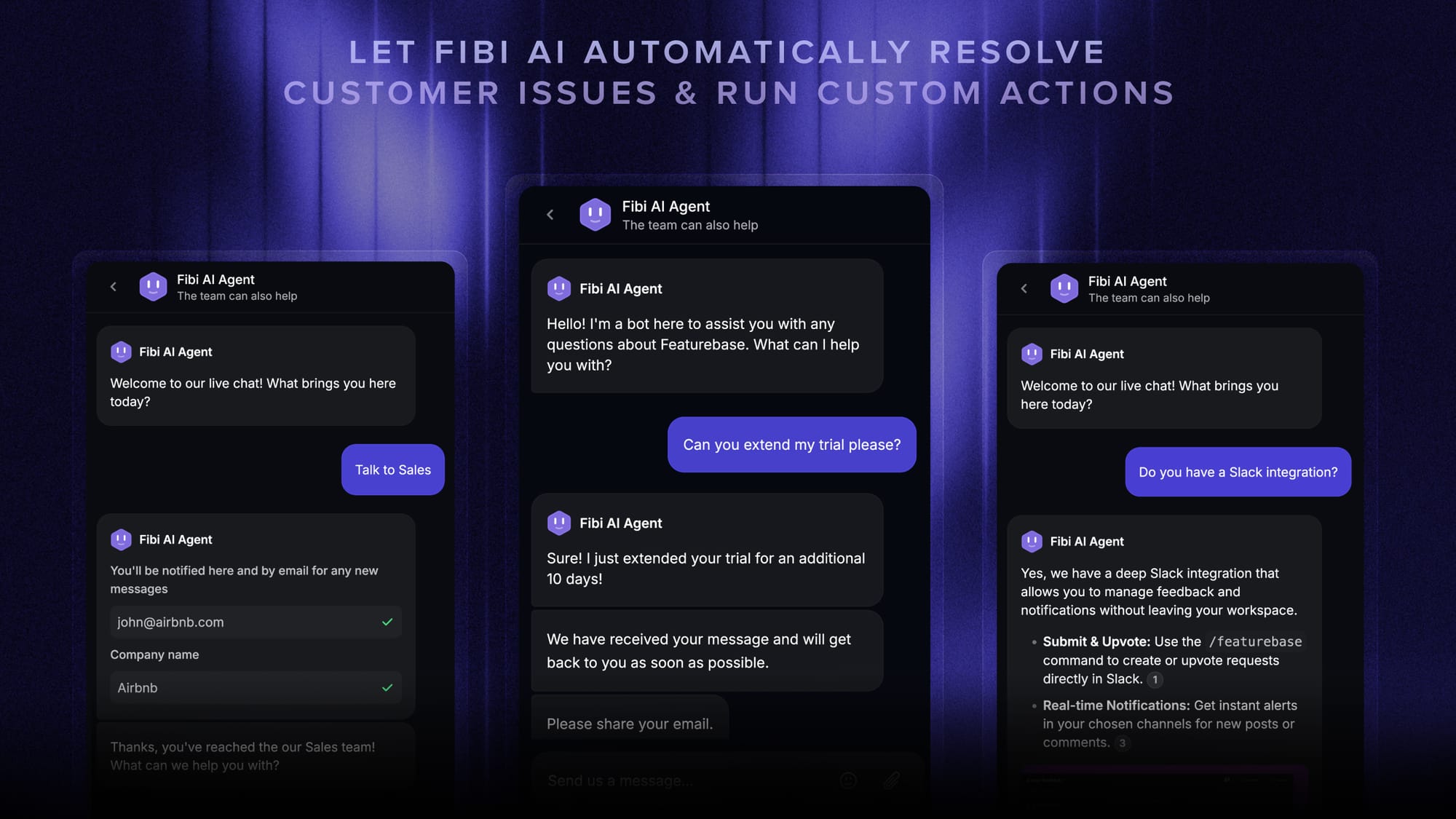
Both are moving toward the same model: AI that takes action, with humans kept in control. That's also where a tool like Featurebase fits. Its Fibi AI Agent can run custom actions right inside a conversation - extending a trial, issuing a refund, or qualifying a lead - and then hand off to a human with full context the moment a request needs judgment, with an AI Copilot drafting the reply so your teammate can respond in seconds.
3. Help centers
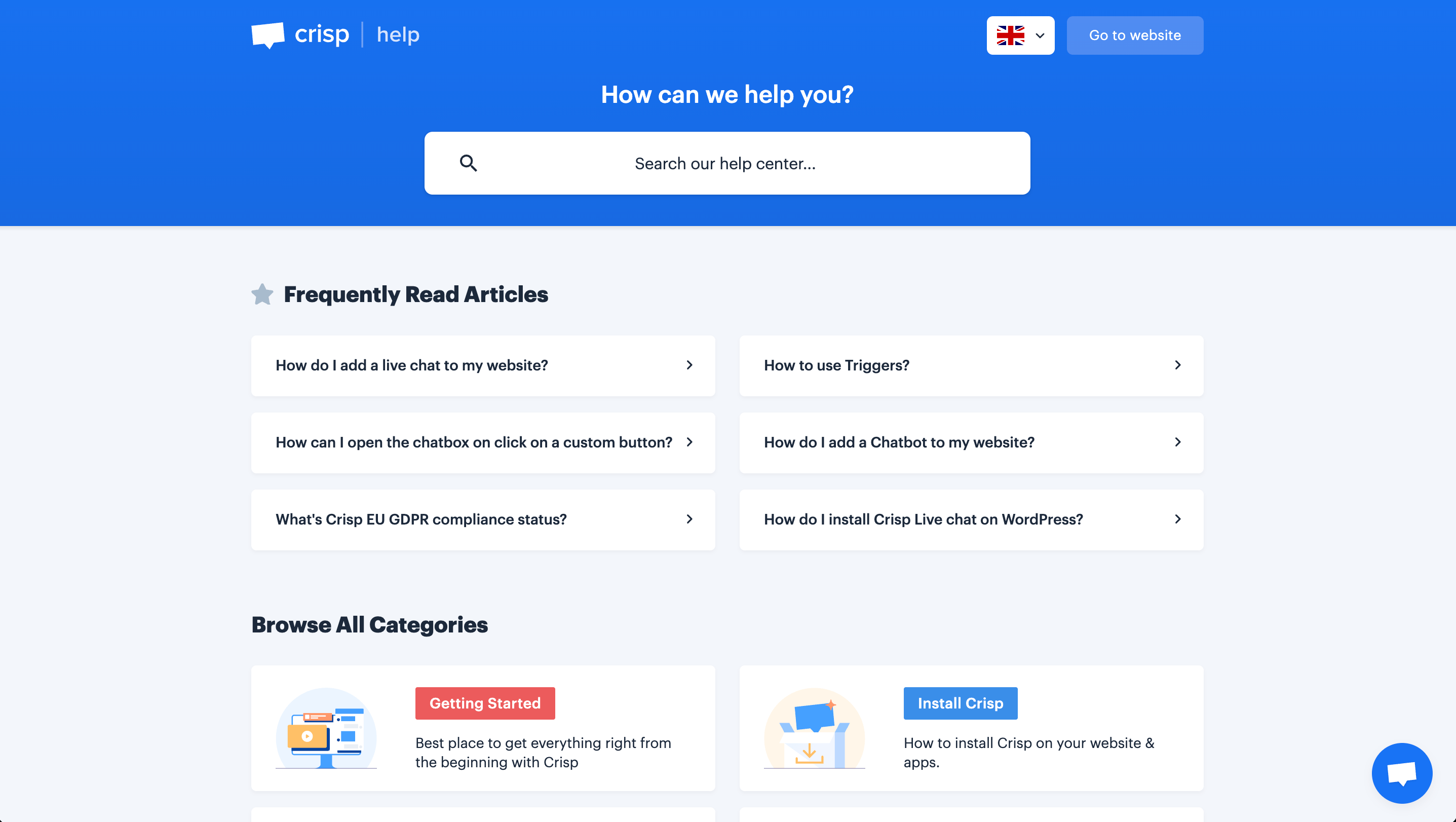
Providing self-serve help is a core part of both platforms.
Crisp's help center is newer but surprisingly well-equipped. With Crisp, you can also set up a public help center with your own branding, custom domain, and organized help articles.
It supports multiple languages and even password-protected or private knowledge base sections, similar to Zendesk. Crisp is different due to its integration and customization: the Crisp knowledge base ties directly into the Crisp chat widget and chatbot.
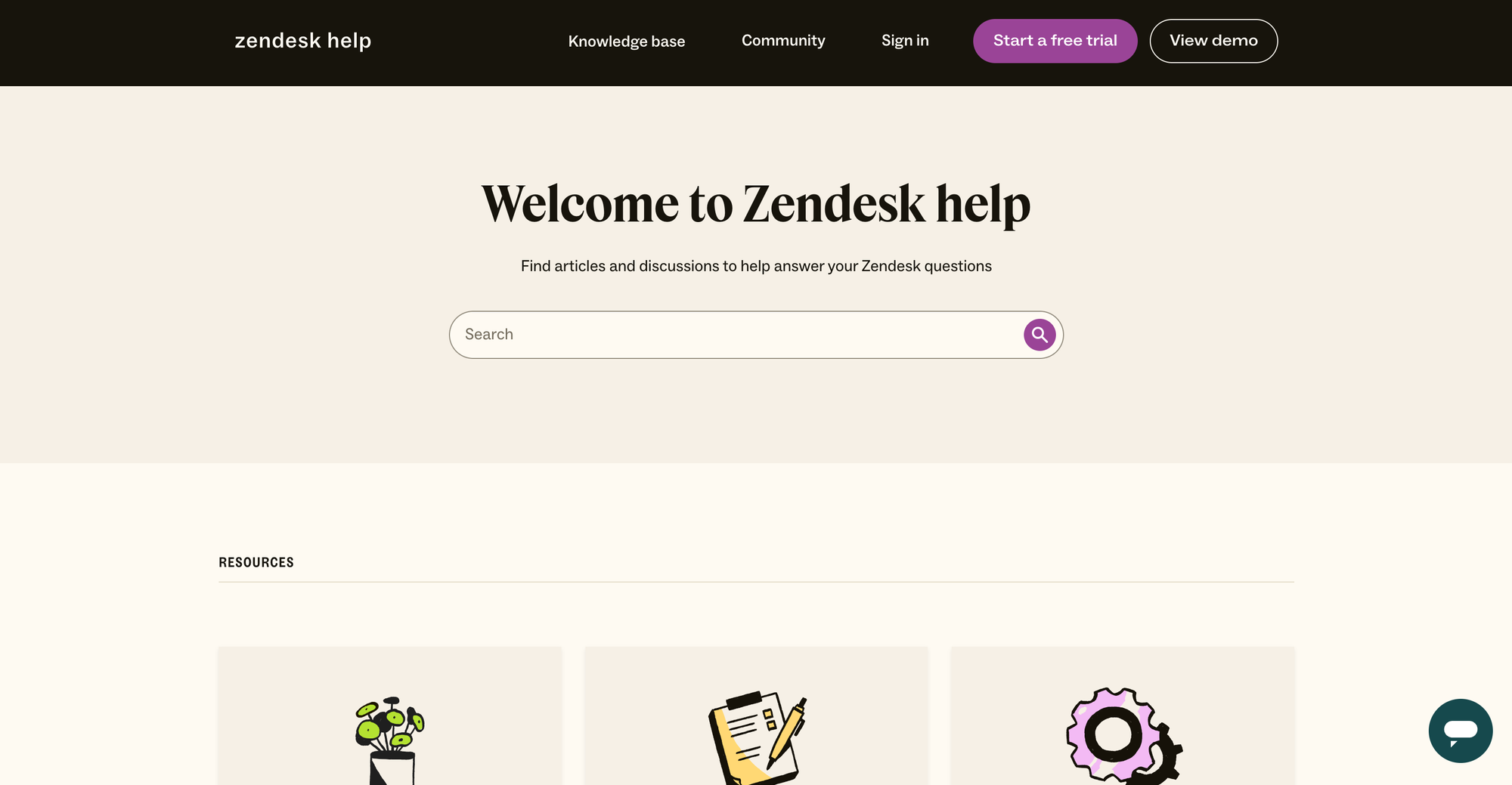
Zendesk’s knowledge base (Guide) is one of the industry standards for help centers. It lets you create a branded help center with categories, articles, search functionality, and user forums (community Q&A) if desired so you can give timely assistance and customers don't have to wait for an agent.
You can organize content in multiple languages, restrict certain articles for internal use or specific customers, and customize the look via themes or code. Reporting on Zendesk’s help center shows you which articles are doing well and what users are searching for.
It covers all the modern requirements for self-service support, and customers typically say that Zendesk’s help centers have an intuitive user interface, allowing them to get immediate support.
In short, both Crisp and Zendesk allow customers to find answers on their own. Zendesk’s solution is more mature and extensive, while Crisp’s is lightweight and seamlessly integrated with the rest of the Crisp platform.
4. Messaging (omnichannel support)
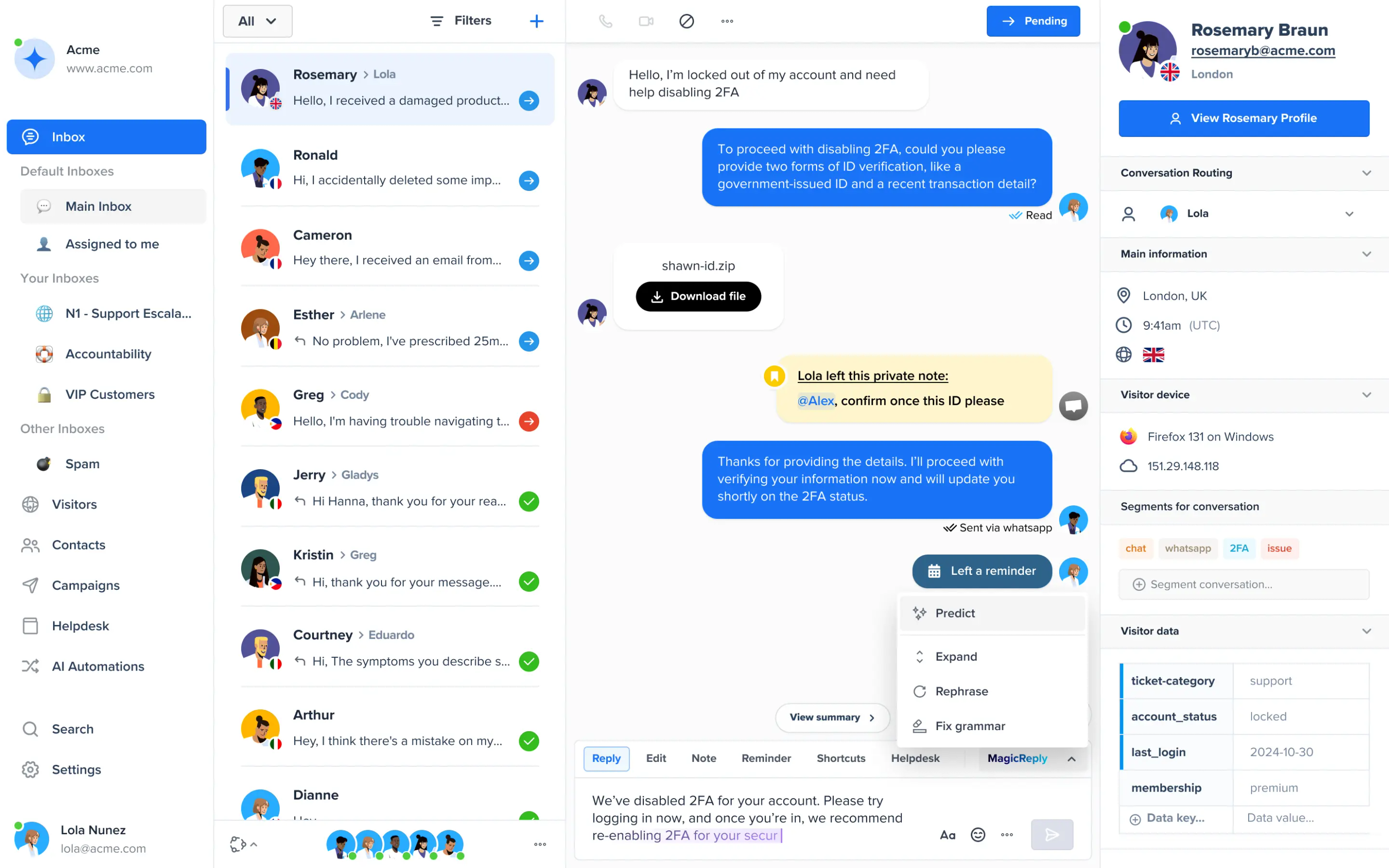
Crisp's "Shared Inbox" brings together live chat, email, and a slew of messaging apps into one team inbox. A support agent in Crisp might be replying to a customer's email in one conversation, and the next ticket could be a WhatsApp message or a DM from Instagram - all presented in the same dashboard.
Crisp has native integrations or plugins for channels like Facebook Messenger, Instagram, Twitter, SMS (via Twilio), Telegram, Line, Viber, and WhatsApp, among others.

On the other hand, Zendesk Suite is built to let agents handle inquiries from email, chat, phone, SMS, and social channels all in one interface. That means a customer could submit a web ticket, reply via email, or send a Facebook message, and a Zendesk agent sees them all in the unified agent workspace (often still as separate tickets, but linked to the same user profile).
Out of the box, Zendesk supports channels like Facebook, Twitter, WhatsApp, and Instagram DM by routing those messages into the queue. Higher plans even integrate voice calls (through Zendesk Talk or Contact Center) and community forums for discussion threads, which all help you maximize customer service efficiency.
Essentially, Zendesk is built to be the single tool for all customer communications, which is a big plus for larger operations.
Zendesk casts a wider net (including phone, forums, etc.), making it better for large-scale support. At the same time, Crisp focuses on the core digital channels with a very unified, easy-to-follow interface.
Integrations
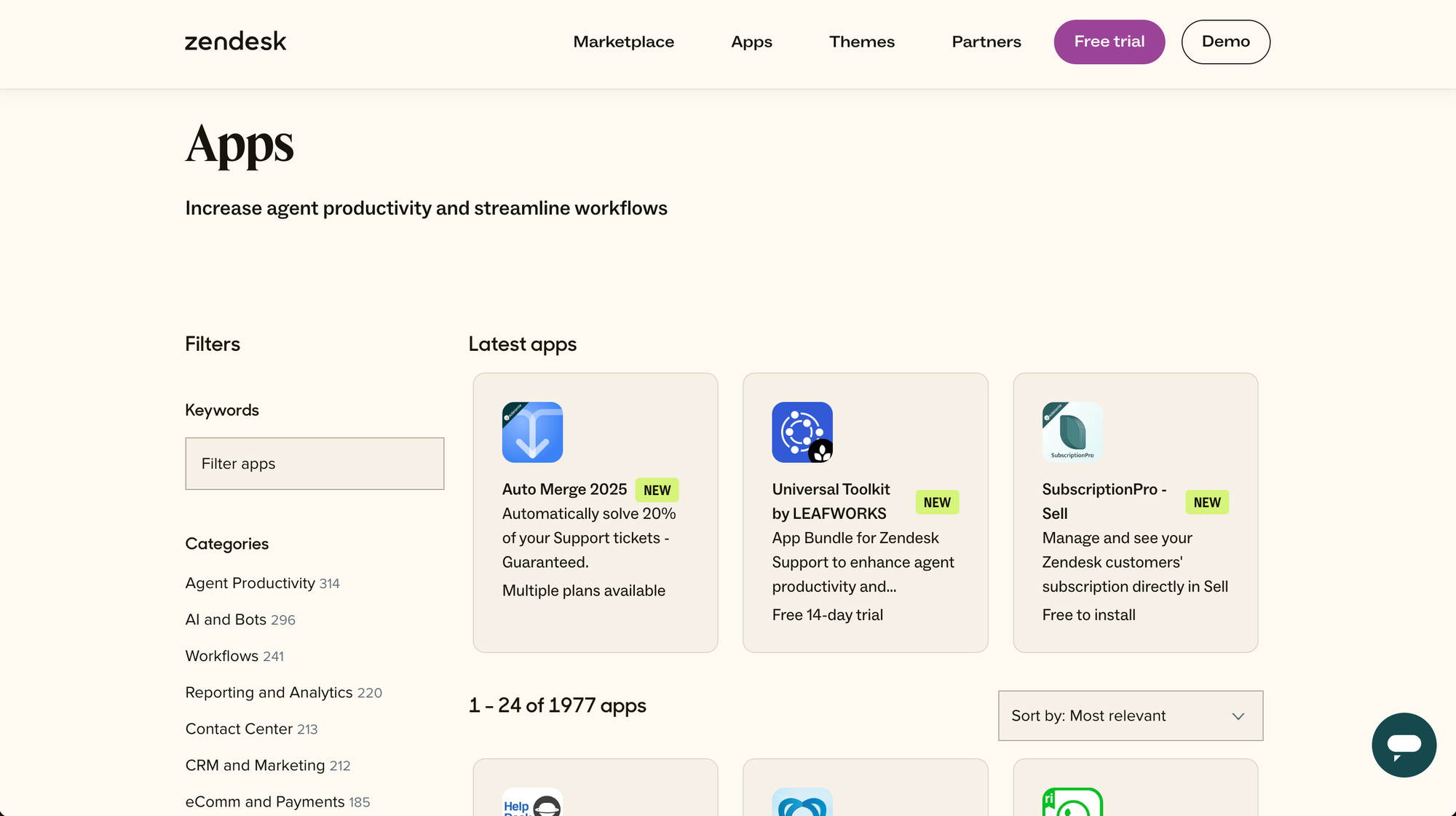
Zendesk has long offered one of the richest integration ecosystems in the support world. In the Zendesk Marketplace, you'll find 1,000+ pre-built integrations and apps (as of July 2026): from CRM systems to project management, ecommerce platforms, analytics, and beyond.
Crisp offers 100+ native integrations and also connects to 2,000+ apps via Zapier and similar services. In Crisp's marketplace, you'll find handy integrations for things like Slack, HubSpot, Pipedrive, Stripe, Shopify, WordPress, and so on.
Ease of use
When it comes to getting up and running, Crisp is the simpler and more user-friendly tool. Since Crisp is a unified platform, you sign up and immediately have access to all its modules (chat, inbox, knowledge base, etc.) in one interface, even across multiple websites.
The onboarding process is quick, and you can literally paste the Crisp chat widget code on your site and start chatting with customers in the same hour. Users often highlight how intuitive Crisp's UI is.
Zendesk is powerful, but that power comes with complexity. Setting up Zendesk can be a project in itself, especially if you're launching the whole suite (ticketing, help center, messaging, etc.). Large companies often have an onboarding plan or even hire consultants to implement things like Zendesk's ticketing system properly.
If you prioritize ease of use and minimal setup time, Crisp is the clear winner. On the other hand, Zendesk rewards those who invest the time to configure it; larger teams with an admin dedicated to support tools will eventually unlock a very tailored workflow that smaller tools can’t match.
Pricing
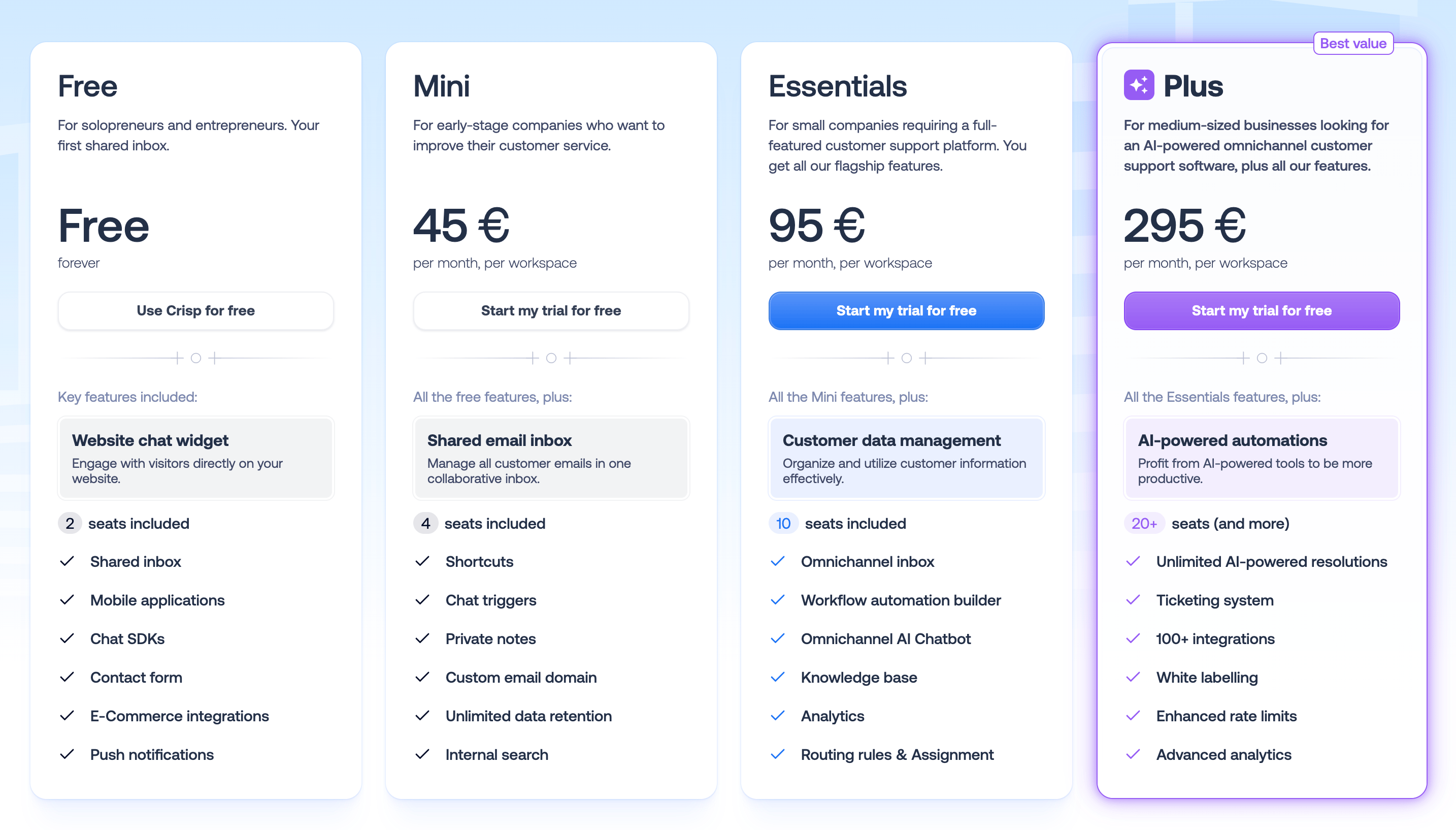
Crisp pricing (per Workspace): Every Crisp plan includes a certain number of seats (agent logins) at no extra charge. They also all come with unlimited message volume and contacts (Crisp doesn't charge by how many customer conversations you have, which is great). As of July 2026, the tiers are:
- Free ($0 forever) - Includes two seats, the basic chat widget, a shared inbox for your team, mobile apps, and limited history. This is great for trial or for very early-stage startups.
- Mini ($45/mo) - Includes four seats. Adds on a shared email inbox, unlimited chat history, chat triggers, canned responses, and the ability to use your own email domain for sending replies.
- Essentials ($95/mo) - Includes 10 seats. It unlocks Crisp's omnichannel inbox, the Hugo AI chatbot and workflow automation builder, a Knowledge Base, and advanced routing rules.
- Plus ($295/mo) - Includes 20 seats (and you can add more if needed at ~$10 per seat). It includes everything in Essentials plus higher Hugo AI resolution limits.
Importantly, Crisp's pricing is transparent and predictable. There are no surprise charges for contacts or certain channels. Some add-ons (like a specific SMS or WhatsApp number) might add some costs, but the plan prices are flat.
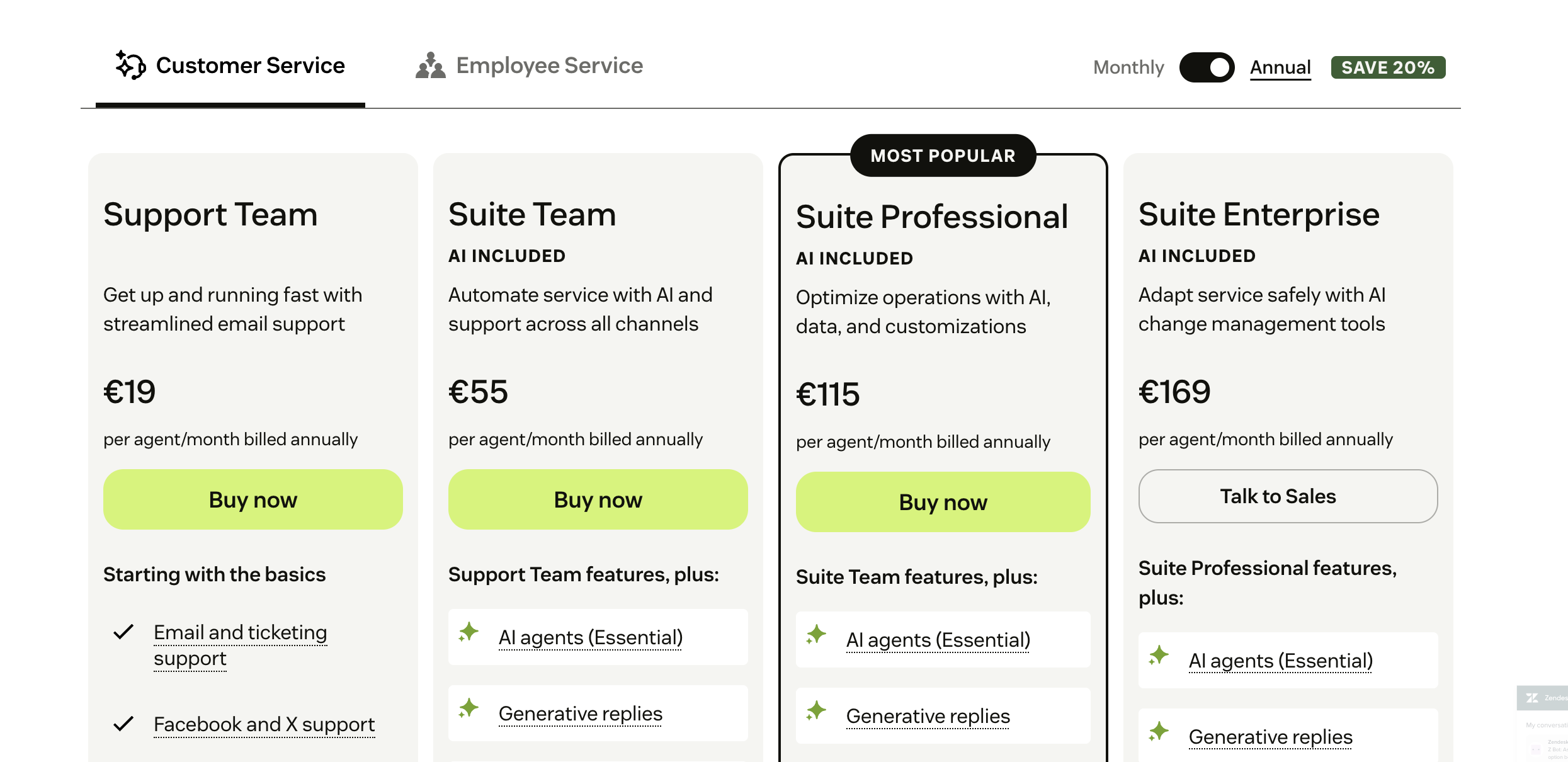
Zendesk Pricing (per agent): Zendesk offers a variety of plans, but the most common is the 'Zendesk Suite', which bundles support, chat, help center, etc.
- Team ($19/agent/mo) – Gives you email, basic live chat, and a standard help center – suitable for very small teams starting out.
- Growth ($55/agent/mo) – Adds things like SLA rules, more automation, multilingual content, and maybe a self-service customer portal.
- Professional ($115/agent/mo) – Adds deeper reporting, integration options, and eligibility to purchase the AI add-on.
- Enterprise ($169/agent/mo) – Gives you advanced stuff like custom agent roles, higher security, sandbox environments for testing, and so on.
Zendesk also sells add-ons. For example, the Advanced AI Add-On is $50 per agent/month and gives you the AI bots, agent assist, and other AI features on top of your base plan.
The bottom line on cost: Zendesk can become a significant expense as your team grows. For example, a 10-agent support team on Zendesk Suite Growth would be about $890 per month (annual billing) – and that’s before any add-ons. That same team on Crisp Essentials would pay $95 total.
Use case fit
So, which types of businesses are a good fit for Crisp or Zendesk? In general, these tools provide a support system for different audiences.
Crisp makes sense if you are a startup, a small to mid-size business, or a tech-savvy team that values speed and simplicity. It's popular with SaaS & ecommerce.
Because Crisp combines multiple channels (chat, email, social) in one place, it works well for lean support teams where agents wear many hats - they can handle all inquiries from one dashboard.
On the other hand, Zendesk is best for environments where support is large-scale and mission-critical. Think of organizations with dedicated support departments, potentially spread across multiple regions or products, handling thousands of tickets a day.
It also comes with detailed analytics and tons of premium features that Crisp doesn't have in their arsenal.
What users say
One of the best ways to evaluate software is to hear from teams using it. Let’s look at how customers rate Crisp and Zendesk, and the common pros and cons in 2026:
Crisp
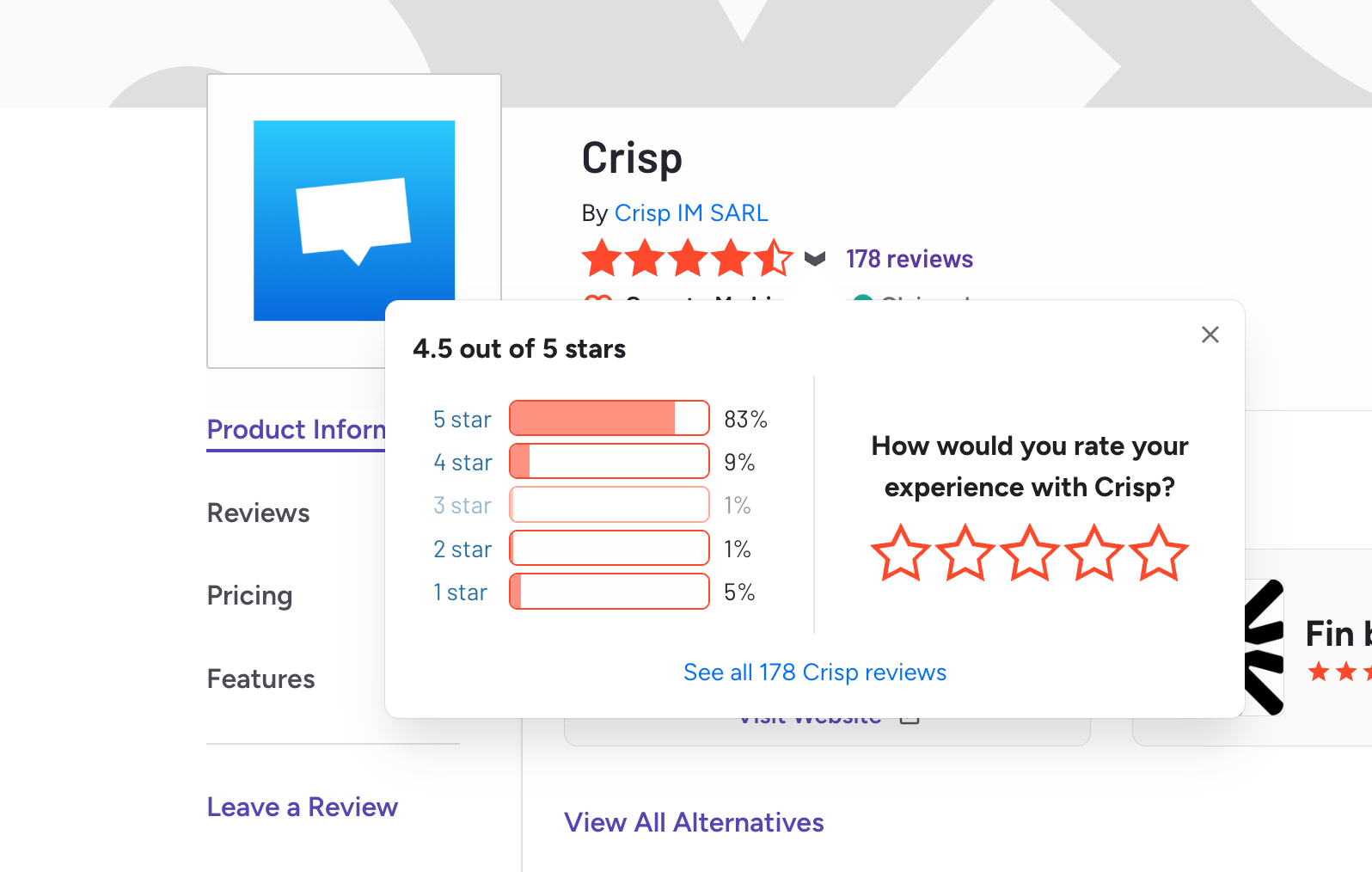
Pros (what users love):
- Ease of use – consistently praised as very quick to set up and intuitive to use.
- Live chat focus – rich chat functionality for the price; many highlight it as a “modern chat-first tool.”
- Unified inbox – teams like having all channels (email, chat, social) in one place, helping them avoid missed messages.
One SaaS CEO wrote: “I manage all pre-sale and post-sale messages from different channels in Crisp. It stopped our team from missing follow-ups spread over email and social.”
Cons (common criticisms):
- Hidden costs – some users feel surprised by add-on charges for advanced triggers, extra seats, or higher-tier features.
- Automation complexity – chatbot and workflow builders are good but not always beginner-friendly; setup can feel technical.
Overall: Crisp is loved for usability and value, but smaller teams should double-check which features are included in their plan and expect some learning curve for advanced automation.
Zendesk
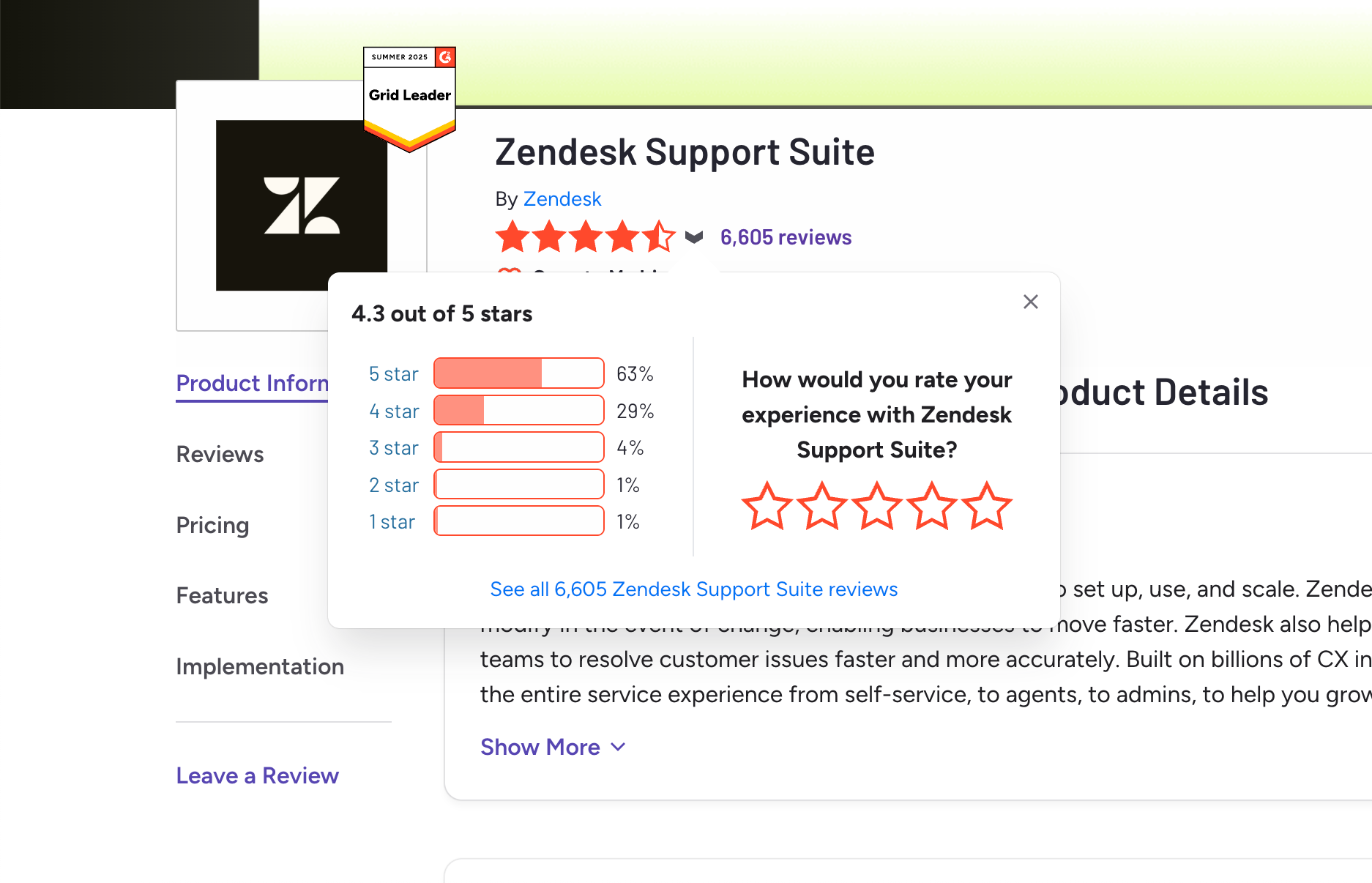
Pros (what users love):
- Feature completeness – offers tickets, chat, calls, knowledge base, and reporting in one place.
- Scalability – praised for handling high support volumes and complex operations reliably.
- Advanced configuration – triggers, automations, and custom fields are powerful for larger teams.
- Enterprise capabilities – things like multi-brand support, granular permissions, and dashboards are highly valued.
A recurring theme: “Zendesk gives you everything you need in one solution, and it can grow with your team.”
Cons (common criticisms):
- Learning curve – new teams often find it overwhelming; setup takes time and training.
- High cost – frequently described as expensive, especially as agent seats and add-ons pile up.
- Mixed support experience – some reviewers note Zendesk’s own customer support can be slow or unhelpful.
Overall: Zendesk is seen as a professional, scalable solution for mature teams - but smaller companies often find it too complex and costly to get full value.
Final verdict
Choosing between Crisp and Zendesk ultimately comes down to your team's size, needs, and priorities.
- Crisp suits small or growing customer support teams. It's affordable, quick to deploy, and delivers a snappy support experience with minimal fuss.
- Zendesk suits large teams or those with complex operations. It's a tried-and-true choice for established support organizations that need depth and scalability.
However, both have drawbacks, including high pricing, as well as a bit outdated interfaces. If neither feels quite right, we've got just what you need! 👇
Try Featurebase, the better alternative to Zendesk and Crisp! ✨
If Crisp feels too basic and Zendesk too expensive, there's a modern middle path worth a look.
Featurebase blends Crisp's simple, modern interface with the depth teams usually pay Zendesk for. It brings your live chat and email into one unified inbox, resolves repetitive tickets with the Fibi AI Agent and its custom actions, backs your agents with an AI Copilot, and gives customers instant answers through an AI-powered Help Center.
Pricing starts at just $29 per seat per month (+$0.49 per AI resolution), a fraction of what Zendesk costs, and the Free plan lets you start without a credit card. You can even import your Zendesk or Crisp knowledge base in one click, so there's no real downside to trying it. It's already used by fast-growing teams like Lovable, Polymarket, and Instantly. 👇
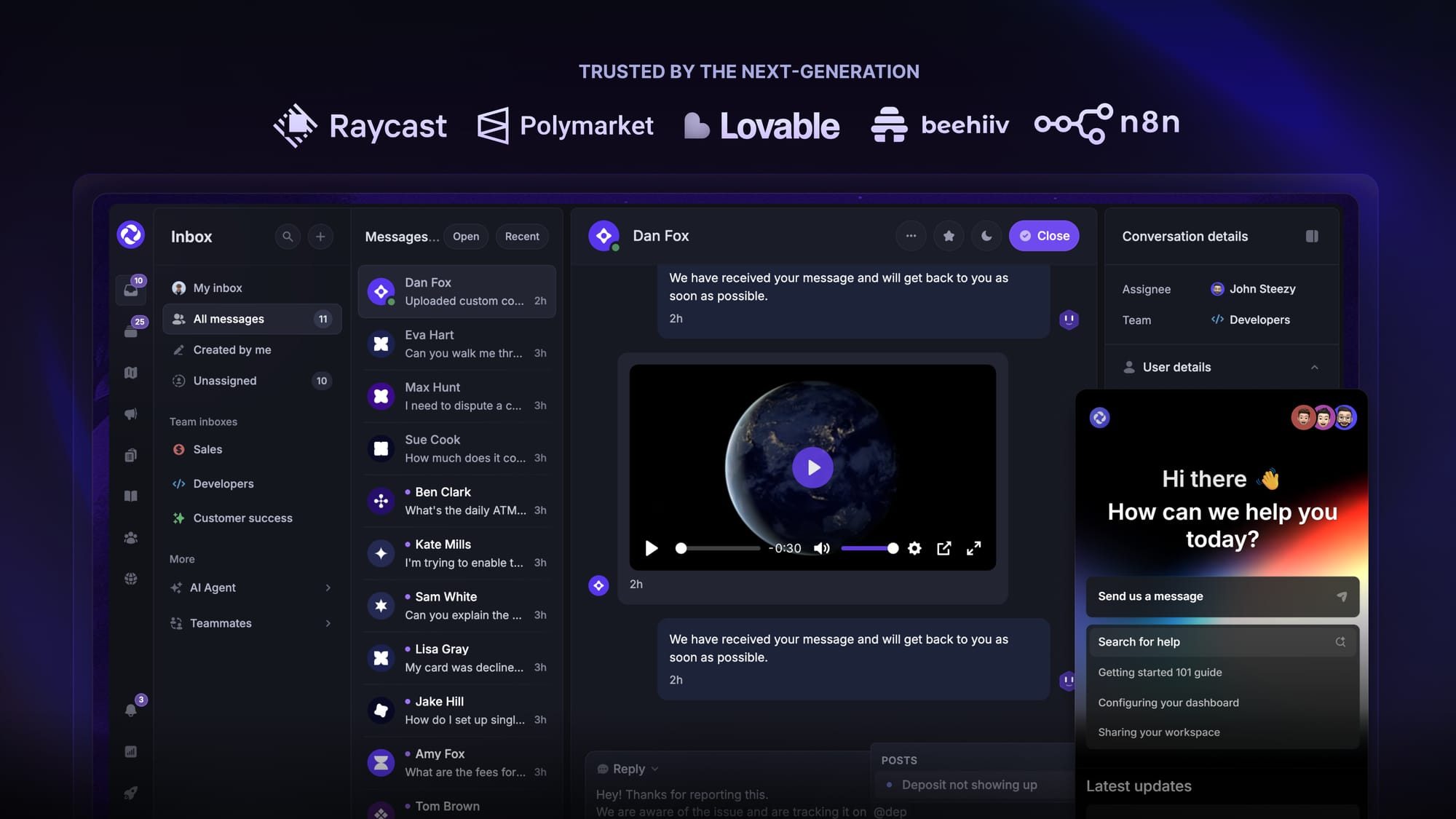
Some of the many Featurebase features include:
- Unified inbox – manage your live chat & email conversations in one place with your whole team
- AI agent & automations – fully automate your support with AI and endless custom workflows, like extending trials, offering discounts, qualifying leads, etc.
- Messenger widget – provide AI and human support from anywhere with a customizable in-app widget
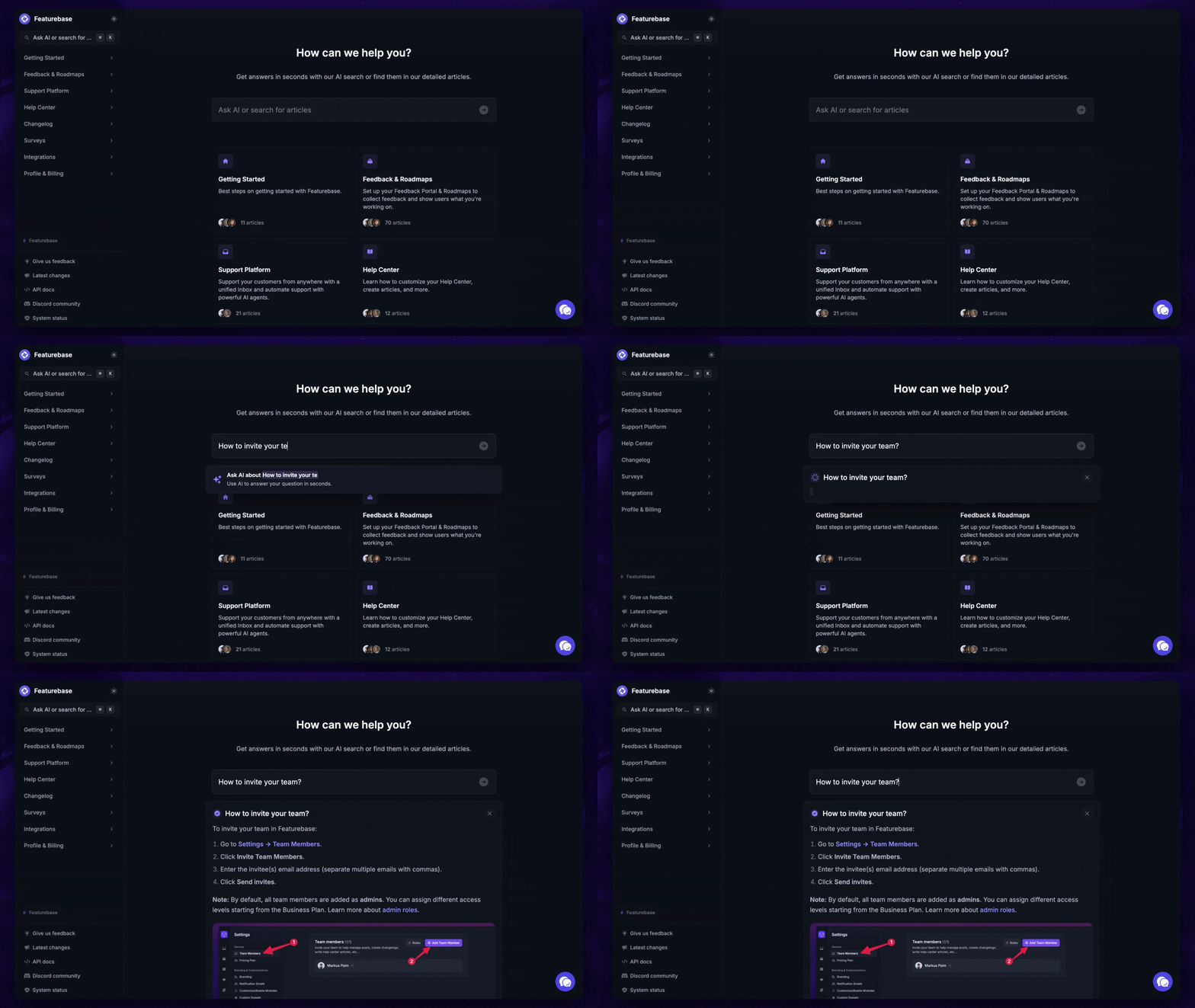
- Help Center – a branded knowledge base with instant AI answers
- Email support – Seamlessly provide support to your customers via email sync
- Native ticketing – Centralize & keep track of all customer requests in one place
- Multi-language & custom domain support – serve content in 40+ languages with your domain and branding
- Mobile app – respond to customers, receive notifications, and unblock users on the go
- Integrations – Slack, Linear, Jira, Discord, Hubspot, and many more
- Plus, feedback collection, product roadmaps, release notes, and customer surveys – all in one place
Long story short, Featurebase gives you all the moder UI of Crisp and powerful features of Zendesk, but without the super expensive pricing. Don't just take our word for it. You can try Featurebase completely free and see for yourself.
The onboarding is quick and doesn't require a credit card. Plus, you can automatically import your Zendesk or Crisp knowledge base with one click - so there’s zero risk involved. 👇
✨ Automate your support with the fastest AI-enhanced Inbox today →
FAQs
What is the main difference between Crisp and Zendesk?
Crisp is a modern, all-in-one messaging platform built for startups and small teams that want a simple, chat-first tool. Zendesk is a mature, enterprise-grade support suite built for large teams that need depth, scale, and heavy configuration. In short, Crisp optimizes for simplicity and Zendesk optimizes for power.
Is Crisp cheaper than Zendesk?
For most teams, yes. Crisp uses flat per-workspace pricing (for example, $95/month covers 10 seats on Essentials), while Zendesk charges per agent starting around $55/agent/month on Suite Team. A 10-person team can be the difference between roughly $95 and $550+ per month, before any AI overages on Zendesk.
Does Crisp have AI features like Zendesk?
Yes. Crisp's Hugo AI agent now answers questions and takes actions directly from the chat widget, and its Copilot helps human agents draft replies and handle complex cases. Zendesk offers autonomous AI agents and agent-assist Copilot too, though its more advanced AI capacity sits behind higher plans and per-resolution billing.
Can Crisp replace Zendesk for a growing team?
It can, up to a point. Crisp handles chat, email, social channels, and a help center comfortably for lean teams. Once you need deep analytics, granular permissions, phone support, or complex multi-department routing, Zendesk's extra depth starts to matter more.
Which is easier to set up, Crisp or Zendesk?
Crisp is much faster to launch - you can paste the widget code on your site and start chatting within the hour. Zendesk is more of a project, and larger teams often dedicate an admin or hire consultants to configure the full suite properly.
Is there a better alternative to Crisp and Zendesk?
If Crisp feels too basic but Zendesk feels too expensive and complex, Featurebase is worth comparing. It combines a unified inbox, the Fibi AI Agent with custom actions, an AI Copilot, and an AI-powered Help Center, with transparent pricing from $29 per seat and a free plan to start.
More comparisons:
- Zendesk Review
- Best Zendesk alternatives
- Zendesk vs Featurebase
- Zendesk vs Intercom
- Zendesk vs HubSpot
- Zendesk vs Help Scout
- Zendesk vs Jira
- Zendesk vs Freshdesk
- Zendesk vs Salesforce
- Zendesk vs Zoho
- Zendesk vs Kayako
- Zendesk vs Happyfox
- Zendesk vs Tidio
- Zendesk vs Freshdesk vs Zoho
- Best Crisp alternatives
- Crisp vs Featurebase
- Crisp vs Intercom