Blog ComparisonsAha vs Productboard: 2026 Comparison
Aha vs Productboard: 2026 Comparison
Struggling to choose between Aha! and Productboard for managing product feedback and prioritization? We've analyzed both tools to show you exactly how they stack up in features, pricing, and user experience to help you make the right choice!

Aha! and Productboard are product and idea management tools that have been around for more than a decade, helping SaaS teams gather customer insights. Both of them focus on customer-centric product management and helping (larger) companies meet their business objectives through product initatives.
But which of the two product management systems should you get?
In this comparison, we’ll dive into Aha vs. Productboard to see which tool is the best fit for your team’s needs. 👇
TL;DR - short summary
- Both tools have been around for 10+ years, have broad feature sets, and target large businesses and enterprises.
- The features are mostly identical, from product roadmaps to feedback collection, analysis, and prioritization.
- Aha! pricing is much more complex and expensive, while Productboard plans are cheaper and easier to figure out.
- Users complain about the same things: the complexity of features, especially for new users and those who don't want all the bells and whistles.
All in all, both tools are complicated and quite expensive. If you're after a more modern UI and affordable tool, check out Featurebase (👋 that’s us). We’re an alternative to Aha! and Productboard, but we promise this article is about the facts—backed by real reviews, no bias.
Aha vs. Productboard at a glance

Aha! was one of the first product management tools, bootstrapped 🤯 and launched in 2013. They serve mid- to large B2B companies and anyone who wants all the essential features for product management in one place. Notable customers include Siemens, LinkedIn, and Dell.
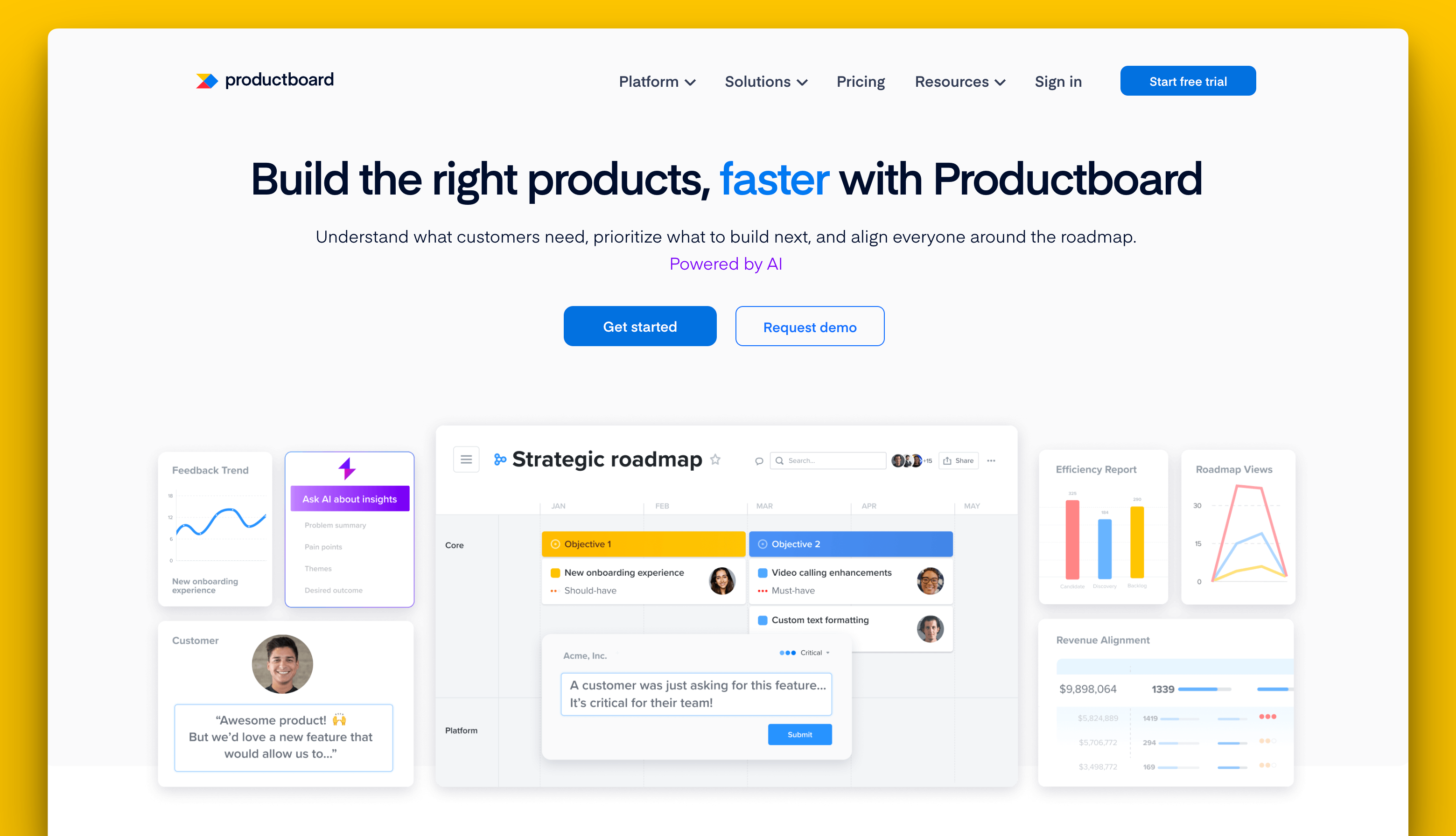
Productboard was launched in 2014 for product managers who want all the features to manage feedback, create product roadmaps, and build a product strategy in one tool. It's backed by a number of VCs, and its most prominent customers include Zoom, Zendesk, and Microsoft.
Productboard and Aha!: product management features
Both tools help product teams collect customer input and prioritize features based on real feedback. In this aspect, Productboard and Aha! are actually very similar.
Aha's features
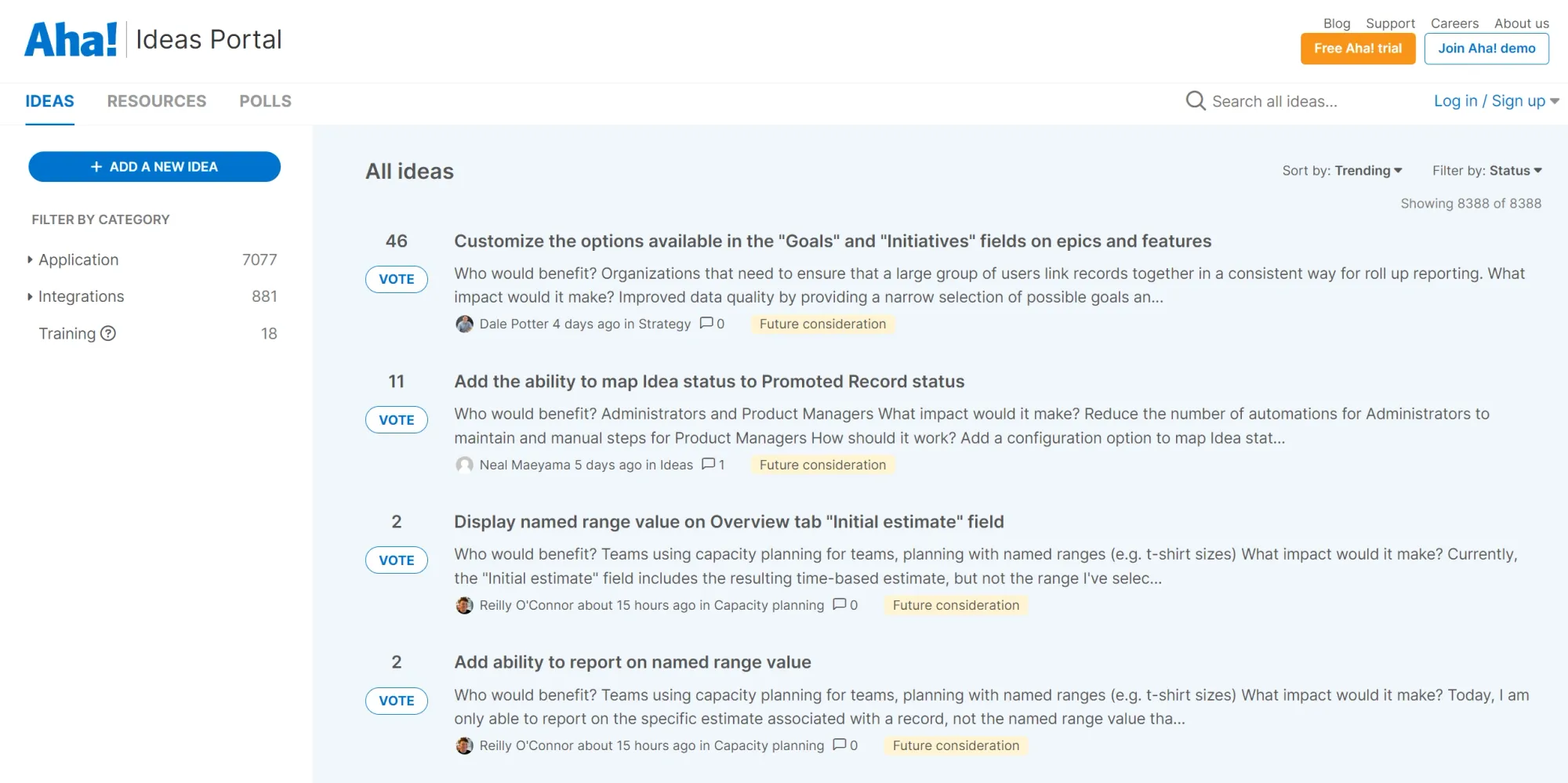
Aha! is a comprehensive product management tool for collecting feedback, communicating with customers, and closing the feedback loop. Depending on the add-ons you choose, you'll have various features for your software development and product team.
Some notable features of Aha! include:
- Private and public roadmaps
- Centralized feedback portal for collecting user feedback in the form of feature requests, bug reports, and just about any idea you may think of
- Whiteboards for ideation and brainstorming during the product development process
- Collaboration tools for developers and product owners
- Knowledge base for describing your product
- A substantial number of integrations with tools such as Salesforce, Slack, Jira, and many others
While Aha!'s extensive feature set can be valuable for many product teams, some users believe more isn’t always better.
The sheer number of features can sometimes make the tool feel bloated and overwhelming, leading to complaints about its complexity and lack of intuitiveness.

Productboard's features
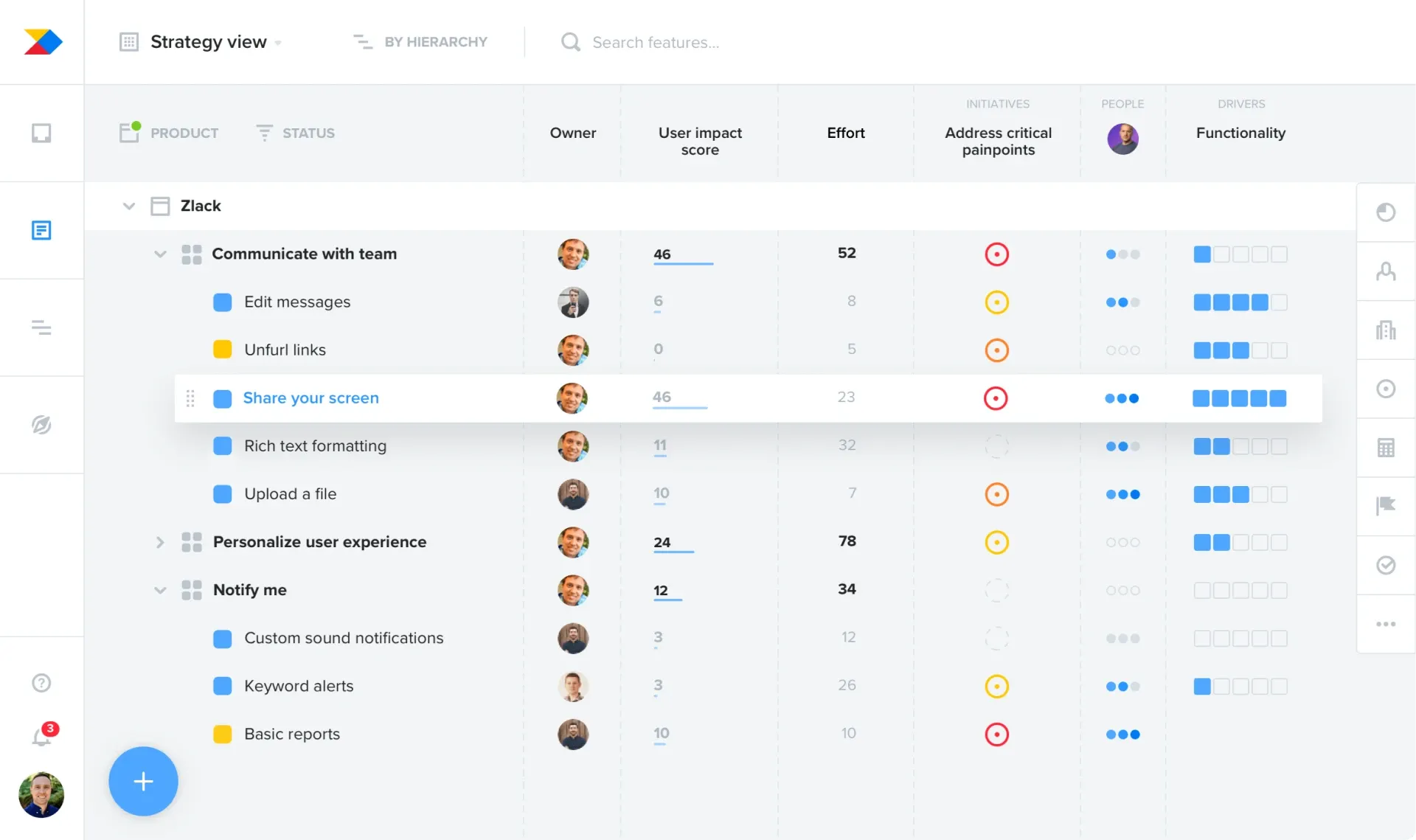
Productboard has everything in one place for product management. You can collect feedback, create highly customizable roadmaps, link feedback to action items, and guide the development process.
Here's what you can expect in Productboard:
- Collaborative, real-time product roadmap creation with extensive customization options
- Get customer signals through segmented feedback trends
- VIP customer views and tracking
- Customer feedback portal
- Create, organize, and prioritize backlogs
- Templates and workflows for easier team collaboration and project management, e.g. across product and development teams
- SOC-2 Type II compliance, SAML SSO, and role-based access
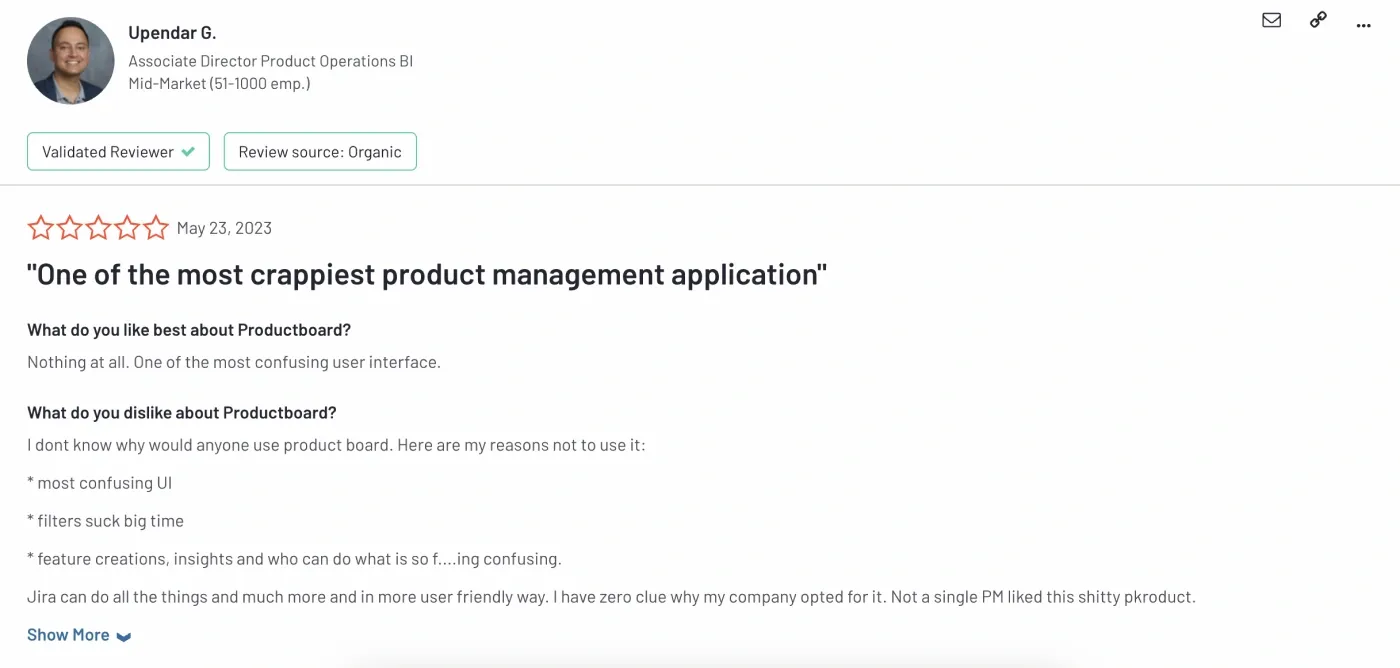
And it's the same with Productboard—some users feel that the sheer volume of features and functionalities can be a double-edged sword:
Aha vs. Productboard: pricing
Both Aha! and Productboard offer solid idea management features, but Productboard is a bit cheaper. If pricing is a key factor in your decision, pay close attention to this breakdown (it can get complicated, trust me 😅).
Aha! pricing
Aha! is feature-rich, but its pricing is more complex due to separate plans and add-ons. Unlike most Aha! alternatives, which bundle features into a few simple tiers, Aha! splits its features across multiple plans, each having its own tiers.
Here’s the breakdown:
- Aha! Roadmaps: starts at $59 per user per month
- Aha! Discovery: starts at $39 per user per month
- Aha! Ideas: starts at $39 per user per month
- Aha! Whiteboards: starts at $9 per user per month
- Aha! Knowledge: starts at $18 per user per month
- Aha! Develop: starts at $9 per user per month
- Aha! Teamwork: starts at $9 per user per month
So, if you want the full Aha! package, you're looking at a total cost of $182 per month for just one seat. The pricing is overly complex, which is the first problem. And if you want the entire stack, e.g. integration capabilities, project management tools, and visual roadmaps, the total price is higher than 90% of product management tools in the market today.
That's what some of their users have to say about it 👇

For more, check out our in-depth analysis of Aha pricing →
Productboard pricing
Productboard's pricing is a bit more straightforward, with four main seat-based pricing plans.
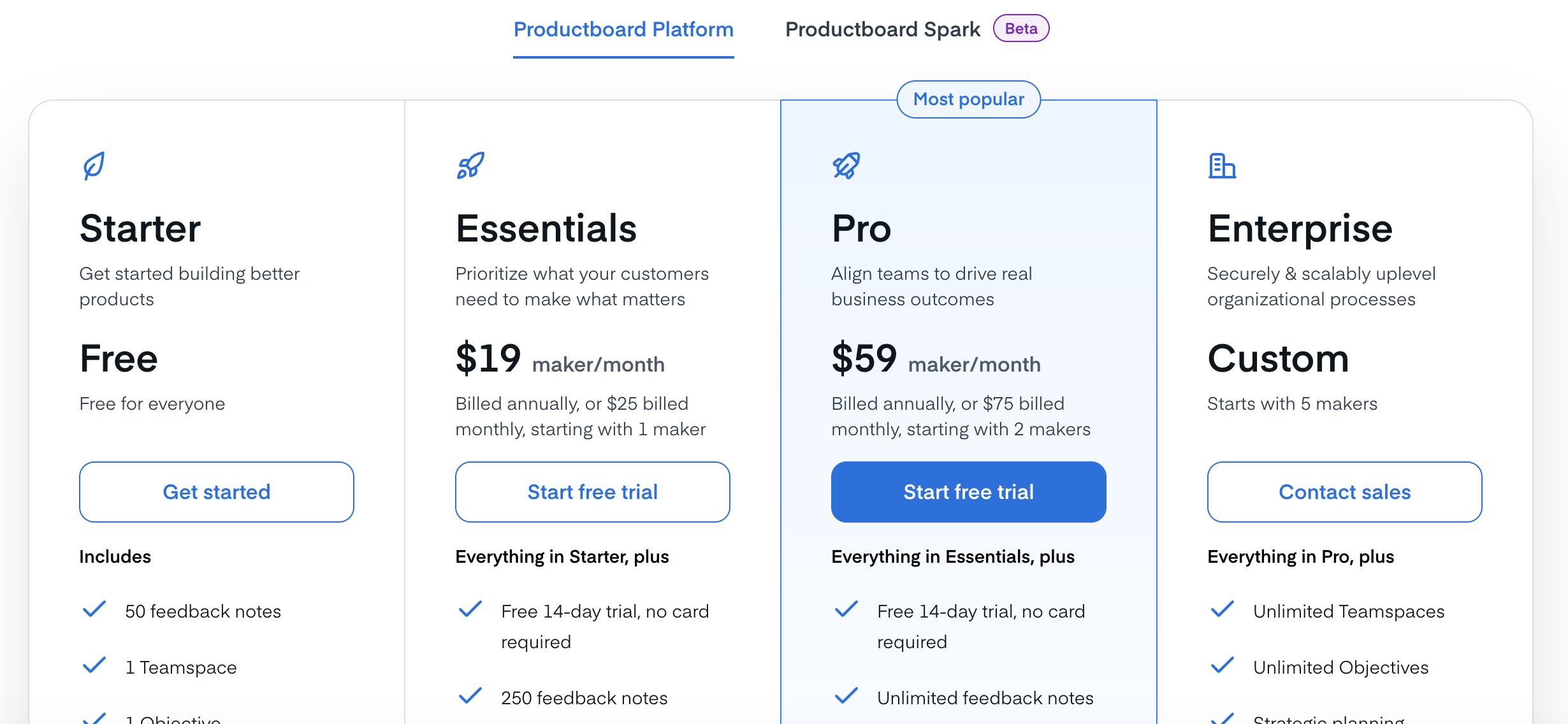
- Starter: free
- Essentials: $19 per maker per month
- Pro: $59 per maker per month
- Enterprise: get in touch with sales to get more information
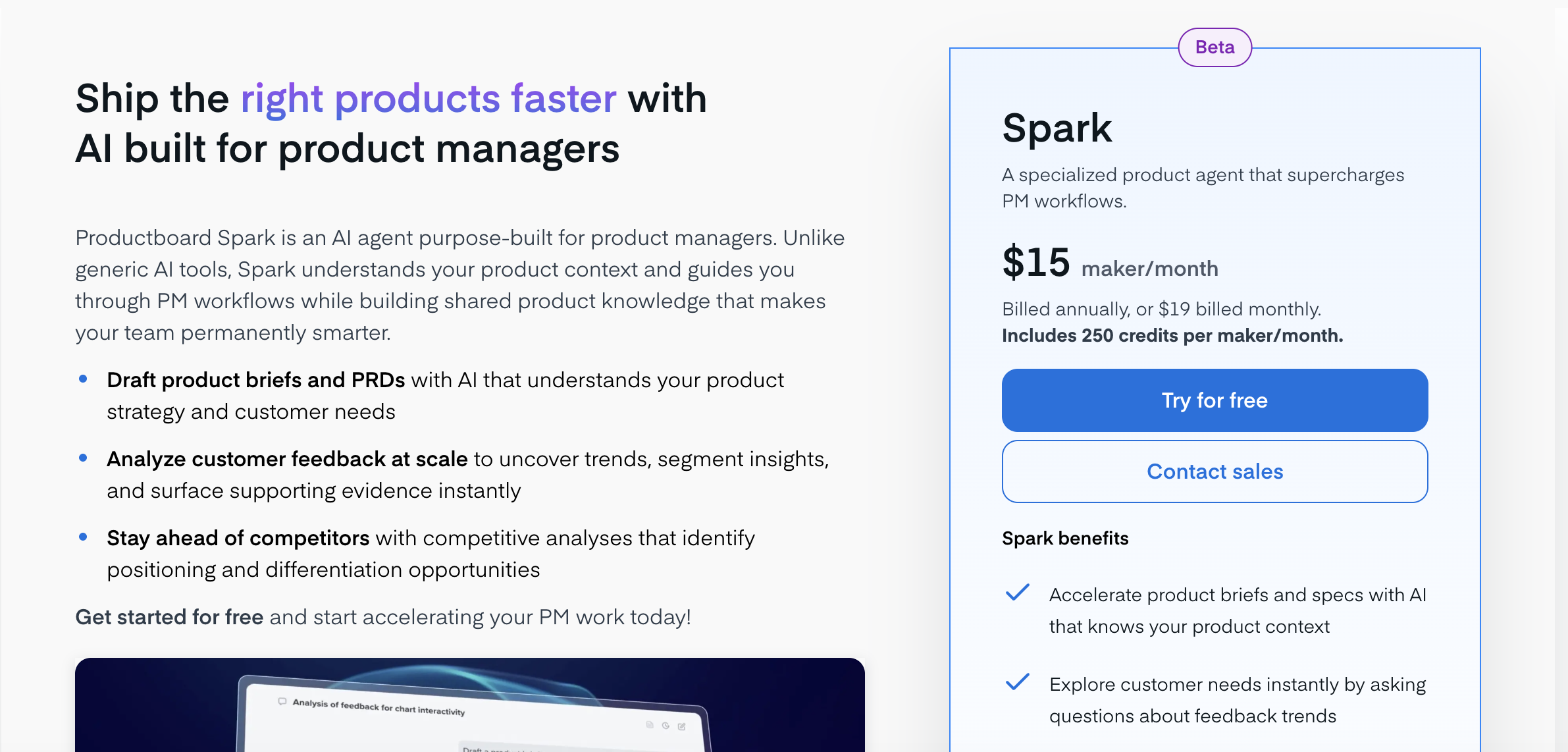
- Productboard Spark: an AI agent can work on your behalf and costs $15 per maker per month
Spark is the latest addition to the Productboard arsenal of tools. With Spark, you can draft product briefs and PRDs, analyze customer feedback at scale, and run competitive analyses with AI.
But to actually understand Productboard pricing, it's important to distinguish between the different types of user roles: Makers, Contributors, and Viewers.
Makers are essentially product managers with full access to Productboard. Contributors and Viewers are other stakeholders who need to be able to view and add suggestions (e.g., CS teams).
All plans include unlimited contributors and viewers, but you have to pay for each Maker.
Here's our full breakdown of Productboard's pricing →.
What real user feedback is saying
In the battle of Aha vs. Productboard, the most important thing to consider is what actual customers say.
Aha! reviews
Seasoned product managers will find their way around Aha! with ease. On the other hand, if you're new to the tool, the learning curve is pretty steep.
- While I love the functionality in Aha!, one of the challenges with getting started is that they are not necessarily intuitive to new users. So, expect to have a learning curve when beginning to implement Aha! into your workflow. (source)
- The learning curve for new users is big. We include a short orientation with new hires so they are grounded in the navigation. (source)
- In the Jira integration, it is made impossible by design to sync the release field bidirectionally and it is enforced to be updated only from Aha. This makes no sense as development works on Jira and often makes this change. (source)
Productboard reviews
One of the most common complaints about Productboard is that it can just be too much. There are too many features for some users, and getting up to speed with everything can take significantly more time and effort than Productboard alternatives.
- While using Productboard, it may become quite a bit on the clunky side because there are quite many features are included which could confuse users while they are getting introduced to the platform. Further, the use of tools may also pose problems where tool integration issues may at times interfere with our functioning. These challenges have sometimes impacted the performance of our team with regard to incorporating the software into normal work processes. (source)
- The only problem with Productboard is the fact that the software slows down when dealing with massive data sets. This can be quite irritating, especially when one has a tight schedule in undertaking their work. Further, the number is often large and still, the feeling can be that some of these tools can be polished a little better. These weaknesses have affected some of our activities especially when we are in the process of seeking information. (source)
- Probably the biggest drawback of Productboard is that it has a high level of complexity, which may lead to difficulties when onboarded by a company. We spent quite a long time exploring all the possibilities of the program and using some of them decreased our productivity at first. Furthermore, the pricing may be slightly on the higher end for the smaller teams or startups. (source)
An experienced product manager will find their way around it, but new users will struggle initially. Couple that with the moderately high pricing, and Productboard does not seem like a startup-friendly option.
So, which product management tool should you get?
Get Aha! if:
- You run a large product organization that needs a deep feature set to enable teams across product, engineering, and leadership.
- Your company wants an all-in-one ecosystem with whiteboards, knowledge base tools, roadmaps, and idea management in a single platform.
- You have the resources for extensive training and onboarding to help new users learn the platform.
- Your team works with complex product strategies and large volumes of customer data that must be organized across multiple workflows.
- You prefer a mature product management suite that connects strategy, development planning, and feedback management in one place.
- You rely on integrations with tools like Jira, Slack, and Salesforce to support cross-department collaboration.
Get Productboard if:
- Your product team prioritizes a more intuitive interface compared with heavier enterprise product management suites.
- You want strong tools for understanding customer needs and translating feedback into product priorities.
- Your team focuses heavily on analyzing feedback trends and connecting them to actionable product decisions.
- You want features such as segmented feedback insights and VIP customer views to improve user engagement and product planning.
- Your workflow depends on seamless integration with tools used by support, product, and engineering teams.
- You prefer a simpler pricing structure with fewer add-ons compared with Aha!’s modular pricing model.
So why not look at an affordable & simple third option instead? 👇
Try Featurebase as an alternative ✨
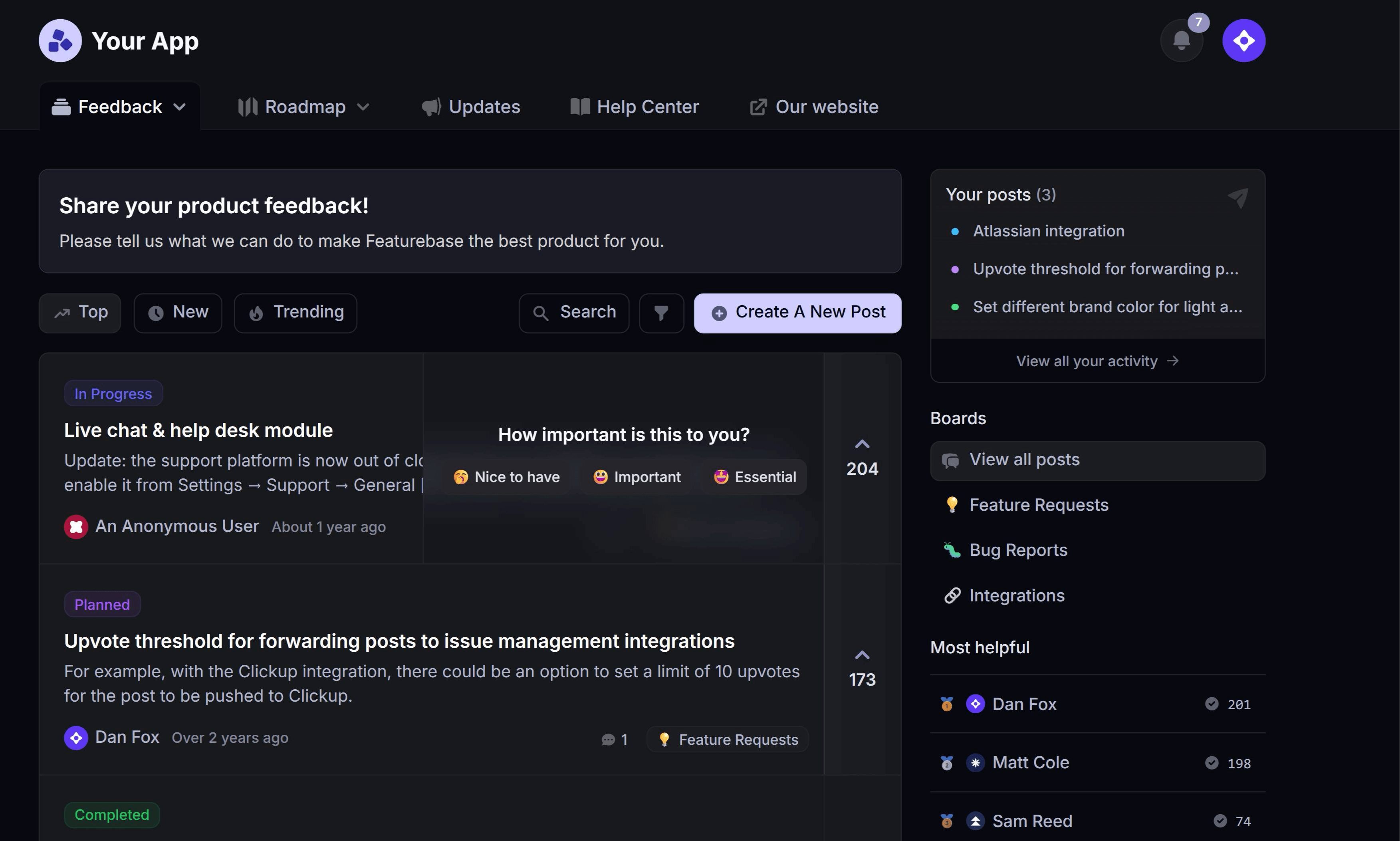
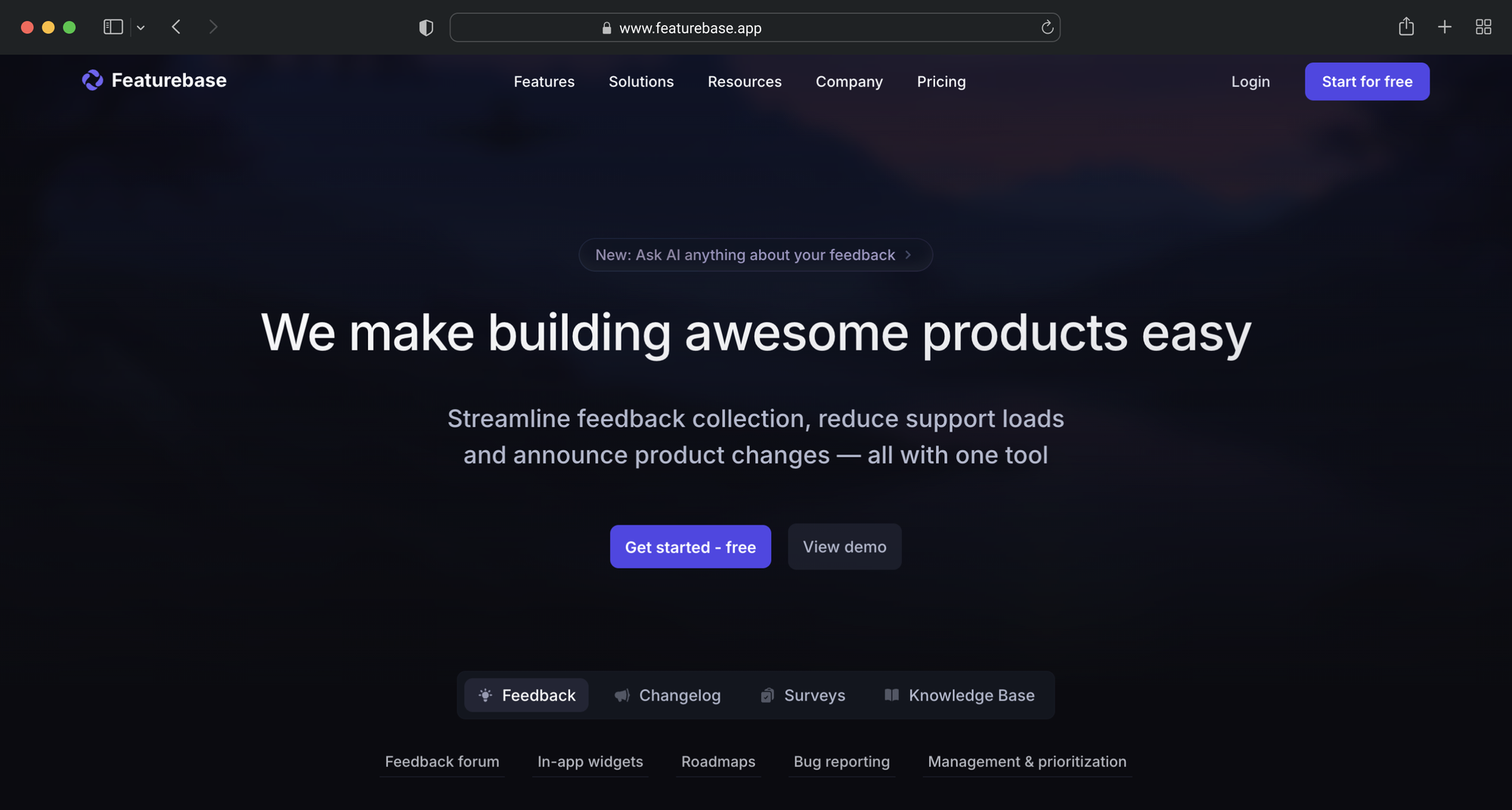
If you want many of the capabilities of Productboard and Aha! without the heavy setup, steep learning curve, or high price, Featurebase is a strong alternative. It helps product teams collect feedback, prioritize ideas, build roadmaps, and communicate product updates in one place.
Instead of stitching together several separate tools, Featurebase brings feedback management, roadmapping, surveys, and product updates together so teams can stay close to customer needs and ship the right features faster.
- Centralized feedback forum with voting where users can submit ideas and vote on feature requests
- In-app widgets for feedback and bug reports that let you collect feedback directly inside your product
- Private and public product roadmaps for communicating upcoming features and plans
- AI-powered feedback organization and analysis that groups ideas and summarizes insights automatically
- Prioritization by customer revenue and company data to identify the highest impact requests
- Prioritization frameworks and matrices such as value vs effort to guide product decisions
- Customer surveys including NPS and CSAT to measure satisfaction and gather insights
- Product updates and changelogs to announce new features and close the feedback loop
- Extensive documentation and help center for self-serve support
- Integrations with tools such as Slack, Jira, Zapier, Intercom, Linear, HubSpot, and many others
Featurebase starts at $29 per user per month, and there is also a free plan with unlimited feedback collection so teams can get started without any upfront commitment. Setup takes only a few minutes, making it one of the easiest ways to start collecting product feedback and building public roadmaps.
✨ Start collecting feedback & building roadmaps with Featurebase for free →
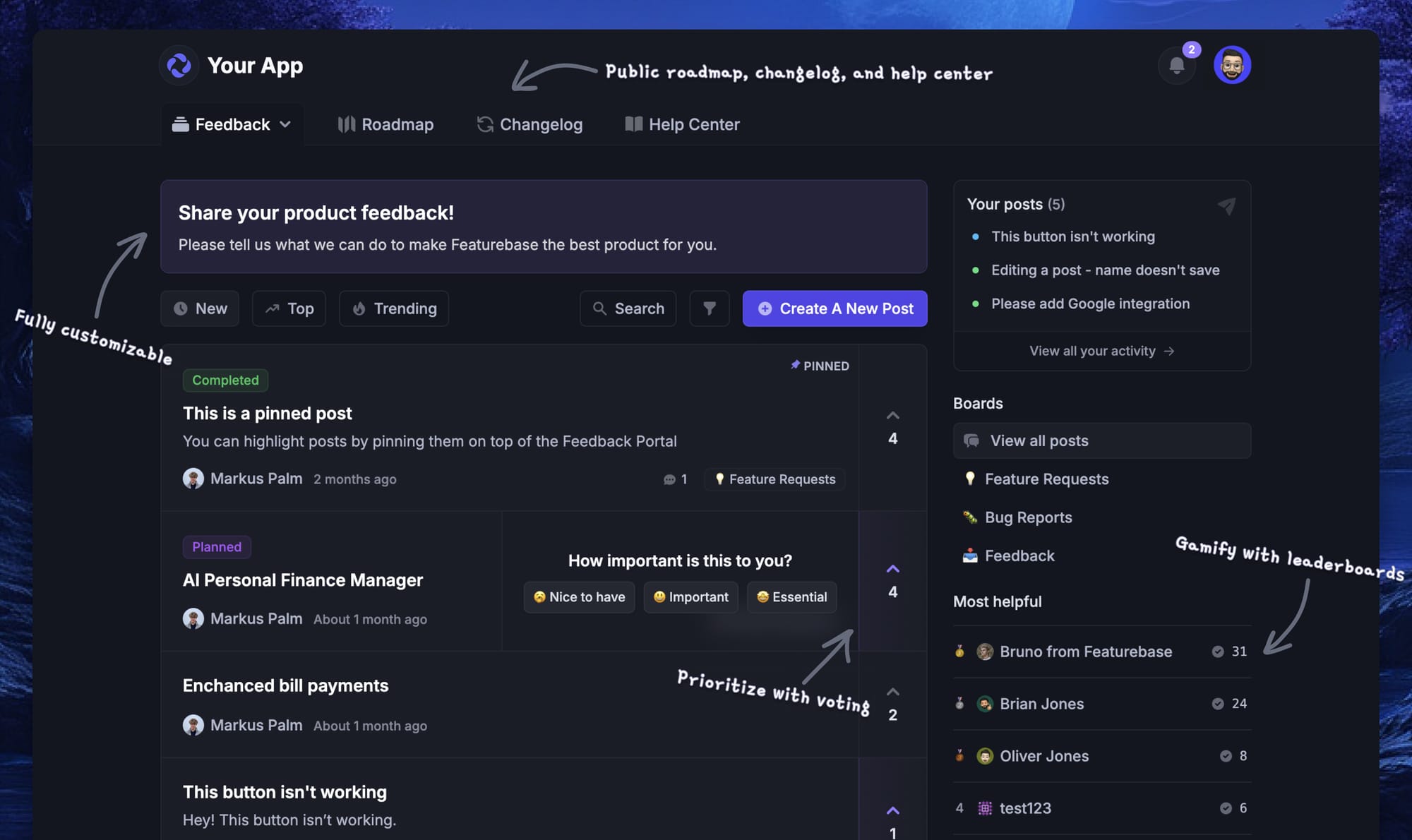
Featurebase's feedback forum
More comparisons:
- Aha vs Featurebase comparison
- Aha! vs Canny comparison
- Aha! vs ProductPlan comparison
- Aha! vs ProdPad comparison
- Aha! alternatives
- Productboard vs Featurebase comparison
- Productboard vs ProductPlan comparison
- Productboard vs Canny comparison
- Productboard alternatives