Customer Service Workflow: 7 Examples and a Template
Build a customer service workflow with 7 practical examples, a reusable template, and clear steps for routing, escalation, automation, and measurement.


On this page
A customer asks for help, gets passed between teams, and ends up explaining the same issue twice because nobody owns the next step.
In this guide, I'll show you how to build a customer service workflow with clear ownership, 7 practical examples, and a reusable template that takes each request from arrival to resolution. 👇
Key takeaways
- A customer service workflow defines what happens next: It connects a customer's request with the people, decisions, and actions needed to resolve it.
- Ownership makes handoffs work: Every request needs someone responsible for progress, including when another team is investigating.
- Start with a recurring problem: Map the current process, fix the gaps, and then automate repeatable steps.
- Measure outcomes alongside speed: Faster replies mean little if customers keep returning with the same unresolved issue.
- Featurebase ✨ brings support conversations, AI, and workflow automation into one platform.
What is a customer service workflow?
A customer service workflow is a repeatable sequence of steps for handling a customer request. It specifies how the request enters your system, who handles it, what decisions they make, and how they know the work is complete.
For example, a customer reports a failed data export. Support collects the error message, checks known issues, and sends the case to engineering if needed. A support owner keeps the customer updated and confirms the outcome after a fix.
A useful customer support workflow includes:
- Trigger: The event that starts the process, such as a new message or an overdue reply.
- Owner: The person accountable for moving the request forward.
- Actions: The work required, such as investigating an error or reviewing a charge.
- Decisions: Conditions that send requests down different paths.
- Completion criteria: The result or documented outcome required to close the request.
Some workflows respond to problems. Others support proactive customer service, such as offering onboarding help before a customer gets stuck. Either way, the next step should be clear to everyone involved.
Why customer service workflows matter
An inbox tells you which requests exist. A workflow tells your team what to do with them.
Without that shared process, agents can repeat checks, miss promises, or assume somebody else is handling a case. Customers feel the gaps when they have to chase an update.
In its 2024 State of Service research, Salesforce reported that agents spent 39% of their time servicing customers, alongside demands such as administration and internal meetings. A clear process helps you spot repetitive work that could be simplified or automated.
The practical benefits include:
- More consistent service: Similar requests receive the same essential checks, even when different agents handle them.
- Fewer lost handoffs: The receiving team gets the context it needs, while somebody remains responsible for customer updates.
- Easier training: New teammates can follow a documented path and see when to ask for help.
- Visible bottlenecks: You can identify whether delays happen in triage, investigation, approvals, or follow-up.
Keep room for judgment. A workflow should help agents handle a situation, including when the usual path doesn't fit.
The 5 stages of a customer service workflow
You can map most support requests to these 5 stages. The exact steps will vary by issue and channel.
- Capture the request: Record the customer's message, account context, and relevant conversation history in one place.
- Prioritize the issue: Identify the request type, customer impact, urgency, and any service commitments.
- Assign and investigate: Give the request an owner, check available information, and involve specialists when needed.
- Resolve and communicate: Deliver the answer or fix, explain what changed, and check that it addresses the customer's problem.
- Follow up and improve: Record the outcome, collect feedback where useful, and address recurring causes.
A simple customer service workflow diagram looks like this:
Request received → Triage → Owner assigned → Investigation → Resolution → Follow-up
Add a branch during investigation for cases that need escalation. That branch should return to the support owner for a customer update, even if another team performs the technical work.
How to build a customer service workflow
I recommend starting with one request type your team sees regularly. A narrow workflow is easier to test and improve before you expand it.
1. Choose a recurring customer problem
Review recent conversations and choose a frequent issue with a recognizable outcome. Failed imports, billing questions, and account access problems are useful starting points.
Define the scope in a sentence: "This workflow handles customers who cannot complete a CSV import." Decide what falls outside it, such as requests for a new import feature.
Pick a measurable goal, too. You might aim to reduce repeat requests for missing information or shorten the wait for a specialist.
2. Map what happens today
Follow actual cases from the first message through the final reply. Include waiting time and work happening outside the inbox, such as an agent asking a developer for help.
Ask the people doing the work where they get stuck. Common customer service workflow bottlenecks include missing context, unclear ownership, unnecessary approvals, and cases that sit between teams.
Draw the current process before designing the improved version. Otherwise, it's easy to automate a process that still contains the same delays.
3. Define ownership and completion
Assign an accountable owner to each case. Specialists can contribute without leaving the customer unsure who will respond next.
Also define the workflow's completion criteria. For an import failure, that might mean the customer successfully imports the file or receives a confirmed explanation and an agreed next step.
Keep "waiting for customer," "waiting for engineering," and "resolved" distinct. A request can be quiet without being finished.
4. Add decisions and escalation paths
Write escalation rules that teammates can apply consistently:
- Impact: A blocked account follows a different path from a cosmetic issue.
- Expertise: A suspected defect goes to technical support with reproduction details.
- Authority: A refund outside an agent's approval limit goes to an authorized reviewer.
- Time: A missed response target alerts the person responsible for recovering the case.
Define what happens when the intended assignee is unavailable. Keep the request visible in a monitored queue, with a fallback owner, instead of relying on somebody noticing it later.
5. Automate repeatable steps
Start customer service workflow automation with predictable tasks such as tagging requests, routing them, sending acknowledgments, and reminding owners about pending work.
Choose customer service workflow software that supports your channels and makes ownership, conditions, and outcomes easy to inspect. Check how it handles conflicting rules and failed actions before relying on it for customer-facing work.
For example, Featurebase's Workflows & automations can tag, assign, prioritize, and apply service level agreements (SLAs) to conversations. These actions help turn your documented routing rules into a repeatable process.
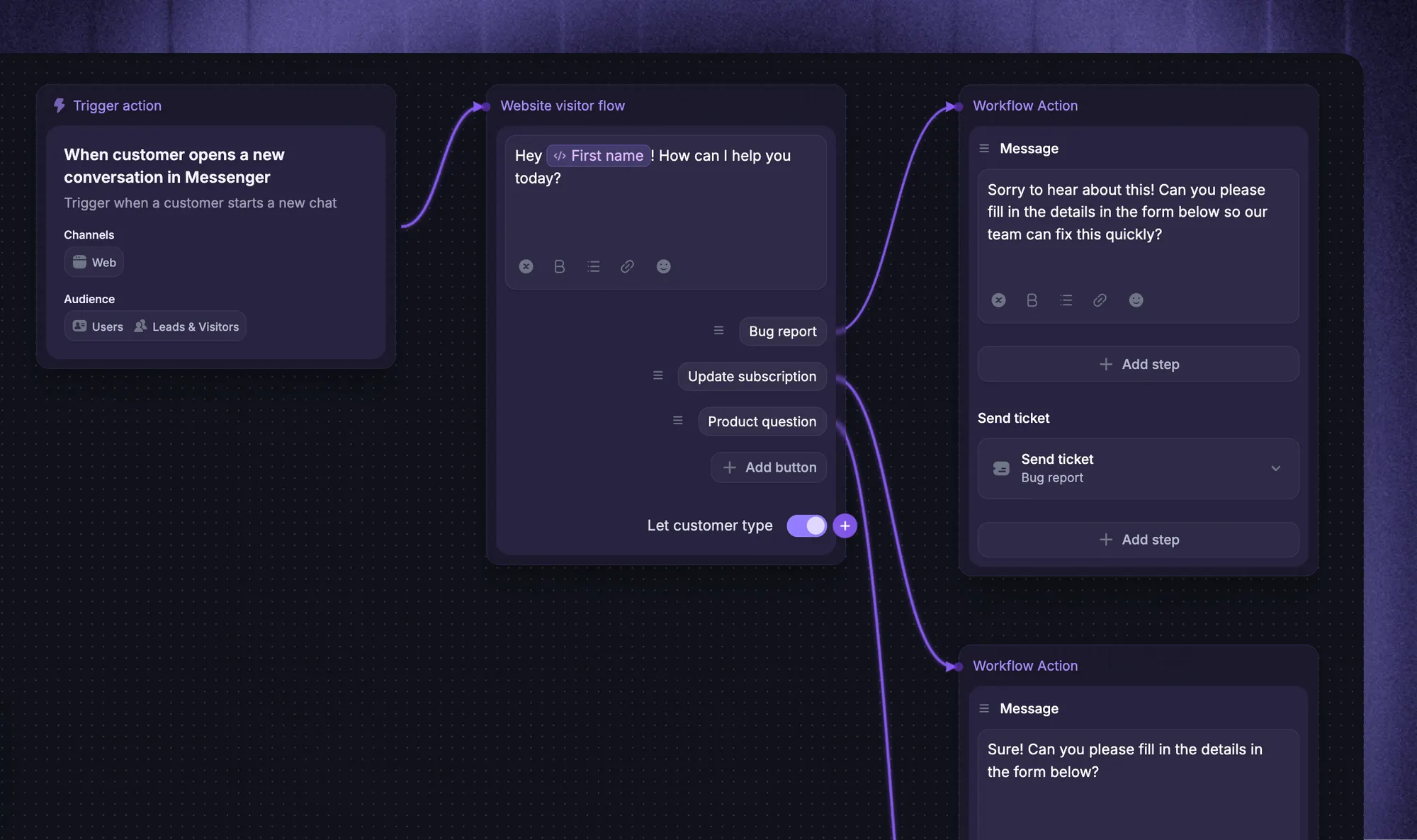
Use human review for exceptions that need judgment. A billing workflow can gather the facts automatically while an authorized teammate decides a disputed refund.
6. Test normal cases and exceptions
Run sample requests through the full process before applying it widely. Include incomplete information, an unavailable assignee, a duplicate request, and a case that changes priority.
Check the customer experience, too. The customer should receive a clear next step, and a handoff should preserve information they've already provided.
Pilot the workflow with a limited set of requests. Review the results with agents, fix confusing branches, and name someone responsible for keeping the process current.
7 customer service workflow examples
These examples show how a customer service workflow process changes with the problem being handled. Adapt the owners, response targets, and approval rules to your team.
1. New request intake and routing
A customer sends a message saying they can't invite a teammate to their workspace. The intake and ticket routing workflow captures enough context to send it to the right person.
- Owner: The assigned support agent, with a triage lead responsible until assignment.
- Path: Capture the request, check the account and issue type, assess impact, then route it to an available agent with the right knowledge.
- Exception: If the issue is unclear, keep it in triage and ask one focused question. Avoid repeatedly transferring it based on guesses.
- Done: An agent accepts responsibility and the customer knows what happens next.
This routing workflow ends at accepted ownership. The larger support request continues until the customer receives an outcome.
2. Self-service and AI-to-human handoff
A customer asks how to configure a report. A self-service knowledge base or an AI agent can answer a documented question, with a route to a person when the answer doesn't help.
- Owner: The support team responsible for the queue, followed by the assigned agent after handoff.
- Path: Find the relevant knowledge base answer, respond, and pass the conversation to a teammate if the customer needs more help.
- Exception: A requested human handoff or an issue outside the available knowledge should leave the automated path.
- Done: Record whether the answer helped or whether a teammate took over, without treating silence as confirmed success.
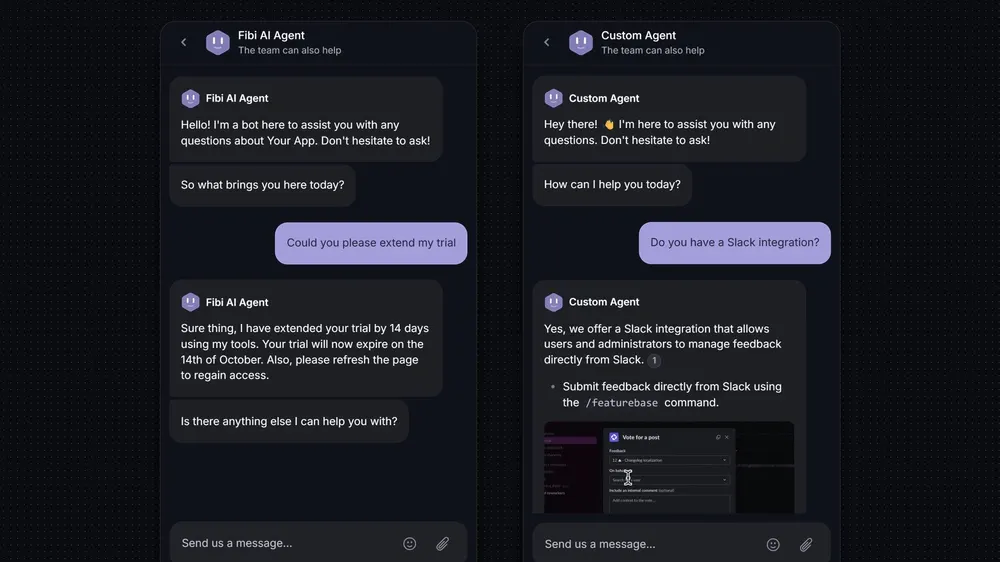
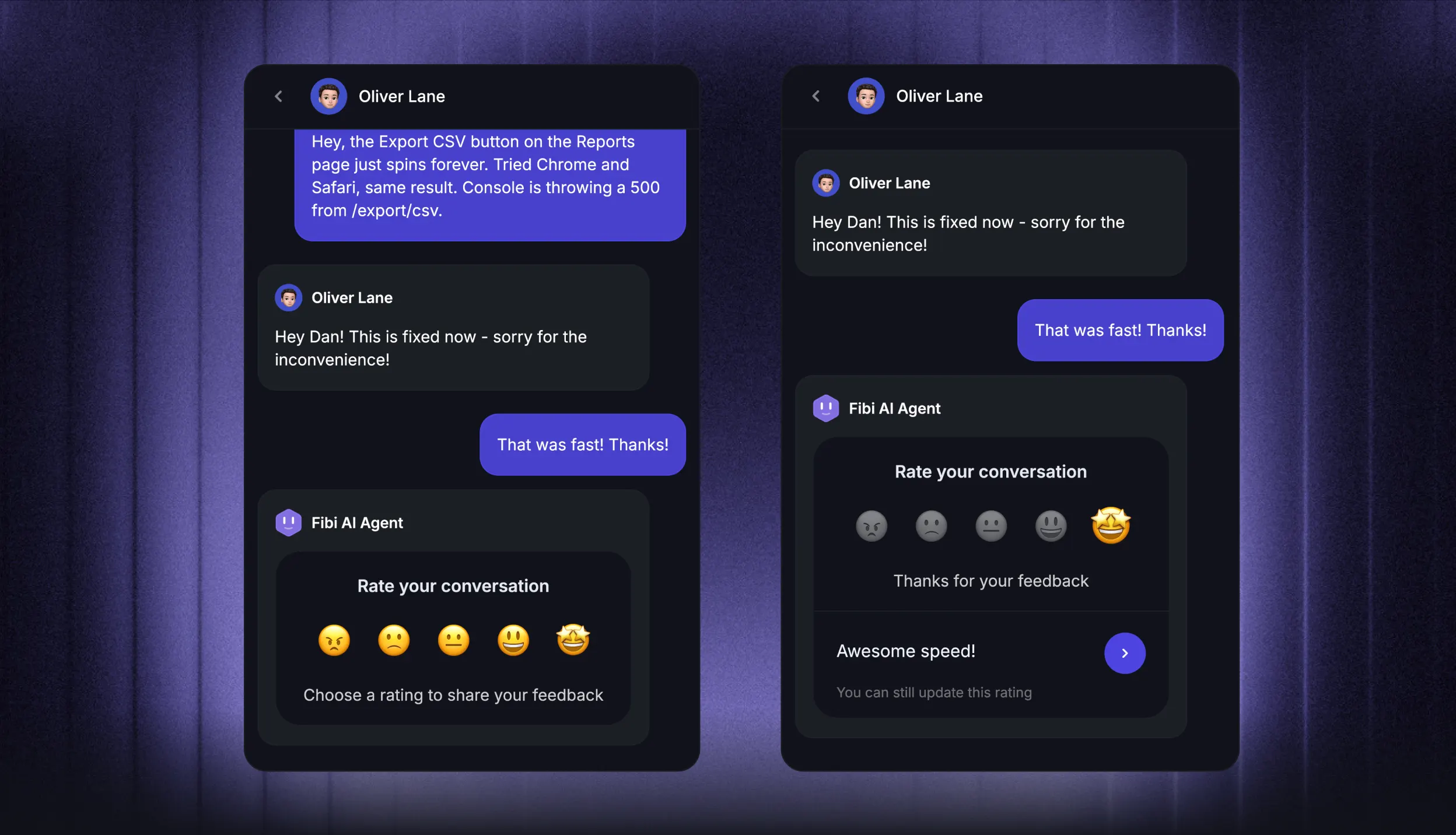
Featurebase's Fibi AI Agent can collect additional context before handing a conversation to a teammate, helping the agent pick up where the conversation left off.
3. Technical issue escalation
A customer reports that an integration stopped syncing. Support can investigate common causes, while engineering handles a confirmed product defect.
- Owner: A support agent stays responsible for customer communication throughout the escalation.
- Path: Collect timestamps and reproduction steps, check known issues, document attempted fixes, and send a concise case to the technical team.
- Exception: If several customers report the same failure, connect the cases to a shared incident and coordinate updates.
- Done: Share the fix or workaround, verify the outcome where possible, and document any remaining limitation.
Set the next customer update when escalating. An unresolved investigation still needs communication, even when there's no new fix to announce.
4. Billing disputes and refund reviews
A customer questions a renewal charge. The workflow should establish the facts and give them a clear decision without repeated transfers.
- Owner: A billing support agent, with an authorized reviewer for exceptions.
- Path: Verify the account, identify the transaction, review the applicable policy, and approve or decline the request through the appropriate route.
- Exception: Send disputed or out-of-policy cases for review before promising an outcome.
- Done: Confirm the action actually taken and explain any processing time or next step.
Keep a refund awaiting approval separate from a refund successfully processed. That distinction prevents an automated reply from claiming the money has been returned too early.
5. Customer onboarding support
A new customer gets stuck while connecting their first data source. An onboarding workflow helps them complete a useful task before the problem turns into a string of support requests.
- Owner: The assigned support or onboarding teammate.
- Path: Identify the blocked milestone, offer relevant guidance, investigate any error, and check whether the customer can continue.
- Exception: Route a product defect to technical support while keeping the onboarding owner informed.
- Done: The customer reaches the milestone or agrees on a documented next step.
Use the customer's progress to guide the follow-up. If they've already completed the connection, stop sending messages that tell them to start it.
6. Follow-up when a customer stops replying
An agent asks for the steps that caused an error, but the customer doesn't respond. This workflow keeps the case organized without pretending the issue is solved.
- Owner: The existing support agent.
- Path: Mark the case as waiting for the customer, send a relevant reminder after your chosen interval, and explain what information is still needed.
- Exception: Keep known incidents and unresolved commitments out of routine inactivity closure.
- Done: The customer responds, or the case closes under a clear inactivity policy with an easy way to resume.
Check for a new reply before sending each reminder. Record inactivity closure separately from a confirmed resolution so it doesn't inflate your success rate.
7. Customer feedback and closing the loop
During a support conversation, a customer requests a way to export filtered reports. A feedback workflow gives that request a destination beyond the agent's notes.
- Owner: Support owns the acknowledgment, while the designated product owner handles review.
- Path: Capture the problem and context, connect similar requests, acknowledge receipt, and pass the evidence to the product team.
- Exception: If the request describes broken existing behavior, handle it as a support issue as well.
- Done: Record the review outcome and notify interested customers when a meaningful decision or shipped change is available.
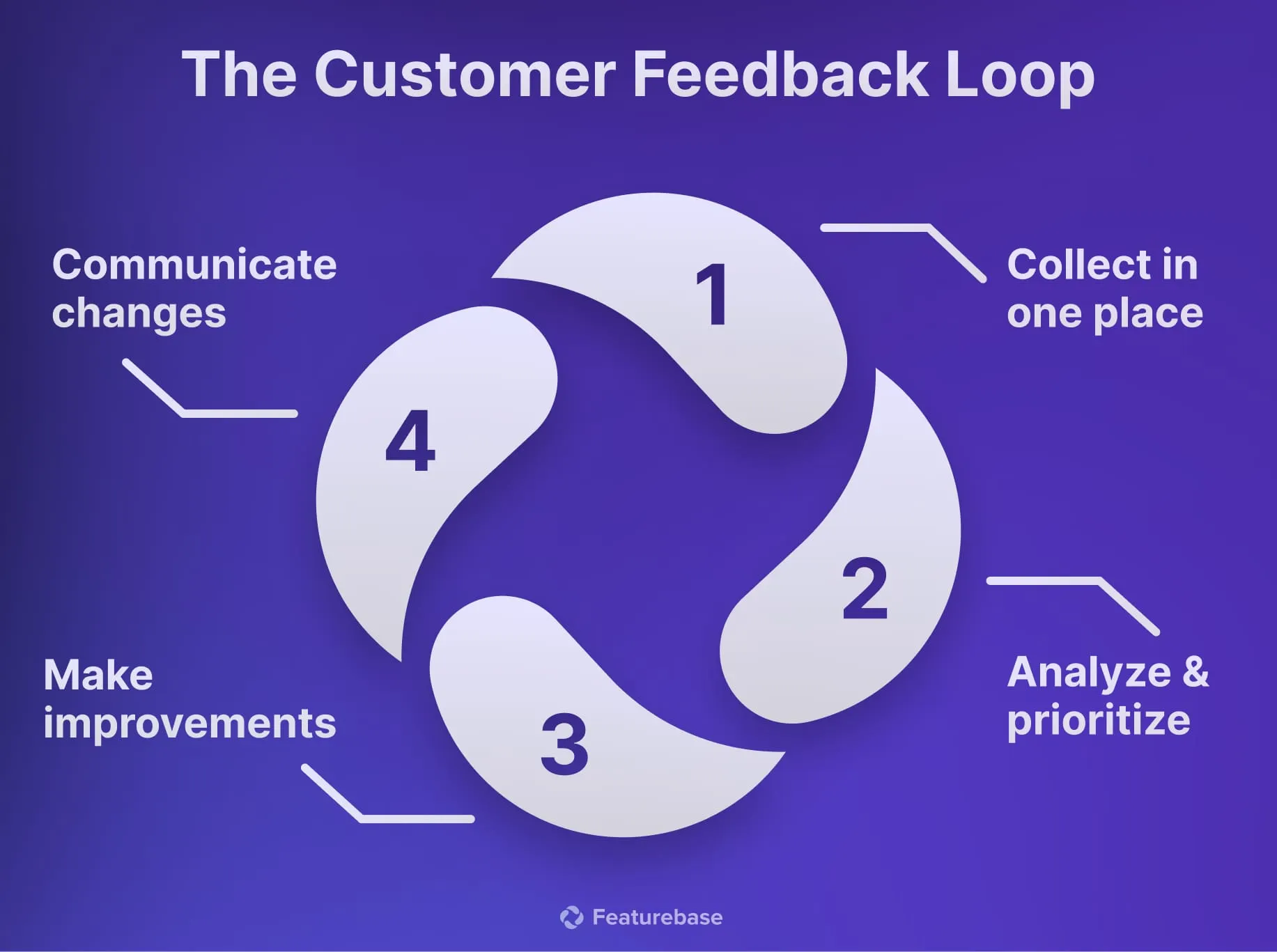
Separate "request received" from "planned." Closing the feedback loop should communicate an actual update without promising an uncommitted feature.
A customer service workflow template
Copy this template for each recurring request type. The example shows a failed data export, with enough detail for an agent to follow it.
| Field | What to define | Filled-in example |
|---|---|---|
| Workflow name | The request this covers | Failed data export |
| Trigger | What starts the workflow | Customer reports an export error |
| Intake information | Context needed to begin | Account, export type, error message, timestamp |
| Owner | Who tracks progress and updates the customer | Assigned support agent |
| First actions | Checks before escalation | Check known issues and reproduce the error |
| Decision | Condition that changes the path | Reproducible product defect goes to engineering |
| Handoff | Information the next team needs | Reproduction steps, impact, and attempted fixes |
| Response target | Your applicable service commitment | Follow the account's SLA or published support target |
| Exception | What happens when the usual path fails | Triage lead owns the case if no specialist is available |
| Completion | Evidence needed to finish | Export works, or the customer receives a verified explanation and agreed next step |
| Follow-up | What happens after the outcome | Confirm the result and record repeat causes |
Add a review owner and a revision date to your working copy. Customer service workflow management includes updating these rules when your product, staffing, or support commitments change.
How to measure and improve your workflow
Compare customer service metrics before and after a workflow change using similar request types. A billing question and a complex integration failure shouldn't be judged against the same resolution target.
Track a small set of measures together:
- First response time: How long customers wait for an initial meaningful reply. Track automatic acknowledgments separately from replies that begin addressing the request.
- Resolution time: Time from the request arriving to the recorded outcome. Be consistent about business hours and time spent waiting for customers.
- Reopen rate: How often closed cases resume because the issue still needs work. A rise can reveal premature closure or incomplete answers.
- Handoffs: How often a request changes owner. Review avoidable transfers and whether each receiving agent had enough context.
- Overdue requests: Cases that miss your response or resolution commitments. Break them down by the stage where they stalled.
- Customer satisfaction (CSAT): Feedback on the support experience. Read the comments and check how many customers responded before drawing conclusions.
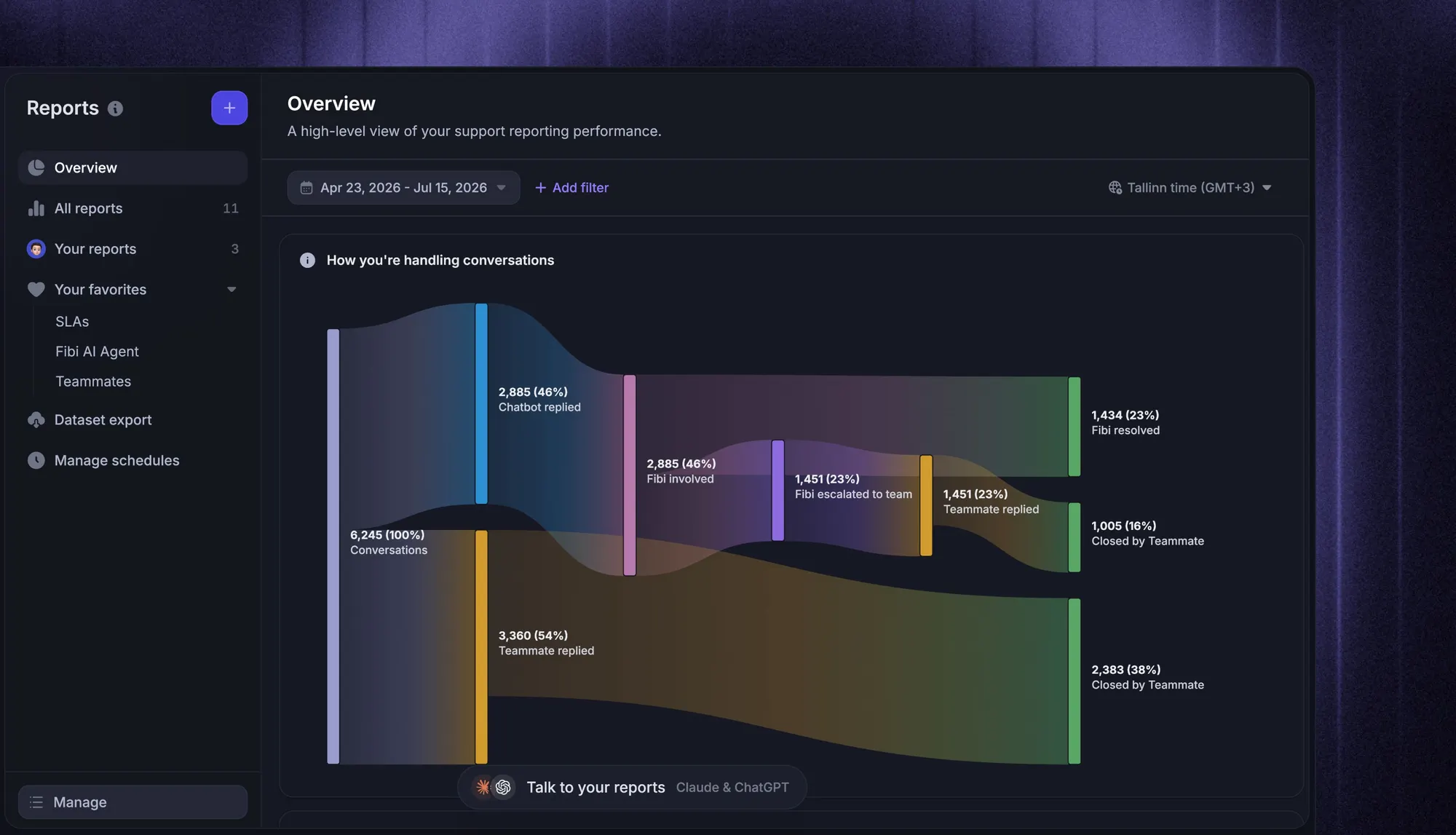
Use these signals to investigate actual conversations. If replies get faster but reopen rates rise, check whether agents are closing cases before customers can try the suggested solution.
Review a sample of successful cases and failed handoffs regularly. Change one part of the workflow, such as the information collected at intake, then check whether the intended result improves.
Conclusion
Start with one recurring request, give it a clear owner, and define what completion looks like. Then automate the repeatable steps and use customer outcomes to decide what needs improving.
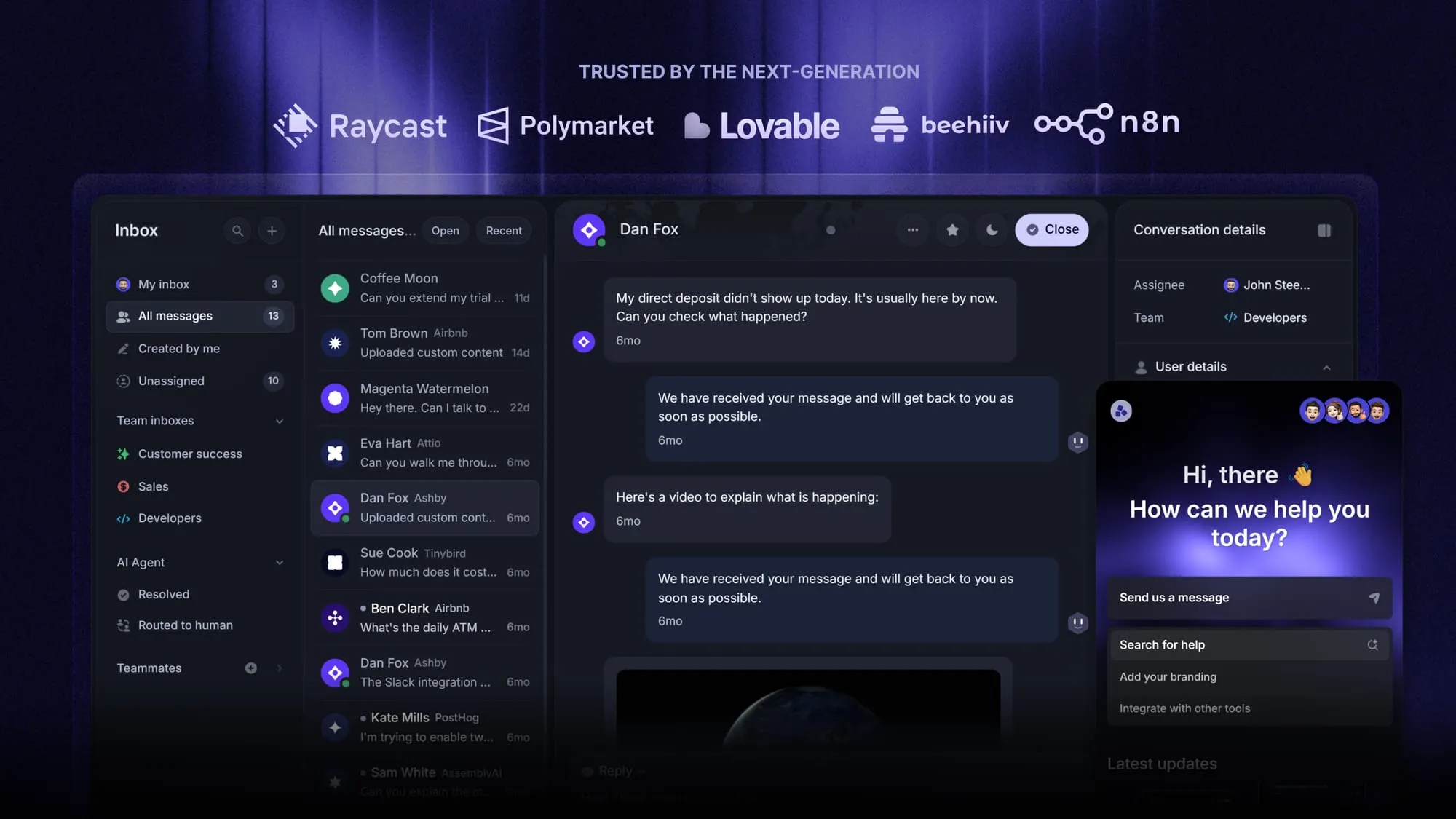
Featurebase is a modern AI customer support platform for product-led SaaS. It combines AI-powered support, help center, and feedback management into a single platform, helping you manage customer conversations and automate repetitive support work in one place.
The Free plan includes 1 seat and unlimited conversations. Workflows & automations require the Professional plan, and AI is available on paid plans. You can try the free support tools before upgrading. 👇
Automate your support with the fastest AI-enhanced Inbox today
FAQs
A customer journey describes the customer's experience across interactions with your business, from discovering the product to using it and getting help. A customer service workflow defines the operational steps behind a specific interaction. One journey can involve several workflows, such as onboarding help, billing support, and technical troubleshooting.
Task automation performs a single action, such as sending a receipt. Workflow automation connects actions through conditions, dependencies, and handoffs to reach an outcome. Sending a receipt is a task, while checking a refund request, obtaining approval, processing it, and notifying the customer forms a workflow.
You can document and run a simple workflow with a shared inbox and a tracker. A helpdesk becomes useful when you need reliable assignment, conversation history, service targets, and reporting across many requests. Choose based on coordination needs and missing capabilities in your current process.
Rule-based workflows execute predefined actions when specified conditions are met. AI agents can interpret varied customer messages and, depending on their design and permissions, choose answers or actions. The two can work together, with workflow rules controlling routing and approvals around an AI agent's responses.
The channels can share an overall process, including ownership, escalation, and completion criteria. Their timing and interaction patterns usually need different branches or separate implementations. A live chat may need an immediate handoff, while an email workflow must allow for a longer exchange between replies.