Omnichannel Contact Center: What It Is & How It Works
Learn what an omnichannel contact center is, how it differs from multichannel, its benefits, key features, and how to build one step by step.


On this page
- What is an omnichannel contact center?
- Omnichannel vs. multichannel contact center
- The benefits of an omnichannel contact center
- Features to look for in omnichannel contact center software
- How AI is changing the omnichannel contact center
- How to build an omnichannel contact center (step by step)
- How to measure omnichannel contact center performance
- A modern support platform for product-led teams: Featurebase
- Conclusion
Your customers rarely stick to one channel. They start a question on live chat, follow up by email, then call when they run out of patience. When those channels don't talk to each other, customers repeat themselves to every new agent, and the experience falls apart.
An omnichannel contact center fixes that by connecting every channel into one continuous conversation. In this guide, I'll break down what it is, how it works, and how to build one. 👇
Key takeaways
- An omnichannel contact center handles customer conversations across every channel (voice, chat, email, SMS, social) and syncs the context between them, so customers never have to repeat themselves.
- It's different from a multichannel setup, where each channel runs in its own silo with no shared history.
- The payoff shows up in 3 places: better customer experience, more efficient agents, and cleaner data for decision-making.
- AI is now core, not optional. It powers self-service, assists agents in real time, and gives supervisors visibility across channels.
- Start with the channels your customers actually use, get those right, then expand.
- Featurebase✨ is a modern, AI-powered support platform that unifies your digital channels (live chat, email, and Slack) with a help center and AI agent - a great fit for product-led SaaS teams.
What is an omnichannel contact center?
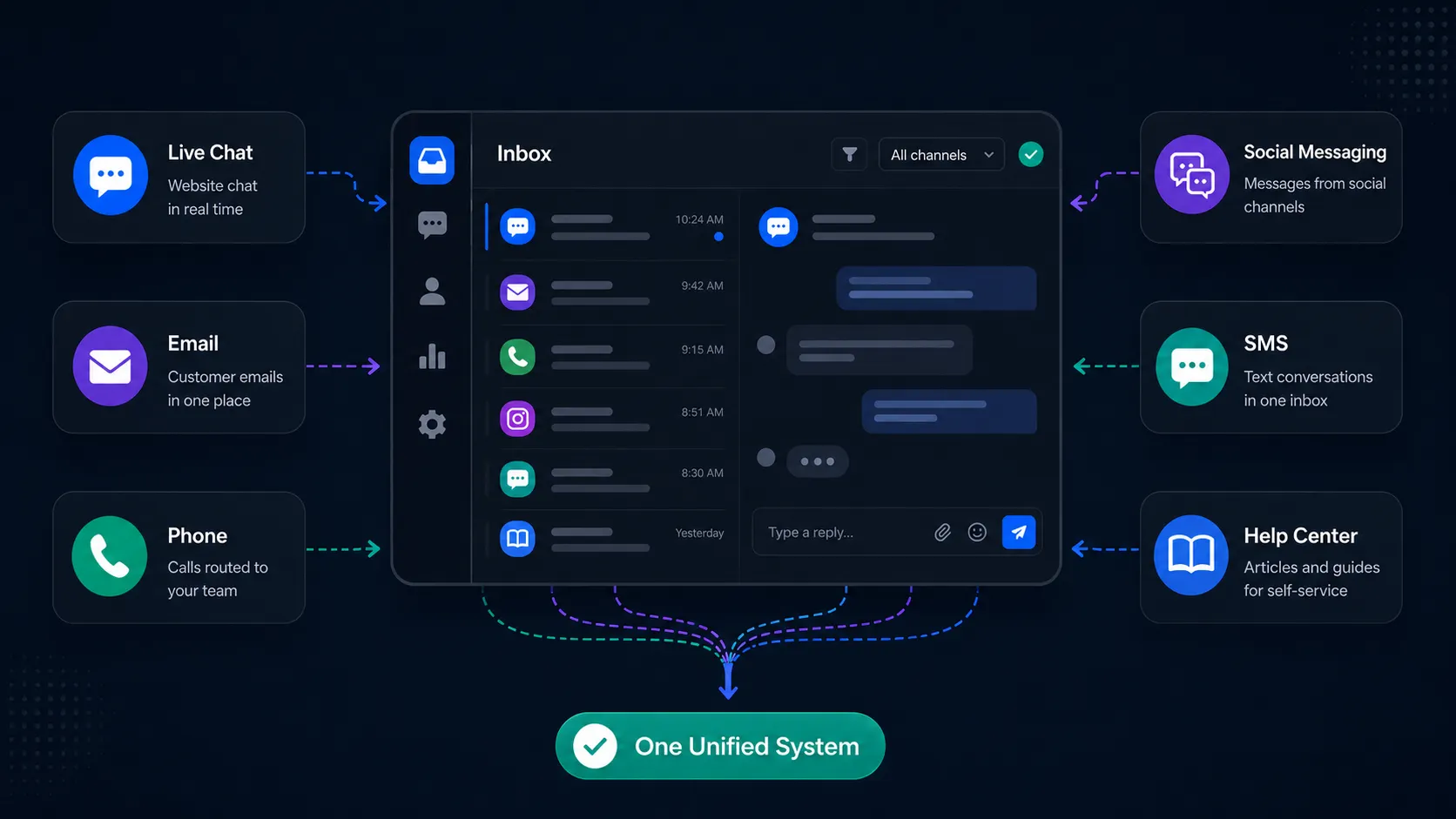
An omnichannel contact center is a team, backed by software, that handles customer conversations across multiple channels while keeping the full context connected between them.
The important word is "connected." A customer can start a chat with a bot, switch to email overnight, and finish with a phone call the next morning, and every agent sees the whole history. Nobody asks them to explain the problem again.
That continuity is the entire point. The channels are just plumbing. What makes it "omnichannel" is that the conversation and the customer data follow the person, not the channel.
How an omnichannel contact center works
Under the hood, an omnichannel platform pulls every interaction into a single system and ties it to one customer profile.
When a message comes in on any channel, the platform routes it to the right agent or AI, attaches the customer's past conversations and account data, and logs the outcome back to the same profile. The next time that customer reaches out, on any channel, the history is already there.
Most platforms also connect to your CRM so agents see order details, subscription status, and past tickets without switching tabs. That shared context is what turns a pile of disconnected channels into one experience.
Omnichannel vs. multichannel contact center
This is the distinction that trips people up, so it's worth being precise.
A multichannel contact center also supports several channels. The difference is that each one runs on its own. If a customer emails and then calls, the phone agent has no idea the email ever happened. The channels exist side by side, but they don't share anything.
An omnichannel contact center syncs those channels in real time. Every agent works from the same unified view, so the conversation picks up wherever the customer left off.
The gap matters more than it sounds. According to Zendesk's CX Trends research, 74% of customers get frustrated when they have to repeat information. Multichannel setups practically guarantee that frustration. Omnichannel setups remove it.
Here's the quick comparison:
| Omnichannel contact center | Multichannel contact center |
|---|---|
| Channels share full context in real time | Each channel runs siloed |
| Agents work from one unified view | Agents may use separate tools per channel |
| Conversation continues across channels | History doesn't follow the customer |
| Built-in CRM and customer data | May or may not integrate customer data |
The benefits of an omnichannel contact center
Connecting your channels pays off in a few concrete ways.
- Better customer experience: Customers reach you however they want and never have to start over. The conversation flows across channels, which means faster resolutions and a lot less friction.
- More efficient agents: A single workspace means no tab-switching and no digging for context. Agents see the full history the moment a conversation lands, so they spend time solving problems instead of hunting for information.
- Smarter decisions from cleaner data: Every interaction feeds one system. That gives you a real view of channel performance, common issues, and where customers get stuck, instead of stitching reports together from 5 separate tools.
- Lower tech bloat: Consolidating channels, reporting, and automation into one platform cuts overlapping tools and vendor contracts. Your finance and IT teams feel that too.
The business case is real. McKinsey found that companies running omnichannel transformations report revenue growth of 5 to 15% and cost-to-serve efficiency gains of 3 to 7%.
If you're building the budget case, it's worth auditing where the money actually goes first - this guide to contact center cost savings breaks down direct, indirect, and hidden expenses.
Features to look for in omnichannel contact center software
Not every platform that claims "omnichannel" actually connects the channels. When you're evaluating options, these are the features that separate a real omnichannel platform from a bundle of tools:
- A unified agent workspace: Every channel in one view, with full customer context attached. This is the non-negotiable one. For example, Featurebase gives support teams an omnichannel inbox that pulls live chat, email, and Slack conversations into a single AI-powered view, so agents work from one place instead of juggling apps.
- Intelligent routing: The system should read each incoming request and send it to the right agent, team, or bot automatically, using skills-based or omnichannel routing rules.
- Built-in AI and automation: Look for AI that handles routine questions, summarizes conversations, and suggests responses, plus automation for repetitive tasks like tagging and follow-ups.
- Self-service options: A knowledge base and AI chatbot let customers solve simple problems on their own, which frees agents for the complex work.
- CRM and app integrations: The platform should connect to the tools you already use so customer data flows in without manual entry.
- Reporting across channels: You want one dashboard that measures the full journey, not per-channel reports you have to reconcile by hand.
The test is simple. If a feature makes the channels work together, it belongs on your list. If it just adds another channel without connecting it, it doesn't.
How AI is changing the omnichannel contact center
AI has moved from a nice-to-have to the core of how modern contact centers run. It works at 3 layers.
At the customer layer, AI powers self-service. Chatbots and AI agents resolve common questions across channels without a human, and collect context before handing off the tricky ones.
At the agent layer, AI works during the conversation. Live transcription means agents aren't scribbling notes, sentiment analysis flags when someone's getting frustrated, and suggested replies speed up responses. New agents especially ramp faster with this kind of in-the-moment support.
At the supervisor layer, AI makes it possible to monitor quality across every channel without listening to every call. Automated scoring and keyword tracking surface trends in real time instead of in next week's report.
What makes AI powerful in an omnichannel setup is that it works consistently across channels from one platform. Sentiment analysis on a chat uses the same model as sentiment on a call, which is hard to pull off when AI is bolted onto each channel separately.
How to build an omnichannel contact center (step by step)
Rolling one out is less about the software and more about the plan. Here's the sequence that works.
- Map your customer journey: Audit where and how customers actually reach you today, across every touchpoint. You can't connect channels you haven't accounted for.
- Prioritize channels by real behavior: Omnichannel doesn't mean every channel at once. Use your data to find the channels with the most volume and the highest-value conversations, and start there.
- Choose the right platform: Pick software that genuinely unifies channels, with the features above. This is the decision the rest of the rollout depends on, so take the time to demo and trial.
Larger orgs should compare enterprise support platforms at the same stage. - Train your team on the new workflow: A new system changes how agents monitor channels, manage conversations, and collaborate. Skip the training and adoption stalls.
- Break down internal silos: Omnichannel gives agents shared customer data, but sales, marketing, and support still have to actually share information for the full picture to hold.
- Monitor and refine: Track performance after launch and keep tuning routing rules, self-service flows, and staffing. This is ongoing, not a one-time setup.
Start small, get the core channels right, and expand from there. A contact center that handles 3 channels well beats one that handles 10 poorly.
How to measure omnichannel contact center performance
Measuring an omnichannel operation is trickier than a single-channel one, because a single customer journey can span several channels before it resolves. The metrics that matter reflect that full journey.
- First contact resolution: Measure it across the whole interaction, not per channel. A customer who moves from chat to voice and gets solved counts as one resolution, not two.
- CSAT and Customer Effort Score: Track how the experience felt, both overall and by channel, since satisfaction often varies a lot depending on where customers reach out.
- Channel-specific metrics: Average handle time, response time, and abandonment rate per channel show you where friction is highest.
- Context continuity: How often do customers repeat themselves when switching channels? This is the clearest signal of whether your omnichannel setup actually works.
- Self-service containment: How many issues get fully resolved without an agent, and how well? Track containment and resolution quality together, not containment alone.
The goal is a framework that ties individual channel performance back to the overall experience. A good omnichannel platform makes this easy by keeping all the data in one place.
A modern support platform for product-led teams: Featurebase
A full omnichannel contact center, with voice, IVR, and workforce management, is built for large call-center operations. If you're a product-led SaaS team, you probably don't need all of that. You need your digital channels connected, your self-service strong, and AI doing the heavy lifting.
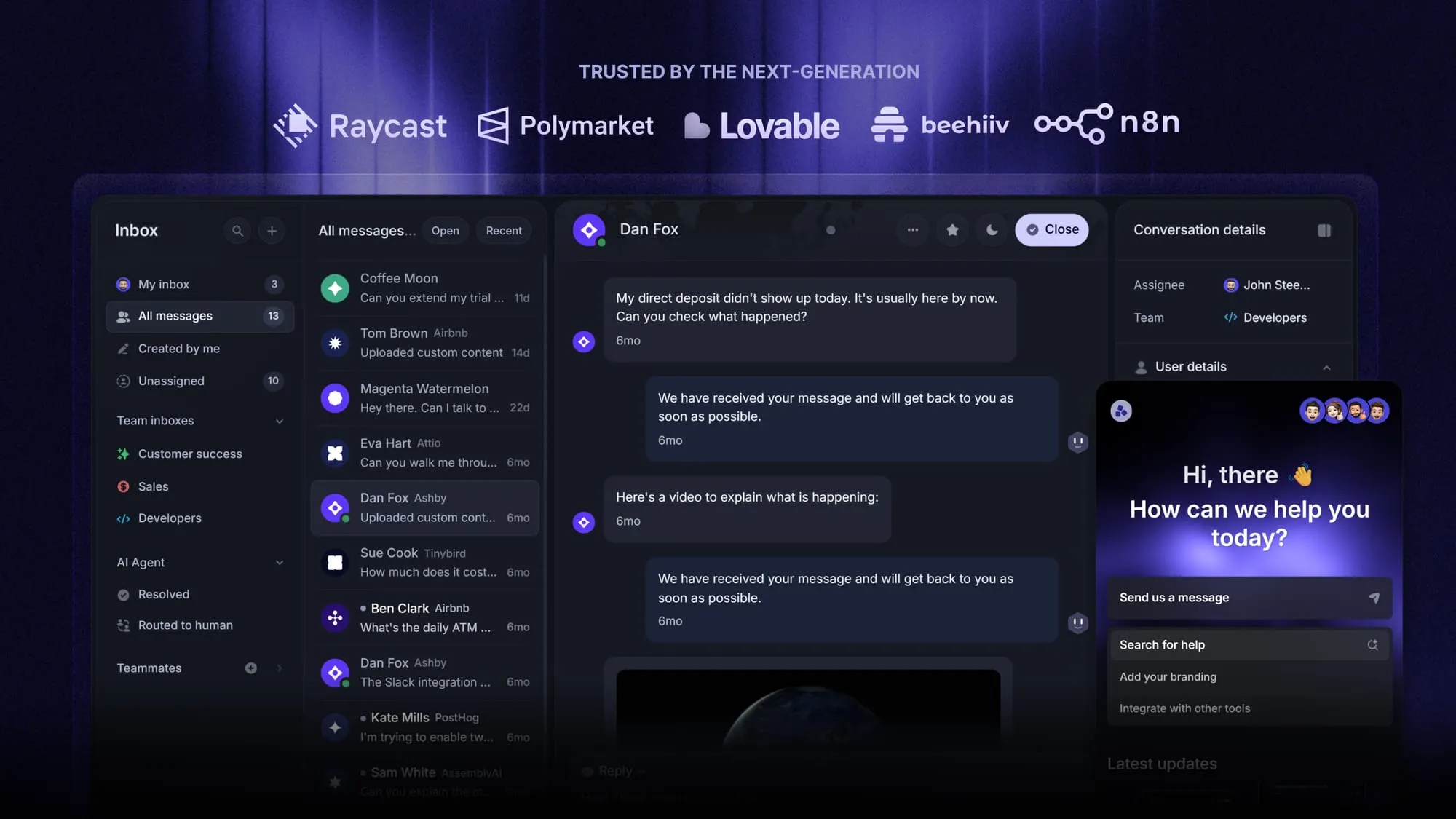
That's where Featurebase fits. It's a modern AI customer support platform that combines AI-powered support, a help center, and feedback management in one place. It's loved by thousands of support teams from companies like Lovable, Raycast, and n8n. 💫
Top features:
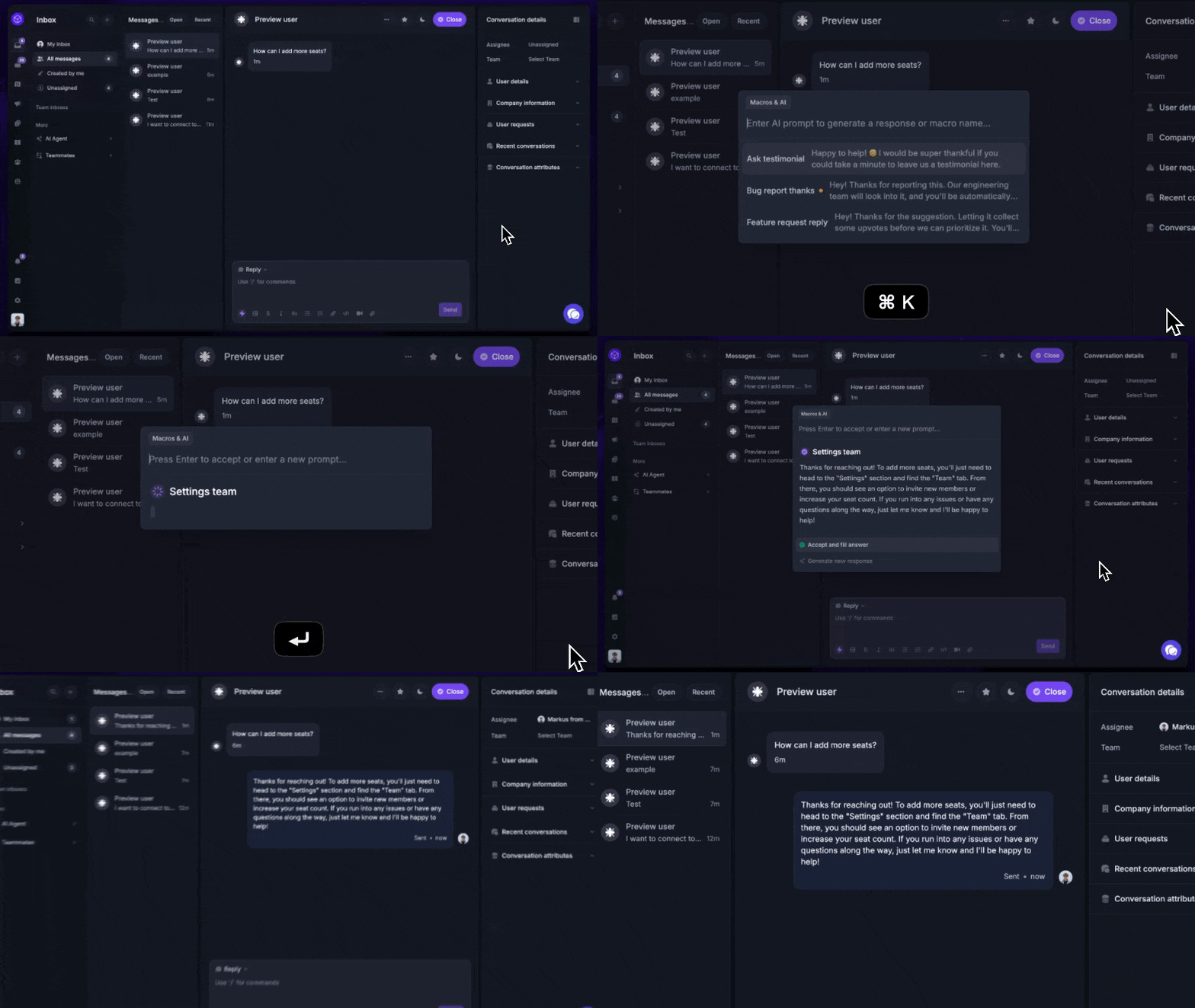
- Omnichannel inbox – Manage live chat, email, and Slack conversations from one AI-powered view
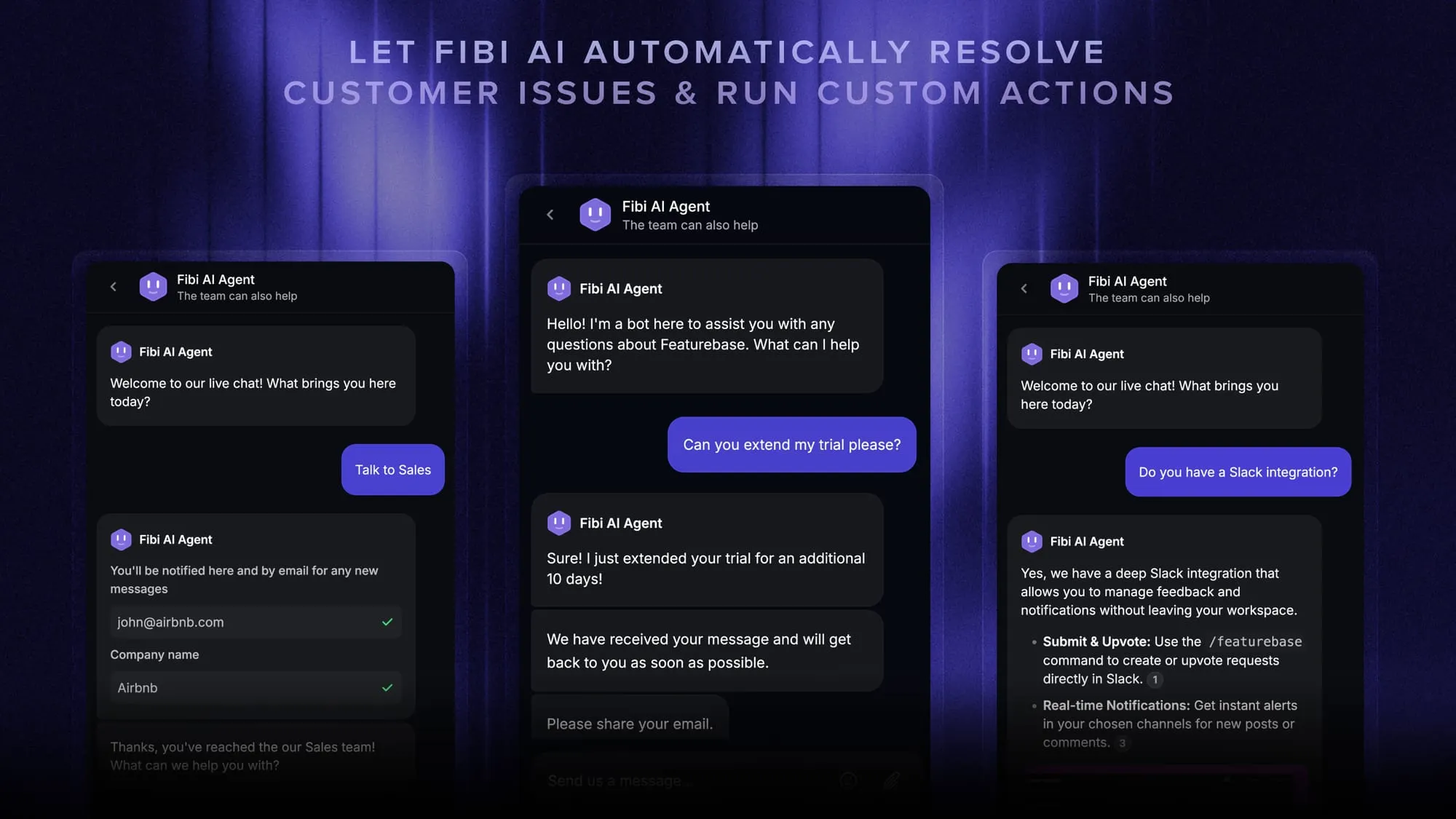
- Fibi AI Agent – Resolve customer issues on autopilot and run custom actions like trial extensions and refunds
- Help center with AI search – Provide instant, multilingual self-serve answers
- AI Copilot – Help your agents answer customers faster using your internal knowledge
- Workflows & automations – Auto-assign tickets, route conversations, and collect customer data
- Feedback & roadmap tools – Collect feature requests and close the loop with product updates
It covers the support essentials that legacy platforms do, but with a modern, AI-first approach and pricing that startups can actually afford.
Conclusion
An omnichannel contact center isn't about adding more channels. It's about connecting the channels you already have so the conversation, and the context, follows your customer wherever they go. Get that right and you win on customer experience, agent efficiency, and cost at the same time.
Featurebase is a modern, AI-powered support platform that brings your live chat, email, and Slack conversations into one omnichannel inbox, backed by an AI agent, an AI-powered help center, and built-in feedback tools. It gives product-led teams the connected, AI-first support experience that customers now expect, without the weight of a legacy contact center.
It comes with a Free plan and the onboarding takes minutes, so there's no downside to trying it. 👇
Automate your support with the fastest AI-enhanced Inbox today
FAQs
It depends on the features you need, how it's hosted, and how many agents you have. Cloud-based platforms often start around $49 per agent per month, while premium and enterprise tiers can run into the hundreds. Factor in setup costs like licensing and onboarding when you budget, and weigh the price against savings from shorter handle times and fewer escalations.
AI works at 3 levels. It powers self-service so chatbots and AI agents resolve routine questions across channels, it assists agents live with transcription, sentiment analysis, and suggested replies, and it gives supervisors automated quality scoring and trend tracking across every channel. Because it runs from one platform, the AI behaves consistently no matter which channel a customer uses.
Start with the channels your customers actually use, not every channel that exists. Most operations build around a core set: voice, live chat, email, SMS and messaging apps, social media, and self-service. Depth beats breadth, so it's better to handle a few channels well with full context continuity than to spread yourself thin across many.
Omnichannel customer support is mostly reactive: helping customers resolve issues and answer questions across whichever channel they use. Omnichannel customer service is broader and includes proactive outreach, onboarding, and communication that heads off problems before they become tickets. In practice most teams start with support and grow into the fuller service model as they mature.
Yes, and good platforms make it easy. You don't have to launch every channel on day one. The recommended approach is to start with your highest-volume channels, get them working well, then add channels like social messaging or SMS as customer behavior justifies them. Just check that your provider doesn't charge steep fees or require heavy IT work to add channels later.
A helpdesk is ticket-first tooling built mainly to track and resolve support requests, often centered on email and a knowledge base. An omnichannel contact center is broader, connecting live channels like voice, chat, and social with shared context across all of them. Many digital-first SaaS teams start with a modern support tool that unifies their chat, email, and self-service before they ever need a full voice contact center.