Blog Customer Service10 Types of Customer Service Every Team Should Know
10 Types of Customer Service Every Team Should Know
A practical guide to the 10 types of customer service - what each channel does well, where it falls down, and how to combine them into a strategy that actually works for your customers.



✨ Automate your support with the fastest AI-enhanced Inbox today →
Most support teams pick channels by accident. Phone because the founder answered calls. Email because someone set up support@. Live chat because a competitor had it. Then the inbox sprawls, agents burn out, and customers still complain about wait times.
Choosing the right mix of support channels is one of the highest-leverage decisions you'll make for retention. In this guide, I'll walk through the 10 main types of customer service, what each one is best at, where it breaks down, and how to blend them into something your customers actually like. 👇
Key takeaways:
- The 10 main types of customer service are phone, email, live chat and messaging, self-service, social media, AI-powered support, IVR, in-person, omnichannel, and proactive support.
- No single channel covers every customer or every issue, so the goal is a mix that matches your audience's preferences and the complexity of their requests.
- Self-service and AI now handle the bulk of Tier 1 volume, freeing human agents for issues where empathy and judgement actually matter.
- Omnichannel is the glue: it carries context from one channel to the next so customers don't repeat themselves.
- Featurebase✨ brings live chat, email, Slack, an AI agent, a help center, and feedback management into one platform - so you can run most of these channels without stitching tools together.
What is customer service?
Customer service is the support you offer customers before, during, and after they buy from you. That includes pre-sale questions, onboarding help, troubleshooting, refunds, and the long tail of "how do I do X again?" requests that follow.
The line between customer service vs customer support gets blurry in software companies, where most "service" is actually technical help. The practical distinction: customer service is about the experience, and customer support is the specific assistance inside it. You can't have one without the other.
What's changed in the last few years is that customers now expect you to meet them on whichever channel they prefer - and to remember the last conversation when they switch. According to Salesforce's State of the Connected Customer, 79% of customers expect consistent interactions across departments. That single expectation is why most teams end up running 4 or 5 channels at once.
The 10 types of customer service
Here are the 10 channels and styles of support that matter today, what each one is best at, and where it tends to fall down.
1. Phone support
Phone support is the original customer service channel and still the one customers reach for when something feels urgent or complicated. A real human voice creates trust quickly and lets agents ask follow-up questions in real time.
The downside is cost and scale. Phone support is expensive to staff, especially if you want 24/7 coverage, and wait times balloon the moment a spike hits. It also doesn't scale - one agent talks to one customer at a time.
Best for: Complex or emotional issues, older demographics, regulated industries where a written record alone isn't enough, and B2B accounts where the relationship matters more than the cost per ticket.
Where it falls down: Simple FAQ-style questions that customers could resolve faster on their own, and high-volume consumer support where headcount math doesn't work. Modern customer service software usually keeps phone as a backup channel rather than the primary one.
2. Email support
Email is the workhorse of digital customer service. It's asynchronous, leaves a paper trail, and gives agents time to research before they respond. Most B2B teams still get the majority of their tickets through email.
The trade-off is speed. Customers don't expect an instant reply to an email, but they do notice when a response takes 48 hours. Tone is also harder to read in writing, which makes it easier to misjudge a customer's frustration level.
Best for: Non-urgent issues, anything that needs screenshots or attachments, formal communication with B2B buyers, and complex troubleshooting that benefits from a written record both sides can refer back to.
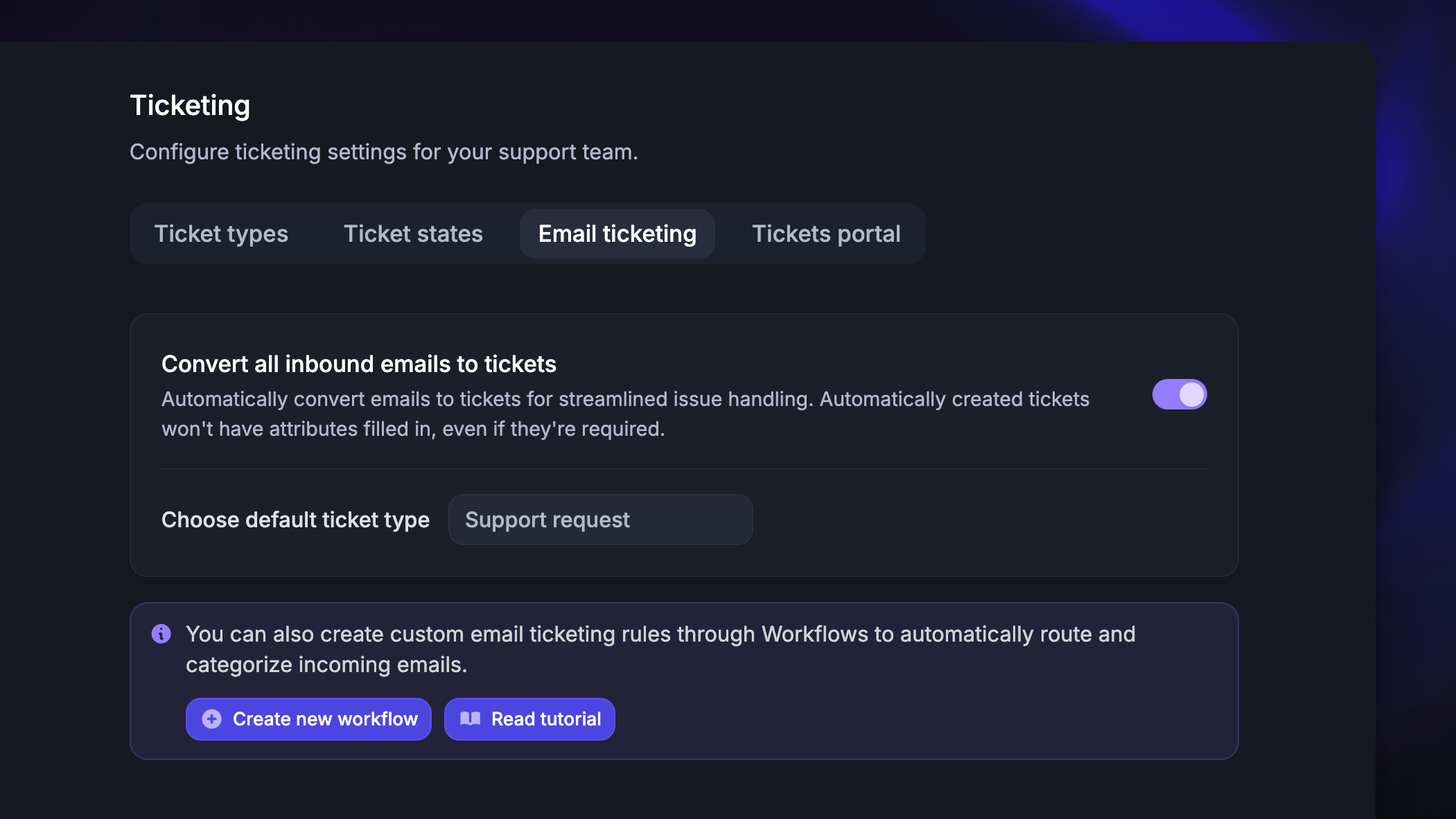
Where it falls down: Real-time questions ("the checkout is broken right now, what do I do?") and customers who've already typed the same context into three other channels. An email ticketing system helps keep volume manageable, but it can't fix the latency mismatch. The right customer service email software centralizes messages in one shared inbox.
3. Live chat and messaging
Live chat sits on your website or inside your product and gives customers help without making them switch context. Messaging is the same thing but persistent - the conversation survives across sessions and devices, so customers can pick up where they left off.
Live chat consistently beats other channels on satisfaction scores when it's staffed well, mostly because the wait time is short and the interaction feels human. Agents can also handle 3-4 chats at once, so it's more efficient than phone.
Best for: Pre-sale questions on pricing pages, in-product troubleshooting, account or billing changes, and any moment where a customer needs an answer before they take an action.
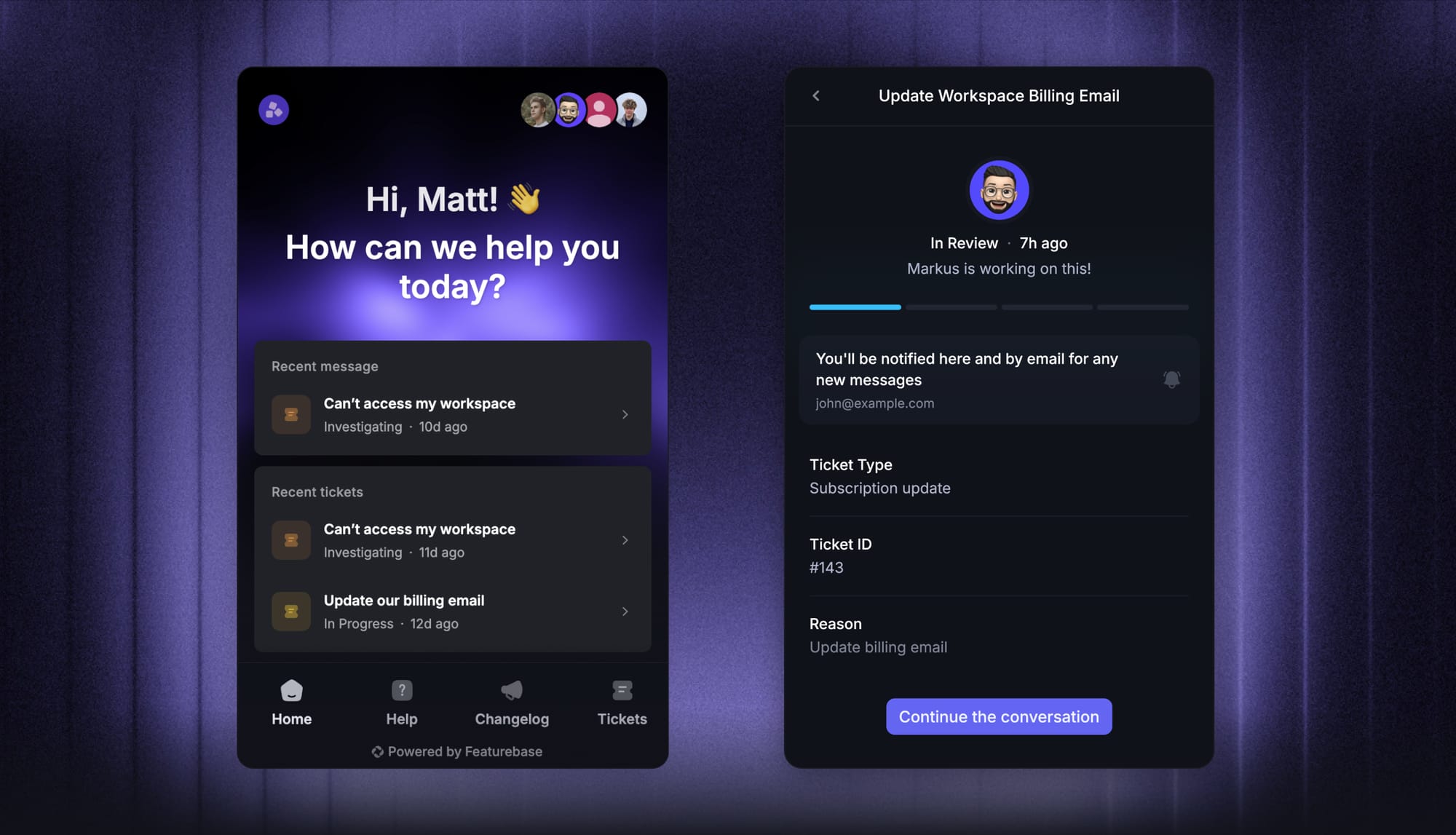
Where it falls down: Off-hours coverage if you don't have AI handling overnight, deeply complex issues that require a long back-and-forth, and teams that staff chat with whoever is least busy that day. Live chat tools only work when you actually have agents online to respond.
4. Self-service support
Self-service is anything that lets a customer solve their own problem without talking to you - help articles, FAQs, knowledge bases, video walkthroughs, and in-product tooltips. It's the most cost-effective form of support because it scales infinitely once the content exists.
Customers also prefer it for simple questions. Research from Salesforce and HubSpot consistently finds that 60%+ of customers would rather find an answer themselves than wait for an agent.
Best for: Repeatable questions (password resets, billing questions, "how do I export"), product documentation, and onboarding content new users hit before they ever open a chat. A well-built customer self-service layer deflects the majority of Tier 1 tickets.
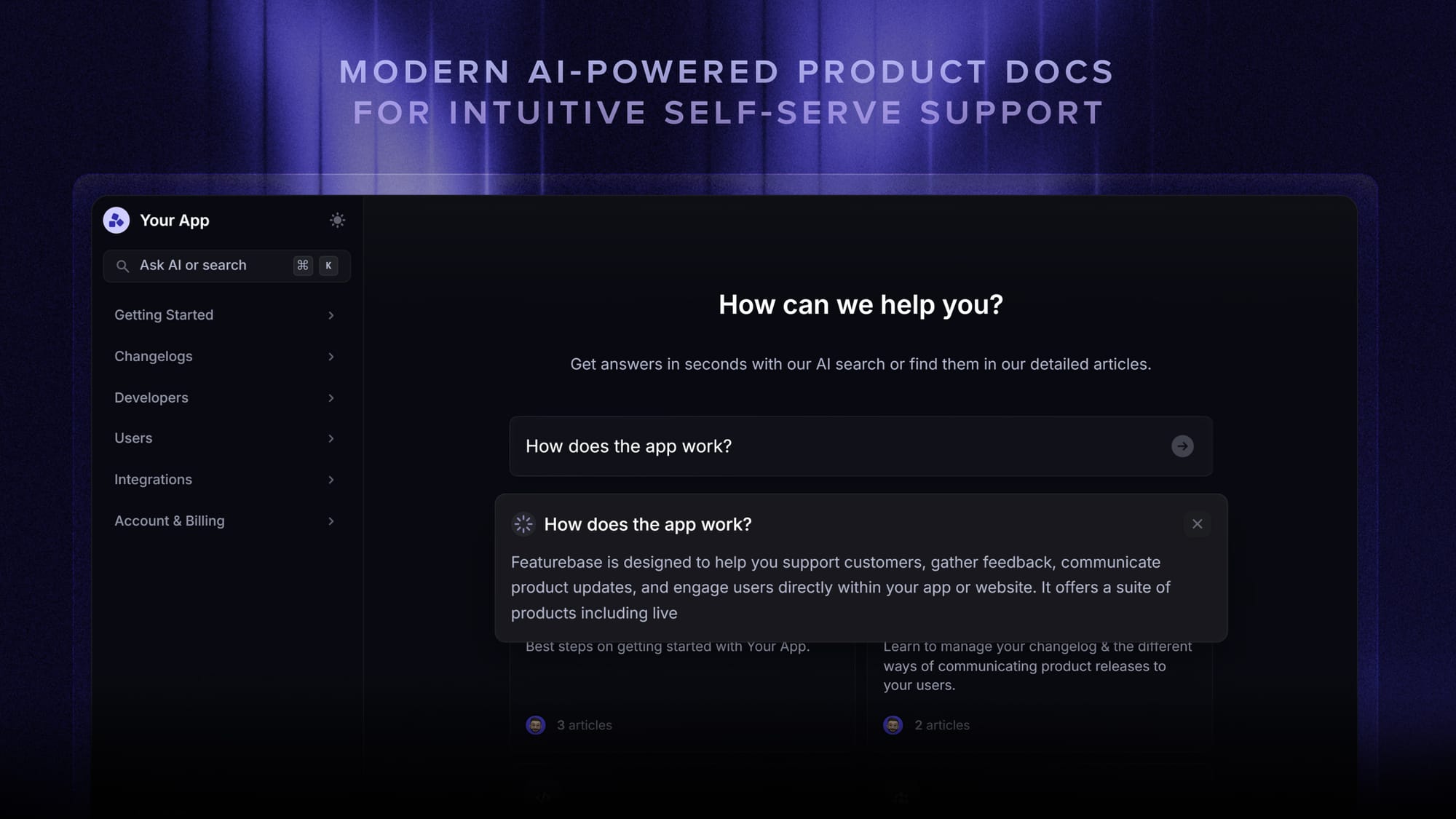
Where it falls down: Edge cases the docs don't cover, anything where the customer needs reassurance more than information, and content that's gone stale because nobody's maintained it. Pair self-service with an AI knowledge base so the search actually returns useful answers instead of a list of article titles.
5. Social media support
Social media support means responding to mentions, DMs, and tagged posts on platforms like X, Facebook, Instagram, LinkedIn, and TikTok. It overlaps with marketing, brand, and PR more than any other channel.
What makes it different is visibility. Every reply is public, every unresolved complaint is part of your brand's permanent record, and a good response can earn you customers who never had a problem in the first place.
Best for: General awareness, quick acknowledgments, deflecting public complaints to a private channel, and consumer brands where customers naturally vent on social before they email.
Where it falls down: Anything that involves account-level data (which has to move to a private channel for security reasons), nuanced technical support, and B2B audiences who aren't on social to begin with. Most teams use social as a triage layer that hands off to email or chat for the actual resolution.
6. AI-powered support
AI-powered support means agents that can resolve customer issues end-to-end without a human touching the conversation - not just a chatbot that hands off after one question, but software that pulls context, runs actions, and closes the ticket. Modern AI agents are good enough to handle 30-60% of Tier 1 volume on a typical SaaS support load.
The shift here is from "chatbot as deflection" to "AI as the first responder." With the right setup, customers get an answer faster than they would from a human, and your agents only see the tickets that genuinely need a person.
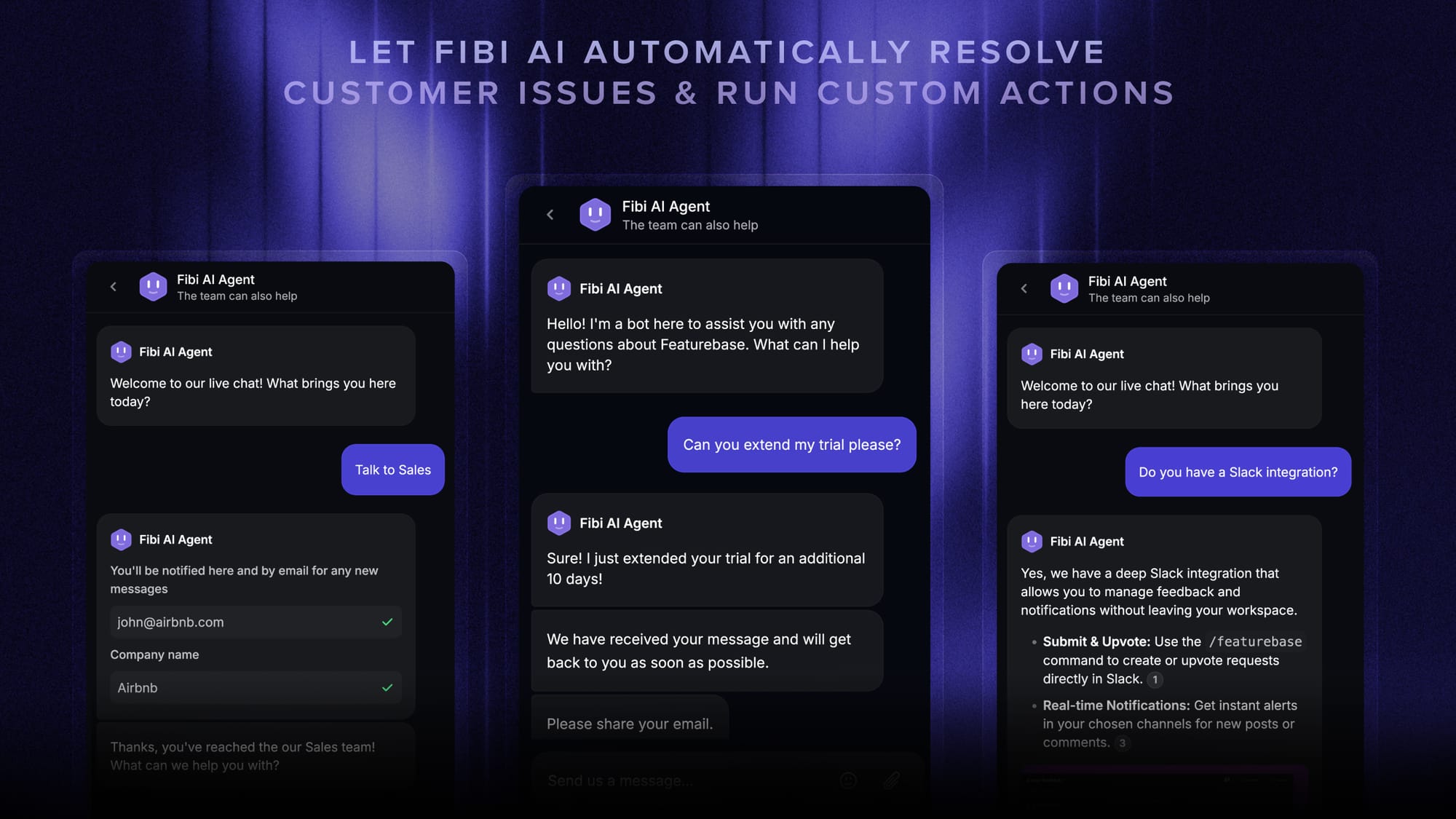
Featurebase's Fibi AI Agent does this inside the same inbox your human team works in. Fibi pulls from your help center and product docs, answers questions in the customer's language, and can run custom actions like extending a trial or issuing a refund without a handoff. When it can't resolve something, it escalates to a human with the full conversation history attached.
Best for: High-volume repetitive questions, after-hours coverage, multilingual support, and any team that's bottlenecked on agent headcount. Customer service automation is the single biggest cost lever most teams have right now.
Where it falls down: Edge cases the AI has no training for, emotionally charged complaints where the customer needs a person, and accounts where one wrong answer is expensive. Always design the handoff path before you turn AI loose on production traffic. For inspiration, an AI help desk walks through how teams set this up in practice.
7. Interactive voice response (IVR)
IVR is the automated phone menu that greets callers, asks what they need, and either solves the request itself or routes them to the right agent. Customer service call tracking software logs, routes, and analyzes every call.
A well-built IVR can resolve simple requests (order status, hours, basic account questions) without an agent and route the rest with enough context that the agent doesn't have to start from scratch. A badly built one makes customers mash the 0 key until they reach a human.
Best for: High call volumes, repetitive intents that don't need a person, and routing complexity (which language, which department, which tier of customer).
Where it falls down: Anything where the customer is already frustrated and wants a human now. Keep the menu shallow, expose the escape hatch to a human early, and only use IVR where the time it saves the customer is greater than the time it takes them to navigate it.
8. In-person support
In-person support is direct, face-to-face help - a retail clerk, a tech in your office, a banker at a branch, an Apple Store Genius. It's the most personal channel and also the most expensive.
For most SaaS companies this is a non-issue. For retail, healthcare, banking, and any business with physical locations, in-person is still where the most important customer moments happen.
Best for: High-value transactions, products that need a physical demo, vulnerable customers who need extra reassurance, and situations where reading body language matters as much as the words.
Where it falls down: Cost per interaction, geographic accessibility, and consistency (the experience depends entirely on which person the customer talks to). In-person support also can't be scaled with software the way the other channels can.
9. Omnichannel support
Omnichannel isn't really a separate channel - it's the layer that makes all the other channels feel like one conversation. A customer starts on chat, switches to email, and ends up on a phone call without ever having to re-explain who they are or what they're trying to do.
The hard part isn't the technology, it's the data. Most teams have customer context scattered across 4 or 5 tools, and stitching them together so an agent can see one timeline is where things break.

Featurebase's omnichannel inbox pulls live chat, email, and Slack conversations into a single view with full customer history attached - so when a customer pings you on Slack about an email thread from last week, the agent isn't starting from zero. Adopting a real omnichannel customer support platform is usually the single biggest unlock teams find when they move off legacy ticketing.
Best for: Any team running more than 2 channels, B2B accounts that touch multiple people on your side, and customers who hate repeating themselves (which is all of them).
Where it falls down: Teams that bolt "omnichannel" on top of disconnected tools instead of actually unifying the data. The integration matters more than the marketing.
10. Proactive support
Proactive support means reaching out to customers before they reach out to you. A heads-up email about a known bug, an in-product banner when a payment failed, a follow-up from a CSM when usage drops - all of it is proactive.
This is the most underused type of support on the list, and it's the one with the biggest retention upside. Catching a problem before the customer notices it builds more trust than fixing it well after they complain.
Best for: Subscription businesses where churn is the main risk, complex products where users get stuck silently, and any team with usage data that can surface problems early.
Where it falls down: Teams without the data to know who needs outreach, and outreach that feels generic enough to be ignored. Good proactive support is segmented, timely, and short.
How to choose the right mix of customer service types
You don't need all 10. You need the 3-5 that match how your customers actually want to talk to you and how complex your typical issue is.
Three questions to work through:
- Who is your customer: A B2B enterprise buyer expects email, Slack, and a named CSM. A consumer ecommerce shopper expects chat, social, and self-service. Don't build for the wrong audience. A solid B2B customer service setup looks nothing like a DTC one.
- How complex is the average ticket: Simple, repetitive requests should go through self-service and AI first. Complex, multi-step ones need humans on chat, email, or phone with the full context.
- What's your team's capacity: Don't open a channel you can't staff. A phone line that goes to voicemail or a Twitter account that ignores DMs is worse than not offering that channel at all.
Once you've picked the channels, the actual work is making sure they share context. The hidden cost of running multiple channels is the time agents spend re-asking customers questions the company already has the answer to. A coherent customer service strategy treats every channel as one front door, not separate inboxes.
And remember that channels are only half the story. The other half is whether your agents have the customer service skills to use them well - empathy, clear writing, judgement about when to escalate. Tools amplify good agents and expose bad ones.

Get the best customer service tool
Automatically resolve 70% of customer requests & cut down manual support loads
Build around the channels customers actually use
Most SaaS teams do not need all 10 types of customer service. They need a few reliable paths that cover the majority of customer questions:
- Self-service for repeat questions customers can answer on their own
- AI support for simple issues that should not wait for an agent
- Live chat for in-product questions and pre-sale conversations
- Email for slower, more detailed support requests
- Slack for high-touch B2B customers who already work there
The hard part is making those channels feel connected.
Featurebase Support is built around as a customer service software. It gives SaaS teams one inbox for live chat, email, and Slack, plus a help center, AI agent, and workflows for routing conversations to the right place.
That means a customer can start with a help article, ask Fibi AI Agent a follow-up, and still reach a human without the conversation becoming disconnected. Agents get the context, customers do not have to repeat themselves, and your team can keep repetitive questions out of the main queue.
It is a good fit if you want to support the main customer service types SaaS teams actually use, without running chat, tickets, docs, AI, and feedback in separate tools.

Conclusion
There's no single "best" type of customer service. The right answer is whichever mix matches your audience, your team's capacity, and the kinds of problems your customers actually have. Most teams need 3-5 channels working together, not all 10 bolted on at once.
Featurebase is a modern customer support platform that combines AI-powered support, an omnichannel inbox, help center, and feedback management into one place - so you can run live chat, email, Slack, AI resolution, and self-service without stitching together separate tools.
It comes with a Free plan and unlimited conversations, so there's no downside to trying it. The onboarding is quick and doesn't require a credit card. 👇
✨ Automate your support with the fastest AI-enhanced Inbox today →

FAQs
What are the 4 types of customer service?
The 4 most common types are reactive (responding after a customer reaches out), proactive (reaching out before they have to), self-service (giving customers what they need to solve it themselves), and personalized (tailoring the response based on who the customer is and what they've done). These overlap with the channel-based list above - reactive support typically happens over phone, email, or chat - but they describe the style of service rather than the medium.
What are the 3 main types of customer service?
The 3 main types are assisted, self-service, and automated. Assisted support involves a human agent (phone, email, chat, in-person). Self-service lets customers find answers themselves (knowledge bases, FAQs, video tutorials). Automated support uses AI agents, chatbots, and IVR to resolve issues without a human touching the conversation. Most modern teams run all three at once.
What are the 7 qualities of good customer service?
No matter which type of service you offer, the fundamentals come down to the same set of customer service skills - empathy, clarity, and knowing the product well.
The 7 qualities most often cited are empathy, speed, accuracy, consistency, clear communication, knowledge of the product, and proactive follow-through. Empathy and accuracy do the most heavy lifting - a fast wrong answer is worse than a slower right one, and customers can tell when an agent doesn't actually understand their situation.
How do I choose the right type of customer service for my business?
Match the channels to your customers, not to your competitors. If your audience is B2B, prioritize email, Slack, and a named contact. If they're consumer, prioritize live chat, self-service, and social. Look at your existing tickets to see where the volume comes from, what the average complexity is, and which channels customers already use to reach you - then resource those properly before adding new ones.
How is AI changing customer service?
AI is shifting Tier 1 support from humans to autonomous agents. Modern AI agents like Featurebase's Fibi AI Agent can resolve 30-60% of incoming tickets without a handoff, freeing human teams for the issues that actually need judgement. The biggest change isn't that AI replaces agents - it's that agents now spend their time on the 40% of tickets where they can do real work, instead of the 60% that were always answerable from a help article.
What's the difference between live chat and email support?
Live chat is real-time and synchronous - both sides are online at the same time, and the conversation usually wraps inside a few minutes. Email is asynchronous - the customer sends a message and comes back later for the reply. Live chat is better for quick questions and in-product help. Email is better for issues that need screenshots, longer explanations, or a written record both sides can refer back to.