8 Chattermill Alternatives for CX, Product, and Support
Compare 8 Chattermill alternatives for CX analytics, product feedback, roadmaps, and support insights. Find the right fit and see when to keep Chattermill.


On this page
Chattermill alternatives serve different needs. Some analyze customer sentiment across channels, while others help product teams collect requests, share roadmaps, and keep customers informed.
Choosing between them gets easier once you know which job matters most. I've grouped 8 options by buyer need, with pricing, practical trade-offs, and a clear case for keeping Chattermill when it already fits. 👇
Key takeaways
| Tool | Buyer need | Best for | Starting price | Main trade-off |
|---|---|---|---|---|
| Featurebase | Product feedback and roadmaps | Requests, priorities, and customer updates | Free. Paid from $29/seat/month, billed annually. | Enterprise CX analytics may need another platform |
| Canny | Product feedback and roadmaps | Dedicated feedback boards and voting | Free. Pro from $79/month, billed annually. | Costs scale with tracked users |
| Productboard | Product feedback and roadmaps | Product planning across teams | Contact sales. Minimum 5 makers. | More planning structure to maintain |
| Thematic | Enterprise CX intelligence | Theme discovery and CX metric analysis | From $25,000/year. | Feedback collection stays in other tools |
| Qualtrics XM Discover | Enterprise CX intelligence | Enterprise text and conversation analytics | Custom quote. | Requires a defined implementation scope |
| Medallia | Enterprise CX intelligence | Broad experience management programs | Custom quote. | Broader scope than a feedback analysis tool |
| Enterpret | Support-linked feedback | Connecting conversations to product decisions | Contact sales. | Requires useful source data and customer context |
| SentiSum | Support-linked feedback | Contact drivers and emerging customer issues | Custom annual, volume-based quote. | Quality and Automation agents cost extra |
Prices were checked on November 3, 2026. These products charge for different things, so a low entry price doesn't establish an equivalent replacement. Plan limits and billing details appear in the individual entries.
Should you replace Chattermill?
Chattermill is a customer feedback analytics platform. It brings together surveys, reviews, support tickets, and calls, then uses AI to identify themes, understand sentiment, and connect issues with business metrics.
That makes it useful for teams asking questions such as, "Why did satisfaction fall?" or "Which customer problems are becoming more common?" Its Lyra Agent also lets teams ask questions and explore answers backed by customer evidence.
When keeping Chattermill makes sense
Keep Chattermill on your shortlist if your main need is customer feedback analysis across a substantial, recurring flow of customer interactions.
It can remain a good fit when you need to:
- Understand changes in CX metrics: Investigate the topics associated with movements in satisfaction and sentiment.
- Combine feedback from several channels: Compare what customers say in surveys, reviews, tickets, and calls.
- Share evidence across departments: Give colleagues access to source comments and established reporting.
- Preserve a working analysis program: Keep useful integrations, historical comparisons, and reports that teams already rely on.
Chattermill also connects insights to tools such as Slack and Jira. Before switching, identify the specific workflow your current setup cannot handle well. A different dashboard alone may not justify the work of rebuilding your analysis.
When a different feedback workflow is a better fit
The strongest reason to switch is a mismatch between what you buy and what your team needs to accomplish.
For example, a product team may primarily need customers to submit feature requests, vote on existing ideas, and follow delivery progress. That points toward customer feedback management and roadmaps.
A CX team may need deeper control over themes or a broader experience management program. A support leader may need to identify recurring contact reasons and give product teams the evidence to fix them.
Those needs can overlap. You may also keep Chattermill for enterprise analysis and add a product feedback workflow, provided the extra tool has a clear owner and purpose.
Chattermill alternatives for product feedback and roadmaps
Choose this group when the priority is deciding what to build and keeping customers informed. These tools connect customer requests with priorities, delivery status, and a public roadmap.
1. Featurebase
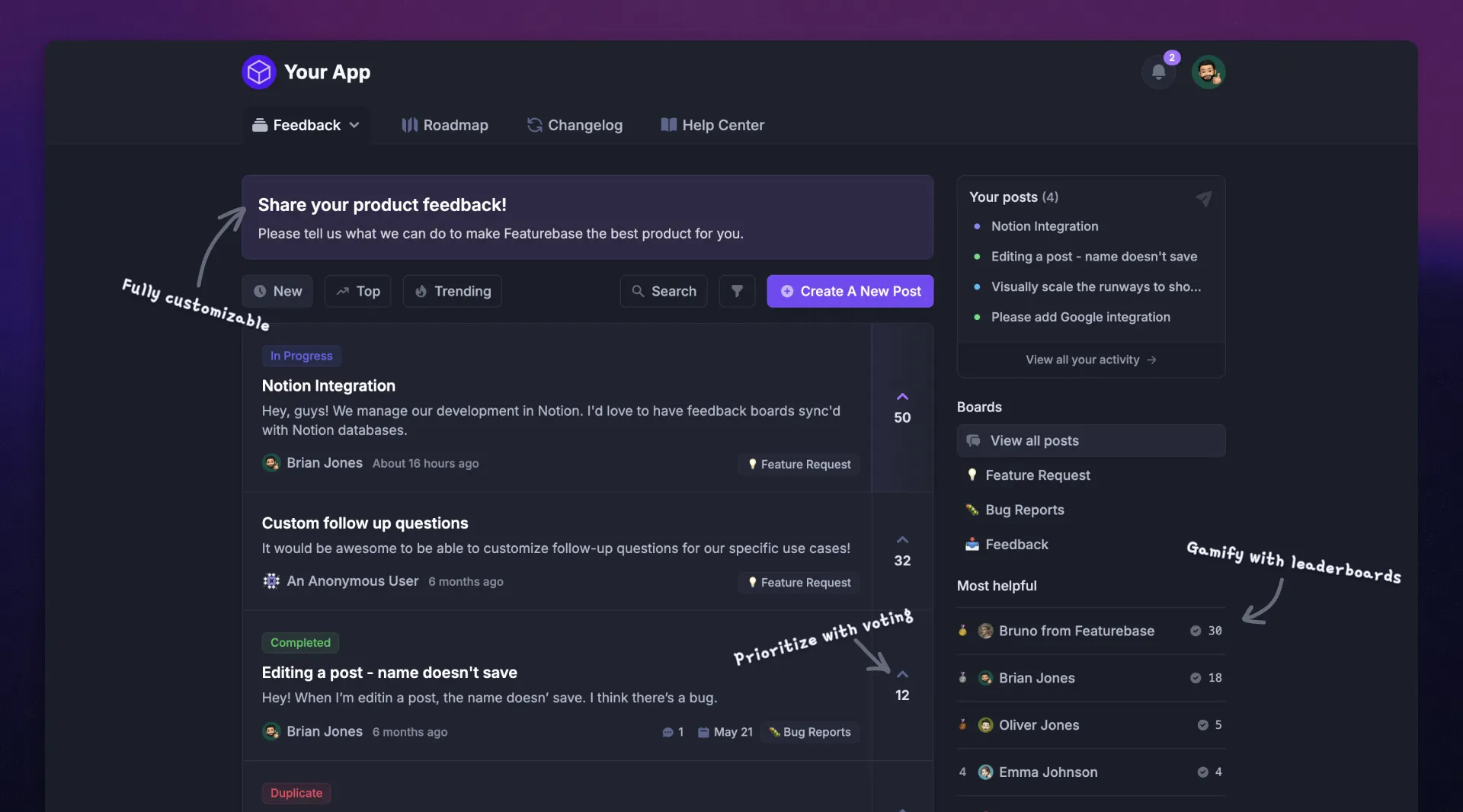
Featurebase is our first pick for software teams that need product feedback, roadmaps, and customer communication together. It's a modern feedback & support platform that helps product teams collect feedback, prioritize features, build roadmaps, and announce product updates in one place.
Customers can share ideas through a Feedback Portal or in-app widgets. Your team can connect those requests with customer information, supporting conversations, and delivery work, making it easier to understand both the request and who needs it.
Top features:
- Feedback forum – Public feedback forum where users can submit ideas and vote on features, helping you know what customers want
- In-app widgets – Embed feedback, changelog, and help center widgets directly in your product
- Prioritize by revenue – Link feedback with customer revenue, company size, and other customer data to better understand the impact of ideas
- AI feedback organization – Link incoming insights to Requests, organize submissions, and review or merge duplicates
- Customer updates – Notify requesters about progress and send follow-up messages in linked support conversations
- Roadmaps – Create internal & public product roadmaps to keep users informed and build engagement
- Product updates – Publish release notes with a changelog page, in-app widget, and emails
- Surveys (NPS, CSAT, etc.) – Create targeted surveys to ask users questions and measure customer satisfaction
- Automatic AI translations – Translate Request titles and content for customers viewing your portal in another language
- Integrations – Connect with Slack, Linear, Jira, HubSpot, and more
Why choose it: Featurebase fits a product team that wants a visible path from customer feedback to a request, roadmap progress, and a customer update. It also brings support and your help center into the same platform.
Fit boundary: If your main requirement is enterprise text and speech analytics across a large CX program, evaluate the dedicated intelligence platforms below. Featurebase leads here because of the product feedback workflow.
Pricing: Free. Paid from $29/seat/month, billed annually. The free plan includes 1 seat and unlimited feedback collection. Paid plans start at $37/seat/month when billed monthly. AI capabilities and usage-based services have their own plan limits or charges.
2. Canny
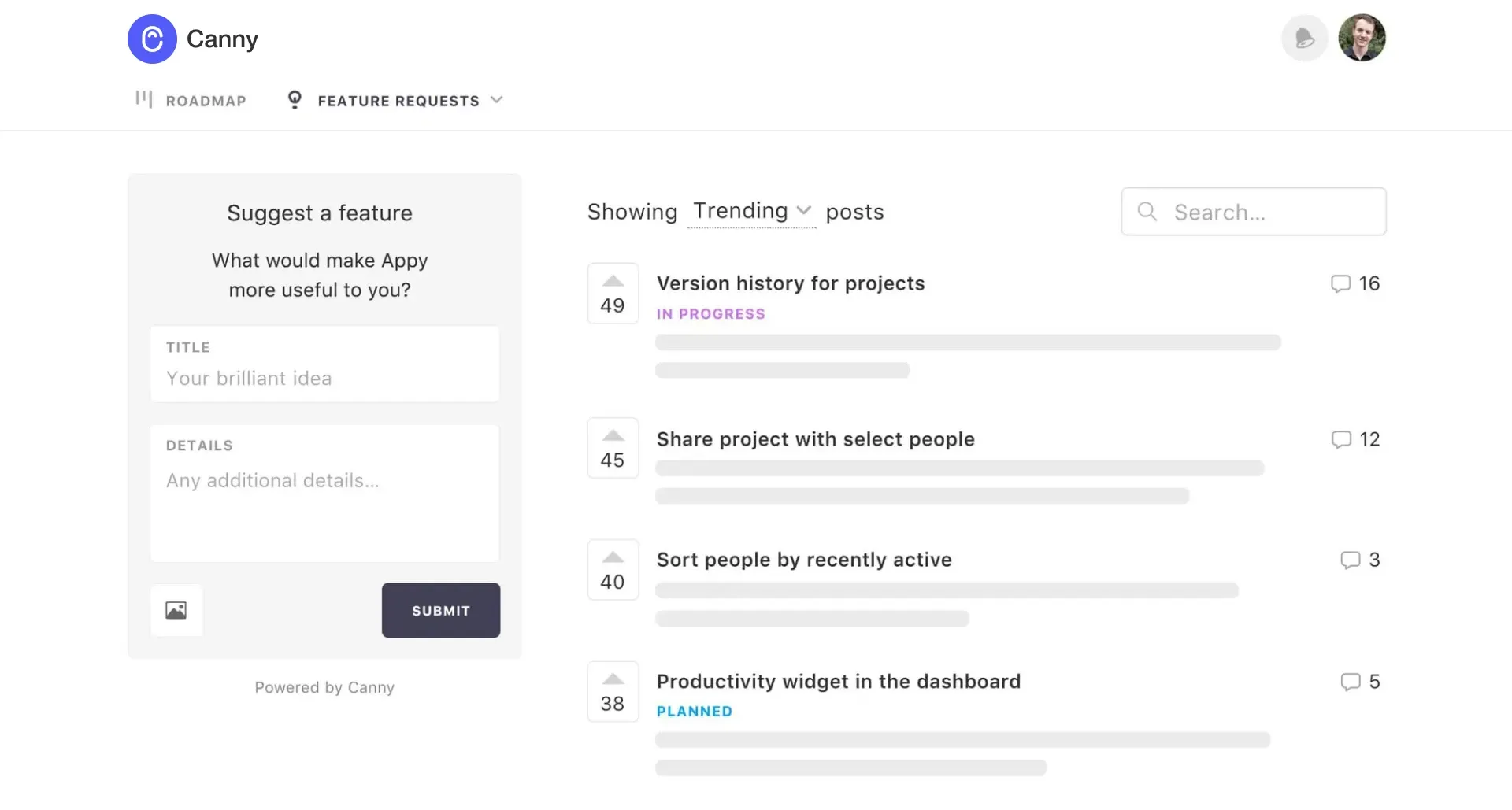
Canny is a focused option for teams that want customers to submit ideas, vote on requests, and see product progress. It suits a workflow where a feedback board is the center of customer participation.
Its Autopilot also captures feedback from support and sales conversations, so collection can extend beyond customers who visit the portal themselves.
Top features
- Feedback boards with voting and customer context
- Public roadmaps, status updates, and changelogs
- AI feedback capture, deduplication, and triage
- Integrations connecting feedback to product work
Why choose it: Consider Canny when you want a dedicated feature request workflow alongside your existing support tools. Your team can gather demand around requests and communicate progress from the same feedback hub.
Main trade-off: Budget around tracked users, meaning people associated with feedback. Check how importing existing feedback or expanding automatic capture affects that count. Also test whether its prioritization approach gives you enough context beyond votes.
Pricing: Free. Pro from $79/month, billed annually. The Canny pricing entry tiers include 25 tracked users on Free and 100 on Pro. Higher tracked-user tiers increase the cost, and Business uses custom pricing.
3. Productboard
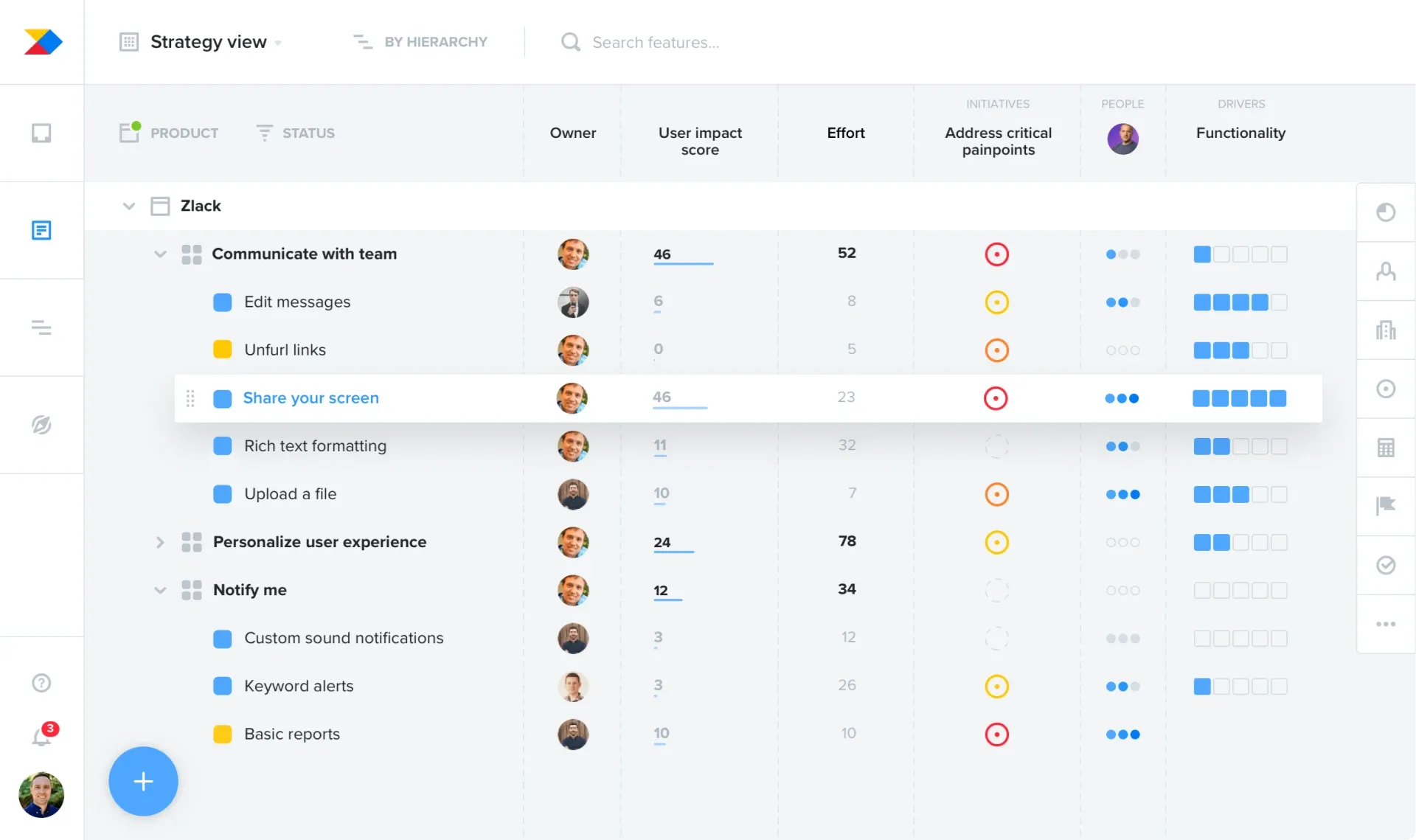
Productboard fits teams that need customer feedback to inform a structured product planning process. Its scope includes prioritization, roadmaps, customer insights, and collaboration across product teams.
That matters when the decision involves dependencies and competing objectives, alongside the number of customers requesting a feature.
Top features
- A customer insights repository and feedback summaries
- Roadmaps, prioritization formulas, and dependency tracking
- Product Portals for gathering customer input
- Customer segments and collaboration controls
Why choose it: Productboard is worth evaluating when multiple product managers need to compare opportunities and explain roadmap decisions. It gives planning more structure than a simple request queue.
Main trade-off: Someone needs to maintain that structure. In your trial or demo, have the people who will use it connect real feedback to a priority and communicate the resulting decision. This helps expose the learning curve before rollout.
Pricing: Contact sales. Minimum 5 makers. Productboard currently offers Business and Enterprise plans without public dollar amounts. Confirm maker roles, AI credits, and implementation needs in the quote.
Chattermill alternatives for enterprise CX intelligence
These Chattermill competitors are closer options for buyers replacing its analysis role. Start here when your voice of customer (VoC) program needs text analytics, theme analysis, and reporting across large feedback datasets.
4. Thematic
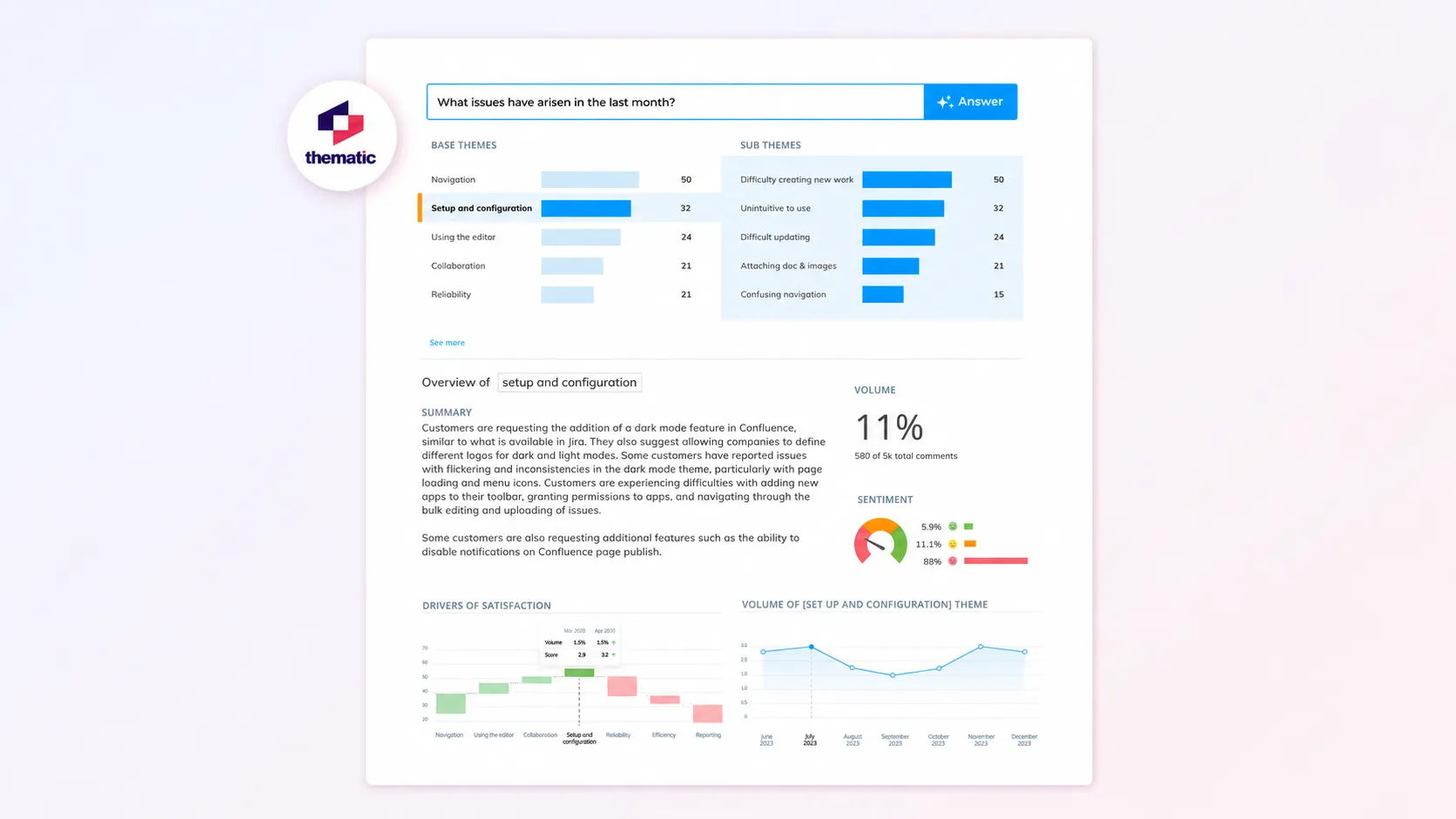
Thematic is a strong candidate when you already collect customer feedback and want to understand the themes within it. Its analysis connects topics with measures such as NPS and CSAT, helping teams investigate changes in customer experience.
The appeal is the ability to inspect the analysis. Analysts can work with the themes and trace findings back to the underlying comments.
Top features
- Theme discovery and editable taxonomies
- Sentiment analysis and supporting customer comments
- Analysis of themes associated with CX metrics
- Natural-language questions and feedback reporting
Why choose it: Shortlist Thematic when your team needs to explain a shift in satisfaction and show the feedback behind that explanation. Use your own data to compare the usefulness of its themes and metric analysis with your current Chattermill reports. Compare Thematic alternatives using the same feedback sample before committing.
Main trade-off: Your collection tools remain part of the workflow. If you also need a new survey program or customer-facing request portal, include that requirement separately in your evaluation.
Pricing: From $25,000/year. Foundation includes 25,000 comments per year and up to 3 datasets. Enterprise uses custom pricing. Check data volume, dataset requirements, and the capabilities included in your proposed plan.
5. Qualtrics XM Discover
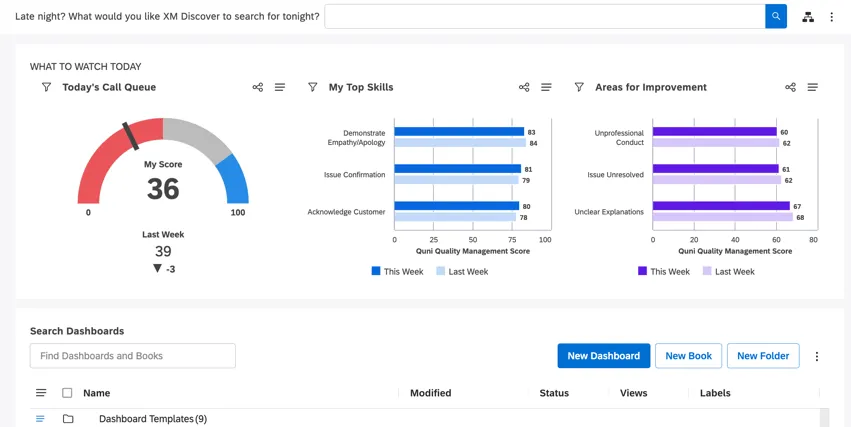
Qualtrics XM Discover is an enterprise option for analyzing customer conversations and other unstructured feedback. It can work with sources including support cases, chat, call transcripts, surveys, and reviews.
Be specific about the product when evaluating it. XM Discover has a broader conversation analytics role than the text analysis attached to a survey alone.
Top features
- Connectors for ingesting customer interaction data
- Topic models, sentiment tuning, and custom language rules
- Dashboards, metrics, and reporting for different roles
- Alerts for relevant topics and customer signals
Why choose it: It deserves a close look when your organization already uses Qualtrics or needs enterprise conversation analytics within a wider experience management program.
Main trade-off: Define the implementation before comparing quotes. Ask who will own connectors, topic models, reporting permissions, and ongoing maintenance. Existing Qualtrics usage can help the evaluation, but doesn't establish that every required module is included.
Pricing: Custom quote. Qualtrics pricing depends on the products and usage you purchase. Request an XM Discover-specific proposal rather than assuming a survey subscription covers the required analytics.
6. Medallia
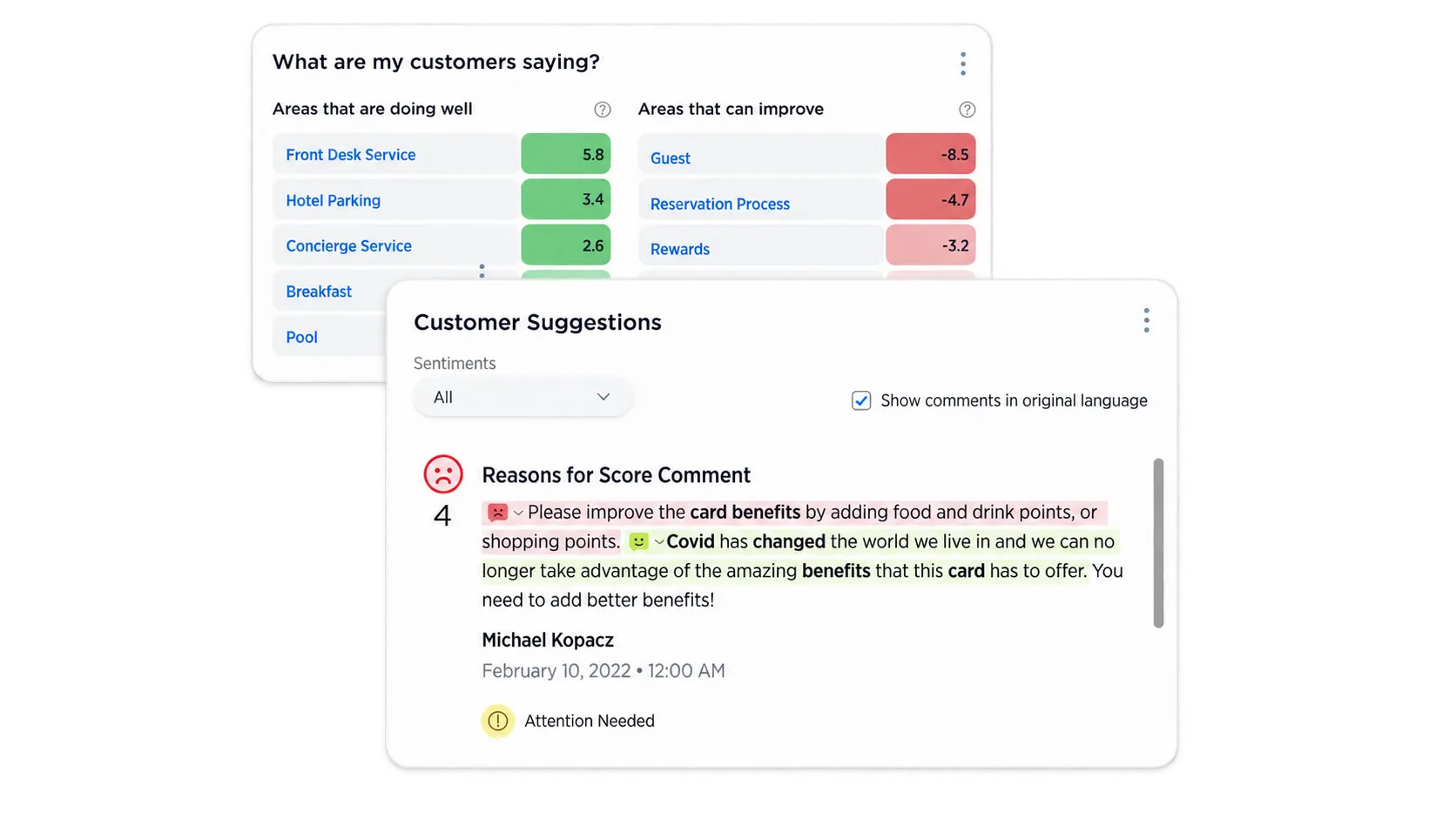
Medallia is worth considering when the requirement extends beyond feedback analysis into a broad customer experience management program. It combines feedback capture, analytics, reporting, and workflows for teams responsible for acting on customer issues.
It fits an evaluation involving several functions or customer touchpoints, where different teams need their own reporting and follow-up responsibilities.
Top features
- Feedback capture across surveys, digital channels, and conversations
- Text, speech, and acoustic analytics
- Reporting tailored to different organizational roles
- Alerts, case management, and customer follow-up workflows
Why choose it: Medallia is a credible option for organizations building or consolidating an enterprise feedback management program. Include the teams responsible for collection and operational follow-up in the buying process.
Main trade-off: The scope can be much broader than replacing a feedback dashboard. Agree on the workflows you need first, then evaluate the configuration and ongoing work required to run them.
Pricing: Custom quote. Medallia publishes a volume-based model using Experience Data Records, which represent customer interactions. Annual tiers include unlimited users. Confirm how your proposed data sources count toward the contracted volume.
Chattermill alternatives for support-linked feedback
Start with this group when customer conversations are your most useful source of product and service insights. Both platforms also cover other feedback sources, so the grouping reflects the buying priority rather than a strict product boundary.
7. Enterpret
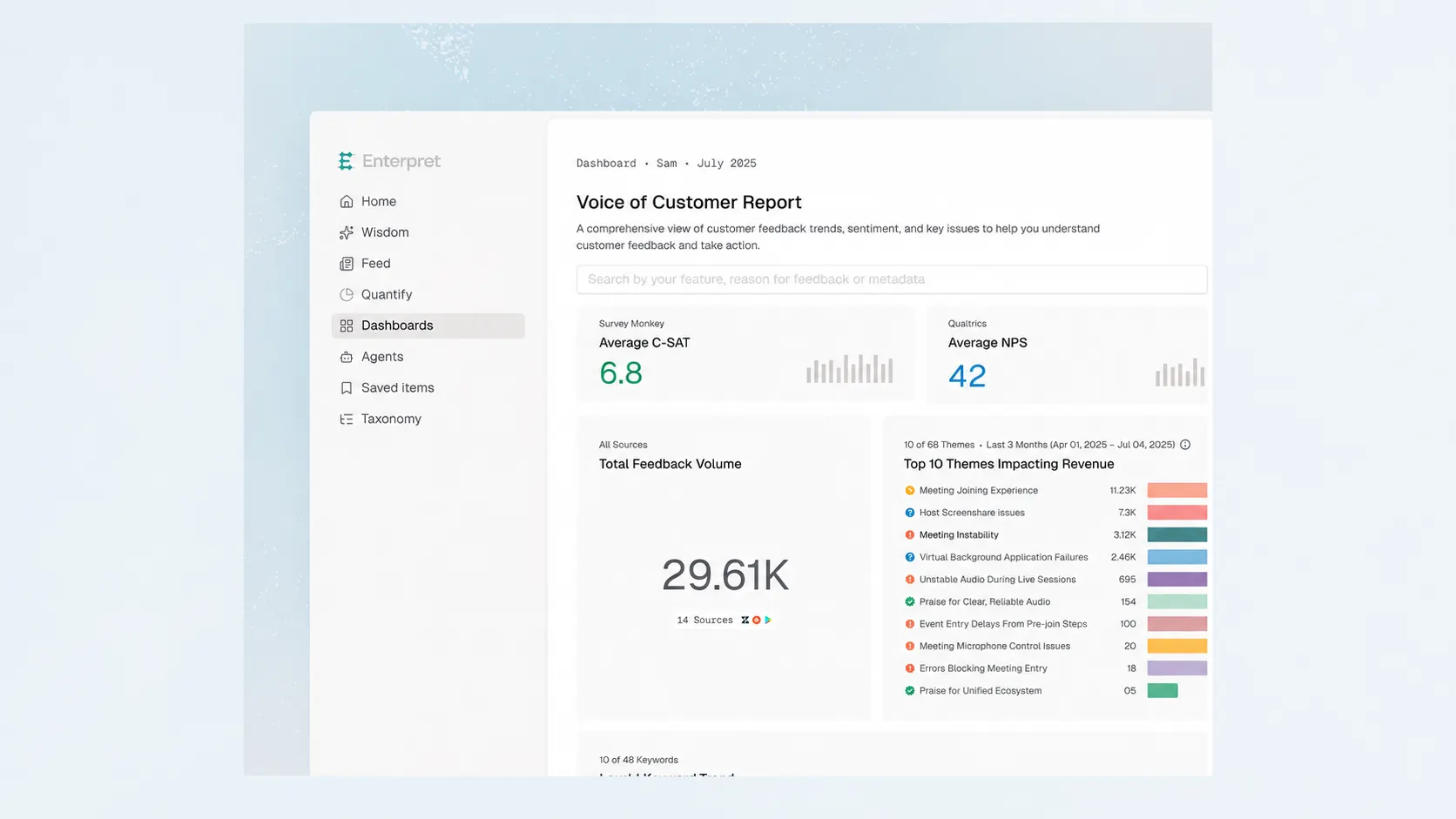
Enterpret connects feedback from support conversations, calls, reviews, and other sources with customer and account context. It is particularly relevant when product teams need to understand which customers experience a problem and what evidence supports fixing it.
For example, a recurring complaint becomes more useful when a product manager can inspect the conversations and see the affected accounts.
Top features
- An adaptive taxonomy for organizing customer feedback
- Customer context connecting feedback with account information
- AI answers supported by source conversations
- Jira and Linear workflows for turning findings into product work
Why choose it: Evaluate Enterpret when support insights need to travel into product decisions with their evidence intact. It provides a way to investigate the demand behind a request without relying entirely on manual summaries from customer-facing teams.
Main trade-off: Useful account-level analysis depends on the information available in your connected systems. Test account matching and source quality early. Include your customer participation and roadmap requirements separately if those are part of the purchase.
Pricing: Contact sales. No public starting price was available on the official pages checked. Request a quote using your actual feedback sources and expected volume.
8. SentiSum
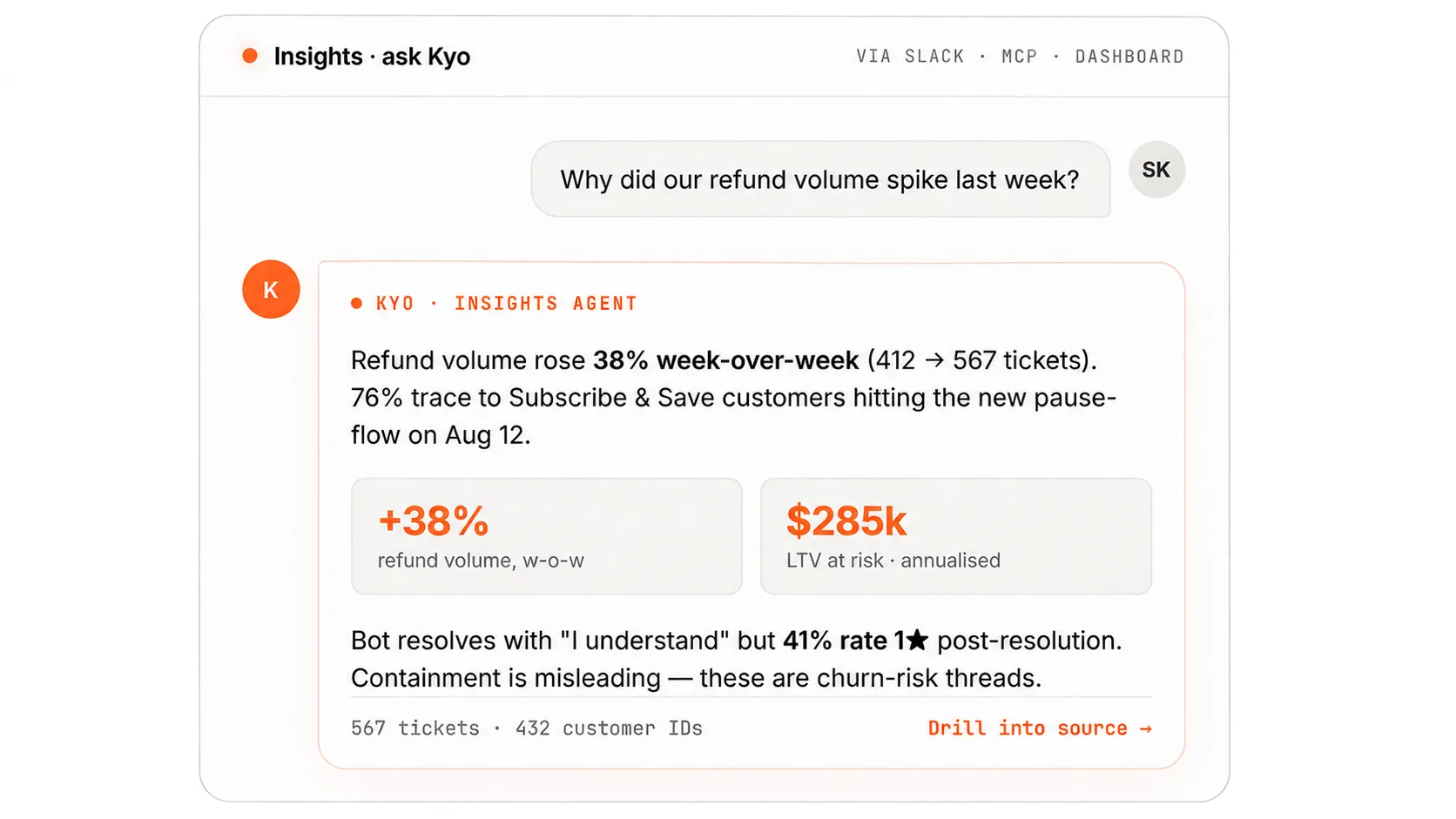
SentiSum is a strong candidate for support teams investigating why customers contact them and which problems need attention. Its current CX intelligence platform covers tickets, calls, chats, surveys, reviews, and bot transcripts.
That makes it useful when a support reporting category such as "billing" is too broad to explain the underlying issue.
Top features
- A custom taxonomy for identifying contact reasons and root causes
- Sentiment, trend, and customer conversation analysis
- Natural-language investigation through its Kyo assistant
- Early-warning alerts for emerging issues
Why choose it: Consider SentiSum when support ticket analytics needs to guide work across support, product, and operations. Ask it to explain an actual increase in contacts and show the conversations behind the finding.
Main trade-off: Check the boundary between the core intelligence platform and additional agents. A purchase for contact-driver analysis may have a different scope from one covering quality assessment or automated actions.
Pricing: Custom annual, volume-based quote. The core platform includes unlimited users and the Insights and Early Warning agents. Quality and Automation agents are priced separately. Confirm the included volume and any additional agents in your proposal.
How to choose the right Chattermill alternative
Start with a decision your team regularly struggles to make. "Understand why onboarding complaints increased" produces a more useful evaluation than a checklist asking whether every vendor has AI.
Test your own feedback and required integrations
Give shortlisted vendors a representative sample containing mixed sentiment, repeated complaints, product terminology, and feedback from your important channels. Use the same sample and questions wherever possible.
Evaluate 4 things:
- Useful themes: Can the tool distinguish different problems within a broad category such as onboarding?
- Traceable evidence: Can a colleague inspect the original feedback behind a summary or priority?
- Customer context: Can you distinguish a widespread problem from repeated messages by the same account?
- A workable next step: Can the responsible team turn the finding into a decision, task, or customer follow-up?
For product feedback tools, test a complete feature prioritization decision. Include customer demand, strategic fit, and effort so the evaluation goes beyond counting votes.
Also validate the integrations that matter to your workflow. The presence of a connector doesn't tell you how often it syncs, which fields it carries, or whether it supports the direction of data flow you need.
Compare the full cost and follow-up workflow
Ask each vendor to price the same scenario: your expected feedback volume, required team access, source systems, and workflows over a full year. Include onboarding and any AI or automation add-ons. Review Chattermill pricing before comparing quotes for the same workload.
Then check what happens after an insight reaches the right team. Who owns the action, how does progress get recorded, and how will affected customers hear about it?
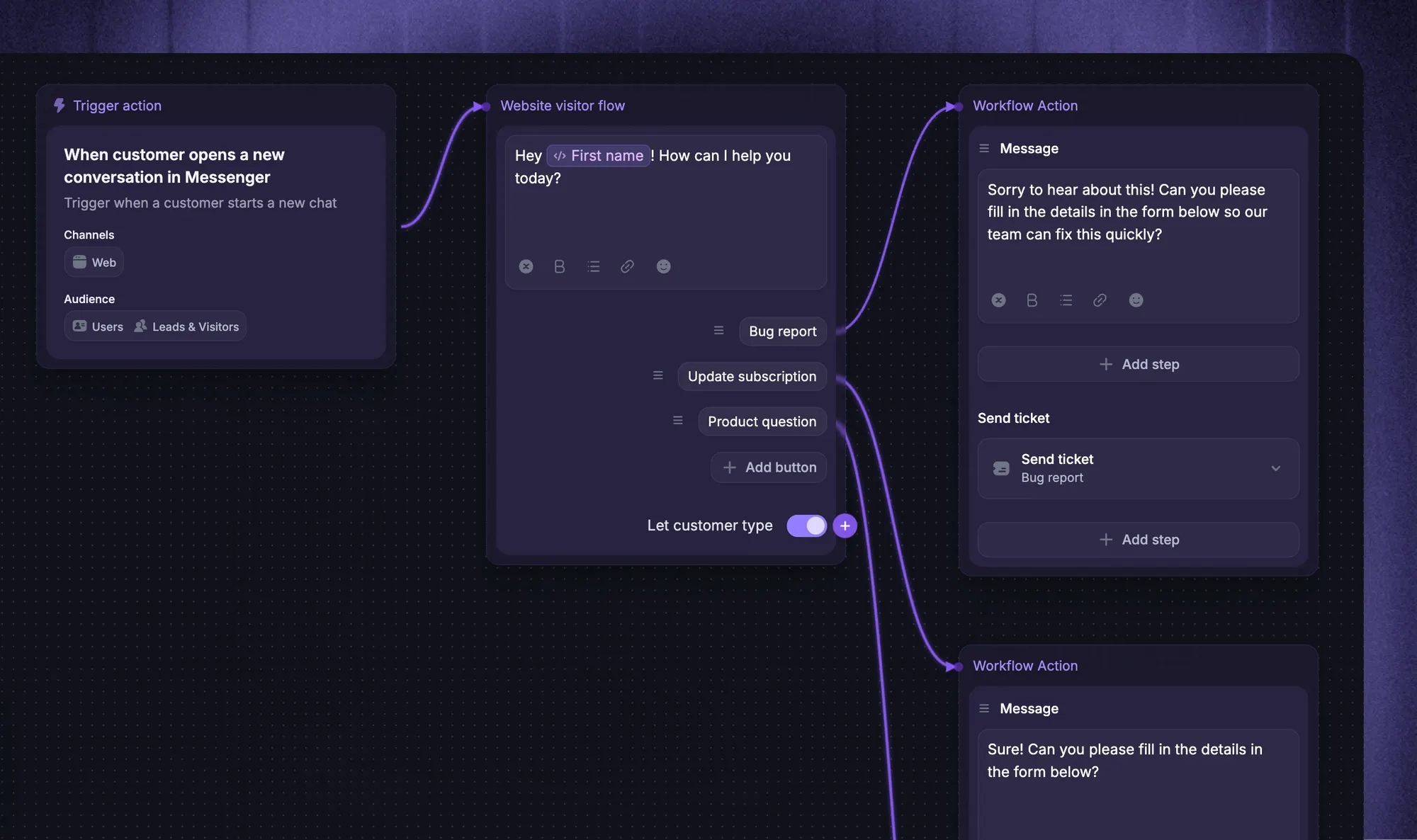
For example, Featurebase can connect a support conversation to a Request and preserve the customer's context. Your team can then send progress updates to portal requesters or reply in linked conversations. A status change adds an internal note to those conversations, while sending the customer reply is a separate action.
That distinction matters when evaluating a customer feedback loop. A changed status, an internal alert, and a customer notification are different outcomes. Ask vendors to demonstrate the one you need.
Conclusion
The best Chattermill alternative depends on the job. Thematic, Qualtrics XM Discover, and Medallia belong on an enterprise CX shortlist.
Enterpret and SentiSum are worth evaluating when support conversations need to inform wider decisions. Keep Chattermill if its analysis and existing workflows already meet your needs.
For product feedback and roadmaps, Featurebase is our first pick. It brings customer requests, supporting context, roadmap visibility, and product updates together, helping software teams keep customers involved as they decide what to build.
It comes with a Free plan and unlimited feedback collection, so you can try the workflow before committing to a paid plan. 👇
Start collecting & managing feedback with Featurebase for free
FAQs
Featurebase and Canny offer free plans for product feedback management. They can be suitable when you need requests, customer participation, and progress tracking, but a free feedback plan doesn't establish equivalent enterprise conversation analytics. Compare the features and usage limits required for your particular workflow.
Chattermill directs pricing inquiries to its demo and sales process rather than publishing a standard starting price. Ask for a written quote that identifies the included feedback volume, data sources, onboarding, and contract terms. Third-party estimates of what other customers paid are not official list prices.
Aspect-based sentiment analysis identifies sentiment about individual topics within the same piece of feedback. For example, "The setup was easy, but the reporting is confusing" expresses positive sentiment about setup and negative sentiment about reporting. This can reveal information that a single positive or negative label would miss.
Yes, when the replacement can ingest the required feedback from your existing helpdesk. Confirm whether the integration imports historical conversations, keeps new data current, and preserves the customer information you need. An analytics integration doesn't automatically provide a way to reply to customers or update ticket status.
Plan to validate or rebuild them because vendors can categorize and score the same feedback differently. Retain the raw feedback, dates, customer identifiers, and existing category definitions where your export permits it. Run an overlapping comparison period before treating the new reports as a continuation of the old trend line.