Top 8 Fider Alternatives for Product Feedback in 2026
Compare 8 Fider alternatives for feedback, roadmaps, and changelogs. Explore current pricing, free plans, self-hosted options, and each tool’s trade-offs.


On this page
Looking for a Fider alternative with changelogs, roadmaps, and in-app widgets? You're in the right place!
Fider handles basic feedback collection, but your team may need more help prioritizing requests or communicating what ships. Switching only makes sense if the new tool solves those problems at a price you can justify.
In this guide, I'll compare 8 Fider alternatives, explain their trade-offs, and help you choose between free, paid, and self-hosted options. 👇
Key takeaways
| Tool | Best for | Starting price | Free option | Main trade-off |
|---|---|---|---|---|
| Featurebase | Feedback, prioritization, and updates together | Free. Paid from $29/seat/month, billed annually | Unlimited feedback, 1 seat | Paid costs scale with seats |
| Canny | AI-assisted feedback capture | Free. Pro from $79/month, billed annually | 25 tracked users | Costs grow with tracked users |
| Nolt | Simple boards with predictable user costs | $29/month, billed annually | 10-day trial | Board limits vary by plan |
| Olvy | Feedback analysis across channels | Free. Essentials from $60/month | Limited analysis allowance | Different focus from public voting |
| Frill | Boards, roadmaps, and announcements | $25/month, billed monthly | 14-day trial | Startup caps active ideas at 50 |
| Rapidr | Feedback management with team access included | $49/month | 14-day trial | Advanced filters are still coming |
| Pendo | Product analytics plus feedback | Custom quote | Confirm access with sales | Broader scope and sales-led pricing |
| LogChimp | Running feedback software on your own servers | Free. Pro from $30/month, billed monthly | Self-managed tier | Hosting work and paid feature gates |
Pricing and plan details checked as of September 2026. Annual prices are monthly equivalents paid on an annual billing basis. Self-hosting costs are separate from software fees.
What is Fider?
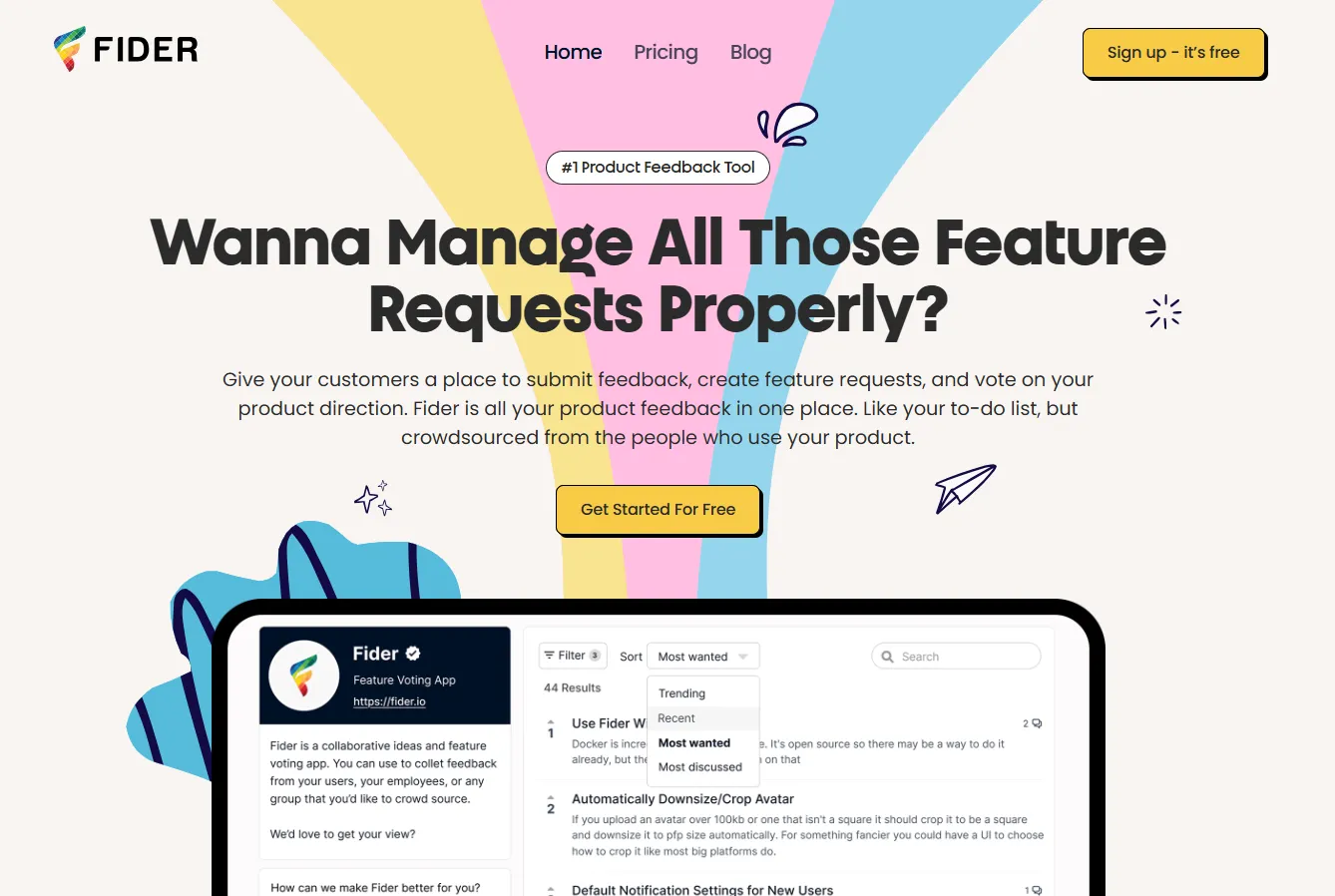
Fider is a simple open-source user feedback tool that has the option to be self-hosted. Its feedback system lets users submit suggestions, discuss ideas, and vote on requests.
You can also use Fider's managed service. Self-hosting is a deployment choice, not a requirement for using the product.
Key features
- Feedback submission, discussion, and voting
- Tags and request statuses
- Customization and multiple languages
- API and webhook integrations
- An open-source codebase for self-hosting
Fider's webhook documentation explains how events can connect with other applications, including chat tools. Compare that setup with the native integrations offered by another platform.
How much does Fider cost?
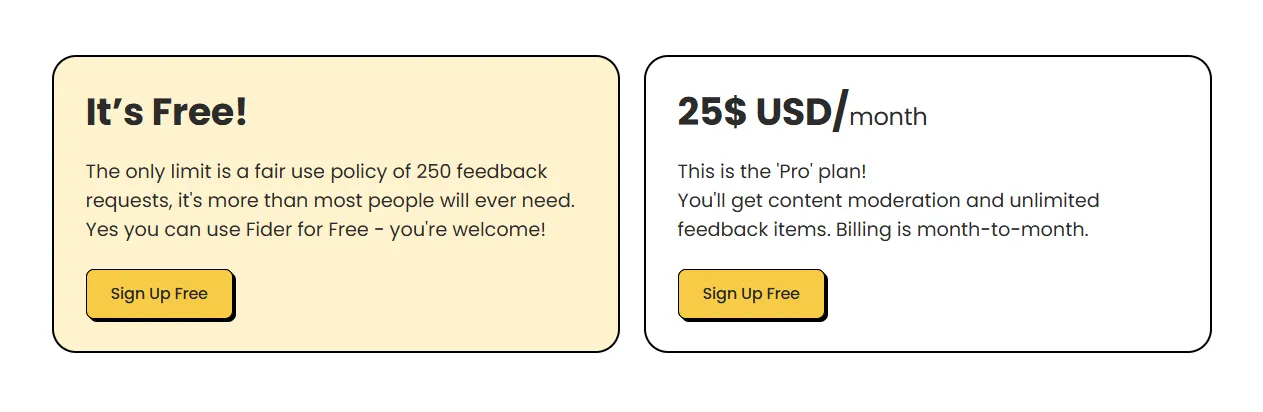
As of September 2026, Fider offers:
- Free managed hosting: Unlimited users, with a fair-use limit of 250 feedback requests.
- Pro at $25/month: Month-to-month billing, unlimited feedback items, and content moderation.
- Self-hosting: Run the open-source software yourself and budget separately for infrastructure and maintenance.
These hosted limits and prices are listed on Fider's pricing page.
As for self-hosting, it's a bit more difficult to estimate costs. You'll need to account for setup, updates, security, backups, and ongoing server management.
Why even switch from Fider?
Fider is a simple open-source feedback tool that can work well for a straightforward voting board. It also offers managed hosting, so you don't need to switch just to avoid running a server.
The stronger reason to move is a gap in your customer feedback management workflow. Here are the requirements I'd compare.
You want to collect feedback inside your product
A separate feedback board works when customers are willing to visit it. An in-app feedback widget gives them a way to share an idea while they're using the relevant feature.
If this is your main reason to switch, test the submission experience inside your app. Check whether users stay signed in and whether the team receives enough context to understand the request.
You need more than a vote count to prioritize work
Feature voting shows which ideas attract attention. Your product team may also need customer revenue, account segments, development effort, and strategic fit.
For example, a request with fewer votes might unblock several paying customers. Look for tools that connect that context to requests and support the prioritization frameworks your team actually uses.
You want a clearer way to communicate progress
A public product roadmap explains what you're considering or building. A changelog explains what customers can use now.
If your team needs both, compare dedicated roadmap views, release announcements, and notification options. These help you close the feedback loop beyond collecting an initial suggestion.
The 8 best Fider alternatives for collecting feedback
I compared these tools by their feedback workflow, pricing model, and the practical trade-offs for a team moving from Fider. The list includes lightweight boards, broader product platforms, and a self-hosted option.
1. Featurebase
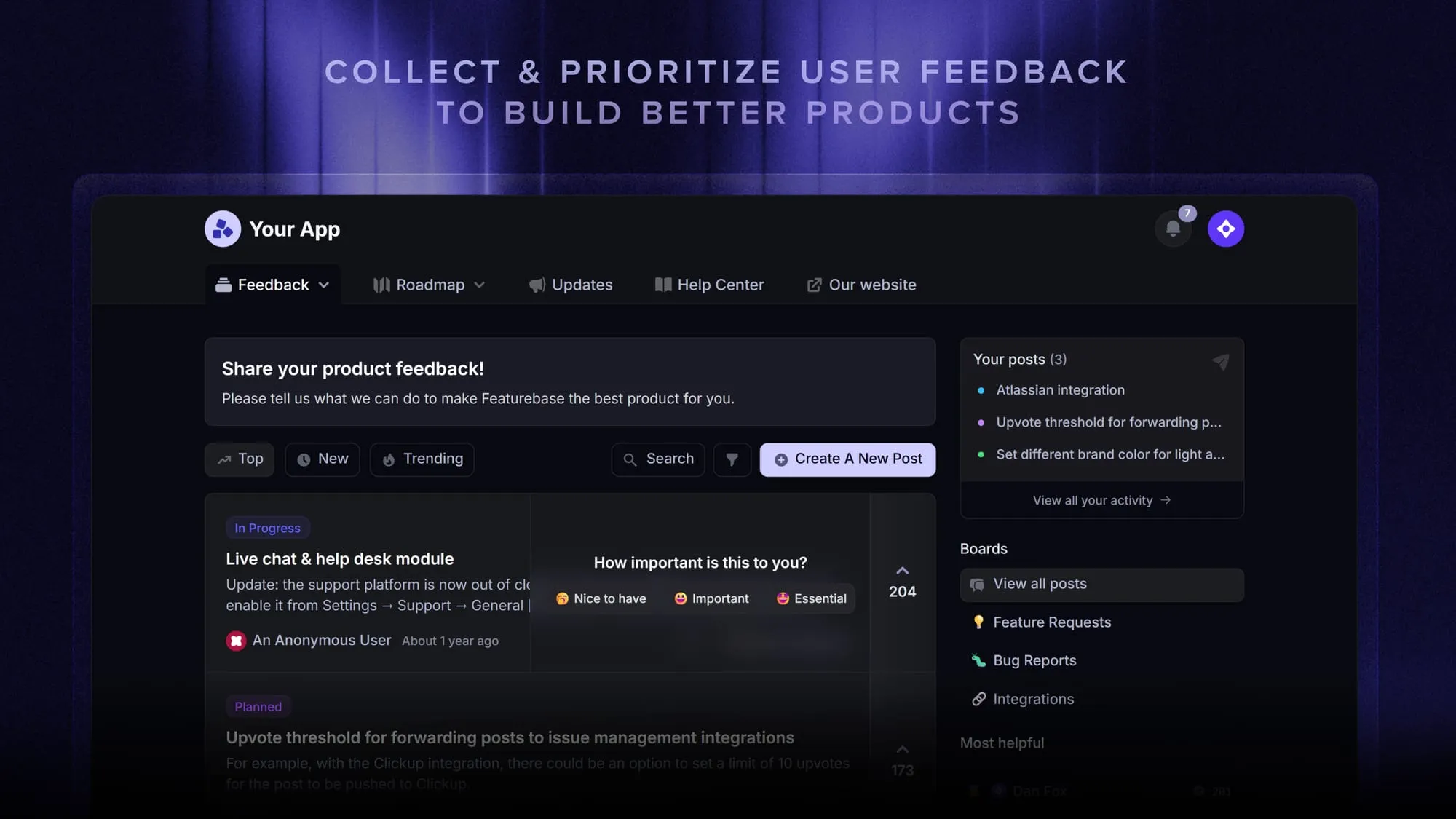
Featurebase is a modern feedback & support platform that helps product teams collect feedback, prioritize features, build roadmaps, and announce product updates - all in one place. It’s used by product teams at companies like Lovable, Raycast, and n8n. 💫
Top features:
- Feedback forum – Public feedback forum where users can submit ideas and vote on features helping you know what customers want
- In-app widgets – Embed feedback, changelog, and help center widgets directly in your product
- Prioritize by revenue – Link feedback with customer revenue, company size, and much more to better understand the impact of ideas
- AI feedback categorization – Use AI to organize incoming feedback and connect related requests
- Automated email updates – Automatically notify users when their requested features are implemented
- Roadmaps – Create internal & public product roadmaps to keep users informed and build engagement
- Product updates – Publish release notes with a changelog page, in-app widget, and emails
- Surveys (NPS, CSAT, etc) – Create targeted surveys to ask users anything and measure customer satisfaction
- Automatic AI translations – Automatically translate feedback titles and content into your enabled languages
- Integrations – Connects with Slack, Linear, Jira, HubSpot, and more
Pricing: Free. Paid from $29/seat/month, billed annually. The free plan includes 1 seat and unlimited feedback collection. Professional and Enterprise are $59 and $99/seat/month respectively, billed annually. Check the Featurebase pricing breakdown for feature availability by plan.
Instead of having 4+ different tools, Featurebase brings feedback collection, product updates, support, and your help center together to help you build products your users love.
If your community already shares ideas in chat, the Discord integration provides another way to connect that feedback with your team.
Best fit: Product teams that want to connect feedback, prioritization, roadmaps, and release communication in one platform.
2. Canny.io
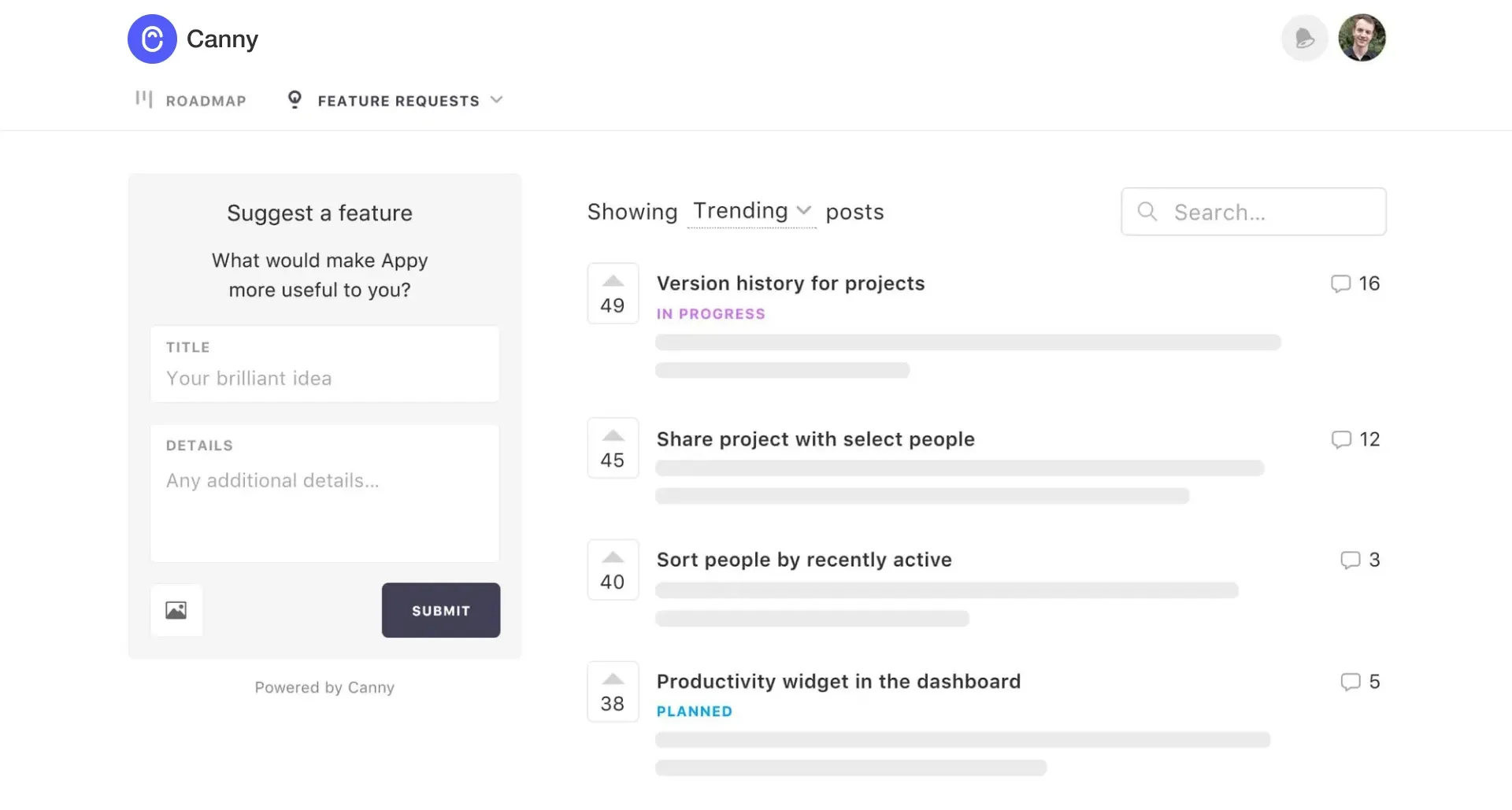
Canny combines feedback boards with AI-assisted capture from customer conversations. It's worth considering when your team spends too much time collecting requests from support and sales tools.
Top features
- Feedback boards, roadmaps, and changelog
- AI feedback discovery and deduplication
- Feedback widget and status updates
- User segmentation and project-management integrations
What works well: Automated capture can reduce manual copying between tools. Its combination of feedback collection and integrations is useful for teams handling requests across several channels.
Trade-offs: Canny charges by tracked users. Someone can count when they submit, vote, or comment, including when an admin or AI captures feedback on their behalf. Review both the workflow and customer complaints on G2 against your own requirements.
Pricing: Free. Pro from $79/month, billed annually. Free includes 25 tracked users, while Pro starts at 100 tracked users. Business has custom pricing. Without a spending limit, exceeding your allowance can trigger an automatic upgrade. These terms are detailed on Canny's pricing page.
Use our Canny pricing guide to compare the model, or explore Canny alternatives if predictable costs matter more than automated capture.
3. Nolt.io
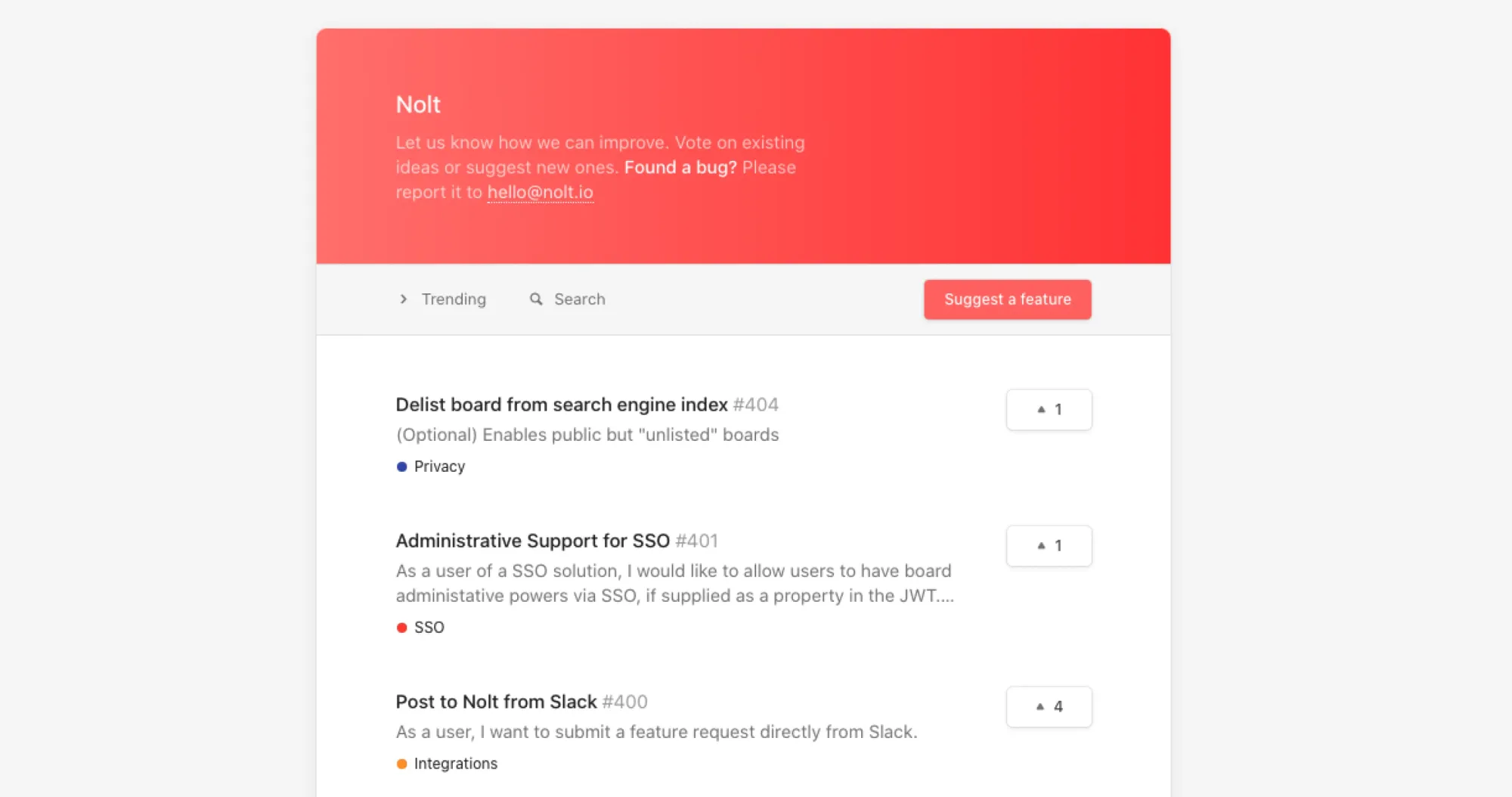
Nolt is a lightweight alternative to Fider for teams that want a simple, managed feedback board. Its plans include unlimited users and admins, making the number of boards a more useful budgeting consideration.
Top features
- Feedback boards and roadmaps
- Feedback collection widget
- Anonymous posting, commenting, and voting
- Changelog announcements with email and in-app delivery
Nolt now offers a changelog, so it can support release communication alongside voting. That makes it relevant when you want a straightforward way to manage requests and publish updates.
What works well: The product focuses on a clear board experience, and unlimited users avoid a bill that rises with every additional participant.
Trade-offs: Essential includes 1 board, while Pro includes 5. Teams managing several products should price the required board count and check which integrations their plan includes.
Pricing: $29/month, billed annually, for Essential. Pro is $69/month, billed annually, and Enterprise is custom-priced. There’s a 10-day trial. Annual totals are $348 and $828 respectively on Nolt's pricing page.
Compare Nolt alternatives if your main requirement is deeper analysis or prioritization.
4. Olvy
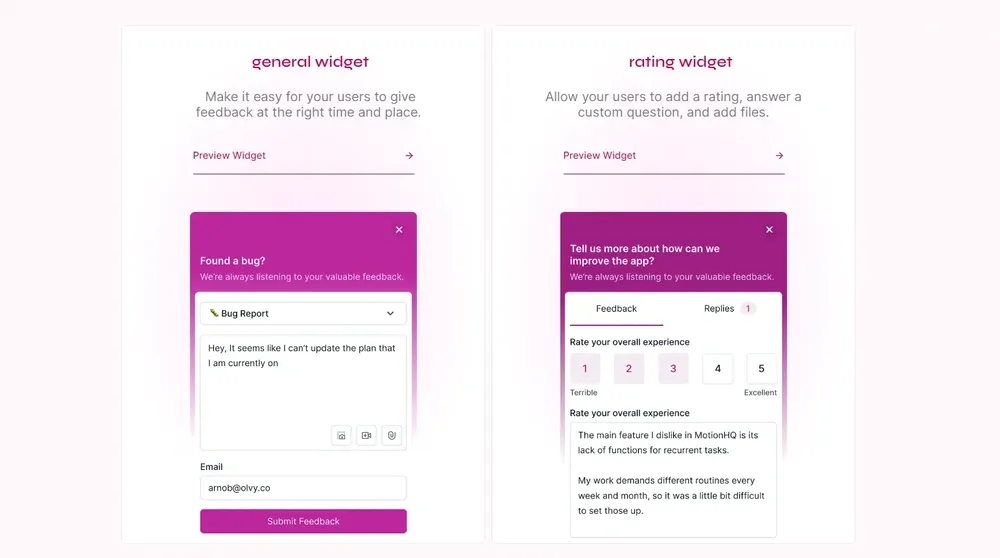
Olvy is an AI user feedback tool for startups. It helps teams collect and manage user feedback to make better product decisions. They have lots of integrations and in-app widgets to centralize all of your feedback.
Its strongest fit is customer feedback analysis across different sources. Choose it when understanding themes in incoming feedback matters more than running a public voting community.
Top features
- In-app widgets for feedback collection
- Changelog and release announcements
- AI-assisted feedback analysis
- Integrations that bring feedback into one workspace
What works well: Olvy combines feedback analysis with ways to respond to customers. Its customer communication features let teams reply, ask questions, and send updates about shipped work.
Trade-offs: Evaluate its analysis workflow separately from a Fider-style public board. The limits on feedback analysis and builder seats also deserve attention when comparing plans.
Pricing: Free. Essentials from $60/month. Free includes 1 builder and analysis for 25 feedback items per month. Essentials includes 1 builder and 100 feedback items for analysis per month. Business includes 5 builders and 10,000 feedback items for analysis per month, costing $300 monthly or $240/month billed annually. See Olvy's plan limits.
If shared voting and a public roadmap are central to your workflow, compare the Olvy alternatives before deciding.
5. Frill
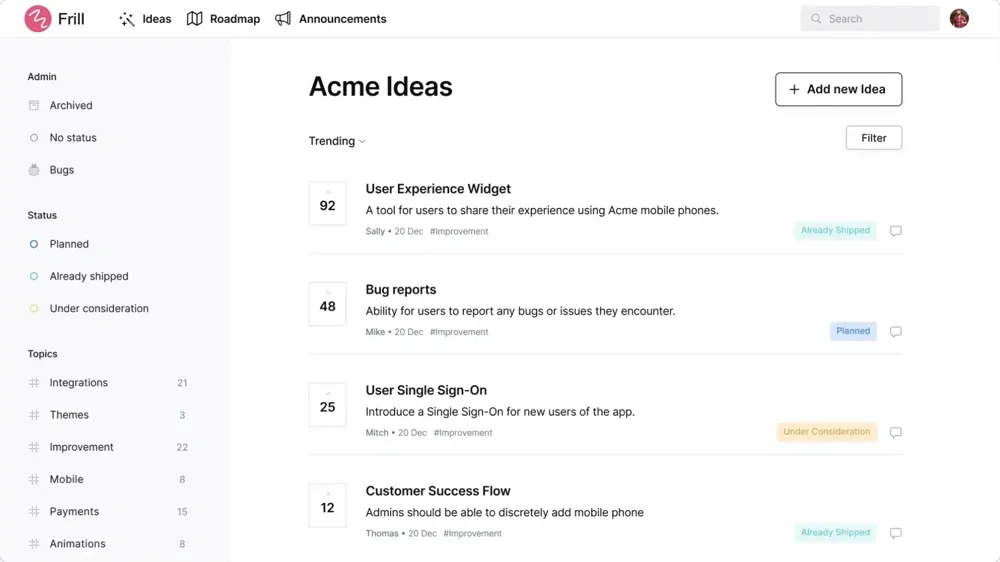
Frill brings feedback boards, roadmaps, and announcements together in a simple interface. It suits teams that want customers to suggest ideas and see what happens next.
Top features
- Feedback boards, roadmaps, and changelogs
- Feedback widgets and announcement widgets
- Prioritization matrix
- Similar-idea detection and merging
- Automated emails
What works well: Feedback collection and release communication sit in the same product. The prioritization and duplicate-management features also give teams ways to organize customer feedback as the board grows.
Trade-offs: Startup allows 50 active ideas. That's an active-idea limit, not a fresh allowance of 50 submissions every month. Privacy and white-labeling requirements can also push you toward a higher tier.
Pricing: $25/month, billed monthly, for Startup. Business costs $49/month, Growth $149/month, and Enterprise starts at $349/month. Annual billing lowers the displayed monthly equivalents to $22, $44, $136, and $319. Frill offers a 14-day trial on its pricing page.
Check Frill alternatives if your evaluation depends on a particular integration or customer-data workflow.
6. Rapidr
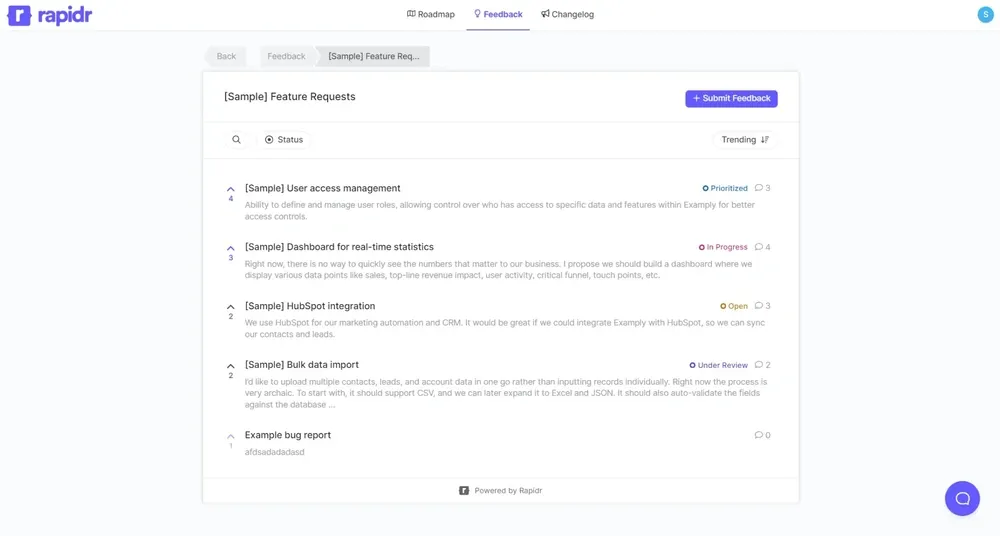
Rapidr combines feedback boards, a roadmap, and a changelog. Its plans include a set number of teammates, making it worth comparing when several people need to manage feedback.
Top features
- Feedback boards, roadmap, and changelog
- Custom domain and widgets
- Email notifications
- User segmentation and SSO on higher plans
- Integrations including HubSpot
What works well: It covers the core feature request management workflow, from collecting an idea to communicating progress. Startup includes 5 teammates, while Business includes 50.
Trade-offs: Some capabilities remain on the product's own roadmap. Salesforce integration, MRR filtering, and priority filtering are marked “coming soon,” so don't select Rapidr assuming those are already available.
Pricing: $49/month for Startup, $199/month for Business, and custom Enterprise pricing. There’s a 14-day trial. Review the available features and coming-soon labels on Rapidr's pricing page.
Compare Rapidr alternatives if revenue-based prioritization is a requirement today.
7. Pendo
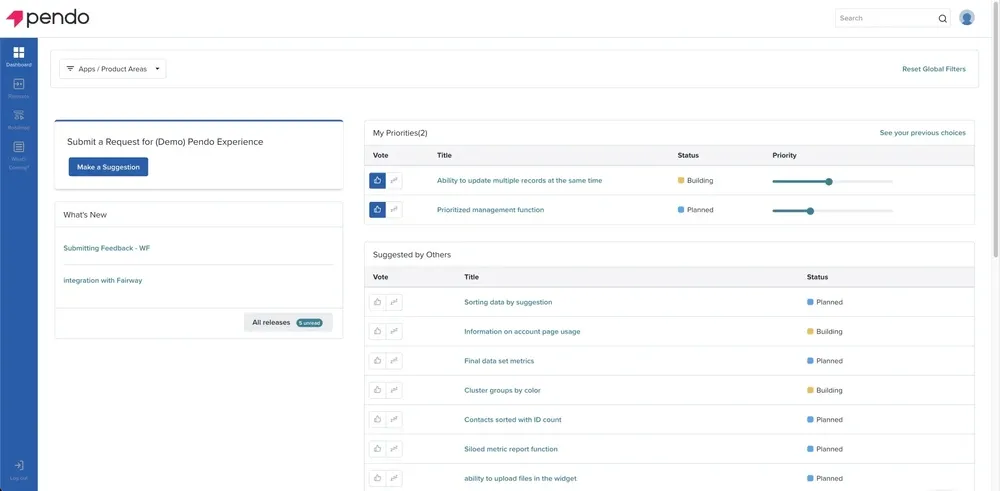
Pendo is enterprise-focused software offering a full suite of tools to improve user experience. It combines product analytics and in-app guidance with feedback capabilities available through its broader packages.
Top features
- Product analytics, including in-app usage tracking
- In-app guidance and onboarding
- Session replay
- Feedback collection and analysis through Pendo Listen
- Customer sentiment surveys
What works well: Pendo helps teams connect what customers say with what they do in the product. It's a stronger fit when you're evaluating analytics, onboarding, and feedback together.
Trade-offs: This is a broader purchase than a lightweight feedback board. During evaluation, compare the implementation work, required modules, and customer concerns on G2 with your team's needs.
Pricing: Custom quote. Pendo lists Base, Core, and Ultimate packages, with Pendo Listen included in Ultimate. Pricing depends on factors including monthly active users and selected capabilities. There isn't a published starting price for these packages on Pendo's pricing page.
Our Pendo pricing guide covers the purchasing considerations. For a more focused replacement, compare these Pendo alternatives.
8. LogChimp
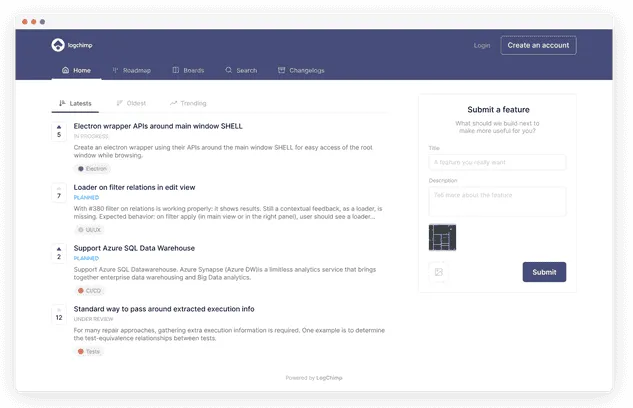
LogChimp is an open-source option for teams that want to run feedback software on their own infrastructure. It adds another self-hosted choice to a shortlist otherwise dominated by managed services.
Top features
- Customer-submitted posts and voting
- Custom domain and branding
- Boards, roadmaps, and comments on Pro
- API access for custom development
Its documentation describes the feedback workflow and currently labels the feedback widget as coming soon.
What works well: You control the hosting environment and can work with the source code. This is useful when infrastructure ownership is a real requirement.
Trade-offs: The free self-managed tier doesn't include every advertised feature. Boards, roadmaps, and comments are listed under Pro, and your team still handles hosting, maintenance, and backups.
Pricing: Free. Pro from $30/month, billed monthly, or $24/month billed annually. Business is $250 monthly or $200/month billed annually. The free tier includes unlimited posts and customers with 1 admin role. These are software prices for the self-managed plans on LogChimp's pricing page.
For roadmap requirements, compare the views you need with these product roadmap examples before paying for an upgrade.
How to choose a Fider alternative
Start with the problem you need to solve, then compare the cost of the plan that actually solves it.
- Feedback channels: List where requests arrive today. A public board, in-app widget, and feedback-analysis tool solve different collection problems.
- Prioritization workflow: Check whether you can connect requests with customer context and compare effort against impact.
- Release communication: Test how a customer learns that their request shipped. Look at announcements, targeted updates, and the relationship between requests and releases.
- Pricing as you grow: Model your expected team size, tracked users, boards, and analysis volume. A flat-looking starting price can hide a limit that matters to your team.
- Hosting responsibility: Choose self-hosting only if someone owns updates, backups, and reliability. Compare that workload with managed hosting.
- Migration quality: Test a sample import before moving everything. Verify authors, votes, comments, statuses, and private content in the destination.
A short trial using real requests will tell you more than comparing feature counts. Include an old duplicate, a request from an important account, and a shipped feature in your test.
Conclusion
The best Fider alternative depends on what your team needs next. Nolt and Frill suit simpler board workflows, Canny adds AI-assisted capture, and LogChimp serves teams that want to self-host. Olvy and Pendo fit broader analysis needs.
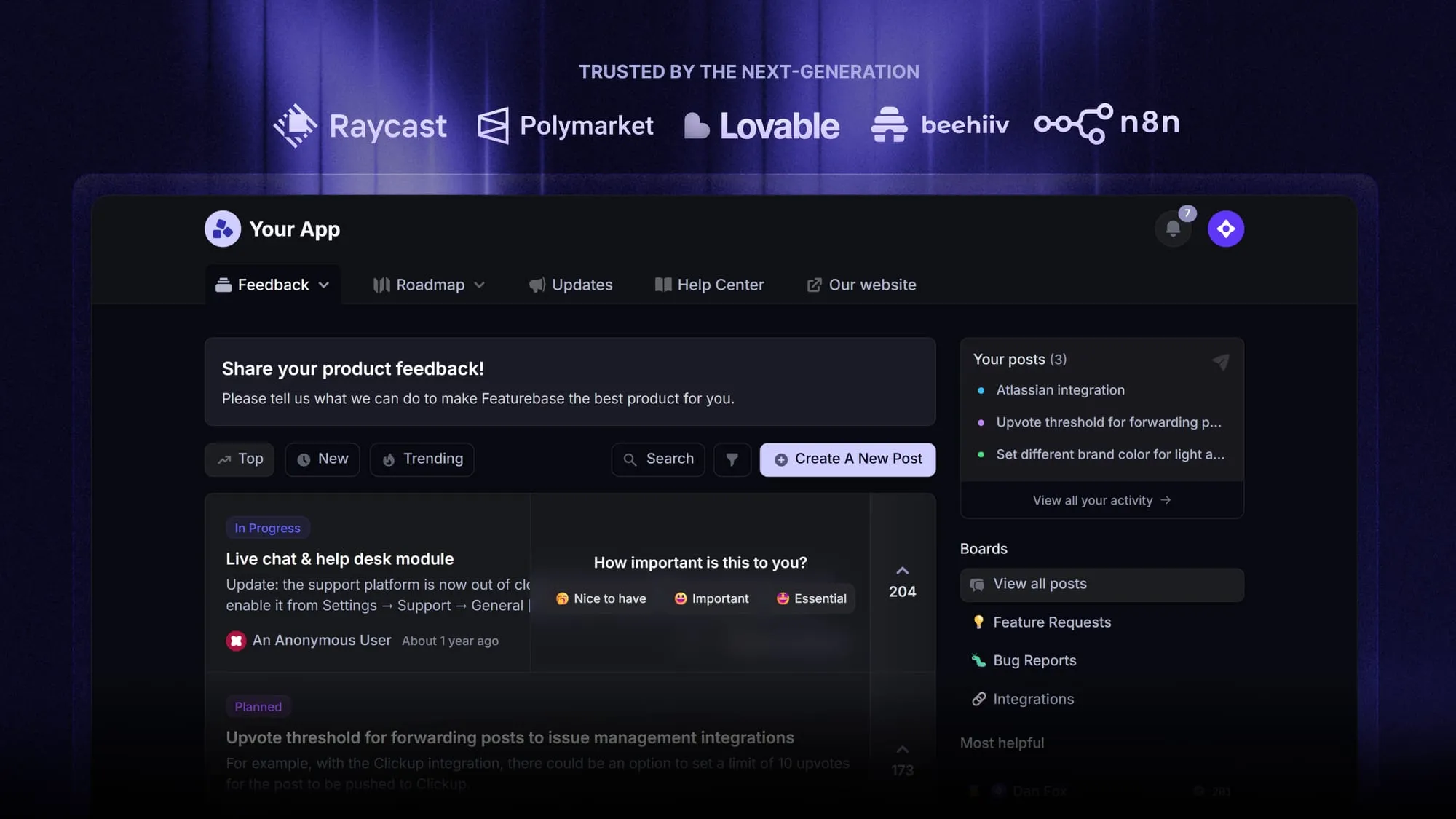
Featurebase is a modern feedback & support platform for teams that want feedback collection, prioritization, roadmaps, and product updates together. It connects customer requests with the context you need to decide what to build and keep users informed.
It comes with a Free plan allowing unlimited feedback collection and 1 seat, so you can try the workflow before committing to a paid plan. 👇
Start collecting & managing feedback with Featurebase for free
FAQs
Featurebase is a useful free option if unlimited feedback collection for 1 teammate fits your needs. Canny is another option for a small group of feedback contributors, but its free allowance counts tracked users. Test with a realistic sample of customers so the free-plan limits don't surprise you.
No, you can create a board on its managed service without running a server. If maintenance is your only problem, compare that route with switching products before migrating your feedback.
LogChimp is the self-hosted alternative in this comparison. Before choosing it, check both the software license and the paid feature boundaries, since access to source code doesn't mean every product feature is included free.
Migration depends on what you can export from your Fider deployment and what the destination can import. Ask the new provider to confirm support for authors, vote relationships, comments, statuses, and private content. Keep an export and validate a sample before switching your customer-facing links.
User count alone doesn't establish whether Fider will suit your next stage. On managed hosting, compare the feedback allowance with your expected volume. For a self-hosted deployment, evaluate server capacity as well as your team's ability to review, prioritize, and respond to incoming requests.
Stay when your current board supports the decisions your team needs to make and customers can get useful responses. A clearer customer feedback strategy may solve ownership and follow-up problems without a migration. Switch when you've identified a specific gap and verified that another tool handles it better.


